Customer Ratings & Reviews





- Model:
- E410KA-CL4128
- SKU:
- 10497751
Rating by feature
- Battery Life
Rating 4.3 out of 5 stars
- Speed
Rating 3.6 out of 5 stars
- Display
Rating 4.2 out of 5 stars
Customers are saying
Customers are delighted by the laptop's strong overall performance, portability, and appealing design, noting its lightweight nature and decent battery life. However, users frequently point out issues with the subpar screen quality, slow processor speed, and limited storage capacity. There are also concerns regarding insufficient RAM and a desire for more USB ports.
This summary was generated by AI based on customer reviews.
- Pros mentioned:Overall performance
Great affordable laptop
||Posted . Owned for 2 weeks when reviewed.This reviewer received promo considerations or sweepstakes entry for writing a review.Great laptop for the current price; good for office use
I would recommend this to a friend Performs basic needs
||Posted .This reviewer received promo considerations or sweepstakes entry for writing a review.Reasonable quality at a reasonable price. A basic computer.
I would recommend this to a friendBrand response from ASUS Answers
Posted .Dear MisterTom2u,
Thank you for your feedback on the ASUS E410KA laptop. We're glad to hear that you find it to be a reliable and affordable option for everyday use.
We stand behind our products and continuously strive to improve our products and processes to achieve customer service excellence. If you require any further assistance, please email us at customerloyalty@asus.com and include the case number "N2206041107-0129" as a reference. We will do our best to resolve your case quickly. Your feedback is very important to us, and it enables us to improve our support channels. Thank you for choosing ASUS.
Best Regards,
Chantae
ASUS Customer Loyalty US Support
- Cons mentioned:Connectivity
Awfully slow
||Posted .This reviewer received promo considerations or sweepstakes entry for writing a review.Issues right from startup. Needed a cheap laptop to edit documents and do light office work. This laptop could barely connect to WiFi without having issues. I knew it was under powered but assumed it would work akin to a Chromebook with browser based tasks. I was wrong. Returned it immediately
No, I would not recommend this to a friendBrand response from ASUS Answers
Posted .Dear Jimmy,
Thank you for sharing your experience with the ASUS E410KA Laptop. We sincerely apologize that the device was underpowered and delivered slower performance than expected, which ultimately resulted in it being returned. This is not the standard of product performance we strive to provide, and we regret that your experience did not meet our expectations.
Your feedback is highly valuable, and we will ensure it is communicated to our product teams for further review.
We stand behind our products and continuously strive to improve our products and processes to achieve customer service excellence. If you require any further assistance, please email us at customerloyalty@asus.com and include the case number "N2207007018-0138" as a reference. We will do our best to resolve your case quickly. Your feedback is very important to us, and it enables us to improve our support channels. Thank you for choosing ASUS.
Best Regards,
Chantae
ASUS Customer Loyalty US Support
Very good laptop
||Posted .This reviewer received promo considerations or sweepstakes entry for writing a review.I enjoy using this laptop! It is exactly as I expected it. I couldn't ask for a better deal. I would recommend this to anyone with a slim budget looking for quality.
I would recommend this to a friendexcelent
||Posted .This reviewer received promo considerations or sweepstakes entry for writing a review.very good computer in very good condition. Exactly what i was expecting and great for working
I would recommend this to a friend- Pros mentioned:Overall performance
Gift
||Posted . Owned for 1 week when reviewed.This reviewer received promo considerations or sweepstakes entry for writing a review.This was a gift for my little sister. She loves it.
I would recommend this to a friend It's a keeper
||Posted . Owned for 1 week when reviewed.This reviewer received promo considerations or sweepstakes entry for writing a review.It's a budget laptop, so, it's worthed for the price on sale. There's a constant sound that I can't figured out how to turn off yet. This particular model comes with Office 365 for 1 year free subscription. It is not advertised on the description. Needs charging every day.
I would recommend this to a friendBrand response from ASUS Answers
Posted .Dear Shopper,
Thank you for sharing your experience with the ASUS E410KA Laptop. We're glad to hear you found value in the device, especially with the included Office 365 subscription. We apologize for any inconvenience caused by the unexpected system sound and daily charging needs.
To further investigate the sound issue and provide assistance, we recommend contacting our support team at https://www.asus.com/us/support/callus. Your feedback is appreciated and will be shared with the relevant team for review.
We stand behind our product and we continuously strive to improve our products and processes in order to achieve customer service excellence. For more information send us an email at customerloyalty@asus.com and provide the case number "N2206041107-0124" for reference. We’ll do our best to provide a quick resolution to your case. Your feedback is important as it helps with improvements to ASUS Support channels. Thank you for choosing ASUS.
Best Regards,
Chantae
ASUS Customer Loyalty US Support
Great Laptop!
||Posted .This reviewer received promo considerations or sweepstakes entry for writing a review.I got this Asus Laptop for sale for $129.99 before tax. I upgraded the storage with Samsung 1TB SSD... it's pretty fast. I wouldn't recommend this laptop without upgrading the storage to SSD. Other than that it's a great laptop. Highly recommended!
I would recommend this to a friendMr. Geek
||Posted .This reviewer received promo considerations or sweepstakes entry for writing a review.Good product for great price. You should get this deal at the discounted price
I would recommend this to a friendASUS 14" laptop
||Posted .This reviewer received promo considerations or sweepstakes entry for writing a review.seems like a decent computer for the price. delivered on time
I would recommend this to a friendLittle slow
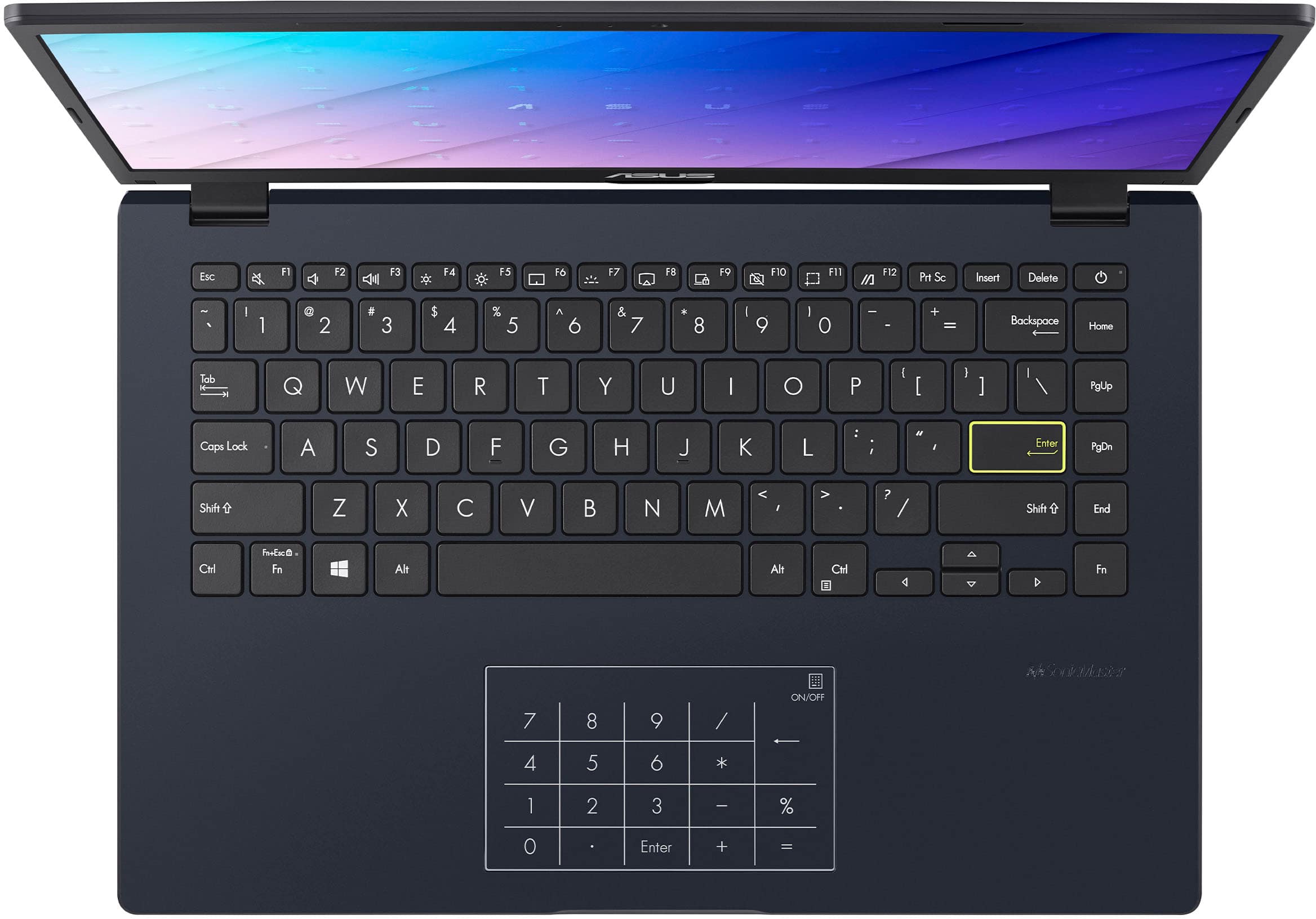
||Posted . Owned for 3 weeks when reviewed.This reviewer received promo considerations or sweepstakes entry for writing a review.It took some time how to use enter pad. We only use it for music online. It is a little slow.
I would recommend this to a friendBrand response from ASUS Answers
Posted .Dear Lynn,
Thank you for sharing your experience with the ASUS E410KA Laptop. We’re glad to hear it serves your needs for online music, and we sincerely apologize for the difficulties you’ve had with the EnterPad and the slow performance. We understand how inconvenient this can be and regret the frustration it has caused.
To help improve usability and performance, we recommend following the steps outlined in our FAQ guide linked below. If the issue continues, please contact our support team at https://www.asus.com/us/support/CallUs so we can assist you further or arrange repair service if necessary.
We stand behind our products and continuously strive to improve our products and processes to achieve customer service excellence. For more information, email us at customerloyalty@asus.com and include the case number "N2206041107-0132" as a reference. We will do our best to resolve your case quickly. Your feedback is very important to us and enables us to improve our support channels. Thank you for choosing ASUS.
Best Regards,
Chantae
ASUS Customer Loyalty US Support
[Windows 11/10] Troubleshooting - System is running slowly: https://www.asus.com/support/faq/1042398/
GREAT STARTER LAPTOP!!
||Posted .This reviewer received promo considerations or sweepstakes entry for writing a review.I purchased this laptop for my 10-year-old as a "starter laptop". The Windows OS with S Mode is perfect to ensure she doesn't download any malicious files. Not the greatest in terms of performance but perfect our needs.
No, I would not recommend this to a friendWorst laptop ever
||Posted . Owned for 3 months when reviewed.This reviewer received promo considerations or sweepstakes entry for writing a review.I bought the laptop a few months ago, have had nothing but problems since. Could not use the settings right off the bat. Had to have the Best Buy team fix it where they couldn’t download an update specific to Asus. Cannot print anything off of it. Got a virus just from using email and can’t get rid of it on when using antivirus software. Do not buy
No, I would not recommend this to a friendReturned...
||Posted .This reviewer received promo considerations or sweepstakes entry for writing a review.This computer is good, If you are introducing your kids to how to use a computer. But for my kids, age and grade, these were slow. Additionally, I had problem with initial set up, as it took over four hours to install Windows.
No, I would not recommend this to a friendBrand response from ASUS Answers
Posted .Dear Rayy,
We're sorry to hear you're experiencing performance issues with your device. While we understand you're considering a return, we encourage you to try a few troubleshooting steps first, which are outlined in the FAQ linked below.
Should the issue persist, please contact our support team at https://www.asus.com/us/support/CallUs to further investigate the problem or assist with repairing the device.
We stand behind our products and continuously strive to improve our products and processes to achieve customer service excellence. For more information, email us at customerloyalty@asus.com and include the case number "N2206041107-0122" as a reference. We will do our best to resolve your case quickly. Your feedback is very important to us and enables us to improve our support channels. Thank you for choosing ASUS.
Best Regards,
Schottky
ASUS Customer Loyalty US Support
FAQ: Troubleshooting - System is running slowly https://www.asus.com/support/faq/1042398/
Good value for what it is.
||Posted .This reviewer received promo considerations or sweepstakes entry for writing a review.The computer is in good conditon and fully operable. It did take a bit of time to get set-up, but reall yno issues to date.
I would recommend this to a friendVery good computer for the price
||Posted .This reviewer received promo considerations or sweepstakes entry for writing a review.I bought this laptop on a whim because my old one stopped connecting to the internet. This has been a great buy. I have had no connectivity issues and setup was a breeze. I highly recommend!
I would recommend this to a friendChristmas gift
||Posted .This reviewer received promo considerations or sweepstakes entry for writing a review.My daughter loves her laptop. We surprise her for Christmas and she was too excited
I would recommend this to a friendBirthday Perfection
||Posted .This reviewer received promo considerations or sweepstakes entry for writing a review.Bought this as a birthday present for my grandmother who told me she had been wanting a new laptop!
I would recommend this to a friendYou never get more than what you pay for!
||Posted . Owned for 1 week when reviewed.This reviewer received promo considerations or sweepstakes entry for writing a review.I needed a cheap WIndows computer to do updates on my photo gear and picked this up. To be fair, it's been years since I've seriously used a Windows computer, having been with Mac for over 15 years. It turned out that Windows was as nasty and lame as when I stopped using it years ago. The build qualityYou never get more that you pay for is decent, but the OS makes it unusable for me. I ultimately purchased a MacBook M4.It amounts to the difference between a Yugo and a Porsche Carrera.
No, I would not recommend this to a friendBrand response from ASUS Answers
Posted .Dear Cmaxi,
Thank you for your comment.
We do understand your disappointment with this laptop and the inconvenience this may have caused if it did not meet your expectations. On the contrary, lots of satisfied customers, having positive experience using the product will agree that it is a decent entry-level laptop. It runs popular, basic and light computing applications, without compromising system stability and performance as long as Windows, driver and BIOS for this laptop are up to date. Updates for this laptop are posted at: https://www.asus.com/wa/supportonly/e410ka/helpdesk_download/ . Additionally, while accessing web applications, ensure this laptop has access to an established router and internet service is working properly since poor and unstable internet connection will affect system stability and performance. Keeping the device always updated will maintain optimum system stability and performance. If these steps were performed to no avail, please try to run a diagnostics or optimization test using the "MyASUS" utility software or application. If this is not pre-installed on the laptop, please download the application at the Microsoft Store. For details on how to use "My ASUS", please go to: https://www.asus.com/support/FAQ/1041686/.
Should you need further assistance with the product, please email me at cl-rodel@asus.com and I would be more than happy to help. Or, you are most welcome to call Product Support Hotline at: 1(888) 678-3688. Also, you can chat with an ASUS live support agent from the link: https://www.asus.com/us/support/article/1135/.
Thank you for choosing an ASUS product.
Regards,
Rodel
ASUS Customer Loyalty
Asus laptop
||Posted .This reviewer received promo considerations or sweepstakes entry for writing a review.I absolutely love my laptop. The delivery was faster than expected and the laptop exceeded my expectations. 10 out of 10
I would recommend this to a friend