Customer Ratings & Reviews


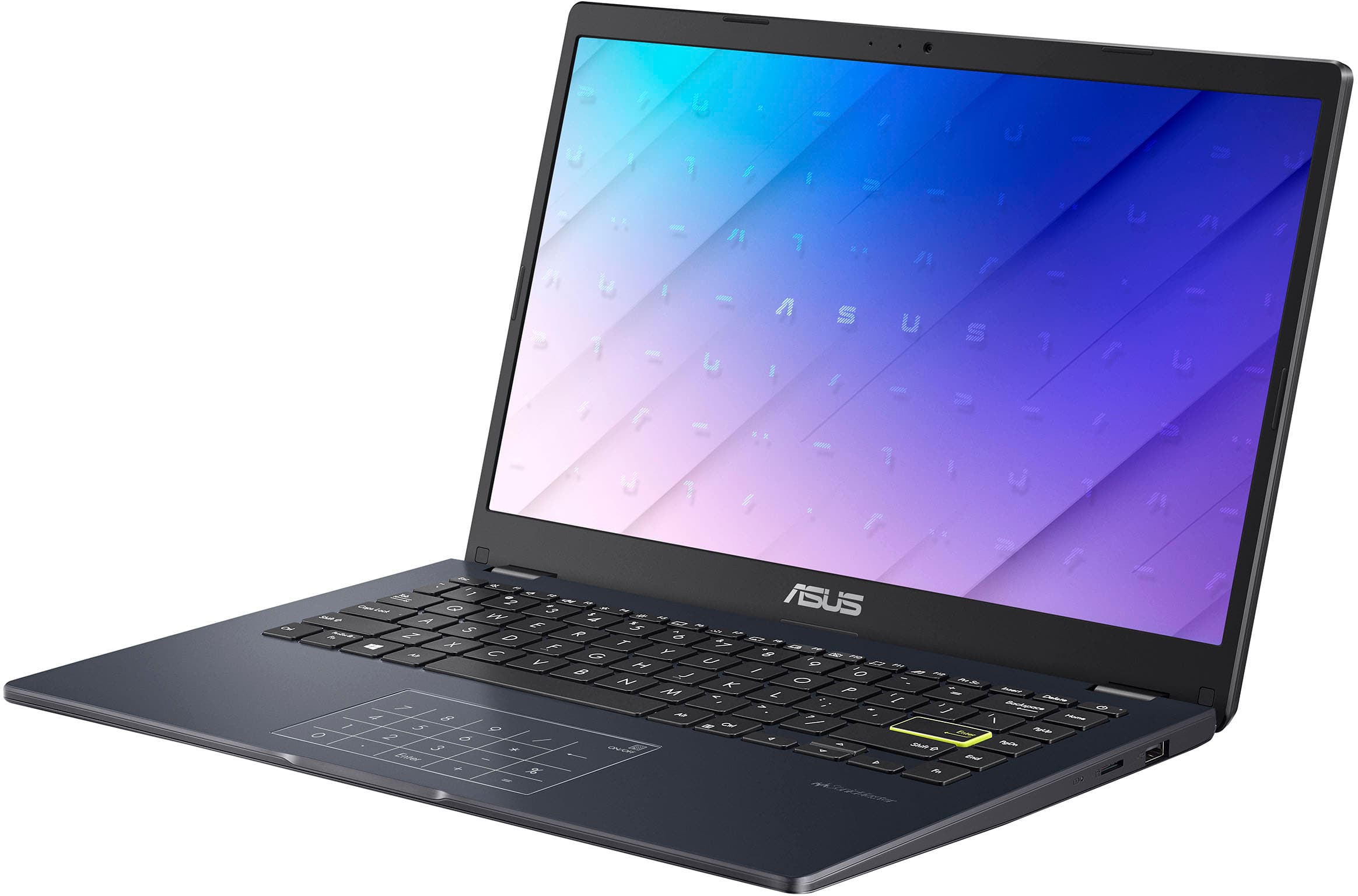
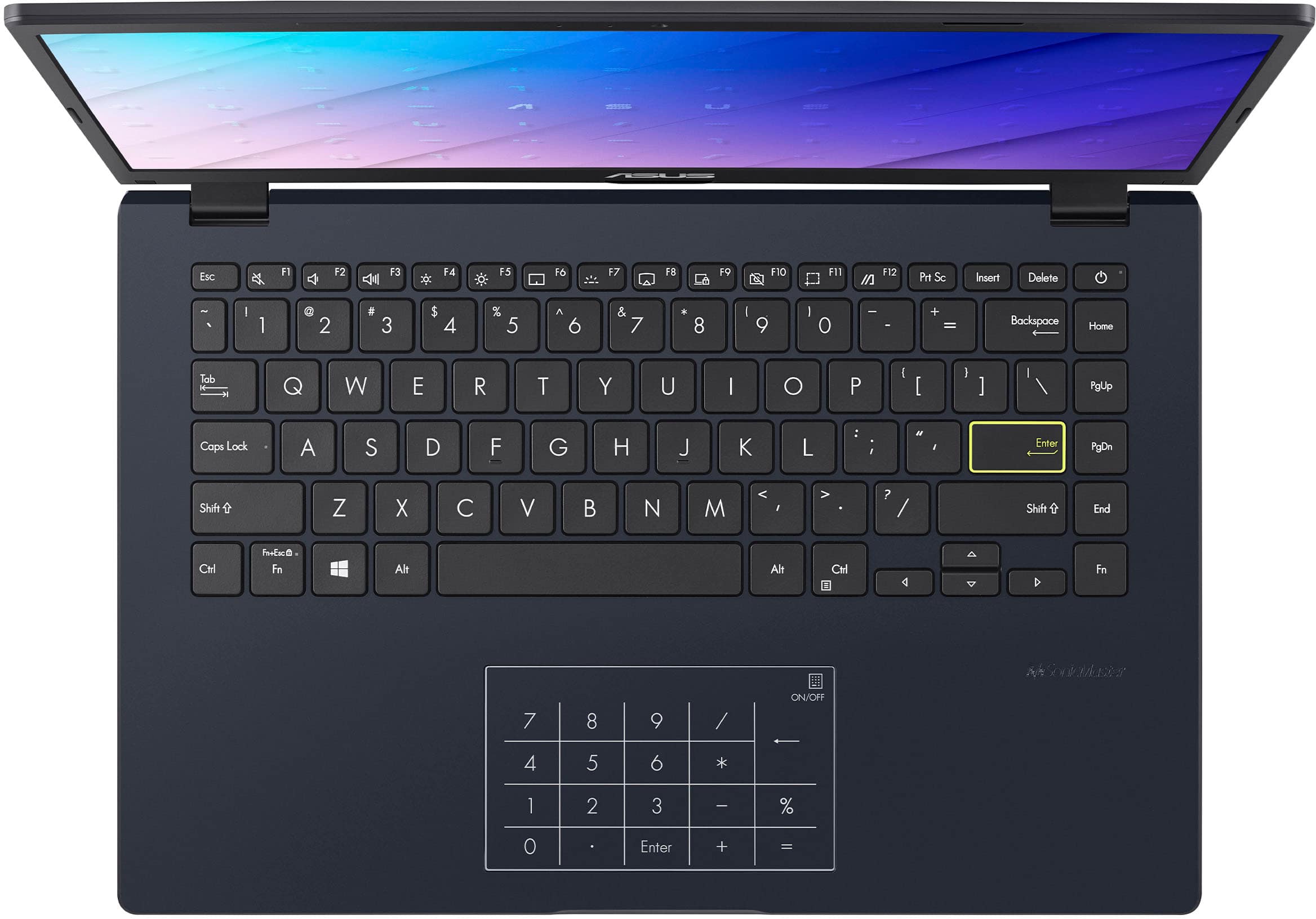

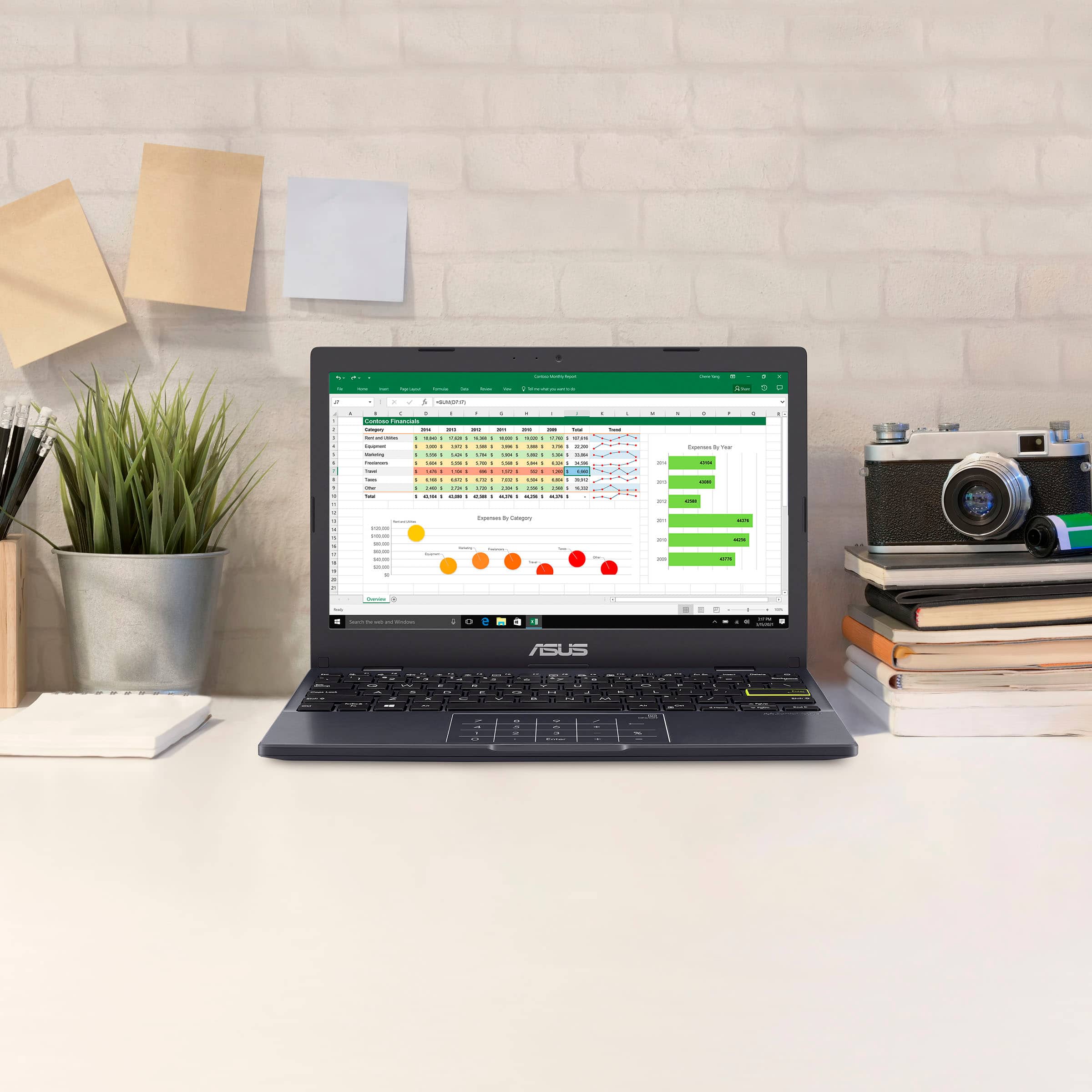

- Model:
- E410KA-CL4128
- SKU:
- 10497751
Rating by feature
- Battery Life
Rating 4.3 out of 5 stars
- Speed
Rating 3.6 out of 5 stars
- Display
Rating 4.2 out of 5 stars
Customers are saying
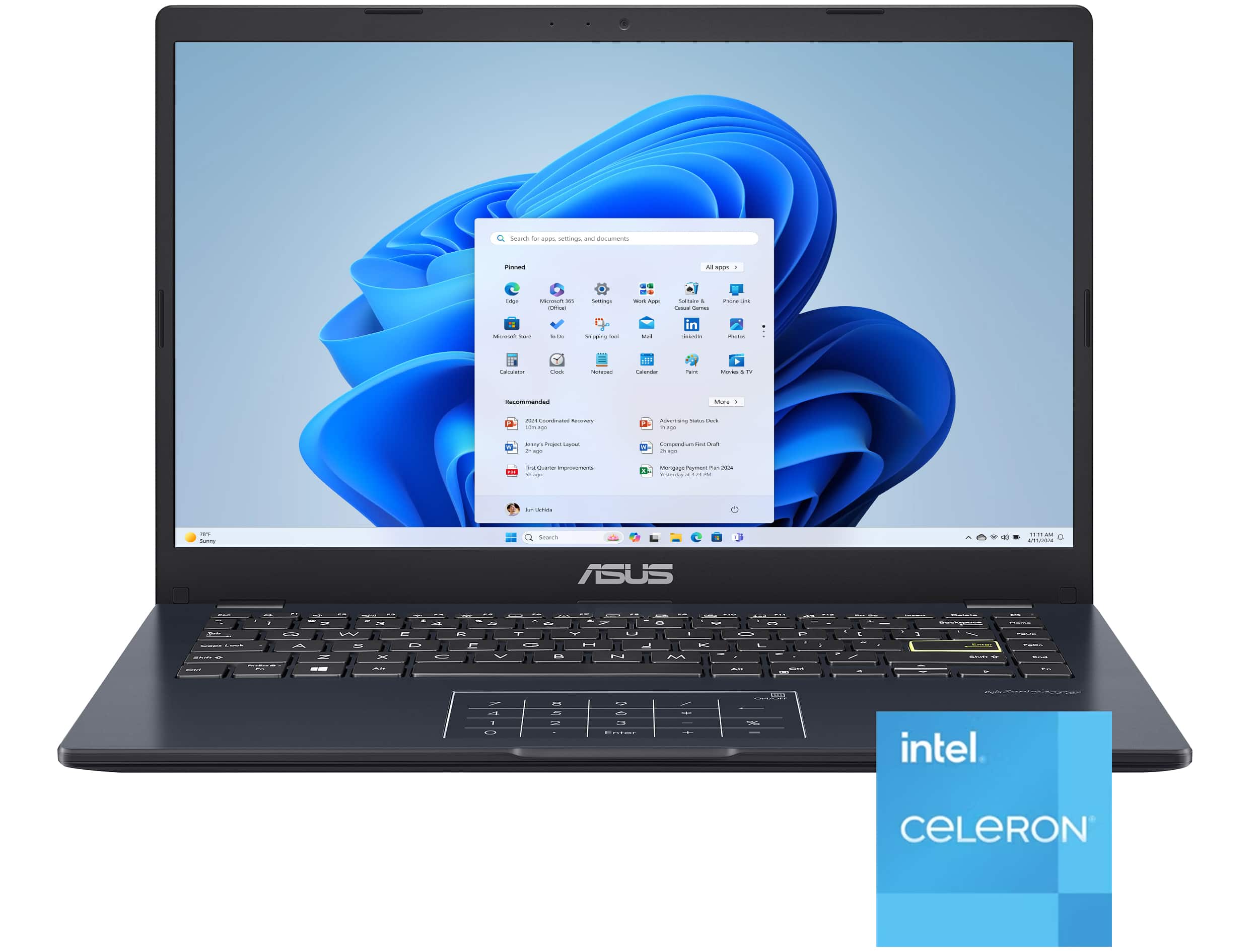
Customers are delighted by the laptop's strong overall performance, portability, and appealing design, noting its lightweight nature and decent battery life. However, users frequently point out issues with the subpar screen quality, slow processor speed, and limited storage capacity. There are also concerns regarding insufficient RAM and a desire for more USB ports.
This summary was generated by AI based on customer reviews.
nice
||Posted . Owned for 2 weeks when reviewed.This reviewer received promo considerations or sweepstakes entry for writing a review.Asus products are reliable, fast, efficient, and nice
I would recommend this to a friendLaptop
||Posted . Owned for 3 weeks when reviewed.This reviewer received promo considerations or sweepstakes entry for writing a review.Decent laptop definitely on the lower end of power
I would recommend this to a friendBrand response from ASUS Answers
Posted .Dear PQuincyB,
We certainly understand your disappointment with the product. We certainly value your feedback on this matter, and I will be letting the related department know about the issues you are experiencing for continuous improvements to the product line. If you need any assistance, feel free to contact me at customerloyalty@asus.com. We'll be happy to provide a quick resolution to your case, and I will help you to the best of my abilities. I am here to assist our customers with our products and am dedicated to bringing resolution to all issues that they may come across. Your case for reference is [N2206041107-0120] for us to better assist you. Thank you for choosing ASUS!
Best Regards,
Schottky.S
ASUS Customer Loyalty US Support
DOA. Dead on arrival.
||Posted . Owned for 9 months when reviewed.This reviewer received promo considerations or sweepstakes entry for writing a review.DOA. Dead on arrival. Would not start. Would not turn on. Would not charge. Dead. Somebody did not put it together correctly. Or just plainly defective. Returned same day it was delivered.
No, I would not recommend this to a friendBrand response from ASUS Answers
Posted .Dear DonaldN,
Thank you for your feedback.
We certainly understand the inconvenience this may have caused if the laptop will not boot up or it's just black screen. Typically, the following can be performed to resolve the issue. Try to do a power cycle by pressing and holding down the power button to shut it down completely. If it still blacks screen after a few minutes, at least 10 minutes, please repeat the power cycle process again. If the laptop is applying updates in the System Registry, it will black screen temporarily until the update were applied successfully. Additionally, try to disconnect the power cable and let the unit drain for 24 hours to clear the memory. This will reset the hardware to default settings allowing the unit to power on and boot up successfully. After doing this, reconnect your AC adapter, do not power on the laptop until the battery is charged.
If you need further assistance, please email me at cl-rodel@asus.com and I will be more than happy to help. Or you are most welcome to call Product Support Hotline at: 1(888) 678-3688. Also, you can chat with an ASUS live support agent from the link: https://www.asus.com/us/support/article/1135/.
Thank you for choosing an ASUS product.
Regards,
Rodel
ASUS Customer Loyalty
Not for business
||Posted .This reviewer received promo considerations or sweepstakes entry for writing a review.Good laptop for simple operation, pretty slow. Not for business
I would recommend this to a friendBrand response from ASUS Answers
Posted .Dear Ashraf D,
Thank you for your feedback on the ASUS E410KA. We're glad it meets your needs for basic use, though we understand the performance may feel limited for more demanding tasks. To troubleshoot the slow performance, we recommend following the steps in the FAQ below. Should the issue persist, please contact our support team at https://www.asus.com/us/support/CallUs to further investigate the problem.
We stand behind our products and continuously strive to improve our products and processes to achieve customer service excellence. For more information, email us at customerloyalty@asus.com and include the case number "N2206041107-0116" as a reference. We will do our best to resolve your case quickly. Your feedback is very important to us and enables us to improve our support channels. Thank you for choosing ASUS.
Best Regards,
Chantae
ASUS Customer Loyalty US Support
[Windows 11/10] Troubleshooting - System is running slowly - https://www.asus.com/support/faq/1042398/
ASUS Vidiobook
||Posted .This reviewer received promo considerations or sweepstakes entry for writing a review.Extremely slow cxxxxxccccccccccccccccxxxxxxxxxxcxxxccc
No, I would not recommend this to a friendBrand response from ASUS Answers
Posted .Dear JDM59,
We apologize for the slow performance you've encountered with your ASUS Vivobook Go 14 Laptop, and we regret any inconvenience this has caused. This experience does not reflect the standard of quality we strive to provide. To help resolve the issue, we recommend reviewing the troubleshooting steps outlined in the FAQ linked below. If the problem continues, please don’t hesitate to reach out to our support team at https://www.asus.com/us/support/CallUs, so we can assist you further or arrange for repair services if needed.
We stand behind our products and continuously strive to improve our products and processes to achieve customer service excellence. For more information, email us at customerloyalty@asus.com and include the case number "N2206041107-0115" as a reference. We will do our best to resolve your case quickly. Your feedback is very important to us and enables us to improve our support channels. Thank you for choosing ASUS.
Best Regards,
Chantae
ASUS Customer Loyalty US Support
[Windows 11/10] Troubleshooting - System is running slowly - https://www.asus.com/support/faq/1042398/
Computer
||Posted .This reviewer received promo considerations or sweepstakes entry for writing a review.Just want for me maybe something more flashy but definitely for someone techie
I would recommend this to a friendBrand response from ASUS Answers
Posted .Dear TaliaH,
Thank you for sharing your experience with the ASUS E410KA Laptop. We sincerely apologize that the product did not meet your expectations. If you would like to explore other options, we recommend contacting the reseller directly to inquire about an exchange or refund.
We stand behind our products and continuously strive to improve our products and processes to achieve customer service excellence. If you require any further assistance, please email us at customerloyalty@asus.com and include the case number "N2207007018-0135" as a reference. We will do our best to resolve your case quickly. Your feedback is very important to us, and it enables us to improve our support channels. Thank you for choosing ASUS.
Best Regards,
Chantae
ASUS Customer Loyalty US Support
Do not buy
||Posted .This reviewer received promo considerations or sweepstakes entry for writing a review.Really laggy can barely run games I do not recommend getting this product
No, I would not recommend this to a friendBrand response from ASUS Answers
Posted .Dear Jacob M,
Thank you for sharing your experience with the ASUS E410KA laptop. We're sorry to hear that performance has been disappointing, especially when trying to run games. We understand how frustrating lag can be, and we appreciate you bringing this to our attention.
To help improve system performance, we recommend reviewing the steps in our system troubleshooting guide linked below. If the issue continues, please contact our support team at https://www.asus.com/us/support/CallUs so we can assist you further or arrange repair service if necessary.
We stand behind our products and continuously strive to improve our products and processes to achieve customer service excellence. For more information, email us at customerloyalty@asus.com and include the case number "N2208000018-0068" as a reference. We will do our best to resolve your case quickly. Your feedback is very important to us and enables us to improve our support channels. Thank you for choosing ASUS.
Best Regards,
Chantae
ASUS Customer Loyalty US Support
[Windows 11/10] Troubleshooting - System is running slowly - https://www.asus.com/support/faq/1042398/
Slow but decent
||Posted . Owned for 1 month when reviewed.This reviewer received promo considerations or sweepstakes entry for writing a review.The computer is very slow and cannot handle much of anything but the price is decent
No, I would not recommend this to a friendBrand response from ASUS Answers
Posted .Dear Jake,
We’re sorry to hear that your ASUS E410KA laptop isn’t performing as expected. While we’re glad the price point was right, we understand how frustrating it can be when speed and responsiveness fall short. To help improve performance, we recommend reviewing the steps in our system troubleshooting guide linked below. If the issue continues, please contact our support team at https://www.asus.com/us/support/CallUs so we can assist you further or arrange repair service if necessary.
We stand behind our products and continuously strive to improve our products and processes to achieve customer service excellence. For more information, email us at customerloyalty@asus.com and include the case number "N2208000018-0067" as a reference. We will do our best to resolve your case quickly. Your feedback is very important to us and enables us to improve our support channels. Thank you for choosing ASUS.
Best Regards,
Chantae
ASUS Customer Loyalty US Support
[Windows 11/10] Troubleshooting - System is running slowly - https://www.asus.com/support/faq/1042398/
No good service
||Posted . Owned for 3 weeks when reviewed.This reviewer received promo considerations or sweepstakes entry for writing a review.Was not working brought it back and store assistant lost it and never call me back when I came to pick it up. I’m so disappointed on how Best Buy handle my claim and no call back after I called serval times.
No, I would not recommend this to a friendBrand response from ASUS Answers
Posted .Dear Tabitha F,
Thank you for sharing your experience with the ASUS E410KA laptop. We're truly sorry to hear about the trouble you've had not only with the device, but also with the handling of your return. We understand how frustrating this situation must be, and we appreciate you bringing it to our attention.
Since the laptop was purchased through Best Buy, we recommend contacting Best Buy Support directly at 1-888-237-8289 so they can further investigate the issue and assist you with your claim.
We stand behind our products and continuously strive to improve our products and processes to achieve customer service excellence. If you require any further assistance, please email us at customerloyalty@asus.com and include the case number "N2207007018-0134" as a reference. We will do our best to resolve your case quickly. Your feedback is very important to us, and it enables us to improve our support channels. Thank you for choosing ASUS.
Best Regards,
Chantae
ASUS Customer Loyalty US Support
- Pros mentioned:Battery lifeCons mentioned:Ram, Screen quality, Storage capacity

Too underpowered to be worth it.
|Posted .This reviewer received promo considerations or sweepstakes entry for writing a review.I tried; I really tried to give this laptop a chance considering the price point. After more than a week with the ASUS Vivobook Go 14, the simple fact is this is a barely usable laptop. I know it is a budget laptop, but the specs are just not up to par with even the minimum of today’s standards. There are some positives, but they are outweighed by the lowest performance that I have experienced in a modern laptop. Let’s look at the basics and see where it went wrong. Setup – This is where the first signs that performance was going to be an issue. When you first turn on the laptop, it will take about 2 minutes for the “Just a moment” message. Not terrible but could be a lot faster. Next was installing updates, that is when the pain started. After 1 hour and 22 minutes, it was at 39% so I went to bed. I got up two hours later and it was still going. There are a lot of variables that can cause this but one that was not a factor is my network speed. I believe this long update time was driven by poor storage, limited ram and a weak processor. Regardless of the reason, a 3 GB +/- simple update should not take this long. Sadly, this does not include the cumulative updates – which take forever to update. Build quality – Overall, surprisingly decent considering the price point. The Vivobook Go 14 had minimal flex when closed and some flex to the body. The screen was solid with very little flex. The hinge had the right amount of tightness and stayed firm in place. I would not say it is great but a bit better than I thought it would be at this price point. Screen – 1920 x 1080 at 60 HZ and 200 nits. Nothing great, but perfectly usable indoors. Forgot about using it in bright environments. Colors are washed out, contrast is not great, and the viewing angle is limited. However, the screen still performs enough to watch media. It does not have touch screen, but it is not needed on a laptop like this. Speakers – Tiny and not powerful. Passable in quiet environments, useless in loud environments Located on the backside and downward facing – they get blocked is you have it on your lap or something soft like a bed. There is an audio out jack. Web cam – It is 720p but it is truly awful. It reminds me of webcam from 15 years ago. Poor colors, poor low light and terrible stuttering. Barely usable. Storage and ram – 128 eMMC and 4 GB on a Windows machine. That is a recipe for disaster. I know Asus is trying to keep the cost down, but these specs are too anemic for a Windows device. You have about 64 GB of storage space left after updates. A few programs will wipe that out. There is no SD slot to expand the storage. The 4 GB of ram is another matter; no Windows device should ever have less than 8 GB of ram. Keyboard and touch pad – The keyboard performs well and has a good tactile feel. Key travel is spot on. The touch pad is a mixed bag, and I am not sure how much of it is the touch pad or the performance of the system interfering with the touch pad sensitivity. I kept waiting for clicks to register, not a great user experience. Battery life – Thankfully, the battery life is good. I was able to get 8 hours +/- of light usage. Performance – This is where Asus lost me on this laptop. Any basic usage slows things down. Page renderings are painfully slow. Multiple tabs open in a browser make it much worse. If you look at the task manager, the CPU is almost always at 100% if you have anything open. Using the system during an update slows things down to a crawl. I did not even bother to install the Chrome browser, I knew it would only make things worse. In conclusion, the ASUS Vivobook Go 14 is a worthwhile attempt to make a budget laptop that ultimately fails. The user experience is not good, even for the most basic tasks (which is all I tried.) The only audience I would even consider it for is a young child to learn the basics of using a PC. I think if this was Chromebook with an SD slot, this would be much better at this price point. For a Windows PC, it just fails. Most users would be better off getting a tablet with a Bluetooth keyboard at this price point. Asus knows what they are doing, they usually make great products. I think they concentrated too much on trying to hit a price point rather than the user experience. Asus should never make another Windows laptop with less than 8 GB of ram and less than 256 GB storage.
No, I would not recommend this to a friendBrand response from ASUS Answers
Posted .Dear TechnicallyCorrect,
Thank you for your comment.
We appreciate your feedback. Information coming from valuable customers, like you, will help us improve our future product offering and services. This laptop was designed and intended to users looking for affordability and good PC for basic and light computing needs. Lots of satisfied customers, having positive experience using the product will agree that it is a decent entry-level laptop. It runs popular computing applications, without compromising system stability and performance if Windows is up to date. Also, as long it has access to a working internet connection since poor and unstable internet services will certainly cause system stability and performance issues. Should you need further assistance with the product, please email me at cl-rodel@asus.com and I would be more than happy to help. Or you are most welcome to call Product Support Hotline at: 1(888) 678-3688. Also, you can chat with an ASUS live support agent from the link: https://www.asus.com/us/support/article/1135/.
Thank you for choosing an ASUS product.
Regards,
Rodel
ASUS Customer Loyalty
Way too slow
||Posted . Owned for 1 week when reviewed.This reviewer received promo considerations or sweepstakes entry for writing a review.just terrible its so slow like not even good enough to just check emails and surf the web and it hold fingerprints like crazy would not recommend
No, I would not recommend this to a friendBrand response from ASUS Answers
Posted .Dear KaylaW,
Thank you for your comment.
We do understand your disappointment and the inconvenience this may have caused if the laptop speed is so slow. On the contrary, lots of satisfied customers, having positive experience using the product will agree that it is a decent entry-level laptop. It runs popular, basic and light computing applications, without compromising system stability and performance if Windows is up to date. Additionally, while accessing cloud web applications, ensure this laptop has access to an established router and internet service is working properly since poor and unstable internet connection will affect system stability and performance. Keeping the device always updated will maintain optimum system stability and performance. If these steps were performed to no avail, please try to run a diagnostics or optimization test using the "MyASUS" utility software or application. If this is not pre-installed on the laptop, please download the application at the Microsoft Store. For details on how to use "My ASUS", please go to: https://www.asus.com/support/FAQ/1041686/.
Should you need further assistance with the product, please email me at cl-rodel@asus.com and I would be more than happy to help. Or, you are most welcome to call Product Support Hotline at: 1(888) 678-3688. Also, you can chat with an ASUS live support agent from the link: https://www.asus.com/us/support/article/1135/.
Thank you for choosing an ASUS product.
Regards,
Rodel
ASUS Customer Loyalty
Nice looking but nothing more
||Posted . Owned for 1 week when reviewed.This reviewer received promo considerations or sweepstakes entry for writing a review.The computer has a nice display and the keyboard is nice. The computer freezes up online and when it does load it refreshes very slowly.
No, I would not recommend this to a friendBrand response from ASUS Answers
Posted .Dear Shannon M,
Thank you for your feedback on the ASUS E410KA laptop. We're glad you’re satisfied with the display and keyboard. We apologize for the freezing and slow performance issues you've experienced.
To help resolve this, we recommend reviewing the steps in our system troubleshooting guide linked below. If the issue continues, please contact our support team at https://www.asus.com/us/support/CallUs so we can assist you further or arrange repair service if necessary.
We stand behind our products and continuously strive to improve our products and processes to achieve customer service excellence. For more information, email us at customerloyalty@asus.com and include the case number "N2207007018-0133" as a reference. We will do our best to resolve your case quickly. Your feedback is very important to us and enables us to improve our support channels. Thank you for choosing ASUS.
Best Regards,
Chantae
ASUS Customer Loyalty US Support
[Windows 11/10] Troubleshooting - Resolving System Error Messages or Unresponsiveness (Freeze/Black Screen/White Screen during usage) - https://www.asus.com/support/faq/1038855/
Slow and nonfunctional
||Posted .This reviewer received promo considerations or sweepstakes entry for writing a review.It is so slow that zoom is not functioning. I tried the troubleshooting and it says it is fine. Useless.
No, I would not recommend this to a friendBrand response from ASUS Answers
Posted .Dear Halle,
Thank you for your feedback regarding the ASUS E410KA laptop. We’re sorry to hear about the performance issues you're experiencing, especially with Zoom, and understand how frustrating that can be.
To help improve system performance, we recommend reviewing the steps in the troubleshooting guide linked below. If the issue continues, please contact our support team at https://www.asus.com/us/support/CallUs so we can assist you further or arrange repair service if necessary.
We stand behind our products and continuously strive to improve our products and processes to achieve customer service excellence. For more information, email us at customerloyalty@asus.com and include the case number "N2207007018-0131" as a reference. We will do our best to resolve your case quickly. Your feedback is very important to us and enables us to improve our support channels. Thank you for choosing ASUS.
Best Regards,
Chantae
ASUS Customer Loyalty US Support
[Windows 11/10] Troubleshooting - System is running slowly - https://www.asus.com/support/faq/1042398/
- Pros mentioned:Port countCons mentioned:Storage capacity
Affordable yet Capable
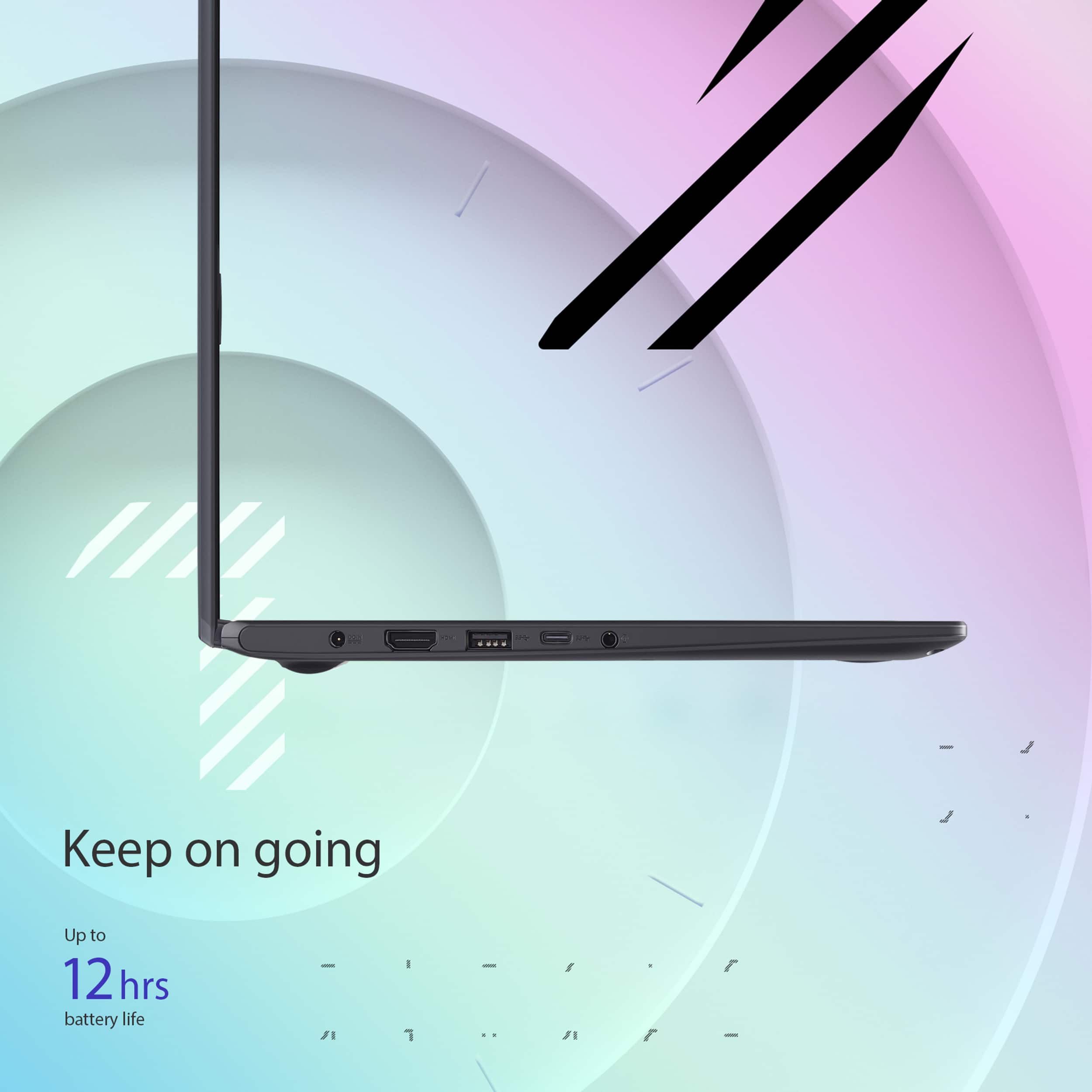
|Posted .This reviewer received promo considerations or sweepstakes entry for writing a review.ASUS Vivobook Go 14" Laptop is going to be your budget computer which may surprise you. First of all, it is VERY affordable, it is amazing that maybe 10 years ago, this notebook would cost probably ten times more compared to today. I picked it up for one of my high school kids as he will be writing more papers and taking a number of online courses. This computer does pretty good online even though it ships with the lesser specifications like Celeron processor and 128 Gb of space and only 4 Gigs of RAM. If you use Word (you would have to buy the license as ASUS does not come with the paid version), it runs well too. You won't be able to play heavy duty games on this notebook, however Roblox and any other browser based games will run just fine. I really like the Full High Definition LCD screen, at 14" the text looks crisp, the images look great as well and overall Internet browsing is just as good. If you want a bigger screen and more specs, you can always choose a different ASUS model and pay a little more. One thing I must say is I have had other ASUS computers and I have never run into issues. Their PCs are well built and use quality components. So if you are wondering how long this notebook would last you, be assured it will run for a long time. The Chiclit keyboard was pretty comfortable to type on, its keys are well spaced and it is pretty quite, however it is not backlit if that matters to you. The number of ports is vast: USB 2.0, USB 3.2 Gen 1, USB 3.2 Gen 1 Type-C, HDMI 1.4 and an Audio jack. My only gripe with this notebook is its storage capacity. I think nowadays 256Gb of storage should be a minimum any notebook should come installed with. Windows updates and upgrades are known for eating up space, so I would assume that in a few years you may not have available space to continue with the updates. I am not sure whether the eMMC drive in this notebook is soldered directly into the motherboard, it would be an easy upgrade though. I would definitely recommend this ASUS Vivobook to anyone looking for a good deal, to any student out there or someone who just needs the simplicity of computing.
I would recommend this to a friend Avoid
||Posted .This reviewer received promo considerations or sweepstakes entry for writing a review.This PC absolutely is horrible. I regret buying it. It's slow, and the mouse pad is unresponsive.
No, I would not recommend this to a friendBrand response from ASUS Answers
Posted .Dear JasonM,
Thank you for your comment.
We do understand your disappointment with the laptop and the inconvenience this may have caused if you are experiencing slow speed and touchpad is unresponsive. On the contrary, lots of satisfied customers having positive experience using the product will agree that it is a decent entry-level laptop. It runs popular, basic and light computing applications, without compromising system stability and performance if Windows is up to date. To resolve the slow speed and unresponsive touchpad, ensure Windows, drivers are update. Check if this laptop has access to an established wireless router or hotspot since poor and unstable internet connection or service will definitely affect system speed and will cause the touchpad to be unresponsive. Drivers for this laptop are available at: https://www.asus.com/wa/supportonly/e410ka/helpdesk_download/ .
Should you need further assistance with the product, please email me at cl-rodel@asus.com and I would be more than happy to help. Or, you are most welcome to call Product Support Hotline at: 1(888) 678-3688. Also, you can chat with an ASUS live support agent from the link: https://www.asus.com/us/support/article/1135/.
Thank you for choosing an ASUS product.
Regards,
Rodel
ASUS Customer Loyalty
Not worth the effort
||Posted .This reviewer received promo considerations or sweepstakes entry for writing a review.Computer is pretty useless. Can barely open anything on it much less get on the internet to do simple things. Have an expensive paperweight now. Not worth the money.
No, I would not recommend this to a friendBrand response from ASUS Answers
Posted .Dear Mcfly,
We apologize for the performance issues you've encountered with your ASUS Vivobook Go 14 Laptop and any inconvenience this has caused. This experience does not reflect the standard of quality we strive to deliver.
To help resolve the issue, we recommend reviewing the troubleshooting steps outlined in the FAQ linked below. If the problem continues, please contact our support team at https://www.asus.com/us/support/CallUs for further assistance or to arrange service for your device.
We stand behind our products and continuously strive to improve our products and processes to achieve customer service excellence. For more information, email us at customerloyalty@asus.com and include the case number "N2207007018-0117" as a reference. We will do our best to resolve your case quickly. Your feedback is very important to us and enables us to improve our support channels. Thank you for choosing ASUS.
Best Regards,
Chantae
ASUS Customer Loyalty US Support
[Windows 11/10] Troubleshooting - System is running slowly - https://www.asus.com/support/faq/1042398/
did not like that
||Posted .This reviewer received promo considerations or sweepstakes entry for writing a review.unfortunately it was not as it was showing . wasted my money on that.
No, I would not recommend this to a friendBrand response from ASUS Answers
Posted .Dear shifu,
We certainly understand your disappointment with the product. We certainly value your feedback on this matter, and I will be letting the related department know about the issues you are experiencing for continuous improvements to the product line. If you need any assistance, feel free to contact me at customerloyalty@asus.com. We'll be happy to provide a quick resolution to your case, and I will help you to the best of my abilities. I am here to assist our customers with our products and am dedicated to bringing resolution to all issues that they may come across. Your case for reference is [N2207007018-0130] for us to better assist you. Thank you for choosing ASUS!
Best Regards,
Schottky.S
ASUS Customer Loyalty US Support
- Cons mentioned:Processor speed, Screen quality
Good laptop, probably best for a student
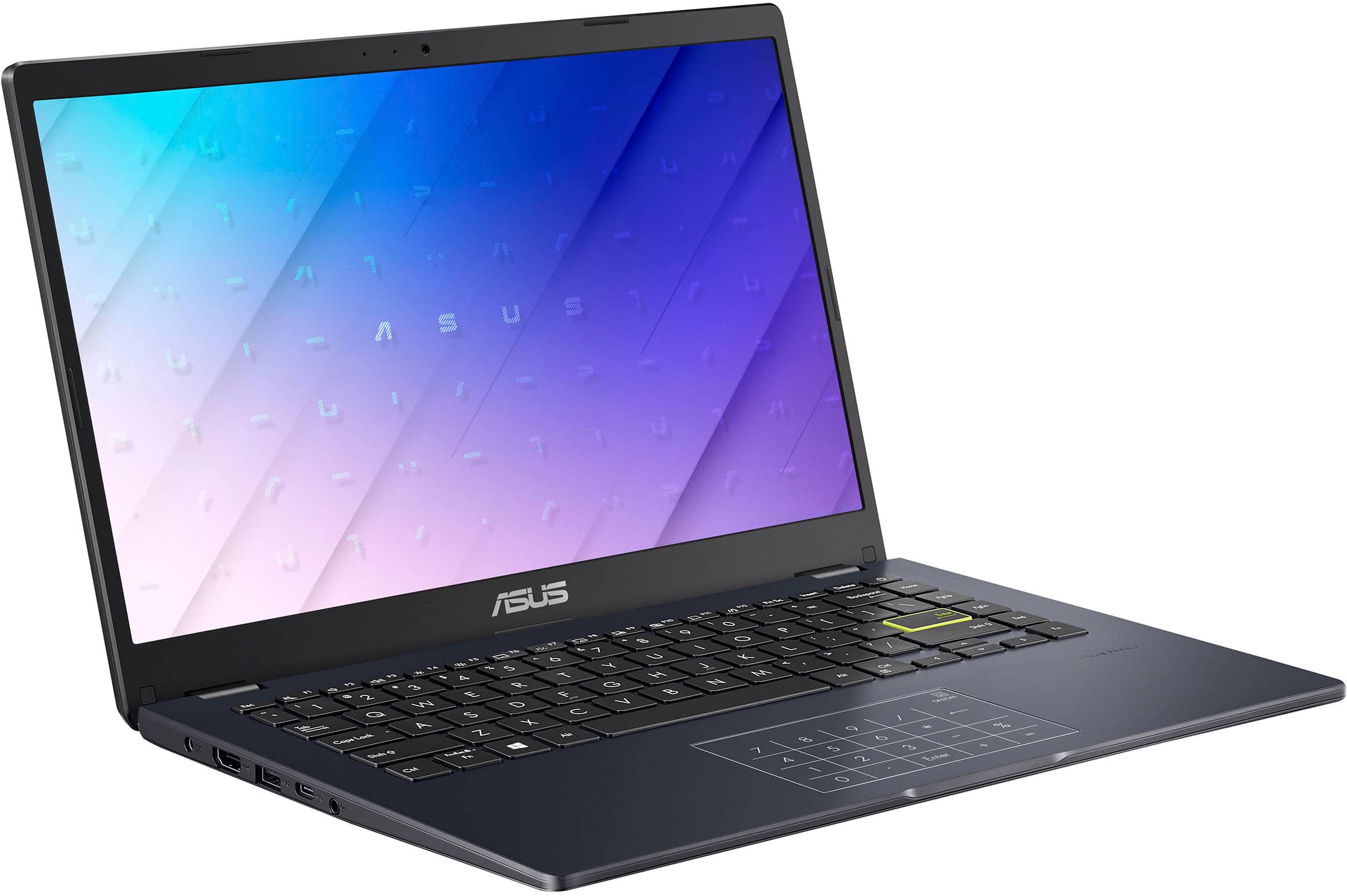
|Posted .This reviewer received promo considerations or sweepstakes entry for writing a review.We will start with the positives: - I really like the number pad on the track pad. It is a very good use of the space that has always seemed to be wasted if you prefer a mouse with a laptop. Personally I have never liked the touchpads. Some are better than others, but a mouse is so much more comfortable. - The display is quite nice. Good color reproduction. - Sound is better than many laptops. Not studio quality obviously, but really does an acceptable job. - The keyboard is standard Asus keyboard. It it nice, but nothing really sets it apart from the rest outside of the touchpad/number pad Now for what made me drop a star: - Though I like the number pad, I really wish it was backlit. - The keyboard would also get a huge mark up if it was backlit. - Performance was acceptable, but it felt like it could do so much better. Overall, the initial setup may give you some pauses. Until all the patches are applied, this laptop was dogging pretty badly. There were all kinds of slow responses and I was worried I had a bad batch. Fortunately, after many hours of Windows updates, and one last reboot. The laptop really seemed to come to life. Don't get discouraged on how it performs before the updates are applied. Very important to make sure the drivers are updated as well. In settings, under Windows Update go to advanced options. Make sure there are no optional updates pending. I prefer the Windows Update method to get the mandatory, even if marked optional, driver updates. One thing, this laptop comes with Windows 11S. That is the "secure" install of Windows that only allows installs from the Microsoft store. You can get out of this mode with a few clicks. Windows will tell you it is 11S and ask if you want to disable the security measures. Just read through the on screen instructions. I have seen this on a few laptops I have set up for relatives and each vendor seems to have a slightly different way of dropping the S, or it could be the release of Windows 11. You can search for "Switching out of S mode in Windows" for the quickest way to get the S out from any browser/search engine. There is a link in the Microsoft Support article that will open the Microsoft store.
I would recommend this to a friend Crashes often
||Posted .This reviewer received promo considerations or sweepstakes entry for writing a review.Slow can’t install alot of apps as soon as I open a page it freezes.
No, I would not recommend this to a friendBrand response from ASUS Answers
Posted .Dear JesusE,
Thank you for your feedback.
We do understand your disappointment with this laptop and the inconvenience this may have caused if you are experiencing slow speed. To resolve this, check if Windows and drivers are up to date. Updates for this laptop are posted at: https://www.asus.com/laptops/for-home/vivobook/vivobook-go-14-e410/helpdesk_download?model2Name=Vivobook-Go-14-E410 . Additionally, while accessing web applications, ensure this laptop has access to an established router and internet service is working properly since poor and unstable internet connection will affect system stability and performance. Keeping the device always updated will maintain optimum system stability and performance. If these steps were performed to no avail, please try to run a diagnostics or optimization test using the "MyASUS" utility software or application. If this is not pre-installed on the laptop, please download the application at the Microsoft Store. For details on how to use "My ASUS", please go to: https://www.asus.com/support/FAQ/1041686/.
If you need further assistance, please email me at cl-rodel@asus.com and I would be happy to help. Or you are most welcome to call Product Support Hotline at: 1(888) 678-3688. Also, you can chat with an ASUS live support agent from the link: https://www.asus.com/us/support/article/1135/.
Thank you for choosing an ASUS product.
Regards,
Rodel
ASUS Customer Loyalty
Too slow, you will regret
||Posted .This reviewer received promo considerations or sweepstakes entry for writing a review.The performance is so slow and frustrating, you’ll end up with wasting a lot of your time.
No, I would not recommend this to a friendBrand response from ASUS Answers
Posted .Dear Kazuki S,
We apologize for the slow performance you've encountered with your ASUS Vivobook Go 14 Laptop, and we regret any inconvenience this has caused. This experience does not reflect the standard of quality we strive to provide. To help resolve the issue, we recommend reviewing the troubleshooting steps outlined in the FAQ linked below. If the problem continues, please don’t hesitate to reach out to our support team at https://www.asus.com/us/support/CallUs, so we can assist you further or arrange for repair services if needed.
We stand behind our products and continuously strive to improve our products and processes to achieve customer service excellence. For more information, email us at customerloyalty@asus.com and include the case number " N2207007018-0128" as a reference. We will do our best to resolve your case quickly. Your feedback is very important to us and enables us to improve our support channels. Thank you for choosing ASUS.
Best Regards,
Chantae
ASUS Customer Loyalty US Support
[Windows 11/10] Troubleshooting - System is running slowly - https://www.asus.com/support/faq/1042398/