Customer Ratings & Reviews


- Model:
- E410KA-CL4128
- SKU:
- 12177682
Rating by feature
- Battery Life
Rating 4.3 out of 5 stars
- Speed
Rating 3.6 out of 5 stars
- Display
Rating 4.2 out of 5 stars
to a friend

Affordable yet Capable
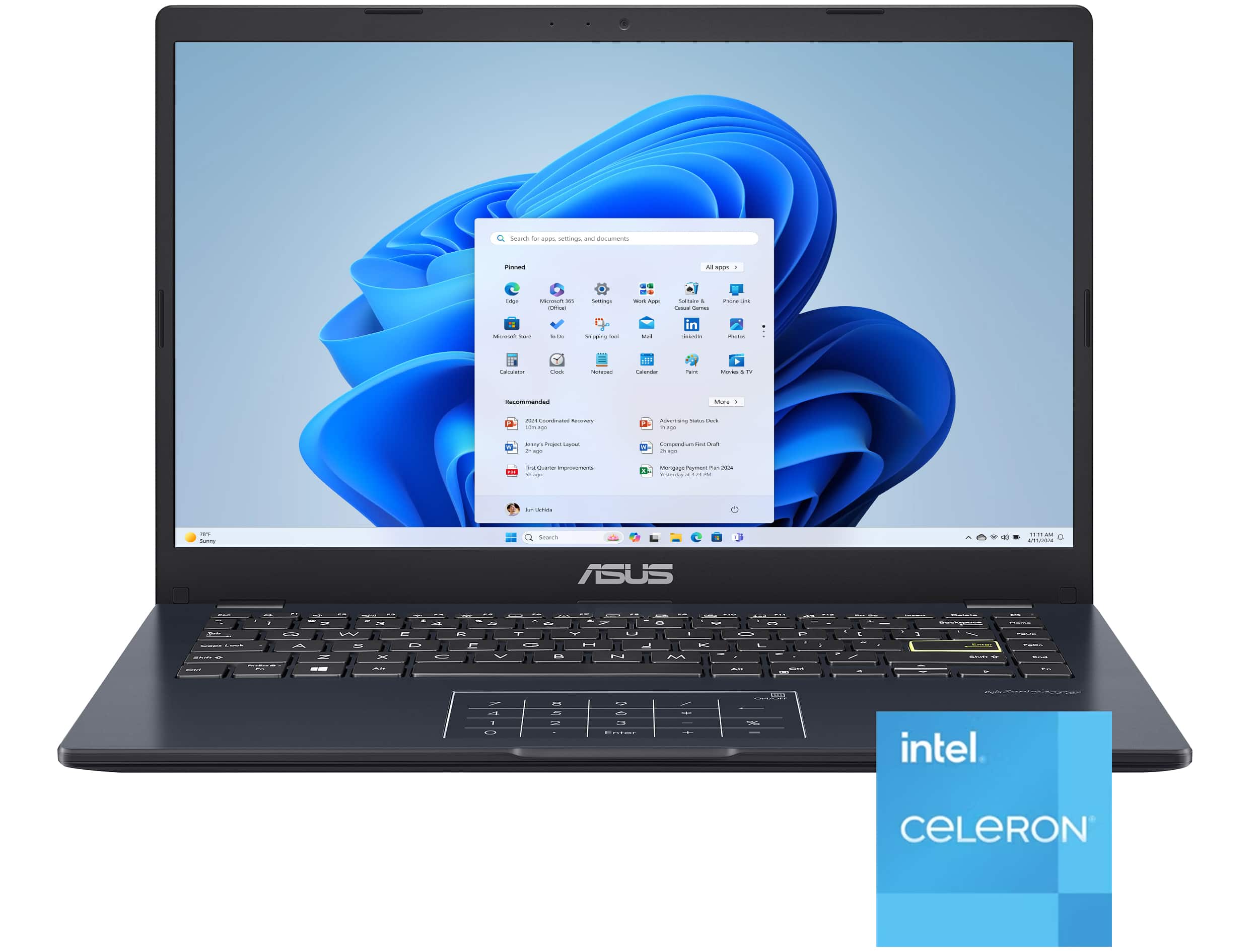
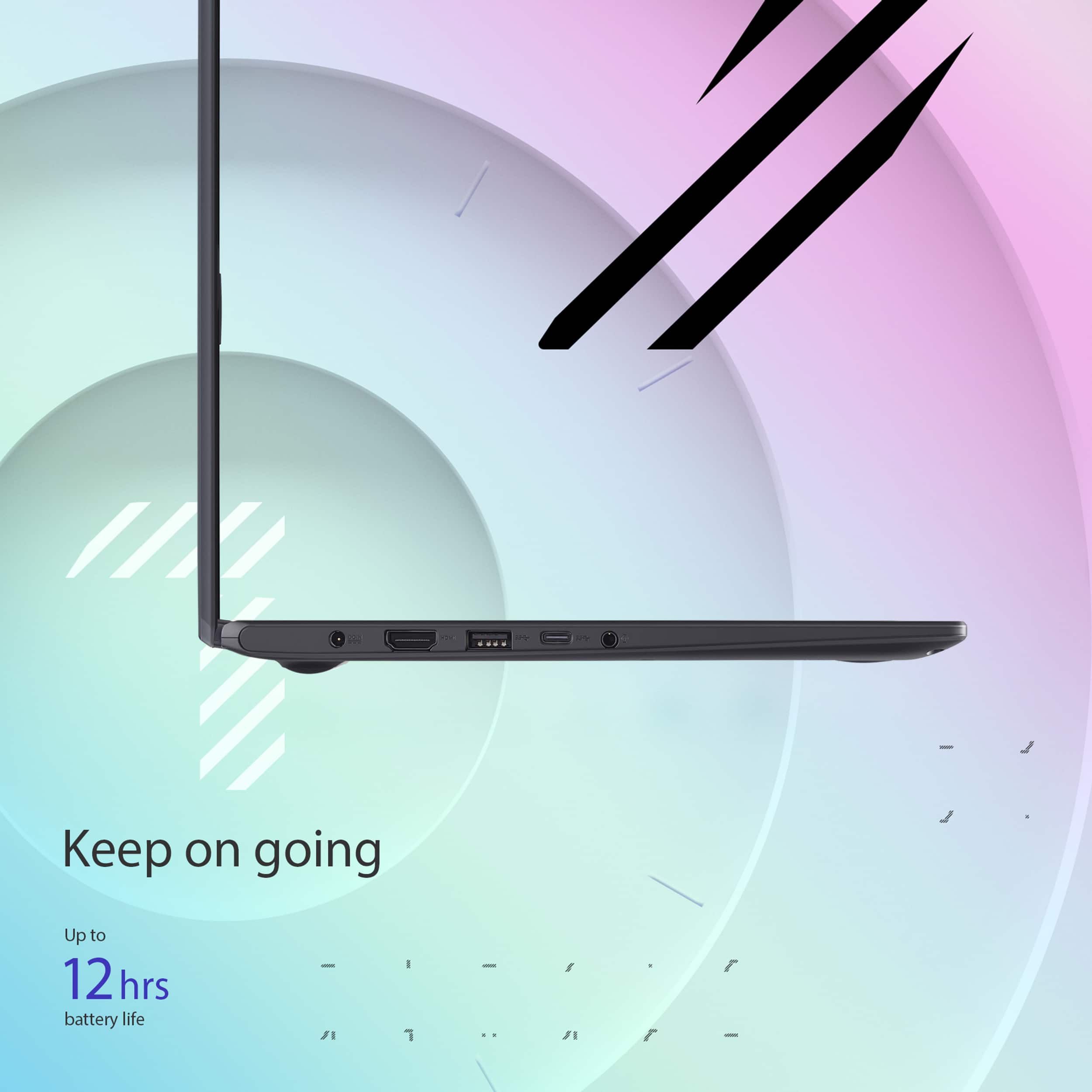
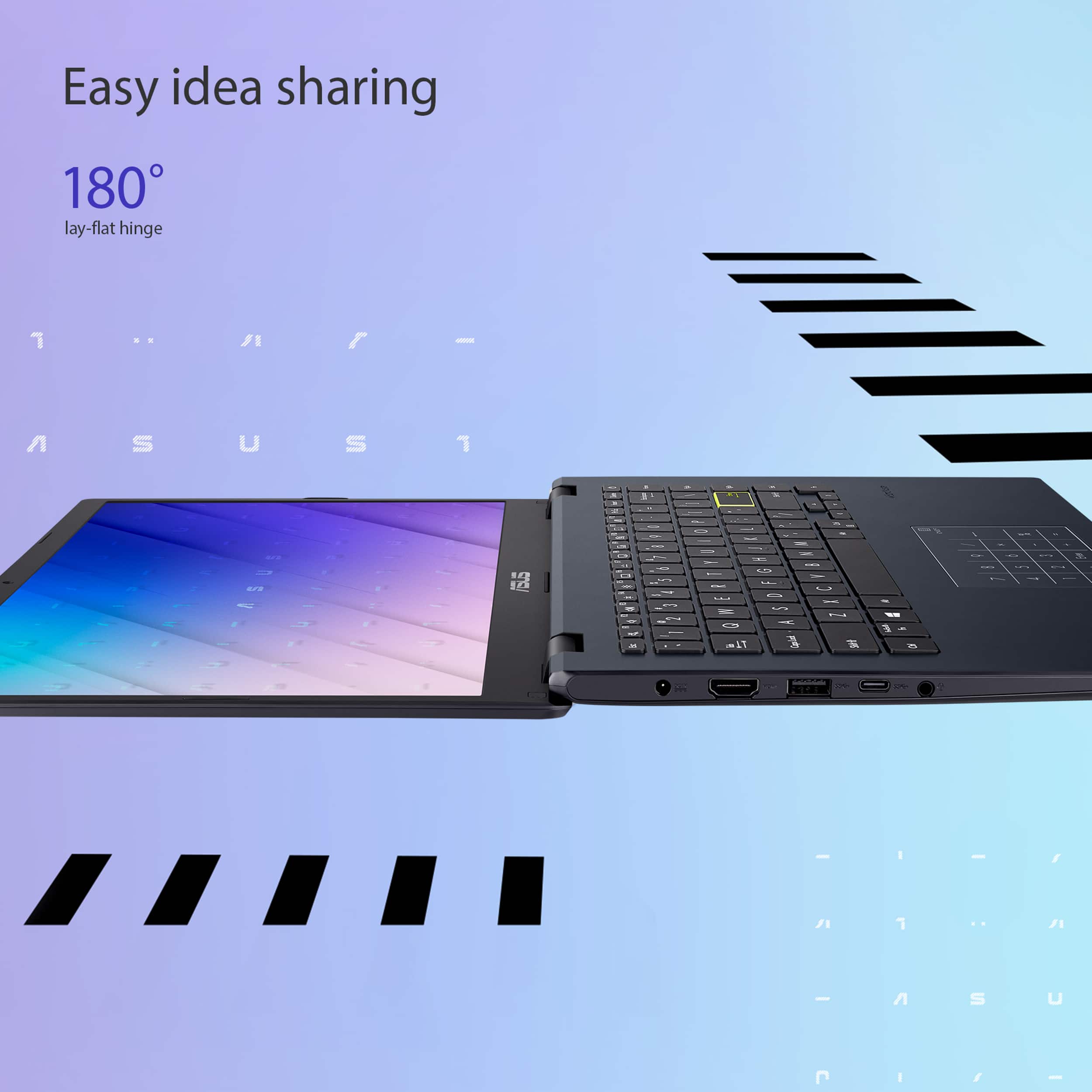
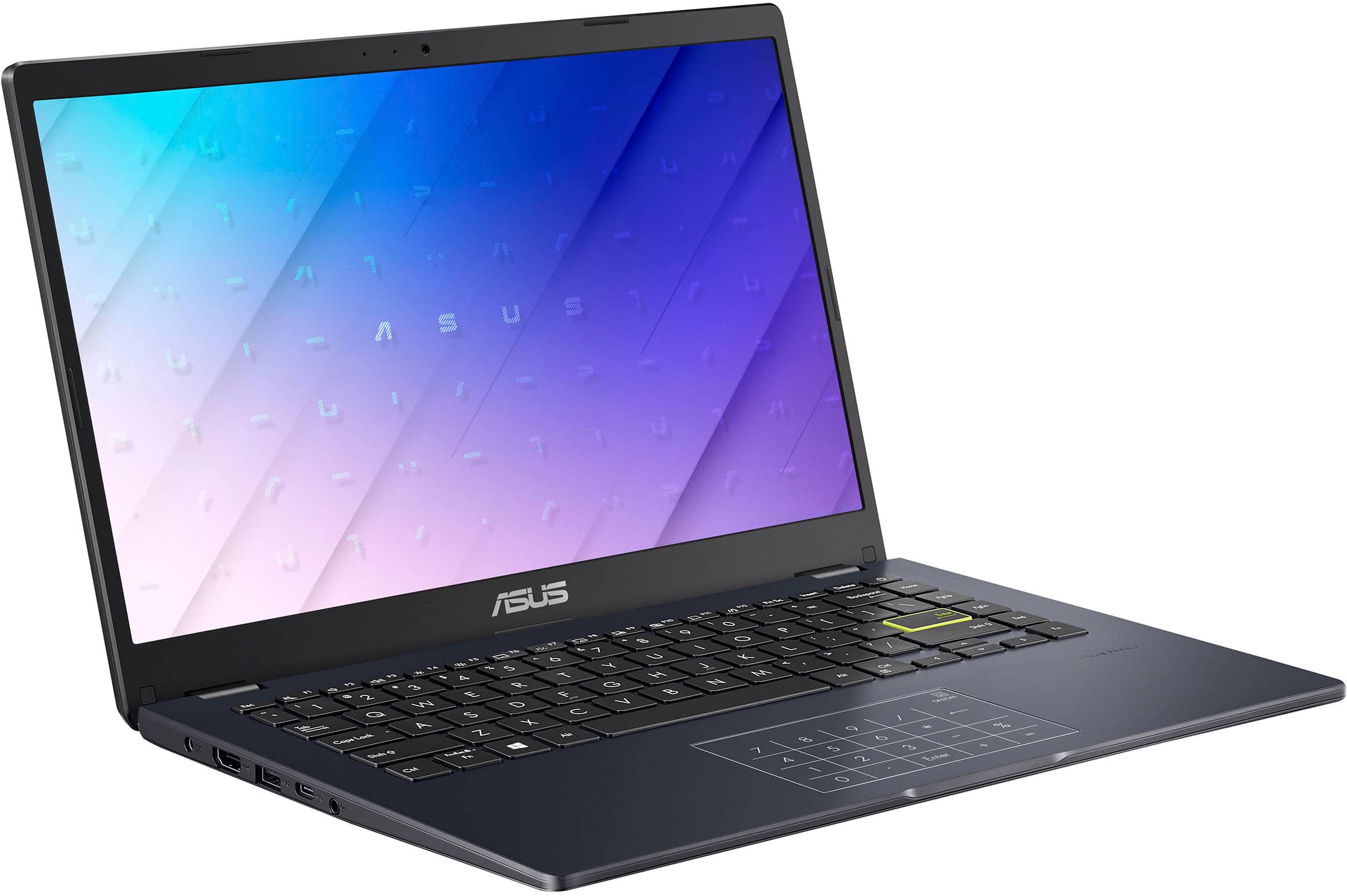
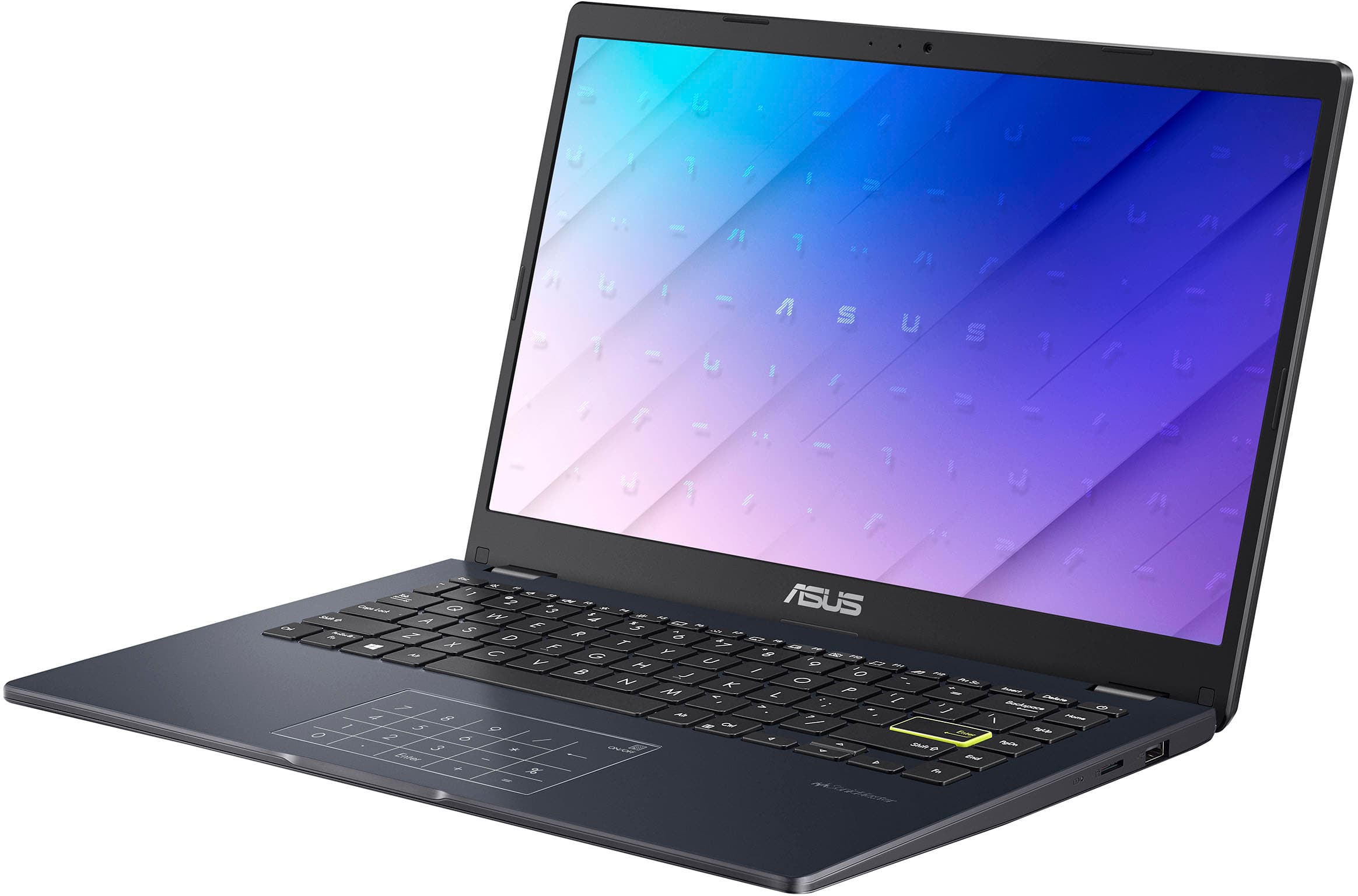
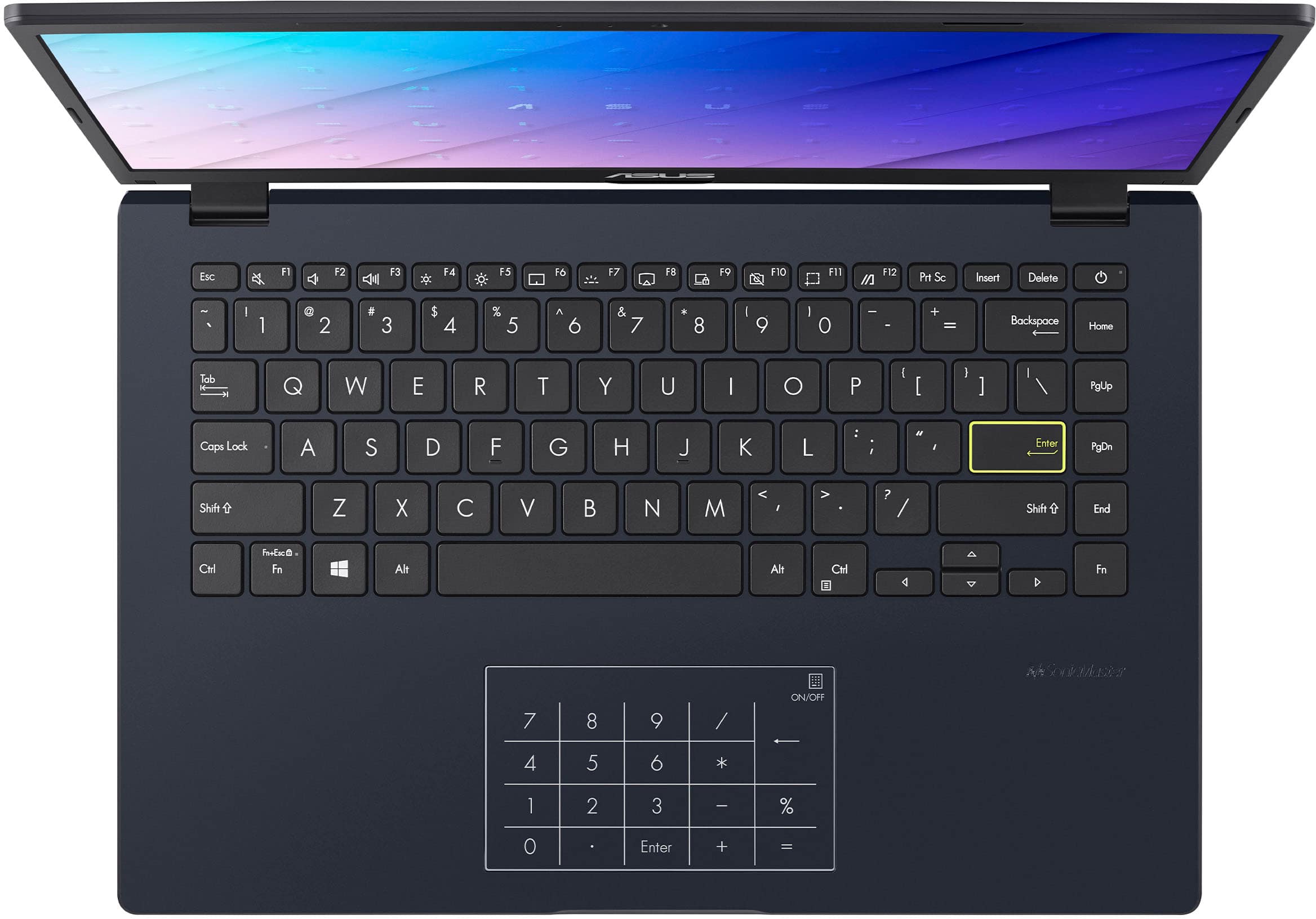
|Posted .This reviewer received promo considerations or sweepstakes entry for writing a review.ASUS Vivobook Go 14" Laptop is going to be your budget computer which may surprise you. First of all, it is VERY affordable, it is amazing that maybe 10 years ago, this notebook would cost probably ten times more compared to today. I picked it up for one of my high school kids as he will be writing more papers and taking a number of online courses. This computer does pretty good online even though it ships with the lesser specifications like Celeron processor and 128 Gb of space and only 4 Gigs of RAM. If you use Word (you would have to buy the license as ASUS does not come with the paid version), it runs well too. You won't be able to play heavy duty games on this notebook, however Roblox and any other browser based games will run just fine. I really like the Full High Definition LCD screen, at 14" the text looks crisp, the images look great as well and overall Internet browsing is just as good. If you want a bigger screen and more specs, you can always choose a different ASUS model and pay a little more. One thing I must say is I have had other ASUS computers and I have never run into issues. Their PCs are well built and use quality components. So if you are wondering how long this notebook would last you, be assured it will run for a long time. The Chiclit keyboard was pretty comfortable to type on, its keys are well spaced and it is pretty quite, however it is not backlit if that matters to you. The number of ports is vast: USB 2.0, USB 3.2 Gen 1, USB 3.2 Gen 1 Type-C, HDMI 1.4 and an Audio jack. My only gripe with this notebook is its storage capacity. I think nowadays 256Gb of storage should be a minimum any notebook should come installed with. Windows updates and upgrades are known for eating up space, so I would assume that in a few years you may not have available space to continue with the updates. I am not sure whether the eMMC drive in this notebook is soldered directly into the motherboard, it would be an easy upgrade though. I would definitely recommend this ASUS Vivobook to anyone looking for a good deal, to any student out there or someone who just needs the simplicity of computing.
I would recommend this to a friendDo not buy
||Posted .This reviewer received promo considerations or sweepstakes entry for writing a review.Really laggy can barely run games I do not recommend getting this product
No, I would not recommend this to a friendBrand response from ASUS Answers
Posted .Dear Jacob M,
Thank you for sharing your experience with the ASUS E410KA laptop. We're sorry to hear that performance has been disappointing, especially when trying to run games. We understand how frustrating lag can be, and we appreciate you bringing this to our attention.
To help improve system performance, we recommend reviewing the steps in our system troubleshooting guide linked below. If the issue continues, please contact our support team at https://www.asus.com/us/support/CallUs so we can assist you further or arrange repair service if necessary.
We stand behind our products and continuously strive to improve our products and processes to achieve customer service excellence. For more information, email us at customerloyalty@asus.com and include the case number "N2208000018-0068" as a reference. We will do our best to resolve your case quickly. Your feedback is very important to us and enables us to improve our support channels. Thank you for choosing ASUS.
Best Regards,
Chantae
ASUS Customer Loyalty US Support
[Windows 11/10] Troubleshooting - System is running slowly - https://www.asus.com/support/faq/1042398/
Slow but decent
||Posted . Owned for 1 month when reviewed.This reviewer received promo considerations or sweepstakes entry for writing a review.The computer is very slow and cannot handle much of anything but the price is decent
No, I would not recommend this to a friendBrand response from ASUS Answers
Posted .Dear Jake,
We’re sorry to hear that your ASUS E410KA laptop isn’t performing as expected. While we’re glad the price point was right, we understand how frustrating it can be when speed and responsiveness fall short. To help improve performance, we recommend reviewing the steps in our system troubleshooting guide linked below. If the issue continues, please contact our support team at https://www.asus.com/us/support/CallUs so we can assist you further or arrange repair service if necessary.
We stand behind our products and continuously strive to improve our products and processes to achieve customer service excellence. For more information, email us at customerloyalty@asus.com and include the case number "N2208000018-0067" as a reference. We will do our best to resolve your case quickly. Your feedback is very important to us and enables us to improve our support channels. Thank you for choosing ASUS.
Best Regards,
Chantae
ASUS Customer Loyalty US Support
[Windows 11/10] Troubleshooting - System is running slowly - https://www.asus.com/support/faq/1042398/
No good service
||Posted . Owned for 3 weeks when reviewed.This reviewer received promo considerations or sweepstakes entry for writing a review.Was not working brought it back and store assistant lost it and never call me back when I came to pick it up. I’m so disappointed on how Best Buy handle my claim and no call back after I called serval times.
No, I would not recommend this to a friendBrand response from ASUS Answers
Posted .Dear Tabitha F,
Thank you for sharing your experience with the ASUS E410KA laptop. We're truly sorry to hear about the trouble you've had not only with the device, but also with the handling of your return. We understand how frustrating this situation must be, and we appreciate you bringing it to our attention.
Since the laptop was purchased through Best Buy, we recommend contacting Best Buy Support directly at 1-888-237-8289 so they can further investigate the issue and assist you with your claim.
We stand behind our products and continuously strive to improve our products and processes to achieve customer service excellence. If you require any further assistance, please email us at customerloyalty@asus.com and include the case number "N2207007018-0134" as a reference. We will do our best to resolve your case quickly. Your feedback is very important to us, and it enables us to improve our support channels. Thank you for choosing ASUS.
Best Regards,
Chantae
ASUS Customer Loyalty US Support
Race to the bottom.
|Posted .This reviewer received promo considerations or sweepstakes entry for writing a review.TL;DR - the ASUS Viviobook Go 14 is what happens when you cut too many corners to hit a low price point whilst keeping some profit margin in the product. 4GB of RAM and eMMC storage makes for a bad Windows 11 experience, no matter how you cut it. There is a bit of a silver lining for people that are willing to tinker, however; the WiFi/Bluetooth card is user-replaceable, and there is a full x4 NVMe slot that supports 2280-sized SSDs. Had ASUS went with 8GB of RAM and a real SSD instead of eMMC storage, this could have been a recommendable laptop. With the specs at 4GB RAM and eMMC storage, I recommend spending a little more and getting a better laptop. If you can't afford to do that, just get a Chromebook instead. Unboxing and setup: Having tested other ASUS laptops before, I wasn't sure if I was going to get the basic or the more premium opening experience. It was the more premium experience, where the laptop is presented to you in its packaging and with a cloth bag around it. There's also a cloth piece between the screen and palmrest/keyboard. The screen has a nice, premium matte finish to it. The charger was the first warning sign. Instead of a USB-C charger like nearly every other new device in 2025, the Vivobook Go came with a charger featuring a small barrel jack connection. It's at least a right-angle connector, but I would rather have a second USB-C port. Windows literally took hours to complete the OOBE setup, which includes adding your Microsoft account (no option not to here), running software updates, and installing the included Microsoft Office 365 Personal. Once into Windows 11, it was extremely slow, taking about 90 seconds to boot to the login screen. Shut downs also take a shockingly long time. I did test the storage with CrystalDiskMark. Reads and writes would average about 130 megabytes per second. Because of this, I turned off Windows BitLocker to see if device encryption was the culprit. It was not, as the disk benchmarks ran slightly slower. I also checked the Windows installation. Other than the standard bloat that Microsoft puts on new Windows 11 installs and the MyAsus software, there was nothing on this laptop that stuck out to me for poor performance. It also didn't matter if this laptop was running S mode or regular Windows mode, both modes ran slowly. Teardown: I did pop the bottom cover off the laptop to see if there was an upgrade path to at least improve the performance of the laptop, slightly. I wasn't surprised to see there was no RAM slot, but what was a pleasant surprise was a spot for a 2280 NVMe SSD. The WiFi/Bluetooth card - which also leaves a lot to be desired for performance - is also slotted and upgradeable, but only has a single antenna so it's slightly limited. One thing I will say is that, for the lack of power, this laptop has a very large battery. I did slot a 256GB SSD I had laying around and cloned the Windows installation from the eMMC drive. While the RAM limitation still was felt, Windows was suddenly more usable. I also installed Linux Mint on the SSD to see what an alternative operating system would do for performance, and for general productivity with web-based apps, it was a massive improvement for the better. I didn't try Thorium or any of the other ChromeOS-based projects, but I suspect this laptop would make an excellent Chromebook. Performance: So again with Windows 11 and the eMMC, that is not a match that should happen. Again with out of the box, the initial setup took hours between all the updates and everything else Windows 11 tends to do. The included Microsoft Office apps did take a bit longer to load than they do on a 4th-gen Core i3 with a hard drive. Windows boot times were particularly atrocious, taking somewhere around 90 seconds. With the SSD installed, Windows boot times were cut down by nearly 65% (generally 35 seconds to the login screen). Additional RAM would help this, but there is no upgrade path for RAM. With Linux Mint, you're logged in and ready to go on using the SSD within 20 seconds, so the hardware is capable but held back. Usage: A bright point is the keyboard. It's very comfortable, responsive, quiet, and comfortable. The trackpad is also decent, and it's numpad mode is useful once you learn how to use it. The screen is a mixed bag. 1080p resolution means it's clear, the matte screen helps with reflectivity, but the brightness and contrast are both mid at best and the viewing angle is super narrow. WiFi is okay. It's an 802.11ac card, and downloads typically hit 300mbps (my home internet is capable of up to 1.2Gbps downloads). Battery life is stellar as long as you're not doing anything overly intense. Viewing movies allowed for about 8 hours in Windows and Linux. So, in closing, why the 2-star rating? ASUS could have put 8GB of RAM and a real SSD in this laptop and had a winner, but instead chose to cut corners to cut costs and put out a subpar product instead. If you want something cheap to tinker with, this is it. If you want a laptop, either spend more to get something with at least 8GB of RAM and an actual SSD, or get a Chromebook.
No, I would not recommend this to a friendBrand response from ASUS Answers
Posted .Dear BillFromKC,
Thank you for your feedback on the ASUS Vivobook Go 14 E410KA Laptop. We’re sorry to hear that the device did not meet your expectations in terms of performance and usability. We appreciate your detailed comments regarding the system’s configuration and user experience. Your input will be shared with our product team for further review.
We stand behind our products and continuously strive to improve our products and processes to achieve customer service excellence. If you require any further assistance, please email us at customerloyalty@asus.com and include the case number "N2208000018-0063" as a reference. We will do our best to resolve your case quickly. Your feedback is very important to us, and it enables us to improve our support channels. Thank you for choosing ASUS.
Best Regards,
Chantae
ASUS Customer Loyalty US Support
Too underpowered to be worth it.
|Posted .This reviewer received promo considerations or sweepstakes entry for writing a review.I tried; I really tried to give this laptop a chance considering the price point. After more than a week with the ASUS Vivobook Go 14, the simple fact is this is a barely usable laptop. I know it is a budget laptop, but the specs are just not up to par with even the minimum of today’s standards. There are some positives, but they are outweighed by the lowest performance that I have experienced in a modern laptop. Let’s look at the basics and see where it went wrong. Setup – This is where the first signs that performance was going to be an issue. When you first turn on the laptop, it will take about 2 minutes for the “Just a moment” message. Not terrible but could be a lot faster. Next was installing updates, that is when the pain started. After 1 hour and 22 minutes, it was at 39% so I went to bed. I got up two hours later and it was still going. There are a lot of variables that can cause this but one that was not a factor is my network speed. I believe this long update time was driven by poor storage, limited ram and a weak processor. Regardless of the reason, a 3 GB +/- simple update should not take this long. Sadly, this does not include the cumulative updates – which take forever to update. Build quality – Overall, surprisingly decent considering the price point. The Vivobook Go 14 had minimal flex when closed and some flex to the body. The screen was solid with very little flex. The hinge had the right amount of tightness and stayed firm in place. I would not say it is great but a bit better than I thought it would be at this price point. Screen – 1920 x 1080 at 60 HZ and 200 nits. Nothing great, but perfectly usable indoors. Forgot about using it in bright environments. Colors are washed out, contrast is not great, and the viewing angle is limited. However, the screen still performs enough to watch media. It does not have touch screen, but it is not needed on a laptop like this. Speakers – Tiny and not powerful. Passable in quiet environments, useless in loud environments Located on the backside and downward facing – they get blocked is you have it on your lap or something soft like a bed. There is an audio out jack. Web cam – It is 720p but it is truly awful. It reminds me of webcam from 15 years ago. Poor colors, poor low light and terrible stuttering. Barely usable. Storage and ram – 128 eMMC and 4 GB on a Windows machine. That is a recipe for disaster. I know Asus is trying to keep the cost down, but these specs are too anemic for a Windows device. You have about 64 GB of storage space left after updates. A few programs will wipe that out. There is no SD slot to expand the storage. The 4 GB of ram is another matter; no Windows device should ever have less than 8 GB of ram. Keyboard and touch pad – The keyboard performs well and has a good tactile feel. Key travel is spot on. The touch pad is a mixed bag, and I am not sure how much of it is the touch pad or the performance of the system interfering with the touch pad sensitivity. I kept waiting for clicks to register, not a great user experience. Battery life – Thankfully, the battery life is good. I was able to get 8 hours +/- of light usage. Performance – This is where Asus lost me on this laptop. Any basic usage slows things down. Page renderings are painfully slow. Multiple tabs open in a browser make it much worse. If you look at the task manager, the CPU is almost always at 100% if you have anything open. Using the system during an update slows things down to a crawl. I did not even bother to install the Chrome browser, I knew it would only make things worse. In conclusion, the ASUS Vivobook Go 14 is a worthwhile attempt to make a budget laptop that ultimately fails. The user experience is not good, even for the most basic tasks (which is all I tried.) The only audience I would even consider it for is a young child to learn the basics of using a PC. I think if this was Chromebook with an SD slot, this would be much better at this price point. For a Windows PC, it just fails. Most users would be better off getting a tablet with a Bluetooth keyboard at this price point. Asus knows what they are doing, they usually make great products. I think they concentrated too much on trying to hit a price point rather than the user experience. Asus should never make another Windows laptop with less than 8 GB of ram and less than 256 GB storage.
No, I would not recommend this to a friendBrand response from ASUS Answers
Posted .Dear TechnicallyCorrect,
Thank you for your comment.
We appreciate your feedback. Information coming from valuable customers, like you, will help us improve our future product offering and services. This laptop was designed and intended to users looking for affordability and good PC for basic and light computing needs. Lots of satisfied customers, having positive experience using the product will agree that it is a decent entry-level laptop. It runs popular computing applications, without compromising system stability and performance if Windows is up to date. Also, as long it has access to a working internet connection since poor and unstable internet services will certainly cause system stability and performance issues. Should you need further assistance with the product, please email me at cl-rodel@asus.com and I would be more than happy to help. Or you are most welcome to call Product Support Hotline at: 1(888) 678-3688. Also, you can chat with an ASUS live support agent from the link: https://www.asus.com/us/support/article/1135/.
Thank you for choosing an ASUS product.
Regards,
Rodel
ASUS Customer Loyalty
Way too slow
||Posted . Owned for 1 week when reviewed.This reviewer received promo considerations or sweepstakes entry for writing a review.just terrible its so slow like not even good enough to just check emails and surf the web and it hold fingerprints like crazy would not recommend
No, I would not recommend this to a friendBrand response from ASUS Answers
Posted .Dear KaylaW,
Thank you for your comment.
We do understand your disappointment and the inconvenience this may have caused if the laptop speed is so slow. On the contrary, lots of satisfied customers, having positive experience using the product will agree that it is a decent entry-level laptop. It runs popular, basic and light computing applications, without compromising system stability and performance if Windows is up to date. Additionally, while accessing cloud web applications, ensure this laptop has access to an established router and internet service is working properly since poor and unstable internet connection will affect system stability and performance. Keeping the device always updated will maintain optimum system stability and performance. If these steps were performed to no avail, please try to run a diagnostics or optimization test using the "MyASUS" utility software or application. If this is not pre-installed on the laptop, please download the application at the Microsoft Store. For details on how to use "My ASUS", please go to: https://www.asus.com/support/FAQ/1041686/.
Should you need further assistance with the product, please email me at cl-rodel@asus.com and I would be more than happy to help. Or, you are most welcome to call Product Support Hotline at: 1(888) 678-3688. Also, you can chat with an ASUS live support agent from the link: https://www.asus.com/us/support/article/1135/.
Thank you for choosing an ASUS product.
Regards,
Rodel
ASUS Customer Loyalty
Nice looking but nothing more
||Posted . Owned for 1 week when reviewed.This reviewer received promo considerations or sweepstakes entry for writing a review.The computer has a nice display and the keyboard is nice. The computer freezes up online and when it does load it refreshes very slowly.
No, I would not recommend this to a friendBrand response from ASUS Answers
Posted .Dear Shannon M,
Thank you for your feedback on the ASUS E410KA laptop. We're glad you’re satisfied with the display and keyboard. We apologize for the freezing and slow performance issues you've experienced.
To help resolve this, we recommend reviewing the steps in our system troubleshooting guide linked below. If the issue continues, please contact our support team at https://www.asus.com/us/support/CallUs so we can assist you further or arrange repair service if necessary.
We stand behind our products and continuously strive to improve our products and processes to achieve customer service excellence. For more information, email us at customerloyalty@asus.com and include the case number "N2207007018-0133" as a reference. We will do our best to resolve your case quickly. Your feedback is very important to us and enables us to improve our support channels. Thank you for choosing ASUS.
Best Regards,
Chantae
ASUS Customer Loyalty US Support
[Windows 11/10] Troubleshooting - Resolving System Error Messages or Unresponsiveness (Freeze/Black Screen/White Screen during usage) - https://www.asus.com/support/faq/1038855/
Computer
||Posted .This reviewer received promo considerations or sweepstakes entry for writing a review.Just want for me maybe something more flashy but definitely for someone techie
I would recommend this to a friendBrand response from ASUS Answers
Posted .Dear TaliaH,
Thank you for sharing your experience with the ASUS E410KA Laptop. We sincerely apologize that the product did not meet your expectations. If you would like to explore other options, we recommend contacting the reseller directly to inquire about an exchange or refund.
We stand behind our products and continuously strive to improve our products and processes to achieve customer service excellence. If you require any further assistance, please email us at customerloyalty@asus.com and include the case number "N2207007018-0135" as a reference. We will do our best to resolve your case quickly. Your feedback is very important to us, and it enables us to improve our support channels. Thank you for choosing ASUS.
Best Regards,
Chantae
ASUS Customer Loyalty US Support
Slow and nonfunctional
||Posted .This reviewer received promo considerations or sweepstakes entry for writing a review.It is so slow that zoom is not functioning. I tried the troubleshooting and it says it is fine. Useless.
No, I would not recommend this to a friendBrand response from ASUS Answers
Posted .Dear Halle,
Thank you for your feedback regarding the ASUS E410KA laptop. We’re sorry to hear about the performance issues you're experiencing, especially with Zoom, and understand how frustrating that can be.
To help improve system performance, we recommend reviewing the steps in the troubleshooting guide linked below. If the issue continues, please contact our support team at https://www.asus.com/us/support/CallUs so we can assist you further or arrange repair service if necessary.
We stand behind our products and continuously strive to improve our products and processes to achieve customer service excellence. For more information, email us at customerloyalty@asus.com and include the case number "N2207007018-0131" as a reference. We will do our best to resolve your case quickly. Your feedback is very important to us and enables us to improve our support channels. Thank you for choosing ASUS.
Best Regards,
Chantae
ASUS Customer Loyalty US Support
[Windows 11/10] Troubleshooting - System is running slowly - https://www.asus.com/support/faq/1042398/
Solid low-budget laptop
|Posted .This reviewer received promo considerations or sweepstakes entry for writing a review.This is a review of the ASUS - Vivobook Go 14 14" FHD Laptop. The ASUS Vivobook is best described as a barebones laptop, with just enough CPU power, RAM, and storage to run apps in Windows 11. The specs are a dual-core Celeron N4500 processor @ 1.1 GHz, 4GB of SODIMM memory, and a 120 GB SSD (of which over half of the storage is used by the operating system). The display is not a touchscreen. In exchange for the barebones hardware, you save a lot of money. This is the least expensive Windows laptop (made by a reputable company) that I have ever seen. Beyond the low price, other advantages of the Vivobook are its solid but lightweight construction, number pad on the touchpad, and (maybe) Windows running in S mode for extra security. If you have a need for a laptop that you are afraid you might lose or get damaged (because of children or traveling), this laptop would be perfect. If you do lose or break it, you are not out very much money. A note on Windows S mode, which may or may not be an advantage. When Windows is running in S mode, you can run only apps from the Microsoft Store. The alleged advantages of S mode are faster boot times and performance and the security that comes from not being able to install third-party programs that might make your laptop vulnerable. Perhaps faster performance in S mode is necessary, given the bare-bones hardware of this laptop. Even in S mode, this laptop ran about as slowly as I have seen a computer run since Windows 95 machines. Understandably, everything was slow during initial Windows setup and updating. I literally could not do anything else during the updating process. Even after the system was up to date, I found it to be very sluggish on every boot-up, as Windows was doing its tidying up processes. For me, the 4 gigs of RAM and CPU have always been at 100% for several minutes. However, I think some of the slowness on my laptop was due to the information, settings, and apps copied by Windows from my Microsoft account during initial setup. To test this idea, I created a new local user and found that the system booted in 2 seconds for the new local account rather than 30 seconds for my existing account and generally ran more quickly. The difference is similar to the speed of a laptop with a brand-new operating system versus a laptop that you've owned for several years that is slowed down by all of the processes from programs you have installed over those years. So, if speed is important to you, you might want to think twice about copying everything over from your Microsoft account when the initial Windows setup gives you that option. Back to the question of using S mode, it is possible to switch from S mode to normal Windows processing, but if you do you cannot switch back. I was tempted to leave S mode when I was having trouble networking this laptop with another laptop. I wanted to confirm my username on the Vivobook, so I tried to bring up a command line with Windows+R CMD in order to type the command whoami. But Windows in S mode refused to run the Windows command line. Perhaps it was deemed too insecure because the command line allows you to tinker with many aspects of Windows. (Other Windows executables like Dxdiag run fine.) However, I was too worried about the system running even slower if I made the irrevocable decision to leave S mode, so I left it alone. The number pad on the touchpad is a unique idea and could be useful if you like using number pads. It is easy to switch the number pad on or off as needed. The number pad worked just fine after I learned what kind of touch to use on the numbers. Once you learn the right touching techniques, you can use both the number keys and the touchpad to control the mouse without turning the number pad off. All the basic apps and online services I tried ran with acceptable quality on this laptop: playing music and videos, browsing the Web, using email, word-processing and spreadsheets, accessing Microsoft Copilot, and streaming movies from Netflix. However, I will not be able to use my favorite email program (Thunderbird), financial program (Quicken), or gaming service (Steam) unless I leave S mode. And I am pretty sure that Steam games would not run on this system anyway. I tried the native Xbox App; it tried to launch but crashed every time. In summary, this laptop cannot do demanding tasks, but it is fine for basic tasks—if you are patient and not in a hurry. If your needs are modest, this laptop is worth the price.
I would recommend this to a friendAvoid
||Posted .This reviewer received promo considerations or sweepstakes entry for writing a review.This PC absolutely is horrible. I regret buying it. It's slow, and the mouse pad is unresponsive.
No, I would not recommend this to a friendBrand response from ASUS Answers
Posted .Dear JasonM,
Thank you for your comment.
We do understand your disappointment with the laptop and the inconvenience this may have caused if you are experiencing slow speed and touchpad is unresponsive. On the contrary, lots of satisfied customers having positive experience using the product will agree that it is a decent entry-level laptop. It runs popular, basic and light computing applications, without compromising system stability and performance if Windows is up to date. To resolve the slow speed and unresponsive touchpad, ensure Windows, drivers are update. Check if this laptop has access to an established wireless router or hotspot since poor and unstable internet connection or service will definitely affect system speed and will cause the touchpad to be unresponsive. Drivers for this laptop are available at: https://www.asus.com/wa/supportonly/e410ka/helpdesk_download/ .
Should you need further assistance with the product, please email me at cl-rodel@asus.com and I would be more than happy to help. Or, you are most welcome to call Product Support Hotline at: 1(888) 678-3688. Also, you can chat with an ASUS live support agent from the link: https://www.asus.com/us/support/article/1135/.
Thank you for choosing an ASUS product.
Regards,
Rodel
ASUS Customer Loyalty
did not like that
||Posted .This reviewer received promo considerations or sweepstakes entry for writing a review.unfortunately it was not as it was showing . wasted my money on that.
No, I would not recommend this to a friendBrand response from ASUS Answers
Posted .Dear shifu,
We certainly understand your disappointment with the product. We certainly value your feedback on this matter, and I will be letting the related department know about the issues you are experiencing for continuous improvements to the product line. If you need any assistance, feel free to contact me at customerloyalty@asus.com. We'll be happy to provide a quick resolution to your case, and I will help you to the best of my abilities. I am here to assist our customers with our products and am dedicated to bringing resolution to all issues that they may come across. Your case for reference is [N2207007018-0130] for us to better assist you. Thank you for choosing ASUS!
Best Regards,
Schottky.S
ASUS Customer Loyalty US Support
Not worth the effort
||Posted .This reviewer received promo considerations or sweepstakes entry for writing a review.Computer is pretty useless. Can barely open anything on it much less get on the internet to do simple things. Have an expensive paperweight now. Not worth the money.
No, I would not recommend this to a friendBrand response from ASUS Answers
Posted .Dear Mcfly,
We apologize for the performance issues you've encountered with your ASUS Vivobook Go 14 Laptop and any inconvenience this has caused. This experience does not reflect the standard of quality we strive to deliver.
To help resolve the issue, we recommend reviewing the troubleshooting steps outlined in the FAQ linked below. If the problem continues, please contact our support team at https://www.asus.com/us/support/CallUs for further assistance or to arrange service for your device.
We stand behind our products and continuously strive to improve our products and processes to achieve customer service excellence. For more information, email us at customerloyalty@asus.com and include the case number "N2207007018-0117" as a reference. We will do our best to resolve your case quickly. Your feedback is very important to us and enables us to improve our support channels. Thank you for choosing ASUS.
Best Regards,
Chantae
ASUS Customer Loyalty US Support
[Windows 11/10] Troubleshooting - System is running slowly - https://www.asus.com/support/faq/1042398/
Good laptop, probably best for a student
|Posted .This reviewer received promo considerations or sweepstakes entry for writing a review.We will start with the positives: - I really like the number pad on the track pad. It is a very good use of the space that has always seemed to be wasted if you prefer a mouse with a laptop. Personally I have never liked the touchpads. Some are better than others, but a mouse is so much more comfortable. - The display is quite nice. Good color reproduction. - Sound is better than many laptops. Not studio quality obviously, but really does an acceptable job. - The keyboard is standard Asus keyboard. It it nice, but nothing really sets it apart from the rest outside of the touchpad/number pad Now for what made me drop a star: - Though I like the number pad, I really wish it was backlit. - The keyboard would also get a huge mark up if it was backlit. - Performance was acceptable, but it felt like it could do so much better. Overall, the initial setup may give you some pauses. Until all the patches are applied, this laptop was dogging pretty badly. There were all kinds of slow responses and I was worried I had a bad batch. Fortunately, after many hours of Windows updates, and one last reboot. The laptop really seemed to come to life. Don't get discouraged on how it performs before the updates are applied. Very important to make sure the drivers are updated as well. In settings, under Windows Update go to advanced options. Make sure there are no optional updates pending. I prefer the Windows Update method to get the mandatory, even if marked optional, driver updates. One thing, this laptop comes with Windows 11S. That is the "secure" install of Windows that only allows installs from the Microsoft store. You can get out of this mode with a few clicks. Windows will tell you it is 11S and ask if you want to disable the security measures. Just read through the on screen instructions. I have seen this on a few laptops I have set up for relatives and each vendor seems to have a slightly different way of dropping the S, or it could be the release of Windows 11. You can search for "Switching out of S mode in Windows" for the quickest way to get the S out from any browser/search engine. There is a link in the Microsoft Support article that will open the Microsoft store.
I would recommend this to a friendCrashes often
||Posted .This reviewer received promo considerations or sweepstakes entry for writing a review.Slow can’t install alot of apps as soon as I open a page it freezes.
No, I would not recommend this to a friendBrand response from ASUS Answers
Posted .Dear JesusE,
Thank you for your feedback.
We do understand your disappointment with this laptop and the inconvenience this may have caused if you are experiencing slow speed. To resolve this, check if Windows and drivers are up to date. Updates for this laptop are posted at: https://www.asus.com/laptops/for-home/vivobook/vivobook-go-14-e410/helpdesk_download?model2Name=Vivobook-Go-14-E410 . Additionally, while accessing web applications, ensure this laptop has access to an established router and internet service is working properly since poor and unstable internet connection will affect system stability and performance. Keeping the device always updated will maintain optimum system stability and performance. If these steps were performed to no avail, please try to run a diagnostics or optimization test using the "MyASUS" utility software or application. If this is not pre-installed on the laptop, please download the application at the Microsoft Store. For details on how to use "My ASUS", please go to: https://www.asus.com/support/FAQ/1041686/.
If you need further assistance, please email me at cl-rodel@asus.com and I would be happy to help. Or you are most welcome to call Product Support Hotline at: 1(888) 678-3688. Also, you can chat with an ASUS live support agent from the link: https://www.asus.com/us/support/article/1135/.
Thank you for choosing an ASUS product.
Regards,
Rodel
ASUS Customer Loyalty
Too slow, you will regret
||Posted .This reviewer received promo considerations or sweepstakes entry for writing a review.The performance is so slow and frustrating, you’ll end up with wasting a lot of your time.
No, I would not recommend this to a friendBrand response from ASUS Answers
Posted .Dear Kazuki S,
We apologize for the slow performance you've encountered with your ASUS Vivobook Go 14 Laptop, and we regret any inconvenience this has caused. This experience does not reflect the standard of quality we strive to provide. To help resolve the issue, we recommend reviewing the troubleshooting steps outlined in the FAQ linked below. If the problem continues, please don’t hesitate to reach out to our support team at https://www.asus.com/us/support/CallUs, so we can assist you further or arrange for repair services if needed.
We stand behind our products and continuously strive to improve our products and processes to achieve customer service excellence. For more information, email us at customerloyalty@asus.com and include the case number " N2207007018-0128" as a reference. We will do our best to resolve your case quickly. Your feedback is very important to us and enables us to improve our support channels. Thank you for choosing ASUS.
Best Regards,
Chantae
ASUS Customer Loyalty US Support
[Windows 11/10] Troubleshooting - System is running slowly - https://www.asus.com/support/faq/1042398/
Terrible Incompetence
||Posted . Owned for less than 1 week when reviewed.This reviewer received promo considerations or sweepstakes entry for writing a review.Still waiting for delivery. 2 days late? Be honest when you can’t make deadline. Most people will respect the honesty.
No, I would not recommend this to a friendBrand response from ASUS Answers
Posted .Dear Valued Customer,
Thank you for your feedback.
We do understand the inconvenience this may have caused if there was a shipping delay. We recommend to contact the shipper, or your seller for an update or a resolution. If you need further assistance with the product, please email me at cl-rodel@asus.com and I will be more than happy to help. Or you are most welcome to call Product Support Hotline at: 1(888) 678-3688. Also, you can chat with an ASUS live support agent from the link: https://www.asus.com/us/support/article/1135/.
Thank you for choosing an ASUS product.
Regards,
Rodel
ASUS Customer Loyalty
Oof.
|Posted .This reviewer received promo considerations or sweepstakes entry for writing a review.Oh boy, here we go. I'm going to say it now… you have to set your standards pretty low to be considering this machine, and I'm not even convinced I can find a plausible use case for really anyone to use this, ever. It's not all bad, though, and it does beg the question: how little can you spend on a laptop and still have an acceptable experience? Of course, 'acceptable' is subjective, but here are some thoughts. Surprisingly, the track pad is really kind of great. It's quirky, but it is definitely responsive and precise, which I definitely wasn't expecting. The trackpad also has a 'built-in' number pad, which can be turned on and off via capacitive button in the upper right of the trackpad. I don't think this does anything particularly useful in practice, and honestly it makes the trackpad more ugly than anything else… I'd prefer a removable sticker to clean up the keyboard deck a bit. The keyboard is not as great, and while it's easy to type on, the center flexes quite a bit, not out of the ordinary for a computer at this price point. There are also some weird key placements along the right side of the keyboard, which displaces more commonly located keys (like "Delete") from their more usual spots. And it's light…so I guess that's good. But there are so many things about this laptop that remind you that it only costs $155. Probably most obvious and noticeable is the display, which is thankfully 1920x1080, but has atrocious viewing angles and terrible color accuracy. I would gather that the display is where Asus is able to save the most money on production, and it shows. It's not great to look at and is fatiguing to the eyes very quickly. The IO isn't unacceptably bad, but the device does not support USB-C power delivery, meaning you'll have to tote around a barrel charger if you're courageous enough to display this in use at your local Starbucks. The battery is fine, but there isn't a ton of performance going on for a big battery to have to support. Also there's no ethernet port, so it's wireless (or adapter) or bust. The overall build is what you'd expect $155 to get you. Honestly, maybe not even $155, because Asus still has to make money on this when they sell it… so the build value is clearly much lower. Most awful about this laptop is the Intel Celeron N4500 processor, a dual core processor from the Jasper Lake series released in 2021. Anything beyond the most basic tasks for this chip is going to be a chore, and I noticed more than anything else that waking the device from sleep took 15-30 seconds each time to get to the Windows PIN/login screen. I also had consistent, noticeable choppiness while typing on the laptop, a telltale sign of an underpowered processor. And while opening apps takes entirely too long, closing apps is also bad…maybe even worse, considering you have to wait for the processor to stop an application that is undoubtedly making the processor slower…it's like adding insult to injury. There are *maybe* two saving graces here, the first being Windows running in S mode. There isn't a lot of usefulness there for me, but I was happy to find my favorite writing app in the Windows store, allowing me to do some composing with this machine. S mode really makes this device able to be the most basic of basic devices for a very light computer user. The other saving grace: the price. At the end of the day, only $155 can get you that previously mentioned 'most basic of basic devices.' At a time when the cost of everything keeps increasing, to be able to market a sub-$200 computer is actually somewhat impressive. But I don't understand who comprises that market: education will lean toward the manageability of Chromebooks at that price. Students would be better off saving their money for a better device as they head into college. Corporate would be too locked down by S mode, and the employees would probably revolt if handed this device. So, it's a weird one. It's not a good experience. It's not something I'd recommend. It somehow is usable at the most basic level, largely in part to the Windows software engineering team. But there's no way I'd recommend it to anyone.
No, I would not recommend this to a friendBrand response from ASUS Answers
Posted .Dear TheTechNugget,
Thank you for your feedback.
We do understand your disappointment with this lapto and the inconvenience this may have caused if it did not meet your expectations. On the contrary, lots of satisfied customers, having positive experience using the product will agree that it is a decent entry-level laptop. It runs basic and light computing applications without compromising system stability and performance if Windows is up to date always and has access to a stable internet connection while accessing web applications. Should you need further assistance with the product, please email me at cl-rodel@asus.com and I would be more than happy to help. Or, you are most welcome to call Product Support Hotline at: 1(888) 678-3688. Also, you can chat with an ASUS live support agent from the link: https://www.asus.com/us/support/article/1135/.
Thank you for choosing an ASUS product.
Regards,
Rodel
ASUS Customer Loyalty
Performs better than its cost
|Posted .This reviewer received promo considerations or sweepstakes entry for writing a review.The ASUS - Vivobook Go 14 14" FHD Laptop - Intel Celeron N4500 - 4GB Memory - 128GB eMMC - Star Black has a cost of less than $160, the price of a cheap cell phone. But its low cost is no determining factor of its ability to perform the everyday computer basics people need. Setup is totally automatic. After I connected my Microsoft hotmail account, I gained access to install apps to fine-tune the laptop for what I like to do online. The ASUS - Vivobook automatically started to back up the system with my previous desktop computer. It accessed my recent browsing data from other browsers such as browsing history, cookies, and favorites to the Microsoft Edge browser. I was able to import all of my Google data (bookmarks, passwords, etc) to Microsoft Edge. I can use my phone from my PC which enables me to respond to text messages, make calls, and more from my PC. The operating system is Windows 11 and I’m allowed to use Microsoft 365 Personal for one free year. The camera and microphone worked fine on my video call. The HDMI connected to my TV HMDI input and displayed the Vivobook Go screen on my TV screen. The ASUS - Vivobook Go Laptop is extremely light weight and fits easily inside any medium size backpack. Surfing the Internet with multiple windows open does not slow up resources on a noticeable level. The touch pad and cursor controls all of the access to the apps and all software. There is access to USB ports, headphone/microphone combo jack, and a memory card reader. The ASUS - Vivobook Go 14 14" FHD Laptop - Intel Celeron N4500 - 4GB Memory - 128GB eMMC - Star Black is inexpensive, but capable to perform necessary daily online tasks at home or traveling.
I would recommend this to a friend