Customer Ratings & Reviews

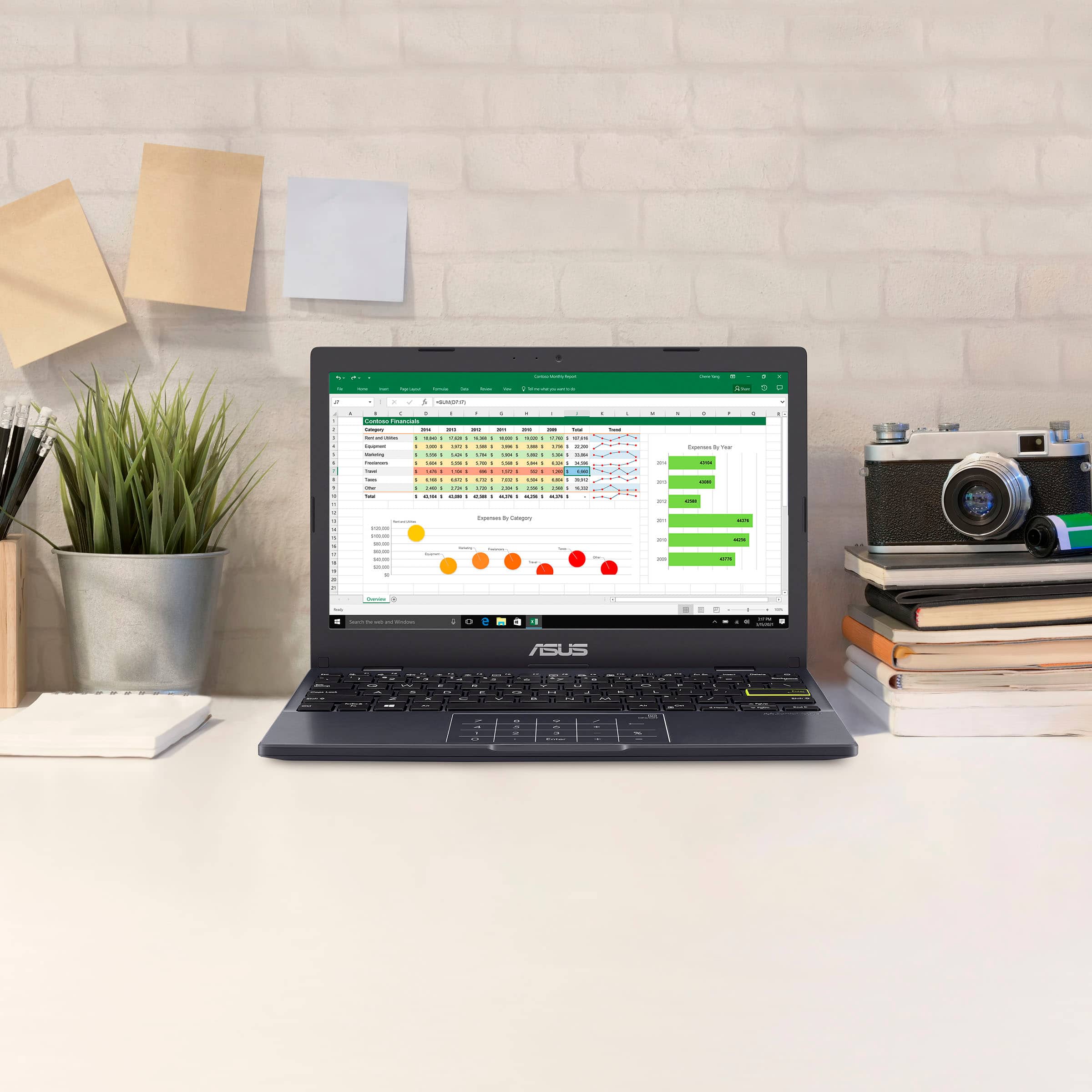

- Model:
- E410KA-CL4128
- SKU:
- 6612930
Rating by feature
- Battery Life
Rating 4.3 out of 5 stars
- Speed
Rating 3.6 out of 5 stars
- Display
Rating 4.2 out of 5 stars
Customers are saying
Customers are delighted by the laptop's strong overall performance, portability, and appealing design, noting its lightweight nature and decent battery life. However, users frequently point out issues with the subpar screen quality, slow processor speed, and limited storage capacity. There are also concerns regarding insufficient RAM and a desire for more USB ports.
This summary was generated by AI based on customer reviews.
- Pros mentioned:Battery life, Portability
Gets the job done
||Posted .This reviewer received promo considerations or sweepstakes entry for writing a review.Works well for the most part the calculator button in the cursor gets frustrating sometimes. But it’s good size for in the go work hold charge for a long time too.
I would recommend this to a friend Laptop review
||Posted .This reviewer received promo considerations or sweepstakes entry for writing a review.Good sleek computer but Gets hot when trying to run games or advance programs and starts to lag
I would recommend this to a friendClutch is an understatement
||Posted . Owned for 3 weeks when reviewed.This reviewer received promo considerations or sweepstakes entry for writing a review.I was in a pinch. Needed an affordable laptop for my car. Specs are perfect not too high, not too low. Nice mid grade, cheap, utilitarian laptop. Tuning platforms tend to run on this operating system so I ran in. Copped this for like $100, loaded it up. And boom. Was able to tune my car with it. A lifesaver. You dont always need a flagship model, sometimes the entry level will suffice.
I would recommend this to a friend- Pros mentioned:Overall performance
Love It
||Posted .This reviewer received promo considerations or sweepstakes entry for writing a review.bought it for a work computer it works great......
I would recommend this to a friend Good for the price!
||Posted . Owned for 2 weeks when reviewed.This reviewer received promo considerations or sweepstakes entry for writing a review.Pretty standard, good size screen. A little slow and bad quality camera but it’s a good Windows PC regardless.
I would recommend this to a friendbrand u can trust ASUS
||Posted . Owned for 8 months when reviewed.This reviewer received promo considerations or sweepstakes entry for writing a review.excellent friendly user asus computer prize is excellent overall exceptional
I would recommend this to a friendBasic nothing special
||Posted . Owned for 2 weeks when reviewed.This reviewer received promo considerations or sweepstakes entry for writing a review.It’s good for basic laptop things. Only buy if you want the bare minimum and are desperate I would honestly just save up money and get a better laptop
No, I would not recommend this to a friendBrand response from ASUS Answers
Posted .Dear Truthfully,
Thank you for sharing your experience with the ASUS E410KA laptop. We regret to hear that the device did not meet your expectations. The E410KA is designed for basic computing needs, and we understand it may not be suitable for all users. We appreciate your feedback and it will be forwarded to the appropriate team for review.
We stand behind our products and continuously strive to improve our products and processes to achieve customer service excellence. If you require any further assistance, please email us at customerloyalty@asus.com and include the case number "N2206041107-0127" as a reference. We will do our best to resolve your case quickly. Your feedback is very important to us, and it enables us to improve our support channels. Thank you for choosing ASUS.
Best Regards,
Chantae
ASUS Customer Loyalty US Support
- Pros mentioned:WeightCons mentioned:Ram, Screen quality, Storage capacity

A great little notebook for basic needs!
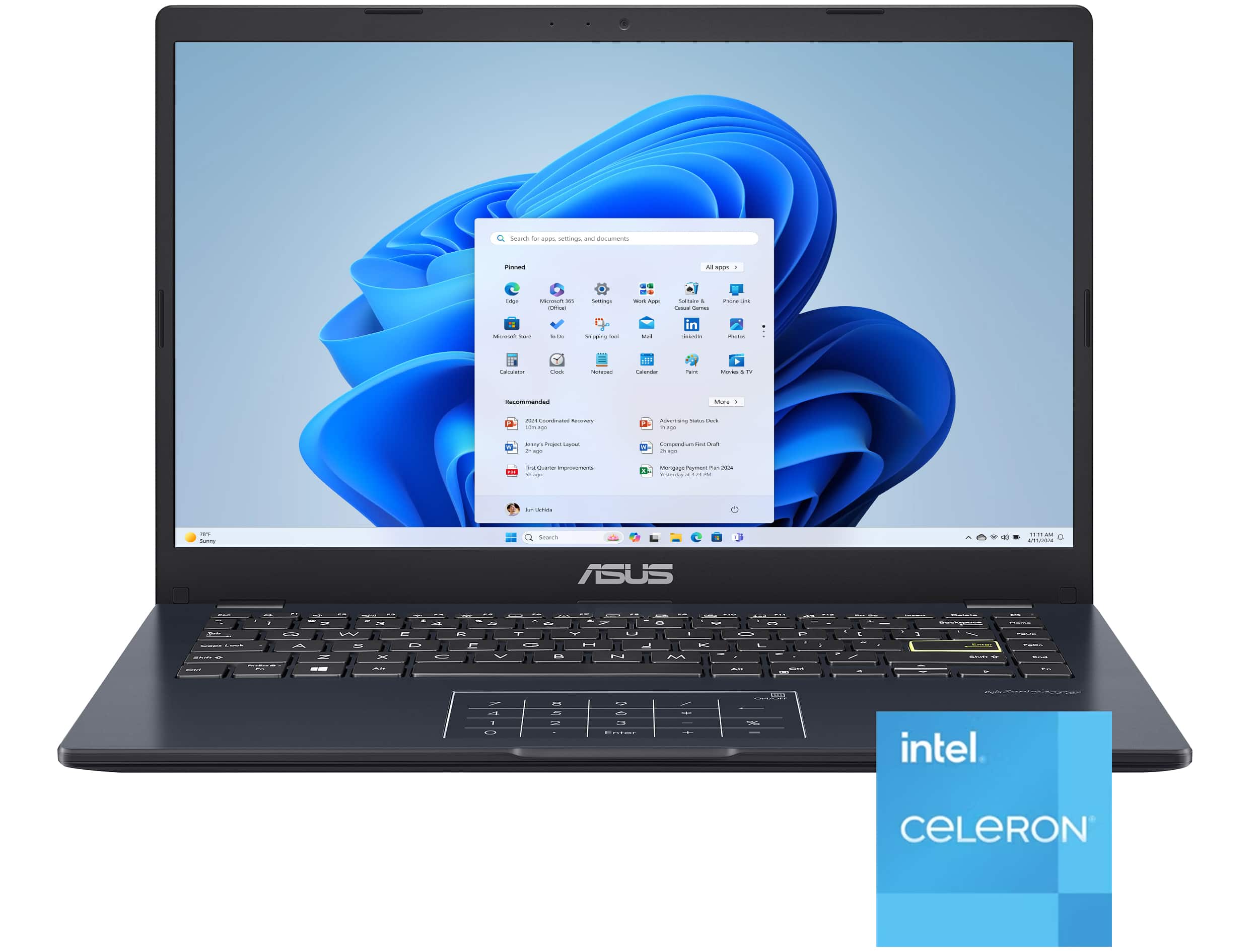
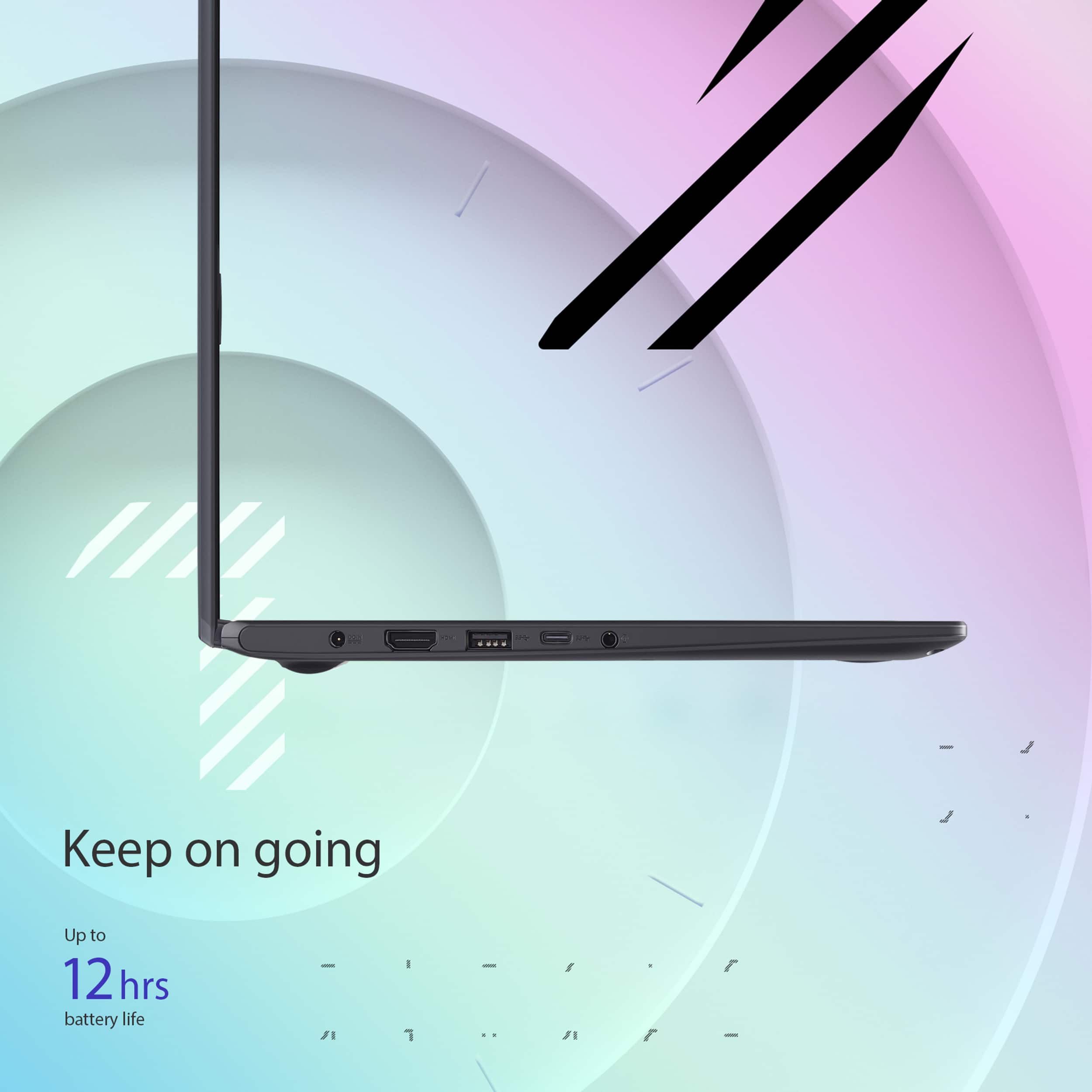
|Posted .This reviewer received promo considerations or sweepstakes entry for writing a review.After a week with the ASUS Vivobook Go 14, this is a really great option if you want a cheap notebook for your basic needs such as checking email and web browsing. There are a few drawbacks which I’ll get to throughout this review. The setup of this device allows you to either start it as a new machine or you can restore it from a backup (if you have this option available). I decided to go with the restore from a backup and it had to gather recent Windows 11 updates. Note that if you plan on doing this, you’ll want to set aside a few hours to install Windows updates and get the backup restored. After this, it took a bit longer to get Microsoft Store updates before I got it ready for use. If you plan on starting from scratch, you can most likely ignore most of this, except for some Windows updates. The first thing I checked after I was ready to go was how much hard drive space was left. Since there weren’t many applications on the PC itself, I still have just shy of 70GB free. The total size after Windows partitioning totals 115GB, which isn’t much. This shouldn’t be a problem for most, especially since this notebook isn’t going to handle hardware hungry applications. I took off the screws and used a plastic spudger (that looks like a guitar pick) to check out what might be upgradable here and spoiler alert, not much. It appears that you can add an internal SSD for more storage space, but the RAM is where you’ll be out of luck, because it’s soldered to the board. If you aren’t comfortable with doing the internal SSD upgrade, the alternative is always using an external hard drive. Performance wise is just about what I had expected out of this device. It contains an Intel Celeron Dual-Core processor which is fine for the basic things you’ll be doing with this laptop. Web browsing and email navigating seem to work fine without any major issues, at times, I did notice that some YouTube video playback seemed a bit slow but worked itself out. Scrolling through websites with the trackpad seems smooth and I don’t notice any display dragging. 4GB is fine for the bare bones work you’ll be using, and performance is passable. One thing I have noticed is that when you shut the lid to put this in sleep mode, it takes a few extra seconds for it to wake up before you can enter your PIN. Hardware – the keyboard keys feel good and are responsive without any issues. I am extremely picky when it comes to trackpads, and this one is good enough. The trackpad also has a built-in number pad which works very well considering that I expected it to not be “innovative” as claimed on the sticker. It’s still not the best trackpad I’ve ever used but it works. You can always plug in a mouse with a USB dongle or connect a mouse with BlueTooth if you prefer that. The speakers on this device aren’t great and I didn’t expect much. They are some of the smallest speakers I’ve seen on a laptop. You can plug in headphones or connect this to a BlueTooth speaker for better sound. This also comes with an HDMI port for external monitors, two USB-A ports, one USB-C port, and a headphone jack. Visually, this notebook looks awesome in its dark blue color. Be warned, this thing is a fingerprint magnet, so if you want to keep this device pristine, you’d better look elsewhere. The device itself is also super lightweight and can easily fit in a backpack. The charging cable that comes with this is compact too, so it doesn’t take up much space compared to other laptop chargers I’ve owned. Overall, this device is worth the price if you don’t need anything powerful. It’s great if you’re just browsing the web, checking/writing emails, and watching some videos. If you need a device that can do more than just what’s advertised, then I can’t recommend this to you. At this price, it’s better than I expected, albeit not by much. I would still recommend this device if you’re looking for a notebook that can fulfill your basic needs.
I would recommend this to a friend - Pros mentioned:Battery life, PortabilityCons mentioned:Processor speed, Screen quality
Budget-friendly laptop that covers all the basics.
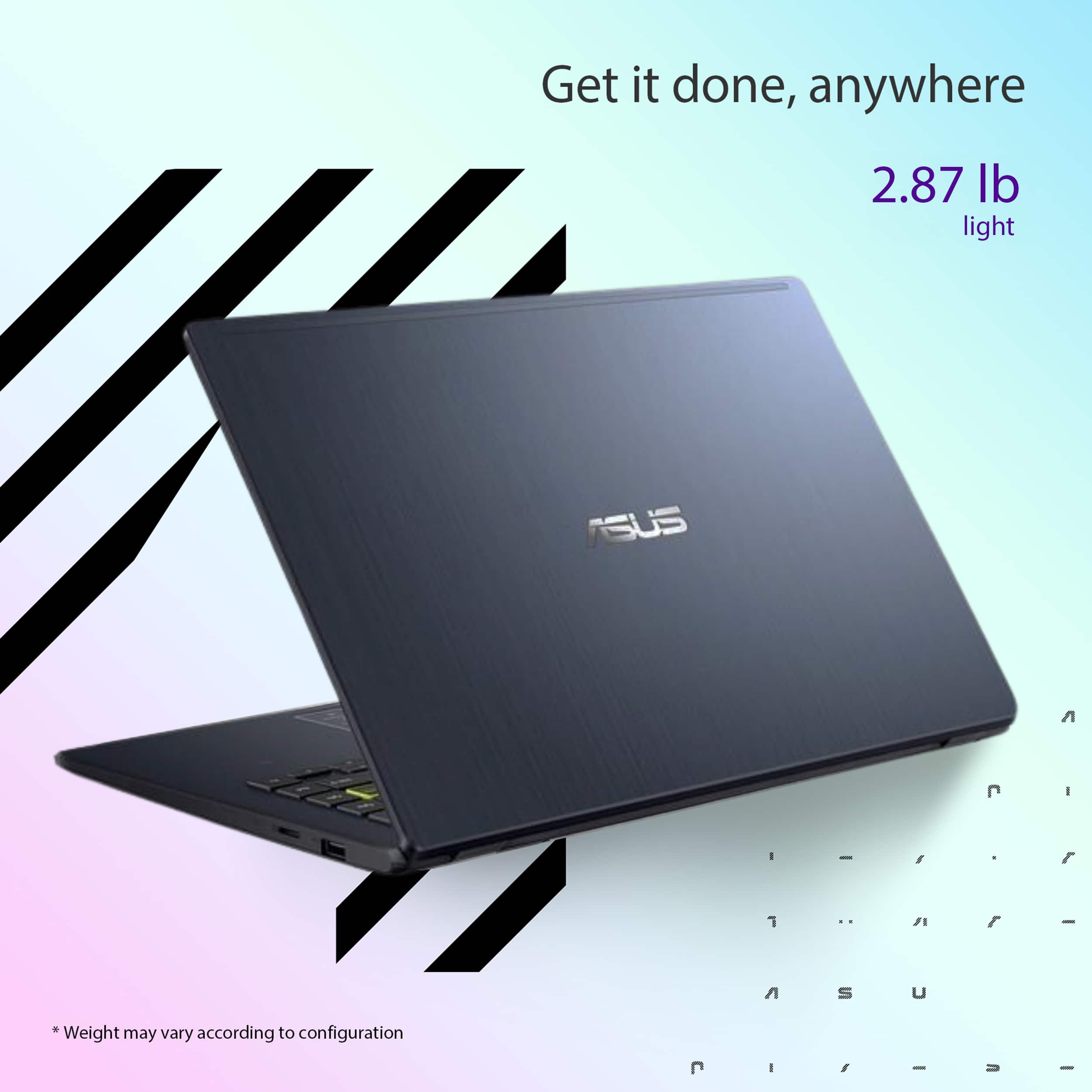
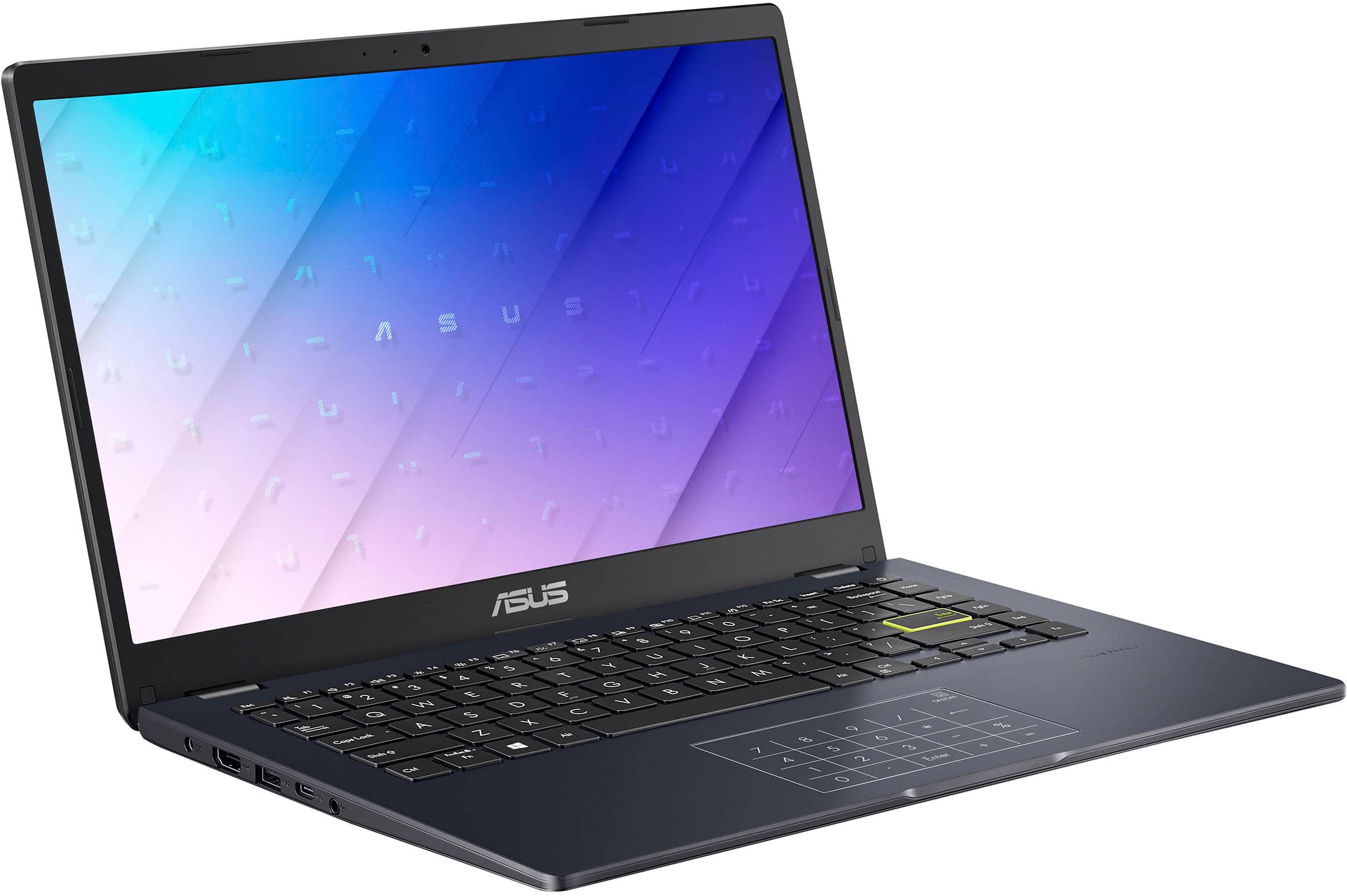
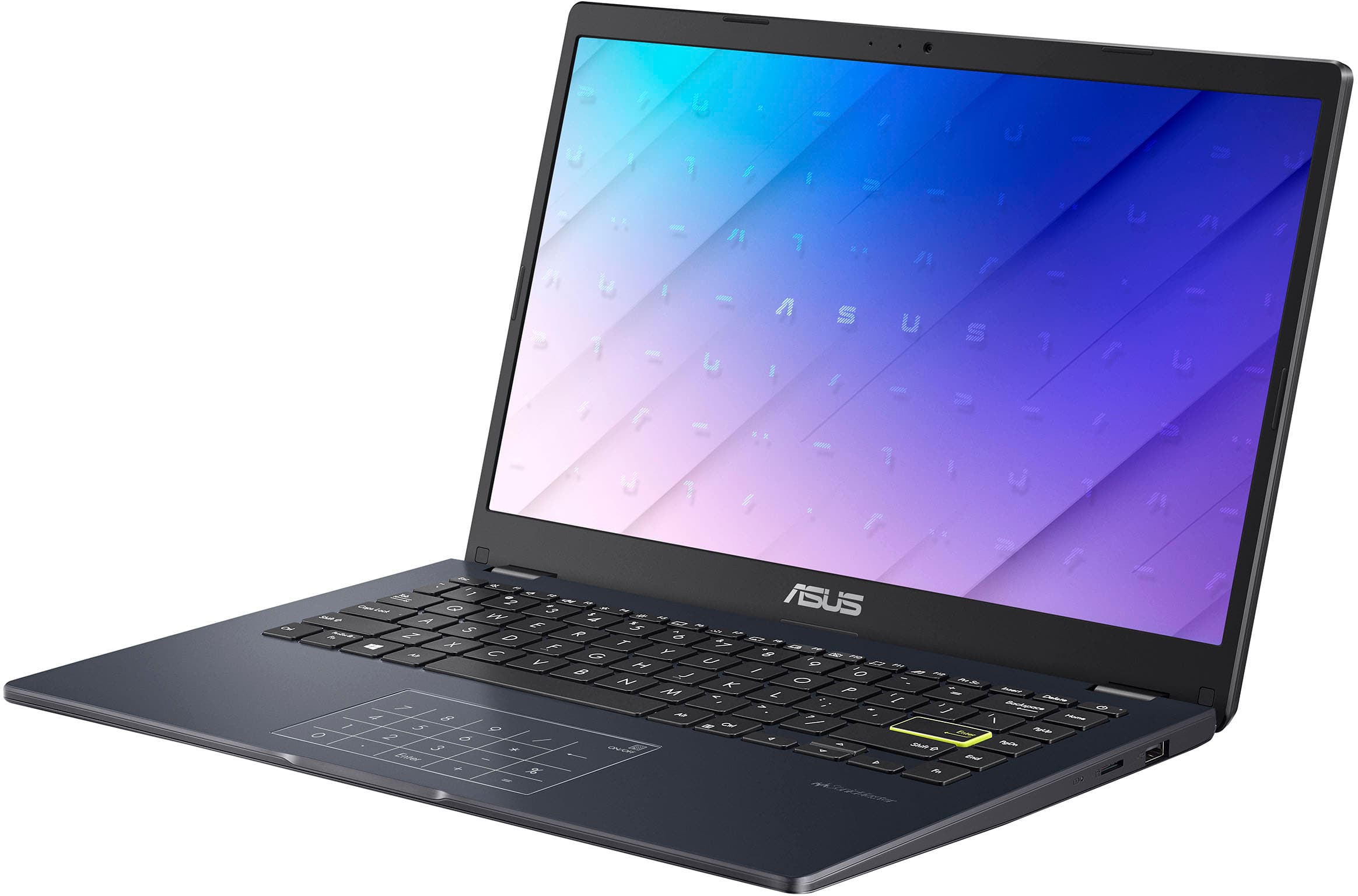
|Posted .This reviewer received promo considerations or sweepstakes entry for writing a review.This laptop’s overall design is good. The matte finish looks nice, but it is a smudge and fingerprint magnet and must be cleaned often. The device’s chassis is made almost entirely of plastic, which makes it feel a bit flimsy. However, in addition to the overall size, the plastic build makes it quite portable at 2.8lbs. The lid is sturdy with minimal wiggles and flex but needs two hands to open. Although I really don’t place the lid flat, I suppose it’s nice to have if I ever need it. The bezels are not too thick or distracting. The screen is not the best with slightly washed-out graphics, very dim brightness (200nits), and slim viewing angles. Still, I found it quite serviceable at Full HD-60Hz. The 720p camera is OK and the microphone catches voices well. While there is no physical camera cover, I appreciate the camera disable key. Another cool feature is the numpad on the trackpad. Pressing the right corner brings up the calculator app, and I found it very useful when working on my spreadsheets. The trackpad itself is small, and I noticed some hiccups and missed clicks, but not too bad. The speakers are what you’d expect from almost any other laptop. The chiclet keyboard is decent, has good feel, and good travel. There is no backlight, and that makes it difficult to work at night, especially is you rely on glancing the keyboard when typing. The battery is good enough for a workday (10hrs.). It takes very little time to charge up with the proprietary charger. I would have liked to have a USB-C charging option, though. The performance is consistent with the price point, meaning it’s at the low end. Having only 4GB of RAM, multi-tasking and multi-tab browsing can get rather slow. The IC N4500 processor can get up to 90% usage quite fast during certain tasks. Nevertheless, the laptop stays cool. For casual use, 128GB is good enough for storing files and simple productivity apps (not games). If more space is needed, this device has enough ports to accommodate USB-C or USB-A drives. There are also a 3.8mm headphone/mic jack and an HDMI 1.4 video output, which worked well. I am a bit confused as to why the laptop features last generation’s Wi-Fi 5.0, instead of 6.0+. This would have vastly helped with streaming and cloud gaming. Another thing to note is that this laptop has Windows Home 11 S Mode, which has fewer features and only takes apps from the Windows Store. In the end, I think this laptop is perfect for anyone that needs a cost-effective device that covers the minimum tasks such as web browsing, emails, online meetings, and streaming. I would certainly take it with me while traveling.
I would recommend this to a friend Review
||Posted .This reviewer received promo considerations or sweepstakes entry for writing a review.This laptop is the minimalistic of what a laptop can be. Can’t run too many applications on this and this is very slow to open browsers unless using a Ethernet cable to connect to a WiFi. Not satisfied and truly reflects the price rage for this product
No, I would not recommend this to a friendBrand response from ASUS Answers
Posted .Dear ChandramohanN,
Thank you for sharing your experience with the ASUS E410KA Laptop. We sincerely apologize for the inconvenience you have encountered with performance limitations and slow browser speeds when using Wi‑Fi.
To help improve your experience, we recommend following the steps outlined in our FAQ guide linked below. If the issue continues, please contact our support team at https://www.asus.com/us/support/CallUs so we can assist you further or arrange repair service if necessary.
We stand behind our products and continuously strive to improve our products and processes to achieve customer service excellence. For more information, email us at customerloyalty@asus.com and include the case number "N2208000018-0069" as a reference. We will do our best to resolve your case quickly. Your feedback is very important to us and enables us to improve our support channels. Thank you for choosing ASUS.
Best Regards,
Chantae
ASUS Customer Loyalty US Support
[Windows 11/10] Troubleshooting - System is running slowly - https://www.asus.com/support/faq/1042398/
- Pros mentioned:Port countCons mentioned:Screen quality, Storage capacity
For light use, and at price point, a good choice
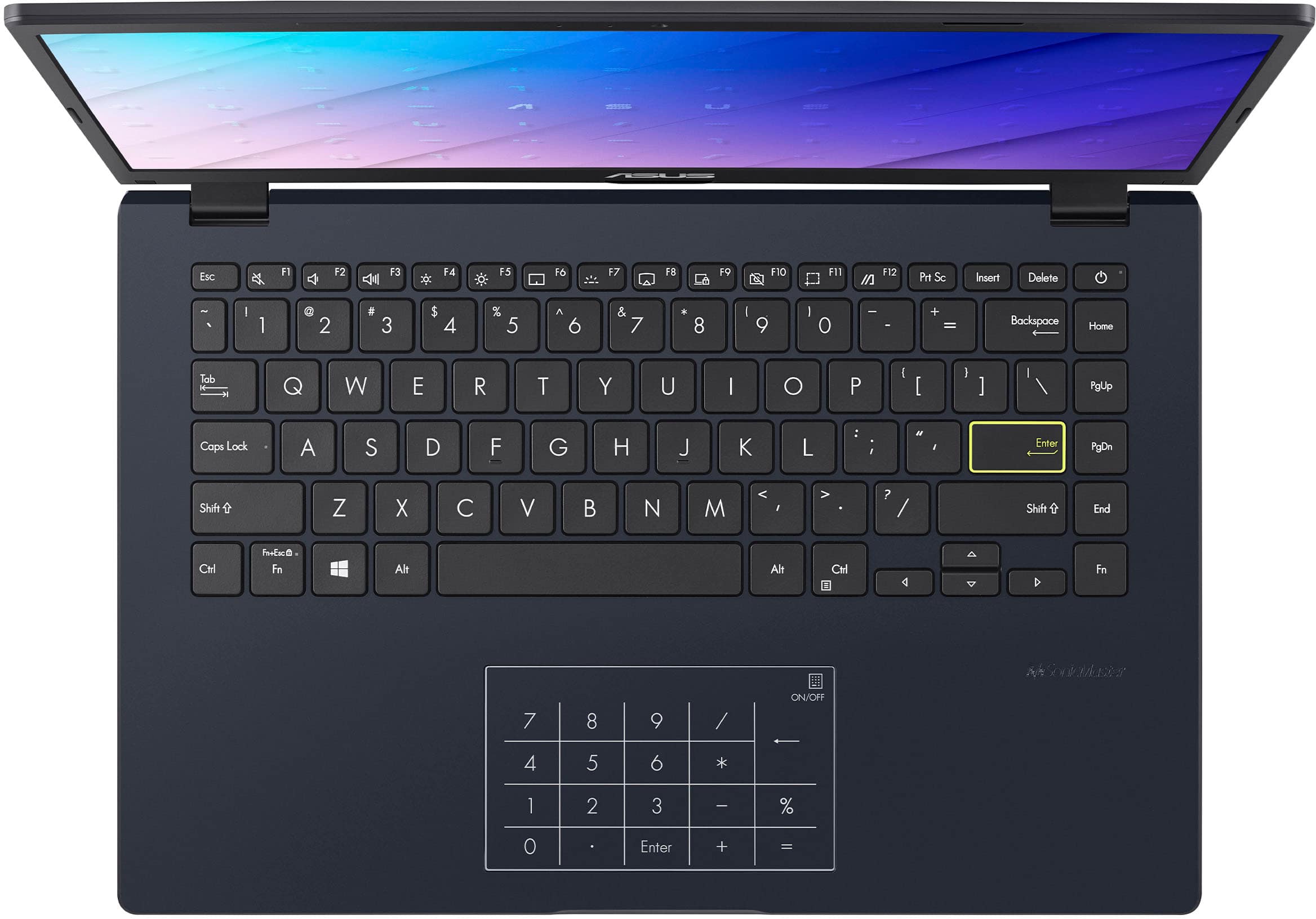
|Posted .This reviewer received promo considerations or sweepstakes entry for writing a review.When opening, first impression is of excellent quality and fit / finish. The body is all plastic, but feels premium, I felt little flex when picking up by the edge. The computer is designed as a budget entry laptop, and the hardware reflects this category. The keyboard has good feel and travel when typing, but the lack of a back light will make typing in low light difficult. Keyboard has little flex while typing. The “enter” key is highlighted in neon yellow. The track pad functions well, and has the nice addition of a number pad that can be turned on or off to use. The screen is a FHD 1920 x 1080 LED. However, it has the characteristic of a TN screen with quite a lot of “wash out” when tilted off center – either horizontally, or vertically. Brightness is low at about 200 NITS. Storage is limited at 128Gb eMMC, and there is no SD card slot for expansion. Ram is 4Gb DDR 4. The processor is an Intel dual core N4500 at 1.1Ghz base, and 2.8Ghz boost. The only camera is a front facing 720p. The sound from the speakers has good tone, but only moderate level of volume. Using headphones is always an option. There is a good number of ports - 1 HDMI 1.4, 1 USB-A 2.0, 1 USB-A 3.2, 1 USB-C 3.2, headphone and the barrel power port. The computer is running Windows 11 in S mode, which limits downloads to the Microsoft Store. However, you can opt out of S mode, which will allow downloading apps / programs from other sources. There is no fan, so the bottom got quite warm while doing downloads and updates. After all updates were downloaded and installed, eliminating non-essential apps from startup, I went on to test the laptop. This is not a race machine by any means, but for the casual / occasional user, or student, it will perform daily tasks such as emails, surfing internet, shopping, etc. quite well. The biggest “cons” for me are the quality of the display, and the lack of a port for additional removable storage. However, in this price range, it does serve well, and I could recommend for this type of user.
I would recommend this to a friend - Pros mentioned:Port countCons mentioned:Processor speed, Screen quality
Good Basic laptop
|Posted .This reviewer received promo considerations or sweepstakes entry for writing a review.When setting up this laptop, I had to remind myself that this is probably as basic as a laptop can be. I have a couple of laptops and a couple of desktops and a chromebook. And they are all of varying price points and features, so when you go from one to the next you realize what you like and dislike about each one. The Asus Vivobook is just ok. I think it is meant for very young students, maybe even high school kids, or those who just want a very basic computer to browse the internet or emails. And for those who want to use basic microsoft apps. Let me start with the build. Obviously plastic housing which gave me a sense that I shouldn't drop this thing. Screen looks washed out and isn't very good in direct sunlight. A little heavy for it's size. There is a lot more things it lacks but I can't knock it because of the price. It does have enough good ports. Usb-a, although not fast. Usb-c, which doesn't charge. What? That was my biggest bummer. This laptop only charges using the provided power brick. In this day and age, most companies use usb-c to charge. I don't want to have to worry about carrying around it's own charger. HDMI and headphone jack. That is pretty cool, headphone jack is hard to come by now. The laptop is a little slow and I did run into something weird during setup. Hit the back button and got a weird double screen. Look at the picture. But after I pressed cancel and it was all good and haven't had it happen since. Again, this is a good laptop for it's purpose. I did not want to ding it for what it was lacking because in reality, at this price point, it's pretty good.
I would recommend this to a friend - Pros mentioned:Battery life, Port count, Portability
GREAT VALUE LAPTOP - GOOD FOR BASIC NEEDS
|Posted .This reviewer received promo considerations or sweepstakes entry for writing a review.PRODUCT ASUS - VIVOBOOK GO 14 MODEL: E410KA-CL4128 GREAT VALUE LAPTOP - GOOD FOR BASIC NEEDS REVIEW The VIVOBOOK has great features and value in a small light package. The screen is very bright and easy on the eyes. The widely spaced keys are comfortable for long typing session. Some simple things make a big difference. Instead of basic white keys the keys are a little fluorescent so they don’t need to be backlighted. Important keys are boarded in bright yellow. I really like the touch dual purpose touchpad / keypad, it works very well. The included USB-C and USB-A ports allow you connect devices like mice, keyboard and external drives. The full-sized HDMI port allows you to connect the laptop to an external monitor or TV Screen. I wish it was powered by USB-C instead of a dedicated power supply this would greatly increase the flexibility in charging. Due to the low power CPU the battery lasts a long time. The Vivobook is a great value for overall quality. I think it is best suited very low CPU tasks, like note taking in class, maybe working on reports. RECOMMENDATION I would recommend this as a great value for the price point.
I would recommend this to a friend - Pros mentioned:Portability
Vivobook Green Light Go!
|Posted .This reviewer received promo considerations or sweepstakes entry for writing a review.I’ve been Asus fan for a few years now. The Vivobook Go is your everyday laptop. This isn’t the PC you’ll use for gaming but it is the one you’ll tote around because it’s light to carry, slim, beautiful screen and colors. Unboxing was easy, setup was smooth and what a neat discovery to see that there was a 10 key pad built into the trackpad. That was a neat little feature that I wasn’t expecting. As an FYI, you can disable the 10 key so you can toggle between trackpad and dialing in. As far as design goes my top 3 wow factors are the beautiful crisp and matte black color, the small charging block (most laptops these days have heavy charging blocks that make it annoying), and the slim profile when closed. I carry my work laptop and the Vivobook Go in one bag and honestly it’s such a vibe to have a light laptop. My work laptop is horribly heavy. Video and sound quality are pretty good. No complaints from me, it’s got great visuals. I’m getting more acquainted with CoPilot but it is cool to use and very useful. This is the perfect laptop for a young student, college student, or someone who needs a laptop with features that complement daily tasks.
I would recommend this to a friend - Pros mentioned:PortabilityCons mentioned:Screen quality
Works great. Simple laptop.
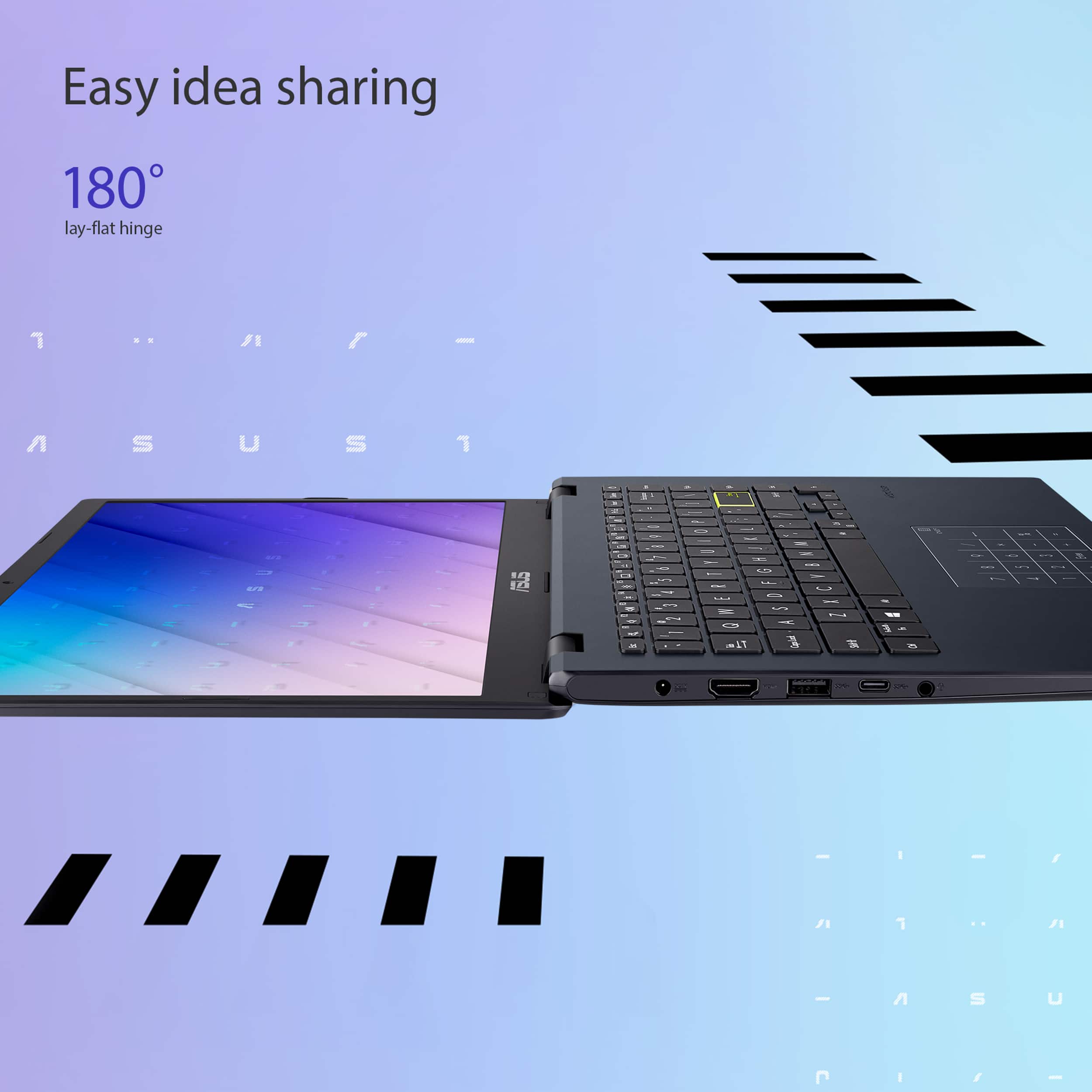
|Posted .This reviewer received promo considerations or sweepstakes entry for writing a review.I’m huge fan of ASUS. I’ve never unboxed such a simple piece of machinery in a while. Unless it was a tablet. This is a very simple laptop and aces hit all corners with the most basic needs. If you are looking to check your email, social media run, Microsoft Word PowerPoint, or any other simple task. You may be able to update your usage with a little photography or IT technical work, but I don’t believe this laptop has that kind of speed and you shouldn’t expect that from this laptop. It’s super light and very portable so I feel like it’s easy to travel with very thin slides into most carrying cases. The 180° flip open I haven’t found a use for sure it is cool. I do like to work in bed. I know it’s not a good habit, but in the case that I whip it out and I want to start working for a little bit I find myself straining to look at the keys because they are not back lit. That is the only reason I gave it four stars instead of five. I feel like if aces did that one favor for me it would be a five star laptop. let me know what you think.
I would recommend this to a friend Very impressive for the price
|Posted .This reviewer received promo considerations or sweepstakes entry for writing a review.Let me be upfront. In this review I will be assessing the Asus Vivobook Go based on its category, not against computers costing 10 times as much. The Vivobook Go 14 is built to be affordable...and it is, remarkably so. And as a very affordable laptop, it is not going to have a high res screen or loads of RAM, and it's not going to be fast... and it isn't. But what it does do is run most productivity software just fine. How much speed is required to create a Word document? The Vivobook Go has all the power needed to create Word, PowerPoint, and Excel files. But again, don't expect it to set any speed records. What is impressive to me is the feel of the laptop. I've handled inexpensive laptops in the past and expected the Vivobook to be flimsy. Not so. The Vivobook Go seems very solid, as solid as any high end laptop I've used. I imagine it's going to hold up quite well. And the screen, while not being the best, is actually pretty decent. Of course, viewing angles aren't extreme, and I feel that images can be washed out a little. But then I remember the price point of this laptop and the screen then seems really good for the price. Lastly, Asus does something I haven't seen on a laptop before. Because having a number pad on a smaller laptop just isn't possible, Asus built one into the touch pad. There is a button in the top right hand side of the touch pad that turns Num lock on and off. Quick and easy. Since I don't usually use a number pad, I can' speak to how well it works for those that depend on number pads every day, but from my experience it's handy to have it. Nothing about this laptop is going to blow you away. But, if an inexpensive laptop is all that fits into the budget, or you just want a laptop that does the job without breaking the bank, the Asus Vivobook Go 14 is a great choice.
I would recommend this to a friend- Pros mentioned:Battery life, Portability
Great Budget Laptop for Basic Tasks
||Posted .This reviewer received promo considerations or sweepstakes entry for writing a review.I recently purchased this ASUS laptop for around $150, and for the price, it performs quite well. It’s lightweight, easy to carry, and the setup was simple. The screen quality is decent for everyday use, and the battery lasts a reasonable amount of time for browsing, emails, and watching videos. Of course, at this price point, it’s not designed for heavy tasks like gaming or video editing, and storage space is limited, but for basic work and study, it’s a great value. Pros: Affordable price Lightweight and portable Good battery life for basic use Cons: Limited storage and performance for heavy applications Average screen resolution Overall, I would recommend this laptop to anyone who needs an inexpensive device for simple tasks.
I would recommend this to a friend - Pros mentioned:Overall performanceCons mentioned:Connectivity
School computer
||Posted . Owned for 3 weeks when reviewed.This reviewer received promo considerations or sweepstakes entry for writing a review.Seems to be okay but keeps dropping wifi, overall okay.
No, I would not recommend this to a friend - Pros mentioned:WeightCons mentioned:Screen quality
Well Priced
||Posted .This reviewer received promo considerations or sweepstakes entry for writing a review.The ASUS Vivobook Go 14 is a lightweight 14″ laptop that’s easy to carry around and looks clean in its Star Black finish. It’s good for basic tasks like web browsing, writing, streaming, and video calls—nothing too demanding, but it gets the job done. The keyboard is comfortable to type on, and the trackpad even has a built-in numpad function, which is a nice touch. The screen is decent but not super bright, so it’s best used indoors. Battery life is okay, usually enough for a day of light use. It’s not meant for multitasking or heavy apps, and the storage is limited, so you might want to clean up the pre-installed apps or add cloud storage. All in all, it’s a solid pick if you just need a reliable, no-frills laptop for everyday use
I would recommend this to a friendBrand response from ASUS Answers
Posted .Dear Richard,
We are pleased to hear that you are satisfied with the ASUS Vivobook Go 14 E410KA Laptop. It is our hope that the device continues to operate normally and that you enjoy using it. Your feedback is greatly appreciated and will be passed to our Product Team for review.
We stand behind our products and continuously strive to improve our products and processes to achieve customer service excellence. If you require any further assistance, please email us at customerloyalty@asus.com and include the case number "N2206041107-0114" as a reference. We will do our best to resolve your case quickly. Your feedback is very important to us and enables us to improve our support channels. Thank you for choosing ASUS.
Best Regards,
Chantae
ASUS Customer Loyalty US Support
- Pros mentioned:Overall performance
GREAT Value
||Posted .This reviewer received promo considerations or sweepstakes entry for writing a review.If you need a throwaway laptop this is great - and you won't end up throwing it away and keep using it. I ended up returning mine to upgrade (faster model went on a serious sale and was able to seriously upgrade for around $50 more that also included a free years subscription to Microsoft Office 365). IF I ever needed to grab a laptop fast for a quick project I would buy in a heartbeat.
I would recommend this to a friend