Customer Ratings & Reviews



- Model:
- VM441QA-X1.16.512.24
- SKU:
- 6669992
to a friend
Customers are saying
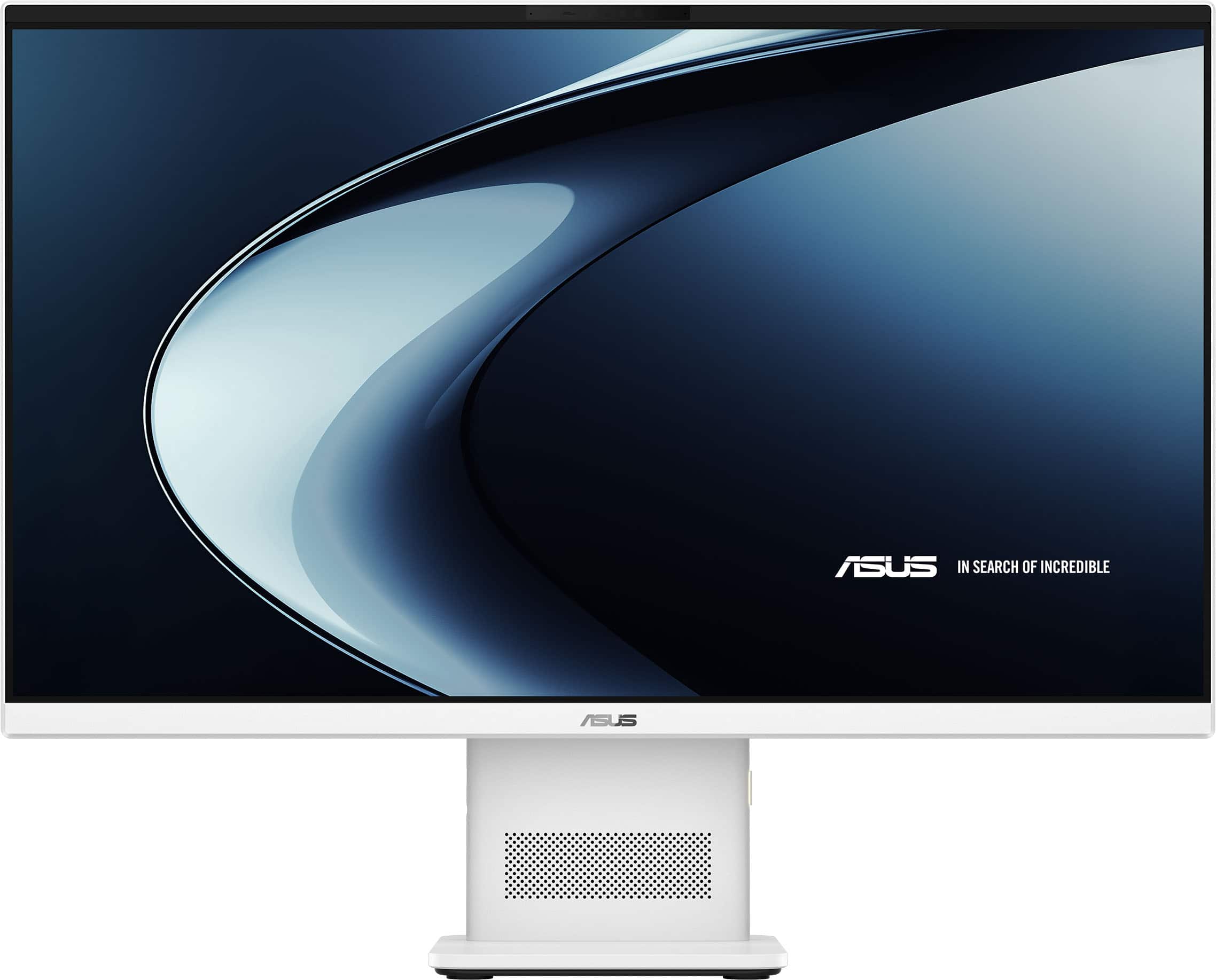
Customers are positive about the product's built-in 24-inch monitor, its convenient touchscreen responsiveness, and its modern, up-to-date design. They also appreciate its nearly silent operation and nice form factor.
This summary was generated by AI based on customer reviews.
Better than we expected
||Posted . Owned for 2 weeks when reviewed.This reviewer received promo considerations or sweepstakes entry for writing a review.Best Buy helped us pick out tge best fit for our needs. Highly recommend.
I would recommend this to a friendAbsolutly love it
||Posted . Owned for 2 weeks when reviewed.This reviewer received promo considerations or sweepstakes entry for writing a review.Love how easy the set up is, how little space the device takes up on my desk with such a large screen
I would recommend this to a friendGreat Asus computer
||Posted . Owned for 1 week when reviewed.This reviewer received promo considerations or sweepstakes entry for writing a review.The computer is great, it was easy to set up and all
I would recommend this to a friendHP All-In-One desktop
||Posted . Owned for 1 week when reviewed.This reviewer received promo considerations or sweepstakes entry for writing a review.This computer is perfect for my daughter who is college. She stated that it was an easy setup. The programs and applications she uses runs quickly and smoothly.
I would recommend this to a friend- Pros mentioned:Design, Overall performance, Touchscreen responsiveness

Sleek and Stylish with functionality
|Posted .This reviewer received promo considerations or sweepstakes entry for writing a review.Asus is known widely for their quality products in the gaming and PC world. The Asus All in One is proof that Asus knows what they are doing. And while their current All in One is a great addition to family, its important to understand its design capabilities. Out of the box the first thing i noticed was just how slim this unit was and the fact that it came with atheistically pleasing and coloring matching keyboard and mouse. The touch screen is very bright and vibrant and does well against a well lit back drop. I will say i have never really been impressed with laptop chips but the Snapdragon X actually held its own against my everyday multi tasking online needs. And while your not going to do heavy gaming or content creation, live streaming through my Google meets was seamless and smooth with no delays or lagging. So i for one have never truly utilized the benefit of the Copilot feature until i started using the this current unit. And while i understand that there are many features it has to offer, i just don't tend to use them in my day to day activities. This time around it shined against my daily Google Meet calls that must take place. From time to time i have work from home and now that my kids are on summer vacation there tends to always be more background noise. The Copilot feature actually did a phenomenal job canceling out unwanted background noise while recognizing my voice when i was talking. Audio quality was even good too given the fact that these are factory speakers. Vocals were smooth and crystal clear with no feedback or distortion coming through. Overall this is a excellent set up for someone looking to free up some desk space and not lose computing power. This is for your typical person in the office or working from home that has to multitask with multiple windows or files going on. It wont leave you hanging and the 16 gigs of Ram paired with a SSD means that switching between windows is smooth with immediate load ups. Do keep in mind this not meant for heavy gaming or 3d modeling/content creation. While you can try to push its limit in this area, you will raise temps and can cause the unit to throttle down. That aside this unit is such a beautiful looking design that has some of the best capabilities out there in the market to tackle just about any task you throw at it.
I would recommend this to a friend - Pros mentioned:Noise level, Overall performance
Inexpensive All-in-One from a Reliable Source
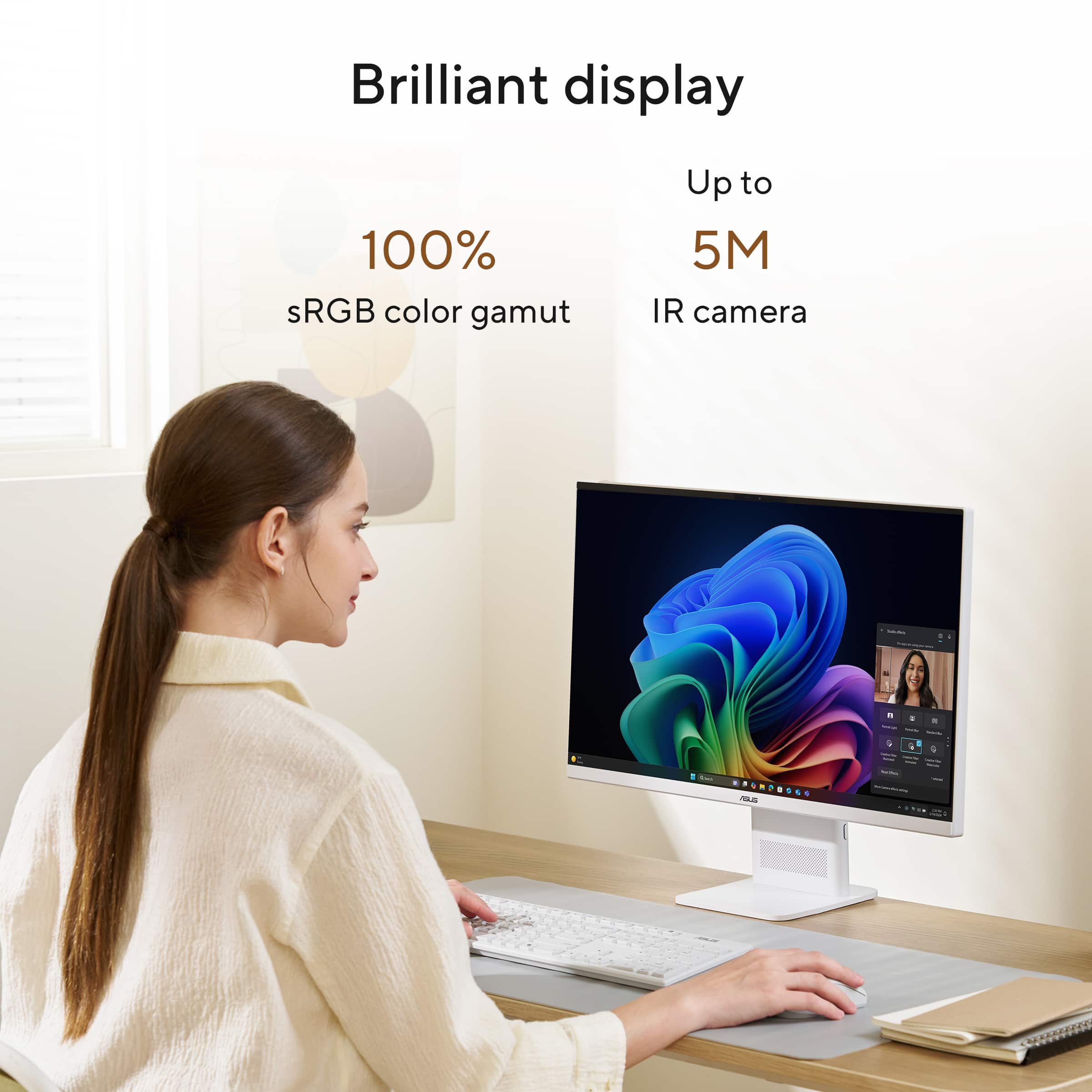
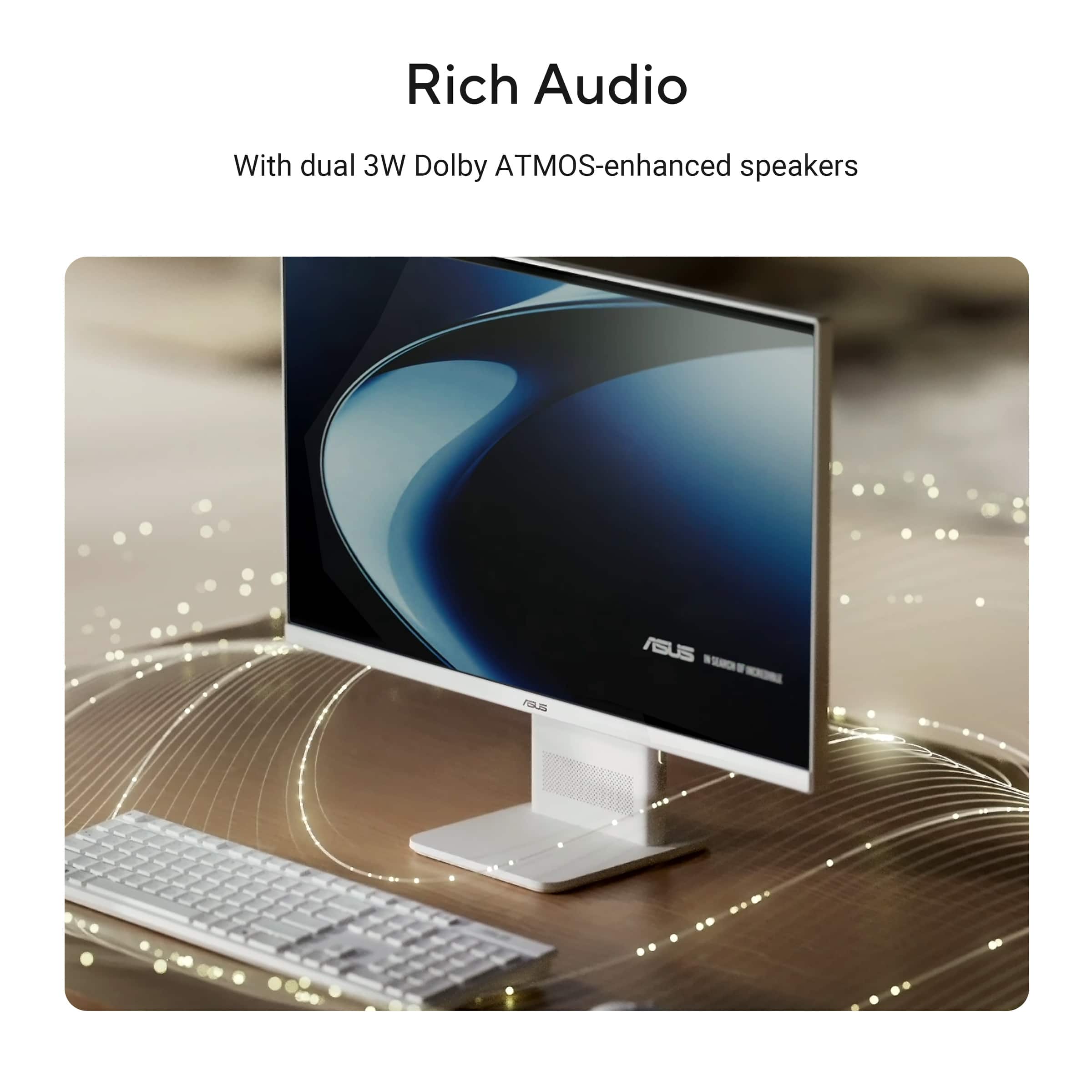
|Posted .This reviewer received promo considerations or sweepstakes entry for writing a review.This Asus all-in-one touch screen is a pretty amazing little PC. It's packaging is extremely protective and heavy. Kudos to the people in engineering that designed the way this thing was packed and protected. It took me about 15 minutes to take it all apart. This thing packs 16 GB of RAM and a half TB of storage with a really decent Snapdragon processor. Of course it's completely noiseless as there aren't any moving parts. The FHD touch screen is the matte finish type not shiny but the image quality is great. The camera is a tiny frog eye in the top screen frame and has a privacy cover to slide over it for the paranoid among us. The camera is an average quality 1080p. I was curious and opened the systems page in the MyAsus app to see how the processor and memory was taxed by things like YouTube. No problem at all. The audio system speakers are mounted in the base so it's facing you as you're facing the unit. Nothing to write home about just decent quality sound with Dolby settings available. You can also select to use the windows headphone package. I think I'm going to pair this with a little speaker system I have that doesn't take up a lot of room that will sound much better. It did sound great when paired with a good quality Bluetooth pair of headphones also. It came with a basic wireless mouse and keyboard which of course didn't work until I reached that point in the setup. A decent all-in-one machine for sure, at a good price. I have never been disappointed in an Asus product.
I would recommend this to a friend - Pros mentioned:Design, Overall performance, Touchscreen responsiveness
Great for what it is
|Posted .This reviewer received promo considerations or sweepstakes entry for writing a review.Overall – The ASUS VM441 is a solid all-in-one PC that does a lot of things right. The combination of the Snapdragon X processor, touchscreen display, and clean all-in-one design makes it a great option for everyday computing that includes - web browsing, streaming, light office applications, and video calls. It feels modern and responsive, and the Copilot+ AI features are a nice-to-have but not a deal-breaker in my opinion. I was a little concerned about the Snapdragon processor; however, for most family computer applications it worked perfectly – I did notice a bit of a slowdown on a couple of video editing applications, which I can only assume are some type of compatibility issues. Packaging – Everything arrives well protected, and setup is straightforward. ASUS includes a matching wireless keyboard and mouse, so you can be up and running quickly without needing additional accessories. The all-in-one design also means less clutter and fewer cables on your desk. Touch and Feel – Overall, this is probably the best part of this system – while everything is plastic, it doesn’t feel cheap. The keyboard and mouse are fairly robust and have a solid feel -I will note that the mouse is a bit small for my hand but not to the point that it was unusable. I even like the touchscreen on this system – still not sure why you have a touchscreen on a desktop system – the matte cover on the display greatly reduces any fingerprint residue. Setup – Setup was easy: pretty much plug in the power cable, connect the included wireless peripherals, and walk through the Windows setup process. This is the best part about the all-in-ones. Functionality – For everyday productivity, the system performs very well. The Snapdragon X processor, with this memory combination, didn’t have any issues with everyday Word, Excel, PowerPoint, web browsers, and video call apps. I was able to get a couple of very calculation-heavy spreadsheets to choke the system; however, they do that on all but the most powerful system. For a 24-inch screen, I did miss the fact that the screen was on full HD – at that size it’s not very noticeable. The wifi fast and reliable and had decent range before I noticed any degradation in speed. I also like the inclusion of the speaker in the system base vs the monitor; this allows for a bit better sound quality but did reduce stereo effect. The only real issues were a few high-powered video apps and the Snapdragon processor. All of the basic computer daily uses apps work without a hitch. Bottom Line – The ASUS VM441 is a capable all-in-one PC that delivers an efficient everyday computing experience. The aesthetics are nice, and the small footprint is a winner for a small desk or office environment, and I would recommend it for this environment. Please note that this is not really upgradable option, so be sure to get what you need up front. If you're in the market for a basic student or family desktop, I would recommend this system
I would recommend this to a friend - Pros mentioned:Overall performance, Touchscreen responsiveness
The Little Engine That Could
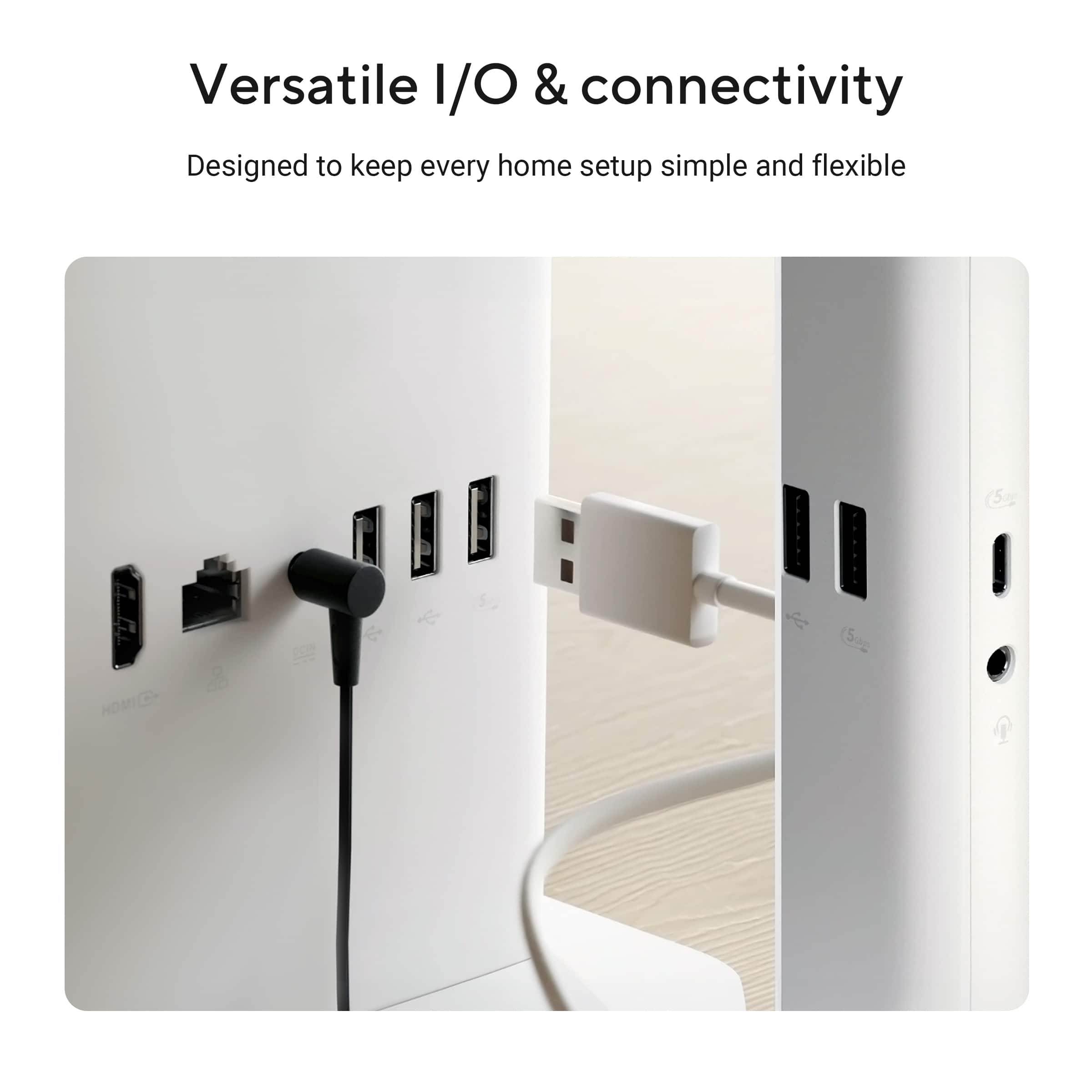
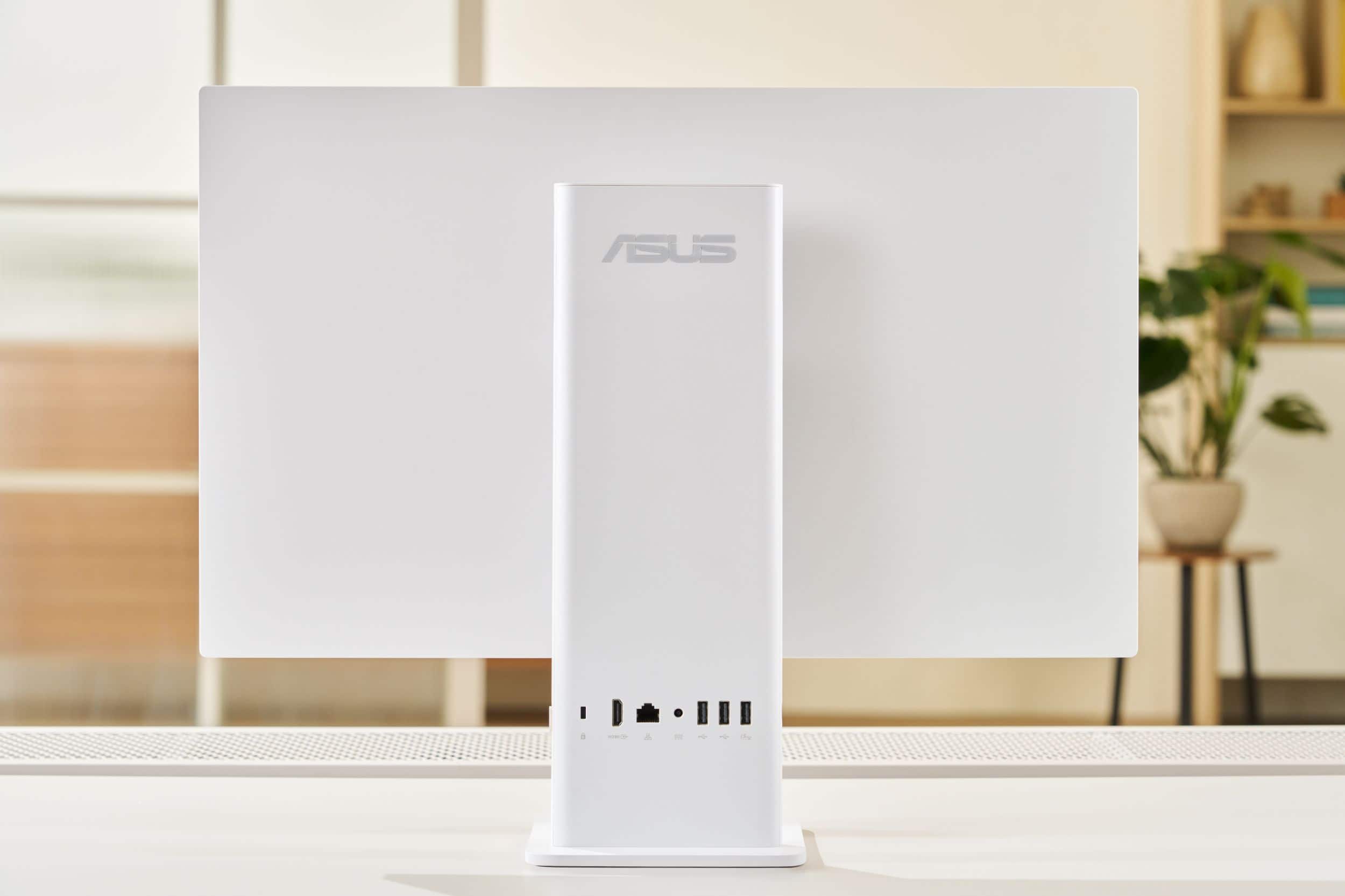
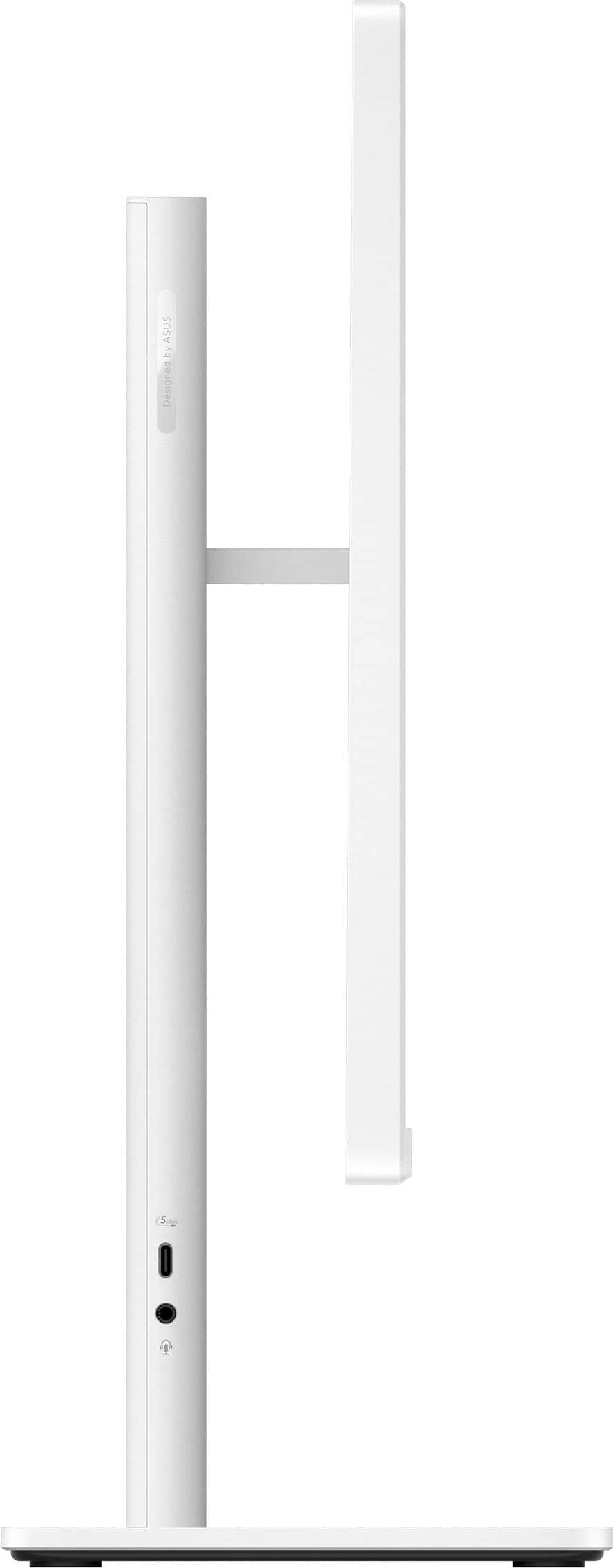
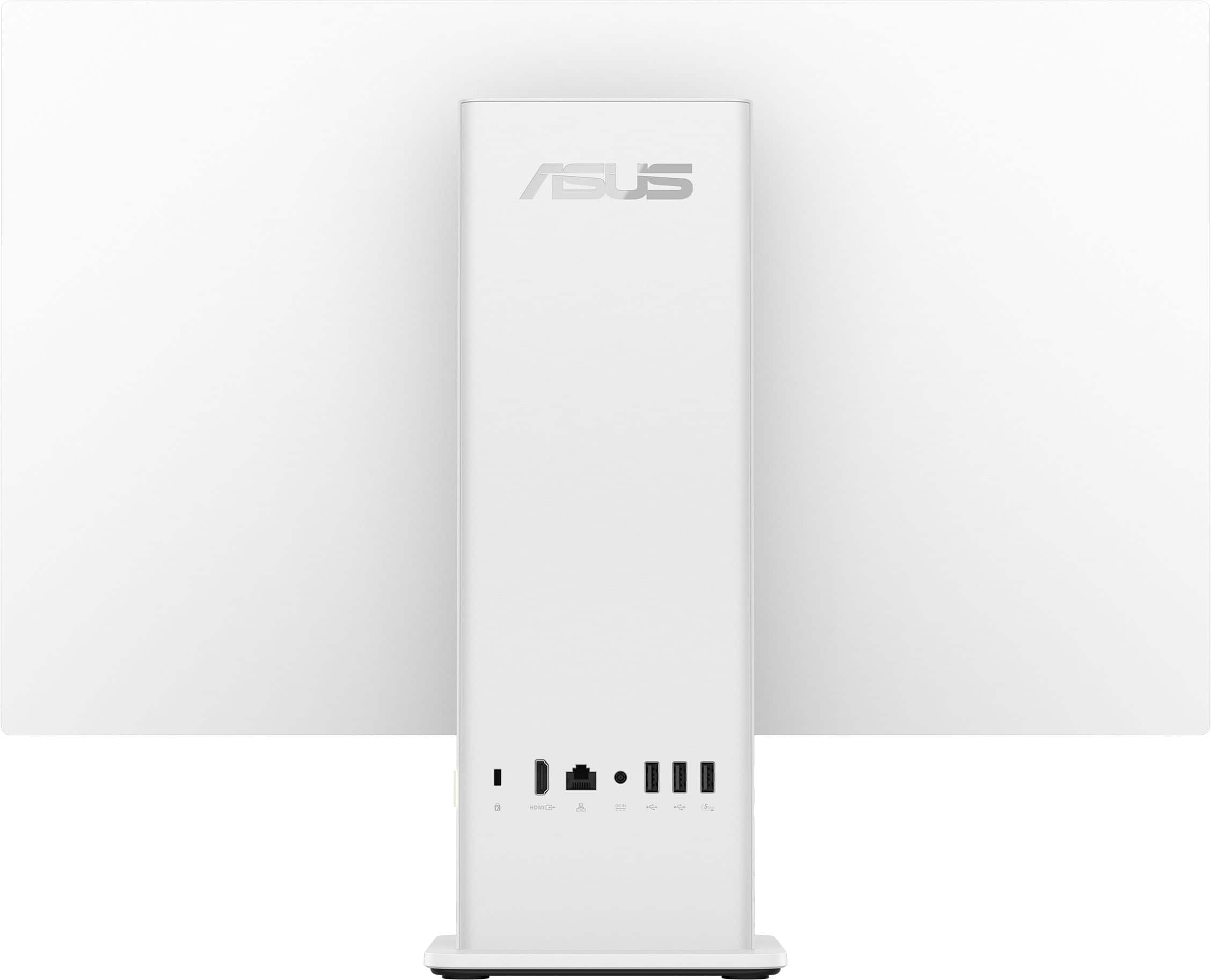
|Posted .This reviewer received promo considerations or sweepstakes entry for writing a review.Asus’ motto is “In Search of Incredible;” and they are still on track. This new AIO Computer Model VM441QA is indicative of it. Once out of the box, setting up the 441 is a snap. Not counting the power cord, all you have to do is put three items on your desk/table/whatever: the AIO console, the wireless keyboard, and the wireless mouse. No muss, no fuss, no clutter. Power up and let the 441 do its thing to get your new computer set up. Also, with CoPilot assisting, a new computer experience is afforded to you quickly and easily. Download your files and more of what you have saved to the cloud (ideally), and you are all set for the Asus experience. For hardcore gamers, the 441 might not satisfy. However, for the most of us, the 441 has many excellent features to provide a positive working experience. These include, but are not limited to: *Screen: 14” Full HD anti-glare touchscreen providing sharper image than regular HD. Colors are excellent. *Processing: The processor is the 8-core neural processing Snapdragon X, which is fast and battery friendly. Drawing less power, it provides more usable battery time. Also, importantly, CPU clock speed is just a tad short of 3GH. All good for the user. *AI assistance: Copilot+ PC can be helpful to the average user if you take time to learn how to use it. Help with research, writing, and similar tasks can all be enhanced with a Copilot. Gamers, once again, may not be satisfied with this version. *Storage: File capacity is 512GB which should be plenty for most users. RAM (Random-Access Memory) is 16GB, making multitasking much easier without slowing down the computer. This is a definite plus. Working with the 441, I was immediately and genuinely impressed with its speed. *Connectivity: Wireless is via Bluetooth and Wi-Fi. Wired is generous with 1 HDMI and 4 USB ports. USB includes A3.2, C3.2, and A2.0 (2). In addition, there is 1 Ethernet port. All ports are located on rear of the stand, which houses all operating components. *Built-in front-facing 1080p camera (Not a major issue but webcam sharpness could be better.) and microphone. * Wireless keyboard and mouse. These are the standard non-ergonomic types that usually come with a new computer. They work fine, of course. Because I must have ergonomics, my own wireless board and mouse attached easily to the 441. *Environment Friendly: The 441 is Energy Star Certified and Gold level EPEAT qualified. Overall, the Asus AIO VM441QA is an excellent computer for anyone looking for computing power that won’t break the bank. For the average user, it can be an excellent assistant, possibly as near perfect as one can be. Asus keeps the bar high.
I would recommend this to a friend - Pros mentioned:Design, Form factor
Capable and Attractive PC for All-Around Use
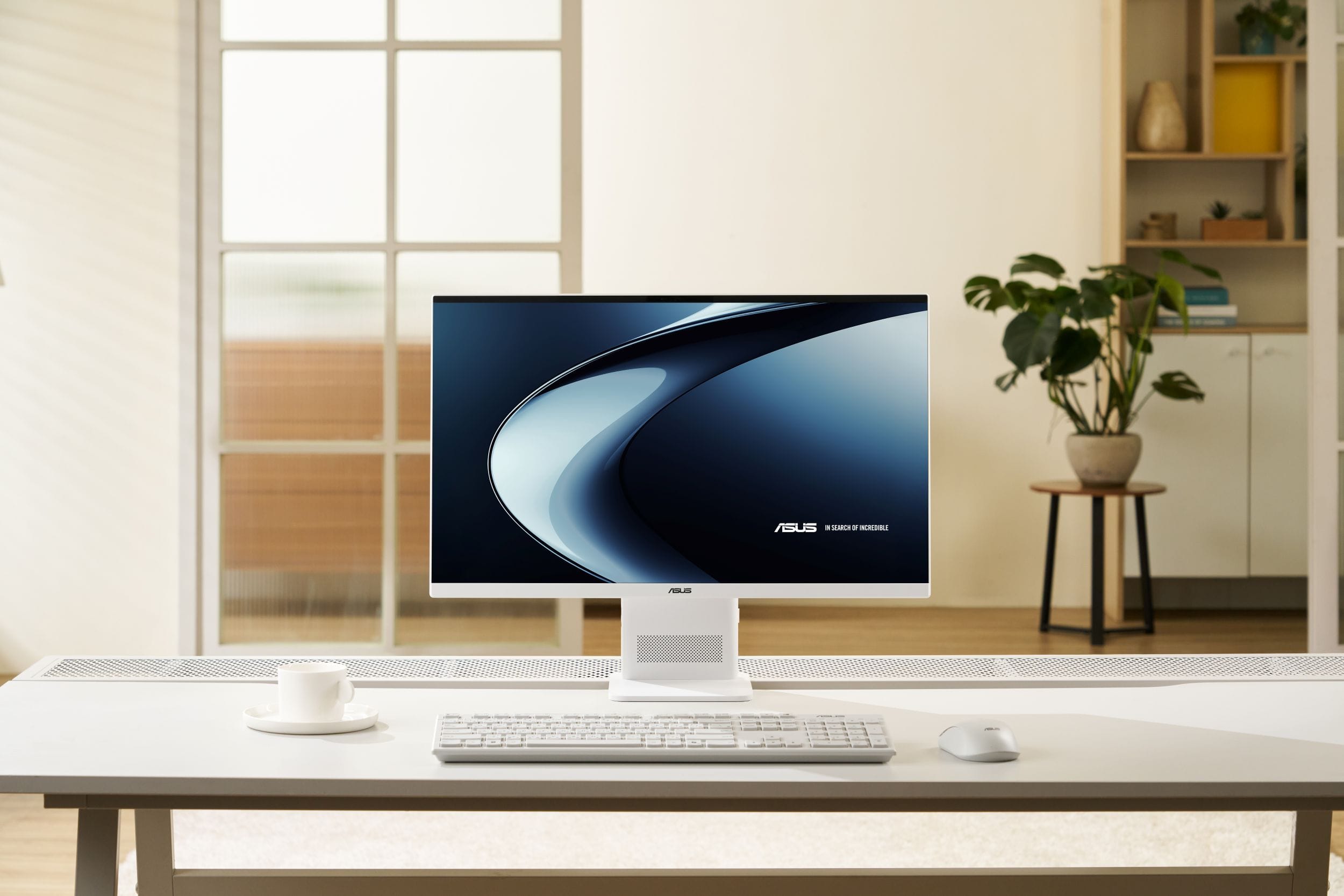
|Posted .This reviewer received promo considerations or sweepstakes entry for writing a review.The ASUS – VM441 24" FHD Touchscreen All-in-One is a good, all-around Windows PC that comes in a really nice form factor. The screen is bright, but not harsh. The design is attractive, practical, and helpful. The way the connectors are set in the back and sides of the stand helps keep things minimalist and clean. The computer is responsive and quick, and the touchscreen is so easy to use that I find myself often using it instead of the mouse. This is a really nice computer to have in the home for general use because it looks so good and clean, so it'll work anywhere. Although it all looks attractive together, I have to say that the keyboard and mouse are a bit disappointing. They work fine but feel kind of cheap - especially the keyboard. It is an extended version with a full numeric keyboard included at the right side of the normal keys. If you are among those who do a lot of numerical input, this is a bonus for you. However, for those of us who do not (like myself), it is a cumbersome addition that causes me to mis-align my fingers when I begin to type. The plastic build somehow just feels less than solid. This is, of course, subjective, but it takes away from the 'wow' factor that the screen and computer/stand convey. But both the keyboard and mouse work as expected. Another issue I ran into was my attempt to set up the VM441 as a kiosk. The screen is so nice and responsive, I began to wonder how it would work as a family calendar in kiosk mode. Something we could each easily touch and use to input our activities. The first thing I discovered is that kiosk mode is not available in the included Home edition of Windows 11. After finding an inexpensive upgrade license, I set it up but ran into problems. I'm still sorting it out, but if this is a specific use-case you're looking for, you'll probably do better with a large format tablet. You'll notice that both of my 'caveats' have a subjective element to them, and so you'll need to filter the comments through that lens. All-in-All, this All-in-One is a Capable and Attractive PC for All-Around Use.
I would recommend this to a friend - Pros mentioned:Overall performance, Touchscreen responsiveness
Small footprint huge power
|Posted .This reviewer received promo considerations or sweepstakes entry for writing a review.The ASUS VM441 24 INCH FHD Touchscreen all in one computer is an amazing all in one computer. Honestly I had my doubts when I took the computer out the box as in my mind there was no way ASUS was able to pack such a powerful computer in such a compact package. Traditionally I have had a 24 inch monitor paired with a tower or a Mac mini sized computer. However when I pulled the computer out of the box I didn't have high hopes. The computer comes with a matching wireless keyboard and mouse. You must plug the dongle for the mouse into 1 of the USB ports on the computer(behind the battery plate). The computer instantly connects to the mouse once both the mouse and computer are powered on. The setup was simple as I simply plugged it an and turned it on. The computer went through the standard windows update programs once I connected it to my Wifi network. It took about 20 minutes to get my computer setup and updated. I was able to restore the computer with my recently saved Asus Laptop backup. The compute features a Snapdragon X processor, 16 gb of RAM and 512 gb of storage. The native resolution on the touchscreen is 1920 X 1080. The touchscreen itself was plenty clear and responsive. A with most technology Microsoft is heavily leaning towards AI and I can say with full confidence that the Snapdragon X processor will be able to handle it with ease. The built in camera also allows you to do video calls as well as use features such as the Windows hello login. Overall the computer is a powerful computer in a small package which allows me to keep most of my deskspace clear and uncluttered. I would definitely recommend this computer to anyone considering purchasing a new desktop soon
I would recommend this to a friend - Pros mentioned:Design, Overall performance
All-in-One PC - attractive & functions well
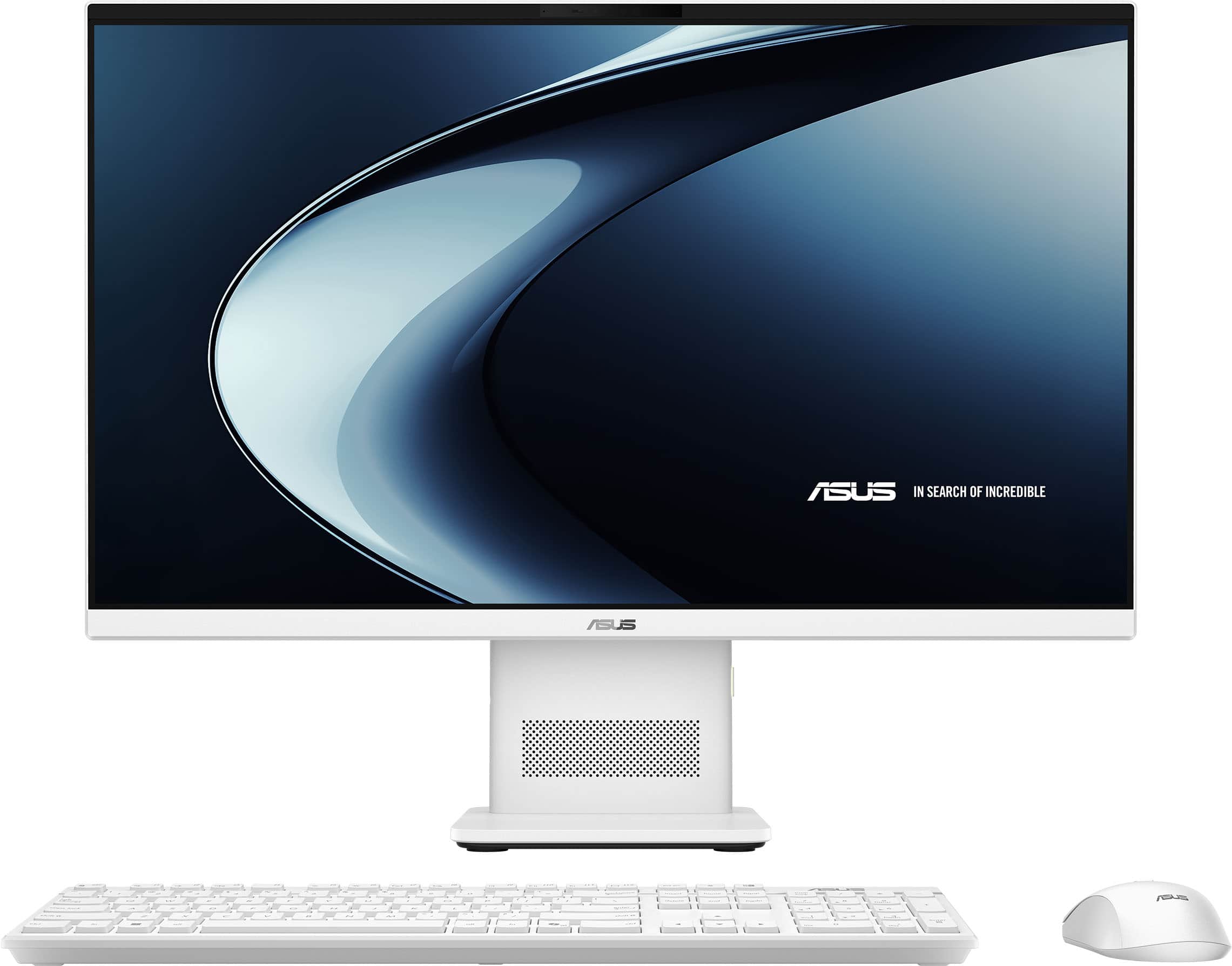
|Posted .This reviewer received promo considerations or sweepstakes entry for writing a review.The ASUS VM441 is an All-in-One Windows PC that I received for my wife. She prefers working on a desktop while I am more of a laptop user. She has an aging All-in-One (7 years old) with a very complicated setup. I am glad to receive this for her because I think she will like it for the projects she will be undertaking. The All-in-One is well-equipped with a Snapdragon Processor, 16 GB RAM, 500MB hard drive and a built in 24 inch monitor. Also included is a wireless keyboard and mouse. There are 3 USB-C ports as well as USB and network interface port, as well. Included are dual stereo speakers The unit has a base with a stem with the monitor on top. On the stem is the various mention ports and speakers. It is a well-designed, compact unit that is attractive, compact and functional. I believe that ASUS has designed a near perfect computer that would fit well on a secretary's desk or any home and office, especially where space is limited. Everything is white and looks attractive. The monitor is well-place and beautiful, the RAM and diskspace is sufficient for most situations. the mouse is standard. One thing I am not sure of is the keyboard. The keyboard has a different touch than what I am used to. On the other hand, it seems to work just fine. Without comparing other compatible devices, there is no doubt if anyone would be interested in an All-in-One desktop PC, or any desktop PC for that matter, I would highly recommend this device.
- Pros mentioned:Overall performance, Touchscreen responsiveness
Compact and Useable
|Posted .This reviewer received promo considerations or sweepstakes entry for writing a review.The Asus All in pc is a unique offering for todays computing. This Pc is a solution to meet the basic needs of a small office or home usage. It took me all of 20 minutes to setup and activate once I received it. It was streamlined and clear from once I booted it up. There were a few updates and connected quickly to my internet. The screen was clear and the keyboard and mouse with easily connected. The meat and potatoes of this all -in-one solution is does it stand up to the task. This hardware is meant for the daily tasks such as emails, videos, websites and using office applications. The hardware included leans toward very basic in that it was noticeable in its stress limits having my Gmail open, running a you tube video and working on Microsoft word. I stressed it to its limits when i had open 27 websites, playing music, had a Youtube video playing and downloading programs. It hit its memory limit with all of those apps running. Overall, this offering works great for the basic home use or office usage that isnt looking to break the bank and needs some compact and all in one.
I would recommend this to a friend - Pros mentioned:Noise level, Touchscreen responsiveness
Space saver doing it all-in-one.
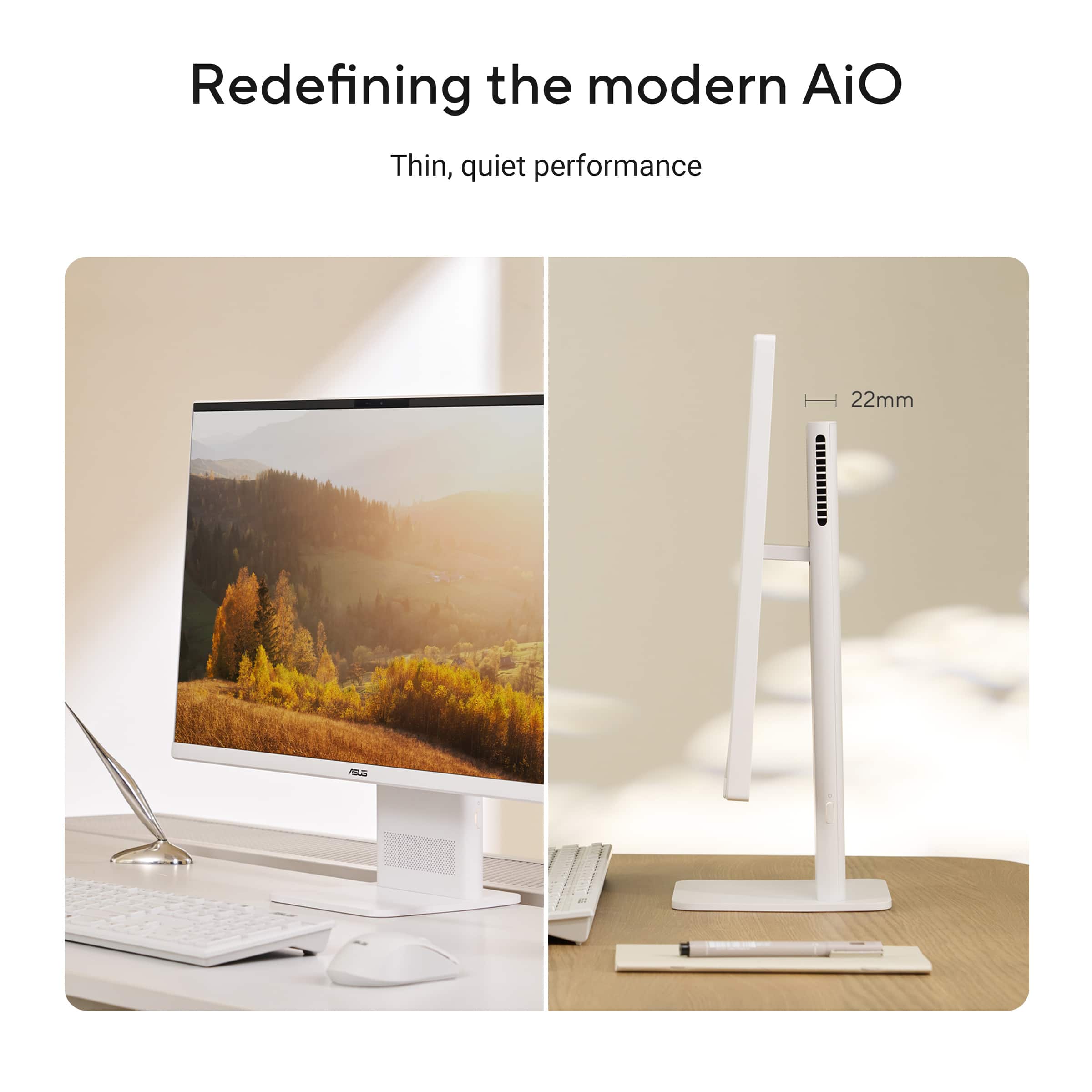
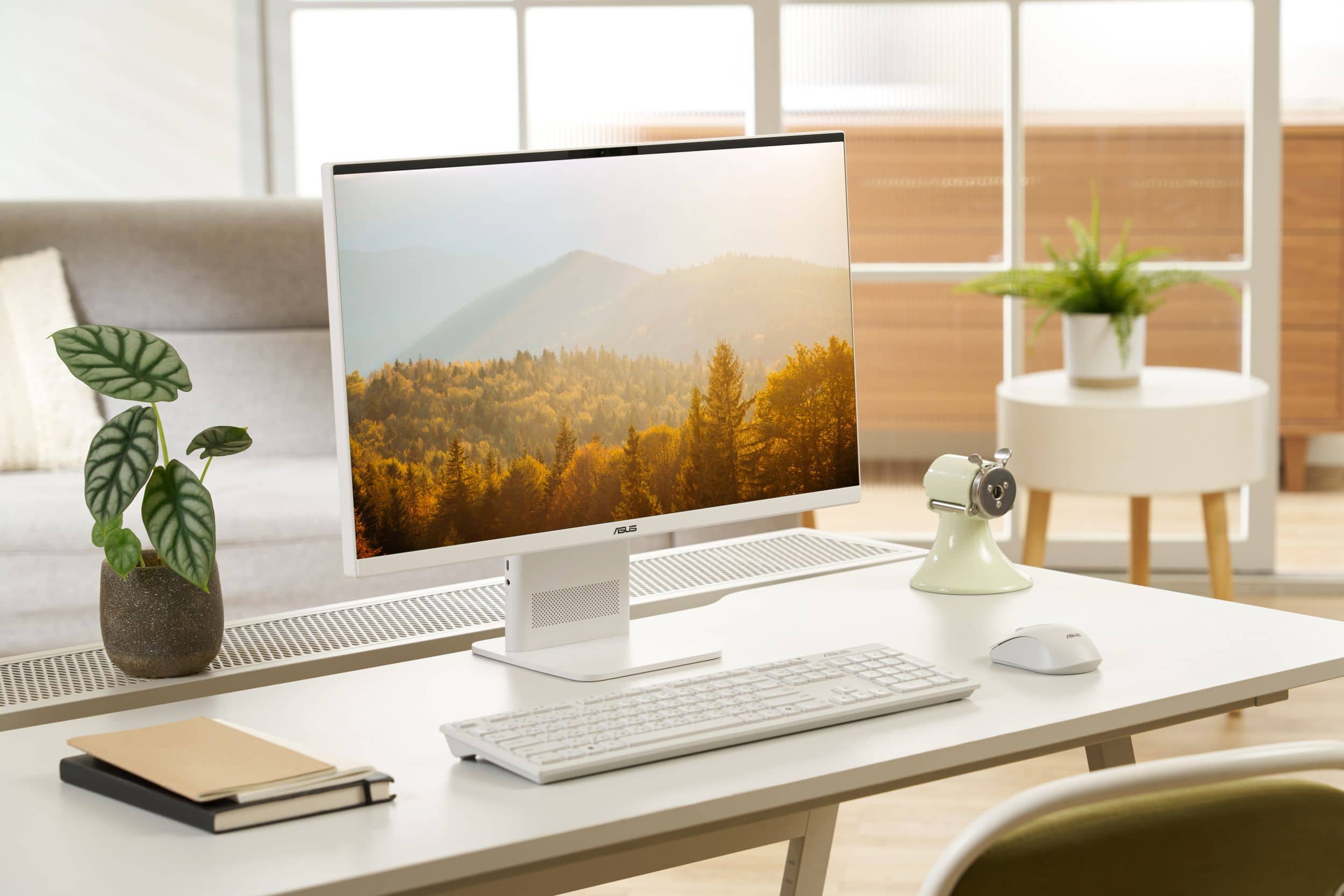
|Posted .This reviewer received promo considerations or sweepstakes entry for writing a review.This ASUS Touchscreen All-in-One Computer is a very nice setup. It takes up very little space on the desk. It's lightweight, easy to move and takes only ONE wall outlet, for the power cord, to use. The 24" screen is a great size for viewing without taking up too much space and is adjustable to viewing preference. The touchscreen functionality works smooth and effortlessly, very responsive. The camera is clear and picks up lighting and colors perfectly for video calls. There is also a lens cover for privacy, of course. The Snapdragon X processor runs smooth and quiet. I've worked it with multiple windows, browsing, working, shopping, watching videos and it's done it all while keeping cool. It has all the AI capabilities for recall, video calls, help with tasks, etc... Included is a wireless full size mechanical keyboard and mouse. I'm not a fan of the clickety clack sound, but they do give great feedback and they are well built, nicely sized, and comfortable to use. The speakers are loud and clear. This really is a space saver doing it all-in-one.
I would recommend this to a friend - Pros mentioned:Touchscreen responsiveness
A super solid build, great to look at, fun to use!
|Posted .This reviewer received promo considerations or sweepstakes entry for writing a review.I already own a different brand of an all-in-one that I've had for several years now and that I really like a lot. I'd never heard of this type of computer before. It's basically a portable pc that isn't technically a laptop, because it doesn't fold closed or sit on your lap. But, you can move it around easily unlike with a traditional tower pc. The portability made me not miss using my laptop, at least while at home or while traveling and staying in a hotel room. I actually like it more in the sense that I can move it around from room to room with ease when working remotely, and since the keyboard is wireless, you just tuck it in the back and put it inside your luggage for travel. Having the larger screen is definitely a plus for this type of pc. I've always been an Asus fan - my very first tablet was an Asus, and it's what got me interested in tech in the first place! I found them to be a high-quality and affordable brand, that didn't intimidate me. This model is so nice to look at first of all. Its smooth, clean, white aesthetic is so easy to match to any type of office setup, whatever your vibe, and it doesn't scream 'I think I'm better than you' like some brands. The keyboard felt a little small at first, but after using it for a few days, I got used to it, just as you would on a smaller laptop. Touchpad is super responsive, and I find this to be quite the issue with some laptops, where when you 'tap' the pad, nothing happens and you have to find just the right spot to get a response. The mouse is slim and cute! Feels good in the hand, but I do have smaller hands, so a very tall individual might feel it's too small? A unique feature I also thought was clever, are having the various charging / connection ports in the back part of the neck of the monitor. Wouldn't have thought of that myself, and the picture and colors are crisp. The desktop layout is modern and interesting as well. SO many personalization options, and tons of storage. Lastly, I LOVE the fact that the large monitor is tiltable, a feature missing in my previous all-in-one. Sometimes my right wrist / shoulder / arm start to hurt, and I feel better sitting up higher above my desk. It's great to be able to tilt the screen up where it's comfortable for me to view, vs having to sit lower and being in pain. Asus did a really awesome job with this, I think it'd be excellent for a college student!
I would recommend this to a friend Best investment I've made for my business
|Posted .This reviewer received promo considerations or sweepstakes entry for writing a review.I absolutely love this computer. I own a small at home business and needed a reliable computer that could handle everything I do every day without taking up my entire desk. After a lot of research, I decided on the ASUS VM441 24" All-in-One, and it has turned out to be one of the best investments I've made for my business. I work from this computer all day long. I manage customer orders, update my website, answer emails, track inventory, create social media posts, edit product photos, and attend video meetings. I needed something dependable that I could turn on in the morning and trust to keep running until the end of the day. This ASUS has done exactly that. What impresses me most is how stable and reliable it has been. It stays on for hours at a time without slowing down, freezing, or acting up. Everything feels fast and responsive. Programs open quickly, websites load smoothly, and I can move between multiple tasks without any frustration. As a small business owner, reliability is more important to me than anything else, and this computer has been rock solid. I also love the design. The all-in-one setup keeps my workspace clean and organized because there is no bulky computer tower sitting under my desk. The white finish looks beautiful in my studio, and the compact design gives me more room for packaging orders and working on jewelry projects. It looks professional without being flashy. The touchscreen display is wonderful. The screen is bright, sharp, and easy on my eyes during long workdays. Product photos look beautiful, colors are vibrant, and reviewing images of my handmade products has never been easier. The anti-glare screen is a nice touch too, especially when I'm working near a window. The Snapdragon X processor, 16GB of memory, and 512GB SSD have been a perfect combination for my business needs. Everything feels quick and effortless. I am not a gamer and I don't need a high-end workstation. I simply need a dependable computer that handles real business work every day, and this machine does that extremely well. I also appreciate the little details. The wireless keyboard and mouse help keep my desk uncluttered. The Windows Hello camera lets me log in quickly. Video calls look and sound great, and the Wi-Fi connection has been reliable throughout my workday. What I really wanted was a computer from a trusted brand that I could count on every single day. That's exactly what I got. This ASUS has been quiet, dependable, easy to use, and incredibly reliable. It has become the central hub of my business, and I never have to worry about whether it can keep up. If you're a small business owner looking for a compact, professional, and reliable computer that can stay powered on all day and handle everything from bookkeeping to customer service to online sales, I highly recommend the ASUS VM441. Five stars from me. It has made running my business easier, and I couldn't be happier with my purchase.
I would recommend this to a friend- Pros mentioned:Overall performance
Well designed sharp looking and capable PC
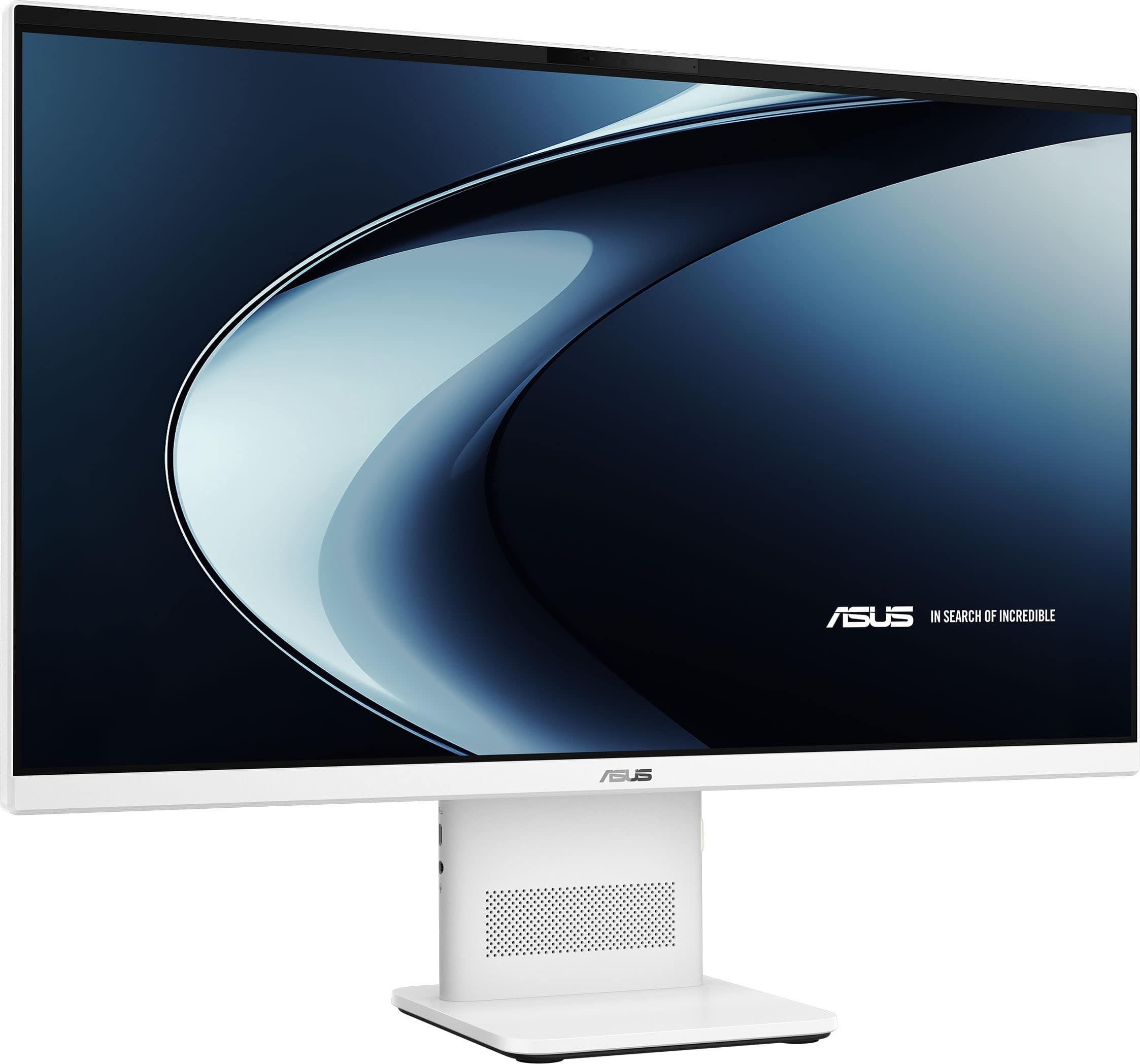
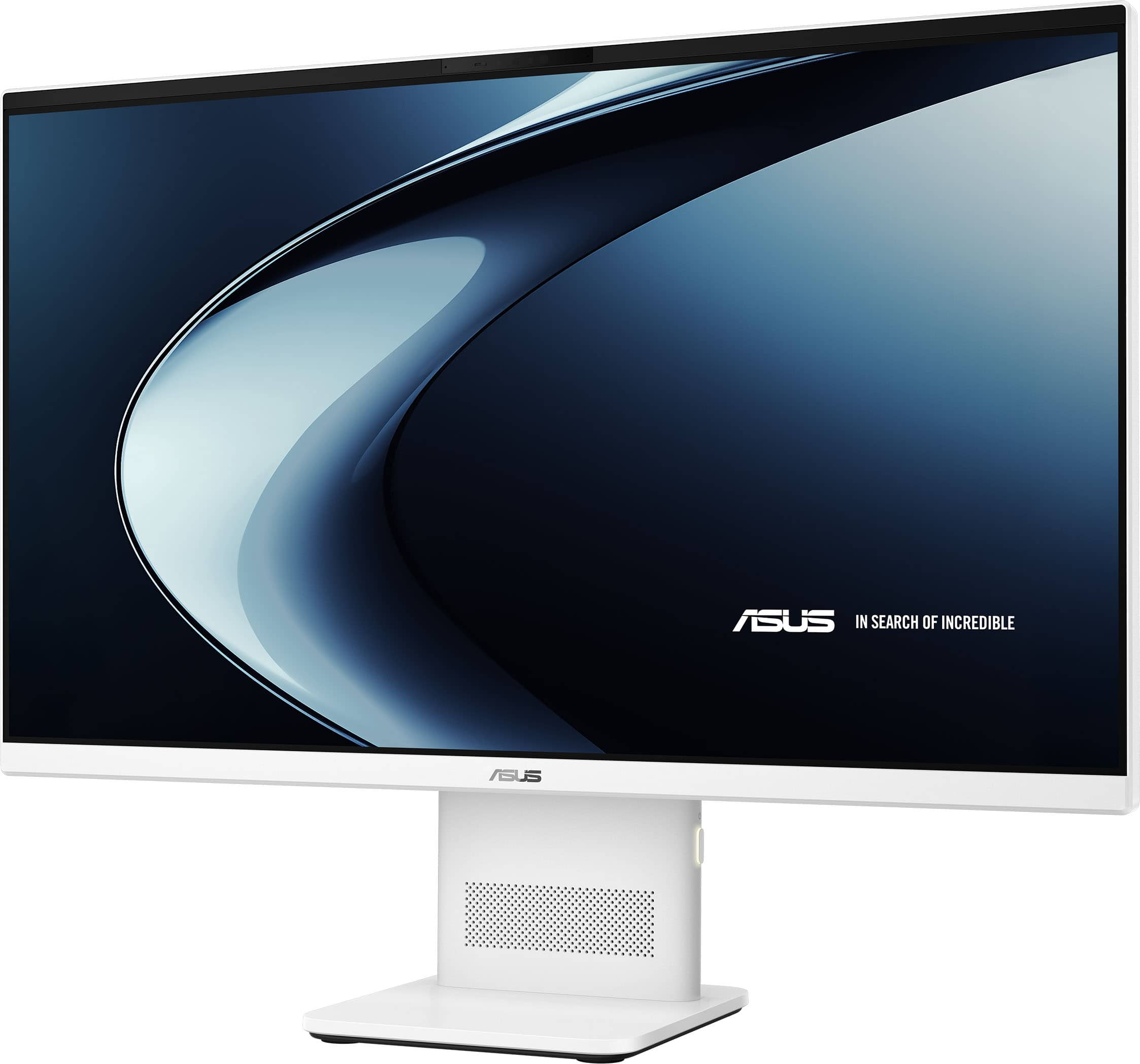
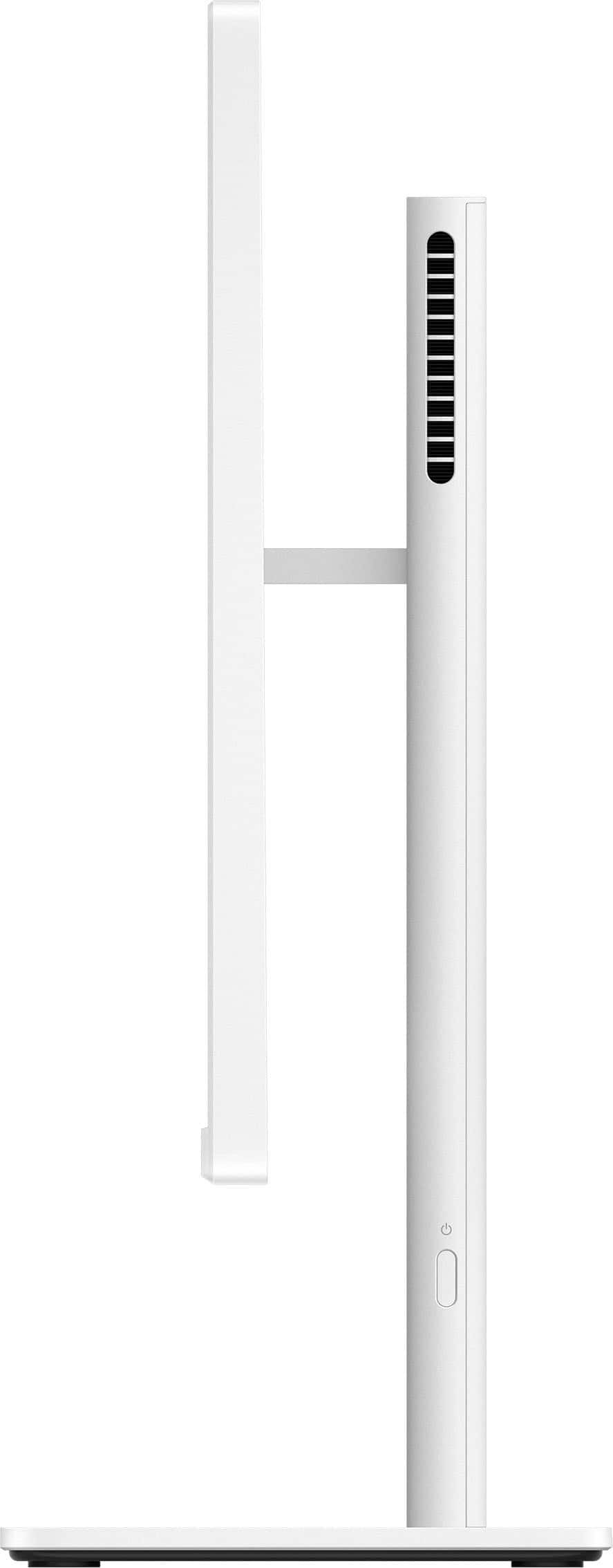
|Posted .This reviewer received promo considerations or sweepstakes entry for writing a review.I'm pretty impressed with the ASUS - VM441 24" FHD Touchscreen All-in-One - Copilot+ PC - Snapdragon X - 16GB Memory - 512GB SSD - White. It's plenty fast for doing every day browsing, video watching etc. The built in stand is really nice, and the whole PC is nice and stable on the stand. The monitor tilts back pretty far, but it doesn't move up or down. The stand is also permenant. The speakers power input, USB and HDMI ports are built into the stand. It's neat and tidy, but there is no way to mount the monitor onto an aftermarket stand or a wall etc... There is no VESA mount option. I did run a few game benchmarks to see if it could handle it. I was pleasently surprised to see that it could actully play some older games if I lowered the resolution and graphics settings. Nothiong I would take to a LAN party or anything, but it did manage to pass the Killer Instinct online performance test to qualify for online play. The sound quality from the included speakers isn't to shaby, and the picture quality is respectable when the monitor is tilted correctly. The included wabcam doesn't have a phisical cover, it would have been nice to have a slideable way to block it off, but nothing a small piece of tape won't fix. Overall this is a very capable PC that doesn't take up much room and should be able to handle most daily computer tasks for the average user.
I would recommend this to a friend Great All Around PC
|Posted .This reviewer received promo considerations or sweepstakes entry for writing a review.Wow, this ASUS All-in-One PC was packed really well. Would love the person who designed the packaging to organize my closet! You just can't go wrong with an ASUS. I don't know how they do it, but the keyboard has a really nice touch. It's the first thing I try on a new PC, even before turning it on. Once I turned on this PC, the picture well, simply amazing. Clear, crisp and beautiful. I wanted this PC for my kitchen. That's right I want a PC in the kitchen so I can see the recipe for the food I am making for the dog. The site I use does not have an app and I have no idea where my tablet is so I thought a nice stationary PC would do the trick. The 24" screen is perfect in the kitchen. Large enough to be able to see but it doesn't overwhelm the small kitchen. And what really matters of course is aesthetics. I was a bit concerned when I took it out of the box and the keyboard and mouse have a greyish tinge. The countertop is white. The All-in-One blends in and looks great. What surprised me is the sound. I wasn't sure about a speaker built into the base holding the screen, but the sound comes through loud and clear. Even if I'm not using the PC for a recipe, I listen to music or even stream a show. About setup...I had to read the Quick Start Guide (OK I looked at the pictures) to figure out that the radio frequency receiver (that little thing that plugs into the USB port and make the wireless mouse work) was actually tucked inside of the mouse near the battery. I popped the battery in and missed it. At first, I thought the batteries that came with the PC were bad, so I tried new ones. That didn't work so I looked at the instructions. Once I got the wireless mouse and keyboard functioning, I went through setup. Two minutes tops to choose language, country, wireless network password and name the PC. Then the Windows updates start. It got to 97% of step 1 of 3 and never completed. I waited 70 minutes, so I told the PC to skip updates. Several more questions including the dreaded Microsoft account information and finally I had a working PC. Response time, great for what I do...search the internet for dog food recipes, watch videos of dogs etc. I always instruct new PCs to setup as new and yet again all the files from a backup of another PC were installed. Not difficult to delete, just frustrating. That of course is a Windows install issue, but it would be nice if it was corrected. ASUS gets five stars, Windows not so many.
I would recommend this to a friendGreat All-In-One Computer
|Posted .This reviewer received promo considerations or sweepstakes entry for writing a review.ASUS - VM441 24" FHD Touchscreen All-in-One - Copilot+ PC - Snapdragon X - 16GB Memory - 512GB SSD – White WARNING: Once you experience the convenience of a fully-loaded all-in-one computer, such as this ASUS VM441, you may never want to go back to your previous setup. The computer arrived in a well-designed shipping container that insured a working computer upon arrival. I’ve found that when the shipping container isn’t just an afterthought, the product it’s protecting is probably worth that protection, and that’s definitely the case with this ASUS all-in-one computer. And, a very nice feature of this computer is that it comes with both the mouse AND the keyboard included. Kudos to ASUS for including both of those needed accessories in the package, since that means I didn’t have to remember to buy those two items in addition to the computer. Once you’ve removed the various parts from the shipping container and put them together, it’s time to get down to some serious work. Startup and setup is as simple as following the on-screen prompts. And, if you should experience any problems, ASUS offers US-based technical support. (I tried calling tech support in order to see what their response time would be, and I was very pleased to find that my wait time to speak with a real live knowledgeable person was very short, even though the call was made at 4pm EST on a Friday.) After going through the computer startup and setup steps, you’ll probably want to install your favorite programs, which is pretty straightforward. Once that’s done, it’s time to take this baby for a test ride. Testing it out with the things I do most often, it performed without a hiccup, and with no lag time. I was very pleased with the results of the various tests I threw at it. WARNING: Once you experience the convenience of a fully-loaded all-in-one computer, such as this ASUS VM441, you may never want to go back to your previous setup. Bottom Line: This is a solid computer that will give me (and you) years of great performance. Highly recommended.
I would recommend this to a friendNearly ideal, if it had more ports
|Posted .This reviewer received promo considerations or sweepstakes entry for writing a review.I got this all-in-one computer for my aging parents to be able to use video chat with their grandchildren. Otherwise, they use the computer rather sparingly for simple web tasks such as reading email, booking travel, and reading/researching things of interest. It works really well for all of these tasks, but obviously none of them really needs heavy computing power to accomplish. The glaring miss of this all-in-one is the lack of USB C ports (only one) but three USB A ports! This is kind of surprising for a newly launched PC in 2026. DISPLAY: The picture is sharp and good for older eyes at 75Hz refresh. It's nice that it's a touch screen, which I think could come in handy for general use; however, for my parents who like to touch the screen to point things out, it might be confusing that they actually clicked on things. We'll have to see how they use it, but I wonder if I should disable it so they don't mistakenly do things they don't intend to. DESIGN: Overall I like the footprint and ability to adjust the tilt of the monitor. I do wish it was able to completely freely swivel instead of the simple tilt which would make it great to use in a kitchen area or somewhere else not accustomed to a PC. AUDIO / CAMERA: The sound is surprisingly good for a built in set of speakers (which I think are only 3W). They can hear us perfectly when doing a video chat. On that topic, we can see them well via the built-in HD video camera (which is technically 5MP, not sure if that high of quality is necessary but it definitely doesn't hurt). CONNECTIVITY: This is the area where I had to take a star away from the perfect score. As mentioned, there's only one USB C port and three USB A ports. However, one of those USB A ports gets taken up by the dongle for the wireless keyboard and mouse. There should have been a built-in receiver for the peripherals and one of the USB A ports replaced with a USB C port since most new devices are USB C only. It's nice that it has an HDMI port to connect to a larger monitor (or TV) and an Ethernet connection. For their use, they can plug directly into their cable modem easily and not have to worry about random wifi issues. When I tested the Wi-fi part, it worked fine as well so there's no need to use the Ethernet if you don't want to. COPILOT+: I still struggle with an actual way to use these AI features (especially for older parents). Recall seems like the best feature of the bunch, however, to take full advantage of it, it seems you have to use Microsoft tools (like Edge instead of Google Chrome). This is generally fine since Edge and Chrome are compatible but the interface isn't super intuitive and it really needs to be for someone like my parents to be able to understand and take advantage of it. I think the parts where it's automatically adjusting the sound (like noise cancellation) is where this is at its best - in the background quietly doing the right thing. However, I feel like we've had great noise cancellation years in the past without the Copilot+ features so maybe they should try to tackle other problems in a similar, subtle way.
I would recommend this to a friendGreat experience.
Posted .This reviewer received promo considerations or sweepstakes entry for writing a review.Walter was a great asset with helping my wife and I choosing a system to meet our needs.
I would recommend this to a friend