Everything for Back to School — and then someShop now

Skip to contentGo to Product Search
Main Content

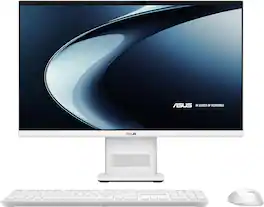
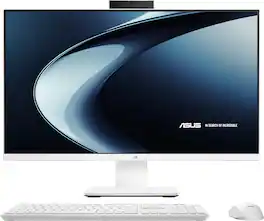
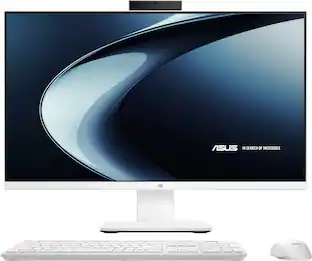
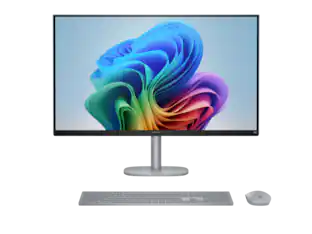
ASUS - VM441 24" FHD Touchscreen All-in-One - Copilot+ PC - Snapdragon X (2025) - 16GB Memory - 512GB SSD Storage - White

Model: VM441QA-X1.16.512.24
SKU: 6669992
Sold byBest Buy

Customers are saying

Customers appreciate the overall performance of this computer, particularly highlighting the convenience of the built-in 24-inch monitor. Users also frequently praise the touchscreen responsiveness and the modern, up-to-date design of the device. Additionally, the system is noted for its nearly silent operation and its appealing, compact form factor.

Generated by AI based on customer reviews.
See it in-store: Roseville has a demo model on display.

Highlights

Features
  • Snapdragon X Performance — Fast, Efficient, AI-Ready

    Experience smooth multitasking and next-gen AI features powered by Snapdragon X with built-in NPU acceleration

  • Copilot+ PC — AI Built Into Your Everyday Workflow

    Get instant help with search, writing, and tasks using built-in AI experiences designed to save time

  • Built-In AI Engine — Smarter Everyday Computing

    Handle AI-assisted tasks, video enhancements, and productivity tools with 45 NPU TOPS of AI performance

  • 23.8” FHD Touchscreen — Clear, Immersive Viewing

    Enjoy sharp visuals, responsive touch control, and ultra-wide viewing angles with a near borderless design

  • Slim, Modern All-in-One — Clean Setup, Minimal Clutter

    Everything is built into one sleek display with a space-saving design that fits seamlessly into any room

  • Fast Memory & Storage — Ready for Daily Multitasking

    16GB LPDDR5X memory and 512GB PCIe 4.0 SSD deliver quick load times and smooth everyday performance

  • AI-Enhanced Camera — Clear Video Calls, Built-In Privacy

    Stay sharp on calls with a 1080p IR camera, Windows Hello login, and a physical privacy shutter

  • Reliable Wireless Connectivity — Faster Speeds, Better Stability

    Wi-Fi 6E and Bluetooth 5.3 provide strong, consistent connections for work, streaming, and devices

  • Complete Setup Included — Ready Right Out of the Box

    Comes with a matching wireless keyboard and mouse so you can get started immediately

See all features
Specifications
  • Screen Size
    23.8 inches
    Processor Model
    Snapdragon X
    CPU Base Clock Frequency
    2.97 gigahertz
    Storage Type
    SSD
    Total Storage Capacity
    512 gigabytes
Sponsored

Reviews

Rating 4.8 out of 5 stars with 43 reviews

95% would recommend to a friend
Customers are sayingCustomers appreciate the overall performance of this computer, particularly highlighting the convenience of the built-in 24-inch monitor. Users also frequently praise the touchscreen responsiveness and the modern, up-to-date design of the device. Additionally, the system is noted for its nearly silent operation and its appealing, compact form factor.
This summary was generated by AI based on customer reviews.
  • Overall Performance (20)
  • Touchscreen Responsiveness (16)
  • Design (10)
  • Noise Level (7)
  • Form Factor (4)

Customer Images

The vast majority of our reviews come from verified purchases. Reviews from customers may include My Best Buy members, employees, and Tech Insider Network members (as tagged). Select reviewers may receive discounted products, promotional considerations or entries into drawings for honest, helpful reviews.


  • Rated 5 out of 5 stars

    Solid performance without noise or clutter

    I love the design and performance of this system. It just works, handling every task I needed it too, while reducing my desk clutter. No huge tower, bundles of wires, docking station, or roaring cooling fan. Pros 1. ASUS is a brand I trust; I have owned a variety of their products (motherboards, computers, and monitors) and never had an issue. 2. Excellent multi-tasking performance. I connected a second 1920x1080 monitor via the HDMI port and cranked thru my to-do list. Watching videos, listening to music, shopping, planning a trip, editing/encoding videos, and chatting with Copilot. I had a ton of windows open across both screens. I was impressed with the complete lack of fan noise, RAM was well managed (rarely exceeding 80% full), and there was no lag. 3. The touchscreen is very convenient. I have had them on laptops, but was surprised how much I liked having the option on my desktop. 4. The built-in speaker in the base has plenty of volume with decent low-end and clarity (although the center mount makes the sound-stage narrow). 5. Build quality is solid. The base is solid and the screen tilt mechanism stays put with no wiggle (although there is no height adjust). 6. Includes a wireless full size keyboard (with number pad) and mouse (connected via USB dongle... takes up one USB slot). They are basic, but solid, and match the clean design of the system. 7. Copilot is pretty useful (natural conversation, AI generated images/videos, background/photo blur). My favorite plus feature is click-to-do which adds a tool to quickly import or research images and text you are viewing. The system has a separate processor to help with AI task (NPU). 8. Minimal preinstalled software makes the most of the 512GB of storage (415GB free of 473GB total). The SSD storage is manufactured by Micron (a good brand) and performs well (tested using DiskMark at 6700MB/s read, 3895MB/s write). 9. Wi-Fi 6 that works well with no external antenna. It easily achieved 700Mbps up/down connected to my mesh network node approximately 15ft away. 10. Convenient high-speed USB-C port and a headphone jack on the side of the base (with additional ports on the back: high-speed USB-A, 2 regular USB-A, HDMI, network). I connected an external drive to the rear high-speed USB and performance was excellent while transferring large video files for editing. 11. Bluetooth worked well to connect my wireless headphones and maintained a solid connection ~20ft away, allowing me to stay connected even in the next room. Things to Consider 1. I like the built-in camera's privacy shutter and the microphone works well, but camera image quality was lower than I was expecting... although still useable for a quick video call with the right light. Contrast and sharpness are ok (not perfect) if there is a good amount of ambient light, but very grainy and a bit overexposed in dim light. 2. While great for business or personal use, this is not the right machine for gaming or high resolution editing (4k/8k). The Snapdragon processor and Adreno GPU are basically equivalent to an Intel Core i5 or AMD Ryzen 5 with integrated graphics. The built-in NPU handles some specialized AI task, but most of the work falls on the CPU and GPU. Due to the compact form factor, there is no room for upgrades (except maybe USB storage) to gain additional performance in the future. 3. The Adreno GPU supports hardware encoding of HVEC files, but anything over short 4k clips is probably pushing it. Although the GPU was at 100% the whole time, I encoded multiple 8min go-pro videos at 1080p (medium bitrate) in around 3mins per clip using Clipchamp in the background, while performing other tasks.

    Posted by MGoose

  • Rated 5 out of 5 stars

    Aesthetically beautiful and great home computer

    The Asus VM441 All-in-One computer is a perfect home desktop suitable for office, family, school, and personal use. Its clean design and aesthetics make this machine look great sitting on a desk or table. Its clutter-free, minimal design is peak design compared to the look of computers I used over the years. This Asus All-in-One computer is a 24" FHD touchscreen with a 1920 x 1080p screen that offers quick and responsive touch input. The Snapdragon X processor is fast and responsive, enabling smooth multitasking, and it doesn't seem to slow down with everyday tasks. The internal 16GB of LPDDR5X RAM feels just right for this machine and the 512GB PCIe 4.0 SSD helps to keep things smooth and quick. The 24" screen seems appropriate for this all-in-one machine; the ultra slim bezels make the screen feel larger when I'm seated in front of it and working late hours. The built in AI engine is also great when paired with Copilot on this PC, as it allows AI to be intertwined with many of my everyday workflow needs. A built-in 1080p IR camera on the top bezel that works great for touchless login with Windows Hello and for privacy there is a physical privacy shutter. The computer also offers WIFI 6E for some faster bandwidth availability if your home or office is equipped to use that. Bluetooth 5.3 is fast, responsive, strong and works consistently. The provided wireless keyboard and mouse match with the colorway of the monitor in a very elegant and upscale Sandstone color. The beauty of this machine is that you can use it right out of the box. Unboxing this machine takes only a few minutes and you're ready to connect and log in. The footprint of this all in one machine is minimal and very pleasing to the eyes. I have this computer set up in a room with a window and the anti glare screen on this monitor works very well and helps alleviate the strain on my eyes during usage. Various ports on the back of the machine's neck keep the front facade clean and clutter-free. There are 1 USB-A 3.2 port, 1 USB-C 3.2 port, and 2 USB-A 2.0 ports. There is an HDMI port and also an ethernet port if you choose to hardwire the machine. On the left o fthe neck of the monitor stand is a USB-C charging port and a 3.5mm microphone input port. Overall I like the design and look. This machine looks upscale and very similar to other more costly competitors. This Asus all in one computer runs Windows 11 very efficiently and works flawlessly for home office needs. I'm very impressed by the small package and big performance.

    Posted by JKinSYR

  • Rated 5 out of 5 stars

    Utility and beauty at a great price!

    This is really quite a great deal for an all-in-one computer that is nice enough in looks and performance to adorn the desks or study nooks of almost anyone. Asus has done a fantastic job here of creating a computer that will suit the needs of most all basic and casual computer users while skipping on some of the features that would add ridiculous costs to the price tag. This computer functions excellently as any above-entry level computer should in 2026 in my opinion. It is equipped with 16GB of soldered RAM which is as low on RAM as I think anyone should tolerate on their Windows PC in 2026, and the Snapdragon CPU is snappy and handles the basic productivity multitasking I have thrown at it including multiple browser tabs, Word documents, and background processes running at the same time. All the while, this computer is running nearly silently! Qualcomm processors in my experience seem to run more efficiently and take less noisy airflow to cool them than their Intel or Ryzen counterparts. Additionally, the use of the Qualcomm components in this PC rather than Windows or Ryzen is probably how they were able to keep costs so reasonable on this device. Asus made some bold decisions with this All-in-one. One of them was to decide to keep the screen itself thin and unobtrusive by sticking all the I/O and ports on the tower instead, along with the internals of the computer itself with both speaker and fan noise coming out of the stand of the computer. This is a cool choice that is part of how this has such nice lines and aesthetics, but it does limit some of your optionality: this stand has tilt but no height adjustment, and because the computer IS the stand, you will not be detaching the screen and attaching it to, say, a monitor mount. Your best bet is to use desktop risers if you need to increase the height and adjust the angle up or down as needed. The screen itself is beautiful and at 1080p resolution with 75hz refresh, a 24” screen like this feels plenty smooth and detailed enough to use. The touchscreen ability is an excellent “touch” (pun-intended) and it just further increases the diverse use cases for this computer. The screen also gets plenty bright, for even my sunlit office in the afternoon and the anti-glare works super well. I also noticed that the viewing angles are great to where I can be standing at an almost complete bladed angle to the screen and have perfect clarity of the image or text on the screen. The peripherals leave something to be desired. I was surprised to find that while the all-in-one computer itself is a nice modern pure white color, the peripherals are actually more off-white eggshell colored, closely akin to the 90’s computers of old with their grayish-white accessories. I wouldn’t say that this is too bad of a color match, but the mouse and the keyboard themselves are also just not the greatest quality I would have hoped for. The mouse is quite small to my medium sized male hands and just doesn’t slide around the best on my mouse pad. The keyboard is actually quite pleasant to type on, but it has only one setting for angle with a built-in hump on the back and this angle isn’t my favorite for my cranky wrists. Of course, at this price, Asus like other manufacturers, probably wager that if you are the type of computer user to really care about peripherals, you will likely go buy or already own peripherals that suit your needs rather than using these included accessories. A redeeming quality that I will mention then is that both the mouse and the keyboard connect to a single USB-A dongle that is extremely low profile and plug in nicely to one of the multiple included USB-A ports on the stand. Altogether, maybe budget for some different accessories if you want them, but this entire review has been written on this PC with its included keyboard, for what its worth and I did not suffer from any serious fatigue or problems compared to some keyboards I have used. The webcam, while equipped with Windows Hello (Facial recognition) login abilities, is lacking overall in quality. I used webcam test and found that the resolution of the camera is pixelated and blurry. It is serviceable, but not the best for certain. Privacy was kept in mind though. A white indicator light turns on when the webcam is operating and there is also a physical privacy shutter built in for rigorous privacy needs. I can also appreciate that rather than doing a little webcam (hump) at the top of the screen as some all-in-one makers have done, Asus just elected to make the entire top bezel of the screen raised to be in line with the webcam which is a nice touch. The audio from this computer is a little lackluster. With the sound originating out of two tiny 3W speakers out of vents at the bottom of the narrow tower facing the user, it feels almost more like mono rather than stereo sound. Asus can say they got Dolby Atmos certification as much as they like, but the proof is in the pudding, or rather, the end-users’ auditory canals. Bass is almost completely lacking and at higher volumes, I experienced some distinct rattling noise from the speakers. This is following driver and software updates so there is nothing to blame there. Altogether, if I could, I would give this computer 4.5 stars. I am going to give it 5 stars based on the Best Buy rating system, and here is why. The complaints and concerns I expressed are very likely not going to concern or affect 99% of buyers looking for an All-in-one desktop like this. Peripherals, audio, etc. are not the concerns of someone just looking for a great computer where they can browse the web, send emails, and maybe edit some PowerPoint presentations or type some documents or edit spreadsheets. The aspects I am most concerned about with the computer are honestly subjective and don’t affect the actual use of the computer. What really matters that I must emphasize with wrapping up this review is that this computer functions smoothly and provides EXACTLY the user experience it advertises. With all of that said, at this price tag, I would definitely say you should pick up this computer and give it a place in your home for your computing needs!

    Posted by Bren

  • Rated 5 out of 5 stars

    Snapdragon X - Real World Responsiveness

    First impression: The ASUS VM441 AiO delivers a fantastic visual presence, with a crisp, modern design that elevates the look of any room it’s placed in. Little did I know it would end up in our kitchen alcove - my wife’s idea, and a surprisingly perfect fit. Setup is as easy as it gets: plug in the ASUS VM441 AiO, pop batteries into the included mouse and keyboard, insert the USB dongle, and power it on. That’s it - you’re up and running. When I began installing Windows updates and apps, I was impressed all over again - the system feels snappy and responsive. It’s genuinely quick, and both updates and software installations ran smoothly. Response times for opening programs like Word, Outlook, Phone Link, and even launching other apps are as fast or faster on the ASUS VM441 AiO than on my Intel Ultra 7 machine. This is my first Snapdragon X–powered computer, and I’m genuinely impressed with the NPU. Qualcomm’s Hexagon NPU, rated at 45 TOPS, is the same AI engine used across all Snapdragon X chips - including the X, X Plus, and X Elite. That 45‑TOPS capability allows multiple AI models to run at the same time without putting strain on the CPU or GPU. “In practical terms, you can run several AI‑driven apps simultaneously without taking noticeable hits to system performance or battery life.” To put it another way, the NPU in the ASUS VM441 AiO (Snapdragon X) is remarkably powerful and highly efficient. Where the VM441 AiO Shines: - Everyday productivity (Office, web, multitasking) - Instant wake and responsiveness - Low power draw - Quiet operation - fanless, cool‑running system - Clean, modern design - Sharp 24” monitor - AI operations – Full AI horsepower The ASUS VM441 AiO isn’t a gaming machine, but for CoPilot+ AI, office tasks, home use, and creative work, it’s a very capable system. That said, I ran Civilization VI on medium graphics, and the VM441 AiO surprised me with how smoothly it performed. For a system that isn’t built for gaming, that’s impressive muscle. Tech Notes: - Snapdragon X Processor - 8 cores, up to 3.0 GHz. - Qualcomm Hexagon NPU - 45 TOPS - 1080p IR camera with privacy shutter - supports Windows Hello - 23.8” full HD display - clarity and color accuracy are brilliant (anti-glare) - Touchscreen 75hz – Highly responsive – the best that I have used! - Wi-Fi 6E - 16GB LPDDR5X - 512GB M.2 NVMe PCIe 4.0 SSD - LAN Port - Bluetooth 5.3 - 1 USB C 3.2 Gen1 - 2× USB 2.0 - 1× USB A (3.2 Gen 1) - HDMI – out port As my first experience with an ARM‑powered (Snapdragon) system, the VM441 AiO impressed me from the moment I powered it on, and it didn’t take long for me to appreciate just how much I like the ARM architecture. It gives the strong impression of being an extremely stable, low‑maintenance platform with very few headaches. What I like about the ASUS VM441 AiO starts with its modern, up‑to‑date design - “crafted around a brand‑new ASUS chassis” - a beautiful minimalist look paired with quiet operation and snappy responsiveness in everyday use, making it one of the stronger Copilot+ all‑in‑one options.

    Posted by vrs99

  • Rated 5 out of 5 stars

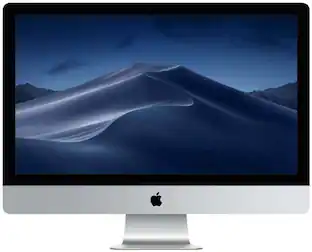
    An all-in-one Windows "iMac"

    ASUS has done an excellent job essentially creating a Windows "iMac" with a touchscreen. I saw this as I usually prefer the macOS experience and hardware but this is a strong, much more reasonably priced all-in-one desktop computer. The specs seemed to be lightweight when reading them, but the experience is a different story. With only 16GB of RAM, I expected this computer to be just so-so as far as performance. But, the reality is much different. The Snapdragon CPU is quick as a hiccup and RAM is not an issue. Storage is modest but with everything living in OneDrive, it is plentiful. I LOVE the screen on this device. While it's not super ultra HD, it's bright, crisp, and offers a touch interface. 24" seems to be the magic size - not too big, not too small. One thing to note - depending on where you install this machine, the screen height can feel a little awkward becuase it does not offer adjustable height. For example, I set this computer up on a kitchen counter and it felt awkward to use. But, on a desk - perfection. The speakers are remarkable given the slim design of this computer. The only thing about this all-in-one I wasn't particularly happy with were the USB-connected bluetooth keyboard and mouse. They work, yes. But, despite the computer itself feeling solid and well-designed, both the keyboard and the mouse feel less-than-desirable quality wise. Quite an easy resultion with a a better quality bluetooth or USB keyboard and mouse. Overall, for this price, this is a great machine for everyday use. While it certainly isn't a powerhouse, it's a worthy contender for the all-in-one marketplace.

    Posted by Winger81

From the Manufacturer

Compare similar products

ASUS - VM441 24" FHD Touchscreen All-in-One - Copilot+ PC - Snapdragon X (2025) - 16GB Memory - 512GB SSD Storage - White
4.8(43)

Meet the next wave of everyday computing with the first ASUS All-in-One powered by Snapdragon X Series. Built for fast, responsive performance and AI-enhanced experiences, this sleek 23.8” touchscreen PC keeps everything you need in one streamlined design. From work tasks and video calls to streaming and browsing, the Snapdragon X platform delivers smooth performance with impressive power efficiency. The vibrant Full HD display with ultra-slim bezels gives you more screen and less distraction, while built-in AI capabilities help optimize performance, enhance video calls, and keep your workflow moving without slowdowns. With a clean white finish, wireless keyboard and mouse, and a clutter-free setup, this all-in-one is designed to fit naturally into any space—whether it’s your home office, dorm, or shared workspace.
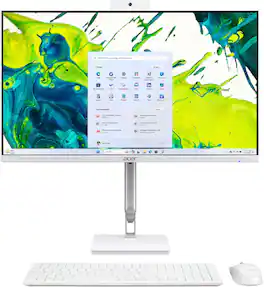
HP - 23.8" Full HD Touch-Screen All-in-One - Intel Core i3 N300 2023 - 8GB Memory - 512GB SSD - Shell White
4.7(346)

Reliable. Affordable. Designed with the planet in mind. With a powerful Intel Core processor, ample storage, speedy connections, and plenty of memory, you're all set to take on any day. Plus, you can immerse yourself in whatever you are doing with an ultra-slim three-sided micro-edge display and up to a 89% screen-to-body ratio for enhanced viewing.

Lenovo - A100 23.8" Full HD All-In-One - Intel Processor N100 - 8GB Memory - 256GB SSD - Cloud Grey
4.8(31)

Blend style with functionality for your home with this sleek all-in-one desktop. This space-saving unibody design features a stunning 23.8" FHD display with ultra-thin 3-side bezels. Powered by an Intel N100 processor, the Lenovo A100 is perfect for everyday tasks at a great value.

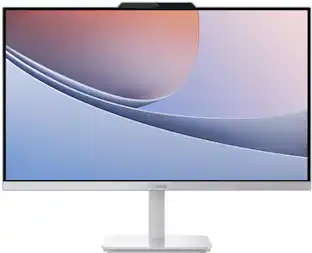
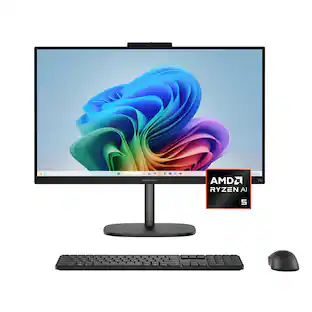
ASUS - VM670 27" FHD Touch-Screen All-in-One - Copilot+ PC - AMD Ryzen AI 5 330 (2025) - 16GB Memory - 1TB SSD Storage - White
3.8(4)

The ASUS VM670 All-in-One brings smooth performance to any workspace in a sleek, space-saving design with an immersive touch display. An anti-glare panel reduces reflections to help ease eye strain through long work sessions or weekend streaming. AI-powered noise cancelation keeps video calls clear and distraction-free, making hybrid work feel natural. Fast, reliable connectivity and a full set of ports make it simple to plug in monitors, drives, and accessories, while built-in security features provide peace of mind. For productivity, creativity, and downtime, the VM670 delivers performance, polish, and smart conveniences—all in a compact AIO that keeps your desk clean and your day moving.
Pros for ASUS - VM441 24" FHD Touchscreen All-in-One - Copilot+ PC - Snapdragon X (2025) - 16GB Memory - 512GB SSD Storage - White
Overall Performance, Design, Touchscreen Responsiveness, Noise Level, Form FactorOverall Performance, Screen Size, Design, Ease of Use, SpeedDesign, Screen Size, Setup EaseOverall Performance
Cons for ASUS - VM441 24" FHD Touchscreen All-in-One - Copilot+ PC - Snapdragon X (2025) - 16GB Memory - 512GB SSD Storage - White
There were no cons for this productConnectivityThere were no cons for this productThere were no cons for this product

Specs

Questions & Answers
  • I can't seem to be able to use the keyboard or mouse. How do I get them connected

    To connect your keyboard and mouse to the AIO PC, plug the USB receiver into a working port, check the batteries, and re-pair the devices using their shortcut buttons.

    Answered by ASUS Answers
    ASUS Answers response
  • How do you turn on "Wake on display"

    On the ASUS VM441QA All-in-One PC, “Wake on Display” is controlled through Windows 11 Presence Sensing. You enable it in Settings → System → Power & battery → Screen and sleep, then toggle Automatically wake up my device when I approach.

    Answered by ASUS Answers
    ASUS Answers response
  • How do I upgrade from w11 home to w11 pro??

    To upgrade your ASUS VM441QA from Windows 11 Home to Windows 11 Pro, you’ll need to purchase a Windows 11 Pro license or have a valid product key. The upgrade is done directly through Windows settings.

    Answered by ASUS Answers
    ASUS Answers response
Ask a question
No content

Customers often buy these together

Sponsored
Ask BlueAI

Finance Options

My Best Buy® Credit Card
Choose a benefit:Or
Buy Now, Pay Later
Lease to own

Finance Options

My Best Buy® Credit Card
Choose a benefit:Or
Buy Now, Pay Later
Lease to own

Special Offers

Top Offers
Included with Purchase

Special Offers

Top Offers
Included with Purchase