Everything for Back to School — and then someShop now

Skip to contentGo to Product Search
Main Content

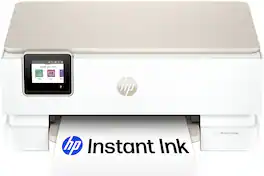
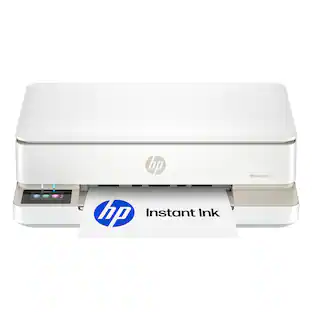
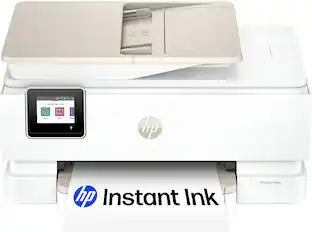
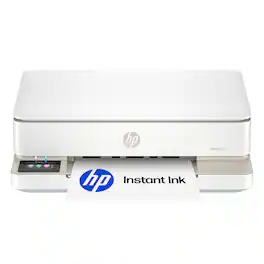
HP - Envy 6555 Wireless All-in-One Inkjet Printer, Scanner, Copier, AI-Enabled with 3 Months of Instant Ink - White

Model: Envy 6555/C2XR6A#B1H
SKU: 6673258
Sold byBest Buy

Customers are saying

Customers recognize this printer for its exceptional ease of use and high-quality output. Users frequently praise the device's compact design and reliable wireless connectivity, which make it a convenient choice for home environments. Overall, the printer is highly regarded for its consistent performance and space-saving footprint.

Generated by AI based on customer reviews.
See it in-store: Roseville has a demo model on display.
Features
  • Perfect for home

    The Envy 6555e is perfect for homes printing everyday high-quality color documents like homework and borderless photos. Print speeds up to 7 ppm color, 10 ppm black.

  • Optimize print formatting with HP AI¹

    Print web pages and emails with precision—no wasted pages or awkward layouts; HP AI easily removes unwanted content, so your prints are just the way you want

  • Key features

    Color print, copy and scan, plus auto 2-sided printing, a 35-sheet auto document feeder and a 100-sheet input tray

  • 3 months of free Instant Ink

    Subscribe to the Instant Ink delivery service to get ink delivered directly to your door before you run out, and you save up to 50% on ink. After 3 months, a monthly fee applies unless cancelled.

  • Wireless printing

    Stay connected with our most reliable dual-band Wi-Fi, which automatically detects and resolves connection issues

  • HP's most intuitive color touchscreen

    Smoothly navigate your printer with the easy-to-use 2.4" touchscreen

  • True-to-screen tech

    Print documents and photos that look as vibrant as they do on your screen with HP's P3 technology

  • HP app

    Print, scan, copy, or fax right from your smartphone with the easiest-to-use print app

  • Sustainable design

    Made with at least 60% recycled plastic content

  • Dynamic security

    This printer is intended to work only with cartridges with original HP chips or circuitry and will block cartridges using non-HP chips or circuitry. Periodic firmware updates will maintain the effectiveness of these measures.

See all features
Specifications
  • Networking
    Wireless, Wired
    ENERGY STAR Certified
    Yes
    Printer Type
    All In One
    ISO Color Print Speed
    7 pages per minute
    ISO Mono Print Speed
    10 pages per minute
    Output Tray Capacity
    25
Sponsored

Reviews

Rating 4.6 out of 5 stars with 54 reviews

98% would recommend to a friend
Customers are sayingCustomers recognize this printer for its exceptional ease of use and high-quality output. Users frequently praise the device's compact design and reliable wireless connectivity, which make it a convenient choice for home environments. Overall, the printer is highly regarded for its consistent performance and space-saving footprint.
This summary was generated by AI based on customer reviews.
  • Ease of Use (21)
  • Print Quality (15)
  • Design (8)
  • Overall Performance (8)
  • Wireless Connectivity (7)

Customer Images

The vast majority of our reviews come from verified purchases. Reviews from customers may include My Best Buy members, employees, and Tech Insider Network members (as tagged). Select reviewers may receive discounted products, promotional considerations or entries into drawings for honest, helpful reviews.

  • Rated 4 out of 5 stars

    Lots of features for a light use printer

    I picked up the HP Envy 6555 for what I consider light to medium usage in my home office (up to 50 pages / photos per week but typically closer to 20). This review is based on the first few days of use, to include printing docs, photos, scanning, and remote printing. TL:DR - This is a semi-compact all in one printer that prints docs, photos, and scans. The touch screen is adequate, and the companion app makes remote printing easy. I appreciate the app for the remote capabilities but it could be more streamlined. Overall the printer is straightforward, easy to use, and the print quality is good in comparison to other light duty models. Pros: Compact, the paper feed and printer trays fold up to take up minimal space while still having a full flat bed scanner. Remote printing is quick and easy, to include remote photo printing from your phone's camera Cons: The touchscreen is tiny, fine for the larger one button options, but super hard to type on such as entering wifi passwords. The work around is to pair to wifi via the app, but see the next point, this workflow kept erroring out for me. Not sure if this is Android platform or home network issue, but remote connection and app control seems a little buggy, requiring multiple attempts to connect and then failing to retain print settings. In the box is the printer, 1 x color and 1 x black ink cartridges, power cord, and paperwork. Setup is easy, when you plug it in you can either  follow the prompts on the printer screen, or install the HP app and set up that way. I chose a hybrid of setting up via screen but then I connected to the app later to facilitate remote printing. One newer setup feature is that the printer will print a test page once paper and ink are installed, and then the screen directs you to put it on the scan bed at which point it will run a program to check for print head alignment and auto adjust. Performance is good resolution and print quality wise, and works fine for low to medium usage, I get about 8 - 9 pages a minute for most text docs that are primarily black with some color. Photos take about a minute to print one, faster if lower resolution, and scanning is relatively quick via the document feeder. Flatbed scanning does take a while, and again it depends on resolution as to exactly how long. All print/scan features can be performed via the printer, however the app is really helpful for remote printing, setting adjustments, mobile fax, diagnostics, and ink status with reorder ability, plus there is printable content such as coloring pages, graduation invites, etc. Note that HP does offer an ink on demand service, a 3 month trial is included with this printer. I do use this service with another printer, for my teen in college. The way it works is that you select a level based on the forecasted amount of printing, and then connect your printer to wifi, the self diagnostics will track ink usage and initiate ink refills to be sent when the printer gets low.  Bottom line - this printer is great if you're printing a few photos or docs every week and don't need them printed fast. It's light duty for home office, but still has features of more robust printers such as the feed tray for multi-page scanning, remote printing, and cloud based scanning. The print quality is high when selecting the highest resolution, but the trade off is the time it takes to print. Overall it works great for the occasional print that I can send to the printer via cell or computer and pick up later on my way out the door.

    Posted by EngineerMom

  • Rated 5 out of 5 stars

    HP makes good printers

    The original setup for the HP Envy was very straightforward, after the usual questions of language and wi-fi etc. and permissions it was good to go. It comes with a guick user guide and ink. The ink is accessed by lifting the scanner plate. It just snaps right in. After loading the paper in the tray, I took a picture with my phone, that had dark/light areas and shadows. Printing the pic was relatively fast and very quiet. The attached page was printed on regular paper, not photo paper and it represents everything very well. There's the touchscreen that's very reactive even from sleep mode. It is a bit small so very large hands may have a slight issue. The menu key has everything needed to do any set ups, a good sub menu under it is the tools where you can do maintenance, which may come in handy. An option in set up is to have HP send ink for a fee. I chose not to opt in since I'm not a huge user and can order it cheaper online if needed. This is a sleek, small footprint printer that fits in with my decor nicely. I can use my cell or Surface Pro to print from wherever I am. I really like it compared to the clunky one it replaces.

    Posted by Marvlus

  • Rated 4 out of 5 stars

    Love photo printing at home

    HP ENVY 6555 ALL-IN-ONE PRINTER, I’m loving having a photo printer at home again instead of hoarding a million pictures on my phone that will never get printed 98% of the time, my last printer I failed to realize it did not print pictures but it had other great needed qualities, so that being said I now have the all in one printer it has everything my old one had plus photo printing and it’s also a more compact sleek printer, I like that it has a flat top feeder rather then the big ramp style it just looks nicer. It is a quick and easy set up, make sure to download the HP application it 100% useful I have instant ink subscription I never run out and of ink or paper and no issues of trying to find which store has the ink cartridge you need in stock. I always set up wireless printing vs. wired I hate having a million wires to deal with, the wireless connection is quick and easy takes like 2 minutes to set up, then test your setting to make sure everything is lined up correctly. It comes with AI capabilities but I don’t use AI so I honestly couldn’t say how well it works. The color print is amazing nice & bright, borderless pictures look great, it prints fairly fast color printing is slightly slower but that normal, black printer super fast. It has auto 2 sided printing which I like choosing when I do double sided printing so just change the setting. And the touch screen display nice size and in color. I highly recommend HP Envy 6555 for everyday printing needs for home or small business.

    Posted by pinkbat

  • Rated 4 out of 5 stars

    Feature-Packed Home Printer

    I’ve been using an older HP Envy printer for the past 6 years or so and I’ve been very impressed with its quality and ease of use. My only gripes with the old HP Envy were the slow printing speeds and the lack of a screen – everything had to be controlled through the HP app. Enter this new HP Envy 6555 printer. It has the same tiny footprint but packs in some notable improvements. === SETUP === - The Envy 6555 is compact enough to fit comfortably on a desk or shelf. No instructions are included in the box. Instead, you get a QR code that takes you to an online setup guide that is easy to follow. - Setup through the HP Smart app was effortless. The printer connected to my Wi-Fi network seamlessly and was ready to use in under 10 minutes. - My Windows 11 computers and MacBook recognized the printer instantly and automatically installed the HP Smart app. No configuration required. - Advanced printer settings (such as networking, Bluetooth, etc.) are hidden deep within the HP Smart app, and you will need the PIN that is on a sticker on the inside of the printer to access some of these settings. - I’m so glad this printer has a touchscreen – it allows you to control basic printer settings directly on the printer itself without having to use the app. It might seem like a small thing, but having a screen makes it so much easier to quickly see if there are any errors, low ink cartridges, etc. === PRINTING === - Printing quality is excellent and noticeably better than my old Envy 6455e. For standard home use and work-from-home needs, it's perfect. I noticed zero alignment problems and no distortion in printed text or images. - The printer supports duplex (double-sided) printing, which is a must-have for me. - The paper tray holds about 100 pages, which is more than enough for most home users. - Printing speeds are noticeably quicker than my old Envy. The old 6455e model would randomly pause for 10 or 15 seconds between pages. This new 6555 model does not have this problem and easily prints out roughly 10 pages per minute. - The included ink cartridges are only “starter” cartridges and they are very small, so be prepared to purchase full-size ones (or subscribe to HP Instant Ink). === SCANNING == - The scanner is perfectly adequate for home use. I've scanned several business documents while working from home as well as some old photos. Black and white documents look great and colors in scanned photographs seem very accurate. - The scanner supports up to 1200 dpi, which is excellent for such a small home printer. - The auto feeder on top of the printer is one of those nice-to-have features for scanning multi-page documents. It supports up to 35 pages at a time. === INSTANT INK === - While setting up this printer, you’ll see multiple prompts to create an HP account and sign up for an Instant Ink subscription. I generally avoid subscriptions, but Instant Ink is one that makes sense for me since they offer a very affordable “Light” plan that ends up being cheaper than buying black and color cartridges outright. You’ll need to run the numbers to see if you can get value out of this program. - Note that if you sign up for Instant Ink, you won’t be able to use any other type of cartridge – and the Instant Ink cartridges will stop working as soon as you unsubscribe. === OVERALL === For light-duty and basic home printing/scanning needs, this printer will fit the bill for 99% of users, including those who work from home. The inclusion of a touchscreen on the printer is a big plus compared to some older HP Envy models. Printing speed and quality are also improved, and I continue to be amazed by the small size of this printer. Be sure to do the math to see if you’d save money with the Instant Ink program.

    Posted by ryanmcv

  • Rated 5 out of 5 stars

    Setup couldn't be easier!

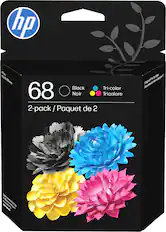
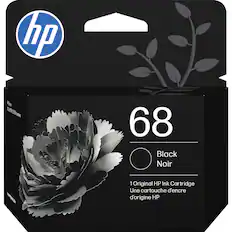
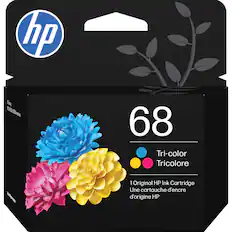
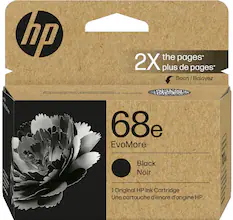
    Setup couldn't be easier! Print quality is amazing! The HP ENVY 6555 may take center stage in my home office. Only a color and black ink cartridge is required. With the optional HP ink program, one never needs to worry about running low on ink. The print quality is clear, ink dries practically smudge free in a few seconds. Using the HP print app on my Windows PC i was able to connect the ENVY to my Wi-Fi quickly and easily. Even a version for my cell phone (Android). Scanning via the HP app at 300 DPI was very clear and easy to read, almost no noticeable difference from original and scan. I need to see if there is a TWAIN driver for the ENVY or a WIA version. This will complete my software needed for my favorite scanner file system program. The display touch screen allows you to SCAN COPY see supplies without a PC . Speaking of supplies, it uses the HP 68 cartridge series for color and Black ink. They retail for around $55 to $60 standard capacity, and just under $90 for the high yield version. So if you print a lot as I do, go for the extra high yield 68e version.

    Posted by JerryZ

Compare similar products

HP - Envy 6555 Wireless All-in-One Inkjet Printer, Scanner, Copier, AI-Enabled with 3 Months of Instant Ink - White
4.6(54)

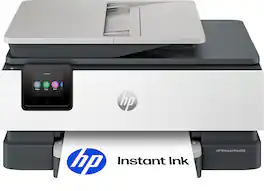
The HP Envy 6555 All-in-One delivers color printing, scanning and copying, plus a 35-sheet auto document feeder and 100-sheet paper capacity. It's AI-capable to intuitively adapt to your workflow, with wireless and security features that keep your multifunction printer up to date and secure, and prints high-quality documents and photos every time with true-to-screen tech. This inkjet printer also lets you easily navigate print jobs with its intuitive color touchscreen.

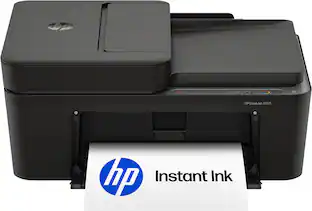
HP - DeskJet 4355 Wireless All-in-One Inkjet Printer, Scanner, Copier, AI-Enabled with 3 Months of Instant Ink - Black
4.1(23)

The HP DeskJet 4355 delivers color printing, 60-sheet paper capacity, and an auto document feeder for easy scanning and copying. It's AI-enabled to intuitively adapt to your workflow, with wireless and security features that keep your multifunction printer up to date and secure.
Canon - PIXMA TS6520 Wireless All-In-One Inkjet Printer - White

The PIXMA TS6520 strikes a perfect balance between functionality and affordability. While it doesn’t include an ADF like the TR7120, it still offers high-quality printing, scanning, and copying for everyday tasks. Its auto 2-sided printing helps save on paper and its 1.42” OLED display and simple setup make it user-friendly, and its compact design fits easily into any home workspace. With reliable Wi-Fi and mobile printing support, it’s great for printing school projects, recipes, and vibrant photos—without the extra bells and whistles. Best for: Families and students who want a reliable, easy-to-use printer for occasional use without needing advanced features.

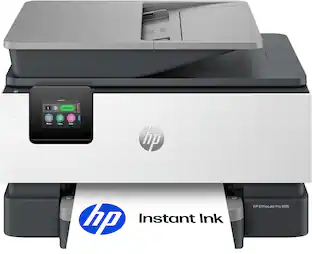
HP - OfficeJet Pro 8125 Wireless All-in-One Inkjet Printer, Scanner, Copier, AI-Enabled with 3 Months of Instant Ink - White

The HP OfficeJet Pro 8125 All-in-One Printer delivers fast color, water-resistant, smear-resistant, and fade-resistant prints, 225-sheet paper capacity, and scan and copy capabilities perfect for your home office. Navigate this printer with the 2.7" color touchscreen and phone-like user interface. It includes wireless and printer security features to keep your multifunction printer up to date and secure, and is made with more than 45% recycled plastic content. Optimize print formatting with HP AI, that easily removes unwanted content from emails and web pages so your prints are just the way you want—no wasted pages or unwanted content. Subscribe to Instant Ink delivery service and get 3 months of free ink delivered directly to the door of your office. The HP OfficeJet Pro 8125 All-in-One also lets you print from anywhere with the HP app.
Pros for HP - Envy 6555 Wireless All-in-One Inkjet Printer, Scanner, Copier, AI-Enabled with 3 Months of Instant Ink - White
Print Quality, Overall Performance, Ease of Use, Design, Wireless ConnectivityThere were no pros for this productPrint Quality, Connectivity, Size, Noise Level, Setup EasePrint Quality, Overall Performance, Connectivity, Size, Noise Level
Cons for HP - Envy 6555 Wireless All-in-One Inkjet Printer, Scanner, Copier, AI-Enabled with 3 Months of Instant Ink - White
There were no cons for this productThere were no cons for this productFeaturesSetup Process

Specs

Questions & Answers
  • Does it come with ink

    Yes, this printer includes setup ink cartridges in the box and comes with 3 months of Instant Ink when enrolled in the service.

    Answered by HP Team
    HP Team response
  • Can you connect this printer directly to your computer

    Yes, you can connect the printer directly to a computer using a USB cable for printing and scanning. It also supports wireless connectivity if you prefer to connect over Wi‑Fi.

    Answered by HP Team
    HP Team response
  • Is this printer comparable with a Lenovo IdeaPad 3 151TL05?

    Yes, the HP Envy 6555 is compatible with Lenovo IdeaPad laptops, including models running Windows. You can connect and print wirelessly using Wi‑Fi and the HP Smart app.

    Answered by HP Team
    HP Team response
  • Can I connect this printer to a HP Chromebook?

    Yes, the HP Envy 6555e can be connected to an HP Chromebook using a wireless network connection. The printer is compatible with ChromeOS and supports printing from Chromebook devices.

    Answered by HP Team
    HP Team response
  • Does the printer upload documents

    Yes. This printer can scan documents and upload them to your computer or cloud services using the HP Smart app. It supports scanning, copying, and printing functions.

    Answered by HP Team
    HP Team response
Ask a question
No content

Customers often buy these together

Sponsored
Ask BlueAI

Finance Options

My Best Buy® Credit Card
Buy Now, Pay Later

Special Offers

Included with Purchase

Finance Options

My Best Buy® Credit Card
Buy Now, Pay Later

Special Offers

Included with Purchase