Everything for Back to School — and then someShop now

Skip to contentGo to Product Search
Main Content

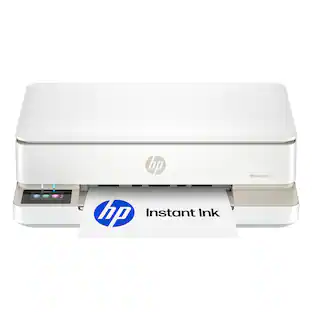
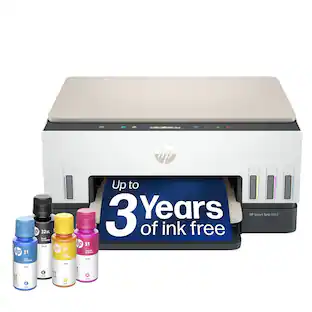
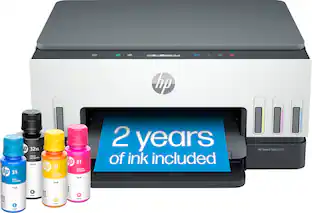
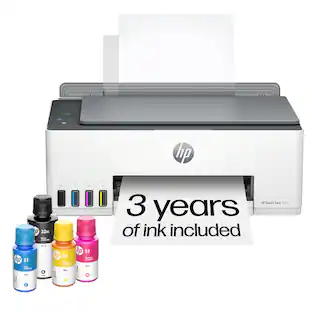
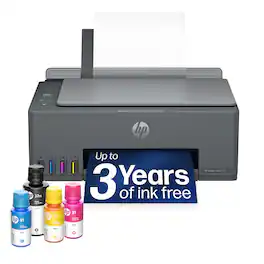
HP - Smart Tank 5100 Wireless All-in-One AI-Enabled Cartridge-Free Supertank Inkjet Printer with 3 Years of Ink Included¹ - White

Model: 9B2D1A#B1H
SKU: 6678555
Sold byBest Buy

Customers are saying

Customers are satisfied with the impressive ink capacity of this product. Users have noted that the ink supply is long-lasting, providing enough volume to last for up to three years.

Generated by AI based on customer reviews.
See it in-store: Roseville has a demo model on display.
Features
  • The last printer you'll ever need

    Set it up once and print with confidence; no complicated maintenance, just easy, reliable printing you can count on

  • Ink for years, not months

    Up to 3 years of ink included¹; get thousands of pages of cartridge-free printing—more pages, less hassle

  • Optimize print formatting with HP AI³

    Print web pages and emails with precision—no wasted pages or awkward layouts; HP AI easily removes unwanted content, so your prints are just the way you want

  • Innovation you can trust

    Cartridge-free printing that keeps you printing longer with fewer interruptions, powered by the trusted HP innovation you rely on today

  • Mess-free refill

    Replenish ink with HP's easy-access, mess-free refill system; simply plug the ink bottles into this cartridge-free ink tank and let them drain—no squeezing, no spilling

  • Best print quality, period

    Sharper text, richer colors—only with HP Smart Tank⁵

  • Key features

    Print, copy and scan, plus borderless prints, mobile and wireless printing.

  • Fully loaded with savings

    Best for low-cost, high-volume printing—3 years of Original HP Ink included¹; get up to 6,000 color or black pages right out of the box⁴.

See all features
Specifications
  • Networking
    Wired, Wireless
    ENERGY STAR Certified
    Yes
    Printer Type
    All In One
    ISO Color Print Speed
    5 pages per minute
    Output Tray Capacity
    30
    Touch Screen
    No
Sponsored

Reviews

Customers are sayingCustomers are satisfied with the impressive ink capacity of this product. Users have noted that the ink supply is long-lasting, providing enough volume to last for up to three years.
This summary was generated by AI based on customer reviews.
  • Ink Capacity (3)

Customer Images

The vast majority of our reviews come from verified purchases. Reviews from customers may include My Best Buy members, employees, and Tech Insider Network members (as tagged). Select reviewers may receive discounted products, promotional considerations or entries into drawings for honest, helpful reviews.

  • Rated 5 out of 5 stars

    Just as I needed

    It's very light weight. It's easy to use and efficient for everyday's printing needs.

    Posted by JAZELD

  • Rated 4 out of 5 stars

    Excellent entry level ink tank all-in-one printer

    If you're tired of paying for expensive ink cartridges or drop in ink tanks that don’t seem to last very long, this is what you need. It’s a basic entry level ink tank printer at a reasonable price that’s even better if it’s on sale. It includes a single sheet scanner and is well suited for basic home – office, student occasional printing needs. 3 years of ink will depend on how much you print, print quality you use, and what you print. Setup: I’ve owned many printers since the late 80s, and my first inkjet was an HP 310 in the mid 90s. Of all of them the setup process for this printer sits at the top of the list is the most difficult I’ve ever dealt with. The setup instruction book is lacking clarity and the apps it sends you to get for Windows 11 and iPad Air iOS 26..xx. HP insists on you setting up an account if you don’t already have one, or logging into an existing account, which I have but didn’t do. Fortunately, you can set it up as a “guest”. The app hung when used the first time and the second time I used it when it was trying to set up the WiFi. I had to figure out a way to get around that. While doing that on my third time around, I discovered that it had linked the 5100 to my WiFi router, and the Windows app saw it. I verified that by telling it to scan and it did. It also said setup was incomplete, so I proceeded to finish setting it up. The app guided me through filling the ink tanks and installing the print heads. Filling the ink tanks was predictably easy, although I had to push the bottles down pretty hard to get them to “pop” the stopper inside of them. I didn’t have to force anything to fill the tanks on the Canon GX3020 or the Epson ET-3950. I’ll be comparing it to those all-in-one printers later in my review. Next up was installing the print heads. Something that’s not required on the Canon and Epson printers I just mentioned. It looked easy enough to me as I have repaired consumer electronics for a living in the recent past, but it was a real hassle to get them in. My tip is to make sure you keep the carriage from moving out of the correct location to get them in. It’s easy to get it off position while trying to install them and not even realize you have. It’s color coded purple and black where they go. Once that’s done, you give it 15 seconds and proceed to print an alignment sheet, lay it on the scanner bed, and it scans it and after that it’s ready to use. Using the app with Windows 11: The app has several options to print, scan, create, printer maintenance and such. Some of the options are disabled unless you’re logged into an HP account. Unlike Canon’s or Epson’s open maintenance utilities, HP restricts firmware updates behind account login is a frustrating limitation. HP’s “AI” label mostly points to cloud tools in the HP Smart App for auto‑crop, OCR, and Smart Tasks shortcuts that tidy scans and route them to email or cloud storage. None of it runs on the printer itself, it’s convenience software dressed up as intelligence. Paper handling: You can only load paper from the rear in a pull up and out a paper hopper, and it only prints on one side. It’s not full-duplex where it prints on both sides of the paper before discharging it. The hopper has guides that you can set for various sizes of paper and the widest is 8.5 inches. The paper discharges out of the front at the bottom and there’s a swing out and then flip out paper tray. I hate to use the word “cheap” but that’s what it looks like. If a child were to reach up and grab it, it would probably break. It has a small footprint with the rear paper feed and front lip closed up compared to other ink tank printers I have. Print quality: Here’s where the HP-5100 shines. From fast draft to its best print quality, it looks great! Almost as good as the Canon Maxify GX2030 with its pigment ink, but the 5100 is very close dye ink. Photos on photo paper looked really good for a 4 color CMYK (Cyan, Magenta, Yellow, Black) dye ink printer. The HP-5100 has 3 print quality modes and I tested all 3 on plain paper and matte presentation paper. I was impressed with how good draft mode looked on plain paper and even better on the other. I printed up a few photos in the highest quality photo mode and in standard quality (middle). Again, the 5100 exceeded my expectations for a CMYK printer. With a couple of those photos, the 5100 is going up against Canon’s Pixma Pro-10 (9 pigment inks) and Pro-100 (8 dye inks) professional photo printers. Keep in mind that printing anything at the maximum print quality will take longer than lower quality, and a full page photo at the highest quality will take a while. Time varies by photo as well, say a photo with mostly light blue sky vs a complex fall color forest scene. See photos. Scanning: The scanner on the HP 5100 is superb! I was very impressed with the results. Scans were sharp at the highest setting of 1200 optical DPI and the colors were accurate as well. 300 DPI is the sweet spot for general scans to make copies and such. 600 DPI will yield better results if needed. 1200 DPI is best for when you want to crop out a small area and it be large, like using a telephoto lens. Remember, the higher the DPI, the longer it will take to scan and a full page at 1200 DPI takes a few minutes. Compared to the Epson ET 3950: The ET 3950 uses dye based bottled ink, is taller than the 5100 and has an auto document feeder for scanning. You can load that feeder with up to 50 sheets, and it will scan both sides in one pass. You can also lift the lid to scan a document and other media like the HP 5100 as well. The printer section is full-duplex, which means it can print on both sides of the paper before it discharges it. You must do that manually with the 5100. It has a color screen that isn’t a touch screen, with navigation buttons beside it, on a panel that tilts up, and the paper sits in a cassette tray at the bottom, and the printed product discharges above it. It holds more paper than the 5100, too. The ET-3950's print quality comes in third in my deep dive comparison. Draft on the ET-3950 is terrible. Colors are also too saturated on everything but draft. It costs about 150 more than the HP 5100. It’s only advanges are full-duplex printing, auto document feeder for the scanner and color screen. Compared to the Canon Maxify GX 3020: The GX 3020 uses pigment based bottled ink which gives a bit deeper colors that are slightly more accurate than dye ink, deep and blacks on par with a laser printer. The like HP 5100, it lacks an auto document feeder on the scanner. But unlike the HP 5100 and the ET-3950, the GX 3020 has rear paper feed and top paper feed as well as front paper feed in a tray. Very handy for printing photos or other media that might be a one or two off once in a while. The GX 3020 has a small monochrome LCD screen and navigation buttons beside it. It cost about a couple hundred more than the HP 5100 on average. Conclusion and notes. Build quality is good but feels a little cheap in areas that I’ve already mentioned. The tiny LCD info display on top is not back lit and shows minimum info. The info icons light up and are also buttons. HP costs to meet a price point with the 5100, and in this case, it’s not a bad thing. I’ve also got an HP2504 DW LaserJet tank that falls in the same budget price category that performs well. I’ve been very pleased with it and have not had any problems with it in 4 years of ownership. Once you get past the difficult setup process, which cost it a star, which HP can and should fix, I think you will have yourself an excellent printer – scanner.

    Posted by MrLowNotes

  • Rated 4 out of 5 stars

    Great Print and Photo output; Demanding Setup.

    HP SMART TANK 5100 ALL-IN-ONE PRINTER HP has a printer in my favorite category, the SMART TANK, or large ink reservoir category. No small, quick-to-dry-out cartridges. This is the ideal printer for those who are in education or any person or business requiring more than typical colorful printouts, especially photo quality prints. This is how to economize. Ignore the (actually reasonable) price of the printer, and save significantly on ink supplies. Let me point out early in the review, I now have a nicely working HP 5100 printer. It reliably handles paper, prints out colorful prints at speeds typical for mid-quality printers, and it connects easily to my iPhone, Mac Mini, and Chromebook. Getting here is unfortunately more frustrating than it should be. My experience with this printer, after many previous experiences with HP and other printers, I attribute to poor instructions. They simply fail to reflect what the end user sees while prepping the actual printer for setup. It’s also important to understand MY experience will be unique, hopefully. SETUP: The HP 5100 is well packed, and has all the advertised LARGE ink bottles that should fulfill the promise on the box of many prints to come. The bottles are well designed to get the ink into the printer reservoirs with no spill risk. HP gives the end user 2 paths to a complete installation. Either the simple pamphlet in the box, or an HP App that downloads to a mobile device. The App does appear to be more complete with steps to follow. A flaw in that approach is, while you can skip steps that are not working for you, it has no easy way (that I could find) to start the guidance over once a problem has been addressed. The biggest issue is such a small thing. HP expects the end user to INSTALL two printer heads. The heads are those moving spray guns that generate the photo or printout. Easy enough in theory. Not for me. The printer refused to follow the instructions. The printer head receptacle never voluntarily centered itself where it could be reached. The single tape holding it in place had a hidden companion. The large orange removable insert was responsible for interfering with the movement of the head receptacle, and it was really holding on to its temporary buried to the left position. Inserting the heads required careful alignment and a firm push into place. The instructions present the pertinent instructions and the fix to any problems in 3 short sentences. They didn’t work. I resorted to unapproved methods. It got done. Everything that followed works nicely. The time it took is frustrating. PERFORMANCE: I found all types of printouts on both paper and photo paper to be well done, colorful when required, and details were very good. Color prints may require some setting adjustments because photos lacked some punch or contrast (for my eyes). This resulted in a somewhat flat appearance, actually looking more like drugstore photos. When adjusted properly, the HP SMART 5100 photos are far superior than those automated store photo machines. HP advertises a 400 x 1200 optimized dpi for color prints, and it shows. Printing can be borderless. 6,000 color prints are estimated from each refill. I thought print-out times were reasonable and typical. Without a direct comparison, it’s just an opinion. Noise levels were typical, in fact, quieter during printing than usual. The HP made up for that a few minutes later when it either goes to sleep or turns off, making mechanical noises during that process. It won’t wake anyone up from a sleep. Ink replacement bottle kits are very inexpensive, and readily available. Scanning is easily managed via the HP App, and exceptional resolution and color correction is possible. Copies are accomplished directly off the glass platen. Seeing ink levels on the front panel is helpful and reassuring. There are features missing in this model, so if they are important to you, consider HP’s other models. There is no auto feed (ADF) for copies, no auto reverse-side printing (no duplex), and no Ethernet input. There is a USB printer port, cable not provided, but readily available. SUMMARY: The positives for the HP SMART TANK 5100 easily outweigh any disadvantages. I find that inkjet printing is preferable for printing color photos than laser printers. Colors are richer, details are sharper, and the many glossy and matte papers which are available easily match most commercial print kiosks and shops. But the price of those small, easily-dried-out ink cartridges most other printers use is prohibitive. These large, individual refill reservoirs and the large bottles that are included and very inexpensive to re-purchase are readily available. For a classroom or business setting, they are the only way to go. This is a rugged, well-designed printer that should be reliable. The straight line, gravity feed paper pathway, should eliminate jams and ensure printer longevity. The downside is the limited quantity of pages (100) that can be in the paper fill. The paper size setting appears to be recognized simply by moving the paper guides. I was annoyed by physical setup problems and an overly optimistic owner’s manual. Wireless setup from both computer and phone was instantaneous. I do not know why HP would not ship a printer with heads installed, but once that hurdle is crossed, you shouldn’t need to worry about them for years. I wish HP saved its sales pitch for products within the HP App for a separate tab and not integrate them into the otherwise comprehensive settings page. The tiny LCD window is pretty much useless for an older user, but then, the app does it all and shows settings and activity much better than any LCD.

    Posted by TECHBEENGOOD

  • Rated 4 out of 5 stars

    Decent HP tank printer

    The HP Smart Tank 5100 Wireless All-in-One AI-Enabled Cartridge-Free Supertank Inkjet Printer with 3 Years of Ink Included has some very good things going for it, but along with that, there are some not so good things. Setup took a bit just because there were a lot of things to do such as putting in the printheads, and those are interesting: They look like the regular tank style ink cartridges with the printheads on them - one for color and one for black, but these are only the printheads. Then you add the ink: there are 4 bottles: black, cyan, magenta & yellow. HP claims the provided ink will last up to 3 years. If it indeed does, that makes this printer more worth it's price tag. It used to be that the price of a printer wasn't very much but the ink you would need to buy again and again was quite expensive. This printer is on the pricey side for what it is, but then consider the possibility of not buying ink for 3 years - definitely something to think about. But also, when will I have to replace those printheads? I found the process of adding the ink to be fun: just secure each bottle on top and it empties itself into the tank. They provided an XL bottle of black, so after filling that tank you will have some left over. Not even one drop of ink was spilled during the filling process. One of the first problems I had with this printer was the amount of non-recyclable trash it left me with - empty ink bottles and plastic pieces mostly, but enough to fill the accessories box it came with. The rest of the setup was easy using the HP app. It recognized the printer immediately and guided me through the rest of the setup. Connectivity has been extremely good with absolutely no drops. This printer prints documents very well. I am actually surprised at the quality of the black text printing - it is so clear and clean. Color on a text page is quite crisp as well. I did have the chance to print photos on this HP Smart Tank 5100 Wireless, and it is extremely slow! The photos were dull even though I printed using the "best" quality, so to me, this is NOT a photo printer. There is no automatic document feeder (ADF) so therefore no double sided printing, copying or scanning unless you want to turn the paper over and put it through the printer again to print the reverse. There is no paper tray to speak of. There is a slot at the back of the printer for the paper "tray" which only holds about 100 sheets of standard paper. I find myself refilling more than I would like. A minor thing, but something I find irksome: HP and its use of mismatched colors. Basically, this printer is white but it has a tan scanner lid and output tray extender and the rest of the top of the printer is black. Looks mismatched to me but again, just a minor thing. Also, the footprint is on the larger side and it doesn't have a display screen to speak of - things have to be done with a series of button presses instead of being able to find what you want to do by clicking through a menu. Overall, the HP Smart Tank 5100 Wireless All-in-One AI-Enabled Cartridge-Free Supertank Inkjet Printer with 3 Years of Ink Included is definitely a decent everyday document printer. I had no issues printing from my PC or from my iPhone. It isn't super loud, as some printers are. The ink fill process was easy and fun. I would say, if you are looking for a very basic printer with less ink consumption, this might be a good choice for you.

    Posted by BBReviewer

  • Rated 4 out of 5 stars

    Ink for years!

    Personally, I prefer these smart tank/eco tank style printers over the other ink jet printers, especially the way HP pushes their ink subscription with the other printers. With this style, HP isn’t going to deactivate your printer for not making a monthly payment or canceling the subscription. Plus, the ink is so much cheaper than the cartridges. However, there is a slight difference in how the printers print. I find their cartridge ones do tend to print darker/richer colors while the smart tank looks slightly faded and seems to bleed through regular paper in color heavy regions. See the example photo below of a test page I printed. The speed on this printer in color isn’t anything to get excited about either. However, it claims 5 PPM, but it all depends on how much color there is. Printing a 4x6 photo in “best” quality on gloss paper takes a bit over 2 minutes. Plus, the pictures come out a bit washed out compared to what is displayed. You can adjust them a bit to try and make them look more like the image you see on your device and the quality is good, but like a black shirt gives kind of a dark grey look. Despite the slight fading look on the colors, it still does well and you should get about 6,000 normal pages from the ink they supply. They claim that is “3 years of ink”, but it all depends on your usage. I still find it better than paying monthly for so many pages per month. Scanning and copying does leave some degradation. Again with the test page, I took the one on the left, printed, then did a straight color copy on the right. You can see some additional fading and the fine lines start to break apart. But, still make out most details with the really fine letter/numbers having some noticeable loss. Overall, it’s a decent printer if you are looking to print a whole lot and don’t want to pay monthly subscription fees or steep cartridge prices. It still has the typical drawbacks of an ink jet but for regular use it gets the job done.

    Posted by DavidJr

Compare similar products

HP - Smart Tank 5100 Wireless All-in-One AI-Enabled Cartridge-Free Supertank Inkjet Printer with 3 Years of Ink Included¹ - White
4.4(36)

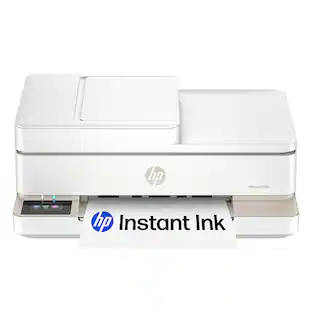
From America's most trusted printer brand², the HP Smart Tank 5100 Printer is a smart, connected and refillable tank printer that makes printing seamless for your home with its high capacity and wireless connectivity. Create everyday color documents at a low cost with 3 years of Original HP Ink included in the box¹. This Smart Tank printer is an inkjet perfect for high-volume printing. It's also AI-enabled³ to intuitively adapt to your workflow, with wireless and security features that keep your multifunction printer up to date and secure.
HP - Smart Tank 5101 Wireless AI-Enabled All-in-One Cartridge-Free Supertank Inkjet Printer with 3 Years of Ink Included¹ - White

From America's most trusted printer brand², the HP Smart Tank 5101 Printer is a smart, connected and refillable tank printer that makes printing seamless for your home with its high capacity and wireless connectivity. Create everyday color documents at a low cost with 3 years of Original HP Ink included in the box¹. This Smart Tank printer is an inkjet perfect for high-volume printing. It's also AI-enabled³ to intuitively adapt to your workflow, with wireless and security features that keep your multifunction printer up to date and secure.

HP - Smart Tank 5001 Wireless All-in-One AI-Enabled Cartridge-Free Supertank Inkjet Printer with 3 Years of Ink Included¹ - Basalt
4.5(46)

From America's most trusted printer brand², the HP Smart Tank 5001 is a smart, connected and refillable tank printer that makes printing seamless for your home with its high capacity and wireless connectivity. Create everyday color documents at a low cost with 3 years of Original HP Ink included in the box¹. It's AI-enabled³ to intuitively adapt to your workflow, with wireless and security features that keep your multifunction printer up to date and secure.

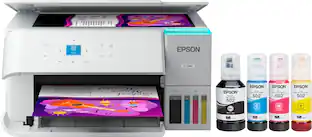
Epson - EcoTank ET-2800 Wireless All-in-One Supertank Inkjet Printer - White

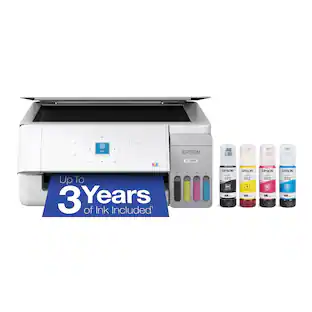
Your family needs a printer that’s fast, affordable, and easy to use. That’s why we developed the EcoTank ET-2800 – an innovative cartridge-free solution that uses high-capacity, easily refillable ink tanks. So you’ll worry less about running out of ink, and save a lot on replacement ink (1). The ET-2800 features genuine Epson print quality, a high-resolution flatbed scanner, and convenient color display – making it the ideal basic home printer.
Pros for HP - Smart Tank 5100 Wireless All-in-One AI-Enabled Cartridge-Free Supertank Inkjet Printer with 3 Years of Ink Included¹ - White
Ink CapacityThere were no pros for this productPrint Quality, Overall PerformancePrint Quality, Overall Performance, Ease of use, Setup, Size
Cons for HP - Smart Tank 5100 Wireless All-in-One AI-Enabled Cartridge-Free Supertank Inkjet Printer with 3 Years of Ink Included¹ - White
There were no cons for this productThere were no cons for this productThere were no cons for this productPaper Tray, Noise Level

Specs

Questions & Answers
  • if you don't print for weeks at a time, will the ink dry on the printhead and cause issues?

    The HP Smart Tank 5100 performs automatic maintenance routines to help keep the printheads in good condition. However, as with any inkjet printer, regular use is recommended to help prevent ink from drying and to maintain print quality.

    Answered by HP Team
    HP Team response
  • does it also print black

    Yes

    Answered by JEFFC
Ask a question
No content

Customers often buy these together

Sponsored

Finance Options

My Best Buy® Credit Card
Choose a benefit:Or
Buy Now, Pay Later
Lease to own

Special Offers

Top Offers

Finance Options

My Best Buy® Credit Card
Choose a benefit:Or
Buy Now, Pay Later
Lease to own

Special Offers

Top Offers