Customer Ratings & Reviews



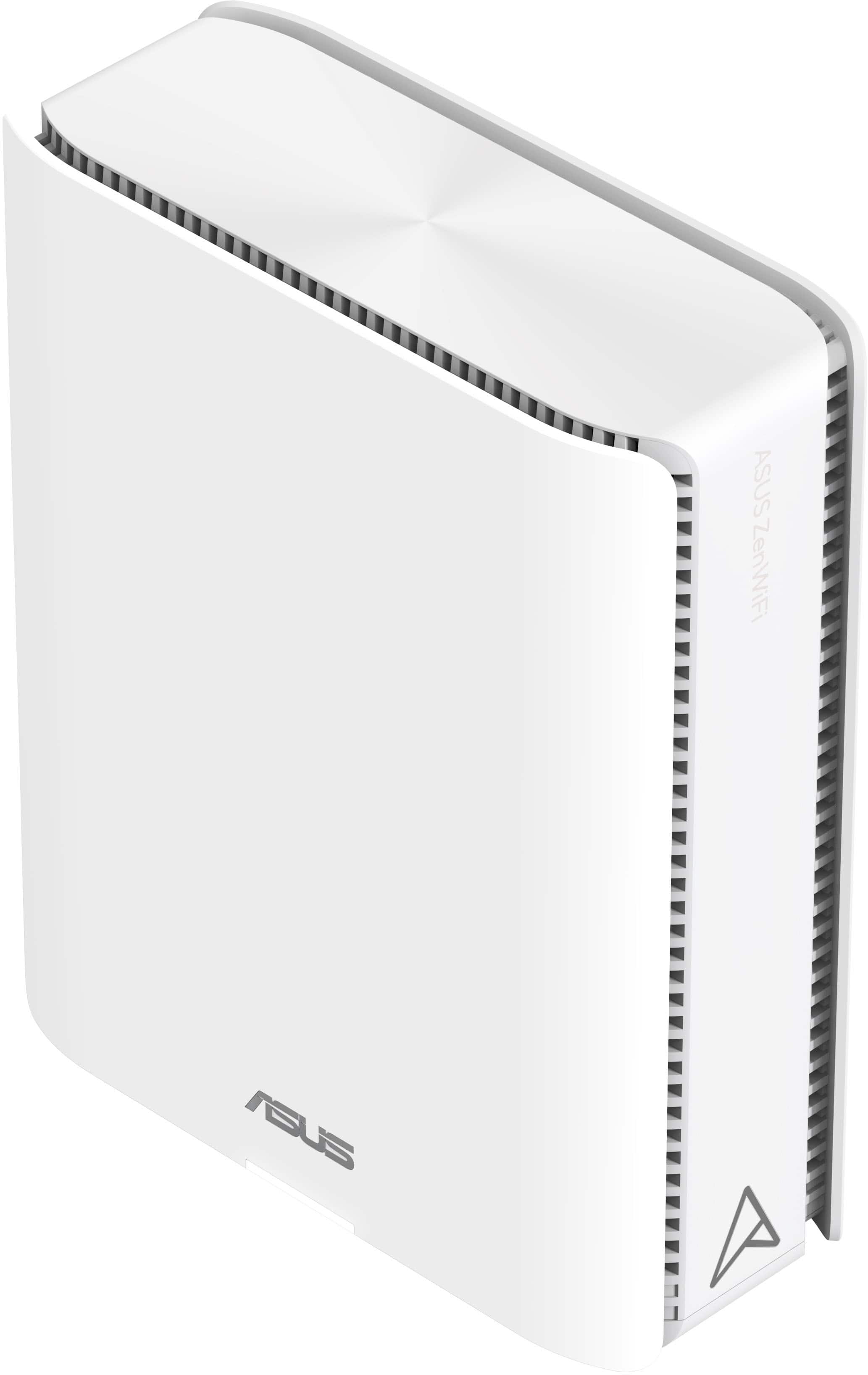
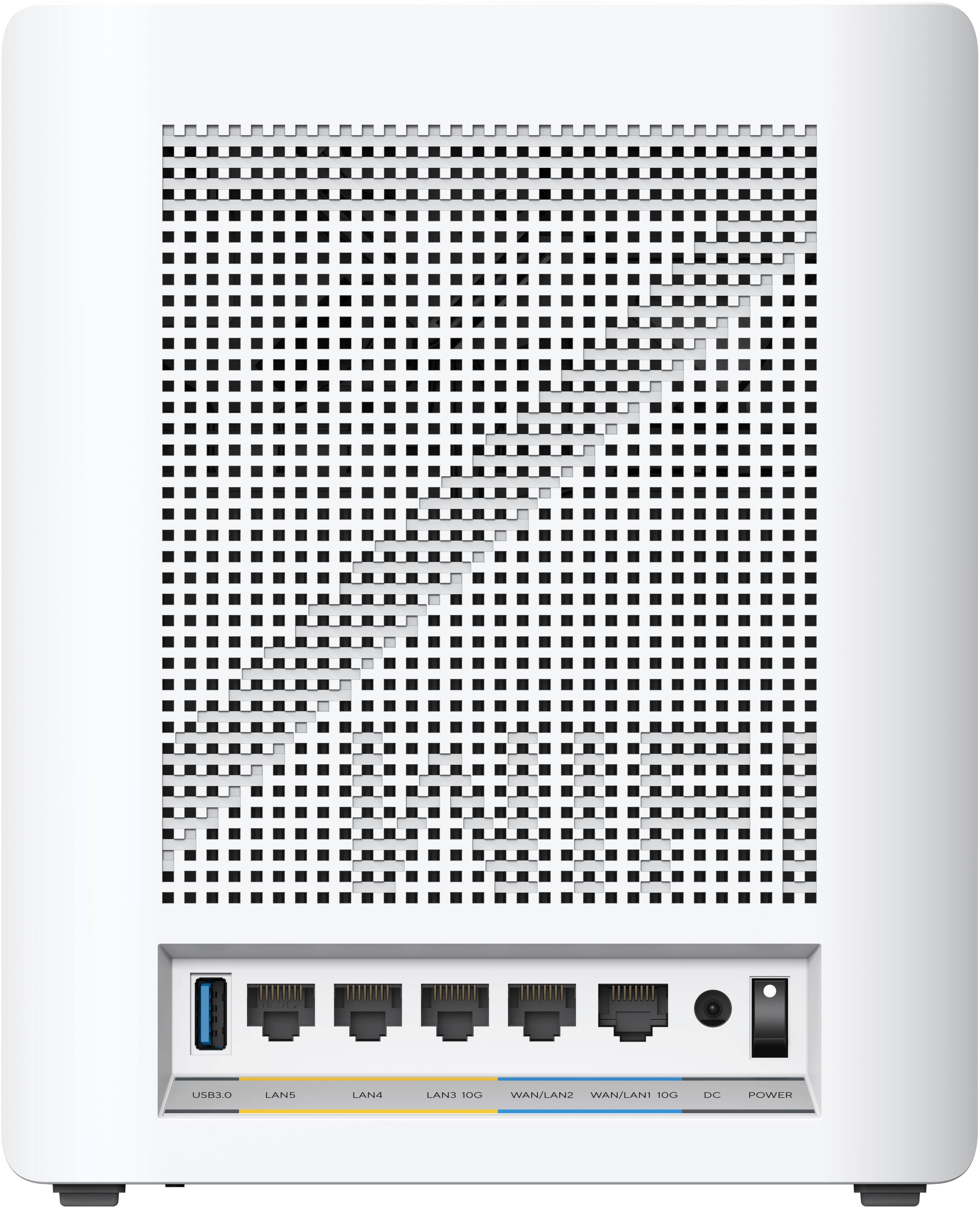
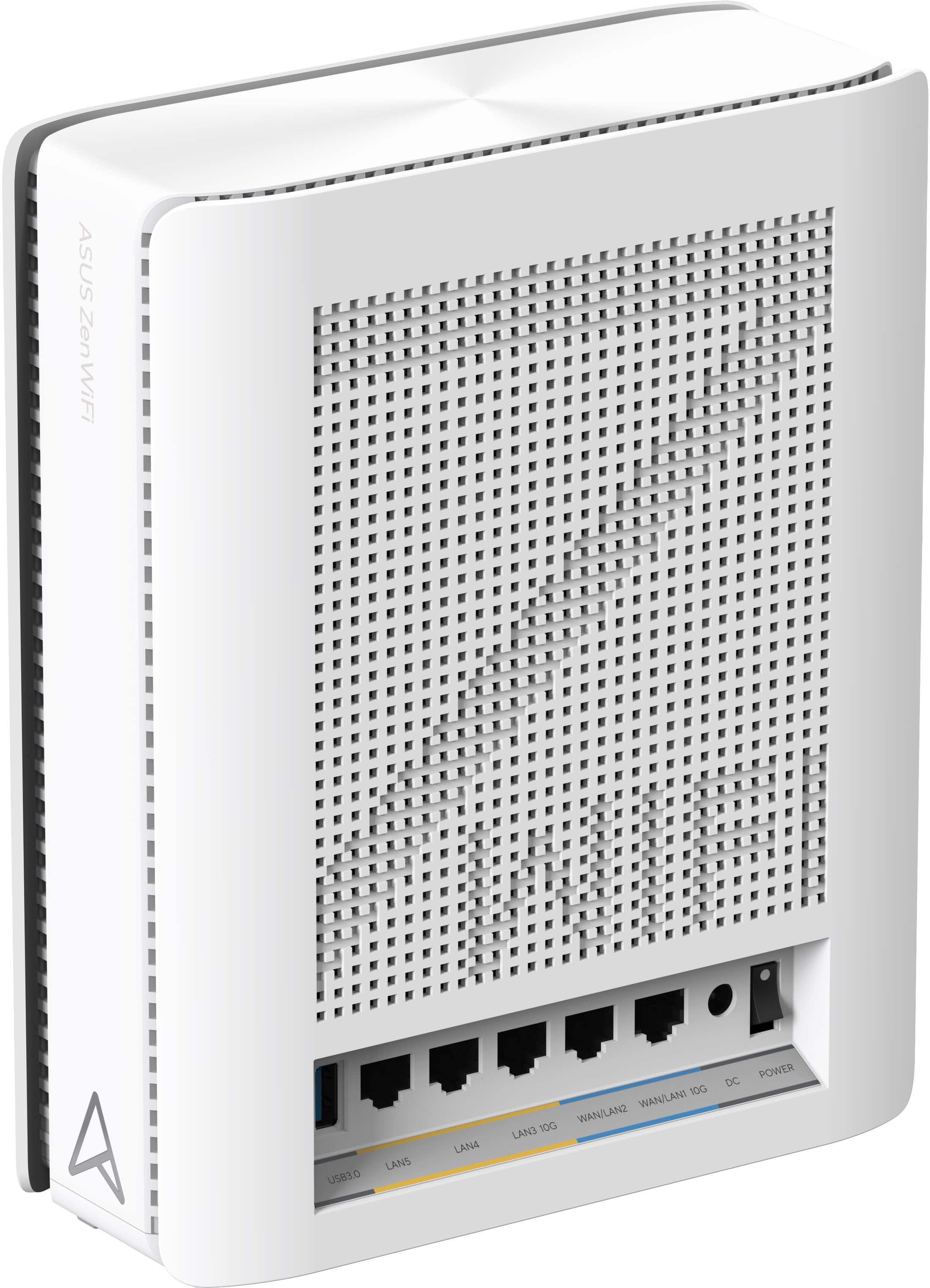
- Model:
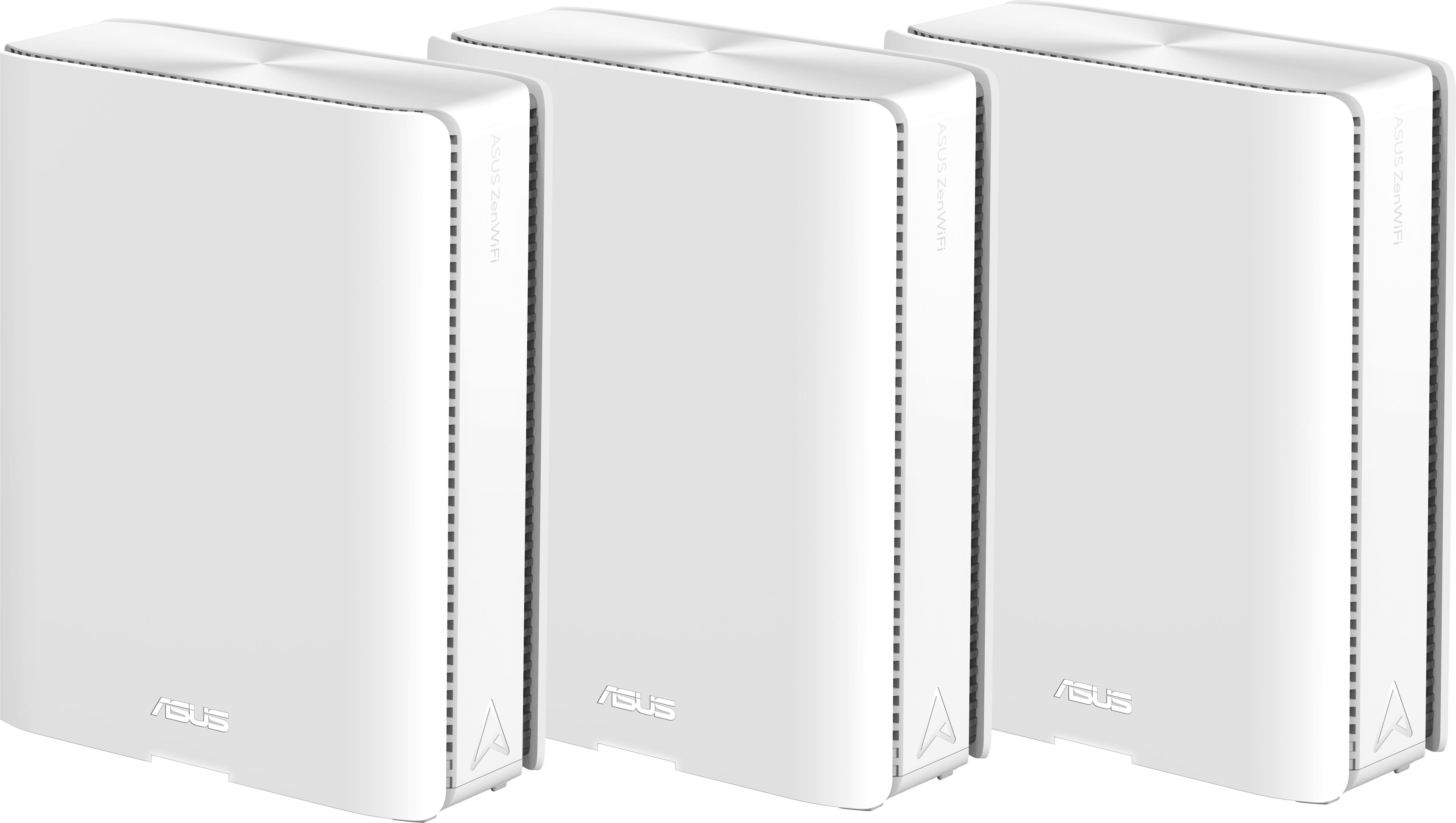
- ZenWiFi BE30000
- SKU:
- 6578392
Rating by feature
- Setup
Rating 3.6 out of 5 stars
- Range
Rating 4.3 out of 5 stars
- Signal Strength
Rating 4.3 out of 5 stars
Customers are saying
Customers recognize the ZenWiFi BE30000 Quad-Band Mesh Wi-Fi 7 System for its fast wireless speeds, amazing coverage, and strong signal strength. Many appreciate its performance and future-proofing capabilities, along with its extensive app features and inclusion of multiple VPN clients and servers. However, some customers have experienced connectivity issues with the nodes, and have found the initial setup to be difficult. A few also noted concerns about the high price.
This summary was generated by AI based on customer reviews.
- Cons mentioned:Connectivity
horrible dont buy
||Posted . Owned for 1 month when reviewed.This reviewer received promo considerations or sweepstakes entry for writing a review.these are horrible wouldnt connect or anything. just horrible
No, I would not recommend this to a friendBrand response from ASUS Answers
Posted .Dear Matthew H,
We apologize for the inconvenience caused by the ZenWiFi's inability to connect to your devices. This is not the kind of quality to expect from our products and it's not the norm. To troubleshoot the issue, we recommend following the steps in the FAQ below. Should the issue persist, please contact our support team at https://www.asus.com/us/support/CallUs to further investigate the problem.
We stand behind our products and continuously strive to improve our products and processes to achieve customer service excellence. For more information, email us at customerloyalty@asus.com and include the case number "N2405039106-0016" as a reference. We will do our best to resolve your case quickly. Your feedback is very important to us and enables us to improve our support channels. Thank you for choosing ASUS.
Best Regards,
Chantae
ASUS Customer Loyalty US Support
https://www.asus.com/support/faq/1030645/
Asus WiFi 7 mesh has too many problems not work
||Posted . Owned for 2 months when reviewed.This reviewer received promo considerations or sweepstakes entry for writing a review.Really wanted this to work and bought it on two occasions. Lots of back for forth with tech support could not resolve its issues. Simple would not work in a smart home with around 190 devices. Many other Mesh systems worked better than this setup in my scenario, this felt like a beta system. My smart light would just keep blinking off and on with this system. My security cameras kept blinking off and on and most of my home devices were inconsistent in its operation. Even the ATT gateway alone worked much better than this Asus WiFi 7 mesh.
No, I would not recommend this to a friendBrand response from ASUS Answers
Posted .Hi Dragon2000,
We sincerely apologize for the issues you've faced with your ZenWifi BE30000 and the inconvenience caused.
We want more information regarding your problem and would like logs to analyze your issues.
Can you help submit it for us?
This can be done via the WEBGUI:
Please go to Administration ==> Feedback (Please make sure System Log, Setting FIle, 3G/4G Log, and WIFI log is enabled). Please submit the logs when it happens and let us know the time stamp.
under the comment section please also give us the following information:
1. The MAC and the model name of the devices having the issues.
2. Also, we have a few questions. Does the ATT Gateway support up to 802.11ax, ac, or n?
3. Also, do your devices have issues supporting 802.11 ax? If so, please check if the "802.11 axx mode" is disabled on thos devices.
Thank you for choosing ASUS.
Best Regards,
Justin
ASUS Customer Loyalty US Support
Not a Netgear Orbi 970 Replacement
||Posted . Owned for 1 month when reviewed.This reviewer received promo considerations or sweepstakes entry for writing a review.Thought it would be better than Netgear Orbi970 system. I was wrong. Even after updating router/nodes to latest firmware and ensuring a wired backhaul, the nodes randomly would drop connection, switch to wireless or sometimes disconnect completely. It was never a stable system and honestly the speeds were not much better than the Orbi 970. I have multiple 5 GIG devices and my ISP is 6 GBPS.
No, I would not recommend this to a friendBrand response from ASUS Answers
Posted .Dear Nbhargava,
Thank you for your comment.
We do understand your disappointment with the product and the inconvenience this may have caused if you are experiencing unstable or weak signal strength. To resolve the weak signal, place the routers in the center of the area you want to cover, avoid placing the router near metal objects, electronic devices or direct sunlight, position the router on a flat, hard surface and halfway between the floor and ceiling. Additionally, dense building materials, such as gypsum, concrete walls and planks can affect Wi-Fi signal penetration. Also, we recommend updating the Mesh router firmware if it is running with an older version. Firmware is available for download at: https://www.asus.com/us/networking-iot-servers/whole-home-mesh-wifi-system/zenwifi-wifi-systems/asus-zenwifi-be30000/helpdesk_bios?model2Name=ASUS-ZenWiFi-BE30000. Furthermore, check if the routers' security credentials matches with your ISP's modem credentials. Check if the PC or device connecting to the routers is working properly and within range to the routers, the routers' are within 30 feet to the ISP's modem, if not wired with a network cable, and ISP's internet service or connection is working properly or stable. Legacy devices may not work properly with WIFI6e or WIFI7, please check updates for these devices. Also, try connecting this manually to either 2.4GHz or 5GHz.
Should you need further assistance with the product, please email me at cl-rodel@asus.com and I would be more than happy to help. Or you are most welcome to call Product Support Hotline at: 1(888) 678-3688. Also, you can chat with an ASUS live support agent from the link: https://www.asus.com/us/support/article/1135/.
Thank you for choosing an ASUS product.
Regards,
Rodel
ASUS Customer Loyalty
Faulty out of the box
||Posted . Owned for 2 weeks when reviewed.This reviewer received promo considerations or sweepstakes entry for writing a review.Setup was easy. Router would randomly lose internet and go down for the entire house. Called support and they said to exchange it, but I don’t trust them now. Swapped to eero.
No, I would not recommend this to a friendBrand response from ASUS Answers
Posted .Dear Gdub,
We apologize for the inconvenience you experienced with the ZenWiFi BE30000, including the unexpected connectivity issues. While we're sorry to hear the device had to be returned, we appreciate you taking the time to share your experience. Your feedback is important and will be passed along to our product and support teams for further review.
We stand behind our products and continuously strive to improve our products and processes to achieve customer service excellence. If you require any further assistance, please email us at customerloyalty@asus.com and include the case number "N2405039106-0028" as a reference. We will do our best to resolve your case quickly. Your feedback is very important to us, and it enables us to improve our support channels. Thank you for choosing ASUS.
Best Regards,
Chantae
ASUS Customer Loyalty US Support
Great but complex
||Posted . Owned for 1 month when reviewed.This reviewer received promo considerations or sweepstakes entry for writing a review.Very complex, not for a rookie. If you are advanced user, it provides tons of options.
I would recommend this to a friendUnfortunately wouldn't work
||Posted .This reviewer received promo considerations or sweepstakes entry for writing a review.Was unable to get this working after contacting Asus tech support and had to return the system. I opted instead for the Eero which worked perfectly.
No, I would not recommend this to a friendBrand response from ASUS Answers
Posted .Dear LogitechH540,
Thank you for sharing your experience with the ASUS ZenWiFi BE30000. We're truly sorry to hear that you were unable to get the system working, even after contacting our support team, and that this led to a return.
We understand how important a seamless setup is, and we apologize for the inconvenience caused. Your feedback will be shared with our product and support teams for further review and improvement.
We stand behind our products and continuously strive to improve our products and processes to achieve customer service excellence. If you require any further assistance, please email us at customerloyalty@asus.com and include the case number "N2405039106-0027" as a reference. We will do our best to resolve your case quickly. Your feedback is very important to us, and it enables us to improve our support channels. Thank you for choosing ASUS.
Best Regards,
Chantae
ASUS Customer Loyalty US Support
Do not waste your time
||Posted . Owned for less than 1 week when reviewed.This reviewer received promo considerations or sweepstakes entry for writing a review.I’ve now tried two units, both with issues. Out of the box settings do not work. You’ll pull your hair out trying to get any smart devices to connect. Support always suggests a factory reset. My second unit was more stable than the first for a few days but out of nowhere stopped working. Horrible, needs serious work. Go with any other brand and save your time.
No, I would not recommend this to a friendBrand response from ASUS Answers
Posted .Dear David,
We sincerely apologize for the issues you've faced with the ASUS ZenWiFi BE30000 and for the inconvenience caused. This is not the kind of quality to expect from our products and it's not the norm. Our top priority is providing our customers with a high level of satisfaction, and we'll forward your feedback to our Product Team for review.
We would like to make your experience with ASUS a better one. Please send us an email at customerloyalty@asus.com and include the case number "N2405039106-0012" as a reference so that we can further investigate the issue with the mesh router. Maintaining a functioning unit is an urgent matter, and we are committed to helping you.
We stand behind our products and continuously strive to improve our products and processes to achieve customer service excellence. We will do our best to resolve your case quickly. Your feedback is very important to us, and it enables us to improve our support channels. Thank you for choosing ASUS.
Best Regards,
Chantae
ASUS Customer Loyalty US Support
Asus Zenwifi BQ16 3 pack signal drops
||Posted . Owned for 1 week when reviewed.This reviewer received promo considerations or sweepstakes entry for writing a review.This product has some issues. The signal drops intermittently. I connected this to my PC directly and I was having issues during my work conference calls. I would not recommend this device if you are in the meetings all day. It is frustrating with frequent call drops.
No, I would not recommend this to a friendBrand response from ASUS Answers
Posted .Dear Ajay D,
We sincerely apologize for the wireless connectivity issue you're experiencing with the ZenWiFi BE30000 and for any inconvenience this may have caused you. This is not the kind of quality to expect from our products and it's not the norm. To troubleshoot the issue described, we recommend following the steps in the FAQ below. Should the issue persist, please contact our support team at https://www.asus.com/us/support/CallUs to further investigate the problem.
We stand behind our products and continuously strive to improve our products and processes to achieve customer service excellence. For more information, email us at customerloyalty@asus.com and include the case number "N2405039106-0021" as a reference. We will do our best to resolve your case quickly. Your feedback is very important to us and enables us to improve our support channels. Thank you for choosing ASUS.
Best Regards,
Chantae
ASUS Customer Loyalty US Support
[Troubleshooting] WiFi signal is often disconnected - https://www.asus.com/support/faq/1030641/
Signal kept dropping
||Posted . Owned for 2 months when reviewed.This reviewer received promo considerations or sweepstakes entry for writing a review.Had to return it. The setup was easy enough and it worked great for the first couple of days. After that the signal kept dropping at random times. I tried changing wifi configuration, removing the guest wifi and even doing a factory reset but the signal was never consistent.
No, I would not recommend this to a friendBrand response from ASUS Answers
Posted .Dear FernandoT,
We sincerely apologize for the connectivity issue you've faced with the ASUS ZenWiFi BE30000 and for the inconvenience caused. What you've experienced was not intentional or representative of our brand. We are committed to providing our customers with the highest-quality products and we will forward your review to our Product team for review.
Having returned the product, we hope that you were able to obtain a functional replacement.
We stand behind our products and continuously strive to improve our products and processes to achieve customer service excellence. If you require any further assistance, please send us an email at customerloyalty@asus.com and include the case number "N2502028896-0001" as a reference. We will do our best to resolve your case quickly. Your feedback is very important to us, and it enables us to improve our support channels. Thank you for choosing ASUS.
Best Regards,
Chantae
ASUS Customer Loyalty US Support
- Pros mentioned:Range, Speed

High end mesh system with insane range
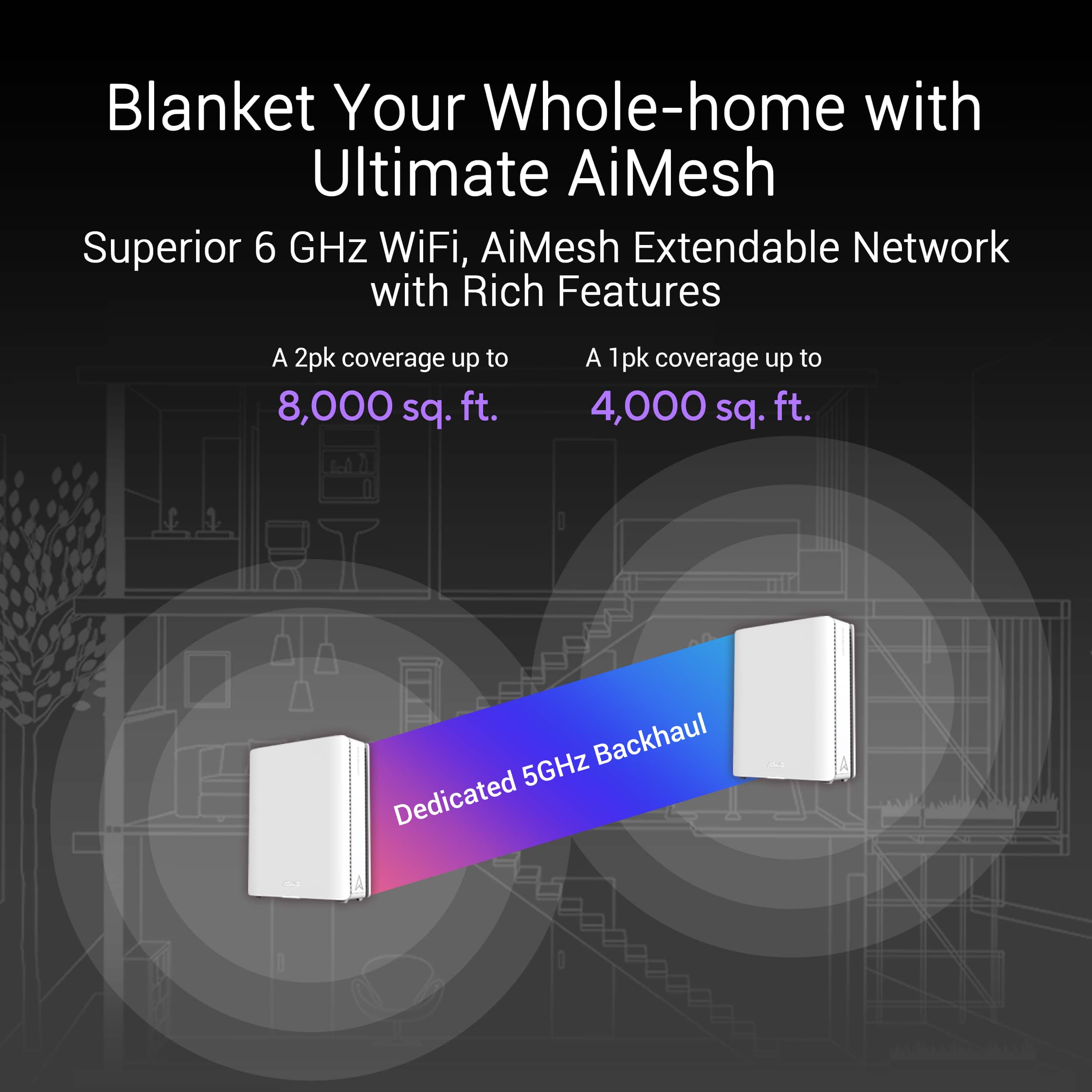
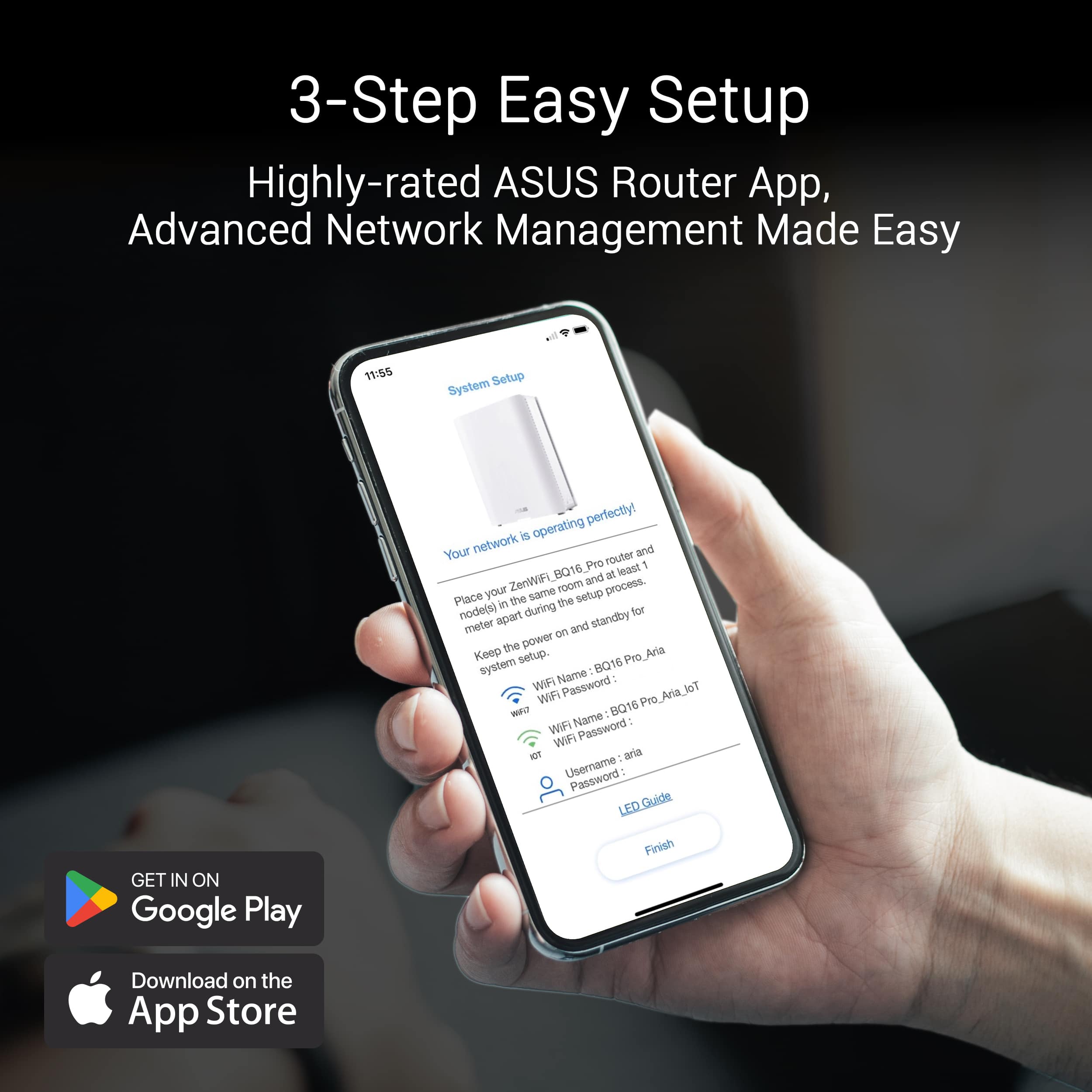
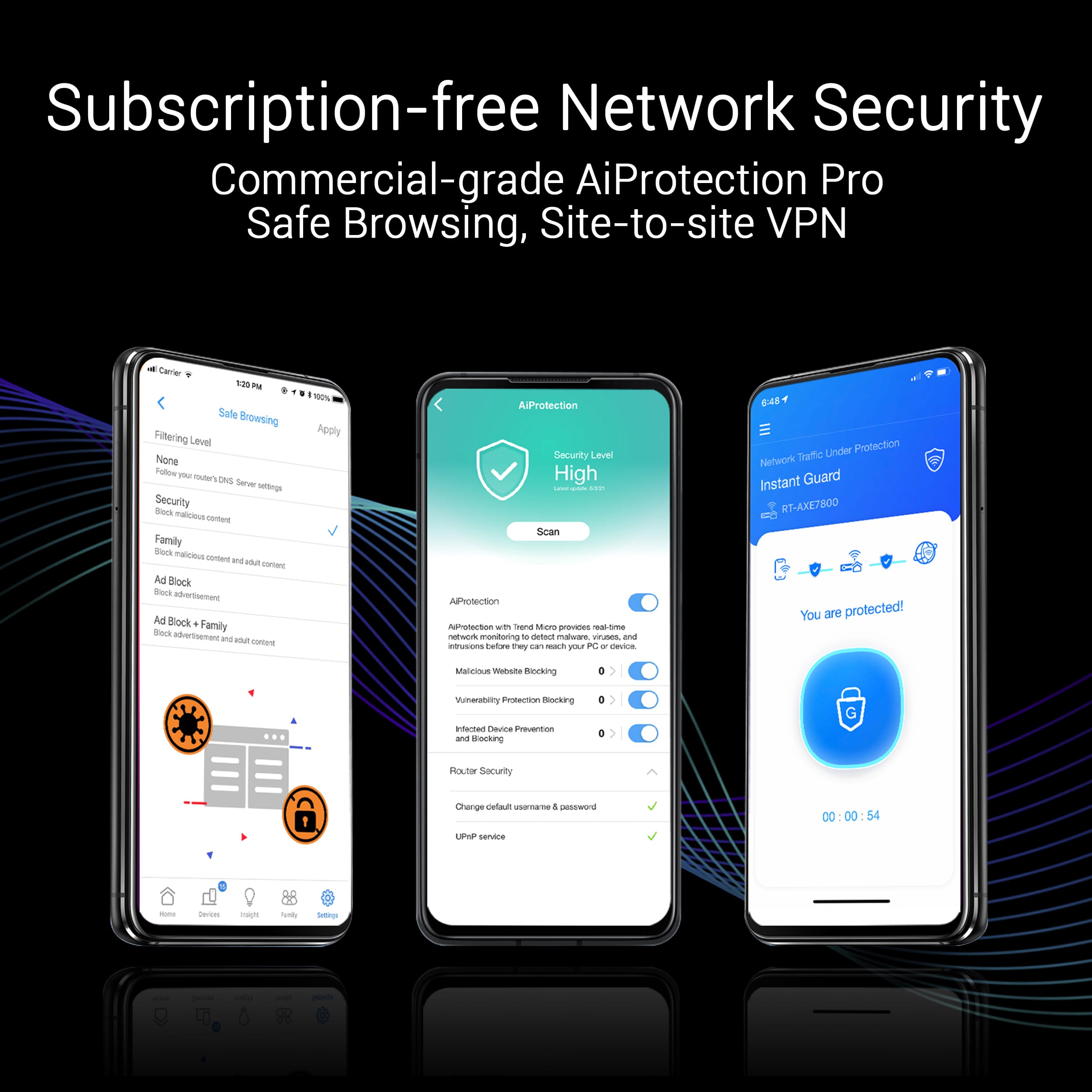
|Posted .This reviewer received promo considerations or sweepstakes entry for writing a review.Setup: Initial setup of the Asus be30000 or bq16 pro as its called elsewhere, was pretty straight forward. I started with the Asus app to get the main node up and running. Once it was up moved to the Web GUI which I felt more comfortable with. You can do that by hitting 192.168.50.1 in a web browser on something thats connected to it. From there I was able to do all my advanced customizations and tweaks. Once you get logged in I suggest the first thing you do is update the firmware to make sure you are on latest before you start changing stuff. As for setup follow the Asus suggestion of keeping all your legacy devices on their own IoT SSIDs. Trust me, this will save you from a headache later. I didn't do this originally and ran into a lot of issues trying to get stuff to connect. WIFI 7 needs all bands along with newer encryption for it to work and a lot of older devices do not support this. For me what I ended up doing was create 3 separate SSIDs and having to disable WPA3 on 5GHz or some of my stuff wouldn't connect. 1 for WIFI 4 (2.4GHz) WPA2 1 for WIFI 5 and 6 (5GHz) WPA2 1 for WIFI 6e and 7 which is all 3 bands 2.4(GHz) 5(GHz) and 6(GHz) WPA2/WPA3 This seems to work best for compatibility with my devices. A little bit of separation with all the newer devices on the faster SSID. The app will suggest doing something similar when you go through setup. I'm pretty picky about how my home WIFI is setup so I give props to Asus for allowing so many customizations. The mobile app and the web interface are actually really good. Way better than others I've used. Allows everything from modifying SSIDs, DHCP reservations, port forwarding rules, binding devices to specific nodes, VPNs, parental controls, and so much more. LOTs of configuration options along with device and network performance stats as well. I can't think of anything its missing. Mesh Backhaul: Wired - You can connect these things together using ethernet cable on the 10gb ports. That is going to be your fastest backhaul option. From my testing its waaayyy faster than wireless. Wireless - These devices support dual 6GHz bands. This is where that comes into play. The first one is used for devices and the second can be used as the backhaul for the nodes communicating with each other. When you use wireless it defaults to MLO which is what you are more than likely going to want so it will use all three bands to communicate with each other. Even though wireless backhaul was slower than the 10gb ports it was still faster than any other mesh system I've tested. Range: I just want to stop for a sec and talk about the range on these things. I have NEVER seen single mesh node have so much range. They typically cover 1200sf, maybe 2000sf if you're lucky. Asus advertises one of these at covering up to 4000sf and all three at 11000sf. I guess these have 12 antennas in them. One node covered my entire house! The only reason I added another node was to keep the speeds up at distance. I did not need the third node but will keep it as a backup. Three nodes would be good if you have a very large house, walls that don't allow a good signal, or maybe have multiple buildings to reach. Speed: My home internet speed is capped at 1gbps. With that said I had no issues hitting that speed on the 5GHz and 6GHz bands when within a rooms distance. I also noticed a drastic speed increase on my devices compared to my previous router at longer ranges. Devices that were previously getting 300mbps are now getting 700mbps. Again this is probably due to the increased range on these things. As for WIFI 7 I did some testing with just the main node. I currently only have two devices in my house that support it. On WIFI 7 without MLO fronthaul enabled I found the link speed advertised round 3gbps. My house internet speed isn't that fast so I did some local file copy test and sure enough I was getting roughly 3gbps. With MLO fronthaul enabled, I was able to connect to both 5GHz and 6GHz bands at the same time! This is where WIFI 7 really gets interesting. When connected to two bands at the same time I was able to get closer to 5gbps. WIFI 7 theoretical speeds are a LOT faster than that so I was honestly expecting better but then I realized my devices don't support the full 320MHz channel width so they cant utilize this thing to its full potential. Overall I am extremely happy with the WIFI speed this thing provides and its only going to get better as more more devices support WIFI 7 down the road. Stability: When using one of the nodes it was solid. Everything stayed connected and I had no drops or buffering. It worked really well throughout my house. I didn't run into issues until later when I added the second and third node. After adding the other mesh nodes I noticed every once in a while websites randomly not loading, phones dropping WIFI or notifying me that my network had no internet. I tried moving the node closer and also farther but neither seemed to help with these issues. Its almost as if the nodes are interfering with each other? Not sure what's going on here but its pretty random and it doesn't happen when I run on just one node. Since this is a mesh system and thats its intended purpose I hope ASUS will fix this with a firmware update. Verdict: I would refer to the be30000 as a high end consumer mesh system. Based on its high end specs, WIFI 7 support, and great range this is probably going to be for people who want cutting edge. WIFI 7 is complicated due to what it requires to work and the issues older devices can run into if not setup correctly. Asus does a pretty descent job here of enabling this but I feel like there is still some bugs to work out with mesh specific connectivity. There is so much good here and its so close to being perfect. Yet the weird stability issues I've encountered with the mesh nodes keep me from giving it five stars.
I would recommend this to a friend - Cons mentioned:Firmware
Product came with firmware issue.
||Posted . Owned for 1 week when reviewed.This reviewer received promo considerations or sweepstakes entry for writing a review.Product came defective. Problem with firmware. Lost communication with each other.
No, I would not recommend this to a friendBrand response from ASUS Answers
Posted .Dear Aziz D,
We sincerely apologize for the connectivity issue you've faced with the ZenWifi and the inconvenience caused. This is not the kind of quality to expect from ASUS products and it's not the norm. At ASUS, we take quality control, testing, and inspections seriously to ensure our products meet high standards. What you've experienced was not intentional or representative of our brand. The decision to make a purchase can be an important one, and we want to ensure that our customers receive the best products and services. We understand the impression this may have created and we hope this will not be a long-term lasting impression as you have chosen ASUS as a trusted brand for excellence. Please allow us to make your experience with ASUS a better one.
To troubleshoot the described, we recommend following the steps in the FAQ below. Should the issue persist, don't hesitate to get in touch with the place of purchase for an exchange or return if you are still within the window. Please rest assured that if you cannot gain resolution when contacting the place of purchase, we will be glad to provide further assistance.
We stand behind our products and continuously strive to improve our products and processes to achieve customer service excellence. For more information, email us at customerloyalty@asus.com and include the case number "N2405039106-0010" as a reference. We will do our best to resolve your case quickly. Your feedback is very important to us and enables us to improve our support channels. Thank you for choosing ASUS.
Best Regards,
Chantae
ASUS Customer Loyalty US Support
https://www.asus.com/us/support/faq/1030645/
https://www.asus.com/support/faq/1048876/
- Pros mentioned:Coverage, Signal strength, SpeedCons mentioned:Price
Great product!
|Posted .This reviewer received promo considerations or sweepstakes entry for writing a review.The ASUS ZenWiFi BE30000 Mesh WiFi system has been a game-changer for our home network. With its sleek design and cutting-edge WiFi 7 technology, it delivers blazing-fast speeds and exceptional coverage throughout our entire house. Setting it up was a bit of a challenge (I m usually slow on reading instructions) but once everything was in place, the performance has been outstanding. The quad-band system ensures that we have a strong, reliable connection in every room, even in the backyard. One of the best features is it has seamless connectivity. We have multiple devices connected at all times, from laptops and smartphones to smart TVs and gaming consoles, and the network handles it all without a hitch. The signal strength is great, and we no longer experience any dead zones or buffering issues. It’s also great for future-proofing our home network, as it supports the latest WiFi standards and offers plenty of customization options. While the price is on the higher side, the investment has been worth it for the peace of mind and improved internet experience. This has truly elevated my home network, making it faster, more reliable, and ready for all our digital needs. If you’re looking for a top-notch mesh WiFi system, this one is definitely worth considering.
I would recommend this to a friend - Pros mentioned:RangeCons mentioned:Connectivity
Full Range WiFi But Not Without Issues
|Posted .This reviewer received promo considerations or sweepstakes entry for writing a review.In recent years, there has been a steady increase in various networking mesh options; most of which promise to increase the range of your currently installed solution by using various hubs to create the aforementioned mesh. As someone who has personally used other systems such as Netgear's Orbi and the Arris Surfboard, I was excited to test the newly released Asus ZenWifi BE30000 and compare it to the others. As typical of other systems, the Asus ZenWifi has various purchasing options. This particular kit came with one router and two additional hubs. Inside the box, there were three power adapters for each unit and only one Cat 6E cable. I would have liked to at least have one cable for each unit. Additionally, the main unit is identified by the sticker on its side to let you know that is the main router. Lastly, each unit has a color LED light on the side of it that corresponds to a particular status. Moving on, as most who have used any of these systems know, their setup are always exclusively tied to an application on your phone. For me, this has always been a huge disadvantage as it is never a straightforward process. I really wish we can set these up manually by cable and add each one as we go without having to rely on an app. As a precaution, I would like to warn that, depending on your background with technology, you should expect alot of tinkering with these units. It took me a few hours to get this working. Additionally, I would also recommend you have a laptop or desktop computer so you can easily access the web based control via a wired or wireless connection. This will help minimize the setup process somewhat. My setup experience with the ZenWifi, first and foremost, required a lot of patience. As typical of these applications, they almost seemingly disconnect and require you to go back and forth when trying to setup the initial router. Frustratingly, when the app searches automatically for the connection, it almost always ends up not finding anything. It took me several tries of restarting to finally get it to register. My first initial observation was that the unit does not come with a re-installed password or SSID. There is the initial SSID that you will see when the unit first comes up but the first step will be to create your new one. It will also create a guess network with the internet of things mocker, which I thought was a bit odd. This can be changed once you conclude the setup. Additionally, it will also try and prompt you to link a social media or an Asus account to enable the remote control of the device. I recommend skipping that as you can set that up later. Next you will create your admin login for the web based GUI, which was a huge help in trying to get this unit up and running. For first time users, I strongly recommend you start with the main unit first; connect to the router, start the application, then when it finds that you are connected, you can proceed with connecting your Ethernet cable to its WLAN port. As for the web portal, I was extremely happy with the amount of options that were available. Unlike the Orbi or Surfboard I used previously, the Asus actually has a good amount of advanced options such as port forwarding and managing the various channels. You can even set the channels the guess network will use. By default, the guest was only allowed to use the 2.4 GHz/5GHz bands. In addition, I also liked that you can see the CPU and RAM usage of the router, as well as modify each satellite unit. Another plus I found was that you could disable Wi-Fi 7 specifically since obviously this is completely hindered by current ISP speeds. Once the router was up and running, I added the other two units one at a time. It took me several tries to add one unit; first by using my phone and then trying to use the web portal. Each time the main unit sat there trying to search for it nothing notified me that the until was found and configured. The satellite continued to flash blue which indicated it was ready for setup but it never found it. After some back and forth, the unit was found and I could see it on my phone and the web based portal; the second one also took a bit of time to register. Once they were both seemingly connected, their respective LED lights would be all over the place switching from white to amber to flashing blue and back to white. It appeared to be working as they were not disconnecting from my main unit. I restarted several times to no avail, but alas this could be just an isolated issue given that the until is still on stock firmware and that it is a newly released unit. Once everything was up and running, I ran the built in test found under the quality of service tab on the application. I posted the following results: Download: 618.61 MB/s / Upload: 623.26 MB/s Ping 2.36 ms / Jitter: 0.18 ms I was pleased with the results as the performance matches the internet package we have. In addition, the range was fairly strong throughout the house. I did not find any section of the house where I did not have full coverage on both my phone and laptop. In conclusion, the ZenWifi BE30000 is the latest iteration of the mesh systems that we have seen over the past couple of years. Combined with strong performance and coverage, the ZenWifi is unfortunately hindered by a buggy setup process and inconsistent connection between the two satellite units. It is of course a new product that will no doubt improve over time once firmware updates are provided. However, it did work as intended despite the puzzling behavior of the other units. Thus, the ZenWifi comes recommended provided you have some technological background and can work through the issues I have experienced.
I would recommend this to a friend - Pros mentioned:Coverage, Speed
The latest and best mesh system from Asus
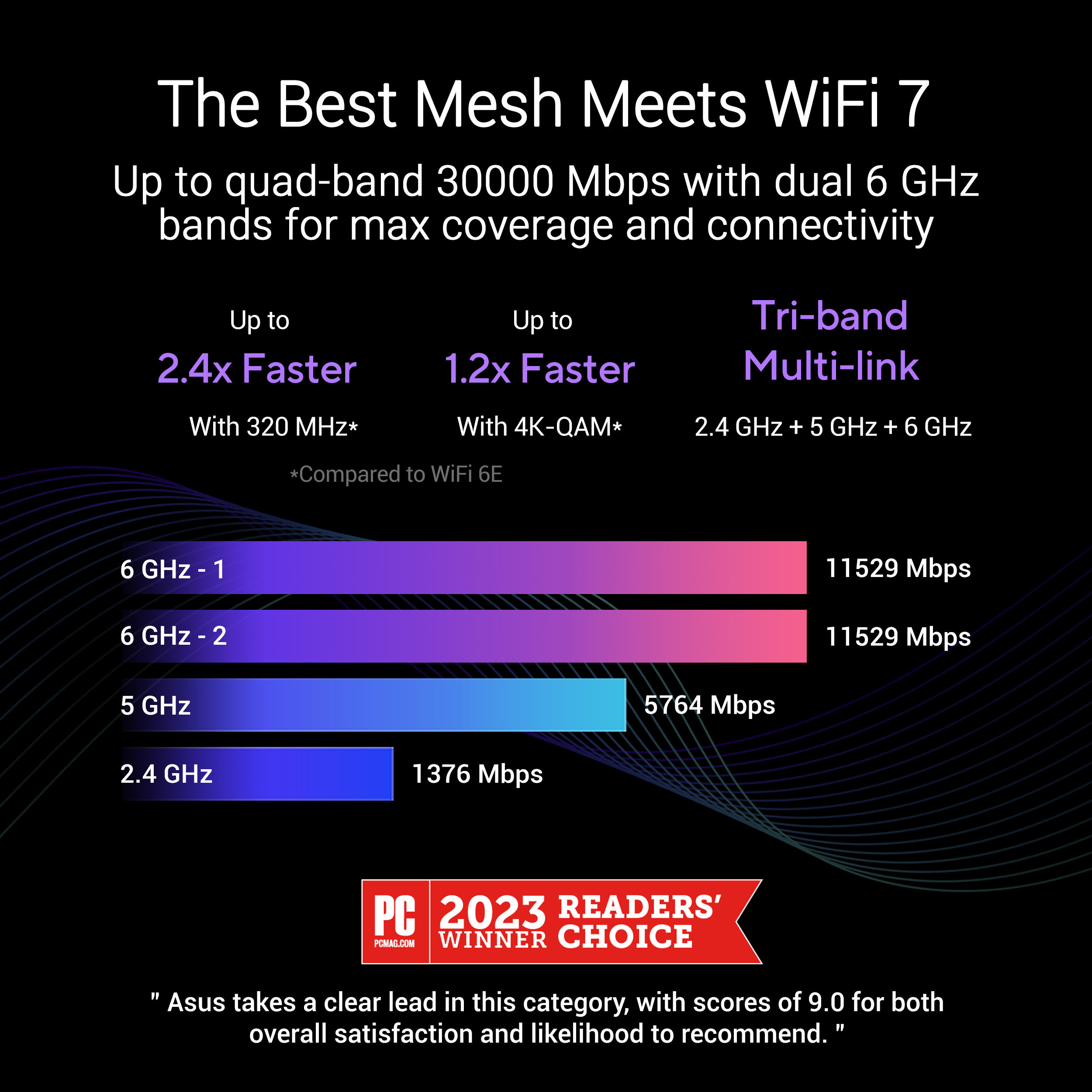
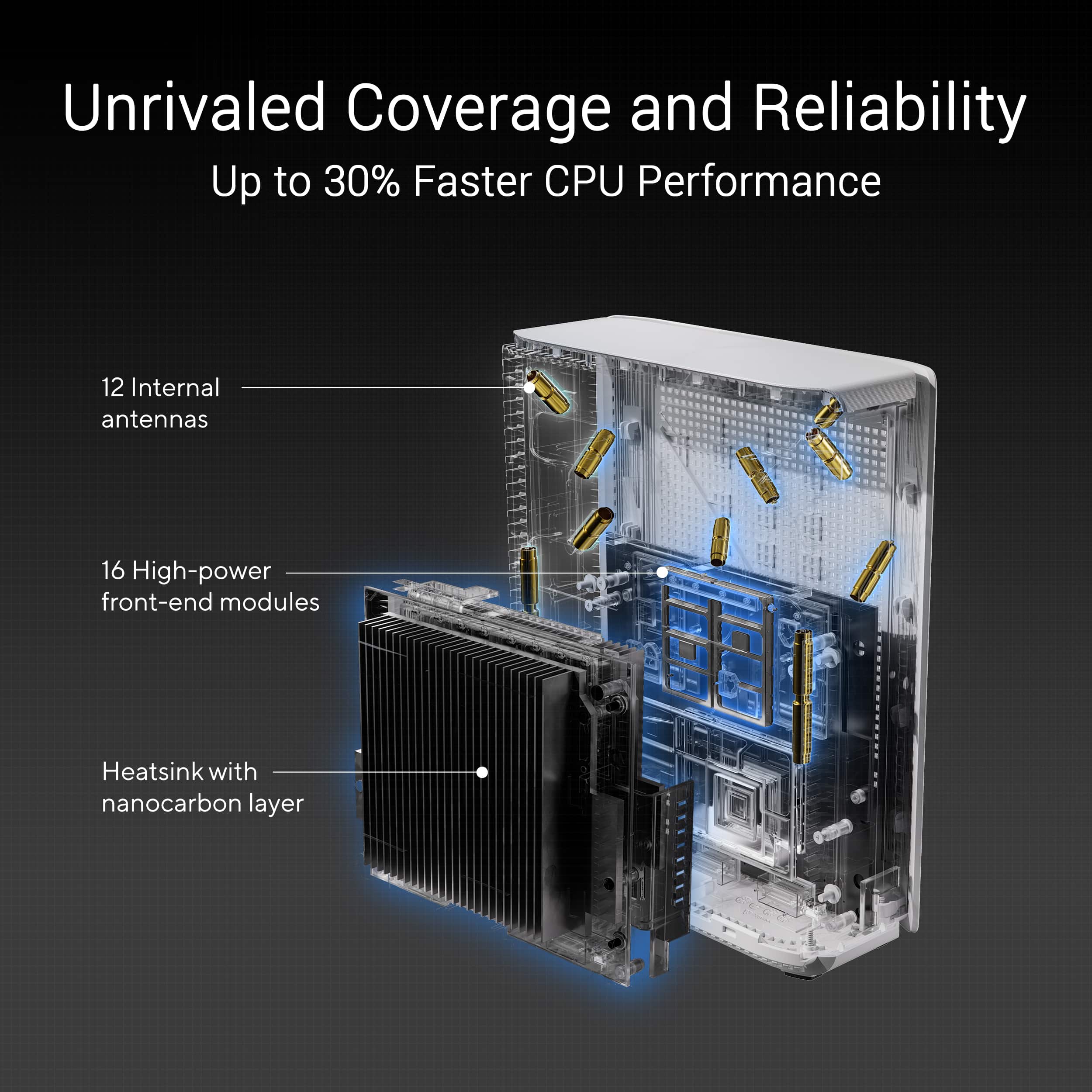
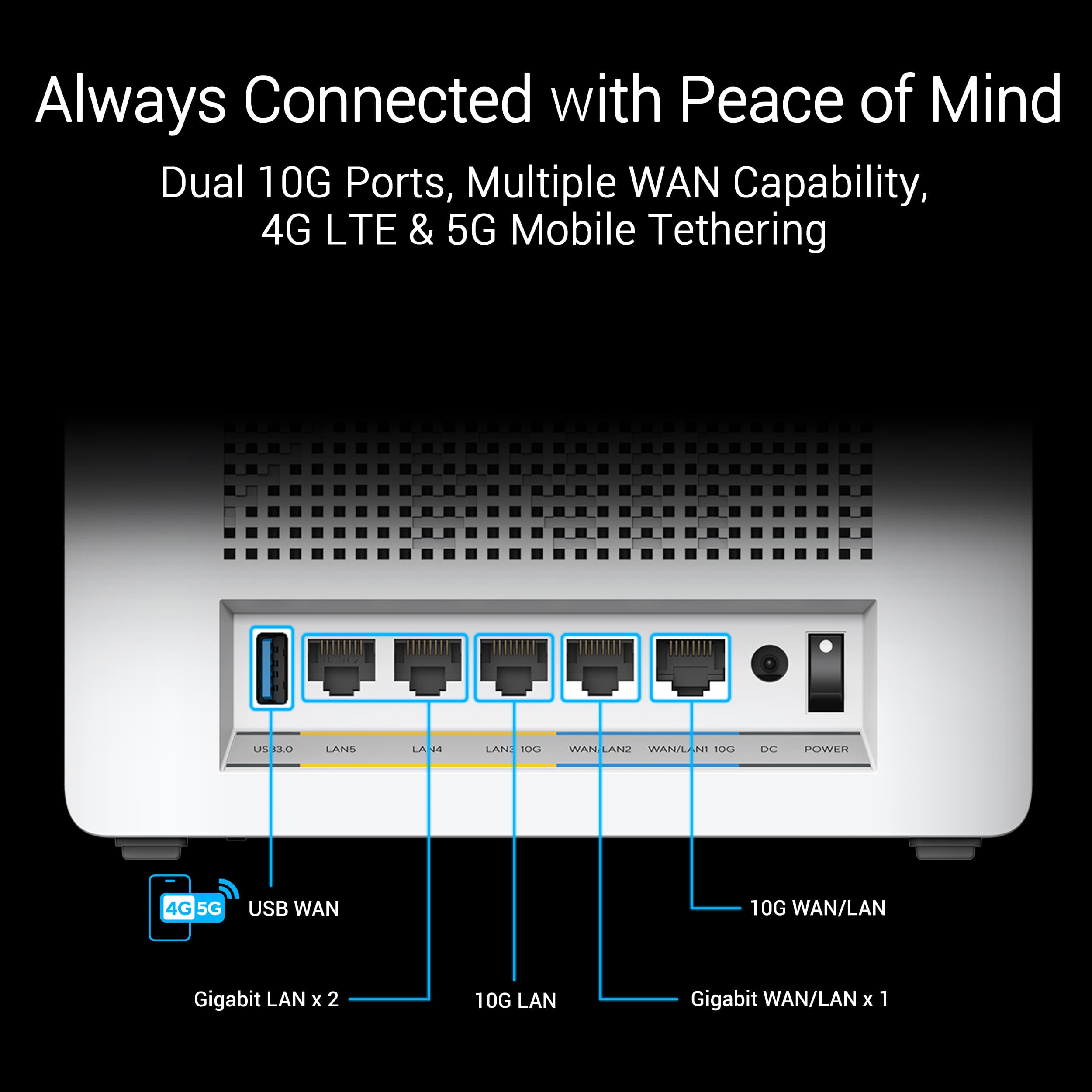
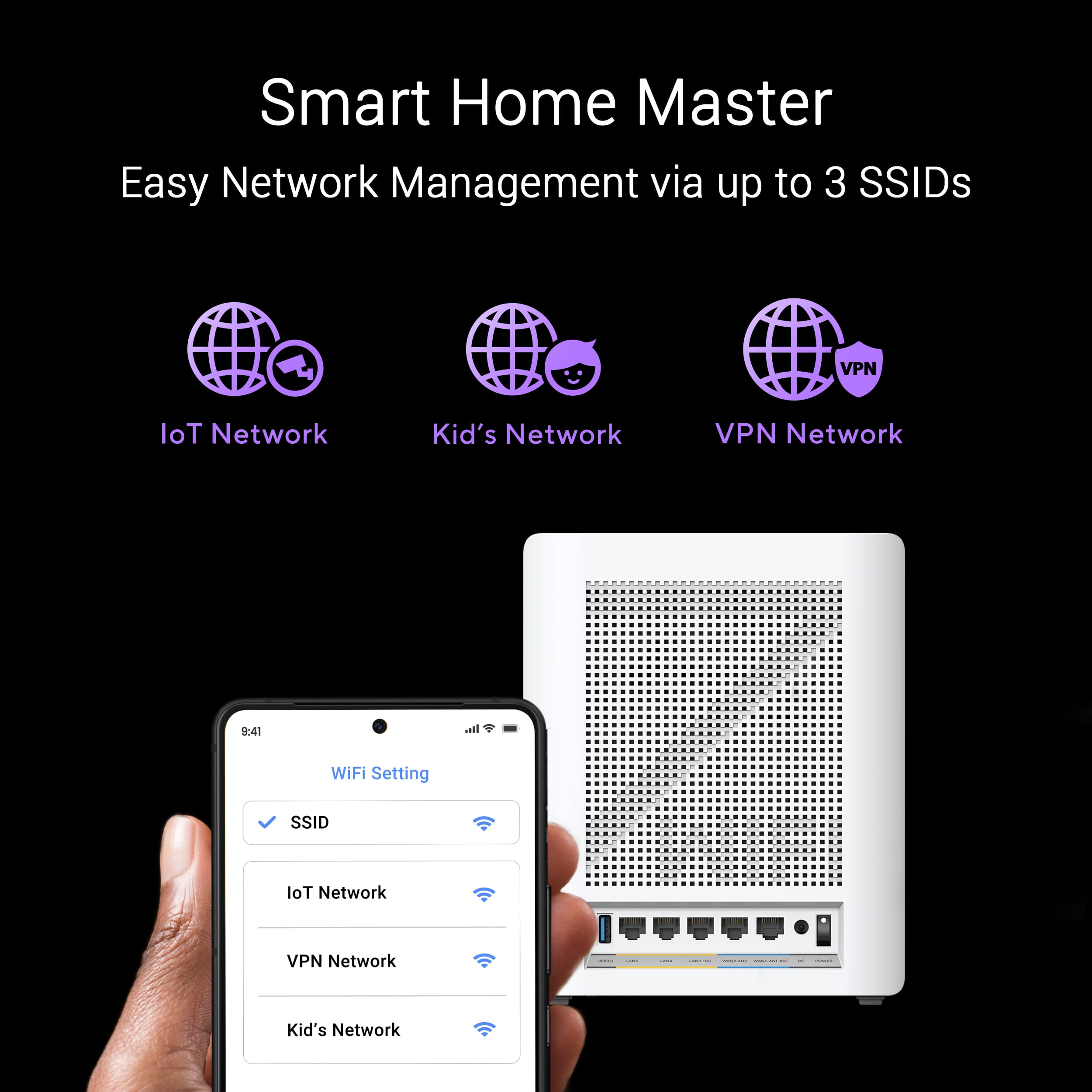
|Posted .This reviewer received promo considerations or sweepstakes entry for writing a review.The Asus ZenWiFi BE30000 offers the fastest and most powerful mesh router system that Asus currently offers, and for that it demands a premium in terms of price. However, for the last several weeks, I have been using it as my main router for my home and trying to understand if it is worth the price. WiFi 7 is one of the latest protocols out there, and to be honest it is not a giant leap like I've seen between WiFi 6 and 6E. The 6 GHz band introduced in the 6E is still carried over, as well as the legacy 2.4 and 5 GHz bands. Asus markets this as a “quad” band due to the fact that there can be 2 separate 6 GHz networks, and one 2.4 GHz and 5 GHz network each. The WiFi SSID is customizable, so all of them can be the same to make things easy (and make the client figure out which “network” to connect to automatically, or each can have its unique name which I used. Furthermore, there are some advanced options which I liked a lot; and that’s the availability to have not just a separate guest network, but also a wholly discrete network just for IOT. The mesh network has a dedicated 6 GHz backhaul, and 12 internal antennas and 16 high-power front-end modules reportedly can blanket a whopping 11,000 sq ft. area which is more than enough for my 2 storied home. After setting it up I was able to use all my devices seamlessly, and moving with my mobile devices was without any interruptions in connectivity. As for wired connectivity, each unit has two 10G ethernet ports (WAN and LAN) with a total of 2 WAN and 4 WAN ports. A USB 3.0 port expands the connectivity option further by adding support for 4G/5G wireless modem. From form factor and design standpoint, the 3 access points are not small, nor are they light. They are solidly built, have a bit of heft, and have a minimalist design - at least to my eyes. If I wanted to, I’d have to hide them proactively. Setting up is a mixed bag, at least to my experience. The first time I set it up, I didn’t tinker with anything and went with default in everything. I created just my core WiFi network, with a 2.4 GHz, 5 GHz and 6 GHz network sharing the same SSID. And I found it to work just fine with my smartphone, laptop, TV etc. However, since I needed a dedicated 2.4 GHz legacy network to get all my IoT devices online, I started from scratch and made some changes to the defaults - and voila: everything stopped working. I could see that the router is connected to the internet without any issue, but none of my WiFI4/5/6/7 capable devices could connect to the internet. But after resetting and setting up from scratch again, I was able to get things connected. There’s some compatibility issue with WPA2, WPA3 etc., but fortunately the Asus Router app makes taking care of all the intricacies very easy from my smartphone. There’s also a web interface when I wanted to get more in depth via my laptop, but that has been few and far between. So for the premium price Asus is delivering cutting edge WiFi connectivity and promising a future-proof solution. I hope the software/firmware gets more polished, and there's more wizard-like systems to make different customization easier to do. I haven’t seen any document that guarantees firmware security updates for a certain duration, but I hope Asus will support this for a long time. This mesh system, with all it’s bells and whistles, is not a must have for everyone, but if you’re an enthusiast like me and have tons to clients to take care of, this is the latest that can be had with WiFi 7.
I would recommend this to a friend - Pros mentioned:Coverage, Performance, Speed
Great Product - After Set-up Issues
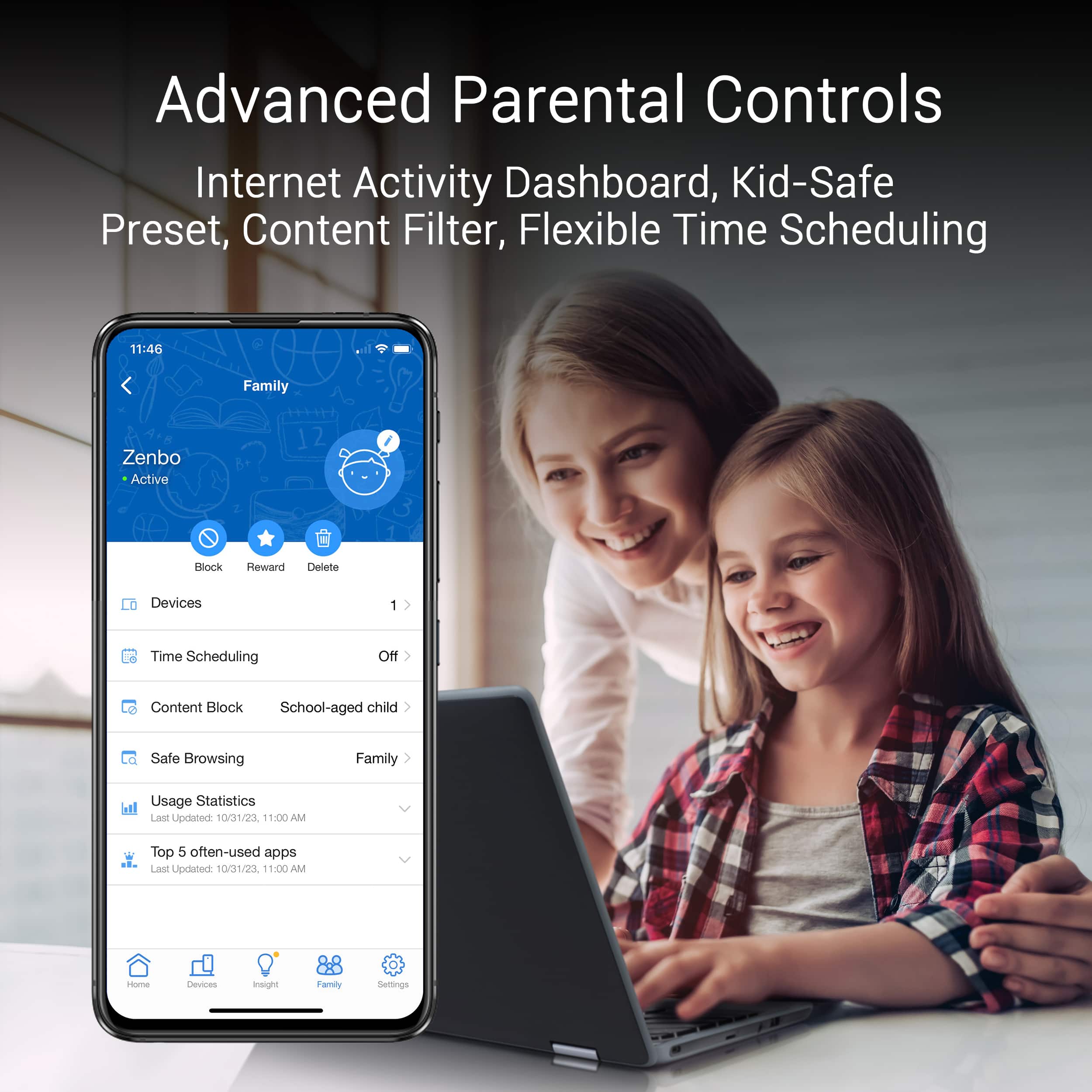
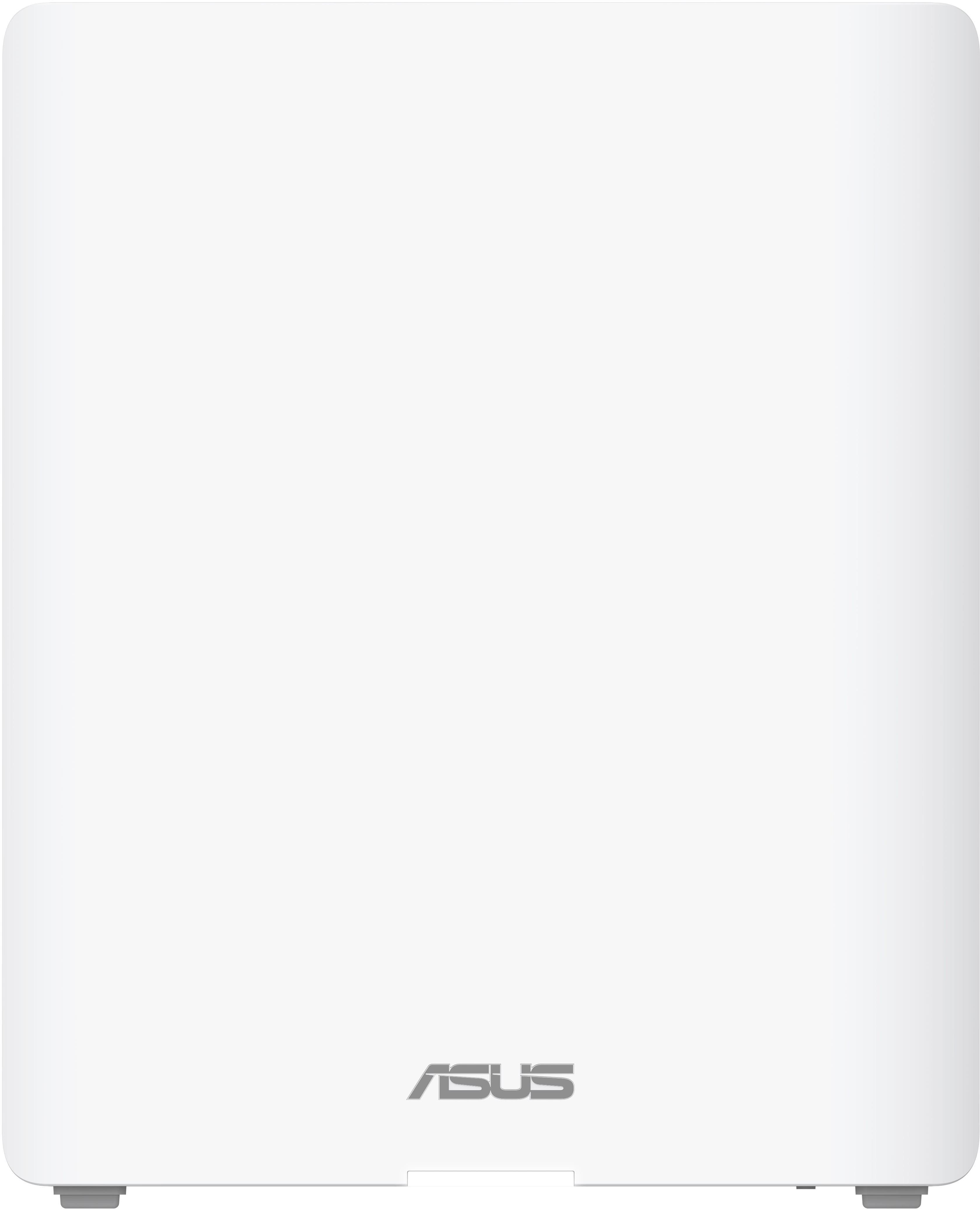
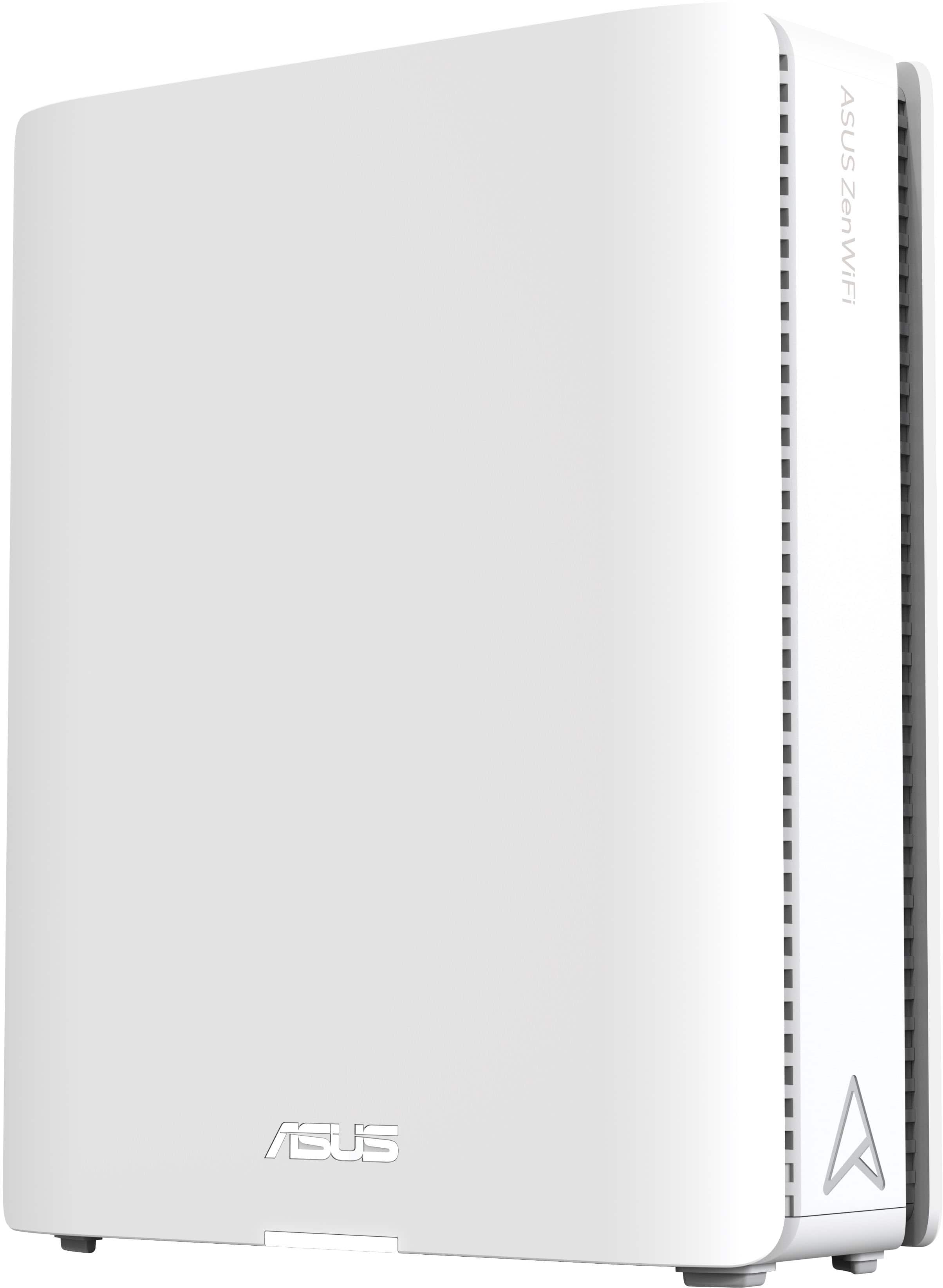
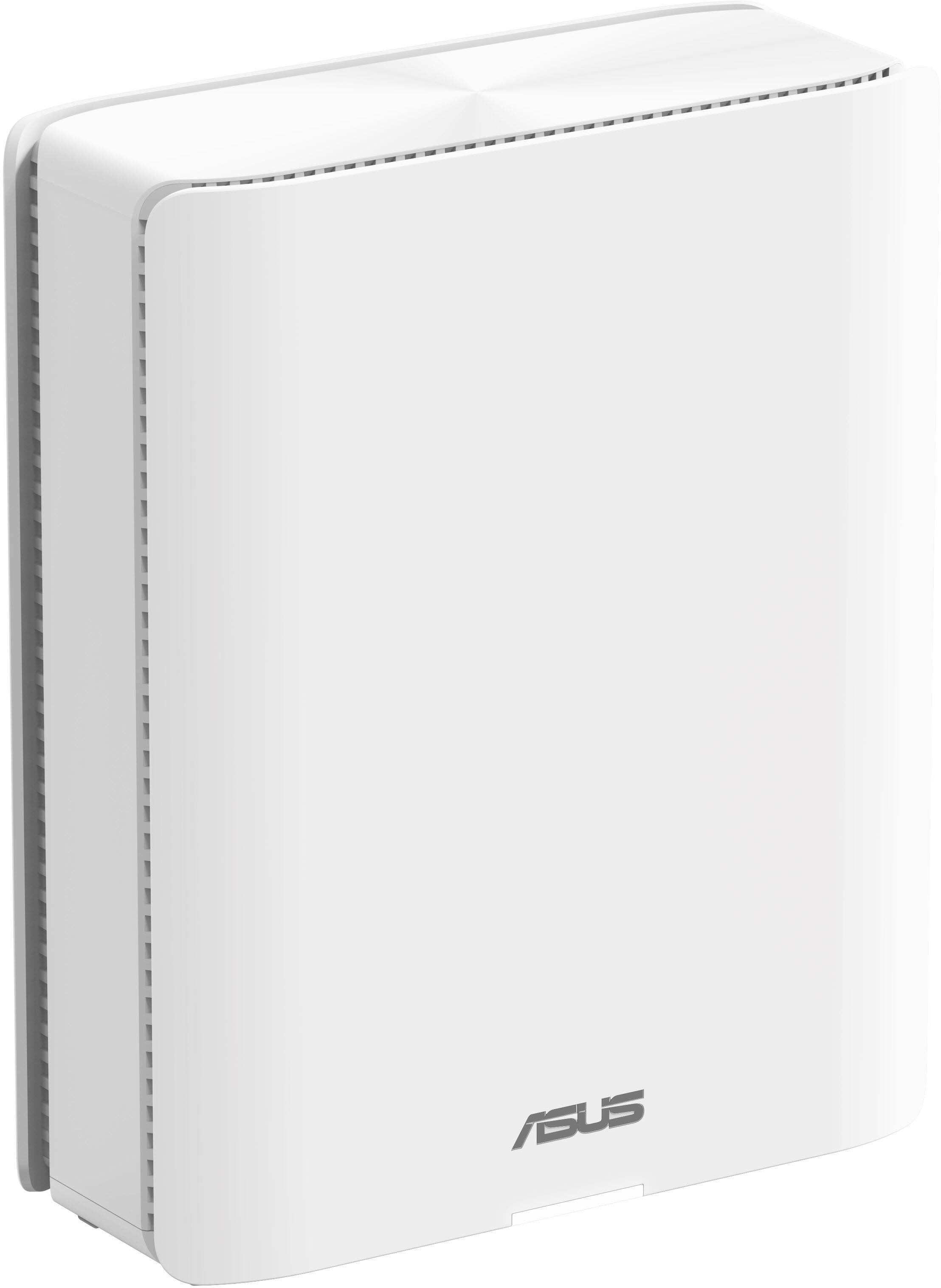
|Posted .This reviewer received promo considerations or sweepstakes entry for writing a review.I have had the opportunity now to test out this Asus Zen WIFI BQ16 BE 30000 three pack of mesh Wi-Fi system for approximately 6 full days and have had blazing fast speeds once it was set up correctly. My home internet provider is Google Fiber, the 1 GB plan which has always performed well for my smart home set up. Currently have approximately 80 devices connected and have never felt the need to upgrade to their 2GB, 5GB or 8GB services offered. This mesh Wi-Fi system is an upgrade from my google Wi-Fi mesh system provided by google fiber on sign up. This product offered by Asus is quite an upgrade to the latest Wi-Fi 7 capabilities with the 3-pack able to cover 11,000 square feet. Unboxing and set-up – The minimalistic packaging was quite welcome and pretty much all cardboard which can be recycled. The white units are larger than most mesh Wifi systems and the stark white color sticks out a bit if this is placed on darker furniture. I have set up numerous mesh systems for my own two homes as well as my business which normally would take about 15 minutes. Unfortunately, this set up was by far the most time-consuming process that required a 1 hour and 56-minute conversation with Asus tech support to get the primary router and 2 mesh nodes to communicate and recognize each other in a mesh system. The tech, who was wonderful, worked for Asus for many years and this was the first phone call about this product as it is so new. There was no new firmware to install so the set-up had nothing to do with updates needed. Just when he/we were about to give up, he tried one final reboot of all the units (which we did approximately 8 times during the 2-hour call) and the system was set up. Performance – Thankfully the system has remained stable and all three nodes connected. Using the Asus router app allows one to see all the devices on the network very easily and devices connected to each node. Diagnostic speed tests are also available on the app which I found were similar to Ookla speed tests. Through the app, one can add family profiles based on age regarding how much access a child/teen can have. I am downloading wirelessly at 869 mbps and uploading at 852 mbps which is approximately 3 times faster than my previous set up. Overall, I am very pleased with the performance of this system and should be future proof for some time to come. Features include: Smart Home Master Network, Subscription-free Network Security, Advanced Parental Controls, VPN, Dual 10G port, AiMesh. My only wishes for this product are that I wish it came in black as the larger than average white nodes stick out starkly on darker furniture as not many have white furniture and the set-up process will hopefully be ironed out as it was quite a frustrating. Performance however is going to be hard to beat. I feel Asus has a winner with this product!
I would recommend this to a friend - Pros mentioned:Performance, Speed
Top of the Line
|Posted .This reviewer received promo considerations or sweepstakes entry for writing a review.Setup of the WiFi router was easy enough. Asus has an app that walks you through the entire thing. One thing I didn’t realize when I was setting up my routers is that the setup wouldn’t work with only the main router plugged in—I had to plug in all three. Also, I had to restart my modem and router in order to get an internet signal to the router. In terms of internet speeds, this is by far the fastest speeds I’ve gotten from a WiFi router. I think it can be attributed to a number of factors. First, the new WiFi 7 standard is super fast. Next, a quad band (with dual 6 ghz bands) results in less interference from other devices. Also multi link operation, or ability to transfer data on multiple bands simultaneously, I think contributes a lot to it as well. According to the speedtest i ran, I’m getting about 95% of my ISP’s claimed speed via WiFi. Performance has been great on the main router and the auxiliary mesh routers. According to the product listing, each of these routers has 12 built in antennas sending signals in different directions. On top of the performance, Asus bundled in some great features. One great feature is the ability to create network segmentation to have multiple points of connection available. During setup, mine defaulted to creating a separate connection point for all of my Internet of things devices, which I appreciate because they don’t need the same performance as something like a computer or gaming device. Another convenient feature is the ability to use your phone’s 4g/5g connection as a backup internet source if your regular provider goes down. Last but not least, the router includes security features that aren’t locked behind a paid subscription which is greatly appreciated. If you are looking for the top of the line routers and have a large space, this three pack is a great option.
I would recommend this to a friend - Pros mentioned:Performance, SpeedCons mentioned:Price
Excellent Router With All The Coverage and Speed
|Posted .This reviewer received promo considerations or sweepstakes entry for writing a review.I've been having coverage issues is my router, so I wanted to see if this ASUS mesh would solve it. I also wanted to see the speed of WiFi 7. The setup process was incredibly simple using the ASUS app and connecting to the modem. After setup, all satellites were connected with solid white LEDs. The app itself is intuitive, offering features like device management and port usage monitoring, making it easy to keep track of the network. I was able to put the satellites in the spots that I always wanted to and they worked fine. I could not do this with my previous routers, I guess backhaul connection works really well. There are no more weak spots in my home. I always create multiple SSIDs for smart home, gaming, and work. I liked VPN network a lot, It will still take me a little more time to decide if I should stop using the free VPN software that I've been using. That also goes for the AiProtection security. Also, the router's design is sleek, and the units feel sturdy. While the BE30000 is on the expensive side, its performance and future-proofing capabilities are undeniable. With WiFi 7, 10 Gig ports, and advanced features, it's a perfect fit for anyone seeking a reliable, high-speed, and stable home network. This system is ideal for home offices, entertainment, and general use, and I have no doubt it will continue to perform excellently for years. If you're looking for a top-tier mesh system that ensures great speeds and extensive coverage, the ASUS ZenWiFi BE30000 is a solid choice. I'm giving this five stars and would recommend to a friend.
I would recommend this to a friend - Pros mentioned:Coverage, Signal strength
Typical ASUS quality!
|Posted .This reviewer received promo considerations or sweepstakes entry for writing a review.In typical ASUS fashion, this MESH router has set the bar again for performance and quality. For anyone who has setup a router (especially a MESH router), it was straight up simple and took me only about 20 minutes. It would have taken less had I remembered that I have a lot of smart home devices that were setup on my old setup's name and until I changed the new setup to match that name, nothing would work unless I individually reprogrammed all of them. The GUI interface for setup and settings was extremely intuitive , again, especially for someone who has setup a router or two in the past. Coverage in my house and back yard is top notch , with signal strength almost never dropping below 80% of maximum, and transfer speeds between WiFi 7 - compatible computers going faster than I've ever seen! Zero dead spots As far as internet speeds go, I am well exceeding the speeds I am paying for - I pay for 400 MB, and am seeing 475+ The access points look like hard-cover books, so no worries about something ugly sitting in the room. Overally a fantastic offering from ASUS!
I would recommend this to a friend - Pros mentioned:Speed
Ample Potential in Theory but Lacking in Execution
|Posted .This reviewer received promo considerations or sweepstakes entry for writing a review.I have a two-story home with about 2,500 square feet. I have a 2 Gbps symmetrical fiber optic. I used the Asus BE30000 for a week or so now. I have 50+ Wi-Fi devices. My previous router, from another manufacturer, is an eight-year-old AC3000 Tri-band Wi-Fi mesh system. It worked well outside of a few hiccups over the year. It had consistently strong connections and good speeds. Even though the Asus BE30000 mesh Wi-Fi system is supposed to cover up to 11,000 square feet, the Asus BE30000 was the exact opposite of my old mesh system. It had unstable connections, bad logic when deciding which devices connect to which node, and much slower speeds than expected. Plus the BE30000 is also five times more expensive. I'd like to list the positives before I dig deeper into the negatives listed above. The BE30000 is a very nice-looking set of technology. The router and nodes are identical and have a nice, small footprint. I like that Asus chose white and didn't go with anything loud or add any extra LED lights. Speaking of which, the router and nodes have small indicator LED lights. They can be turned off completely if you like. I don't know if it's the design but the nodes do get pretty hot, hotter than any router I've used. The hardware specs are great on paper. A fast process and lots of RAM. The connection options are excellent. The router and nodes each have one 10Gbps Ethernet WAN/LAN port, one 10Gbps Ethernet LAN port, and four 1GBps ports. The ZenWiFi's 10Gbps LAN port can be set up for use as an Ethernet backhaul. By connecting your three units via these high-bandwidth ports, you can establish a high-performance backhaul connection, leaving both 6GHz bands completely open for communicating with client devices. The system has a standard 2.4GHz and 5GHz WiFi connection, as well as two 6GHz bands (one is intended as a wireless backhaul if you go that route). The initial setup was easy using the Asus Router mobile app. It took me about 10-15 minutes. The default setup, which I think is the only way the app lets you set up the mesh system while using the wizard, is to have one SSID where the AI-enhanced AiMesh technology decides which devices connect to which band and which node they connect to. Post setup is where my issues started. I had to factory reset the system multiple times after following the setup on my iPhone app. Following the initial setup, the nodes never stayed connected to the main router. Over the week of troubleshooting, the LED lights mentioned before were annoyingly switching from yellow to flashing blue. A yellow light indicates a weak connection between the main router and the nodes, while a blue flashing light means the node is attempting to connect to a node or main router. I assume this is what steered the majority of devices to connect to the main router. The main router would end up with 80% of devices connected to it, 5-6 devices connected to the node hard wired to the router, and nothing connected to the node upstairs. Mind you the node upstairs is at the top of the stairs with a direct line of sight to node two, in the living room. The two nodes are only about 45 feet away. I tried accessing the web configuration interface at https://asusrouter.com but was never able to connect. It may be a Google Chrome certificate issue, being that I have the same problem with my original non-Asus mesh router. I have to try a different browser at some point. I gave up after several hours of troubleshooting the from the mobile app. Granted I got okay speeds when I was closer to the main router, but it would dramatically fall off after walking only a few feet. I could not fix my issues no matter what settings I changed or how many reboots and factory resets I performed. I reached out to Asus support and they got back to me five days later. Well, they stated that they sent me a reply after I followed up a second time but I don't have the original reply they're referencing. At that point, I was done troubleshooting and reviewing the Asus BE30000. I will give it another try eventually and start from scratch. But I'm not looking forward to it and I don't know if it will be worth it considering that I get the same speed with my non-Asus mesh system that's eight years old. The light at the end of the tunnel is that all the problems can be solved with firmware updates. Hopefully Asus comes through and fixes it soon because this system is expensive. Update: Asus released a firmware update about three week after I received the system for review. It did things quite a bit with the third node disconnecting from the second node. I no longer have the flashing blue LED all the time. It may have helped that I manually set the 6MHz band as the back haul and specified which nodes should serve the back haul. The new firmware also helped a lot with the steering of Wi-Fi devices to the closet access point. I wish Asus would give you the option of setting the backhaul options during the wizard setup. It does have an optimization feature that's easily accessible but I couldn't find any details on what it actually does.
No, I would not recommend this to a friendBrand response from ASUS Answers
Posted .Dear Valued Customer,
We sincerely apologize for the issues you've faced with the router and the inconvenience caused. This is not the kind of quality to expect from ASUS products and it's not the norm. At ASUS, we take quality control, testing, and inspections seriously to ensure our products meet high standards. What you've experienced was not intentional or representative of our brand. The decision to make a purchase can be important, and we want to ensure that our customers receive the best products and services. We understand the impression this may have created and we hope this will not be a long-term lasting impression as you have chosen ASUS as a trusted brand for excellence. Providing our customers with a high level of satisfaction is our top priority, and we'll forward your feedback to our Product Team for review.
Please allow us to make your experience with ASUS a better one. To further investigate the problems you're experiencing or obtain assistance with getting the device repaired, we recommend contacting our support team at https://www.asus.com/us/support/CallUs.
We stand behind our products and continuously strive to improve our products and processes to achieve customer service excellence. For more information, email us at customerloyalty@asus.com and include the case number "N2406014589-0007" as a reference. We will do our best to resolve your case quickly. Your feedback is very important to us and enables us to improve our support channels. Thank you for choosing ASUS.
Best Regards,
Chantae
ASUS Customer Loyalty US Support
- Cons mentioned:Connectivity
Great for a big house, but plagued with issues.
|Posted .This reviewer received promo considerations or sweepstakes entry for writing a review.I wanted to upgrade my home network from a single unit router to a mesh network system so that I could have my base station where my internet connection comes in, while also having a way to connect my office on the second level of my townhome to ethernet and have better coverage. I have not had a great experience with the BQ16 – The initial set up was easy but if you are not app oriented, this device isn’t for you. There may be a way to set it up by ethernet cable and a laptop/computer, but I haven’t even got that far yet. My initial set up had issues, the satellite notes had weak signals and would lose connection to the base station CONSTANTLY, and any devices connected to the node were rendered disconnected from internet. Played around with some settings – there’s something to do with a 165ghz band and some sort of radar band – disable those and things got better. However, my connection through Discord was jacked up during voice calls – my friends would say I would get cut off mid- sentence and I would hear the call go out for a few seconds every thirty seconds. So, I took the system off and went back to my old router. A weekend later (and much research and looking through reddit), I tried again, with more knowledge as to what I was doing – and so I got the network set up and finally Discord was working correctly after additional adjustments. My problem was the MILO setting – I wanted ONE SSID, and no guest networks, no IOT networks, just one and done. Only to find out some Ring devices that only use 2.4ghz band couldn’t “see it” and subsequently couldn’t get them reconnected. And I think that was my final straw with this router mesh system. I noticed that devices all wanted to connect to the base station, and nothing would connect to the satellite nodes, and the nodes still had issues with connectivity and maintaining a link with the base station. I wanted to like this system. I loved the idea of having the ability to connect to ethernet ports throughout my home, but after the number of issues I have had, I permanently went back to my old router, as it was basically plug and play set up and I have -never- had any serious issues with it. Sorry Asus, maybe it’s me but I’m going to stick with my current router. I’ll give it another go in a different environment but for my home, this isn’t the answer.
No, I would not recommend this to a friendBrand response from ASUS Answers
Posted .Dear RAK9008,
Thank you for your comment and for sharing your experience with the router.
We do understand your disappointment and the inconvenience this may have caused if you are experiencing connection issues with the router using WIFI 7. Legacy devices, not supporting WIFI 7, may not work properly. If the router is running with an older firmware version, please install the latest version posted at: https://www.asus.com/us/networking-iot-servers/whole-home-mesh-wifi-system/zenwifi-wifi-systems/asus-zenwifi-be30000/helpdesk_bios?model2Name=ASUS-ZenWiFi-BE30000. If you need further assistance, please email me at cl-rodel@asus.com and I would be happy to help. Or, you are most welcome to call Product Support Hotline at: 1(888) 678-3688. Also, you can chat with an ASUS live support agent from the link: https://www.asus.com/us/support/article/1135/.
Thank you for choosing an ASUS product.
Regards,
Rodel
ASUS Customer Loyalty