Customer Ratings & Reviews
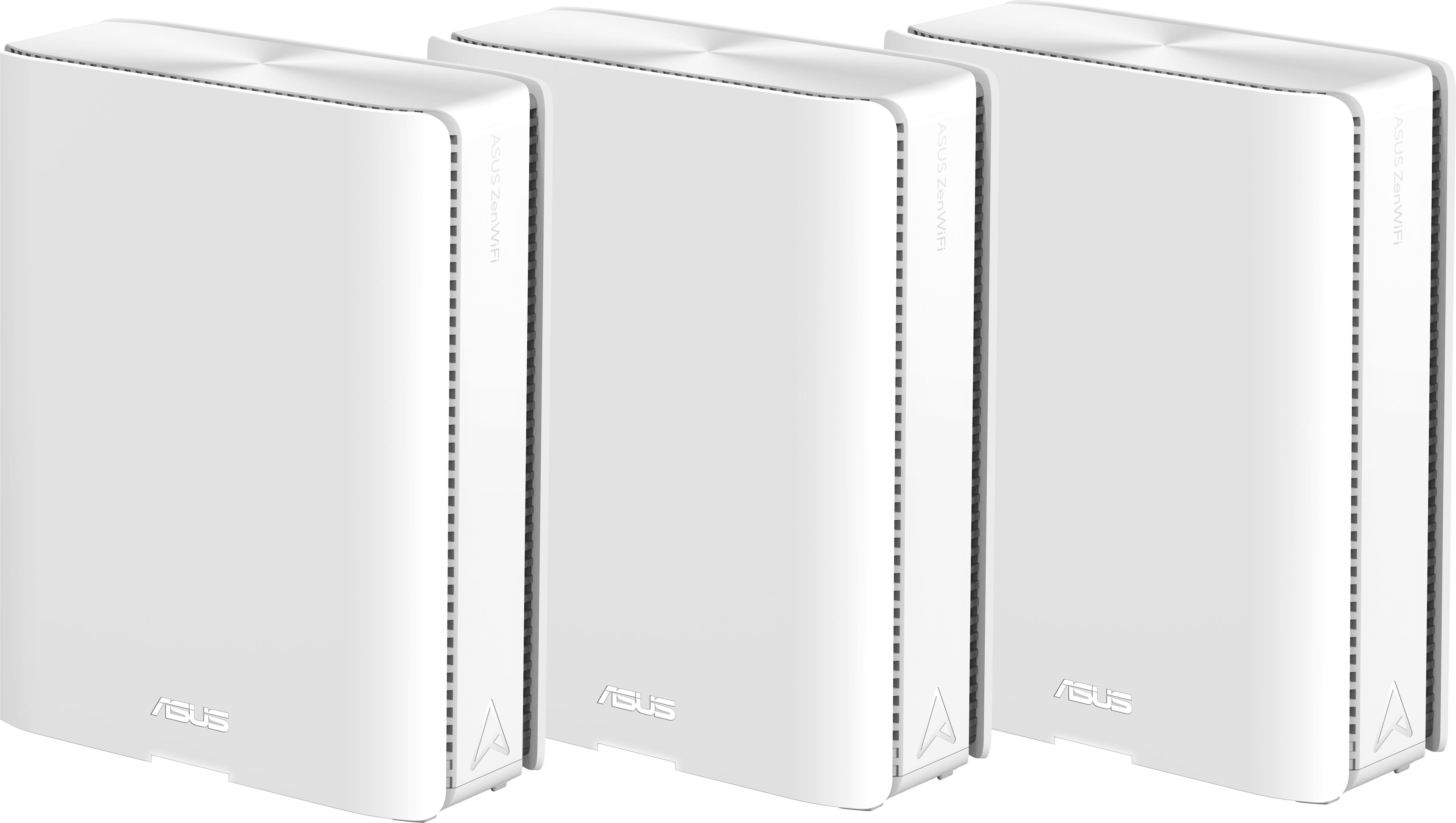



- Model:
- ZenWiFi BE30000
- SKU:
- 6578392
Rating by feature
- Setup
Rating 3.6 out of 5 stars
- Range
Rating 4.3 out of 5 stars
- Signal Strength
Rating 4.3 out of 5 stars
Customers are saying
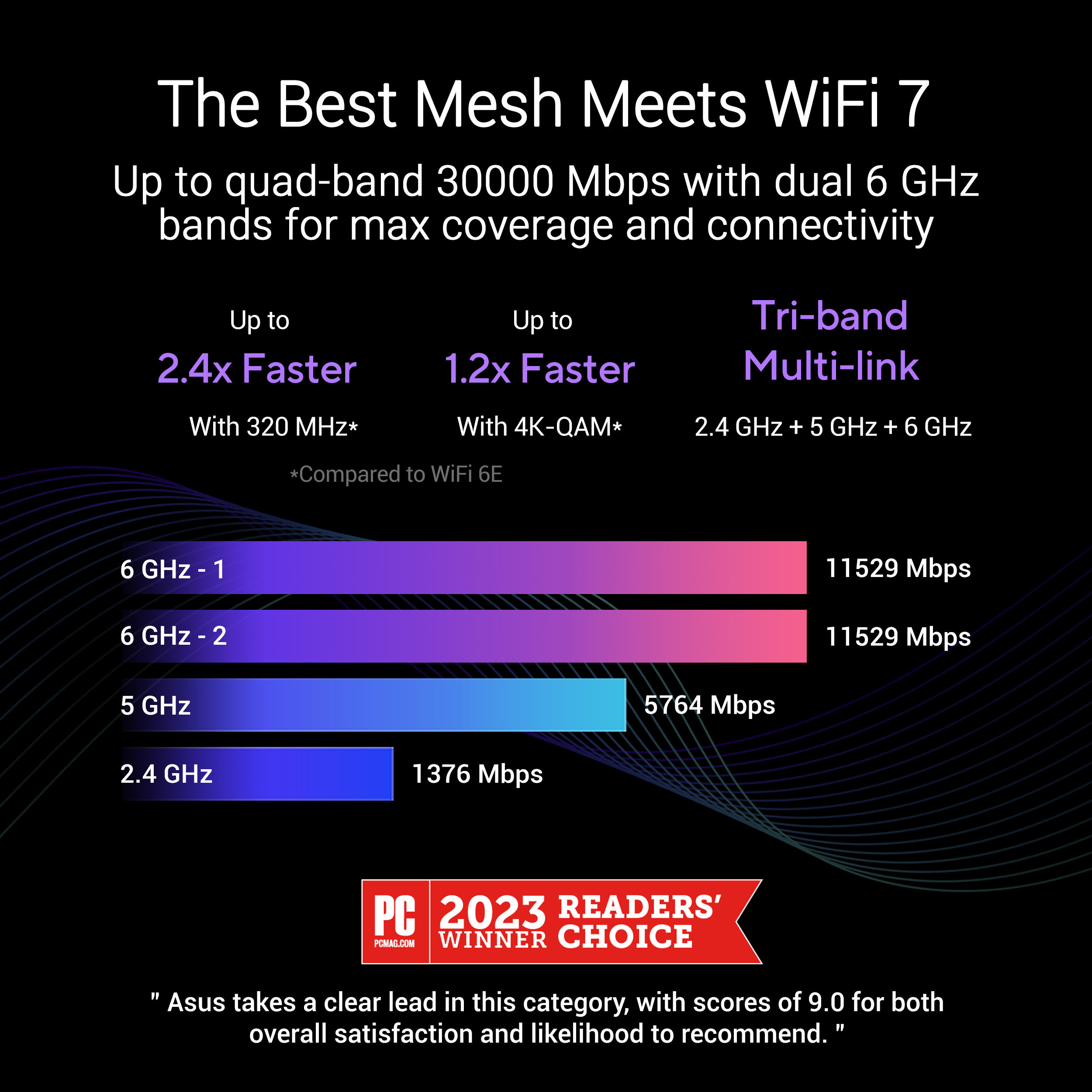
Customers recognize the ZenWiFi BE30000 Quad-Band Mesh Wi-Fi 7 System for its fast wireless speeds, amazing coverage, and strong signal strength. Many appreciate its performance and future-proofing capabilities, along with its extensive app features and inclusion of multiple VPN clients and servers. However, some customers have experienced connectivity issues with the nodes, and have found the initial setup to be difficult. A few also noted concerns about the high price.
This summary was generated by AI based on customer reviews.
- Pros mentioned:Coverage, Speed

What a blessing
|Posted .This reviewer received promo considerations or sweepstakes entry for writing a review.I got the ASUS ZenWiFi BE30000 wifi mesh system (3 pack) for our relatively small church. For too many years we were trying to survive with a 2-router wifi 6 system. As many churches found out during covid, there was a greater need to be able to broadcast services so people could stream them at home. We struggled with far too many signal drops and constant buffering. When that happens, you lose folk’s interest — and that’s a recipe for disaster for an already struggling small congregation. BUT — enter the ASUS ZenWiFi BE30000 !! Problem solved! First, going from 2 to 3 routers, AND having a system that is screaming fast and up-to-date technologically, we have negated the dropped signals and excessive buffering. In our office, throughout the entire church campus, actually, we can run multiple things at the same time — i.e., a zoom meeting in the social hall while broadcasting a worship service in the sanctuary. Awesome! Secondly, the church members are thrilled with the wifi speed they are experiencing on their personal devices. I’m not sure I quite understand the how’s and why’s of the ASUS BE30000, but to be able to do so much, all at the same time, is impressive. The setup was quite easy, and the app seemed relatively intuitive — easy to get up and going. Figuring out where to put each router was probably the most time consuming part of the whole process, and that’s just us ;-) Our church building (we only have one) is kind of L-shaped — the main sanctuary which tees into the offices, kitchen, and social hall…all single story. We placed them at the 3 points of the L, as best we could, and the coverage is amazing! Dare I say that the ASUS ZenWiFi BE30000 has been a blessing to us? Well, I guess I just did.
I would recommend this to a friend - Pros mentioned:Coverage
Good for coverage in tricky spots, very useful app
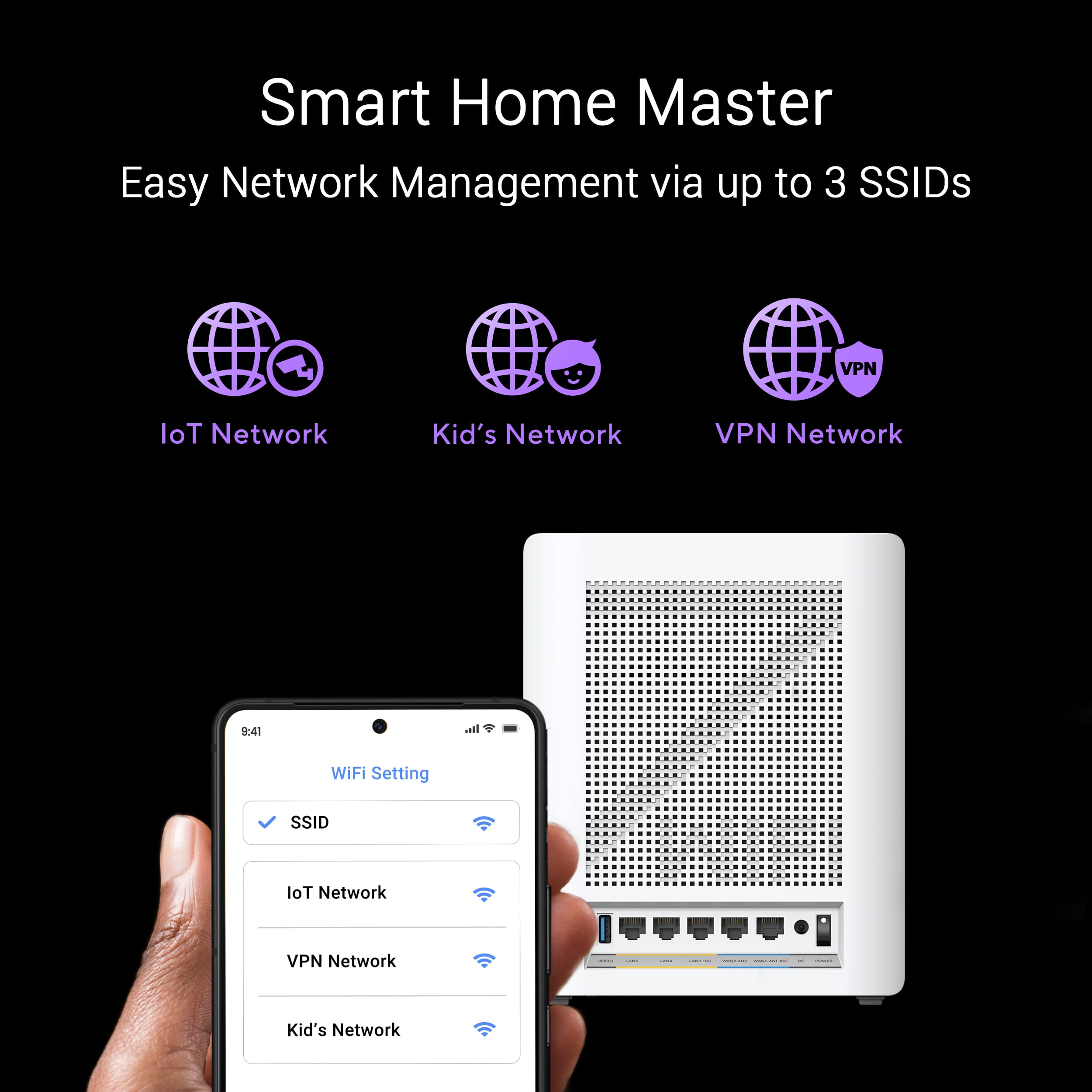
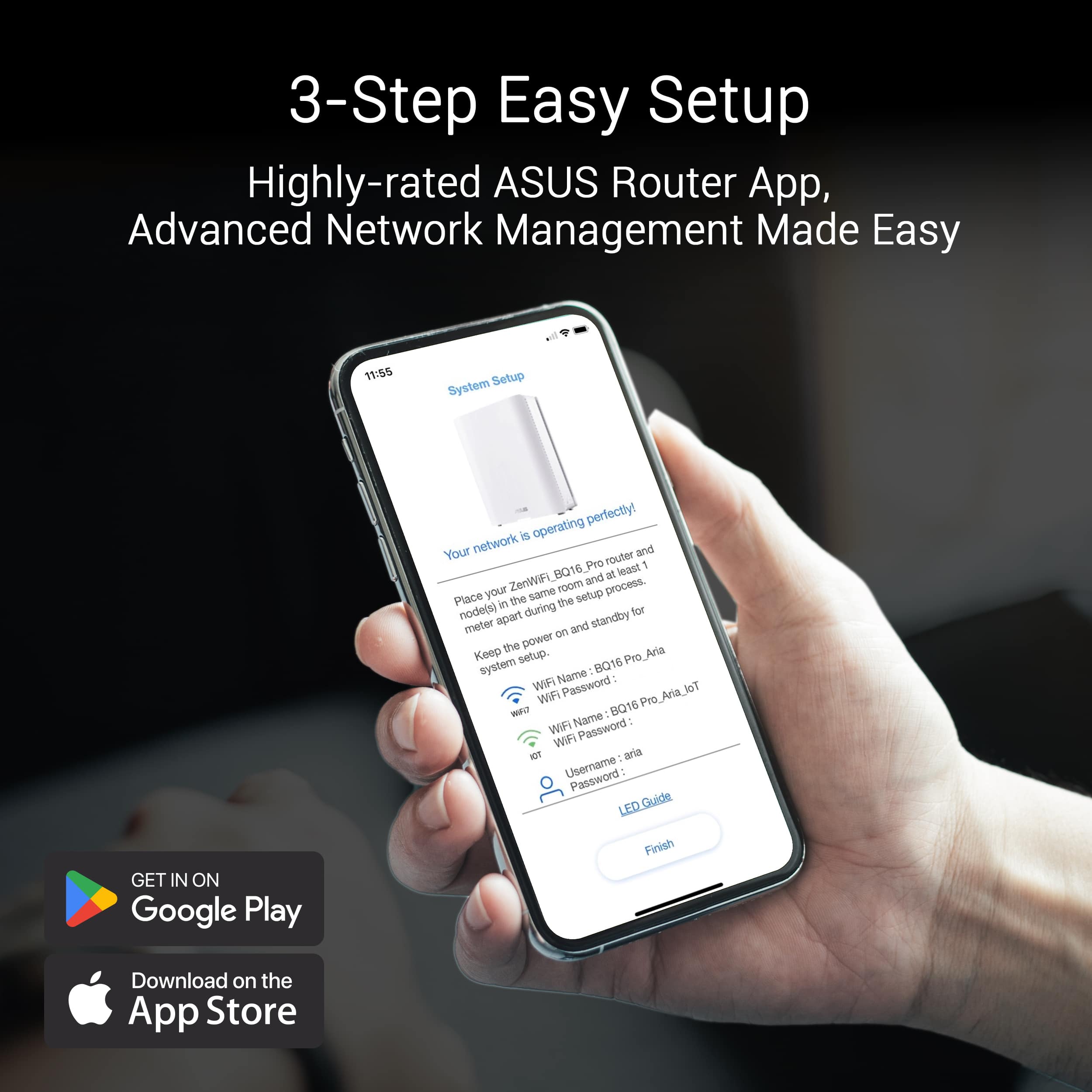
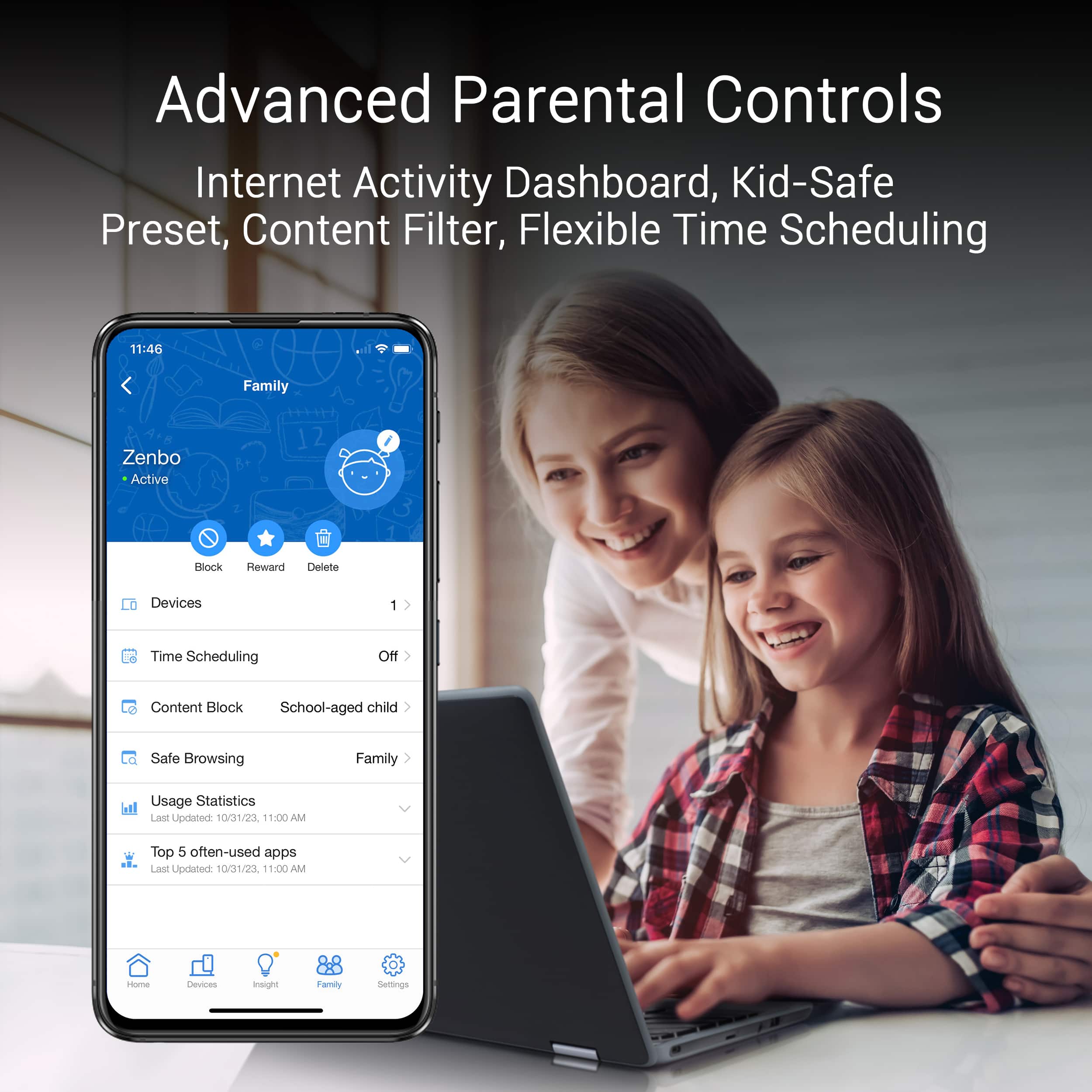
|Posted .This reviewer received promo considerations or sweepstakes entry for writing a review.My condo is a loft in a converted factory, made mostly of brick and concrete. The walls were done with metal studs. Even with the craziest cyber-spider looking router on the market, I was just not getting good coverage in certain areas, especially my bedroom. I had hoped that a mesh system would alleviate my coverage gaps. Setting up the Asus ZenWifi BE30000 was a breeze. I plugged it in, plugged in a CAT6 cable from my modem, and turned it on. From there, the setup was done completely with the app on my phone. Gone are the days of plugging in a laptop just to configure everything! And when I say the setup was done completely with the app, I mean the full on setup. I was able to easily add the satellite station, configure a 2.4 Ghz and a 5Ghz network, plus a mixed one for IoT devices that I have isolated from the rest of my network. Once I set my devices to point to the new wifi network, I was surprised at just how much control I had in the app. I could set up user profiles for my daughter, my wife, and myself, and assign devices to each of us. From there, I could set controls like ad blocking and content blocking based on each person's profile. To make sure my daughter isn't watching Youtube videos on her iPad when she's supposed to be sleeping, I was able to set blackout hours on all her devices. And of course, the main reason for getting a mesh system in the first place, the coverage. With a satellite station placed in my kitchen, adjacent to my bedroom and past the huge concrete pillar that blocks line of site to where the base station is, every device in my bedroom is now able to communicate properly, which is a must for all the home automation I have. I can't tell you how frustrating it had been to try and turn on the lights via voice command, only to get the computerized lady saying "I'm sorry, I can't reach that device at the moment". Those with a standalone VR device may get an added benefit by having one of the satellite stations be dedicated for communication between it and a gaming PC. This allows you to use programs to stream full PC games to your VR device without using cables, with very low latency. I did find that not all of my devices liked connecting to the new network, even devices that previously connected to the old 5ghz network on my previous router. This was mostly older devices, and they were able to connect to the IoT network just fine, so no real loss there.
I would recommend this to a friend - Pros mentioned:Coverage, Speed
Quad Band WiFi 7 (802.11be): The latest WiFi stand
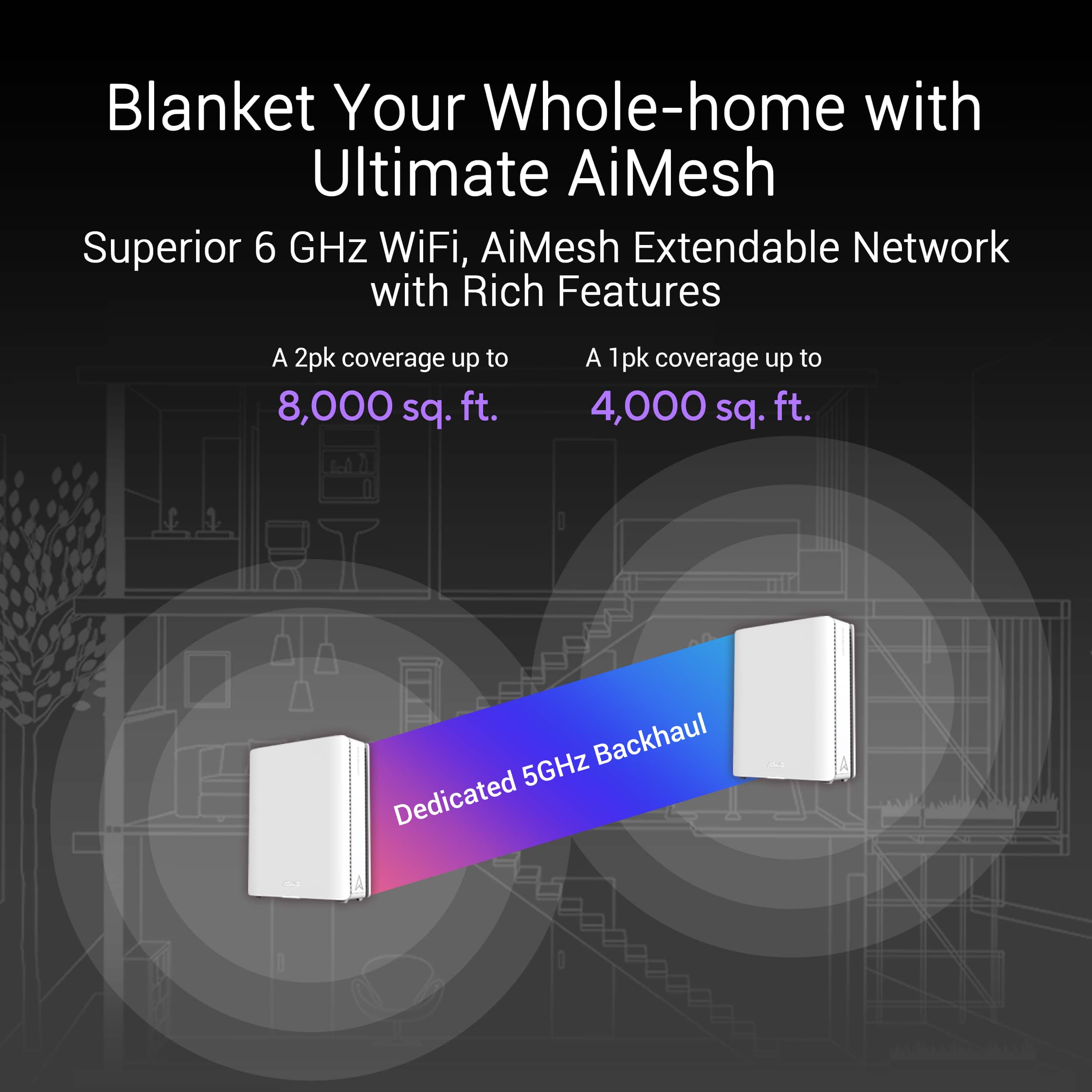
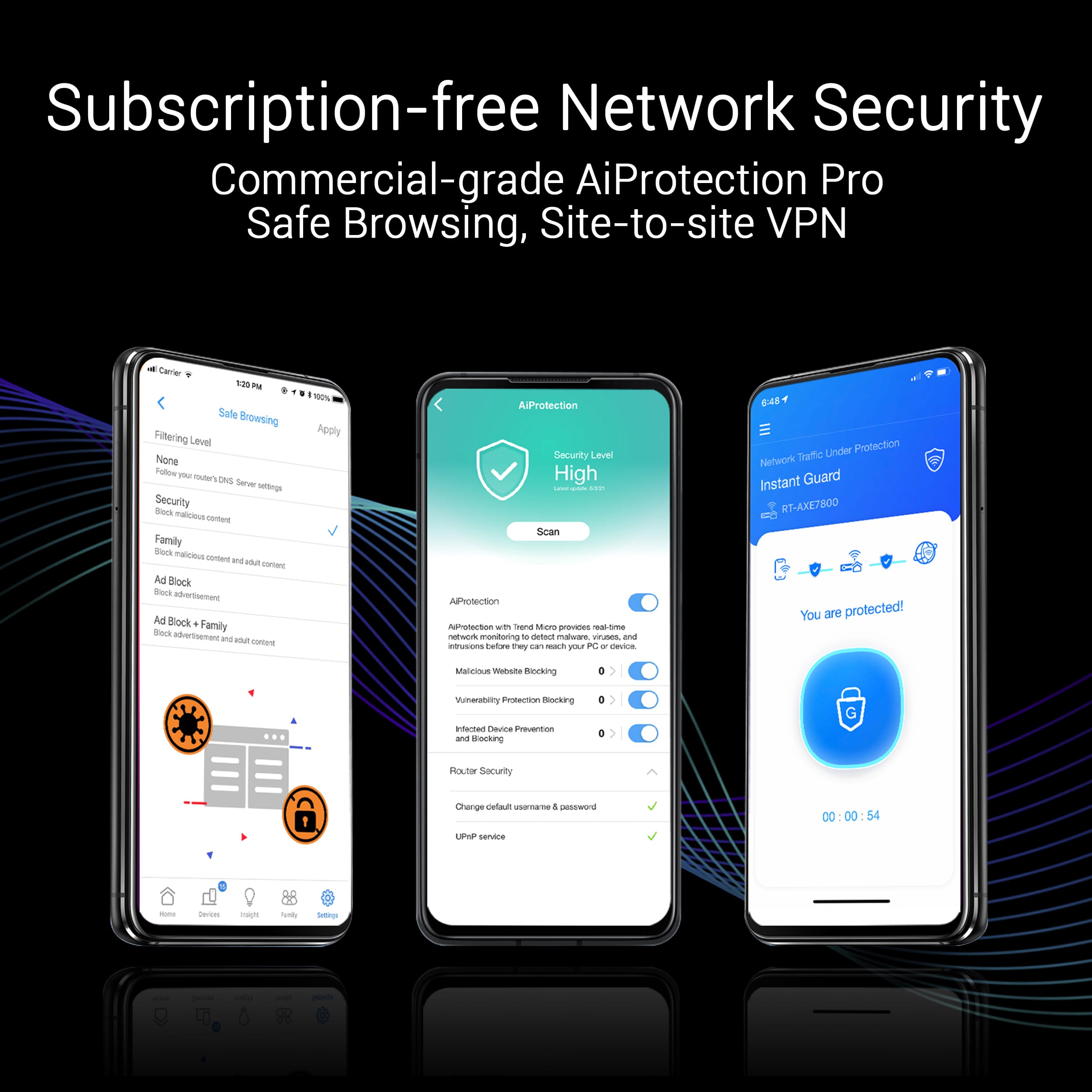
Posted .This reviewer received promo considerations or sweepstakes entry for writing a review.I recently upgraded to the BE30000 Quad Band WiFi 7 (802.11be) Mesh Router, and I'm blown away by its performance. This router has transformed my home network, providing seamless coverage and lightning-fast speeds. Key Features: 1. Quad Band WiFi 7 (802.11be): The latest WiFi standard delivers exceptional speeds and capacity. 2. Mesh Network: Easy setup and robust coverage ensure reliable connections throughout my 11,000 sq. ft. home. 3. Dual 10G Ports: Future-proofed for high-speed devices and applications. 4. Smart Home Master: Multi-SSID support for IoT devices, VPN, and parental controls provide peace of mind. 5. Subscription-free Network Security: Comprehensive protection without ongoing fees. 6. AiMesh, 4G & 5G Mobile Tethering: Advanced features for a flexible and reliable network. Performance: 1. Speed: WiFi 7 (802.11be) delivers blazing-fast speeds, effortlessly handling multiple 4K streams and online gaming. 2. Coverage: The mesh network provides a strong, consistent signal throughout my home, eliminating dead zones. 3. Reliability: The router has been rock-solid, with no dropped connections or downtime. Conclusion: The BE30000 Quad Band WiFi 7 (802.11be) Mesh Router is a game-changer for home networks. Its exceptional performance, robust features, and future-proof design make it an excellent investment for anyone seeking a reliable and fast network. I highly recommend this router to anyone looking to upgrade their home network. Rating: 5/5 stars Recommendation: If you're looking for a top-notch mesh router with the latest WiFi 7 technology, look no further than the BE30000.
I would recommend this to a friend - Pros mentioned:Speed
Most Advanced Router on the Market
|Posted .This reviewer received promo considerations or sweepstakes entry for writing a review.I've used a lot of routers over the years and this is by far the most Advanced system I've ever used. The feature set is beyond anything I've seen. Great mesh coverage, quad band, wifi 7, you can't beat these features. The coverage is beyond anything I've ever seen. Over 10k square feet of coverage means there is almost no limit to the size of house this will cover. In our 3k square foot house, with a very weird layout I usually get significant speed drops even just 20 feet from the room with the router, but with this set up I now get over 200 mbs in every room. Note my isp only provides up to 300. The software is also second to none, it auto switches between all the available bands and will seemlessly switch nodes. There is even a separate iot network to help with iot services that don't play well with quad band. Overall I have never had a mesh router that works perfectly workout having to occasionally ready but this Asus set up had worked for weeks without a single hiccup. If you want the best on the market, get this one.
I would recommend this to a friend - Pros mentioned:Coverage, Performance, Speed
Great Product, a Real Game-Changer!
Posted .This reviewer received promo considerations or sweepstakes entry for writing a review.Words cannot express how satisfied I am with the BE30000. From the moment I set it up, I was impressed with its exceptional performance. Every device in my house receives optimal speed. The connection remains stable and seamless. Additionally, the system's coverage is outstanding, reaching every corner of my home without any dead zones. This router truly exemplifies what a next-generation networking device should be.
I would recommend this to a friend - Pros mentioned:SpeedCons mentioned:Connectivity
Not Ready for Prime Time...Wait for Updates
Posted .This reviewer received promo considerations or sweepstakes entry for writing a review.My previous setup was the Asus GT-AX11000 as the main router with 2x Asus XT8 acting as nodes. This setup has been pretty awesome, but I was getting the itch to upgrade to Wifi 7. I was really excited to have this setup as the "gaming" features of Asus routers are gimmicky to me. I also do not like the look of a giant spider in my living room. So I was pretty excited to move to this Aimesh setup instead. As others have pointed out already, there are some serious bugs with this setup and if you're paying full price, after tax you're looking at almost spending $2000 for something that you are beta testing for Asus. This product should have never been released in it's current state, even with the latest updated firmware. The nodes constantly dropped out, including the main router. Half of my IoT devices were not able to connect to it despite using the same SSID I always use. I'm sorry but if someone like me who's pretty experienced with networking and technology is having major issues, then the average person is going to have an even worse time. I work from home and need a reliable network so within a few days of trying to get this setup to work, it got packed back up and returned to the store. I'm back to my old network again. The only pro I can say is that this made me realize that my old setup was not able to fully utilize my 1gbps connection. I would typically get between 500-700 MBps with the GT-AX11000 whereas this unit always got the full 1400 MBps speeds from Comcast.
No, I would not recommend this to a friendBrand response from ASUS Answers
Posted .Dear Rezerrected,
Thank you for your comment and for sharing your experience with the Mesh router.
We do understand your disappointment and the inconvenience this may have caused if you are experiencing connection and stability issues with the router.
When you are experiencing connection issue, please verify if devices connecting to the router are working properly and within range to the router, the router and nodes are within 30 feet to the ISP's modem, if not wired by a network cable, and ISP's internet service or connection is working properly or stable. Legacy devices may not work with WIFI 7. Please try to connect these devices manually to a 2.4GHz or 5GHz frequency. Also, when connection issues occurs, please check if the LED status light on the routers, including the modem are showing a stable connection. If the router is running with an older firmware version, please install the latest version posted at: https://www.asus.com/us/networking-iot-servers/whole-home-mesh-wifi-system/zenwifi-wifi-systems/asus-zenwifi-be30000/helpdesk_bios?model2Name=ASUS-ZenWiFi-BE30000. If you need further assistance, please email me at cl-rodel@asus.com and I would be happy to help. Or, you are most welcome to call Product Support Hotline at: 1(888) 678-3688. Also, you can chat with an ASUS live support agent from the link: https://www.asus.com/us/support/article/1135/.
Thank you for choosing an ASUS product.
Regards,
Rodel
ASUS Customer Loyalty
- Pros mentioned:Speed
Terrible Setup, Great Afterwards
|Posted .This reviewer received promo considerations or sweepstakes entry for writing a review.With the newest iteration of the ZenWifi series, Asus has joined the competition of high end mesh wifi 7 systems. There is a lot to discuss about this router, and it can best described as "it's complicated." Before getting a chance to experience how good this mesh system actually is, you have to pass the trial of getting it set up. This was one of the most frustrating router setup procedure I have ever endured. To start, the instructions provided were not complete. Well more accurately, the important pieces were not provided right off the bat. When you first open the box, you are greeted with setup instructions that tell you to download the application. Easy enough, just follow the directions... except the qr code to connect to the router does not work so you have to use the manual process. And it also does not tell you that you have to wait for the light to be solid green before proceeding. And it also does not tell you to plug in the other nodes as it immediately tries to find them at the end. And it also does not tell you that you have to set them up in the same room at least one meter apart. This is not the worst part, because even after you follow everything perfectly, the nodes do not stay connected. An entire night was spend, tweaking separate settings to get the nodes to stop restarting and stay connected. It made absolutely no sense how no stable connection could be found even when they were in the same room as the main router. Even when there was connection for more than a minute, the 6Ghz backhaul was never used. What finally fixed this was to enable MLO, and because of that, I have not had any connection issue yet. There have been the occasional lapse to 5Ghz to my upstairs node, but it does go back to 6Ghz pretty quickly. It took two nights of debugging before this was finally set up they way it should be. Because of this experience, I am hesitant to adjust too many settings that would mess this up. So after all is said and done, the router is actually pretty excellent. The amount of configurability in their mobile app and webpage is incredible. Anything you can think of or want to do, it is basically there. You can set up as many networks of different band combinations as you want. You can configure how the combination bands work, and when they will select between 5Ghz or 6Ghz for example. You can even go as far as to upload your own firmware if needed. Really, there is no complaint once you pass the slog that is the setup process. The worst I have encountered is that a few devices dedicated to the 2.4Ghz band had trouble connecting, but after messing around and creating a dedicated network for it, it has been fine. Overall, my experience has been very mixed. On one hand, it has been a really reliable router and I am getting full fiber speeds wirelessly throughout my house. On the other hand, I was close to throwing in the towel during the setup process. At the moment, I cannot recommend this because it does not make any sense why MLO is needed for the nodes to be stable. If you want to take a chance at this, know that you will be rewarded at the end if you persevere.
No, I would not recommend this to a friend Nice Large Wi-Fi Coverage Area
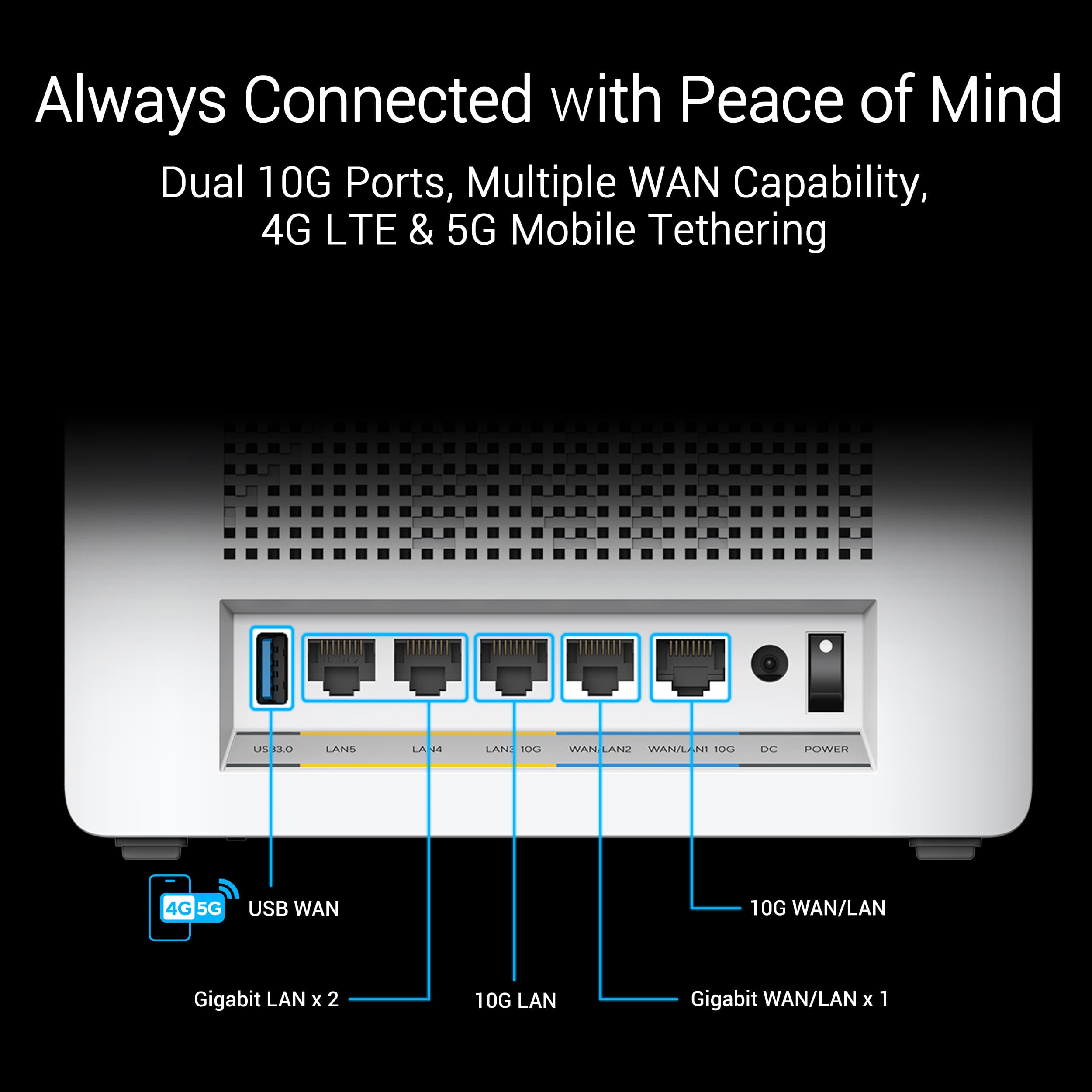
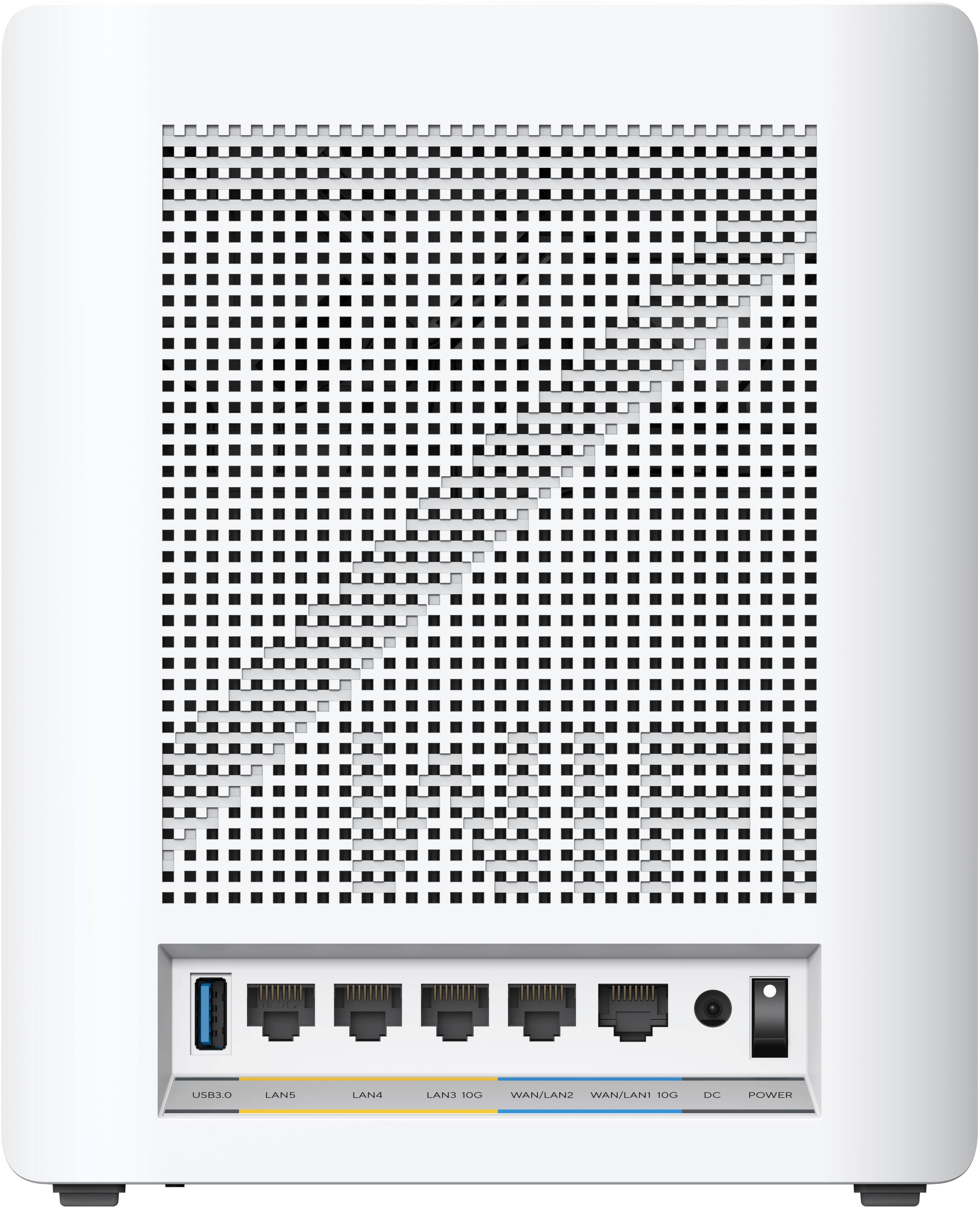
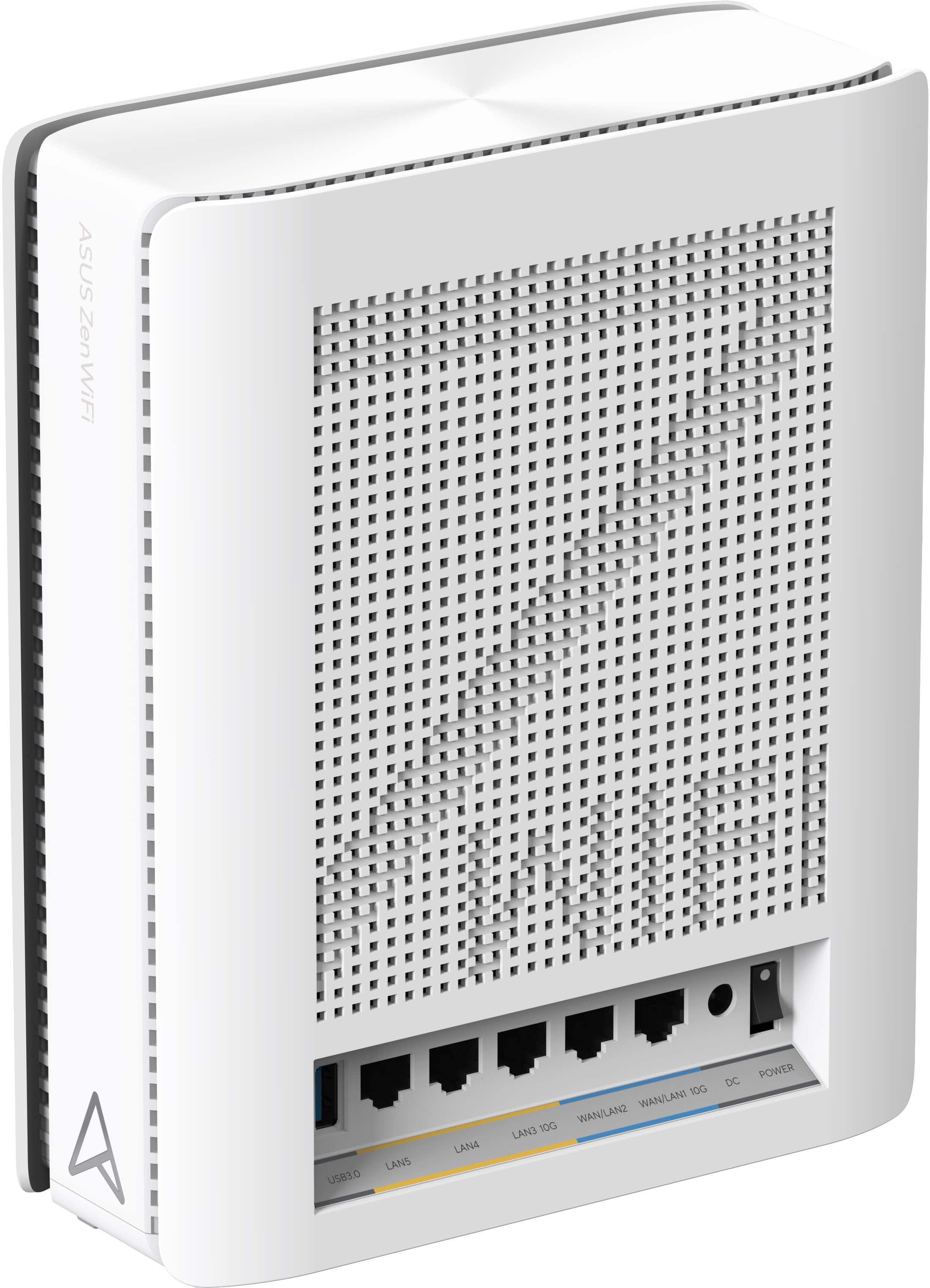
|Posted .This reviewer received promo considerations or sweepstakes entry for writing a review.I've been looking to upgrade my home network for awhile now since I have so many wired and wireless devices connecting to a single router in a 4600 square foot home with a basement, main level, and second floor. This system comes with a router and two additional wireless access points and one Cat 6 cable. I have an accesspoint on each floor, with the main unit in the basement with my multi-gig switch and home media server, and the other access points on each of the other floors. Thanks to the two 10G WAN/LAN connections I can connect to my switch and another 10G device, but the rest of the ports are only 1G. I would have liked to have at least one additional 10G WAN/LAN port, or at minimum an additional 2.5G WAN/LAN port. There is an app to assist with the initial setup, but I had some problems connecting to the main unit using the QR code on the device and had to opt for the manual setup instead. Then I couldn't get it to connect to the internet at first using the 1G WAN port and had to switch to use the 10G WAN/LAN port instead. While my modem does have a 2.5G port, I only have 800 mbps service so I hate to waste a 10G port on that. I believe I can change the port settings using the web portal since I was able to activate the 10G LAN port that way, but it would be nice if all the ports were turned on out of the box to aid with setup. The setup of the two additional wireless access points went without a hitch. While the app does come in handy it doesn't have nearly as many setup options as the web portal so if you start looking for a setting in the app and can't find it, you may need to log in via the routers web portal. The system is pretty customizable using the web portal and I was easily able to setup my DDNS and port-forwarding for my home media server, home cloud storage, webmin access, AdGuard server, remote printer access, and more. I was also able to reserve and change the IP addresses of my connected devices to meet my needs. With just the main router connected I was able to get the same strength wireless signal through my home that I had using my old router. With the two additional wireless access points that I have hardwired into the main router, I was able to expand my wireless coverage exponentially and I have no more weak signals anywhere in the house. My 6Ghz devices connect at 6Ghz, my 5Ghz devices connect at 5Ghz, and my 2.4Ghz devices connect at 2.4Ghz so I'm always able to get the fastest wireless speeds available to me on any particular device. Thanks to the Wi-Fi 7 standards (Backwards compatable with older versions) I ran into zero issues connecting all the devices in my home via Wi-Fi, and I had no slowdowns in transfer speeds when using multiple devices. And because my access points are using a wired backbone to the main router I can get much better performance than if I had used a wireless backbone. Overall I'm very happy with the system with my main complaints coming during the initial setup and with a lack of additional multi-gig ports. Even with my complaints, it's still an easy recommendation if you need coverage over a large area and you have a need for the 10G ports. It's a strong system that performs very well.
I would recommend this to a friend- Pros mentioned:Coverage
Cutting Edge, Not Ready
|Posted .This reviewer received promo considerations or sweepstakes entry for writing a review.The ASUS - ZenWiFi BE30000 WiFi 7 Quad-band Mesh Router (3-Pack) - White is a cutting edge mesh WiFi system with outstanding hardware specifications. Unfortunately for the time that I have used it, I felt like a beta tester. I am not new to setting up mesh WiFi systems having previously set up several Eero and Linksys systems. I have owned many ASUS products over the years including laptops, desktops, routers, etc. They are generally of high quality and can often be cutting edge. The ASUS BE30000 has cutting edge specifications but was impossible for me to setup with the current firmware. The BE30000 consists of three units, one (the router) is connected to the internet source and the other two basically become satellites. The overall system is intended to cover over 30000 square feet. Setup is supposed to be very easy. Simply plug the units in, download an app, and follow the instructions in the app. Unfortunately, I was never able to get the satellites to connect to the router and when I tried to use the router alone, some of my devices such as laptops would not connect. Although the Asus BE3000 seems to have great potential, I would not recommend it in its current version.
No, I would not recommend this to a friendBrand response from ASUS Answers
Posted .Dear TheHodster,
Thank you for your comment and for sharing your experience with the Mesh router.
We do understand your disappointment and the inconvenience this may have caused if you are experiencing connection issues with the router. To resolve the issue, please verify if devices connecting to the router are working properly and within range to the router, the router and nodes are within 30 feet to the ISP's modem, if not wired by a network cable, and ISP's internet service or connection is working properly or stable. Also, when connection issues occurs, please check if the LED status light on the routers, including the modem are showing a stable connection. If the router is running with an older firmware version, please install the latest version posted at: https://www.asus.com/us/networking-iot-servers/whole-home-mesh-wifi-system/zenwifi-wifi-systems/asus-zenwifi-be30000/helpdesk_bios?model2Name=ASUS-ZenWiFi-BE30000. If you need further assistance, please email me at cl-rodel@asus.com and I would be happy to help. Or, you are most welcome to call Product Support Hotline at: 1(888) 678-3688. Also, you can chat with an ASUS live support agent from the link: https://www.asus.com/us/support/article/1135/.
Thank you for choosing an ASUS product.
Regards,
Rodel
ASUS Customer Loyalty
- Pros mentioned:SpeedCons mentioned:Firmware
Still buggy firmware….
Posted .This reviewer received promo considerations or sweepstakes entry for writing a review.Easy to set up but firmware still buggy as I have frequent disconnects from WIFI even though router is still connected to the internet. I have to either switch to the iOt network or temporarily shut of the wifi connection on my device and then reconnect. I came from the XD6 system which worked fine at the 1GB speed. I have latest firmware but Asus needs to get this fixed via firmware or I will return this as others have done. Many seem to have the same intermittent disconnect isdue if you google this model. Was hoping Asus would have corrected this after more than 6 months post launch.
No, I would not recommend this to a friendBrand response from ASUS Answers
Posted .Dear SteveC,
Thank you for your feedback.
We do understand your disappointment with the product and the inconvenience this may have caused if you are experiencing weak signal strength. To resolve the weak signal, place the routers in the center of the area you want to cover, avoid placing the router near metal objects, electronic devices or direct sunlight, position the router on a flat, hard surface and halfway between the floor and ceiling. Additionally, dense building materials, such as gypsum, concrete walls and planks can affect Wi-Fi signal penetration. Also, we recommend updating the Mesh router firmware if it is running with an older version. Firmware is available for download at: https://www.asus.com/us/networking-iot-servers/whole-home-mesh-wifi-system/zenwifi-wifi-systems/asus-zenwifi-be30000/helpdesk_bios?model2Name=ASUS-ZenWiFi-BE30000 .
Furthermore, legacy devices may not work properly with WIFI-6e or WIFI-7, please check updates for these devices. Also, try connecting this manually to either 2.4GHz or 5GHz.
Should you need further assistance with the product, please email me at cl-rodel@asus.com and I would be more than happy to help. Or you are most welcome to call Product Support Hotline at: 1(888) 678-3688. Also, you can chat with an ASUS live support agent from the link: https://www.asus.com/us/support/article/1135/.
Thank you for choosing an ASUS product.
Rodel
ASUS Customer Loyalty
Not Ready For Prime Time
|Posted .This reviewer received promo considerations or sweepstakes entry for writing a review.The simple review - Don't waste your money. After struggling with this system for two weeks, I've finally said, this system is just not ready for use. SETUP Really simple, or at least it appeared that way. Make this work with any device built before 2020, and the pain becomes extreme. IN USE For any device that actually connects and works with this system, the router is incredible. Connection speeds are over the top. On my Apple TV, every streaming service buffers minutes of content - it acts like it is wired to the router. For devices that require the "legacy" (meaning not WPA3 compatible), prepare for long pain and suffering of configuring your devices - including reseting them to factory. And even then, after router restarts, some devices refuse to reconnect. RANGE Mesh nodes are unreliable (I have one node 3 feet from the base and wired to the base; it shows poor connectivity). Slightly longer set of details. I replaced an ASUS WiFi 6 set of three routers (a fairly powerful base, and two slightly less powerful ASUS routers set as mesh nodes). Meaning, I am very familiar with and love Asus routers and their configuration. I placed the new system in exactly the same place as the old. The new mesh nodes were never able to stay connected. 12 of my 30 devices were able to connect to the base router. After two weeks of back and forth with ASUS support, I was finally able to dumb down this system to WiFi 6 level and WPA2 security, and get 28 of 30 devices to connect (four or five require manually restarting after the network restarts). Range is no better than my previous system. Throughput is way better for those devices that work. If you have any "legacy" devices (be clear a "legacy" device as defined by ASUS is anything that uses WPA2 security), this network is not for you. The whole idea of segmented networks (a WiFi 7 or ultra modern - WPA3 with MLO (Multi Link Operation - incredible throughput with this); legacy - WPA2; VPN; and easy guest) is a pipe dream that can't be achieved. The device is completely incapable of doing these wildly diverse set of networks. What does work reliably - MacBook Pro (2021), iPad Pro, iPhone 14, Apple TV 4K, Brother printer, Windows 11 PC, PS5. What doesn't work reliably - Bang & Olufsen speakers, Dyson devices, Ring (security system, stick up cameras), My Q garage door opener, Nest Thermostat, Asus Mesh nodes (BE30000), Honeywell dehumidifier. What can't be connected - Dyson air purifier and Winix air purifier. Note - every one of these devices connected to my previous network. I've set up maybe 50 wireless networks over a very long period of time - including 802.11b, through virtually every standard after that. I have never found anything as frustrating nor as expensive as this system. I have always been able to find a solution to make a system work. This one has completely and totally befuddled me. At this price point, the three routers should set themselves up and flawlessly work with any device presented to them. It falls way short of that desired result. Save your money.
No, I would not recommend this to a friendBrand response from ASUS Answers
Posted .Dear DLebryk,
Thank you for your comment and for sharing your experience with the Mesh router.
We do understand your disappointment and the inconvenience this may have caused if you are experiencing connection issues with the router using WIFI 7. Legacy devices, not supporting WIFI 7, may not work properly. Please check for firmware updates for these devices. If the router is running with an older firmware version, please install the latest version posted at: https://www.asus.com/us/networking-iot-servers/whole-home-mesh-wifi-system/zenwifi-wifi-systems/asus-zenwifi-be30000/helpdesk_bios?model2Name=ASUS-ZenWiFi-BE30000. If you need further assistance, please email me at cl-rodel@asus.com and I would be happy to help. Or, you are most welcome to call Product Support Hotline at: 1(888) 678-3688. Also, you can chat with an ASUS live support agent from the link: https://www.asus.com/us/support/article/1135/.
Thank you for choosing an ASUS product.
Regards,
Rodel
ASUS Customer Loyalty
Beta Product, Too Many Issues
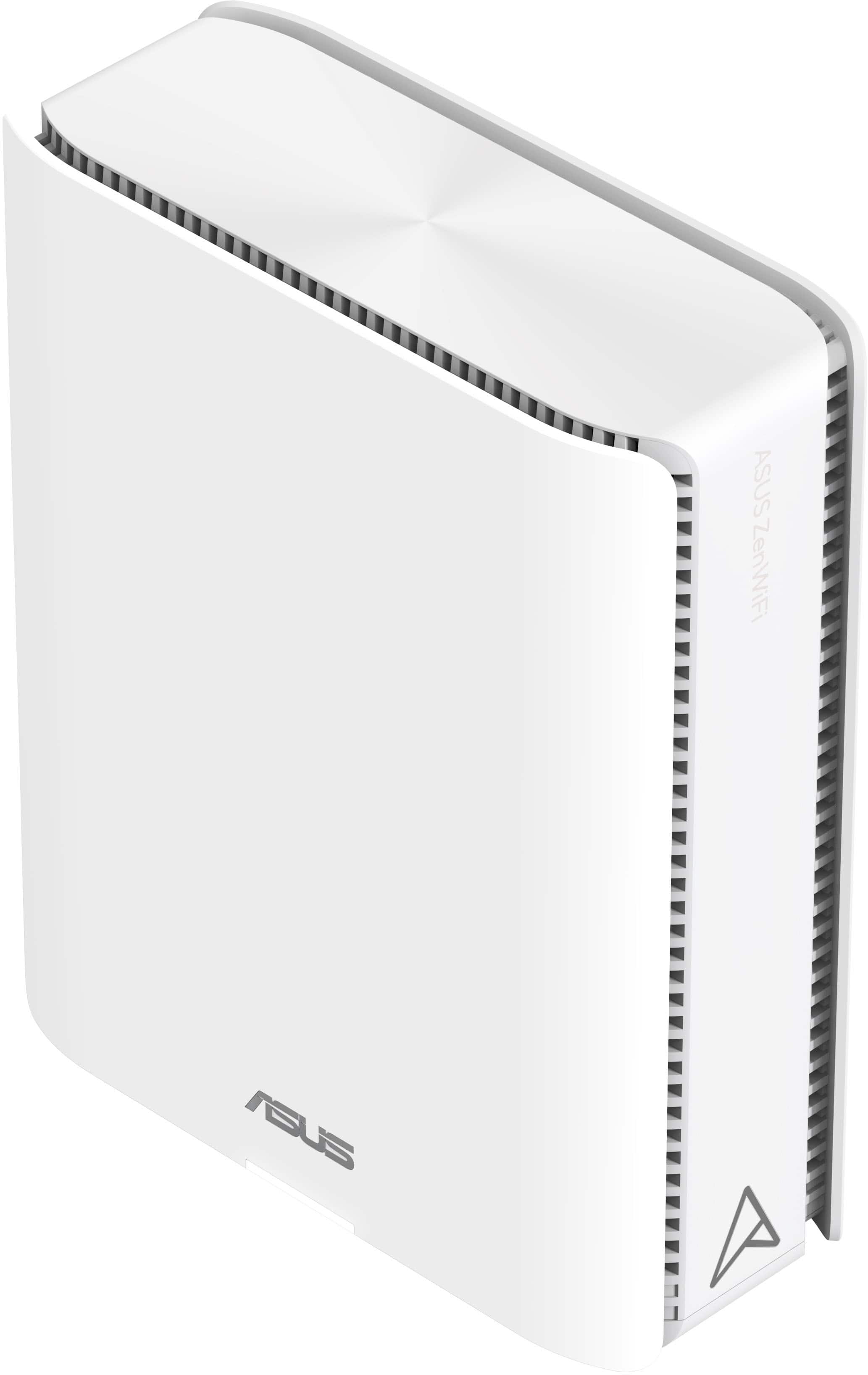
|Posted .This reviewer received promo considerations or sweepstakes entry for writing a review.I received the Asus ZenWiFi BQ16 Pro BE30000 Quad-band WiFi 7 Mesh Router (3pk) about a week ago. The hardware is well built and hefty. It looks like a larger version of the other model Asus ZenWiFi AiMesh routers. There are five ethernet ports. One of these ports is a 10 Gigabit WAN/LAN port and one of the ports is a 1 Gigabit WAN/LAN port. The three other ports are 1 Gigabit LAN ports. There is also a USB 3.0 port. There were three units included and one has a sticker that identifies it as the “main” unit. Initial setup was straightforward…. I connected the 2.5G port of my modem to the 10 Gigabit WAN port of the “main” unit with the included CAT6 ethernet cable, powered it on, and I set it up it up through the web user interface as a router. The web user interface is similar to other Asus routers. I felt right at home navigating the user interface, having owned Asus routers for many years. After setup, the router provided full advertised ISP speeds (1000Mbps D/L, 200Mbps U/L) through the devices connected through the LAN ports, but the single unit struggled to provide wireless coverage in my 2400 sq ft home. I have two Eufy smart outdoor floodlight cameras and they would not connect to the 2.4 GHz wireless network until I added at least one of the other two units as a node. I did experience issues when adding or removing wireless mesh nodes. Adding a node: when a node is added through the app or the router GUI, it will say that it was not successfully found/added, even though the mesh node is shown on the router GUI/app (i.e., added) when it is powered off and then back on. Removing a node: whenever a mesh node is factory reset with the reset push button, the WPS button, or by removing the node from the app or the router GUI, it will automatically add itself back as a node whenever it powered off then powered back on. Through trial and error, I found that the only way to remove a node from the system is to power off the main router then factory reset the node that you would like to remove. It was a frustrating experience when I tried to change one of the nodes to a wireless access point. After I finally got the mesh network setup and working, wireless speeds were good. I do not have any WiFi 7 devices. So, I was not able to check the functionality of the 6 GHz bands, but 5 GHz and 2.4 GHz coverage and speeds were good initially with the wireless mesh network. However, after a few days, wireless network speeds went to a crawl (less than 25 Mbps) and all of the units had to be powered cycled to restore expected speeds. Through troubleshooting efforts, I noticed that there were missing settings (i.e. wireless control channel, channel bandwidth, wireless security authentication method, etc.) on the wireless settings web user interface that I am used to seeing on my other Asus networking products. The missing settings could be restored by rebooting the router, but within 24 hours they would disappear again. The issues that I experienced were repeatable after factory resetting all of the units’ multiple times. I also own an Asus RT-AX86U Pro with two Asus XT8 nodes and these products do not experience these issues. Asus support was contacted and their suggestion was to factory reset the nodes and setup the Ai Mesh again, which I had already done multiple times. Hopefully, the issues can be resolved with a future firmware update. Unfortunately, in its current beta state, I was unable to use the Asus ZenWiFi BQ16 Pro BE30000 units in my home. They were boxed up, and I went back to using my Asus RT-AX86U Pro with two Asus XT8 nodes.
No, I would not recommend this to a friendBrand response from ASUS Answers
Posted .Dear DRTechNerd,
Thank you for your comment and for sharing your experience with the router.
We do understand your disappointment and the inconvenience this may have caused if you are experiencing connection issues with the Mesh router. If the router is running with an older firmware version, please update it to the latest version posted at: https://www.asus.com/us/networking-iot-servers/whole-home-mesh-wifi-system/zenwifi-wifi-systems/asus-zenwifi-be30000/helpdesk_bios?model2Name=ASUS-ZenWiFi-BE30000. If you need further assistance, please email me at cl-rodel@asus.com and I would be happy to help. Or, you are most welcome to call Product Support Hotline at: 1(888) 678-3688. Also, you can chat with an ASUS live support agent from the link: https://www.asus.com/us/support/article/1135/.
Thank you for choosing an ASUS product.
Regards,
Rodel
ASUS Customer Loyalty
- Pros mentioned:Performance, Speed
Great speed and coverage
Posted .This reviewer received promo considerations or sweepstakes entry for writing a review.This router is a game-changer for anyone seeking top-notch performance and reliability. Ultra-fast speed, exceptional coverage, and stable connection. Besides, the highly customized network options perfectly fits my needs.
I would recommend this to a friend - Pros mentioned:Speed
Unmitigated disaster
|Posted .This reviewer received promo considerations or sweepstakes entry for writing a review.I have SO much I could put in this review. I've got about 10 pages of testing, troubleshooting, and 3 weeks worth of dealing with support and emails and things to try. A month ago I had an Asus Wifi6 gaming router. Worked great. I also had two TPLink Deco access points that were just for my smart devices around my house - about 140 or so at last count. I just purchased a Surface Pro 11 with Wifi 7, so decided to upgrade my network. Got a 10GB switch, put a 10GB interface in my Synology, and my media center could only support a 5GB interface. But things were quick. So then I needed to upgrade my wireless to Wifi7, and got an Eero Max 7 2 unit mesh system. 10 minutes later it was up and running, replaced all the other wireless. I didn't even have to break out a separate 2.4 GHz network just for the IOT things. I didn't have a single device that was unable to connect to the single SSID that had all frequencies running. And copying things from my Surface Pro 11 via wireless to the wired Synology or media center gave me 250 to 260MB/s file copy speeds. I was happy. Then this came to try out. And it was a hot mess. It took me trying for three days with no success, then finally getting help from support, just to get the smart devices going. They would all get an IP address and the ASUS management would show them all connected, but nothing actually got ONLINE. All the apps showed everything offline despite the Asus setup automatically creating a separate IOT network for them. I could connect my phone, iPad, or Surface Pro to that network and it was fine, but the smart devices did not get out. Support finally got that working though, so my smart house was no longer not smart. Then I started trying to get file copy speeds to where I have them with the Eero. But the best I could get with the Asus, despite being on the 6GHz channel and despite my wireless showing a 5768 Mb/s link speed, was barely 110 MB/s. Only 40% of what I could get with the Eero. I was putting it in the EXACT SAME SPOT the Eero sat, using the EXACT SAME CABLE to connect it to the 10GB switch. All cables are Cat-6. Switch showed all connected items at the proper speeds. A few weeks with Asus support and nothing. They had one or two things I could try to change, but it made no difference. I spent a dozen or so hours those weeks trying things myself, various pro settings. Nothing ever made this get anywhere near the speed the Eero did with the default setup out of the box. So now I'm waiting for the email with the details to send this back. It's already packed up and ready to return. Maybe at some point they will get a firmware update that fixes things, but meanwhile there is no way this is anywhere near ready for real life use. Seems more like an Alpha level product, not even ready for Beta testing yet.
No, I would not recommend this to a friendBrand response from ASUS Answers
Posted .Dear JDThird,
We sincerely apologize for the connectivity issues you've faced with the ZenWiFi BE30000 and for the inconvenience caused. What you've experienced was not intentional or representative of our brand. Please send us an email at customerloyalty@asus.com and include the case number "N2405039106-0013" as a reference so that we can further investigate this issue. We know that maintaining a functioning unit is an urgent matter, and we are committed to helping you.
We stand behind our products and continuously strive to improve our products and processes to achieve customer service excellence. We will do our best to resolve your case quickly. Your feedback is very important to us, and it enables us to improve our support channels. Thank you for choosing ASUS.
Best Regards,
Chantae
ASUS Customer Loyalty US Support
- Pros mentioned:Speed
Recommend, seems like they improved the system
Posted .This reviewer received promo considerations or sweepstakes entry for writing a review.Finally! I can fully enjoy the benefits of my 5gbs internet service. Since installing BE30000 a week ago, I have been extremely satisfied with the stable WiFi connection and improved speed. The WiFi coverage has significantly improved compared to my previous router. The ASUS Router app made installation effortless, and the units were quickly detected and connected in my case. I highly recommend this system.
I would recommend this to a friend Set it and forget it
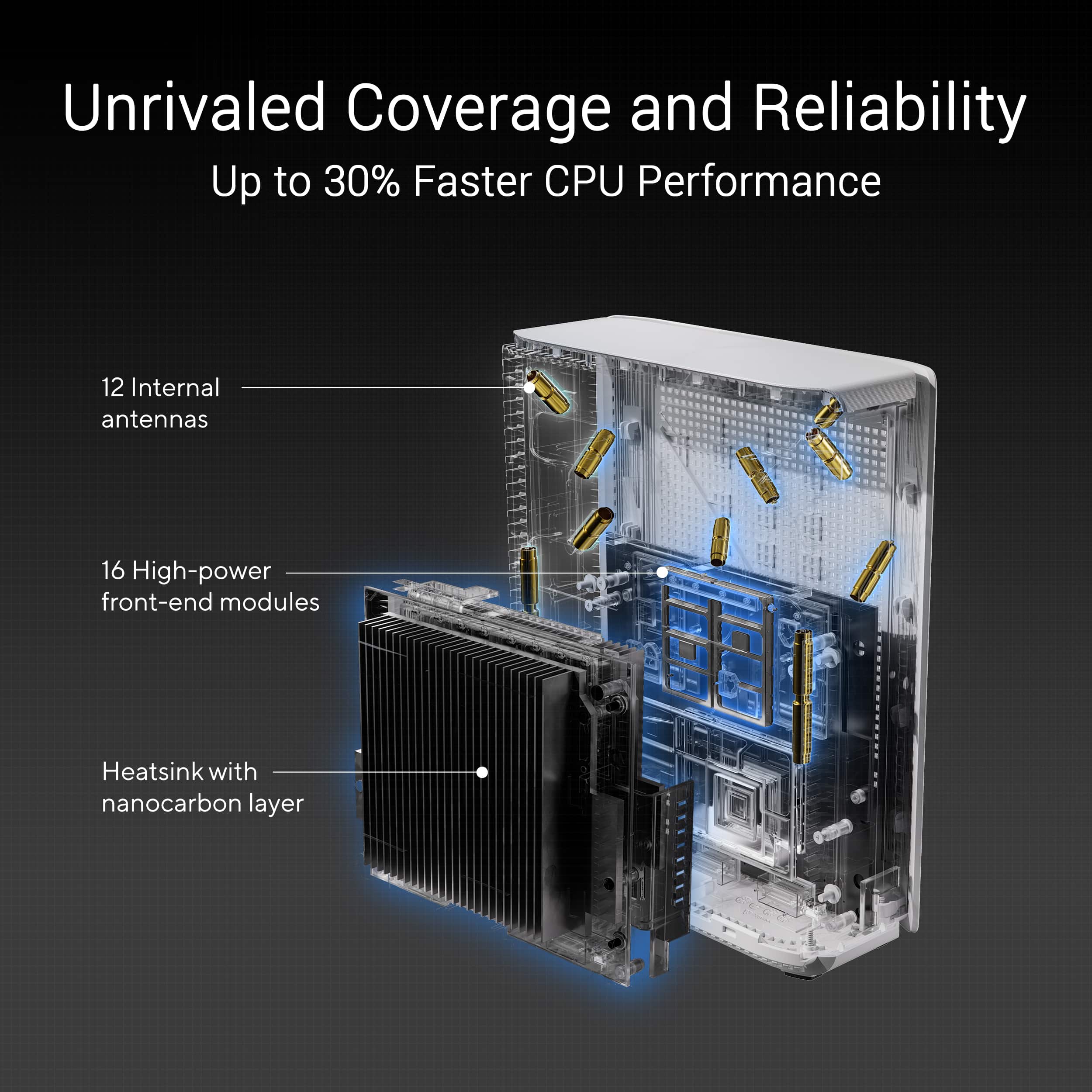
Posted .This reviewer received promo considerations or sweepstakes entry for writing a review.Since Wi-Fi 4 I've exclusively owned Asus routers and always had good luck. The average review score had me a little worried, but given the history I've had with the brand I took the risk. I did have to return my first set after one of the nodes was stuck in a reboot cycle, but the second set I got has pretty much been flawless since the initial setup. As I move around my 2800 sq ft, 2-story home, my phone switches to the best possible node seamlessly the way I'd expected my previous AXE1100 and AX11000 mesh setup to so that was a noticeable plus vs my old setup. Also I liked that these were more compact vs the giant, 8 antenna spider-like routers I'd previously had (plus they've got 12 antennas). The initial setup did take a while since I had to update the firmware on each node individually for some reason, but once they were setup and then moved to their permanent spots throughout my home I haven't had any issues...not even a need to reboot and it's been about 3 months.
I would recommend this to a friendWonderful Router!
Posted .This reviewer received promo considerations or sweepstakes entry for writing a review.What a brilliant router that actually lets the end user control the transmit power, the roaming level of the client to pass from node to node. I seriously haven't dropped once moving around with my phone. I first bought an Orbi and that dropped really nonstop. Netgear even removed Transmit Power adjustments. Sole reason why I returned it. Thank goodness I did and went with this Asus. Thank you ASUS. They designed a GUI/APP that far exceeds the competition. It's like sitting at the adults table rather than the kids table. So well thought out. I can even setup a reboot schedule of the router to keep it running fresh daily.
I would recommend this to a friendSimple and Powerful
Posted .This reviewer received promo considerations or sweepstakes entry for writing a review.Until now, I was using TP-Link Deco but switching to ZenWiFi BE30000 has shown me what an amazing system it is. Whereas before I wouldn't get a signal in my bathroom, with ZenWiFi now I have full bars throughout my house. The ZenWiFi BE30000 is expensive, but the experience has been great. With a whole-home Wi-Fi 7 mesh network, my whole family has stable inernet connection in all three floors and twelve rooms of my home, and gaming was smooth as silk. Installing was as simple as placig the belt. To my surprise, getting things working wasn't that painful. Note that after the setup, system updates are automatically executed.
I would recommend this to a friendGreat whole house WiFi 7 mesh system!
Posted .This reviewer received promo considerations or sweepstakes entry for writing a review.I got this mesh system since my previous ASUS router wasn't covering enough of my house. A lot of the complaints are about connectivity from months ago but I updated my system right out of the box and aside from a few router resets, it's amazing. Speeds are great and the app is intuitive without subscriptions. The hardest part was the initial setup via WiFi but once I set it up through an ethernet cable, it was straightforward. I wouldn't say this is great for tech novices but if you somewhat understand routers it's great!
I would recommend this to a friend3-Year vs 2-Year warranty
Posted .This reviewer received promo considerations or sweepstakes entry for writing a review.Everyone should verify the warranty on the BE30000/BQ16 Pro before purchasing. Best Buy's version has a 3-year warranty, whereas (at least) two other major sellers only have a 2-year warranty. Even the ASUS site shows the warranty as 2 or 3 years, depending on the selling dealer.
I would recommend this to a friendBrand response from ASUS Answers
Posted .Dear DalTxJim,
We do understand your concern regarding the warranty for this ZenWIFI.
We(ASUS) provide 3-year local warranty for this specific product. If you need further information or assistance with the warranty service for the product, please email me at cl-rodel@asus.com and I would be more than happy to help. Or, you are most welcome to call Product Support Hotline at: 1(888) 678-3688. Also, you can chat with an ASUS live support agent from the link: https://www.asus.com/us/support/article/1135/.
Thank you for choosing an ASUS product.
Regards,
Rodel
ASUS Customer Loyalty