Customer Ratings & Reviews

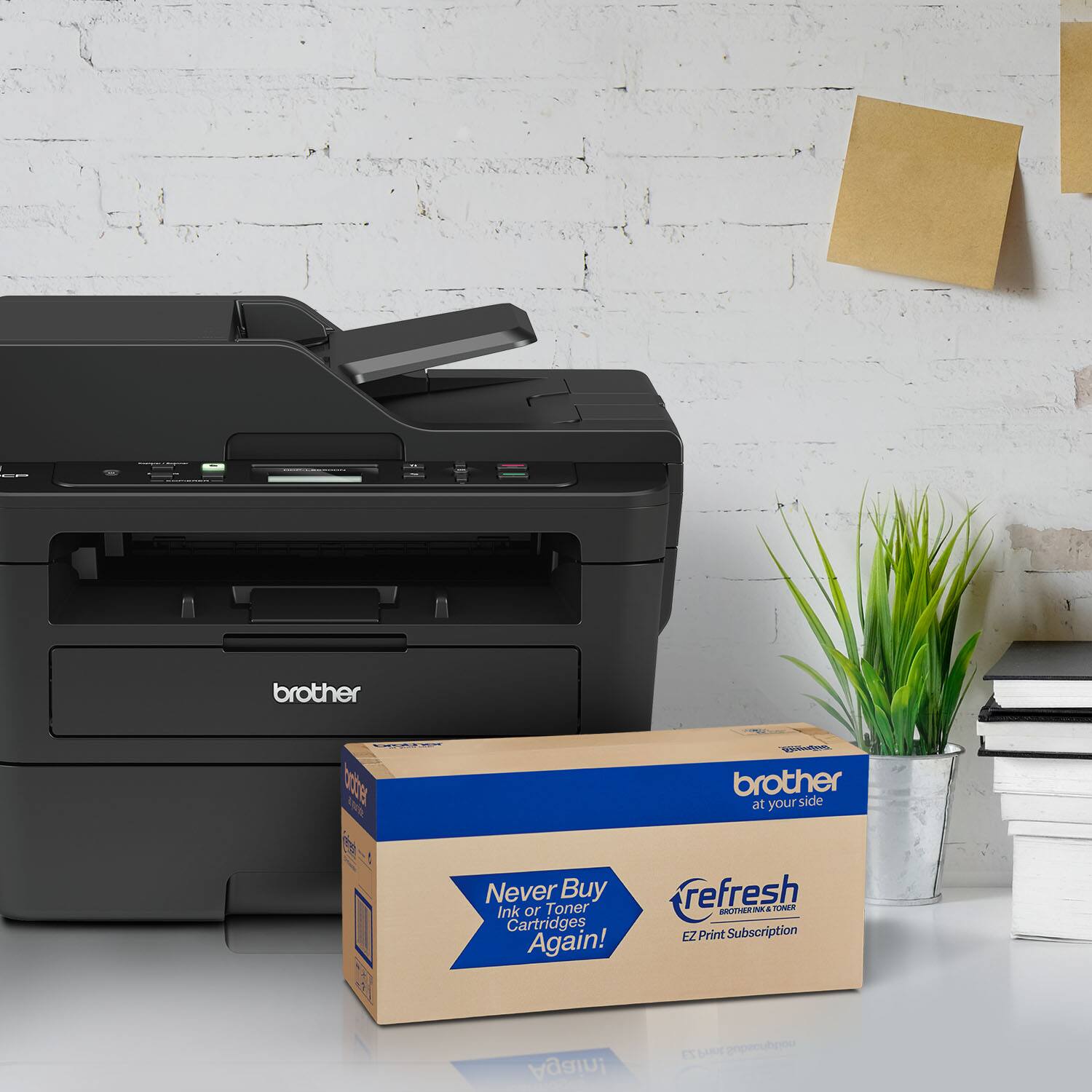
- Model:
- DCP-L2550DW
- SKU:
- 6138318
Rating by feature
- Value
Rating 4.7 out of 5 stars
- Quality
Rating 4.7 out of 5 stars
- Ease of Use
Rating 4.5 out of 5 stars
Customers are saying
Customers praise the DCP-L2550DW's print quality, ease of use, and wireless functionality. Many appreciate its affordable price and the added convenience of the scanner and copier. Positive feedback also highlights the printer's relatively quiet operation and straightforward setup. A minor drawback mentioned by some users is the printer's larger-than-expected size.
This summary was generated by AI based on customer reviews.
- Pros mentioned:Print quality

Easy Setup Easy to Use
|Posted .This reviewer received promo considerations or sweepstakes entry for writing a review.I have a wonderful brother inkjet printer. The fact is that most of what I print is black and white so I thought that with laser printers being so affordable this was well worth finding some desk space. This came out of the box ready to use. Following the quick set up guide I was up and running in under 15 minutes and that included wireless connectivity using WIFI. Print quality is great and speed is considerably faster than my inkjet. Having duplex built in is a wonderful feature to save paper.
I would recommend this to a friend - Pros mentioned:Print quality
Great Home Office Printer
|Posted .This reviewer received promo considerations or sweepstakes entry for writing a review.The setup was real easy, downloaded software on my laptop and went through the setup procedure. I was impressed by the very quick printing. I was able to scan, copy and send faxes without any issues. The wireless capability is very helpful for printing from other devices or machines This is a very good value for a laser printer and is excellent for home office use.
I would recommend this to a friend - Pros mentioned:Print quality
Brother Laser Printer
Posted .This reviewer received promo considerations or sweepstakes entry for writing a review.Easy to set up and wirelessly connect to our network. Printing is fast and very clear. First time using a monochrome laser and I am pleased with the results.
I would recommend this to a friend - Pros mentioned:Print quality
Super Fast!
|Posted .This reviewer received promo considerations or sweepstakes entry for writing a review.This printer blows me away! The best thing about this All In One Printer is the speed. It can blow out 50 pages in no time, and not only that but double-sided printing doesn't even require it to be pulled back into the printer. I couldn't recommend this printer more for anyone who prints relatively frequently. The print job is perfect and I have never had any issues!
I would recommend this to a friend Plagued by firmware issues
|Posted .This reviewer received promo considerations or sweepstakes entry for writing a review.I've owned more than a few printers (including multi-function devices, and another Brother multi-function printer in particular), and have used many more. Among all of them, this printer--the Brother DCP-L2550DW--by far has the buggiest, most poorly designed firmware I've seen. If I had purchased it, I would have returned it as a faulty product. To be clear, I don't think any of the issues I experienced are due to a 'manufacturing defect' (that is, I don't think this unit is any more defective than any others of this model). On the surface, this printer looks like a great deal, packing an impressive array of features into a product with a low sticker price. Both WiFi and Ethernet connectivity, duplex printing, flatbed and Auto Document Feeder (ADF) scanning, and fast printing make for a seemingly solid offering. Also included are features that go beyond what I see in the product overview and specification listings, such as web management interface and client software management options (which simplify configuration, provide access to statistics and reports, etc.), and extended Windows Image Acquisition service integration allowing you to, for example, scan to Windows PCs that don't have the Brother Control Center or similar software installed (I'm not sure whether the Apple ecosystem has a similarly supported feature). Unfortunately, I found the firmware to be plagued with problems. The first critical flaw I encountered was in the Google Cloud Print (GCP) implementation. Most of my Android devices weren't able to add the printer at all, and those that could, failed to successfully print to the printer; no failure messages were provided, the printing just didn't happen. What's worse, without fail, a single failed printing attempt from any Android device (that managed to add the printer) would lock the printer up in a state where no device could print to it over the network, even when Google Cloud Print wasn't involved, and from devices that previously successfully sent documents to the printer. The only way I found to unlock the printer was to turn it off and on again. It turns out that the problem is in how the printer tries to connect with GCP. Most residentials ISPs in the USA, including mine, still do not have IPv6 properly configured, and don't give clients public IPv6 addresses. I think the printer was trying to communicate with GCP via a local-only IPv6 address, and critically failing in the process. After much time spent trying to diagnose and solve this problem, the resolution I found was to disable IPv6 in the printer’s networking configuration, at which point printing from Android devices succeeded and would no longer cause the printer to lock up. The second major flaw I discovered was that the ADF, even when the printer detected paper in the feeder and reported that it was ready for use, would not be used when scanning using the "Web Service" option (which seems like a very odd misnomer for this feature) from the printer’s physical menu interface. No matter what I tried, the printer always scanned using the scanner bed when using this option. However, when using the "Scan to PC" option (which seemed to be reserved for PCs with Brother's client software installed), the ADF worked fine. Several other minor issues were encountered with these features, like computers sometimes being listed twice, with old non-working entries taking a long time to expire (even after failed connection attempts), and a weird one where computer names couldn't be seen unless I pressed the up button after making a computer selection, which seemed to automatically clear up at some point. When the printer worked as intended, the print and scan quality was generally on par with other comparable devices I’ve used. Text--at higher DPS settings--was plenty crisp, though the ink isn’t quite as dark as that of another printer I used for comparison. The warm-up time was slightly sluggish, but the printing speed was above par. I ran into other relatively minor issues, but I didn’t want to belabor the point by listing them all here. It's enough to say that testing and using this printer has been a frustrating, annoying experience. But I'm a power user; I try to extensively test the products I get, and use them to their fullest potential. Users sticking to only the most basic features might run into little or no problems, and this printer might suit them well. But the poor firmware design and quality control don't leave me with enough confidence to recommend this multi-function printer to anyone.
No, I would not recommend this to a friend- Pros mentioned:Price
Best Price Around on this printer
Posted .This reviewer received promo considerations or sweepstakes entry for writing a review.We knew we wanted a brother laser monochrome prnter. We had checked several other retailers including Amazon and thought that we were going to have to settle for less features to stay within our budget. Just happened to check Best Buys web site and found this printer at an unbelievable price. Wish we had gone a head and picked up two of them.
I would recommend this to a friend Mr
Posted .This reviewer received promo considerations or sweepstakes entry for writing a review.Had this at my job before retirement and I loved it so I bought one for the home
I would recommend this to a friendMrs
Posted .This reviewer received promo considerations or sweepstakes entry for writing a review.The printer is very easy to use and prints quickly and well
I would recommend this to a friendManager
Posted .This reviewer received promo considerations or sweepstakes entry for writing a review.My Brothers all in one works well. I'm very satisfied so far.
I would recommend this to a friendbrother
Posted .This reviewer received promo considerations or sweepstakes entry for writing a review.Best laser printer on the market you should try there subscription its way better then hp instant ink
I would recommend this to a friendUnreliable wifi connectivity
Posted .This reviewer received promo considerations or sweepstakes entry for writing a review.Like all brother machines (I have been stupid enough to buy 3), it connects to wi-fi when it feels like it. Of course never when you really need it. Customer support says to reconfigure it. Well, I don't have an extra half-hour a day to do that.
No, I would not recommend this to a friendBrand response from Brother
Posted .Hi, we understand you are experiencing an issue with your network connection and we can understand your frustration. We'd like to help. Below is FAQ to assist you with some important points to confirm before connecting your Brother DCP-L2550DW to the network.
https://support.brother.com/g/b/faqend.aspx?c=us&lang=en&prod=dcpl2550dw_us&faqid=faq00002806_010
If you continue to have issues, our Brother Customer Support Team is available to assist you direct: https://www.brother-usa.com/brother-support