Customer Ratings & Reviews
- Model:
- DCP-L2640DW
- SKU:
- 11136810
Rating by feature
- Value
Rating 4.6 out of 5 stars
- Quality
Rating 4.6 out of 5 stars
- Ease of Use
Rating 4.5 out of 5 stars
- Pros mentioned:Print quality, Setup

Perfect low cost laser printer
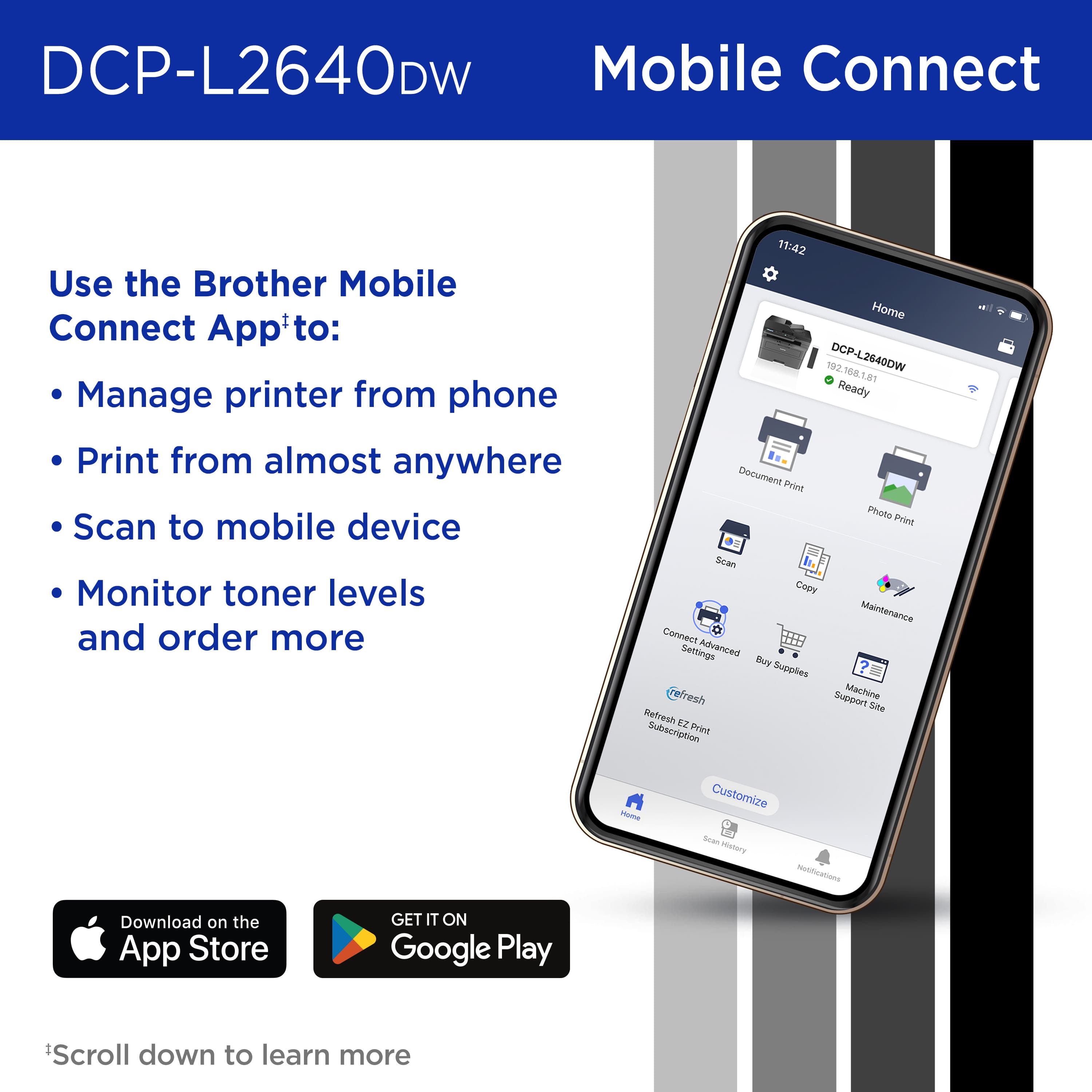
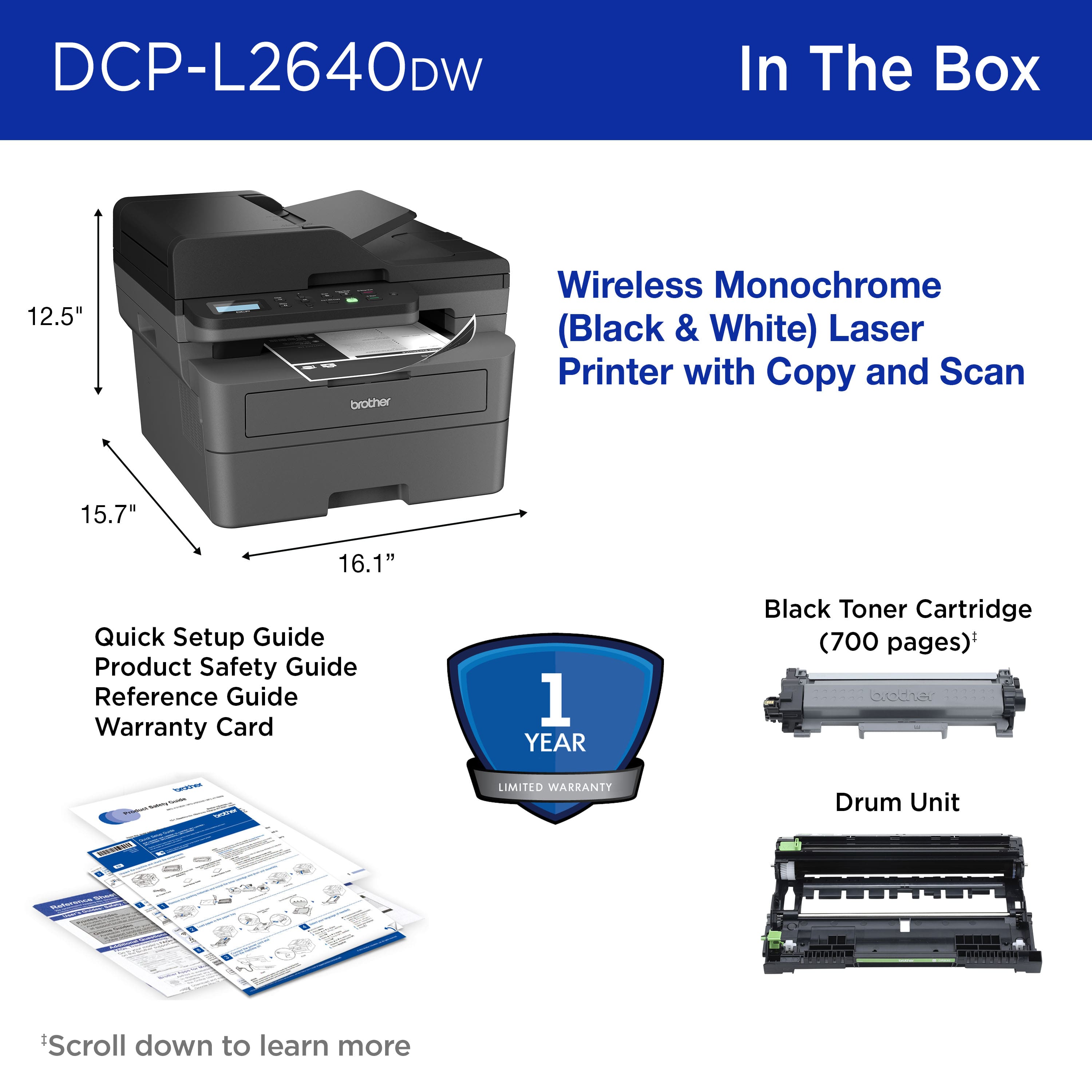
|Posted .This reviewer received promo considerations or sweepstakes entry for writing a review.I've owned printers of almost every brand, at home and in my offices throughout the years. I don't remember if I ever had a Brother printer that was inkjet, although I've owned inkjet's made by all the other major name brands. The past Brother laser printers has all worked flawlessly and have lasted me many years so I expect this particular unit to be no different. I got this particular model because I didn't need all the functions that some of the other ones have. This unit is mainly for my kids use and it's mainly school work. Copy or print is what we mostly do at home but this unit is also capable of scanning. The wife use that function every so often but I use a different machine for scanning. The prints that comes out of this machines has been fast and clear. Taking the unit out of the box the unit is slightly larger than most inkjet printers. Please keep that in mind when purchasing this printer to make sure you have the space. This unit was larger than the unit it was replacing so I had to find another location for it. Set up took under 5 minutes. I think it took longer to remove all the tape and protective covering on the printer LOL. After placing the printer where I wanted, I took the toner out and inserted into the printer. Downloaded the app and then plugged in the unit. Turned it on and press the "wifi" button for 2 seconds and the app found the printer. Follow the instructions and within minutes the printer was working. I went to my laptop and it quickly found the new printer, and within a minute, I was able to print from my computer. Super easy. And I think why this is the perfect, simple printer. Easy to set up, crisp clear and fast printing. And, at a great price for a laser printer. And if it's like any of my other older Brother printers, it's gonna last a long time.
I would recommend this to a friend - Pros mentioned:Print quality, Setup
Great 3-in-1 laser printer, scanner and copier.
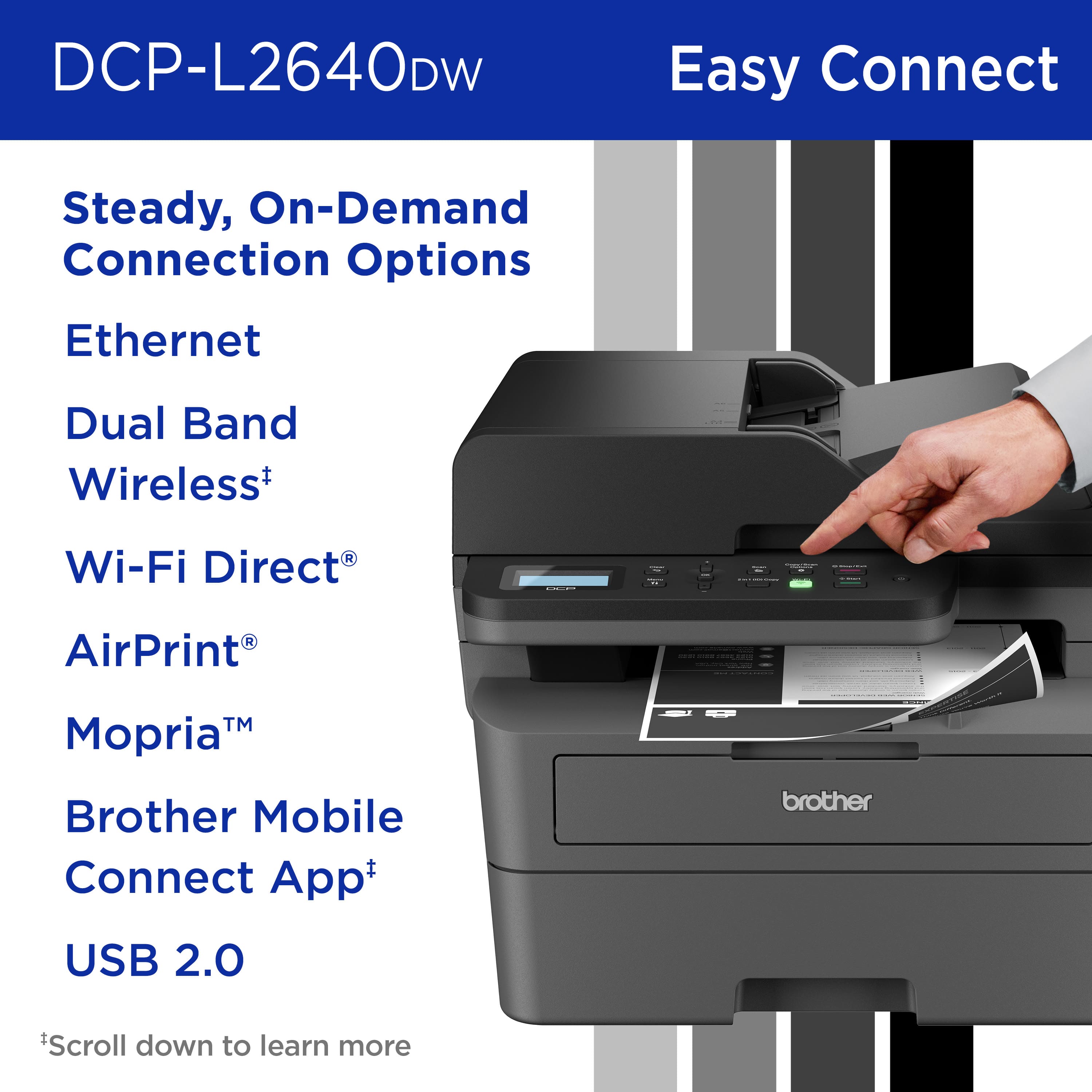
|Posted .This reviewer received promo considerations or sweepstakes entry for writing a review.This Brother - DCP-L2640DW Wireless Black-and-White 3-in-1 Laser Printer is a great 3-in-1 laser printer, scanner, and copier. The setup was simple, and I had no problems at all setting up the device and the software. Once installed the rest was great as well. As far as the operation of the device goes, it works very well. Although it has a moderate footprint, it’s not bad for doing all that it does. First of all it’s pretty fast at printing, scanning, and copying. The automatic document feeder is fantastic. It holds 50 pages, and they can be double sided. The printer prints double sided as well. The paper tray holds 250 sheets of paper. It takes letter size and legal size paper. You can also scan and print on a variety of envelopes. This is a wireless device, or you can use a USB cable to connect to your computer. You can print from your phone or tablet as well. This is not a fax machine. The software does a variety of things, and the settings are self explanatory, so they are easy to follow. This is a great laser printer, scanner and copier for home, home business, small business, and even students.
I would recommend this to a friend - Pros mentioned:Connectivity, Overall performance, Print quality
Brother 2640 printer review
||Posted . Owned for 3 months when reviewed.This reviewer received promo considerations or sweepstakes entry for writing a review.This 2640 printer is one good household or small office printer....it is a little workhorse. And Brother support by phone is available at no additional cost, through your ownership. This is the upgrade from its brother the 2395, I believe, which I also had for years. This printer hooked up to wireless easily, it makes good copies, is fast and it works well from my mobile phone. I think it's worth it to purchase the 4 year extended warranty from Best Buy For a little additional insurance down the road.
I would recommend this to a friend - Pros mentioned:Ease of use, Overall performance, Setup
Easy to install and use
||Posted . Owned for 2 months when reviewed.This reviewer received promo considerations or sweepstakes entry for writing a review.So far, the printer has worked as expected. It has been easy to use and pair with my laptop. It is not very loud and was easy to install.
I would recommend this to a friend - Pros mentioned:Print quality
Beast of a Printer
|Posted .This reviewer received promo considerations or sweepstakes entry for writing a review.If you’re in the market for a printer for a small office then look no further. This Brother printer DCP-L2640DW is a beast at productivity when it matters most. It come well packaged and was very simple to pull out and situate where I wanted it to go. Keep in mind this is a bigger than your normal home style printer, so it needs some space. Once I got it setup I followed the instruction manual and was connected to WiFi and I ever hard lined it in. It does come with dual band wireless which helped the range for printing from my laptop across the office. This is nice as can be placed in a central location and everyone can connect to it. Testing it out I wanted to put it through its paces, and how else then to print large documents! I print in black and white for legal reason so this printer was perfect for that workload. I printed to large documents totaling 64 pages. I timed it and it took from the moment I sent to print 2 mins and 4 seconds. That was pretty impressive to me as zero errors, zero smudging and smears. Everything was crisp and clear. I tried some duplex printing and the outcome was the same it did take a little longer as expect but no issues. The scanner function was nice as it allowed me to choose my device I was scanning the pdf document to. The Copy function looked amazing and didn’t loose and detail in the paper I was copying. Overall the Brother printer performs very well with deep dark black thanks to its toner. If you are a high volume printer snag the XL toner cartridge will be worth it. I can’t express how amazing this printer is and is now the workhorse of the office!
I would recommend this to a friend - Pros mentioned:Print quality
Efficient Multifunction Printer
|Posted .This reviewer received promo considerations or sweepstakes entry for writing a review.The Brother DCP-L264DW Monochrome Laser Printer is a multipfunction laser printer that fits my home office needs. The printer, copier and scanner functions make it a versitile choice for those looking for a all-in-one solution. The price is decent as well for a laser printer. However, if you like a quiet machine - this might not be the machine for you. It was very easy to set up tight out of the box. The printing and copy speed is decent. It prints up to 36 pages per minute. It handles two sided copies with ease, providing crisp and clear prints. However one downsde to this printer for me is the noise level. It tends to be quite loud during the printing and copying processes. It's not as obnoxious as a inkjet printer - but it definitly could be quieter. You will find that you have to download an app to use the scan function on your PC. Once downloaded, it is easy to use. It also has a free app that you can download to your phone to print wirelessly from your phone. The toner cartridge that comes with the printer says it should yiedl about 700 pages. I checked the the price online for replacements and it is aout $50 for the standard 1,200 page toner and $80 for the XL toner yielding 3,000 pages. All in all, this is a good laser printer for a good price.
I would recommend this to a friend - Pros mentioned:Print quality
Brother Work Horse monochrome monster.
|Posted .This reviewer received promo considerations or sweepstakes entry for writing a review.This is definitely a work horse for a small office or home office or busy home. My kids, wife, and myself all use and need printers and scanners for what we do and having one machine that is convenient for us is a plus. So let's start with setup. Setup was ok. Not the easiest. You have to be a little tech savvy to get this puppy up and running. Using the android phone was somewhat easy. But setting up on PC was not 100% per the instructions. PC said to download the Brother utility. I tried to do that but it did not work. I had to use standard windows setup and look for updated drivers. That worked. Also unlike other brother multifunctional devices this one DOES NOT WORK with scanning to Google drive or another cloud service. You have to have an FTP site already setup. There is a work around to get google drive to do this but I did not venture off to do this. After setup I was up and running. I had 5 PCs connected and 3 smart phones all connected too. Printing was easy. Scanning with phone was easy using Brother app. Scanning via PC Windows scanner was easy too. Max dpi is 300. So if you want more dpi keep looking. But for most office material 300 dpi is enough. If you are doing high graphics keep looking. Printing was super quick. Buffering was nearly zero. And ppm was good. Monochrome resolution was good too. For these specs and for bulk office monochrome high production this is a good work horse. For that I would recommend it for that.
I would recommend this to a friend - Pros mentioned:Ease of use, Print quality
Great printer
||Posted .This reviewer received promo considerations or sweepstakes entry for writing a review.I bought this printer to replace my HP, and very happy with this purchase. Easy to set up, print quickly and quiet
I would recommend this to a friend - Pros mentioned:Ease of use, Print quality
Brother black and white copier/printer
||Posted .This reviewer received promo considerations or sweepstakes entry for writing a review.This copier and printer from Brother is for small office or home use. It was easy to set up. It prints really well. It does what I needed it to do. I know it is wireless, but it also connects directly with HDMI cable, which is how I use it. I was tired of using color toner which needed to be changed frequently. Black and white laser is an easy solution. I tried just the printer first, but found I wanted the copier as well, so exchanged for the one with the copier (only $30 more). Only draw back, it is a little heavy weight wise, but I don't need to haul it anywhere, so I am very happy with this purchase.
I would recommend this to a friend - Pros mentioned:Connectivity, Print quality
Brother 3-in-1 wireless laser printer
||Posted . Owned for 2 weeks when reviewed.This reviewer received promo considerations or sweepstakes entry for writing a review.Brother 3-in-1 wireless black and white laser printer was recently purchased. I have to say is excellent. It was easy to attach to my WiFi. All you do is turn the printer on and go to your email and hit print. It prints out quickly. I had another one that was 15 years old and finally gave up. Am very happy with my new Brother printer. Worth the money.
I would recommend this to a friend - Pros mentioned:Connectivity, Overall performance, Print quality
Brother Laser Printer
||Posted .This reviewer received promo considerations or sweepstakes entry for writing a review.Printer has performed flawlessly in every aspect. Clean, precise prints via wifi, excellent scanning and copying. Even the ink cartridge seems to be holding up well for the number of pages printed.
I would recommend this to a friend - Pros mentioned:Ease of use, Overall performance, Print quality
Totally satisfied!!
||Posted .This reviewer received promo considerations or sweepstakes entry for writing a review.The easiest setup I have ever had for printer/scanner. Took under 5 minutes and I was able to use all of the functions !! Great print and copy quality. Highly recommend you check it out.
I would recommend this to a friend - Pros mentioned:Overall performance, Print quality, Setup
Worth the Money
||Posted . Owned for 1 month when reviewed.This reviewer received promo considerations or sweepstakes entry for writing a review.This printer was easy to set up and has been reliably efficient since. I've already used it to print 1,000 pages, and I've seen no decline in quality.
I would recommend this to a friend - Pros mentioned:Ease of use, Overall performance
best i've ever had
||Posted . Owned for 2 weeks when reviewed.This reviewer received promo considerations or sweepstakes entry for writing a review.easy to set-up and works wonderfully. i'm excited to make the change from inkjet to laser printer. it may be a little on the big size, as a printer, but it almost has a mind of it's own and does everything all by itself when you tell it to print.
I would recommend this to a friend - Pros mentioned:Overall performance, Print quality
Best printer
||Posted . Owned for 4 months when reviewed.This reviewer received promo considerations or sweepstakes entry for writing a review.⭐ Overall Performance: This is a solid, reliable black-and-white printer with great everyday performance — it prints fast (up to ~36 ppm), delivers crisp, professional text output, and handles copying + scanning well for its class. People who print a lot of text documents really like the consistency and speed.
I would recommend this to a friend - Pros mentioned:Print qualityCons mentioned:Duplex scanning
Overall I am not impressed
||Posted .This reviewer received promo considerations or sweepstakes entry for writing a review.Purchased this to replace a less than 2yr old dead DCP-L2550DW. The motherboard was dead, apparently a common issue with Brother printers. Purchased this DCP-L2640DW with an extended warranty. I am a System Administrator since 2000, and I've installed, fixed and administered 1000's of printers and always had good luck with Brother printers. Some how my DCP-L2550DW only lasted just shy of 2yrs. So about this new printer, it does not share the same consumables as other models, and its the same exact size as my old DCP-L2550DW. Functions are the same as well. Driver package is a bit like HP where they load ads about their toner service. I like the mobile app that allows you to scan to PDF easily, then you can either email, save to your cloud storage service, or text the file. HOWEVER my issue with this is the scans using the sheet feed are always about 5 degrees to the right. Its crooked!! I opened a ticket with Brother support and no one reached out, not by email or phone, but I did get the survey email. I am not happy about this! Printing is normal, you will not be amazed unless you're coming from an inkjet printer. Speed is on par with a base model laser. Overall I am not impressed with a newer model of the one I am replacing, and not happy with Brother's lack of support and poor customer service.
No, I would not recommend this to a friendBrand response from Brother
Posted .Thanks for taking the time to review your experience with the Brother DCPL2640DW. We appreciate your feedback. I’m sorry to hear your experience with Brother Customer Service was poor. And that you are having scan issues with the Brother DCPL2640DW. If you’ll give us another chance, we’d like to make things right. Please contact us directly at:
https://www.brother-usa.com/support/DCPL2640DW
- Pros mentioned:Print quality
3rd Brother Laser for me and works as expected
||Posted . Owned for 1 month when reviewed.This reviewer received promo considerations or sweepstakes entry for writing a review.I found it easy to setup (plugged it into the network), and install software for (downloaded software package from Brother website for Win 10). I'm not sure how another reviewer had problems putting the toner cartridge in. I just opened the bag, removed the protective pieces, opened the printer door, and placed it in. Very easy. The prints are sharp as expected. It prints on two sides (duplex) automatically. This avoids the hassle of figuring out how to print odd pages, reload the printer, and print even pages on the other side of the paper. The scanner software is a bit basic. It feels like the user interface is from the early 2000s, but it works. The auto-document feeder (ADF) works well when scanning and is a great convenience. This is the 3rd Brother laser printer I've owned in the last 20 years. I would still have the last one, but I moved states and had a limited amount of things I could bring with me. The first one was a print only model and working great when I updated it with the second. The printer feels light, but so did my previous one which lasted 10 years (and was still running). It's easy to move. Recommendation: Stick with the Brother branded toner. I know this sounds like a paid ad, but it's not. I've been very disappointed with the "refills" and the reconditioned cartridges. The off brand toner may be half the price, but I always got grey prints or vertical lines on the paper. The Brother branded toner always gives me clean, sharp prints.
I would recommend this to a friend - Pros mentioned:Ease of use, Overall performance
EXCEPTIONAL
||Posted . Owned for 2 weeks when reviewed.This reviewer received promo considerations or sweepstakes entry for writing a review.Over the course of my 70 year long career I've owned many printers. This printer is by far the best B&W printer I've ever owned or used. It is reliable, simple to use and, best of all, easy on the pocket book.
I would recommend this to a friend - Pros mentioned:Print qualityCons mentioned:Duplex scanning
Expect some frustration.
||Posted .This reviewer received promo considerations or sweepstakes entry for writing a review.So far so meh. Prints good enough. It does occasionally pull extra paper.... And the scanning bed is a little confusing as far as even if you line things up with the marks... As in it should be in the safe area but somehow isn't... And when it comes to the wireless, though I've read all kinds of horror stories... It definitely, even when I turn off sleep and all of that it likes to have issues connecting to my phone sometimes, Even after waking it up manually... phone is updated Android for reference. So expect some frustration. I bought it because I needed to scan some documents, make a few copies, and it did that.... I also scanned my ID front and back on the one piece of paper, that was neat... That was where the alignment marks and not getting the complete thing started... And who's followed up by manually scanning a document with similar issues. Yes I read the manual, yes I went online and made sure it was updated, which my printer did do an update. But it did make perfect copies using the auto feeder at the top, which was another reason I bought it! And I did not overfill the paper tray, and adjusted all the holding tabs, but several times I've got extra paper, like the extra periods in this review. ;-)
I would recommend this to a friendBrand response from Brother
Posted .Thanks for taking the time to review your experience with the Brother DCPL2640DW. We appreciate your feedback. I’m sorry to hear that you are having a few issues with the Brother DCPL2640DW. I sincerely apologize for any inconvenience this issue may have caused you. We’d like an opportunity to help. Please contact us directly at:
https://www.brother-usa.com/support/DCPL2640DW
- Pros mentioned:Overall performance
Left HP and Bought Brother - VERY GOOD DECISION
||Posted .This reviewer received promo considerations or sweepstakes entry for writing a review.We have for years been HP printer owners so when the last one died after only 5 years of very little use, I went to replace with another HP. I bought one of similar size as the one that died. Customer support was HORRIBLE and after one week of use my husband said the black ink needed replacement cartridge, there are 4, one is black they each cost about $70. I can't afford ink replacement costs, especially weekly! I shopped and learned Brother to be reliable brand and learned that lazer cartridge lasts longer and costs less per page and has other benefits. Installation was a breeze thanks to their app and self installing. We've had it for about a month and all goes well. I'm very happy with this choice. My friend who is also HP user has switched to Brother as well for all the same reasons. I recommend this to everyone. Read the reviews, they are all good.
I would recommend this to a friend