Customer Ratings & Reviews
- Model:
- MFCJ1365DW
- SKU:
- 6643960
to a friend
Customers are saying
Customers are delighted by the INKvestment 1365 Wireless Printer's print quality, easy setup, and simple connectivity to home networks. The printer's compact size is also appreciated, as is the ease of cartridge installation. Overall, customers seem to have a positive experience with the printer.
This summary was generated by AI based on customer reviews.
- Pros mentioned:Connectivity, Print quality

Great Value – Perfect Blacks – Very Good Color
|Posted .This reviewer received promo considerations or sweepstakes entry for writing a review.PRODUCT INKvestment 1365 Wireless Color Inkjet All-in-One Printer with Automatic Duplex Printing and Color Display (MFC-J1365DW) SUMMARY Great Value – Perfect Blacks – Very Good Color REVIEW The MFC-J1365DW is a fine addition to any home office. The print quality (especially the black) is very strong. The color printing is very good overall maybe not exactly photo ready but plenty good enough. The ability to print on both sides is a strong advantage at this price point as is the included WiFi. Scanning with an optical resolution of 1200x1200 is also nice. I did find the color scanning / copying a little soft and faded. I assume with some adjustments to settings it can be corrected (I used “best” default settings for everything). For everyday use in a home office or homework, for example, it is more than acceptable. SETUP My advice is to skip the mobile setup and use the front panel to attach it to your home WiFi. It can be a little tedious using the tiny screen to enter your WiFi password, but it will save you frustration later. Like most printers that try to force you to use the phone for setup it was not easy or intuitive and I eventually gave up trying to have my phone find the printer. Throughout the setup process (both on the app and the pc [setup.brother.com], you are bombarded with commercials and coupon codes for other Brother Promotions. The app and website allow you manage all of your Brother devices from sewing machines to printers and more. PAPER HANDLING The paper tray is pretty small but so is the overall printer. The specs say it holds 150 pages. Even in quiet mode, it is pretty loud on the first page, but settles down after the first page. INK At the time of this review ink prices were not available. However, I am a little concerned about how quickly this has gobbled up ink. I printed 2 color pages and 6 black and white pages. The box / specs state that it includes enough ink for 1200 black and white and 500 color pages. My status window for the printer says that I only have enough color ink remaining for about 250 color pages and about 700 black and white pages. This is close to 50% below the estimated available capacity. There was a message in setup something about filling the internal ink reservoirs from the cartridges and it only needed to be done one time. So maybe 50% of the ink is used filling the reservoirs. Still, I worry that “out of the box” I won’t get the stated output. In some parts of the setup instructions, it calls these “starter cartridges” which usually implies less than full ink cartridges. Only time will tell on the ink consumption. PROS - Tilting Color Display and control panel - WiFi Connectivity - High Resolution Scanning / Copying - ADF (Automatic Document Feeder for Copy / Scanning) - Duplex Printing - Separate color Ink Cartridges (only replace what you need) RECOMMENDATION Overall, I recommend this for home / home office light duty use. It does everything you need and is very affordable. If you need Photo Quality Color Prints, you might need something different.
I would recommend this to a friend - Pros mentioned:Connectivity, Print quality, Size
The little printer that does!
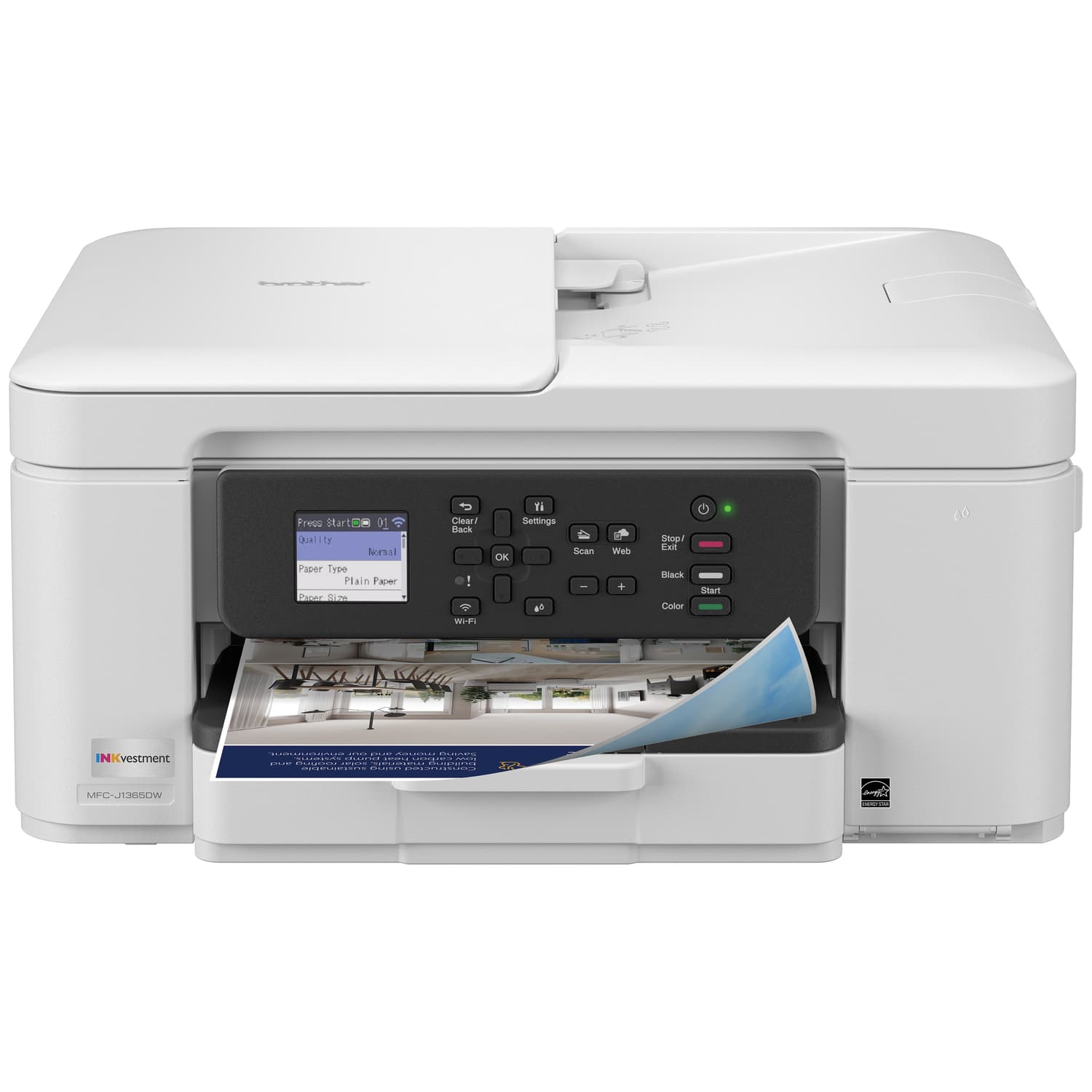
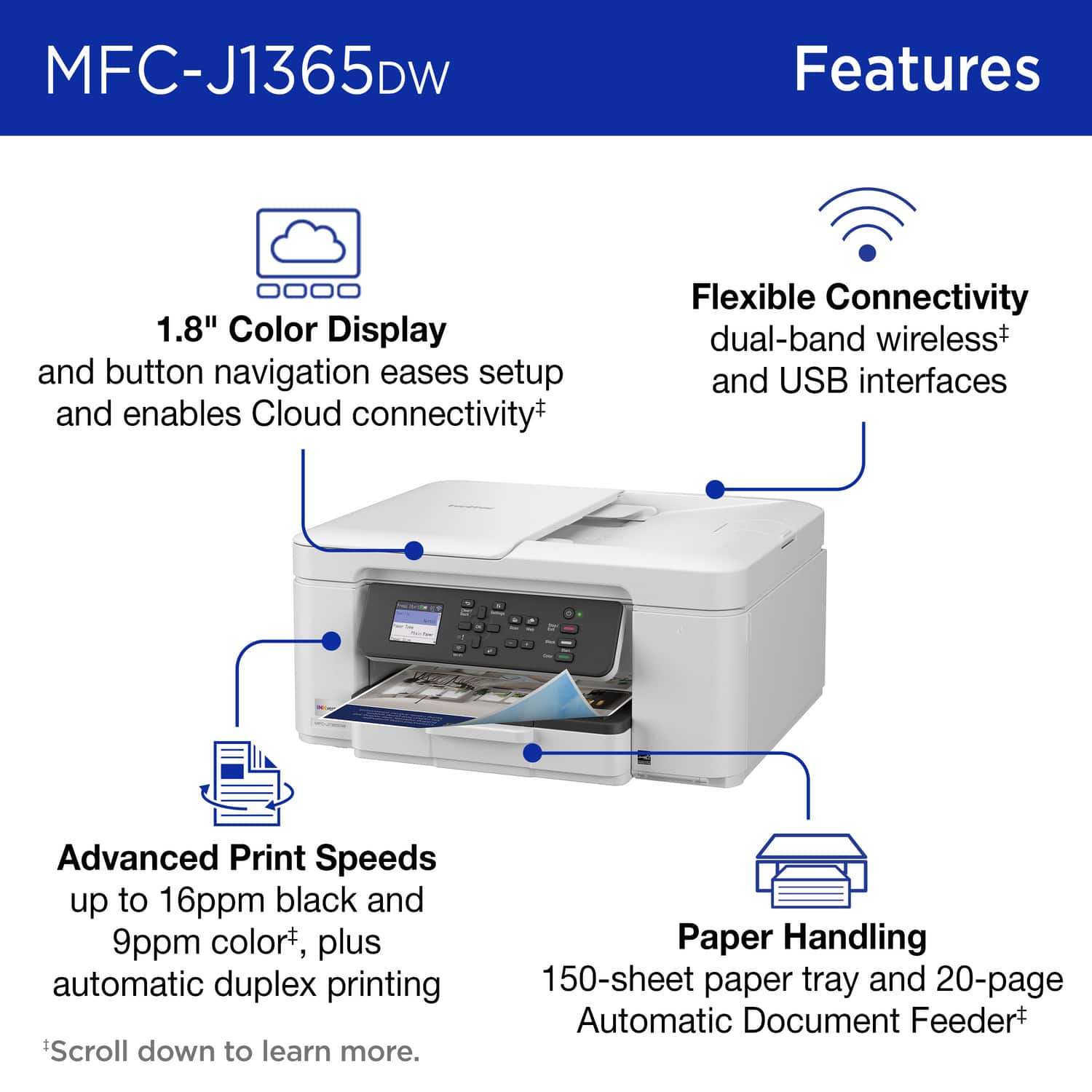
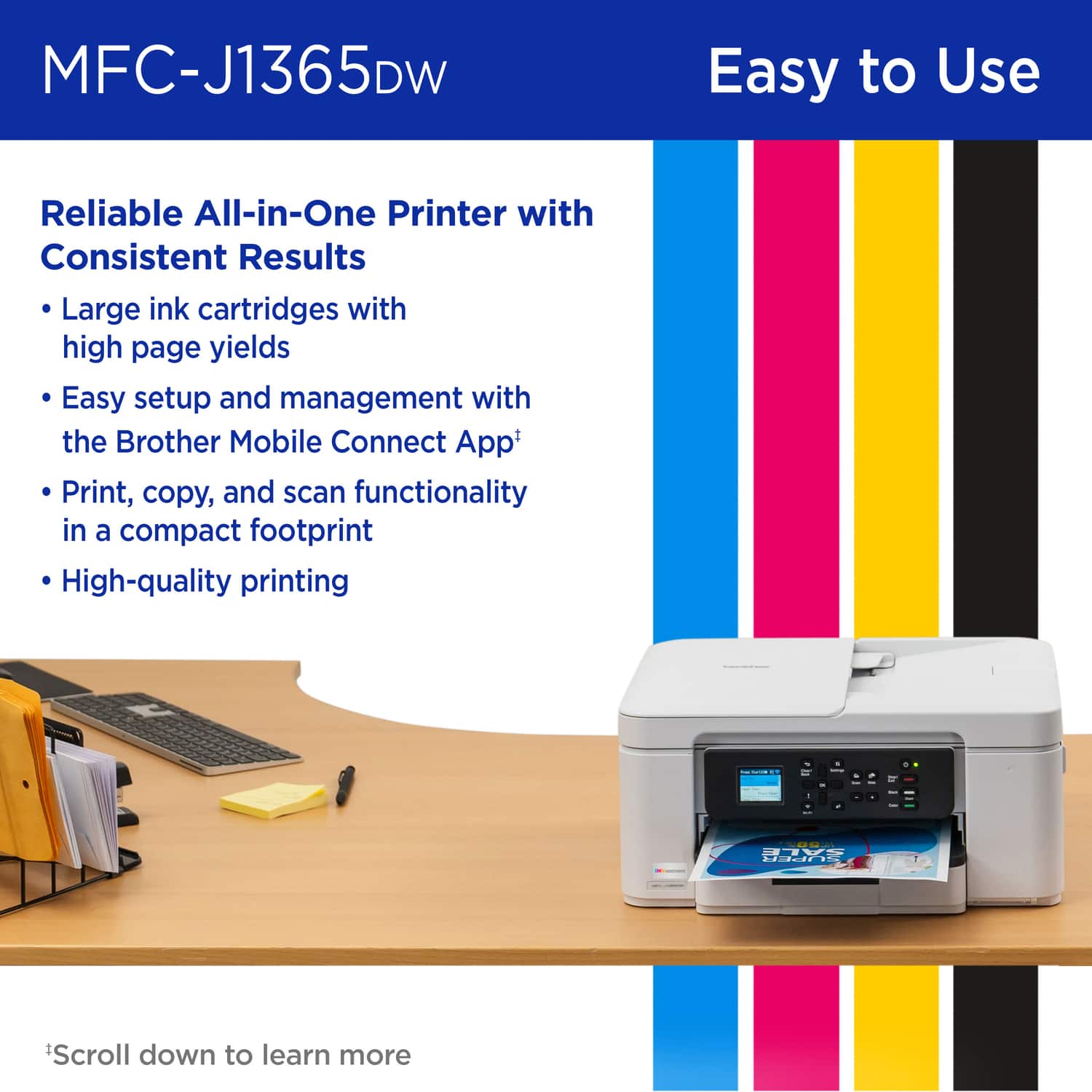
|Posted .This reviewer received promo considerations or sweepstakes entry for writing a review.Looking for a printer these days can be a daunting job for a home office. Every big-name manufacturer advertises the latest and greatest new feature that we just can’t live without. But sometimes you just want a product that just works, while providing features that are useful and meaningful. I must admit that I have never really considered Brother for printers, always thinking that they were an entry level producer. Boy was I wrong! The INKvestment 1365 or model MFCJ1365DW is a right sized printer to fit in any space in your office or home. Its 1.8-inch LCD screen provides the proper amount of information for your print, scan and copying needs without overwhelming you with too much information. As far as the real estate it takes up in your home office the 1365 measures at 7.5” high, 15.5” wide and 13.5” deep. With a white body the 1365 doesn’t draw any undo attention to itself and blends nicely into its surroundings. It allows wireless printing from your computer and your mobile devices. The scanning bed measures 8.75 by 11.88 As far as the printing capacity is concerned, the 1365 can hold up to 50 pages of paper and can print 16 pages per minute in black and 9 pages per minute in color. The print quality in both black and white and color is stellar. Documents are printed clearly without any smudges. Color prints are bright and vibrant with very good color representation. Printing pictures really impressed me with their accuracy in color and details. For copying, the 1365 has a feeder that will hold 20 pages and can take single sided pages fed into the 1365 and produce double sided prints. For example, 20 individual pages in the feeder can output 10 double sided prints. For the scanning feature you need to download the Brother printer drivers on to your PC or load the Brother Printer app onto your mobile device. The scanning functions are controlled from there. The same feeder is also used for scanning multiple pages into your computer. The feeder moves each page smoothly through the scanning bed and out. Scanned documents display very clearly and so do pictures. There are two different versions of the Brother application, one for your PC and one for your mobile device. The PC version gives you basic Printing, Scanning tools and a link to an online for you to view more details on the 1365 and so on. The Mobile app provides much more information for the 1365 and functionality. Both versions of the app are clear and easy to use. All in all, this is the little printer that does! And what it does, it does very well. I would recommend it to anyone who is looking for an affordable printer that does what it says and does it very well.
I would recommend this to a friend - Pros mentioned:Connectivity, Print quality
Good, but nothing really stands out
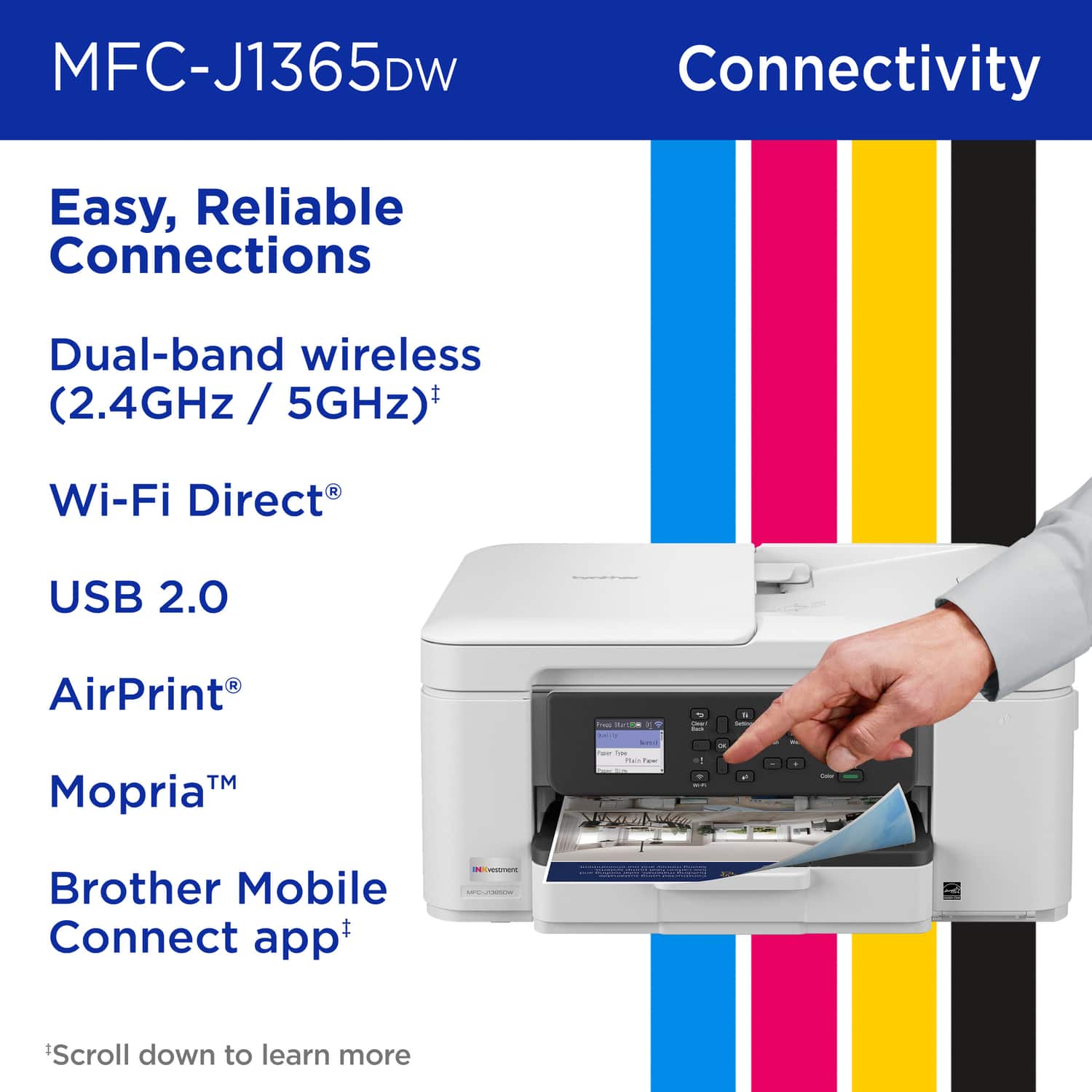
|Posted .This reviewer received promo considerations or sweepstakes entry for writing a review.It’s an all in one inkjet printer with all the features you come to expect in an all in one printer these days. I suppose over a lower budget printer, you gain the 20 page automatic document scanning and auto-full duplex, but the rest of it just feels like everything you anticipate to be in a modern inkjet printer. The user interface of the physical buttons and their app, however, both feel very dated, but they work. The display is bright and clear enough to see what you need, like the directions through initial setup, but panning through rubber arrow buttons and OK just feels out of place for our current tech. Print quality is decent, but the copy quality is a bit rough by default. You can see how I scanned and printed their own adjustment sheet and how faded the colors came out, the banding in the grey and missing details. A little adjusting or black only can make a little difference. Print speed is listed as 16ppm black and 9 ppm color, but it all depends on what is on the page and does feel a bit slow when you are waiting for it to come out compared to other types of printers. This is fairly common for inkjet though. The initial ink cartridges do claim to have more ink than the typical start cartridges, but then they will keep pushing their Refresh EZ Print subscription services on you so that you can keep your ink stocked. Seems to be the way for all the printer makers these days. If you use your printer a lot, they do pan out to save you money on keeping ink in stock though. You can connect via 2.4 or 5Ghz WiFi, which I suppose is an improvement, as so many electronics only work with 2.4. So, you can move out of that crowded space and take advantage of better speeds. You can also connect via USB, cable not included. There is no Ethernet port if you prefer wired networks. Overall, it is a decent printer, nothing feels exceptional about it, but might have exactly the features you are looking for, like the document feeder and auto-duplex. There are just so many printers in this range and style that it really comes down to what you are exactly looking for.
I would recommend this to a friend - Pros mentioned:Print quality, Size
Good budget multifunction inkjet, clunky setup
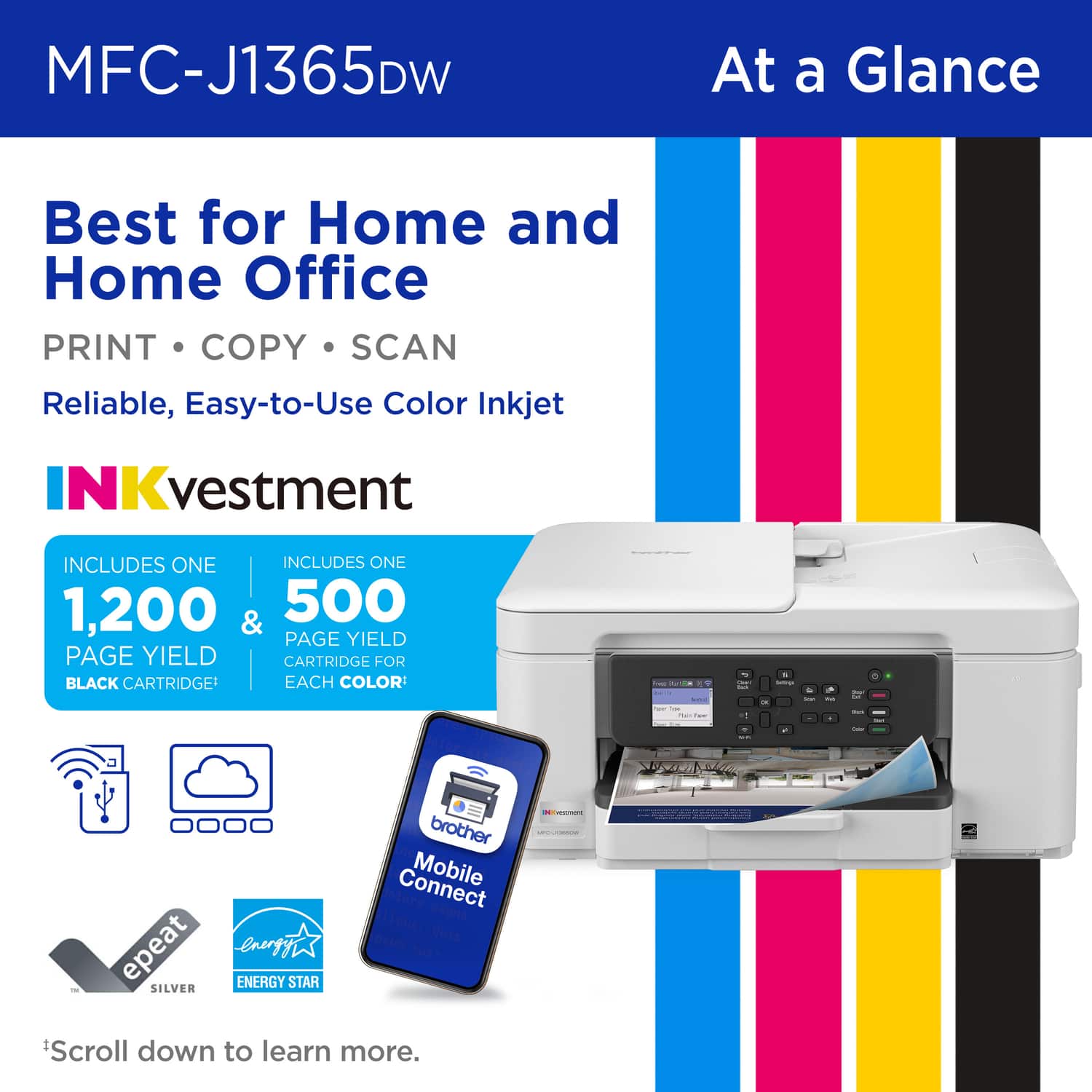
|Posted .This reviewer received promo considerations or sweepstakes entry for writing a review.This is a pretty good inkjet printer that delivers high quality color documents, but is a bit clunky to set up and has fairly cheap-feeling build quality. I set it up on a Windows 11 Dell desktop, and although I appreciated the ability to do so wirelessly from the Brother website, the process is very slow and clunky (despite a fast internet connection), and it failed the first time because it couldn’t detect the printer for some reason. Fortunately, it was able to detect the printer on the next attempt. There’s also a mobile app that can be used to set up and manage the printer, and setup can also be done via USB connection, but I didn’t test any of that. Printing is quiet and reasonably fast (9 ppm with standard color printing). The print quality is very good -- crisp, with vibrant colors. Installation and replacement of the ink cartridges is easy, with access on the front of the unit. Page yield is 500 per color cartridge, and 1200 if only using black. There’s an ink subscription option through Brother, but since I don’t anticipate using this as my main printer (I have a laser printer for that), I’ll just order replacement cartridges when needed. The paper tray defaults to standard Letter size, but can be expanded to Legal, which is a nice touch. It can’t print any wider than 8.5”, though, which is not unusual. The copy function works well, using either the flatbed or the automatic document feeder. There are separate buttons for black & white and color copies. The ADF works smoothly, and can hold up to 20 pages. Scanning also works well, using either Brother’s own software or the built-in Windows 11 Scan app. The control panel is operated using buttons only (no touchscreen), and the interface can be a bit confusing. But like all interfaces, I’m sure I’ll get used to it quickly. The printer itself is reasonably compact, and also fairly lightweight, so it’s good for small offices. Part of the reason it’s so light, though, is that the plastic feels a bit flimsy, and I can easily imagine some parts breaking easily (like the ink cartridge door or the flatbed lid). This is not too surprising given the price point, but it’s something to keep in mind. If klutzy people will be using the printer, you may want to consider a more solidly built unit. Overall, I would recommend this to anyone looking for a reasonably priced multifunction inkjet printer, with the caveat that setup may be a bit frustrating for the non-tech-savvy user. I have found that Brother printers are very reliable (my laser printer is a Brother as well), so I would expect the same with this one.
I would recommend this to a friend - Pros mentioned:Print quality, Size
I Like Brother Printers, This One Not as Much
|Posted .This reviewer received promo considerations or sweepstakes entry for writing a review.I should have known right out of the box that I was going to have some issues with the setup of this printer. It was delivered by FedEx, and I do not know if that created my 1st issue or not. I opened the box, and the printer was filthy with dust or dirt, even inside its packaging, all over the control panel, etc. So, the next thing that I had to do was dust the printer. My experience with the Brother - Inkvestment 1365 Wireless Color Inkjet All-in-One Printer after that was not the greatest after that. Taking it out of its box, taking off the tape, putting in the electrical cord, putting paper in the paper tray, etc. went quickly. I was glad that there was a quick start up guide and went step to step just like it directed. I have a very up to date, Windows operating system, Lenovo desktop that I installed the software with their preferred method of accessing through https:/setup.brother.com. What I was not prepared for was the amount of time to go through its on-screen step by step checklist, registration, downloading new firmware. In my opinion, if you want a plug and play type of printer this is not the one for you. In the end, all was fine, but allot enough time to get the job done without stress. Another concern that I had was the fact that when this all-in-one printer's software installed on my computer, it did not put in scanner settings in the "Printers & Scanners" area of the control panel like my older and beloved Brother J1170DW did, also another all--in-printer did, and my HP and Epson all-in-ones did. However, there is a 'scan' button on the machine's display panel that will connect to the computer, as well as the user can use their smartphone and download the Mobile Brother app that in my case I downloaded from the Google Play store. My printer is connected wirelessly, and you can add this printer to the app wirelessly once it detects the IP of your printer. When I have time to call Brother's toll-free support, I will ask them why there is no scan settings that downloads in this case directly to the computer. In the end, I guess you get what you pay for. Good that it has a 20-page ADF, good that it is compact and takes up a small footprint, good that it has a 150-page paper tray, okay lead time to print, good print quality, and good ppm for home and very small business.
I would recommend this to a friend - Pros mentioned:Print quality, Setup ease
All In One for Home, Student, Small Business
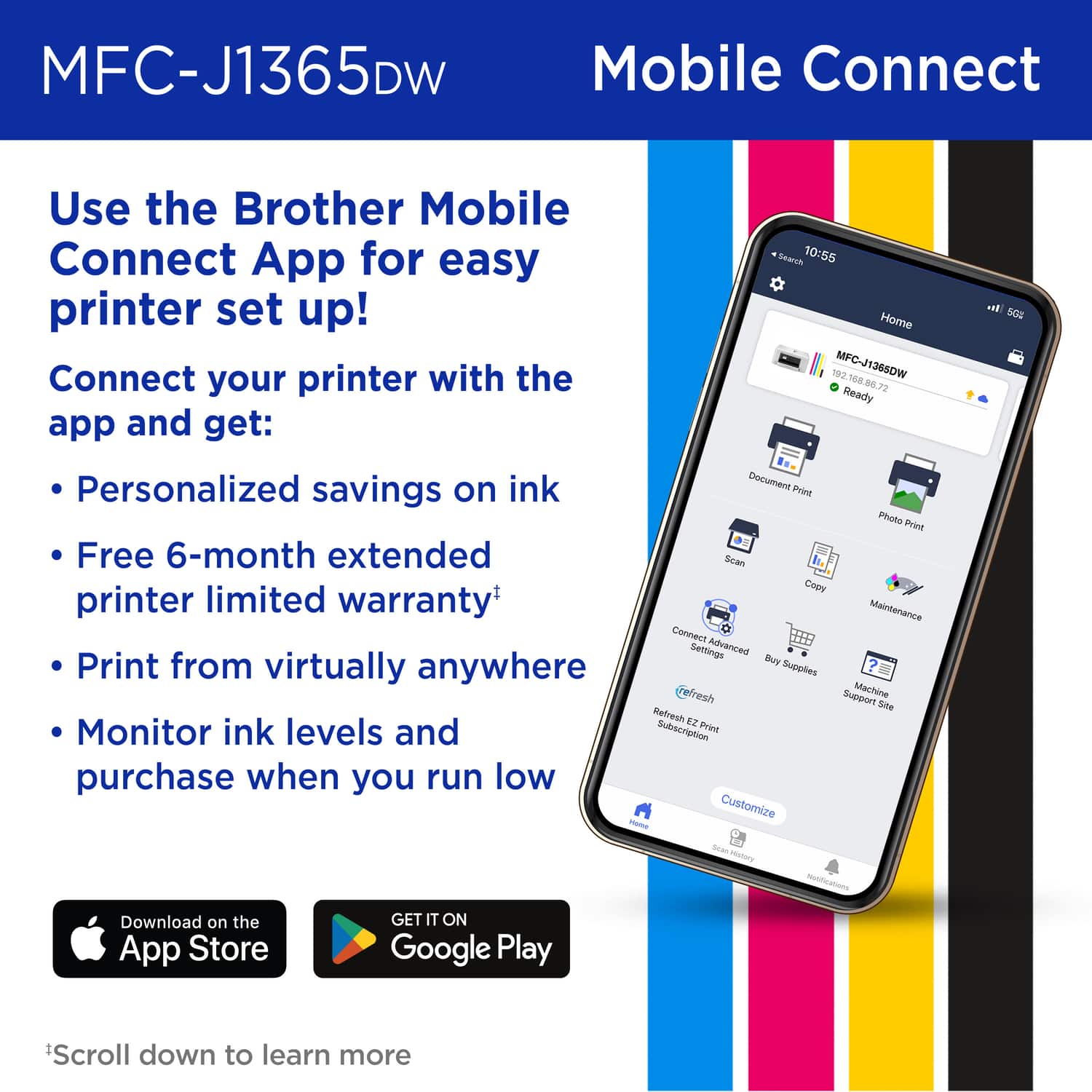
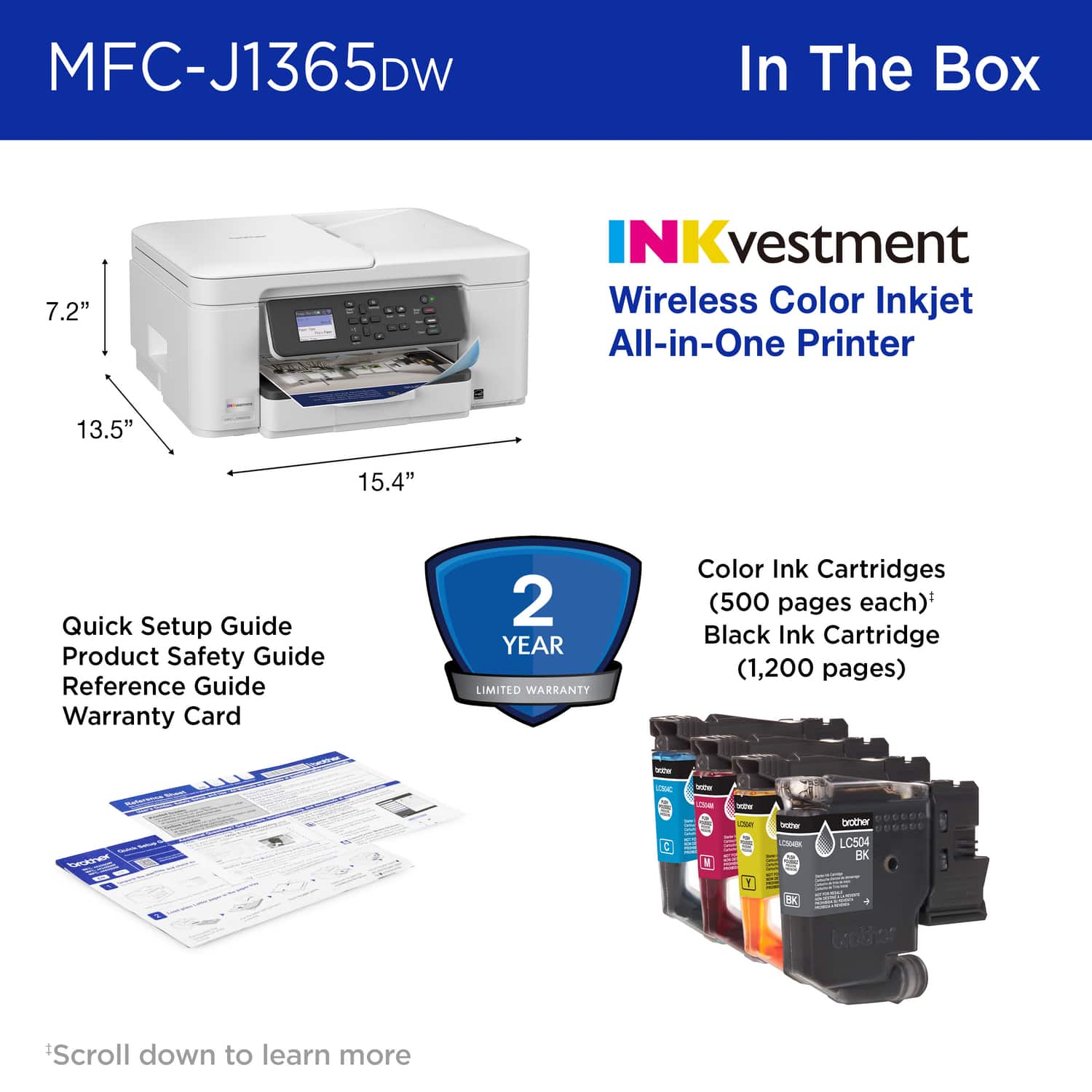
|Posted .This reviewer received promo considerations or sweepstakes entry for writing a review.The new budget-friendly Brother INKvestment 1365 Wireless Color Inkjet Printer is an all-in-one that prints, copies, and scans. Because of its small footprint size of 15.4” x 13.5” x 7.2” and weight of 16.8 lbs., it is a viable choice for student use, a small office, or for home. It is an Inkjet printer and prints sixteen (16) pages in black and white per minute or nine (9) pages in color per minute. The printer features sorting functions, duplex copying, and page layout capabilities. These choices can be made through the LCD on the printer. The paper tray has a maximum capacity of 150 sheets, based on 20-lb paper. The auto feeder is a convenient feature that can handle up to 20 sheets of paper simultaneously. There is a flatbed and paper adjustments in the paper tray if you wish to print photos or copy/print on various paper sizes. Four (4) inkjet cartridges are supplied as starter cartridges. The refill cartridges can yield up to 1500 pages in black and white or 1,000 pages in color. The print quality is good, and the colors appear true to life. I do not think that I have printed many pages with the starter ink, and most of the ink in all of the cartridges is incredibly low. I would advise buying refill cartridges to have on hand, or signing up for the Brother Ink Supply program, which is based on the number of copies estimated to be printed in a given amount of time. Through this program, the company will continuously ship the supply of ink based on your order. There are charts online to help estimate the number of sheets of black and white, and/or color prints that you expect to print in a certain period of time. To set up the printer, it is recommended to download the Brother Mobile Connect App. This app guides you through the initial setup and helps you establish wireless connections to your devices. Initially, I found the app difficult to use, so I restarted the process after two updates were applied, and it worked better. The app, along with the LCD display on the Printer, helped align the printer cartridges and finalize the setup. The printer setup is actually very straightforward and can be completed in a matter of minutes. The scanner works well, and scanning can be sent to email, a PC, or to a cloud feature set up through the Mobile Connect App that is referred to as Web Connect. Web Connect allows printing through the cloud to various sources that you have set up and established. A nice feature that I have not had before in a scanner is the ability to remove the background of printed material being scanned. This is a cost-effective printer if you do not need to print a lot of documents. I would recommend it for a student, a home office, or a small business that needs printing occasionally. This printer comes with a two-year warranty.
I would recommend this to a friend - Pros mentioned:Print quality, Setup ease
Ideal Home or Home Office Printer
|Posted .This reviewer received promo considerations or sweepstakes entry for writing a review.Printers typically are not a piece of office equipment to get excited about, but when you find one as reliable and consistent as the Brother INKvestment 1365, you gain a whole new appreciation for these machines. From my experience, Brother does not chase trends. They stick with what works, and that focus has always translated into high reliability in my home office. Setup was about as seamless as it gets in 2025. Once you download the Brother Mobile Connect App, it guides you step by step, from installing the ink to connecting your WiFi. I cannot stress enough the value of having your printer on your home network. The app makes it easy to check ink levels, scan directly to your phone or computer, run maintenance tasks, and even order supplies when needed. When it comes to ink, Brother raises the bar by including full cartridges with the 1365 Color Inkjet. The included LC501 cartridges deliver up to 500 pages of color and 1,200 pages of black. For power users, extended yield LC501 options are available. As a more casual user, I expect the included ink to last me close to a year, which is ideal. Print quality is above average and easily good enough for photos in a pinch. I use my printer 90 percent of the time for documents and about 10 percent for photos or invitations, and the Brother 1365 handles both well. The bottom feed tray has all the adjustments you need for envelopes, photo paper, and more. Like most bottom load printers, it can struggle with heavier stock, but I prefer this design because it keeps paper clean and dust free, reduces the risk of clogging print heads, and allows for higher capacity. This tray holds around 150 sheets. The Brother INKvestment 1365 strikes the right balance of reliability, ease of use, and everyday performance. It is not flashy, but it delivers where it counts. Seamless setup, smart app integration, generous amounts of ink, and solid print quality. For anyone who values consistency and low maintenance printing in their home office, this printer is a standout choice.
I would recommend this to a friend - Pros mentioned:Print quality
Difficult to set up, low contrast
|Posted .This reviewer received promo considerations or sweepstakes entry for writing a review.It may just be my machine, but I could not set up my printer with my phone. It’s fine as you can set up without a phone, but it would’ve just been nice if it worked out of the box. After setting the printer manually, the software is very straightforward to use and navigate. It shows you how to connect it with your phone or your computer. Even though I couldn’t set up on my phone, my PC was able to detect it and print. The app was a little too simple. It was only able to do full page prints, it would not let you do several 4x6 prints as an example. This could easily be updated in the future, but just would be nice if it came with just a little more customization. The print itself is ok. On plain paper the images were surprisingly colorful. Wish there was a little more contrast, but still impressive on plain paper. On glossy photo printer , the images were beautiful. Text and details were crisp and didn’t smudge easily. It is slow relatively speaking, but I’m happy to pay quality over speed. The scanner was accurate. A little bit of dithering / artifact, but good enough for everyday use and a quick copy. Overall, I wish there was more contrast, easier to set up, better app and a little faster. Other than that, it feels like a reliable little guy. Would recommend if you don’t mind a little more effort to set up, and an overly simple app.
I would recommend this to a friend A Great Affordable Printer for Home Offices
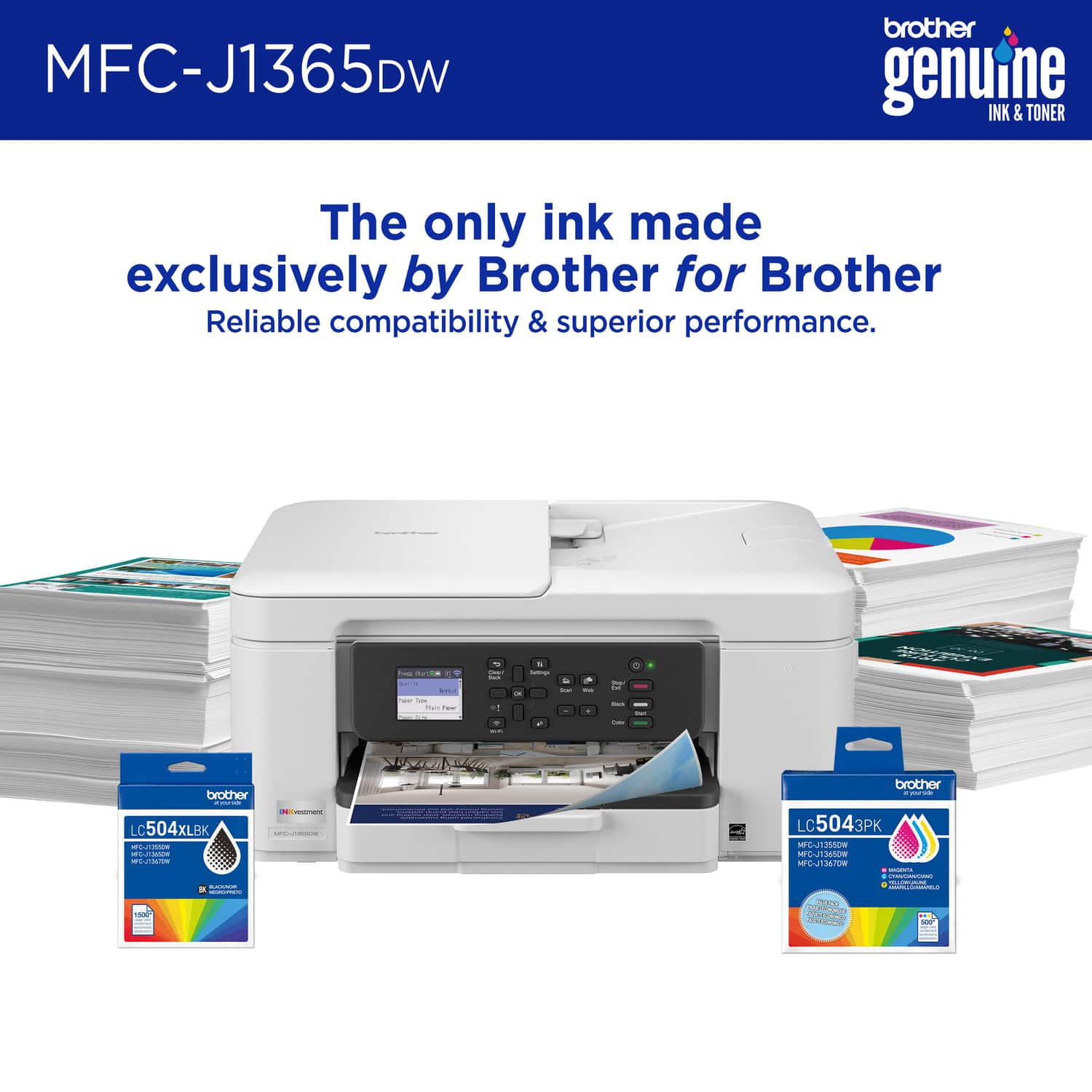
|Posted .This reviewer received promo considerations or sweepstakes entry for writing a review.The Brother INKvestment 1365 Wireless Color Inkjet All-in-One Printer with Auto Duplex Print (MFC-J1365DW) is the perfect entry level combo printer for printing, scanning and copying at home at an affordable price. The MFC-J1365DW uses Brother's new LC504 series ink cartridges. The included starter cartridges are surprisingly generous with the black cartridge rated for approximately 1,200 pages and the three color cartridges (cyan, magenta, yellow) rated for about 500 pages each. This Brother printer also provides a “Page Gauge” feature, which tells the users an estimate of remaining ink levels with greater accuracy than traditional low-ink warnings. They do offer High-yield cartridges (LC504XL) are available for heavier users, helping to extend replacement intervals and lower cost per page. The set up for this printer was super easy with the Brother Mobile Connect app. The app takes you through the steps of connecting the printer to Wi-Fi network, then registering the device, and performing the required test prints. The app also enables direct printing and scanning straight from your mobile device. The user interface is intuitive, with step by step instructions that minimize confusion, just make sure to have some paper on hand during the installation or you will not be able to set up the printer, found this out the hard way and had to go to the store to pick some up. Also in the app you will be able to monitor Ink levels, install firmware updates, and queued jobs. On a personal desktop, installation of Brother’s drivers and utilities is straightforward. Users can download the required software from Brother’s support website, enabling full access to printing, scanning, and device management functions.That being said I ran into a slight issue with my company issued laptop, where the Brother app and drivers were restricted by IT security policies. So, you might need administrator privileges in order to install the drivers and utilities. Users without such permissions will need assistance from IT personnel. The MFC-J1365DW offers ISO-certified print speeds up to 16 ppm in black and 9 ppm in color. Resolution reaches 6000 x 1200 dpi, sufficient enough for sharp text and detailed images. Automatic duplex printing is supported, reducing paper usage. That being said if you are trying to print out a photo that you took, there will be some contrast issues in that the colors will not pop as much as the look on your screen and just something to expect with this budget printer. The flatbed scanner offers standard single page scanning, and also supports a 20-page automatic document feeder (ADF) for multiple page jobs. Connectivity options include dual-band Wi-Fi (2.4 and 5 GHz), Wi-Fi Direct, and USB. The printer supports AirPrint, Mopria, and Brother’s Mobile Connect app. Cloud services such as Dropbox, Google Drive, and OneDrive can be accessed directly from the control panel. The control panel features a 1.8-inch color display with direction navigation buttons. While functional, it is not a touch interface, which limits the ease of use compared to larger touchscreens on some of the other high end models out there. And the user interface does seem a bit dated in how you navigate the menus, so I recommend using the app. The 150 sheet input tray and 50 sheet output tray offer reasonable capacity for home office workloads. For home offices, the MFC-J1365DW offers strong value. Its included ink, duplex printing, and wireless capabilities meet the needs of most small-scale operations. In corporate settings, however, challenges may arise. IT restrictions could complicate driver installation, and reliance on wireless connectivity may limit deployment in environments that prefer wired network devices. Pros Generous inbox ink supply, especially for black at 1,200 pages. Automatic duplex printing for paper savings. Wireless and mobile app support. Cloud printing and scanning integration. Multi-function design (print, copy, scan) with ADF. Compact footprint suitable for desks and small offices. Page Gauge feature for accurate ink monitoring. Cons Print speeds are modest compared to higher-end devices. Requires admin rights for driver installation on company PCs. Higher cost per page for color printing. Small, nontouch display. Overall, the Brother INKvestment 1365 Wireless Color Inkjet All-in-One Printer (MFC-J1365DW) is a well rounded affordable choice for a home office printer for those seeking a reliable, and flexible printer. Its strong ink system, mobile connectivity, make it highly functional for moderate workloads and will get the job done when working from home.
I would recommend this to a friendCouldn't be more solid!
|Posted .This reviewer received promo considerations or sweepstakes entry for writing a review.It’s amazing how printing has gone from being a ritual to an occasional but sometimes crucial necessity. I still think we all need one for convenience, but we want them to be simple, efficient, and cost effective. Does the Brother INKvestment fit the bill? Let’s start with unboxing. I think packaging is important. It tells me whether the manufacturer cares about their product, it’s delivery, and the customer’s satisfaction in receiving the product without physical or internal issues. Brother seems to be consistently good in this area – strong box, crushable inserts with a tight fit. Pulling it out of the box, my first impression was that the INKvestment has a small footprint for such a versatile printer. This thing easily fits on a little bookcase I have that’s just under a foot deep. That’s fantastic design in my opinion. That means I can think about placing on a shelf without it sticking out significantly. Inside the box, there is the printer, power cable, and ink cartridges. Physical set up was very straightforward and easy. To get started using this printer, you will need to download the Brother Mobile Connect app to complete setup. I tend to hate this type of approach for 2 reasons: I would love to just plug up a printer, and it works without external factors, second, there always seem to be issues with these types of setup processes. Well, Brother has done it right. Setup was easy and without issue. I was up and running quickly.. after the software and firmware updates. I think the main thing is how smooth the process went. I was able to print and scan from both phone and PC without any troubleshooting or problems. The print speed and quality were good as well. It’s definitely not the fastest home printer, but it’s more than acceptable. All in all, there are only good things I can say about this printer. Mobile printing is spot on with good app integration, and it’s a joy to use on my PC, with monitoring tools in tow. I highly recommend the Brother INKvestment 1365. It was a breeze to set up, it has a small footprint, prints very well, and has a ton of versatility.
I would recommend this to a friend- Pros mentioned:Print quality
I like this printer
||Posted . Owned for 3 weeks when reviewed.This reviewer received promo considerations or sweepstakes entry for writing a review.The printer is new to me, and is working out well so far. The print quality is excellent. I needed paid tech help to set up the printer. My phone had a hidden default that prevented the printer from connecting.
I would recommend this to a friend Very Pleased with this Printer
||Posted . Owned for 2 weeks when reviewed.This reviewer received promo considerations or sweepstakes entry for writing a review.I've only had this printer up and running for a couple of weeks, but so far it has been excellent compared to the HP and Epson printers I have owned/used previously. First, the setup and software installation were super easy. Printing, copying, and scanning are very easy. I like that you can do scanning either from device, or directly from the printer. I look forward to taking full advantage of the savings on ink, which is the main reason I bought this printer.
I would recommend this to a friend- Pros mentioned:Setup ease
Excellent printer
||Posted . Owned for 1 month when reviewed.This reviewer received promo considerations or sweepstakes entry for writing a review.I purchased this printer in store and it was delivered a few days later. Great printer easy to set up.
I would recommend this to a friend - Pros mentioned:Print quality
Best Portable Printer
||Posted . Owned for 1 month when reviewed.This reviewer received promo considerations or sweepstakes entry for writing a review.Good printing , scaning and photocopy quality. Easy set-up.
I would recommend this to a friend 1365 bros printer
||Posted . Owned for 2 weeks when reviewed.This reviewer received promo considerations or sweepstakes entry for writing a review.It’s a nice inexpensive printer but had a few paper jams already
I would recommend this to a friend- Pros mentioned:Cartridge installation, Connectivity, Print quality
Solid offering but ad-riddled
|Posted .This reviewer received promo considerations or sweepstakes entry for writing a review.The unit itself is about 2/3 the size of my Epson all in one it is replacing. It's not terribly heavy, but other than (what comes off as kind of a cheaply built) front paper tray, it seems well built. Setup was pretty easy, both on my wireless network and iPhone (the mobile capabilities are pretty great). My other PC was able to see it on the network without even hitting the support site. The only issues I ran into was like when I upgraded the firmware, it just kept acting like I needed to update when it was obvious that I had just done so. I also had to hunt down my own USB cord to do this... PC-side software for scanning is simple to use, with lots of resolution options. I maxxed it at 1200x1200 and printed something out - not sure I've personally seen better output from a home printer. I can't speak to toner cartdige longevity because I do not have anywhere near that volume worth printing, but they did go in easily and still appear at ~100% after running that picture through in full color. I only give it 4 of 5 stars because at every avenue Brother will remind you that you can subscribe to their service. I know I can do that, and maybe I will, but I certainly do not need that as of day one.
I would recommend this to a friend Somewhat satisfied
||Posted . Owned for 3 weeks when reviewed.This reviewer received promo considerations or sweepstakes entry for writing a review.3 star because of the paoer tray. When finished printing the simple touch of the paper, it goes back into the machine. I found that to be strange
No, I would not recommend this to a friendBrand response from Brother
Posted .Thanks for taking the time to review your experience with the Brother MFCJ1365DW. We appreciate your feedback. I’m sorry to hear that you are having paper tray issues with the Brother MFCJ1365DW. I sincerely apologize for any inconvenience this issue may have caused you. We would love to hear from you with more details to be able to better assist you. Our Brother Customer Support Team is available to assist you direct: www.brother-usa.com/brother-support/MFCJ1365DW

- Pros mentioned:Connectivity, Print quality, Setup ease
New Home Office Printer
|Posted .This reviewer received promo considerations or sweepstakes entry for writing a review.My wife needed a new printer for her home office after her previous printer stopped working. Our printing needs are pretty minimal but we wanted something that could do two-sided printing and the occasional scan. She also wanted white because the black and grey "match" better. I digress. This is also pretty small so it doesn't take up as much space in her office. The Brother INKvestment claims to offer more pages per cartridge than traditional cartridges. Brother's estimates are 1500 pages and it'll likely take us a year or more to hit that number. This is connected to our home WiFi so we can print from our computers (Mac, Windows, Chromebook) as well as our iOS devices. No real drama in getting it setup with the free Brother Mobile Connect app. You can also use the app to monitor ink levels and order additional if you don't subscribe to Brother refresh to keep a supply on hand. There are better printers and there are cheaper printers. Having an all-in-one for a reasonable price is really all one can ask for and the Brother INKvestment delivers. Hopefully this saves us some money over it's lifetime and ink refills keep getting more and more expensive.
I would recommend this to a friend - Pros mentioned:Connectivity, Print quality, Setup ease
Nice ink jet printer.
|Posted .This reviewer received promo considerations or sweepstakes entry for writing a review.Brother comes in with another great printer. So I will start with the automatic document feeder (ADF). Gotta love this feature. I like that it can scan 8x14 documents. The setup was pretty painless on my Mac and Android phone. My Windows 11 Pro laptop connected to it no problem as well. I recommend checking for a firmware update which usually happened as soon as the printer is connected to the internet. Print, copy and scan are as basic as you can get. Read the manual and follow the instructions. It makes a difference instead of guessing how to use the printer. The apps that are available that allow you to use this printer from anywhere is very convenient and easy to use. Print quality is pretty good. Not sure how long the ink will last but I am going to test the year long claim with the included ink cartridges. Now the last thing to mention is faxing. I appreciate the function still being included in printers. Every now and then I have the need to fax something and it's a pain to have to drive out to a store to do it. My baby rant on faxing. Nice, small footprint for this printer. I would definitely recommend this to anyone.
I would recommend this to a friend - Pros mentioned:Cartridge installation, Print quality
Great All-In-One Printer / Separate Ink Cartridges
|Posted .This reviewer received promo considerations or sweepstakes entry for writing a review.I have been using the Brother MFC-J1365DW for about a week now and I am really happy. Things I love - proper buttons, non of that touch screen nonsense on other printers! - fast easy WiFI Setup, works on my Eeero Mesh network (yay!) - separate color cartridges and generous starter cartridges The Brother MFC-J1365DW was easy to setup, I opted not to download their app and connected it to WiFi using the full color on screen system. There are proper left, right, up, down buttons making typing in your WiFi password easy. The Brother connected to my Eero 7 network quickly - so full marks on that. What makes me love this printer is you get 3x separate cartridges from color and 1x black. This means you will get more longevity vs printers who try combine color cartridges into one. Cartridges were easy to install, no mess, no refilling tanks. Amazing! Setting it up on my PC was easy, it was detected as a network printer. On Windows 11, drivers automatically installed and I was ready to print a test page. Printing was fast and quiet for an inkjet. There is duplex support, not that I need it - but nice to know. I also did a test scan, using NAPS2, and scan speed was fast. Brother are generous with the starter cartridges, with the box promises 1,200 page black and 500 color yield. Enough to get my kids through the first few months of back to school and with no subscription charges on ink or cost per page printing charges, I'm very happy. The only reason why I took off a star (and I have owned Brother printers before) is they pick the weirdest place to plug in (side vs rear). Not an issue in my new home office setup, as I have the printer in corner near the wall - but worth looking at in store to see if it works for you. All in, the Brother MFC-J1365DW, has Brother's legendary print quality, smart design (yay for buttons and not touch screens) and my middle-school aged kids will be able to print homework without breaking the bank.
I would recommend this to a friend