Customer Ratings & Reviews
- Model:
- MFCJ1365DW
- SKU:
- 6643960
to a friend
Customers are saying
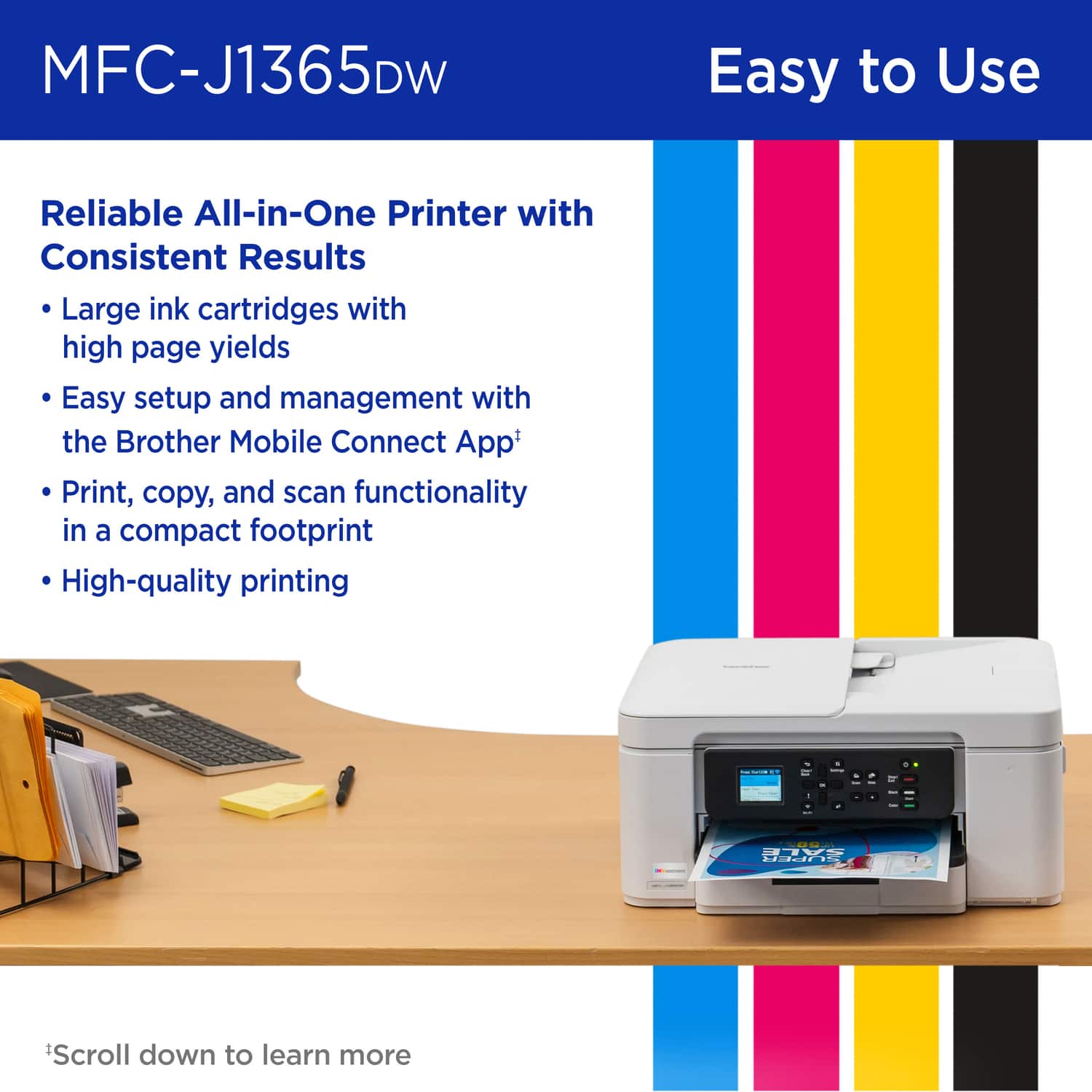
Customers are delighted by the INKvestment 1365 Wireless Printer's print quality, easy setup, and simple connectivity to home networks. The printer's compact size is also appreciated, as is the ease of cartridge installation. Overall, customers seem to have a positive experience with the printer.
This summary was generated by AI based on customer reviews.
- Pros mentioned:Cartridge installation, Print quality, Setup ease

Easy setup, fast printing
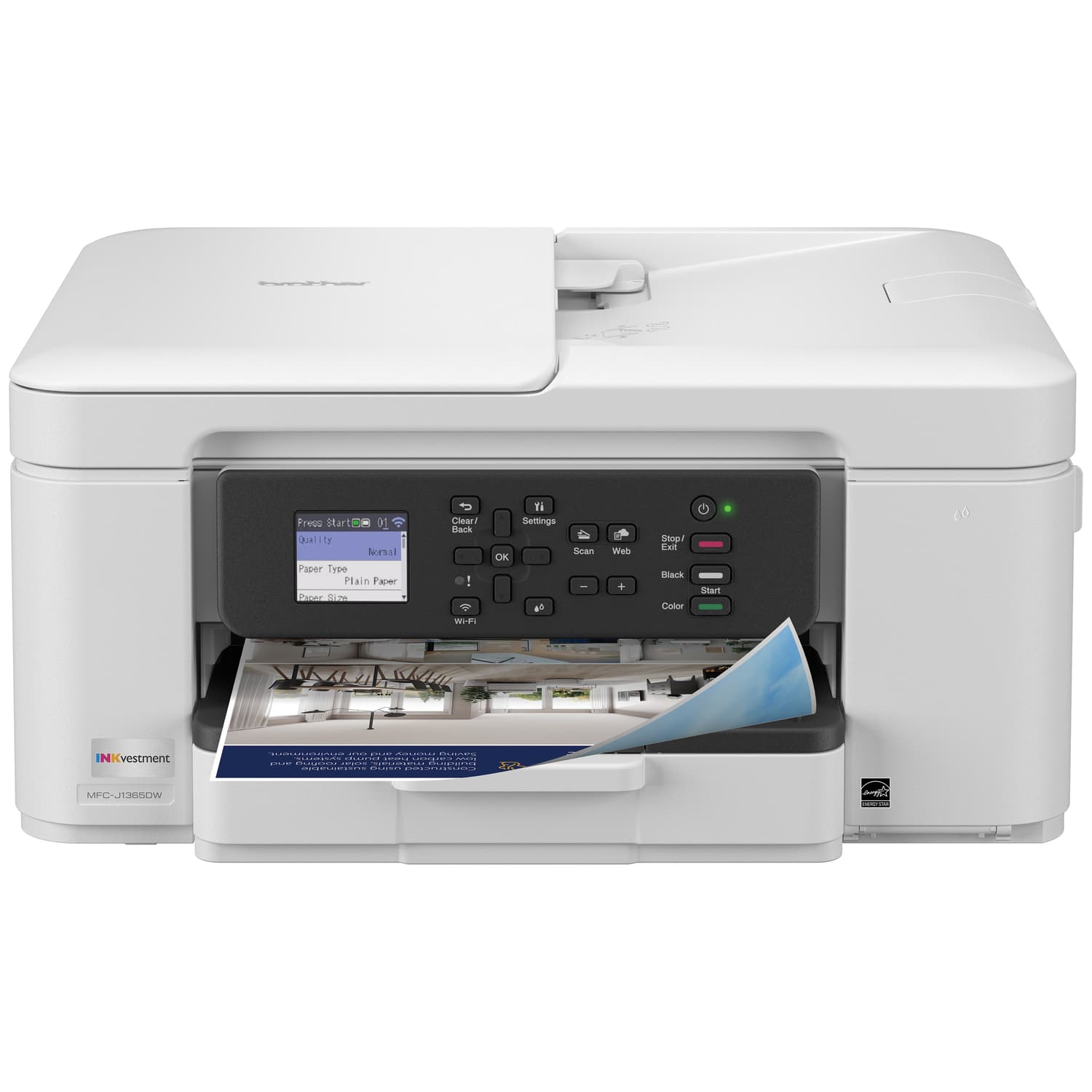
|Posted .This reviewer received promo considerations or sweepstakes entry for writing a review.For a while, I was getting away with only having a black and white laser printer. I never really printed anything but documents, and if I ever did need something in color, I could always use the one at the office. Well, now that the spigot has been turned off thanks to the shift from everyone having personal printers to a shared network copier/printer with audit capabilities, I don't really need to be answering tough questions about someone's daughter's homework printouts being left on the machine and appropriate usage of company equipment. Setting up the Brother INKvestment 1365 Wireless Color Inkjet All-in-One printer was pretty easy. Since everything was preassembled, the only thing to do was remove any tape and protective wrap, plug it in, and follow the instructions on the screen. The ink cartridges were easy to snap in and the whole process was simple. The built-in scanner was used to finish the print head alignment test sheet, which, though pretty standard fare these days, I still find to be a magical concept (it's fixing itself!). Since I already have a Brother laser printer, I already had the base software installed, but I went and downloaded and installed whatever edition came with the Inkvestment printer for the drivers. The only change that I saw was in the iPrint&Scan software, which now had a banner for signing up for Brother's ink subscription when this printer is selected. Since I usually use the software with my portable scanner (also by Brother), I had never seen it before when using the program, so I wasn't sure if this was something specific to the printer or if now I had to see an ad every time I wanted to scan something regardless of which device I was using. Thankfully, when I switched devices to the portable scanner, the ad went away. My wife was going to be delivering some baked goods that she did for an event later that day, so I put together a small card that could be displayed near her items using her colorful logo. After adjusting the size and setting it up so that I was printing two on one piece of paper, I hit print and watched the magic happen. The page printed surprisingly fast, though the printer did eject it with enough force to propel it to the floor since I hadn't extended the plastic tab meant to prevent exactly that from happening. The colors came out perfectly, and there was no smearing or wet spots. I also had to put together a greeting card for a party my daughter was going to, so again I went to the well and slapped together whatever weird grade-school memes that she thought were choice material and had her write a greeting for the inside, put it on two-sided printing, and watched that go. The best thing about having a wireless printer is the ability to put it almost anywhere. We currently have ours set on top of a low bookshelf next to the computer station. It is only slightly hanging over the edge due to the paper tray, which is good enough for me. One of our cats, however, has decided it makes a great warm bed to nap on, so we may have to move it to where she is not as comfortable.
I would recommend this to a friend - Pros mentioned:Print quality, Setup ease, Size
Quality Printer, long lasting ink
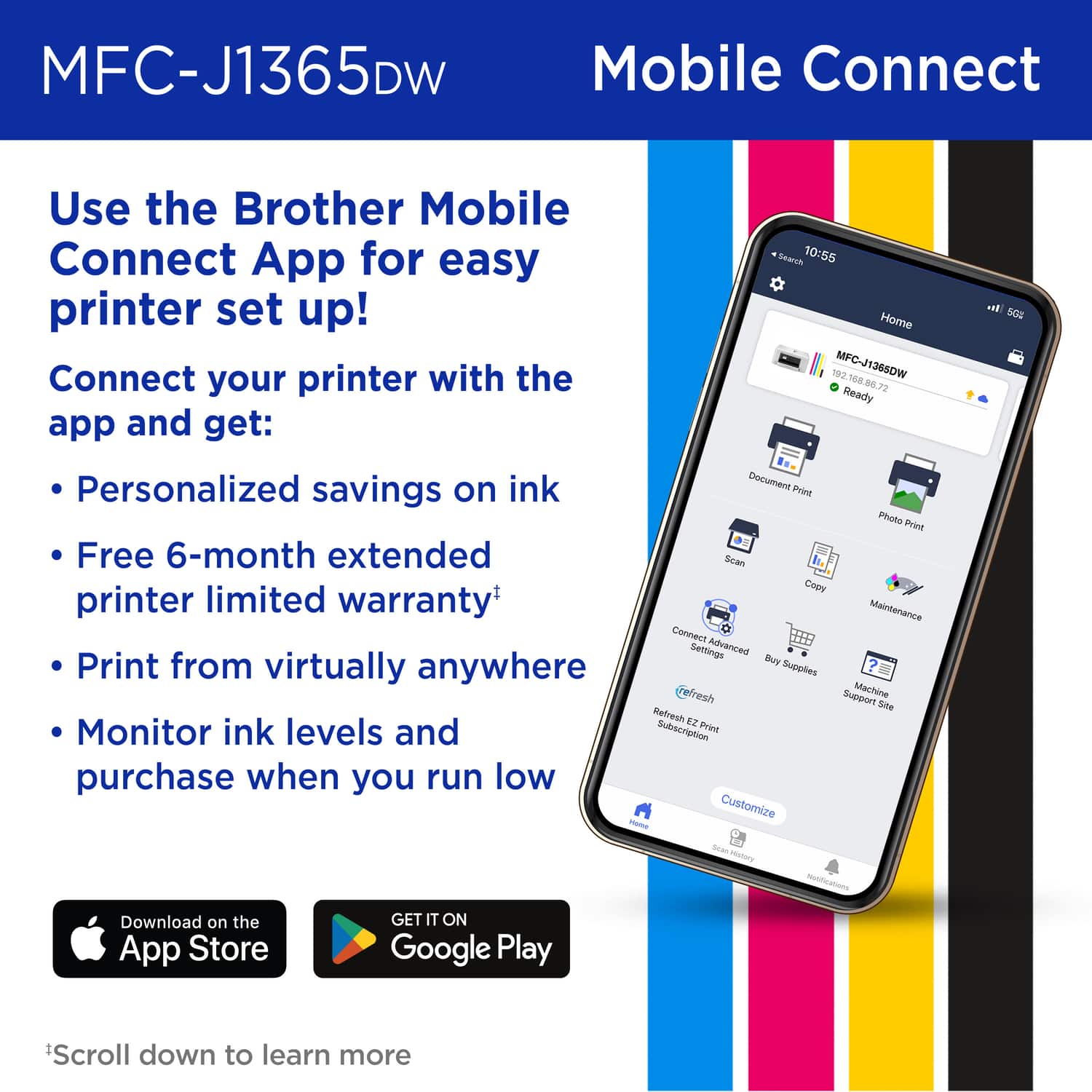
|Posted .This reviewer received promo considerations or sweepstakes entry for writing a review.This is my review for the INKvestment 1365 Wireless Color Inkjet All-in-One Printer for 2025. I personally chose this specific version because I needed a durable & dependable printer that I don’t have to worry about changing out the ink constantly. I have previously used Brother printers with INKvestment and was pleased with how long the ink lasted. I used the INKvestment 1365 Wireless Color Inkjet All-in-One Printer that I got back in 2018 and that lasted me up to this year with only changing the Ink once! Set up was overall fast to get through. Loading the ink into the Brother printer was easier this time than with the previous version of this printer; just push each one in and close the door. I remember I happened to get ink on the first printer, but with this new ink format they chose, it was very neat with no ink leaking and getting anywhere. The process runs you through getting the paper and ink squared away so there are no issues when the actual printing begins. The process just needs one page printed and put on the scanner bed to ensure proper printing to make sure the heads are lined up. One word of caution: make sure to download the Brother driver app from your store on either Android / Apple. There are other apps you can download to use the user interface from the phone rather than the display on the printer itself. There was really only one issue with the previous printer that kept coming up and that was dried out ink. I found myself constantly running diagnostics because the black specifically would get dull and the ink would get jammed, leaving very hard to read printouts. Now, I have not had this printer this long, but have not run into any issues thus far. I do have to say, it could also have been where I lived at the time (very dusty). I am hoping this new 1365 inkjet printer will last me as long as the previous one did. When it worked, it was perfect! Lastly, I feel the size has been reduced and seems lighter for the device itself. The printing also seems easier overall to queue a print from anywhere in the house/apt and prints immediately. I like the aesthetics of the printer and the screen is easy to read and is in color, though I don’t believe it is a touch screen capable. I am happy with this printer so far, has done all the jobs I’ve asked for with no issues including duplex printing. I am crossing my fingers that the ink will stay in tact and I look forward to not buying ink for a long time.
I would recommend this to a friend - Pros mentioned:Connectivity, Print quality, Setup ease
Buy buy buy. Great for home use!
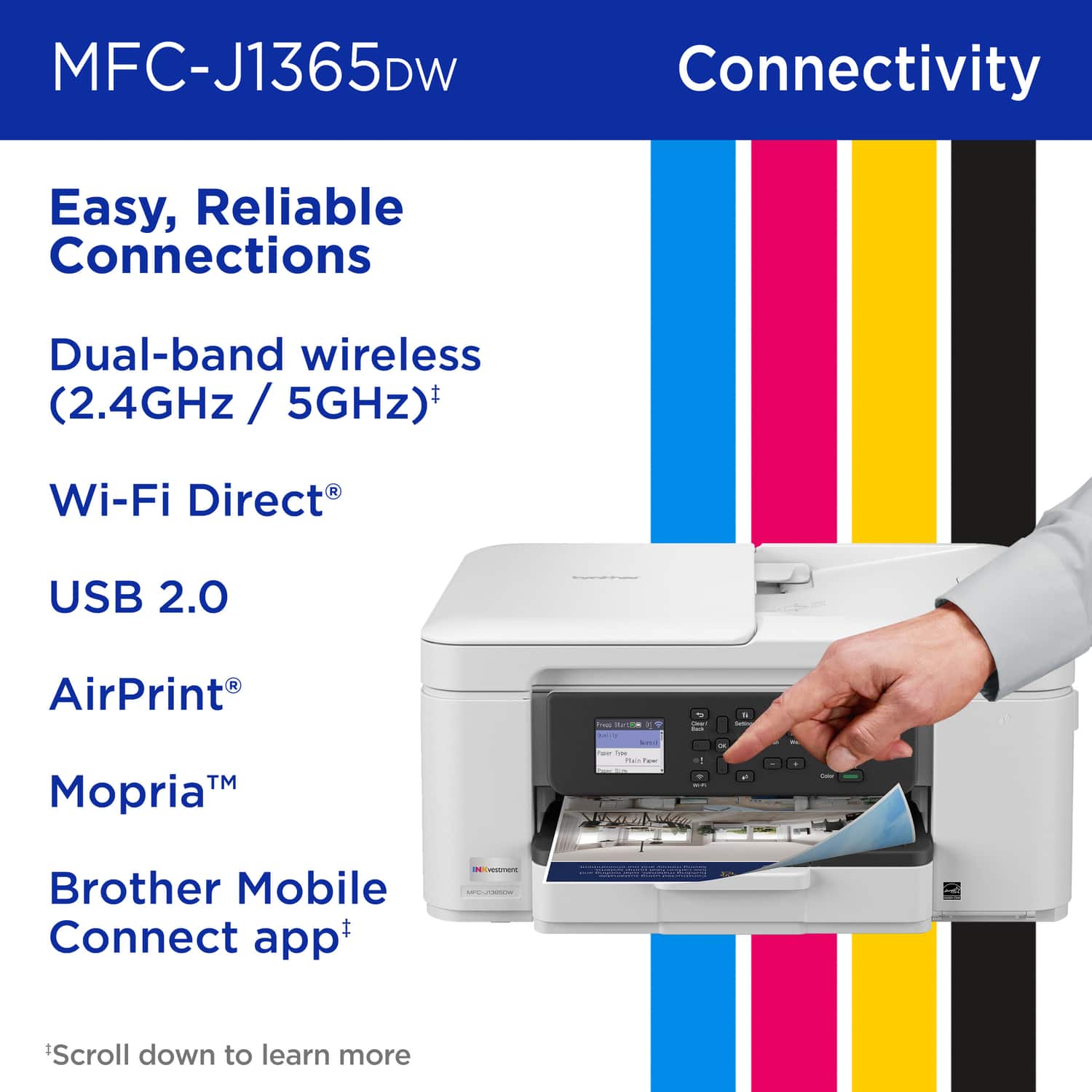
|Posted .This reviewer received promo considerations or sweepstakes entry for writing a review.Box was robust and protected the shipment from extensive damage. This unit arrived unharmed after the delivery driver "kicked the box" 4-6 feet. significant damage to box, but printer arrive unscathed overall. Opened the box and found not a dent or ding. Plugged into electrical outlet and followed instructions. Instructions were clear and well thought out. Setup took about 15 minutes from opening box to almost ready with test page. Couple of things to note with setup, make sure to have your wifi password ready as that would be the easiest way to setup for most people. Additionally, I installed the printer to my Mac and Windows 11 computer and both adopted the printer with no problems and was easy. Apple Airprint appears to work from an iphone 16 and 17. Printed a small color document and a large pdf (40 ish pages) and handled both tasks with ease. Copy function was easy to work and quality of scan was good and was legible for what I was trying to do. I'd encourage anyone looking for a printer in the home to consider this as a great unit to get!
I would recommend this to a friend - Pros mentioned:Connectivity, Print quality
Great printer first time with this brand
|Posted .This reviewer received promo considerations or sweepstakes entry for writing a review.I waited a few weeks before I reviewed this printer and here's my breakdown .... Scans: I use scans for work and need a scanner that can easily handle multiple pages. This scans a lot of pages- which is great. I used the feeder (and I also downloaded the software from the website). I use the program to scan. It is fabulous. I scanned a 25 page document easily and saved as a pdf to my computer. This is a huge plus because many scanners don't work well with multiple pages. The output was clear and it scanned it quickly. I do have to own up to my first scan being blank as I had the pages turned the wrong way for the feeder (it scanned the backs). Maybe I was in a rush, or I read it wrong-but it took me a second try to figure that out... so if you are using the document feeder make sure you scan the documents with the pages faced in the right direction. Copy: This take copies from the glass and from the document feeder. It holds a lot of pages and it copies them quickly and clearly. I was very happy with the ADF because I copy larger documents and this poses problems for many personal printers. The glass was also very easy to copy from and it is clearly marked for orientation. My former computer was a pain because it was not very clear and I had to remember to place it against the right vs. the left. Print: Love this printer, it is fast and clear. The colors are deep and the printer easily and automatically prints (wirelessly) out my papers. I usually print out documents about 20 pages so this handled that well. I didn't have to wait a long time and my ink is still at full..... Overall I am very happy with this printer. My other printer would always give me issues when I needed to print in terms of connectivity and it would take several attempts and a lot of aggravation to print a something. This printer is a blessing in that area. It automatically connects to my computer, even after I haven't used it for a week, and prints it out quietly, quickly and clearly. It is smaller than my previous printer and it is quiet.
I would recommend this to a friend - Pros mentioned:Print quality, Size
A Solid Everyday-Use Multifunction Printer
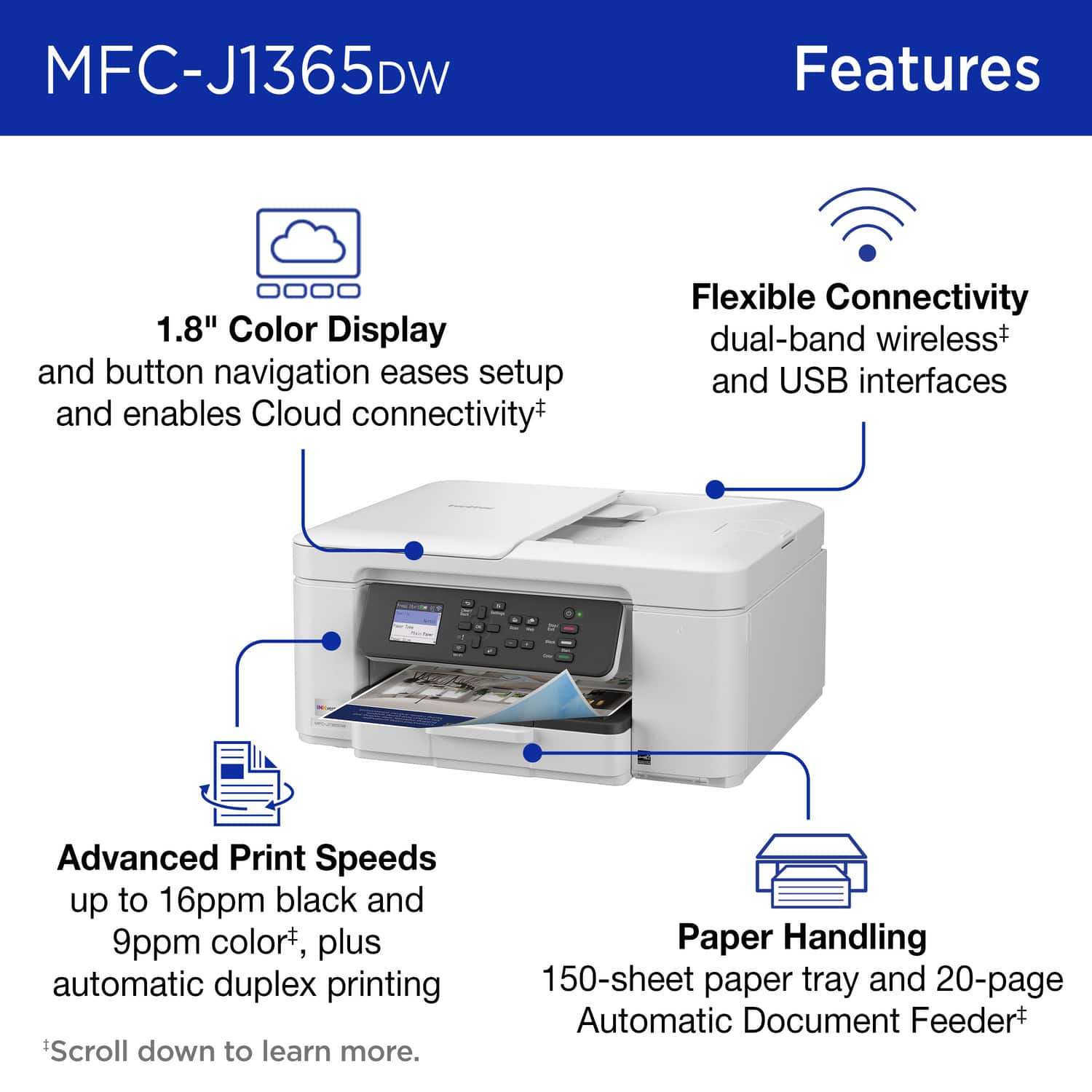
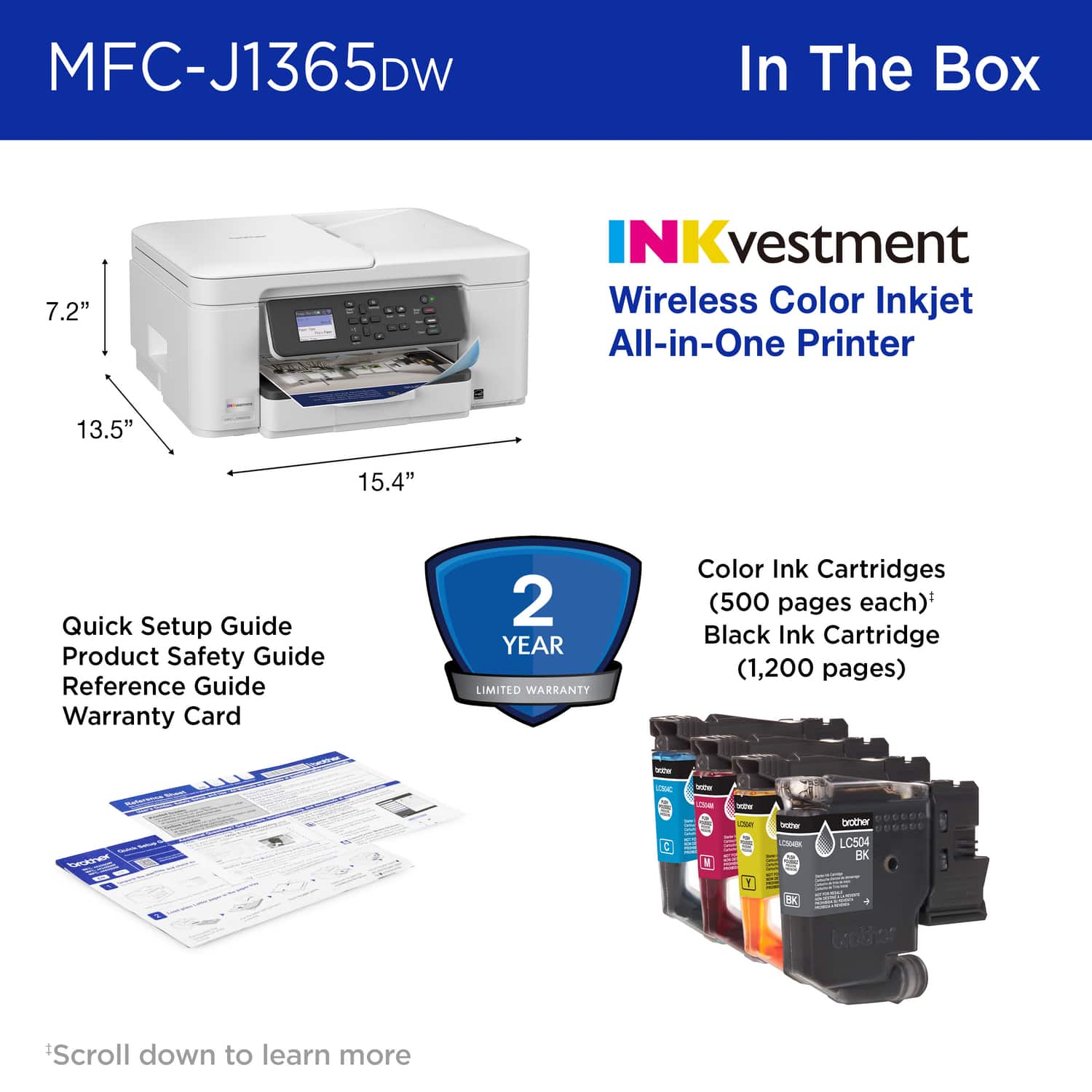
|Posted .This reviewer received promo considerations or sweepstakes entry for writing a review.The 1365 offers a lot of features for its price-range, and does it while packing it into a compact size. This seems like a new trend for the latest gen inkjet printers, and I welcome it. Set up was smooth, speedy, and simple thanks to the Mobile Connect app. I had no problems at all and was printing within minutes. This was also helped greatly by the 1.8” color LCD screen and the numerous function buttons this model includes. The speed and quality of the prints is very good and on par with other top printers in this class. The automatic document feeder is a nice addition. One which is not always found on these printers. The only caveat is that it’s only useful for feeding one-sided documents. Scanning is generally solid, but I did notice that, when copying a document with some faint lines, some of the lines did not show up on the copy. This is not unusual for printer-copiers in this range. If you need better performance, you’ll need to look into a higher-price category. It’s also worth mentioning that this unit does not include FAX functionality. Many like this do include that capability, but honestly, those who still FAX documents are a very small group today. I haven’t hooked up or used faxing capabilities for decades. Along with the small form-factor, another helpful feature is the larger-capacity ink cartridges. They actually seem to be a kind of cross between older ink cartridges and the newer ink-tank approach. I would expect this to be more economical than the older ink cartridges. Not sure how it would compare with the ink-tank printers, but would think it may be close. I find the Brother - INKvestment 1365 Wireless Color Inkjet All-in-One Printer to be a solid, everyday use printer, and would recommend it to others looking for the same.
I would recommend this to a friend - Pros mentioned:Connectivity, Setup ease
All in one printer with app that’s does the job
|Posted .This reviewer received promo considerations or sweepstakes entry for writing a review.after using several types of printers from laser to desktop and inkjet, it’s the all in ones that are emerging as the necessary types of printers to have. This device creates a small footprint on any desk which I like especially with the sizes and bulkiness of other big names printers the create a larger height, this one is low profile. It’s easy to set up, plug cord is long enough to stretch to any set up and once you download the corresponding app, it wizzes you through set up with no issues. Ink cartridges are easy to insert and install and like HP, brother has a replenishment program you can sign up for with an easy subscription so you never run out. What I found interesting and a bit surprising, the screen to show status and updates and walks you through set up was tiny and still looked like something out of the early nineties, which I guess Brother either doesn’t feel like is necessary to update or feels the app is where you’ll get all your info. Still this printer is wireless and works seamlessly with my set up and prints color or black and white and works great.
I would recommend this to a friend - Pros mentioned:Cartridge installation
Good basic printer, flimsy paper tray
|Posted .This reviewer received promo considerations or sweepstakes entry for writing a review.Flimsy printer paper tray. It is difficult to pull out without feeling like it's going to break apart. The inkjet cartridges are very simple to load. The directions to adjust color intensity are nonexistent, and as this is a test item, I feel there should be instruction as I don't feel it prints dark enough. Also, it says it prints to 1200dpi, but offers options no higher than 600. It's a good product for general use, school papers, etc. As my husband and I have Macintosh and Windows OS, we put it through its paces with them both, and it was fairly easy to set up. It does a nice job scanning, the app for wifi set up to the android phone so we could use bluetooth to send data to the printer can be a challenge. It took a few times to get it to recognize our home wifi so we could set up bluetooth, and all our other devices were operating just fine so it wasn't a connectivity or bandwidth issue. I gave it a 4 because of the paper tray, the difficulty getting it to recognize our wifi and the lack of information for this model at this time.
No, I would not recommend this to a friend - Pros mentioned:Connectivity, Print quality
Multi function powerhouse that's easy to use
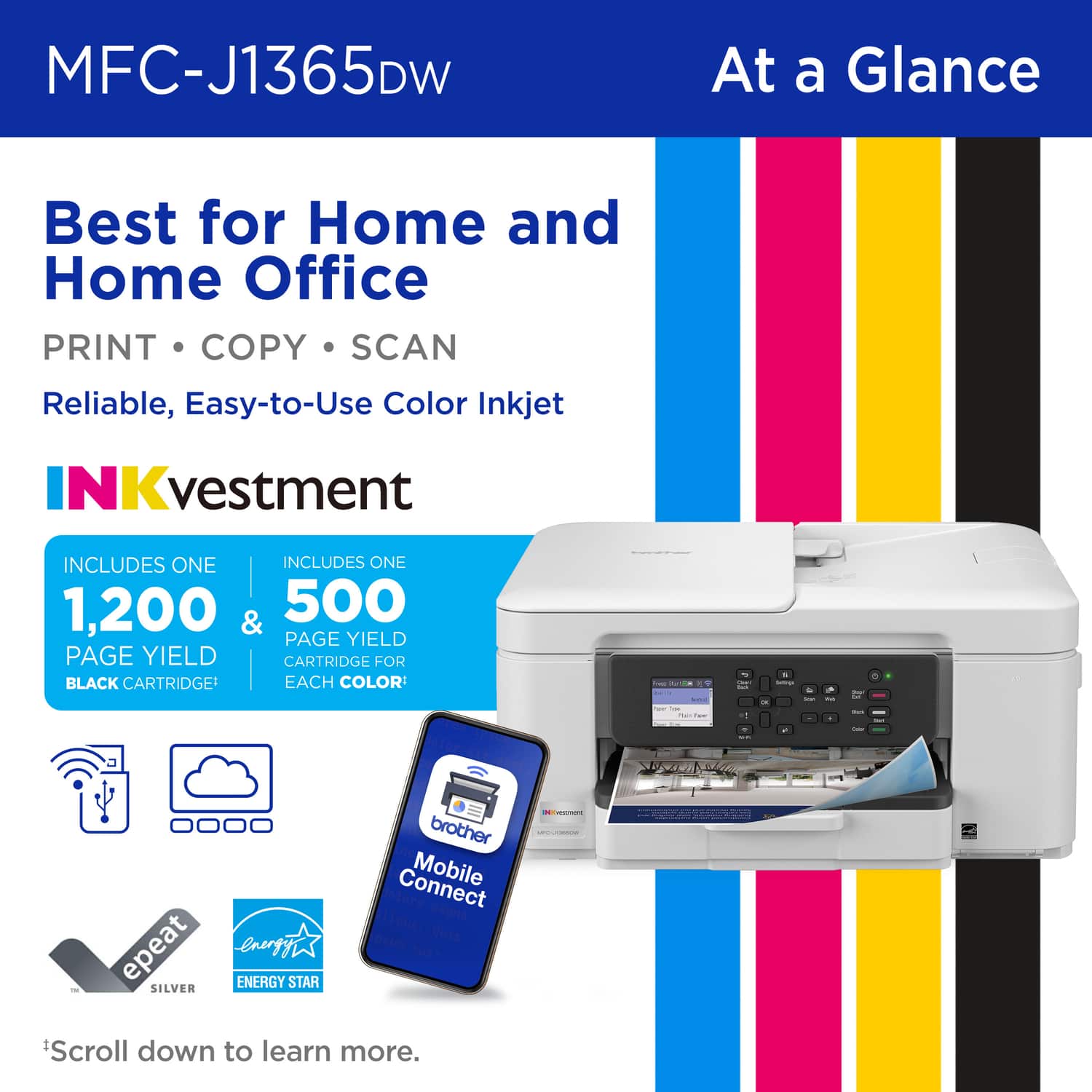
|Posted .This reviewer received promo considerations or sweepstakes entry for writing a review.I was looking for a printer to meet our home needs that includes our children’s schoolwork, work from home, and fun projects. This printer fit our needs and more. It was easy to install and setup using the mobile app. Connecting to our home network was simple. Printing from the app or computer was flawless. The quality was great for both B&W and color. The ADF is a must have feature, as is the automatic 2-sided printing. The print speed was really quick, especially for color prints. Finally, a printer that’s smart enough to tell us how many pages of print remain in the ink cartridges. This was my first experience with an optional ink subscription service. It comes with a 2 month free trial. The Refresh program monitors the usage and sends out replacement ink before you run out. Unused pages rollover, so you’re not paying for unneeded ink cartridges. Note that if you cancel your subscription after getting a subscription cartridge, the subscription cartridge deactivates and must be replaced with a standard cartridge. As an occasional user printing less than 80 pages a month, the cost is under $5 a month. I found that for the price, this printer offers a full set of features to handle any of our scanning and printing needs. For us it’s a really smart buy.
I would recommend this to a friend Easy to setup, looks better than HP
|Posted .This reviewer received promo considerations or sweepstakes entry for writing a review.I've had HP printers for a long time, and I love them, but the last two have died a bit early on me and so this time I decided it was time to try a different brand, enter the Brother INKvestment, see what they did there? This printer is an out of the box really sharp looking printer, very professional looking, and modern with the dark trim on the interior. It's got a bunch of blue stickers to remove and you'll need some paper, none was included. Turning it on for the first time means you need to have the app, as a guide, to installing the printer. The app is scanned from the box, of which there are also paper instructions, and the printer was found and brought into my network without issue. I should note that the app initial setup is a bit more in-depth than most, just be patient and don't rush through it, this setup will install the printer, have you print some test pages, have the scanner read the test pages and then some other internal stuff. It's easy to do but prepare to set aside a solid 20 minutes of questions and printing. Once you get that done, the printouts are crisp and beautiful to behold, far superior to my last two HP printers. The app on the iPhone is great, shows you color levels, lets you reorder ink, etc. And just like HP this one comes with a subscription, to which I subscribed for $1.99. I should note you do get $10 credit so you basically get 5 months worth of free ink. You can, however, skip the subscription entirely, so no worries if you don't want to get another subscription. All in all, this printer was a little more time consuming, but easy to setup, and get going, the printouts are superb and superior to the HP. Brother is a well known brand, so this purchase is an easy five start rating. I hope this printer lasts me a good long time!
I would recommend this to a friendSmall footprint dependable printer
|Posted .This reviewer received promo considerations or sweepstakes entry for writing a review.Got it — here’s the same review rewritten from the perspective of a dad using the Brother MFC-J1365DW in his home office: ⸻ The Brother MFC-J1365DW is perfect for a home office because it’s compact and reliable, coming from Brother. Setup: very straightforward. The printer menu gives the option to either scan a QR code to download the app to initiate setup from your phone or to use the printer menu screen prompt to complete setup directly. The printer warns that setup via the printer may take longer, but I didn’t notice much hiccups going that route. Print quality is perfectly fine for what I need: work documents, forms, and the occasional color print. Text comes out crisp, and color graphics look clean enough for presentations or school projects for the kids. It’s not a photo printer, so that’s one thing to keep in mind based on what you’re looking for. What I like most is the size. It doesn’t dominate my desk, and the all-in-one features (scanning, copying) have come in handy several times, whether for work paperwork or personal stuff like insurance forms. The biggest drawback to inkjet printers is the cartridges can dry out with long periods of non-use, so I’ll have to use the printer longer to test that out. Overall, the Brother MFC-J1365DW is a practical, no-fuss printer for a home office. It’s easy to use, compact, and reliable when I need it. Not flashy, but it gets the job done without making me tear my hair out — which is exactly what I want in a home office printer.
I would recommend this to a friendInk cartridge still required!
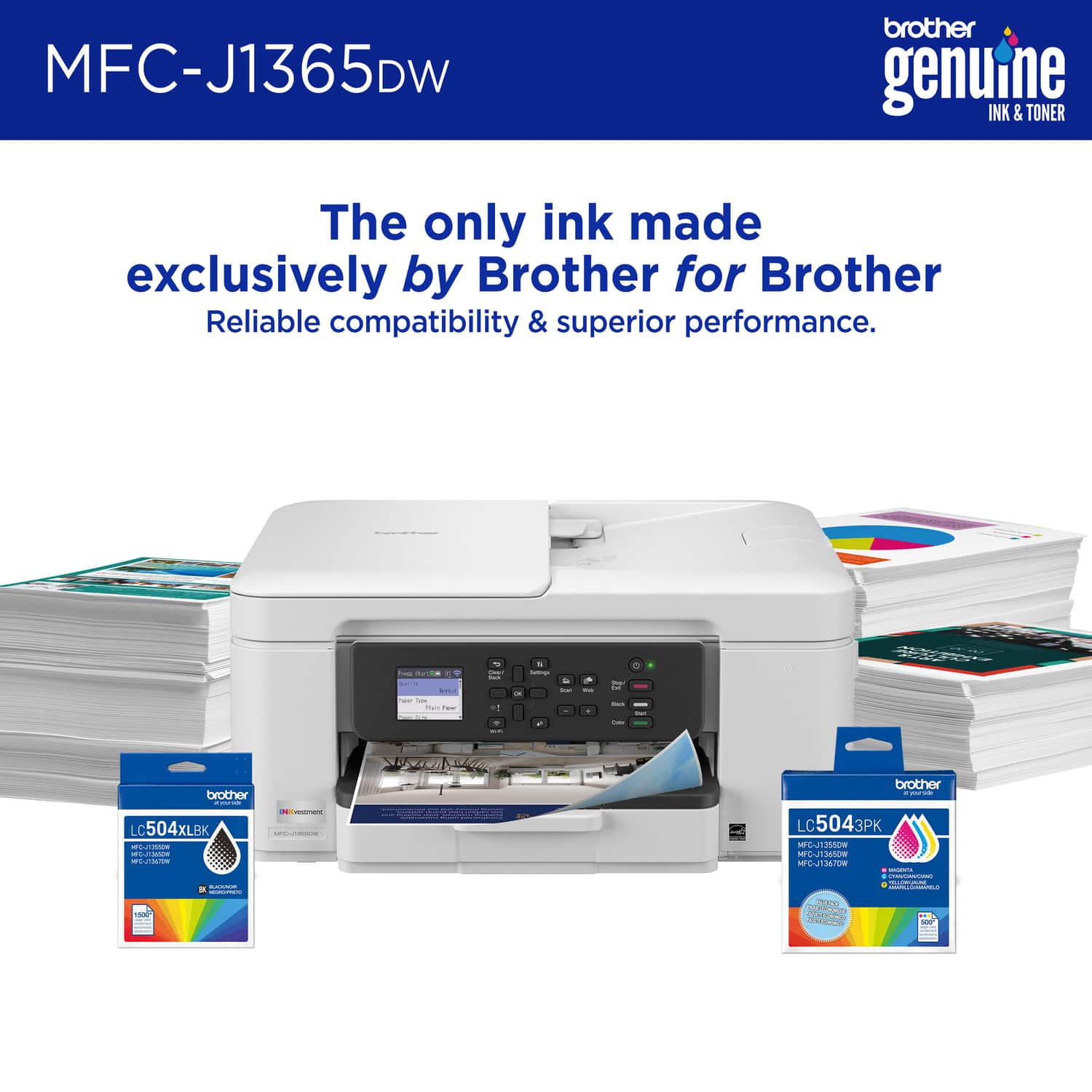
|Posted .This reviewer received promo considerations or sweepstakes entry for writing a review.Brother has been a very reputable office brand for so long. As such, I have used Brother products a few times in the past. With so many different brands going to a tankless system, I trully don't know why everyone just goes that route. Ink cartridges are a thing of the past, as they are super expensive and don't yield too many prints. I was really hoping that Brother finally made the move to a completely cartridgless system, but boy was I wrong. The Brother INKvestment 1365 Wireless Color Inkjet All-in-One Printer is a "tank printer, BUT you still have to purchase expensive cartidge ink that replenishes the tank. This means that, unlike true tank systems, you have to buy a pre-filled cartridge that will fill the internal ink tanks. WHY!!?? I'd much prefer the ability to fill the tank with a normal bottle system like almost all other tank printers. It is cheaper and SO much more convenient. Aside from my ink cartridge gripe, the Brother INKvestment 1365 Wireless Color Inkjet All-in-One Printer produces good quality prints. The color tones are great, and the print speed is also not bad. If you are looking for an all-in-one printer system for your home, I'd find a printer with a cartridgeless tank sysetm. It's time for Brother to get with the times and change to a true ink-tank system.
No, I would not recommend this to a friendBrand response from Brother
Posted .We would like to take this opportunity to thank you for your feedback. At Brother, customer satisfaction is something we take seriously. Your feedback is important to us and will be reviewed.
Thank you for being a Brother customer. Please know that we will be here, should you need to contact us in the future. Please contact us directly at:
https://www.brother-usa.com/support/MFCJ1365DW