Customer Ratings & Reviews

- Model:
- MFCJ4535DW
- SKU:
- 10117091
Rating by feature
- Value
Rating 4.4 out of 5 stars
- Quality
Rating 4.4 out of 5 stars
- Ease of Use
Rating 4.3 out of 5 stars
to a friend
Terrible printer
||Posted . Owned for 1 month when reviewed.This reviewer received promo considerations or sweepstakes entry for writing a review.This is the worst printer ever. It is always jamming, have tried different weights of paper and it would still pick up several pieces of paper from tray to print. Very disappointed about this printer.
No, I would not recommend this to a friendBrand response from Brother
Posted .We are sorry that you are experiencing paper jamming issues with your Brother MFCJ4535DW and we understand your frustration. We'll be happy to help you. Our Brother Customer Support Team is on stand-by to provide quality products and service to our customers via online, email or live chat: www.brother-usa.com/brother-support


Flexible MFP with Great Results
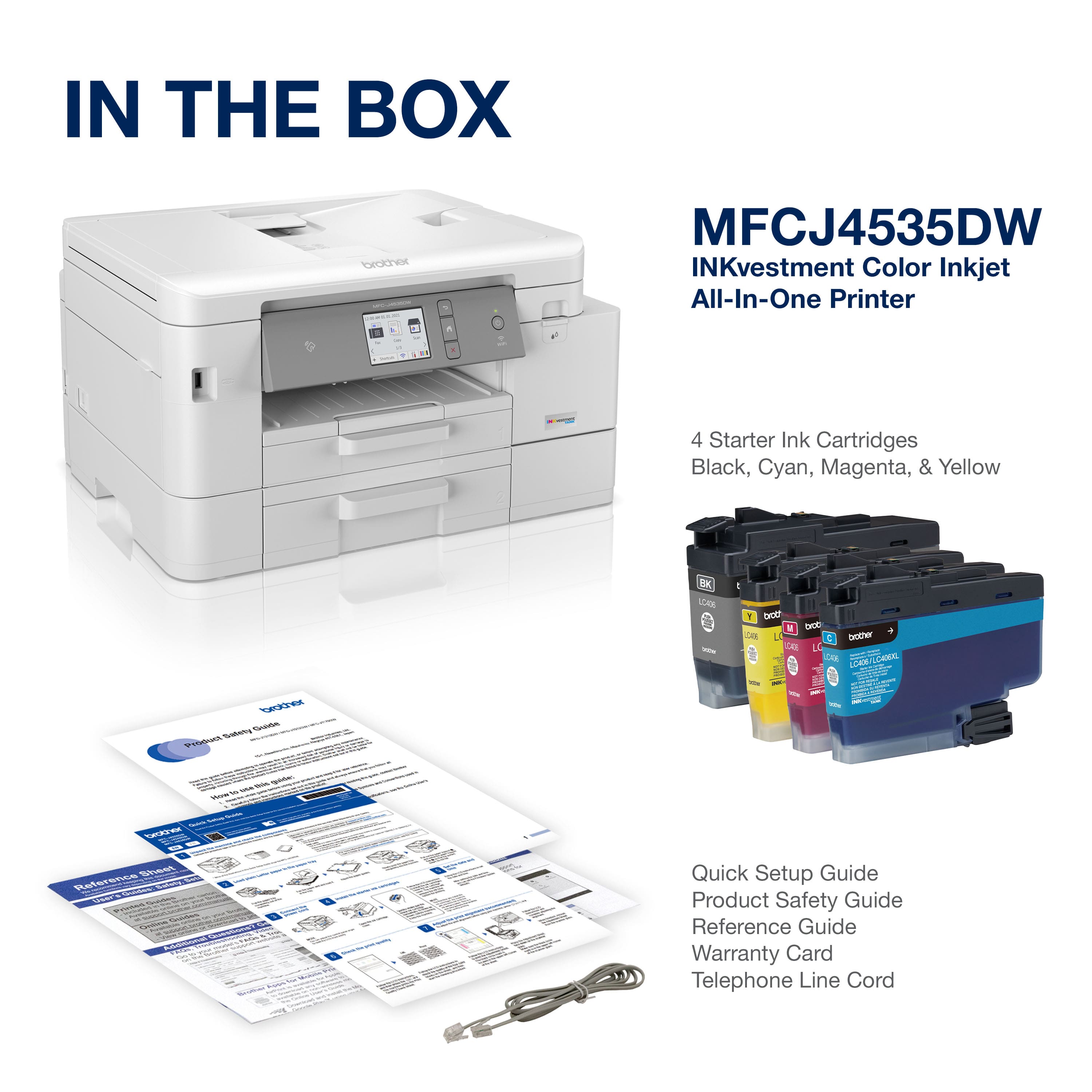
|Posted .This reviewer received promo considerations or sweepstakes entry for writing a review.Unboxing the Brother MFCJ4535DW INKvestment printer, you’ll find the printer itself, a set of standard-sized ink cartridges, a phone/fax cable, and documentation. There is no network cable or USB cable included. Setting up the printer itself is super easy. Cartridge installation is straightforward then the screen prompts for each of the next steps. The paper trays are highly configurable ranging from 4x6 up to legal 8.5x14. From there, you have to decide how you want to connect to your printer. I was setting mine up on my house wifi as I have multiple users and multiple types of devices spread around the house. Connecting the printer to the wifi was quick and easy and driver downloads and installation to Windows computers and Android phones was similarly painless. Printouts from both desktop and mobile have been fast and operation relatively quiet. Print quality has been very good with sharp edges, solid colors, dark blacks, and small text is very legible. Photo prints on glossy paper are similarly impressive with quick output and very good color and clarity. Scanning/copying from both the ADF and the flatbed have been fast and high quality. Photo scanning is really impressive. Images are sharp, clear and have good color representation. And the ability to process scans directly from the desktop software package has been nice and works well. I only have a couple of minor complaints with the printer. First, there is no support for the scanner lid. You have to hold it up when you’re positioning your original on the glass. Second, the placement of the USB and network ports is...weird. They’re hidden under the scanner seemingly inside the machine instead of on the side, like the fax ports. Not only is it difficult to find, but then you lose cord length snaking them through the machine. Third and final, producing a borderless photo is not as straightforward as it should be. Borderless is an easy option, but there is no “Fill” option, so if your photo is a different size ration, there will be white space still. You have to manually fiddle with the zoom to get it to fit. Those minor quibbles aside, the Brother MFCJ4535DW is a flexible workhorse of a printer that produces great results.
I would recommend this to a friendOh dear
||Posted . Owned for 3 weeks when reviewed.This reviewer received promo considerations or sweepstakes entry for writing a review.not happy i cannot get the printer to work and have called geek squad several time with out help. It looks nice but give you a good rating when I can't get it to work
I would recommend this to a friendBrand response from Brother
Posted .We are sorry to hear that your Brother MFCJ4535DW machine is not working properly. We know this is frustrating. We would love to hear from you with details to be able to get your machine up and running again. Our Brother Customer Support Team is on stand-by to provide quality products and service to our customers via online, email or live chat: www.brother-usa.com/brother-support
Bad printer and scanner quality!
||Posted . Owned for 8 months when reviewed.This reviewer received promo considerations or sweepstakes entry for writing a review.Bad print and scan quality! In less than a month of use this printer was giving broken printed words and scanner is making the page yellow!
No, I would not recommend this to a friendBrand response from Brother
Posted .We understand you're experiencing printing and scanning issues with your Brother MFCJ4535DW machine. We'd like to help. Please contact our Customer Service department and we will work with you to resolve these issues. Brother Customer Support Team is available to assist you direct: www.brother-usa.com/brother-support
Simply INK Diarrhea
||Posted . Owned for 2 weeks when reviewed.This reviewer received promo considerations or sweepstakes entry for writing a review.Bad bad bad bad quality since the first use paper stuck, bad printing quality and for some reason it have ink diarrhea hahaha
No, I would not recommend this to a friendBrand response from Brother
Posted .We understand you're experiencing printing issues with your Brother MFCJ4535DW machine. We'd like to help. Please contact our Customer Service department and we will work with you to resolve this issue. Brother Customer Support Team is available to assist you direct: www.brother-usa.com/brother-support
Brother Printer Scanner
|Posted .This reviewer received promo considerations or sweepstakes entry for writing a review.Just having the 1 year of not having to add ink is just worth it alone. I have had another printer scanner it kept losing the driver. About every other month. The ink wouldn't last long about 2mo worth. I've seen the brother printer adds and the I k will last for a year. So it was worth checking out. They didn't say how fast this print well its fast and clean. The scanner work great and the unit is quiet. Holds a lot of paper 2 trays. Yes it's a little taller then my older printer and wider. But as of now worth the space. Wifi set up was easy. I'm really looking forward to seeing how this does. Work from home so I have a lot of work for this printer we will see how the Ink holds up.
I would recommend this to a friendPaper Jammed
||Posted . Owned for 3 weeks when reviewed.This reviewer received promo considerations or sweepstakes entry for writing a review.I returned the item… paper keeps jamming cant get it to work
No, I would not recommend this to a friendDisappointed
||Posted . Owned for 1 year when reviewed.This reviewer received promo considerations or sweepstakes entry for writing a review.Bought it in August 2021, after one year doesn't print any longer. It's too expensive to work for that short period of time. Very disappointed, will be looking for a printer from another company, hopefully more reliable. Not worth even one star
No, I would not recommend this to a friendDissapointed
||Posted . Owned for 3 weeks when reviewed.This reviewer received promo considerations or sweepstakes entry for writing a review.I was unable to connect it to the internet. The plastic used on this machine was not the best.
No, I would not recommend this to a friendBrand response from Brother
Posted .We are sorry that you are experiencing connection issues with your Brother MFCJ4335DW machine and we understand your disappointment. Our Brother Customer Support Team is on stand-by to provide quality products and service to our customers via online, email or live chat: www.brother-usa.com/brother-support
Brother MFC-4535DW
||Posted .This reviewer received promo considerations or sweepstakes entry for writing a review.scanner isn't working correctly and the support person at 1-877-276-8437 was totally useless!
No, I would not recommend this to a friendBrand response from Brother
Posted .We understand the scan feature is not working properly on your Brother MFCJ4535DW machine. We'd like an opportunity to guide you through adjusting the scan settings. Our Brother Customer Support Team is on stand-by to provide quality products and service to our customers via online, email or live chat: www.brother-usa.com/brother-support
Quality
|Posted .This reviewer received promo considerations or sweepstakes entry for writing a review.I wanted to start off by saying the reason I gave this printer 4 stars rather than 5. This printer only has a touch screen and physical power button with no other physical buttons. While the touchscreen interface is the primary interface of this brother printer I was still missing the physical buttons that other similar brother printers have and that I have used (and yes are still available and haven't been phased out). This is because the screen is very small and is packed with loads of options and settings. In addition this copier is a MFC with dual trays so I feel as though the screen is not sufficient. If the screen was maybe a few inches bigger I think it would make a world of a difference. However, for my use I normally activate the features using my computer but I do often still use the printers standalone features often as well. The printer was very easy to setup and took me about 15 minutes which included the printer head alignment. Without the alignment (which I believe is mandatory) it would have taken only 5 minutes so you really don't have to stand around for to long. The ink cartridges are massive and I could definitely tell they would last a year for my use. I have used other year long ink from brother and it seems very true to its word. The dual trays are nice as you can either load up on lot of paper or use the top tray (lets say) for specialty items like envelopes or other different sized paper. The top tray is also smaller than the bottom tray but both seem very reasonably sized. When you load paper the brother screen will also prompt you to update what type facility you have in each tray. There is also a rear loading slot to print one item at a time in case you don't want to change your print settings on trays 1 and 2. The printer and scanners are both very quick and made for a business or home office use. Brother definitely has more quality than other brands (in my opinion). Lastly, my favorite feature which is somehow hard to find! A USB A port is located on the front of this printer. Which is awesome because you can print right from a USB stick or save right to a USB stick without having to use a computer! Something that I think should be on every printer!
I would recommend this to a friendAwesome
|Posted .This reviewer received promo considerations or sweepstakes entry for writing a review.Brother Inkvestment inktank printer, is super fast easy set up normally takes forever to connect printers wirelessly this was the quickest set up ever connected phones, laptop, ipads all in then 5 mins!!! I love that it has inktank the ink lasts approx. 1 year & it keeps track estimates how much ink is left jow many pages it can print! Has paper trays holds regular & legal size up to 250 sheets, you can print on envelopes, cards invite,christmas etc. It prints, scans, fax up to 50 sheets. you can print from the cloud, can print double sided or single. Has a color touchscreen control, you can add a password to lock printer & keep track of usage if not being used only as a personal printer. I like that it doesn't take up to much space, fast & gets the job done. I would recommend Brohter investment MFCJ4535DW for small business or personal use
I would recommend this to a friendInkjet takes getting used to, some design issues
|Posted .This reviewer received promo considerations or sweepstakes entry for writing a review.Coming mainly from a laser printer the last few years, using an inkjet takes some getting used to, but that is not really an issue with this particular model, rather for all inkjets in general Getting a printer on my network easily is one of the most important things for me and this Brother performed flawlessly in that department, as had my previous Brothers This inkjet prints fast, so I definitely like that about it I also like the ability to print via email, though this feature is buried either in the user manual or the web config page - one would not even know about it without doing some snooping; however, once set up, it works nicely There is a design decision I question, though - in all my previous Brothers (and other brands that I’ve owned), the USB and ethernet ports are conveniently placed either on the side or back of the printer, easily within reach of the respective cords However, in this model, for some odd reason that eludes me these ports are inside the printer, only accessible by raising the scanning glass portion of the printer and, even then, only after threading the cords through a conduit to get to the ports. Why Brother did this I have no idea, but it was definitely an annoyance for me as I had to get a longer ethernet cable than the one I had used on my previous Brother which this printer is replacing So, keep that in mind when making a decision to purchase this printer or not - it may be worth downloading the full instruction manual prior to purchase and perusing through it so you’re not caught off guard by any other ‘features’ that are different from the standards one is used to
I would recommend this to a friendThis printer does it all at an affordable price
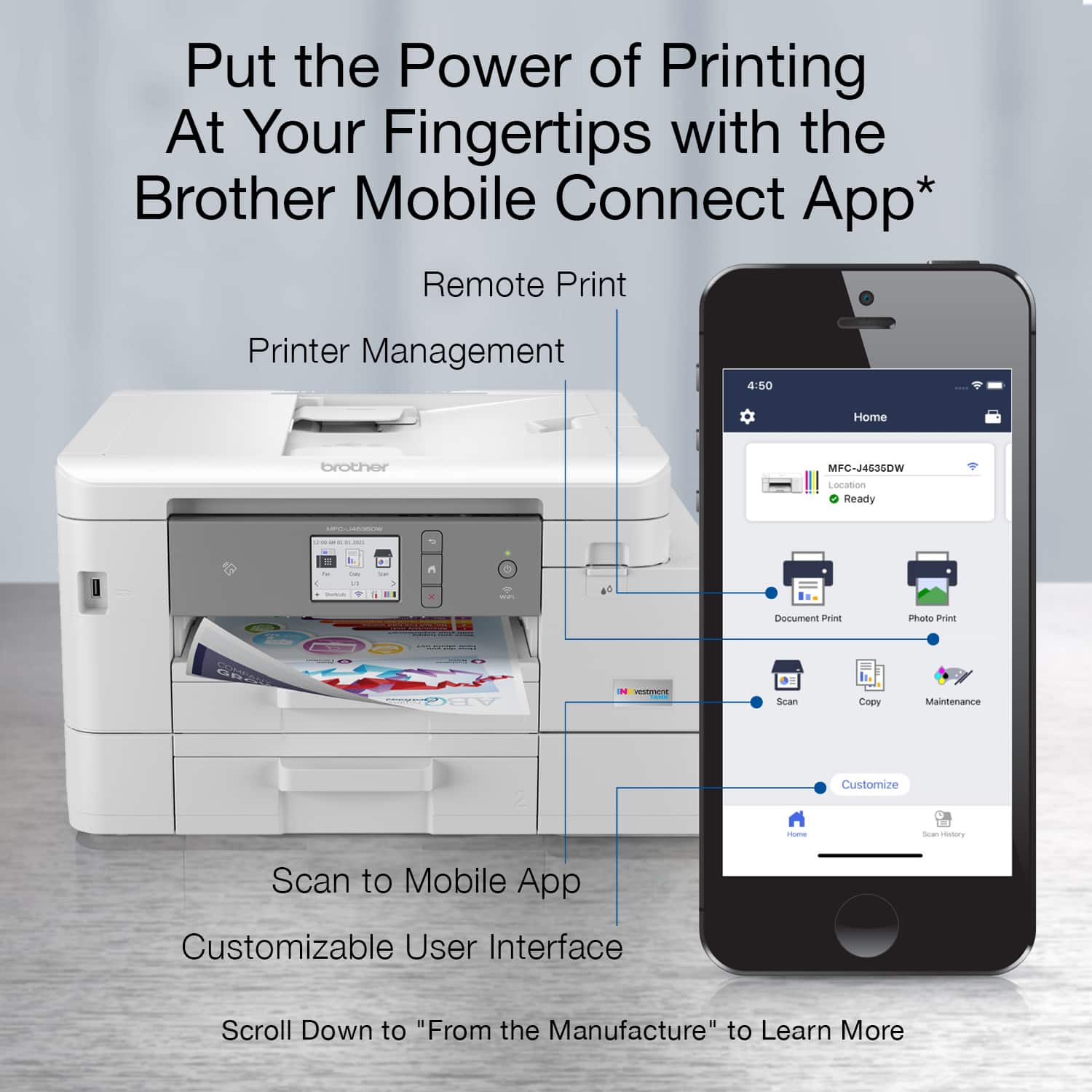
|Posted .This reviewer received promo considerations or sweepstakes entry for writing a review.I received my Brother MFC-J4535DW INKvestment Tank printer a week ago. It really does everything that you could want a printer to do and at an affordable price. First up is unboxing and setup. As with any printer, you have lots of tape to remove before setting things up. Once the tape is removed, you shake then install the 4 large ink cartridges and put some paper in tray 1. plug in the printer and it will step you through setting the date and time on the printer's control panel. The printer will print a print quality test page and if it looks good, you can proceed to do the print head alignment. I like that the printer is able to align itself. You just print the alignment page and put it in the scanner follow the instructions on the LCD and alignment is done. Next up you will continue following the LCD to configure machine settings, connect your fax line, and set up the fax. The next step is to set up your smartphone to work with the printer. It's pretty straightforward. You scan a QR code on the printer, install the apps as prompted, and follow the on-screen setup procedures. Setting up the printer on your PC should be just as easy, but in my case, the drivers were not yet available. Once I was able to obtain the drivers, the setup was no more complicated than any other printer. Now about the printer itself. It uses 4 large ink tanks as part of an ink tube printing system. They each hold a different color ink, and a set of tanks can print up to 1200 pages with the standard size cartridge. It prints at up to 4800 x 1200 dpi for crystal clear photos. Its top speeds are 20 pages per minute in black and 19 pages per minute in color. It can print on both sides of the page with auto-duplexing built-in. It handles paper sizes up to and including legal size (8.5 x 14in), There are 2 paper trays in the front to handle 2 different types of paper, as well as a manual feed on the back, making it very flexible. It also has a very nice scanner. You can use the flatbed scanner or the Auto Document Feed feature and it can scan up to legal-size documents using the ADF. You can scan in color or black at an optical resolution of up to 2400 x 1200 dpi. Copies can be reduced or enlarged by 25% to 400% in 1% increments. The unit is also a fully functional FAX machine. I have mine set up using a free Google Voice line so I can have a unique number for my FAX. Faxing can be done from the device, or via PC-based software, depending on what your needs are. The software really makes this printer do its thing. When scanning, the software can automatically deskew your image, automatically rotate it, remove bleed through, fill the image with black or white, drop selected colors from the scan, and enhance blurred images and text with edge emphasis. It also includes Paperport software to do Optical Character Resolution on scanned documents. The included software also allows you to send and receive faxes via PC Fax software loaded on your PC. Using the Brother Mobile Connect app, you can perform maintenance, print, scan, and copy directly from your phone. It also has the ability to use your favorite cloud storage solution for storing and retrieving documents. Overall, I love this printer. It does everything that I could want it to do. It’s very flexible, using it from a PC or mobile device. The scanned images are great and the print quality is right up there with the best printers out there. It’s also affordable, so I highly recommend you give it a try.
I would recommend this to a frienddoes the job
|Posted .This reviewer received promo considerations or sweepstakes entry for writing a review.I've had a couple of Brother products before. They have all been fantastic. Meaning never giving me any issues and functions as it should. This printer so far has done exactly the same. Although I haven't had it very long, it's done everything well. Nothing spectacular, just good. The install was as simple as my other printers. Plug in and follow the steps depending on how you want the wifi to work. Ethernet or wireless. Tried both and they both worked well. Slight lag with wireless but nothing worth talking about. I currently also use an HP 7855 which is a carbon of this unit. Same functions. This unit is superior over my HP in most functions because it does everything a little faster. The quality of print is also a tad better. But I really appreciate the speed when scanning or printing. If you didn't have another printer right next to it, you might not notice. But it is noticeable when you compare. The layout of the menu on this unit is also more intuitive than the HP. Just simpler to use. The printer touts 1 year worth of ink in the box but that is to be seen. I have printed a few things including some photos but haven't notice a big drop in the ink levels. Hopefully this is a good sign. I still use the fax once in awhile and this unit did it flawlessly. Sent over a dozen pages at once with no issues. My HP, I had to constantly watch it and make sure it didn't double feed. The bad things I've noticed is the print of photos is not spectacular. But I didn't expect it to be. Most printers at this price range can't produce great photo prints. The lcd screen was hard to see for my old eyes. Had to put on glasses every time. Other than these minor quips, this unit is great. If you are looking for an all in one that doesn't cost a lot, this is the one. It does everything you need just fine.
I would recommend this to a friendGood, but not as economical as other ink systems
|Posted .This reviewer received promo considerations or sweepstakes entry for writing a review.The new INKvestment system is great for long-lasting ink storage in the new Brother printers. It is NOT a fair replacement for other competitive ink subscription services and doesn't deliver the same kind of value. The J4535DW is a GREAT printer - I threw business full-color prints, card stock programs, and photo jobs at this thing and it handled them all beautifully. One of my FAVORITE things about this printer is the sheer capacity of it - Almost an entire ream of paper fits in this thing to not only last for an entire year of ink, but paper as well with no loading at all. In MY house, we print about 30-40 pages/month when school is in. In the summer its much less, but photo projects are always kicking around, waiting to take significant percentages of ink. One of my problems with the ink subscription services of the "other guys" is that their subscription, while it doesn't LIMIT your ink usage for your page output, they only react to supply you with MORE ink when you run low. I've been able to get around this by calling them and getting a "spare" cartridge set on-premises standing by for each of my printers, but this was something I had to ask for and is a lot to manage. The INKvestment printer shines as it really holds TONS of ink on-board (Truly close to a 1-year supply) by default, and XL and XXL cartridges can be purchased to really supply up the device. At the time of this writing, I was unable to find the exact cartridges available online to replace this ink - But going off of what similar Brother tanks cost, I was able to come up with an "annual cost to operate" estimate for this printer... Thats where the challenge comes: No matter how cool the ink tank system is, it's going to cost you more to keep 'wet' and supplied than the other guys. Those "other" ink subs start at around $2.99/month for 50 pages. If your house is like mine in 2021 and stays within this limit, you're only paying $36/year no matter how much actual ink you use. That same years' worth of ink (enough to print an entire ream of color pages) is included with the printer but replacing it will likely cost anywhere from $65-90 for both color and black cartridges. It's also important to understand that the ink is tank-based, not full print head cartridge-based, so eventually your print heads will require replacement or maintenance of some kind. One of the advantages of the "other guys" who offer "instant" ink services, is that their cartridge is head-integrated, so you're putting a new print head inside the machine every time you replace the cartridge. Brother offers the ability to "auto replenish" the ink in their program, but it's not discounted nor is there a page-based subscription method, so for most low-volume printing, this just can't compete with the "instant" competitors. Outside of this limitation, and the difference in value on consumables, this is a GREAT printer. Its fast, quiet, and includes a proper paper tray and a great document feeder scanner. The software for scanning and print management is also good, but simple and the UI isn't as advanced as those from EPSON and HP but works well on PC and Mac. I would recommend this device to anyone with a higher yield use case where subscriptions don't make financial sense, as this is a GREAT high-volume device.
I would recommend this to a friendBrother MFC-J4535DW InkJet Printer
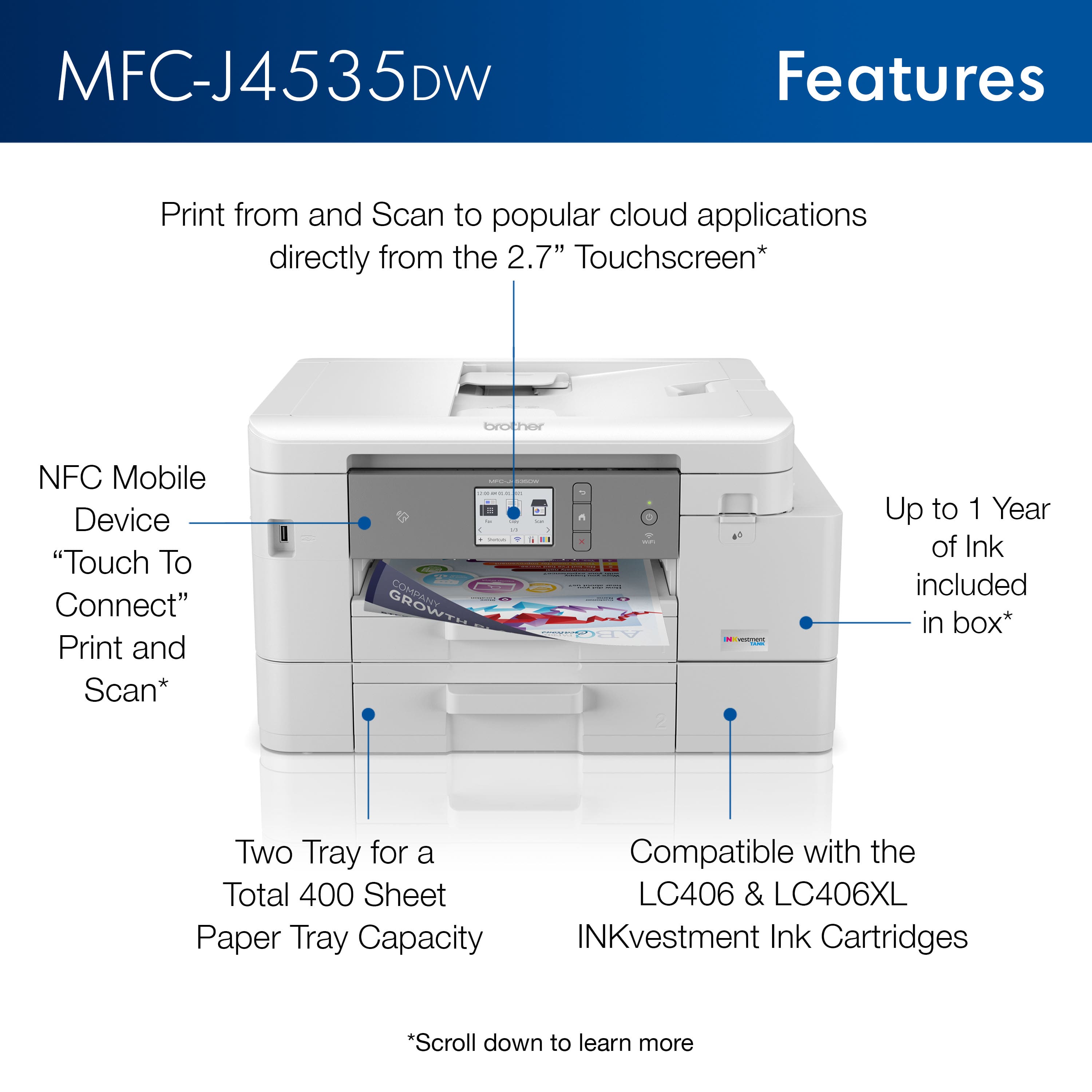
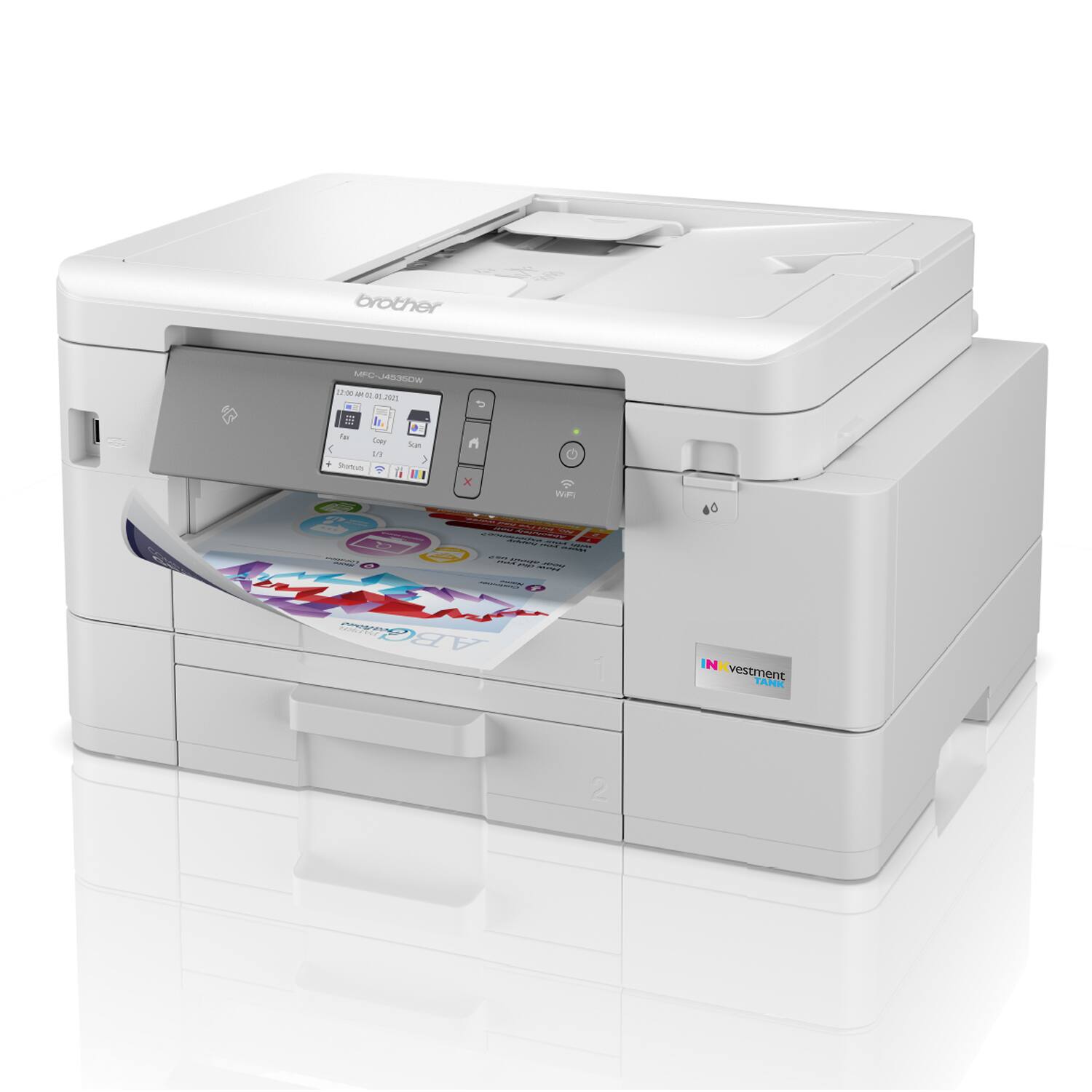
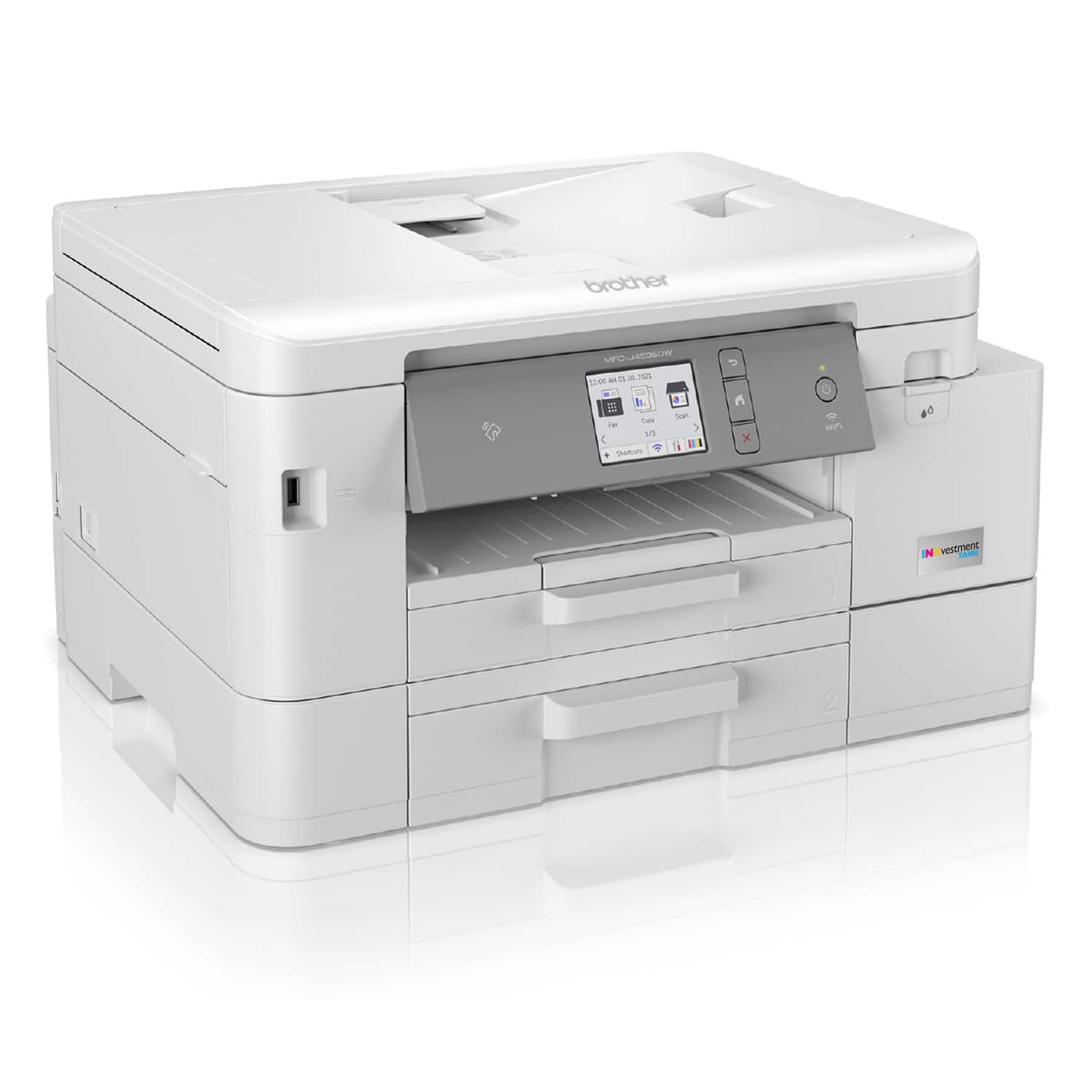
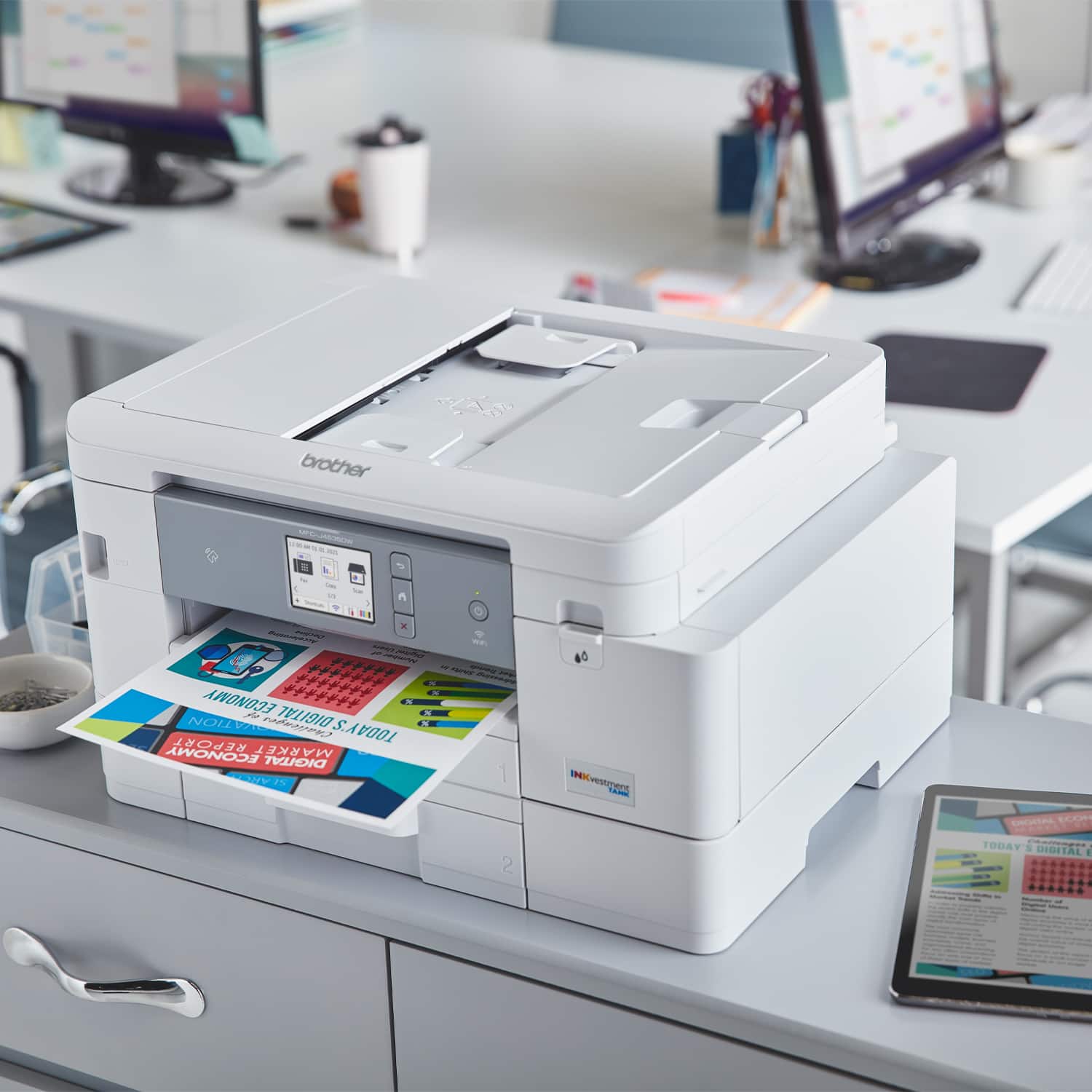
|Posted .This reviewer received promo considerations or sweepstakes entry for writing a review.I recevied my Brother MFC-J4535DW inkjet printer a week ago and have been putting it through its paces. First off, the build quality of this printer right out of the box is amazing. Brother is one of the top brands in my opinion when it comes to style and build quality. The pritner feels sturdy and strong and not flimsy like some other printers I've reviewed lately. On the top of the printer is a small digital display that allows you to adjust and tweak the settings to your liking. Near the display are the back, home, and cancel buttons. Below you will find 2 paper trays. This will come in handy if/when you're printing bulk and run out of paper in the top tray. Tray 2 should pick up the slack without you having to stop and reload tray 1.On the left side of the printer is where you'lll find telephone jacks for faxing purposes and the power adapter plug towards the back. On the back of the printer there is a popout flap which alllows for scanning documents into your printer and onto your computer. Following the steps laid out for you on the digital display, after adding paper, you will need to install the included ink cartridges and wait about 4 minutes for them to calibrate. After the cartidges have claibrated and the test page has run, you're pretty much ready to begin printing. The printer will instruct your to download the software from their website and install on your computer. You can also connect your printer to your home/office network at which point if you're printing something from your computer it should be able to find the printer without the recommended software beign already installed on your computer. I used AirPrint from my iPhone and was able to quickly print off a couple of pictures of my pup and couple of documents. All done with ease and no issues. The print quality is amazing for an inkjet printer and Brother claims you should be able to get at least a year's worth of printing out of the included cartridges. That'll depend on how much printing you conduct on a daily/monthly basis; you may end up being able to get more than a year's worth. I love this printer and was quite surpirse with it being an inkjet printer and would recommend this printer for a home or small office.
I would recommend this to a friendsmart investment
Posted .This reviewer received promo considerations or sweepstakes entry for writing a review.excellent machine best value for the money easy to use reliable fast wireless printing.
I would recommend this to a friendGreat replacement
Posted .This reviewer received promo considerations or sweepstakes entry for writing a review.I love this printer. It's compact, fast, does double-sided and can manage legal size paper. I replaced a 10 year old Brother printer that our movers destroyed and wanted something comparable. This one is even better. I've got it hard wired tot he Mac but it will work via WiFi. Plus it's got the InkVestment tank so printing for the next year should be simple.
I would recommend this to a friendBrother replaced HP in my house.
Posted .This reviewer received promo considerations or sweepstakes entry for writing a review.Fast, clear, printing. Excellent coloration. Just one problem, I am experiencing jams on any documents over 10 pages. Also, jamming on more than one sheet at a time for Avery business card stock. Overall, pleased at how easy it was to set up to work with all my family's devices. This replaced an HP that wouldn't work 90% of the time, took one and two days to print just a single page, jammed constantly, wouldn't accept an updated driver, locked up my computer, and wouldn't work with any device it wasn't directly plugged into. Glad to have the Brother printer.
I would recommend this to a friend