Customer Ratings & Reviews
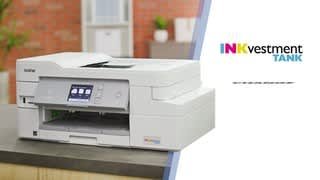

- Model:
- MFC-J995DW
- SKU:
- 6255013
Rating by feature
- Value
Rating 4.5 out of 5 stars
- Quality
Rating 4.5 out of 5 stars
- Ease of Use
Rating 4.5 out of 5 stars
Customers are saying
Customers often highlight the excellent print quality and ease of use of the INKvestment Tank MFC-J995DW Wireless All-In-One Inkjet Printer. Many also appreciate the printer's relatively compact size and straightforward setup process. Positive feedback also mentions the quiet operation and wireless connectivity. However, some users experienced issues with paper jams and occasional reliability concerns.
This summary was generated by AI based on customer reviews.
Solid, no frills. Does the job.
||Posted . Owned for 1 month when reviewed.This reviewer received promo considerations or sweepstakes entry for writing a review.Solid no frills does the job. This is my review. Ok.
I would recommend this to a friendPrinter doesn't work
||Posted . Owned for 2 weeks when reviewed.This reviewer received promo considerations or sweepstakes entry for writing a review.First the service was blah at best. I had questions and they are minimally answered and with absolutely no enthusiasm. And we can't get it to work, so now I have to drag it back to the store.
No, I would not recommend this to a friendBrand response from Brother
Posted .Hi Les, We apologize you are having an issue with getting the Brother MFC-J995DW working. Please contact by Email or Live Chat and we can work on this together. https://www.brother-usa.com/support/mfcj995dw

Very disappointed
||Posted . Owned for 3 weeks when reviewed.This reviewer received promo considerations or sweepstakes entry for writing a review.I am very disappointed with the print quality of this printer! I had high hopes and unfortunately was let down. The quality is POOR and the images are all dull when printed in color! I am a preschool teacher and needed this printer to assist with learning in my classroom. My students are often confused with the images and their true colors.
No, I would not recommend this to a friendBrand response from Brother
Posted .We are sorry to hear that you are experiencing print quality issues with your Brother MFC-J995DW printer. We have many helpful resources on our support website which may help, the following link with step by step instructions which should resolve this issue: https://help.brother-usa.com/app/answers/detail/a_id/156703
If the problem persists, feel free to contact Brother Customer Service directly at https://www.brother-usa.com/support/mfcj995dw
Ink not lasting as long as stated.
||Posted . Owned for 2 months when reviewed.This reviewer received promo considerations or sweepstakes entry for writing a review.Ink not lasting as long as stated. Takes a long time to cancel prints Prints fine.
No, I would not recommend this to a friendBrand response from Brother
Posted .Hi Landschark, I am sorry you are unhappy with the toner yield. The stated page yields for genuine Brother cartridges are based on the ISO testing standards. The number of pages that can be printed with a cartridge is affected by several factors, including paper size, number of pages per print job, amount of print on each page, font size, and print content (graphics, charts, etc.). Print jobs with large text fonts, graphics, charts, and/or large amount of solid coverage (black or any given color) will use much more toner and will shorten the life of the toner cartridge. You may have to make several attempts to completely clear the print queue. If the print jobs still remain in the queue after several attempts to delete, restart your computer. Please let us know if we can be any of further assistance. https://www.brother-usa.com/support/mfcj995dw
POOR color print
||Posted .This reviewer received promo considerations or sweepstakes entry for writing a review.Poor color print, would like to return it now but local best buy is closed in the Plattsburgh shopping mall.
No, I would not recommend this to a friendBrand response from Brother
Posted .Hi, I'll be more than happy to assist you with poor color print for your printer. Click the link below to improve the print quality.
https://support.brother.com/g/b/faqend.aspx?c=us&lang=en&prod=mfcj995dw_us&faqid=faq00000259_031
If the issue is not resolved, please contact our customer support team via Email or Live Chat:
https://help.brother-usa.com/app/ask/p/9293
- Cons mentioned:Reliability
LCD display not working. Printer broke.
||Posted . Owned for 3 months when reviewed.This reviewer received promo considerations or sweepstakes entry for writing a review.Cheap printer. Broke within 4 months of purchase and very limited use. Don't waste your money. TomH
No, I would not recommend this to a friendBrand response from Brother
Posted .Hi Tom, I apologize you are unhappy with your purchase. We would love to speak with you regarding this matter. Please contact customer support by Email or Live Chat for warranty options. https://www.brother-usa.com/support/mfcj995dw
terrible to no wifi capabilities
||Posted . Owned for 1 month when reviewed.This reviewer received promo considerations or sweepstakes entry for writing a review.Great printer if you don't need to use the wifi. Brother printers seem to all have terrible wifi. I retuned this one and will continue to use my 2270 brother which has wifi but I have to use a printer cable since it's wif doesn't work and never has as well.
No, I would not recommend this to a friendBrand response from Brother
Posted .Hi, Hi, we understand you are experiencing connection issues with your Brother MFC-J995DW. We'd like to help. Here are some important points to confirm before connecting your machine to the network.
https://support.brother.com/g/b/faqend.aspx?c=us&lang=en&prod=mfcj995dw_us&faqid=faq00002806_010
If you continue to have issues, our Brother Customer Support Team is available to assist you direct: https://www.brother-usa.com/brother-support
- Pros mentioned:Print quality

Good alternative to the XL or a laser printer
|Posted .This reviewer received promo considerations or sweepstakes entry for writing a review.Brother has been doing great things for home and small business users in the printer market. This printer is no exception and a better option in my opinion than the XL version. I would recommend buying this printer. It has great performance, flexible functionality, and print quality. Compared to the XL this is great for a home or (very) small business user. Set-up is simple and once the printer is on the network, you really have nothing else to do. I can print from my computer, phone, tablet, etc with ease and speed. The printer comes with up to a year of ink, which I believe would hold true if the ink doesn't dry out. They calculated 1 year as 150pgs/month. It has fax which is so useless to many and absolutely priceless to others. I personally don't fax very often anymore, but when the need arises, I'm happy I can do it quickly at home. The print quality is good for my use. I'm not making flyers or brochures but for documents, study materials, prints with charts and tables, and even pictures- I am very satisfied. Auto-duplex is a must and it works flawlessly. Great paper-saver. Wireless scanning was excellent, but takes a little setting up to do and can be a little slow with my Mac. I've always had this issue with numerous printers. Pros: Easy set-up Feature rich like fax, mobile print, auto-duplex High ink tank capacity Great starter ink amount Fast printing Wireless everything including scanning It really only took me 20minutes to get everything up and running. It's a smooth process. Setting it up on the network is best so you don't have to ever be near the printer and everyone can easily access it. Print speed is good, nowhere near laser printer fast of course. It gets the job done and the auto-duplex, which is a must for me, runs great. Brother has really got that down. All my prints came out good quality and even printing on photo paper came out nice. This printer really offers a ton of flexibility and works smoothly. Wireless scanning worked well, although slightly slow. Takes a little time to get everything right, but overall no issues there. The flexibility of printing is nice. You can also send faxes, which worked great and will be nice to have for the rare occasions. Brother includes 1 year worth of ink which helps offset the higher cost of the printer. The extended ink tank was a primary reason I wanted this printer but it's a bit of a catch-22. You're really just buying bigger cartridges that fill a reservoir tank. So it's kind of like buying bulk ink. I think there's a bit of deceit in what it seems this printer can do. The printer is excellent and I would recommend it for those who aren't interested in laser or want to save $$. Cons: Ink cost Ink cost is a little too high but there are ways to circumvent that issue. Overall, I'm not sure how economical this printer is, but it is built well and has so many features. The idea that you're getting more print out of this inkjet compared to another hides the fact that it is only because this device holds more quantity.
I would recommend this to a friend frustrating
||Posted .This reviewer received promo considerations or sweepstakes entry for writing a review.Repeated difficulty setting up and staying logged into wireless.
No, I would not recommend this to a friendBrand response from Brother
Posted .We understand you're experiencing issues with your Brother MFCJ995DW frequently going offline and we understand your frustration. We'd like to help. We have many helpful resources on the Brother support website which may help. If you continue to have an issue, please reach out to Brother customer service directly at our web site.
Printer that would not connect
||Posted . Owned for 3 weeks when reviewed.This reviewer received promo considerations or sweepstakes entry for writing a review.very poor connectivity to all devices, I mac, laptop & I phone. Had to return the printer.
No, I would not recommend this to a friend- Pros mentioned:Print quality
Good 2-in-1 printer, costly ink replacements
|Posted .This reviewer received promo considerations or sweepstakes entry for writing a review.I have had this printer for about 2 weeks now. Trying to find the "perfect" 2-in-1 printer is very difficult to do. I can say that I am very pleased with this printer but with one major Con that I will mention at the end of this review. Pros: -The set up was easy and painless. It was very easy to connect the printer to your Wi-Fi, and just as easy as linking up your phone or tablet to your network. The touch screen display guides the user with the quick set up and calibration. -The touchscreen display is a decent size, nearly twice that of my current printer, easy to read and recognizes my experience with other printers felt short. -The print quality is good and fast. After pressing “print”, the printer begins the process soon afterwards. My previous printer took under a minute to process the print job, and this is when connected via cable to my computer. Wireless printing is decent. -USB/Memory card option. Printing from either these is so convenient. That removes 1 step of putting it on my computer and printing from there. -Initial print cartridges. They are of good size to start you off with. Cons -Costs of ink replacement. Yes, they give you good amount of ink to begin with. The replacement cartridges are expensive. The three colored ink carts will cost you mid $60’s and black will be mid $30’s online. I don’t know if I would want to spend that much. This is where these printer companies get you and I am not too thrilled with this. Overall, very pleased with this printer and is a good addition to my home office, not thrilled with how much it would cost me to refill the ink cartridges. If you are invested with Brother, then I'd say this is the printer for you.
I would recommend this to a friend - Pros mentioned:Print quality, Wireless
Great wifi all in one printer
|Posted .This reviewer received promo considerations or sweepstakes entry for writing a review.Very easy to setup all in one by Brother. The Fax, scanner, everything works so nice and easy. I connected this to my wifi network for printing from my phone and tablet, which works like a breeze. The ink is lasting well so far after printing a handful of pictures and documents. Everything on this just works and works well.
I would recommend this to a friend - Pros mentioned:Print quality
Awesome printer! Super easy and high quality too!
|Posted .This reviewer received promo considerations or sweepstakes entry for writing a review.I wish everything was this easy! I had it hooked up and running in about an hour, including setting up the WIF,I downloading an app to my phone, installing the software onto my PC, updating the firmware, and then running several test prints, scans, and generally just playing around like a kid with a new toy. I love how everything just worked. I did have one small hic-up when following the instructions for setting up the WIFI link to my PC, but the touch screen on the printer itself walked me through it with ease and no more hicups... The quality of the prints are top notch, and the scans are nice and detailed so I can upscale some of my old photographs and convert them to digital. I'm having a lot of fun geeking out on a piece of office equipment lol! Usually I hate printers like the guys from Office Space the movie, but this is just so easy! Brother hit a home run with this one!!!
I would recommend this to a friend - Pros mentioned:Print quality
Simple Setup, Sturdy Printer
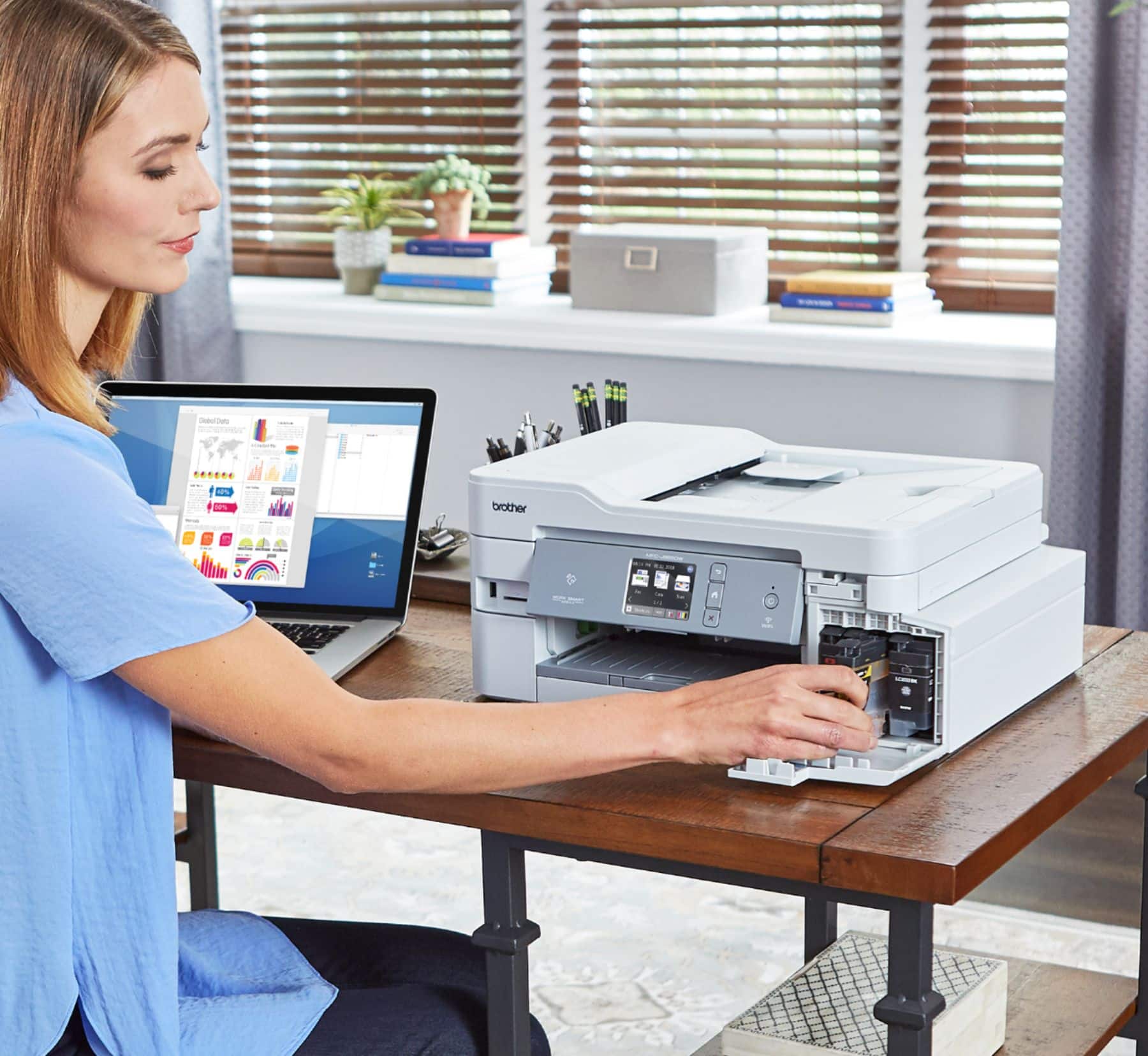
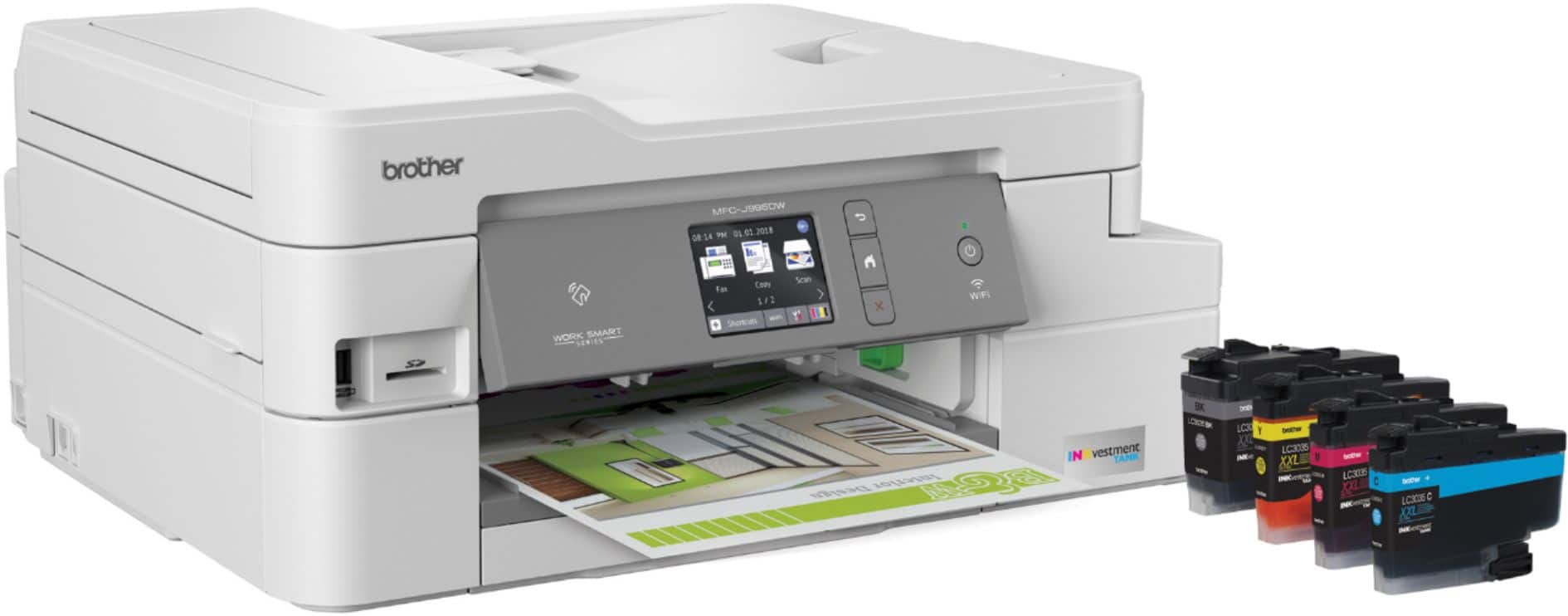
|Posted .This reviewer received promo considerations or sweepstakes entry for writing a review.This is more of an office style printer. It's big and sturdy and holds a lot of paper. Most importantly, it holds a TON of ink. The box says it comes with a year's supply of ink and I believe it. The cartridges are much larger than the usual tiny ones that come with other printers. Just give them a little shake and plug them in using the convenient front panel and you're good to go for a long time! I like that the automatic sheet feeder on top is big and can handle a lot of documents. I'm trying to go paperless with my records at home, so I like being able to scan a bunch in one shot. Wireless setup was simple and worked on the first try, which is better than the other wireless printers I have used. It works with my wife's iPhone and my Android phone as well as our Windows machines. Document printing is crisp, and it prints double sided automatically to save paper. I haven't tried printing photos, but it's primarily used as a document printer anyway,
I would recommend this to a friend This is the second printer that doesn’t work
||Posted . Owned for 1 month when reviewed.This reviewer received promo considerations or sweepstakes entry for writing a review.This is the second printer that we bought had problems with the first one we’re having problems with the second one I am so disappointed
No, I would not recommend this to a friendBrand response from Brother
Posted .We're sorry to hear you had problems with the Brother MFC-J995DW. We'd like to help. Please contact Brother Customer Service directly at the following link https://www.brother-usa.com/support/mfcj995dw
- Pros mentioned:Print quality
Excellent except for the setup process
|Posted .This reviewer received promo considerations or sweepstakes entry for writing a review.While the print quality is very good, the set up experience needs some work. IT might just be my work space, but I got very frustrated looking down at a poor LCD screen (some LCD screens from an angle are harder to read due to the nature of LCD). It would've been better if the LCD screen could be (or was) angled up slightly. The biggest problem for me is the first few parts of setup took a few seconds, and then it said I needed to wait 7 minutes for the ink to set up, and during that whole time i could not yet connect it to wifi - so that was wasted time I had to sit there to complete setup. Back in Windows 10, it only took two tries playing with the default driver setting to get duplex mode to work, then I was quite happy with it from then on. The printing process seems to take a little while to start though, but otherwise it seems quick. The "year supply" of ink seems like a great promise, and if true it is very impressive -- but i have no way of verifying that. The ink cartridges themselves looked more solid (better design) than the ones i used many years ago, before i had switched to laser primarily.
I would recommend this to a friend - Cons mentioned:Paper jam
Ink tech is cool — reliable printer
|Posted .This reviewer received promo considerations or sweepstakes entry for writing a review.I’m a fan of Brother printers in general, but I have not tried one with the year long ink system. It’s such a common sense way to supply ink, and I think I’ll stick with it. The general set up of the printer was a bit advanced as far as setting up scan folders and getting it on my network. I would have to do it for my parents were they to purchase one, but with a bit of patience, it’s up and running! Printing is high quality as expected and it’s fast. The only true con I found was the paper tray. It will only accommodate 150 sheets. That leaves a lot of your opened team of paper sitting outside the tray. Seems silly Brother made the tray small. Overall, solid buy. Ink vestment is smart!
I would recommend this to a friend - Pros mentioned:Print quality
Fast printer but quality is so-so
|Posted .This reviewer received promo considerations or sweepstakes entry for writing a review.Prior to getting this printer we were using an HP laser jet that worked just fine for us. It's just my wife and I so we don't do a whole lot of printing. Just basic stuff like forms mostly. We don't print things with a whole lot of color like photo books or anything like that. The Brother MFC-J955DW is an all-in-one printer that can print, scan and fax. If you are running a small business out of your home I'm sure this printer would be very convenient. Initial set up was relatively painless. I simply plugged in the printers power cord and popped the installation CD that came with it into my PC and installed the drivers. I loaded the ink cartridges and some paper and I was pretty much ready to go. The printer did take about 5 minutes to load the ink which was a bit annoying but that is just a one time thing. Also there were numerous extra programs and firmware updates that the installer wanted me to install. So all in all the printer probably took about 30 minutes to get completely up and running. One good thing about this printer is that it is fast. I would say that 8-1/2" x 11" sheets in full color print out in about 10 seconds. However the print quality isn't all that great. On standard, uncoated paper fine detail gets lost. This can probably be improved by using better quality, coated papers. But the few photos I printed out to test the printer left something to be desired. But if you are using this printer as an all-in-one solution and you don't need high quality prints then this will probably work fine for you. One other note is that this printer should probably be installed on a desktop. I had it on a wooden TV tray next to my computer and the stand was shaking back and forth. I guess the print head on this machine moves fast enough that it causes the printer to shake if it is not on a very stable surface. Who knows, maybe this had an effect on the quality of the color prints that I made.
I would recommend this to a friend Not recommended.
||Posted . Owned for 1 year when reviewed.This reviewer received promo considerations or sweepstakes entry for writing a review.Simply Very bad choice. Not working at all. Waste money and time
No, I would not recommend this to a friendBrand response from Brother
Posted .Hi, I'm sorry to hear your printer is not working. Please contact our customer support team via Email or Live Chat so we discuss and resolve any issue you may have.
https://help.brother-usa.com/app/ask/p/9293
- Pros mentioned:Print quality
Printer Relief!
Posted .This reviewer received promo considerations or sweepstakes entry for writing a review.Finally, printer relief! Quality print, affordable ink, prints black if a color goes out, fast, doesn't rock my small table, quiet, smooth, software that works and easy to install with a two year warranty. Best Buy matched the price and Meghan was a terrific sales person. They say it doesn't have photo quality print but it looks good to me. I gave up on that a long time ago because of price and now send pictures electronically direct for printing. It could be a little larger and you have to take two steps for envelopes. You have to ask yourself, why isn't this complete line of printers in every store?
I would recommend this to a friend