Customer Ratings & Reviews
- Model:
- MFCJ1170DW
- SKU:
- 10116612
Rating by feature
- Value
Rating 4.4 out of 5 stars
- Quality
Rating 4.4 out of 5 stars
- Ease of Use
Rating 4.3 out of 5 stars
Brother inkjet printer
||Posted . Owned for 3 weeks when reviewed.This reviewer received promo considerations or sweepstakes entry for writing a review.Easy to install, perfect size for inside a cabinet, quality color. iPhone is connected with the printer, which means I can print from anywhere in the house.
I would recommend this to a friend- Pros mentioned:Print quality
Dont understand this request.
||Posted . Owned for 3 weeks when reviewed.This reviewer received promo considerations or sweepstakes entry for writing a review.So far, so good. I use the printer for borderless art photographs.
I would recommend this to a friend - Pros mentioned:Overall performance
Printer brother's
||Posted . Owned for 10 months when reviewed.This reviewer received promo considerations or sweepstakes entry for writing a review.This printer is excellent for me and my wife at home
I would recommend this to a friend Brother Printer
||Posted . Owned for 1 month when reviewed.This reviewer received promo considerations or sweepstakes entry for writing a review.A very nice home office printer. Easy to set up and works well.
I would recommend this to a friendNo manual
||Posted . Owned for 3 weeks when reviewed.This reviewer received promo considerations or sweepstakes entry for writing a review.How come there is no book manual. I got one on my on my other brothers printer. I will not try to print out over 500 pages. A manual should come with every printer. Not very happy at all with this. To make me happy send me a manual.
I would recommend this to a friendBrand response from Brother
Posted .We would like to take this opportunity to thank you for your feedback. At Brother, customer satisfaction is something we take seriously. Your feedback is important to us and will be reviewed to help us improve our future products.
Brother International continually strives to improve the environmental impact of our business. Accordingly, environmental objectives and targets are an integral part of our business decision-making processes. In an effort to reduce use of natural resources and avoid waste, we have decided to eliminate printed manuals/user guides from many of our products. In place of printed documentation, we have opted for online versions which offer the customer the ability to electronically search for topics and if needed printed selected pages. Thank you for your feedback. I sincerely apologize for any inconvenience this issue may have caused you.
Below is the answer link to the Manuel for the Brother MFCJ1170DW.
Manuals: https://support.brother.com/g/b/manualtop.aspx?c=us&lang=en&prod=mfcj1170dw_us
- Pros mentioned:Print quality
Better than Epson
||Posted . Owned for 1 month when reviewed.This reviewer received promo considerations or sweepstakes entry for writing a review.We like as it runs faster than our Epson that stopped working. Setup and connection was easy.
I would recommend this to a friend - Pros mentioned:Overall performance
Big compact
||Posted . Owned for 3 weeks when reviewed.This reviewer received promo considerations or sweepstakes entry for writing a review.I love this all in one printer brothers is my favorite brand also.
I would recommend this to a friend - Pros mentioned:Overall performance
Ok for light use
||Posted . Owned for 9 months when reviewed.This reviewer received promo considerations or sweepstakes entry for writing a review.It works for what I need it to do. Light user for at home. Sometimes disconnects which is frustrating. But works well enough for light home use
No, I would not recommend this to a friendBrand response from Brother
Posted .Thanks for taking the time to review your experience with the Brother MFCJ1170DW. We appreciate your feedback. At Brother, customer satisfaction is something we take seriously. Your feedback is important to us and will be reviewed. Thank you for being a Brother customer. Please know that we will be here, should you need to contact us in the future. Please contact us directly at:
https://www.brother-usa.com/support/MFCJ1170DW
- Pros mentioned:Ease of use
Great Home Printer
||Posted . Owned for 1 month when reviewed.This reviewer received promo considerations or sweepstakes entry for writing a review.This is a terrific home multi-function printer. It does everything I need it to do. I am not very tech savvy and I found the setup to be very easy.
I would recommend this to a friend Better than HP
||Posted . Owned for 5 months when reviewed.This reviewer received promo considerations or sweepstakes entry for writing a review.After 2 HP printers that were pure junk out of the box it was time to try a different brand. This one works way better than the HP's. I realize HP set a very low bar to surpass but we are happy with the purchase. And the ink is cheaper too.
I would recommend this to a friendGood for the price
||Posted .This reviewer received promo considerations or sweepstakes entry for writing a review.So far, so good. I definitely like it better than HP which has gotten terrible in recent years. I would recommend.
I would recommend this to a friendGreat Printer For The Price
||Posted .This reviewer received promo considerations or sweepstakes entry for writing a review.Had to replace my Kodak Verite - they discontinued. This is a 100% good replacement. Am looking forward to many years of its servicing my printing needs.
I would recommend this to a friendTeacher
||Posted . Owned for 3 weeks when reviewed.This reviewer received promo considerations or sweepstakes entry for writing a review.Easy to set up and start printing via wifi right away. Compact and practical. Good value for the price.
I would recommend this to a friend- Pros mentioned:Print quality
Pleased with purchase
||Posted . Owned for 1 month when reviewed.This reviewer received promo considerations or sweepstakes entry for writing a review.Great for the price. Printing photos better than expected.
I would recommend this to a friend - Pros mentioned:Print quality
Great Printer
||Posted . Owned for 1 month when reviewed.This reviewer received promo considerations or sweepstakes entry for writing a review.Great printer, Easy to set up and print very clear.
I would recommend this to a friend - Pros mentioned:Ease of use
Great Printer
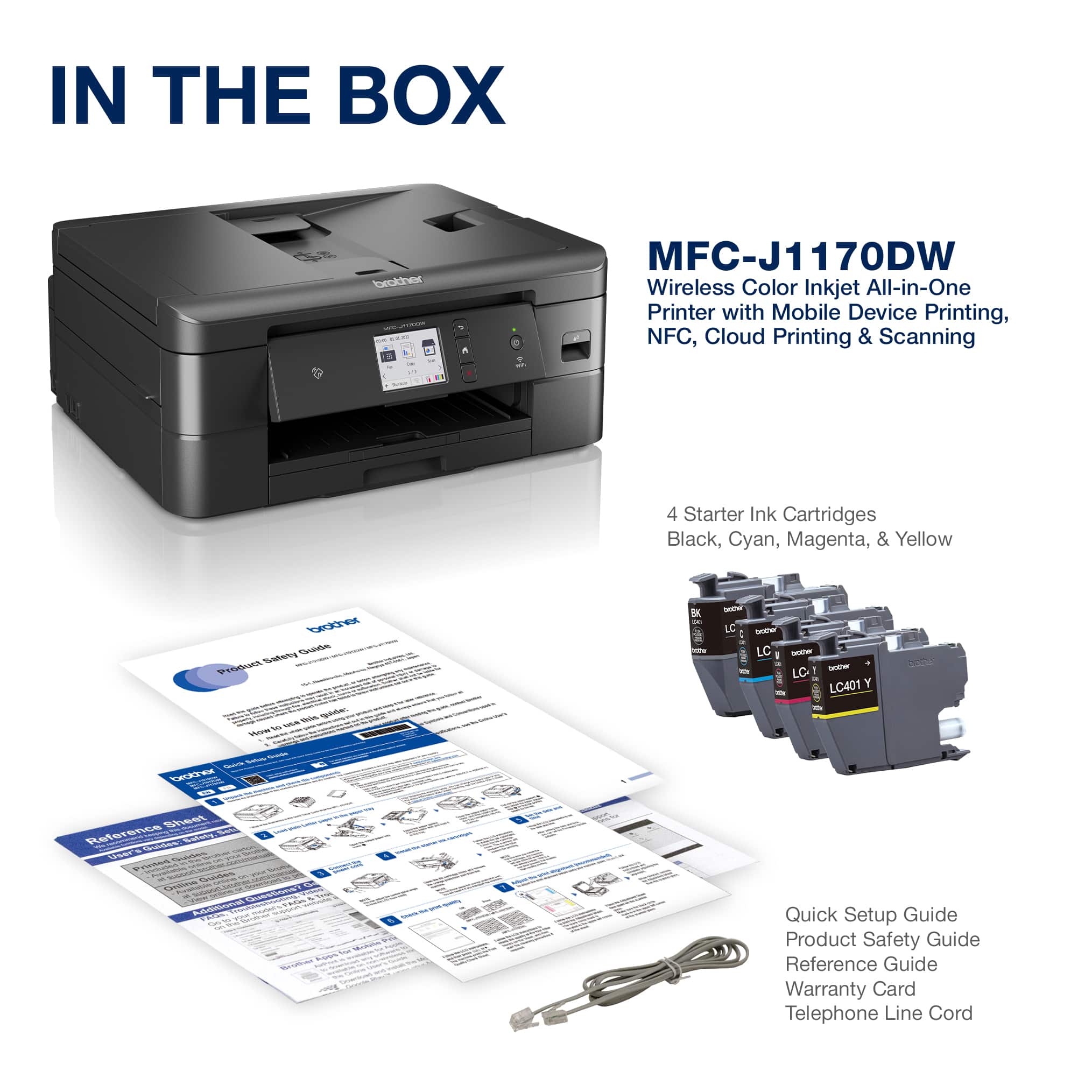
||Posted . Owned for 3 weeks when reviewed.This reviewer received promo considerations or sweepstakes entry for writing a review.Works great for home and easy install too! Wish it had come with usb cord
I would recommend this to a friend - Pros mentioned:Overall performance
Awesome
||Posted . Owned for 3 weeks when reviewed.This reviewer received promo considerations or sweepstakes entry for writing a review.I have always loved every brother printer I’ve ever had. This is no different.
I would recommend this to a friend - Pros mentioned:Print quality
Brother Printer
||Posted . Owned for 1 month when reviewed.This reviewer received promo considerations or sweepstakes entry for writing a review.Prints fast and sharp. It says 28 characters remaining.
I would recommend this to a friend - Pros mentioned:Ease of use
Great Printer
||Posted . Owned for 1 week when reviewed.This reviewer received promo considerations or sweepstakes entry for writing a review.I was able to set it up quickly and connect it to my macbook, iphone and ipad.
I would recommend this to a friend Lacks quality material
||Posted . Owned for 1 month when reviewed.This reviewer received promo considerations or sweepstakes entry for writing a review.Doesn’t look or feel like a quality printer. Little noisy while printing
No, I would not recommend this to a friendBrand response from Brother
Posted .Thanks for taking the time to review your experience with the Brother MFCJ1170DW. We appreciate your feedback. At Brother, customer satisfaction is something we take seriously. Your feedback is important to us and will be reviewed.
Thank you for being a Brother customer. Please know that we will be here, should you need to contact us in the future. Please contact us directly at:
https://www.brother-usa.com/support/MFCJ1170DW