Rating 4.3 out of 5 stars with 103 reviews
4.3- Print Quality (53)
- Ease of use (16)
- Overall Performance (13)
- Size (13)
- Wireless (11)
Customer Images
The vast majority of our reviews come from verified purchases. Reviews from customers may include My Best Buy members, employees, and Tech Insider Network members (as tagged). Select reviewers may receive discounted products, promotional considerations or entries into drawings for honest, helpful reviews.
- Rated 4 out of 5 stars
Best Value home printer
Best Value printer. Small footprint to fit in tight spaces. Easy setup. No usb cable supplied if using a hard-wired connection to your computer
Posted by OhNoBillS
- Rated 4 out of 5 stars
Nice Entry Level Printer, Mostly For Home Use
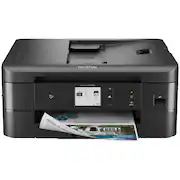
The Brother - MFC-J1170DW Wireless Color All-in-One inkjet printer in black is a nice, compact printer that is mostly easy to install. Since I am a CPA in public practice, I use all kinds of printers for all sorts of applications-mostly laserjet for fast numerous printing of lengthy tax returns, but all in one inkjets for billing and other miscellaneous printing jobs. The only hiccup that I had was after I had officially set up the printer. So, on its LCD screen there was a message that a firmware update was available. I hit the arrow that takes you through a series of prompts to eventually have to enter a password. Well, silly me, I thought the password was the same one as my online Brother account and even changed that thinking I had it wrong when the message on the machine's screen kept telling me that I had the incorrect password. Little did I realize that on the back of the machine there is a little stamped area that not only has the machine's serial number, but also has a PWD and I believe 7 combo of letters, caps and lower case, numbers, and special characters. The easiest way for me to enter and read was to use my phone's camera to take a picture and read and enter it into the machine. I did wind up calling Brother's toll free number, speak with someone off shore, I believe from their accent, which I do not like. However, after almost pulling my hair out over this password thing, all was done. I already had the Brother set-up program and its utility type programs so downloading the necessary software to my older desktop was easy. I have a newer Dell 2 in 1 on a different floor and that connected to this new Brother machine quite easily, too. Pros-small enough to set on an ottoman, see attached picture, or on any desk surface area. Quick 1st paper out, quality of print, and speed. This is good for smaller office type jobs or smaller home type jobs. I also had the Brother Mobile Connect app already downloaded to my smartphone and I love using that to print necessary items right from my phone. The literature states that ISO print speeds are up to 17ppm for black print and up to 16.5 ppm for color print. I used wireless connectivity, but there is ethernet available, automatic duplex (2 sided) printing, and many things , like the Cloud, Dropbox, etc., can be reached directly from the machine itself, and a 20 page auto doc feeder. Con-Does not state on the box that it is compatible with the recently release Windows 11, so I would call the toll free Brother number and get an opinion on that if you have that operating system. I have not priced replacement Brother brand ink for this machine-there is a "Refresh" Brother program found at www.RefreshmentEZPrint.com that is similar to that of HP's instant ink program where the machine communicates with them seamlessly and for a monthly fee, based on projected number of pages to be printed on a monthly basis, you will receive ink without even having to request it by mail or some other delivery service of their choosing. This machine comes with only starter cartridges for Bk/C/M/Y. The standard ones per Brother will print around 200 pages where the high yield print up to 500 ;ages. I will be looking into the best ink pricing to see what is the most economical way to buy ink because unfortunately, that can be more in the long run than the machine itself.
Posted by KansasMeddlingMom
- Rated 5 out of 5 stars
A Solid Everyday @Home Printer!
TLDR; 17ppm black, 16.5ppm color. Capable of 2-sided printing. Has both scanner feed and scanner bed. Scanner only capable of single-sided scans. Can perform faxes, if needed. Can be connected via ethernet or wirelessly. With a Brother account set up, you can print wirelessly from anywhere (remote printing) using the Brother Mobile Connect App. Ink is a 4 cartridge setup, and the cartridges are relatively small. Brother encourages you to sign up for their Refresh Program, automatically sending you ink when you’re running low. Program is a monthly fee. The Brother MFC-1170DW mult-function printer can print, scan/copy and fax, plain and simple. But at the price point, I'm very impressed with what it has to offer. Firstly, the printer itself is very good at printing everyday documents and I really had no complaints here. Once out of the box and plugged in, the printer will prompt for the installation of ink cartridges and then follow-up by performing its self-diagnostic (checking for clogs, alignment). This is a relatively painless process time-wise, and once complete you’re off to the races. During my tests, I did a combination of multi-page pdf documents as well as some documents with color in them. One print job was a welcome packet from a doctor’s office that was about 14 pages, and the Brother ink-jetted its way to completion. I would say that the claimed 17ppm is about in-line with what I was experiencing. I reprinted the same doctor’s office doc, but this time 2-sided and similarly it performed very well. I think 2-sided printing is a huge plus here and I would think at an entry-level, this printer would not include that feature. For color documents, I copied a couple of work orders from the service center for our vehicle. The original document was printed on watermarked paper and the Brother’s copy came out almost identical. The printer did a fairly decent job replicating the tiny disclaimer text usually found on the bottom corners of these work orders. A quick tweak of the scanner and printer DPI settings should probably take care of this a lot better. I only have one complaint about this printer thus far, and that it only does one-sided scanning. Wireless printing set up is also straightforward as the unit guides you step-by-step. The end result is that your printer is now part of your home wireless network. And since it’s on your wireless network, anyone with access to your network can use your printer. But it doesn’t end there; if you acknowledge and consent to remote printing, you’ll be able to print documents from anywhere as long as you have access to the internet. This is done using the Brother Mobile Connect App. The Brother Mobile Connect App allows easy use of your printer for document printing, photo printing, scan/copy and maintenance, all through your phone. The app uses content on your phone (docs, photos) and it makes it easy to select these files and send them off to print. Lastly, there is the Refresh Program, which is Brother’s direct-to-home ink service. This isn’t like your typical “Subscribe-and-Save” program, if you know what I mean. It’s actually a bit more complicated actually. Based on the subscription service you choose, you’ll be allocated a page allowance and based on that page allowance, you’ll pay a relatively low monthly fee! This is made possible by the printer sending your print statistics to big Brother (zing!). So maybe I'll use myself as an example here. I signed up for the Moderate Plan ($4.49/month) that gives me 80 pages a month as a print allowance. If I end up printing less than 80 for the month, my pages carry over as an extra allowance (max carry over of 80 pages). Now if I go over my 80 page allowance in a month, every 10 pages I print will cost me an additional $1. I guess it’s worth mentioning that when the ink does get low, Brother will automatically send you a fresh batch of ink. So the name of the game here is to find out what your level of use really is, and you can save a lot of money on ink. They have various plans with adjusted allowances and page rollover and overage costs. If I do the math (and I stay consistent with printing use), I would only spend $60/year for ink using the service. If I chose to not use the service and bought ink locally, I calculated it to be about $120 for the same amount of pages. Not too shabby! If you find yourself using less or more, you can change your plan at any time, or cancel if you no longer need the plan altogether.
Posted by softwareEngineer
- Rated 5 out of 5 stars
Best entry level printer I have found!
So, this little printer is a highly impressive specimen. Not only was it incredibly easy to set up and get going with the easy-to-follow instructions, but it prints like a bat flying out of hell! I actually swore with surprise the first time I printed off a text page and it just shot out of there like a high velocity rifle round--printed with perfect accuracy. This is a compact, user-friendly printer—highly economical this inflationary day of age, with ink that according to my research is actually rather economical to replace too! That is a huge win for me all around. The size means that this printer is friendly on most workspaces and is honestly perfect for the occasional printer like me who wasn’t looking for something crazy fancy or high-volume. What I really wanted that this printer has, is the ability to scan documents easily to my Onedrive account. I upload manual timecards to my company via scans, and my old printer lost its ability as it is so old to connect to my Onedrive account to upload scans directly to the Onedrive folder I had selected. Getting this Brother printer set up to do it was easy and now I have that ability back again! I am very pleased with this. Altogether, I can’t think of a better entry-level printer at this time. I do miss when entry-level, beginner printers were cheaper, but this printer seems to have the ability to do it all while being user friendly and compact, and I don’t know if I can give it a better recommendation than that! Thanks for reading and hope this review helps you feel confident in your purchase!
Posted by Bren
- Rated 5 out of 5 stars
Good all-in-one printer, simple and easy to use
Arrived packed excellently. And when opening, had printed basic instructions on box flaps for sliding out, and re-packing. The first part of setup was straightforward - probably the easiest printer I have setup, and went smoothly. Load paper in tray, put tray in machine, and install ink cartridges. There is an orange protector that must be removed - don't throw away, it needs to be put back if cartridges are removed and printer is shipped. Then set date and time. Now the printer went through a print quality and alignment check. If you are going to use as a fax, you must connect phone line and setup for fax. Download the Brother setup software, and once installed, it will walk you through the rest of setup. It took a couple tries, and checking a few modem settings to get the wi-fi going, but it did connect and works well. Now to the printer. It has a nice color display that can tilt for best visibility. The paper tray is simple to load and insert. There is an automatic document feeder in the top of the machine. The cartridges "snap" in place easily. There is a removable "door" in the back of the printer for easy jam removal. I do like that the cartridges are just ink and not the complete print head found in many printers. Should make ink replacement less expensive. Next I did some printing. The printer is quite fast on the wi-fi. Black printed text was sharp, print was dark and not washed out. I did color - on plain paper - and even that looked good. I would think this printer could do excellent photo printing with photo paper. Scanning was fairly quick, and gave a sharp image. When I wasn't using the printer, it went to sleep, but with any command, it was on and ready instantly. This would be a good choice for home, student, or home office use. Simple to use, good print quality, and fairly speedy for multiple prints. One thing I cannot comment about would be the number of prints one can expect from the cartridges. I would recommend.
Posted by ebk02