Customer Ratings & Reviews
- Model:
- MFC-L2900DW
- SKU:
- 6593486
Rating by feature
- Value
Rating 4.8 out of 5 stars
- Quality
Rating 4.8 out of 5 stars
- Ease of Use
Rating 4.7 out of 5 stars
Customers are saying
Customers regard the MFC-L2900DW printer highly, especially praising its impressive print speed. Users appreciate its overall performance and sturdy build, while also noting the easy setup process. The printer is also easy to use and remove from the box.
This summary was generated by AI based on customer reviews.
- Pros mentioned:Print speed, SetupCons mentioned:Noise level
Good printer
||Posted .This reviewer received promo considerations or sweepstakes entry for writing a review.Overall : good for home office Fast , noisy , not sure about long lasting toner cartridge , Easy to set up software and wifi, one time error in the paper detection , average copy quality
I would recommend this to a friend Replaced and older Brothers MFC
||Posted . Owned for 1 month when reviewed.This reviewer received promo considerations or sweepstakes entry for writing a review.Upgrade from the previous Brother MFC, which did not work well. This one is lighter—faster, quicker response, I am very happy with it.
I would recommend this to a friend- Pros mentioned:Print speedCons mentioned:Noise level

Office Quality Printing for the Home
|Posted .This reviewer received promo considerations or sweepstakes entry for writing a review.Brother Printers are my Go To for printers now, and have been for a few years. I like the simplicity of using them, getting them setup and their fair prices for ink. This printer is another example of why I keep buying them. Short to the Point Pros Incredible Print Speed Simple Setup Touchscreen and Sound Mobile App Features Copier/Scanner Cons Mobile App Issues Semi Loud Printing Print Quality As stated in the title, if you work in an office building with one of those big printers that looks like it cost as much as a car, this is a more compact version of that. It prints and copies as an industrial speed which is what I think most people looking at this printer would want. I imagine this thing can go through an entire tray of printer paper faster than you could pour a cup of coffee, its that fast. That said, I wish the paper tray was a little bigger so that it could hold a full reem of paper. The print quality of those speedy prints does show though. There are clear lines in heavily shaded areas and thats exaggerated if you're using lighter weight paper. The copy quality that you get out of this is pretty good, in line with most other printers I have used. I haven't had a chance to scan anything with it yet, but the option is there and it has a nice size scan bed. Its not going to match the size of those you'd find in an industrial copier, but it does support color. I generally don't like the mobile apps for printers, but this one wasn't so bad. In the initial setup using the mobile app it threw a few errors, wouldn't detect the printer automatically and kept giving me pop ups/ads for toner renewal services and the like, but once I got past all that it was nice to use. The app gives you a few nice abilities that you normally don't have. With it I can scan and immediately print out the document that I just scanned, not needing to actually touch the printer. It also gives you a built in editor for printing on the go. So you can crop/resize images to send directly to your printer. It also offers remote printing so that if you're not in the house with the printer you can send something directly to it. I haven't tried it yet, but it has reminded me on a few occasions that the option exists. The only other issue was how loud it was when printing. I didn't measure the sound myself, but according to specification its expected to print at 49db at max speed. Given how fast it is, its not so bad. The printer does have a quiet mode which I haven't used yet (printer is in another room away from me so I don't hear it normally), but that should bring the sound down to more reasonable levels. I don't want anyone to get the wrong impression, its not terribly loud or unbearable, its just louder than some other printers simply as a by product of being really fast. Overall I'm very happy with this printer and look forward to using it for the foreseeable future.
I would recommend this to a friend - Pros mentioned:Overall performance, Print speed
Versatile, efficient, impressive and reliable.
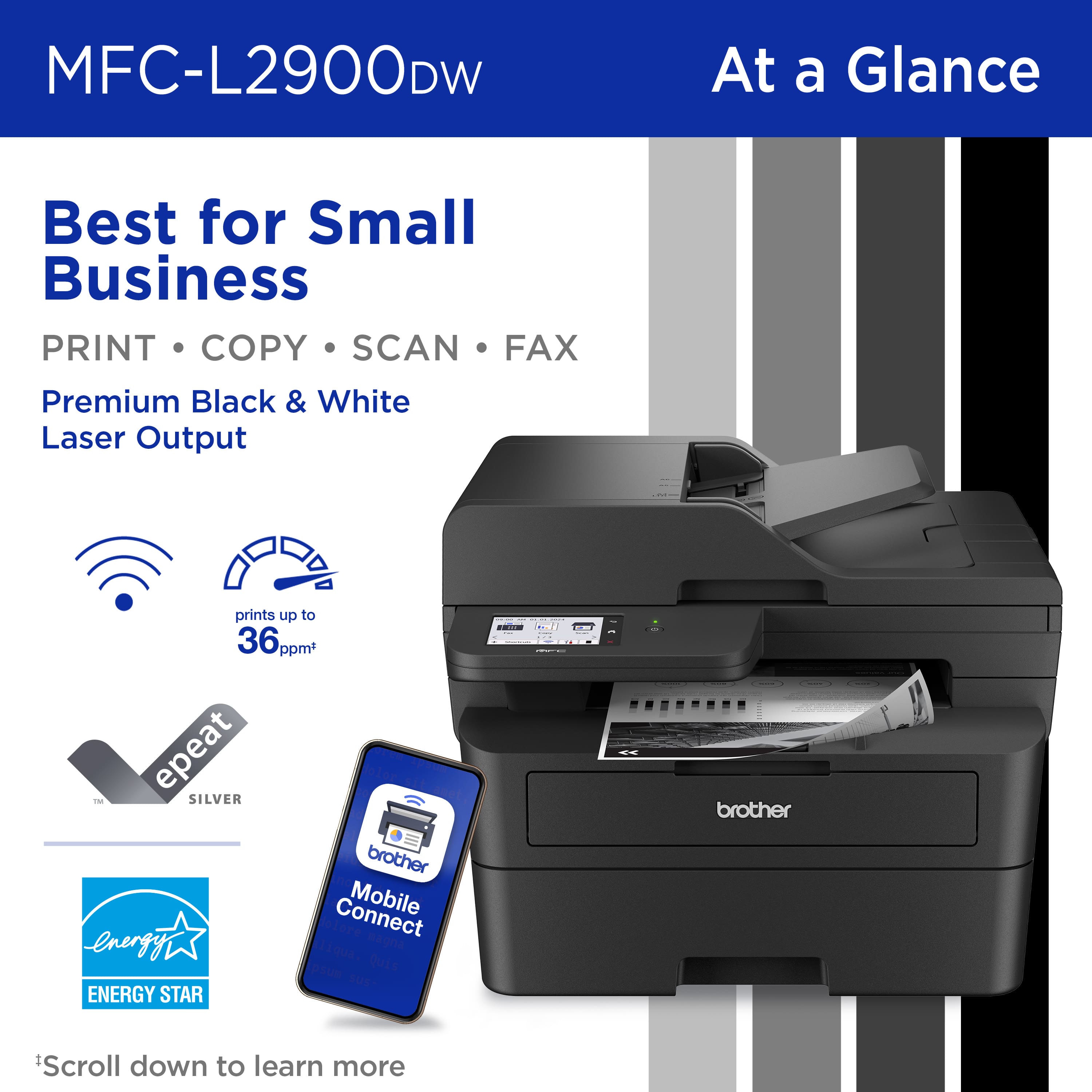
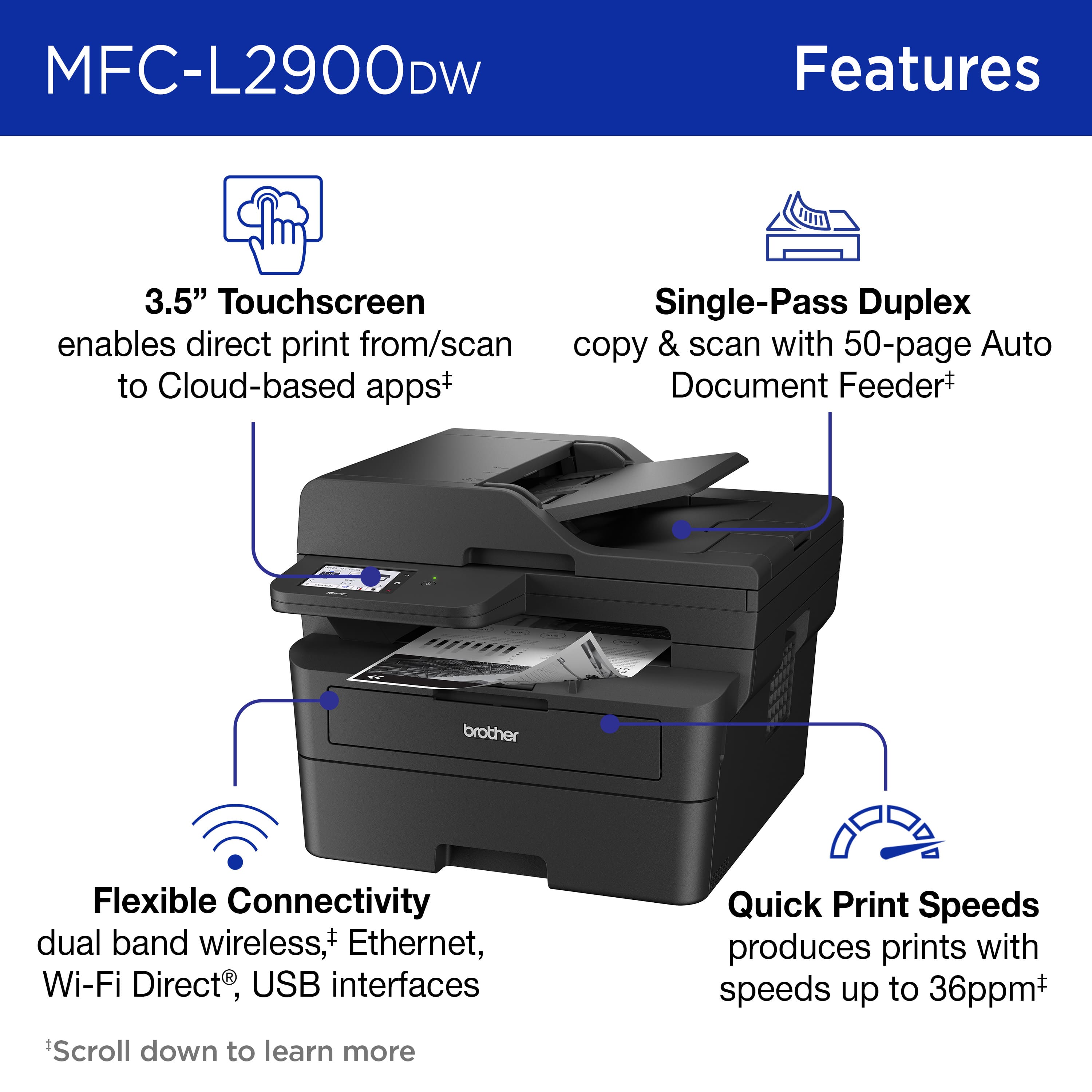
|Posted .This reviewer received promo considerations or sweepstakes entry for writing a review.The Brother MFC-L2900DW is a versatile and efficient monochrome laser printer and it is perfect for our small office and home. It has many features we like so let me try to keep it short while I further explain. This printer has a compact and sturdy design, so it is perfect for small spaces. Its sturdy build guarantees durability, while the control panel LCD screen provides easy navigation and operation. This printer offers impressive print speeds of up to 36 pages per minute (ppm), so it is quick, efficient and quiet. The print quality is sharp and clear, with great resolution, and it works great with documents with a lot of text on them. It is easy to connect in different ways including USB, Ethernet, and Wi-Fi and the wireless setup is very easy all I needed was the Wi-Fi password to link it and using the Brother application on my cell I was able to setup. It does seamless printing from various devices, including smartphones and tablets, via Brother's Mobile Connect App. This all-in-one device includes printing, scanning, copying, and faxing functionalities. The automatic document feeder is fast and since it has single pass duplex copy and scan it does just that, with one pass it copies and scans both sides, making it very efficient. The printer comes with a 250-sheet capacity paper tray so we do not need to refill the tray often. The MFC-L2900DW is designed with cost efficiency in mind. It uses high-yield toner cartridges, which can significantly lower the cost per page. Additionally, the printer's energy saving features contributes to reduced operational costs. And since our office prints a lot of documents and most are black and white this printer is the best choice for our small office because it is not only reliable and affordable to print, it also copies, scans and faxes. It is fast with multi page copy, scan, and fax jobs and we really like that we can print from and scan to different cloud based apps using the touchscreen. The printer has an advanced security feature to keep my network safe too. The Brother application on our computers is useful to do everything it even sends me to pages to help me out on how to do certain things such as how to scan. I can do most things from my computer without getting off my chair. I can also purchase supplies, photo print and have access to other tools. Overall the printer does a great job, it is reliable and consistent. It is fast and gives high quality prints and best of all it is multifunction in case we want to print, scan, copy or fax. We are enjoying the wireless connectivity so we can move the printer around without needing to connect it via Ethernet or a USB cable yet they are available too. Using Brothers high yield toner is also the way to go, we do not
I would recommend this to a friend - Pros mentioned:Ease of use, Print speed
Great Small Office/Work From Home Laser Printer
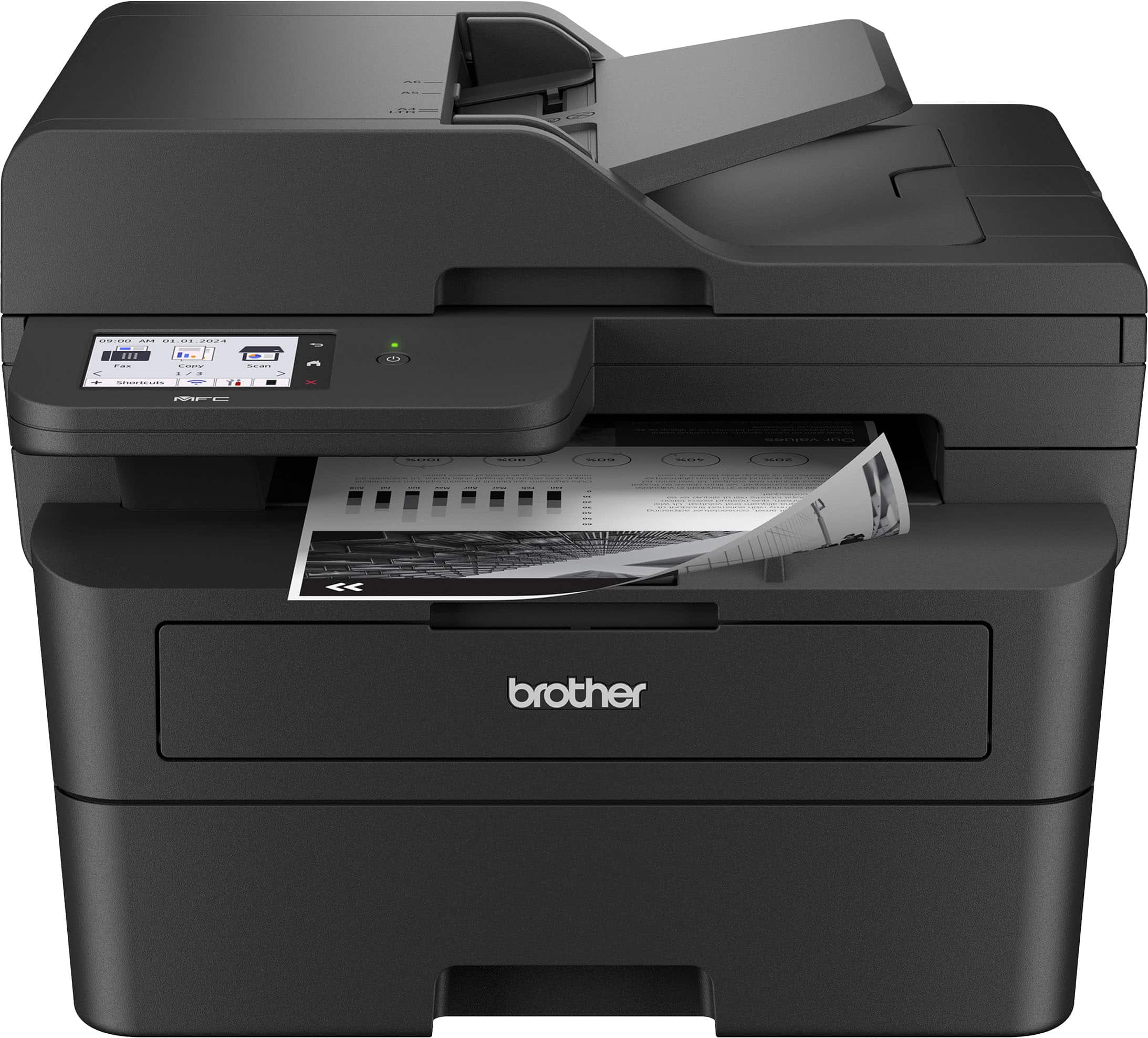
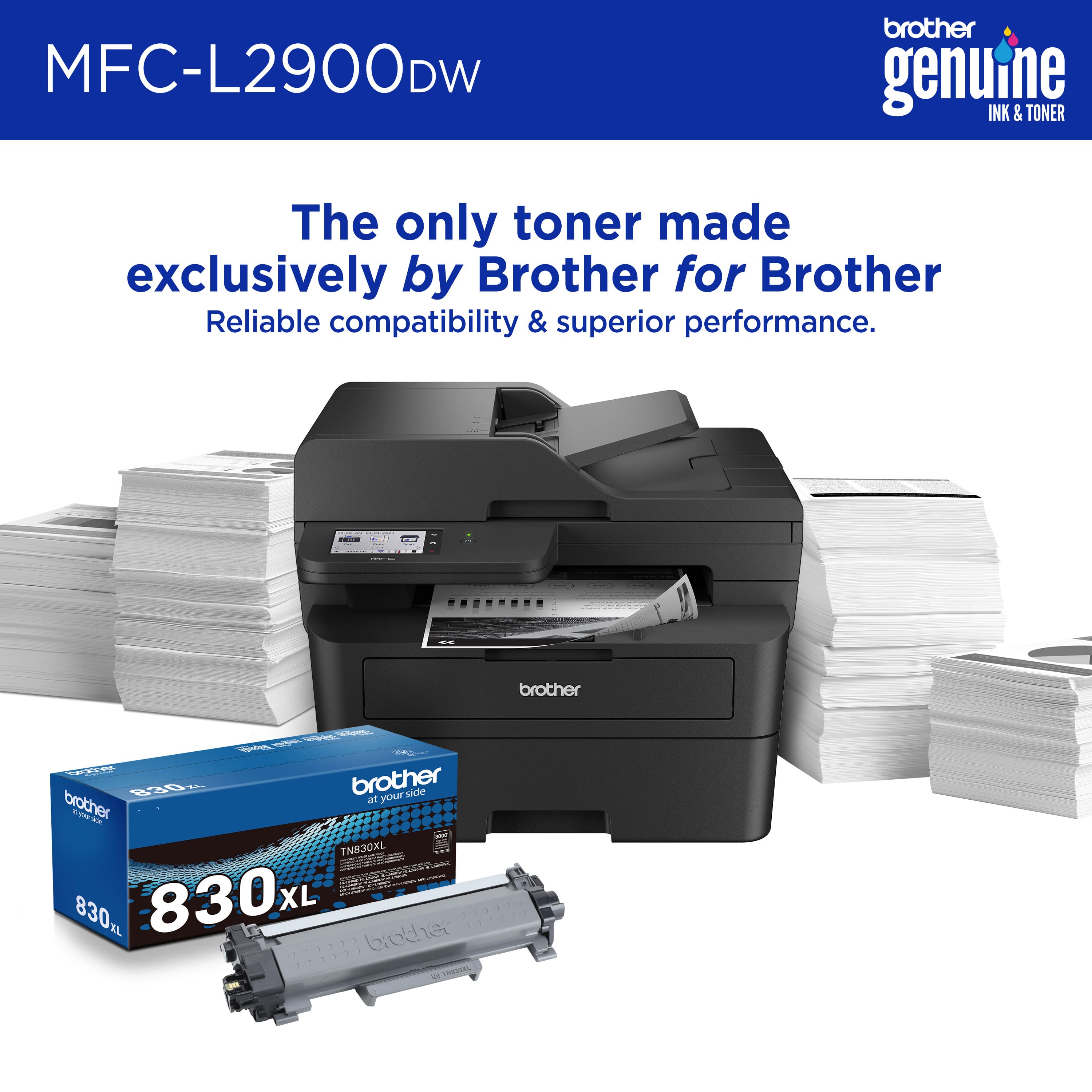
|Posted .This reviewer received promo considerations or sweepstakes entry for writing a review.The brother MFC-L2900DW laser printer has a small footprint and looks good on the desk. The printer is lightweight and easy to remove from the box. After I removed it from the box, I removed all the tape which didn't take too long. I inserted the starter cartridge, powered it on, and connected it to my wireless network. Connecting it to my wireless network was simple and straightforward. Brother has made it very simple to do this through the printer’s touch screen. The touchscreen is bright and easy to read. Also, it is the most responsive menu system that I’ve seen in a printer. Thumbs up to Brother for not skimping on this as most printers have very slow to respond touch screens. For the initial setup, I downloaded Brother’s software and installed it on my Windows 11 desktop. The software install is very straightforward. It only took just a few minutes. I was up and running within a few minutes of removing it from the box. It comes with a starter cartridge which is easy to install. The standard cartridge has a yield of 3,000 pages, and also the drum has a yield of 15,000 pages. That’s a good yield compared to many that only have 2,500 page yields. After setting up the printer, the first print test page was out in two to three seconds. This didn't change with subsequent document printing. When the printer was in Standby, the time it took to power up and print out the first page of each document was the same, about two to three seconds to begin printing the document from standby. Duplex printing is reasonable. Of the duplex printers I’ve used, the MFC-2900DW is by far the fastest. The print quality from this printer is really good. The printer does a good job at making the toner adhere to the paper properly. Standard text looks really sharp and is of high quality. When checking out the copy feature, I printed out a document and made a copy of it. I compared the copy to the original print out. When comparing the two I noticed that the text of the copy looked nearly identical to the text on the original print out. Where I saw a noticeable difference was where it had some trouble with copying some lines that were on the original page. Lines that were on the copy were lighter than on the original printout. In addition, the bold text wasn’t as dark as the original. This is something that Brother could address with a firmware update, but as it stands, I can see a difference between the original printout and the copy I made of that. There are many features that it has to help with scanning to many formats such as PDF, MS Word, PowerPoint, etc. It also has scan-to-email, Google Drive, Dropbox, FTP server, etc. lt also has cloud secure print and print from email. For faxes, it has fax forward to email and cloud. This is something I have only seen in large expensive printers seen in corporate offices. People like me who work from home or someone needing a printer for their small business will appreciate these features. So far I've been really happy with the Brother MFC-L2900DW. The print quality, as well as the features of this printer has been really good especially from a printer at this price point. I really like the small footprint and how it powers up from Standby and prints out the first page quickly. Yield from a standard cartridge plus the yield of the drum makes this a good option for someone looking for a small printer for the home or a small office. I imagine it's going to appeal to a lot of people who are working from home and those who need advanced features to support a small office or small business.
I would recommend this to a friend - Pros mentioned:Print speed
Brother, a nice business edition ease of use
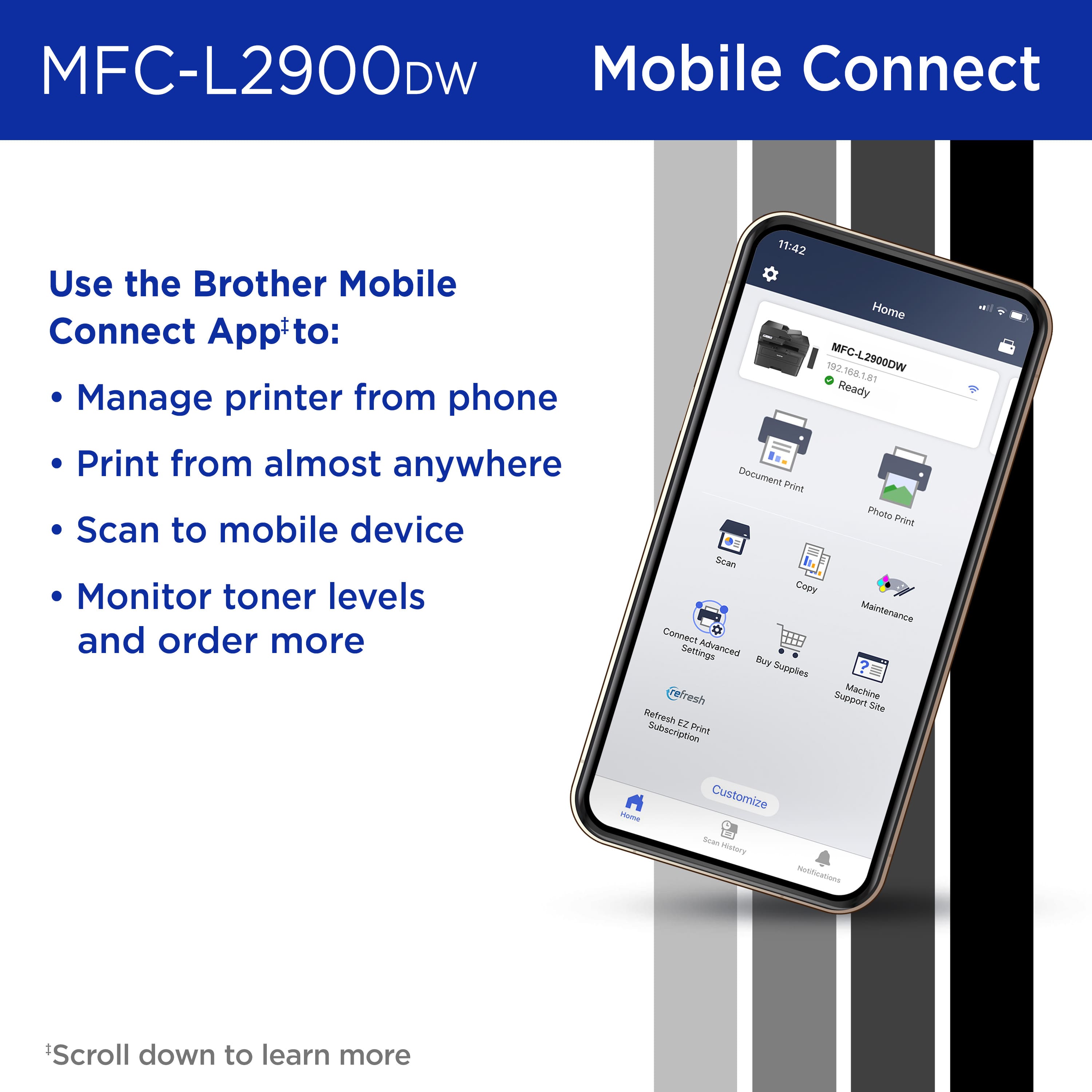
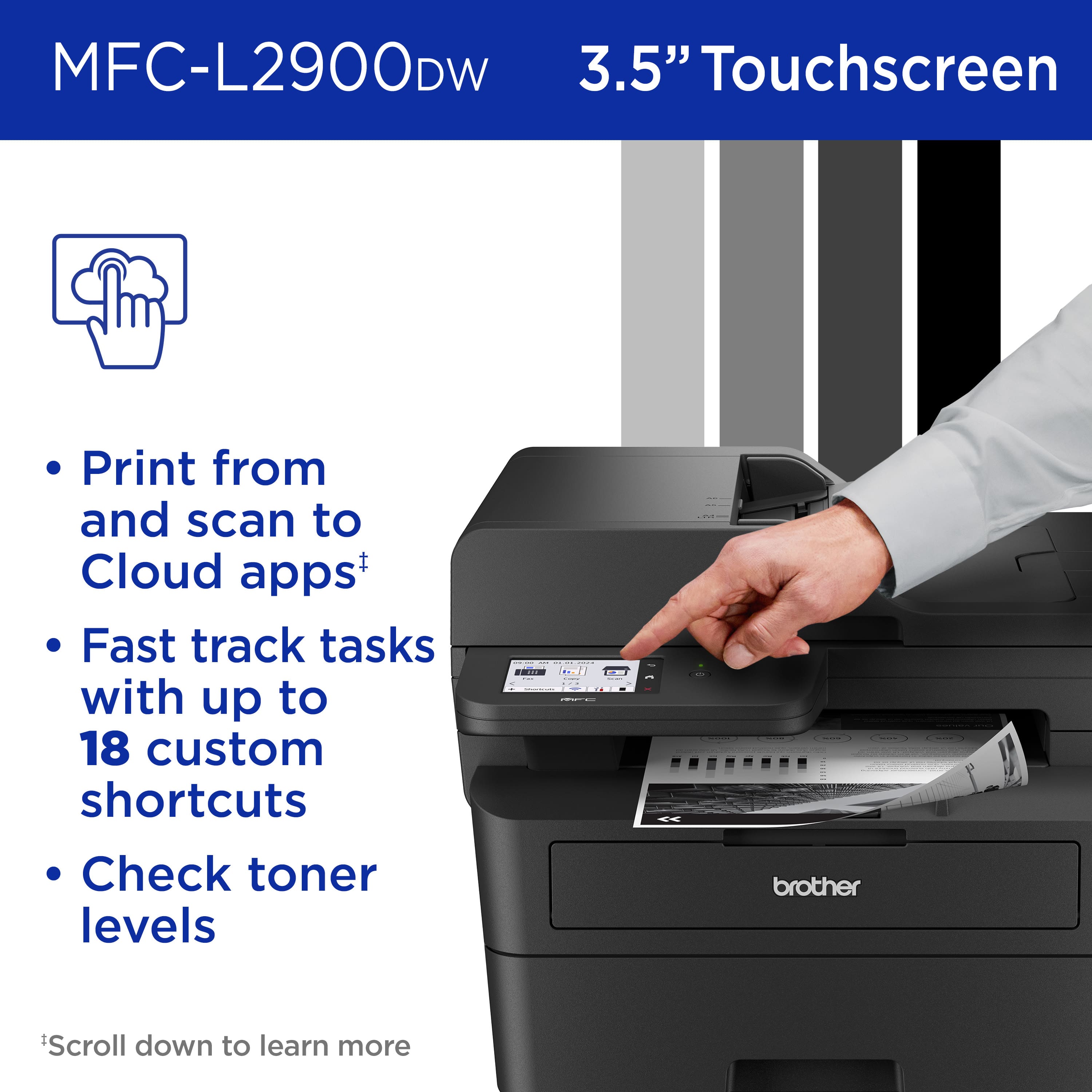
|Posted .This reviewer received promo considerations or sweepstakes entry for writing a review.This Brother Laser printer definitely reflects “business” with its design as it they continue to keep a standard look amongst their line of printers. The packaging it comes in is a little excessive and makes the unit appear larger than it really is. There was a high amount of foam used to protect the device, but in today’s “GREENER” society, screams for a recycling nightmare. Getting past the packaging, you can be up and running in about 10 minutes. After removing all of the blue tape found, power on the device and follow the prompts and/or the quick setup sheet to get the printer up and running. Go to the noted website to obtain the brother driver install software. In my case, it sent me to the MacOS App Store for the remaining available software during my install and setup. The power cord is a nice length and does give you the option of placing the printer a bit further from the outlet if needed. Once the printer is setup and has an internet connection, there will be a firmware upgrade right of the box for install. This is why the time is around 10 minutes, pending your internet connection to pull the update. While this is being done, it is recommended to install the “Brother Mobile Connect App” on your mobile device(s). The touch screen is large enough to navigate and select various options at 3.5 inches. Making it easy to customize the main printer settings, available application options from cloud services, mobile printing, direct printing, etc. The printer does come with a drum/toner assembly that will be replaced each time toner is depleted. During your setup and install, there will be notices at various times to sign up for Brother’s “Refresh, Easy Print” solution refills. The intent is to ensure you have a toner assembly kit readily available on-time as your small business or home office need arises. Prints. Prints are only in black and white, as there is no color option. The paper tray can hold half a ream of paper (1 Ream=500 sheets). This does leave you with having to find a place to temporarily store the remaining 250 sheets (stashed behind, next to, or in a drawer). Documents printed from your system, mobile device, virtual location printing through cloud services arrive and print quickly. The prints are clean, crisp, while not leaving any heavy curl to pages or wave looks to the pages. It can print duplex and single-sided, may also be setup as a default directly through the printer or through your printer’s admin site…you will need a password. Wait what’s the default password? It can be easily found on the back of the printer prior to placement (PRIOR TO PLACEMENT, snap a quick photo) on the Printer’s Serial Sticker noting “Pwd” followed by your printer’s default password. This Brother printer is smart that once you have it online, you’re prompted to change the default admin password by finding it on the sticker and location of the sticker. In case you like moving printers more often than needed. Scans. Scanning is quick, clean, and results will vary depending on the status of the document you are trying to scan. Thankfully, every document scan test passed very nicely and even with some adjusting was able to remove excess crinkles during my crinkle scan test. Scans can be initiated on your local devices or directly at the printer and sent to various cloud services. Integration is clean is easy to setup. It does include scan and email, scan-to-email. Fax. There is the option to drop a connection into the printer directly for Fax options. Local Network/Internet Connection/Wireless. You are actually presented with a few options. There is a network interface to connect it directly to your network via LAN connection. The wireless options presented provide current security and Wi-Fi options to the key of your network’s capabilities. If a wireless or ethernet connection is not suitable, there is the direct connection vis USB to the printer. Brother Mobile Connect App. This app enables you to accomplish everything noted above from any of your mobile devices. The app is well organized and has a nice easy to use layout that has taken a lot of updates and work towards this over time. You can even order toner through the app.
I would recommend this to a friend - Pros mentioned:Overall performance, Print speed
Brother Brand Does Not Disappoint
|Posted .This reviewer received promo considerations or sweepstakes entry for writing a review.As an owner of a small business it is vital that my printer work flawlessly all the time. I can’t afford to spend my time working on the printer. I had been using another brand of printer and spending far too much time working on it. I decided to try the BrotherMFC-L2900DW Monochrome Laser All-in-One. I love this printer. It is the first laser printer that I have owned. It uses toner instead of ink cartridges. Although it is just a black/white printer I find that I don’t really need color. The paper tray holds 250 sheets of paper and I find that to be the perfect number for my needs. I love the automatic document feeder. I was a bit concerned with the size of this printer because it is a bit larger so it takes up more space than my other one. I was always pulling out the other printer to reset it as it would not stay connected to my WIFI. So far This printer stays connected to my WIFI so there is no need to pull it out to reset it. I also love the 3.5 Color Touchscreen. It lights up and is easy to read. It is angled in a stationary position and that concerned me as my other printer had a screen that moved positions. However this one is easier for me to read and I do not need to reposition it. Brother thought of all my needs. The toner cartridge that comes in the package with the printer is high yield black so it prints up to 3,000 copies. I will not need to change it as often as I was changing the ink in my other printer. This printer prints so fast and is clean on the paper. I have no complaints at all! I love it. Brother has won my loyalty in small business printers. It scans seamlessly to my Laptop, MAC, iPad Pro and iPhone.
I would recommend this to a friend - Pros mentioned:Ease of use, Print speed
Great printer with awesome print quality
|Posted .This reviewer received promo considerations or sweepstakes entry for writing a review.Great printer for small office or home use. Print quality is perfect, so clear and sharp and I can honestly say it's the best I have ever owned. This is a multifunction device for printing, copying, scanning and fax and I use the first 3 but I do not have fax. Printer has one tray of 250 pages capacity and a 50 pages automatic feeder. Printing capacity is 36 pages per minute, and it does have single pass duplex scan. My favorite options are scanning to email and printing from mobile devices such as phone or tablet, without any applications, you can install a brother mobile connect but it’s not required in order to print for the phone. Printer has both internet connections wireless and Ethernet cable plus usb port to connect to your computer. Device is easy to set up and operate by a small color touch screen which I believe it’s about 3,5 inch big. Since this is a laser printer one cartridge will surely give you between 2000 and 3000 printed pages before you need to buy a new one. These brother devices have lots of other options through web interface such as address book management, monthly reports, email notification in case of jammed paper etc. Device is pretty small in size but with nice and powerfull options and printing quality. I am extremely satisfied with it.
I would recommend this to a friend - Pros mentioned:Overall performance, Print speed, Setup
Brother L2900DW
||Posted .This reviewer received promo considerations or sweepstakes entry for writing a review.This is my second Brother printer, and like the first one, this one has been very easy to set up. Our first Brother printer is still going strong after 10 years, but we wanted a printer capable of making copies and digital scans. The L2900DW printer makes quick work of copying and print jobs. I would recommend this printer for any household use or for a small office. In addition, the toner cartridges are very affordable compared to other manufacturers.
I would recommend this to a friend - Pros mentioned:Print speed
Wicked Fast & Sips Power! Just What I Wanted!
|Posted .This reviewer received promo considerations or sweepstakes entry for writing a review.I've had Brother laser printers for as long as I can remember and they are the only printers I recommend (or buy) for friends and family. I've never been let down by them yet and the new MFC-L2900DW (that's a mouthful) is no different. Previously I had the much larger MFC-8810DW and it has been my workhorse, handling the start-up and daily operations of a non-profit as well as handling the day-to-day needs of our family. Now that I am no longer running the non-profit from my home and I'm downsizing the work part of my home office, I thought I would go for a more petite and printer with whatever improvements Brother has made over the last several years on board. I wish I could think of enough stuff to laud the Brother MFC-L2900DW to fill a huge review, but there were really only two things I really was hoping for from this printer and that was speed and less power draw, and it delivers that in spades! Speed: Just going off of the specs between the two printers, I would not expect there to be THAT much of difference between the two but from hitting the print button to the warm page being in my grubby little hands is almost instantaneous. I think the specs are only referring to the time from spool-up to delivery but in the real world, there is a massive decrease in the communication and processing time with this printer. Whether I'm printing from my desktop or from an iPad, there is no 'thinking' being done by the printer, it just goes. Communication protocols have obviously been improved and the doubling of the operating memory to 256mb obviously helps as well. Power: My older Brother printer would sometime trip the circuit breaker when firing up the turbo-lasers to destroy Alderaan, sorry, I mean get ready to print my report, but this new fully functional battlestation can do it without even making the lights flicker. Looking at the specs again, it would seem to be about a 27-30% drop in the power draw across all print modes, which is pretty significant when the 8810 would pull 1200 watts at peak! My house is pretty new and has a robust electrical system installed but it would struggle with that if I had too much else running on the office circuit. All-in-all, I'm super happy with the move to the MFC-L2900DW. The only thing I really 'lost' was some capacity in the manual feed tray, but I gained so much more elsewhere in a compact little printing beast. If you want an all-in-one laser printer for your home or business, you can not go wrong with the 2900.
I would recommend this to a friend Brother All-In-One B&W Laser Printer Shines
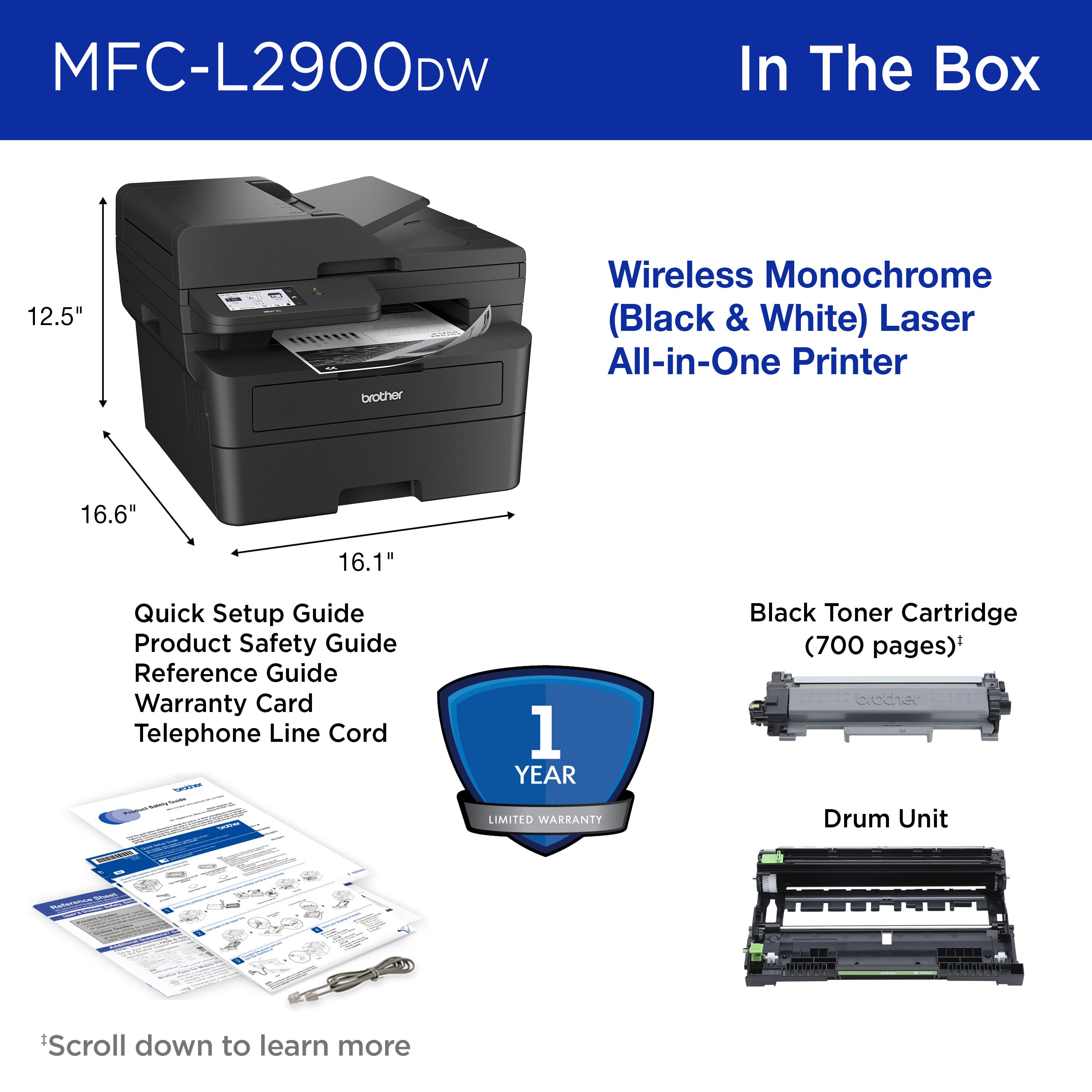
|Posted .This reviewer received promo considerations or sweepstakes entry for writing a review.With decades of personal Brother printer experience, I was particularly excited to check out this new model, MFC-L2900DW Wireless Black-and-White All-In-One Laser Printer and I was not disappointed in any way. Weighing 27lbs, and just 12.5” tall, 16.6” wide and about 15” deep, don’t let its diminutive dimensions suggest less than a full plate of features for use in a small office as well as a well-equipped home setting. Setup was virtually automatic after scanning a QR code for both wired and wireless use. Setup alerted to an available firmware update. An unexpected nice touch. Printing up to 36 pages per minute, its up to 50-page ADF (Automatic Document Feeder) can scan both sides IN COLOR in one pass. Though it cannot print in color, color scanning is still a useful feature when there is a need for color documents to be faxed or emailed. A major plus is the efficiency of this printer. The included starter toner cartridge can print about 1,000 pages. Available replacements can yield either up to 1,200 or 3,000 pages. For users who have greater needs, Brother offers a subscription program called Refresh that automatically send toner when the toner level reaches a proscribed level each month. A trial subscription is available. As to fax capabilities, it is a built-in feature. Scan, Copy and Print in duplex are all useful as is the ease of setup for Macs, Windows and even Chromebooks, all of which were successfully tested. Add to these, we successfully wirelessly printed from iPhones and Android phones. Scan to mobile is another handy feature. The paper tray can hold a generous 250 sheets of 20# bond. In addition, individual sheets and envelopes can be loaded in the bypass tray. Heavier paper can be set for the straight-through path and exiting the rear. The tray can accept and be adjusted for all popular sizes. In conclusion, and after hitting the highlights, I have come to enjoy and can recommend this printer wholeheartedly.
I would recommend this to a friend- Pros mentioned:Print speed
Reliable, Fast, and Perfect for My Office Needs
||Posted . Owned for 3 weeks when reviewed.This reviewer received promo considerations or sweepstakes entry for writing a review.I am extremely happy with this printer. The Brother MFC-L2900DW has been fantastic for my small office needs. It prints very fast, the print quality is excellent, and the wireless setup was quick and easy. I work with a lot of documents, so having a reliable laser printer is very important for me, and this one has exceeded my expectations. The scanner and copier also work perfectly, and the machine feels solid and well built. Another thing I really like is how efficient it is with toner compared to ink printers. Overall, it’s a great investment for anyone who needs a dependable black-and-white printer for home or a small office. Highly recommended!
I would recommend this to a friend - Pros mentioned:Overall performance, Setup
Brother printers are beasts
||Posted . Owned for 2 months when reviewed.This reviewer received promo considerations or sweepstakes entry for writing a review.This replaced another 10 year old Brother that needed a new drum. I decided to spend the money upgrading instead. I plugged it in, set up the wireless and I was back in business. Brother printers are easy to troubleshoot and reliable.
I would recommend this to a friend Brother MFC-L2900DW
||Posted . Owned for 2 weeks when reviewed.This reviewer received promo considerations or sweepstakes entry for writing a review.Exactly what I needed for a small office. The Brother MFC-L2900DW is fast, compact, and very reliable for black-and-white printing. Setup was straightforward, Wi‑Fi connection has been stable, and the automatic duplex printing and duplex scanning save a lot of time. Print quality is excellent for text, which is what I use it for most. The touchscreen is simple to navigate, and the ADF works well for multi-page scans and copies. It’s also nice to have Ethernet and USB options if you don’t want to rely on wireless only. This is not the printer to buy if you need color or photo printing, but for invoices, forms, and everyday office documents, it’s a great fit. If you want a dependable monochrome all-in-one that doesn’t take up much space, this is an easy recommend.
I would recommend this to a friend- Pros mentioned:Print speed, Setup
good all-in one
||Posted . Owned for 2 weeks when reviewed.This reviewer received promo considerations or sweepstakes entry for writing a review.Very good print quality and sped. Easy setup,and very compact for everything it does. Scanning is easy, quick, with great results so far. Replaces a Brother 8710DW and has handled the task well
I would recommend this to a friend - Pros mentioned:Print speed, Setup
MY fourth Brother
||Posted .This reviewer received promo considerations or sweepstakes entry for writing a review.Really easy to set up. Love the 0ptional print on both sides of the page. A lot less noisy than my previous Brother printers
I would recommend this to a friend - Pros mentioned:Print speed
BROTHER ALL IN ONE LASER
||Posted .This reviewer received promo considerations or sweepstakes entry for writing a review.All I buy is BROTHER name. This is my 2nd all in one. My first one lasted forever and this 2nd one is more modern with LED super easy to read display technologies (easy to read and navigate user interface). Connects to WI FI and lap top wirelessly. My last TWO have been LASER I prefer LASER over inkjet
I would recommend this to a friend - Pros mentioned:Print speed
Good purchase
||Posted .This reviewer received promo considerations or sweepstakes entry for writing a review.Prints beautifully. Much easier to set up than people made it sound — don’t let that discourage you. I only took one start off because I find it frustrating that I have to download a new driver to get it to print two-sided automatically. I have to remember to select it each time.
I would recommend this to a friend - Pros mentioned:Overall performance
Great Brother Printer
||Posted . Owned for 3 weeks when reviewed.This reviewer received promo considerations or sweepstakes entry for writing a review.This printer has done its job flawlessly so far and we are so happy we purchased it from Best Buy. The Geek Squad did a wonderful job setting it up for us too.
I would recommend this to a friend - Pros mentioned:Overall performance, Print speed
It’s a Winner!
||Posted . Owned for 2 weeks when reviewed.This reviewer received promo considerations or sweepstakes entry for writing a review.Great printer. Fast, reliable, and so much more economical than paying for color cartridges. Love how easily, and automatically, it prints double sided copies.
No, I would not recommend this to a friend