Cyber Monday is hereEnds Tomorrow.Shop now

Main Content

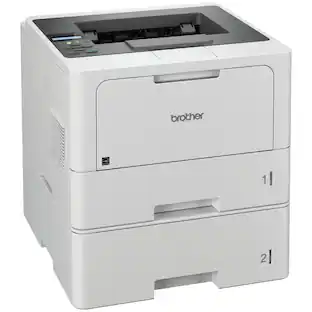
Brother - MFC-L2900DW Wireless Black-and-White Refresh Subscription Eligible All-In-One Laser Printer, Great for Small Offices - Gray

Model: MFC-L2900DW
SKU: 6593486
$314.99
or
$26.25/mo.
suggested payments with12-Month Financing
Show me how
Finance OptionsView your offers
Standard Geek Squad Protection
Availability
Fulfillment Options
Available for pickup Thu, Dec 4 at a nearby store
Order now for pickup on Sat, Dec 6 at
Sold by Best Buy

More Buying Options

Specifications
  • Networking
    Wireless, Wired
    ENERGY STAR Certified
    Yes
    Printer Type
    Printer, All In One
    Duty Cycle
    Up to 35,000
    ISO Mono Print Speed
    36 pages per minute
    Monochromatic/Color
    Monochromatic
  • Key Specs
    • Networking: Wireless, Wired
    • ENERGY STAR Certified: true (Devices carrying the ENERGY STAR service mark, such as computer products and peripherals, kitchen appliances, and other products, generally use 20% to 30% less energy than required by federal standards.)
    • Printer Type: Printer, All In One
    • Duty Cycle: Up to 35,000 (The maximum number of pages per month that the device can produce without failing, as specified by the manufacturer.)
    • ISO Mono Print Speed: 36 pages per minute (The number of black ink (grayscale) pages able to be printed per minute in the device's default single-side mode, as tested by the International Standards Organization (ISO).)
    • Monochromatic/Color: Monochromatic
  • General
    • Brand: Brother
    • Model Number: MFC-L2900DW
    • Product Name: MFC-L2900DW Wireless Black-and-White Refresh Subscription Eligible All-In-One Laser Printer, Great for Small Offices
    • Color: Gray
    • Display Screen: true
    • Display Screen Size: 3.5 inches
  • Dimensions
    • Product Height: 12.5 inches (The out of box height of the item. Height is measured as the vertical distance from the bottom of the item to the top as it would be primarily used or placed.)
    • Product Width: 16.1 inches (The out of box width of the item. Width is measured as the horizontal distance from one side of the item to the other as it would be primarily used or placed.)
    • Product Depth: 16.6 inches (The out of box depth of the item. Depth is measured as the distance from the front of the item to the back as it would be primarily used or placed.)
    • Product Weight: 25.9 pounds (The out of box weight of the item.)
  • Features
    • Automatic Document Feeder: true
    • Photo Printing: false
    • Automatic Reduction/Enlargement: false
    • Touch Screen: true (Touch-screen devices make navigating more intuitive. Using a touch-screen display, you can do things such as tap to select, hold and drag to move items, swipe to scroll, and pinch to zoom.)
    • Automatic Two-Sided Printing: true
    • Wide Format Printing: false (Machines with this function support printing on media with widths between 18 and 100 inches, such as posters, banners, canvases, and more.)
    • Wide Format Scanning: false
  • Connectivity
    • Wired Connectivity: USB-A
    • Wireless Connectivity: Wi-Fi (The manner in which a device sends data to another device over a short distance without the use of wires or cables.)
    • Minimum System Requirements: Windows 10, 11; Windows Server (2012, 2012 R2, 2016, 2019, 2022); macOS* v11, v12, v13; Chrome OS. *Printing and scanning via macOS requires the use of AirPrint. Mac drivers are not provided for this machine.
  • Certifications Listings & Approvals
    • EPEAT Qualified: true (The Electronic Product Environmental Assessment Tool (EPEAT) was designed to provide an environmental assessment tool for purchasers. In order to qualify for EPEAT, a product must meet all 23 required criteria.)
    • EPEAT Level: Silver (The Electronic Product Environmental Assessment Tool (EPEAT) was designed to provide an environmental assessment tool for purchasers. In order to qualify for EPEAT, a product must meet all 23 required criteria. Products are rated Bronze, Silver or Gold based on how many of 28 optional criteria they meet (below 50%, 50%, 75%).)
    • TWAIN Compliant: true (Products with this label are compliant with standards set by the TWAIN Working Group for regulating communication between software and digital imaging devices. Devices that are TWAIN compliant are compatible for use with each other without requiring additional software, even if they have different capabilities.)
  • Paper Info
    • Automatic Document Feeder Capacity: 50 sheets
    • Maximum Document Length: 14 inches
    • Maximum Document Width: 8.5 inches
    • Paper Feeder: Tray loader
    • Paper Handling: 250-sheet capacity paper tray; Single-sheet manual feed slot
    • Supported Paper Sizes: Standard Tray: Letter, Legal, Executive, A4, A5, A6, B5, B6, Folio; Manual Feed Slot: Width 3" to 8.5", Length 5" to 14"; Duplex: Letter, Legal, Folio
    • Tray Capacity: 250
  • Ink
    • Compatible Cartridges: Brother TN830
    • Ink Subscription Service Available: true (The printer monitors ink usage and alerts the subscription provider when levels are low. A purchased subscription provides refills of ink based on usage.)
    • Ink Cartridges Required: 1 x Black (The quantity and color of ink cartridges required for the printer to operate.)
    • Ink Cartridges Included: 1 x Black (The quantity and color of ink cartridges included.)
  • Copier Info
    • Copier Resolution (Black): Up to 600 x 600 (Refers to the number of pixels/dots, both horizontally and vertically, of the image produced by the copier in black ink. Generally, the higher the resolution, the sharper and cleaner the produced image.)
    • Maximum Number Of Copies: 99
  • Performance
    • Approximate Page Yield (Black): 700
    • Printer Resolution (Black): Up to 1200 x 1200 (Refers to the number of pixels/dots, both horizontally and vertically, of the image produced by the printer in black ink. Generally, the higher the resolution, the sharper and cleaner the produced image.)
    • Output Tray Capacity: 100 sheets
    • Recommended Monthly Volume: Up to 2,500 pages (The maximum number of pages that can be printed per month, as recommended by the manufacturer. Printing in excess of this number may reduce the machine's overall lifespan or print quality over time.)
  • Warranty
    • Warranty - Parts: 1 year
    • Warranty - Labor: Not applicable
  • Compatibility
    • Works With: Amazon Alexa (Compatible with or able to be connected to other smart devices or applications.)
  • Other
    • UPC: 012502674085

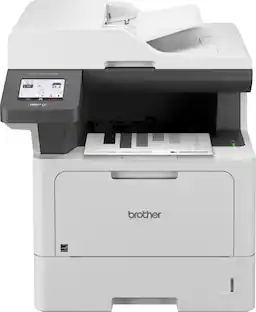
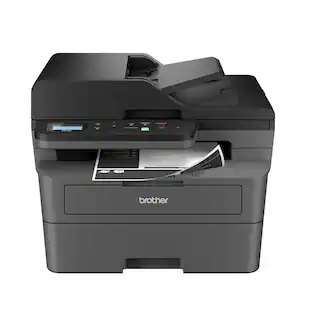
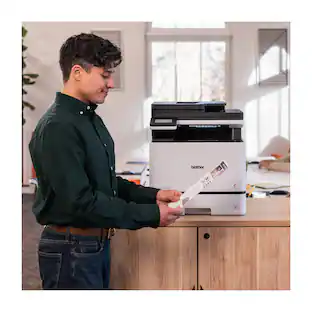
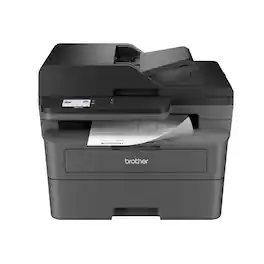
Best for small businesses, the Brother MFC-L2900DW Wireless Compact Black & White (Monochrome) All-in-One Laser Printer is an affordable choice for highly efficient high-volume printing, copying, scanning, and faxing. With print speeds up to 36 ISO pages per minute(1) (ppm) and automatic duplex printing, it quickly produces crisp, easy-to-read black & white prints. Improve your efficiency with time-saving features like single-pass duplex scanning and a 50-page automatic document feeder(2) to help with large multi-page double-sided copy, scan, and fax jobs. Convenient 250-sheet paper tray(2) reduces the frequency of paper refills. An enhanced, highly efficient fuser design offers a 22% reduction in electricity consumption compared to the predecessor.(3) This also means a significantly shorter warmup time from sleep mode, so you can start printing in half the time.(3) The large, integrated 3.5” touchscreen makes navigation simple and allows you to print-from and scan-to popular cloud-based apps.(4) Flexible connection options include dual-band wireless, Ethernet, and USB 2.0 interfaces. Advanced security features provide peace of mind as they help safeguard your information and maintain secure connections while printing. An efficient, time-saving addition to any workspace, this affordable wireless printer combines four critical business functions into one compact footprint.
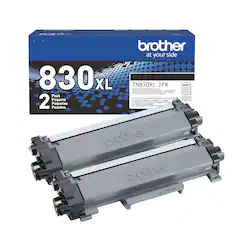
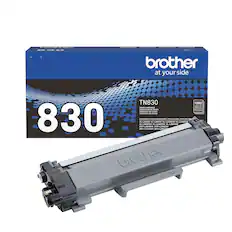
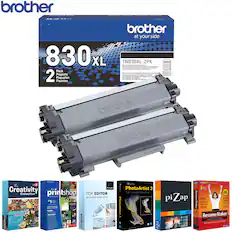
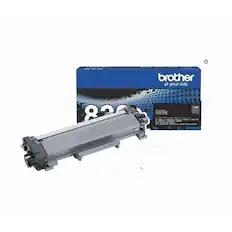
  • Brother Genuine Toner: Choose Brother Genuine TN830 Standard or TN830XL High Yield replacement cartridges. And with Refresh EZ Print Subscription Service, you’ll never worry about running out of toner again and you’ll enjoy savings up to 50%.(5) Get started today with a Free Trial.(6)
  • Compact, Affordable, Efficient: Dynamic black & white print, copy, scan, and fax multi-functionality for high-powered efficiency that makes smart business sense.
  • Reliable results for steady success: Produce documents that are clear, crisp, and easy to review and share with the consistent, premium print quality of Brother.
  • Single-pass duplex copy & scan: Tackle large multi-page double-side copy / scan jobs with a powerful 50-page automatic document feeder(2) that features single-pass duplex scanning.
  • Speeds that keep pace: Produces documents quickly with print speeds up to 36 ISO ppm,(1) scan speeds up to 23.6/7.9 ISO ipm(7) (black/color), and a fast first page out time.
  • Cloud connection: Use the intuitive 3.5” touchscreen to simplify task navigation or to print-from and scan-to popular Cloud-based apps such as Google Drive, Dropbox, Evernote, OneNote, and more.(4)
  • Print from virtually anywhere with the Brother Mobile Connect App: Print, scan, and manage your printer anytime, from almost anywhere with your mobile device. Order Brother Genuine Supplies, track toner usage, and complete more work on-the-go.(8)
  • Flexible connection options: Connect securely to multiple devices with built-in dual-band wireless (2.4GHz / 5GHz) and Ethernet interfaces, or connect locally to a single computer via USB interface.
  • Versatile paper handling: Tackle specialized print tasks (envelopes, specialty paper) with the manual feed slot or handle high-volume needs with the 250-sheet capacity paper tray.(2)
  • Print with purpose: Designed with sustainability in mind, with eco-friendly printer features including an enhanced highly-efficient fuser design, Toner Save Mode, and automatic duplex printing. ENERGY STAR compliant and EPEAT Silver rated.
  • Brother at your side support: Backed by Brother with a 1-year limited warranty and free online, call, or live chat support for the life of your printer.
  • Brother Genuine Toner: Choose Brother Genuine TN830 Standard or TN830XL High Yield replacement cartridges. And with Refresh EZ Print Subscription Service, you’ll never worry about running out of toner again and you’ll enjoy savings up to 50%.(5) Get started today with a Free Trial.(6)
  • Compact, Affordable, Efficient: Dynamic black & white print, copy, scan, and fax multi-functionality for high-powered efficiency that makes smart business sense.
  • Reliable results for steady success: Produce documents that are clear, crisp, and easy to review and share with the consistent, premium print quality of Brother.
  • Single-pass duplex copy & scan: Tackle large multi-page double-side copy / scan jobs with a powerful 50-page automatic document feeder(2) that features single-pass duplex scanning.
  • Speeds that keep pace: Produces documents quickly with print speeds up to 36 ISO ppm,(1) scan speeds up to 23.6/7.9 ISO ipm(7) (black/color), and a fast first page out time.
  • Cloud connection: Use the intuitive 3.5” touchscreen to simplify task navigation or to print-from and scan-to popular Cloud-based apps such as Google Drive, Dropbox, Evernote, OneNote, and more.(4)
  • Print from virtually anywhere with the Brother Mobile Connect App: Print, scan, and manage your printer anytime, from almost anywhere with your mobile device. Order Brother Genuine Supplies, track toner usage, and complete more work on-the-go.(8)
  • Flexible connection options: Connect securely to multiple devices with built-in dual-band wireless (2.4GHz / 5GHz) and Ethernet interfaces, or connect locally to a single computer via USB interface.
  • Versatile paper handling: Tackle specialized print tasks (envelopes, specialty paper) with the manual feed slot or handle high-volume needs with the 250-sheet capacity paper tray.(2)
  • Print with purpose: Designed with sustainability in mind, with eco-friendly printer features including an enhanced highly-efficient fuser design, Toner Save Mode, and automatic duplex printing. ENERGY STAR compliant and EPEAT Silver rated.
  • Brother at your side support: Backed by Brother with a 1-year limited warranty and free online, call, or live chat support for the life of your printer.
Whats Included
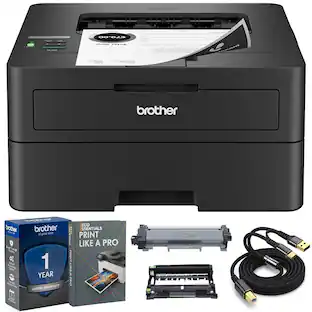
  • Brother MFC-L2900DW Printer
  • Starter Black Toner Cartridge (approx. 700 pages, ISO/IEC 19752 (Letter/A4))
  • DR830 Drum Unit
  • AC Power Cord
  • Telephone Line Cord
  • Product Safety Guide
  • Reference Guide
  • Warranty Card
  • Quick Setup Guide
  • Brother MFC-L2900DW Printer
  • Starter Black Toner Cartridge (approx. 700 pages, ISO/IEC 19752 (Letter/A4))
  • DR830 Drum Unit
  • AC Power Cord
  • Telephone Line Cord
  • Product Safety Guide
  • Reference Guide
  • Warranty Card
  • Quick Setup Guide
Disclaimers
  • (1) Based on one-sided printing. Change from default setting required.
  • (2) Maximum capacity based on using 20-lb. paper.
  • (3) Reduction in Typical Electricity Consumption (TEC) compared to MFC-L2750DW measured using ENERGY STAR Ver 3.2 test method. Reduction in First Page Out Time measured from Sleep Mode from standard tray.
  • (4) Requires an Internet connection and an account with desired service.
  • (5) Based on monthly subscription cost in U.S. for Mono Laser Power Plan vs. average cost per page of eligible like standard capacity cartridges. Savings will vary based on Refresh EZ Print Subscription plan selected.
  • (6) Refresh Free Trial requires enrollment in a monthly billed Brother Refresh EZ Print Subscription service plan based on monthly printed page allotments. Unused pages roll over, limitations apply. Additional page set charges and taxes apply during trial. Refresh plan, options offer and pricing subject to change. Open to new subscribers located in the contiguous United States only.
  • After the Refresh free trial period your credit card will be charged on a monthly basis for the Plan Fee, Overages, and Taxes in accordance with the Terms of Service. Overage fees will apply during free Refresh trial. Your service will continue on a month-to-month basis until you cancel it. May be canceled at any time.
  • If your printer did not include a Refresh ready cartridge at purchase, upon cancellation, the subscription cartridge you received will be deactivated and must be replaced with a standard cartridge at your expense in order to continue printing.
  • (7) Monochrome scan speed in accordance with ISO/IEC 17991 with all advanced features turned off, Letter at 300dpi.
  • (8) Free app download and wireless connection required. Compatibility may vary by device and operating system.
  • Images are for illustrative purposes only. Specifications subject to change. ENERGY STAR and the ENERGY STAR mark are registered trademarks owned by the U.S. Environmental Protection Agency. EPEAT is a trademark of the Green Electronics Council in the United States and other countries.
  • Requires a high-speed Internet connection.
  • Print speeds vary with use. See manufacturer for info on print speeds.
  • (1) Based on one-sided printing. Change from default setting required.
  • (2) Maximum capacity based on using 20-lb. paper.
  • (3) Reduction in Typical Electricity Consumption (TEC) compared to MFC-L2750DW measured using ENERGY STAR Ver 3.2 test method. Reduction in First Page Out Time measured from Sleep Mode from standard tray.
  • (4) Requires an Internet connection and an account with desired service.
  • (5) Based on monthly subscription cost in U.S. for Mono Laser Power Plan vs. average cost per page of eligible like standard capacity cartridges. Savings will vary based on Refresh EZ Print Subscription plan selected.
  • (6) Refresh Free Trial requires enrollment in a monthly billed Brother Refresh EZ Print Subscription service plan based on monthly printed page allotments. Unused pages roll over, limitations apply. Additional page set charges and taxes apply during trial. Refresh plan, options offer and pricing subject to change. Open to new subscribers located in the contiguous United States only.
  • After the Refresh free trial period your credit card will be charged on a monthly basis for the Plan Fee, Overages, and Taxes in accordance with the Terms of Service. Overage fees will apply during free Refresh trial. Your service will continue on a month-to-month basis until you cancel it. May be canceled at any time.
  • If your printer did not include a Refresh ready cartridge at purchase, upon cancellation, the subscription cartridge you received will be deactivated and must be replaced with a standard cartridge at your expense in order to continue printing.
  • (7) Monochrome scan speed in accordance with ISO/IEC 17991 with all advanced features turned off, Letter at 300dpi.
  • (8) Free app download and wireless connection required. Compatibility may vary by device and operating system.
  • Images are for illustrative purposes only. Specifications subject to change. ENERGY STAR and the ENERGY STAR mark are registered trademarks owned by the U.S. Environmental Protection Agency. EPEAT is a trademark of the Green Electronics Council in the United States and other countries.
  • Requires a high-speed Internet connection.
  • Print speeds vary with use. See manufacturer for info on print speeds.

Q: What is the maximum capacity of the automatic document feeder?

A: The automatic document feeder capacity is 50 sheets.

Q: Does the printer have a touchscreen?

A: This printer has a large, integrated 3.5” touchscreen that makes navigation simple.

Q: What is the approximate page yield of the black cartridge?

A: The approximate page yield of the black cartridge is 700 pages.

Q: Are there any mobile device printing options available?

A: This printer offers mobile device printing.

Q: Does the printer support wide format printing?

A: This printer does not support wide format printing.

Q: What is the print speed of the printer?

A: The print speed is up to 36 ISO pages per minute.

Q: what is the difference between Brother MFC-L2820DW and MFC-L2900DW?

A: I'm mainly answering just to point out that the previous answer, which purports to be from Brother, is dead wrong. Both models are all-in-ones. From Brother's website: "Brother Wireless MFC-L2820DW Compact Monochrome All-in-One Laser Printer with Copy, Scan and Fax, Duplex and Mobile Printing, Refresh Subscription Ready." That said, I am trying to compare the two myself, and I noticed that the 2900 has a larger touchscreen control panel and prints slightly faster. Other differences weren't readily apparent, but that doesn't mean there aren't any.

Q: Does it collate?

A: I use this printer with a Windows PC, so my answer is specific to Windows. The Brother printer software for Windows allows one to choose whether multiple copies of a multi-page document should be collated (123... 123... 123) or uncollated (111... 222... 333). I assume that the Brother printer software for Apple would do the same, but I can't say that with 100% certainty as I'm not an Apple user.

Sponsored

Compare similar products

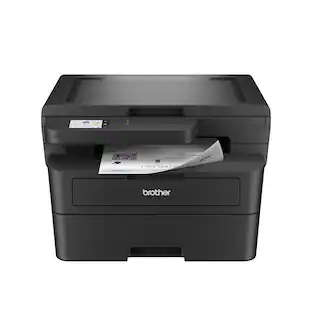
Brother - MFC-L2900DW Wireless Black-and-White Refresh Subscription Eligible All-In-One Laser Printer, Great for Small Offices - Gray
4.8(59)

Best for small businesses, the Brother MFC-L2900DW Wireless Compact Black & White (Monochrome) All-in-One Laser Printer is an affordable choice for highly efficient high-volume printing, copying, scanning, and faxing. With print speeds up to 36 ISO pages per minute(1) (ppm) and automatic duplex printing, it quickly produces crisp, easy-to-read black & white prints. Improve your efficiency with time-saving features like single-pass duplex scanning and a 50-page automatic document feeder(2) to help with large multi-page double-sided copy, scan, and fax jobs. Convenient 250-sheet paper tray(2) reduces the frequency of paper refills. An enhanced, highly efficient fuser design offers a 22% reduction in electricity consumption compared to the predecessor.(3) This also means a significantly shorter warmup time from sleep mode, so you can start printing in half the time.(3) The large, integrated 3.5” touchscreen makes navigation simple and allows you to print-from and scan-to popular cloud-based apps.(4) Flexible connection options include dual-band wireless, Ethernet, and USB 2.0 interfaces. Advanced security features provide peace of mind as they help safeguard your information and maintain secure connections while printing. An efficient, time-saving addition to any workspace, this affordable wireless printer combines four critical business functions into one compact footprint.

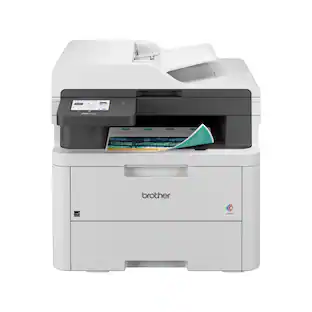
Brother - MFC-L2820DW Wireless Black-and-White Refresh Subscription Eligible All-In-One Laser Printer, Great for Home Offices - Gray

Best for small offices, the Brother MFC-L2820DW Wireless Compact Black & White (Monochrome) All-in-One Laser Printer is an affordable choice for high-volume printing, copying, scanning, and faxing. With print speeds up to 34 ISO pages per minute (1) (ppm) and automatic duplex printing, it quickly produces crisp, easy-to-read black & white prints. Versatile paper handling features like its 250-sheet paper tray (2) and 50-page auto document feeder (2) reduce the number of manual tasks in your day. The integrated 2.7” touchscreen makes navigation simple and allows you to print-from and scan-to popular cloud-based apps. (3) Flexible connection options include dual-band wireless, Ethernet, and USB 2.0 interfaces. Advanced security features provide peace of mind as they help safeguard your information and maintain secure connections while printing. An efficient, time-saving addition to any workspace, this affordable wireless printer combines four critical business functions into one compact footprint.

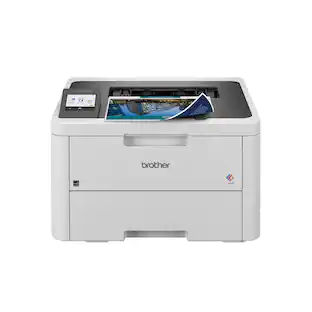
Brother - DCP-L2640DW Wireless Black-and-White Refresh Subscription Eligible 3-in-1 Laser Printer, Great for Small Offices - Gray

Best for small businesses, the Brother DCP-L2640DW Wireless Compact Black & White (Monochrome) Multi-Function Laser Printer combines three critical business functions in one footprint. Scan, copy, and produce professional-quality prints quickly and easily with this compact multi-function wireless printer. The DCP-L2640DW is the smart way for any business to create and share pristine prints, economize workspaces, simplify supply management, and reach operational goals. Efficient and affordable, this 3-in-1 printer is the practical choice for high-volume printing, copying, and scanning. Designed with features to save you time and cost: print speeds up to 36 ISO pages per minute (1) (ppm); automatic duplex printing; a 250-sheet paper tray (2) that reduces the frequency of paper refills; and a 50-page auto document feeder (2) that expedites multi-page copy and scan jobs. Dual-band wireless, Ethernet, and USB 2.0 interfaces provide an array of flexible connection options. Finally, advanced security features help safeguard information and maintain secure connections while printing.

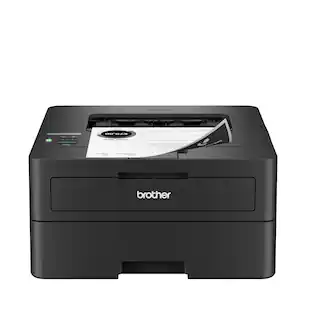
Brother - HL-L2480DW Wireless Black-and-White Refresh Subscription Eligible 3-in-1 Laser Printer, Great for Small Offices - Gray
4.8(56)

Best for small offices and work from home, the Brother HL-L2480DW Wireless Compact Black & White (Monochrome) Multi-Function Laser Printer is the affordable 3-in-1 option for exceptionally efficient printing, copying, and scanning. This compact, multi-function wireless printer is an effective, time-saving addition to any home or small workspace. As quick as it is efficient, the HL-L2480DW consistently produces crisp, easy-to-read black & white prints at speeds up to 36 ISO pages per minute(1) (ppm). Automatic duplex printing saves time and reduces paper waste, while the 250-sheet capacity paper tray(2) decreases paper refill frequency. With an integrated 2.7” touchscreen, navigation is simple and straightforward, and the touchscreen allows you to print-from and scan-to popular cloud-based apps.(3) Flexible connection options include dual-band wireless, Ethernet, and USB 2.0 interfaces. Plus, advanced security features help protect your information and maintain secure connections while you're printing.

Pros for Brother - MFC-L2900DW Wireless Black-and-White Refresh Subscription Eligible All-In-One Laser Printer, Great for Small Offices - Gray
Overall Performance, Setup, Ease of use, Print SpeedPrint Quality, Overall Performance, Ease of use, Setup, ConnectivityPrint Quality, Overall Performance, Ease of use, Connectivity, SetupPrint Quality, Ease of use, Setup, Connectivity, Size
Cons for Brother - MFC-L2900DW Wireless Black-and-White Refresh Subscription Eligible All-In-One Laser Printer, Great for Small Offices - Gray
There were no cons for this productNoise LevelThere were no cons for this productAutomatic Document Feeder

Specs

Reviews

Customers are saying

Customers highly value the MFC-L2900DW's fast print speed, especially its efficient two-sided printing capabilities. The ease of setup is another frequently praised aspect, with users describing the process as simple and straightforward. Positive feedback also highlights the printer's robust and reliable construction. Overall, the printer receives strong praise for its performance and user-friendliness.

This summary was generated by AI based on customer reviews.

Customer Images

The vast majority of our reviews come from verified purchases. Reviews from customers may include My Best Buy members, employees, and Tech Insider Network members (as tagged). Select reviewers may receive discounted products, promotional considerations or entries into drawings for honest, helpful reviews.

  • Rated 4 out of 5 stars

    Good printer

    Overall : good for home office Fast , noisy , not sure about long lasting toner cartridge , Easy to set up software and wifi, one time error in the paper detection , average copy quality

    Posted by Sanny

  • Rated 5 out of 5 stars

    Great Small Office/Work From Home Laser Printer

    The brother MFC-L2900DW laser printer has a small footprint and looks good on the desk. The printer is lightweight and easy to remove from the box. After I removed it from the box, I removed all the tape which didn't take too long. I inserted the starter cartridge, powered it on, and connected it to my wireless network. Connecting it to my wireless network was simple and straightforward. Brother has made it very simple to do this through the printer’s touch screen. The touchscreen is bright and easy to read. Also, it is the most responsive menu system that I’ve seen in a printer. Thumbs up to Brother for not skimping on this as most printers have very slow to respond touch screens. For the initial setup, I downloaded Brother’s software and installed it on my Windows 11 desktop. The software install is very straightforward. It only took just a few minutes. I was up and running within a few minutes of removing it from the box. It comes with a starter cartridge which is easy to install. The standard cartridge has a yield of 3,000 pages, and also the drum has a yield of 15,000 pages. That’s a good yield compared to many that only have 2,500 page yields. After setting up the printer, the first print test page was out in two to three seconds. This didn't change with subsequent document printing. When the printer was in Standby, the time it took to power up and print out the first page of each document was the same, about two to three seconds to begin printing the document from standby. Duplex printing is reasonable. Of the duplex printers I’ve used, the MFC-2900DW is by far the fastest. The print quality from this printer is really good. The printer does a good job at making the toner adhere to the paper properly. Standard text looks really sharp and is of high quality. When checking out the copy feature, I printed out a document and made a copy of it. I compared the copy to the original print out. When comparing the two I noticed that the text of the copy looked nearly identical to the text on the original print out. Where I saw a noticeable difference was where it had some trouble with copying some lines that were on the original page. Lines that were on the copy were lighter than on the original printout. In addition, the bold text wasn’t as dark as the original. This is something that Brother could address with a firmware update, but as it stands, I can see a difference between the original printout and the copy I made of that. There are many features that it has to help with scanning to many formats such as PDF, MS Word, PowerPoint, etc. It also has scan-to-email, Google Drive, Dropbox, FTP server, etc. lt also has cloud secure print and print from email. For faxes, it has fax forward to email and cloud. This is something I have only seen in large expensive printers seen in corporate offices. People like me who work from home or someone needing a printer for their small business will appreciate these features. So far I've been really happy with the Brother MFC-L2900DW. The print quality, as well as the features of this printer has been really good especially from a printer at this price point. I really like the small footprint and how it powers up from Standby and prints out the first page quickly. Yield from a standard cartridge plus the yield of the drum makes this a good option for someone looking for a small printer for the home or a small office. I imagine it's going to appeal to a lot of people who are working from home and those who need advanced features to support a small office or small business.

    Posted by James

  • Rated 5 out of 5 stars

    Brother Brand Does Not Disappoint

    As an owner of a small business it is vital that my printer work flawlessly all the time. I can’t afford to spend my time working on the printer. I had been using another brand of printer and spending far too much time working on it. I decided to try the BrotherMFC-L2900DW Monochrome Laser All-in-One. I love this printer. It is the first laser printer that I have owned. It uses toner instead of ink cartridges. Although it is just a black/white printer I find that I don’t really need color. The paper tray holds 250 sheets of paper and I find that to be the perfect number for my needs. I love the automatic document feeder. I was a bit concerned with the size of this printer because it is a bit larger so it takes up more space than my other one. I was always pulling out the other printer to reset it as it would not stay connected to my WIFI. So far This printer stays connected to my WIFI so there is no need to pull it out to reset it. I also love the 3.5 Color Touchscreen. It lights up and is easy to read. It is angled in a stationary position and that concerned me as my other printer had a screen that moved positions. However this one is easier for me to read and I do not need to reposition it. Brother thought of all my needs. The toner cartridge that comes in the package with the printer is high yield black so it prints up to 3,000 copies. I will not need to change it as often as I was changing the ink in my other printer. This printer prints so fast and is clean on the paper. I have no complaints at all! I love it. Brother has won my loyalty in small business printers. It scans seamlessly to my Laptop, MAC, iPad Pro and iPhone.

    Posted by Villageanne

Sponsored

Similar products from outside of Best Buy

sponsored

Finance Options

My Best Buy® Credit Card
Choose a benefit:
$26.25/mo.suggested payments with 12-Month Financing
Or
10% back in rewardson your first day of purchases when approved for the My Best Buy® Credit Card.
Buy Now, Pay Later
4 payments starting at $78.75
Lease to own
Apply today with no credit needed and enjoy flexible payment options.