Customer Ratings & Reviews
- Model:
- 3113C002
- SKU:
- 10851658
Rating by feature
- Value
Rating 4.3 out of 5 stars
- Quality
Rating 4.3 out of 5 stars
- Ease of Use
Rating 4.1 out of 5 stars
Save your money
||Posted . Owned for 1 month when reviewed.This reviewer received promo considerations or sweepstakes entry for writing a review.Shuts off Between uses takes to long to power up again for the price I would expect a better printer
No, I would not recommend this to a friendextremely faded print
||Posted .This reviewer received promo considerations or sweepstakes entry for writing a review.Had to return printer the colors seem extremely faded when printing
No, I would not recommend this to a friendNo internet connecting devices. NO DRIVERS !!!!
||Posted .This reviewer received promo considerations or sweepstakes entry for writing a review.NO DRIVERS!!!!!!!!!!!!! This was a waste of my time money and gas...
No, I would not recommend this to a friendPhoto print quality poor
||Posted . Owned for 2 weeks when reviewed.This reviewer received promo considerations or sweepstakes entry for writing a review.Setup was a pain and then photo print quality was poor
No, I would not recommend this to a friendNot a good product
||Posted . Owned for 1 month when reviewed.This reviewer received promo considerations or sweepstakes entry for writing a review.dosesn't perform well the set up instrutions are not very clear.I still don't know to get the rear feed working.I will nver buy another Canon printer.
No, I would not recommend this to a friend- Pros mentioned:Overall performance

great print quality, cheap ink
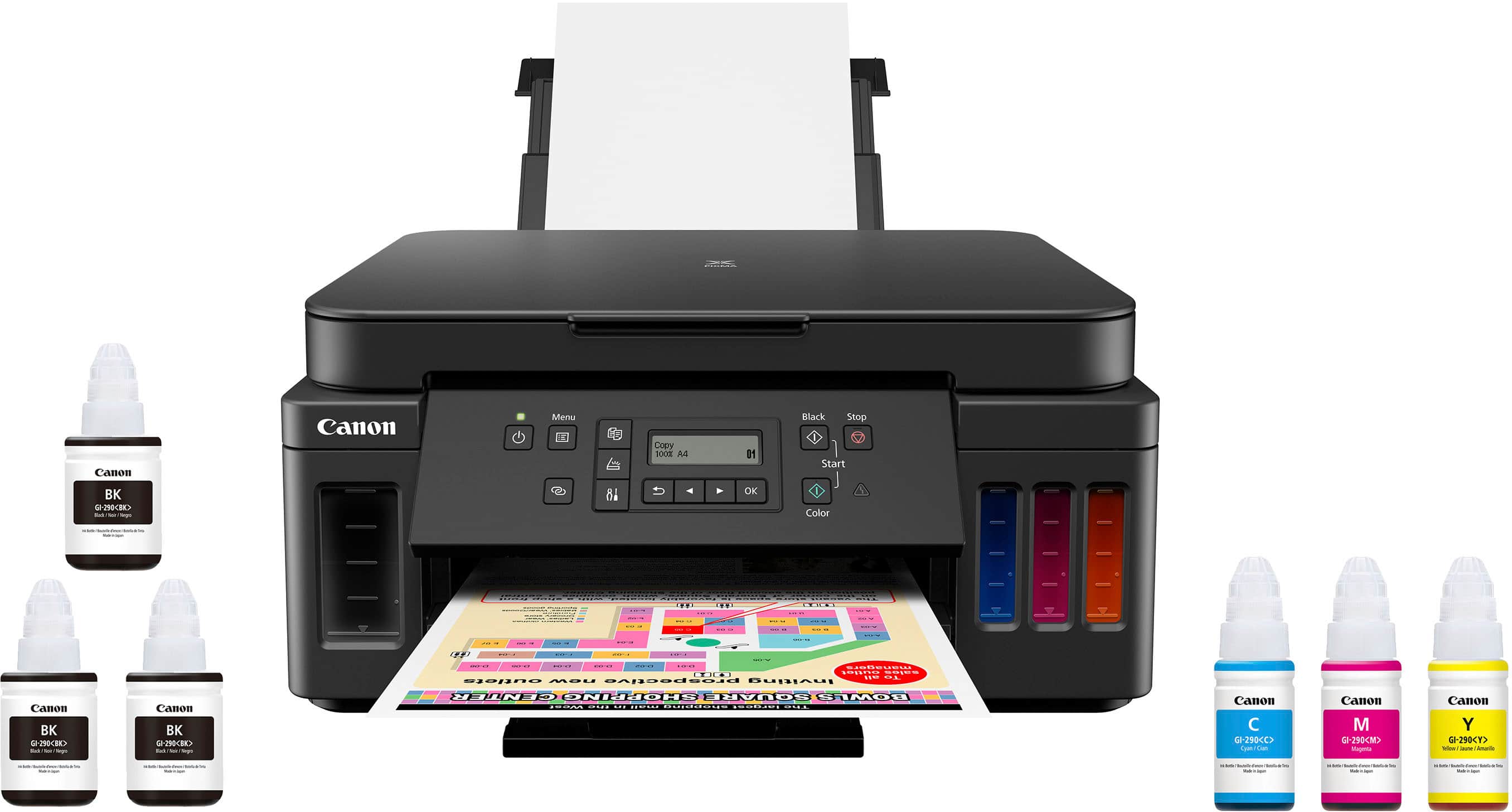
|Posted .This reviewer received promo considerations or sweepstakes entry for writing a review.Whats in the box: typical printer in a box stuff, but the thing that sticks out is a FULL set of ink (bottles in this case). Most printers include "setup" amount of ink, which requires buying more ink quite quickly. Not in this case. Setup: What I expected with a Canon printer. Easy peasy. The part I have to get used to is adding the ink to the tanks. No quick easy popping in and out of ink cartridges. Filling up the ink can be spill free if you are careful and take your time. Hurry at all and you are going to get ink everywhere. Other than that, it is easy to set up, and the software works well. Use: Its a printer that can scan, so that is what you use it for. But, with that said, it does this all very well. You can also use Alexa to print, but I do not own any Alexa devices so I couldn't test that out. Printer is quick to print, and doesn't play the "song of its people" for 10 minutes before it prints like some other printers do. Build quality: Feels a bit cheap in areas, so I'm hoping that it can last. Also, I'm not sure about the ink tanks. I feel like its almost a gimmick, I'm a bit worried about the ink drying out in the tanks, unless you print a fortune 500 company worth of documents a day, the ink will last roughly a year I'm guessing, so I'm not sure if it will stay "liquid". Cons: Not many. The screen is a bit small, but honestly how often do you look at the fancy color screens on printers anyway? Stand alone use is a bit difficult because of it though. I always am using a computer to print or scan though. There is no ADF for the scanner, so its the flatbed only. Overall: Get this printer, the pro's outweigh the cons, and the price is right.
I would recommend this to a friend - Pros mentioned:Print quality
Nice printer... once you get it set up...
|Posted .This reviewer received promo considerations or sweepstakes entry for writing a review.PC setup process… -Be careful with the ink, as you’re likely to get on your hands. Could easily see having an issue spilling a few drops/splatters of ink, so be careful not to fill the tanks over a carpeted area, or with nice clothes on. It does come with three containers of black ink, so I’m expecting that I shouldn’t need to buy ink for a few months. And the black ink containers are much larger than your typical print cartridge, so I expect to go a few months between refills; we’ll see. Refill tanks are less than $20, which is very reasonable. -Immediately upon power-up, I had an error code 5100 displayed. Online manual basically says to check the printer head for obstructions, which I did several times, to no avail. Then, for kicks, I opened up the rear access panel (where you’d clear a paper jam) and closed it back up. Magically, the error code went away… Hopefully just a fluke, but only time will tell. Been a couple weeks now, and it hasn’t come back, so hopefully a good sign. -Setting up the software was hands down, the worst printer setup experience ever. I ensured my PC was on the same wifi as where the printer would end up. Followed the directions in the setup wizard half a dozen times, and the wizard could never find the printer. I ended up manually entering the wifi information from the printer control panel. Once the printer indicated that it was online, I started the PC wizard again - still couldn’t find it. After fumbling my way through the control panel menus, I finally figured out how to print the network information that the printer was using. After that, I was able to manually enter the IP address into the setup wizard, and the PC finally found the printer. 30 minutes for something that should have taken 5. Document printing... - After sitting idle overnight, first print took a good 45 seconds to complete. You can hear the printer doing ‘something’ during that period. I assume it’s cleaning the heads, or something, but it’s a bit annoying. Follow-up print jobs took ~10 seconds. - There is a brief pause (about 15 seconds) between sides when duplex printing. I’m assuming this is to allow the ink to dry on the first side. But the first couple times, you’re gonna wonder if it forgot what it was doing. - Print quality when using the ‘Standard’ setting is impressive. Very nice balance between speed/quality. More than acceptable if you intend to turn the paper in for work/school. - Even the quality when using the ‘Economy’ setting is more than acceptable for printing out documents for personal reference. Can easily see this being the default setting for me. Much better than the ‘Economy’ setting on my other printer. Photo printing… - Got mediocre results printing from PC. Pictures didn’t seem very vibrant. I suspect this could be improved a bit if you took the time to mess with color profiles & matching. But, for generic shoot & print, they’re just okay. Copying… -Performs very well as a home copier. Quick and accurate. Scanning… -I was actually impressed with the scanning. Press scan, tell it the destination (it could see the two PC’s that I’d set it up on), and left the ‘Original Type’ set to auto mode. It could tell the difference between a color document, which it saved as a pdf to my PC, and a color photo, which it saved as a jpg. Makes scanning almost effortless. That said, it does not have an ADF, so it won’t be a good choice if you do a lot of multi-page scanning. Overall, once you get past the setup, a nice home all-in-one, particularly for handling documents. The initial cost is a bit higher than others, but if each ink refill lasts as long as they look like they should, you’ll probably make that extra initial cost up in ink savings.
I would recommend this to a friend - Pros mentioned:Print quality
Good all-around printer. Great long-term value?
|Posted .This reviewer received promo considerations or sweepstakes entry for writing a review.I wasn’t sure what to expect, as it has been quite some time since I had an inkjet, but so far this is better than I remembered or expected. To start off, the printer has a nice design. It’s a printer, so nothing crazy, but it will look good in your office or wherever it ends up. The build is average, about what you would expect. Solid. Lots of plastic. Set-up was fairly easy. Everyone’s path may be a little different depending on your needs but follow the instructions and you will get there. Once I got it up and running, I realized how much I missed having a color printer. Most of my printing is fine in black and white, but every so often I want something in color, and I have to say this thing does it very well. The colors are bright and even and just look good. Another thing I missed was the ability to print pictures. I have only had the chance to mess with a couple, but so far so good. Print times across the board were good. Not laser, but good. Other than the printing itself, there are a few other things I look for in a printer. Wireless is a must. This has it. It works well. You can send prints from a computer, laptop or phone. I won’t go back to wired. Ever. This may seem minor, but it has a big paper tray. I don’t print a ton, but enough, and given it’s tucked away I like being able to fill it up, forget it, and print. Just a nice convenience. In addition, you can use all sorts of sizes and form factors of paper. Lastly, it is an all-in-one. Another must. Most people probably don’t scan too much, but I am definitely not one of those people. I scan lots. I also do the occasional copy. You don’t realize you need this…until you do. Now for the part that may be the “main” selling point of this printer. The “MegaTank.” Honestly, for me, this is what will be the “make it or break it” for this printer. I went to laser some time ago, as I did not like dealing with ink, cartridges, the costs, all of it. The main draw here is, literally, large tanks of ink. Separate black as well as separate colors. Easy to fill and fill only what you need. Along with that idea, replacement ink and the advertised ink costs per print are very, very cheap. This is were the printer price comes into play. IF the ink plays out, and they do give you a LOT of prints with the printer, then the slightly higher cost of the printer is fine, as you will get great value in the long term with cheap ink. Ultimately, I have not had the printer long enough to know how this approach will play out, but it is a change in the industry, I am all for it, and I think it will work as advertised over time. Regardless, it prints, scans, and copies well, and is not tethered to wires. Depending on use case, I think this could be a great choice.
I would recommend this to a friend - Pros mentioned:Print quality
No more INK Cartridges!, peace of mind!
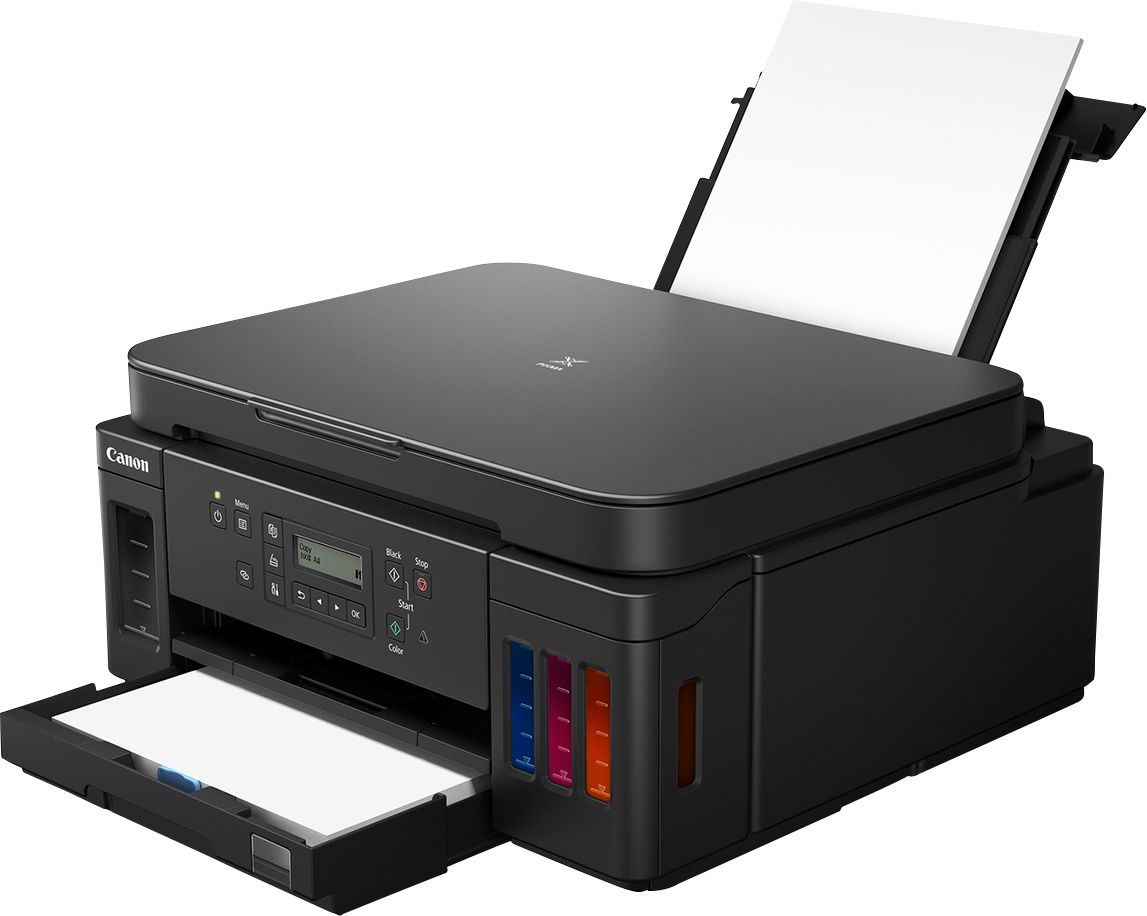
|Posted .This reviewer received promo considerations or sweepstakes entry for writing a review.I decided to switch printers because my old Laser Color HP one was big, heavy, slow and the Toner Cartridges are way too expensive. The only feature my old printer had was to print regular 8.5x11 paper. I received the box and the first thing I noticed when I carried it upstairs was how light the box felt. However, considering this new concept of not using print cartridges, but a refill Ink tank for each color was a little concerning for me in terms of printer setup and filling the ink tank, however both actions are easy to accomplish. No more Ink Cartridge! Years ago I had an HP Ink cartridge Printer and I really hated it because of the cost of each cartridge, at the end they ended up costing more than the printer itself. The constant and annoying print head alignment which was a waste of time when I was rushing for a quick paper print was also time consuming. So basically the box comes with three Black ink bottles, one blue ink bottle, one yellow, and one red so six ink bottles in total. It also comes with the power cord, two print heads, a setup CD-ROM, a getting started manual, details on safety and important information, and obviously, the printer. It doesn’t come with the USB cable, but that you can find easily and cheap in the store. I think the reason that they are not including it anymore is because of the wireless technology to print. The manual also offers a link to a video by canon to help us visual learners set it up. The instructions were clear and simple. The basic steps include putting the printer heads in place, pitting the ink in the printer, connecting it to the power cord, and turning it on. This printer comes with a really cool feature that allows the printer to connect to WiFi so after setting up your printer I highly encourage everyone to install the Canon Print app. I used the one that is available in the Google and Apple store. The app connects to the printer and immediately connects it to your WiFi. Once it connects to WiFi, you discover a variety of cool features this printer gives you. For example, one of the most popular features is the scanner. The top part of the printer opens and you can put and paper or document. Then you press the scan option on your app and you instantly get and scan or copy or your page on your phone. Like looking at a picture of the page. This app also allows you to photo print, document print, and smartphone copy. This printer gives me high quality printing and also auto two-sided printing. The printer has also the capability to scan but one side, not duplex, which I really don’t need, I am more towards having the duplex printing option. The printer itself is small and easy to move around. It also has a window in the lower right corner that allow me to see the remaining paper in the cassette without having to remove it. The printer can hold 350 sheets of paper in total. Another cool feature is that you can fit the paper cassette to different paper sizes. For example, I can easily put in letter paper as well as A4. All these features are incredible helpful to me since I currently attend college and was in need of a good printer for all my assignments and projects. I recommend this great printer to anyone looking get rid of their old one! The quality is amazing, comparing to my old HP laser color, I can say that the results are way better. Doing some research about the technology that is involved with this printer, I found out that this comes with a unique version of "real" print heads. Despite other ink printers, the head of this one is replaceable, if for some reason material got caked and the print head doesn’t work, you could take out the print head and clean or replace it. So not only the printer comes with ink bottles, which means, no more cartridges but the inkwells are big enough to not worry to refilling for a long time. So, you can have enough ink for up to 6000 black and 7700 color prints. The inks that are included with the printer are two extra black ink bottles that allow you to have another 12,000 black prints. The print resolution for black is 4800 x 1200 dpi creating a sharp black documents and vivid, detailed full color images. Copy and Scanner features works great too, with time response of 20 second first copy and 1200 x 2400 dpi resolution for scans. Definitely, great idea to develop a non-cartridge ink printer with replaceable head and at the same time exceeding the printer quality. That says a lot about Canon listening to the customers needs. I am really pleased with this printer and it really feels it will save money as an long term investment.
I would recommend this to a friend - Pros mentioned:Print quality
Pretty solid inkjet printer
|Posted .This reviewer received promo considerations or sweepstakes entry for writing a review.This is my first Canon inkjet printer and what I've seen so far is that it appears to be a pretty solid printer. This has two print heads a black and color print head. These get installed first and then the ink. This is where it loses a star for me. The ink comes in bottles and you pour them into the corresponding "reservoirs". You have to be extremely careful or you will get some ink spills. The problem I had was that when unscrewing the lid to the bottles of the ink, they would have this burst like effect and fill up the top portion of the container leaving a small amount of ink that could and did spill outside of where you need to fill the actual ink when tipping the bottle to fill the reservoir. Too early to tell how long the ink lasts but black is rated at something like 6000 pages. Ink replacement seems to be pretty economical also. I manually setup the printer for WiFi and its a bit clunky trying to type in your WiFi password on the front panel. This printer also has an ethernet port which is how I would recommend setting it up. This way it gives you a more consistant and reliable connection to your network. A nice touch for something that I haven't seen much of on an inkjet printer. Setup on the computer was a breeze, install software and follow the steps. Did this on mine but didn't have to my other computers. Windows 10 recognized the printer without any problem. Scanning is pretty basic compared to some printers I've used. There are two options that I've seen. "Scan to Local (USB) and scan to desktop computer. Software needs to be installed for scans to be recognized to be able to use the second option. All in all a pretty decent printer, time will tell how the ink actually lasts and where costs end up.
I would recommend this to a friend - Pros mentioned:Print quality
No More Cartridges!!
|Posted .This reviewer received promo considerations or sweepstakes entry for writing a review.Pros: - No more expensive ink cartridges!! - Easy to setup and get ready - About 6,000 pages per black ink bottle - About 7,700 pages from the three colors - Mobile app support for printing Cons: - Scans only one page at a time --Setup-- Setting up the PIXMA G6020 is very easy and straightforward. After removing all the tape that holds parts together for shipment, you just need to install the color and B&W print heads, fill up the ink chambers, and then plug in the power cable. You can either setup your printer for wireless network printing (which is really convenient for printing from your phone) or use a USB printer cable if your G6020 is going to be sitting on your desk next to your PC. After loading paper into the printer, it will print out two test pages. This is just to ensure that everything is working correctly. You can even print out a test page with the network settings as well. --Performance-- The G6020 is much quieter than my previous printer, which is great. It prints out pages at a typical speed for consumer printers and everything comes out looking great. The paper tray even has a small, clear window so you can see how much paper is left at all times. My only complaint about the G6020 is when it comes to scanning documents: it can only manually scan one page at a time. Thankfully it scans quite quickly, and combined with the Canon printer software from their website, you can scan multiple pages (one at a time) and have all of them placed in the same PDF. --Maintenance-- Canon claims that with the G6020 you can get up to 6,000 pages from one bottle of blank ink, and up to 7,700 pages from the three colored bottles (I obviously haven't tested this claim yet). So depending on how much printing you do at home, you shouldn't need to buy bottles of ink too often. When you do need to refill the ink chambers, the bottles are offered from Canon's website and from Best Buy. It's MUCH more convenient and efficient than the old ink cartridges (please recycle the old bottles though). --Bottom Line-- I truly hated my previous printers due to constantly having problems with ink cartridge "issues" (seriously, how does a printer suddenly not recognize it's own brand of cartridge after 2 weeks of use?!?!), so my faith in consumer printers has been restored with the ability to just buy bottles of ink when needed! If you're looking for a new printer, I HIGHLY recommend looking at the Canon PIXMA G6020. You pay more upfront for the printer, but you'll save money in the longrun by buying bottles over expensive cartridges.
I would recommend this to a friend All business, no frills
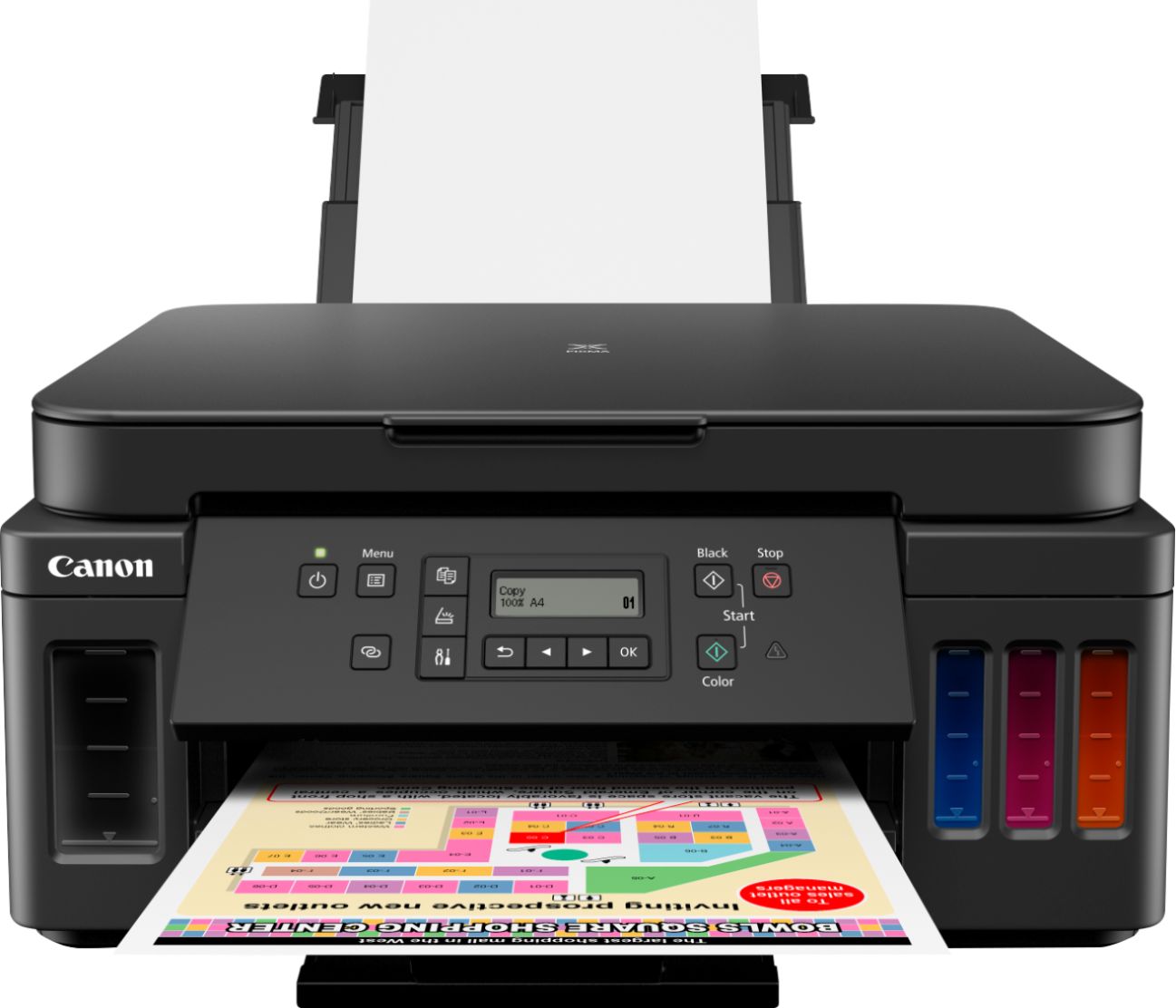
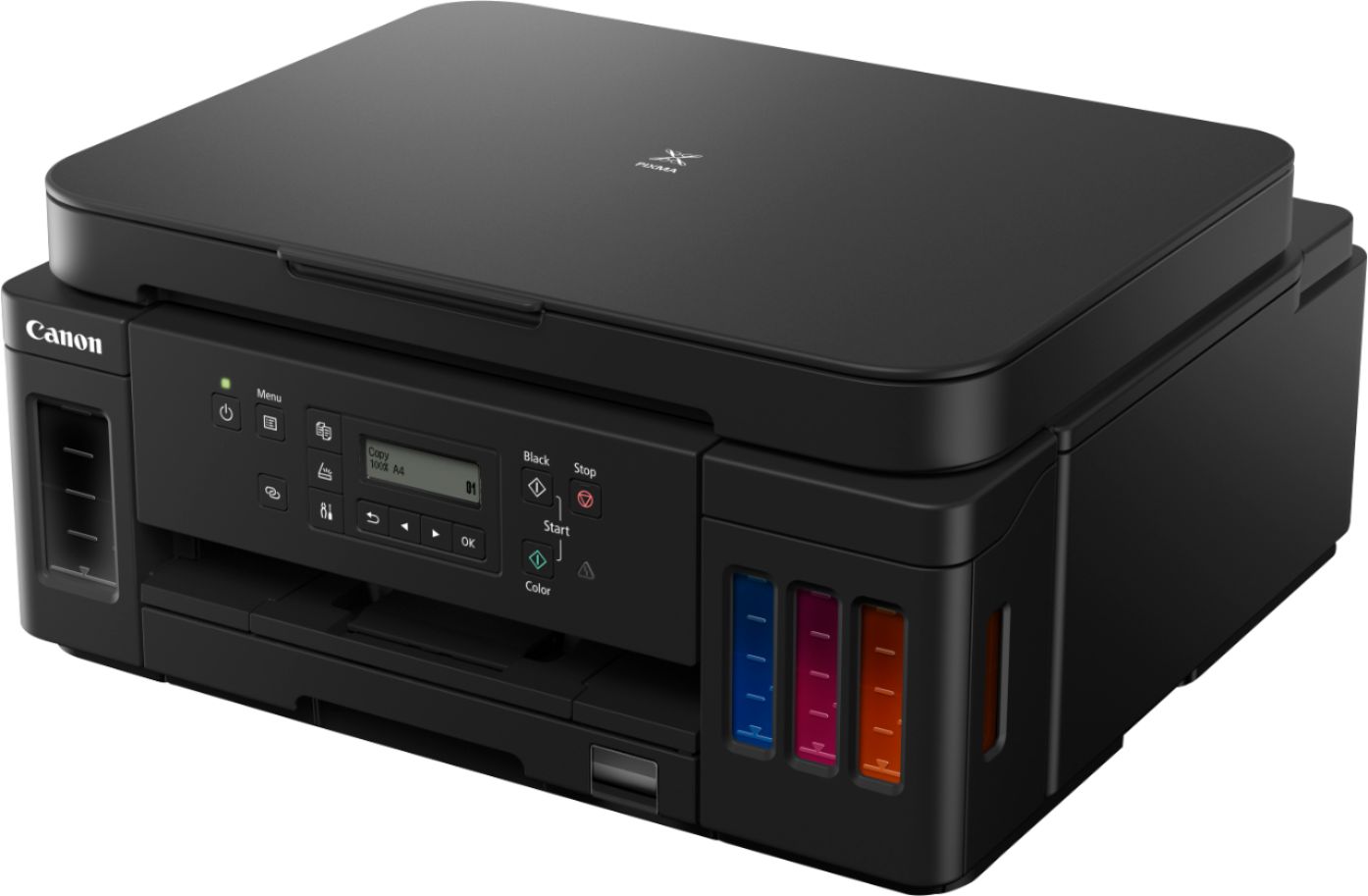
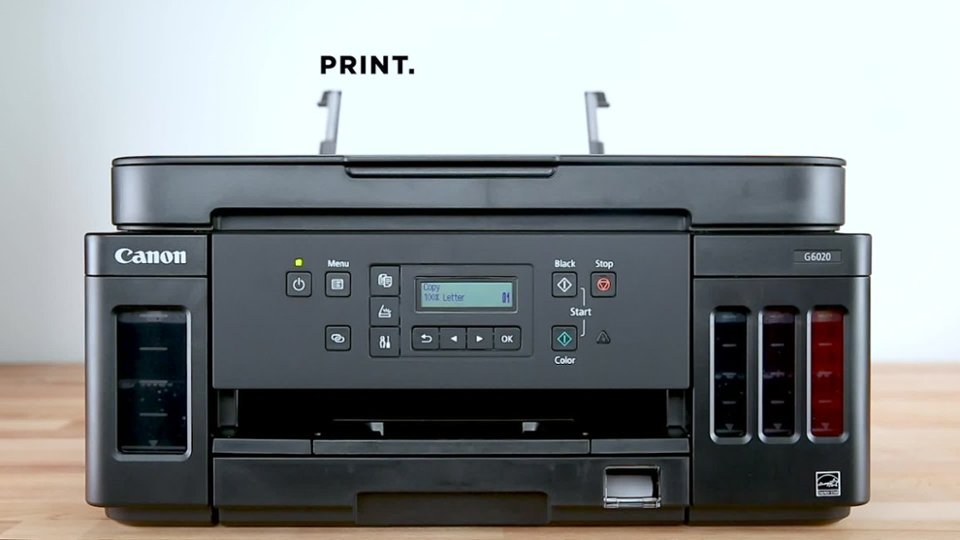
|Posted .This reviewer received promo considerations or sweepstakes entry for writing a review.This printer is for those who are sick of the ink cartridge slow bleed of nickels and dimes that eventually results in an inoperable printer since you aren't using OEM ink OR you don't have ink on hand. Even if you DON'T print often, ink cartridges are designed to dry out and force you to purchase another set just to gain functionality for some printer manufacturers. It is sickening to see that your basic functions like scanning would be stripped because you ran out of ink. This is a SOLID printer solution that takes a no frills approach. You get cloud functionality, WiFi printing, network printer functionality, and scanning/copying functions all in a well built product. The ink racket is real and this is finally a way to break out of the endless ink cycle. Ink bottles truly are the way to go in this day and age. Yes, you pay more for the printer up front but that is by design since you will now be free from the "chips" in their cartridges. The sheer amount of pages you can print on the initial ink supply is crazy. It could last me years since I rarely print in color. Here is a quick run down of my experience and favorite features and negative talking points. The best way to describe this printer experience is simple and no-frills. This printer reminds me of my 2007 printer the Canon MP530 minus the fax machine and ADF. This MegaTank printer to me is the same thing but with ink tanks rather than ink cartridges. It offers easy functions with a few presses of the button. Each ink chamber is individually sealed to eliminate drying out. Easy refilling with ink bottles is my favorite selling point for this printer. It is a true workhorse that is crippled in the scanning department by the lack of ADF. It follows a subtle small business office design language with a subtle matte black plastic construction. The function and overall ease of use is the second major selling point. All major printer functions can be done with no more than 2 button presses. The down side here is the lack of a backlit screen and it is so small you need to squint to see it just right in bright lighting conditions. The instructions take forever to scroll across this little screen and at times can be frustrating with only two screen position angles. This printer is very loud until you enable the quiet function which then slowed page printer performance. You can hear the print head scratching the paper which can be annoying to some. It has a rather large footprint on my desk but I expected that being a workhorse AIO printer. Setup took like 30 mins for basic installation going from unboxing and test print page. It comes with 2 spare PGBK20 ink bottles in addition to a full printer of color and black. As I said earlier, there is no ADF so only a flatbed scanner option. There will be TIME WASTED flipping pages for something this large it should have ADF on top. Paper tray window is a plus so you can see if you need paper without pulling the tray to fill it to its 350-sheet capacity. Useful Information Holds enough ink for up to 6000 black and 7700 color prints. Up to 4800 x 1200 dpi with print speeds of up to 13 ipm in black and 6.8 ipm in color are available. Borderless photos from 3.5" x 3.5" square all the way to 8.5" x 11" letter size 350 sheet total plain paper capacity Supports AirPrint, Google Cloud Print, and Mopria along with WiFi and Network functions. Ink Bottles & Fill Volume GI-20 Pigment-Black Ink Bottle: 170.0 ml & GI-20 Dye-Based Color Ink Bottles: 70.0 ml Wi-Fi®4 (802.11b/g/n wireless networking, 2.4 GHz) and Ethernet (100/10 Base-T)
I would recommend this to a friend- Pros mentioned:Print quality
An average printer but with great ink savings
|Posted .This reviewer received promo considerations or sweepstakes entry for writing a review.This is my first time using a printer with a refillable ink tank versus replaceable cartridges. According to Canon, I should get 6000+ sheets with a single set of ink bottles. If that is true, and after seeing how low the cost is to get additional bottles, this is a great advantage over pre-filled cartridge printers that only get 500-800 sheets. Of course, the printer carries a high price just to offer the advantage of being able to print so many sheets in a single fill-up. I do find many of the features to be standard and comparable to sub-$100 printers. During wifi setup on my computer, I got an error saying it was not compatible with 5ghz routers and I found that to be odd. However, I am still able to print which is good. For phones, I had to download the Canon app to get the print setup and it worked pretty quick. I have seen others comment that the printer turns off after a period of inactivity, which can be annoying when you try to print something and realize it is not on. I had this issue but did a quick search through the manual and found a way to turn off this default feature within the settings menu on the printer. For the price of the printer, I am disappointed that the screen is just monochrome and isn’t even backlit. To add more disappointment, the screen is small and you sometimes have to wait for it to scroll a message across to know what is it trying to tell you. I have seen super cheap printers have bigger color touchscreens, so I am not sure why it was not included on the PIXMA. With regards to printing photos, I found them to come out quite well for me. I want to point out that I don’t know if this is standard with other Canon printers, but photo paper is put into a different tray separate from the regular paper tray. I think the idea is to have both types of paper available at all times without having to swap them out of the same tray. The photos I printed came out with a lot more detail when I compared the exact same photos side-by-side to my other photo printer. The Canon PIXMA will be my new default photo printer from here on out. Overall, this printer may be worth the cost when you factor in its high initial investment but low ink costs in the long-term. With a mix of positives and negatives and depending on your expected usage, this may be a great choice for some but a pass for others.
I would recommend this to a friend Horrible
||Posted . Owned for 9 months when reviewed.This reviewer received promo considerations or sweepstakes entry for writing a review.I’ve had nothing but issues with this. Not even a year and I’m buying a new one
No, I would not recommend this to a friend- Pros mentioned:Print quality
Great Printer for Home/Small Office Use
|Posted .This reviewer received promo considerations or sweepstakes entry for writing a review.Right out of the box, I was impressed with this printer. Not only were all three colored inks and a black ink included, but Canon threw in two extra black ink bottles. The physical set up of the printer was straight forward. I love that this is truly a wireless printer. I was not forced to put it in our home office due to USB and network cable constraints. This thing has some size/weight to it so make sure you have a open and sturdy flat space to store it. Filling the ink reservoirs was simple and oddly satisfying. Setting up the printer on my network proved to be a tad difficult. It required a few printer on/off cycles (probably because I did something wrong), but I eventually got it on the network and printing from my MacBook Pro and all of the phones/tablets. We mostly have Apple products, so the Air Print functionality is a huge help. Probably the fastest home printer I've ever had. It spits out sheets so fast that I feel like I'm at the office. Color quality is spot on. Had to print a copy of a MS PowerPoint presentation and it was just as bright and vibrant as it looked on the monitor. The copying and scanning functions work flawlessly as well. My only complaint is with the screen on the printer. I would of liked a bigger screen with color and possible touch capability, but that is more of a preference thing and does not take away from the functionality of this unit. I found the included software and the mobile app to be more than what I need for regular daily use, but they do have some very nice features that I may use in the future. Canon has really helped me step up my home printing capabilities.
I would recommend this to a friend - Pros mentioned:Print quality
Outstanding All-In-One Printer
|Posted .This reviewer received promo considerations or sweepstakes entry for writing a review.So far I am SO happy with this All-In-One printer. From unpacking to first print took about 45 minutes. But it was easy. Comes with very well detailed instruction step by step on what and how to take the shipping tape off and fill each ink tank and install the printing heads. Then I setup the software on a windows PC and then on a MacBook. Both went flawless with no issues at all. They call this printer MegaTank for a good reason. They say it can print up to 6,000 black or 7,700 color sheets. i don't have that much stuff to print yet so I haven't put that to the test yet. But it came with 3 yes three full bottles of black ink so that's 18,000 black and white prints.That's just crazy to me. I shouldn't need black ink for a year or more. And when I do it's only $18 for black and $12 each for the three colors you need. That's not bad at all. I found the software easy to use. If your like me and just leave your printer on 24/7 for the convenience of printing any thing at any time you will want to turn off the auto power off option. By default the printer will full power off after 240 minutes of no use. Scanning was easy. But I don't wish it had a paper feeder for scanning multiple pages. And on the other hand it's nice to have plan paper in the bottom tray and photo paper in the back tray. And I was shocked at how good of quality this thing can print photos. I printed off some 5x7's from our wedding that were high res pictures and they looked better than the last group of photos we got from Walgreens. Again I did use high end photo paper and the pictures were high resolution. All in all this is a great All-In-One scanner/copier/printer. And is easy to use with all PC,Mac,Iphone and android.
I would recommend this to a friend - Pros mentioned:Print quality, Setup
Basic Color Printer
|Posted .This reviewer received promo considerations or sweepstakes entry for writing a review.I was not sure about a printer that had a bottle of ink that had to be poured into the printer. But it turned out not to be a problem. The setup was easy and was printing in minutes via usb connection. The setup on my phone not as easy, but finally got it to work. The printing is a little touchy, have wasted multiple sheets to get one copy to print correctly. I am not sure if that is because I am trying to use the rear paper access or not. I would recommend trying it on plain paper before using photo paper. I do like the crispness of the colors and the depth of field.
No, I would not recommend this to a friend - Pros mentioned:Ease of use
Easy to set up and use
Posted .This reviewer received promo considerations or sweepstakes entry for writing a review.Pretty good, simple printer. I like that it goes a long time on the supplied ink. My old printer used expensive ink inserts. I do forget to pop the front screen up. My old one did it on it's own.
I would recommend this to a friend - Pros mentioned:Print quality
Flawless printer
|Posted .This reviewer received promo considerations or sweepstakes entry for writing a review.I used many printers so far, my current printer also Canon. Lets come to this new printer. Printer comes with everything nothing missed. Installation is so easy and quick, you do not need any instructions to setup until and unless you are new to wireless printers, but it comes with instruction setup to follow which very easy to follow and setup. Wire-less connection to printer works great and prints well. I like the printer speed which is what my current printer is lagging. you will like printer speed, prints fast. Auto double sided printing, no worries here. You can feed enough papers. If you are buying it for household purpose you can just close and buy it, if you want it for your office use you have to check how you use and how many people use it. I would recommend it for small size offices like few staff, may be not good for heavy commercial use. Scanning is perfect no issues. you can print from your phone i use iPhone i am sure it works for other phones as well, it is quick and fast. Color quality is very good. It prints photo. So no quality issues. Just one general feedback this is not only for this canon product, applies to other printer versions too, led screen quality not great, not user friendly readable you have to see closely and pay attention to check. of course only high end products have clear visibility ones, it is ok. but i just want to mention it. One thing is sure Image quality is equal to high end office printers no doubt. I am sure you will love the product and you will not be disappointed.
I would recommend this to a friend - Pros mentioned:Print quality, Setup
Good product at that price
Posted .This reviewer received promo considerations or sweepstakes entry for writing a review.Ez set up. Good quality. Print speed is a little slower than I would like. Good product for the money.
I would recommend this to a friend