Customer Ratings & Reviews
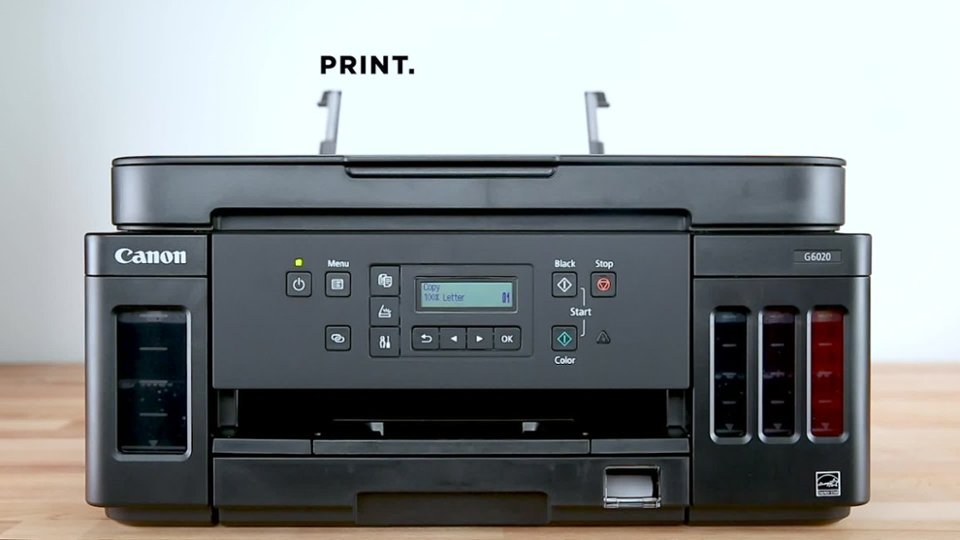
- Model:
- 3113C002
- |
- SKU:
- 6356231
Customer reviews
Rating 4.2 out of 5 stars with 1590 reviews
(1,590 customer reviews)Rating by feature
- Value4.3
Rating 4.3 out of 5 stars
- Quality4.3
Rating 4.3 out of 5 stars
- Ease of Use4.1
Rating 4.1 out of 5 stars
Customers are saying
Customers find value in the exceptional print quality, ease of use, and overall strong performance, with many appreciating its simple setup. However, some users have noted issues with the display not being backlit, frequent connectivity loss, a hard-to-read control panel, and a noisy operation during printing.
This summary was generated by AI based on customer reviews.
- Pros mentioned:Print qualityCons mentioned:Display
Rated 4 out of 5 stars
Good printer for good cost overall
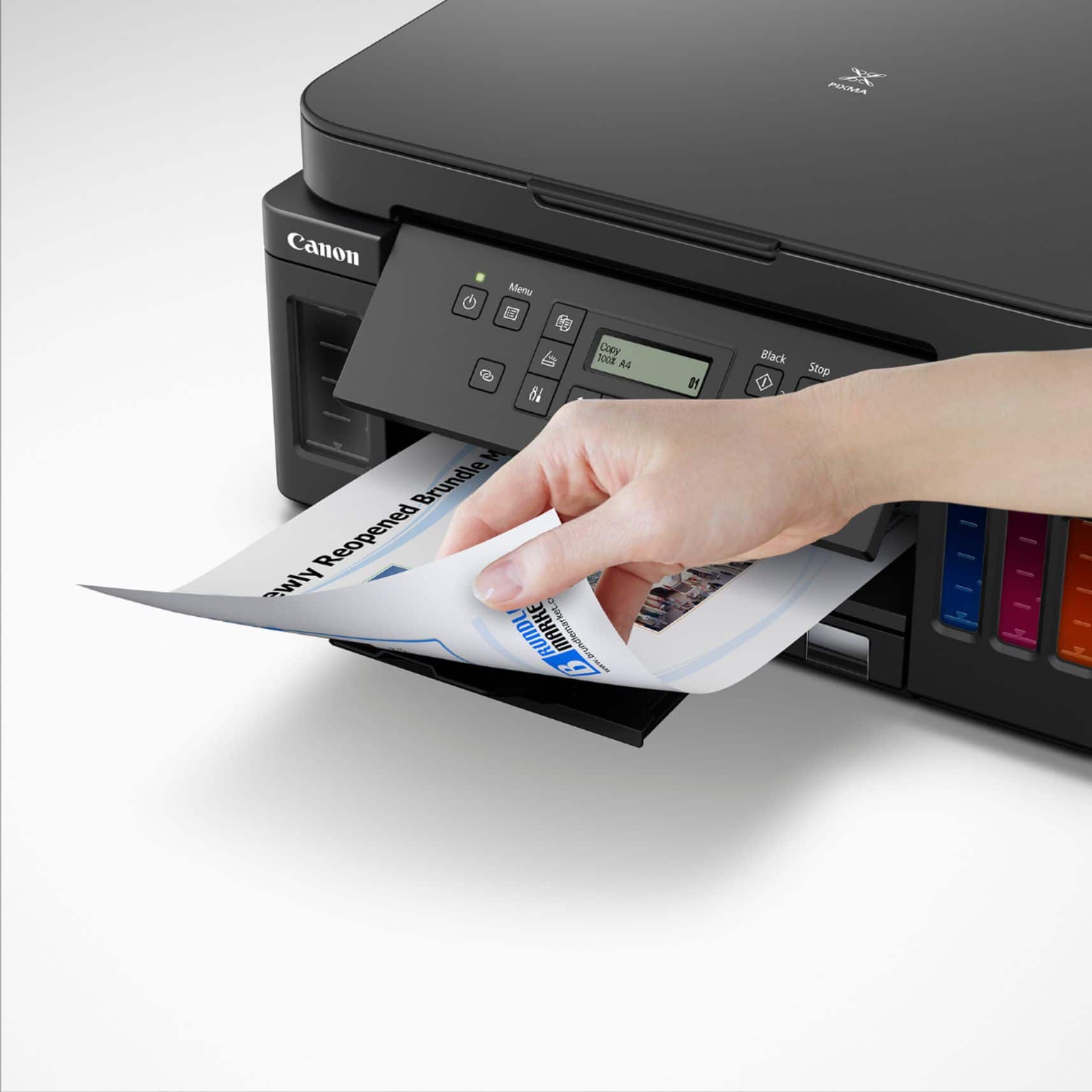
||Posted . Owned for 3 weeks when reviewed.This reviewer received promo considerations or sweepstakes entry for writing a review.Very nice and compact printer. Do not like the flip up display which must stay completely up to activate printer features. Very much like the ink panels that hold a huge amount of ink and paper tray cassette holds 3 times as much paper as old HP. Does not function with windows 10 very well at all unless you disconnect S feature on windows ( they do not mention this ). Customer support the best I have ever talked to ( All US based ). Above average printer color quality ( Have seen better ). A bit noisy for sure. Average printer for average cost. Gets the job done if windows does not screw it up with poor updates and they do just that.
I would recommend this to a friend - Pros mentioned:Print quality
Rated 5 out of 5 stars
Future of printers
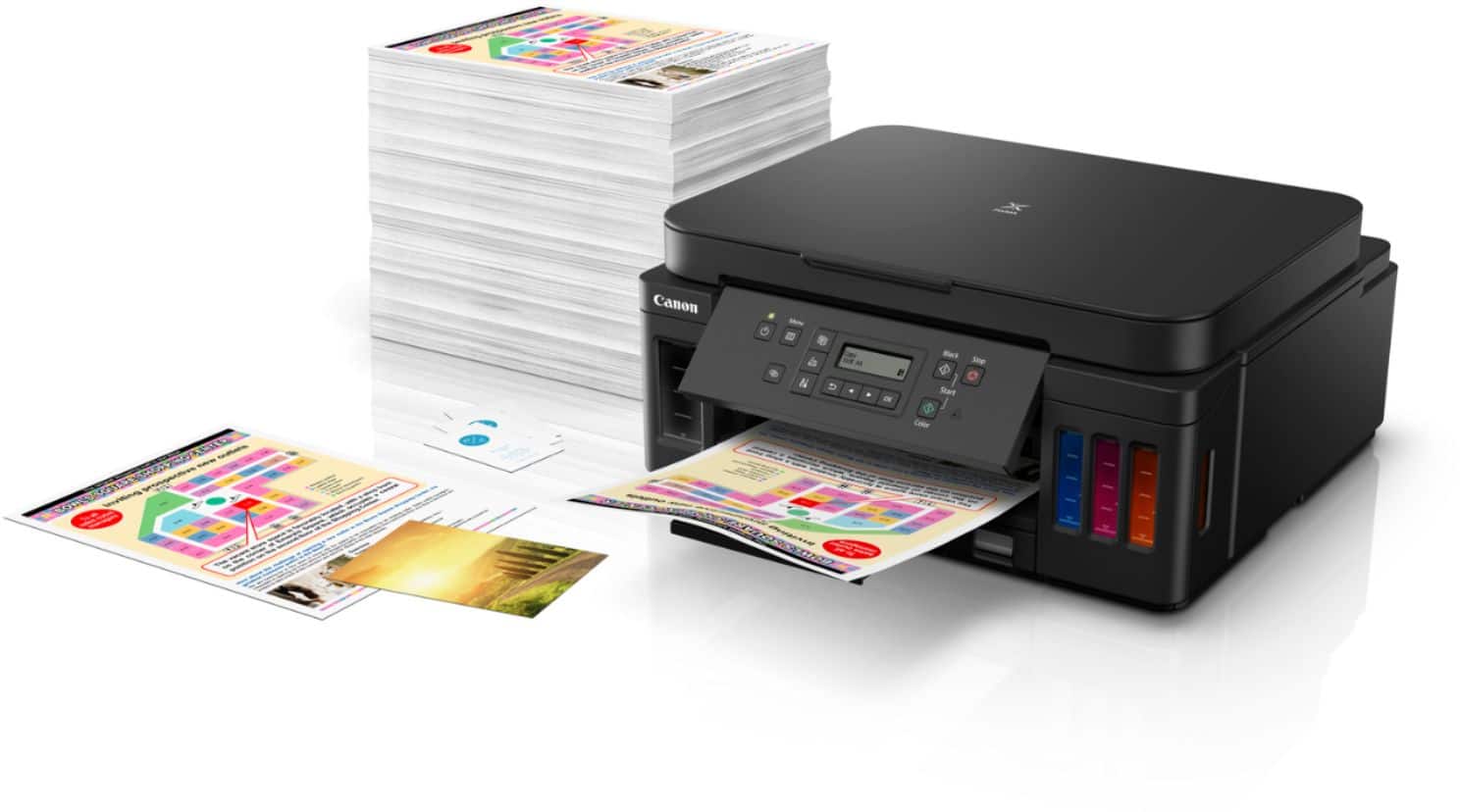
||Posted . Owned for 1 month when reviewed.This reviewer received promo considerations or sweepstakes entry for writing a review.I hated the business model of cheap printers but expensive inks for years and started refilling my own ink which is frustrating and ended up using laser printers. Im using a black and white laser printers for years and a 2nd Canon colored laser printer but is also has expensive toner, cannot print borderless and has is only good for graphics and text and not photos. These forms of printers are emerging where refillable tanks are now the primary reason for these line of printers. They are sold in high prices but will turn to save moderate to heavy users in the long run as these inks are getting sold in volumes that can print 5000+ pages before refill. These printers have their counterpart selling in less than $100 with ink cartridges. I have decided to buy a printer like this to support these types of printers and hope that the industry goes into this direction. Talking about their worth, my take is that these types of printers are low end printers ranging from poor quality, poor speed (im talking about tank ink printers in general) but Canon truly delivered. I tried other brands twice but they lack what I truly need on printer. Considering their high price, I think they should be packed with features but they do not. One major use for me is to be able to print with 3.5 index cards. The software supports it but the input of paper can only shrink to 4 inches width and all my prints where crooked. They lack a 2nd tray so I don’t have to remove the letter paper all the time. Also for a printer that is designed for longevity, I believe the print head should be serviceable or replaceable. These needs brought me to Canon g6020. I bought it at a local electronics store. Setup wasn’t any different from other refillable tank printers. Canon now have the newer line of ink bottles making refilling without any mess. No drops of ink anywhere versus older model. Where it lacks is that Epson has a sort of key on every color so that the wrong color cannot be inserted and won’t mess your printer. Canon has a lock on the tubes that delivers the ink to the printhead incase that the printer will be moved. Installation of printheads are easy and has a step-by-step picture guide. Turn it on and give in 15-30 minutes to prime, connect to your wifi/usb and you are now able to print. Pros Canon advertised that this could print 6000 black pages and 7700 color pages. So far I think these claims are true. Quality of photos are better with more vivid color ( im not a pro so this is subjective) Can print borderless 4x6 up to letter and A4. Legal size not included and I don’t understand why not. Not an issue with me. Has automatic duplex printing for almost any size. Tried letter size so far and works perfectly. Paper Cassette. 250 max and can take 150 more on the rear tray. Small footprint, enough for me. Software for scanning is easy to use. Can print more than your average entry level laser printer. Cons At this price point, other brands have an automatic document feeder for scanning multiple pages and doing multiple copies. No fax capability It has this annoying rear tray cover that is used to stabilize the paper inserted and must always be propped down or else the printer wont print. Has limited options for borderless printing but has commonly used photo paper sizes. Does not support borderless legal size. Future improvements I want to see the same printer with more colors. At least with black dye for photo printing or an added gray. Borderless envelope printing Still hoping that once this pattern is established, that more companies will follow this business model.
I would recommend this to a friend - Pros mentioned:Print quality
Rated 4 out of 5 stars
Great if you need to print a lot
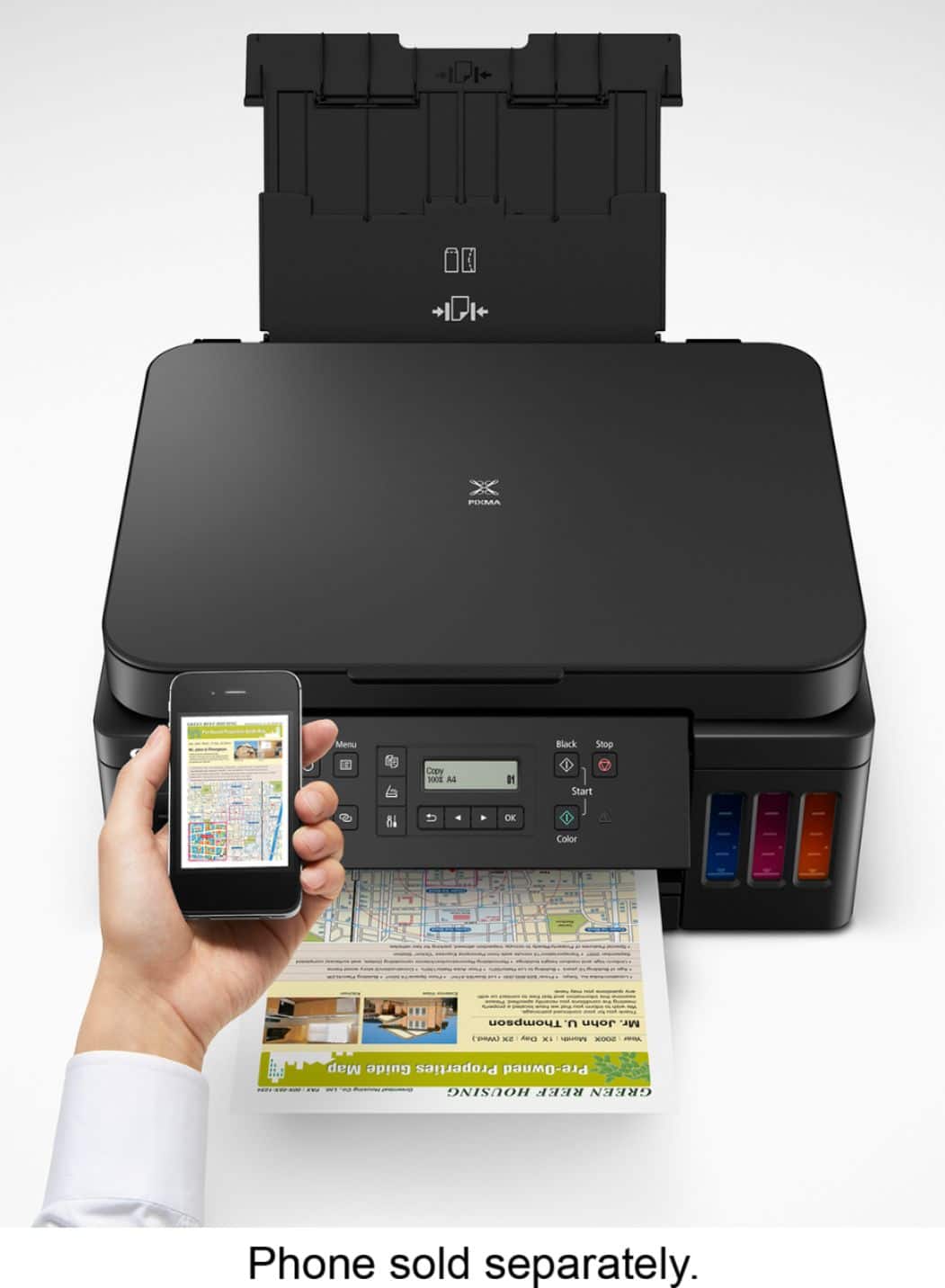
||Posted . Owned for 3 weeks when reviewed.This reviewer received promo considerations or sweepstakes entry for writing a review.First the good... 1. You really can print a LOT with this thing! With other printers in the past we've had to resort to buying third party ink in order to get decent cost per page, but the manufacturers have FINALLY started giving us options that allow for high volume printing without having to take out a second mortgage on the house. 2. Text and graphics come out sharp. 3. My wife loves that this supports Apple AirPrint so that she can print directly from her phone. 4. The front tray holds a lot of paper. For anything else, the back paper loader is easy to open and put in whatever else you need to print. We've tried out printing envelopes and photos from the back, and both worked great. 5. The borderless photo printing really is borderless! Now the not so good... 1. Color accuracy is so-so. Creating a color copy shows noticeable differences in the color. Oranges in particular look a little darker and duller than the original. Regular text and graphics look good. Photos look slightly dull in color. 2. The built in functions can be awkward. Most printers these days have a touch screen with pretty intuitive operation. In comparison, the physical buttons and monochrome text display on this unit are much less intuitive and engaging. This isn't a big deal when printing from your computer, but for making copies or scans from the printer itself it's a little less than ideal. 3. I've read a lot of reviews where people had issues connecting the printer. I used the front panel to manually connect the printer to my network and did not have a single issue. It was slightly cumbersome because of the buttons and text display I mentioned just above, but it worked. Summary... If you're looking for something that can do a lot of printing without breaking the bank, this is for you. In an office, or if you have to print out a lot of school material, this thing really shines. If you need great photo quality or find that you want super user-friendly interface for scanning and copying, then you would probably be happier with a different printer.
I would recommend this to a friend - Pros mentioned:Print quality, Setup
Rated 5 out of 5 stars
Nice printer for home office or univ. student.
||Posted . Owned for less than 1 week when reviewed.This reviewer received promo considerations or sweepstakes entry for writing a review.As a direct comparison to EPSON, the G6020 is pretty good. It is comparable to the ET 3000 series without the fax. The print on plain paper may look faded at first but you can set it up in the printer properties to print with a decent output. It took me 4 tries to get a satisfactory photo printout on a plain paper. If you use better quality plain paper (heavier and brighter) the color output is nice. By the way, for photo print on plain paper, you should use any application in your PC other than printing directly from windows photo viewer. For some reason the printing quality suffers. You can use paint or ms word and the photo on plain paper will be much better. Other than that, black prints are very sharp if you choose high quality in the settings. Also, the prints using photo papers (glossy or matte) are very good, too. It is not very fast but printing photos at a high quality is often slower not matter what printer you use. I would say EPSON was a bit faster than Canon but performance wise is acceptable. The setup is a breeze. During the setup, it will go through software updates. I have set up for 2 notebooks and 2 cell phones on wifi.
I would recommend this to a friend - Pros mentioned:Print quality, Setup
Rated 4 out of 5 stars
Canon G6020 Printer - A good buy!
||Posted . Owned for 1 month when reviewed.This reviewer received promo considerations or sweepstakes entry for writing a review.The G6020 Canon Printer was straight forward to set up. Air printing was successful. Print quality was satisfactory. So far, I’m very happy with this purchase. The printer would time out and turn off on its own, which was unexpected. This setting can be reconfigured in the Settings menu. The Best Buy salesperson was knowledgeable, patient and very pleasant.
I would recommend this to a friend - Pros mentioned:Print qualityCons mentioned:Control panel
Rated 4 out of 5 stars
So far so good
||Posted . Owned for 2 months when reviewed.This reviewer received promo considerations or sweepstakes entry for writing a review.So far works great. Easy to install and prints nicely. So far my only gripe is the weird control panel. It was hard to install the printer only because it kept complaining that the panel was open, but it called it something that sounded like a menu not a physical control so it was very confusing. Why even have the panel open/close if you HAVE to have it open to install and print anyway? Other gripe is the printer takes a bit to wake up before it prints. Otherwise so far so good. I like having bottles instead of cartridges
I would recommend this to a friend - Pros mentioned:Print qualityCons mentioned:Display
Rated 4 out of 5 stars
no light display...
||Posted . Owned for 2 months when reviewed.This reviewer received promo considerations or sweepstakes entry for writing a review.I purchase this to replace my ecotank epson that reached its end limit (love my epson). As expected, it works well. I like the idea that I can see the ink level. I print a lot for my business so this is a good printer for many prints its saves you 100's of dollars for the ink. My only concern why I gave 4 instead of 5 is the display is not LED light. You need a light to read the display.. I wish they made it LED display because I usually work lights off and just with my computer. I hate the fact the I need to turn on the light just to read the display.
No, I would not recommend this to a friend - Pros mentioned:Print quality
Rated 5 out of 5 stars
What a pleasant surprise
||Posted . Owned for 1 month when reviewed.This reviewer received promo considerations or sweepstakes entry for writing a review.Wow! What a pleasant surprise to click on the print button and hear the printer actually printing. Even after a week or more of not using the printer it just works, it stayed connected to our network, it still has ink and the print quality is excellent. After fighting with the previous two-year old HP printer, I wish we had made the switch sooner.
I would recommend this to a friend - Pros mentioned:Print qualityCons mentioned:Display
Rated 4 out of 5 stars
Super for photos
||Posted .This reviewer received promo considerations or sweepstakes entry for writing a review.You can not beat the print quality of this printer. Photos look amazing even on plain paper. It was a little hard to get set up. Turned out to be a router problem. The people at Canon were great to talk to. I usually go through fairly quickly. After we tracked it down to the router it set up easily. The tank system is great. I only gave it 4 stars because of the display. It is not back-lit and it is small so it is hard to read.
I would recommend this to a friend - Pros mentioned:Ease of use, Print quality
Rated 5 out of 5 stars
Great printer (2 month review)
||Posted . Owned for 2 months when reviewed.This reviewer received promo considerations or sweepstakes entry for writing a review.I didn't want to write this review too soon, so waited a couple of months. Setup was very simple, between printed instructions and the on-screen prompts I was able to get it ready with very few issues. Printing has been great, the quality of prints has been more than acceptable, My wife uses it for everything from her business, to kids projects, and everyday printing needs. We have had zero issues. Ink has been doing well so far, and the tanks are holding up pretty well, It is an added bonus to visually see when they are getting low. Also, you cannot beat the cost of the ink. Scanning pictures has also been a breeze and there have been no issues so far. After two months of owning, it has been one of the best printers we have purchased in a long time and would recommend it to anyone looking to get away from the expensive printer cartridges.
I would recommend this to a friend - Pros mentioned:Print qualityCons mentioned:Noise level
Rated 4 out of 5 stars
Good and functional but a bit loud when printing
||Posted . Owned for 2 months when reviewed.This reviewer received promo considerations or sweepstakes entry for writing a review.It was easy to connect to our wireless network using the Canon SELPHY app. The LCD screen on the printer is a bit hard to see for my aging eyes but it is visible. One odd thing about the printer is that the control panel needs to be raised open instead of flush to the chassis for it to print. One star off for how loud the printer is when it is printing. Quality of print is good and the speed for printing is decent. Scan is also good. I would recommend this to people if they do not care about how loud the printer is while it is printing.
I would recommend this to a friend - Pros mentioned:Print quality
Rated 5 out of 5 stars
Canon G6020 Printer, a game changer
||Posted . Owned for 3 weeks when reviewed.This reviewer received promo considerations or sweepstakes entry for writing a review.**Performance Review: Canon G6020 Printer** I am delighted to provide a performance review of the Canon G6020 printer, which has exceeded my expectations and left me thoroughly impressed. This printer has proven to be a reliable and versatile addition to my office setup, and I wholeheartedly recommend it to others without any hesitation. **Print Quality:** The Canon G6020 consistently delivers high-quality prints. Whether I'm printing text documents or color-rich graphics, the sharpness and vibrancy of the output are exceptional. The inclusion of pigment-based inks ensures that text is crisp, and colors are vivid, making it suitable for a wide range of printing needs. **Printing Speed:** One of the standout features of this printer is its impressive printing speed. It handles large print jobs with ease and efficiency. The fast printing capabilities have significantly improved my productivity, and I no longer have to wait around for lengthy print jobs to complete. **Ink Efficiency:** The G6020's refillable ink tanks are a game-changer. They hold a substantial amount of ink, which not only reduces the frequency of refills but also cuts down on printing costs significantly. The transparent ink tanks make it easy to monitor ink levels, ensuring that I'm never caught off guard. **Wireless Connectivity:** Setting up the printer over Wi-Fi was a breeze. The wireless connectivity feature allows for seamless printing from multiple devices, including smartphones and tablets. This has added a layer of convenience to my workflow, making printing from different sources effortless. **User-Friendly Interface:** The printer's user interface is intuitive and straightforward. The control panel is easy to navigate, and the setup process was hassle-free. Even those with limited technical expertise will find it user-friendly. **Durability:** The Canon G6020 is a robust and durable printer. It feels well-built and capable of handling daily use with ease. I appreciate its reliability, which is a testament to Canon's commitment to quality. **Overall, the Canon G6020 printer has been a stellar performer in my office. Its impressive print quality, speed, and cost-efficient ink system make it a standout choice in its category. I wholeheartedly recommend this printer to anyone in need of a reliable and high-performance printing solution. It's a solid investment that delivers excellent results consistently.** I trust that others will find the Canon G6020 as impressive and dependable as I have. Happy printing!
I would recommend this to a friend - Pros mentioned:Print quality
Rated 5 out of 5 stars
I love this printer as a home crafter
||Posted . Owned for 3 weeks when reviewed.This reviewer received promo considerations or sweepstakes entry for writing a review.Like others, I found setting this up to be a bit of a pain because the screen is small, not back lit, and not intuitive as to what I was supposed to be doing. The recommended setup didn't work, so I had to use the backup method which meant entering my modem password via that tiny screen that could have been sooo much better on a printer at this price point. That being said, I didn't ding this a star because the quality of the printer thus far (I've had it a few weeks now and I've put it through a few paces). I wanted this printer primarily for printing on card stock for use with my Cricut Maker. It not only does this, but it does so with enough quality that if I ask friends to identify which paper I bought and which paper I printed, they can't reliably pick the one I bought and are frequently surprised that the quality is so high. I wanted this to print background pattern paper and to do print then cut on my Cricut and I have been happy with the results on both. I have used 110# card stock with no problems - which was my number one reason for selecting this printer - it was supposed to be able to handle heavy card stock. It does. Quite nicely in fact. I use the back feed for this and so far have only fed through one sheet of paper at a time, though I suspect it would hold more than one sheet and do fine. Getting the paper lined up for the rear feed is a bit tricky for me, but that could be as much where I have the printer and not being able to access it as it is the awkwardness of the design. The speed seems more than adequate for my purposes as a home crafter. I haven't tested the photo print quality because I think it is more economical and faster to send out my photos when I want them rather than do them myself. I have tested the borderless printing and been pleased that it does indeed do borderless prints. I do have to go into software for graphics - in this case, inkscape and photoshop to get access to the controls that will let me do this. They are not available in Word or the regular desktop image viewing software. I am more than happy with my purchase. I didn't evaluate this as an office printer and your mileage might vary if you are wanting to use it as a general office printer. But for my purposes as a home crafter, I am quite happy with this purchase. I am loving not paying a monthly fee for printing to another printer maker to remain unnamed. This is much less per page for the amount and kind of printing I am doing.
I would recommend this to a friend - Pros mentioned:Ease of use, Print quality
Rated 5 out of 5 stars
New Canon Tank printer is very impressive!
||Posted . Owned for less than 1 week when reviewed.This reviewer received promo considerations or sweepstakes entry for writing a review.I have owned way too many Epson & HP printers. They work fine for a year or so and then they start with the issues. If you use the printer a lot the price of ink was crazy, I might just as well emailed everything to Staple and let them print it for me. In the end, I am pretty sure it would be cheaper. I never owned a Canon printer before. There Cameras are good so I thought I would give it a try. It was the easiest printer that I ever set up of all the printers I have owned. It basically sets itself up! With the ink tank on this model it looks like it could go 2+ years before needing ink.....Happy Days! The quality of the prints is excellent so far & it holds much more paper than the Epson or HP tank printers do. It prints very nice color photos on photo paper and with Best Buys 4 Year replacement policy, I will not have a printer issue for quite a while.
I would recommend this to a friend - Pros mentioned:Print qualityCons mentioned:Display
Rated 4 out of 5 stars
Good, not great printer for the price
||Posted . Owned for 2 weeks when reviewed.This reviewer received promo considerations or sweepstakes entry for writing a review.Don't get me wrong, this is a solid printer that does its job well. It prints fine, the ink replacement and setup is easy, and it comes with a lot of ink in the box. But it doesn't have a backlit screen so it's hard to see what you're doing if it's dark in the room and it prints EXTREMELY slowly. Not a big deal if you aren't in a rush, but if you need something done quickly this isn't what you want to use. Overall, its not bad but I feel that for the price you should definitely get more value than what is offered.
No, I would not recommend this to a friend - Pros mentioned:Ease of use
Rated 5 out of 5 stars
The Great Printer
Posted .This reviewer received promo considerations or sweepstakes entry for writing a review.Very easy to work with Photos look great when There Print it 100% better than the old one To fill it with ink is easily done The space that I have for it fits great Love that I bought this printer. It is the great one.
I would recommend this to a friend - Pros mentioned:Print quality, SetupCons mentioned:Control panel
Rated 5 out of 5 stars
PIXMA 6020 Canon printer
||Posted . Owned for 3 weeks when reviewed.This reviewer received promo considerations or sweepstakes entry for writing a review.Good quality prints. Relatively easy to sent up. Had to call help line and check on line for a few questions. All resolved. The control panel is hard to read and because my printer is on a shelf above my desktop I need a small stool to read it.
I would recommend this to a friend - Pros mentioned:Ease of use, Print quality
Rated 5 out of 5 stars
Our Best Ink Jet Printer Yet
||Posted . Owned for 1 month when reviewed.This reviewer received promo considerations or sweepstakes entry for writing a review.I have only had this printer a few weeks but It is the best ink printer that I have ever owned. It was easy to set up and to operate and the color is pretty darn good. I didn't get it for photo printing but my wife likes to print out patterns in color and this is very good for that. The other thing that I really like is that the ink heads can be replaced. I previously owned a competing brand that became a $400 door stop because the heads became so gummed up that no amount of cleaning helped.
I would recommend this to a friend - Pros mentioned:Overall performance, Print quality
Rated 5 out of 5 stars
Printer review
||Posted . Owned for 3 weeks when reviewed.This reviewer received promo considerations or sweepstakes entry for writing a review.Great printer. Easy to use and print quality is nice. Easy to navigate from panel. Nice design.
I would recommend this to a friend - Pros mentioned:Print qualityCons mentioned:Display
Rated 5 out of 5 stars
6,000 B/W 7000 Color with one bottle ! WOW !
||Posted . Owned for less than 1 week when reviewed.This reviewer received promo considerations or sweepstakes entry for writing a review.I use to not print as much as I would have liked because of the cost of ink. But with this printer I just print away now. Just refill the tank with a bottle of ink, ingenious. Ink is fairly cheap also. 7000 color pages, seriously, wow ! What is not to like. In case I have any issues I bought the Geek 2 year warranty. This printer will pay for itself many times over my laser printer which can alone cost $15 per 100 color pages printed. The setup took about 15 minutes for all my pc's, phones, and tablets. No big deal. Display is just a small monochrome display, however who needs to look at it once it's going?
I would recommend this to a friend