Customer Ratings & Reviews

- Model:
- 3774C002
- SKU:
- 6367468
Rating by feature
- Value
Rating 4.4 out of 5 stars
- Quality
Rating 4.4 out of 5 stars
- Ease of Use
Rating 4.3 out of 5 stars
Customers are saying
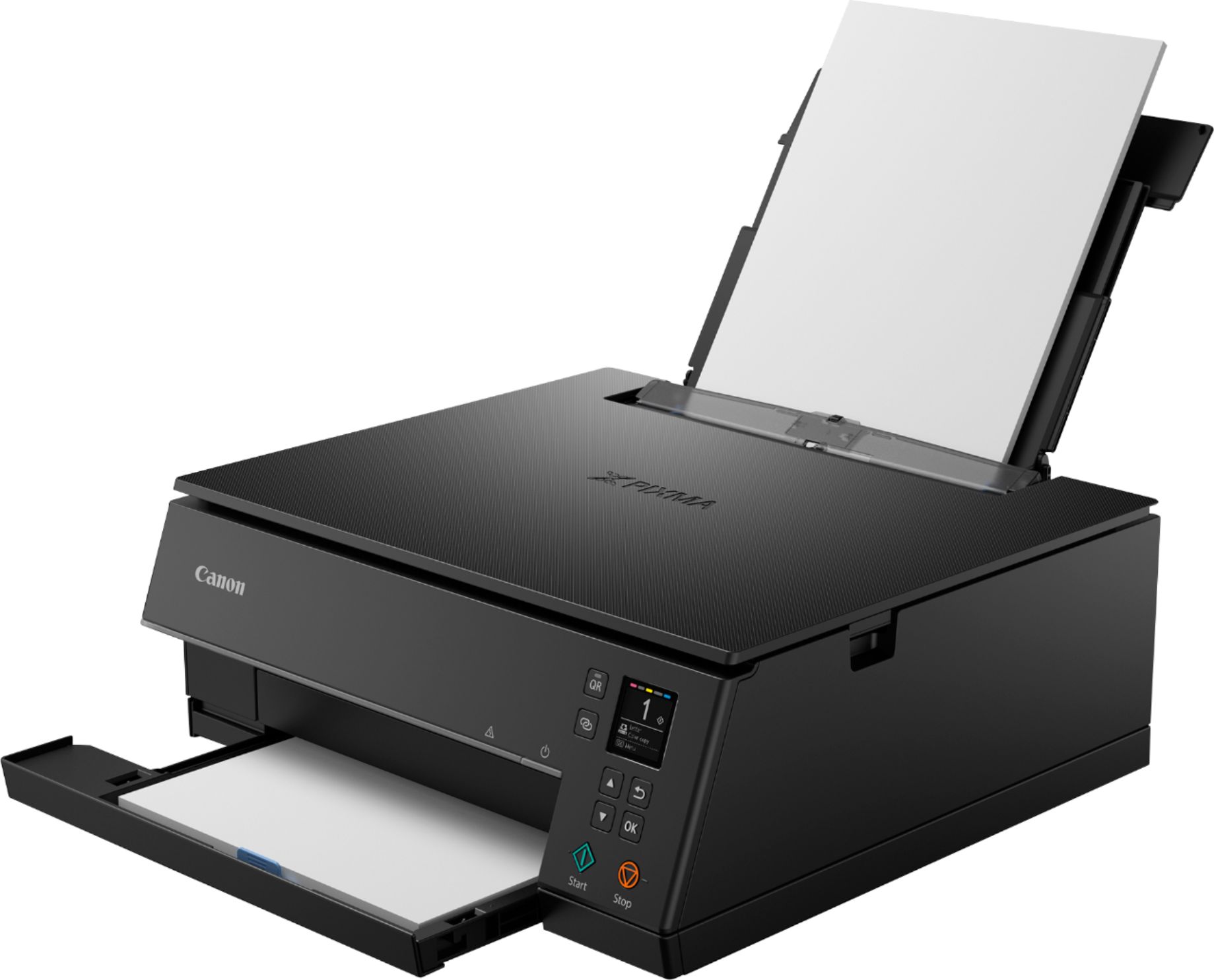
Customers frequently mention the excellent print quality and ease of use of the PIXMA TS6320 Color All-In-One Inkjet Printer. Many appreciate its compact size and wireless capabilities, along with its affordable price. However, some users point out that the paper tray is small and may present challenges, while others have experienced reliability issues.
This summary was generated by AI based on customer reviews.
Instant Regret
||Posted . Owned for less than 1 week when reviewed.This reviewer received promo considerations or sweepstakes entry for writing a review.Worst ever. Can’t print anything. Doesn’t want to connect. Over it. I have tried every day to print something and I’ve never had so many struggles. I followed the step by step instructions.
No, I would not recommend this to a friend- Pros mentioned:Print quality

A Neat Budget-Friendly Printer
|Posted .This reviewer received promo considerations or sweepstakes entry for writing a review.The Canon Pixma TS6320 is a straightforward printer in so much that it prints, scans, and copies with relative ease. Setup of the machine was pretty straightforward; it did help immensely that I already had a Canon account. This printer produces some very nice prints as with my experience from the Canon 4210 Mega-tank printer, texts are truly rich in color as well as black and white. Also, it does a great job in photo printing as photos are true to color with great definition and precision. Reproduction of copies is good as this printer does a great job with true color definition and crispness. I did some scanning on this printer and was really impressed that a printer of this size can scan with such depth and accurateness. I employed Google Assistant to print a few documents for me and this was done with relative ease as well. Technology has made great strides in so much that you can request a machine to do human tasks with just a voice command. While, I am used to it adhering to commands such as locking my door, weather status, music requests, to name a few, but requesting printing commands was new and different. Overall, for a printer of this size, it really does a great job at its core functions which are scanning, copying and printing. The bonus is that the cost of this machine is truly a win-win situation which makes it a must have.
I would recommend this to a friend Printing
||Posted . Owned for 7 months when reviewed.This reviewer received promo considerations or sweepstakes entry for writing a review.When I bought this product I thought it will save me money, but this staff is not really good for printing. You gotta buy ink soon after soon! Everything is expensive!
No, I would not recommend this to a friend- Pros mentioned:Ease of use
Great everyday wireless printer
|Posted .This reviewer received promo considerations or sweepstakes entry for writing a review.This is a great overall everyday printer that is easy to set-up and to get running. Canon Printer App is easy to use and allows you to print photos directly from your smartphone. The display screen for the menus and operation is very easy to read and understand. Canon literature is always available online. There is even a QR button on the front that will display a QR code on the display screen. This QR code takes the user to an advanced description of the network and wireless setting. However, the average user will not need these settings. Bluetooth printing is also available and works perfectly. A couple of downsides that aren't really downsides are printer takes a bit to get connected initially to my smartphone. Just have patience and you will get through it. The other (feature?) that I noticed that I am not a fan of is what Canon calls the status bar. By default, it is on and standard brightness. This can be changed in the settings. You can shut it off, make it darker or brighter. Thankfully there are options. It allows for two-sided printing, used to be reserved for higher-end printers. Able to print a two-sided document (PDF) from my Google Drive to the printer using the Print App with ease. Pictures print out good too. See photo attached
I would recommend this to a friend - Pros mentioned:Ease of use, Print quality
A Solid Performer
|Posted .This reviewer received promo considerations or sweepstakes entry for writing a review.I had never used a Canon printer prior to receiving this Pixma 6300 series. Prior to this I had used an HP all-in-one. Once the Canon arrived, I set it up quite easily, connected it to my network and began using it. I printed a photo of myself on each printer to compare the printers and was quite surprised at how well the Canon output looked color-wise. It was brighter and more true-to-life than the HP 8300 series printer. It is a keeper!
I would recommend this to a friend - Pros mentioned:Print quality
Setup was quirky, but works well
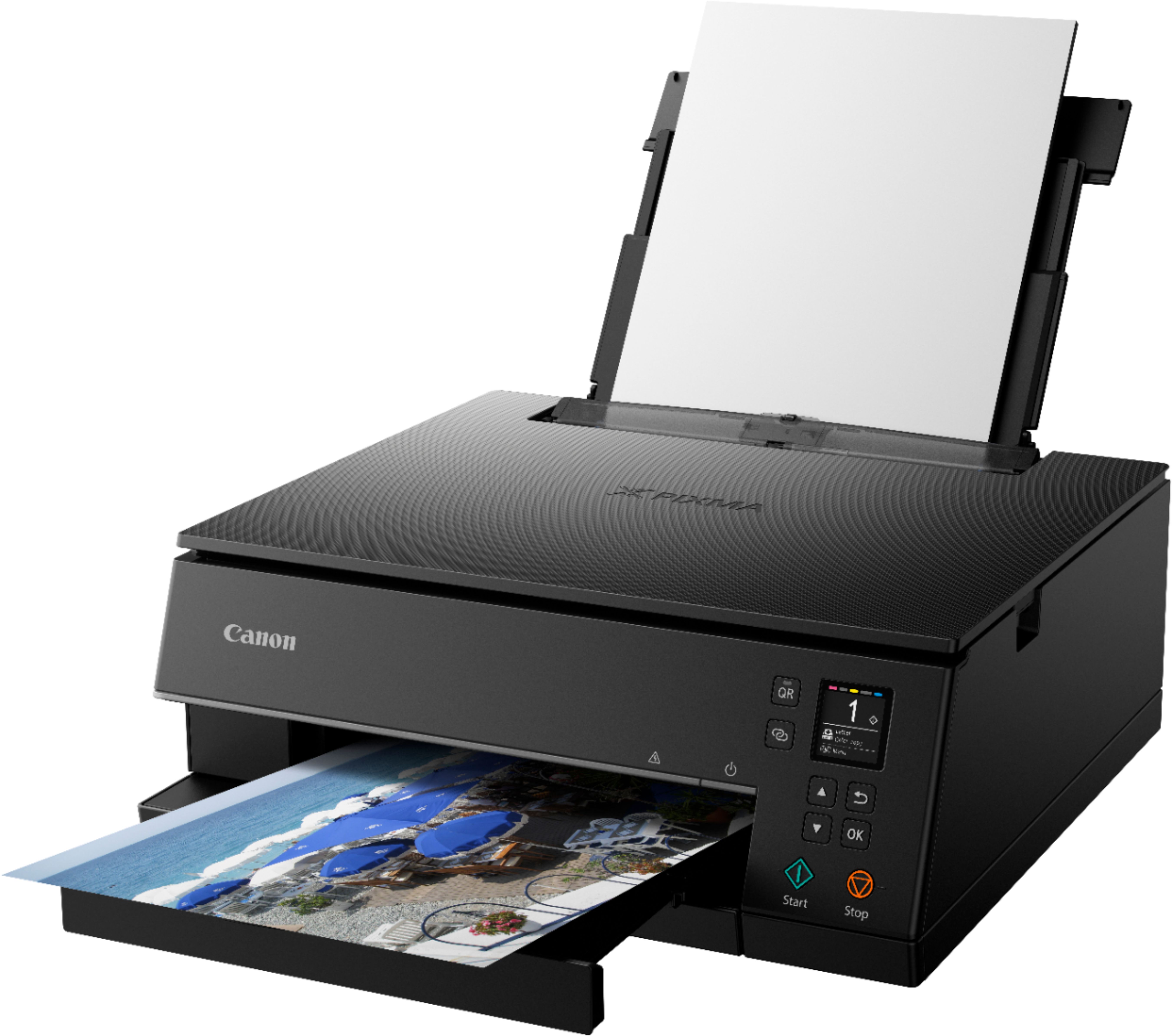
|Posted .This reviewer received promo considerations or sweepstakes entry for writing a review.The Canon Pixma TS6320 is a little quirky to install, but it works well. Canon is very keen on having users scan a QR code when installing this printer. It worked okay, but honestly it seemed like it just over complicated the process needlessly. I'm used to traditional printer installs using a windows based computer, and this was just different enough to throw me a little. The printer hardware seems very solid and well constructed. The bypass tray for photo paper is at the top back and covered by a door. The printer itself is quite large and doesn't fit on my media tower very well. The printer seems to print well, and the print quality is adequate. It's not the best I've ever seen, but it's certainly not bad. Yes, I would recommend this printer.
I would recommend this to a friend - Pros mentioned:Print quality
Works just fine, great for photos
|Posted .This reviewer received promo considerations or sweepstakes entry for writing a review.Nice little printer. Scans docs through the auto feeder and sends them to a computer connected via wifi. I printed from a Windows PC, a Mac Book, an Android phone, and an iPhone without any problems. The printer shows up in the "print to" lists, and printing to it is quick and easy. Double-sided prints are a huge plus, and the speed is pretty normal. I didn't have the issues that others did with error messages while scanning, whether using the flatbed scanner or the auto feeder. I was pleasantly surprised with the photo quality of the printer. I printed several photos off of my Google drive for a family get together and the 5x7 quality on photo paper was splendid. Much better than I expected with a lower-cost printer. A little word of caution. Read the directions before installing the ink cartridges. I attempted to remove the orange covers on two of the cartridges before removing the tape covering the vent, and squeezed them a little hard and ended up squeezing toner out and onto my floor! This was my fault however, I should have read the instructions better... Remove the tape and film on the cartridge first. Then hold the cartridge end to end, not in the middle, keeping the orange cover tab facing up. Pop the orange tab off without squeezing the cartridge too hard, and everything will be just fine. I did that with the other two cartridges and had not problems. Fortunately, I was not on the carpet! I recommend the Pixma TS6320 highly!
I would recommend this to a friend Wi-Fi
||Posted . Owned for 3 weeks when reviewed.This reviewer received promo considerations or sweepstakes entry for writing a review.Wi-Fi problem. It does not connect my Wi-Fi. Sometimes it connects but it fails again and it doesn’t give you options to put your password .
No, I would not recommend this to a friendThe most important part doesn’t work
||Posted .This reviewer received promo considerations or sweepstakes entry for writing a review.The printer would not print from rear tray. Planning to return.
No, I would not recommend this to a friendNot happy.
||Posted . Owned for 2 weeks when reviewed.This reviewer received promo considerations or sweepstakes entry for writing a review.I received my product and already had an error. I would love for it to be fixed or refunded.
No, I would not recommend this to a friend- Pros mentioned:Print quality
Pretty standard for a printer
|Posted .This reviewer received promo considerations or sweepstakes entry for writing a review.Can't really say anything bad about this printer. It's a printer and functions as one would expect a printer to function. Print quality is pretty good. I don't have a need for printing out photos so I can't really comment on photo quality but I'm happy with the print quality. Other functions of the printer are pretty standard fare as well. Price is pretty good however, as with most other printers, the ink is pretty expensive. For a full black/color cartridge set, it's almost the same price as the printer itself. You would, by now, a company would come out with cheap ink however they're all pretty much the same these days with cheap printers and expensive ink.
I would recommend this to a friend - Pros mentioned:Print quality
Looks good and does a good job printing
|Posted .This reviewer received promo considerations or sweepstakes entry for writing a review.Took a bit to setup. Prints from my iPhone or laptop - which is fantastic. Documents printed from Word are clean and crisp. Color photo was pretty good. Just received and setup so not sure how long the print cartridges will last.
I would recommend this to a friend Slow and Noisy!
Posted .This reviewer received promo considerations or sweepstakes entry for writing a review.I finally got this setup. At first magenta and yellow would not print, but I got that done. The wifi setup was ok. The little keyboard you have to use to type in the password was pretty awkward and hard to see, but it worked. I had called Best Buy about help with setup and was put on hold for 15-20 mins, only to get disconnected each time so I figured it out on my own. Never could get the store to answer the phone. This printer replaces my Canon Pixma 6220 which is similar in size and function.It just stopped printing one day (Filter Failure) which I read was due to incompatibility with my Mac OS 10.14 Anyway, on first impression this one is much slower and louder. It also has difficulty "seeing" paper in tray versus manual feed. Confuses A4 with Letter. Probably will have to be sent back.
No, I would not recommend this to a friendGarbage in the extreme
Posted .This reviewer received promo considerations or sweepstakes entry for writing a review.Honestly, truly, the worst printer I've ever used in my entire life. It never stays connected to the internet, and I can count on one hand how many times it's printed without me having to re-install the drivers entirely. Huge waste of money, even for the low price. We bought it at the beginning of the pandemic because there were literally no other printers anywhere (think toilet paper shortage but far more mystifying) and we honestly should have just not bought anything. Pretty much the same effect, tbh. Horrible, awful, save your money and buy literally anything else, like a hand-press from the 1700's. Same success rate.
No, I would not recommend this to a friendFrustrating
Posted .This reviewer received promo considerations or sweepstakes entry for writing a review.I have an MBA and could not get it to connect to my smartphone or laptop. I spent hours. I eventually used the cord from my old printer to print. I was also able to manually type in my lengthy wireless router password with the arrows and ok button, which would allow me to print until the printer turned itself off an hour later. I need to use it again but the customer service is not open until monday, when Ill be at work...awesome
No, I would not recommend this to a friendDon't waste your money
Posted .This reviewer received promo considerations or sweepstakes entry for writing a review.Unpacked it and called company immediately to see if I can return since they sent from their company. Top unhinged off while unpacking and couldn't get it to hook back on. Very thin and cheap. Do not like at all.
No, I would not recommend this to a friendcanon printer
Posted .This reviewer received promo considerations or sweepstakes entry for writing a review.Garbage don't buy canon printer they suck loose wifi connection
No, I would not recommend this to a friend