Customer Ratings & Reviews
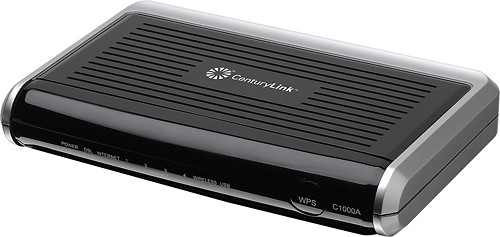
- Model:
- C1000A
- |
- SKU:
- 5570198
Customer reviews
Rating 4.3 out of 5 stars with 1008 reviews
(1,008 customer reviews)Rating by feature
- Performance3.9
Rating 3.9 out of 5 stars
- Ease of Use4.3
Rating 4.3 out of 5 stars
Customers are saying
Customers consistently note the N300 Router with ADSL/VDSL Modem's ease of use, straightforward setup, and generally good performance. Positive feedback also highlights its affordability and compatibility with certain internet service providers, while some users mention limitations in wireless range and occasional overheating. The modem functionality is frequently praised.
This summary was generated by AI based on customer reviews.
Rated 1 out of 5 stars
Does not work already
||Posted .This reviewer received promo considerations or sweepstakes entry for writing a review.Don't spend your money on this! I had to buy 2 of these and one has already quit working!
No, I would not recommend this to a friendRated 1 out of 5 stars
Had to return
||Posted .This reviewer received promo considerations or sweepstakes entry for writing a review.I had to return router because of poor connection issues. New router is working better.
No, I would not recommend this to a friendRated 2 out of 5 stars
Should have went with cable
||Posted .This reviewer received promo considerations or sweepstakes entry for writing a review.After debating between cable and dsl, I reluctantly went with dsl. I'm regretting the decision. I should have went with cable. Internet connection is slow, movies stop to buffer all the time. Also, with this new modem/router I seem to lose connection quite frequently.
No, I would not recommend this to a friendRated 3 out of 5 stars
Ended up returning it
||Posted .This reviewer received promo considerations or sweepstakes entry for writing a review.I ended up returning it, as it did not apparently add anything new to my existing router.
I would recommend this to a friendRated 3 out of 5 stars
have to reset often
||Posted .This reviewer received promo considerations or sweepstakes entry for writing a review.No other product available for use with my provider.
I would recommend this to a friendRated 1 out of 5 stars
Not the best router
||Posted .This reviewer received promo considerations or sweepstakes entry for writing a review.Century Link partners with Actiontec, this is my 3rd one. I would prefer to try something different but they did not offer a choice at Best Buy or Micro Center for ADSL2. Overall reliability of these units is poor, after a period of time you are having to reboot the unit daily.. Century Link offers alternate models but if you order through them you get the unit they send you, you can't specify. which one you want. Terrible way to do business.
No, I would not recommend this to a friendRated 1 out of 5 stars
Modem Seems OK, Wi-Fi Range Terrible!
||Posted .This reviewer received promo considerations or sweepstakes entry for writing a review.I replaced an older version with this unit as recommended by the Centurylink tech. It was meant to solve a small problem thought to be modem-related. I quickly discovered that reception in my home beyond 10' was erratic and basically useless. Netflix stopped working as did FaceTime on my iPad and all radio apps. I placed the older modem back in service and the problems disappeared. The tech was wrong about the need for a change, but this modem was completely useless regardless. I again have reliable wi-fi all around our home.
No, I would not recommend this to a friendRated 2 out of 5 stars
Not what I imagined
||Posted .This reviewer received promo considerations or sweepstakes entry for writing a review.The device does work now. I have two. But, for mac users, these evices will not install out of the box. You will need a lot of free time. And so patience to get thru the low quality tech support supplied CenturyLink.
No, I would not recommend this to a friendRated 3 out of 5 stars
Its nothing to write about
||Posted .This reviewer received promo considerations or sweepstakes entry for writing a review.buy it if you want................................
I would recommend this to a friendRated 2 out of 5 stars
no better than my 4 year old router,
||Posted .This reviewer received promo considerations or sweepstakes entry for writing a review.no reason to buy this router...it does nothing more than the original Centurylink router from years ago
No, I would not recommend this to a friend- Cons mentioned:Range
Rated 1 out of 5 stars
Garbage
||Posted .This reviewer received promo considerations or sweepstakes entry for writing a review.Range and speed went down with this product, went back to old router and returned to store
No, I would not recommend this to a friend Rated 1 out of 5 stars
Centry Link Stinks
||Posted .This reviewer received promo considerations or sweepstakes entry for writing a review.It took an hour working with customer "service" to configure my computer to communicate with the modem/router. Half the time spent listening to them trying to sale me services I told them I did not want. When we moved from Minnesota to Utah for some reason my Century Link bill doubled and apparently Century Links modem/router is not compatible with any other Internet Service Provider. We are currently switching to Xfinity with Comcast and sold the modem/router on Ebay. Good bye Century Link Quest was much better.
No, I would not recommend this to a friendRated 2 out of 5 stars
Failed very quickly
||Posted .This reviewer received promo considerations or sweepstakes entry for writing a review.Get a modem+router setup not an all in one because these seems to fail often and restrict speeds.
No, I would not recommend this to a friend- Cons mentioned:Security
Rated 4 out of 5 stars
Good performance.
Posted .This reviewer received promo considerations or sweepstakes entry for writing a review.My old ActionTec M1000 modem apparently took one too many nearby lightning strikes, and had become quite unstable. My ISP recommended ActionTec as a brand he has had the most success with. This modem has 4 Gigabit LAN ports as well as the WiFi router, (and a USB port if you want Network Attached Storage or a printer directly off this Modem) so it offers me a lot of flexibility. With my dedicated WiFi router plugged into one of the LAN Ports I run the home network off the separate WiFi router. This way I can connect guests or repair customers potentially infected computers via either a LAN port or turn on the WiFi radio in this Modem, thus keeping them effectively DMZ'd from my home network, upstream of my separate WiFi router and unable to access my shared files or infect my systems. The web site only said Wireless N, so I didn't know if it would work directly with my older WiFi printer which requires G, but it does have configurations for Wireless B/G/N and various combinations. I set G & N. The web Specs also said WEP encryption, but I assumed that any newer device would actually have WPA, and it does. Do NOT use WEP, there are programs you can download that will break WEP encryption in about 1 minute, my son had neighbors leaching off of him until he changed to WPA. It took me about half an hour to set up, partially since I tried to read the license agreement (Made it half way, couldn't take the legalese anymore, and scanned the rest), and also since I use an ISP seperate from Qwest/CenturyLink. Also, being a control freak on security, I tried to go directly to the Advanced Setup, and that didn't work well. Once I went back to the Quick Setup, it found all the required settings except that I had to manually transfer a couple of things like User Name and Password, which probably didn't automatically propagate due to my private ISP in the middle. It was easy, just a cut and paste. Once I got it running, I went back in and checked ALL the advanced settings, and found a few things you might want to change. 1. It comes with WPA/WPA2 Personal as the default. That is good, I switched it to WPA2-Personal only, and switched encryption to AES only rather than both, there is an exploit for TKIP, very unlikely, but possible. 2. The modem comes with UPnP (Universal Plug and Play) enabled. You almost never want that enabled on any device directly facing the WAN, it leaves you very open to outside attack that can reconfigure your modem remotely to open up ports or settings for exploit. Turn UPnP OFF unless you absolutely need it and can't manually Port Forward what you need. 3: The firewall was OFF by default, I don't understand that. Turned the Firewall on and set it to Medium security initially, no issues so far. 4. Also, WPS (Wireless Protected Setup) is significantly broken, so turn that off in the settings and set the password manually when you first connect each device. You only have to do it once, and you can even put it on a USB drive as a text file and cut and paste if you have a number of machines. I put it as a Secure Note in LastPass, and could simply cut and paste on each machine. 5. Make sure remote access to the Control Panel is turned off unless you absolutely need it. Disable both Remote GUI and Remote Console. I don't remember what they were by default, but you don't want someone outside your network (Like in Russia or China) randomly pinging IP addresses, and then brute forcing password attempts until they gain access to all your settings. Once they get in from their side, they can turn off all your security, and they OWN YOU! Set it to only allow access to your Modem settings from INSIDE your network. I also enabled Stealth Mode so the Modem doesn’t respond to unsolicited Pings. That makes it a lot harder for Hackers to find you as you are basically invisible to unsolicited queries. 6. One item I would like to see is an option to allow access to the Configuration settings panel ONLY via a LAN cable, and never via WiFi. This makes it so a neighbor or anyone within WiFi range can't guess your password (fortunately It comes with a strong default password, if you change it don't make it a simple dictionary word, that can be hacked in short order), and change your security settings. I figured I would just turn off the Modem radio except when I needed it (for guests or repair work on customers potentially infected machines), and would be safe. Found much to my chagrin that I can still access the control panel through my separate WiFi router. I use a really strong password and WPA2-Personal, so it’s not likely, but it is a potential attack vector if someone connects a WiFi router with a weak password, WEP encryption, or (horrors) an open network. In that case, you just gave away the Keys to your Kingdom, and a relatively unsophisticated hacker within WiFi range can now access personal files on any attached computer unless you know how to lock them down and have done so. Some of the reviews talked about a weak WiFi signal, some only getting 6 to 12 feet. I turned on the WiFi radio on this Modem and with the WiFi Analyzer on my cell phone (Not the strongest receiver) checked the signal strength. It was very comparable to my Rosewill (ProWare) router (Set to Medium Power) even in the far corners of a medium large house, and even going through several walls. So I took a walk outside and still had a useable signal over 100 yards up the road and thought one wall. There are power settings you can configure from 10% to 100% in 10% increments. My radio was defaulted to 100%, I suppose if someone somehow got theirs set to 10% the signal might not work outside of the immediate room, but other than that they might have a bad radio. No problems anywhere within about 100 yards for me at full power. Overall it has been stable for several hours with no reboots after initial configuration. Will see how it goes over the next few weeks, and will make another report if any problems develop, but so far it is running flawlessly. Will check tomorrow to see if any firmware updates are available that might improve some of my security concerns. I’m most interested in an option for configuration via LAN cable only. That way the NSA or other hackers have to be physically in your house and physically connected in order to make any changes. It makes it a little tougher for them. No noticeable difference in speed that I can see, but I am out near the length limits from the DSlam here in the mountains with old noisy spliced copper lines, and the best CenturyLink can do for me at the moment is 3 Megabit. They are doing a lot of line upgrades in the area, so maybe sometime soon I can join the 21st Century.
I would recommend this to a friend Rated 1 out of 5 stars
Not best option for streaming
||Posted .This reviewer received promo considerations or sweepstakes entry for writing a review.I stream a lot, and this router consistently needs to be rebooted at least once per day on speeds of 12 Mbps.
No, I would not recommend this to a friendRated 1 out of 5 stars
didn't work for me
||Posted .This reviewer received promo considerations or sweepstakes entry for writing a review.didn't work when hooked up by technician, had to return to best buy and purchase directly from centurylink even though they were the ones to tell us to buy this one from best buy
No, I would not recommend this to a friendRated 1 out of 5 stars
It works... That's about it.
||Posted .This reviewer received promo considerations or sweepstakes entry for writing a review.It'll do, but not well. It's a great DSL modem, not the best router. TotAlly beats the one you can rent from centry link.
No, I would not recommend this to a friend- Pros mentioned:Ease of use, Performance, Speed
Rated 5 out of 5 stars
Great product!
Posted .This reviewer received promo considerations or sweepstakes entry for writing a review.This was very easy to set up. It is fast and reliable. I would definitely recommend this to a friend.
I would recommend this to a friend Rated 1 out of 5 stars
It did not work
||Posted .This reviewer received promo considerations or sweepstakes entry for writing a review.Purchased to replace my centurylink modem but when I got on with centurylink IT they said they did not support it so it was useless.
No, I would not recommend this to a friend- Pros mentioned:Setup
Rated 4 out of 5 stars
This product works, first review for wrong item
Posted .This reviewer received promo considerations or sweepstakes entry for writing a review.This was the second modem sold to me by BestBuy, after trying to install the NetGear modem at home. CenturyLink told me that employee sold me the wrong modem even though he looked at my defective old modem and asked for my Internet provider. After taking the CenturyLink product home, it was easy to set up without having to contact CenturyLink. It has also been working fine now for over one month. (I did purchase the extended warrantee, since modems slow down and quit working unexpectedly.) Please disregard my previous one-star rating intended for the NetGear product that was incorrectly sold as the proper product by the first BestBuy employee. He told me it was the correct one to purchase and wasted my time.
I would recommend this to a friend