Customer Ratings & Reviews
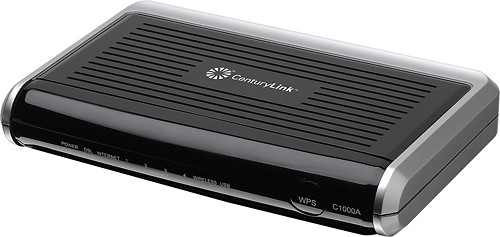
- Model:
- C1000A
- |
- SKU:
- 5570198
Customer reviews
Rating 4.3 out of 5 stars with 1008 reviews
(1,008 customer reviews)Rating by feature
- Performance3.9
Rating 3.9 out of 5 stars
- Ease of Use4.3
Rating 4.3 out of 5 stars
Customers are saying
Customers consistently note the N300 Router with ADSL/VDSL Modem's ease of use, straightforward setup, and generally good performance. Positive feedback also highlights its affordability and compatibility with certain internet service providers, while some users mention limitations in wireless range and occasional overheating. The modem functionality is frequently praised.
This summary was generated by AI based on customer reviews.
Rated 1 out of 5 stars
Was good in its time but is now obsolete
||Posted .This reviewer received promo considerations or sweepstakes entry for writing a review.Obsolete. Prone to die. No space for a real review
No, I would not recommend this to a friend- Pros mentioned:Ease of use
Rated 5 out of 5 stars
Superb
Posted .This reviewer received promo considerations or sweepstakes entry for writing a review.I have DSL internet through CenturyLink (formerly Qwest) and have experienced infrequent but significant periodic outages. I was on my third DSL modem and frustrated. I determined that the DSL signal coming into the house was strong and stable, and therefore my problems were probably internal to the house and my network.. So I decided to replace everything in an effort to finally obtain stable and reliable service. I was frankly concerned about installing the new modem. The last time I replaced a modem it was a real pain and took hours. I was not looking forward to this task at all! In any event, this modem installed like a breeze. Unbelieveable, it was so easy. You just hook up some cables and then follow the on-screen prompts. The modem asks for your CenturyLink telephone number and then automatically populates all the required information. Very impressed. Someone very knowledgeable has designed this product. An unexpected bonus was the strength of the wireless signal. My prior modem (a CenturyLink-supplied ZyXel) provided a miserly and weak wireless signal. This wireless is so robust I don't need a separate wireless router. All in all, one of the most satisfactory electronic products I've had (and that's less and less common these days, it seems).
I would recommend this to a friend - Pros mentioned:ModemCons mentioned:Security
Rated 4 out of 5 stars
Good Vdsl2 modem/router.
Posted .This reviewer received promo considerations or sweepstakes entry for writing a review.Finally Actiontec got it right. I use to dread working on actiontec routers. There software interface was sloppy. So was there QOS and bandwidth usage across multiple computers. Also there security was bad. I've seen so many actiontec modems/routers fail. I usualy use DD-wrt or the more stable Tomato routers for wifi but this one works good. Wireless is great. I just avoid using WPS. Good Luck
I would recommend this to a friend - Pros mentioned:Modem
Rated 5 out of 5 stars
Excellent product from Centurylink C1000A!!
Posted .This reviewer received promo considerations or sweepstakes entry for writing a review.Hi, Purchased this from best buy store. C1000A is excellent modem for Centurylink Internet. No need to look for other models. I have not observed any drops or lags with this. Must have for centurylink subscribers. I would have loved it to support other service providers also though no regrets. Great Product. Fully satisfied and no more need to rent the modem.
I would recommend this to a friend - Pros mentioned:Ease of use, Speed
Rated 5 out of 5 stars
Great Replacement for Centurylinks(Quest) m1000
Posted .This reviewer received promo considerations or sweepstakes entry for writing a review.My CenturyLink (quest) modem Actiontec M1000 failed (dropped connections, various lights on or off, sometime worked when unplug and restart). Purchased this modem at Best Buy brought home plugged in followed very easy start up instructions and system worked first attempt taking maybe 15 minutes to install as replacement. Both Ethernet and WiFi connections work great. Seems faster than old modem. Great replacement modem - just plug and play - no hassles to start up.
I would recommend this to a friend - Pros mentioned:Setup
Rated 4 out of 5 stars
Worked great for the time I had it
Posted .This reviewer received promo considerations or sweepstakes entry for writing a review.So easy to set up, and it worked great while I had it (I switched to a different provider with faster internet speeds). This router/modem is not what slowed me down however.
I would recommend this to a friend - Pros mentioned:Speed
Rated 5 out of 5 stars
Excellent VDSL2 Modem
Posted .This reviewer received promo considerations or sweepstakes entry for writing a review.I've had DSL service with Qwest/CenturyLink for 7+ years and probably have used most every modem available with their service over those years. I went from 1.5 mbps service to 7 to 12 and recently tried 20 mbps. I was using the Zyxel PK5000Z when I switched from 12 to 20 mbps but quickly started experiencing intermittent service (due to being to far away from one of their hubs). After dropping back down to 12, the service was not as stable as before the change. The fix to the problem was a switch to the Actiontec C1000A which I have come to learn uses an ethernet VDSL2 technology as compared to the ATM ADSL2 being used by the Zyxel. I now have a solid 10% increase in speedtests and service has been perfect. I do not use the wireless radio on the modem because I have a Netgear N900 to do that but the wireless specs on the C1000A do look impressive.
I would recommend this to a friend Rated 5 out of 5 stars
Easy set up
Posted .This reviewer received promo considerations or sweepstakes entry for writing a review.bought this to replace the old one I had from Centurylink that died and wow what a difference stronger faster safer signal!
I would recommend this to a friend- Pros mentioned:Setup
Rated 4 out of 5 stars
It works
Posted .This reviewer received promo considerations or sweepstakes entry for writing a review.Our nine-year-old Qwest/ActionTec modem kept dropping out. Pulling and reinserting the plug and waiting a few minutes would bring it back. We went to BestBuy and picked up the CenturyLink (formerly Qwest) C1000A. Setting up was straightforward until I wanted to connect to my Mac. However, when I opened my browser for the setup page, nothing happened. I called CenturyLink. They checked my account and said I had to contact my ISP (now called Enventis); they even gave me the service number. I forgot the exact steps, but the ISP help person walked me through, including giving me the two passwords I had used previously. I had my MacBook Pro online in a few minutes and my wife’s iMac shortly thereafter. My only problem is getting our iPads and iPhones to recognize the new modem. They only recognize the router in the Time Machine. I suppose our printer is going through the Time machine also. I printed a page with no additional setup. Will the C1000A last nine years like the GT701-WG did? We shall see.
I would recommend this to a friend - Pros mentioned:Speed
Rated 5 out of 5 stars
works great, decent speed and no lag
Posted .This reviewer received promo considerations or sweepstakes entry for writing a review.works great, decent speed and no lag with no need to reset the modem. Only issue was the set up, but the Centurylink help desk handled everything with no issues.
I would recommend this to a friend Rated 5 out of 5 stars
Works on AT&T (not just CenturyLink)
Posted .This reviewer received promo considerations or sweepstakes entry for writing a review.The fastest AT&T access in our neighborhood is DSL; there is no U-Verse broadband connection available (the only other broadband access would be "cable TV" based). AT&T only offers 2007-2008 dated DSL modem / routers with firmware last updated in 2009. No wireless "N" capability and somewhat incompatible with some wireless devices. If you buy this product from BestBuy you will probably notice the prominent listing on the box that it "only works with CenturyLink". This statement is false (though it might well mean that you have no vendor warranty). Under the hood this is an ActionTec router (it says C1000A), and it's quite easy to connect to a non-CenturyLink DSL provider. The specific reasons I bought this receiver were that one of the phones in the house needed a WEP connection to a secondary SSID on the old AT&T router, and I was connecting a Sony receiver with a network connection via a wireless adapter at the receiver, and it stopped working. The CenturyLink router works just fine with the smartphone, though the Sony receiver issue may actually be in the (IOGEAR) adapter. I ran SPEEDTEST.NET on the router and it was fully up to speed. The only other "CenturyLink" branded configuration was for the QoS packets, and if you're deeply technical (I'm a software, not a network professional, so this goes past my daily experience) you can set up your own QoS settings (the branded settings groups might well be perfectly okay, "generic" QoS settings). So if you're "trapped" with an outdated DSL modem / router you wight well consider this product for your needs.
I would recommend this to a friend- Pros mentioned:Ease of use
Rated 5 out of 5 stars
good modem for a centurylink customer
Posted .This reviewer received promo considerations or sweepstakes entry for writing a review.Easy set up good direction did not have to update bios
I would recommend this to a friend Rated 3 out of 5 stars
Worked with 1 hour help from CenturyLink Tech
Posted .This reviewer received promo considerations or sweepstakes entry for writing a review.I finally broke down and went wireless in my home. Recently got a smartphone and tablet and needed wireless over my current hard wired dsl modem for my CenturyLink line. Bought the C1000a and followed the instructions to a T. Dead. Called CL, they said my old mac address would not drop, hence, the new c1000a would not work. After an hour, they dropped my old mac address and got me connected. I wanted NO security because I live in the woods and have no neighbors - I wanted family and guests to just come over and jump on my wifi without hassle. The c1000a will not work if I tell it "no passphase" The tech could not fix that. So, It is passworded now so that it will work. Sucks. However, my office "wired" pc runs much faster on the internet with this new router. My tablet picked up the new signal, I entered the password, and it is working too. HOWEVER, a few of the reviews mentioned that range was bad. It is! If I walk to my deck, outside, which is 25 feet from the C1000a, I get 1 bar. In the house (open floor plan), I get 2 bars. If I walk into the office where the router is, I get full strength. This sucks. So, after a couple of hours of reading reviews about range extenders, I have decided to run the wires under the floor and move the C1000a to my living room. Yes, I will need to run the telephone line to it and then a 30' patch cord back to my hard wired pc in the office, but by doing that, I think putting the C1000a in the "center" of my main floor will probably give me enough signal strength. I'm not looking to give wifi to the deer and rabbits in the woods, but want a strong signal at least on my decks. If that does not work, I will look to buy an extender. If CenturyLink would significantly improve the range on the c1000a, I would give it five stars.
I would recommend this to a friend- Pros mentioned:Setup
Rated 5 out of 5 stars
Works great, easy to install
Posted .This reviewer received promo considerations or sweepstakes entry for writing a review.The set-up took only a minute. I went with the option to save my previous settings, and the Century Link info was already on the router. We kept losing our connection before, so far it hasn't happened once with this. We are very happy with it.
I would recommend this to a friend Rated 1 out of 5 stars
Unstable
Posted .This reviewer received promo considerations or sweepstakes entry for writing a review.ok, I moved to an area that only has VDSL support (I have a contract with centurylink) so need to get an VDSL modem. after much of the research I think C1000A is something affordable (unfortunately the selection of VDSL modem is very limited and the price is high in general). Installation is simple and I only used it in bridge mode (I have a Asus RT-N66U which is way better than the built-in router). The first few month went ok, as the room temperature is around 70, then summer came and this thing became less stable, and I need to restart occasionally to get it back to work, until one day (around 78F) it got completely stop, and restart show no effect. I can ping it but the web server stop functioning. after the unit cooled down I re-power it and it worked again. So I put a 12V PC fan on top of that from then on and so far it has been working fine. So there may be some design flaw that they think it should be working fine with a puny passive cooling heatsink, but in reality it does not. The temporary solution works but it is not really the user's responsibilities to fix the problem introduced by manufacture. anyway, a solid one-star for a flawed product
No, I would not recommend this to a friendRated 2 out of 5 stars
The modem works well. The "radio"/router stinks
Posted .This reviewer received promo considerations or sweepstakes entry for writing a review.I upgraded an old modem/router with this one. After installing it (which was fairly easy) the router would stop working nearly every day after 6:00 p.m. My desktop was hardwired so no problem, but the radio/router simply stopped working. I had to go into the desktop modem software to reset it, nearly every evening. I emailed the manufacturer and got a quick response back that it was the Internet provider's problem. I called CenturyLink and I'm pretty sure I knew more than the technical person to whom I was chatting. I continued to have problems. It occurred to me that I had a TP Link router sitting around that I'd never used before. I disabled the "radio" (again through the modem software on my desktop) hooked up the TP Link router and renamed it to match my home network name, and I've not had a single problem since. Obviously, the "radio" portion of the modem/router is defective. I should have returned it, but I was able to solve my own problem in just a few minutes and it's working perfectly. No thanks to CenturyLink or Actiontec. Kudos to TP Link.
No, I would not recommend this to a friendRated 4 out of 5 stars
Good product for the price.
Posted .This reviewer received promo considerations or sweepstakes entry for writing a review.Best part is the Action-Tec technical support! It can be an bit of work to add peripheral devices like GenieGo and MyQ, but the tech folks made it a breeze. They answer promptly and quickly solved the problems. Still can't get my wi-fi printer to function outside my home network, but then, not sure i want it to, so i haven't pressed the issue A more comprehensive user guide would be helpful, but talking to someone seems to be the preference and just fine with me. The configuration program is not very intuitive, got to know what you are doing, but then there is not much to do except as noted above. I replaced a defective model and was worried about how long it would take to get back on line. But it took no time at all! When the lights all went Green, it was like i had never swapped out the hardware!
I would recommend this to a friend- Cons mentioned:Range
Rated 5 out of 5 stars
Works great, but call support if range is lacking!
Posted .This reviewer received promo considerations or sweepstakes entry for writing a review.Replaced a 7 year old DSL modem with this. Was having trouble with range in a 4-level house. Plugged this in, worked well but did not reach all areas of the house with high-speed connections. Spoke to a help desk support person who was able to actually adjust some setting on the modem remotely. I have been able to get full 20MBS connection on all levels of my house now for the first time. Very stable at this point. Very happy with the device.
I would recommend this to a friend - Pros mentioned:Setup
Rated 5 out of 5 stars
Great DSL Modem & Router
Posted .This reviewer received promo considerations or sweepstakes entry for writing a review.Replaced 4 yr old DSL modem/router with c1000a. Set up was a snap. Ten/Twenty minutes working slow. Maybe slower - if you are not already a C-link customer .
I would recommend this to a friend Rated 5 out of 5 stars
Non-techie set up
Posted .This reviewer received promo considerations or sweepstakes entry for writing a review.I am not a techie but am comfortable using a computer. I needed to replace my 5 yr old CenturyLink modem which had died. The written instructions that come with the modem are not the best. There is no troubleshooting section. I came to a point where my computer was supposed to show the CenturyLink page but it did not. There is a phone number to call for help in the instructions, which I called. The person on the other end was knowledgeable, friendly, patient and helpful. I was up and running in less than 10 minutes.
I would recommend this to a friend