Customer Ratings & Reviews
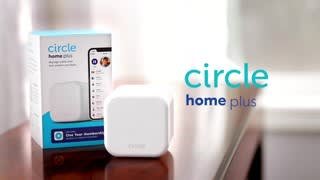
- Model:
- CIR5001
- SKU:
- 6397663
Rating by feature
- Value
Rating 3.7 out of 5 stars
- Quality
Rating 4.0 out of 5 stars
- Ease of Use
Rating 3.8 out of 5 stars
Customers are saying
Customers are pleased with the parental control feature as it provides them with great capability to control their children's usage. They also appreciate the time limit feature, which allows them to assign time limits to specific apps. However, some customers have concerns about the monthly subscription fee and connectivity issues at home.
This summary was generated by AI based on customer reviews.
- Pros mentioned:Ease of use

Too many items require monthly subscriptions!
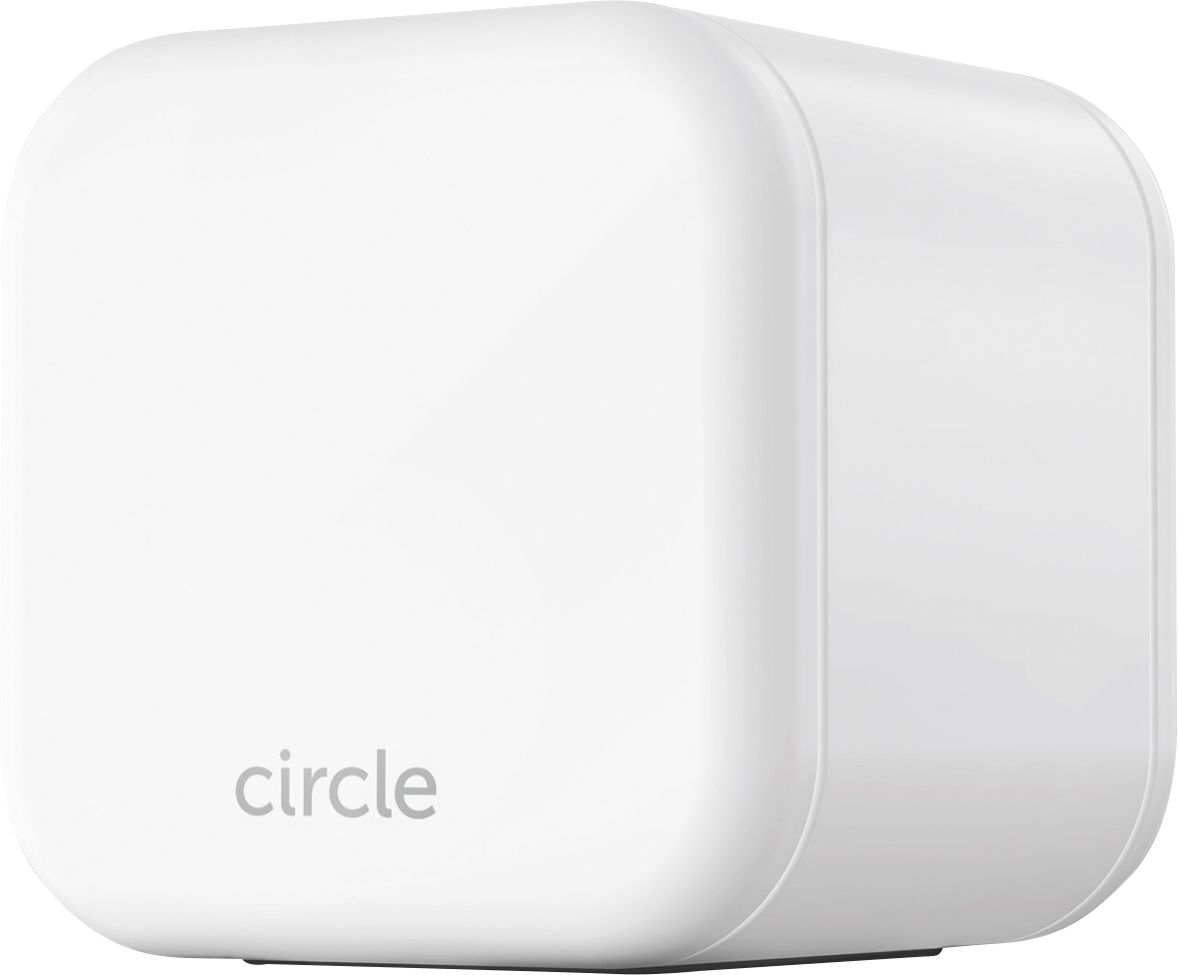
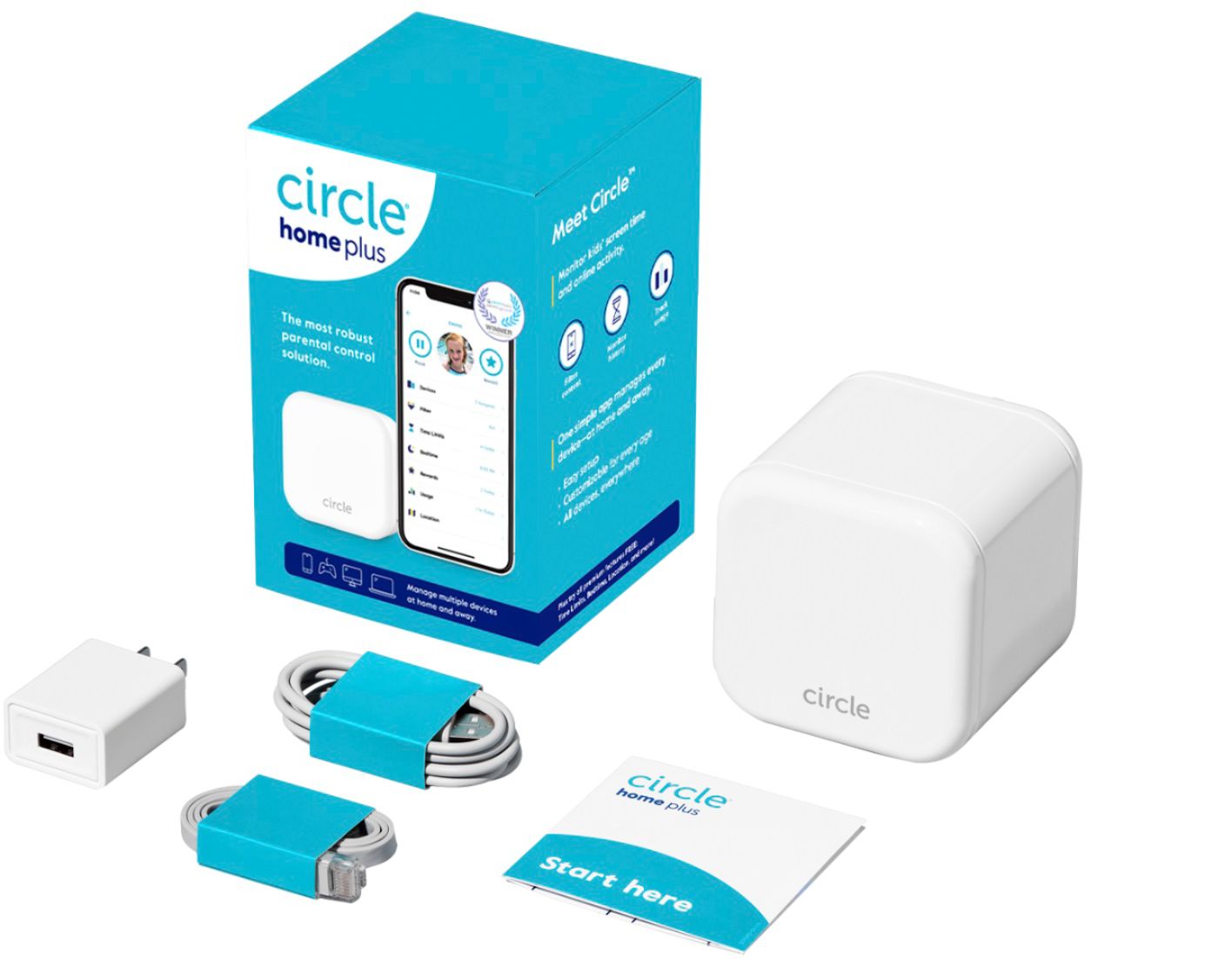
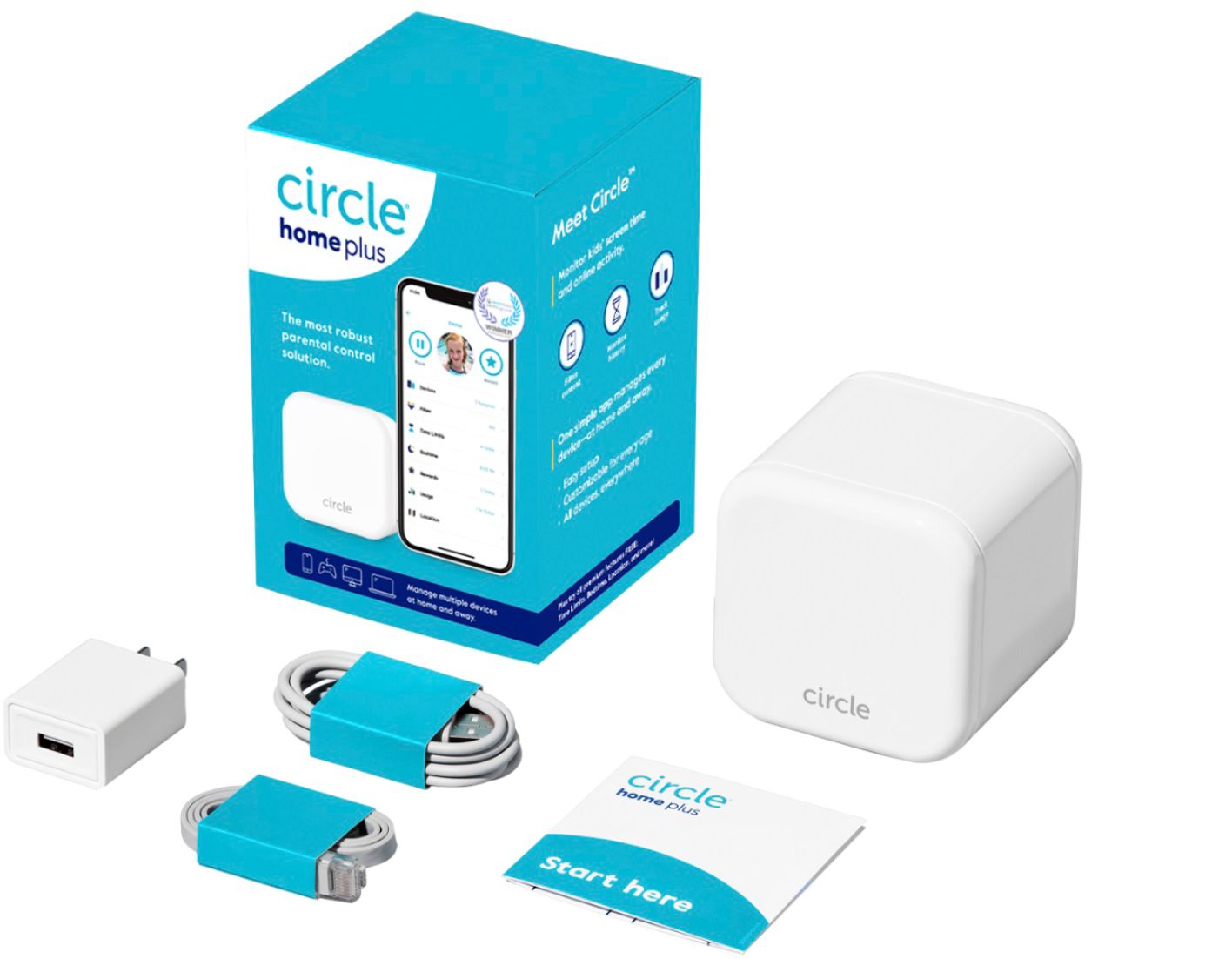
|Posted .This reviewer received promo considerations or sweepstakes entry for writing a review.What included in the box: The circle home plus module, USB-c cable with power adapter, ethernet cable, start here manual, and a three-month subscription to premium services. Personally, I start negatively to anything that requires a monthly payment. It’s the main reason I rate this three stars, YMMV. I like paying for items upfront and then I own them until I choose not to use them, or they break. This product is no exception to that. It’s capable of many actions, but if you choose not to pay for the premium service, you lose the bulk of them. For free, you still get the ability to filter users, track their usage and history…but that’s it. You are locked out of being able to pause the internet for all or any users, bedtime scheduling, rewards for good behavior, and time limits. The device is available with a three-month, 1 year or lifetime subscription, but the price tag is pretty hefty. With so many devices having a short end of life, a lifetime subscription may not last all that long. It’s really a crapshoot when you choose to make that kind of investment. The device I received to evaluate has the three-month subscription and I was unable to see where on the website I can purchase the lifetime or 1-year extension, so I’m unable to say whether it’s a good value compared to buying the unit with those subscriptions upfront. I think that most users would prefer to have a lifetime subscription and if it lasts long enough to cover the child/teen years, they would be happy. I do believe that it’s overpriced and should be reevaluated. Now for what I think about it other than cost. It’s great. It was extremely easy to install compared to other network devices. I powered it up, connected it to an open port on one of my switches, and installed the Android app. Following directions on the phone was a bit redundant, but that’s good so noobs don’t miss a step. After connecting it to the LAN, it asks to connect to Wi-Fi. Once connected you can add users and filters. Then you’re done. No struggles (at least for me) and it just worked. I do have one negative comment. Why put a rubber ring over the nic port if you’re going to use it permanently? It seems silly. Now I just have this rubber ring resting on the ethernet cable??? So, will I use it? Yes, but not the premium features. I’ll let the three-month subscription run and then just leave it connected. Being able to see history and usage will be useful to me. If they list a price for premium services and they are what I consider reasonable, I may purchase a lifetime subscription, but I highly doubt. I'd recommend the item to a friend, but I'd make sure to let them know they would have a monthly bill if any of the premium features are useful to them.
I would recommend this to a friend - Pros mentioned:Ease of use
Some issues keep it from being great
|Posted .This reviewer received promo considerations or sweepstakes entry for writing a review.This is my first use of an actual device to attempt to control internet access for my kids at home. I'd been getting by with a combination of free apps installed directly on their iOS devices and time restrictions on the router. I did get 3 months of the (required) subscription with the device. I have used Circle before on a previous router, so I'm not completely unfamiliar with their app and it's setup. That being said, installing the actual device on the network was mostly painless - although I would say that in their attempt to minimize the instructions I think they missed some steps/details along the way. You should be able to figure that out however, and get the device installed with little issue. Though you get all of the necessary cords for the installation, they are VERY SHORT. This is fine if your router is sitting very close to power and you have room for both the Circle and your Router in the same spot. Once the device is installed, I got the app installed on each iOS device I needed it on. Again here the instructions are sparse, but you should be able to figure it out. The interface is customer friendly, defaulting allow/disallow options based on age range per App. You can then customize as needed. I've run into some issues with MINECRAFT access on an iPad. Circle customer service was quick to respond but things still seem to work intermittently. For anyone else with the issue, I ended up switching from the default Kid filter to Teen in order for it to even login. Note that you don't have any app you need to install on Windows devices - you just have to get it managed under the right profile. Checking usage and history is easy. History grabs everything it seems, but at least the app tries to flag certain sites by App via the Apps icon, so it's easier to parse what's happening in the massive list. If you have kids, and your free options aren't cutting it, I think you should definitely consider this device/service.
I would recommend this to a friend Wouldn’t connect to my Internet
||Posted . Owned for 1 month when reviewed.This reviewer received promo considerations or sweepstakes entry for writing a review.I tried for over an hour trying to connect the Circle to my home internet and no matter what I tried it wouldn’t work. I ended up returning it.
No, I would not recommend this to a friend- Pros mentioned:App functionality
A bit perplexing to get setup, but works well
|Posted .This reviewer received promo considerations or sweepstakes entry for writing a review.My wife and I are new foster parents, we just got certified and during our training we heard quite a bit about just how bad some kids can be with abusing internet privileges (we have no children of our own) so I made it a priority to see what we could do to help lock down our internet and have full control without making it difficult for those of us, like myself and my wife, to use the apps and programs that we want to use. So when I read about the Circle Home Plus I felt it seemed like a really good option. Unboxing it was nice, it seemed like an Apple Product almost in how it was simplistic and elegant. But right away I noticed an issue in that the slip in to the product gave you the basic instructions on how to get the app but gave no indication on how to hook up the hardware. I thought, well the hardware must be installed after you get the app. I assumed the app would tell you how to install the hardware. Well firing up the app it was pretty clear that you were to choose whether you had hardware or not and that, in my opinion, means you should already have the hardware hooked up. Going to the site for Circle Home Plus help really didn't provide any diagrams or information. In the end I really couldn't find any information so I just hooked it up on my own the best that I could. I did get it to work but then once I got into the app there was some issues with getting the app to work. I'd click on sign in and nothing would happen. Finally after uninstalling and reinstalling the app and messing with it for a while I did get it to work. It was not a simple, or elegant, Apple like setup, that is for sure. And for that reason I'm deducting two stars. Once you get the darned thing working it works really well I think. You setup a profile and then you have all sorts of controls on that profile. To add hardware to it, a phone, a PC, whatever, you just add that device into that profile. It's really pretty genius and there are all sorts of things you can do such as limit time, set a schedule, set certain apps to block, certain apps to allow, etc. The one issue I did seem to run into that should be noted is that when you block an app or change just about anything, it will take a few minutes, up to about 3 or 4 minutes in fact, for that to reach your phone or PC. Before I speak to that though to add a child account you do get the same app (that's confusingly called the Parental App) and then on the parent phone you scan a barcode on the childs phone (that you setup as a childs phone of course) and that is how you setup the "satelite" accounts". But then let's say you want to just block Facebook. So you setup the child app, on the parent phone add the device into the childs profile, block Facebook. Then on the childs phone they can try to access Facebook and.....it will still work. However, wait a few minutes and a message will come up on their phone that Facebook has been blocked (or something to that effect) and then it will block. The time lag of action on the parent phone to institute changes should be noted because I kept changing things and nothing seemed to be happening until I figured out you have to make a change and give it some time to go into effect. In the end I felt like this is a really good and a really useful product. But it needs a lot more documentation and explanation. I did not call support because I do not like calling support, ever if it can be helped...and ultimately I did figure it all out. However, I feel as if this product really cannot follow the minimalistic Apple type documentation and needs a lot more help in the actual box. If nothing else at least put instructions in the box detailing the hardware hook up and the do's and don't's on how to hook it up. And the company should seriously rename the app to remove the "Parental" part in the store because it makes no sense to download an app called "Parental Circle App" to a childs phone. With all that being said I have used a lot of the options on my wifes phone to block it, to allow certain things, to do everything else you would want to do and all of it works and works well. So with the reservation of knowing the lack of documention I do recommend this product.
I would recommend this to a friend - Pros mentioned:Filtering, Setup
Incredible Network Monitoring and Security Tool
|Posted .This reviewer received promo considerations or sweepstakes entry for writing a review.The Circle Home Plus monitoring solution is an outstanding way to keep track of the activity on your network. It's especially great if you have children that use your network. The website filtering is wonderful. I haven't been able to effectively monitor and filter/restrict websites based on content per device until now. I can set policies for the kids' devices (phones/tablets/etc.) and set a different policy for guests. It's great! Best of all, I see when attempts are made within the Circle Home Plus app in real time. The system is very easy to setup. Only takes a few minutes. Easily integrates with your home/office router. There are many applications for the Circle Home Plus for monitoring and protecting to your network. However, my absolute favorite is the traffic filtering for the kids. It just gives me peace of mind. One of my other favorite features is the ability to set limits on utilization. You can ensure that no one is using the network past bed time, and lock it down based on individual device instead of having to shut down the entire network. I highly recommend the Circle Home Plus. It will give you peace of mind knowing your network and family are protected from cyber threats and malicious content.
I would recommend this to a friend - Pros mentioned:Setup
Does The Job... Sort Of
|Posted .This reviewer received promo considerations or sweepstakes entry for writing a review.I have been intrigued by Circle for quite a while now. With three kids in the house and a whole host of devices in the house I was curious to see what the Circle Plus could do. It's a very compact, white cube that can either plug into your router (mine is a Netgear RAX50) or operate via Wi-Fi once setup. I dropped the app on my phone and went through the painless setup. Created the home, added my kids, and selected which devices were whose. With filters on based on age and bedtimes set I let Circle Plus do its thing. For the most part the results were great. I quickly discovered the rather questionable sites my son was visiting on his PC. Circle was automatically blocking them and alerting me to it. When bedtime rolled around all of the devices that I had assigned to the kids had their internet access shutoff. Worked exactly as intended. So why the three stars you ask? Well, for starters, most of the controls you would want to use are locked behind a paywall. So be prepared for the monthly subscription. Next, the pause button only seems to work sometimes. What's the pause button you ask? The pause button allows me to pause the internet across all devices, devices per child, or a singular device. Sounds great, right? I found it rarely worked when selecting a child's selection of devices, but fine when selecting an individual device. Additionally, it would take on a life of its own and sometimes pause a device for no apparent reason. My children kept losing access to the internet on their iPad's and at first couldn't figure out why. As soon as I would disable the Circle Plus everything would return to normal. I had not selected a pause and it wasn't their bedtime. Looks like a bug to me so their is hope it could be fixed. As it stands, I have taken the Circle Plus out of my network. I will revisit it in a few months as I love its potential, but don't want to deal with the unintended side effects. If you have a router that doesn't have any parental controls then give the Circle Plus a look.
I would recommend this to a friend - Pros mentioned:Ease of use
Easy to install and protect kids net usage
|Posted .This reviewer received promo considerations or sweepstakes entry for writing a review.Circle Home proved to be more capable than I expected it to be. It was extremely easy to install - simply plug the device into your home network and then use the app to scan the QR code on the bottom of the device. Fairly simple steps were required to create profiles for my kids and add devices to those profiles. One advantage to the Circle Home device is that it allows you to control network usage for devices that aren't compatible with other app based filtering systems. Kindle Fire devices can't use the VPN based filtering because they don't have the compatible app (without sideloading) but with the Circle app on your parent device you can control the bedtime and web filtering from a central location. This could come in handy if your child uses a combination of devices (such as a chromebook, kindle fire, and iphone) that all can be controlled in one hub. I also used the device on an iPhone using the app in child mode. I was able to ping the child iphone's location using the app, and the app also tells the child when they have been rewarded or when their access has been disabled. It's pretty seemless. Filtering worked well for web browsing and youtube restricted mode. I tried a few searches for 'borderline' objectionable content that I wouldn't want my kids to watch without me and it filtered them out along with any obvious adult content. Quite frankly, I was impressed that it even worked at all in my home network. I use an opensource router called pfSense and an enterprise grade wireless access point, and there were no hiccups. The version I received for review came with a 3 month subscription to the premium service, and I feel the monthly cost is worth the money for a centralized hub for all your network filtering needs.
I would recommend this to a friend - Cons mentioned:Vpn
Had High Hope but a bit confusing and cumbersome
|Posted .This reviewer received promo considerations or sweepstakes entry for writing a review.I got this Circle Home Plus because I have 4 teenagers and I want to periodically monitor their internet activity. The first step was to set up a central device that would connect directly to the internet router via an ethernet cable. After numerous attempts at connecting to the router I determined that I needed to restart my iPhone before the router would communicate with Circle device. Once connected, it was time to set up the kids and their devices. A bit of a time-consuming questions and options - some of which seemed to overlap and confuse the responses. I tried setting up one child with one unit and it didn't seem to work because I could not get the device connected on the network. Also, the application running on the phone required the use of a proprietary VPN to communicate with the Circle computers. This also confused things a bit too. Now with all that being said, I was a Data Processing Manager at one time .I didn't expect this would be so difficult. I will also say that this product and application is not the highest priority thing I have going. I haven't given up on it but I have set it aside until I can get it up and running. If I do get it and up and running, I will update the evaluation of this product. Below on this screen I am asked if I would recommend this to friend. The expected response is either a yes or a no. I would say maybe, probably or will see.
I would recommend this to a friend - Pros mentioned:Screen time
Big Brother = Peace of Mind
|Posted .This reviewer received promo considerations or sweepstakes entry for writing a review.I wish I would have already had this product! I was unsure what to expect prior to testing this out. I understood what a VPN is and how it works and can be controlled but until you are able to be the one in control, I do not believe you have a real sense of what that control can do. My two children have grown up with a "Screen" in their face since basically birth. My wife and I have done a fair job monitoring time spent and content over the years. Probably more so though when they were younger. Now they are older and starting to live their own lives. This as we all know is scary. My daughter watches Netflix, YouTube, and plays some video games. My son, the older of the two plays video games and watches YouTube for the most part. We have never used a product to censor what they are watching or doing and have relied on our own parenting skills and the integrity of our children to know what they should and should not be watching / doing. Monitoring has always been a challenge though. YouTube & Netflix are easy since their apps allow restrictions you as the parent can add but other apps, devices, and or the setting of time limits not so much. Since the COVID-19 pandemic my wife and I have been deemed essential workers in each of our respective professions. The kids on the other hand have been on house arrest since the middle of March. Needless to say, their "Screen" usages are parentally embarrassing and their integrity not in question has I am sure been tested. Circle Home Plus to the rescue. With Circle home plus, in the matter of the first day I was able to make both of my children call me a dictator (I am 100% ok with this). Out of the box Circle has a handy sheet (use the app from the link on their website listed in on the sheet, there are others in the app store and play store that all say circle) to run the setup of the hub and installation of the primary app. Then from there it is the rinse and repeat process of adding the app to each of their phones. When setting up the app you connect them to the Circle VPN and are able to select or restrict devices also linked to the same Wi-Fi or restrict apps as you see fit. I was able to put a time restriction on my son's gaming console and by day three my grass was perfectly cut, coincidence? I saw that my daughter was using an app that we will not name but that I was not entirely comfortable with and turned it off completely. My son has acclimated best to the process of using Circle, by saving his time for the weekend, my daughter not so much but she was not as bad as he was in the first place. As they enter high school, I feel better knowing that as they drift away however much or little that is, I can at least still positively monitor some of their influences.
I would recommend this to a friend Paretal control with a loop hole
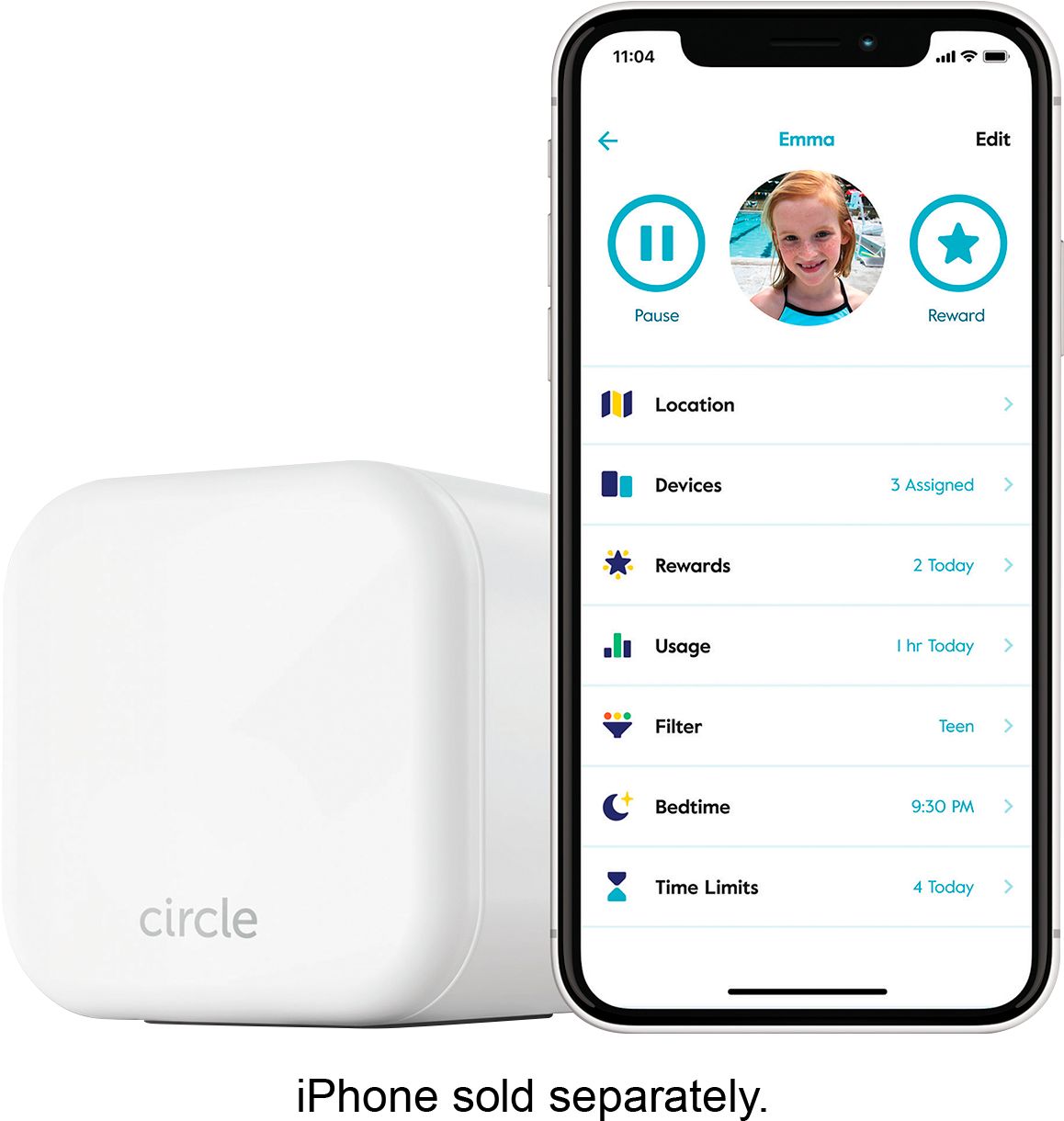
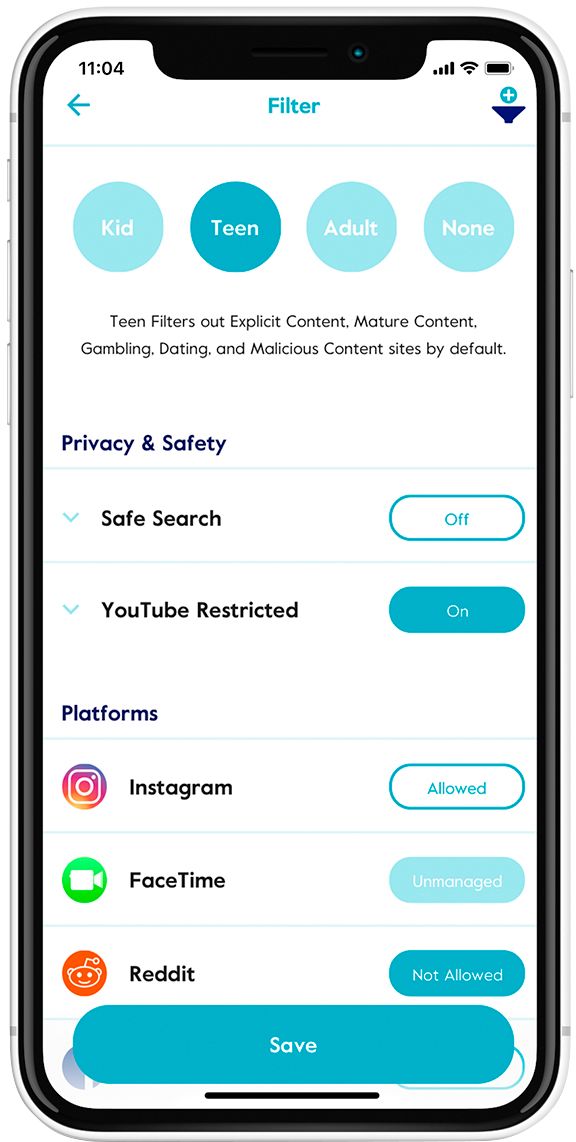
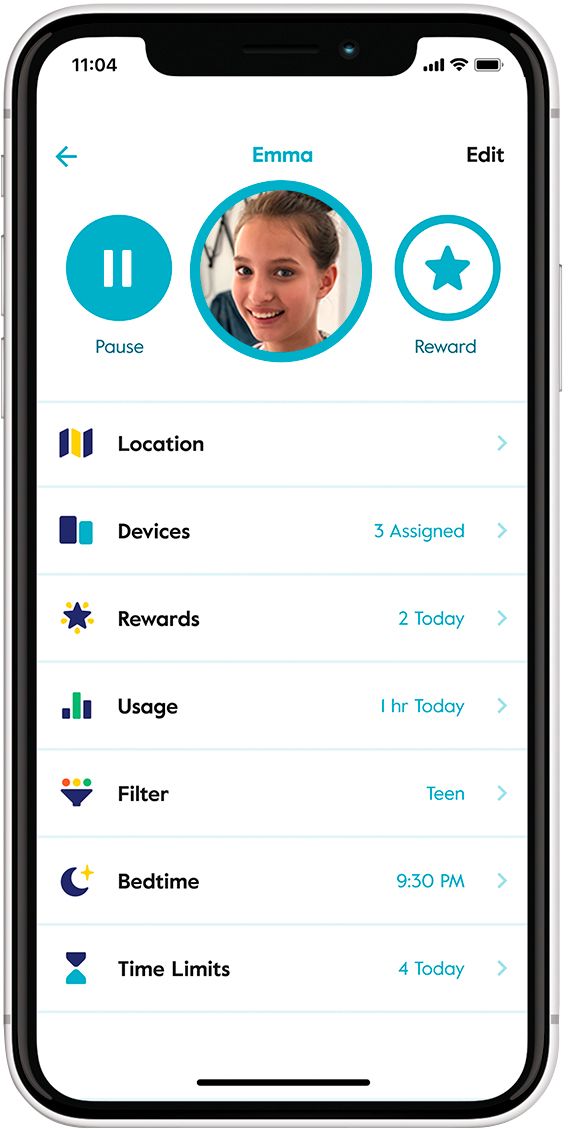
|Posted .This reviewer received promo considerations or sweepstakes entry for writing a review.I’ve been using Apple’s Screen Time to keep track and control my kids activities on their devices. I was hoping that this Circle Home Plus would replace that and take it a step or three further. With Circle’s available default settings it looks like it won’t. Basic features included free: - Filters (Kid, Teen, Adult and None): By default, Circle can’t filter specific apps or websites (** Circle has a support page on how to add custom filters for certain apps or websites. I found it to be very tedious). Kids were still able to play games from the Apple App Store or any native Apple app. - Usage: This is very useful because it tells you how long a user has been on - History: Tells you what sites they have visited and what time it was. Premium features which is $9.99/month after your free trial include: - Time Limits: You can set time limits in 15 minute increments. I would have like to see this in minute increments. Sometimes I like to give or take away minutes depending on their behavior for the day. I’ve set all the apps and categories to 15 minutes but somehow Circle did stop or prevent access. I did however get push notifications that they reached their time limit. - Bedtime: For turning off internet access during bedtime hours. You get weekend and weekday settings. - Off Time: You can set different off times for different days. I made separate off times for weekdays and weekends. This disables internet access only so this means that they can still play games or use apps that does not need the internet. - Pause: This lets you pause the internet for individual users or the whole house. - Location: Locates users but you have to install Circle VPN on their device. - Rewards: Reward is a bit confusing to me. You first have to increase TOTAL time limit then assigned to the different apps and categories that want to reward the user with. Again, this is where one minute increments would have been better instead of the 15 minutes. Setting this up was a breeze… on iOS that is. The app could use some fixing though. Connects to router via wired (Ethernet cable included) and WiFi (2.4GHz Wi-Fi 802.11 b/g/n). Wifi used for backup just in case the ethernet cable get unplugged by accident. You know how that goes. The unit comes with a USB-C cable and a power adapter to power it up and it also has a backup battery just in case it gets accidentally unplugged for some odd reason. Circle says that the backup battery is good for 1-2 hours but it lasted about three hours for me. There are ways to get around the Circle’s parental controls and it is documented on their website so I would suggest you read that first. For my use, this will help me monitor where my kids visit on the internet, filter out inappropriate websites and limit their internet usage. This isn’t a perfect solution to my needs for parental controls. I was hoping this would replace Apple’s Screen Time because it can get annoying but it looks like I will probably have to use a combination of both. The subscription fee doesn’t help this Circle Home Plus from really using its potential.
No, I would not recommend this to a friend- Pros mentioned:Screen time
a little peace of mind
|Posted .This reviewer received promo considerations or sweepstakes entry for writing a review.So, the concept is great, control your kids screen time and online activity. Easy to set up, download the Parent App and the child app to each device, plug Circle Home Plus into router, plug it into the wall, turn on and your up and running. After everything is ready, you begin adding your family and setting up restrictions, time limits and bedtimes. You then set up all the restrictions and access that you want to give to each child, you also assign devices that each person in the household uses and restrictions based on that person. If you have older children, it is easy to see what apps they are using, what content they are searching and they will probably let you know when they are blocked from accessing something that you feel is inappropriate content. The one thing I wish that it covers would-be hard-wired devices, Game Systems, Desktop PCs. We have each and they use them to play games on. But since they are hard wired, they are not covered under the protection. We do like the location tracking that Circle Home plus has. If your child lays his tablet down somewhere, like in a park, it gives you a fairly good general area to look. It is also helpful to see where your child is, let’s say he doesn’t answer the phone. You can see where his phone is and determine if it is a problem or not. There is a big difference in the Basic Membership and the Premium Membership. Basic covers Filters, History and Usage, nice features to have for free. But Premium covers those features and Bedtime, Location, Off Time, Pause, Rewards and Time limits. If you plan on using this, unless you have small children, the premium to me is the only option, especially for peace of mind to know your children are safe.
I would recommend this to a friend - Pros mentioned:Ease of use
Does what it says
|Posted .This reviewer received promo considerations or sweepstakes entry for writing a review.The circle home plus is a device that parents can use to monitor and control their kids access to the web on about any device through apps and a simple to set up device that connects to my router just like any other wireless device. Setup was simple, just follow the instructions to setup the circle plus device then download and install the circle app on each of your child's devices. My phone is set as administrator/adult along with my wifes. Each of my 3 kids devices are set to either kid or teen. The app circle home plus searches your router for devices and allows you to add them to a child, home or unmonitored so you have control on how your devices are used. The app allow us to set bedtime and wake time, usage for the device and best of all, usage on individual games and apps, so if youtube is a problem, we can set a lower usage limit on that particular app. The kids can see how much time they have left and parents can see what websites and apps their kids have been using. There are also built in safeguards to stop kids from uninstalling or bypassing the apps on their devices. All of this is included in the free 3 month trial membership. After 3 months, the website states that the membership is $10/month after that. If you choose not to pay for membership, you can still benefit from the app because you still have filter, usage and history data on for all your devices at no charge. I have been very happy with this device so far and my kids are getting used to their new normal. It seems to be a good option for parents who need to keep a watchful eye on what their kids are exposed to.
I would recommend this to a friend - Pros mentioned:Ease of use
What’s the point if you already have it
|Posted .This reviewer received promo considerations or sweepstakes entry for writing a review.Most service providers provide this same service for no extra cost. It does come with free trial period which is a plus but after that the service fee kicks in. I am not sold on this product. It’s nice that I can track everything including the kids in simple formats. I also like having cut off times to turn WiFi access off to the kids. If the kids are being good I can reward with extra time. You can pretty much control all and any device in your home that utilizes internet (in terms of turning on and off internet). There are some perks. If your service provider does not offer these same features then this is for you if your looking to monitor and control your families internet.
I would recommend this to a friend Good Internet safety control for kids
|Posted .This reviewer received promo considerations or sweepstakes entry for writing a review.The system is designed to help protect your kids while using their devices online, limit screen time, and to prevent them from going to certain websites. While downloading the required app, I was surprised they did not have a true version of the app for iPad. When I downloaded the app it was a portrait only mode app. I would recommend to use it on your phone instead. It comes with a free 3 month trial, but after the trial you will have to pay $9.99 each month even though you’ve purchased the hardware itself. I do not care for the design where you pull the rubber flap out to use Ethernet port. This makes the rubber flap protrude from the back of the unit. The unit has safely features that won’t allow your kids to disable the unit while home alone. If the Ethernet cable is disconnected it will switch over and use it’s built in WiFi. If it is unplugged for lose power it will use it’s built in battery. It will also send an alert to the parent if something is disconnected. If wish to monitor your kids while they are on their smartphones away from home you will need to install the apps on their phones. If you have an Orbi Router that came with a free basic version of Circle, you will have to disable that version in order to use this version of Circle. Overall it’s a pretty good system for parents who want to protect their kids will online.
I would recommend this to a friend- Cons mentioned:Internet connectivity
Good little device...
|Posted .This reviewer received promo considerations or sweepstakes entry for writing a review.This is a well made device that works. It took some time to get it connected and then to understand the nuances. You can stop and monitor internet by individual or assigned devices. I did find Disney+ did not recover well when the internet was cut out. I also realized we can't block or track traffic on a kids cell phone without an app installed.
I would recommend this to a friend - Pros mentioned:Filtering
Filters but will impact your network performance
|Posted .This reviewer received promo considerations or sweepstakes entry for writing a review.The unit comes well packaged and the instructions are easy to follow. You will be able to have it setup in less than 15 minutes. You can create multiple profiles for filtering content. Even if I set it to the Adult filter it still was blocking all my gaming multiple player filters. Changing all my gaming devices to unmanaged did not solve the issue. My cell phone and laptop started to have frequent network disconnects. The positive is that my son's content on his devices could be filtered and managed internet time. The impact to my overall network was a nightmare however. I only recommend this device if your kid's are the main users of your internet and you do not need a stable network. For most families, this device will only cause a headache and after the 60 day trial it will cost you $10 per month. If you are looking for simple and the benefit of protecting your kids online outweighs having a stable network, this will work for you. However, if you rely on a stable internet like most families I suggest looking for another option,
No, I would not recommend this to a friend - Pros mentioned:Screen time
Bye bye extended gaming
|Posted .This reviewer received promo considerations or sweepstakes entry for writing a review.Their has been moments that it's been delayed as far as not allowing my rewards to go through or notifications for being offline. For the most part stopping the access to what has been blocked or timing works perfectly. I would like to have the option to completely block unknown devices instead of putting them in a profile. But I do love the feature that let's me know when someone has logged in on my network. My kids are back on schedule after using this device they're in bed at a reasonable time. So I will not be going without it in my home.
I would recommend this to a friend Solid Improvement on an Already Stellar Product
|Posted .This reviewer received promo considerations or sweepstakes entry for writing a review.The Circle Home Plus is a solid improvement on an already stellar product. For those looking for simple but thorough control over family internet use and site access, this is a no-brainer. Yes, it will cost you a monthly fee to maintain the top features after your free trial expires. However, my experience is that those who place a high value on what the Circle Home Plus provides will have no problem with the monthly (or yearly) charge. A great product for a much-needed application.
I would recommend this to a friendFriends close, enemies closer
|Posted .This reviewer received promo considerations or sweepstakes entry for writing a review.3 kids in a house is no joke. Managing their online activity, especially at summer with stay-at-home orders is no joke either. We parents know we need to work and we need to manage kids activity at the SAME TIME. In our household, we do not live ideally—there is a lot of screentime. This is where Circle comes in really handy in helping “parent” a 7, 6 and 5 year old. Box opening and getting it hooked up is easy. The one that had some complexity is the app set up and navigation. I happen to be familiar with technology, so navigating tech should be easy. But I had to find my comfort navigating through the app. Honestly, it’s not a non-techie person’s app. I’m sure my mom or my partner will require patience to figure it out. In that sense, it is a little overwhelming for others, I would say, to set up. However, once I figured out how to do it, it was easy. Set up eldest and the right age settings, add devices, done and next. Activity tracking, CHECK. Limit internet time and bedtime scheduling, CHECK. APP control, CHECK. It even has the reward system, to add time to those who “deserve” it. Perfect tool for helping instill brownie points mindset with the kids. Honestly, EVERY PARENT SHOULD GET IT. I cannot stress it enough. I can let them keep watching good media and make sure I track and block the bad ones—it’s keeping “friends” close and your “enemies” closer. I fear my eldest boy may see inappropriate things at this age, and there is no space for risk. At the same time, I make sure youngest girl sees parent-recommended media. This is us doing our due diligence in this digital era. If you need to hire someone to get it set up for you, do it, but do it. I highly recommend.
I would recommend this to a friend- Pros mentioned:Screen time
This is a game changer!!
Posted .This reviewer received promo considerations or sweepstakes entry for writing a review.I've been using circle with my family for a few weeks now and absolutely love it! It's just want i needed to get control of my children during covid. I was able to reward them for doing their homework and stop my teens from staying up late and playing video games. Every family needs this.
I would recommend this to a friend