Customer Ratings & Reviews


- Model:
- DASH2308
- SKU:
- 6298913
Rating by feature
- Value
Rating 3.9 out of 5 stars
- Quality
Rating 4.2 out of 5 stars
- Ease of Use
Rating 3.9 out of 5 stars
Customers are saying
Customers are pleased with the Drive HD Dash Cam with iRadar's video quality and ease of use, frequently citing its simple setup and operation. Many appreciate the device's compact size and the inclusion of a 32GB SD card. While some users found the app to need improvement, the overall experience with the camera's features, including radar detection and lane departure warnings, was largely positive.
This summary was generated by AI based on customer reviews.
- Pros mentioned:Ease of use, Size, Video qualityCons mentioned:App

Nice cam, but has shortcomings
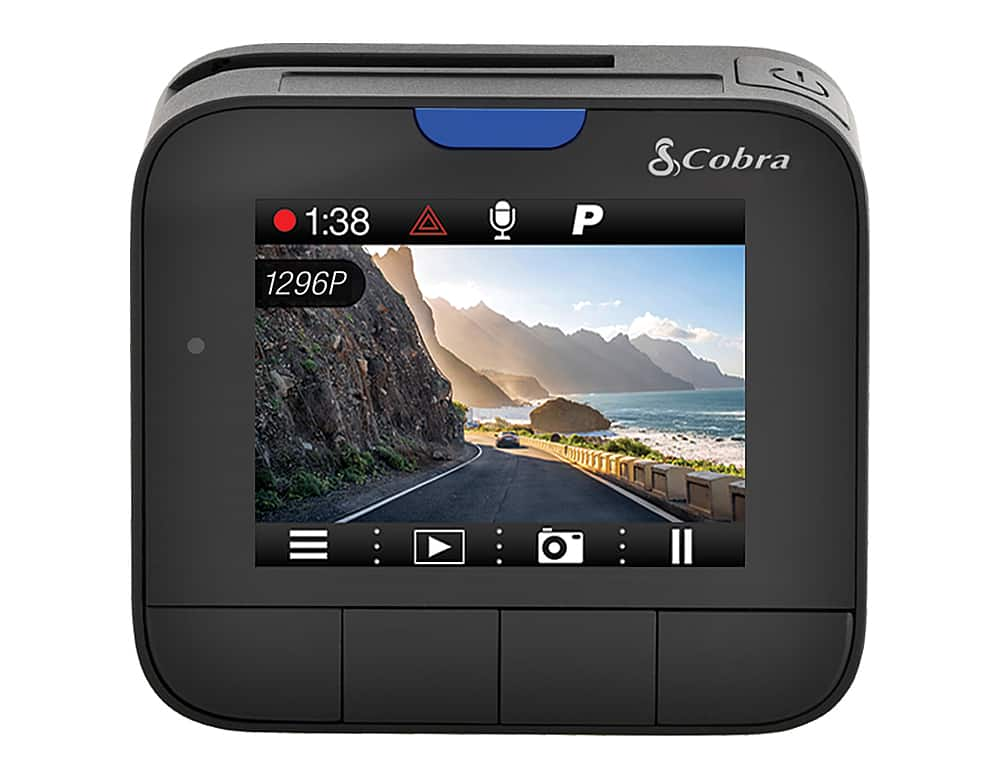
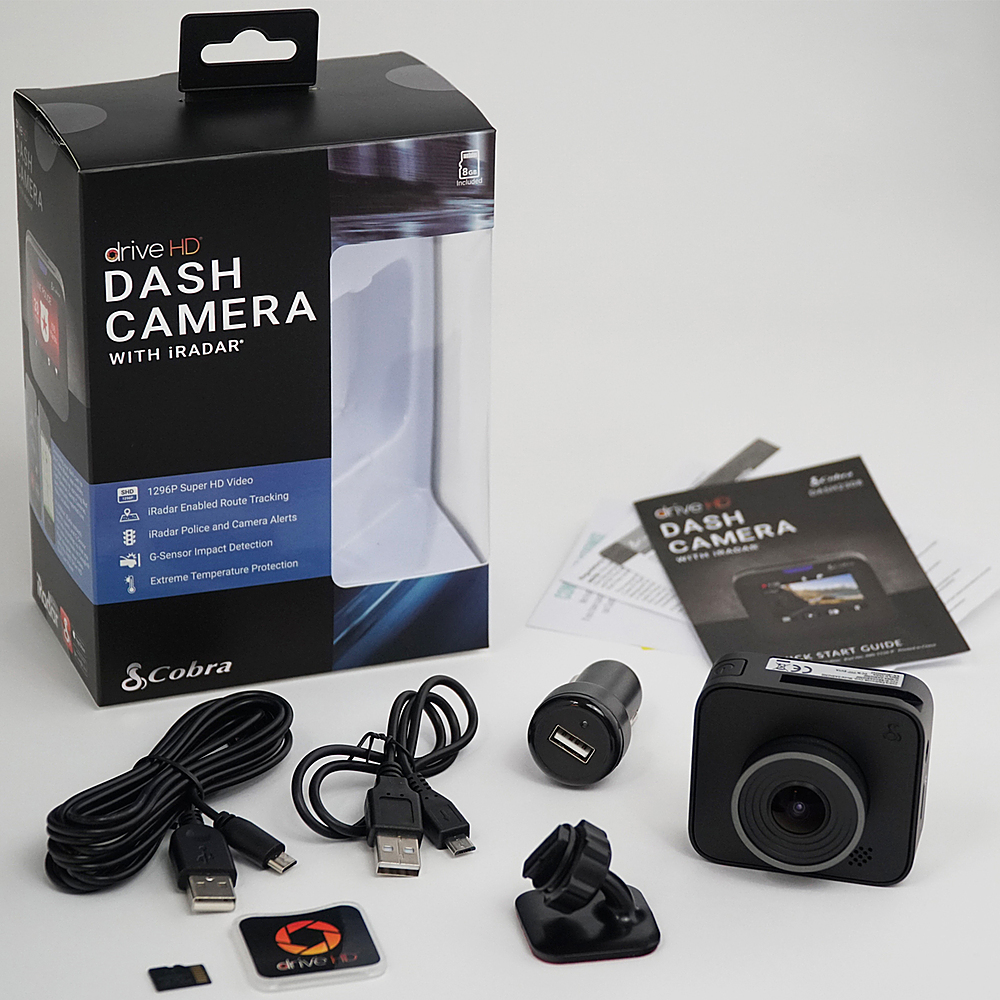
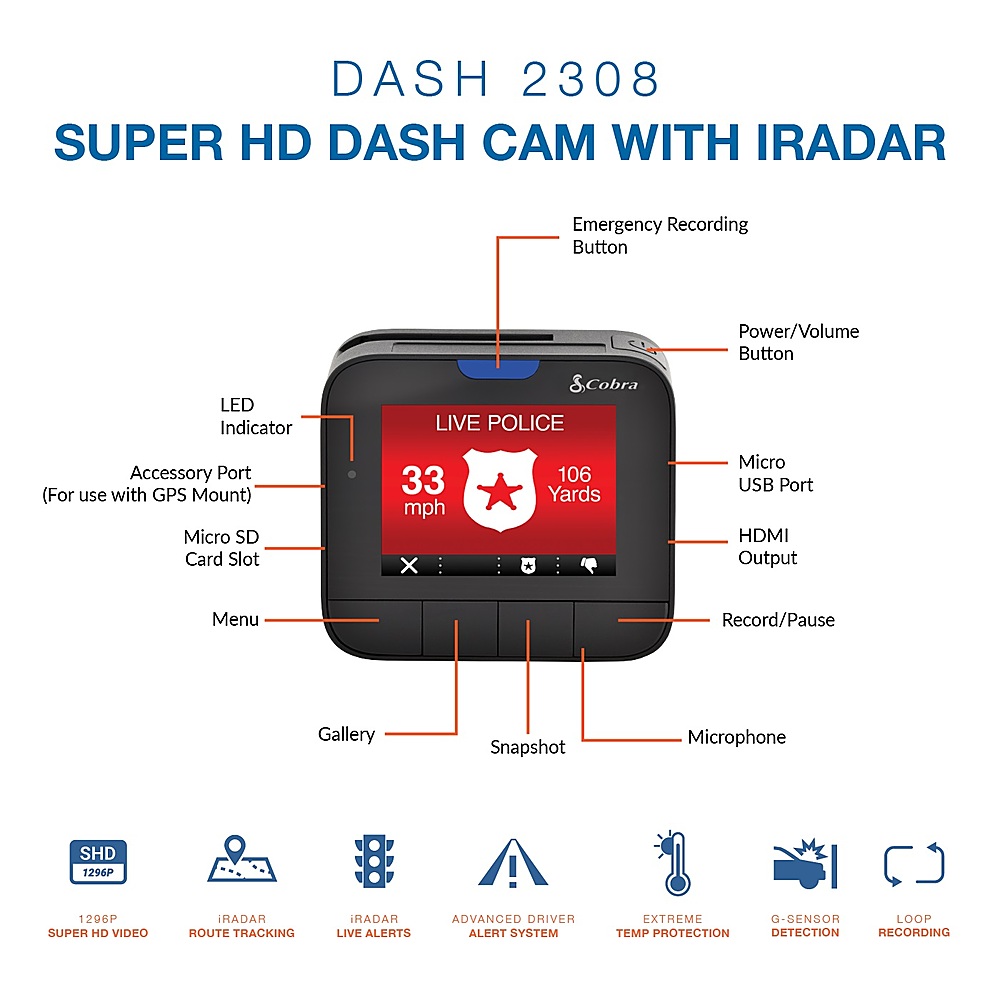
|Posted .This reviewer received promo considerations or sweepstakes entry for writing a review.Cobra HD Drive Dash Cam The Cobra HD Drive Dash Cam with iRadar is Cobra's new dash cam line for 2019... an upgrade from their previous dash cams without iRadar (which does not supply user with GPS data). The package includes the dash cam, 32GB microSD card, adhesive windshield mount, 12V vehicle power adapter, 10' microUSB cable, 1.5' microUSB cable, and quick setup. The dash cam comes with a one-year warranty on parts/labor. PROS: ----------- * Casing is small, light, and easy to mount. The ball/joint keeps the angle you want easily. * Easy to remove camera while mount remains in place. Camera slides off rubber/plastic arm on mount so you can place in glove box or out of sight. * GPS is available which shows speed and location on digital map using the downloadable Drive HD Dash Cam Player. G-force is also shown using this program with 1 being the lowest level and 3 being the highest (most impact to the vehicle that would trigger a locked video). See more on GPS limitations in the "Cons" section. * Due to the lens curvature and wide angle (160-degrees), the video does look a bit round which is to be expected for that angle, but at 1296p/30fps, the clarity is pretty good. * There is not a touch screen but the 4 buttons on the bottom of the unit are well-placed with a menu that's easy to select items for. Most of this is only done once anyway during setup. * Like most cameras it has loop recording and is built to beat the heat. The camera does have a sensor which will detect different G-force levels and make those videos un-eraseable until they need to be erased by the user. You can also create an emergency "locked" video by hitting the blue button on the top of the unit. This video can only be erased manually by the user as well. The button is easy to press and in a good location on the backside of the camera. CONS: ----------- * There is no battery backup built-in for short-term parked recording. One must hardwire to another aftermarket module (wired to car's power source) to continue recording for specified time after vehicle is turned off unless a USB power pack is used (see 1st item in "Other Observations" section). * GPS is available; HOWEVER, it is only available if the camera is bluetoothed to your phone AND your iRadar app is running. NOTE: The unit DOES have a GPS 3.5mm jack on the side; however, on Cobra's website, it does not state that the GPS module by Cobra is compatible with this dash cam. So what GPS unit IS compatible if there is a plug for one? Also, if that same GPS module DOES work with this dash cam, it has its own suction cup mount that must be used. This is a seriously flawed design. The GPS unit should be able to be simply mounted (magnetically connected) to the dash cam. * My biggest gripe, even if GPS is used via iRadar app? The speed is NOT shown on the actual video when GPS is active. This is a huge flaw that hopefully a software update will address. The GPS info is embedded digitally in the .MOV file but can only be seen using the Cobra program (Drive HD Dash Cam Player) installed on your PC. Latitude/Longitude IS shown on the screen, but for most users, that will not likely be very useful. Seeing the mph on the video itself may be needed for insurance cases or other incidents. * Many cars have only 1 DC outlet in their car in the same convenient location. It would be nice if the DC outlet provided 2 USB outputs instead of 1 so the dash cam and one other item could be plugged in at a time. With this setup, only 1 USB device can use the cigarette lighter DC module. * iRadar app must be turned off completely or it will continuously run in the background, and run down your phone battery. So the user has to turn it on before driving and turn it off after driving. That's not a very user-friendly process. * iRadar app IMO is useless other than gathering GPS data for the camera. There are already more popular GPS/cop-tracking/traffic apps out there (Google Maps, Waze, etc) with more users which better your chances of getting real-time data when you need it. iRadar doesn't even give speed limits to side streets nor does it give traffic patterns to those side streets - only major roads or interstates. I'm not seeing a true benefit of this app other than GPS availability for the dash cam. OTHER OBSERVATIONS: ----------------------------------- * An option to maintain power after the car is shut off: Put a charged USB battery pack in-line to the DC power source that is triggered "ON". When the car is running, the battery will charge. When the car is off, the battery will keep the camera on until all power is depleted. In this instance, the battery may need to be removed if it cannot be charged thoroughly while driving. Eventually, the car being parked will drain it enough and die over time. This is probably not ideal or even worth doing, but still an option. * The Drive HD Dash Cam Player program (PC) is set up nicely and even has limited editing options - mainly cut function or remove audio/video. There are no available transitions between video clips and the interface can be a little tedious at times. Multiple projects can be open at a time via tabs at the top of the window (nice feature). Only GPS data can be seen using this program. Lat/Long is shown on-screen, but proves to be pretty useless. * The DC (cigarette lighter) module has a USB port which can be used for other items if the dash cam is not being used. * The site lists this product with an 8GB microSD card, but I got a 32GB microSD card in my box. CONCLUSION: =================== The biggest issue with this dash cam is the fact that the speed is not shown on the video. I'm hopeful that that feature will change. Cobra also needs to make clear what GPS unit can hook up to this dash cam. The input is there but no GPS accessory stating compatibility with this dash cam exists on their website. This forces the user to turn on iRadar each and every time they drive if they want GPS data. You can leave the app running in the background; however, your battery won't last all day doing this. If you decide to get this dash cam for your kid, keeping mind that they will have to turn on the iRadar app every time they use the car - if you want GPS data, that is. I'm assuming a GPS unit is not available though. If Cobra HD Dash Cam Player is used to make composite videos of multiple clips, the final video product isn't too bad. With a few tweaks, this dash cam could really be something special. Unfortunately, it comes up a bit short with convenience and video overlay items (mph specifically). PICTURES ATTACHED: 1. Contents of the box 2. all 4 sides 3. front/back 4. the sticky mount 5. HD Dash Cam Player with GPS info (screenshot if iRadar is used) 6. HD Dash Cam Player WITHOUT GPS info (if iRadar is not turned on during drive)
No, I would not recommend this to a friend - Pros mentioned:Sd card, Video quality
Features?????
|Posted .This reviewer received promo considerations or sweepstakes entry for writing a review.This is my first dash cam so good instructions on how to operate the features would have been nice, but Cobra is lacking in that dept. After downloading the iRadar app I had to go the settings (physical button on bottom of cam) to connect the device. The instructions tells you in diagram to get the RED iRadar app but after that your on your own. Now it’s not hard to figure out but if your a first timer with a dash cams it probably will take a little extra effort, this is my biggest gripe. On a positive note from what I can tell? You just hit the record button and forget for continuous recording and it records automatically when you turn the car on, picture quality is good. Things get iffy when iRadar is concern because I did not get any alerts regarding radar but I honestly don’t know how it works since there are no instruction on it so that is a real bummer. Other good thing is that it comes with a 32 gig SD card and physical set up is straight forward. As far as a basic dash cam, it seems like a good product but radar feature may be more a gimmick (the feature I really wanted) so a little disappointed in this product. Video of quality here: https://www.youtube.com/watch?v=_7CPRY5Sdqs&feature=youtu.be THE GOOD: Clear video Small form factor Come with 32 gig SD Card THE BAD: Poor instructions Tiny LCD screen Not really sure if I set up iRadar right or not?
No, I would not recommend this to a friend - Pros mentioned:Size
OK but could be better
|Posted .This reviewer received promo considerations or sweepstakes entry for writing a review.Pretty decent dash cam however it could be a bit better. Being that this is from Cobra, having an integrated radar detector built in would be a fantastic idea. The size is near perfect. It's very small and lightweight. I previously used a Rexing dash cam which is very good albeit a tad bulky looking. This Cobra unit is small and is very discreet. Using the supplied 3M tape, I don't see any issues with this dash cam falling off. The screen is almost useless as it's so small. In my F150, it's tucked behind my rear view mirror so having the LCD screen is useless for me. All it does for me is let me know it's on and that's about it. The buttons and menu are quite good. There aren't too many settings to configure however the buttons work fine and is quite intuitive. Seeing the screen is so small, having it be a touch screen would've made it near useless. As for the "radar" detector bit, that's kind of available with this unit but only if you purchase a subscription. With it, you can get notices of speed traps, cameras and such which is always beneficial. Without the subscription, it's just a normal dash cam. Assuming you don't get the subscription, this is simply an overpriced dash cam. If you wanted a dash cam, you can get one for far cheaper than this unit. If this thing had integrated radar detector built in or the subscription prices were a bit more reasonable, then this would be a great pickup. As a dash cam, it's better to pickup another lower priced unit for the same, if not better, features and form.
No, I would not recommend this to a friend Unpack, mount, power up, and drive off
|Posted .This reviewer received promo considerations or sweepstakes entry for writing a review.The Drive HD Dash Cam with iRadar by Cobra has been one of the easiest pieces of technology I have had the opportunity to work with. From unpacking the Drive HD Dash Cam and the miscellaneous items to mounting and powering on the unit, all of this process was SUPER easy. No special configuration, no need to remember to turn the camera on, just turn your car on and drive off. The Drive HD Dash Cam can provide video footage at a resolution of 1296P and screen captures of the same resolution by pressing the "Snapshot" button. A built in microphone so that you can record both the audio and video of your drive. When the camera is recording, it does so in loops. So instead of having the device simply stop recording, it will auto wipe old video data and continue recording for as long as the camera has power. One of the best features of the Drive HD Dash Cam is the on board G-Sensor, which in the event that the camera detects a minor or major bump, the camera automatically goes into Emergency Recording. This is the same type of recording that you get when you press the small blue button at the top of the camera. This will make it easier to locate the video file when you are able to connect the camera to a computer using the built in microUSB port (which serves as the power outlet when in use in your vehicle). Overall, a great product with a bit of a lacking companion app, but the Drive HD Dash Cam with iRadar by Cobra gets the job done without any specialized fuss.
I would recommend this to a friendGood but could be easier...
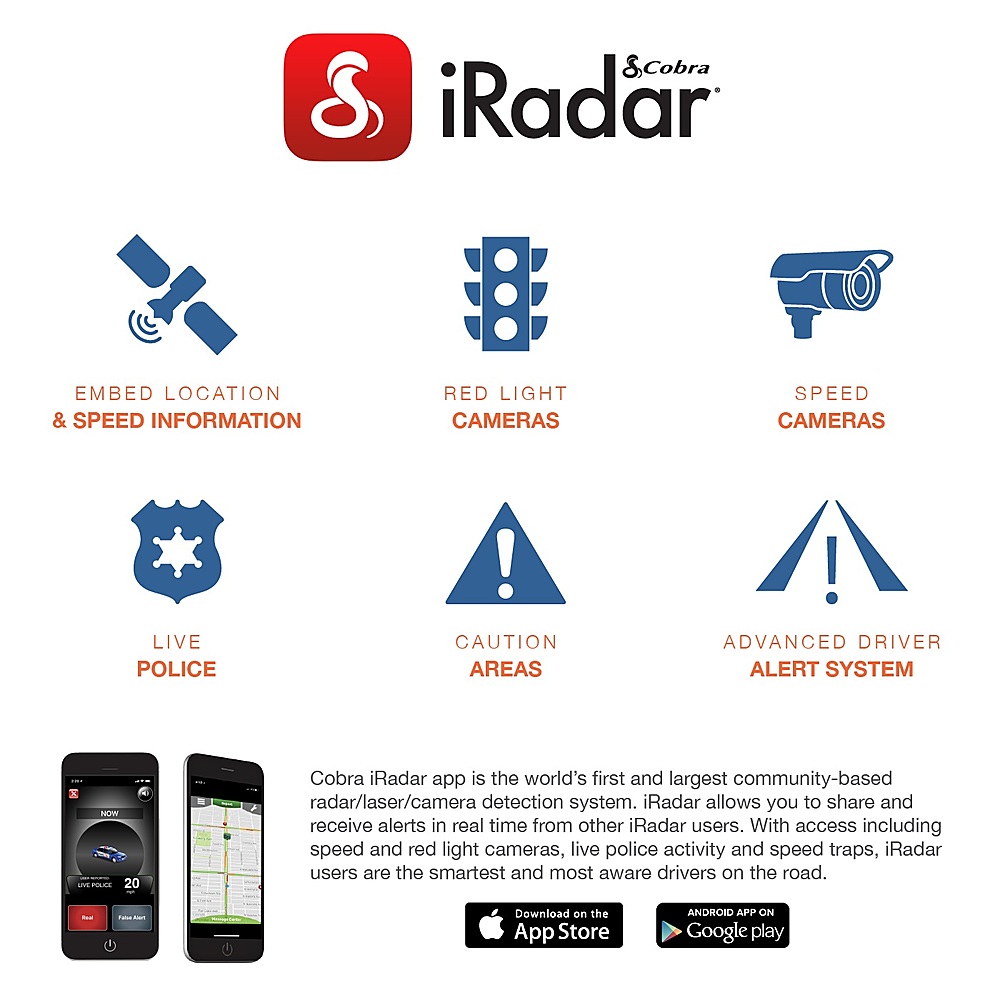
|Posted .This reviewer received promo considerations or sweepstakes entry for writing a review.First, I wish vehicle manufactures would make it easier to get power to window mounted devices. It took years for them to get USB power ports in vehicles, why not a 5V power port by the mirror (USB C please). The Drive HD Dash 2308 provides some great features. Installing it obviously depends on your vehicle, I have a new 2019 Mazda CX-5, with the full electronics package, I mention this because the bump behind the mirror holds more and more electronics in newer vehicles, I'd originally planned to mount this dash cam to the windshield beyond the window electronics package, but there it was too much in my field of view, distracting. So I mounted it to the electronics package, avoiding the ventilation. The ball mount just barely made this possible, an inch lower and the ball joint prevented articulation. Now getting power to it, with the included 12' cable required running the cable across the top of window, down the left edge of the window, past the fuse box (another good place for a USB port), back around the steering wheel to get to the cigarette lighter outlet, with 6" to spare. There must be a better way! But with it installed I moved forward. The iRadar app was easy enought to install and pair (BT) with the dash cam. The app is divided in to 2 sections, a GPS map view and a dashboard view (looks like a dashbaord speedometer which also shows compass and the speed limit). I found the speed was quite accurate, lagging by a few seconds, but the speed limit was only displayed on larger streets, many smaller streets with a 25-35 limit were not shown (My car's GPS did show them). The GPS view will track the car on a map if you've hit the locate button in the lower left corner, when the compass is displayed you can drive right off the map. The map has pretty good detail, including the shape of buildings (quite helpful when driving around strip centers). The app pairs with the dashcam via bluetooth. and with the GPS on your (modern phone) is can record the "bread crumbs" of your route, very accurately so you can review your travels including direction and speed of travel, and exact path. When you approach red light cams they are displayed on the map, you have to look for them, unless you enable the devices alerting, which will verbally notify you of there approach (about 1/4 of a mile in advance). This is a really nice feature, it can also warn you of spotted police, photo enforcement, caution areas and traffic jams. These require a subscription (device comes with a 1 year subscription), I've not used it long enough to see how useful this is, but it seems like a good idea. I believe all devices report back info to iRadar HQ, and then as you move into an affected area the device can notify you of an area of interest that's been reported by others. The quality of the image in 1080P and 1296P are both exceptional; their PC based app allows you to assemble multiple trip segments (you choose the segment length 3m, 5m & 10m) I suggest using 3min as it faster to load and review. The app allow you to zoom in on details, at 1080P you can see license details at about 20', after that they are pixelated, at 1296P you can zoom to about 30' and make out license details. In daylight both images are excellent, at night the image quality drops off significantly. Unless your in a brightly lighted areas, picking up the detail beyond 20' or so was just so-so. Here's my issue, to review any video, you can look at it on the 2" screen (not very useful, except to verify you've caught an activity). But to do anything else with it you have to connect the camera to your PC or remove the tiny card (mine came with a first rate, high speed, 32Gb SanDisk micro SD card). I don't suggest popping the card in and out too often, as this is the most likely way to damage the card. The dash cam comes with a short (18") cable to use with your PC. I wish there were a way to move video's from the dash cam to your phone, this WOULD SIMPLIFY so many activities. Phones today are pretty powerful devices. Is suspect this would require a point to point wi-fi connection, rather than bluetooth. But I've had smart cameras that could do this for years (5+yrs or so). This is big disappointment; the dash cam would be so much more useful if it's contents could be accessed from your smart phone. That being said, the frequency that I'll look at my dash cam footage is pretty infrequently. But still I'd really rather review what's been captured on my phone rather than on the devices 2" screen. All things considered, the quality of the moving images captured is quite good, I recall the first 640x480 dash cams with pixelated everything, blurry motion. This is SO much better (in good lighting). The GPS tracking tied to the video is pretty cool, in a kind of creepy way (I'd not want to turn over the info if I was pulled over and at fault - and it's accurate, from what saw). Their video editing app is pretty good (wish it was available from my phone), it ties the information together very nicely. All told it's very good at what it does, I really wish it could be easily powered from an electronic mirror with what's included in the box.
I would recommend this to a friend- Pros mentioned:Sd card
Disappointed
|Posted .This reviewer received promo considerations or sweepstakes entry for writing a review.This is comparable to Anker or Aukey dash cam that cost less than $100. I expect Cobra to have better image and video quality but I am disappointed. It does not capture license plate number clearly. When connected to cell phone running iRadar app via bluetooth, it gets the GPS location from the phone and embeds it to the video and picture. Lane Departure and Forward Collision Warnings is not very useful, I get false positive on lane departure every time. As for Forward Collision Warnings, it will be too late to stop the car when it goes off. Note it is not necessary to use the dash cam with the iRadar app, it can work by itself. Connect to iRadar app suppose to give you speed trap or other warning but I never get those. You are better off with Waze. It is very nice they include a 32GB Sandisk Ultra high endurance micro SD card but I wish also include a suction cup mount.
No, I would not recommend this to a friend Super high quality HD video recording
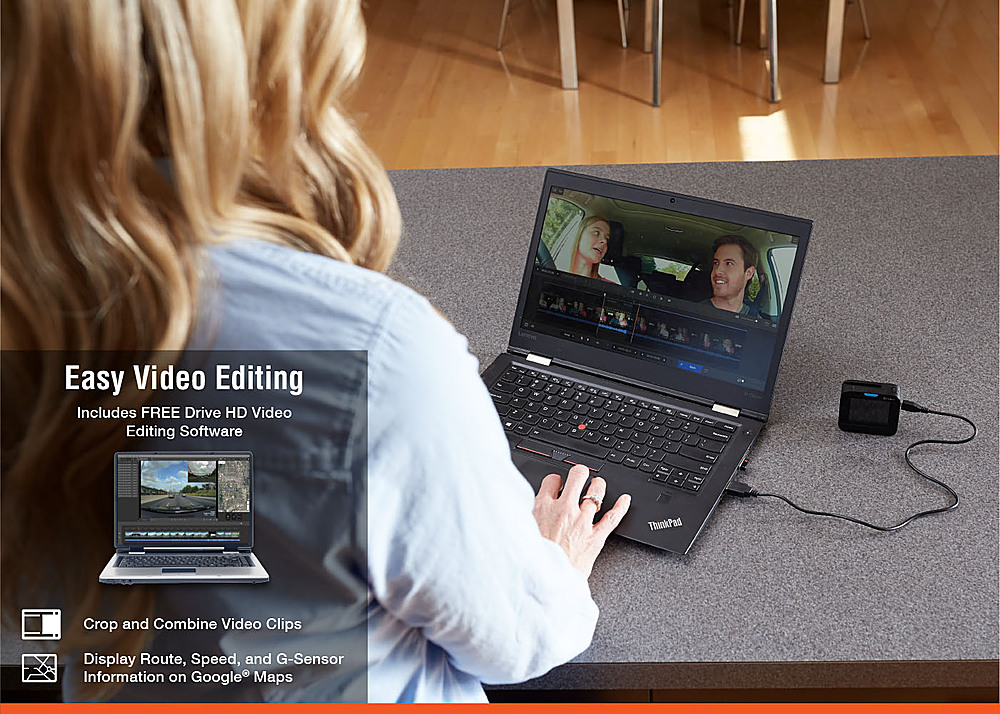
|Posted .This reviewer received promo considerations or sweepstakes entry for writing a review.This Cobra Drive HD is the second dashcams I have owned, and I am very impressed with the extremely high video quality. Day time recording the images are sharp and clear. With moderate street light, the nighttime recording is excellent; on the videos, license plates can be read. Both daylight and nighttime recording, the Drive HD captures all the details. The installation and operation are effortless. The USB cord to power the cam is long enough to be run through under the dashboard, the side door and up of the between the windshield car ceiling. The kit does not include a suction base, so the dash cam is meant to be attached permanently to the windshield. It is very lightweight and made of durable plastic. I live in Florida, so I am glad the product is extreme temperature protected. The kit includes a microSDHC card, and the camera can use a Micro SD card with up to 64 GB of memory. If you are in an accident, you will be glad to have recorded high-quality images/videos to use as evidence. The recording can also be useful to file a claim with your insurance company. Another great feature that I use with this product is the iRadar mobile app. The app is handy to provide real-time alert information from other iRadar users. I get alerts such as red-light cameras, speed cameras, and police locations. The computer software, Drive HD Dash Cam Player, is easy to view and edit recorded footage. I was able to combine daytime and nighttime clips into one full video. Also, with the Player, I can easily find stored clips on the card, get GPS location, and display route on Google Maps. Overall, I am satisfied with the Drive HD Dash cam. If in an accident, an excellent recorded video will be valuable. When counting the cost and benefits, this product could save you a lot of money with an insurance claim. I highly recommend it!
I would recommend this to a friend- Pros mentioned:Ease of use, Video quality
Pc of mind for the drive.
||Posted . Owned for 3 weeks when reviewed.This reviewer received promo considerations or sweepstakes entry for writing a review.This item is easy to use and the picture/video has great clarity. My only issue with this purchase is the mount. II drive a Jeep wrangler and no matter where I attempt to mount it, the base does not rotate enough to provide a good angle of view. I will be searching for a different base to mount it properly in my Jeep.
I would recommend this to a friend - Pros mentioned:Size, Video quality
Great video cam
||Posted . Owned for 1 month when reviewed.This reviewer received promo considerations or sweepstakes entry for writing a review.Works well with a good picture. Large enough to record and function well but small enough to not be a distraction while driving.
I would recommend this to a friend - Pros mentioned:Ease of use, Video quality
Great and easy to use dash cam!
||Posted .This reviewer received promo considerations or sweepstakes entry for writing a review.This is a great camera for the price! The video quality is great and so is the picture quality. Easy to use and set up.
I would recommend this to a friend - Pros mentioned:Ease of use
Great dashcam for beginners
||Posted . Owned for 3 weeks when reviewed.This reviewer received promo considerations or sweepstakes entry for writing a review.Received this as a Christmas present and was able to install it immediately. The worst part is finding a tool to help install the power cord within the windshield groove. Powered up and started recording when the car started. Just two items: 1) Documentation could be better, instead of referencing to a website. 2) A dual USB power plug could be provided so the camera doesn't hog the power spot. Other than that, I like it and can recommend it.
I would recommend this to a friend - Pros mentioned:Video quality
Good camera so far.
||Posted . Owned for 3 weeks when reviewed.This reviewer received promo considerations or sweepstakes entry for writing a review.Picture quality is good as expected. I have had Cobra cameras in the past, and they show license plates better than other cameras. No, it isn't perfect. But, it's very good for the price. I bought a camera for 2.5 times the cost, and you can make out licence plates. So, I can recommend this camera. It's a good value.
I would recommend this to a friend - Pros mentioned:Size, Video quality
Excellent camera
||Posted . Owned for 3 weeks when reviewed.This reviewer received promo considerations or sweepstakes entry for writing a review.This camera works fine. I like the fact that it is rather small and does not occupy a lot of real estate in my windshield yet takes great pictures and film footage. I highly recommend this to anyone looking for a dashcam.
I would recommend this to a friend - Pros mentioned:Sd card, Size, Video quality
Decent dash cam
|Posted .This reviewer received promo considerations or sweepstakes entry for writing a review.The Cobra HD Dashcam with iRadar is one of Cobra’s latest offerings in the dash cam space. After road testing it for week, here are my thoughts. The Cobra HD Dashcam is one of the smaller dash cams around and is a plus for me. The roughly 2” is fairly sufficient for my needs. The kit comes with a low profile windshield mount which uses 3M double tape. But personally, I’d prefer mounts using suction cups. Cobra is supposed to sell the mounts but it seems to be made for radar detectors. Other items in the box include a 10-ft usb cord for power, an 18” cord for file transfers, an auto power supply and some quick start guides. The unit itself is unobtrusive and has the basic functions and features one would find in most dash cams. On the left side would be a connector for the optional gps module and a micro-sd card slot. And while the description says it comes with an 8GB card, mine (as well as others’) came in with a 32GB sd card which is a plus. And like the other dash cams out there, video is looped and the 32GB gives you a long history of your drive. On the right hand side, you have the micro usb port and a mini hdmi port. (I wasn’t able to test the mini hdmi port as of this writing as I have seemed to lose my only mini hdmi cable.) The unit does not have a touch screen, but it has four tactile buttons for the menu screen. Also, there is an “emergency” camera button on the center top of the unit. This buttons allows you to record video in protected mode, meaning once the video recordings loop, that particular video will not be erased. And on the top right of the unit, there is a power on/off switch which also asks as a volume button. Like all modern dash cams, it has a G-sensor so that video starts recording when you move the car and also enables your unit to record in “emergency” or “impact” mode in case of collision. The level of sensitivity of the G-sensor can be adjusted in the menu. Aside from that, this model has a collision mode and a lane change mode. While for the most part the collision mode may be annoying and not really needed for my driving habits because it constantly beeps if there is anything near in front of you, I still see value in it as it can be helpful in poor visibility conditions or if you are just tired. The lane change mode I still have to see it actually work. I was not able to get any alert during my initial week of using it. As for the video mode, all settings from the 1296p Super HD mode to 720p at 30fps, proved to be very good and clear. I also have tried it at night and clarity was acceptable. What I like about the dash cam is the 160 degree viewing mode. Most cheaper dash cams have a viewing angle of 110-120 degrees. Personally, I have set mine at 720p at 30fps as the video quality is sufficient enough for insurance purposes in case of collision. And I can have more videos recorded before the loop starts. After all I am not recording video for showing in a huge 4K TV. But it’s a nice touch if you have that feature. Cobra by the way has included a PC app for video editing. It is simply a basic editing tool and if you have another editing tool, you can dispense with this as the videos recorded are in MOV format. The features of this dash cam which makes it different form other dash cams are the ability to add in a GPS module and the iRadar app. I am not particularly impressed with the iRadar app ad GPS module as both require a smartphone to function. First of all the iRadar app for this dash cam only provides a map when used together with your smart phone. In order to enable navigation, you have to purchase a separate GPS module. And all smart phones already have built-in map app. And the salient features of iRadar is the roadside alerts. The catch is that the alerts are crowdsourced from other iRadar users and the full features are not free. This is pretty much a hard sell for me because Waze can similarly do it for free plus it obviously have navigation features. That said, the Cobra Drive HD is still a good performer but I would have to remove a star for the limitations of the iRadar app. Nonetheless, I would still recommend this unit to others as this performs well as a dash cam in its price range.
I would recommend this to a friend - Pros mentioned:Size, Video quality
Very Clear Video
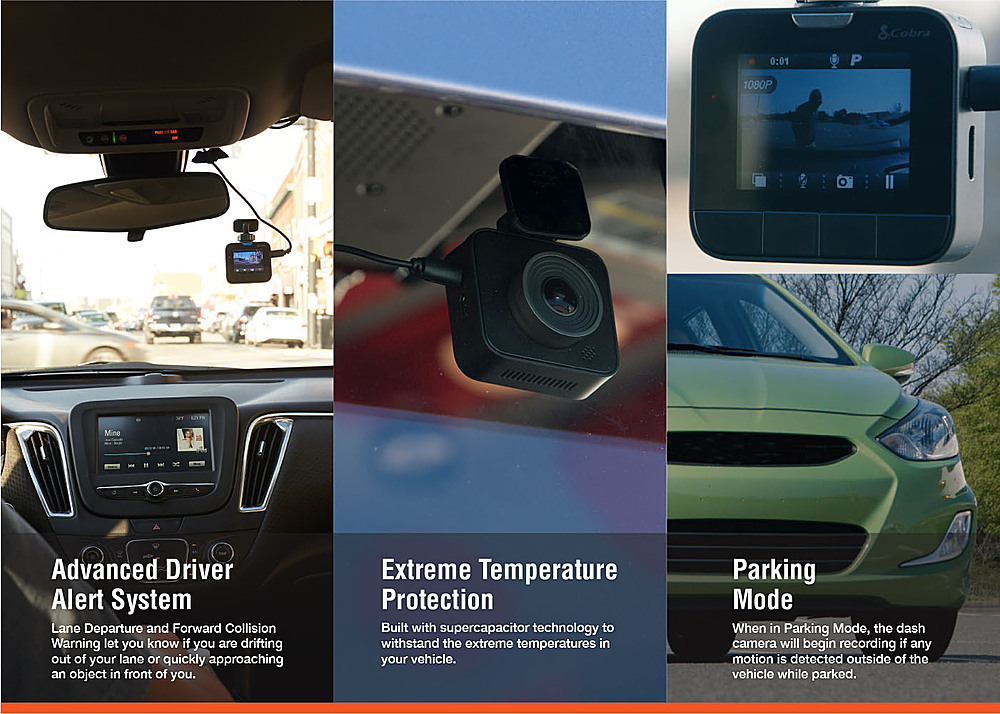
|Posted .This reviewer received promo considerations or sweepstakes entry for writing a review.I had a previous dash cam and this one has a much sharper picture with a 160 degree shooting angle and 1296p recording as opposed to my previous one that recorded at 1080p. I like that it's a lot smaller in size sitting on the windshield than my last one and the fact that it uses a 3M adhesive on the mount rather than a suction cup that always fell off on a very hot day when the glass got too hot as well as thermal protection for the unit itself. This dash cam slides off the mount if I want to take it with me leaving the mount in place on the glass. I thought I would just be able to remove the old dash cam leaving the wiring but unfortunately this one connects using a micro-USB connector whereas the old one used a mini-USB. This one, the Cobra Drive HD didn't come with a tool for helping to run the wire around the windshield and door jamb like the last one did so I dug up the old tool and in just about 5 minutes, I rewired the cable. It was very easy. This Cobra Drive HD Dash Cam came with a microSD card as well as a cable to connect the unit to a computer and offload the video without having to use a separate card reader. There is also an HDMI jack for connecting the unit to a monitor or TV if you need to view the video on a larger screen. There is a button to take a screen shot and a button to turn the microphone on and off. They offer the iRadar app for iOS and Android that has a map, a speedometer and if I decide to subscribe to the iRadar community for $49/yr or $4.99/month the app will give me real-time alerts such as police or accidents as reported by other iRadar users. There is a parking mode that will start the dash cam recording if it detects motion which I didn't realize until I started to play back the videos. There is a button to do emergency recordings that will remain even when the other videos delete themselves when the SD card fills up. There is a feature called G-Sensor Detection that will detect a collision and start recording as well as lane departure warning if you drift out of the lane. I played back a video that it shot at night and I noticed that green traffic lights looked blue, which is no big deal but when I drove down very dark residential streets, I could only see street lights and windows that were illuminated. Most of the houses and cars on the street were way to dark to see any detail so I'm taking off 1 star for that. For a device this small, it packs a lot of features into it making it a great choice.
I would recommend this to a friend - Pros mentioned:Radar
great camera
||Posted . Owned for 1 month when reviewed.This reviewer received promo considerations or sweepstakes entry for writing a review.Has radar detection, alerts me when I get too close to the next lane. Has a wide angle and captures a lot. Great for the price
I would recommend this to a friend - Pros mentioned:Radar, Video quality
Love it
||Posted . Owned for 1 month when reviewed.This reviewer received promo considerations or sweepstakes entry for writing a review.Works great, the the quality of the hd picture looks great and same goes for the radar on my iPhone...
I would recommend this to a friend - Pros mentioned:Ease of use, Video quality
Great camera for the road
||Posted . Owned for 3 weeks when reviewed.This reviewer received promo considerations or sweepstakes entry for writing a review.Very clear video. Easy to use and set up. Recommend setting up app on the phone but only using the free features.
I would recommend this to a friend - Pros mentioned:Video quality
Great camara and not just for beginner's..
||Posted . Owned for 3 weeks when reviewed.This reviewer received promo considerations or sweepstakes entry for writing a review.I was cruising downtown when my dash cam spoke to me and told me that I was approaching a red light camera..That was a surprise I thought that they were deemed illegal in Miami..I'm glad a had it because I was approaching an intersection and the light had just turned yellow and I had enough time to stop, not so much for the guy driving next to me. he went thru it and i'm sure he is going o get a special letter from the city of Doral..
I would recommend this to a friend - Pros mentioned:Radar
Good dash cam
||Posted . Owned for 1 week when reviewed.This reviewer received promo considerations or sweepstakes entry for writing a review.So far the time that I have owned it for the money is a good dash camera and radar you just need to buy subscription
I would recommend this to a friend