Customer Ratings & Reviews

- Model:
- CT-9010001-WW
- SKU:
- 6318342
Rating by feature
- Value
Rating 4.7 out of 5 stars
- Quality
Rating 4.8 out of 5 stars
- Ease of Use
Rating 4.8 out of 5 stars
Customers are saying
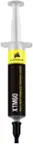
Customers consistently note the TM30 Performance Thermal Paste for its good performance, ease of use, and effectiveness as a thermal paste. Many appreciate its cooling capabilities and reasonable price. However, some users have mentioned concerns about its consistency, while a few have noted a reduction in noise levels after application.
This summary was generated by AI based on customer reviews.
- Pros mentioned:Cooling, Performance
Does everything it needs to do
||Posted . Owned for 1 month when reviewed.This reviewer received promo considerations or sweepstakes entry for writing a review.Keeps my CPU nice and cool in combination with a good AIO.
I would recommend this to a friend - Pros mentioned:Ease of use, Performance, Price
Good thermal paste
||Posted . Owned for 1 month when reviewed.This reviewer received promo considerations or sweepstakes entry for writing a review.Cheapest cpu thermal paste I could find and it works just as well as the more expensive types. I was able to paste 2 CPUs with this tube. No problems applying and for normal use it works just fine.
I would recommend this to a friend - Pros mentioned:Cooling, Performance
Great goop!
||Posted . Owned for 1 month when reviewed.This reviewer received promo considerations or sweepstakes entry for writing a review.Cooled my chipset off right quick after a quick and safe cleaning of the old goop! 10/10 would goop again
I would recommend this to a friend - Pros mentioned:Performance, Thermal paste
Good product
||Posted . Owned for 3 weeks when reviewed.This reviewer received promo considerations or sweepstakes entry for writing a review.Great thermal paste. Does it's job good and good price point.
I would recommend this to a friend - Pros mentioned:Performance, Thermal paste
Budget-friendly, Quality Impressive
||Posted . Owned for 3 weeks when reviewed.This reviewer received promo considerations or sweepstakes entry for writing a review.The CORSAIR TM30 thermal paste is a great budget-friendly option that doesn't compromise on performance. Despite its low price, the quality is impressive — easy to apply, spreads well, and delivers reliable thermal conductivity. It's a solid choice for anyone looking to improve cooling without spending a lot. Great value for the money!
I would recommend this to a friend - Pros mentioned:Ease of use, Thermal paste
cool ur stuff
||Posted . Owned for 11 months when reviewed.This reviewer received promo considerations or sweepstakes entry for writing a review.its thermal paste not much to write other than that it provides good thermals and was pretty easy to apply
I would recommend this to a friend - Pros mentioned:Cooling, Ease of use, Performance
Thermal paste
||Posted . Owned for 2 weeks when reviewed.This reviewer received promo considerations or sweepstakes entry for writing a review.Always swear by Corsair. Very easy to use and helps keep my pc cool
I would recommend this to a friend - Pros mentioned:Thermal paste
Good performance
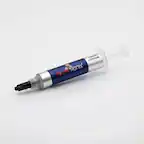
||Posted . Owned for 2 months when reviewed.This reviewer received promo considerations or sweepstakes entry for writing a review.Title: CORSAIR TM30 Performance Thermal Paste: Reliable Cooling Performance at an Affordable Price Rating: 4 out of 5 stars The CORSAIR TM30 Performance Thermal Paste is an excellent choice for anyone in need of a reliable and budget-friendly thermal solution. Designed to maximize cooling efficiency, this thermal paste offers a range of benefits that make it a worthwhile investment for PC enthusiasts and builders. Here's why I believe the CORSAIR TM30 is a solid option for your thermal management needs. One of the key advantages of the TM30 is its thermal conductivity. With an optimized formula, this thermal paste is efficient at transferring heat away from your CPU or GPU. It aids in maintaining low operating temperatures during demanding tasks, ensuring stable performance and protecting your valuable components from potential thermal damage. Applying the TM30 is a hassle-free experience. The paste comes in a well-designed syringe which allows for precise and controlled application, preventing any waste or messy spills. The consistency of the paste provides smooth coverage, ensuring proper contact between the heatsink and the processor surface for maximum heat transfer. Durability is another positive aspect of the TM30. Once applied, it remains efficient for an extended period, reducing the need for frequent reapplication. This reliability guarantees long-term cooling performance and eliminates the hassle of monitoring and replacing the thermal paste regularly. Additionally, the TM30 is non-conductive and non-toxic, meaning you can use it with peace of mind on a variety of surfaces without worrying about any short circuits or damage to your components. This versatility makes it suitable for various CPU and GPU setups, making it a versatile choice for users with different hardware configurations. While the CORSAIR TM30 excels in many areas, it's worth mentioning that there are other thermal pastes on the market with slightly higher thermal conductivity. However, considering its affordable price point, the TM30 offers great value for the performance it delivers, making it an ideal choice for those on a budget. In conclusion, the CORSAIR TM30 Performance Thermal Paste is a reliable and cost-effective solution that offers efficient thermal management for your PC. Its commendable thermal conductivity, user-friendly application process, long-lasting durability, and compatibility with different hardware setups make it an excellent choice for both novice and experienced builders. If you're looking for a dependable thermal paste that won't break the bank, the CORSAIR TM30 is definitely worth considering.
I would recommend this to a friend - Pros mentioned:Performance
Satisfactory
||Posted .This reviewer received promo considerations or sweepstakes entry for writing a review.I’m proud to say that my PlayStation 3 slim runs my old video games much smoother than it used to since I changed the thermal paste with this product. Now my system seems to run like it’s brand new. I’m wondering if the thermal paste was all I needed to add to keep the heatsinks from burning up the CPU. Before I applied the product, my heatsinks would over heat and the CPU would not respond to any of my commands which was very frustrating. I read online that this specific thermal paste may cause inconsistency in operations but I already applied the paste to my CPU and then reassembled the components before I chose to read the customer reviews. So far, no other complaints. 5/5.
I would recommend this to a friend - Pros mentioned:Cooling, Thermal paste
good paste
||Posted . Owned for 1 week when reviewed.This reviewer received promo considerations or sweepstakes entry for writing a review.The CORSAIR TM30 is a solid choice for PC builders and gamers looking for reliable thermal performance without breaking the bank. It features a low-viscosity zinc oxide formula that spreads easily and ensures optimal contact between your CPU/GPU and cooler. In real-world use, it delivers a noticeable improvement in temperatures compared to stock thermal compounds.
I would recommend this to a friend - Pros mentioned:Ease of use, Thermal paste
Good paste
||Posted . Owned for 1 month when reviewed.This reviewer received promo considerations or sweepstakes entry for writing a review.Easy to apply, good thermal control and no throttling
I would recommend this to a friend - Pros mentioned:Cooling, Ease of use, Price
Corsair Thermal paste
||Posted . Owned for 3 weeks when reviewed.This reviewer received promo considerations or sweepstakes entry for writing a review.I recently needed to buy some thermal paste as my HP Laptop was shutting down due to overheating. The paste is very reasonably priced and after opening the Laptop the paste was very easy to apply to the heatsink and my shutdown issue has been solved.
I would recommend this to a friend - Pros mentioned:Performance, Price
Great bang for the buck. Jet Engine PS4 no more!
||Posted . Owned for 1 month when reviewed.This reviewer received promo considerations or sweepstakes entry for writing a review.A friend of mine and I both have 8 year old 2nd gen fat PS4s that sound like jet engines. We’d never opened them up to clean them so I thought why not go a step further and add new thermal paste? Probably dried out by now! Boy was I correct. It was flaky and just clumps of gray clay. After cleaning and blowing everything off I added new thermal paste and they are not only much quieter while running AAA games like Modern Warfare, but they seem to run a little smoother as well. Not bad for a $10 tube that has enough thermal paste for 5-6 applications. I even took my 5 year old Dell netbook apart and applied some fresh to it. Couple of tips to help out first timers. You don’t need the fancy thermal paste removal kits that cost as much or more than the thermal paste itself. Just get you AT LEAST 70% isopropyl alcohol at Walmart for $1 (some people may say to use 90% but that’s not a must, just don’t use anything less than 70% as it will contain too much water). And make sure it’s completely dry before apply the new thermal paste! Get you a paper towel and a q tip and let the alcohol soak for a minute or so before you go scrubbing it off. And the most controversial item is the application of the new thermal paste. Some people say do a grain of rice size dab on the cpu, others say do an “X”, whatever it doesn’t matter. Put on some in the center of the chip and then put the heat sink in place. You can pull it off again to make sure the cpu is completely covered by thermal paste and if not apply a bit more. If you put on too much it won’t hurt anything! It’ll just look like crap but you’ll never see it again once you reassemble your PlayStation/PC/Xbox.
I would recommend this to a friend - Pros mentioned:Performance, Thermal paste
So far so good compared to Arctic Silver
||Posted . Owned for less than 1 week when reviewed.This reviewer received promo considerations or sweepstakes entry for writing a review.So far so good! I haven’t built a computer in years and when I went to use my thermal paste (Arctic silver, which I have always used), I realized it was probably degraded and I should use something new. Well of course this was on a weekend, so it would take longer than I wanted to wait for Amazon. I found this at Best Buy and so far so good. I wanted to try the Nvidia one honestly, but they were out. I compared the thermal conductivity temperature of the two items they had in stock local, and this one was 3degrees higher. So alas at the same price I bought this one. I will try this on my sons computer as it has been years since it’s been replaced, and I got him a new case for his computer. Pros - it’s a thermal paste as long as it does it’s job and runs the cpu cooler than the stock white stuff, what else can you ask for really? Cons - there wasn’t any type of directions and much less a little plastic spreader or any type of installation tools. Could be a little tough and confusing for newbies/first time users.
I would recommend this to a friend - Pros mentioned:Ease of use, Price, Thermal paste
Great thermal paste!
||Posted . Owned for 1 month when reviewed.This reviewer received promo considerations or sweepstakes entry for writing a review.This is not just a single use! There is enough to do around 5 CPU-sized thermal spaces. And since it's in the syringe, it won't dry out between uses. Very good to use, and a trusted brand. Affordable even if it was just a single use, but like I said: probably 5 uses at least!
I would recommend this to a friend - Pros mentioned:Ease of use, Performance
It Works
||Posted . Owned for more than 2 years when reviewed.This reviewer received promo considerations or sweepstakes entry for writing a review.Does what it needs to do. Easy to apply to CPU chip.
I would recommend this to a friend - Pros mentioned:Performance, Thermal paste
Thermal paste
||Posted . Owned for 1.5 years when reviewed.This reviewer received promo considerations or sweepstakes entry for writing a review.Works like it should, very good thermal paste.I recommend this brand
I would recommend this to a friend - Pros mentioned:Cooling, Performance
Great thermal paste
||Posted .This reviewer received promo considerations or sweepstakes entry for writing a review.This will keep your pc running smooth and cool for hours and hours of gaming.
I would recommend this to a friend - Pros mentioned:Ease of use, Thermal paste

Easy to use, effective product
|Posted . Owned for 8 months when reviewed.This reviewer received promo considerations or sweepstakes entry for writing a review.Easy application and excellent thermal conductivity, would recommend!
I would recommend this to a friend - Pros mentioned:Performance
Thermal paste
||Posted . Owned for 1 week when reviewed.This reviewer received promo considerations or sweepstakes entry for writing a review.Great product easy to apply and works instantly for my cpu
I would recommend this to a friend