Customer Ratings & Reviews

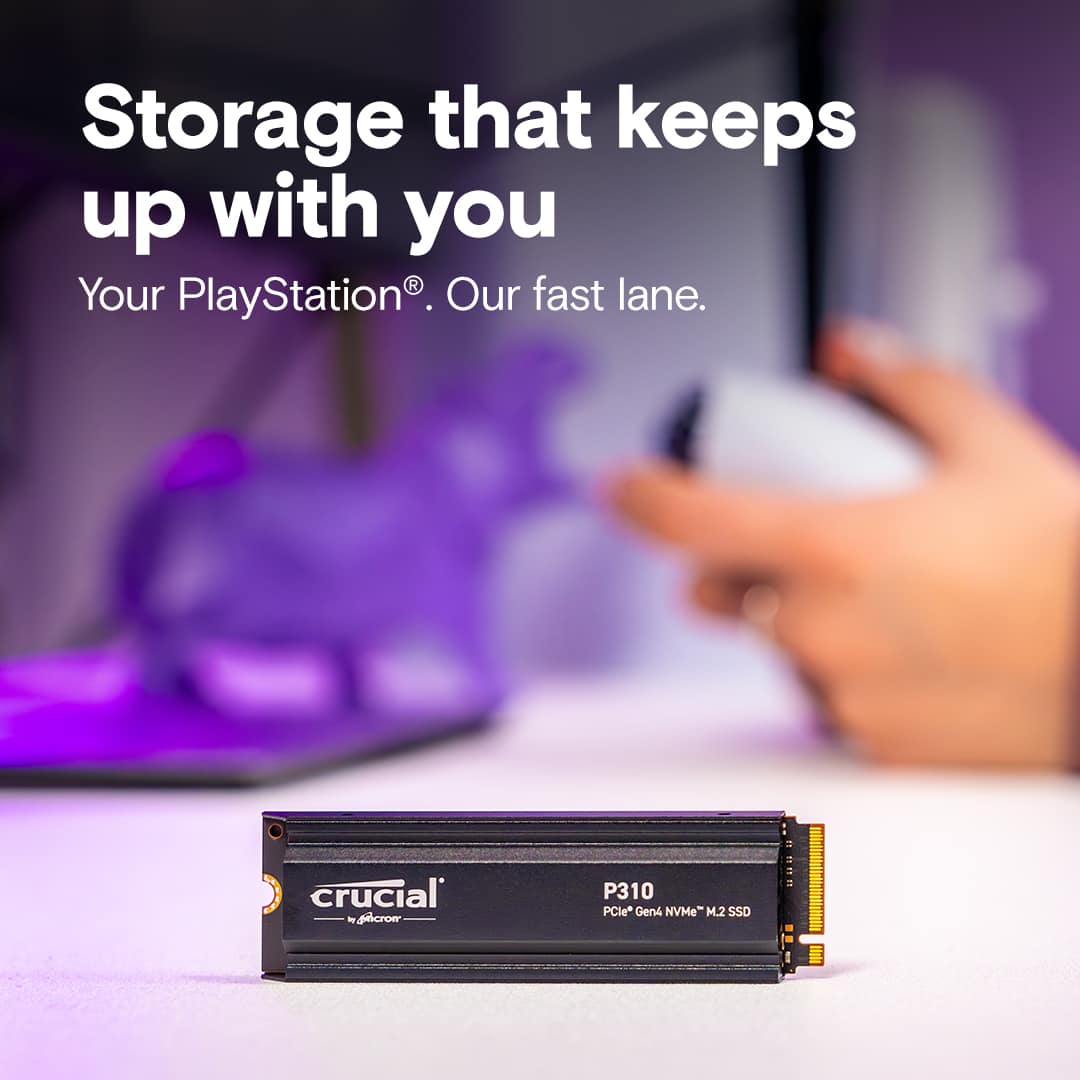
- Model:
- CT2000P310SSD5
- SKU:
- 6618321
Rating by feature
- Value
Rating 5.0 out of 5 stars
- Quality
Rating 5.0 out of 5 stars
- Ease of Use
Rating 5.0 out of 5 stars
Customers are saying
Customers regard the product's installation as simple, requiring minimal disassembly. They frequently praise its great read and write speeds, excellent storage capacity, and overall perfect performance. Additionally, the attached heatsink is noted for being snug and secure, providing effective overheating protection during long gaming sessions.
This summary was generated by AI based on customer reviews.
- Pros mentioned:Heatsink, Installation, Overall performance

Zero Complaints About More PS5 Storage!
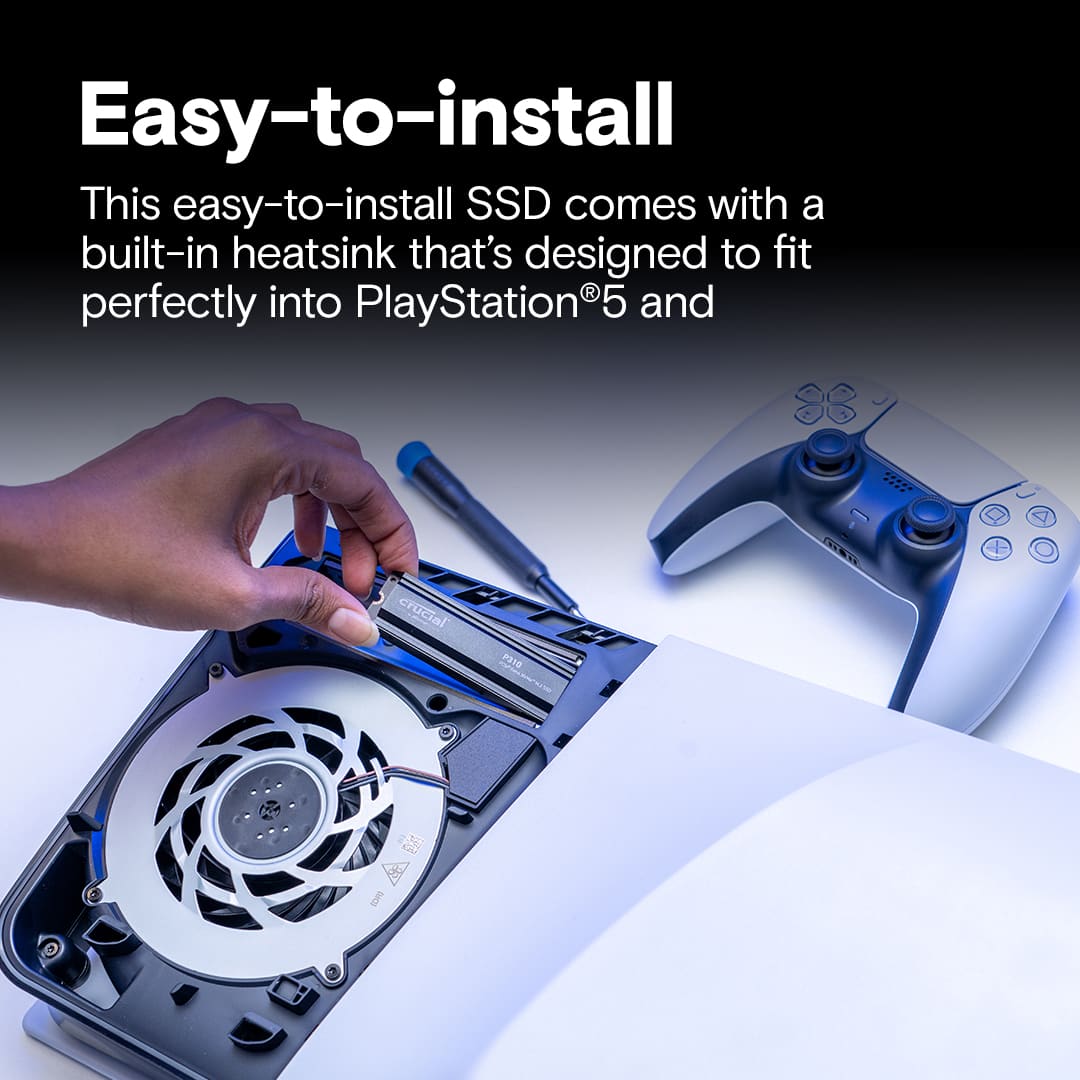
|Posted .This reviewer received promo considerations or sweepstakes entry for writing a review.If you use a Playstation 5 console, then this is basically a no-brainer type of purchase. Unless you’ve got a new PS5 Pro that comes with 2TB of storage, chances are that your regular Playstation 5, be it disc or discless, does not have enough built-in storage to handle most of your games, especially as sizes grow larger. The Crucial P310 2TB SSD is the solution. It, well, adds 2TB to your storage. It’s important to note that on the PS5 it’s ADDITIONAL storage to the internal storage that your Playstation already comes with. And it’s also important to know that ONLY an SSD like this one can play Playstation 5 games. Playstation 4 games can be played from this SSD or any USB external drive, but PS5 games are only playable from an internal SSD. It’s also worth noting that this comes with its own heatsink. Playstation doesn’t require but highly suggests that you install an SSD that comes with its own heatsink. This is your one stop solution! While the drive itself does not come with instructions, it is easy to pull up a video and just as easy to actually install it. You simply remove the cover from the side of the PS5, unscrew the SSD cover plate (easily identifiable as it has the Playstation buttons etched on it), remove the SSD screw, place the drive inside, insert the SSD screw, insert the cover plate, put the console cover back on and you’re done! Upon turning the PS5 back on you’ll find it detects the drive instantly, formats it, and you’re good to go. The only other thing I did was adjust the settings so new PS5 downloads go to the Crucial P310 2TB SSD. And, like that, I’ve now got 3 TB of storage (1TB internal, 2TB from this SSD) to play my PS5 games on. No more worrying about what to keep saved, what to remove, and what to redownload. There’s space for them all! The packaging claims the drive has read speeds up to 7100MB/s. The Playstation itself clocked the read speed at 6312MB/s. I think that the higher end may be specific towards a computer scenario. Regardless, I’ve not noticed any differences in downloading, launching, loading, and playing any games on this SSD from the normal internal Playstation storage. And that’s a good thing, as I had no issues with the regular storage apart from lack of more of it. In essence, once this is installed there’s nothing to think about – you’ve got more storage that acts just as good as the Playstation does on its own! I honestly have zero complaints about this SSD. I went from wondering if I’d need to remove one game to install another to not having to think about that scenario for a long, long time. And, as I mentioned, you don’t even know it’s there aside from having all the space for all your games. If you’re looking to add on storage to your Playstation 5 you can stop the search, the Crucial P310 2TB SSD is perfect for your PS5 and the perfect amount of added space!
I would recommend this to a friend - Pros mentioned:Installation, Overall performance, Read write speed
Increase Your PS5 Storage
|Posted .This reviewer received promo considerations or sweepstakes entry for writing a review.This is the best upgrade/accessory you can buy for your PlayStation 5. The installation is simple and once you set it you can forget it as it works seamlessly with your PlayStation. Installation is simple and I recommend watching a tutorial on Crucial, PlayStation also has a how to add a M.2 SSD support page, or a YouTube video. Unplug your PlayStation and remove all other cables, remove the right side panel (awkward down and out press), you will find a rectangles for M.2 drive. Remove the Phillips screw, install the SSD, replace the screw to secure, replace the cover and plug your system back in. Your physical install is done. That simple! Next you will turn on your PlayStation which will automatically format your new drive. Then you can change how the PlayStation utilizes its storage and will allow you to select if you want new downloads to go to your existing PlayStation drive or your newly installed SSD. You can also move games between your two drives which is awesome when you need more room for a game. It took my PlayStation less than 5 minutes to move a 100+ GB game (call of duty) to my new hard drive. You can also remove the drive and install it into other PlayStations which is great as a back up solution or if you like to use more than one ps5. The 2TB of storage is good I honestly recommend purchasing as much storage as you can as PlayStation games are typically hundreds, a gigabytes each. You can get the P310 in 4 TB, 2 TB or 1 TB models. I went middle of the road with the 2 TB version. The most important feature of this SSD is that it has a built-in heating not all m.2 SSDs come with built-in heatsink as some are designed to be in computers, which is most often the case and you have to purchase an additional heatsink attachment to help with efficiency for your PlayStation. The next important thing is speed the read speed is 7,200 MB/s and a 6,000 MB/s write speed. Both of the speeds are high, and you will be pleasantly surprised if you are coming from any form of HDD storage. If you’re looking for storage for your PlayStation that you don’t have to worry about the P310 should be your go to. Once you install this drive (which is easy), you really won’t have to think about it again no chords no messing with existing storage on your device just plug and play. You also don’t have to worry about performance as this comes with built in heatsink and speeds that will match your performance of your PlayStation.
I would recommend this to a friend - Pros mentioned:Overall performance, Read write speed, Storage capacity
Cool and fast!
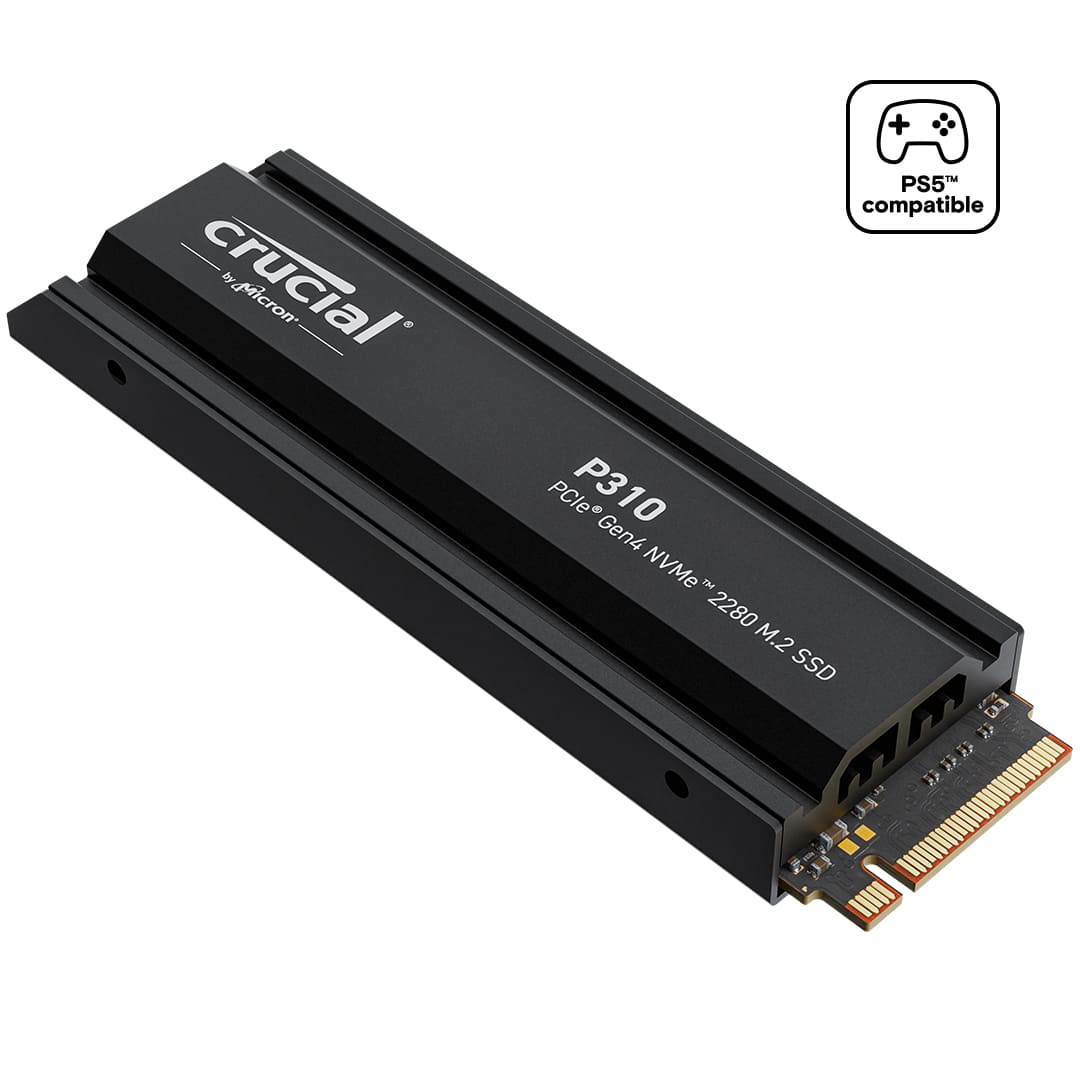
|Posted .This reviewer received promo considerations or sweepstakes entry for writing a review.Amazing Nvme drive. It came well packed inside a box and inside a blister plastic. It comes with a black heatsink to dissipate heat already attached (this is great, as fast Nvme drives are very susceptible to heat and they start to throttle down their speeds when they get hot to protect themselves). You can also tell they used thermal pads in between the drive and the heatsink to transfer heat if you look at a certain angle. Although they advertise it as a PS5 drive, it of course is a regular Nvme drive that can be used on a PC too. In fact, if you have a PC at home with a spare Nvme slot, I HIGHLY RECOMMED YOU PLUG IT IN YOUR PC FIRST (not just this one, any Nvme drive you get, no matter if its for a PC or console), then download Crucial's software (Crucial storage executive) and launch it to see if there a new firmware updates (usually makes improvements, fix bugs etc), because once you plug it in your PS5 console, it will stay with whatever firmware version the drive has. In my case, there was no firmware update so all good to go. I also did some speed tests (check my pics), and they were within the advertised speeds (there is always some OS overhead). After that, I opened PS5, opened the little enclosure for Nvme drives and installed it. I'm sure am glad this drive comes with a heatsink, because that little enclosure on the PS5 its sure is going to be toasty for it. Then it was easy to just start the console, it recognized the drive and did some speed test to make sure it was within their required speeds. All good, and now I have around 1.8 Tb (OS always reserves some space) or so of more free space for my PS5 games!!! I have been playing games every day installed on the drive and I have not noticed any slow downs nor any problems. If you want an affordable good quality drive, with included heatsink for your console, this is the one to get!
I would recommend this to a friend - Pros mentioned:Heatsink, Installation, Overall performance
The perfect SSD brand to add to your PS5!
|Posted .This reviewer received promo considerations or sweepstakes entry for writing a review.A long time ago I purchased an M.2 from a very well known storage company for my PS5 over a year ago and it didn't work, so it went back and I used a USB-A SSD for the games that didn't fit on local storage. Now, with this Crucial P310 M.2 - I'm interested in giving it a go again. TL;DR for some quick info but more details below Good: Heat sync Ease of Install Bad: Nothing Meh: Read Speed on PS5 vs Marketing Revisiting installing an M.2 was no problem. With my PS5 on a wall mount, sliding it off and then onto my table was no issue, but I had to go back to YouTube to remember how to take the cover off, especially since I have one of those aftermarket covers to make it entirely black. Sony made expansion very easy with a cover to the slot and includes the spacer and screw for any expansion M.2s you may want to put in. In Crucial's case, the P310 2TB M.2 SSD slid straight into the PCIe expansion slot and was a bit elevated to where the screw goes, so with the Sony supplied spacer and some patience, it screwed right into place and on boot up - was there! With a new M.2 - you have to format it before you can continue, so that was completed & came back with a Read Speed during format of: 6335MB/s. Now I know what you're thinking -- the box says 7100MB/s! Well yes, it does and marketing is misleading. It also says "max" read speed - so I was about 700MB/s slower than advertised MAX speed, that's fine for me. I'm fairly certain that my PS5 doesn't need 7.1GB/s to run everything in the future and that 6.3GB/s is totally sufficient. After 5 or 6 hours, I was able to move my USB SSD games to the new Crucial M.2, providing a ton more space for my games and old ones alike. In playing, updating and adding new games, I didn't experience any degradation or issues playing any existing games, or new ones that I downloaded to the P310 and I'm so glad I added it! Recommended!
I would recommend this to a friend - Pros mentioned:Heatsink, Installation, Read write speed
Easy. Great Speeds and Capacity. Perfect Upgrade.
|Posted .This reviewer received promo considerations or sweepstakes entry for writing a review.My title above more or less says it all. This is a great well-rounded drive that gives your PS5 more storage space and a little bit of a longer life. Not much to say design-wise, it looks like an SSD. Small. Clean. Simple (the heatsink adds a bit of a look to it). I still am a little floored just how small these things are. I am sure the heatsink helps with heat, probably helping with both performance and stability, which is appreciated, but I was mostly looking for some more storage. Installation is ridiculously simple. Open the system, insert the drive, and secure it. Shouldn’t be an issue for anyone, even for users who are technically limited. Once installed, formatting the drive, and getting ready for use is just as simple and quick. As for performance, the speeds are quite good, if maybe a tick below rated specs for me, and I did not see any difference between this and the console drive. Honestly, that is all I was really hoping for. I was mostly just looking for more storage capacity, and this drive easily took care of that for me. It is nice to not have to juggle games as much as have some space to play with. It would be nice if devs could stop making games ever-increasing in size though lol. In the end, I really like this drive. It gives me the space I was looking for, with fast speeds that match the default drive. Also, I like the fact that it comes from a trusted brand in the space and comes with a good warranty just in case a problem ever arises. I think for all that you get, it is a good value. (As a last note, while this is for my PS5, I do also like that I could just toss this in my PC as well if needed)
I would recommend this to a friend - Pros mentioned:Heatsink, Installation, Read write speed
A necessary PS5 upgrade!
|Posted .This reviewer received promo considerations or sweepstakes entry for writing a review.As time goes by video games are improving along with the consoles however, most of the time the memory included in the consoles is not always enough and it is necessary to increase it as video games increase their size in memory. This Crucial P310 2TB memory is a great option for these cases as it has a very high read and write speed which allows games to load faster, it is easy to install and has a heat sink for better performance. In the box comes only the memory and documentation. The heat sink is not necessary to install as it is already installed, it is only a matter of installing the memory in the console or a PC. Once the SSD memory is installed in the console it is necessary to follow the instructions on how to format the memory after this step it will be ready to use. Regarding performance, it is definitely one of the indispensable improvements if you have a PS5, the amount of memory available is enough for AAA games or your favorite ones. The most visible improvement is the loading screen, the loading time has decreased and everything feels more fluid. The fact that the memory has a heat sink, helps a lot to keep the memory at a temperature that allows it to operate without problem. Considering the features of this Crucial SSD M.2 2TB memory and its price, I consider it a pretty good option if you want to increase your PS5 storage. It's a product with balance in its value for money, no doubt I can highly recommend it.
I would recommend this to a friend - Pros mentioned:Heatsink, Installation, Overall performance
Great Option for PS5 Expansion
|Posted .This reviewer received promo considerations or sweepstakes entry for writing a review.Crucial has available their P310 2TB Internal SSD PCIe Gen4 NVMe M.2 with heatsink. The box includes the SSD and basic paperwork. The SSD comes with a manufacturer's 5-year warranty. PROS: ----------- * Easy to install into the PS5 after you remove one of the side panels. Power off the unit and unplug first. * Great for SSD heat dissipation * With many PS5's having only 500GB of space, adding this extra 2TB is huge in keeping your system running fast and not having to remove games. * I have had no issues with performance after installing this in my Gen1 PS5. Everything runs fast with no lag. CONS: ----------- None! OTHER OBSERVATIONS: ----------- * The bottom of the SSD is slightly raised due to the encasing. So if you install this onto an area (ie. on a PC card) that has soft pads (for cooling), those pads may need to be removed so the SSD connection point does not bend or break CONCLUSION: ===================== If you have a PS5, this is a must-have. You do not want to run out of space for games and game data. In addition, the more space you have, the better your system will run. This SSD with heatsink fits perfectly in the PS5 slot. I have absolutely no complaints. This SSD should work well in a PC too... and the heat sink will keep it cooler than regular SSD. Just make sure your SSD slot is built to handle the elevated heatsink space.
I would recommend this to a friend - Pros mentioned:Installation, Overall performance, Read write speed
Fantastic PS5 Upgrade!!
|Posted .This reviewer received promo considerations or sweepstakes entry for writing a review.It's no secret that games have become steadily larger in recent years, and storage amounts once though colossal can fill up rapidly. And while the PS5 had a 1TB storage drive standard, it had to share that with the operating system, eating into the available space for game storage. Thankfully the PS5 was also designed to allow for storage upgrades, and it's into that expandability that Crucial's excellent P310 drive fits nicely. The P310 is a Gen 4 x4 NVMe drive in the M.2 2280 format, and it comes with a preinstalled heat sink, which is required for use in the PS5. It's rated for up to 7100MB/s read and 6000MB/s write, easily exceeding the Sony required specification of 5500MB/s read. My understanding of Sony's proprietary I/O system/decompression engine for reading data off SSDs extends to expansion drives as well, so the effective read speed can be boosted by this technology. The installation itself is very easy to follow and really just requires a small screwdriver. Your process will vary a little depending on which model PS5 you have. (I have a disc-based launch model.) Once you have powered down, unplugged, and slid the cover off, exposing the drive slot, it's a matter of removing the drive cover via a single screw. The SSD slot can accommodate a variety of M.2 sizes and is oddly pre-setup for the relatively uncommon 22110 form factor, so I had to move the screw mount back to the corresponding 2280. After that, installation is basically a straightforward SSD installation--insert the SSD at a shallow angle and secure with the mounting screw. Return the SSD slot cover and secure it, and the PS5 will boot up to a system screen that tells you that the drive must be formatted. Formatting the drive goes quickly, and it seems to do a quick speed test: mine came in at 6260MB/s, not quite as lofty as the rated speed but well above the PS5 threshold. Once in the regular PS5 OS you can configure your default storage location. I've tested this drive over the course of just under a week with a variety of PS4 and PS5 titles, some off the internal SSD and some off the P310. The PS5 is known to have a blazing fast I/O subsystem, and if there is a difference in performance between the internal SSD and the P310, I could not detect it. All games performed as I'd expect regardless of their storage location, so for me to triple my available storage while maintaining the excellent loading times is a major plus. With 17 years of IT experience, the Crucial brand is no stranger to me. Their products always perform well and they enjoy a very well deserved reputation for reliability--I use a Crucial drive as the centerpiece of my gaming PC as well. The P310 is yet another excellent storage drive from them that is very well suited to upgrade your PS5, and given the ever-growing size of modern games and ease of installation, it should be strongly considered by any PS5 owner. Highly recommended.
I would recommend this to a friend - Pros mentioned:Heatsink, Installation, Read write speed
Great feature w heat sink
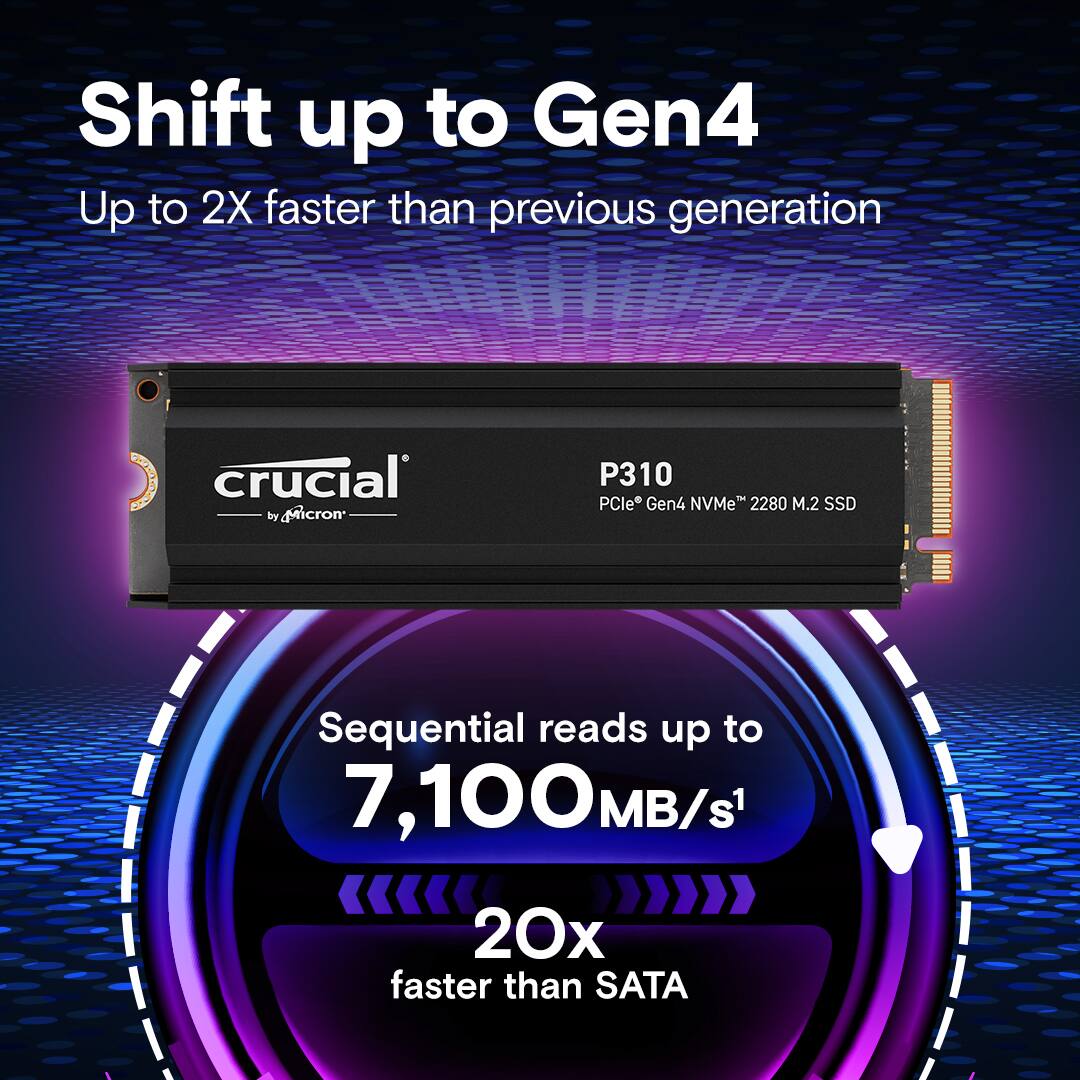
|Posted .This reviewer received promo considerations or sweepstakes entry for writing a review.TLDR: This Crucial - P310 2TB Internal SSD PCIe Gen 4 x4 NVMe M.2 with heatsink allows anyone to upgrade their Sony PS5 or PS5Pro gaming console for more internal storage for more games and more game data. It is tiny being M.2 format, it is 20X faster than SATA interfaces being Gen4, and it has a screw-on heatsink to dissipate any fast game heat buildup. It is easy to install into the PS5 or PS5 Pro consoles. This M.2 is a 2280 form factor (of the currently largest dimensional size) and is designed to fit properly, with the integrated heatsink, into a PS5 or PS5 Pro perfectly with no modification needed. It indeed plugged right in on my PS5 Pro after I opened up the case, unscrewed the metal cover for the M.2 slot, unscrewed the Sony included M.2 retaining screw with spacer, snapped in the Crucial M.2 module, used the spacer and Sony screw to secure it, replaced the M.2 cover, replaced the PS5 case cover, and followed the on screen prompt to format the Crucial M.2 SSD for use. This Crucial P310 allows adding needed storage space for games and history of game playing with a huge 2 TB capacity which should suffice for many, many games and or many, many game playing sessions. The built on heat sink allows this very fast memory module to enjoy unhindered read write since excess heat is indeed the enemy of effective performance for electronic components. Crucial specs the sequential write performance as 6,000 MB per second and the sequential read performance as 7,100 MB per second. Very fast indeed. I found no reason to suspect that these specs are false since it performed instantaneously in my experiences.
I would recommend this to a friend - Pros mentioned:Installation, Overall performance, Storage capacity
Crucial - P310 2TB Internal SSD PCIe Gen 4
|Posted .This reviewer received promo considerations or sweepstakes entry for writing a review.Ever since I got my PS5 I've been struggling with the built-in storage size. I was super excited to receive the opportunity to review the Crucial - P310 2TB Internal SSD PCIe Gen 4 x4 NVMe M.2 with Heatsinks, which happens to be PS5 compatible! Installing the new SSD was simple on the PS5. Disconnect from power and all cables, flip it over, grab the furthest corner from the DVD slot and pull up while at the same time, sliding. This reveals a metal door that get unscrewed along with the factory SSD. The Cruical SSD fit in the same area perfectly with a little room to spare for the door to go back on. Reassembled and reconnected to cables, I powered it back on. The PS5 recognized I had a new drive and began downloading the necessary files. This took a total of about 30 minutes on my 300/300 fiber internet connection. I was required to sign back in then I began downloading all the games I wanted. At the time of writing, I currently have 37 games installed! That is a HUGE difference from before, where I was struggling to sometimes keep even 4. This is such a game changer (pun kind of intended). This alone, is worth the price of admission. Performance wise, I didn't notice any degradation to speeds, load times or game performance. Everything worked exactly as it had before. There may be a slight increase in load time or performance, but I would likely need some tool to accurately measure these gains. From just a daily usage and human perception perspective, nothing appears to be "faster" or "better" than it was before. This is a good thing however, because the original SSD was strict standards set by Sony and game load times is a critical feature of the PS5. This Crucial drive has been created with those same high level of standards to meet the demands of the PS5. This is an excellent thing. I am absolutely loving the additional space. I now can have more games than I can conceivably play at one time ready to launch immediately. As someone who plays a lot of different genres and has friends who at any given time wants to challenge me online to a sports game, or FPS, having these available without needing to wait to download them is incredible! I want to thank Crucial for the opportunity to review this drive and for the talented teams who engineered this wonderful performing component. My PS5 will forever be better as a result and the time it saves me is invaluable. Must have accessory to any PS5 owner, or, anyone who has a PC/laptop that can support this drive with the included heatsinks.
I would recommend this to a friend - Pros mentioned:Installation, Read write speed, Storage capacity
Great SSD for PS5
|Posted .This reviewer received promo considerations or sweepstakes entry for writing a review.There are so many choices when it comes to SSD for your pc or in my case my ps5 but I was looking for something to give me good performance and good storage size. In comes crucial with this SSD, after installing it which on the ps5 is incredibly easy I booted up my system formatted my hard drive and then was off and running. The speeds were great for my ps5 I saw virtually no difference between my external and the built in SSD. Having all that extra space was great especially with how big some games have gotten(yeah I’m looking at you Call Of Duty) with games being so big nowadays it was nice having all this extra space and not having to worry about doing that game where I have to figure out and decide which games I need to remove off my system. This is a great drive looks great seems to be made of high quality material and runs amazingly well. The value of these drives are immeasurable having that extra space is a lifesaver in many instances. And especially since I have several kids that also use the PlayStation it’s nice they can download games they want to play and not have to worry about the lack of space. Highly recommended especially for ps5
I would recommend this to a friend - Pros mentioned:Installation, Overall performance, Read write speed
Easy to install and no performance hit
|Posted .This reviewer received promo considerations or sweepstakes entry for writing a review.It was quick and easy to install this Crucial P310 expansion drive into my gen 1 PS5. If needed, there are also several tutorials available online. The compartment on the PS5 is easily accessible and provides ample options for multiple M.2 drive sizes. After installation, the new drive was immediately detected after powering up the PS5. I was notified of the new device name and its performance capabilities. Speed was listed at 6200mb/s. I immediately began downloading games onto the new disk. Download speeds aren’t noticeably different nor slower in speed than the original OEM internal drive. Gaming on the new disk also feels completely normal with no signs of latency or degradation in quality compared to the original disk. There are also no unusual issues from the console itself after the addition of the new drive. I've been using Crucial memory products for nearly 20 years. This includes their RAM, SSDs and thumb drives. I've never experienced an issue with a Crucial product, which gives me confidence that this drive is built to last.
I would recommend this to a friend - Pros mentioned:Installation, Read write speed, Storage capacity
A Great Storage Option
|Posted .This reviewer received promo considerations or sweepstakes entry for writing a review.The Crucial P310 is an excellent choice for storage expansion on PC or PS5. For my experience I installed it in my PS5 and it was an upgrade from my old 500GB 970 Evo. Install is easy and the included Heat Sink is good quality and sits perfectly in the console. Its boasting read-write speeds of up to 7100 MB/s, but looking into the technical specs its ranging between 6000 MB/s all the way up to 7100 MB/s which is way beyond minimum requirement for the PS5, and after installing and formating I was getting about 6300 MB/s. After taking some time to download a few storage heavy games (Fallout 4 GOTY, Destiny 2, Red Dead Redemption 2, God of War) I noticed that they loaded up faster than they would normally on the internal storage, especially RDR2 and Fallout which looking back the load screens felt like an eternity. Overall, I'd absolutely recommend the Crucial P310 for anyone looking to increase or upgrade their gaming storage space on their PS5 or anyone that wants to increase their PC storage.
I would recommend this to a friend - Pros mentioned:Installation, Read write speed
Fantastic SSD to upgrade any PC or PS5
|Posted .This reviewer received promo considerations or sweepstakes entry for writing a review.I finally ran out of space on my PS5 (thanks, Call of Duty), so I decided to add the Crucial P310 SSD. Here's how easy it was to install: Installing it in the PS5 took like 5 minutes Turned off and unplugged my PS5 Removed the white side panel (just lifts off) Found the SSD slot under a little metal cover Unscrewed it, popped in my P310 with heatsink, and screwed it back in After turning my PS5 back on, it asked me to format the new drive - took about 10 seconds. I ran a quick speed test - the SSD hit 7,000 MB/s in the PS5's benchmark, which is way faster than Sony's 5,500 MB/s requirement! All my games run perfectly from the new SSD, with load times just as fast as the built-in storage. I tested Spider-Man: Miles Morales and the fast travel loads were identical to the internal SSD. Crucial also provides a 5-year warranty which gives me a nice peace of mind if any issues arise. Best upgrade ever, no more deleting games to make space for new ones! 10/10 would recommend to any PS5 owner.
I would recommend this to a friend - Pros mentioned:Installation, Overall performance, Storage capacity
It’s Good!
||Posted .This reviewer received promo considerations or sweepstakes entry for writing a review.Works as it should. Easy installation. No problem downloading games. Nice having all the extra room.
I would recommend this to a friend - Pros mentioned:Installation, Read write speed
Great Drive
||Posted .This reviewer received promo considerations or sweepstakes entry for writing a review.Very pleased with this drive. Great read and write speeds. Easy to install. Using it as a second drive in my pc. The software that comes with it is very good and easy to use
I would recommend this to a friend - Pros mentioned:Installation, Overall performance
Great buy
||Posted .This reviewer received promo considerations or sweepstakes entry for writing a review.Ease of installation. Works wonderful. Just plug and play.
I would recommend this to a friend - Pros mentioned:Installation, Overall performance
Perfection, Literally.
||Posted .This reviewer received promo considerations or sweepstakes entry for writing a review.Worked very well, no issues at all! Easy to install on my PS5, got a bunch of great games installed. and it was stinkin' cheap, ngl.
I would recommend this to a friend Great device
||Posted .This reviewer received promo considerations or sweepstakes entry for writing a review.I got the external memory for my PS five works and run great just like one of the expensive ones
I would recommend this to a friend- Pros mentioned:Storage capacity
Great Purchase
||Posted . Owned for 1 month when reviewed.This reviewer received promo considerations or sweepstakes entry for writing a review.I was able to easily install it on my PS5 with no trouble at all! Works perfectly and lets me store way more than before!
I would recommend this to a friend