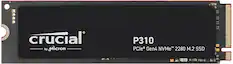
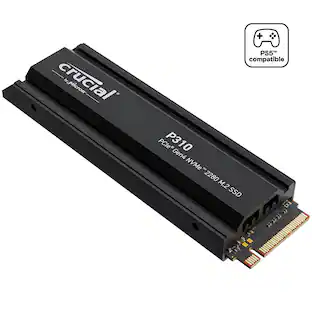
Crucial - P310 2TB Internal SSD PCIe Gen 4 x4 NVMe M.2 with Heatsink for PS5
Customers are saying
Customers regard the product's installation as simple, requiring minimal disassembly. They frequently praise its great read and write speeds, excellent storage capacity, and overall perfect performance. Additionally, the attached heatsink is noted for being snug and secure, providing effective overheating protection during long gaming sessions.
Storage Capacity
2000GBShift up to Gen4 speed
Built with Micron Advanced 3D NAND, P310 Gen4 SSDs offer blazing fast sequential reads up to 7,100MB/s — 2x faster than the previous generation and 20x faster than SATA. Speed up your bootups, file transfers, and game loads without compromising on quality.
All work or more play?
Don't let dull performance slow you down. With 2TB of storage and 20% better performance than other Gen4 SSDs, you can do it all faster, including gaming, booting Windows, running apps like Adobe Photoshop and Illustrator, or Microsoft Excel and Powerpoint.
Boost your game storage
Instead of buying a new laptop, upgrade with the dependable P310 NVMe SSD and level up your strategy and laptop lifecycle. This easy-to-install SSD offers secure, efficient space for all your Gen4 laptop and desktop files, along with PlayStation5 and Gen3 backward compatibility. SSDs with heatsinks are not compatible with laptops. Please choose the P310 without heatsink for your laptop upgrade.
Discover power efficiency
Crucial helps you win when it comes to speed, space, and performance, which is why the P310 Gen4 SSD’s performance-to-power ratio is up to 40% better than our previous Gen4 SSD. Get more done with the same battery life.
- Storage Capacity2000 gigabytesStorage Drive TypeSSD, SSDMaximum Read Speed7100 megabytes per secondMaximum Write Speed6000 megabytes per secondForm FactorM.2 2280Interface(s)PCIe Gen 4 x4
Reviews
Rating 5 out of 5 stars with 42 reviews
- Installation (31)
- Read Write Speed (26)
- Storage Capacity (23)
- Overall Performance (17)
- Heatsink (11)
Customer Images
The vast majority of our reviews come from verified purchases. Reviews from customers may include My Best Buy members, employees, and Tech Insider Network members (as tagged). Select reviewers may receive discounted products, promotional considerations or entries into drawings for honest, helpful reviews.
Compare similar products
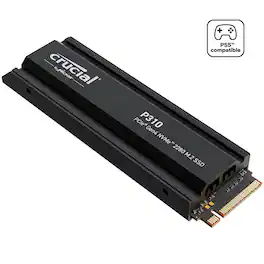
High-speed Gen4 performance for gamers is here. Introducing the Crucial P310 2280 Gen4 NVMe SSD, a leader in the Gen4 space with sequential reads/writes up to 7,100/6,000MB/s. Engineered with the latest Micron 3D NAND technology, the Crucial P310 comes in generous capacities and offers flexible backward compatibility, performing 2x faster than Gen3 SSDs and offering 20% faster performance in real-world tasks compared to other Gen4 SSDs when booting Windows, starting applications such as Adobe Photoshop and Illustrator, and working with popular applications such as Microsoft Excel and PowerPoint. The P310 is the NVMe storage solution that gives gamers the edge they crave.

Designed for tech enthusiasts, hardcore gamers and heavy-workload professionals who want blazing fast speed. The integrated heatsink disperses heat to maintain speed, power, efficiency and thermal control, preventing downtime overheating on consoles and PCs. For console gaming, compatible only with PlayStation 5. Sequential read/write speeds up to 7,450/6,900 MB/s
High-speed Gen4 performance for gamers is here. Introducing the Crucial P310 2280 Gen4 NVMe SSD, a leader in the Gen4 space with sequential reads/writes up to 7,100/6,000MB/s. Engineered with the latest Micron 3D NAND technology, the Crucial P310 comes in generous capacities and offers flexible backward compatibility, performing 2x faster than Gen3 SSDs and offering 20% faster performance in real-world tasks compared to other Gen4 SSDs when booting Windows, starting applications such as Adobe Photoshop and Illustrator, and working with popular applications such as Microsoft Excel and PowerPoint. The P310 is the NVMe storage solution that gives gamers the edge they crave.
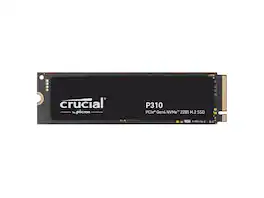
Crucial P310 2TB 2280 PCIe Gen4 3D NAND NVMe M.2 SSD - Up to 7,100 MB/s - Shift up to Gen4, with Acronis Offer, Internal Solid State Drive (PC)
| Pros for Crucial - P310 2TB Internal SSD PCIe Gen 4 x4 NVMe M.2 with Heatsink for PS5 | |||
|---|---|---|---|
| Installation, Overall Performance, Read Write Speed, Storage Capacity, Heatsink | Overall Performance, Installation, Speed, Storage, Ease of use | Overall Performance, Loading Speed | There were no pros for this product— |
Specs
Customers often buy these together
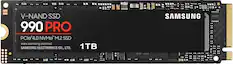
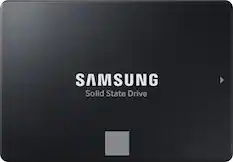
Samsung - 990 PRO 1TB Internal SSD PCle Gen 4x4 NVMe
Top Deal$239.99The price was $319.99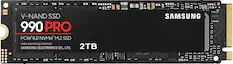
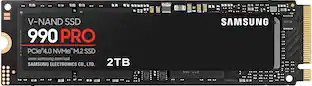
Samsung - 990 PRO 2TB Internal SSD PCle Gen 4x4 NVMe
Top Deal$389.99The price was $639.99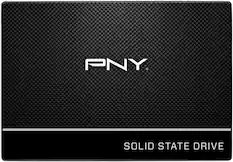
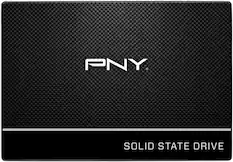
PNY - CS900 500GB Internal SSD SATA
$99.99The price was $119.99



Customers ultimately bought
 $379.99The price was $1,068.99
 $189.99The price was $199.99
 $189.99The price was $279.99
 $399.99The price was $574.99
 $179.99The price was $189.99
Level up your game Sponsored
 $439.99The price was $465.99
- $249.99The price was $264.99



Discover related products







Keep exploring
 $1,499.00The price was $1,789.60
- $189.99The price was $279.99
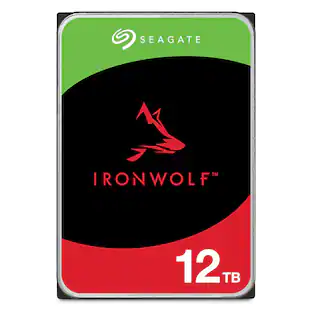 $429.99The price was $455.99
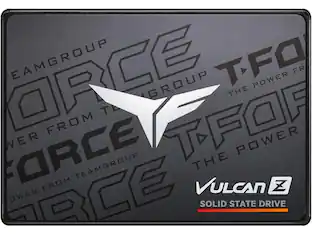 $132.99The price was $145.99
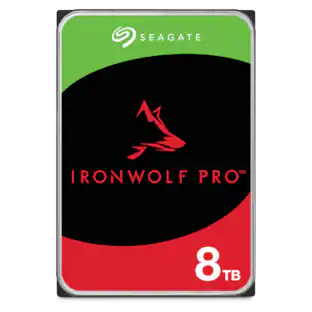 $499.99The price was $614.71
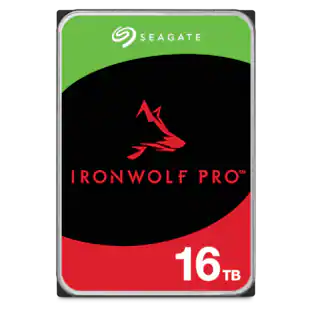 $614.99The price was $678.11
 $459.99The price was $487.99
- $179.99The price was $189.99