Customer Ratings & Reviews
- Model:
- DCS-5222L
- SKU:
- 5619743
to a friend
Customers are saying
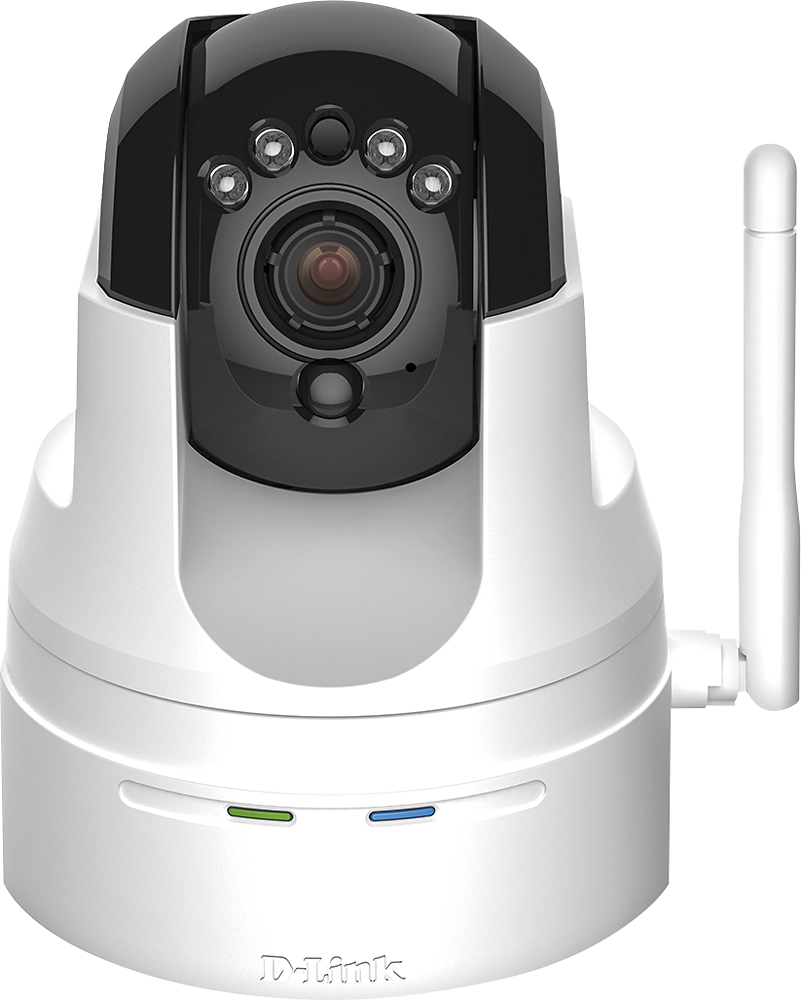
Customers are pleased with the excellent camera quality, ease of use, and the pan and tilt features of the High-Definition Pan and Tilt Wi-Fi Video Security Camera. Many also appreciate the night vision and motion detection capabilities. However, some users experienced difficulties with the setup process and software, while others reported issues with Wi-Fi connectivity and overall reliability. Improvements to the software and setup instructions would enhance the user experience.
This summary was generated by AI based on customer reviews.
Great Camera
Posted .This reviewer received promo considerations or sweepstakes entry for writing a review.Great camera and even greater tech support go guys
I would recommend this to a friendGood except for problems
Posted .This reviewer received promo considerations or sweepstakes entry for writing a review.In the end the camera is probably going back because 1) it is putting through a loud screeching noise, and 2) I can't control the pan function. They give you a screen on your cellphone with 2 boxes and you move the red box to where you want it to go. Only it doesn't. Sometimes I can aim it but usually it is a struggle as it points where it wants to - like at the ceiling. The setup was challenging and I enjoyed somewhat learning the various aspects of wireless cameras. They overstate the simplicity of the setup with describing a D-Link router with its WPS button. This proved to be a major stumbling block requiring hours to sort out (like how to get through the WEP). The online 87 page manual is interesting but not always accurate as to the screen you might have to deal with. Finally, I reached tech support and completed the setup. Inputting the password the screen caused an erratic screen which fooled me as to what was happening. At one point it had me trying to modify my router (Verizon) settings which led to having to reboot it. It is just incredibly complicated.
No, I would not recommend this to a friendBrand response from D-Link Support
Posted .We want to thank you for your feedback as we do appreciate and value it very much. Based on the comments listed in your review we would like to provide you with the following link listed below, which will be available to you over the next 10 days to click on and complete the necessary contact information and additional details of the issues you experienced so that we may have a D-Link support specialist contact you to gather more data and information needed to possibly enhance the firmware for this product to ease in the setup and performance of this product in future releases. D-Link is very interested in your input and would sincerely appreciate your cooperation to better assist our customers now and in the future.
Here is your link: http://supportrequest.dlink.com?id=f3495360fc6c466a82fde2b6af4216b0&token=6265f309a8f3494ab75d6fee30e4c6f8
Thank you for being a D-Link customer and we look forward to receiving your reply.
Great camera and easy to set up
Posted .This reviewer received promo considerations or sweepstakes entry for writing a review.AR004296 I bought this camera and set up it myself. I've had a couple issue but team D-Link provided me a good support and guide me through. I would recommend this product to everyone that wants to keep their belongings protected.
I would recommend this to a friend- Pros mentioned:Ease of use
Fantastic service from Dlink agent ar004631
Posted .This reviewer received promo considerations or sweepstakes entry for writing a review.Great help from D ink .purchase at best buy . I will be returning to buy more cameras for other rooms. Best service just plug in and follow online steps. I was helped by AR 004631
I would recommend this to a friend Keep looking
Posted .This reviewer received promo considerations or sweepstakes entry for writing a review.Motion activated did not work. The picture looked robotic. The tilt down feature was lacking didn't tilt down far enough. Nothing ever recorded. Then 2 days after install the audio began to screech. I would never buy a D-Link product again for any reason. The owners manual was a joke. Returned 5 days later after nothing worked. Also, good luck getting tech support to respond.
No, I would not recommend this to a friendBrand response from D-Link Support
Posted .We want to thank you for your recent feedback provided as we truly do value and appreciate it very much. We are sorry to hear of the issues you were having with the DCS-5222L and that you have since returned the product. In view of your recent comments we would like to provide you with a link to click on over the next of the 10 days, so you may provide us with your contact information in order for D-Link to contact you to gather further details on the issues you had and the experience you had in contacting our D-Link technical support team.
Please click on and use this link provided here to contact D-Link: http://supportrequest.dlink.com?id=c2705773061c48ef816e3af00310e093&token=670779d03e6b44dd80067b117e6831c0
Thank you for choosing D-Link.
- Cons mentioned:Setup
"No Cloud Camera was found"
Posted .This reviewer received promo considerations or sweepstakes entry for writing a review.I would like to state that I am very tech savvy and I feel very bad for the people who are trying to use this product who can't say the same. A product that is this poorly implemented should never be allowed on the market. I have never seen a setup wizard so shoddily made. The wizard gives you step by step instructions but never really tells you what to do when something goes wrong. While trying to get this camera set up, I was never able to detect it on my wireless network using the wizard. When I clicked the link to try troubleshooting, the wizard promptly said "Make sure the LED on the camera is lit solid green!" Ok. Well it's not red. But it isn't solid green. It's flashing. Clearly something is wrong if the wizard isn't detecting the camera. I found nothing on their website that helped me resolved the issue. No D-Link. I am not going to call your tech support and sit on the phone for heaven knows how long to get this to work. It is going back to the store for a more competent product that will work out of the box.
No, I would not recommend this to a friendBrand response from D-Link Support
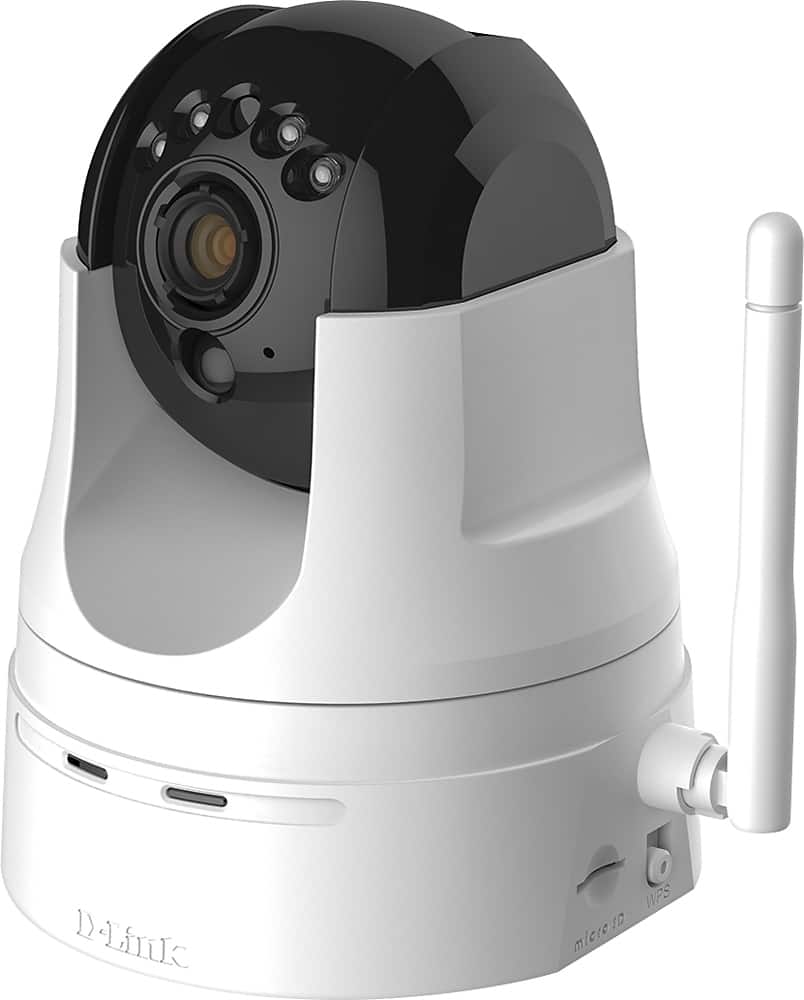
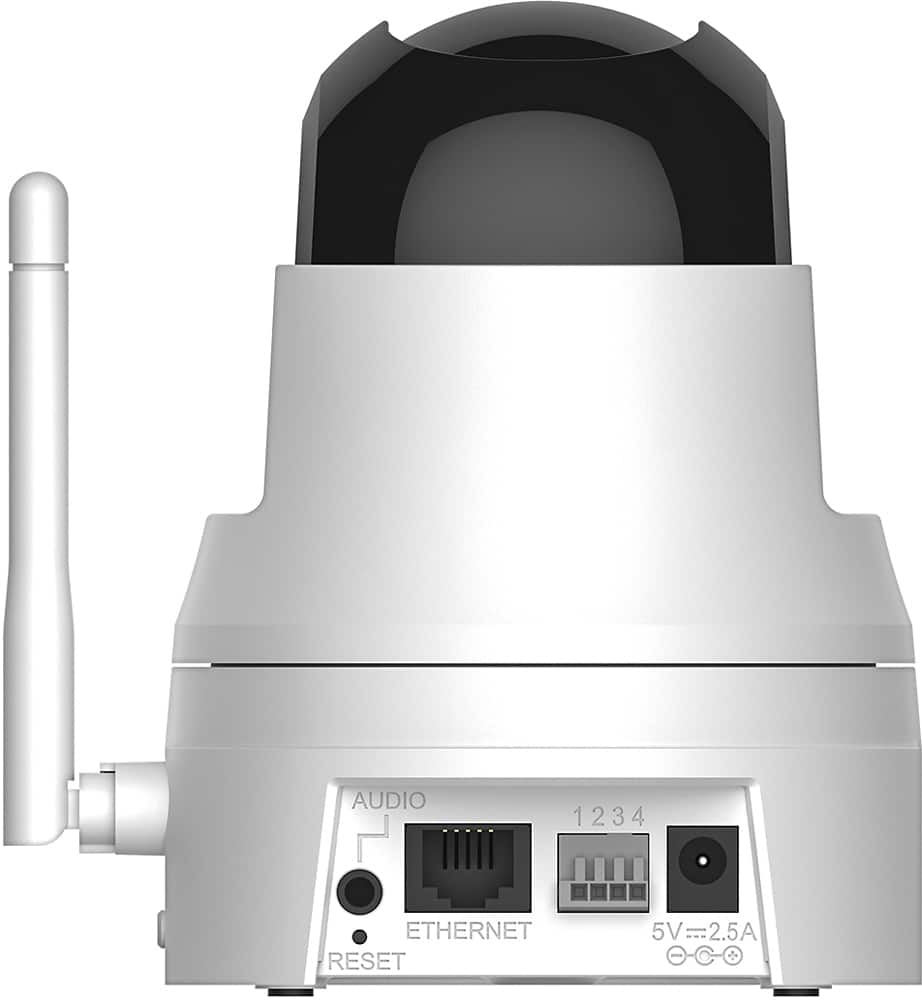
Posted .We thank you for your feedback as we do value and appreciate it very much. Please note that you may view and download a copy of the User Manual for the DCS-5222L from the D-Link website at www.support.dlink.com, and on page 13 of the User Manual it defines the different status code meanings for the LED lights showing on the camera during setup and operation. If you are having issues accessing or connecting the camera to your network during the initial setup and configuration of the DCS-5222L then D-Link suggests that you reset your camera and run the Camera Setup Wizard again from the CD-ROM included in your package. Please try performing the hard reset by using an unfolded paperclip to press and hold the reset button, located on the back of the unit, for 10 seconds while the camera is powered on. Please note that if you have any questions or encounter any issues and wish to contact D-Link you may call our support team at 1-877-453-5465 or you may also email them at www.dlink.com/support and click on Contact Support located in the bottom right hand corner. Thank you for being a D-Link customer.
- Pros mentioned:Pan and tilt
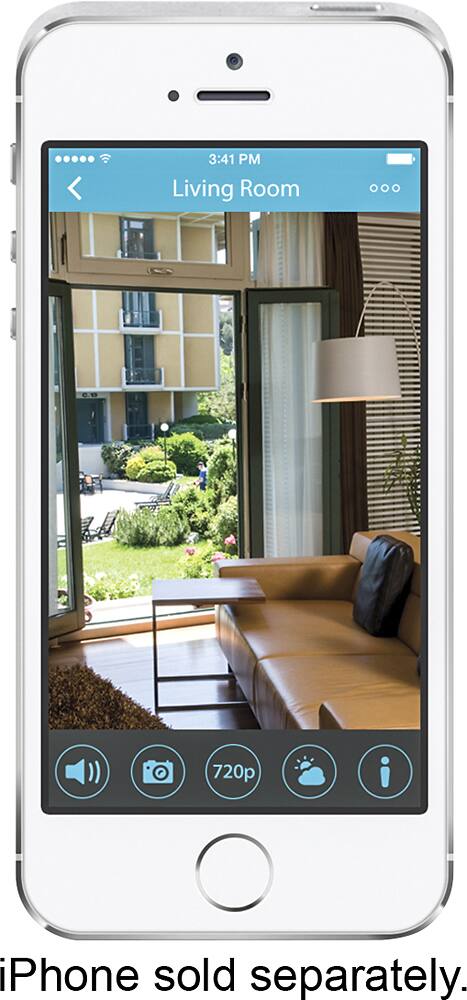
Works great for remote viewing on IPhone
Posted .This reviewer received promo considerations or sweepstakes entry for writing a review.I wanted a way to check on my house when out of town. This model works fine and has nice pan and tilt features. Audio comes thru clear.
I would recommend this to a friend - Cons mentioned:Wi-fi connectivity
never got that far
Posted .This reviewer received promo considerations or sweepstakes entry for writing a review.I have the 5020l and set up was pretty simple. I did have to manually connect to my wifi since it didnt find it on its own. Btw this is the only product i have that could not find my network on its own. So on to the 5222l. I couldnt even get this one set up!! Dlink couldnt find it. After doing every trouble shoot including calling support, i still cant get it set up. They made me close firewalls, direct connect to the computer, different set up exe etc. Nada. Support was no help and its going back tomorrow. The 5020 is nice but the ir wont work thru glass..bummer. i was hoping not to have to hard wire cams to the exterior.
No, I would not recommend this to a friendBrand response from D-Link Support
Posted .We want to thank you for the feedback as we truly value the input and concerns. We are sorry to hear that our support team could not help you solve the problem. Please click on the below link within the next 10 days and fill out the detailed form. By doing this our technical support team will be able to contact you directly to assist you with resolving the issues you are experiencing.
http://supportrequest.dlink.com?id=eeae49d81ead4f0fb25fae6e77bd515e&token=e3e8807084de42e9a556f6cbfb7fe69e
We thank you for choosing D-Link.
- Pros mentioned:Camera qualityCons mentioned:Software
software issues
Posted .This reviewer received promo considerations or sweepstakes entry for writing a review.I had it for 2 days. Had to call customer support to assist with setup. Will not connect, had to unplug camera to reconnect. Picture is good, only the software problems. I will be returning it today.
No, I would not recommend this to a friend - Cons mentioned:Setup, Software
Totally fustraighting setup
Posted .This reviewer received promo considerations or sweepstakes entry for writing a review.Way to many hoops to go through to set this thing up. Needed to load a lot of other software and then it was still way to complicated. Come on Dlink its just a camera. Took it back and got a Samsung and it was up and running in 10 minutes and all the functions work.
No, I would not recommend this to a friendBrand response from D-Link Support
Posted .We want to thank you for the feedback as we take the input into great consideration. We are sorry to hear that you encountered issues with the product and that you have returned it. Next time, please do not hesitate to contact our technical support team for assistance by calling 1-877-453-5465. It is free of charge and an agent will be glad to glad to assist you with the problems you are encountering. Thank you for choosing D-Link.
It's Ok
Posted .This reviewer received promo considerations or sweepstakes entry for writing a review.The camera does the job but D-Link does not allow you to keep a continuous feed streaming to your mobile device.
No, I would not recommend this to a friend- Pros mentioned:Camera quality
No two-way audio
Posted .This reviewer received promo considerations or sweepstakes entry for writing a review.I bought this product specifically for the two-way audio. Spent two hours on the phone with D-Link support and still could not get it to function (at all!). They had no idea when they could rectify the issue, although the folks I spoke with were very nice and did their best. Do not buy this product if you want the two-way audio function. The picture is great; was able to view from my iphone with no problem, although I did need the support people to help set it up as well. Another 45 min. on the phone. Supposed to be easy; not. Very disappointed. Clearly D-Link knows there's an issue and knows they have no fix for it at this time. (We did update the firmware, but it did not help.)
No, I would not recommend this to a friendBrand response from D-Link Support
Posted .We appreciate the feedback as we take the input into great consideration and we are sorry to hear that you are encountering issues with the DCS-5222L. Please note that the camera that camera does offer two-way audio. You will need to log into the camera's settings and make sure that you did not mute audio in or audio out. Detailed instructions can be found on page 35 of the user manual (www.support.dlink.com). In addition, you will be able to adjust sound levels to suit your optimal needs. Thank you for choosing D-Link.
I'm returning it.
Posted .This reviewer received promo considerations or sweepstakes entry for writing a review.As a previous reviewer posted, the set up takes an hour or two through trial and error. Very brief and generally unhelpful install guide. I have a D-Link Cloud Router and it did NOT automatically connect as it was advertised to. Had to do it manually. Video quality is just so-so. It's poor in low light. I have owned/operated an Astak Mole and Starcam and both are FAR superior in video quality to this camera. I could not connect to the camera via my PC, which is a huge downside, because you can only adjust the advanced settings (such as ftp settings to send records off-site) via a PC. Thus, there are NO advanced settings available for this camera. I could not access the camera via my iPhone using the remote connection. It kept telling me the connection was terminated before I even saw video. I could go on and on. This product is not user friendly and does not offer anywhere close the features it advertised. Spend a little bit more and go with an Astak Mole, particularly if you don't need a mic.
No, I would not recommend this to a friendBrand response from D-Link Support
Posted .We thank you for your feedback as we truly value and appreciate your input. We are sorry to hear that you encountered problems while setting up the DCS-5222L and that you have returned the product. For future reference, please do not hesitate to contact our technical support team at support.dlink.com. We wish we had the opportunity to assist you on the mentioned issues since we were unable to duplicate it; however, appreciate your feedback.
- Pros mentioned:Pan and tilt
Great for house
Posted .This reviewer received promo considerations or sweepstakes entry for writing a review.I have this and attached on the wall to view on my dog and it is cover all the room area that I want
I would recommend this to a friend - Cons mentioned:Wi-fi connectivity
Would not connect
Posted .This reviewer received promo considerations or sweepstakes entry for writing a review.This camera took two hours out of my life that I will never get back. It would not connect. According to the instructions you can connect by using the WPS button on the router, or plugging in directly to the router. I tried both options four times and no success. After exploring the website I finally got a tech support number. I called and was told my expected wait time was 25 minutes. It takes less time to drive to Best Buy and return this piece of garbage. So that’s what I did.
No, I would not recommend this to a friend Phone help was great
Posted .This reviewer received promo considerations or sweepstakes entry for writing a review.The phone help was great. Had not done something like this for about 3 years so when I ran into a problem got help. Marvin, AR004612, was a great help. Took about an hour but stayed with me as I had to make some updates on my computer. Have this at my cabin which has DSL so that could be why my login time could take longer than I like.
I would recommend this to a friend- Cons mentioned:Setup
Don't waste your precious time
Posted .This reviewer received promo considerations or sweepstakes entry for writing a review.I bought the DCS-5222L this morning so I could work with a dog with separation anxiety. Eager to start working with the dog, I came home and started setting it up. Four hours later, it was all set up, but I couldn't see the video on any browser (tried Firefox, Chrome, IE, and Safari) or in the app. I reset and started over. I goofed around with the Java on my Mac. I tried everything. Four hours is about all I will give a product. I am taking it back. In the meantime, I went and bought a DropCam (at a different store), and 5 minutes after getting it home it was working perfectly. And the picture is amazing!
No, I would not recommend this to a friendBrand response from D-Link Support
Posted .We appreciate your feedback as we truly value your comments and concerns. We are sorry to hear that you were experiencing problems trying to view video and that you have returned the product. Please note that if you ever encounter issues with our products, our technical support team would be glad to assist you. Contact them at www.support.dlink.com. In most cases they will be able to identify the problem and then guide you through the solution process. We thank you for choosing D-Link.
No mounting instructions
Posted .This reviewer received promo considerations or sweepstakes entry for writing a review.The camera works ok, but I can not fully test the device because the geniuses that made this product put everything in the box EXCEPT for the mounting instructions. I selected the user manual for my camera and it had mounting instructions for the old model. I found a similar model and it had all of the pieces, but no mounting instructions. I have extra pieces that I have no idea what they are to be used for. This makes no sense to me once so ever. Based on the oversight of this detail I would NOT recommend this product to a friend.
No, I would not recommend this to a friendBrand response from D-Link Support
Posted .We appreciate the feedback as we truly value the input and we are sorry to hear that you are encountering issues with the product. We will pass on the information you have provided to our product management team so they can fix the issue. In order to mount the camera, you want to first grab the mounting screw (the one attached to a white plastic base) and screw it in through the mounting bracket. From there, you will be able to connect the camera to the mount. If you have any more questions feel free to contact us by calling 1-877-453-5465. Thank you for choosing D-Link.
DCS-522L
Posted .This reviewer received promo considerations or sweepstakes entry for writing a review.We needed to purchase a dependable camera for security. Marvin Ar004612 was very helpful in helping me determine my problem programming, and get me back to where I need to be to use the camera to its fullest capacity.
I would recommend this to a friendDon't Buy It!
Posted .This reviewer received promo considerations or sweepstakes entry for writing a review.Got a picture quickly....although not very sharp but couldn't get it to record events. Manual was not very helpful. Impossible to talk with someone on the phone from tech support without having to go back and forth through emails.After MANY hours of effort...forget it, I wrapped it up, brought it back and got a Lorex LW2960 which came with 2 cameras, a portable receiver and can also watch via smart phone and IPAD. Also the Lorex has recording in portable receiver, not the camera, so if a thief steals the camera, the proof is not gone with it The Lorex was very easy to get working... Paid more but well worth it! BB was great to work with for the return.
No, I would not recommend this to a friendBrand response from D-Link Support
Posted .We are sorry to hear that you returned the hardware. Please note that you may always contact D-Link Support at 1-877-453-5465 for assistance and questions concerning connectivity and setup. We appreciate and value your feedback and we hope that you will choose D-Link in the future.