Customer Ratings & Reviews
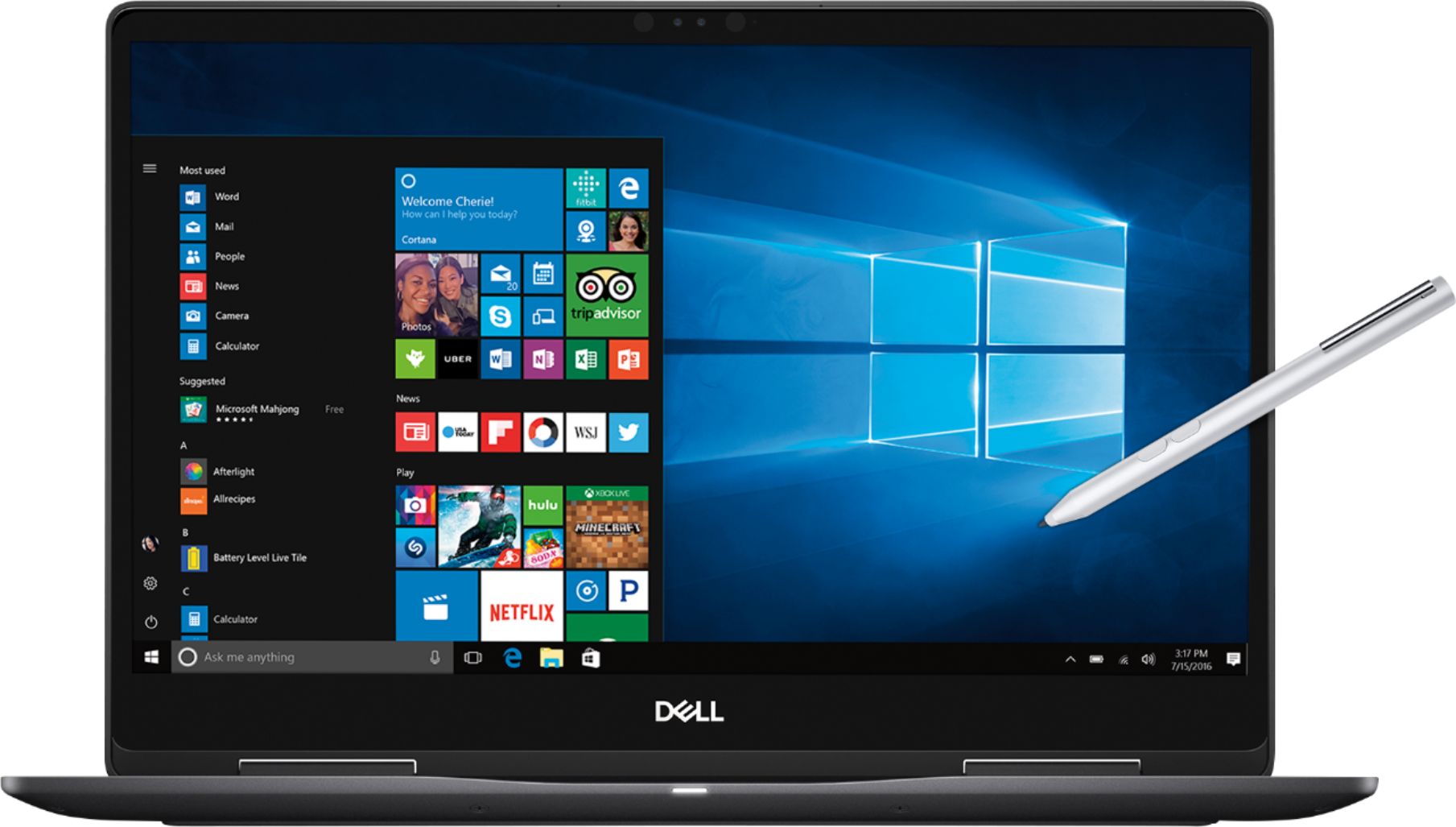
- Model:
- I7573-7019BLK-PUS
- SKU:
- 6208307
Rating by feature
- Value
Rating 4.0 out of 5 stars
- Quality
Rating 4.0 out of 5 stars
- Ease of Use
Rating 4.5 out of 5 stars
Customers are saying
Customers are enthusiastic about the 4K touch screen, performance, price, build quality, and processor of the 2-in-1 15.6" 4K Ultra HD Touch-Screen Laptop. They appreciate the laptop's fantastic 4K display, fast and smooth performance, good price point, premium build quality, and powerful i7 processor. However, some customers have concerns about the battery life, storage capacity, heating issues, fan noise, and weight of the laptop.
This summary was generated by AI based on customer reviews.
decent computer for the price
||Posted .This reviewer received promo considerations or sweepstakes entry for writing a review.Had issues with power supply (had a 45 Watt required a 65 Watt)and stylus was scratched up a bit.
I would recommend this to a friend- Pros mentioned:Touch screen

Good, but on the edge of value for the price...
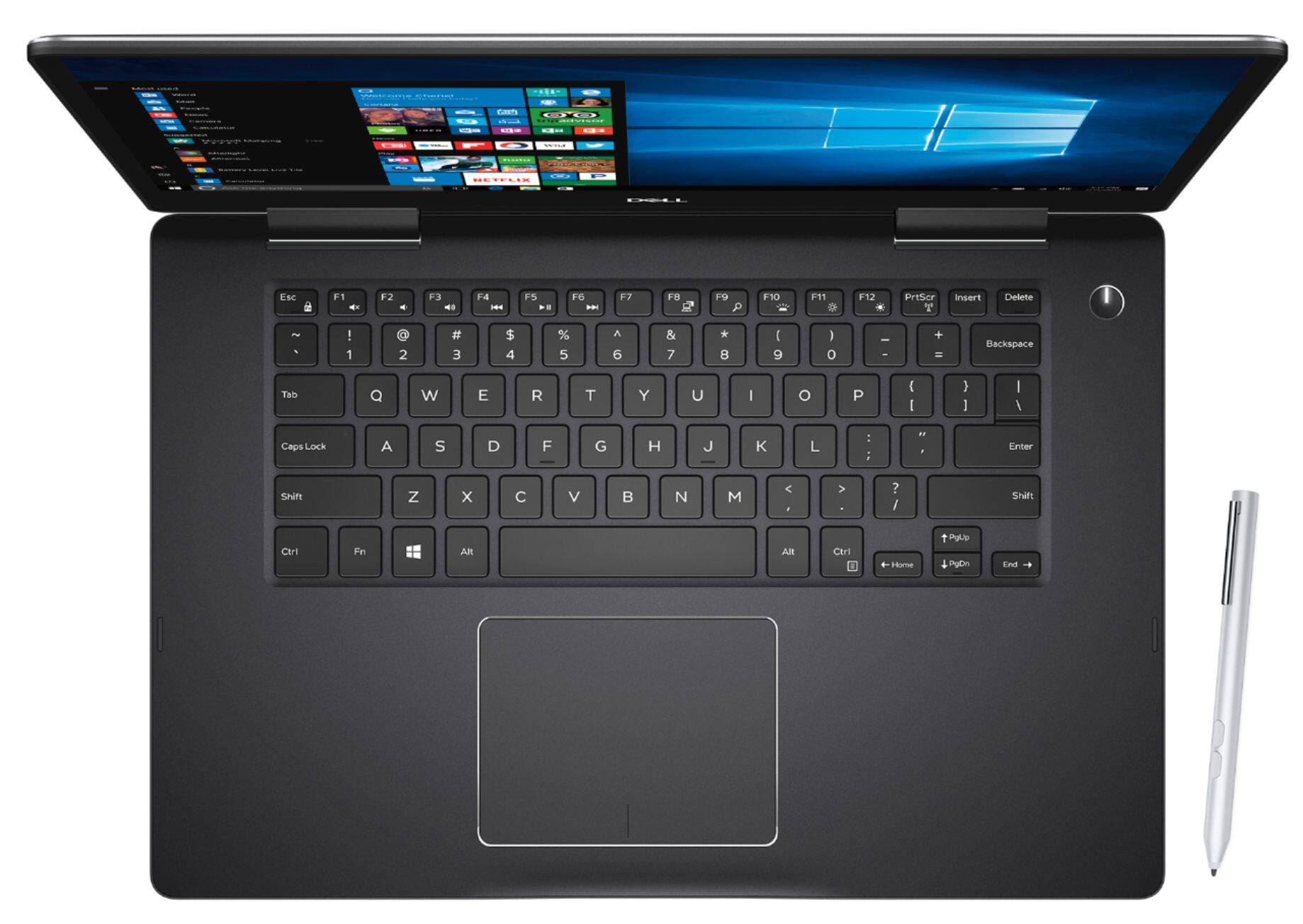
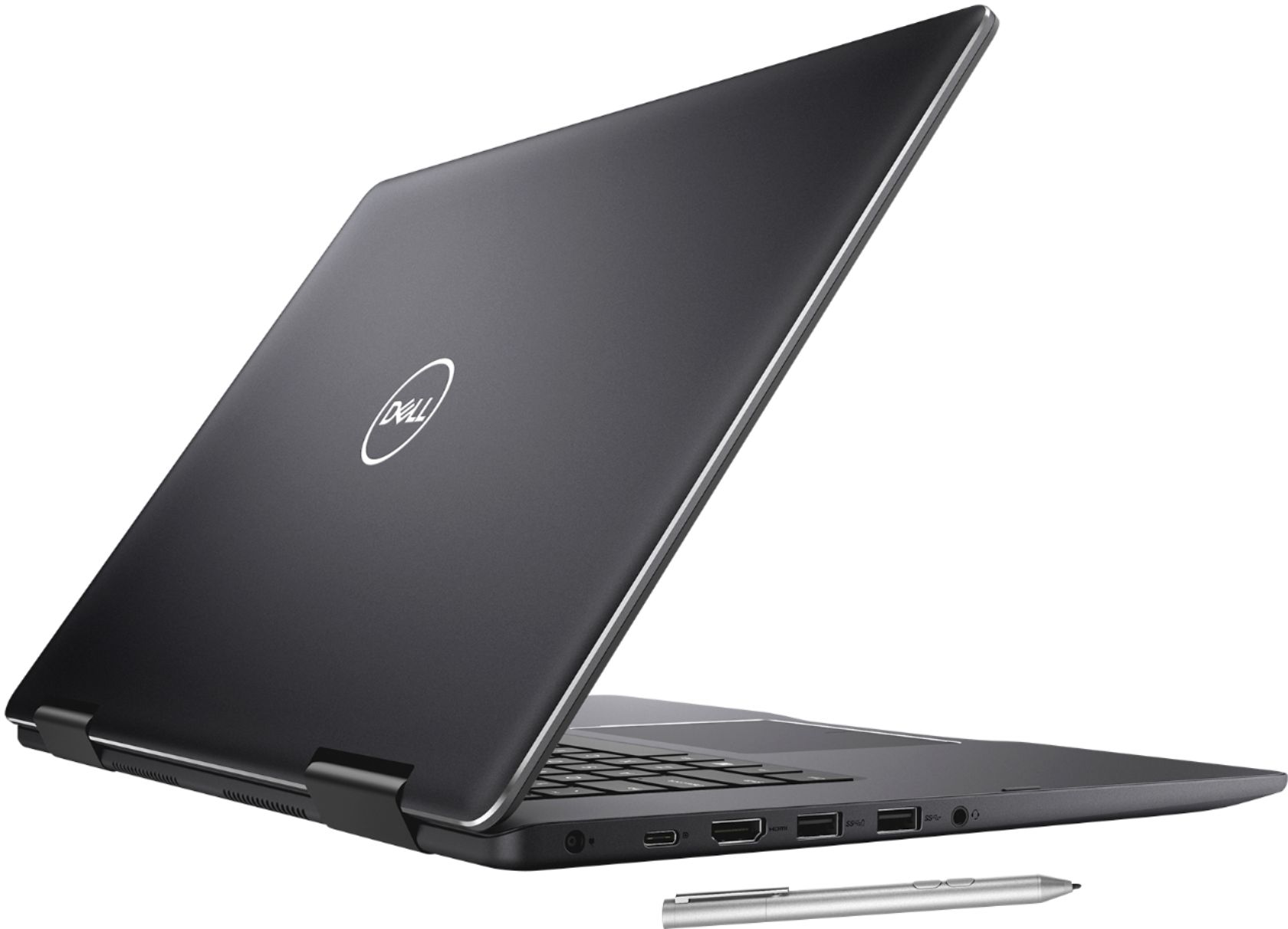
|Posted .This reviewer received promo considerations or sweepstakes entry for writing a review.Display is amazing! Very bright & clear, with excellent color. Initially had issues with the display not changing to portrait mode, but a quick internet search and driver reinstall fixed that. Build quality is good, with a solid feel to it, which is to be expected at this price point. 256GB SSD is speedy, but may be a bit small for some. Although, in today’s world of ubiquitous cloud storage, it’s definitely not a deal breaker. Temperature is managed well, and you can comfortably use the machine as a laptop while wearing shorts. Fan noise is barely noticeable, unless you’re really taxing the machine. Includes an active stylus/pen, which is nice, but there’s no slot to store it, so good luck keeping track of it. I’ve already had to go on the hunt for it a few times. Has 3 regular USB ports, 1 USB C, 1 HDMI, and an SD reader, which is convenient if you still have a digital camera that uses an SD card. One bonus about the USB-C port is that it can also be used for charging in a pinch. Keyboard feel is nice but, aesthetically, it seems almost tiny compared to the surface area available; there’s almost enough space to add a numpad. My biggest complaint is that the front edge of the keyboard surface is sharp, and not rounded at all. If you rest your wrists on the surface (I can already hear my high school typing teacher scoffing) at all while typing, it gets pretty uncomfortable. All said, with the addition of a USB C hub, this may actually replace my desktop.
I would recommend this to a friend OK product.
||Posted . Owned for 1 year when reviewed.This reviewer received promo considerations or sweepstakes entry for writing a review.Bought it a year ago as open-box. Was a good deal. Now out of stock.
No, I would not recommend this to a friendVery nice 2-in-1 for home or office
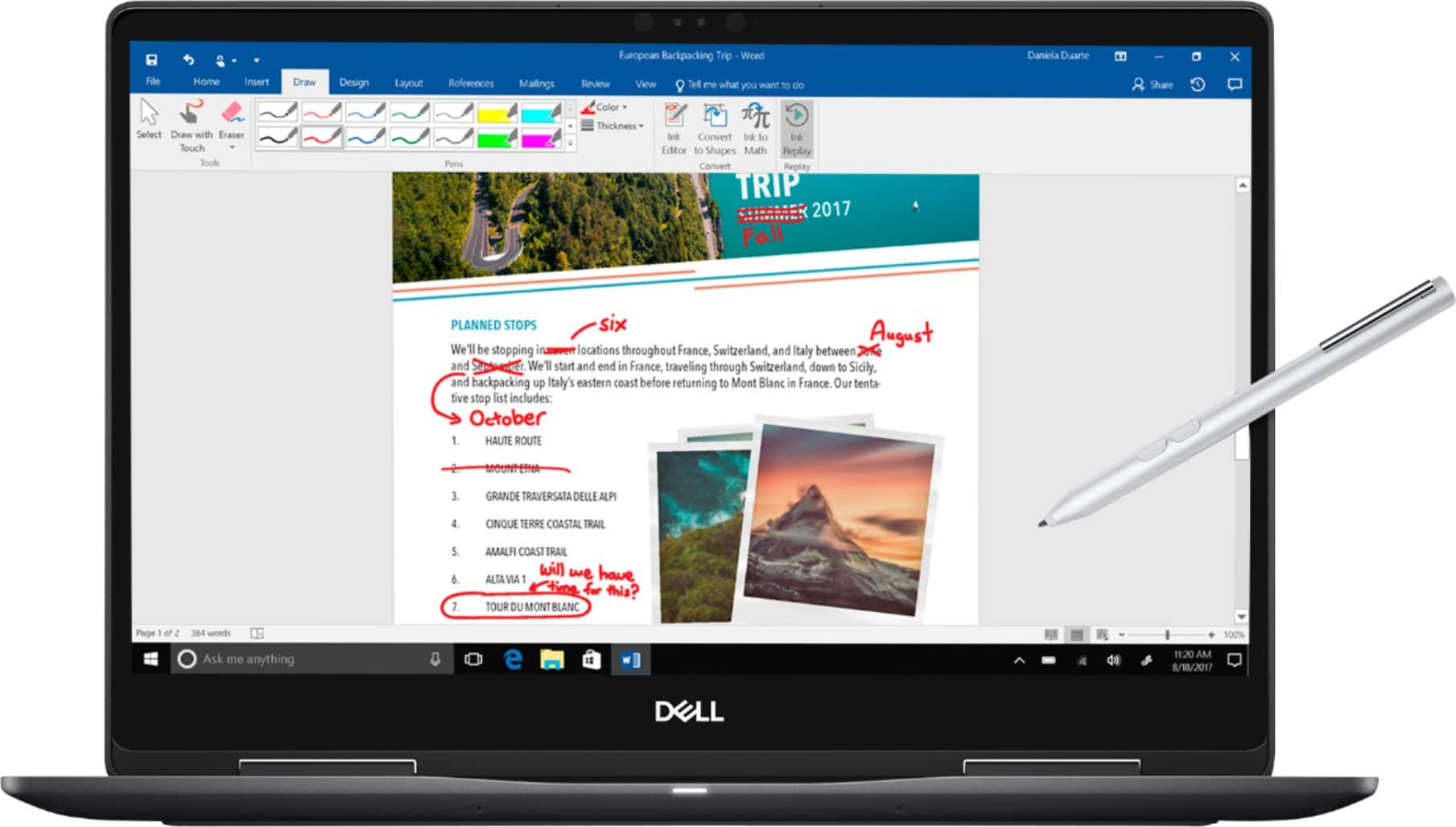
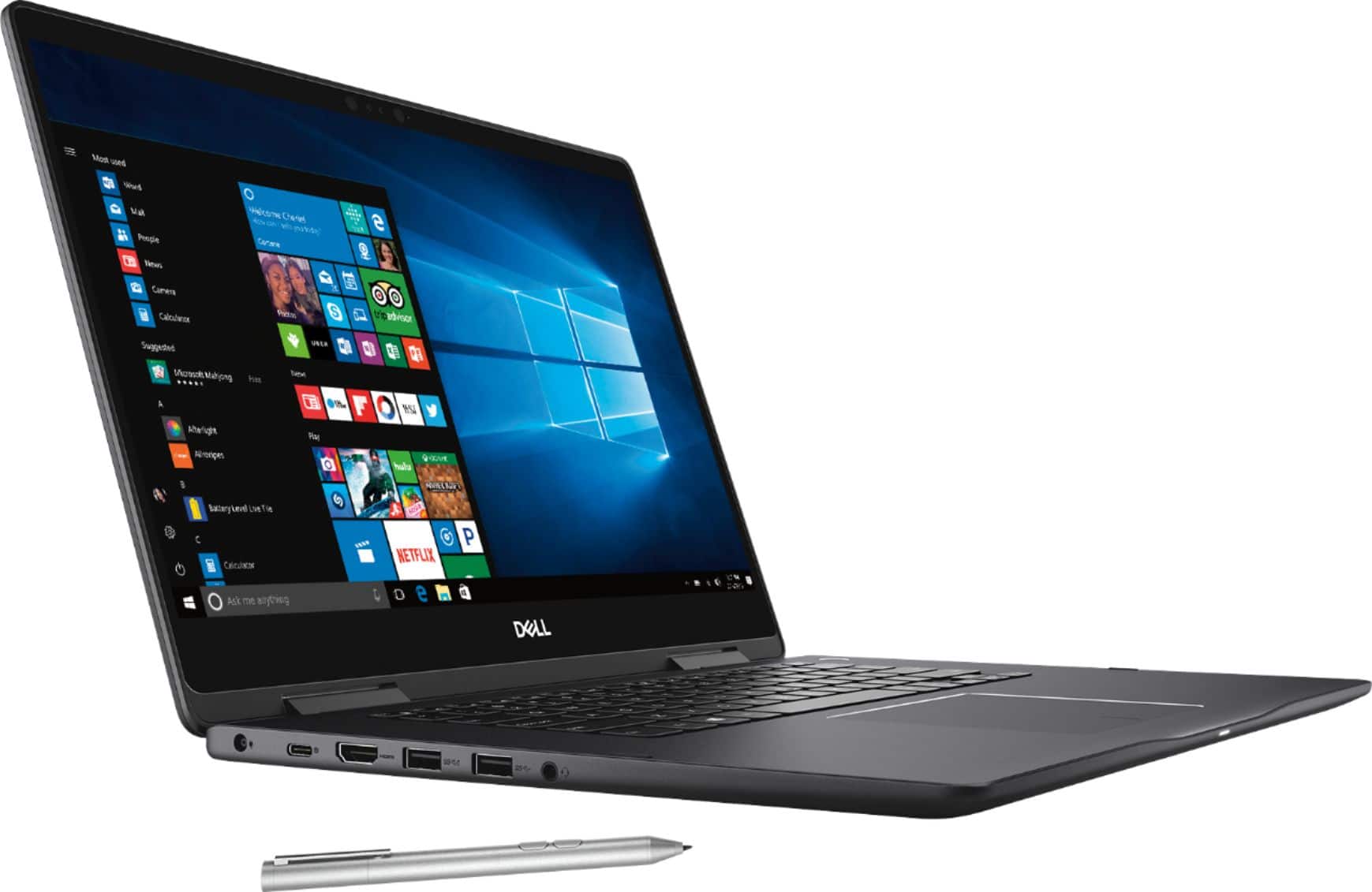
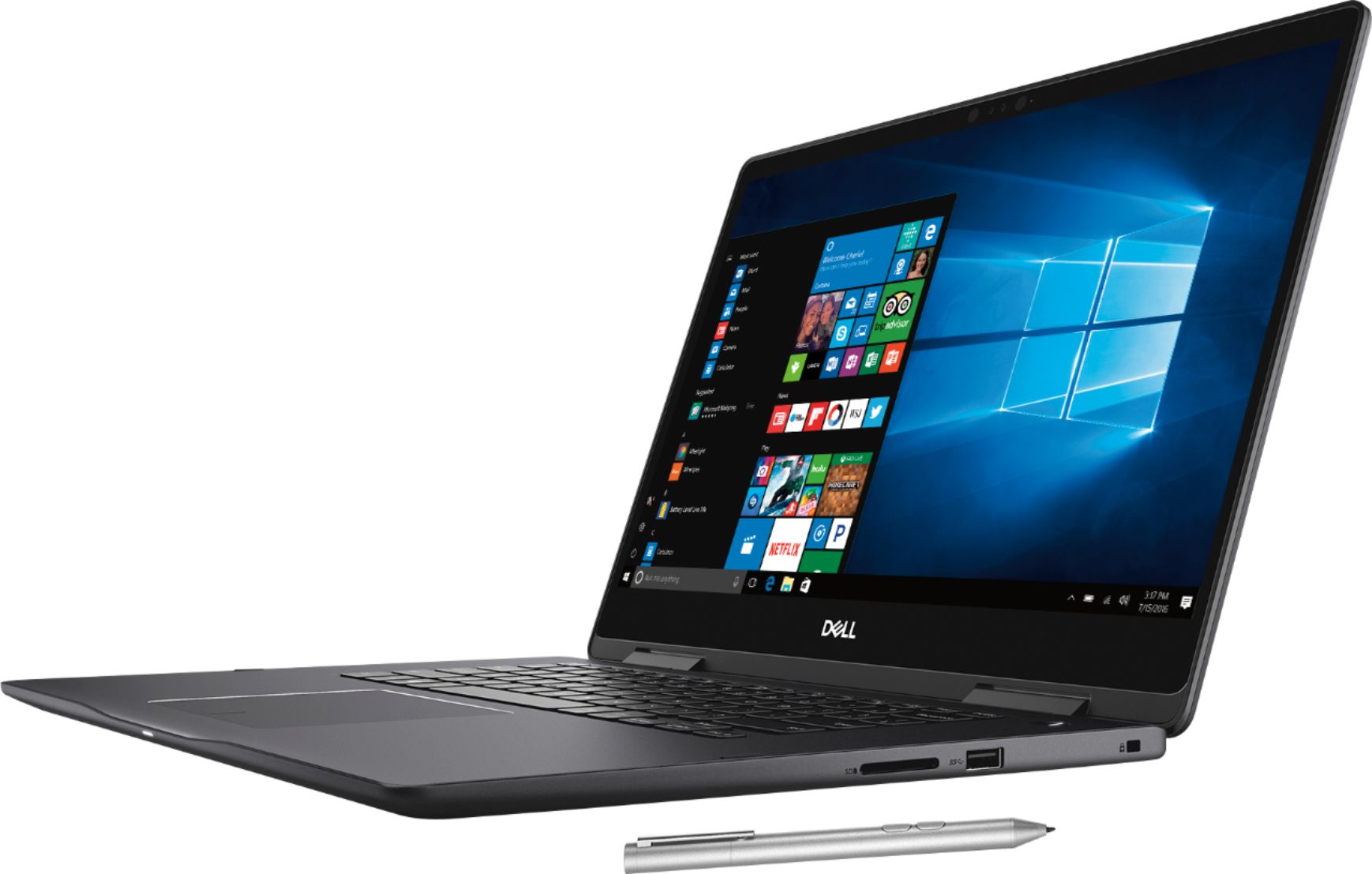
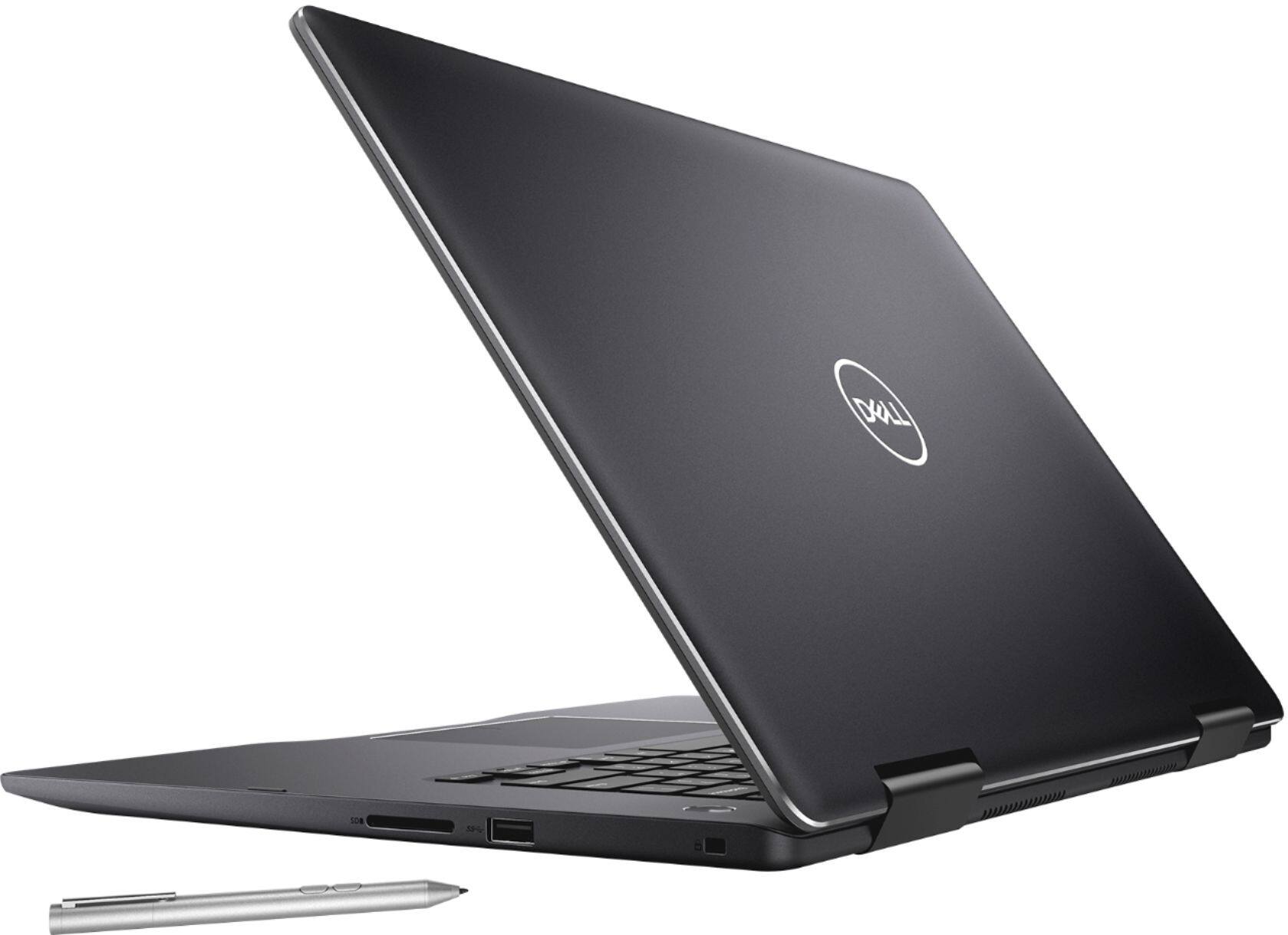
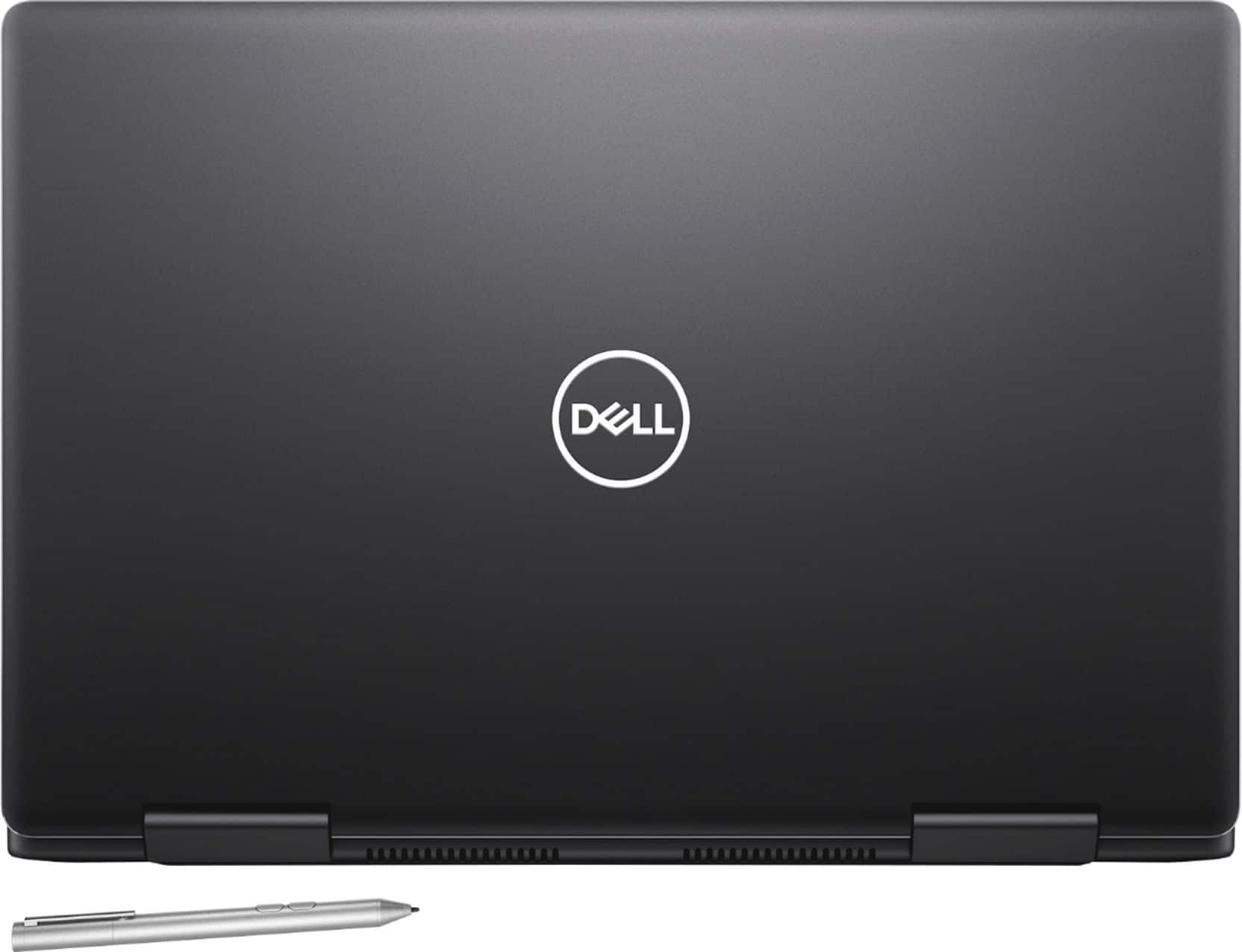
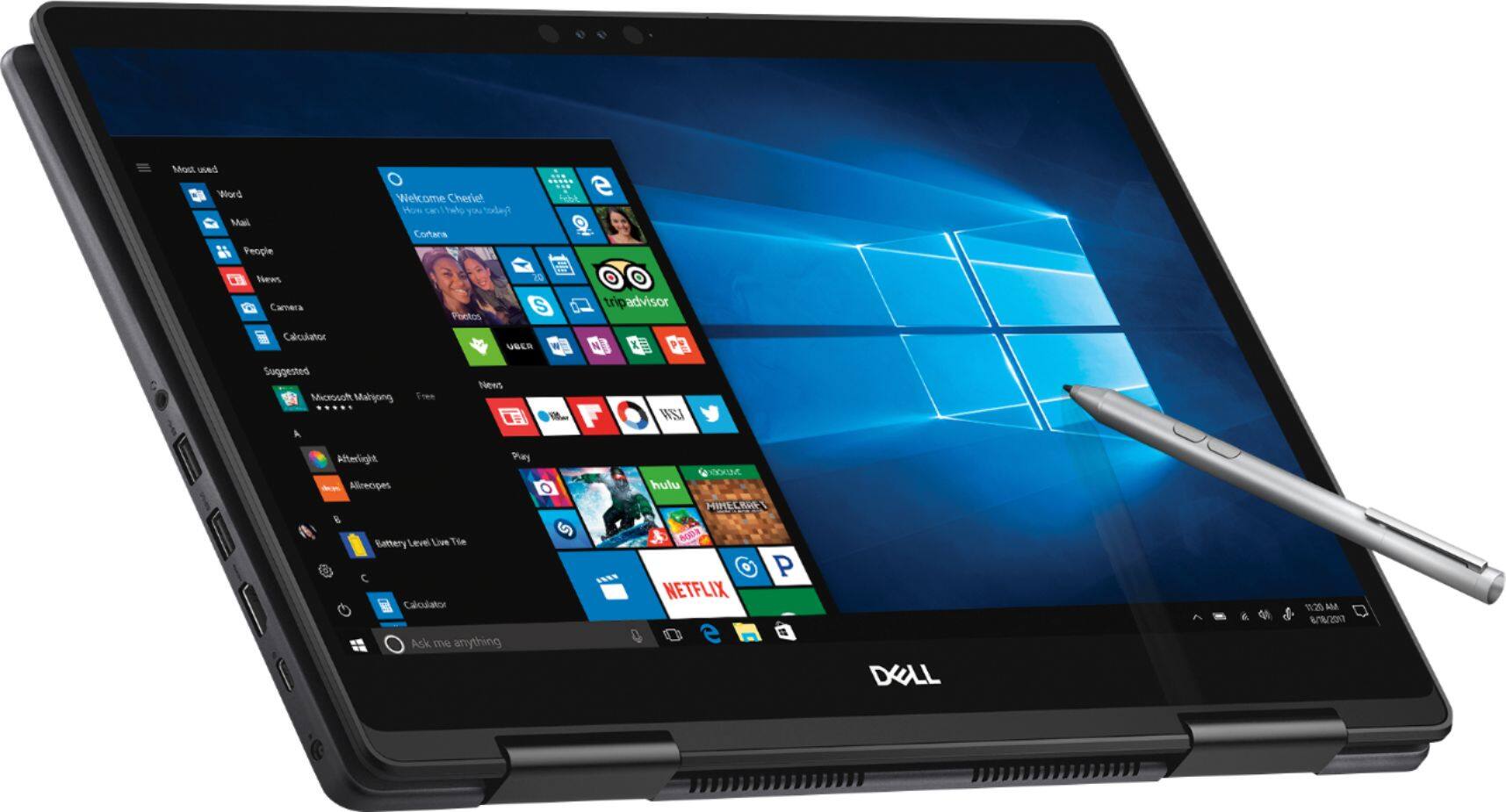
|Posted .This reviewer received promo considerations or sweepstakes entry for writing a review.Dell - 2-in-1 15.6" 4K Ultra HD Touch-Screen Laptop - Intel Core i7 - 16GB Memory - NVIDIA GeForce MX130 - 256GB SSD - Abyss Black I've found this Dell Inspiron 15 7000 series (specifically this laptop is a 7573 model) 2-in-1 to be interesting in some respects and a little disappointing in others. I'm aware that the Inspiron laptop series is Dell's mainstream consumer design, so there will generally be more compromises (cost is generally weighted more than innovation and higher specs) than in, say, the business line or gaming line. Here are my comments from using the 7573: 1. Looks: GOOD - beautiful smooth smoky black finish on brushed aluminum case. BAD - smears/fingerprints easily 2. Hardware: 2-in-1 - GOOD - 360-degree hinges seem tight & strong for extended use in laptop, tent, notebook, & presentation modes. BAD - Tent mode use will eventually scratch the front metal edges of the case. Display – GOOD - 3840x2160 (Ultra HD or 4K) Backlit LED, IPS, active digitizer touch screen. Beautiful colors, bright, sharp picture. Also, the bezels surrounding the screen are quite thin so there’s more screen real estate without the need for a larger case footprint. With wider bezels, you will have a wider & taller case, but with slim bezels, you will have the same screen size fitting into a smaller frame or case. DEPENDS ON WHAT YOU NEED – the display is widescreen (16:9 aspect), but more and more displays are available in 4:3 or 3:2 aspect ratios. Typically, the 16:9 is somewhat better for videos but not as good for documents because the 16:9 screen is wide but not as tall. With a 4:3 or 3:2 screen it isn’t as wide but is taller, so document use works more efficiently. As a side benefit, the case can be narrower offering a smaller footprint for the laptop. BAD – this is not a matte screen, so it reflects light. In tablet mode, the 16:9 screen is very long and thin for note taking. I noticed on mine that you can push in the glass screen a little along the upper left and upper right of the screen meaning it’s not properly fixed in place as it ought to be. This most likely is a production flaw, but it could be a design flaw. It hasn’t affected the screen quality (what you’re viewing). Speakers – GOOD - stereo speakers that provide plenty of volume. BAD – typical of laptop speakers, there’s more treble than base. Unfortunately, the speakers are located on the bottom of the base close to the front & can be muffled depending on the surface you’re using to place your laptop. This is called bottom-firing speakers & simply aren’t as good sound-wise as front-firing speakers (located on the topside of the base or on both sides of the display) facing you where the sound is direct. Mine seems to have some sound distortion on the left speaker with notification sounds. I haven’t noticed this problem when listening to a video, but it could be there then too. I’ll have to see what the cause is. Keyboard – GOOD – spacing between keys is good as is crisp key action. Typing for me is great. There are no tiny keys reduced to fit a key around something else as you find on some layouts. It is backlit with 2 levels of brightness plus the off position. The keyboard is slightly depressed in the case, so the keys do not touch the screen when the laptop is closed. Touchpad – GOOD – large, well-positioned for use while typing, slight drag for fingers, multi-touch, gesture-enabled with scrolling. Camera – GOOD – video cam for conferencing and IR capable for Windows Hello facial recognition to unlock your device. I’ve found Windows Hello in my Dell to work amazingly fast & is accurate, much faster than using a PIN, picture or password to unlock the laptop. Ports - GOOD – 3:1 card reader, 1 powered USB-C/DP (with proper cable you can run audio/video to DisplayPort monitor from this), mHDMI 2.0 port (for external monitors), 1 powered USB-A port (can charge batteries of other devices from here or run USB peripheral devices needing additional power to operate, 2 USB-A ports, headphone port, lock port, charging port. There are plenty of ports for almost any use you can think of. BAD – all USB ports are 3.1 Generation 1 rather than Generation 2, which carry twice the speed of Generation 1 ports. No Thunderbolt 3 capability in the USB-C port. Processor (CPU) - GOOD - 8th generation mobile Intel Core i7 quad-core 1.8 GHz boosting to 4Ghz Drive – GOOD – 256 GB SSD (Solid State Drive). You can replace the SSD with a larger one if you choose (M.2 type plugs in). BAD – SSD is a SATA drive rather than a PCIe. SATA controllers were designed originally for spinning hard drives, which were much slower than SSD’s so they throttle the resident speed of the SSD. PCI-E controllers are designed for SSD’s so they utilize the faster SSD speeds when reading or writing data. RAM – GOOD – 16 GB of DDR4 SDRAM, which is pretty fast. You can add another 16 GB of RAM – it just plugs in - for a maximum total of 32 GB of RAM. Graphics (GPU) – GOOD – both integrated Intel HD 620 graphics (GPU built into the motherboard) plus NVIDIA GeForce MX130 discrete (or dedicated GPU graphics card) with 2 GB GDDR5 SDRAM memory for its exclusive use. This additional graphics power helps run the 4k screen (lot more pixels to move on the display than with 2k or HD resolutions) and provides additional power for other graphics use (heavier photo/video processing, heavy Photoshop work, CAD drawing, somewhat more serious gaming, etc.). BAD – the MX130 cannot be upgraded, and it is a little below the middle of the pack for dedicated mobile GPU’s. System OS – Windows 10 Home, which is good for your average user but not so much if you need the features provided in Windows 10 Pro. Pro is generally more useful to many business users. Wi-Fi – GOOD – dual-band 802.11a/b/g/n/ac. BAD – the full standard AC being adopted is quite a bit faster and more efficient than the present AC Wi-Fi. It has BT 4.2 and BT 5.0 is available, which allows BT over longer distances or at higher power. Battery – GOOD – it is a 56 Wh battery, and, considering it’s powering the MX130 and a 4k screen, it’s not bad (and that’s good). With battery saving settings enabled, I’m getting at the most 6.5 to 7 hours of normal use, but that’s leaving the screen as is. You can set the screen to lower resolutions, which will use less power thus lengthening your runtime, but ultimately battery runtime depends on your personal use. BAD – if you’re wanting a laptop that will get at least 9 to 10 hours of steady use, you’ll have to look elsewhere. Dell did add a larger battery to this model than it had in the past, but they should have added an even larger battery for more runtime considering what they were powering. Weight & Size - Average for laptops in this class run from 4lbs to 5lbs. This one is 4.98lbs. The 15” class is preferred by most people for a laptop, although a number like the 13” to 14” laptops – just depends on your personal preferences or needs. It’s more important to some to have a larger screen. It’s more important for others to have a smaller footprint and less weight, but most prefer the 15" class. Pen - GOOD – yes, an active pen comes with the laptop! This can provide a couple of advantages – when using the touchscreen, you have finer control using the pen, especially for smaller targets on the screen, and you can handwrite notes (in OneNote, Evernote or other note-taking software, marking/signing PDF’s, you name it). The pen also has two buttons on it to trigger actions while using the pen. BAD – the pen is the size of a normal ink pen so there’s no silo built into the laptop to hold the pen when it’s not in use. Further, there’s not even a pen loop provided to stick on the laptop to hold the pen. The pen does have a pocket clip, if you’re used to carrying pens in your pocket (provided you have a shirt pocket because it wouldn’t hold up very well in your pants pocket), otherwise the pen will be easy to lose unless you come up with another method to always have it secure and close by your laptop. 3. General Impressions & Comments: a. Included with the laptop, aside from the pen, is a 65-watt proprietary charger. b. 12 months McAfee LiveSafe included (I don't use it but do use MS Defender). c. 1-year mail-in service warranty d. The best I can tell, the active digitizer screen is Wacom AES; however, don’t take that to the bank. I’ve simply not been able to find out for sure whether it’s AES or even N-Trig at this point. e. This is not a gaming machine – what do I mean by gaming? If your idea of gaming is playing Candy Crush, then this machine is way overkill. While the MX130 discrete graphics card is good for mid-range games and most older games, some of the new ones aren’t going to run well enough on this machine to bother. If you plan to game, Google the MX130 and you’ll find comparisons of different games running at different settings and their frame rates using the MX130 (remember that frame rates of 30 fps are considered a minimum for average playability). This will give you an accurate idea of what you can play on the Dell 7573 2-in-1. f. So, the Bad and Good from my perspective (techie or gamer) is that I would have loved for Dell to have upgraded some of the ports, the discrete graphics card, SSD, and the battery size even more. From the perspective of the home user or office user not requiring very heavy duty graphics work, the Dell 7573 2-in-1 has a great screen to show off photos and videos, is a nice-looking, performs very well, and is upgradeable to a degree by the owner. That pretty much puts the 7573 where Dell intended in the mainstream consumer market.
I would recommend this to a friendNice computer
||Posted .This reviewer received promo considerations or sweepstakes entry for writing a review.Does a lot of computing. Works with the internet. Handy.
I would recommend this to a friendBrand response from YourDellTeam
Posted .PunchdrunkJZA,
We're very happy to hear that your computer is meeting your needs. If you have any questions about your computer you can always check our Product Support Page here: http://dell.to/2F1mrhh.
Best,
Bryan
1-800-624-9896
- Cons mentioned:Battery life
DO NOT BUY!!!!
||Posted .This reviewer received promo considerations or sweepstakes entry for writing a review.Yes the SPECS are awesome, but the battery SUCKS!!!! the laptop will turn off randomly. this thing is way overpriced. there are way better laptop for much much less.
No, I would not recommend this to a friendBrand response from YourDellTeam
Posted .Hello Leom17,
We're sorry to hear that you're unhappy with the battery life of your Dell laptop. We'd recommend the following tips to help preserve the life of your battery:
Change the Power Plan:
1. On the notification area of the taskbar, right-click the Battery icon.
2. On the options list, click Power Options.
3. Select a power plan on the battery meter, such as Power Saver or Balanced. Windows 10 has a built in 'Battery Saver' mode that can be activated to extend your system's battery life. The Battery Saver mode will monitor and limit background activity and other features such as push notifications. You do have the option to enable or disable this mode within settings or within advanced Battery Saver settings, you can customize the mode to best suit your needs.
a) Click on the Action Center icon in the taskbar and select the tile for Battery Saver.
b) If running Cortana then type Battery Saver into the search box and select from the results.
Within the Battery Saver settings page, you will be able to turn on and off the feature and customize the feature to best meet your needs.
c) Turn Battery Saver On or Off.
d) Additional settings available via the Battery use and Battery saver settings links.
e) Battery use shows further info on apps and their power usage.
f) Battery Saver Settings screen allows you to customize further Battery Saver feature.
You can read the full article here - http://dell.to/2vfXWf4.
We hope this helps your battery last longer for you.
Best,
Bryan
1-800-624-9896
- Pros mentioned:Touch screen
Incredible Laptop with Glaring Flaws
Posted .This reviewer received promo considerations or sweepstakes entry for writing a review.The new Dell Inspiron has it all. How they managed to pack a 4k screen, quad-core processor, and 16gb of ram in .7" is beyond me. It's thin, and it sports a sleek new finish that makes it punch above its class. Let's start with the screen. It's 4k, which at this size isn't necessary, but is an added benefit. The colors are noticeably more saturated than other Dells, which has its drawbacks. On one hand, the colors pop in a manor more reminiscent of a high-end TV, but if you're a graphic designer, the inaccurate hues will render your work less-than-ideal. Another added bonus is the surprisingly tactile keyboard. Key travel is adequate enough for marathon paper writing, or short bursts of IMing. My only real gripe with the keyboard is Dell's inability to accept the necessity of a 10 key. I mean, seriously, there's a solid 2 inches on either side of the keyboard that's wasted. Also, the arrow keys are extremely cramped which makes editing a chore. Finishing off the exterior, let's talk about IO. This is one area where Dell really exceeded expectations. There's a USB type c port, an ample amount of USB type a ports, an HDMI port, and even a card reader. So, yeah, a ridiculous amount of IO for a 2-in-1. Okay, let's go inside. This is where things start to get dicey. On paper, it's a lightning fast machine. It rocks a 4 core, 8 thread processor that's simply the fastest available in a 2-in-1. Unfortunately, with great power comes great heat, and this machine is really lacking in the heat disbursement department. I'm not sure if Dell skimped on the fan, or their chassis simply isn't built to accommodate such thermal output. Either way, under load, this machine will throttle itself even with the fans screaming at 100%. Also, if fan noise is a deal-breaker, I'd steer clear. It can get rather loud even under normal circumstances. Even when pushing this Dell, the battery is surprisingly long-lasting. Dell has added an extra cell since last year's version, which was notorious for its shorter-than-average battery life. I get roughly 7 hours of continuous usage with my battery settings set to 'better battery.' I can live with the color saturation; I can live with the noise. Given the fact that this unit includes a graphics card, fast processor, ample RAM, and a lightning-quick, albeit limited, 256GB SSD. What I have a harder time living with is the software. This beautiful, powerful machine is severely crippled by lag-ridden drivers. For example, if I'm scrolling down using the touch pad, there's about a 1/4 second delay. It's bad with the touch pad, but downright inexcusable on the touch screen. The delay makes the laptop feel sluggish, and at $1,200, sluggish is not an adjective you want to be familiar with. I'm holding out for hope of a software update to fix this inexcusable unresponsiveness. If it arrives, though, then this laptop would truly be a 5-star product.
I would recommend this to a friend - Pros mentioned:Speed, Touch screen
Very nice!
|Posted .This reviewer received promo considerations or sweepstakes entry for writing a review.This is my second 2-in-1 laptop, the first one being a 13.3" detachable with an i7, 8GB and SSD (about 4 years old). So far, I am liking this new Dell 2-in-1 much better! Initial thoughts out of the box: - Nice looks to the outside shell - For a 15.6", would still like a full keyboard with keypad, but narrow-border screen reduces available area for full keyboard (it's over ½" narrower than my work laptop with the keypad) - The Initial Windows 10 setup is quick Pros: - 4K screen displays images nicely - I probably won't be a heavy user on it, but it seems fast enough for what I need it for. - Dell Active Pen works great for drawing - The back-lit keyboard is nice - I like the full range hinge to go into full tablet mode (didn't care for the detachable mode from old one) and to be able move it to "prop up" the tablet mode similar to a kickstand case - Not too heavy for its size (but not exactly light) Cons: - The top edges around the keyboard are a little sharp feeling, uncomfortable as a laptop where my arms hit and especially when holding in full table mode. - Nowhere to store the active pen with the laptop - OCD me has some minor issues with the fingerprint-prone outside shell This seems like it will be a great replacement for the previous 2-in-1 (which the keyboard base is no longer working)!!
I would recommend this to a friend WiFi connection has been terrible
||Posted .This reviewer received promo considerations or sweepstakes entry for writing a review.I have been in touch with Dell Customer Support since I bought this laptop. It’s a beautiful laptop with nice features, but mine has a terrible problem with the WiFi convection. Every time that gets disconnected and connected again to any WiFi, the speed is the lowest in the world. At home I have internet speed over 50mbps. On my computer does not run over 1mbps. When I contact Dell Customer Support they run my computer remotely and fix it, but once I turn the laptop of and on again, the problem comes out again. It’s really disappointing. NOT RECOMMENDED.
No, I would not recommend this to a friendBrand response from YourDellTeam
Posted .JoseMiguel,
Thanks for your review. We're sorry that your computer is not connecting as well as you hoped it would. If you'd like to diagnose your connectivity in the future you can follow these steps:
1. Run the Network Troubleshooter.
a) Touch and hold or right-click the network icon (Available Networks or Network Icon, located in the lower right-hand corner).
b) Touch or click Troubleshoot problems and then follow the prompts.
You can read the full article here - http://dell.to/2sLtwRh.
Best,
Bryan
1-800-624-9896
Windows 10
||Posted .This reviewer received promo considerations or sweepstakes entry for writing a review.I have had a desktop computer for 25 years and a smart phone for two years. I never expected this kind of problem with a laptop. It takes me pretty much where ever it wants to go. The problem isn't with the laptop. I've always had Dell products. The problem is with Windows 10, I still have Windows 7 on my desktop. I could go on for hours about this, but I won't. Bottom line, don't even think about buying this laptop if you are not totally comfortable and knowledgeable about Windows 10. It's been a horrifying experience.
No, I would not recommend this to a friendBrand response from YourDellTeam
Posted .Model12,
We appreciate your feedback and we're sorry to hear that Windows 10 is not working as well as you had hoped it would. We'd recommend reading through Dell's Windows 10 help site for answers to your questions: http://dell.to/2wMZqyx.
Best,
Bryan
1-800-624-9896
I like it, but it has issues
||Posted .This reviewer received promo considerations or sweepstakes entry for writing a review.Works as expected, except for a couple issues. The touch screen keeps failing to recognize touches, and there is the occasional image artifact on the screen (extraneous dots).
No, I would not recommend this to a friendBrand response from YourDellTeam
Posted .MyNickname,
Thanks for your review. We'd recommend the following steps to help re-calibrate your touchscreen:
1. Restart the Computer and the Monitor
2. Recalibrate the touch-screen. Steps to calibrate touch-screen:
3. Go to Control Panel and select Tablet PC Settings.
4. Under Display tab, select Calibrate.
5. Choose Pen or Touch input.
6. Perform the point calibration that appears on the screen to correct the linearity problems.
7. Save the calibrated data.
You can read the full article here - http://dell.to/2uLztub.
Best,
Bryan
1-800-624-9896
Dissapointed in performance
||Posted .This reviewer received promo considerations or sweepstakes entry for writing a review.was not as intuitive as it should be. I am very well versed in software and OS implementations and did not have any trouble but a novice would not have fared as well.
I would recommend this to a friendBrand response from YourDellTeam
Posted .Griffenpaw,
We're glad that you were able to get your computer up and running. If you have any questions about your computer in the future you can check our Product Support Page here: http://dell.to/2F1mrhh.
Best,
Bryan
1-800-624-9896
- Pros mentioned:Touch screen
Laptop for work, tablet for play (or vice versa)
|Posted .This reviewer received promo considerations or sweepstakes entry for writing a review.The Dell Inspiron 7573 2-in-1 comes packed with a variety of features and technology that can be enjoyed by those that loves watching movies/shows, some light gaming, and for those that want to interact with their computers more. This laptop also has plenty of resources for use in a business environment as well, plenty of RAM and Processor power for multi-tasking on the go, plenty of storage space to keep the data you need on your laptop instead of a flash drive or some sort of cloud-based storage. With the adjustable battery management system, you can ensure that you have enough battery power to last through your workflow or the performance that you need for those high intensity/resource hungry applications. Let’s start with the display since when you open the laptop, that is the first thing you look at. The 4K display provides some amazingly bright and vivid colors for all sorts of multimedia entertainment. Wanna watch a movie or video in 4K? Done. Wanna play a video game in 4K? No problem (unless the game is graphic intensive..) Just for the fun of it, I decided to install Fortnite and see if the laptop could handle that game. Based on the system requirements, this laptop would fit somewhere in between the scale of "Alright" and "Decent" but it turns out that it was a bit more difficult for the laptop to handle. No big deal, as the laptop can handle less graphically intensive games without an issue. The touchscreen display adds a new element to the laptop that is usually only experienced on a tablet or smartphone. Having the ability to touch the screen and perform actions feels natural, but that might just be because I use my smartphone on a daily bases and am use to touching my smartphone's screen all the time. I also like the ability to turn the laptop into a tablet (it folds all the back to the other side of the laptop, taking the keyboard out of use), which Windows 10 is able to handle the transition smoothly. Speaking of tablet mode, the Dell Inspiron 7573 2-in-1 is equipped with Active Pen Support and a touch pen is provided with the laptop. This pen is similar to a stylus and can be used in connection with the touchscreen display. Like to doodle in your spare time or would you rather use something other than a typical computer mouse? The pen can be used on your laptop in either laptop or tablet mode and can interact with pretty much any application that you want to use. I would imagine it would be difficult to use this pen with a video game, unless you were playing something as simple as Solitaire. One of the features I have enjoyed the most so far has been one that is both simple and effective, which is using the IR camera to enable Windows Hello on the laptop. This is the first time a device I have had the opportunity to work on came with an IR camera. Initial setup was a breeze and in no time I am able to log into the laptop by just looking at the laptop’s camera. This system also has the potential of being used in place of a password for other applications or web resources. Overall, the Dell Inspiron 7573 2-in-1 provides the hardware specifications to tackle pretty much anything that is thrown at it and can tackle a variety of personal or business related tasks/objectives. One thing that might be an issue for some would be the fact that this laptop does not have an integrated disc drive, but now a days you can pick up a cheap external disc drive to install older software that is still on a CD or DVD disc.
I would recommend this to a friend Dell Inspiron convertible 2 in 1 laptop
||Posted .This reviewer received promo considerations or sweepstakes entry for writing a review.Within a month and a half the laptop crashed and my files got corrupted. Got an error message saying OS was corrupted. Had to restore computer as brand new.
No, I would not recommend this to a friendBrand response from YourDellTeam
Posted .Julie,
We appreciate your feedback and we're sorry to hear that your laptop crashed. We'd recommend checking out our Product Support Page if you have questions in the future: http://dell.to/2F1mrhh.
You can also diagnose future crashes by following these steps:
1. At the desktop, click the Search the web and Windows box and type "problem reports".
2. Select View all problem reports to view a list of errors that have occurred on your computer and possible solutions for them, such as updating drivers, flashing your system BIOS, or checking for updates to the software.
3. Under the Source column, look for Windows and under Summary, look for Shut down unexpectedly.
4. Right-click the line item and select Check for a solution.
We'd also suggest checking to make sure that your software and drivers are up to date on Dell's Product Page - http://dell.to/2yuPeJ9.
You can read the full article here - http://dell.to/2u98Cct.
Best,
Bryan
1-800-624-9896
- Cons mentioned:Battery life
Excellent device with battery defect
||Posted .This reviewer received promo considerations or sweepstakes entry for writing a review.The notebook is great but the battery lasts no more than 2 hours... it is very disappointing
No, I would not recommend this to a friendBrand response from YourDellTeam
Posted .FernandoCZ70,
Thanks for your review. We're sorry to hear that your battery is not lasting as long as you'd like it to. We'd recommend these steps to help extend your computer's battery life:
Change the Power Plan:
1. On the notification area of the taskbar, right-click the Battery icon.
2. On the options list, click Power Options.
3. Select a power plan on the battery meter, such as Power Saver or Balanced. Windows 10 has a built in 'Battery Saver' mode that can be activated to extend your system's battery life. The Battery Saver mode will monitor and limit background activity and other features such as push notifications. You do have the option to enable or disable this mode within settings or within advanced Battery Saver settings, you can customize the mode to best suit your needs.
a) Click on the Action Center icon in the taskbar and select the tile for Battery Saver.
b) If running Cortana then type Battery Saver into the search box and select from the results.
Within the Battery Saver settings page, you will be able to turn on and off the feature and customize the feature to best meet your needs.
c) Turn Battery Saver On or Off.
d) Additional settings available via the Battery use and Battery saver settings links.
e) Battery use shows further info on apps and their power usage.
f) Battery Saver Settings screen allows you to customize further Battery Saver feature.
You can read the full article here - http://dell.to/2vfXWf4.
We hope your battery lasts longer for you.
Best,
Bryan
1-800-624-9896
Battery issue...
||Posted .This reviewer received promo considerations or sweepstakes entry for writing a review.really wanted to like this due to decent spec and price... but battery is way too inconsistent... returned for diff 4K Ltop
No, I would not recommend this to a friendBrand response from YourDellTeam
Posted .Jhan,
We're sorry to hear that the battery life on your new computer did not meet you expectations. We'd recommend the following tips to help with managing your computer's battery life in the future:
Change the Power Plan:
1. On the notification area of the taskbar, right-click the Battery icon.
2. On the options list, click Power Options.
3. Select a power plan on the battery meter, such as Power Saver or Balanced. Windows 10 has a built in 'Battery Saver' mode that can be activated to extend your system's battery life. The Battery Saver mode will monitor and limit background activity and other features such as push notifications. You do have the option to enable or disable this mode within settings or within advanced Battery Saver settings, you can customize the mode to best suit your needs.
a) Click on the Action Center icon in the taskbar and select the tile for Battery Saver.
b) If running Cortana then type Battery Saver into the search box and select from the results.
Within the Battery Saver settings page, you will be able to turn on and off the feature and customize the feature to best meet your needs.
c) Turn Battery Saver On or Off.
d) Additional settings available via the Battery use and Battery saver settings links.
e) Battery use shows further info on apps and their power usage.
f) Battery Saver Settings screen allows you to customize further Battery Saver feature.
You can read the full article here - http://dell.to/2vfXWf4.
Best,
Bryan
1-800-624-9896
Issues with laptop screen
||Posted .This reviewer received promo considerations or sweepstakes entry for writing a review.This is the worst Dell purchase I have ever made. I bought it as a graduation gift for my grandson. He has not even had it for a month and is having issues with the screen. Best Buy was not helpful at all when I returned to the store even though I paid for tech support. I will never shop at Best Buy again-nor do I think I would buy a Dell laptop again. Worst experience ever. Total waste of 1600.00 dollars.
No, I would not recommend this to a friendBrand response from YourDellTeam
Posted .Hello Cellibelly,
We're sorry that this computer did not work out for your grandson. Please keep in mind that Dell's Technical Support Team is always available to assist customers: http://dell.to/2sH7Qlm.
We also offer a One Year Limited Warranty on our products that you can read more about here: http://dell.to/2tNsVOs. We hope that you will consider Dell products again in the future.
Best,
Bryan
1-800-624-9896
- Pros mentioned:4k screen
Powerful, fast, flexable, laptop
|Posted .This reviewer received promo considerations or sweepstakes entry for writing a review.The Dell Inspiron I7573 2in1 4K laptop is the first new Dell laptop I have had in several years and the first PC I have had with a 4K (UHD) display. I am very happy and impressed with the Dell Model I7573-7019BLK-PUS it is one of the less expensive 15.6 inch 4K laptops that has active stylus support and includes a stylus in the package. The Dell has an impressive screen and is very fast, and I recommend it to my friends and family. My first look at the Dell - 2-in-1 15.6" 4K Ultra HD Touch-Screen Laptop model was very pleasing, all metal chassis, black mar-resistant finish, excellent workmanship, and provisions to open the chassis for maintenance or modification of the laptop. One of the characteristics of Dell laptops that I have liked in the past and in this laptop is the facility to replace the battery, exchange the hard drive or change RAM size with out great difficulty a real plus for using the 2 in 1 over the long haul. My second look at the Dell was streaming video in 4K UHD resolution. The Dell looks very good in UHD a nice bright display and image detail obviously better even then FHD resolution. A one thing I discovered is that the available streaming video in UHD is limited at the current time. Right now Netflix has several hundred recent movies and series available. It's not the fault of Dell and the source of streaming media is limited now but it is growing. Wifi performance did not seem to be very fast when I first tried the Dell, when measured the web browser only showed 25 to 30 Mbits/second with the Xfinity Speed test. I updated drivers but the WiFi speed remained the same. Finally I found the application program SmartByte was running on the Dell and that it was related to the slow speed. SmartByte is a WiFi prioritization program that will prioritize WiFi capacity to various applications so that rate/speed critical application like video streaming or Skype for example get enough bandwidth to perform smoothly while lower priority tasks like simple web browsing downloads receive less bandwidth. Updating the SmartByte application and its drivers seems to have reduced the problem, WiFi speed is now around 50 to 55 Mbits/second on the 2.4Gh band and 125 Mbits/second on the 5Gh band on my home WiFi network.. The Dell has a fan that is capable of making significant noise cooling the PC when in laptop mode on a desk or table. When in laptop mode on a flat surface, ventilation is restricted because of the limited clearance between keyboard and desk surface and the Dell fans work harder and noisier. Putting the PC on a ventilation mat or a Cool mat eliminates the ventilation restriction and in my normal use the Dell's fans just whisper. Run-time for the laptop in the default Dell Balanced Power Plan reports about 4.5 to 6.5 hours of run-time in the Dell Better Performance setting. I have not been using the laptop for my intended use yet and it has been on AC power most of the time since I received the laptop. I have added a 128 Gb SD card for data storage but already am looking for a 256 Gb SD card to double the laptop's storage. On the program side I have reached the stage of locating and installing applications to support the work I intend to do on the laptop. The project I am starting on will involved some heavy number crunching and image processing. I am comfortable that the Dell will have the speed and graphics power to be well suited for the work I am planning, as well as some entertaining media streaming.
I would recommend this to a friend Crapped out in 18 months
||Posted . Owned for 1 year when reviewed.This reviewer received promo considerations or sweepstakes entry for writing a review.Only used for light word processing and internet/email. Motherboard just up and died 18 months in. Over $500 to replace/repair which is close to what I bought it for. Total loss. No excuse for a motherboard to die like this. Inferior quality and crap customer service
No, I would not recommend this to a friendWorst laptop
||Posted . Owned for 1.5 years when reviewed.This reviewer received promo considerations or sweepstakes entry for writing a review.Never buying hp product again. In 9 month touch screen stopped working and thank god It was covered under warranty. It took HP Still fix the screen. Again constantly legging after spending almost $800 in this piece of garbage. I would have rather bought MacBook
No, I would not recommend this to a friend