Customer Ratings & Reviews
- Model:
- G5590-7176BLK-PUS
- SKU:
- 6350874
Rating by feature
- Value
Rating 4.3 out of 5 stars
- Quality
Rating 4.4 out of 5 stars
- Ease of Use
Rating 4.5 out of 5 stars
Customers are saying
Customers have good things to say about the G5 15.6" Gaming Laptop's performance, graphics capabilities, and fast startup times thanks to its SSD. Many appreciate its ease of use and sufficient memory and storage for their needs. However, some customers find the laptop heavy and note that it can get warm and have noticeable fan noise during use. The battery life is considered adequate by most users.
This summary was generated by AI based on customer reviews.
- Pros mentioned:Performance, Ssd

Big but quite capable
|Posted .This reviewer received promo considerations or sweepstakes entry for writing a review.Full disclosure: I generally try to write a relatively detailed review as possible, but I am currently writing this review on said laptop while sitting in my RV in the depths of Yellowstone. That said, my technical capacities (I.E. internet coverage and speed) and motivations are certainly diffused. The G5 is a large and relatively heavy laptop, but I'm not dissapointed given its capacities. I mean you don't buy an F-350 pickup to tow a 12,000 pound trailer through the mountains and then complain about its size. This laptop needs to be big to do the things it does, but certainly worth noting. As for performance, it is fast. Blazingly so. With the partnership between the 256 GB SSD and the 1 TB hard drive, startup is the fastest I have ever seen. And with 16 GB RAM, it can access critical data instantly. Overall, impressive. The screen is nice, nothing to complain about but probably not particularly noteworthy. Please don't take that as a negative, but yes, the screen is beyond capable but it i exactly what I would expect from machine like this. I do enjoy the keyboard and its inclusion of the back-light and the numeric keypad but I will admit that having the keypads offset of the keyboard has taken some getting used to. That however is an ID10T error of the end-user and not a flaw in the PC. In all, I think this is a great machine and certainly beyond able to deliver what most users and gamers would need. Yes I would recommend it to a friend. OK, gonna pack up the kids and dogs and go see Yellowstone!
I would recommend this to a friend Unable to Use
||Posted . Owned for 1 month when reviewed.This reviewer received promo considerations or sweepstakes entry for writing a review.I am giving a one star since I have been unable to use the new computer system (laptop, monitor, docking station, keyboard, printer, speakers, and programs). Geek Squad was scheduled to come out to install my equipment for me, and transfer data from my old laptop to my new laptop, but the night before the scheduled appointment I received a message that all home installations have been cancelled due to the Corona Virus. I will give a shout out to the installer, Josh, for at least touching base with me a week or so later to say he would contact me when and if installations resume. Since I had wanted a new system, but had delayed making the purchase until I saved up the money to buy it, I have decided to hold the items until I am able to get them installed. (Can't return them anyway since the stores are closed.)
No, I would not recommend this to a friendBrand response from YourDellTeam
Posted .CC2020,
Thanks for your review. We're sorry to hear that your setup has been delayed as a result of the Coronavirus. If you'd like to try to use your new laptop you can always run Dell's SupportAssist App to help ensure that you are using the latest drivers and software.
If you have any questions about your laptop you can check our Product Support Page here: https://dell.to/33BtKJy.
Best,
Bryan
1-800-624-9896
I think I grab a faulty one
||Posted . Owned for 3 months when reviewed.This reviewer received promo considerations or sweepstakes entry for writing a review.Didn't run as fast as I was expecting for a newer model pc
No, I would not recommend this to a friendBrand response from YourDellTeam
Posted .Mark,
Thanks for your review. We're sorry that your computer is not running as fast as you hoped it would. We'd recommend running the Windows Performance Troubleshooter to see if there are ways to speed up your computer:
1. Close all open windows.
2. Press the Windows logo key + X key on the keyboard.
3. Click Control Panel.
4. Click System and Security.
5. Under Security and Maintenance, select Troubleshoot common problems.
6. Under System and Security, click Run maintenance tasks.
7. Follow the on-screen instructions and prompts to complete the process.
8. Restart the PC.
You can read the full article here - http://dell.to/2tSulGV.
Best,
Bryan
1-800-624-9896
Missing hardware
||Posted . Owned for 1 month when reviewed.This reviewer received promo considerations or sweepstakes entry for writing a review.Missing ssdhd 256gb. So Bad. My friend is iSight in Brasil
No, I would not recommend this to a friendBrand response from YourDellTeam
Posted .Andrechris,
Thanks for your review and we're sorry to hear that your computer has a missing component. Please reach out to Best Buy directly to find out what your options are: http://bit.ly/2v2IVhI.
Best,
Bryan
1-800-624-9896
Doesn’t do what it says
||Posted .This reviewer received promo considerations or sweepstakes entry for writing a review.Slow to download games Gets hit quick Screen is blah
No, I would not recommend this to a friendBrand response from YourDellTeam
Posted .Gamer336,
We're sorry to hear that your computer is not performing as well as you hoped it would. Please consider running the Windows Performance Troubleshooter to see if it helps your computer perform better for you:
1. Close all open windows.
2. Press the Windows logo key + X key on the keyboard.
3. Click Control Panel.
4. Click System and Security.
5. Under Security and Maintenance, select Troubleshoot common problems.
6. Under System and Security, click Run maintenance tasks.
7. Follow the on-screen instructions and prompts to complete the process.
8. Restart the PC.
You can read the full article here - http://dell.to/2tSulGV.
Best,
Bryan
1-800-624-9896
- Cons mentioned:Fan noise
Locked up screen constant fan
||Posted . Owned for less than 1 week when reviewed.This reviewer received promo considerations or sweepstakes entry for writing a review.Complete fail as a computer. Fan runs constantly. Won't shut off. Constant error messages. Thought issues with my last Dell were isolated. Apparently not. And the support for Best Buy? The worst. Non existant.
No, I would not recommend this to a friendBrand response from YourDellTeam
Posted .Createforwork,
We're sorry that your computer has not given you the experience that you were hoping for. We'd recommend updating the BIOS on your computer as a way to minimize the fan noise that you're experiencing:
Update the BIOS: An out-of-date BIOS can cause loud fan noises by having an outdated temperature table for the system. Refer to update BIOS and follow the instructions to update the BIOS on your computer. You can also follow up with our Technical Support Team here - 1-800-624-9896.
You can read the full article here - http://dell.to/2ENlXfz.
If your computer continues to freeze on you, we'd recommend the following steps:
1. Run a Computer Diagnostic. To determine if your computer is experiencing a hardware problem, run the Dell Preboot System Assessment (PSA) Diagnostics. For information on how to run Diagnostics, and to determine the issue, refer to Dell Knowledge Base Article: http://dell.to/2iaiujA.
2. Check Safe Mode for Symptoms. To boot into safe mode, please follow the instructions below:
a) Start the computer.
b) Tap 'F8' on the keyboard immediately and every one second until the Dell logo screen disappears. From there you will see the Windows Advanced Options Menu on the screen. (If the Windows Advanced Options Menu does not appear, restart the system and try again.)
c) Select Safe mode with Networking and press Enter.
d) Log on as the administrator or as a user with administrative access.
e) Open applications and test the computer in safe mode. If the symptoms exist in safe mode, please continue the troubleshooting steps in this article. If the symptoms do not exist in safe mode, the issue is likely related to a driver or software and you may wish to complete step 3 to see if you are able to resolve the lockups or freezing.
3. Check for Malware. Malware (Virus, Spyware, etc.) can definitely cause a Windows system to lock up or appear to hang. To check for malware on your system and to ensure that your computer is up to date on security software, visit Dell Knowledge Base Article: http://dell.to/2wWP1zI.
You can read the full article here - http://dell.to/2tW5m33.
Best,
Bryan
1-800-624-9896
- Cons mentioned:Heat
Poor design with heat management
||Posted . Owned for less than 1 week when reviewed.This reviewer received promo considerations or sweepstakes entry for writing a review.Had problems with blue screen of death. Updated the drivers still the same problem. Gets hot when laid flat on a flat surface. Needs to be inclined to avoid overheating. Returned it.
No, I would not recommend this to a friend Constantly overheating
||Posted . Owned for 11 months when reviewed.This reviewer received promo considerations or sweepstakes entry for writing a review.had this laptop crash on me multiple times due to overheating issues while gaming. when it works, it works great but i had to lower the performance of the laptop just so it wouldn't constantly overheat and crash.
No, I would not recommend this to a friendBrand response from YourDellTeam
Posted .Darias,
Thanks for your review and we're sorry to hear about the performance issues that you're having with your new gaming laptop. If you have similar issues in the future here are some steps to help with overheating concerns on your gaming laptop:
1. Update your computer BIOS to the latest version available
• Browse to the Dell Drivers & Downloads page:
• Ensure you have selected the correct Operating System
• Under Category, choose BIOS
• Locate the latest System BIOS
• Click Download and save the file to your PC
• Open File Explorer and browse to the location where you saved the downloaded file
• Double-click the BIOS setup file and follow the on-screen instructions to complete the installation process
2. Open Alienware Command Center
3. Click Thermal at the Active Default Theme and set it to Performance
4. Restart the computer
5. Once the computer boots into Windows open SupportAssist
6. Go to the Troubleshooting tab and click on I want to check a specific piece of hardware
7. Click CPU under CPU Devices
8. Select CPU Stress Test and click Run Test
9. Open the Alienware Command Center and go to the Fusion tab
• The CPU peak temperature should be less than or equal to (≤) 100 ℃
• When under high stress, the computer's average temperature can be expected to be less than (≤) 100 ℃.
Best,
Bryan
1-800-624-9896
Out for repair
||Posted . Owned for 1 month when reviewed.This reviewer received promo considerations or sweepstakes entry for writing a review.Thought we had a real good laptop chosen, worked well for a short period. Very light use so far and already, some issues, like key(s) not working already.
No, I would not recommend this to a friendBrand response from YourDellTeam
Posted .bhorack,
We're sorry to hear that your keyboard was not functioning correctly. If you have additional questions when you get your computer back you can check our Product Support Page here: https://dell.to/33BtKJy.
Best,
Bryan
1-800-624-9896
Well i am making it manage..
||Posted . Owned for 3 weeks when reviewed.This reviewer received promo considerations or sweepstakes entry for writing a review.Long story short it had a bad problem with over heating and thermal throttling out of the box.. noticed it running slow so i reset it and then it deleted the terebite harddrive for some reason so all i have is whatever the ssd is and windows takes up most of that.. the battery stopped working randomly and it wouldnt boot up for a few days as well.. until i adjusted some settings. its been kind of a pain to be honest.. i tried to exchange it in store for a new one but was denied for some reason.. id still like a replacement haha!
No, I would not recommend this to a friendBrand response from YourDellTeam
Posted .Blake,
Thanks for your review. We're sorry to hear about the issues that you've had with your laptop so far. Here are some tips to help with the overheating:
1. Update your computer BIOS to the latest version available
• Browse to the Dell Drivers & Downloads page:
• Ensure you have selected the correct Operating System
• Under Category, choose BIOS
• Locate the latest System BIOS
• Click Download and save the file to your PC
• Open File Explorer and browse to the location where you saved the downloaded file
• Double-click the BIOS setup file and follow the on-screen instructions to complete the installation process
2. Open Alienware Command Center
3. Click Thermal at the Active Default Theme and set it to Performance
4. Restart the computer
5. Once the computer boots into Windows open SupportAssist
6. Go to the Troubleshooting tab and click on I want to check a specific piece of hardware
7. Click CPU under CPU Devices
8. Select CPU Stress Test and click Run Test
9. Open the Alienware Command Center and go to the Fusion tab
• The CPU peak temperature should be less than or equal to (≤) 100 ℃
• When under high stress, the computer's average temperature can be expected to be less than (≤) 100 ℃. If you'd like to read the terms of Dell's One Year Limited Warranty with regards to your battery, you can read more here: http://dell.to/2tNsVOs.
Best,
Bryan
1-800-624-9896
- Pros mentioned:Graphics, PerformanceCons mentioned:Weight
My boys love it!
|Posted .This reviewer received promo considerations or sweepstakes entry for writing a review.First, this is a heavy laptop...you'll know right away that it has a lot to offer! Although I'm not a gamer my boys are. They say that this computer is the best they've ever played on. The graphics are phenomenal and no glitches or ghosting on the screen. That's enough for me to give it a top rating.
I would recommend this to a friend ok
||Posted . Owned for 1 month when reviewed.This reviewer received promo considerations or sweepstakes entry for writing a review.its a good laptop but where the connections are located is a bad location. this laptop is not good for being on youre lap the power cord kept digging into my leg.
No, I would not recommend this to a friendBrand response from YourDellTeam
Posted .dave,
Thanks for your review. We're glad to hear that your laptop is working for the most part. If you have any technical questions you can check our Product Support Page here: https://dell.to/33BtKJy.
Best,
Bryan
1-800-624-9896
Very bad!
||Posted . Owned for 2 months when reviewed.This reviewer received promo considerations or sweepstakes entry for writing a review.Purchased this laptop for my college.It stopped working on the first week. Gave it to geek squad for the service repair. They told me that it will be fixed within 3 weeks...now is more than a month and i still have no updates of it and all thanks to u guys that today i am about to fail in the subject that I purchased the laptop for.This is so not done from ur part. I am highly unsatisfied with dell and geek squad. U really need to improve on this part guys.
No, I would not recommend this to a friendBrand response from YourDellTeam
Posted .Unkown007,
Thanks for your review. We're sorry to hear about the service that you've received from Geek Squad so far. Once you receive your computer back if you have questions for Dell's Technical Support Team you can contact them here: http://dell.to/2sH7Qlm.
Best,
Bryan
1-800-624-9896
One Powerful Gaming/Office Rig!
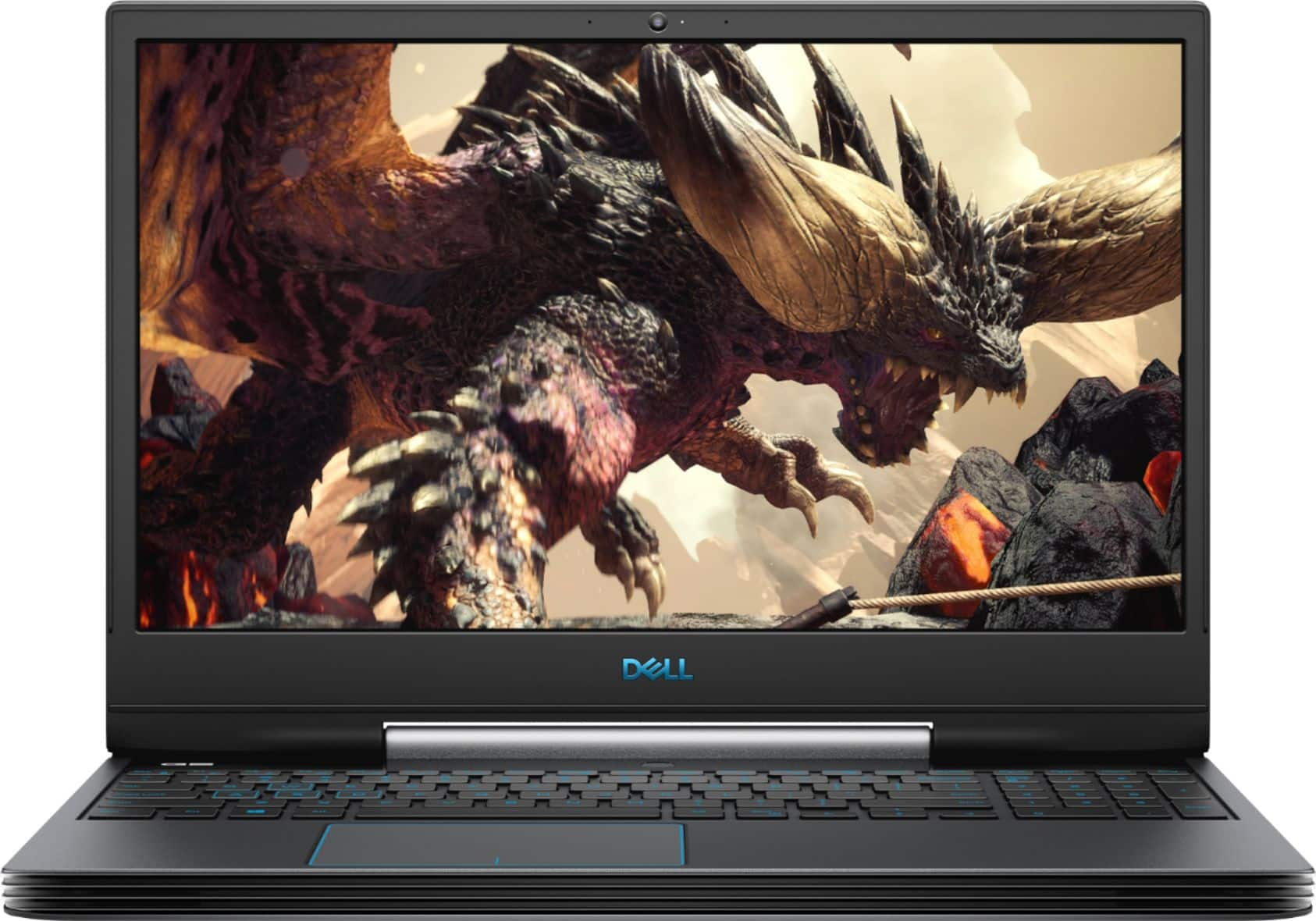
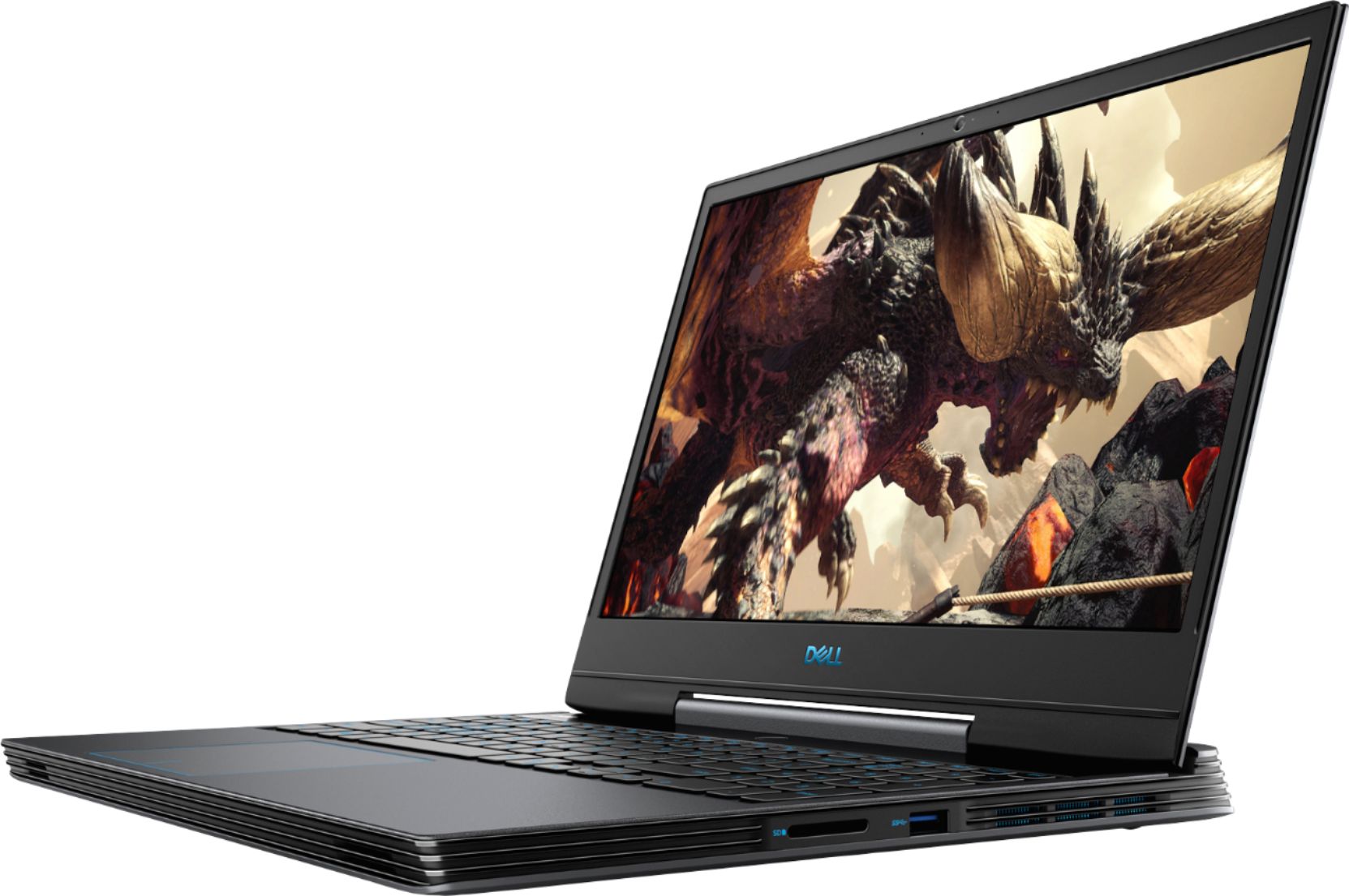
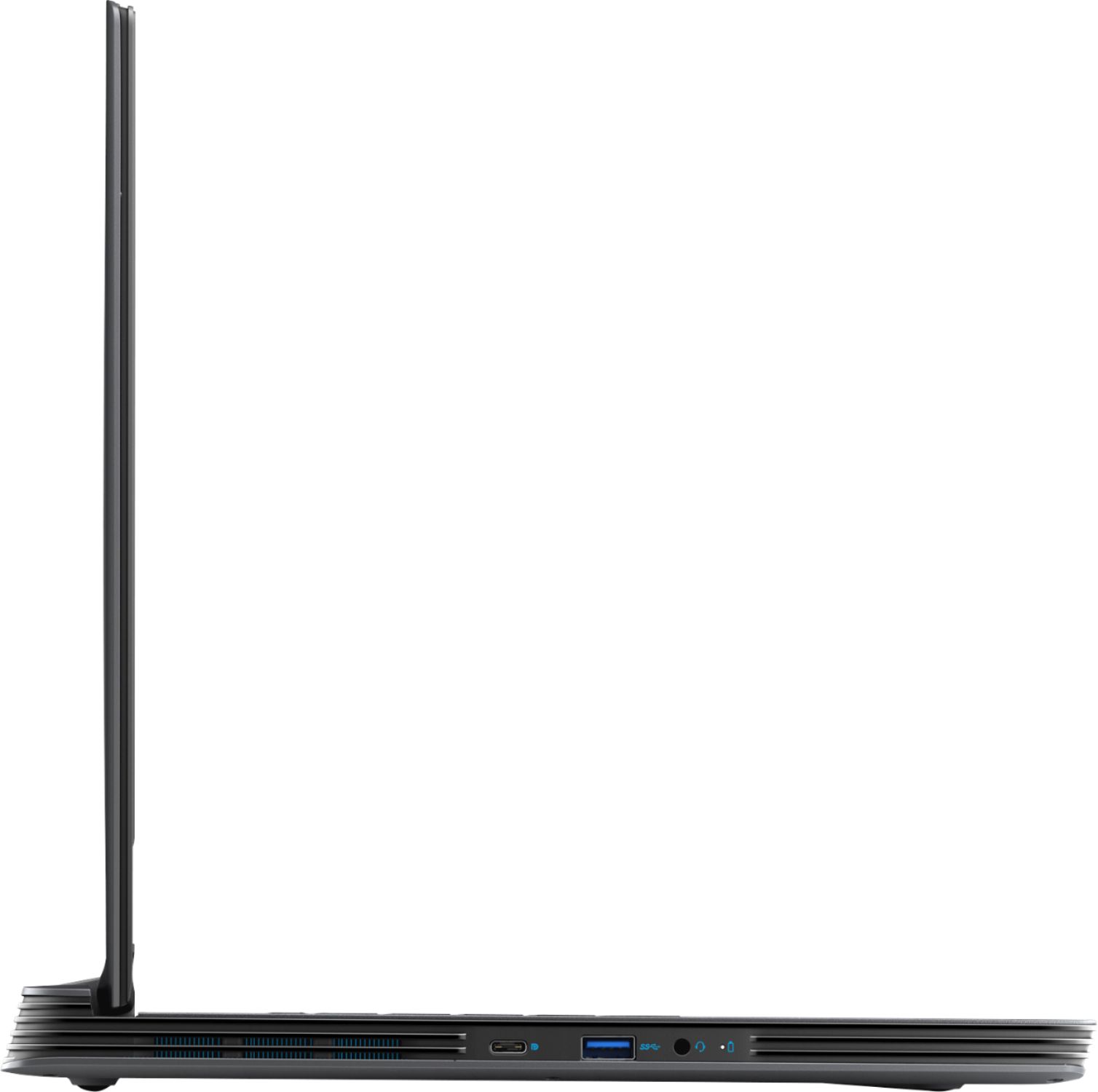
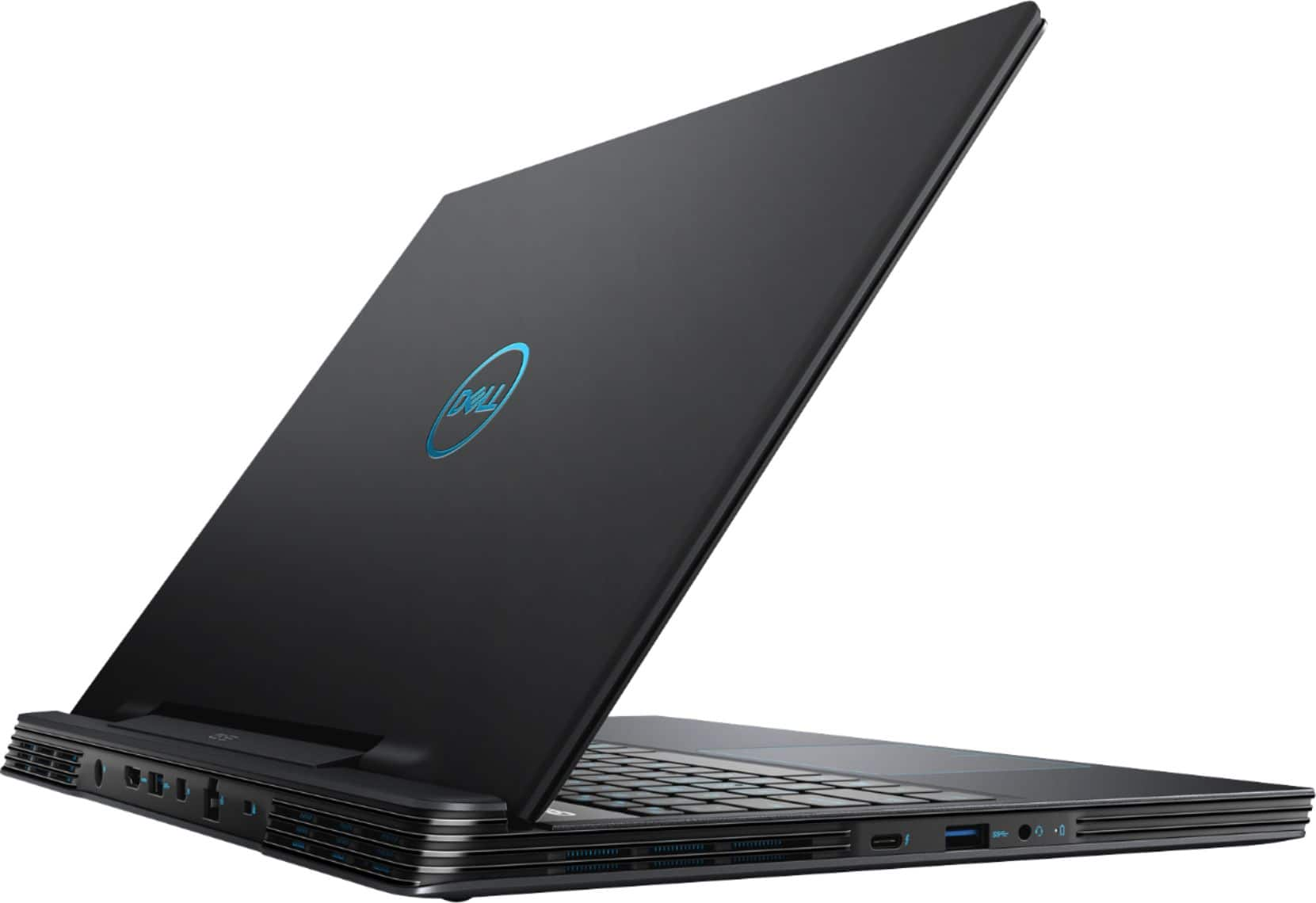
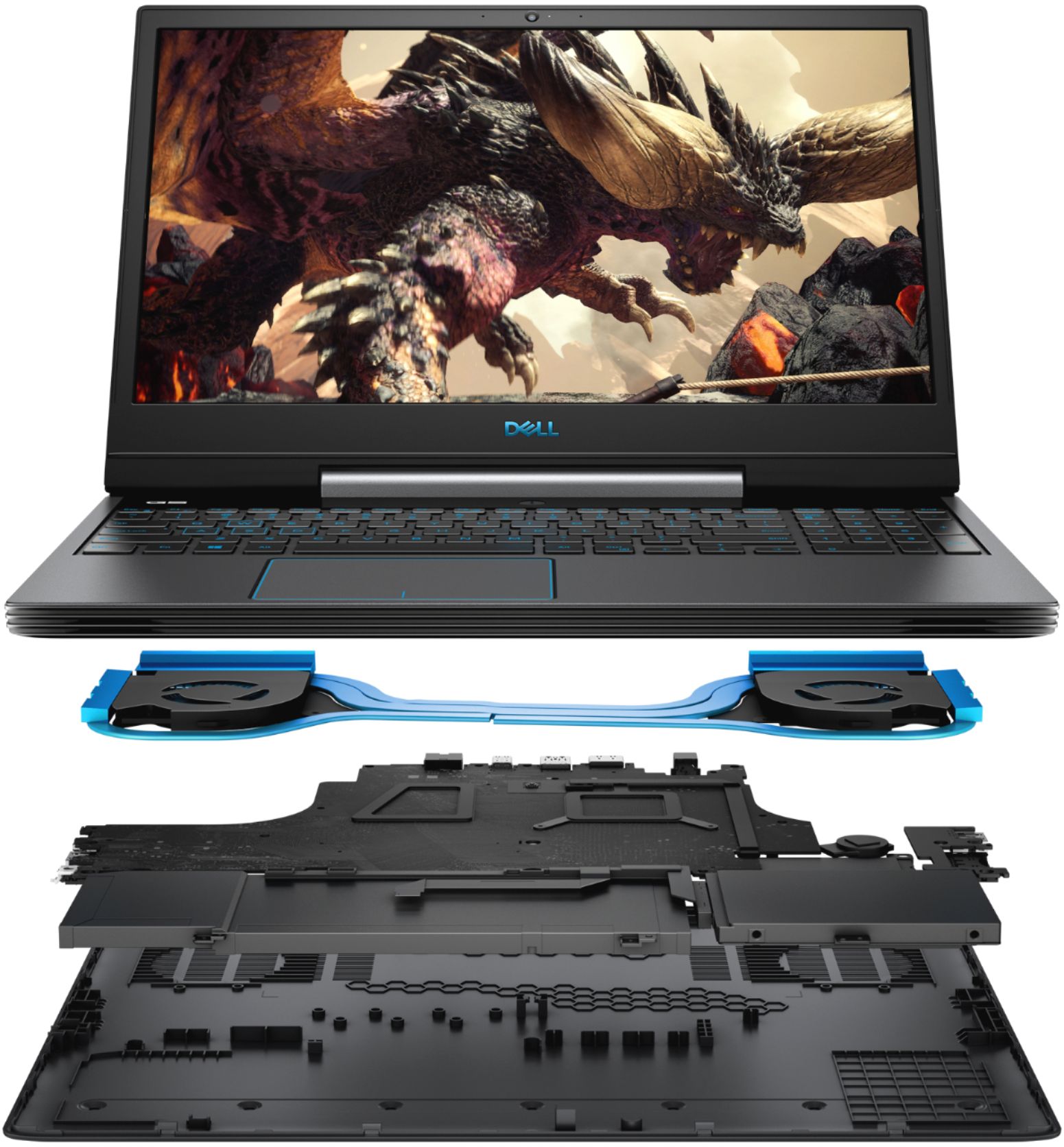
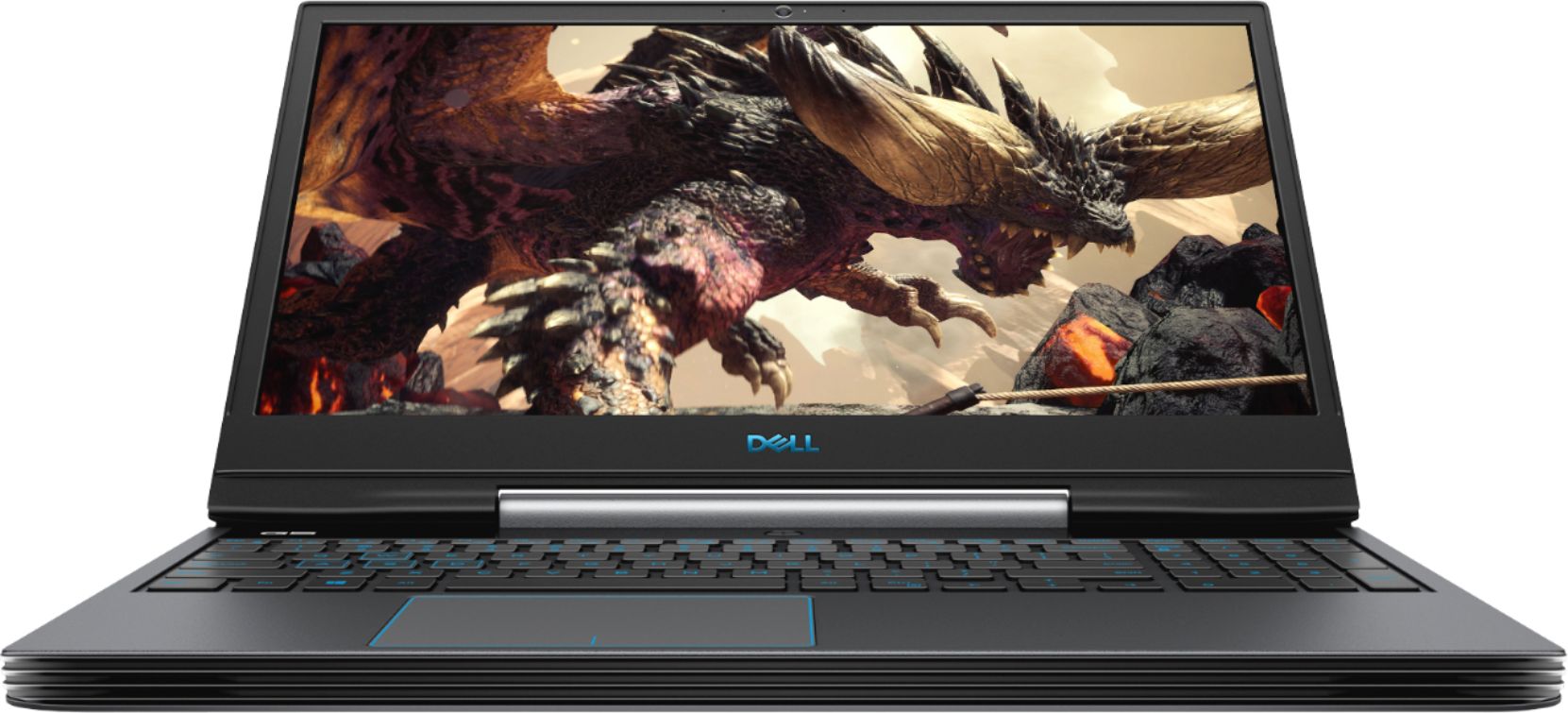
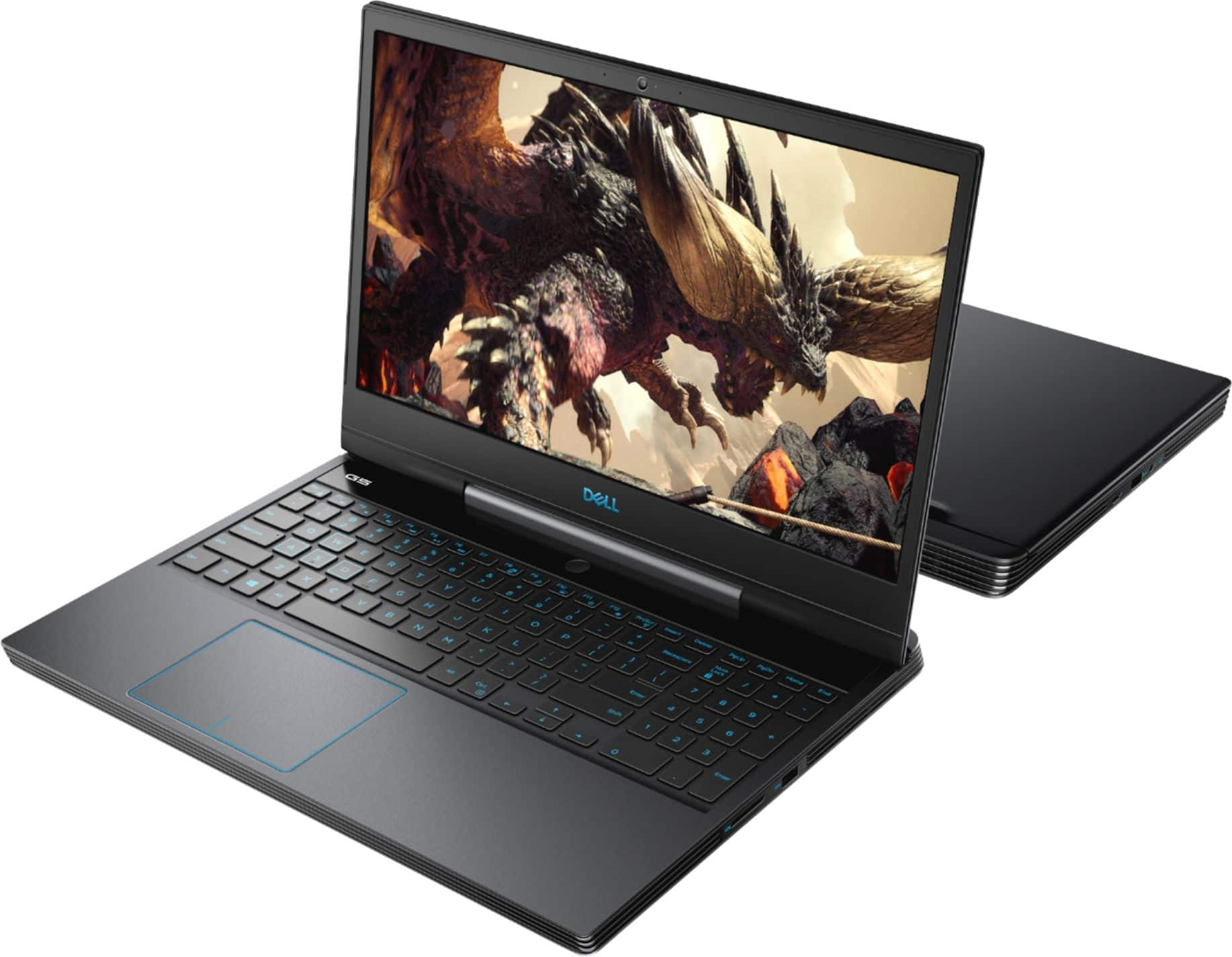
|Posted .This reviewer received promo considerations or sweepstakes entry for writing a review.Dell - 15.6" Gaming Laptop - Intel Core i7 - 16GB Memory - NVIDIA GeForce GTX 1660 Ti - 1TB Hard Drive + 256GB SSD - Deep Space Black For my use, the Dell is wonderful! It sets on the right side of my desk where I also have a 25” 1080p HP gaming monitor in the center of my desk with a 32” 2560x1440 (QHD) Samsung monitor on the left side of my desk. I have the HP monitor hooked up through the HDMI port on the Dell and the Samsung monitor hooked up through the miniDP (mini DisplayPort) port on the Dell. Both of these ports are powered by the NVIDIA GeForce GTX 1660 Ti graphics card (GPU), which is the upper mid-tier of GPU’s and has 6GB of integrated RAM. The Dell’s 15.6” 1080p IPS display runs off the Intel UHD 630 graphics chip embedded in the mother board in my setup. If you were to use the Dell without external monitors, it would power the 15.6” display through the NVIDIA GPU. My setup provides me with 3 screens to do my office work, so that’s a fair amount of screen real estate to display documents and application windows! I’ve been playing Elder Scrolls V: Skyrim on max settings, and this little Dell beauty has not hiccuped even once, while still powering all three (3) monitors and whatever I may have running on the other two (2) screens. Play is smooth and flawless. Frame rates are well over 60 FPS. So, if you’re not a gamer, how does this equate for other users? Well, it will run any intensive graphics activity (video/photo editing, CAD applications, Photoshop, VR, you name it). My office use doesn’t require these higher graphics capabilities, but my gaming does, so the Dell is simply wonderful for all these uses. Keep in mind that gaming laptops are running impressive hardware, and that weighs more generally speaking. The Dell weighs in at 6.11 lbs., yet it sports a thin bezel IPS 1080p matte screen (I personally prefer a matte screen as they are less reflective than standard screens – I have a window to my back so I truly appreciate anything that reduces reflection on my screens) with an HD webcam and dual microphones built in. The whole laptop is only 0.9” thick. Its design is attractive without the boxy look. It has a very comfortable keyboard with a full numeric pad all backlit with blue light, which is adjustable from no back-lighting to two selections of brightness when on. It has stereo speakers that are OK, but most laptop speakers are not capable of quality sound since space is restricted; however, for gaming (headsets) the Dell has Nahimic 3D Audio – of course, the quality of the headset you may use will affect your audio too. The Dell has a 9th generation Intel Core i7-9750H, 6 core processor. The Dell can handle up to 32GB of system RAM, but this model comes with 16GB. It also has a 256GB M.2 PCIe NVMe Solid State Drive (SSD) as well as a 1TB SATA hard drive to provide plenty of storage. So, sluggishness is not an issue since most of your activity will run from the SSD. Of course, you can choose to install various applications on the SATA hard drive, which will run them from there – nothing wrong with that – but if you won’t be filling up your SSD with your normal use, just install everything there (except your games because they take up enormous amounts of storage, just like tons of photos and videos will consume acres of storage). That’s why the 1TB SATA drive is there. You’re in good shape for ports too: one 2-in-1 SD/MicroMedia card reader, two USB-A 3.1 ports, one power port to charge the laptop, one HDMI 2.0, one mini DisplayPort, one RJ-45 Gigabit Ethernet port, lock slot, one USB-C DP/USB-C Thunderbolt port, one USB-A 3.1 Gen 1 with PowerShare so you can charge your other devices from it or run other peripherals from it, and a 3.5 Headphone jack. Obviously, you can run a lot of things from the Dell G5. In fact, you can run monitors and every other peripheral device just from the USB-C port alone if you use a USB dock with it (recommend a high-speed USB-C type dock or just a Thunderbolt dock that has all the various port types built in to the dock). It comes with 802.11 ac 2.2 WiFi and Bluetooth (BT). Apparently, the Dell G5 has a very good cooling system since it only occasionally powers up where you can hear it, but then it quietens right back down in just seconds. Even when the cooling systems spins up where you can hear it, it’s not a distraction when working at my desk or talking on the phone. I, for one, don’t use the Dell on my lap, but I’m sure it gets quite warm for that use if gaming – many gamers who use gaming laptops on their laps use laptop cooling pads to avoid too much warmth. Actually, my tower the Dell replaces is a gaming tower with lesser hardware than my Dell G5, and the tower always ran hotter than my Dell does. While I haven’t tested this, the G5’s battery will run about 4 to 5 hours on battery when you need to do that. Yes, there are plenty of other laptops out there that will run double that or more, but not running the kind of hardware the Dell G5 is running. There are options for this model (like a fingerprint reader where the power button resides above the keyboard in the middle), more RAM, even more powerful GPU etc.). For you gamers, you can calibrate your games, game settings, hardware etc. for your specific games through the provided Alienware Command Center software. Overall, I really love the Dell G5 as described above. My experience proves an enhanced desktop experience and a flawless gaming experience. For me, the laptop configuration works much better than a tower desktop configuration since there’s nothing beneath my desk to kick when moving my legs, and I have a 3rd screen, which is really nice. I highly recommend this model G5.
I would recommend this to a friend- Pros mentioned:Processor speed
Fast High End Gaming and Computing
|Posted .This reviewer received promo considerations or sweepstakes entry for writing a review.The Dell G5 15 5590 is an excellent laptop for both high end gaming and general computing. It features a 9th generation i7 cpu and a GTX1660 TI GPU. It also includes several usb type c ports, an HDMI out, and a Thunderbolt 3 port. The G5 had a score of approximately 3400 on the Heaven benchmark at 1920x1080 and a score of approximately 11 on the Steam VR Performance Benchmark. Both marks equal or exceed the performance of my external GTX1080 when connected to an i7 laptop through a Thunderbolt 3 connection. Battery life was also good for this type of laptop, ranging between 4 and 5 hours when not gaming. This is due to the switchable Intel 630 graphics and the large capacity battery. About the only thing that disappointed me was the screen brightness. It seemed a little dull. However, turning on HDR in the Settings greatly improved this for HDR content. In summary, the G5 is like a wolf in sheep’s clothing. The Deep Space Black styling is understated but the performance is that of a high end gaming laptop.
I would recommend this to a friend - Cons mentioned:Fan noise
Bad experience
||Posted .This reviewer received promo considerations or sweepstakes entry for writing a review.After few months Too noisy graphic fan After few months Bad lcd
No, I would not recommend this to a friend No go
||Posted . Owned for 7 months when reviewed.This reviewer received promo considerations or sweepstakes entry for writing a review.Once again returned this for an actual gaming tower, if you game a laptop is not a good idea.
No, I would not recommend this to a friend- Pros mentioned:GraphicsCons mentioned:Weight
I love this computer!!!
|Posted .This reviewer received promo considerations or sweepstakes entry for writing a review.I never tried PC gaming before until now and I am blown away! The graphic are better than PlayStation 4 and from what I'm told I can learn to more things with this PC for gaming then I ever could with the PlayStation 4! The load and boot up time is pretty good and took me all of 20 minutes to get everything set up. I'm also going to use this computer for my work computer as well. I love the feel of this computer and how heavy it is! I really don't like the thin cheap feeling computers that's so light you feel you're going to break them. I actually like something with some weight on it. I'm going to get some more games and start playing this computer more than my PlayStation 4!
I would recommend this to a friend The screen is very dim
||Posted . Owned for 3 months when reviewed.This reviewer received promo considerations or sweepstakes entry for writing a review.Loud, hot, dim screen, can’t change “rgb” keyboard color. Would not buy again or recommend
No, I would not recommend this to a friendBrand response from YourDellTeam
Posted .HaydenAnn,
Thanks for your review. We're sorry to hear about the concerns that you've had with your laptop so far. If you'd like to read about some ways to handle your screen display, you can read the following: https://dell.to/2CLF6yC.
If you'd like tips on how to operate your computer at cooler temperatures, here are some ideas:
Tips for Proper Usage:
1. Dell does not recommend placing portable systems directly on your lap. Due to reductions in the thickness of modern portable systems, heat transfer can be an issue.
2. Using a portable system (Laptop) on a hard, flat, non-cloth surface will increase airflow and reduce heat from underneath and inside the system.
Using the portable system on a blanket, pillow, or other types of cloth will cover up the fan cause the computer to overheat and can cause permanent damage.
3. It is recommended to use the portable system in a Room temperature of 0°C to 35°C (32°F to 95°F) with a Humidity level no greater than 90%.
4. Use compressed air to clean the vents on a regular basis.
5. Using a cooling pad can decrease heat and increase performance.
6. If you want to know the temperature limitations for your system, go to the Dell Support Website, look up your system model then open the user guide under the manuals link.
You can read the full article here - http://dell.to/2uJ8AdG.
Best,
Bryan
1-800-624-9896
Needs software updates out of the box
||Posted . Owned for 3 weeks when reviewed.This reviewer received promo considerations or sweepstakes entry for writing a review.It is a poor choice. The laptop locks up constantly asking for a credit card number for a subscription to update software that should be included with a new laptop that costs over $1000. I received the pop up messages straight out of the box. I will not purchase a Dell or buy from Best Buy again.
No, I would not recommend this to a friendBrand response from YourDellTeam
Posted .Robert1,
We're sorry to hear that you're not happy with your laptop choice. Please understand that from the time that your laptop is shipped to the store and you buy it, there may be updates that are released that cannot be installed until you begin to use your new computer.
We hope that you're able to use Dell's SupportAssist App to make sure that all of your drivers and software are up to date.
Best,
Bryan
1-800-624-9896