Customer Ratings & Reviews

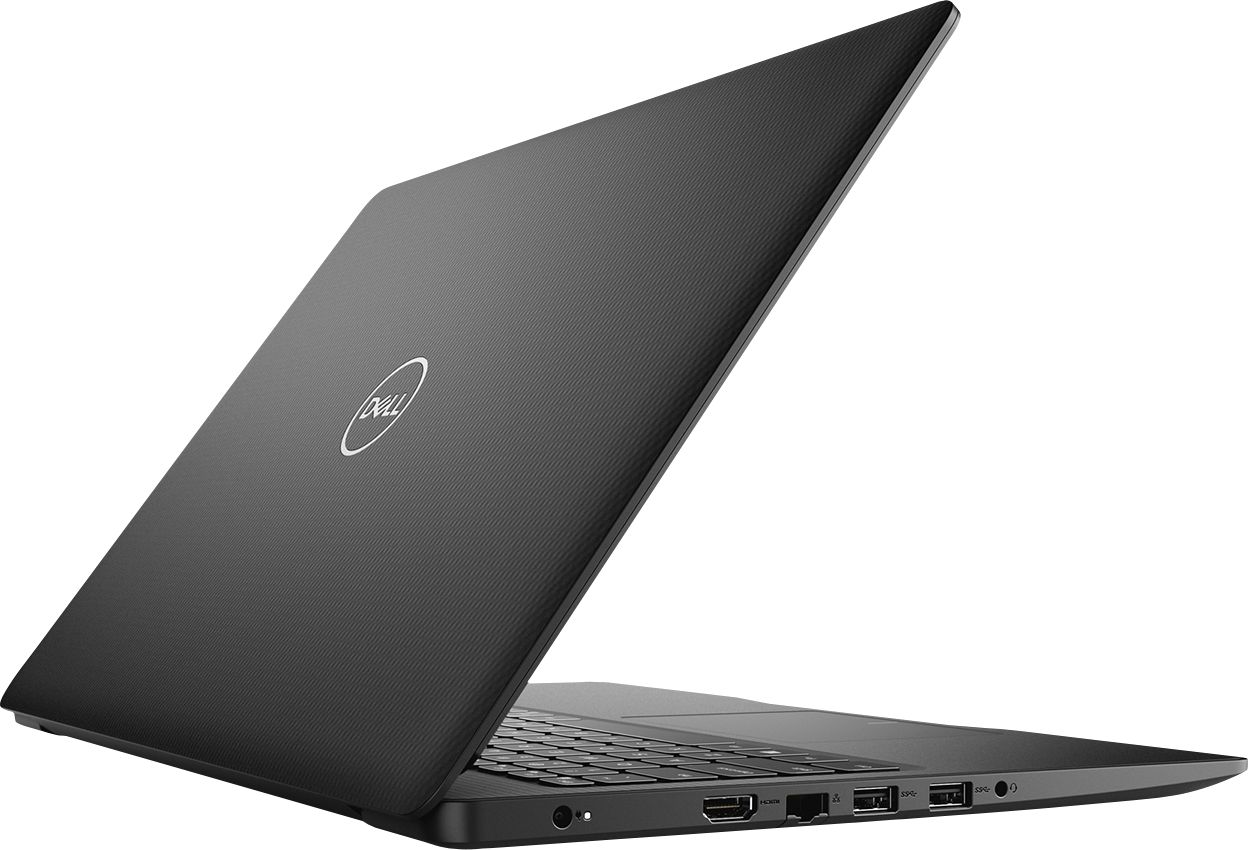


- Model:
- I3583-3867BLK
- SKU:
- 6387169
Rating by feature
- Battery Life
Rating 4.4 out of 5 stars
- Speed
Rating 4.3 out of 5 stars
- Display
Rating 4.5 out of 5 stars
Customers are saying
Customers are positive about the price, touch screen, and ease of use of the Inspiron 15.6" Touch-Screen Laptop. They appreciate the good value for the features included, enjoy using the touch screen feature, and find the laptop easy to use and navigate. However, customers are negative about the storage space, battery life, and Windows 10 operating system. They feel the storage is insufficient, the battery drains quickly, and Windows 10 requires a learning curve.
This summary was generated by AI based on customer reviews.
Good for beginners
||Posted . Owned for 1 month when reviewed.This reviewer received promo considerations or sweepstakes entry for writing a review.Not as expected but good for the price. Will work for now.
I would recommend this to a friendBrand response from YourDellTeam
Posted .Mytv,
Thanks for your feedback. We're sorry to hear that your new laptop is not completely meeting your needs. If you have any questions about your computer you can check our Product Support Page here: https://dell.to/2m18eN8.
Best,
Bryan
1-800-624-9896
Beware of Sales Items!
||Posted . Owned for 6 months when reviewed.This reviewer received promo considerations or sweepstakes entry for writing a review.Not available per ad. Used one only. Has glitches.
No, I would not recommend this to a friendPoor warranty by Dell
||Posted . Owned for 1.5 years when reviewed.This reviewer received promo considerations or sweepstakes entry for writing a review.Very good computer, while it lasted. in March the hard drive crashed. Dell replaced the hard drive, but kept the defunct one. We lost all the apps and files, despite asking Dell to transfer them.
No, I would not recommend this to a friendNo Windows Installed - Against Advertisement
||Posted . Owned for 2 months when reviewed.This reviewer received promo considerations or sweepstakes entry for writing a review.No Windows was installed on laptop upon receiving it despite it being advertised as so - others have complained about this in reviews as well. I should’ve listened to those customers and not purchased this laptop. Secondly, laptop stopped charging after only 2 months after purchase (purchased after Black Friday and its only 2/14/20 now). Charging issues have been a problem with every single Dell laptop I’ve ever owned. A laptop is useless if it won’t turn on. Old or new. Get it together Dell.
No, I would not recommend this to a friendBrand response from YourDellTeam
Posted .JCMorris,
Thanks for your review. We're sorry to hear about the issues with Windows that you had when you set up your computer. If you are receiving a message that says that Windows is not activated, we'd recommend following these steps:
If you are receiving a Windows 10 Home Activation Error you can follow these steps:
1. Verify that the system has an active internet connection (open a web browser and navigate to Microsoft.com)
NOTE: Follow standard network troubleshooting if the system cannot connect to the internet.
2. Select Start > Settings > Update & Security > Activation , and then select Troubleshoot.
3. The system should now activate and the error message should disappear automatically. You can read the full article here: https://dell.to/2PKUhQ8. If you are having trouble turning your computer on, please try these steps: 1. If the computer is displaying the Dell logo and does not move past that point, it has probably failed POST.
2. If the power indicator lights up and it is amber or orange, this is usually an indicator that it has failed POST.
3. If you see text on a black screen, the computer is currently performing the POST. If the computer stays in that condition and does not move past it, it has probably failed POST.
4. If the video screen displayed anything at all during the startup process but is now black, this probably indicates that the computer failed POST.
5. If the computer is beeping or if Caps/Num/Scroll Locks are flashing, note if there is a particular pattern in which it beeps or flashes.
6. If the computer is not beeping and caps/num/scroll locks are not flashing, unplug all connections and remove all media communication devices (e.g. external monitors); reconnect one at a time and check if the computer functions.
7. For a notebook, press and hold the Fn key and then press the power button. This starts the pre-boot testing and will launch ePSA. In case you have a Desktop at the Dell logo screen tap the F12 key to enter One Time Boot Menu and use the arrow keys to highlight Diagnostics and press enter.
You can read the full article here - http://dell.to/2uj1Sby.
Lastly, Dell products come with a One Year Limited Warranty. If you'd like to read more about our warranty policy, you can check out this site: http://dell.to/2tNsVOs.
Best,
Bryan
1-800-624-9896
Hell or Dell
||Posted . Owned for 1 year when reviewed.This reviewer received promo considerations or sweepstakes entry for writing a review.In a far from perfect world peasants like us would be able to buy a dissent computer without getting a second mortgage on our house or skipping rent in order to afford one. But reality bites our behind hard friends, and that far from perfect world doesn't exist. DELL should be renamed HELL. I bought this computer one year go December 5th 2019 purchase date. Have had many little problems that was able to solve on my own and today...well today the lovely ALERT! about how the ac power adapter wattage or type cannot be determined came on. Yup it won't charge even though there is no damage to the cable. Oh and the warranty from HELL expired December 11th 2020, How convenient?!!!!
No, I would not recommend this to a friendBrand response from YourDellTeam
Posted .needsnewPC,
Thanks for your review and for being a loyal Dell customer. We'd recommend that you read the troubleshooting tips in this article to help with your AC Adapter Error Message: http://dell.to/3nlj5wc. We hope that this helps your AC Adapter charge your computer again.
Best,
Bryan
1-800-624-9896
Trash
||Posted . Owned for 9 months when reviewed.This reviewer received promo considerations or sweepstakes entry for writing a review.so i brought this laptop back on December 2019 and i still haven't be able to used first the charger was defect and the laptop will die in second i was told it was the charger so i got it replaced by the ?GEEK SQUAD?? And that didnt fix the problem so i took it back and they couldn't find anything wrong with it i was told in the store and they send it to get check the problem supposedly was the battery now the laptop is glitching ill neve buy a pc at best buy again and i wont waste my money on the ?GEEK SQUAD??? either they know what they seliing is trash is repp off charging for a extra warranty that they wont fulfill Wal-Mart is the place to buy electronics
No, I would not recommend this to a friendBrand response from YourDellTeam
Posted .jesse,
We're sorry to hear about the connectivity issues that you're having with your computer. Please follow up with Dell's Technical Support Team so they can help diagnose the problems that you're having: http://dell.to/2sH7Qlm.
If you'd like to read articles about your computer issues you can check our Product Support Page here: https://dell.to/2m18eN8.
Best,
Bryan
1-800-624-9896
set up was easy.
||Posted . Owned for 1 month when reviewed.This reviewer received promo considerations or sweepstakes entry for writing a review.replacing a laptop that is 12 years old. Expected this laptop to respond more quickly to commands, but it is slow responding. Only use for email and to surf the web, but is slow to respond.
No, I would not recommend this to a friendBrand response from YourDellTeam
Posted .Sully,
Thanks for your review. We're sorry that your computer is a little slower than you hoped it would be. We'd recommend running the Windows Performance Troubleshooter to see if there are ways to speed up your computer:
1. Close all open windows.
2. Press the Windows logo key + X key on the keyboard.
3. Click Control Panel.
4. Click System and Security.
5. Under Security and Maintenance, select Troubleshoot common problems.
6. Under System and Security, click Run maintenance tasks.
7. Follow the on-screen instructions and prompts to complete the process.
8. Restart the PC.
You can read the full article here - http://dell.to/2tSulGV.
If you have any questions about your computer you can check our Product Support Page here: https://dell.to/2m18eN8.
Best,
Bryan
1-800-624-9896
worst laptop ever
||Posted . Owned for 4 months when reviewed.This reviewer received promo considerations or sweepstakes entry for writing a review.this is the worst laptop ever. it was a bust. it crashes every time we use it. i bought it because my daughter wanted a laptop to play games on and it never works. windows doesnt work, epic games crashes, i cant get ahold of anyone at Dell to help me. the Geek squad cant help because i cant get in to see them right now. the waranty ran out so i am probably stuck with it. i will never buy another Dell again. i am so dissapointed.
No, I would not recommend this to a friendBrand response from YourDellTeam
Posted .RxStallion,
We're sorry to hear that your computer is crashing so frequently. We'd recommend that you try to diagnose your crashes by following these steps:
1. At the desktop, click the Search the web and Windows box and type "problem reports".
2. Select View all problem reports to view a list of errors that have occurred on your computer and possible solutions for them, such as updating drivers, flashing your system BIOS, or checking for updates to the software.
3. Under the Source column, look for Windows and under Summary, look for Shut down unexpectedly.
4. Right-click the line item and select Check for a solution.
We'd also suggest checking to make sure that your software and drivers are up to date on Dell's Product Page - https://dell.to/2rlFsde.
You can read the full article here - http://dell.to/2u98Cct. Dell does offer a One Year Limited Warranty on our products if you feel like your computer may qualify: http://dell.to/2tNsVOs.
Best,
Bryan
1-800-624-9896
Good laptop with an unresolved issue
||Posted . Owned for 3 weeks when reviewed.This reviewer received promo considerations or sweepstakes entry for writing a review.I purchased this laptop as a replacement to a defective unit. Unfortunately, this laptop also has the same issue. The screen "flashes" similar to a camera flash numerous times a day. Other consumers have written about the same issue.
No, I would not recommend this to a friendBrand response from YourDellTeam
Posted .EE1993,
We're sorry to hear that your screen has been flashing. We'd recommend checking to make sure that the BIOS on your computer is up to date: http://dell.to/2ESD8fU.
If you'd like to check to make sure that your software and drivers are up to date, you can check them here: https://dell.to/2rlFsde.
Best,
Bryan
1-800-624-9896
Internal hardware good, keyboard and trackpad not
||Posted . Owned for 1.5 years when reviewed.This reviewer received promo considerations or sweepstakes entry for writing a review.Many of the keys are very unresponsive. The space bar especially so. You have to slam it down with each word for it to make a space. Also, the trackpad pops out constantly. It seems to float up out of the palmrest and you have to pop it back into place. It also is finnicky and unresponsive. Of course all of these issue started being big problems right after my warranty ran out and they want to charge me over 100 dollars just to look at it, Then much more to fix their own crummy product.
No, I would not recommend this to a friendGreat computer but the charging battery plugin....
||Posted . Owned for 2 months when reviewed.This reviewer received promo considerations or sweepstakes entry for writing a review.Great computer but the charging battery plugin is Not good from out of the box. I text chatted with their team and all the lady said was ..Well you need to send it all back to Dell... come on for a charger? And I just bought it new. Needless to say maybe BEST BUY IS NOT A “Best Buy after all. I’m sure Dell would have sent me one but I am still wriggling the the plugin to get it charged. The only reason I give it 1 star is because of customer service. The computer I would give it a 5 Star.
I would recommend this to a friendBrand response from YourDellTeam
Posted .Ladybug,
Thanks for your feedback. We're sorry to hear that your power cord is not working the way that it should. If you have any AC adapter errors in addition to the issues with the cord, we'd recommend that you try these tips:
We'd recommend checking the following causes of possible AC Adapter Error Messages:
1. Are you using a 3rd party or is a non-Dell branded AC adapter is connected to the PC or docking station?
2. Are you using an AC adapter with a lower wattage?
3. Is the AC adapter is not fully connected to the PC?
4. Check to see if the wall power cord is not fully connected to the AC adapter.
5. The AC adapter or PC's AC adapter port could be damaged.
6. The AC adapter is not recognized in BIOS (System Setup).
You can read the full article here: http://dell.to/2xQTan2.
Best,
Bryan
1-800-624-9896
Unhappy with purchase.
||Posted . Owned for 1 week when reviewed.This reviewer received promo considerations or sweepstakes entry for writing a review.I bought this computer to write a journal about my cancer treatment. What I didn’t realize is now you have to purchase micro soft word separately. The sales associate did inform me about this. Against my better judgment I bought the computer anyway. I feel this is a rip-off perpetrated by dell & Microsoft. I decided to return the laptop which was unopened. Best Buy accepted the return but since I was past the 2 week grace period they issued me a store gift card instead of a refund. So now I’m stuck with a freakin gift card that I really can’t use. I’m not very happy with Dell, Microsoft or Best Buy!
No, I would not recommend this to a friendBrand response from YourDellTeam
Posted .Jwim,
We are sorry that you did not realize that your computer came with a 30 day trial of Microsoft Office products. We hope that you will consider purchasing a Dell product in the future and looking into additional resources that you can use for writing your journal.
Best,
Bryan
1-800-624-9896
Couldnt even last me a month
||Posted . Owned for 1 month when reviewed.This reviewer received promo considerations or sweepstakes entry for writing a review.Bought this computer on black Friday and like it until now. Starting to ALREADY have malfunctions. battery wont charge anymore, speaker volume is scratchy making videos unbearable too. just wish I could still return it. pretty unhappy with this poor quality this is why apple products will always be superior I guess even despite the lack of windows compatibility. I should get a full refund to be honest and get to keep it because its practically product misinformation.
No, I would not recommend this to a friendBrand response from YourDellTeam
Posted .adub,
We're sorry to hear about the problems that you've had with your computer so far. If you believe that you have an issue that is covered under Warranty, you can read more about our One Year Limited Warranty here - http://dell.to/2tNsVOs.
You can check here to make sure that your Audio Drivers are all up to date: https://dell.to/2rlFsde.
Best,
Bryan
1-800-624-9896
Didn't last long
||Posted . Owned for 3 months when reviewed.This reviewer received promo considerations or sweepstakes entry for writing a review.Received the laptop in January. Just after the return date in February the screen started acting up. It's been several months and we are still having issues. I wouldn't recommend this lap top.
No, I would not recommend this to a friendBrand response from YourDellTeam
Posted .Friday1,
We're sorry to hear about the screen issues that you're having with your new computer. We'd recommend reading the following article to see if you can troubleshoot any of the problems that you're facing: https://dell.to/2CLF6yC.
Best,
Bryan
1-800-624-9896
Not the best, not the worst
||Posted . Owned for 9 months when reviewed.This reviewer received promo considerations or sweepstakes entry for writing a review.I’m not a fan of dell products. I have had bad luck with them. Batteries and customer service both have been a hassle. Even the hinges get sticky and that’s a real problem
No, I would not recommend this to a friendCannot find answers or instructions.
||Posted . Owned for 3 weeks when reviewed.This reviewer received promo considerations or sweepstakes entry for writing a review.Beginning in the 80's, I previously purchased 2 Dell desktops for my personal use. In 2010 I purchased a Toshiba laptop. Very satisfied with these products even though they had features I never used. I am writing this review on my old Toshiba with Windows 7 because I cannot understand how to use my new Dell Inspiron. I am 80 years old and the new Dell was recommended by my 19 year old grandson. Unfortunately he lives 2500 miles from me. I am suggesting that somehow the marketing and development people make basic equipment and market it as appropriate for general use.
No, I would not recommend this to a friendBrand response from YourDellTeam
Posted .Linda,
We are sorry to hear about the trouble you've had learning more about your new computer. Dell has set up a website to help people transition from using Windows 7 to Windows 10: http://dell.to/2wMZqyx.
We hope this helps your learn how to set up your computer better so that it is more useful to you.
Best,
Bryan
1-800-624-9896
Died :(
||Posted . Owned for 1 year when reviewed.This reviewer received promo considerations or sweepstakes entry for writing a review.Exactly one month after the warranty expired the computer completely died and won’t turn on what so ever. It’s literally just over a year old. Bought 02/2020
No, I would not recommend this to a friendGreat 1st laptop for a student
||Posted .This reviewer received promo considerations or sweepstakes entry for writing a review.Its a simple laptop, although its touchscreen; however, I did not enjoy a few features. It was giving me issues with getting Microsoft word installed and working.
No, I would not recommend this to a friendBrand response from YourDellTeam
Posted .Alum17,
Thanks for your review and we're sorry to hear that your computer has been giving you some issues. If you'd like to troubleshoot your Microsoft Office installations we'd recommend checking Microsoft's Technical Support Team here: http://bit.ly/2KBOM4c.
Best,
Bryan
1-800-624-9896
Dead on arrival
||Posted .This reviewer received promo considerations or sweepstakes entry for writing a review.Won't turn on. Could be the power adapter as the LED just blinks for a second when plugging in. Tried several outlets. Could be a returned item since I noticed a screw was missing from the bottom. Will update my review if the one I exchange it for works.
No, I would not recommend this to a friendBrand response from YourDellTeam
Posted .Erik,
Thanks for your review. We're sorry to hear that your computer did not work the way it was supposed to. Please follow these steps to see if they help your computer start properly:
1. If the computer is displaying the Dell logo and does not move past that point, it has probably failed POST.
2. If the power indicator lights up and it is amber or orange, this is usually an indicator that it has failed POST.
3. If you see text on a black screen, the computer is currently performing the POST. If the computer stays in that condition and does not move past it, it has probably failed POST.
4. If the video screen displayed anything at all during the startup process but is now black, this probably indicates that the computer failed POST.
5. If the computer is beeping or if Caps/Num/Scroll Locks are flashing, note if there is a particular pattern in which it beeps or flashes.
6. If the computer is not beeping and caps/num/scroll locks are not flashing, unplug all connections and remove all media communication devices (e.g. external monitors); reconnect one at a time and check if the computer functions.
7. For a notebook, press and hold the Fn key and then press the power button. This starts the pre-boot testing and will launch ePSA. In case you have a Desktop at the Dell logo screen tap the F12 key to enter One Time Boot Menu and use the arrow keys to highlight Diagnostics and press enter.
You can read the full article here - http://dell.to/2uj1Sby.
Best,
Bryan
1-800-624-9896
Issues
||Posted . Owned for 3 weeks when reviewed.This reviewer received promo considerations or sweepstakes entry for writing a review.Bought for daughter she took home and found out product key not installed Windows would not work multiple calls and trips to store to fix before could even use.
No, I would not recommend this to a friendBrand response from YourDellTeam
Posted .Hi Gman,
Thanks for your review. We're sorry to heat about the setup issues that you had. We hope that everything is working the way that it should now. If you have any questions about your computer you can check our Product Support Page here: https://dell.to/2m18eN8.
Best,
Bryan
1-800-624-9896