Customer Ratings & Reviews
- Model:
- I7386-5038SLV-PUS
- SKU:
- 6295914
Rating by feature
- Battery Life
Rating 3.3 out of 5 stars
- Speed
Rating 4.2 out of 5 stars
- Display
Rating 4.3 out of 5 stars
Customers are saying
Customers have good things to say about the Inspiron 2-in-1 13.3" Touch-Screen Laptop. They appreciate its lightweight design, responsive touch screen, and affordable price. Many users also find it easy to use and are impressed with its overall performance. However, some customers have concerns about the battery life, fan noise, weight, fingerprint scanner, and overheating issues.
This summary was generated by AI based on customer reviews.
Exactly what he wanted??
||Posted .This reviewer received promo considerations or sweepstakes entry for writing a review.Light weight and very user friendly. Great item!
I would recommend this to a friendGreat ítem
||Posted .This reviewer received promo considerations or sweepstakes entry for writing a review.Love the laptop. So beautiful best product........
I would recommend this to a friendFairly light in weight, lit-keyboard is great.
||Posted . Owned for 1 month when reviewed.This reviewer received promo considerations or sweepstakes entry for writing a review.Extremely disappointed in this Dell product. Touch-screen is sooooo slow compared to 5-yr old HP 2-in-1 (hard-drive dying) Audio is not consistent or reliable, turns into non-understandable fuzzy mode and then useless. Audio sound flips in unexpectedly for no reason. I'm into online Spanish lessons so this is a REAL issue. Video screen also not consistent or reliable as the screen locks up for no reason, have to shut it down and log in all over again. These issues remind me of the Dell laptop I had 2008-2013; would think Dell should have remedied these problems by now. In other words, I want my money back!!
No, I would not recommend this to a friendBrand response from YourDellTeam
Posted .Hi Sharigran,
We're sorry to hear about the features of your new laptop that you are not happy with. We'd recommend the following tips to re-calibrate your computer's touchscreen:
1. Restart the Computer and the Monitor
2. Recalibrate the touch-screen. Steps to calibrate touch-screen:
3. Go to Control Panel and select Tablet PC Settings.
4. Under Display tab, select Calibrate.
5. Choose Pen or Touch input.
6. Perform the point calibration that appears on the screen to correct the linearity problems.
7. Save the calibrated data.
You can read the full article here - http://dell.to/2uLztub.
If you'd like to see if your computer's audio quality can be improved, we'd recommend checking to make sure that the software and drivers for your computer are up to date: https://dell.to/2SNPOPn.
We hope that these tips help your computer perform the way that you wanted it to.
Best,
Bryan
1-800-624-9896
- Cons mentioned:Battery life
Horrible battery
||Posted . Owned for 1 year when reviewed.This reviewer received promo considerations or sweepstakes entry for writing a review.I returned this quickly I love the look of this computer, and feel, but the battery was too horrible a sacrifice. It lasted about 4 hours between charges.
No, I would not recommend this to a friend Nice 2in1 ok for light stuff . No video editing
||Posted . Owned for 1 year when reviewed.This reviewer received promo considerations or sweepstakes entry for writing a review.Ok for light task mkvues web surfing . 8GB is nit enough fir any editing or 3D stuff . Dont even think of gaming on this. This aint that type of machine
I would recommend this to a friend- Pros mentioned:Speed

The perfect Windows 13.3" convert laptop ever made
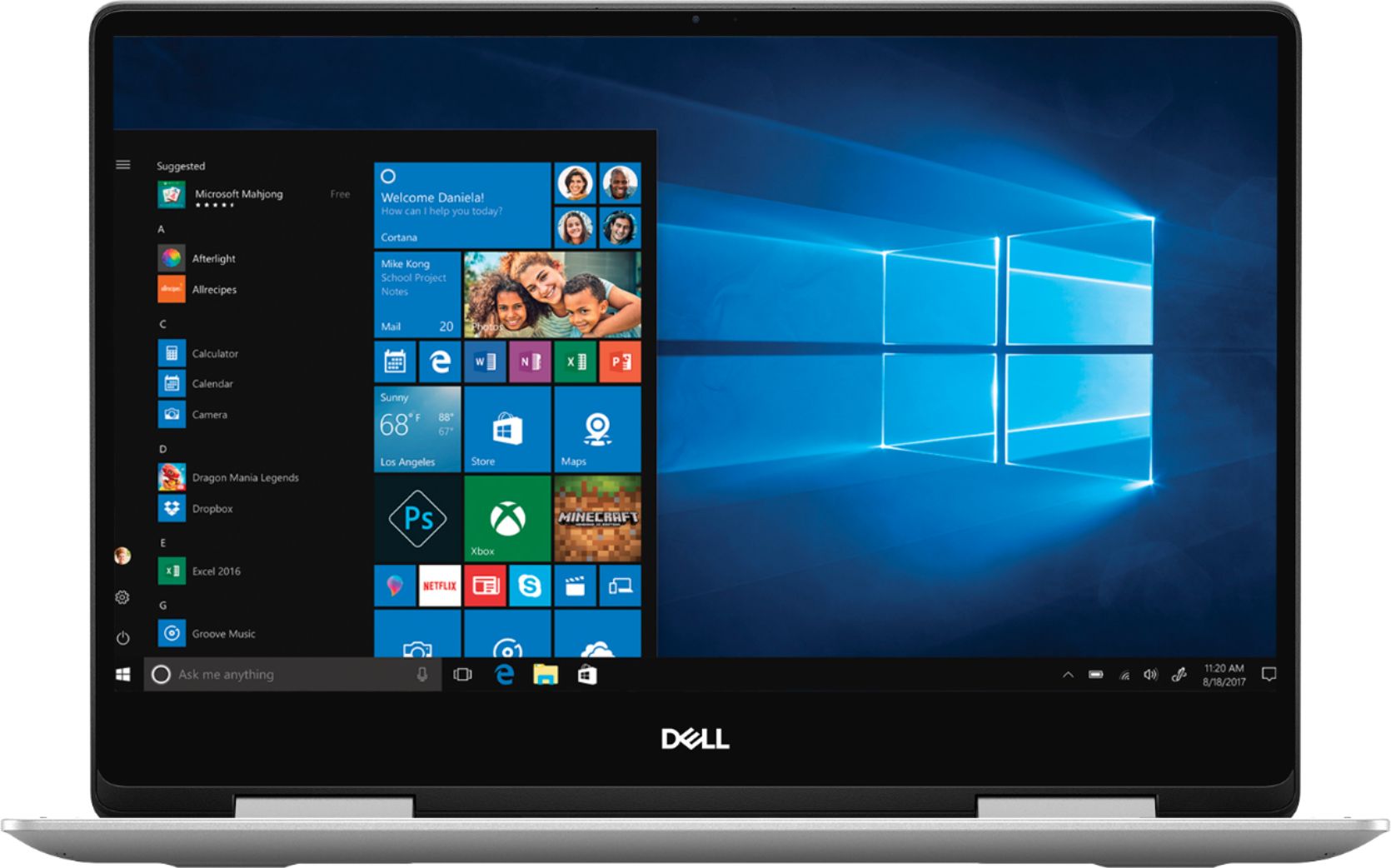
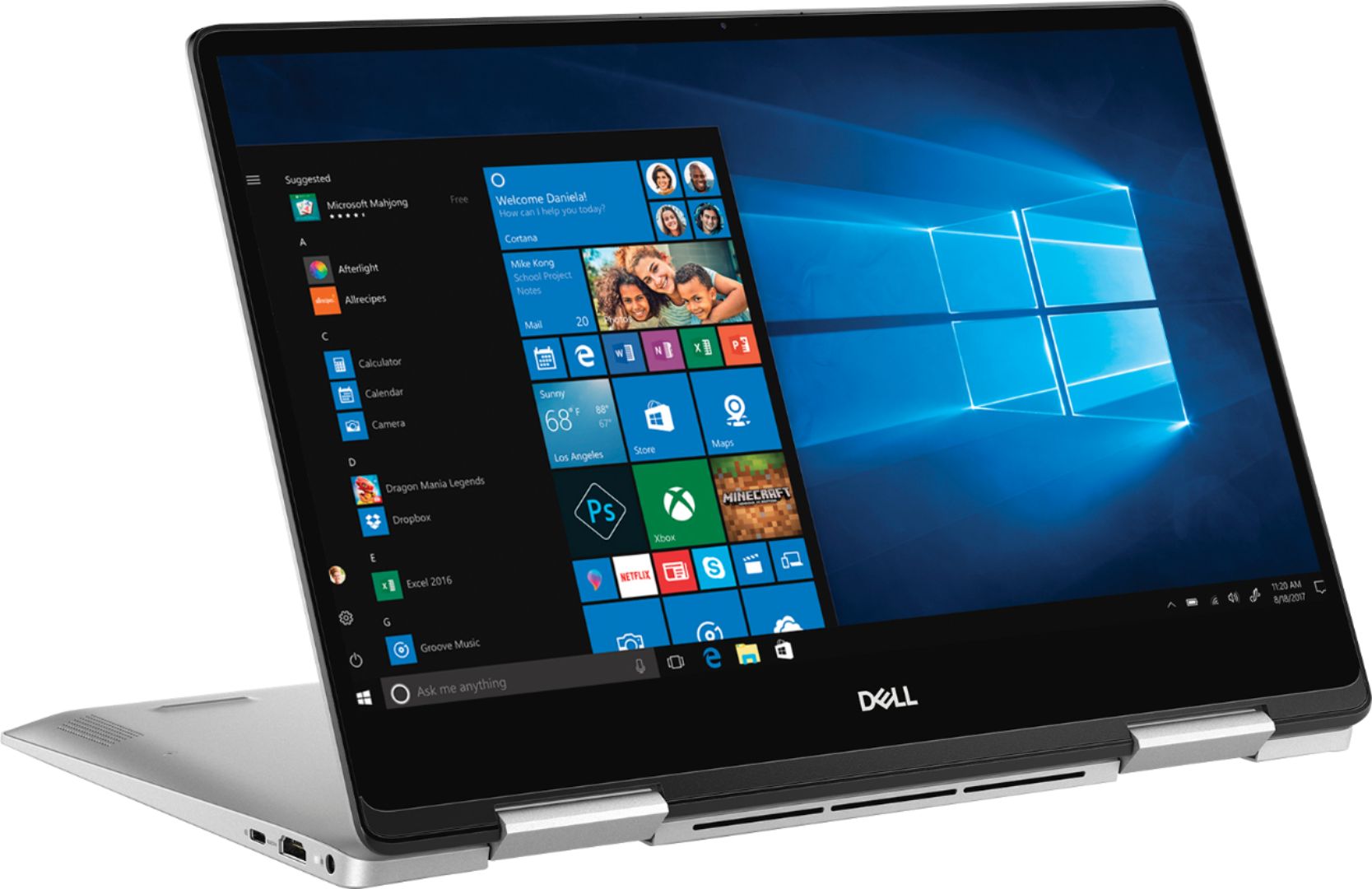
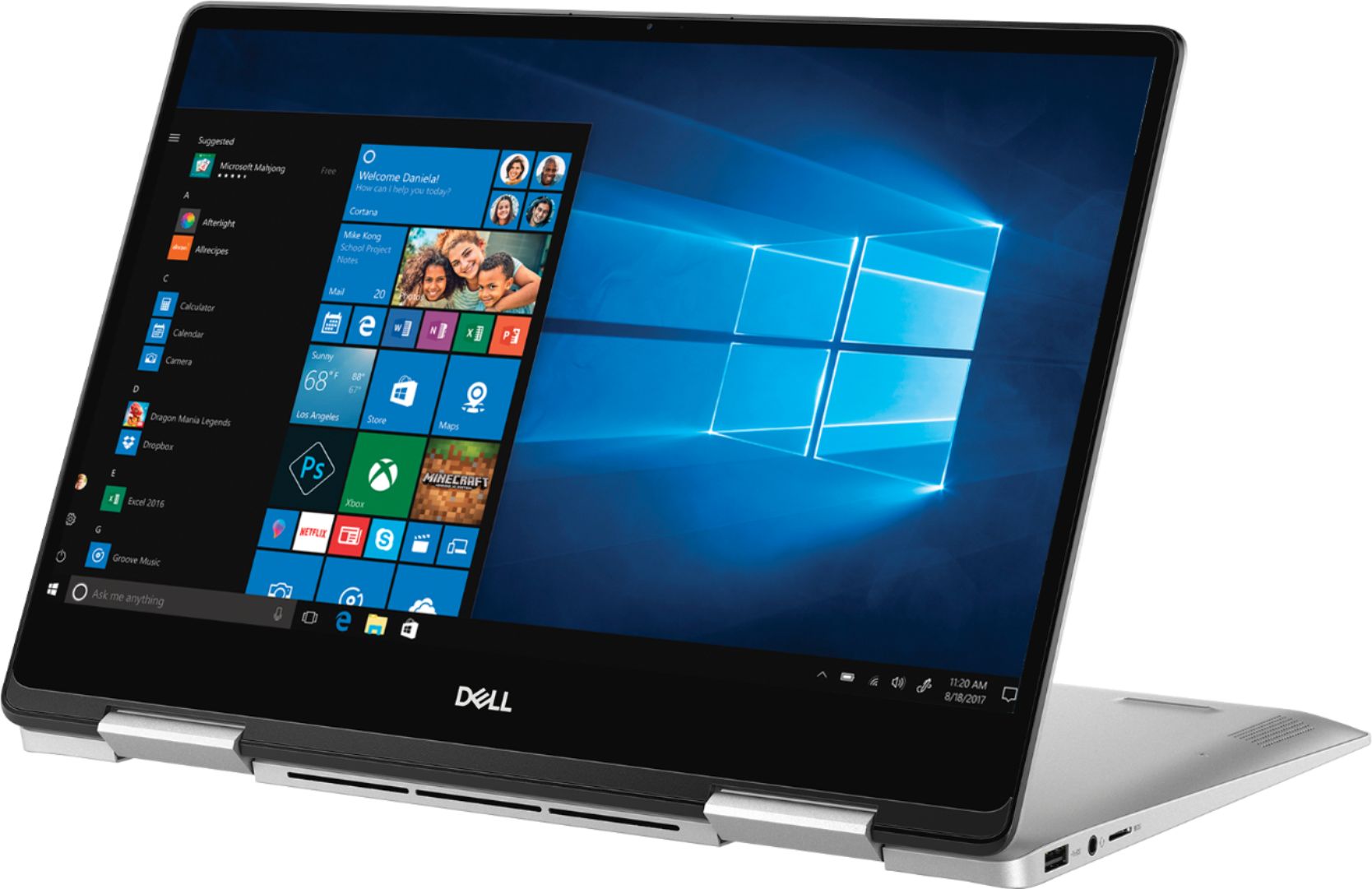
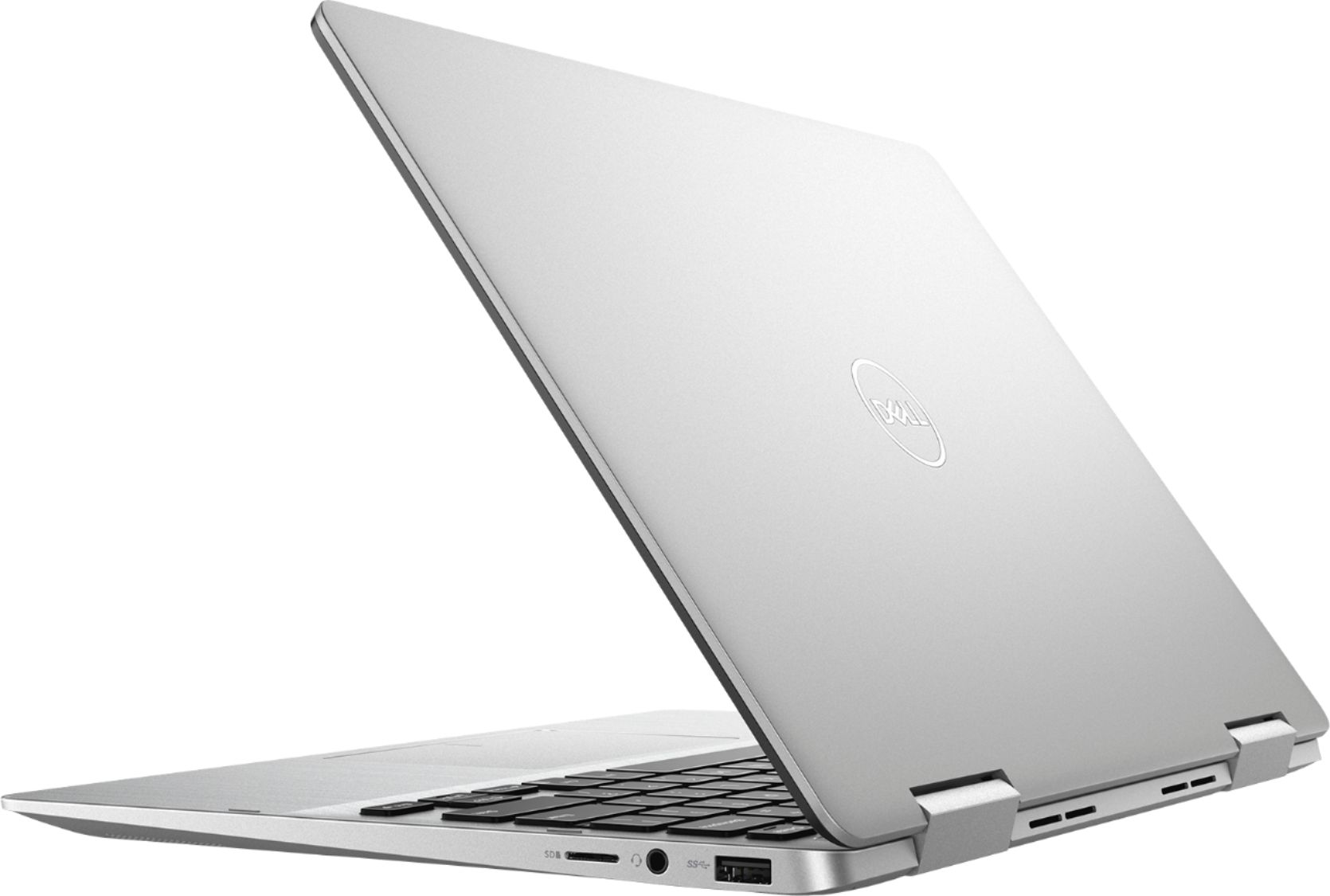
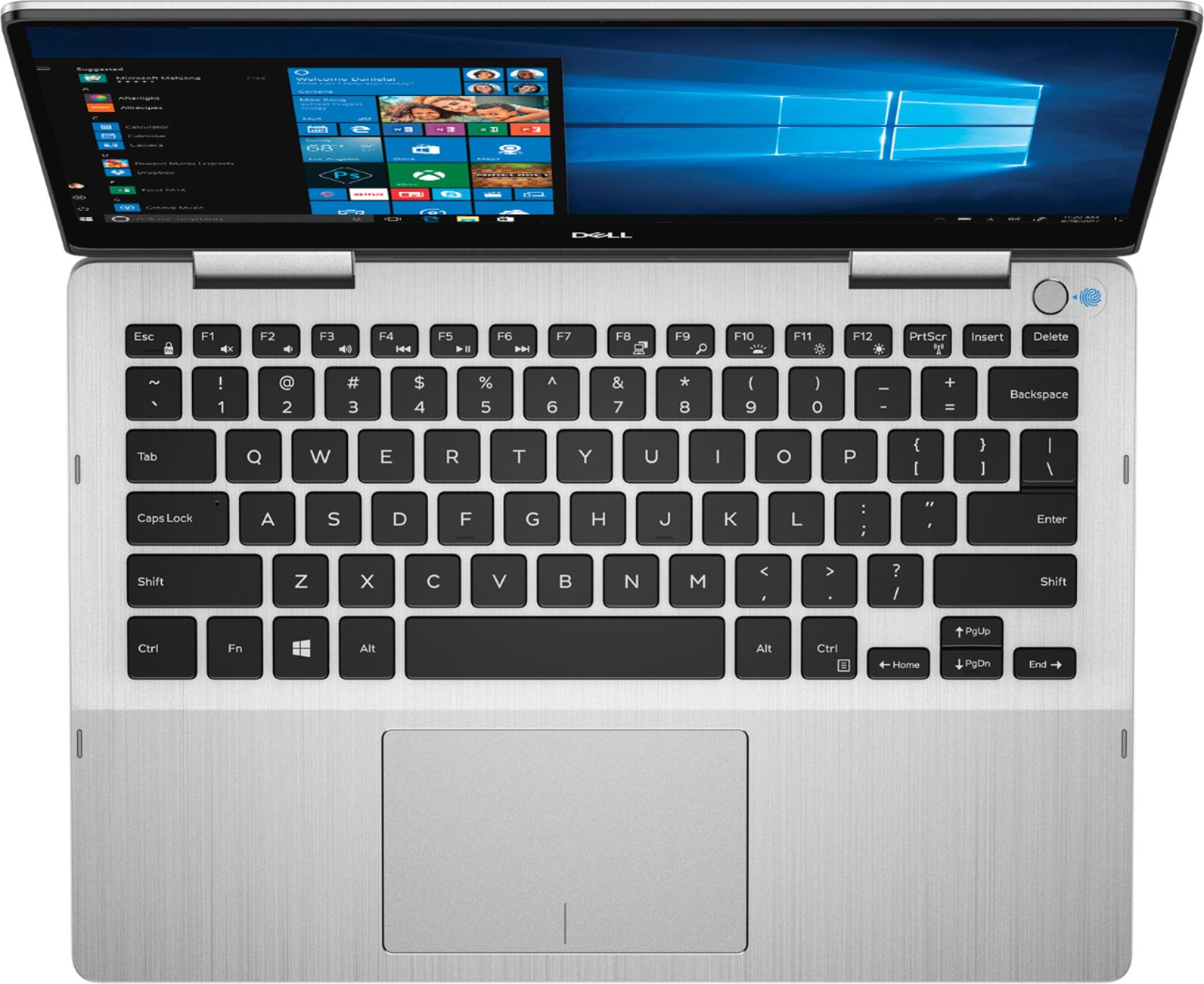
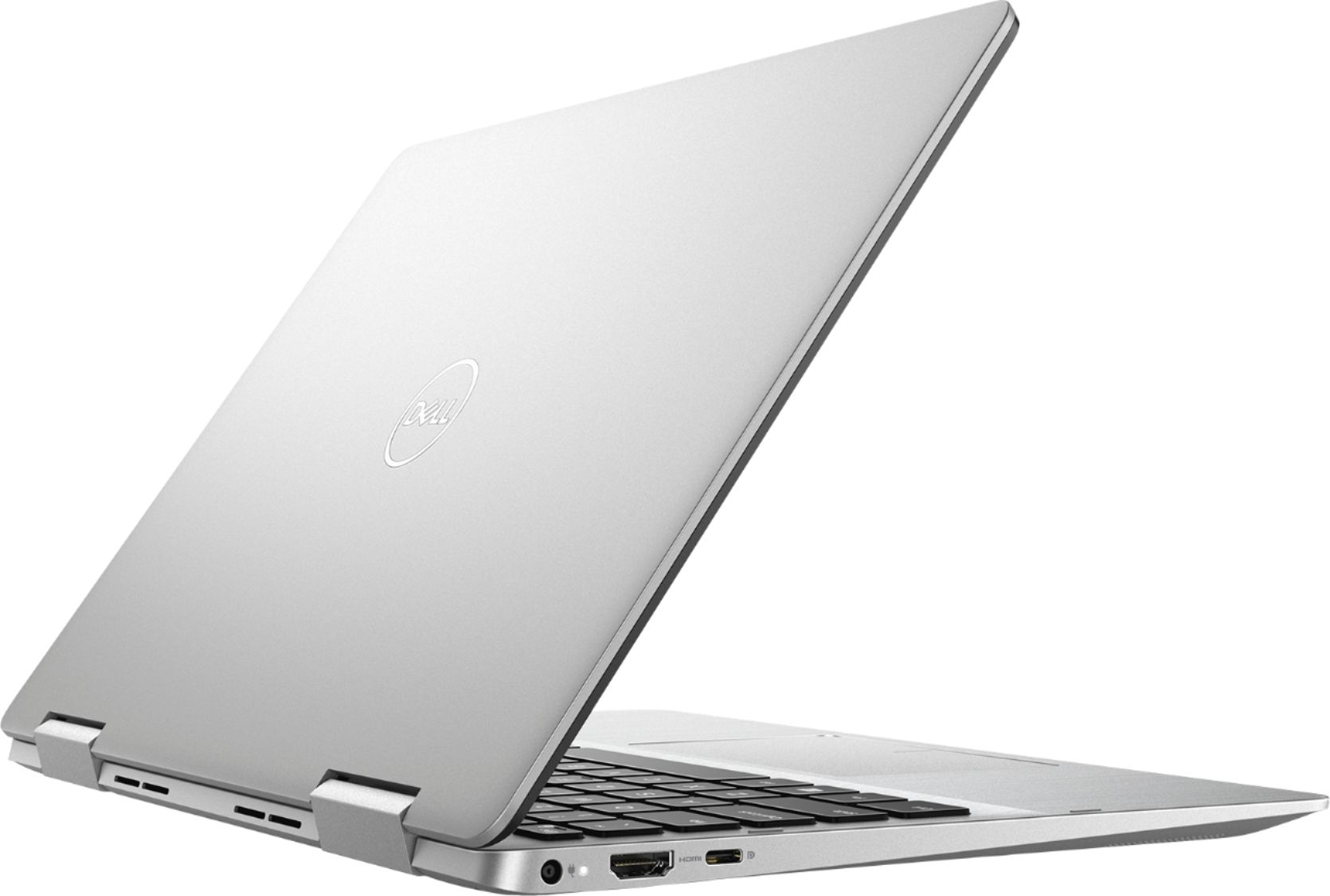
|Posted .This reviewer received promo considerations or sweepstakes entry for writing a review.I have to say, this is frankly the best 13.3" Windows convertible laptop that I've ever seen or used. There are many reasons why, and please let me explain why I say this. The keyboard is much nicer than most small laptop keyboards. It is backlit, but there is also decent feedback from the keys vs. being soft and spongy. The backlight is decent and very effective. The trackpad is similar to a mac and has perfect responsiveness and accuracy. No issues which is where the Windows laptops tend to fall very short. This thing is a speed demon. As a MAC user for home and a Windows user at work, I can say this has every other laptop beat for speed. I've used I7 processor laptops with more RAM and an SSD only to find that they aren't nearly as fast as this. This is a I5 processor with 8GB of RAM and a 256GB SSD. For the specs you would not expect this kind of performance. It is amazing. It has USB C and regular USB ports, a micro SD card slot, headphone jack, and a power charging port that is the best I've ever seen. Why? It allows the barrel to go all the way in and doesn't stress as it leans against your leg for example. Most the barrel is too small and wiggles around in the port - not this. Perfect! No more broken off charging port pieces. The screen is a full 1080P and it shows! It renders a beautiful image and watching a movie is amazing. The screen goes out to nearly the edge of 3 sides and very little bezel is there. The bottom has a larger edge and has very sturdy hinges. For those who are used to little 13.3" laptops, not to mention ones that are convertible to tablets, you know how easily the lid becomes loose and the hinges break without too much effort. Not this one. Very decent hinges. The touch screen is responsive and very accurate. Normally I find myself disappointed with these smaller Windows laptop. Not this one. You won't either. For the money, you cannot go wrong. It has so many features you'll be amazed as I have been. Best Buy has a decent return policy, so if you aren't happy, return it. I know I have used this from time to time, one time returning up to six laptops until I found one with the features and price point I was looking for....I thought they'd ban me from the store, but they did not. I can tell you that Dell products last longer than the industry standard of three years. My work issued Dell laptop is on its 4th year and is still going strong. I am not worried about this one at all, very sturdy feel with what appears to be an aluminum and plastic construction. The lid and area around the keyboard seems to be aluminum with a very solid plastic bottom likely to disperse heat. It is thin but yet sturdy. Battery life has been great, so far I've been getting about 5 hours or so doing streaming, web and email, etc. I have absolutlely no "wish list" items for this laptop. Finally a perfect 13.3" Windows laptop that can be used as a tablet (even though I don't normally use this feature).
I would recommend this to a friend Great when it actually powers on
||Posted . Owned for 1 month when reviewed.This reviewer received promo considerations or sweepstakes entry for writing a review.My daughter used this for about a week at college & now it won’t power on. Tried a couple different power supplies & still nothing. We have an appointment to get it looked at by Geek Squad today.
I would recommend this to a friendBrand response from YourDellTeam
Posted .Buckeye80,
Thanks for your review. If your daughter's computer is still not turning on, you can follow these steps:
1. If the computer is displaying the Dell logo and does not move past that point, it has probably failed POST.
2. If the power indicator lights up and it is amber or orange, this is usually an indicator that it has failed POST.
3. If you see text on a black screen, the computer is currently performing the POST. If the computer stays in that condition and does not move past it, it has probably failed POST.
4. If the video screen displayed anything at all during the startup process but is now black, this probably indicates that the computer failed POST.
5. If the computer is beeping or if Caps/Num/Scroll Locks are flashing, note if there is a particular pattern in which it beeps or flashes.
6. If the computer is not beeping and caps/num/scroll locks are not flashing, unplug all connections and remove all media communication devices (e.g. external monitors); reconnect one at a time and check if the computer functions.
7. For a notebook, press and hold the Fn key and then press the power button. This starts the pre-boot testing and will launch ePSA. In case you have a Desktop at the Dell logo screen tap the F12 key to enter One Time Boot Menu and use the arrow keys to highlight Diagnostics and press enter.
You can read the full article here - http://dell.to/2uj1Sby.
Best,
Bryan
1-800-624-9896
Overheated too easily
||Posted .This reviewer received promo considerations or sweepstakes entry for writing a review.Returned because it got too warm in a very short period of time.
No, I would not recommend this to a friendNot the best choice
||Posted . Owned for 3 weeks when reviewed.This reviewer received promo considerations or sweepstakes entry for writing a review.Performance is ok, but definitely over priced. Due to need to have the laptop soon, have to pick it up at the store. But for $600, you can get something better than this.
No, I would not recommend this to a friendBrand response from YourDellTeam
Posted .Frank,
Thanks for your review. We're glad that you are enjoying the performance of your new laptop. If you have any questions about your computer you can check our Product Support Page here: https://dell.to/2RzXsrQ.
Best,
Bryan
1-800-624-9896
Works good but....Falsely Advertised?
||Posted . Owned for less than 1 week when reviewed.This reviewer received promo considerations or sweepstakes entry for writing a review.These are listed in the Specs Tab: System Memory (RAM)Info 8 gigabytes System Memory RAM Expandable To 16 gigabytes HOW IF THERE ARE NO MEMORY SLOTS?
No, I would not recommend this to a friendBrand response from YourDellTeam
Posted .Raffi,
Thanks for your review. In order to expand the memory on this model you must remove the 8 GB card and install a 16 GB card in its place. We hope that this helps you with the additional storage for your computer.
Best,
Bryan
1-800-624-9896
Finger print worked once
||Posted . Owned for 3 weeks when reviewed.This reviewer received promo considerations or sweepstakes entry for writing a review.The thought of having to put your finger on to open the computer sounded great. I didn’t get to use this computer until 2wks ago. Bought it less than a month ago... started using it 2 wks ago & Fingerprint ID no longer works. Called Best Buy but because I didn’t get the warranty I’d have to pay for repairs. I’ll just keep signing in with passcode. Sad to have had to replace my old laptop. Bye Best Buy. You just lost a customer.
No, I would not recommend this to a friendBrand response from YourDellTeam
Posted .Nodellnobestbuy,
We're sorry to hear that your computer's fingerprint ID is no longer working. Your computer does come with a One Year Limited Warranty from Dell that you can find out more about here: http://dell.to/2tNsVOs.
If you'd like to contact Dell Support about your concern you can contact them here: http://dell.to/2sH7Qlm.
Best,
Bryan
1-800-624-9896
Not intuitive
||Posted .This reviewer received promo considerations or sweepstakes entry for writing a review.I wish I would have purchased a MacBook Pro. This computer is very sensitive, hard to change default settings, and not a fan of the track pad.
No, I would not recommend this to a friendBrand response from YourDellTeam
Posted .Herrigo84,
We're sorry to hear that your computer is not working as well as you hoped it would. If you’d like to adjust your touchpad settings you can follow these steps:
Some Notebooks and Tablets with Keyboards have added gesture features to the touchpad hardware and drivers. A few of these features are two or three finger scrolling, pinch zoom, circle zoom, rotate and swiping. These new features may be the reason for the erratic cursor movement since most are turned on by default. You can disable or modify the way the features work in the touchpad driver properties.
Here are some tips to modify these settings:
1. In the Search box, type main.cpl.
2. Touch or click main.cpl in the list of programs.
3. Touch or click the Dell Touchpad tab.
4. Touch or click on the picture of the touchpad.
5. Touch or click Gestures (depending on your computer there may not be a Gestures option).
6. Change the options as preferred.
7. Touch or click Save.
8. Touch or click the X in the upper-right corner to close the Dell Touchpad Utility.
9. Touch or click OK on the Mouse Properties window.
10. If the touchpad still does not work after following the preceding steps, refer to Dell Knowledge Base article - http://dell.to/2iaiujA.
You can read the full article here - http://dell.to/2tqmS02.
If you'd like to look over the user manual for your computer you can check it out here: https://dell.to/2TxZREk.
Best,
Bryan
1-800-624-9896
Del Inspiron
||Posted .This reviewer received promo considerations or sweepstakes entry for writing a review.The computer itself is nice. It’s fast thin and nice to work with. The finger print recognition stopped working 2 days after we bought it.
No, I would not recommend this to a friendBrand response from YourDellTeam
Posted .Hello Jenga,
Thanks for your feedback. We're sorry to hear that the fingerprint recognition on your computer stopped working. Please reach out to Dell's Technical Support Team for additional assistance: http://dell.to/2sH7Qlm.
Best,
Bryan
1-800-624-9896
- Pros mentioned:Speed
Nice laptop, fast but battery life broken
||Posted . Owned for 1 week when reviewed.This reviewer received promo considerations or sweepstakes entry for writing a review.Nice laptop, really fast, good interface , come with the battery damage, I returned it.
No, I would not recommend this to a friend - Pros mentioned:Speed
Good, quick student or business machine
|Posted .This reviewer received promo considerations or sweepstakes entry for writing a review.I used to be a big fan of Dell, but at some point they became about quantity and not quality. I'm hoping this machine will turn my impression of them back around. First impression is positive. It's smaller size lends it a huge amount of portability. And at only 0.6" thick and less then 3.25 lbs. it's very easy to slide into a backpack or brief case and not get tired lugging it around. The 1920 X 1080 display is pretty standard on a machine like this. The resolution and overall size alone make this a productivity machine, as Dell states. It is not a gaming machine, but with 8GB of DDR4 RAM, an Intel Core i5 1.6GHz processor and a solid state drive, it's set up for speed. You're not going to be able to store a lot of music or video files on this drive due it's rather small size, but it is nice and should more than keep up with any standard business program or web application. Dell chose to go with a 256GB drive which is twice as large as most of the solid state drives that are included on a machine like this, so that is a big plus. The build quality is decent and looks nice out of the box, although it is silver and looks quite generic because of it, but the metal housing has a good quality look to it. It has all the basics you need and have come to expect. HD Web cam, backlit keyboard, memory card reader and dual band wireless, Bluetooth. And as an added bonus, comes with a built in fingerprint reader. I/O includes an HDMI port, a USB 3.0 port, USB 3.1 "C" port, and a headphone/mic port. So really just the basics here although on a machine of this nature, you do get what you need. I really like the keyboard. The action on the keys is nice, not sloppy or loose feeling at all. The touch pad is one of the nicest I've used. It has a very tactile coating that seems to help the accuracy of the finger movement. I had no trouble scrolling pages or moving the pointer to where I needed it to go. Button action is very solid and I was never guessing at whether my presses registered correctly. The overall speed of the machine is good. Programs opened quickly and didn't lag even when opening several at once. The attention to speed seems to have paid off on this machine, again, this is not a gaming machine so if you're using it as it's intended, then you should have no trouble. Overall, I was pleased using this machine. It was responsive and performed well. The display is adequate and responsive in tablet mode. Time will tell if it keeps up in the reliability department, but I am hopeful it will. A nice machine for students or business professionals.
I would recommend this to a friend Poor Design
||Posted .This reviewer received promo considerations or sweepstakes entry for writing a review.The cooler fan break after a few times using. The laptop is also easy to get overheated
No, I would not recommend this to a friendBrand response from YourDellTeam
Posted .LeoNguyen,
Thanks for your feedback. We're sorry to hear that your computer has been overheating. Here are some tips to keep your computer operating at a cooler temperature:
Tips for Proper Usage:
1. Dell does not recommend placing portable systems directly on your lap. Due to reductions in the thickness of modern portable systems, heat transfer can be an issue.
2. Using a portable system (Laptop) on a hard, flat, non-cloth surface will increase airflow and reduce heat from underneath and inside the system.
Using the portable system on a blanket, pillow, or other types of cloth will cover up the fan cause the computer to overheat and can cause permanent damage.
3. It is recommended to use the portable system in a Room temperature of 0°C to 35°C (32°F to 95°F) with a Humidity level no greater than 90%.
4. Use compressed air to clean the vents on a regular basis.
5. Using a cooling pad can decrease heat and increase performance.
6. If you want to know the temperature limitations for your system, go to the Dell Support Website, look up your system model then open the user guide under the manuals link.
You can read the full article here - http://dell.to/2uJ8AdG.
Best,
Bryan
1-800-624-9896
- Cons mentioned:Battery life
Slim Form, Great Performance, Runs A Bit Warm
|Posted .This reviewer received promo considerations or sweepstakes entry for writing a review.This Dell Inspiron 2-in-1 Laptop provides a good deal of power and performance in a slim, sleek device. Out of the box, I found a machine that feels solidly built (including the hinges, which are particularly important on a 2-in-1 device), has a bright, clear screen, comfortable keyboard, and responsive touch pad. The touch-screen is responsive as well, and while a pen is supported, there's not one included. As an added creature comfort, the keyboard lighting is adjustable (off/low/high). The power button doubles as a fingerprint reader, which makes for an easy way to login to Windows with one touch. Portability was a clear focus with this form factor. There's not a lot of bulk or wasted space, and the laptop is very thin, making it easy to take slip into a sleeve or laptop compartment. The device converts quickly between standard laptop mode, tent-stand mode (convenient for watching media or a presentation around a small table, or tablet mode (one that's thicker and heavier than a standalone tablet, though). The trade-off for such portability is that the battery life is solid but maybe not good enough for "all day" performance without access to a power outlet. Also, instead of a whole assortment ports, you get one each of USB-A and USB-C, an HDMI port, a headset jack that combines mic and speaker, and an SD card slot. As far as performance, I've been impressed so far. I get snappy response with no lag or hesitation whether I'm writing/editing documents, crunching numbers in large/complex spreadsheets, editing or presenting slides, or streaming media. The downsides for this laptop have been minor. First, it gets a bit hot on the bottom when it's working hard. I've made sure that if I'm using it in standard laptop mode, I keep it on a firm surface to allow airflow underneath. Second, I really wish the power cord had a right-angle connector where it met the side of the laptop. Instead, it sticks straight out the side of the machine, which (at least the way I use it), means that it's prone to getting jostled, caught, pushed, etc. and I'm worried the port will get worn down over time. Overall, I'm happy with this Inspiron laptop. I would recommend it to anyone who wants a slim, portable device without compromising performance, so long as battery life that's good but not "all day strong" isn't a deal-breaker.
I would recommend this to a friend good for my current needs
||Posted . Owned for 2 months when reviewed.This reviewer received promo considerations or sweepstakes entry for writing a review.touch is too light. frequently cursor moves without me. This results in me having to do corrections
I would recommend this to a friendBrand response from YourDellTeam
Posted .vmiller683,
Thanks for your review and we're sorry to hear about your touchpad. Please consider re-calibrating your touchpad with these steps:
Some Notebooks and Tablets with Keyboards have added gesture features to the touchpad hardware and drivers. A few of these features are two or three finger scrolling, pinch zoom, circle zoom, rotate and swiping. These new features may be the reason for the erratic cursor movement since most are turned on by default. You can disable or modify the way the features work in the touchpad driver properties. Here are some tips to modify these settings:
1. In the Search box, type main.cpl.
2. Touch or click main.cpl in the list of programs.
3. Touch or click the Dell Touchpad tab.
4. Touch or click on the picture of the touchpad.
5. Touch or click Gestures (depending on your computer there may not be a Gestures option).
6. Change the options as preferred.
7. Touch or click Save.
8. Touch or click the X in the upper-right corner to close the Dell Touchpad Utility.
9. Touch or click OK on the Mouse Properties window.
10. If the touchpad still does not work after following the preceding steps, refer to Dell Knowledge Base article - http://dell.to/2iaiujA.
You can read the full article here - http://dell.to/2tqmS02.
Best,
Bryan
1-800-624-9896
Heavy
||Posted . Owned for 1 month when reviewed.This reviewer received promo considerations or sweepstakes entry for writing a review.Works ok. We bought it to use quick books and works alright. I should have gotten a lighten lap top.
I would recommend this to a friendBrand response from YourDellTeam
Posted .Hiku,
We're glad that your computer is working the way you expected it to. If you have any questions about your computer you can check our Product Support Page here: https://dell.to/2RzXsrQ.
Best,
Bryan
1-800-624-9896
It’s okay
||Posted .This reviewer received promo considerations or sweepstakes entry for writing a review.The laptop for the most part works well. However I’ve had issues with the sound being disabled.
No, I would not recommend this to a friendBrand response from YourDellTeam
Posted .Meme,
Thanks for your review. We're sorry that your laptop is causing issues for you but we hope that the sound is better now. If you have additional questions about your laptop you can check our Product Support Page here: https://dell.to/2RzXsrQ.
Best,
Bryan
1-800-624-9896