Rating 4.5 out of 5 stars with 1074 reviews
4.5- Lightweight (129)
- Touch screen (117)
- Speed (95)
- Price (53)
- Easy to use (30)
- Battery life (70)
- Fan noise (10)
- Fingerprint scanner (9)
- Weight (9)
- Expensive (6)
Customer Images
The vast majority of our reviews come from verified purchases. Reviews from customers may include My Best Buy members, employees, and Tech Insider Network members (as tagged). Select reviewers may receive discounted products, promotional considerations or entries into drawings for honest, helpful reviews.
- Rated 5 out of 5 stars
Great laptop for traveling!
Fast with touchscreen and was on sale! I usually don’t get dell but this is a great little laptop,with I5 and ssd. Really needed something for traveling. Best Buy had this computer for 150.00 off. Very small and compact with 13 inch screen but very bright!
Posted by Bill
- Rated 5 out of 5 stars
Upper Middle-Class Laptop
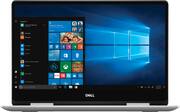
A nice sturdy well-constructed laptop. If you want a sleek unit that will travel nicely and can do most any business processing - with the occasional game thrown in - this is definitely worth a look. Checking at Dells website there appears to be a few options for configuration such as drive size, memory, screen, etc. https://www.dell.com/en-us/shop/dell-laptops/new-inspiron-13-7000-2-in-1/spd/inspiron-13-7386-2-in-1-laptop/fncwro001h. This unit has the following specs; 13.3-inch 1080P ISP 2 in 1 touchscreen monitor with pen support. Intel 8th generation I5 1.6GHz Kaby Lake U/Y 14nm processor with 6MB cache, 4 cores and 8 threads. Info at https://ark.intel.com/products/124967/Intel-Core-i5-8250U-Processor-6M-Cache-up-to-3-40-GHz- 8GB DDR4 2400 MHz memory Dell 066T54 (U3E1) motherboard Intel UHD Graphics 620 (1920X1080@60Hz) WD 256GB PC SN520 NVMe hard drive Intel AC 9560 Dual Band Wireless and Bluetooth. No hardwire option Cinema Color, Stream, Sound 1 USB 3.1 connection 1 USB-C connection HDMI 2.0 out IR camera with 4 element lenses Universal audio jack 3 in 1 micro SD card reader Built in speakers (I believe 2 watts) Windows 10 home Exact dimensions are 0.54” height, 12.11” width, 8.36” depth at 3.08lbs. Positives; It was nicely packaged and was fairly easy to setup. Plug it in, start it up and Cortana (NOT a fan) will walk you thru the setup process. I was up and running within 10 minutes. It is very nice looking with the brushed aluminum case. Heavy duty hinges to allow for tenting, tablet, etc. modes. Screen is as edgeless as it can be for a laptop. The keyboard keys have nice tactile feel and it is backlit - but appears you can only turn on (bright/brighter)/off manually It doesn’t come on automatically if dark. No real “bloat” software to get rid of – mostly windows games. Boots fast – thank you SSD - but I disable anything not really necessary during startup. It is fast processing. Apps open quickly and having multiple windows open is no problem for this laptop. What can you say - its running windows 10 – and runs it well. 1080P screen resolution/color is great for me with nice viewing angle, but a tad “shiny/reflective” screen. Touchscreen works well Using Dell balanced power plan it stated over 9 hours use available fully charged. I got a little less than 8 hours but that was with Bluetooth turned on, which I really did not need during this “test”. With Bluetooth off I got over 10 listed as available processing hours of use The USB ports are fast – especially if you have a USB-C drive/connected device. 1-year mail in warranty Nit-picky negatives; Windows 10 was not activated. I had to run troubleshoot option and it activated. Not sure why? Power cord while a nice length and is 2 pieces with no power block to deal with at plug in – is not 90-degree where it plugs into the laptop? Not a huge deal but makes plugged in footprint larger than it needs to be as cord sticks out from the side of laptop. Also easier to "catch" it on something and damage cord or worse - the laptop. No built-in performance power option that I could find Since this uses I5 Kaby Lake processor and Intel 620 graphics – it falls just short of being a gaming machine but not by much. (See PCMark 10 attachment) No pen included. Only 2 USB connections and they are both a VERY tight fit to use. Make sure you have them all the way in. Also, you can easily get a multiplier and/or a USB C to USB 3.1 convertor to help add flexibility. As usual there is disk space used up for the “backup and reset” functions. In this case the 256GB SSD has 5 partitions; 650MB for windows system info – used by windows internally 224.47GB – actual area to be used by you. But it is bitlocker encrypted – which I find unusual but maybe this is always done by Dell? I may wind up turning this off but will have to do more research. I have windows 10 pro on 2 of my desktops but don’t use bitlocker on either of them. 990MB for WINRETOOLS – windows recovery partition – will be getting rid of this after full disk copy Image – 11.19GB. I will be getting rid of this as soon as I have made a full disk copy. DELLSUPPORT – 1.08GB – another partition that will be going the way of the dodo bird once I make a full disk copy (pic included) The keyboard is not full size – it is 13.3 screen. As such some keys have dual functions controlled by the Fn (function key). Not a big deal but want to mention as it takes a little getting used to especially if you only have used full-size desktop keyboards. Personally, I really like this size and this is my 3rd laptop at around 13”. You can’t beat using it on a plane. Fan can be a little loud at times and it can get hot if sitting on your lap if doing some intensive processing
Posted by mkcar1
- Rated 1 out of 5 stars
HORRIBLE! DO NOT BUY!
I bought this laptop as an emergency purchase because my last laptop (an hp) died a month before my college finals were due. Rather than borrowing one from a family member, or buying a crappy one to get by, I thought this one had all the specs I might need for a future career. This laptop worked great up until the New Year when the touchscreen began to show mysterious contact points. Multiple windows opened and when the internet loaded, multiple website links were clicked in such rapid succession that I was powerless to stop it. When the battery finally died, I recharged it then restarted it without the glitch. After a few moments it happened again! I managed to shut it down and restart before the "ghost tapping" took over, and disabled the touch screen. I had forgotten about the feature until today, 2 months later, and enabled it to see what would happen. Within a few minutes, the screen went haywire again, opening windows, zooming in on others. In the picture, you can see the pressure points above my icon in the center and to the left of the screen. I've HAD IT with this laptop and am taking it in to see what Best Buy will do for me. I want a full refund but we all know that's not likely.
Posted by Natalie
- Rated 5 out of 5 stars
Great 2 in 1 laptop
Easy set up and use. Great size, 2 in 1 feature helpful and fun.
Posted by Teacher
- Rated 5 out of 5 stars
Dell has a winner here.
While there is plenty of competition in this price range for laptops I have always had good experiences with Dell so I decided to give this one a chance, and I am so glad I did. This is my first 2-in-1 laptop, and so far the versatility has been amazing. You can use it in laptop mode for productivity, tablet mode for browsing the internet, or stand mode for watching videos. Really cool. The build quality is top notch. The inside of the laptop has a brushed stainless look, and feel to it, and it's really quite striking. The outside is a more flat silver. The hardware all seems very high quality - especially the hinges. I am sure they will stand up to years of opening, closing, and folding the laptop with no issues. The backlit keyboard is also a nice touch as it's become somewhat of a requirement for me these days. The performance of this computer is also outstanding. The solid state drive loads Windows very fast. My model has the Core i5 processor with 8gb of RAM, and it's handled everything I can throw at it. Great for multitasking. There is also a micro SD slot, an HDMI out, and a USB C port. If I have one complaint about this computer it was that Cortana guided me through the Windows set up process, and all of her talking was kind of annoying, and long winded to me. At least you only need to set it up once! Dell has a real winner here. They have found a perfect compromise between price, and quality. I would absolutely recommend this laptop to anyone looking for a laptop, a 2-in-1, or basically any computer in this price range.
Posted by DanChop