Customer Ratings & Reviews


- Model:
- I3275-A821BLK-PUS
- SKU:
- 6196006
Rating by feature
- Value
Rating 3.4 out of 5 stars
- Quality
Rating 3.2 out of 5 stars
- Ease of Use
Rating 3.5 out of 5 stars
Customers are saying
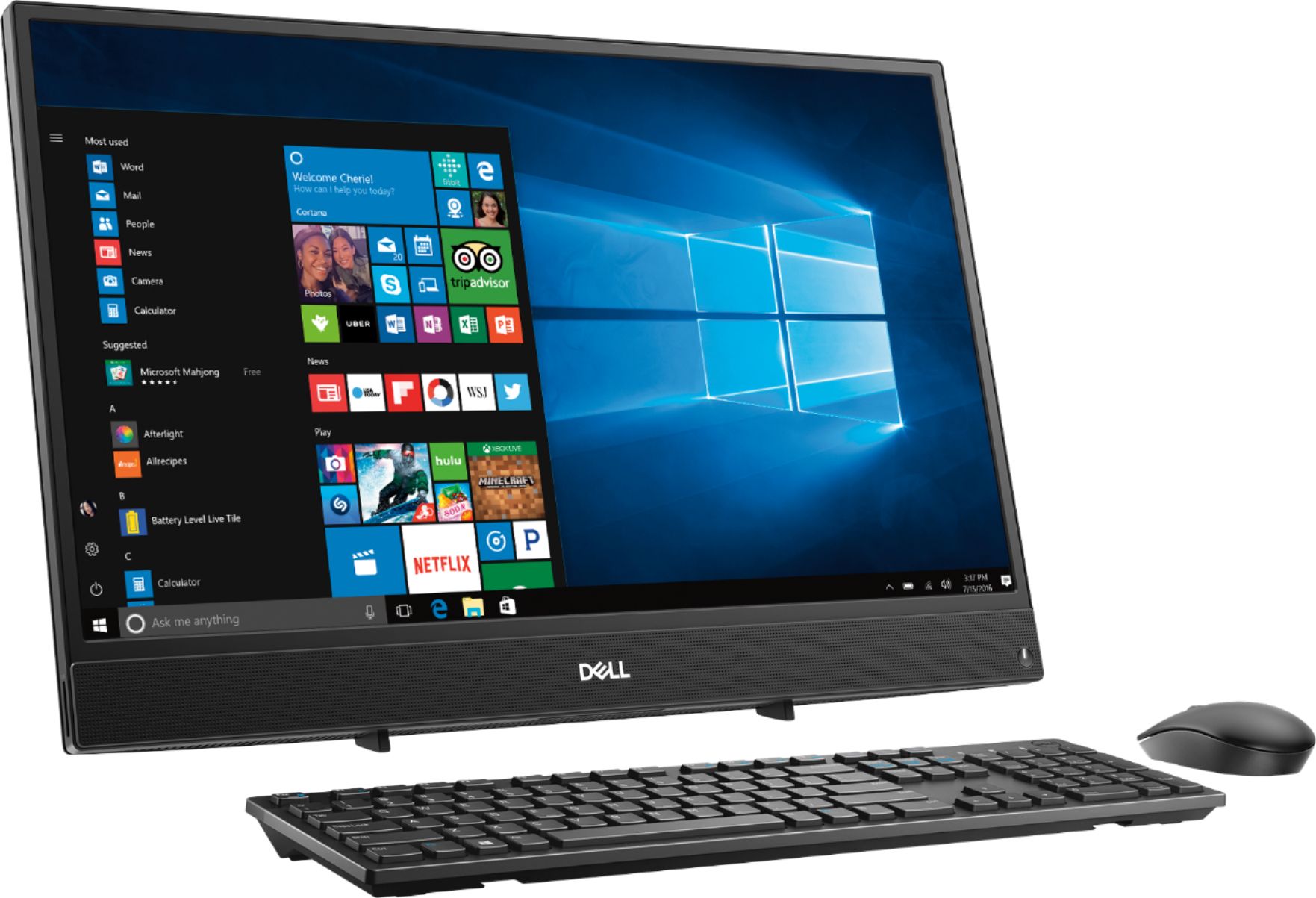
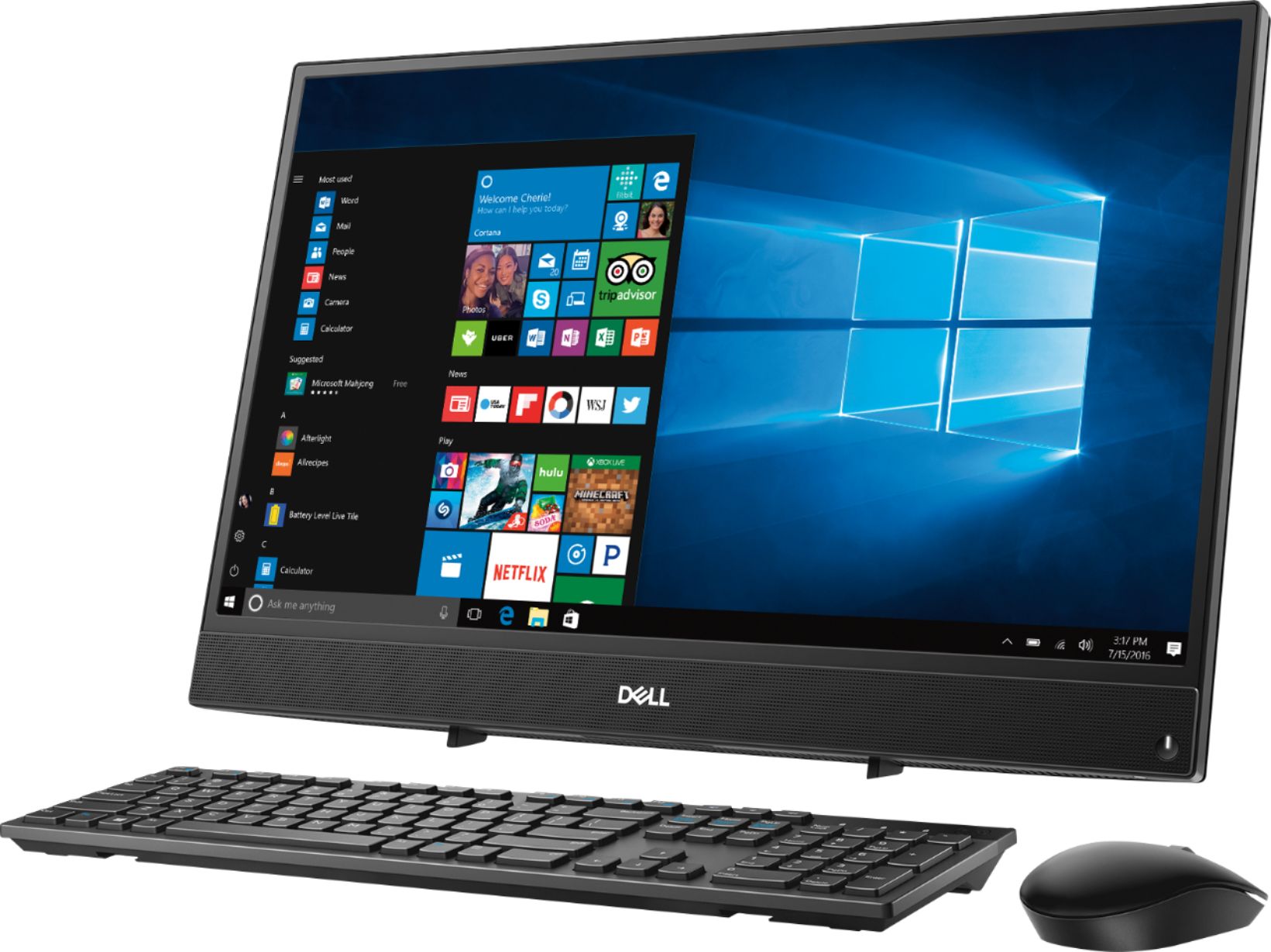
Customers commend the Inspiron 21.5" All-in-One's touch screen, ease of use, and affordable price, finding it compact and attractive. However, some users experienced slow performance and noted limitations in RAM and hard drive speed, suggesting that the system may not be suitable for demanding tasks.
This summary was generated by AI based on customer reviews.
Terrible
||Posted .This reviewer received promo considerations or sweepstakes entry for writing a review.Slow, unresponsive, not as advertised. Possibly the worst computer ever made
No, I would not recommend this to a friendBrand response from YourDellTeam
Posted .Hunter,
We're sorry to hear that you're unhappy with the performance of your new Dell All-In-One. You can try to run the Windows Performance Troubleshooter to see if there are ways for your computer to perform faster:
1. Close all open windows.
2. Press the Windows logo key + X key on the keyboard.
3. Click Control Panel.
4. Click System and Security.
5. Under Security and Maintenance, select Troubleshoot common problems.
6. Under System and Security, click Run maintenance tasks.
7. Follow the on-screen instructions and prompts to complete the process.
8. Restart the PC.
You can read the full article here - http://dell.to/2tSulGV.
We hope that this helps your computer perform the way you intended it to.
Best,
Bryan
1-800-624-9896
Terrible
||Posted .This reviewer received promo considerations or sweepstakes entry for writing a review.Worst computer I have ever purchased. Would not recommend to anyone
No, I would not recommend this to a friendBrand response from YourDellTeam
Posted .Hi Stuff,
Thanks for your review. We're sorry that your computer is not working the way you'd like it to. Please check out our Product Support Page if you have questions: https://dell.to/2u32zX8.
Best,
Bryan
1-800-624-9896
Aweful
||Posted .This reviewer received promo considerations or sweepstakes entry for writing a review.Worst computer I have ever bought . If I can even call it that
No, I would not recommend this to a friendBrand response from YourDellTeam
Posted .Hello Tyler,
Thanks for your review. We're sorry that your computer is not meeting your expectations. We'd recommend checking out our Product Support Page for answers to questions that you might have: https://dell.to/2u32zX8.
We hope that your computer performs the way that you'd like it to soon.
Best,
Bryan
1-800-624-9896
It is OK, but KNOW what you are buying
Posted .This reviewer received promo considerations or sweepstakes entry for writing a review.I'm going to attempt to give this a fair review, and I have given it 3 stars, and recommend purchasing in so long as you know what you are getting. This machine out of the box is slow and the updates it attempts to install in back ground make it slower. I fault the slowness of this machine on the hard drive which is a 5.2k 1TB drive. After removing the drive and replacing with a SSD the machine had acceptable performance. Stil sluggish until updates were finished. I use these machines as a self service kiosk which does not require a lot of processing power, however I do want fast boot times and a system that is responsive. Buyers are putting pressure on companies to produce machines that are cheap, and they expect stellar performance. They have to cut prices somewhere and on this unit it shows in the drive that they are using. I would humbly suggest that they cut massive storage space for a small SSD instead, although they would receive complaints about lack of storage space the performance increase would be worth it. WITHOUT REPLACING THE EXISTING DRIVE WITH AN SSD DRIVE I WOULD NOT SUGGEST PURCHASING THIS DEVICE
I would recommend this to a friendBrand response from YourDellTeam
Posted .MCIT,
Thank you for your honest review and feedback. We are happy to see that you were able to upgrade your computer to help it run better for you. If you have additional questions about your computer please check out our Product Support Page here: https://dell.to/2u32zX8.
Best,
Bryan
1-800-624-9896
- Cons mentioned:Ram
Tickled Pink!!
Posted .This reviewer received promo considerations or sweepstakes entry for writing a review.I was extremely concerned about only 4 GB RAM but easily added an 8GB stick (has 2 memory slots and will hold up to 16 GB I believe) Anyway, for less than a $40 tweak, I have a "machine" and couldn't be happier. Actually, the computer functioned perfectly fine with original 4 GB but I knew I'd quickly outgrow that so I went ahead and added immediately. The picture quality and speakers are both phenomenal. Friends do not believe the quality of either so it hasn't been turned off much in past few days! I may change my mind down the road but after about a week, I feel like I made an excellent choice! One star removed simply due to low original RAM.
I would recommend this to a friend - Cons mentioned:Ram, Speed
Slowest computer I have had since the 90s
Posted .This reviewer received promo considerations or sweepstakes entry for writing a review.This computer had not even finished setting itself up before it maxed out CPU usage and ground to a halt. Yes, two tabs is the max. This computer has a response time of about 15 seconds to a minute when you click on a link, on a basic application like settings, or even when you try to open the task manager. Having 2 or 3 windows open? Not a chance, it times out trying to just move the mouse. Not to mention Cortana uses 28 percent of the CPU on average. Needless to say, it’s on sale for a reason. Yes, I did the fixes recommended and the computer somehow seemed to get slower. Kindly, I pushed through and made it to a website for my university classes and nearly crashed the computer trying to load flash player. Don’t waste your hard earned money because it’s cheap.
No, I would not recommend this to a friendBrand response from YourDellTeam
Posted .Lewis,
We're sorry that your computer is not performing the way that you hoped it would. We'd recommend removing some pre-installed programs that you do not plan to use. Here's a list of suggested programs to consider: https://dell.to/2JruiaG.
If you'd like to remove any programs in hopes of speeding up your computer, here are the steps: Uninstalling or removing software or applications that you do not use or do not need from your PC can help speed up your PC. Applications may include background processes, system services, context menu entries and other things that can slow down your PC.
Uninstall applications you no longer need using Programs and Features (previously called Add/Remove Programs). Unnecessary applications occupy space on your hard disk drive.
1. Press the Windows logo key + R on the keyboard.
2. In the Run dialog box, type appwiz.cpl and press the Enter key.
3. In the list, select a program and click Uninstall.
You can read the full article here - http://dell.to/2tSulGV.
Best,
Bryan
1-800-624-9896
- Pros mentioned:Touch screenCons mentioned:Speed
Dell Inspiron 3275
Posted .This reviewer received promo considerations or sweepstakes entry for writing a review.I bought this computer a few months ago and thought I should use it for a while before reviewing it. I don't do more then internet and word, excel and powerpoint on the computer, no gaming. My impression is DON'T buy this computer. It is a waste of money and will cause you nothing but frustration. Slow is an understatement. This computer is slower then a first generation computer I bought 20 years ago. Dell must have been able to buy the AMD processors for pennies on the dollar and put this junk in the computer. I tried the tech support and they were't any help. It was an overseas call line and they just read the possible solutions from the manual. No tech savvy people would get on the line. The call center people were nice though. The hard drive is large and that is the best feature plus its a big screen. However if it takes so long to load a page or have multiple tabs open this computer fails miserable. I paid $499 for this at Best Buy and I'm going to have to go buy another computer which I'll spend more for.
No, I would not recommend this to a friend - Cons mentioned:Ram
Super Slow
Posted .This reviewer received promo considerations or sweepstakes entry for writing a review.I just bought two of these computers for my children to have. I opened them both up and set them up at the same time. PC 1 works a little slower than I was expecting, especially for a brand new pc. PC 2 is extremely slow. After I finally got it set up, it was running at 100% memory. Long story short, I ran a memory scan on both systems. With no other programs running, PC 1 said I had 1.5 gigs of memory available. Odd since it is supposed to have a 4 Gig memory card. PC 2 says I have 512 MB of memory available. That is after closing all programs and making sure nothing is running in the back ground. I was debating just swapping out the memory, but the thought of doing that on a brand new PC is just absurd.
No, I would not recommend this to a friendBrand response from YourDellTeam
Posted .Pjustice,
Thanks for your review and we're sorry to hear that your computers are running slower than you have expected them to. We'd recommend running the Windows Performance Troubleshooter to see if there are ways that your computers can run faster:
1. Close all open windows.
2. Press the Windows logo key + X key on the keyboard.
3. Click Control Panel.
4. Click System and Security.
5. Under Security and Maintenance, select Troubleshoot common problems.
6. Under System and Security, click Run maintenance tasks.
7. Follow the on-screen instructions and prompts to complete the process.
8. Restart the PC.
You can read the full article here - http://dell.to/2tSulGV.
If you'd like to use Microsoft's OneDrive you can store some of your files in the cloud.
Best,
Bryan
1-800-624-9896
- Cons mentioned:Ram, Speed
Didn't meet expectations
Posted .This reviewer received promo considerations or sweepstakes entry for writing a review.I was looking for an upgrade from my 6 year old laptop and decided this computer would do it, but the main con is that it's slow straight out of the box. My laptop runs faster. Will be returning the computer as it was almost always running at 100% CPU usage without running anything at all making it very laggy overall.
No, I would not recommend this to a friendBrand response from YourDellTeam
Posted .Jfvgonza, We're sorry to hear that your new Dell All-In-One is not what you had hoped it would be. We'd recommend limiting the number of products that launch at startup if you'd like to save some useage on your computer: 1. Close all open windows.
2. Press CTRL + Shift + ESC key together on the keyboard.
3. In the Task Manager window, click Startup tab.
4. Select the program or application that you want to disable from loading during startup.
5. Right-click and select Disable.
6. Repeat Step 4 & 5 for all the programs or applications that you want to disable from loading during startup.
7. Restart your PC.
You can read the full article here - http://dell.to/2tSulGV.
Best,
Bryan
1-800-624-9896
- Cons mentioned:Speed
This could not even perform basic functions well.
Posted .This reviewer received promo considerations or sweepstakes entry for writing a review.I purchased this box on sale as a cheap extra computer to do online tasks like gmail and watch streaming on occasion. After the setup and upgrades and doing what Dell recommended in other reviews complaining about speed I ended up with what amounts to a useless machine. Just navigating around gmail it took 20-30 seconds just to change tabs. Streaming any video on Youtube was impossible. Basically this machine is useless. I will be taking it back as soon as the factory reset is complete (still going after 6 hours)...even that is ridiculously slow.
No, I would not recommend this to a friendBrand response from YourDellTeam
Posted .HeyMack,
We're sorry that some of our suggested solutions did not work for your computer. Before you return your computer we'd suggest reaching out to Dell's Technical Support Team to see if they can help speed up your computer: http://dell.to/2sH7Qlm.
Best,
Bryan
1-800-624-9896
- Cons mentioned:Performance
Slow
Posted .This reviewer received promo considerations or sweepstakes entry for writing a review.It was extremely slow and laggy. I immediately upgraded to apple afterwards
No, I would not recommend this to a friend - Cons mentioned:Speed
So disappointed!
Posted .This reviewer received promo considerations or sweepstakes entry for writing a review.I purchased this Dell to replace the Dell we bought in 2002. I was so excited and looking forward to all the exciting upgrades. I love the keyboard, it’s so smooth and comfortable. The mouse is ok but I like my old one more. As for the all-in-one computer it is so slow! I am so disappointed! It is slow playing videos, loading a page or website, printing anything! I don’t like the touch screen. It feels like such a waste of money! So unhappy!
No, I would not recommend this to a friendBrand response from YourDellTeam
Posted .Hi Laura,
Thanks for your review. We're sorry to hear that your computer is running slower than you'd like it to. We'd recommend running the Windows Performance Troubleshooter to see what may help your computer run faster for you:
1. Close all open windows.
2. Press the Windows logo key + X key on the keyboard.
3. Click Control Panel.
4. Click System and Security.
5. Under Security and Maintenance, select Troubleshoot common problems.
6. Under System and Security, click Run maintenance tasks.
7. Follow the on-screen instructions and prompts to complete the process.
8. Restart the PC.
You can read the full article here - http://dell.to/2tSulGV.
We hope these tips help your computer run faster for you.
Best,
Bryan
1-800-624-9896
- Cons mentioned:Performance
NOT EVEN FOR BASIC STUFF
Posted .This reviewer received promo considerations or sweepstakes entry for writing a review.Just awful. What a horrible piece of garbage. We new the specs weren't great, but good Lord we still expected it to be better than our current Dell desktop which is more than a decade old and gives us tons of issues these days. This thing is the slowest computer I have ever owned. With absolutely NOTHING else running, it took 20 seconds for the web browser to open and fully start. I just took it out of the box, booted it up, tried doing the most menial of tasks, and now I need to return it. I will say it again, DO NOT BUY THIS COMPUTER!
No, I would not recommend this to a friendBrand response from YourDellTeam
Posted .Matt,
Thanks for your review. We're sorry to hear that your new computer is performing slower than you expected it to. We'd recommend running the Windows Performance Troubleshooter to see if there are ways for your computer to run faster for you:
1. Close all open windows.
2. Press the Windows logo key + X key on the keyboard.
3. Click Control Panel.
4. Click System and Security.
5. Under Security and Maintenance, select Troubleshoot common problems.
6. Under System and Security, click Run maintenance tasks.
7. Follow the on-screen instructions and prompts to complete the process.
8. Restart the PC.
You can read the full article here - http://dell.to/2tSulGV.
We'd also recommend running the Windows Support Assist app to make sure that all of the software and drivers on your computer are up to date: https://dell.to/2niytMm.
Best,
Bryan
1-800-624-9896
- Pros mentioned:PriceCons mentioned:Speed
Cheap
Posted .This reviewer received promo considerations or sweepstakes entry for writing a review.slowest computer I have ever owned or used. Only positive thing I could say is it’s very cheap for all the things you get. If you’re okay with a super slow computer it’s great
No, I would not recommend this to a friendBrand response from YourDellTeam
Posted .Dakota,
Thanks for your review. We're sorry that your computer is performing slower than you hoped it would. We'd recommend running the Windows Performance Troubleshooter to see if there are ways for your computer to perform faster:
1. Close all open windows.
2. Press the Windows logo key + X key on the keyboard.
3. Click Control Panel.
4. Click System and Security.
5. Under Security and Maintenance, select Troubleshoot common problems.
6. Under System and Security, click Run maintenance tasks.
7. Follow the on-screen instructions and prompts to complete the process.
8. Restart the PC.
You can read the full article here - http://dell.to/2tSulGV.
We hope this helps improve your computer's performance.
Best,
Bryan
1-800-624-9896
- Cons mentioned:Speed
RUN FAR AWAY
Posted .This reviewer received promo considerations or sweepstakes entry for writing a review.I bought this during Cyber Monday sale. I was so excited to finally get a desktop to be able to browse the web, use a few photo editing/creating software. THIS COMPUTER IS FROM THE 80'S. I have never had such a slow computer!!! It takes over a minute to load websites, my 10 year old laptop is faster. I have had it working for 2 days and it took an hour to wipe it back to factory defaults. I am returning it tomorrow. Stay away from this computer.
No, I would not recommend this to a friendBrand response from YourDellTeam
Posted .Brittw,
Thanks for your review and we're sorry that your computer is not running as fast as you'd like it to. We'd recommend running the Windows Performance Troubleshooter to see if it can help your computer run faster:
1. Close all open windows.
2. Press the Windows logo key + X key on the keyboard.
3. Click Control Panel.
4. Click System and Security.
5. Under Security and Maintenance, select Troubleshoot common problems.
6. Under System and Security, click Run maintenance tasks.
7. Follow the on-screen instructions and prompts to complete the process.
8. Restart the PC.
You can read the full article here - http://dell.to/2tSulGV.
Best,
Bryan
1-800-624-9896
- Cons mentioned:Performance
I spent 15 mins battling to write 1 paragraph.
Posted .This reviewer received promo considerations or sweepstakes entry for writing a review.I have stuck with Dell since graduate school and just decided to upgrade from my awesome 2013 XPS 1820. I am stunned. This computer is so poor that it cost me over an hour of work time. It took me 15 minutes to type a 200 word paragraph. The task of typing became a game of racing between hitting the characters 2 or 3 times to make progress and then racing for backspace after the CPU woke up. l I trust the moderators understand my justifiable frustration because this computer really did put me behind.
No, I would not recommend this to a friend - Cons mentioned:Performance
How can they sell a slow computer?
Posted .This reviewer received promo considerations or sweepstakes entry for writing a review.As he other reviews have stated, this thing is useless. What is wrong with this computer? Best Buy, stop with the “how to make it better” reply on these reviews. What is your issue with selling non working computers? Please issue full refund...
No, I would not recommend this to a friendBrand response from YourDellTeam
Posted .Hello Justin,
Thanks for your review and for reading our previous replies to reviews as well. In addition to running the Windows Performance Troubleshooter we'd recommend removing programs that you do not plan to use on your computer. Here's a list of programs to consider removing in order to speed up your computer: https://dell.to/2JruiaG.
If you'd like to remove any programs, here are the steps: Uninstalling or removing software or applications that you do not use or do not need from your PC can help speed up your PC. Applications may include background processes, system services, context menu entries and other things that can slow down your PC.
Uninstall applications you no longer need using Programs and Features (previously called Add/Remove Programs). Unnecessary applications occupy space on your hard disk drive.
1. Press the Windows logo key + R on the keyboard.
2. In the Run dialog box, type appwiz.cpl and press the Enter key.
3. In the list, select a program and click Uninstall.
You can read the full article here - http://dell.to/2tSulGV.
If you'd like to contact Best Buy directly regarding their return policy, you can contact them here: http://bit.ly/2v2IVhI.
Best,
Bryan
1-800-624-9896
- Cons mentioned:Speed
The slowest computer I have ever seen by far!!!
Posted .This reviewer received promo considerations or sweepstakes entry for writing a review.This is the slowest PC I have ever worked with. Bought it for my mother in law and all she does is complain. Slower then her 9 year old HP laptop. So slow its not funny its a disgrace. Cant even stream video on line. And all i see is some cra@ comments from Dell cut and past trash. This is so bad it scored an 11 FPS on cinabench. I cant even give this thing away. DO NOT BUY!!!
No, I would not recommend this to a friendBrand response from YourDellTeam
Posted .Hi Diverwes,
We're very sorry to hear that your mother-in-law's All-In-One is not performing the way that you had hoped it would. Thank you for reading through our past responses trying to help other customer's increase the performance of Dell computers. We're sorry if these solutions have not been successful for you. We'd recommend looking at some of the pre-installed programs on the computer to see if anything can be removed that may be slowing down the computer. Here is a list of programs to consider: https://dell.to/2JruiaG.
If you would like to remove any programs here are the steps: Uninstalling or removing software or applications that you do not use or do not need from your PC can help speed up your PC. Applications may include background processes, system services, context menu entries and other things that can slow down your PC.
Uninstall applications you no longer need using Programs and Features (previously called Add/Remove Programs). Unnecessary applications occupy space on your hard disk drive.
1. Press the Windows logo key + R on the keyboard.
2. In the Run dialog box, type appwiz.cpl and press the Enter key.
3. In the list, select a program and click Uninstall.
You can read the full article here - http://dell.to/2tSulGV.
Thank you again for taking the time to share your feedback and we hope that the performance improves.
Best,
Bryan
1-800-624-9896
- Cons mentioned:Speed
Should have listened
Posted .This reviewer received promo considerations or sweepstakes entry for writing a review.I purchased this p.c. after 6 years with another Dell, thinking the speed would have improved. After reading all the reviews regarding the speed I thought no way so I purchased a 8 mg to replace the 4 mg. This did nothing I followed all the guidelines to increase speed. Absolutely no improvement. If I did not have Multiple Sclerosis that limits my movement I would return this.
No, I would not recommend this to a friendBrand response from YourDellTeam
Posted .Curly,
Thanks for your feedback and we're sorry that your computer is not performing as fast as you'd like it to. We'd recommend running the Windows Performance Troubleshooter to see if it will help your computer perform faster:
1. Close all open windows.
2. Press the Windows logo key + X key on the keyboard.
3. Click Control Panel.
4. Click System and Security.
5. Under Security and Maintenance, select Troubleshoot common problems.
6. Under System and Security, click Run maintenance tasks.
7. Follow the on-screen instructions and prompts to complete the process.
8. Restart the PC.
You can read the full article here - http://dell.to/2tSulGV.
Best,
Bryan
1-800-624-9896
- Cons mentioned:Speed
very slow and inconsistant performance
Posted .This reviewer received promo considerations or sweepstakes entry for writing a review.Purchased this for my wife to download, view, and simple editing of photographs she has taken. Very slow process. It will randomly misplace files. The Windows 10 works very differently from the Windows 10 on my desktop. Windows 10 performs very poorly on this computer.
No, I would not recommend this to a friendBrand response from YourDellTeam
Posted .Norman,
Thanks for your review and we're sorry that your computer is performing poorly for you. Dell has a website that helps people transition to using Windows 10: http://dell.to/2wMZqyx.
If you'd like to see if there are ways to speed up the computer we'd recommend running the Windows Performance Troubleshooter here:
1. Close all open windows.
2. Press the Windows logo key + X key on the keyboard.
3. Click Control Panel.
4. Click System and Security.
5. Under Security and Maintenance, select Troubleshoot common problems.
6. Under System and Security, click Run maintenance tasks.
7. Follow the on-screen instructions and prompts to complete the process.
8. Restart the PC.
You can read the full article here - http://dell.to/2tSulGV.
We hope that these solutions help your computer perform better for you.
Best,
Bryan
1-800-624-9896