Customer Ratings & Reviews



- Model:
- i3880-5620BLK-PUS
- SKU:
- 6423485
Rating by feature
- Value
Rating 4.5 out of 5 stars
- Quality
Rating 4.6 out of 5 stars
- Ease of Use
Rating 4.6 out of 5 stars
Customers are saying
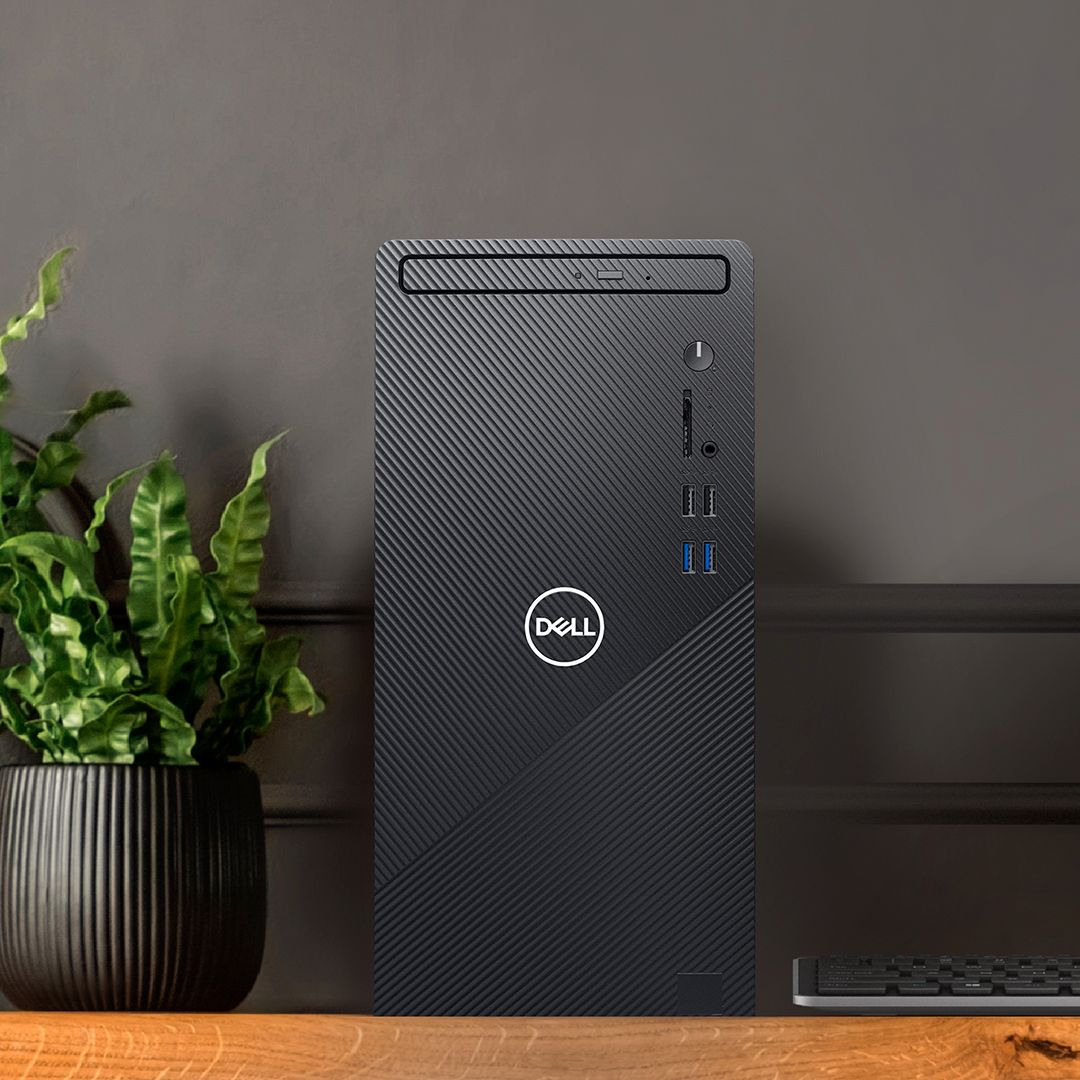
Customers are impressed with the Inspiron 3880's speed, ease of use, and affordable price. Many appreciate its compact size and straightforward setup process. However, some users note the lack of a DVD drive as a significant drawback. A few customers also mention that the RAM may require upgrading for certain tasks.
This summary was generated by AI based on customer reviews.
Poor quality
||Posted . Owned for less than 1 week when reviewed.This reviewer received promo considerations or sweepstakes entry for writing a review.The computer lasted one week before it died.No power or explanation when I asked the Geek Squad. Told, "It just happens" Not my last computer that lasted 15 years.
No, I would not recommend this to a friendBrand response from YourDellTeam
Posted .tullydog,
We're sorry that your computer stopped working after a short period of time. Of course this is not the experience that we want our customers to have. We'd recommend reaching out directly to Best Buy in order to see what your return or exchange options are.
Best,
Bryan
1-800-624-9896
Wrong OS
||Posted . Owned for 1 month when reviewed.This reviewer received promo considerations or sweepstakes entry for writing a review.Specifically ordered this because it was listed as Windows 10. It came with Windows 11
No, I would not recommend this to a friendBrand response from YourDellTeam
Posted .Dear Danielle,
We would like to thank you for taking the time to provide us with your feedback. We are sorry to hear that you are not too happy with your Inspiron 3880 desktop because it came with Windows 11 operating system.
Your Inspiron 3880 supports these operation systems:
• Ubuntu® 18.04.3 LTS
• Windows 10, 64-bit
• Windows 11
• Windows 11 S-Mode
Please see the link to an article below for details about support for Windows 10 and 11:
Supported Operating Systems: https://dell.to/3NqYOBP
If you come across any other questions or have concerns about this product, please don’t hesitate to contact Dell Support Team at the information provided below.
Best,
Katarina@Dell
Should you need further assistance, you can contact Dell directly with the information below.
Chat or call: https://bit.ly/DellSupportTeam
Phone number to Dell 1-800-624-9896
Piece of garbage
||Posted . Owned for 2 months when reviewed.This reviewer received promo considerations or sweepstakes entry for writing a review.What a pile of garbage, don't buy it. Already buying a new machine.
No, I would not recommend this to a friendNo phone access at their stores
||Posted . Owned for 1 month when reviewed.This reviewer received promo considerations or sweepstakes entry for writing a review.It is unimaginable that a company allows no access to its individual stores by telephone.
No, I would not recommend this to a friendThe worst computer my company has ever bought.
||Posted . Owned for 10 months when reviewed.This reviewer received promo considerations or sweepstakes entry for writing a review.Junk, It quick working altogether in 8 months. It would not power up at all.
No, I would not recommend this to a friendBrand response from YourDellTeam
Posted .Hello,
Thank you for taking the time to share your response. We are extremely sorry to hear about your experience with your desktop not turning on and we understand how frustrating this can be. We would love to assist you as soon as possible. Below are steps that can assist with troubleshooting your startup issue.
Here are the recommended steps for troubleshooting this issue:
1. If the computer is displaying the Dell logo and does not move past that point, it has probably failed POST.
2. If the power indicator lights up and it is amber or orange, this is usually an indicator that it has failed POST.
3. If you see text on a black screen, the computer is currently performing the POST. If the computer stays in that condition and does not move past it, it has probably failed POST.
4. If the video screen displayed anything at all during the startup process but is now black, this probably indicates that the computer failed POST.
5. If the computer is beeping or if Caps/Num/Scroll Locks are flashing, note if there is a particular pattern in which it beeps or flashes.
6. If the computer is not beeping and caps/num/scroll locks are not flashing, unplug all connections and remove all media communication devices (e.g. external monitors); reconnect one at a time and check if the computer functions.
7. For a notebook, press and hold the Fn key and then press the power button. This starts the pre-boot testing and will launch ePSA. In case you have a Desktop at the Dell logo screen tap the F12 key to enter One Time Boot Menu and use the arrow keys to highlight Diagnostics and press enter.
8. You can read the full article here - http://dell.to/2uj1Sby.
We recommend following the steps above to resolve your issue. If the issue continues, please contact Dell Support at your earliest convenience at 1-800-264-9896.
Best regards,
Wendy C.
https://bit.ly/DellSupportTeam.
Phone number to Dell: 1-800-264-9896.
Misable
||Posted . Owned for 3 weeks when reviewed.This reviewer received promo considerations or sweepstakes entry for writing a review.This desktop performed poorly. Totally malfunctioned. Hopefully I can exchange it.
No, I would not recommend this to a friendBrand response from YourDellTeam
Posted .Hello,
Thank you for your review. We're sorry about the trouble you have encountered with the performance of your desktop. To make sure we can help in the future there are steps below that can be used to improve performance overall.
1. Restart your computer regularly
2. Run the automated tools provided in the SupportAssist tool
3. Run a complete hardware diagnostic test
4. Scan your computer for malware
5. Restore your Dell computer using Windows System Restore
6. Reinstall Microsoft Windows
Here is the link to the full article to assist with your performance issue: https://dell.to/32wo0Ss.
Best regards,
Wendy C.
For further assistance, you can contact Dell directly with the information below Chat or Call:
https://bit.ly/DellSupportTeam.
Phone number to Dell: 1-800-264-9896.
Add a title
||Posted . Owned for 4 months when reviewed.This reviewer received promo considerations or sweepstakes entry for writing a review.Lasted about 2 1/2 months before it crashed. Would not recommend.
No, I would not recommend this to a friendBrand response from YourDellTeam
Posted .Hi Displayname,
We want to thank you for taking the time to leave us your review. We apologize for the trouble you had with your Inspiron 3880 crashing. I have provided a link below to help troubleshoot and resolve the issue. We also recommend making sure all drivers and downloads are up to date on your PC. I have given you a link to the Drivers and Downloads page for your computer.
System restarts: https://dell.to/31Tk6Ci
Drivers and Downloads page: https://dell.to/3eYbC2T
If you still experience this issue after you have finished troubleshooting your system, please reach out to our support team here: 1-800-624-9896.
If you require further assistance, you can contact Dell directly with the information below.
Chat or call: https://bit.ly/DellSupportTeam
Phone number to Dell 1-800-624-9896
Best,
Ashley@Dell
No Windows
||Posted . Owned for 1 month when reviewed.This reviewer received promo considerations or sweepstakes entry for writing a review.it didn't have proper windows installed. it was tough to fix the bios as well.
No, I would not recommend this to a friendBrand response from YourDellTeam
Posted .Ronak,
Thanks for your review and we're sorry to hear about the operating system issues that you had with your new computer. If you run the SupportAssist App it will help you ensure that all of your drivers and software are up to date. We hope that your computer's performance meets your needs.
Best,
Bryan
1-800-624-9896
Bb
||Posted . Owned for 3 weeks when reviewed.This reviewer received promo considerations or sweepstakes entry for writing a review.Bull, I paid well over 750 dollars and there is no software on it!
No, I would not recommend this to a friendBrand response from YourDellTeam
Posted .Hello Jimw,
Thank you for your feedback. We apologize for the trouble you have come across with your Inspiron. We would like to assist you as soon as possible. Here is a link that can assist with setting up your Inspiron - https://dell.to/3k16xJM. We invite you to contact Dell Support at your earliest convenience at 1-800-264-9896 if you have any questions, issues, or concerns.
Best,
Wendy C.
https://bit.ly/DellSupportTeam.
Phone number to Dell: 1-800-264-9896.
Wrong Computer
||Posted . Owned for 1 month when reviewed.This reviewer received promo considerations or sweepstakes entry for writing a review.Not Purchased. I purchased a different computer.
No, I would not recommend this to a friend- Pros mentioned:Performance
Nice to have
Posted .This reviewer received promo considerations or sweepstakes entry for writing a review.Good ps. I still have it and itit works just as good as it did when I first got it.
I would recommend this to a friend - Pros mentioned:Price
Great buy!
Posted .This reviewer received promo considerations or sweepstakes entry for writing a review.It honestly does the job and cant beat it for the price!
I would recommend this to a friend - Cons mentioned:Dvd drive
Dell Inspiron 3880
Posted .This reviewer received promo considerations or sweepstakes entry for writing a review.I love the Dell Inspiron 3880 computer that we purchased and picked up yesterday except for the fact that when we purchased it on the 8th- I wasn't told that it didn't have an internal cd/dvd- player/burner! I wasn't expecting to buy a new computer but mine unfortunately, that I took in for service, couldn't be saved. Also today I had to purchase an external cd/dvd hardrive player. Can someone please tell me how to add desktop shortcut icons to the screen? I can't figure it out! Thanks in advance!
I would recommend this to a friend Should work based on specs, but cannot perform
Posted .This reviewer received promo considerations or sweepstakes entry for writing a review.I bought this to run a few simple tasks and only a couple of programs, so I wasn't looking for a powerhouse. This should've been perfect, but it is slow to startup, and if I don't baby it by moving extra slow through tasks and being mindful of how many tabs are open or how many tasks I am doing at once, it will freeze, and take forever to "catch up" with itself, if it ever unfreezes at all. everyone who uses this computer is always walking on eggshells hoping not to lose what they are working on before getting a chance to save it. I wish it just worked.
No, I would not recommend this to a friend- Pros mentioned:Price
desktop
Posted .This reviewer received promo considerations or sweepstakes entry for writing a review.Very good for what we need. Good price but remember it does not have a dvd player.
I would recommend this to a friend Good if you don't plan on upgrading...
Posted .This reviewer received promo considerations or sweepstakes entry for writing a review.This is a decent computer that I almost recommended to a friend. However, I noticed that the power supply looked a bit small from the outside and sure enough it's a proprietary unit that is only upgradeable to a measly 250 watt PSU for a (huge chunk of dough) which isn't going to cut it for any decent graphics card. If you're not planning on upgrading your graphics then don't worry about this.
No, I would not recommend this to a friendBrand response from YourDellTeam
Posted .Kealii,
Thanks for your review. We're sorry that your computer is not as upgradeable as you hoped it would be. If you have any questions about using your computer you can always refer to our Product Support Page here: https://dell.to/36cFK8j.
Best,
Bryan
1-800-624-9896
- Pros mentioned:Performance
Great pc
Posted .This reviewer received promo considerations or sweepstakes entry for writing a review.Great pc, ran my games just fine. Would recommend.
I would recommend this to a friend Harlan
Posted .This reviewer received promo considerations or sweepstakes entry for writing a review.trying to log in the computer is a little tricky but getting at it
I would recommend this to a friendAbsolute Garbage
Posted .This reviewer received promo considerations or sweepstakes entry for writing a review.This computer was bought for me for work by my employer. It's absolute garbage. My entire job replies on my computer and this one is worthless. I understand it's a simple, cheap desktop, but it should have more than enough power to do what I need to do -- which essentially is just scanning documents and filing them into dropbox. I have no extra software downloaded and I only use it for work. I have a computer sciences degree and I know how to take care of a computer. It has been slow from the start. It took two weeks to download our dropbox files to it, two days to download them to a 3 year old HP. The windows file explorer crashes constantly. Multiple simple programs (like my printers scanning program) slow it down considerably and crash constantly. There are regular glitches, like the desktop closing out of everything on it and refreshing, so that I have to bring up all my folders again. The little problems I have gotten used to and been able to work around despite it being very annoying. Then, today, I get to work, it boots up fine. I shut it down completely so I could unplug everything and better organize the wires under my desk. Plugged it all back in, boom, blue screen of death that gets stuck in an infinite boot loop that I cannot break it out of, no matter how many different solutions I try. Absolute garbage. The software was always up to date. I always had an active security software running, I cleaned out unnecessary files regularly, uninstalled all of the pre-installed trash programs and only installed what was absolutely necessary for work. There was no reason for this computer to run so slowly, have so many problems, and then crash literally out of nowhere, but it did. I lost nearly two hours of time at work today between initially having the problem, trying to fix the problem, and then eventually settling on disconnecting everything to hook up the 3 year old HP so that I could get some work done today. I did NOT buy this from Best Buy and have only had good experiences from them. My employer bought this directly from Dell. However, Dell has conveniently turned off reviews on their website, so I'll just have to leave this review everywhere else. Don't buy this thing, it's an expensive paperweight.
No, I would not recommend this to a friendBrand response from YourDellTeam
Posted .HeatherH,
Thanks for your feedback about your new computer and we're sorry to hear about he issues that you've been having. There are a number of ways to help improve the performance of your computer if it is running slower than you expected it to. We'd recommend the following steps to help improve your computer's overall performance and speed:
1. Restart your computer regularly.
2. Run the automated tools provided in the SupportAssist Tool.
3. Run a complete hardware diagnostic test.
4. Scan your computer for malware.
5. Restore your Dell computer using Windows System Restore.
6. Reinstall Microsoft Windows.
You can read the full steps associated with each of these recommendations here: https://dell.to/3n29QjE.
If you continue to have Blue Screen Errors you can diagnose them with these steps:
1. At the desktop, click the Search the web and Windows box and type "problem reports".
2. Select View all problem reports to view a list of errors that have occurred on your computer and possible solutions for them, such as updating drivers, flashing your system BIOS, or checking for updates to the software.
3. Under the Source column, look for Windows and under Summary, look for Shut down unexpectedly.
4. Right-click the line item and select Check for a solution.
We'd also suggest checking to make sure that your software and drivers are up to date on Dell's Product Page - https://dell.to/36cFK8j.
You can read the full article here - http://dell.to/2u98Cct.
Best,
Bryan
1-800-624-9896
High price, low storage
Posted .This reviewer received promo considerations or sweepstakes entry for writing a review.So far so good. The PC started right up and works great so far despite poor QC reviews. My problem is It only has a 256GB SSD. For $600+ that’s not enough.
No, I would not recommend this to a friendBrand response from YourDellTeam
Posted .Warrior247,
Thanks for your review. We're glad that your computer is working well for you so far. We'd recommend storing files in the cloud with Microsoft OneDrive if you need to free up space on your computer.
If you have additional questions about your computer you can check our Product Support Page here:https://dell.to/36cFK8j.
Best,
Bryan
1-800-624-9896