Customer Ratings & Reviews







- Model:
- i7506-7784BLK-PUS
- SKU:
- 6432554
Rating by feature
- Battery Life
Rating 4.2 out of 5 stars
- Speed
Rating 4.4 out of 5 stars
- Display
Rating 4.4 out of 5 stars
Customers are saying
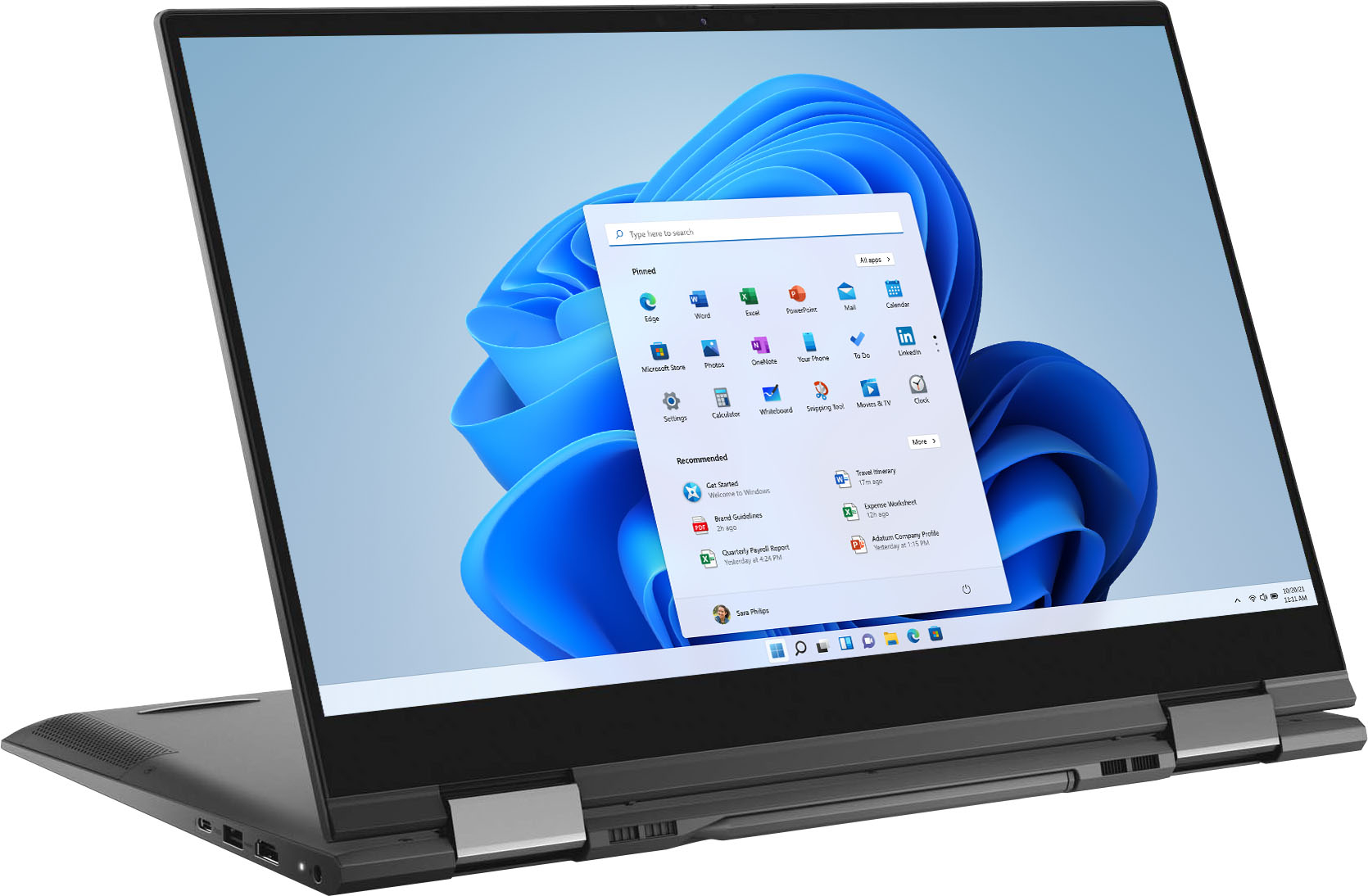
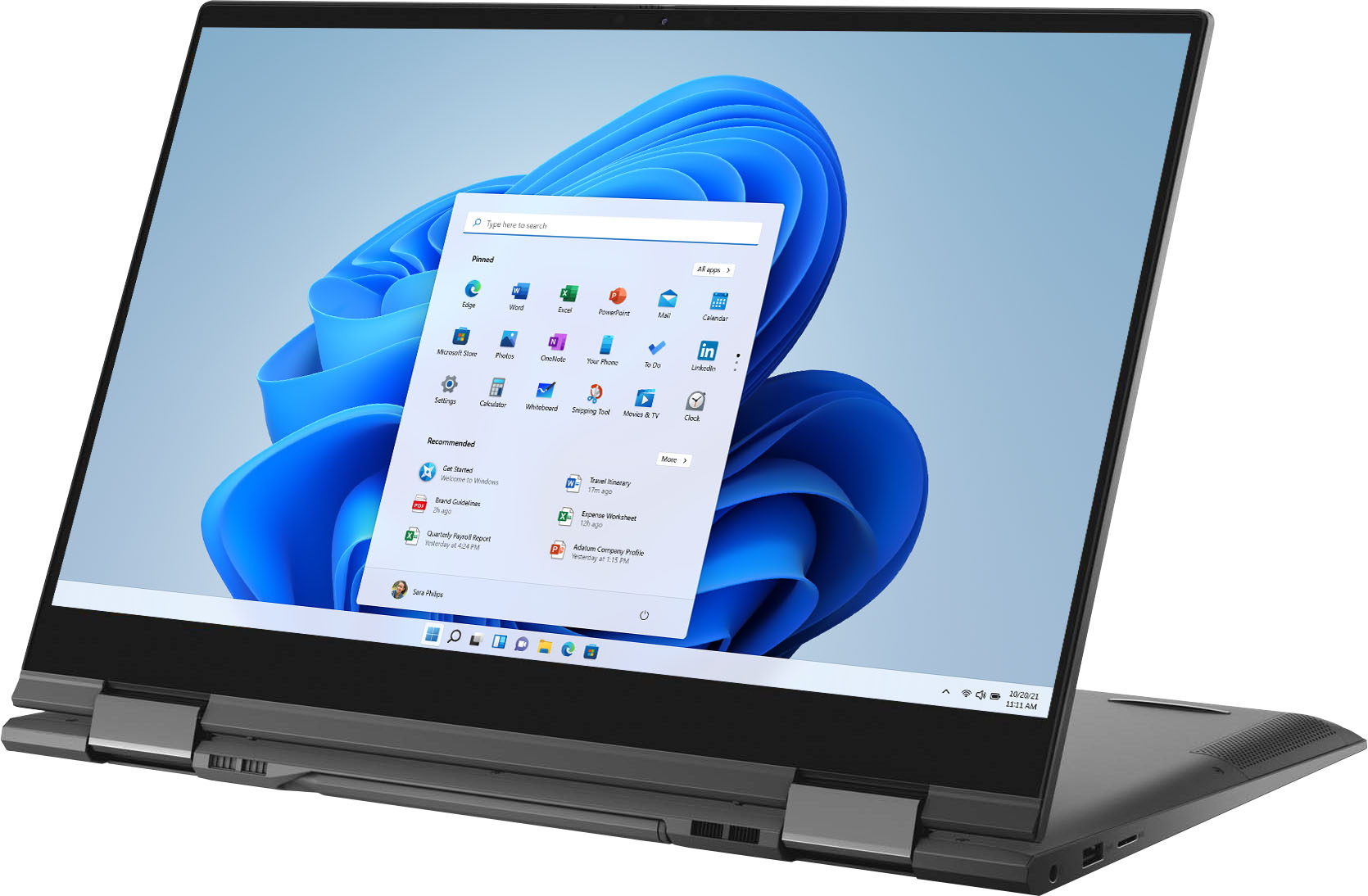
Customers admire the Inspiron 7000 2-in-1 laptop for its touch screen, performance, pen, and affordable price. However, they have concerns about its battery life, overheating, fan noise, and occasional crashing issues.
This summary was generated by AI based on customer reviews.
- Pros mentioned:Speed
Buy it for sure.
||Posted . Owned for 3 weeks when reviewed.This reviewer received promo considerations or sweepstakes entry for writing a review.This laptop is a great purchase !! Thanks It’s fast and doesn’t hang up.
I would recommend this to a friend Very disappointed..
||Posted . Owned for 9 months when reviewed.This reviewer received promo considerations or sweepstakes entry for writing a review.I will not recommend to buy this product, it looks awesomen all the characteristics but this time DELL did a really bad product, I bought a brand new product but since I started the laptop, the problems with the screen happens, for a very expensive product i hoped a great performance, now it happens more frequently, and Best Buy don't help even though you buy the guarantee for the product.
No, I would not recommend this to a friendA pretty and sleek upgrade from Lenovo
||Posted . Owned for 1 week when reviewed.This reviewer received promo considerations or sweepstakes entry for writing a review.As a doctoral student and university instructor, I wanted a laptop that would get the job done. Though I haven’t gotten to test it out at school yet (I’m still on Christmas break), so far, I love this laptop!!! No, the touch-screen is not probably iPad Pro quality for writing, BUT this computer is still awesome. It’s beautiful, not too bulky and a lovely color. I really like the keypad. If you’re used to a MacBook, it might not be your taste, but my boyfriend also chose to get the same laptop and he likes it though he’s been a MacBook user. I’ve had a Lenovo that lasted me many a year, so it was time for an upgrade and this certainly was that!!
I would recommend this to a friendFor the price, the touchpad sucks
||Posted . Owned for 9 months when reviewed.This reviewer received promo considerations or sweepstakes entry for writing a review.Really love the laptop screen size and how fast the laptop is. I also hardly hear the fan. But the touchpad is really bad. Sometimes it just falls apart and won't work. If you have a separate mouse, you won't find an issue. But makes it really annoying when trying to transport it. For the price, really not worth it. Music is great too, I use Tidal Master and I can really hear the difference vs my Macbook M1 Laptop. Also, Best Buy sucks, it's cheaper elsewhere
No, I would not recommend this to a friendDell Laptop
||Posted . Owned for 3 weeks when reviewed.This reviewer received promo considerations or sweepstakes entry for writing a review.At times, screen "trembles" and sometimes the laptop closes the document I am working on when I did not close it. Other than that, I do like this laptop.
I would recommend this to a friendGreat Inspiron Computer
||Posted . Owned for 2 weeks when reviewed.This reviewer received promo considerations or sweepstakes entry for writing a review.So far I have nothing but great things to say about my new Inspiron and the service I received at Best Buy. The keyboard is wonderful - very responsive and feels substantial (not like some plasticy cheap feeling thing). I use my computer for work and home so it takes a lot of power to get me through my day. I go from my work portal to my home screen seamlessly. It does generate some heat, but it is not substantial and the way the computer opens allows for the bottom to ventilate well.
I would recommend this to a friend- Cons mentioned:Overheating
Ivo
||Posted .This reviewer received promo considerations or sweepstakes entry for writing a review.I am actually planning on returning the laptop because it’s been getting too hot and it kicked me out of my first zoom class
No, I would not recommend this to a friendBrand response from YourDellTeam
Posted .Hello Ivo4,
Thank you for your review. We are sorry to hear that your laptop is running a little warmer than you would like. We can understand how frustrating an overheating computer. We would love to help right away! Below are steps that can help with overheating in the future.
1. Dell does not recommend placing portable systems directly on your lap. Due to reductions in the thickness of modern portable systems, heat transfer can be an issue.
2. Using a portable system (Laptop) on a hard, flat, non-cloth surface will increase airflow and reduce heat from underneath and inside the system.
Using the portable system on a blanket, pillow, or other types of cloth will cover up the fan cause the computer to overheat and can cause permanent damage.
3. It is recommended to use the portable system in a Room temperature of 0°C to 35°C (32°F to 95°F) with a Humidity level no greater than 90%.
4. Use compressed air to clean the vents on a regular basis.
5. Using a cooling pad can decrease heat and increase performance.
6. If you want to know the temperature limitations for your system, go to the Dell Support Website, look up your system model then open the user guide under the manuals link.
7. We'd also suggest checking to make sure that your software and drivers are up to date on Dell's Product Page - https://dell.to/3Asy26o.
This article contains further details that can help with your overheating: http://dell.to/2uJ8AdG.
Best,
Wendy C.
If you have any additional questions or concerns, you can contact Dell directly with the information below Chat or Call:
https://bit.ly/DellSupportTeam.
Phone number to Dell: 1-800-264-9896.
- Pros mentioned:Touch screen
Dell Love
||Posted . Owned for 3 months when reviewed.This reviewer received promo considerations or sweepstakes entry for writing a review.Love the Dell! Functional and like the number keypad that not all laptops have. The touch screen is helpful.
I would recommend this to a friend - Pros mentioned:Performance
Outstanding
||Posted . Owned for 2 months when reviewed.This reviewer received promo considerations or sweepstakes entry for writing a review.Outstanding computer does everything and then some that i needed it for
I would recommend this to a friend I want to love my new Dell but it want let me
||Posted . Owned for 1 month when reviewed.This reviewer received promo considerations or sweepstakes entry for writing a review.I wish I would have read the reviews first but knowing me would have probably still brought the Dell. That being said I brought the laptop March 2021 it is now April 2021 and I just made a Geek Squad appointment. The problems I am about to mention does not happen all the time but for a brand new laptop should not happen at all. The laptop screen acts up sometimes long sometimes short but it does mess up. The laptop shuts off on its on and reboots. I get a blue screen saying a some kind of system error. I DJ with this laptop so it shutting off is a huge problem. I was DJing at a club and twice the laptop shut off THAT IS NOT GOOD !!!!!!!! I want to love it because it is fast the screen is beautiful even though I Don't use the pen it's nice that it is there. I hope when I bring it in they can fix the issue because over all its a great computer but can not have it shutting off while I'm working. I forgot I'm also a teacher and it shut off while presenting to my class also not good. I am also past the 14 day return period so hope this is a issue that can be fixed. I also run the support assist everyday but still have issues.
No, I would not recommend this to a friendBrand response from YourDellTeam
Posted .Hello DjKevistheking,
Thank you for your feedback and response. We apologize for your experience and have provided steps below that can assist with your blue screen and startup issues if needed in the future.
1. At the desktop, click the Search the web and Windows box and type ""problem reports"".
2. Select View all problem reports to view a list of errors that have occurred on your computer and possible solutions for them, such as updating drivers, flashing your system BIOS, or checking for updates to the software.
3. Under the Source column, look for Windows and under Summary, look for Shut down unexpectedly.
4. Right-click the line item and select Check for a solution.
We'd also suggest checking to make sure that your software and drivers are up to date on Dell's Product Page - http://dell.to/3hmUpRy
This article contains more detail in regard to blue screen and performance issues - http://dell.to/2u98Cct.
Best regards,
Wendy C.
For further assistance, you can contact Dell directly with the information below Chat or Call:
https://bit.ly/DellSupportTeam.
Phone number to Dell: 1-800-264-9896.
- Pros mentioned:Touch screen
Regret
||Posted . Owned for 1 month when reviewed.This reviewer received promo considerations or sweepstakes entry for writing a review.Man , this looked so great on paper! I would return ..but my window to do that has run out... The screen is amazing...and then during some streaming, I sometimes get this weird choppiness and squares . Windows hello is inconsistent. For the price and specs ( particularly with dedicated video ram) I thought that some decent gaming was happening...Nope.!
No, I would not recommend this to a friendBrand response from YourDellTeam
Posted .Dear DanielC,
Thank you very much for your valuable feedback. We are sorry to hear that you are not too happy with your Dell Inspiron 7506 2-in-1 laptop because you are not able to play certain games on it, Windows Hello is not consistent, and the screen during streaming is sometimes choppy.
Please make sure you have downloaded the latest system update and that software you are using meets all system requirements. I have provided a link to the drivers and downloads page where you can check for any applicable updates.
Drivers and Downloads Page: https://dell.to/3LI7X8m
To help troubleshoot Windows Hello, I have provided a link to the Window Hello article below, which includes instructions on how to set it up and other useful tips.
Windows Hello: https://dell.to/3smxei6
To help with the screen issues, we recommend following these troubleshooting tips:
1. Run the automated tools in SupportAssist to ensure that the drivers and BIOS are up to date and your computer is optimized
2. Verify display or video issue on an external monitor
3. Check for physical damage on the LCD screen
4. Run hardware diagnostics on the LCD screen
5. Verify the display or video issue in Windows Safe Mode
6. Download and install Microsoft Windows Updates
7. Change the video or display settings, and adjust the brightness
8. Touch screen troubleshooting
9. Run a Video Stress Test using Dell SupportAssist
10. Perform a Windows System Restore
11. Restore the computer to factory defaults
The whole article on this subject can be found here:
How to Troubleshoot Display or Video Issues on a Dell Laptop: https://dell.to/3pE7wm4
If the issue with your computer is still not resolved after utilizing the troubleshooting options above, please contact the Dell Support Team at 1-800-624-9896 for further guidance.
Best,
Katarina@Dell
Should you need further assistance, you can contact Dell directly with the information below.
Chat or call: https://bit.ly/DellSupportTeam
Phone number to Dell 1-800-624-9896
- Cons mentioned:Fan noise
inspiron 7506 2n1
||Posted . Owned for less than 1 week when reviewed.This reviewer received promo considerations or sweepstakes entry for writing a review.It's a nice laptop, but some noise from fan is very weird. I don't understand if it's normal? must go to best buy to check it out.
I would recommend this to a friend Works as expected
||Posted . Owned for 1 month when reviewed.This reviewer received promo considerations or sweepstakes entry for writing a review.I bought it for use this upcoming semester, have only used it lightly at this point but it works as it should. *Blue Screen of Death has appeared one time*
I would recommend this to a friendDell Inspiron Laptop
||Posted . Owned for 2 months when reviewed.This reviewer received promo considerations or sweepstakes entry for writing a review.Great PC, but many issues. BB has addressed all issues as they have occurred...thank you. Still, not too pleased to regularly have to service personally, and through manufacturer and retailer. Excellent specs.
No, I would not recommend this to a friend- Pros mentioned:Speed
Best Dell we have owned so far!
||Posted . Owned for 1 month when reviewed.This reviewer received promo considerations or sweepstakes entry for writing a review.This Dell has been the best laptop we have purchased of the Dell products. It has speed, easy operation and no fan noise!! The pen/stylus comes with it. Great value!
I would recommend this to a friend - Pros mentioned:Touch screen
Light compact and speedy
||Posted . Owned for less than 1 week when reviewed.This reviewer received promo considerations or sweepstakes entry for writing a review.So far so good. Just transferred all files from old computer. Fast transfer. Like the touchscreen capability. Mouse surface is smooth and easy to use. Monitor is crisp.
I would recommend this to a friend Like it
||Posted . Owned for 1 month when reviewed.This reviewer received promo considerations or sweepstakes entry for writing a review.After I use Samsung laptops I didn’t like to use any kind of laptops but these one is good laptop
No, I would not recommend this to a friend- Pros mentioned:Touch screen
Dell Inspiron 7000 2-in-1 15.6 Laptop
||Posted . Owned for 1 month when reviewed.This reviewer received promo considerations or sweepstakes entry for writing a review.A Great and well made Laptop Computer with a Well made Design and an Incredible screen picture quality.
I would recommend this to a friend - Pros mentioned:Speed
Specs are spectacular
||Posted . Owned for 1 week when reviewed.This reviewer received promo considerations or sweepstakes entry for writing a review.It has got all the bells and whistles. Not having a card reader was a slight disadvantage but the speed makes up for everything I wanted in a laptop. Specs are spectacular
I would recommend this to a friend - Pros mentioned:Speed
fast laptop
||Posted . Owned for 2 months when reviewed.This reviewer received promo considerations or sweepstakes entry for writing a review.this laptop is fast, sleek, and affordable. I definitely would recommend to anyone shopping for a laptop.
I would recommend this to a friend