Customer Ratings & Reviews







- Model:
- i7506-7784BLK-PUS
- SKU:
- 6432554
Rating by feature
- Battery Life
Rating 4.2 out of 5 stars
- Speed
Rating 4.4 out of 5 stars
- Display
Rating 4.4 out of 5 stars
Customers are saying
Customers admire the Inspiron 7000 2-in-1 laptop for its touch screen, performance, pen, and affordable price. However, they have concerns about its battery life, overheating, fan noise, and occasional crashing issues.
This summary was generated by AI based on customer reviews.
Useful and profitable
||Posted . Owned for 3 weeks when reviewed.This reviewer received promo considerations or sweepstakes entry for writing a review.Love my Laptop and its features. It is my first laptop and I am loving it totally. I carried it around with me on trips and its size is just right for me. Love it and will learn as I go along its many features and with the price I paid for it, I hope to get my money's worth.
I would recommend this to a friendGreat laptop for home use
||Posted . Owned for 1 month when reviewed.This reviewer received promo considerations or sweepstakes entry for writing a review.Laptop is a replacement for my self-built PC that's more than 10-yr old. Had been working perfectly so far, did have to buy a cooling mat for it since it does seem to get hot pretty easily.
I would recommend this to a friendWill never buy open-box again, not worth it
||Posted . Owned for more than 2 years when reviewed.This reviewer received promo considerations or sweepstakes entry for writing a review.Since day one this laptop has been an issue for us, from random blue-screens to the trackpad becoming completely inoperative at random. Dell support was useless (as always, would not recommend their "services", seeing as everything beneficial is a paid premium; what a joke!) and of course by the time it was realized how bad this computer was, the return window was gone. I have to somewhat blame myself for buying open-box; guess whoever had it first knew it was a dud! Installing Windows 11 miraculously seemed to fix some of the issues (but not all), and it was tolerable until just today. Now the M.2 NVMe drive has apparently completely failed without any warning! Imagine opening your computer and finding "No Bootable Devices Found". To no avail, I attempted every method I could find to mess with UEFI settings, go into recovery via USB, and even physically reinstall the drive. Nothing. I know these can fail prematurely but it's simply the icing on the cake for this piece of garbage (not to mention, it's an Intel brand drive). Either way, I am kicking myself for wasting $1400 on this pile of junk. Stay away!
No, I would not recommend this to a friendBrand response from YourDellTeam
Posted .Dear Josh,
Thank you for taking the time to leave a review of your Inspiron 7506 laptop. We are sorry to hear that you are experiencing an issue with blue screen crashes and your touchpad not responding. That is not the type of feedback we like to hear from our customers. We have noted the details of your statement and will use them to improve current and future products. Below, I have provided troubleshooting steps to help resolve the issue with your blue screen and a link to assist with your touchpad.
1. At the desktop, click the Search the web and Windows box and type "problem reports".
2. Select View all problem reports to view a list of errors that have occurred on your computer and possible solutions for them, such as updating drivers, flashing your system BIOS, or checking for updates to the software.
3. Under the Source column, look for Windows and under Summary, look for Shut down unexpectedly.
4. Right-click the line item and select Check for a solution.
We'd also suggest checking to make sure that your software and drivers are up to date on Dell's Product Page -
You can read the full article here - http://dell.to/2u98Cct.
Touchpad Issues Link: http://dell.to/2tqmS02
Should you need further assistance; we recommend that you contact Dell directly with the information below.
Chat or call: https://bit.ly/DellSupportTeam
Phone number to Dell: 1-800-624-9896.
Best Regards,
Summer@Dell
Great work laptop
||Posted . Owned for 2 weeks when reviewed.This reviewer received promo considerations or sweepstakes entry for writing a review.I have greatly enjoyed using this Dell as my work computer. It seems to handle multiple programs (Quickbooks, Excel, remote access, Zoom, Outlook, multiple browser windows, etc.) with ease and had great processing capability.
I would recommend this to a friendInspiron Review
||Posted . Owned for 1 week when reviewed.This reviewer received promo considerations or sweepstakes entry for writing a review.Great laptop with quality specs to it. One issue I am having is that if I am using a docking station and disconnect it, it freezes and makes me restart the laptop. Other than that, Inspiron laptops have always been reliable.
I would recommend this to a friendBrand response from YourDellTeam
Posted .Hello Bharo,
Thank you for your review. We are pleased to hear you are enjoying your Inspiron by most accounts. In regards to your issue, we suggest installing the latest drivers available for your docking station if you have not already. You can do so by entering the model number on the Dell Support website and navigating to the downloads tab.
If the issue persists, you are more than welcome to contact Dell Support for further assistance.
Best Regards,
Anthony P.
1-800-624-9896
My DELL lap...
||Posted . Owned for 3 weeks when reviewed.This reviewer received promo considerations or sweepstakes entry for writing a review.Not exactly what I expected but So far I am happy with it...
I would recommend this to a friendMade me do it
||Posted . Owned for 1 month when reviewed.This reviewer received promo considerations or sweepstakes entry for writing a review.So far this laptop exceeded my expectations. Start up was easy.
I would recommend this to a friendBlue Screen of Death - Do not buy!
||Posted . Owned for 5 months when reviewed.This reviewer received promo considerations or sweepstakes entry for writing a review.I have dealt with the BSOD (blue screen of death) for 5 months. Happens about once per week with the computer randomly shutting down. I have figured out that this is probably due to the Intel Xe Max graphics card. When you call Dell they will tell you the hardware is fine, they will have you download a myriad of drivers, reinstall windows etc and this will have no positive outcome for the real issue which is the Intel Xe Max gpu. Many have decided to disable that gpu. I now have done that. It's ok because there is another gpu in the system that allows it to run fine for basic computing. Dell has been a disaster addressing this issue. It's too bad because this is a great computer when it is not shutting down with the BSOD screen. Watch Dell respond to this review with their standard comment about troubleshooting. If they do, then they are truly embarrasing.
No, I would not recommend this to a friendBrand response from YourDellTeam
Posted .Hello Chartist10,
Thank you for your feedback and response. We apologize for your experience and understand how important it is for you to ensure that this issue is out of sight. We would love to help right away. Below, we have provided steps that can assist with your blue screen issue if needed in the future.
1. At the desktop, click the Search the web and Windows box and type ""problem reports"".
2. Select View all problem reports to view a list of errors that have occurred on your computer and possible solutions for them, such as updating drivers, flashing your system BIOS, or checking for updates to the software.
3. Under the Source column, look for Windows and under Summary, look for Shut down unexpectedly.
4. Right-click the line item and select Check for a solution.
We'd also suggest checking to make sure that your software and drivers are up to date on Dell's Product Page. You can read the full article here - http://dell.to/2u98Cct.
Best regards,
Wendy C.
For further assistance, you can contact Dell directly with the information below Chat or Call:
https://bit.ly/DellSupportTeam.
Phone number to Dell: 1-800-264-9896.
Dell Inspiron
||Posted . Owned for 2 weeks when reviewed.This reviewer received promo considerations or sweepstakes entry for writing a review.Miss Kelia was a big reason for my purchase. Very knowledgeable and was quick to answer questions. Great personality.
I would recommend this to a friendMonitor KB
||Posted . Owned for 3 weeks when reviewed.This reviewer received promo considerations or sweepstakes entry for writing a review.Works fine so far. Easy to setup. Had what I needed in store.
I would recommend this to a friendGood work from home laptop
||Posted . Owned for 3 weeks when reviewed.This reviewer received promo considerations or sweepstakes entry for writing a review.This is a good laptop for those who have to work from home. It has the memory and capacity for responsive access to multiple applications at the same time. I use it for teaching and can sustain classes with audio, video, and graphic-intensive presentation materials with no issues.
I would recommend this to a friendPossessed Laptop?
||Posted . Owned for less than 1 week when reviewed.This reviewer received promo considerations or sweepstakes entry for writing a review.Touchpad issues. Locking up pointer for 5-10 sec intervals. Clicking on items in rapid fire without touching anything. If I can’t figure this out it’s getting returned.
No, I would not recommend this to a friendBrand response from YourDellTeam
Posted .WhichwitchisWhitch,
Thanks for your review and we're sorry to hear that your touchpad is not running as smoothly as you hoped it would. We'd recommend re-calibrating your touchpad with the following steps:
Some Notebooks and Tablets with Keyboards have added gesture features to the touchpad hardware and drivers. A few of these features are two or three finger scrolling, pinch zoom, circle zoom, rotate and swiping. These new features may be the reason for the erratic cursor movement since most are turned on by default. You can disable or modify the way the features work in the touchpad driver properties. Here are some tips to modify these settings:
1. In the Search box, type main.cpl.
2. Touch or click main.cpl in the list of programs.
3. Touch or click the Dell Touchpad tab.
4. Touch or click on the picture of the touchpad.
5. Touch or click Gestures (depending on your computer there may not be a Gestures option).
6. Change the options as preferred.
7. Touch or click Save.
8. Touch or click the X in the upper-right corner to close the Dell Touchpad Utility.
9. Touch or click OK on the Mouse Properties window.
10. If the touchpad still does not work after following the preceding steps, refer to Dell Knowledge Base article - http://dell.to/2iaiujA.
You can read the full article here - http://dell.to/2tqmS02.
Best,
Bryan
1-800-624-9896
Ms
||Posted . Owned for 3 weeks when reviewed.This reviewer received promo considerations or sweepstakes entry for writing a review.I just started using it but so far it’s good and smart
I would recommend this to a friendFaulty pen
||Posted . Owned for 1 month when reviewed.This reviewer received promo considerations or sweepstakes entry for writing a review.Having issues with the pen. We haven’t called the help desk at this point but plan to do so. However, you expect a high dollar purchase such as this to be flawless the first couple months at minimum.
I would recommend this to a friendBrand response from YourDellTeam
Posted .Hi Mom2gamer,
Thanks for your review and we're sorry to hear about the stylus issues that you've had so far. If you'd like help troubleshooting your active pen you can check this page: https://dell.to/3oA9Bk2.
Best,
Bryan@Dell
If you require further assistance, you can contact Dell directly with the information below
Chat or Call:
https://bit.ly/DellSupportTeam
Phone number to Dell: 1-800-624-9896
Darrell Review
||Posted . Owned for 1 week when reviewed.This reviewer received promo considerations or sweepstakes entry for writing a review.Light weight keyboard light Battery could be longer lasting
I would recommend this to a friendWorst Buy of my LIFE
||Posted . Owned for 6 months when reviewed.This reviewer received promo considerations or sweepstakes entry for writing a review.I wish I could take this buy back. I wanted to love this computer so much and when I purchased it, I wish there were more reviews. I have nothing but problem after problem. BUYER BEWARE... I purchased my first one in December of 2020 within 2 minutes of getting it set up, it completely crashed and had to be returned. Me thinking I just happened to get a bad apple, I got the same computer. It ran well for a few weeks and now I have nothing but problems. I am pretty much best friends with Dell Support. Here are some of the problems I am having; *Computer turns off randomly and I lose everything I am working on. *I get the blue screen that tells me "Something went wrong" *My ports randomly stop working *My Bluetooth does not connect sometimes *White screen that says something like there is an issue with my memory. *Sometimes when my computer shuts off, I lose my brightness bar *Bios and drivers won't update Upon calling Dell, they say the issue is with the Bios not updating correctly and the drivers needing to be installed. They have done this process a number of times and it always reverts back somehow. Each person I have talked with at Dell has been great and offered great customer service, but how can they fix this when it's the computer that is defective? Dell needs to step up and fix this issue and take care of the customer since we put our trust in them. I would not expect this from a computer that I spent $700.00 on, let alone over $1600.00. I have done every step offered by Dell more than once and still have a computer that is defective. Unfortunately, I am sure I am missing stuff, but this is the gist of it. Oh, and one more thing... Ironically enough, the other day I went to Best Buy (Federal Way, WA) for something and their display computer had the blue screen and was talking about memory. Dell, how are you going to correct this issue?
No, I would not recommend this to a friendBrand response from YourDellTeam
Posted .Hello Cherie,
Thank you for your thorough review of your Inspiron. We are sorry to hear it is not performing as well as you wish. We know how upsetting that can be. To make sure we can help there are steps below that will not only run diagnostics to determine if your device is experiencing errors but update your system to ensure you have the best performance possible.
1. Restart your computer regularly
2. Run the automated tools provided in the SupportAssist tool
3. Run a complete hardware diagnostic test
4. Scan your computer for malware
5. Restore your Dell computer using Windows System Restore
6. Reinstall Microsoft Windows
7. You can use this link to ensure that your software and drivers are up to date - https://dell.to/3wIavvp.
Here is the link to the full article to assist with your performance issue: https://dell.to/32wo0Ss. If the issue persists, you can contact Dell directly with the information below via Chat or Call.
Best regards,
Wendy C.
https://bit.ly/DellSupportTeam.
Phone number to Dell: 1-800-264-9896.
Good Value
||Posted . Owned for 3 months when reviewed.This reviewer received promo considerations or sweepstakes entry for writing a review.Good laptop that has some quirks like any other laptop.
I would recommend this to a friendWorst PC-Purchase: Dell Inspiron 7000 2-in-1 15.6"
||Posted . Owned for 2 months when reviewed.This reviewer received promo considerations or sweepstakes entry for writing a review.DO NOT PURCHASE. This was the WORST PC-model purchase I've made in 15 years (and I usually purchase one per year for my home/business needs.) When I purchased my FIRST Dell-Inspiron 7000 2-in-1 15.6" USD Touch Laptop the Microsoft operating system was corrupt and it intermittently powered down without warning after 10 minutes. When I returned it to BEST BUY (3 days later) I was given a same-model replacement and the same thing happened, but the issue was with memory contention. This MODEL BUILD IS TERRIBLE. I returned this SECOND Dell, received a prompt full-refund, and purchased an HP Spectre from another retail vendor that setup within minutes, painlessly, and is simply AWESOME.
No, I would not recommend this to a friendBrand response from YourDellTeam
Posted .Hello ChrisBell,
We are sorry to hear you were experiencing difficulties with your Inspiron and apologize for the inconvenience. To make sure we can help in the future there are steps below that can be used to improve performance overall. This process will not only perform diagnostics to determine what may be causing errors but also install the latest updates and drivers. This ensures you have the best experience to date.
1. Restart your computer regularly
2. Run the automated tools provided in the SupportAssist tool
3. Run a complete hardware diagnostic test
4. Scan your computer for malware
5. Restore your Dell computer using Windows System Restore
6. Reinstall Microsoft Windows
Here is the link to the full article to assist with your performance issue: https://dell.to/32wo0Ss.
Best regards,
Wendy C.
For further assistance, you can contact Dell directly with the information below Chat or Call:
https://bit.ly/DellSupportTeam.
Phone number to Dell: 1-800-264-9896.
Good
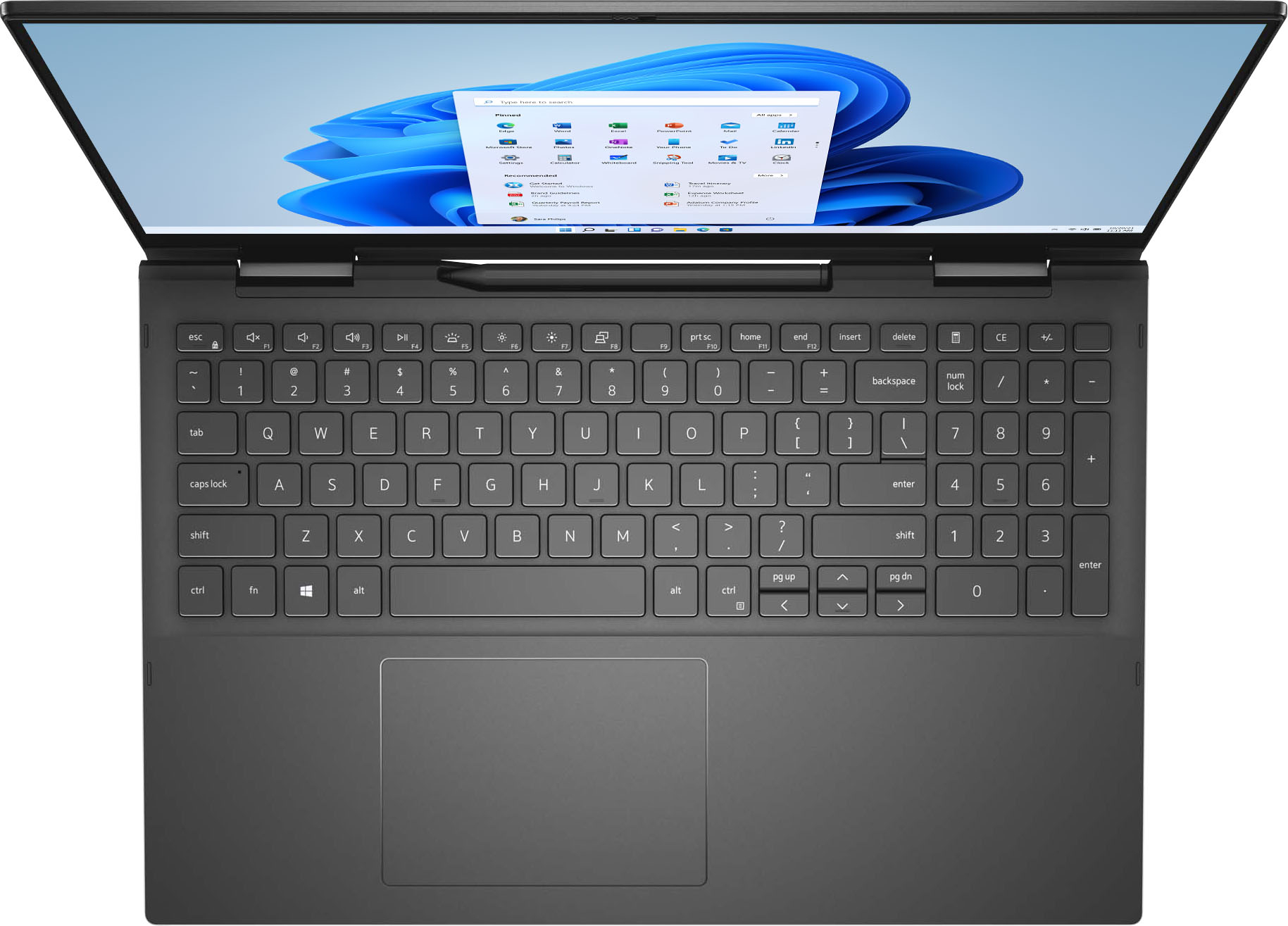
||Posted . Owned for 4 months when reviewed.This reviewer received promo considerations or sweepstakes entry for writing a review.Got this for my kid to use at college, it is good so far. We liked that it had a full keyboard and a 10 key. The keyboard is shifted to the left of center to make room for the 10 key.
I would recommend this to a friendGreat service to purchase a great product!
||Posted . Owned for 3 weeks when reviewed.This reviewer received promo considerations or sweepstakes entry for writing a review.Denzel did a great job with advising and assisting with my new laptop search. He respected me need to decide and helped out by calling a nearby store for an inventory check. The laptop works great and I feel especially secure with the warranty and backup packages.
I would recommend this to a friend