Customer Ratings & Reviews







- Model:
- i7506-7784BLK-PUS
- SKU:
- 6432554
Rating by feature
- Battery Life
Rating 4.2 out of 5 stars
- Speed
Rating 4.4 out of 5 stars
- Display
Rating 4.4 out of 5 stars
Customers are saying
Customers admire the Inspiron 7000 2-in-1 laptop for its touch screen, performance, pen, and affordable price. However, they have concerns about its battery life, overheating, fan noise, and occasional crashing issues.
This summary was generated by AI based on customer reviews.
Not impressed
||Posted . Owned for 1 month when reviewed.This reviewer received promo considerations or sweepstakes entry for writing a review.Broken right out of the box. Dell Customer Service was anything but helpful. Returned for a refund
No, I would not recommend this to a friendBrand response from YourDellTeam
Posted .Hello FormerDellUser,
Thank you for your review. We apologize for the issues you have encountered with your defective product. We really do appreciate your feedback. If you have any additional questions or concerns, please use the information below to contact Dell Support at your earliest convenience.
Best regards,
Wendy C.
For further assistance, you can contact Dell directly with the information below Chat or Call:
https://bit.ly/DellSupportTeam.
Phone number to Dell: 1-800-264-9896.
Junk
||Posted . Owned for 10 months when reviewed.This reviewer received promo considerations or sweepstakes entry for writing a review.I liked it until the motherboard has died for a third time now.
No, I would not recommend this to a friendBrand response from YourDellTeam
Posted .Hi Kschroed,
Thank you very much for your valued feedback. We are sorry to hear about the problems with the motherboard you have come across with your Dell Inspiron 7506 2-in-1 computer. This is certainly not the experience that we like to hear from our customers. We appreciate your feedback and will use it to help improve our current and future products.
Please take a moment to contact the Dell Support Team at your earliest convenience at the information provided below so we can help you to resolve this issue to your satisfaction.
Best,
Katarina@Dell
Should you need further assistance, you can contact Dell directly with the information below.
Chat or call: https://bit.ly/DellSupportTeam
Phone number to Dell: 1-800-624-9896
Dissatisfied
||Posted . Owned for 2 months when reviewed.This reviewer received promo considerations or sweepstakes entry for writing a review.Had to return. Did not work well with Microsoft Outlook or Office 365
No, I would not recommend this to a friendBrand response from YourDellTeam
Posted .Hi Howard,
We appreciate you taking the time to leave us your review. We are sorry to hear that you were not happy with your Dell Inspiron 7506 2-in-1 laptop because it didn’t work well with MS Office and Outlook and that you have ultimately decided to return the system. We will share your comment with our quality team, so future improvements can be made. In the future, we would love the opportunity to help troubleshoot any problems you may be facing.
If you come across any questions about the Dell products, please don’t hesitate to contact Dell Support Team at the information provided below.
Best,
Katarina@Dell
Should you need further assistance, you can contact Dell directly with the information below.
Chat or call: https://bit.ly/DellSupportTeam
Phone number to Dell 1-800-624-9896
x
||Posted .This reviewer received promo considerations or sweepstakes entry for writing a review.did not fix and I had to bring back. A 2 month out product Terrible quality
No, I would not recommend this to a friendBrand response from YourDellTeam
Posted .Hi Sharon,
We would like to thank you for taking the time to provide us with your feedback. We are sorry to hear that you have experienced issues with your Inspiron 7000 and that you were not happy with its quality. We will share your comments about the quality issues with our quality team so improvements can be made in the future.
With a little more information, we would like to help you as soon as possible. Please contact Dell Support Team at the information provided below at your earliest convenience so we can resolve the issues with your Inspiron.
Best,
Katarina@Dell
Should you need further assistance, you can contact Dell directly with the information below.
Chat or call: https://bit.ly/DellSupportTeam
Phone number to Dell 1-800-624-9896
Dell Inspirion 7000
||Posted . Owned for 1 month when reviewed.This reviewer received promo considerations or sweepstakes entry for writing a review.Not satisfied. The motherboard went up after 4 days. Returned and got an HP.
No, I would not recommend this to a friendBrand response from YourDellTeam
Posted .Hello Dman,
We appreciate your valued feedback. We apologize for the trouble you had with the motherboard of your Inspiron 7506 2 in 1 and ultimately decided to return it. We will share your comments with our quality team so improvements can be made now and in the future.
If you require further assistance, you can contact Dell directly with the information below.
Chat or call: https://bit.ly/DellSupportTeam
Phone number to Dell 1-800-624-9896
Best,
Ashley@Dell
Poor quality
||Posted . Owned for 1 month when reviewed.This reviewer received promo considerations or sweepstakes entry for writing a review.Died within a week would not power on or take a charge... nice hardware but was disappointing
No, I would not recommend this to a friendBrand response from YourDellTeam
Posted .Tdog,
Thanks for your review and we're sorry to hear about your experience with your new computer. We'd recommend that you follow up directly with Best Buy for your return and exchange options: http://bit.ly/2v2IVhI.
Best,
Bryan
1-800-624-9896
Don’t buy this laptop
||Posted . Owned for 1 month when reviewed.This reviewer received promo considerations or sweepstakes entry for writing a review.Awful. BSOD at least daily. Multiple people on online forums having same issues
No, I would not recommend this to a friendBrand response from YourDellTeam
Posted .Hello RobC,
Thank you for your response. We apologize for your experience and have provided steps below that can assist with your blue screen.
1. At the desktop, click the Search the web and Windows box and type ""problem reports"".
2. Select View all problem reports to view a list of errors that have occurred on your computer and possible solutions for them, such as updating drivers, flashing your system BIOS, or checking for updates to the software.
3. Under the Source column, look for Windows and under Summary, look for Shut down unexpectedly.
4. Right-click the line item and select Check for a solution.
5. We'd also suggest checking to make sure that your software and drivers are up to date on Dell's Product Page - http://dell.to/3hmUpRy
This article contains more detail in regard to blue screen and performance issues - http://dell.to/2u98Cct. If you still come across issues after these steps and updating your BIOS, you can use the information below to contact the Dell Support Team via Chat or Call.
Best regards,
Wendy C.
https://bit.ly/DellSupportTeam.
Phone number to Dell: 1-800-264-9896.
Beware
||Posted .This reviewer received promo considerations or sweepstakes entry for writing a review.The Gpu was DOA and it got extremely hot, tons of coil whine, and buzzing in audio.
No, I would not recommend this to a friendBrand response from YourDellTeam
Posted .DannyK,
Thanks for your review and we're sorry to hear about the performance issues that you've had with your new laptop. It's important to check to make sure that all of your drivers and software are up to date: https://dell.to/37OWbbz.
Here are a few tips to help keep your computer operating at a cooler temperature:
Tips for Proper Usage:
1. Dell does not recommend placing portable systems directly on your lap. Due to reductions in the thickness of modern portable systems, heat transfer can be an issue.
2. Using a portable system (Laptop) on a hard, flat, non-cloth surface will increase airflow and reduce heat from underneath and inside the system.
Using the portable system on a blanket, pillow, or other types of cloth will cover up the fan cause the computer to overheat and can cause permanent damage.
3. It is recommended to use the portable system in a Room temperature of 0°C to 35°C (32°F to 95°F) with a Humidity level no greater than 90%.
4. Use compressed air to clean the vents on a regular basis.
5. Using a cooling pad can decrease heat and increase performance.
6. If you want to know the temperature limitations for your system, go to the Dell Support Website, look up your system model then open the user guide under the manuals link.
You can read the full article here - http://dell.to/2uJ8AdG.
Best,
Bryan
1-800-624-9896
not a great computer
||Posted . Owned for 7 months when reviewed.This reviewer received promo considerations or sweepstakes entry for writing a review.crappy computer, its an Inspiron, bought it and return it right away
No, I would not recommend this to a friendBrand response from YourDellTeam
Posted .Hello Adam,
Thank you for sharing your review. We are sorry this Inspiron has not met your needs. We would've loved to assist you with any troubleshooting needs but would need a little more information. If needed in the future, we invite you to review the product Support Page.
Sincerely,
Wendy C.
https://bit.ly/DellSupportTeam.
Phone number to Dell: 1-800-264-9896.
Dell
||Posted . Owned for 5 months when reviewed.This reviewer received promo considerations or sweepstakes entry for writing a review.Laptop overheats to fast need better coolest ways to keep it cool.
No, I would not recommend this to a friendBrand response from YourDellTeam
Posted .Hello,
Thank you for taking a moment to share your feedback and review. We are extremely sorry to hear about the overheating concerns you're experiencing with your Inspiron. Below are steps that can help with the overheating issue.
Here are the recommended steps for the overheating issue:
1. Dell does not recommend placing portable systems directly on your lap. Due to reductions in the thickness of modern portable systems, heat transfer can be an issue.
2. Using a portable system (Laptop) on a hard, flat, non-cloth surface will increase airflow and reduce heat from underneath and inside the system.
Using the portable system on a blanket, pillow, or other types of cloth will cover up the fan cause the computer to overheat and can cause permanent damage.
3. It is recommended to use the portable system in a Room temperature of 0°C to 35°C (32°F to 95°F) with a Humidity level no greater than 90%.
4. Use compressed air to clean the vents on a regular basis.
5. Using a cooling pad can decrease heat and increase performance.
6. If you want to know the temperature limitations for your system, go to the Dell Support Website, look up your system model then open the user guide under the manuals link.
7. This article contains further details that can help with your overheating: http://dell.to/2uJ8AdG.
We recommend following the steps above to resolve your overheating issue. If the issue continues, please contact our support team here: https://bit.ly/DellSupportTeam.
Best,
Wendy C.
https://bit.ly/DellSupportTeam.
Phone number to Dell: 1-800-264-9896.
3 laptops later
||Posted . Owned for 2 weeks when reviewed.This reviewer received promo considerations or sweepstakes entry for writing a review.Unbelievable now I know why I don't ship at Best Buy
I would recommend this to a friendCrap
||Posted .This reviewer received promo considerations or sweepstakes entry for writing a review.Did not work!!!!!!!!!!!!!!!!!!!!!!!!!!!!!!!!!!!!!!!!
No, I would not recommend this to a friendBrand response from YourDellTeam
Posted .Hello Valued Customer,
We appreciate you taking the time to leave us your review. We sincerely apologize for the trouble you have had with your Inspiron 7506 2 in 1 not working. Below I have provided a link to help resolve this issue. On that page, you can choose between, no power, no post not boot, or no video. Once you choose you can find the options to help troubleshoot and resolve that issue.
Resolve boot up issues: https://dell.to/3sdfce6
If you still experience this issue after troubleshooting your system, please reach out to our support here: 1-800-624-9896.
If you require further assistance, you can contact Dell directly with the information below.
Chat or call: https://bit.ly/DellSupportTeam
Phone number to Dell 1-800-624-9896
Best,
Ashley@Dell
Not enough resolution
||Posted . Owned for 1 week when reviewed.This reviewer received promo considerations or sweepstakes entry for writing a review.The monitor is too big for 1080. The icons were enormous.
No, I would not recommend this to a friendBrand response from YourDellTeam
Posted .Hello Username,
Thank you for your feedback and review. We apologize for the issues you have come across with your display resolution. We would love to help right away and have provided steps below that can help adjust your resolution through Windows 10.
Setting the resolution in Windows 10:
1. Close all open programs.
2. You can either right click Start, and then click Control Panel or click on start and type Control Panel and click the icon that appears.
3. In the Control Panel window, click System, and then click Display.
4. Select the monitor you want to change, if more than one is connected to your PC.
5. Click on the Resolution drop down box to see a list of recommended resolutions for that display.
6. Click on the one you want, to change the screen resolution, and then click Apply.
7. Click on keep changes if you want to keep the new settings. If not select revert.
- Note: If new settings do not work, Windows® will attempt to revert back to the original settings automatically.
8. Restart the computer to ensure that the changes stay in effect.
If you still come across issues with your display resolution, you can use this link for further steps and details: http://dell.to/3oitVT6.
Best regards,
Wendy C.
For further assistance, you can contact Dell directly with the information below Chat or Call:
https://bit.ly/DellSupportTeam.
Phone number to Dell: 1-800-264-9896.
Poor build quality
||Posted . Owned for 1 month when reviewed.This reviewer received promo considerations or sweepstakes entry for writing a review.Laptop has all sorts of bugs and camera is poor quality.
No, I would not recommend this to a friendBrand response from YourDellTeam
Posted .Hello acurry,
We are sorry to hear you are experiencing difficulties with your Inspiron and apologize for the inconvenience. To resolve most common issues, we suggest running the suite of tools found within the 'SupportAssist' application that came pre-installed with your PC. It will not only perform diagnostics to determine what may be causing errors but also install the latest updates and drivers. This will ensure you have the best experience to date.
If you have any questions or if the issue persists, feel fee to contact Dell Support for further assitance.
Best Regards,
Anthony P.
- Pros mentioned:Performance, Speed, Touch screen
Dell 7000-2 Exceptional Performance
Posted .This reviewer received promo considerations or sweepstakes entry for writing a review.The Dell computer is performing as anticipated. The speed, touch-screen and performance is exceptional
I would recommend this to a friend - Cons mentioned:Overheating
Great specs, overheats
Posted .This reviewer received promo considerations or sweepstakes entry for writing a review.Overall, this laptop is good. The specs are great especiay for video and photo editing. The only and biggest issue, is that the computer’s fan overruns. It will overheat the keyboard, and shut down to the blue screen. I did get it looked at about a year ago, but there wasnt much they could do for this problem.
I would recommend this to a friend Grea PC, weak value (Paid $1900 CAD w/ shp. & txs)
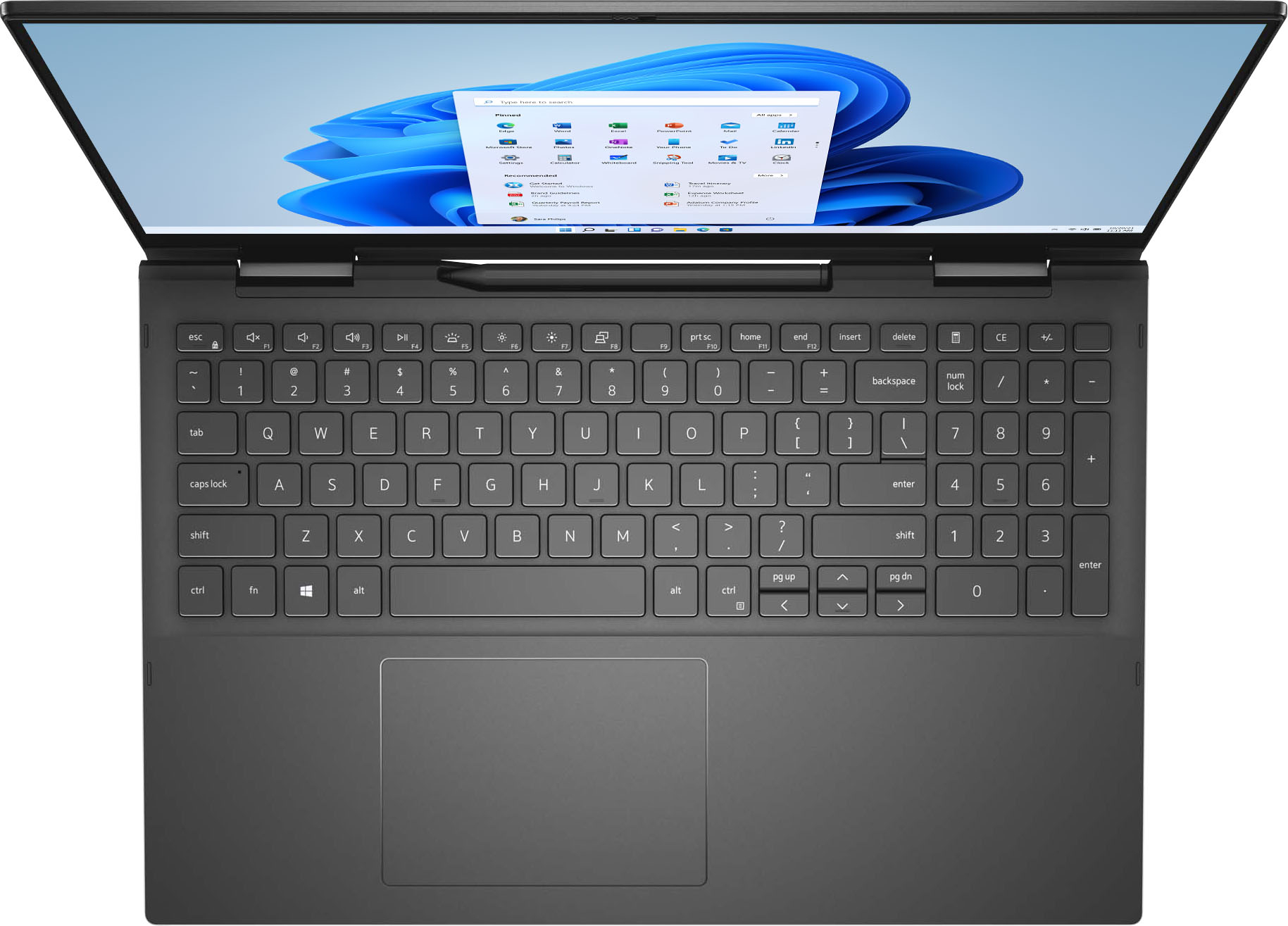
Posted .This reviewer received promo considerations or sweepstakes entry for writing a review.This is a very good computer, as you would expect when paying around 2000$ for a laptop. The keyboard is crisp, the backlight is clear and there is a numpad. The trackpad is big enough and very smooth. The display is a bit more of a mixed bag however. The colors are great and 4K makes text incredibly crisp, however the glossy end-to-end glass finish makes it essentially a mirror in any daytime or neon-lit setting, and often isn't nearly bright enough to compensate. A matte screen protector is recommended. Finally, it is a real shame that the display is 16:9 instead of 3:2, as this leaves a big black bar on the bottom which is extremely glaring in tablet mode. The tablet functionality is great and pretty seemless, however the palm rejection isn't robust enough and I often end up drawing or clicking things I didn't intend to. Also, the glossy finish makes the pen slide around much more then any matte drawing tablet would, making it a little harder to draw as you would on paper. Again, a matte screen protector is recommended. The Intel XE Max graphics are a little anemic, seemingly being on-par with a laptop 1050. They are fine for 2D gaming, emulation and older 3D games, but you will not be running most recent stuff on this. At 2 grand, a 1650 at least would have been expected. The laptop is really easy to open, but there is little purpose to do so as the RAM and wireless are all soldered, and there is no point in upgrading the already-too-big 1TB drive. Finally, the built in pen clip and sleek bronze-ish black finish are very nice features to have. However, the fact that they are exclusive to the highest Inspiron line and have to be purchased alongside an i7, a 1TB SSD & a 4K display (all silly features for a laptop) makes them feel like Dell is just keeping them hostage them to push customers towards a machine that doesn't really deserve its asking price. These aren't really expensive features to add, and really should be made available on lower-end models. In short, I would have prefered to either get this chassis and color with a 1080p screen, an i5 and a 256GB drive and save $500-600~, OR pay the same price but get a bigger 3:2 16in screen and a graphics chip with enough power to warrant the current sticker price. As it is, this is a pretty weak value from Dell, and whether or not you buy it will depend on if you value the pen clip and black finish enough. Apparently I did, but I'd be lying if Isaid there wasn't a sour taste lingering in the back of my mouth.
I would recommend this to a friendBrand response from YourDellTeam
Posted .Hello Nick,
We want to thank you for taking the time to leave us your valued feedback. We apologize for the issues you have across with your Inspiron 7506 2 in 1 that has made it less than enjoyable. It is important for us to hear about any inconsistencies with our products. We will share your comments with our quality team so improvements can be made now and in the future.
If you require further assistance, you can contact Dell directly with the information below.
Chat or call: https://bit.ly/DellSupportTeam
Phone number to Dell 1-800-624-9896
Best,
Ashley@Dell
- Cons mentioned:Battery life
Not great
Posted .This reviewer received promo considerations or sweepstakes entry for writing a review.Battery last maybe an hour. My computer has crashed twice in 3 years.
No, I would not recommend this to a friend - Cons mentioned:Battery life
What's up web
Posted .This reviewer received promo considerations or sweepstakes entry for writing a review.I bought inspiron 7506 2in1 from best buy Battery is long lasting only 2-3hours with heat generation I tried to connect to WhatsApp web several time its not working, i tried to connect through other laptop it works, i am so confused why its not working with my new laptop even by using different browsers???? Any answer please
I would recommend this to a friendBrand response from YourDellTeam
Posted .Hi Sami,
Thank you very much for your valued feedback. We are sorry to hear about the issues you came across with your Inspiron 7506 2-in-1 laptop because its battery life is not as you expected, it is overheating and you are having trouble connecting to the Internet.
To help with overheating, we would recommend making sure the BIOS is up to date on your PC. I have provided a link to the Drivers and Downloads page so you can check for and do any applicable updates. Dell has also released an Intel Power Management Utility to help with the overheating that you may be experiencing on your computer. For this package to take effect, the system power plan must be set to Balanced under the Additional Power Settings. Also, the Power Mode option that is displayed when you click the battery icon, should be set to Better Performance. This package only takes effect on AC power and not on battery power. The Intel Power Management Utility can be found here - http://dell.to/3tStRgX.
Drivers and Downloads Page: https://dell.to/3LI7X8m
To help with battery life, I have provided the steps to change the power plan to help improve the performance of your battery. I have also provided the full article, which has more options if they are needed.
Change the Power Plan:
1. On the taskbar’s notification area, right-click the Battery icon.
2. On the options list, click Power Options.
3. Select a power plan on the battery meter, such as Power Saver or Balanced. Windows 10 has a built-in 'Battery Saver' mode that can be activated to extend your system's battery life. The Battery Saver mode will monitor and limit background activity and other features such as push notifications. You do have the option to enable or disable this mode within settings or within advanced Battery Saver settings, you can customize the mode to best suit your needs.
a) Click on the Action Center icon in the taskbar and select the tile for Battery Saver.
b) If running Cortana, type Battery Saver into the search box and select from the results.
Within the Battery Saver settings page, you will be able to turn on and off the feature and customize the feature to best meet your needs.
c) Turn Battery Saver On or Off.
d) Additional settings available via the Battery use and Battery saver settings links.
e) Battery use shows further info on apps and their power usage.
f) Battery Saver Settings screen allows you to customize further Battery Saver features.
You can read the full article here - http://dell.to/2vfXWf4
I have also provided some resolutions to WIFI issues. I have included the full article link, which has more options if they are needed.
1. Download and install the latest Wireless Card driver. (https://dell.to/2th3Tpe) After updating the driver, re-establish the connection with the Wireless Access Point and check the wireless performance.
2. If the issue persists, proceed to step 3.
3. Power-cycle the local network. Shut down the Dell system, the Wireless Access Point/Router, and the Modem. Wait a minimum of 60 seconds before powering up the components in the following order:
4. Power ON the Modem and wait for it to boot fully.
5. Power ON the Wireless Access Point/Router and wait for it to boot fully.
6. Power ON the Dell system.
7. Open Network and Sharing Center
8. In the left-side navigation pane, click on Change Adapter Settings
9. Right-click on the wireless connection icon and select Properties followed by the Configure button
10. Under Wireless Options, select the Wireless N mode
11. For Windows 8 or later systems click the Advanced tab and look for 802.11n Mode on the right you will be given the option to Enable or Disable. If the mode is not visible you may need to update your drivers and firmware.
12. From the drop-down menu, choose Disable followed by Ok
13. This should restore the wireless download and upload speed. Internet speed can be tested at http://speedtest.net
Full article link: https://dell.to/2RefLVN
If these issues with your Inspiron are still not resolved after utilizing the troubleshooting options above, please contact the Dell Support Team at 1-800-624-9896 for further guidance.
Best,
Katarina@Dell
Should you need further assistance, you can contact Dell directly with the information below.
Chat or call: https://bit.ly/DellSupportTeam
Phone number to Dell: 1-800-624-9896
Fast
Posted .This reviewer received promo considerations or sweepstakes entry for writing a review.Excelente laptop. I love how fast and the size of the laptop.
I would recommend this to a friend