Customer Ratings & Reviews

- Model:
- BBY-CFJ1VFX
- SKU:
- 6483862
Rating by feature
- Value
Rating 4.2 out of 5 stars
- Quality
Rating 4.2 out of 5 stars
- Ease of Use
Rating 4.2 out of 5 stars
Customers are saying
Customers enjoy the Inspiron Desktop's speed and ease of use, finding it easy to set up and use for everyday tasks. Many appreciate its compact size, included DVD drive, and good price point. While some users suggest upgrading the memory for more demanding applications, overall the system receives positive feedback for its performance and value.
This summary was generated by AI based on customer reviews.
- Pros mentioned:Ram

Good for a Basic User
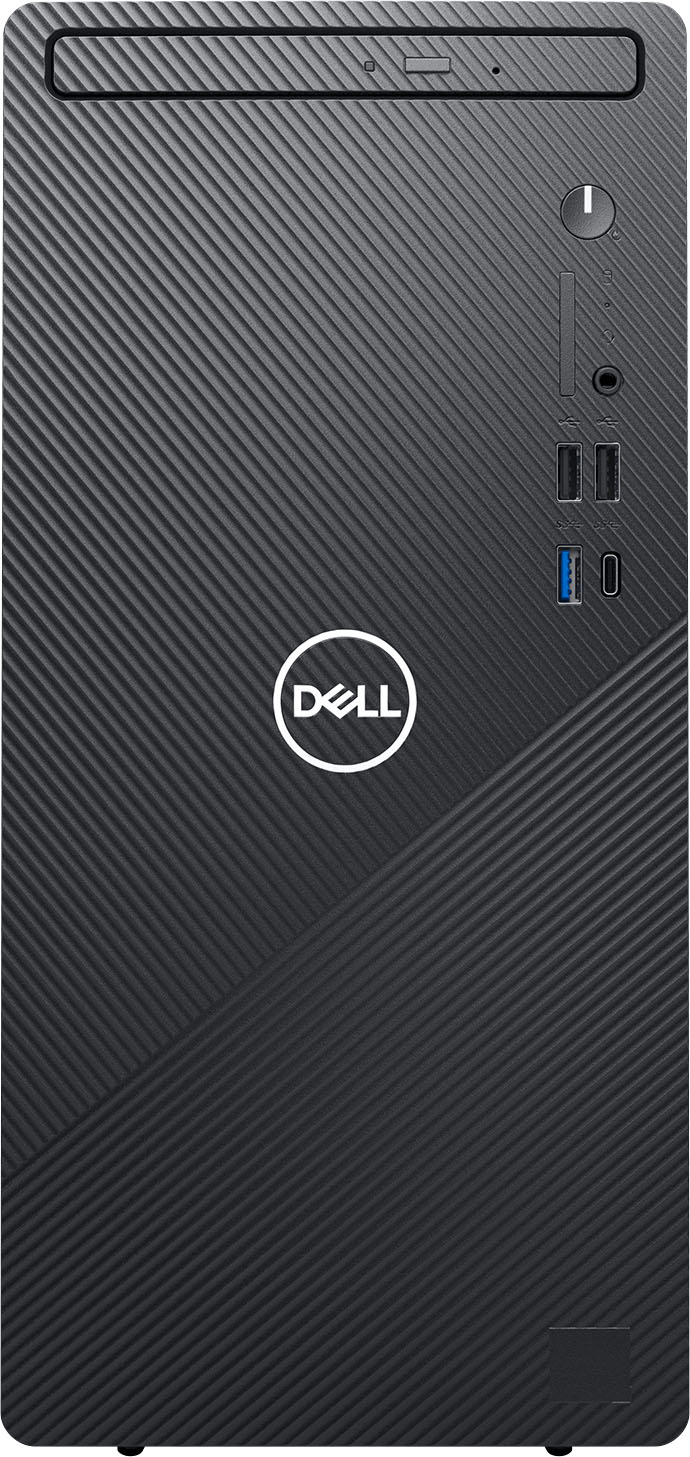
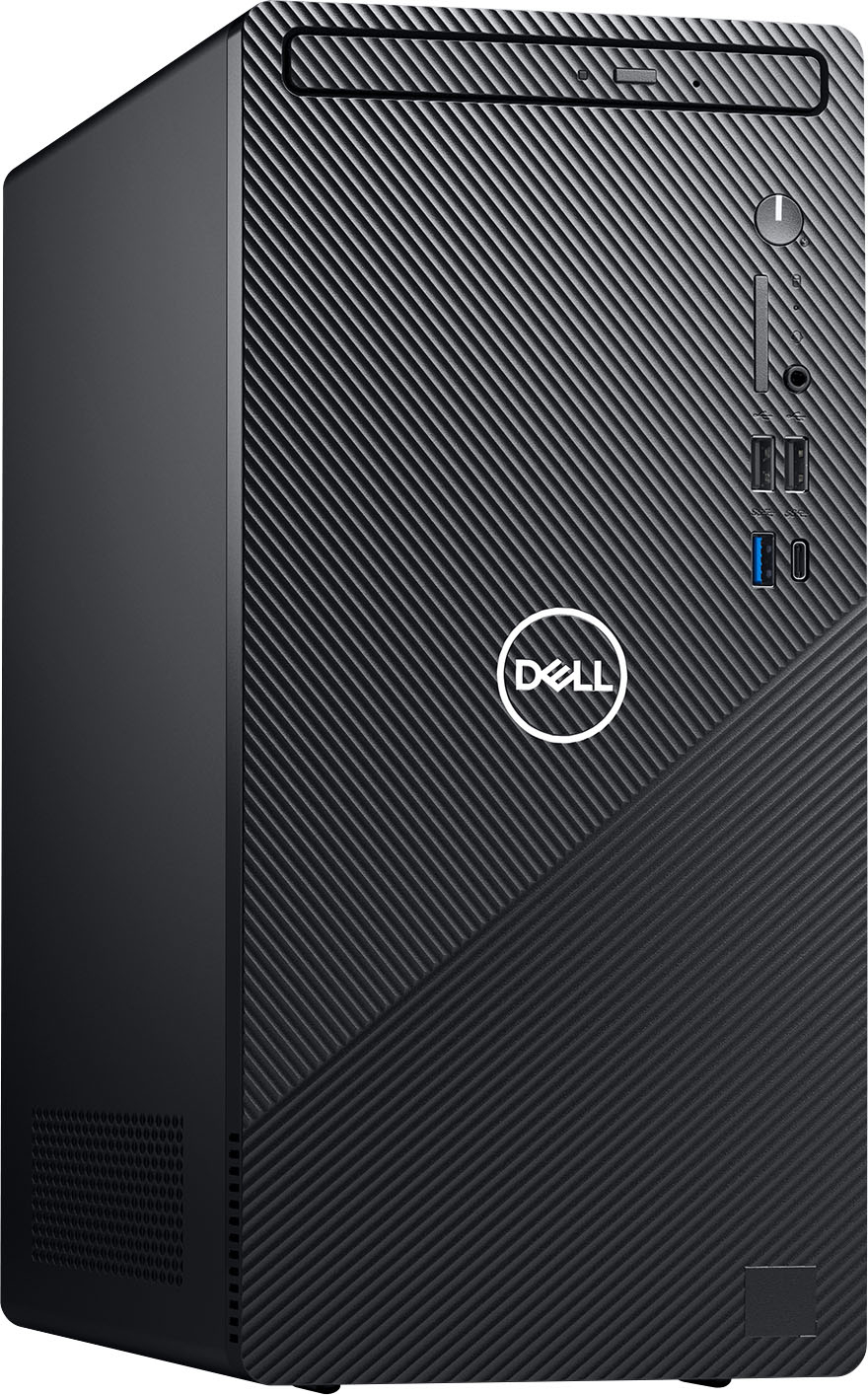
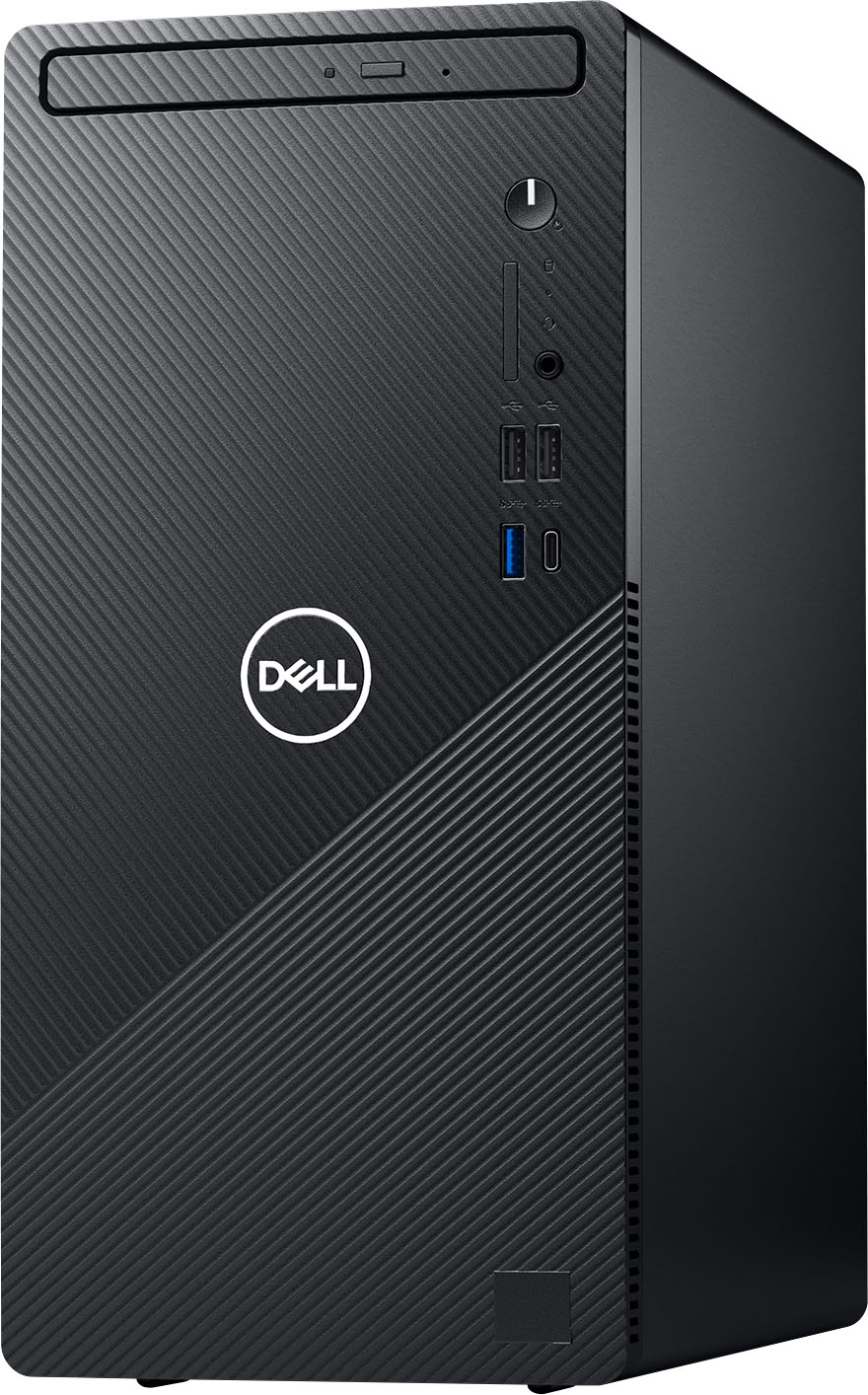
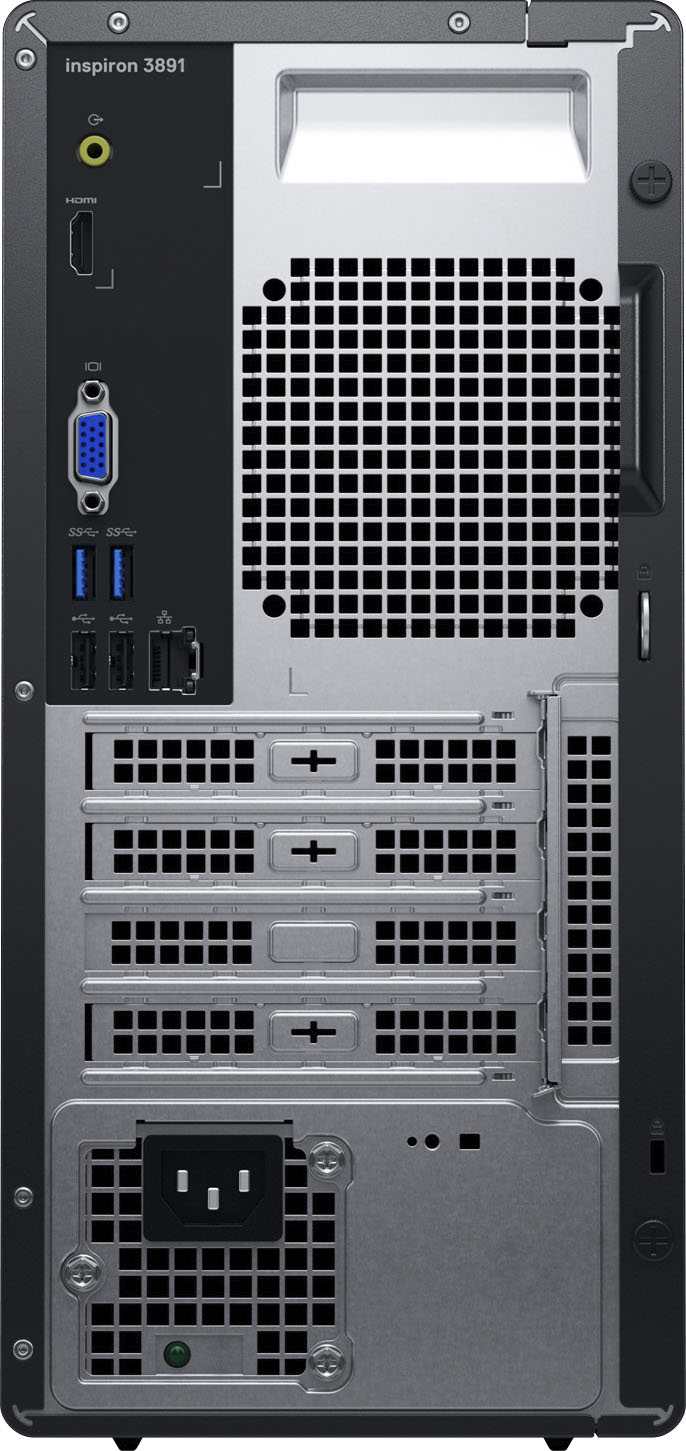
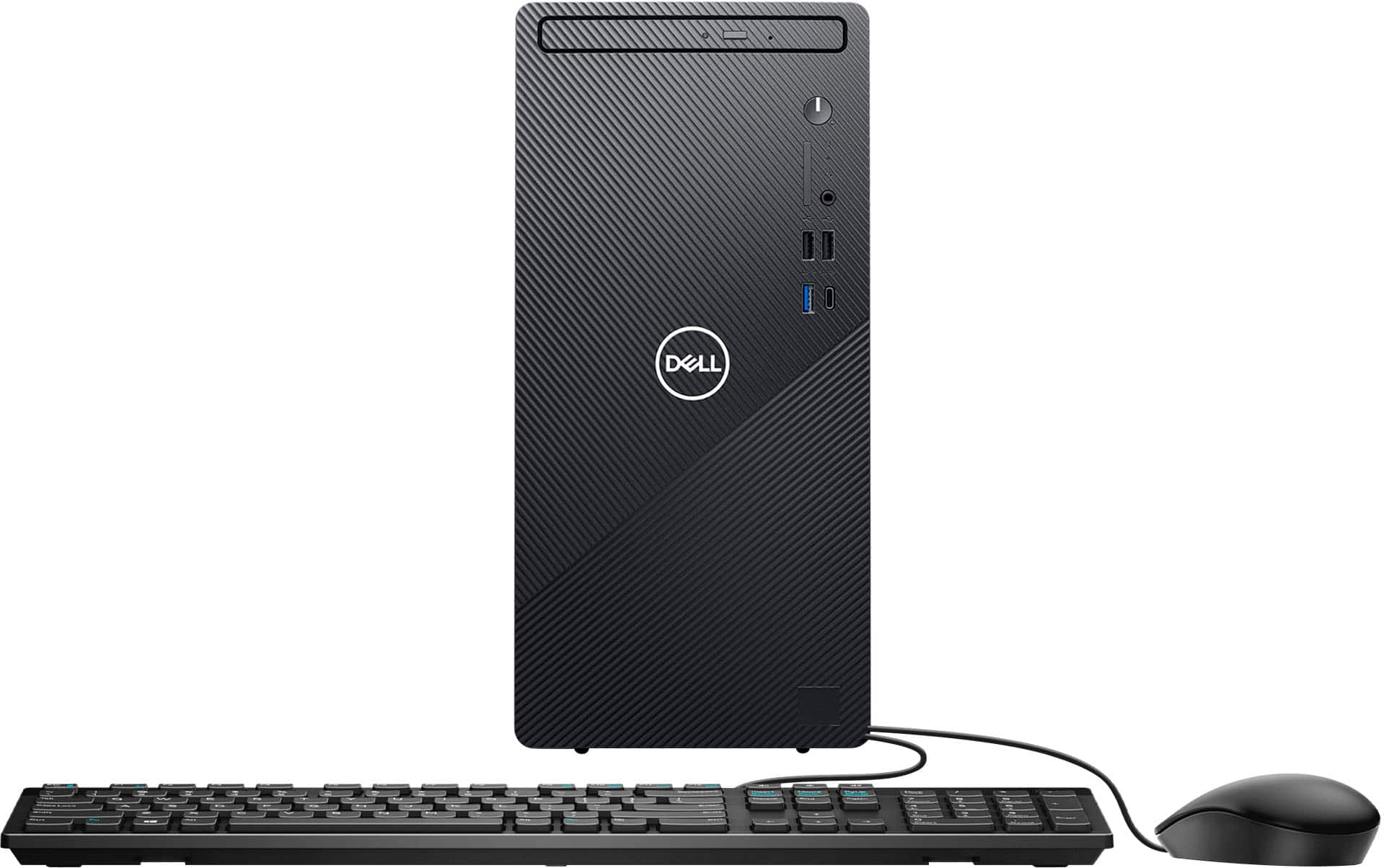
|Posted .This reviewer received promo considerations or sweepstakes entry for writing a review.*This PC is made for basic/essential needs. I would recommend it for email, basic web surfing, and typing word and excel documents. I would not recommend for much more than what is described here. The first thing I noticed with this desktop is that it is equipped with a disk drive (DVD+/-RW) which is not typical anymore and a great idea on Dell's end as I know many users looking for this option still. Also, I noticed one port in the front was blocked out. This is where an SD card port would be and is only available on the higher models with the i5 and i7 processors. Other ports include a HDMI and VGA port, ethernet port, audio out, 4 USB A 2.0 ports, 3 USB A 3.2 ports, and 1 USB C port. It is great knowing there is a USB C port as this is the direction everything is moving towards. I would have liked to see maybe one more USB C port on the back, but you can't complain at this price point. This desktop is equipped with built-in Wi-Fi and includes a basic dell keyboard and mouse. Setup is great and easy with this Dell Desktop. I was able to take everything out of the box and have it ready to go (prior to turning on) in less than 5 minutes. Upon turning on the computer I knew right away it was equipped with Windows 11 which was great. Windows 11 is new, so it was great not having to wait for this PC to perform a ton of updates from 10. The unit is very small and is what Dell calls a space saving design. The desktop is not really a micro tower or slim form factor, but in between typical size tower and small form sized. Once powering on it took about another 10-15 minutes to initiate for the first time including, selecting my Wi-Fi, downloading some updates, signing into my Microsoft account and selecting a few of my settings. Once everything was complete, I noticed that it seemed to be on the slower side. I believe this is because of a few factors. First being the processor, this is a 10th gen i3-10105 which a value quad core processor. The processor is also using LGA 1200 socket which is now outdated with the current generation of chips however intel is using them on their value i3 processors. Next the computer is equipped with a standard SATA HDD hard drive, 8 gigabytes of ram, and an intel integrated 630 graphics. All of these are great for basic to essential needs when using a computer. I would not ever use this PC for gaming other than maybe some free online basic apps like cards, etc. If you are looking for more but this same desktop, I would recommend the Dell model equipped with the i5 processor. While this next step up still uses a 10th gen processor it will outperform the i3 model with its 12 gigs of ram and SSD hard drive. Although the hard drive is only 256 gigs on this next step up it will great increase performance. Easy to add a flash drive or external hard drive if you need more room.
I would recommend this to a friendBrand response from YourDellTeam
Posted .Hello Tstall,
Thank you for taking the time to leave us your review. We are happy to hear you are satisfied with your Inspiron Desktop. This is what we like to hear from our loyal customers. We will share your valued feedback with our quality team so improvements can be made now and in the future. If you should have any questions or concerns, please feel free to reach out to our support team here at your earliest convenience: https://bit.ly/DellSupportTeam.
Respectfully,
Ashley@Dell
Should you need further assistance, you can contact Dell directly with the information below.
Chat or call: https://bit.ly/DellSupportTeam
Phone number to Dell 1-800-624-9896
- Pros mentioned:Ram, Speed
Fantastic Desktop for Everyday Office Use
|Posted .This reviewer received promo considerations or sweepstakes entry for writing a review.The Dell - Inspiron Desktop is a fantastic desktop for standard home office and daily family use. The system provides exceptional computing power to tackle your daily tasks with ease. The 1TB hard drive provides enough capacity to store thousands of songs, photos, and HD videos. Productivity applications run smoothly. I can check email, browse the internet, and even stream videos without any latency or problems with rendering content. Creating documents and presentations is a breeze! All the application tools load quickly and the system is very responsive. I am very impressed with the performance of this Dell Inspiron Desktop. The i3 processor allows you to multitask efficiently, making your computing experience amazing. 8GB of RAM is good for most applications, however it may not be sufficient for more resource intensive applications. The video card and sound processor are pretty good. They both produce a good entertainment experience if you decide to watch videos, or just listen to music while doing tasks. Quality speakers sound really good on this computer. The chassis provides a good number of connection options with USB-C and USB to connect your peripherals easily. You can connect cameras and wireless headsets with ease to enhance your virtual meeting experience. Everything seamlessly integrates. I have not experienced any issues with drivers or hardware compatibility. This is a good desktop and provides exceptional value. You have options for expansion of components such as the RAM and HDD capacity which is good. I highly recommend the Dell Inspiron Desktop with Intel Core i3.
I would recommend this to a friend Cheap desktop
||Posted . Owned for 1 month when reviewed.This reviewer received promo considerations or sweepstakes entry for writing a review.The processor is too slow. It takes a long time to boot up. For the price though, you get what you pay for.
No, I would not recommend this to a friendBrand response from YourDellTeam
Posted .Hello TraciHunt,
We greatly appreciate you taking the time to leave us your review. We apologize for the performance issues you are having with your Inspiron Desktop. I have provided steps to using the Windows Performance Troubleshooter which should help resolve the performance issue. I have also provided a link to the full article that has more options if needed.
Windows performance Troubleshooter:
1. Close all open windows.
2. Press the Windows logo key + X key on the keyboard.
3. Click Control Panel.
4. Click System and Security.
5. Under Security and Maintenance, select Troubleshoot common problems.
6. Under System and Security, click Run maintenance tasks.
7. Follow the on-screen instructions and prompts to complete the process.
8. Restart the PC.
You can read the full article here - http://dell.to/2tSulGV.
After utilizing the troubleshooting options provided above, if the problem is not resolved, please feel free to contact our support team here: 1-800-624-9896.
Sincerely,
Ashley@Dell
Should you need further assistance, you can contact Dell directly with the information below.
Chat or call: https://bit.ly/DellSupportTeam
Phone number to Dell 1-800-624-9896
A good computer for the mainstream...
|Posted .This reviewer received promo considerations or sweepstakes entry for writing a review.If you are not a gamer then is a great computer assuming you don't dabble with coding or consider yourself a power user. If you do then you will likely at least want to increase the system memory. The included DVD drive is a great addition that seems to be a dying breed but helps the beginning user. It has a great mixture of ports for connecting external devices and drives. So if you use your computer to watch the web, pay bills, or write papers then it would be a great fit for all of those things. It would not be a great fit for gaming, coding, or heavy spreadsheet use. I would recommend it assuming you know why you need it or who the intended users are.
I would recommend this to a friendSLOW
||Posted . Owned for 3 weeks when reviewed.This reviewer received promo considerations or sweepstakes entry for writing a review.Extremely slow. I knew I was not getting a very fast machine but back to the 70's in speed???
No, I would not recommend this to a friendBrand response from YourDellTeam
Posted .Hello Title,
We appreciate you taking the time to leave us your valued feedback. We sincerely apologize for the problems you are having with the performance of your Inspiron Desktop. I have provided steps to using the Windows Performance Troubleshooter which should help resolve the performance issue. I have also provided a link to the full article that has more options if needed.
Windows performance Troubleshooter:
1. Close all open windows.
2. Press the Windows logo key + X key on the keyboard.
3. Click Control Panel.
4. Click System and Security.
5. Under Security and Maintenance, select Troubleshoot common problems.
6. Under System and Security, click Run maintenance tasks.
7. Follow the on-screen instructions and prompts to complete the process.
8. Restart the PC.
You can read the full article here - http://dell.to/2tSulGV.
After utilizing the troubleshooting options provided above, if the problem is not resolved, please feel free to contact our support team here: https://bit.ly/DellSupportTeam.
Best Regards,
Ashley@Dell
Should you need further assistance, you can contact Dell directly with the information below.
Chat or call: https://bit.ly/DellSupportTeam
Phone number to Dell 1-800-624-9896
Hard drive and motherboard were defective in the n
||Posted . Owned for 3 weeks when reviewed.This reviewer received promo considerations or sweepstakes entry for writing a review.This machine was defective. Had issues with hard drive , motherboard within 20 days of purchasing. It was not booting at all. Instead of calling Best Buy, I called Dell support who were kind enough and promised to replace the machine.Somehow I feel that Best Buy gave me old refurbished machine instead of new.. Very bad experience.
No, I would not recommend this to a friendJunk
||Posted . Owned for 2 months when reviewed.This reviewer received promo considerations or sweepstakes entry for writing a review.Nothing But Problems...Freezing Up, Crashing, I'll never buy a Dell Again.
No, I would not recommend this to a friendSo So computer
||Posted . Owned for 5 months when reviewed.This reviewer received promo considerations or sweepstakes entry for writing a review.Not my favorite computer. Slow processing, not easy to use.
No, I would not recommend this to a friendBrand response from YourDellTeam
Posted .Hi Cheers,
We appreciate you taking the time to leave us your review. We apologize for the issues you have come across with your Dell Inspiron desktop because it is performing very slowly.
I have provided some steps you can take that should help with this issue.
There are several ways to help improve the performance of your computer if it is running slower than you expected it to. We'd recommend the following steps to help improve your computer's overall performance and speed:
1. Restart your computer regularly.
2. Run the automated tools provided in the SupportAssist Tool.
3. Run a complete hardware diagnostic test.
4. Scan your computer for malware.
5. Restore your Dell computer using Windows System Restore.
6. Reinstall Microsoft Windows.
You can read the full steps associated with each of these recommendations here: https://dell.to/3n29QjE.
If the performance issue with your Inspiron is still not resolved after utilizing the troubleshooting options above, please contact the Dell Support Team at 1-800-624-9896 for further guidance.
Best,
Katarina@Dell
Should you need further assistance, you can contact Dell directly with the information below.
Chat or call: https://bit.ly/DellSupportTeam
Phone number to Dell: 1-800-624-9896
Terribly slow computer
||Posted . Owned for less than 1 week when reviewed.This reviewer received promo considerations or sweepstakes entry for writing a review.Windows 11 is just so slow, that I had to return this computer. Zero extra software added, all updates, rebooted, zero help from troubleshooter. This computer has a 1 TB SATA drive. Just awful. But the people at Best Buy are terrific!
No, I would not recommend this to a friendBrand response from YourDellTeam
Posted .Dear Sadguy,
We want to thank you for taking the time to leave us your review. We sincerely apologize for the issues you have had with Windows 11 being too slow on your Inspiron Desktop and you ultimately decided to return the system. For future reference, I have provided a link to help with understanding and using Windows 11.
Windows 11 Tips and Tricks: https://bit.ly/3CQXeUa
Best Regards,
Ashley@Dell
Should you need further assistance, you can contact Dell directly with the information below.
Chat or call: https://bit.ly/DellSupportTeam
Phone number to Dell 1-800-624-9896
Slow as dirt
||Posted . Owned for 1 month when reviewed.This reviewer received promo considerations or sweepstakes entry for writing a review.One of the slowest computers I've ever owned takes forever to load
No, I would not recommend this to a friendBrand response from YourDellTeam
Posted .Dear Valued Customer,
We would like to thank you for taking the time to provide us with your feedback. We are sorry to hear that you are not too happy with your Dell Inspiron desktop because it is performing slowly.
I have provided some steps you can take that should help with this issue.
There are several ways to help improve the performance of your computer if it is running slower than you expected it to. We'd recommend the following steps to help improve your computer's overall performance and speed:
1. Restart your computer regularly.
2. Run the automated tools provided in the SupportAssist Tool.
3. Run a complete hardware diagnostic test.
4. Scan your computer for malware.
5. Restore your Dell computer using Windows System Restore.
6. Reinstall Microsoft Windows.
You can read the full steps associated with each of these recommendations here: https://dell.to/3n29QjE.
If the performance issue with your Inspiron is still not resolved after utilizing the troubleshooting options above, please contact the Dell Support Team at 1-800-624-9896 for further guidance.
Best,
Katarina@Dell
Should you need further assistance, you can contact Dell directly with the information below.
Chat or call: https://bit.ly/DellSupportTeam
Phone number to Dell: 1-800-624-9896
Awful for a family
||Posted . Owned for 3 weeks when reviewed.This reviewer received promo considerations or sweepstakes entry for writing a review.Not a good family PC. Parental control settings are so bad my 7-year-old can bypass it and it runs slow when you add accounts for children. Parental control is more difficult to set up than bypass. It hardly has locks and codes needed to bypass. Runs awful with more than one account.
No, I would not recommend this to a friendBrand response from YourDellTeam
Posted .Hi Koya,
Thank you very much for your valued feedback. We are sorry to hear about the issues you have come across with your Dell Inspiron desktop because it is difficult to set up parental control settings and it is performing slowly. We will share your comment about this issue with our quality team, so improvements can be made now and in the future.
To help with the performance issue, I have provided some steps you can take that should help.
There are several ways to help improve the performance of your computer if it is running slower than you expected it to. We'd recommend the following steps to help improve your computer's overall performance and speed:
1. Restart your computer regularly.
2. Run the automated tools provided in the SupportAssist Tool.
3. Run a complete hardware diagnostic test.
4. Scan your computer for malware.
5. Restore your Dell computer using Windows System Restore.
6. Reinstall Microsoft Windows.
You can read the full steps associated with each of these recommendations here: https://dell.to/3n29QjE.
If the performance issue with your Inspiron is still not resolved after utilizing the troubleshooting options above, please contact the Dell Support Team at 1-800-624-9896 for further guidance.
Best,
Katarina@Dell
Should you need further assistance, you can contact Dell directly with the information below.
Chat or call: https://bit.ly/DellSupportTeam
Phone number to Dell
home yous
||Posted . Owned for 1 month when reviewed.This reviewer received promo considerations or sweepstakes entry for writing a review.hard driver some time work same time not work
No, I would not recommend this to a friendBrand response from YourDellTeam
Posted .Dear Valued Customer,
Thank you very much for your valued feedback. We are sorry to hear about the issues you have come across with your Dell Inspiron desktop computer because its hard drive is not working reliably.
To identify potential hardware issues, we recommend running a diagnostic test. I have provided a link to an article, which includes steps on how to run this test.
Dell Diagnostic Tools to Diagnose and Fix Hardware Problems on Your Dell Computer, Tablet, or Servers: https://dell.to/3JHPxnW
I have also provided two links that include troubleshooting tips for hard drive problems:
How to Resolve Hard Drive Issues on your Dell computer: https://dell.to/3pKwVel
Understanding and Troubleshooting Hard Drive on your Dell computer: https://dell.to/3QO4PL4
We also recommend making sure that all drivers are updated. I have provided a link to the Drivers and Downloads Page where you can check for any applicable downloads:
Drivers and Downloads page: https://dell.to/3R8jbWl
If this doesn’t help to correct hard drive issues, please contact Dell directly at 1-800-624-9896 for further guidance.
Best,
Katarina@Dell
Should you need further assistance, you can contact Dell directly with the information below.
Chat or call: https://bit.ly/DellSupportTeam
Phone number to Dell: 1-800-624-9896
slow pc
||Posted . Owned for 3 weeks when reviewed.This reviewer received promo considerations or sweepstakes entry for writing a review.Was slow and locked up a lot. That's why I returned it.
No, I would not recommend this to a friendBrand response from YourDellTeam
Posted .Dear Georgieboy,
We would like to thank you for taking the time to provide us with your feedback. We are sorry to hear that you have come across some troubles with your Dell Inspiron desktop and ultimately decided to return the system. This is certainly not what we like to hear from our loyal customers. We will share your comments with our quality team so improvements can be made now and in the future.
In the future, we would love the opportunity to help troubleshoot any problems you may be facing.
Best,
Katarina@Dell
Should you need further assistance, you can contact Dell directly with the information below.
Chat or call: https://bit.ly/DellSupportTeam
Phone number to Dell 1-800-624-9896
Horrible computer
||Posted .This reviewer received promo considerations or sweepstakes entry for writing a review.I thought maybe buying this computer would be good for work, just to do basic stuff, but no the computer amazingly slow can't multitask, can barley run one application and for this price, I would not recommend, save up your money to buy a better desktop.
No, I would not recommend this to a friendBrand response from YourDellTeam
Posted .Dear John,
We would like to thank you for taking the time to provide us with your feedback. We are sorry to hear that you have come across some issues with your Dell Inspiron desktop because it is performing slowly.
I have provided some steps you can take that should help with this issue.
There are several ways to help improve the performance of your computer if it is running slower than you expected it to. We'd recommend the following steps to help improve your computer's overall performance and speed:
1. Restart your computer regularly.
2. Run the automated tools provided in the SupportAssist Tool.
3. Run a complete hardware diagnostic test.
4. Scan your computer for malware.
5. Restore your Dell computer using Windows System Restore.
6. Reinstall Microsoft Windows.
You can read the full steps associated with each of these recommendations here: https://dell.to/3n29QjE.
If the issue with your Inspiron is still not resolved after utilizing the troubleshooting options above, please contact the Dell Support Team at 1-800-624-9896 for further guidance.
Best,
Katarina@Dell
Should you need further assistance, you can contact Dell directly with the information below.
Chat or call: https://bit.ly/DellSupportTeam
Phone number to Dell 1-800-624-9896
Slow dell pc
||Posted . Owned for 1 month when reviewed.This reviewer received promo considerations or sweepstakes entry for writing a review.My product was a open box, traded my Imac in for this because I have dual monitor setup and cant be used on mac. Slowest pc I have ever had, lags and usb ports shut off randomly. Would not suggest
No, I would not recommend this to a friend- Pros mentioned:Ram
You Know The Budget One
|Posted .This reviewer received promo considerations or sweepstakes entry for writing a review.This is an entry level desktop computer that should be considered by those on a very rigid budget. I envision entry level usage because what you get is function of the intel I3 core and basic apps/programs without any bogging down. It’s not until you start adding some of your own apps will you notice any slight pauses. You won’t have issues if all you do is email and or write documents. Shouldn’t be considered by those wishing to game something other than solitaire unless they’re willing to spend much additional money for upgrades. Very light for a desktop but appears well built. Has a mechanical hard drive @ 7200 rpm which slows large program or picture loading. Includes 8 MB of ram which is the absolute minimum in todays computing world, especially now that Windows 11 is here. Models with SSD and more memory should also be considered. At face value this a great unit at its price point and if all you ever did was email, write occasional documents then this would be a good unit. If however you plan on doing too much of anything else you need to consider upgrading the HHD and memory. Adding a separate video card could also require a bigger power supply. This has good equipment inside but in today’s computing world it’s very near the bottom. I recommend this provided you have limited expectations.
I would recommend this to a friend Too slow!
||Posted . Owned for less than 1 week when reviewed.This reviewer received promo considerations or sweepstakes entry for writing a review.Not happy with this product. It is at least 3 times slower than the computer I replaced, which is a good 10 years older than the Dell.
No, I would not recommend this to a friendBrand response from YourDellTeam
Posted .Hi Valued Customer,
We want to thank you for your valued feedback. We sincerely apologize for the performance issues you have encountered with your Inspiron Desktop. I have provided steps to using the Windows Performance Troubleshooter which should help resolve the performance issue. I have also provided a link to the full article that has more options if needed.
Windows performance Troubleshooter:
1. Close all open windows.
2. Press the Windows logo key + X key on the keyboard.
3. Click Control Panel.
4. Click System and Security.
5. Under Security and Maintenance, select Troubleshoot common problems.
6. Under System and Security, click Run maintenance tasks.
7. Follow the on-screen instructions and prompts to complete the process.
8. Restart the PC.
You can read the full article here - http://dell.to/2tSulGV.
After utilizing the troubleshooting options provided above, if the problem is not resolved, please feel free to contact our support team here: 1-800-624-9896.
Best Regards,
Ashley@Dell
Should you need further assistance, you can contact Dell directly with the information below.
Chat or call: https://bit.ly/DellSupportTeam
Phone number to Dell 1-800-624-9896
out-dated
||Posted . Owned for 1 week when reviewed.This reviewer received promo considerations or sweepstakes entry for writing a review.way too slow. no better than old one i'm replacing. needed solid state.
No, I would not recommend this to a friendBrand response from YourDellTeam
Posted .Hi Sunny,
We would like to thank you for taking the time to provide us with your feedback. We apologize for the issues you have come across with your Dell Inspiron desktop because it is performing very slowly.
I have provided some steps you can take that should help with this issue.
There are several ways to help improve the performance of your computer if it is running slower than you expected it to. We'd recommend the following steps to help improve your computer's overall performance and speed:
1. Restart your computer regularly.
2. Run the automated tools provided in the SupportAssist Tool.
3. Run a complete hardware diagnostic test.
4. Scan your computer for malware.
5. Restore your Dell computer using Windows System Restore.
6. Reinstall Microsoft Windows.
You can read the full steps associated with each of these recommendations here: https://dell.to/3n29QjE.
If the issue with the performance is still not resolved after utilizing the troubleshooting options above, please contact the Dell Support Team at 1-800-624-9896 for further guidance.
Best,
Katarina@Dell
Should you need further assistance, you can contact Dell directly with the information below.
Chat or call: https://bit.ly/DellSupportTeam
Phone number to Dell 1-800-624-9896
Me
||Posted .This reviewer received promo considerations or sweepstakes entry for writing a review.Piece of CRAP!!!! And i repeat and repeat this unit ia piece of CRAP!!!
No, I would not recommend this to a friendNot happy
||Posted . Owned for 5 months when reviewed.This reviewer received promo considerations or sweepstakes entry for writing a review.Slower than my 9 year old desktop. Don't buy Unless they can get it fixed it's going to the dump
No, I would not recommend this to a friendBrand response from YourDellTeam
Posted .Hi Valued Customer,
We appreciate you taking the time to leave us your review. We apologize for the issues you have come across with your Dell Inspiron desktop because it is performing slowly.
I have provided some steps you can take that should help with this issue.
There are a number of ways to help improve the performance of your computer if it is running slower than you expected it to. We'd recommend the following steps to help improve your computer's overall performance and speed:
1. Restart your computer regularly.
2. Run the automated tools provided in the SupportAssist Tool.
3. Run a complete hardware diagnostic test.
4. Scan your computer for malware.
5. Restore your Dell computer using Windows System Restore.
6. Reinstall Microsoft Windows.
You can read the full steps associated with each of these recommendations here: https://dell.to/3n29QjE.
If the issue with your Inspiron is still not resolved after utilizing the troubleshooting options above, please contact the Dell Support Team at 1-800-624-9896 for further guidance.
Best,
Katarina@Dell
Should you need further assistance, you can contact Dell directly with the information below.
Chat or call: https://bit.ly/DellSupportTeam
Phone number to Dell: 1-800-624-9896