Outlet EventEnds Jan. 19. Limited quantities. No rainchecks.Shop now

Skip to contentGo to Product SearchGo to Footer
Main Content

Customer Ratings & Reviews
Your price for this item is $199.99

Customer reviews

Rating 4.6 out of 5 stars with 3632 reviews

Rating Filter

Rating by feature

  • Setup

    Rating 4.7 out of 5 stars

  • Range

    Rating 4.7 out of 5 stars

  • Signal Strength

    Rating 4.7 out of 5 stars

Pros mentioned filter

Cons mentioned filter

92%would recommend to a friend

Customers are saying

Customers are enthusiastic about the 6 AX1800 Dual-Band Mesh Wi-Fi 6 System (2-pack)'s ease of use, Wi-Fi coverage, and speed. Many reviewers highlight the system's performance, range, and simple setup process. Some customers reported experiencing buffering issues.

This summary was generated by AI based on customer reviews.

The vast majority of our reviews come from verified purchases. Reviews from customers may include My Best Buy members, employees, and Tech Insider Network members (as tagged). Select reviewers may receive discounted products, promotional considerations or entries into drawings for honest, helpful reviews.
Page 167 Showing 3,321-3,340 of 3,632 reviews
  • Rated 5 out of 5 stars

    Great system

    |
    |
    Posted . Owned for 1 year when reviewed.
    This reviewer received promo considerations or sweepstakes entry for writing a review.

    Effortless set up and full coverage throughout the house

    I would recommend this to a friend
  • Rated 1 out of 5 stars

    Not connecting to modem

    |
    |
    Posted . Owned for 3 weeks when reviewed.
    This reviewer received promo considerations or sweepstakes entry for writing a review.

    Would not connect to my modem and still waiting to geek squad to reply for my requested assistance!

    No, I would not recommend this to a friend
    • Brand response from Amazon Devices Customer Support
      Posted .

      Hi DaleT, I'm sorry to see your eero is not connecting to your modem. While you are waiting for Best Buy Geek Squad to reach out, I have some potential troubleshooting steps to try. 1. Make sure the ethernet cable connecting your eero to your modem is securely plugged in at both ends and isn't damaged. Try using a different cable if possible. 2. Restart both your eero and your modem by unplugging them for 30 seconds and then plugging them back in. 3. Verify that your modem is configured correctly, especially if you need to set it to "bridge mode" to work properly with an eero.
      4. Open the eero app and check for any error messages related to your internet connection.
      5. Ensure both your eero and modem have the latest firmware updates. If these steps do not help, feel free to contact eero customer support directly at 1 (877) 659-2347. Happy Holidays! AmazonDevices

  • Pros mentioned:
    Ease of use, Speed
    Tech Insider Network Member

    Rated 4 out of 5 stars

    Easy to set up/use, Good value

    |
    Tech Insider Network Member
    Posted .
    This reviewer received promo considerations or sweepstakes entry for writing a review.

    SUMMARY: Buy this if you value ease of use, set up and cost the most. Smaller than most mesh alternatives, almost Apple-like in simplicity and ease of use, great coverage, and reasonable speeds, all at a really good price. I took a point off because at times I flirt with being a power user and the Eero 6 lacked some of the more advanced features, hardware, and software, plus there seemed to be an issue with 'band steering' as I wandered from room to room. You might rate it a five depending on how much you value simplicity. MY BACKGROUND: Here is where I am coming from. The challenge, two story home with basement (1,500 square feet per floor), 4, 4K tv's scattered throughout with Apple TV (lots of streaming), 3 computers (2 Mac, 1 pc), a Synology server, 5 iPads, and a couple of WIFI home devices. Apple Mac owner since 1984 (yep I'm old), had Apple Airport (since 2003) for my wifi network until discontinued it in 2017. What I liked about Airport was that it was easy to use and had decent (but not great) coverage. In 2017 I was attracted to the new Eero mesh system, they were one of the first to bring Mesh tech to the home, and I had read it was as easy to use as Apple's Airport. Ultimately I went with the Linksys Velop, even though it was more expensive, because it had additional ethernet ports, on the edge technology and reportedly was the speed king. In reviews Eero was noticeably slower. Three years with the Velop had me occasionally frustrated. Yes, more features, but all that power to tweak can be complicated. The Velop would sometimes disappear and a reboot was required and it was very sensitive to placement. And once, a Velop node 'got sick' and my mesh became very unstable, cutting on and off, dumping devices, all without any message from the Velop to give me a hint what the problems was. I replaced cables. I rebooted. I did everything, and after three frustrating days figured out one of the nodes was just wonky. Replaced it. All in all it takes 4 Velop nodes to cover my house, basement and backyard with consistently fast speeds. So yep, WIFI 6 came out, and I wanted to check into upgrading. The Velop was only available in tri-band and was expensive for me to do on a whim to get some theoretical speed increase. The Eero 6 comes in two flavors, the Eero 6 (dual band, half the cost) and the Eero 6 Pro (tri-band). I wanted to give the lower cost alternative a try. BTW the extra band is supposed to speed up communication and coordination of the nodes. Very techy, almost Borg like, but would I notice it missing? SET-UP: It can't be said enough, the Eero 6 was about as simple to set up as I can imagine. The App is clear for both set-up and use. And I found it did not seem to be that sensitive to placement. On a scale of 1-5 for ease of use, it is a 6. Stop here if that's what you are looking for. WHAT YOU GIVE UP: Ethernet ports on the satellites, this is key feature for those that like to have the mesh nodes wired in for speed. No USB port for hooking up a network printer or hard drive. And ease of use software means, don't go looking for advance network features that IT guys love to tweak. You also give up high costs. ABOUT SPEED: I have gigabit internet, but the max I have seen from a wired connection is 700 Mbps so I consider that my theoretical maximum. I noticed the Eero 6 took an hour or two to 'settle in' to get stable max speeds out of it. But once it did, I could get much faster upload speeds (top out at 500 Mbps versus 350 for Velop) and in places faster downloads speeds (380 Mbps versus 320 for Velop). This is short of the theoretical maximum of WIFI 6, but darn fast anyway. I did find the satellites seemed to be slower than the main node, typically their speed seemed to max out around 200 Mbps. But that could have been their placement. In all cases they could be as good as if not better than the Velop in speed and coverage. Except for one very curious thing, in all cases the Eero had longer 'ping times' than the Velop. Not huge, the Velop would range around 5 ms, the Eero around 7. No clue what that means in performance, I doubt much if anything. Typically I notice latency issues around 50 ms. ABOUT CONNECTION and COVERAGE: I didn't get out a tape measure, but in my walk around my home (roughly 4,500 sq feet if you count the basement) I could not find any place where the speed dropped below 50 Mbps (which is fine), and that was in the basement where there were no nodes. So the coverage was great. But, in contrast to my tri-band Velop, I found that sometimes to get max speed with the Eero I needed to restart my device wifi as I moved around. This is a sign the Eero does not switch over from node to node as well as it could (band steering). Might be related to being dual band. I don't know if I was patient if the Eero would sort itself out or not. I have read that Eero is aware of this and working on a software update. Yep there is a check in the mail. BTW, slower was never too slow to stream so would I have even noticed if I was constantly taking speed measurements? Probably not. Think of it like this, we all know about pixel density in displays, at some point (like 72 dpi) if you look closely you can make out individual pixels, so not smooth, and at some point (like 300) no matter how hard you squint, you cant see any pixels, just a smooth image. That is why no one has come out with a 700 dpi screen. You physically could not see the difference. I chuckle at reviews that talk about the Eero being slower, but they were consistently getting 150 Mbps or more. You need 25 to stream 4k. ABOUT DIGITAL ASSISTANTS: Supposedly there is direct support for Alexa, but I don't use Alexa so can not comment (being complete). Eero claims to be working on Homekit support. Check is in the mail. ACTUAL USABILITY: I spent a lot of time measuring speeds and coverage against my trip-band Velop (1st gen, not wifi 6) to make the case whether Eero had caught up in the speed world, and then it dawned on me...regardless of the numbers it was more than holding its own against arguably a higher level of technology (Tri-Band) and certainly advanced features. I never experienced any lag or buffering, never was limited by speed. And that says it all to me. More speed is not always noticeable after a certain point (Eero passed that point by a lot). So if you are going to be constantly obsessing on speed and measuring your network, I recommend you pay twice as much (at least) and go Tri-Band WIFI 6. Eero makes one even. If you don't routinely measure speed unless things get slow, this will do. Pros: Apple-life ease of use and simplicity Low cost (for Mesh) Decent good enough speeds (for most uses) Decent coverage Alexa Support Cons: Did not track me well as I roamed from room to room (switching nodes/frequencies as fast as I would expect). Lack of advance software features. Dual-band No ethernet ports in satellites No USB port for attaching network printers/drives

    I would recommend this to a friend
  • Rated 2 out of 5 stars

    Nice idea but not as Much coverage as I expected

    |
    |
    Posted . Owned for 1 month when reviewed.
    This reviewer received promo considerations or sweepstakes entry for writing a review.

    This product did not meet my expectations Had to return it and upgrade to a different mesh System,

    No, I would not recommend this to a friend
  • Rated 5 out of 5 stars

    Great

    |
    |
    Posted . Owned for 1 year when reviewed.
    This reviewer received promo considerations or sweepstakes entry for writing a review.

    I would recommend this product!!!!!!!!!!!!!!!!!!!!!!

    I would recommend this to a friend
  • Rated 1 out of 5 stars

    Lacking Ethernet ports

    |
    |
    Posted . Owned for 1 week when reviewed.
    This reviewer received promo considerations or sweepstakes entry for writing a review.

    Very disappointed that the satellites don’t have Ethernet ports. Returned and sticking with previous generation eero.

    No, I would not recommend this to a friend
  • Pros mentioned:
    Wi-fi coverage
    Tech Insider Network Member

    Rated 4 out of 5 stars

    Simple and Works

    |
    Tech Insider Network Member
    Posted .
    This reviewer received promo considerations or sweepstakes entry for writing a review.

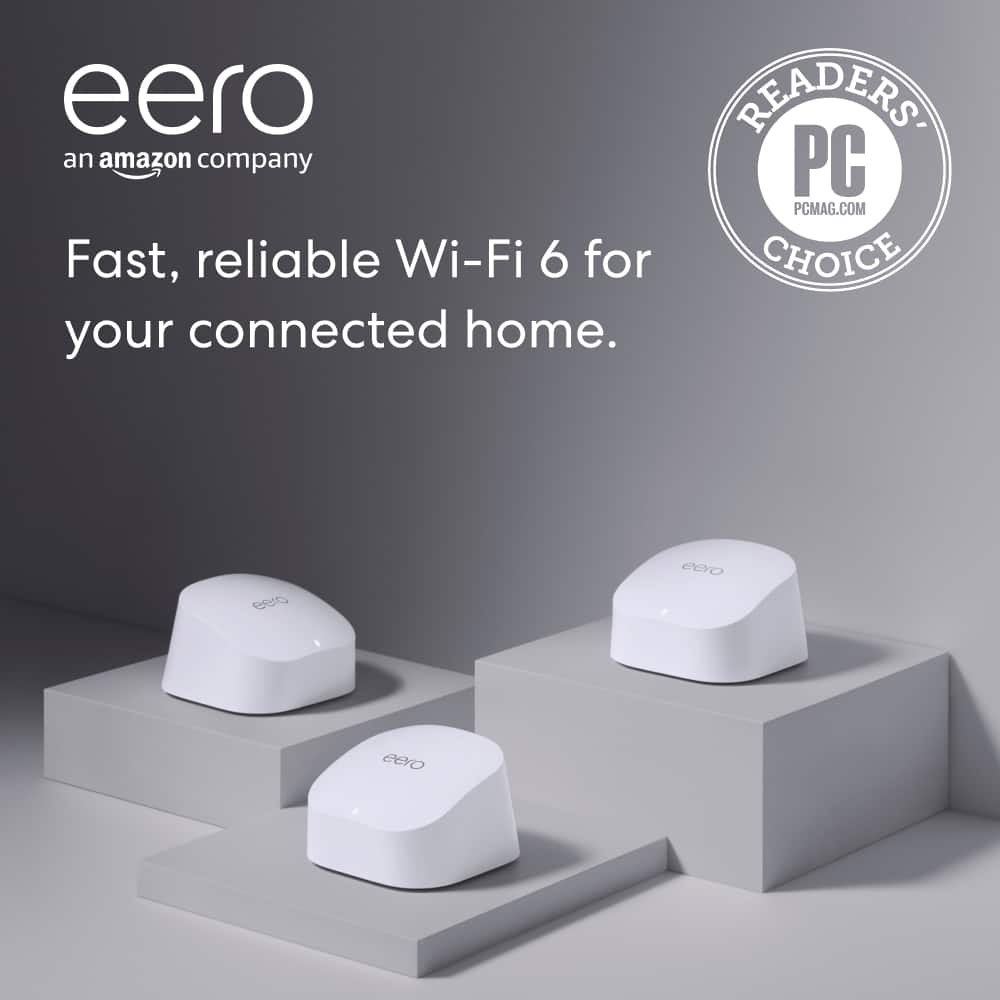
    The Eero 6 is a fantastic option for those who are looking to eliminate dead spots in their current Wi-Fi setup. Not an IT administrator? No problem, this is for you. Why buy a new router? With Wi-Fi 6, you get access to faster dual-band Wi-Fi with coverage up to 5,000 sq. ft., speeds up to 500 Mbps, and support for 75+ devices simultaneously. It blends well into any room with its minimalist design and small footprint. Things come nicely packaged and easy to setup. You get an ethernet cord and everything you need to power your nodes in the box. Plug in the router first then follow the in-app instructions… easy as that. After the app configures your network, add the other two nodes, and you are fully covered in solid reliable Wi-Fi in minutes LITERALLY. Everything was app based and literally is done with a few taps on your screen within minutes. There are 3 devices in this kit with two being satellites and one the router. There are also features for the advanced users who use port forwarding and other settings to tweak. There is a beta release of WPA-3 encryption via eero Labs in app if your device supports it. There are built-in security and content filters along with Antivirus for those interested in an AIO hardware solution. There are profiles for devices to control things in groups and schedule usage times. The built-in Zigbee hub is an added value so you can avoid another smart hub in your network. Signal strength and connection stability are simply amazing but I did run into slow speeds at times due to poor traffic steering. I noticed it doesn't steer traffic well to 5GHz after initial connection. After you are connected to the network and you move to another node it doesn't steer you back to 5GHz it goes to 2.4GHz. Also, to get band steering you need to enable it in the eero Labs beta options. Bright spots +Fast and easy setup for anyone with only a few minutes to spare and limited IT knowledge +Alexa integration +Zigbee hub integrated +Detailed by device data stats +Profiles for controlling devices and securing them Possible Improvements -MIMO 2X2 -No web interface, only app setup -No option to hide SSID -No USB ports or ethernet ports -No dedicated backhaul on 5GHz band The Verdict! I highly recommend spending a little more to get the eero Pro version just because of the ethernet ports. If your network needs are fairly simple and you don't want to play with network settings and like solid connections… this is for you!

    I would recommend this to a friend
  • Rated 2 out of 5 stars

    Ehh there’s something better out there

    |
    |
    Posted .
    This reviewer received promo considerations or sweepstakes entry for writing a review.

    One of them gets restarted at least once a week. Not the best, tried calling or texting the installer from geek squad but no response

    No, I would not recommend this to a friend
  • Rated 2 out of 5 stars

    Try Something Else

    |
    |
    Posted . Owned for 1 month when reviewed.
    This reviewer received promo considerations or sweepstakes entry for writing a review.

    These just don't do what they are supposed to do. Very disappointed in this purchase.

    No, I would not recommend this to a friend
  • Rated 1 out of 5 stars

    Not good, especially for Apple products

    |
    |
    Posted . Owned for less than 1 week when reviewed.
    This reviewer received promo considerations or sweepstakes entry for writing a review.

    Terrible. Much much slower than older generation Orbi. Install simple….as long as you don’t try to connect any Apple devices. Had to constantly pause 5G channel to connect. Coverage poor at best. Speeds dramatically slower than older Orbi. Customer support blamed my Ethernet cable, when it was obvious that it was throttled on their end. Returned after that customer “support” interaction. Upgraded to new Orbi

    No, I would not recommend this to a friend
  • Rated 2 out of 5 stars

    Drops devices

    |
    |
    Posted . Owned for 3 months when reviewed.
    This reviewer received promo considerations or sweepstakes entry for writing a review.

    Drops connections to some devices randomly. Have to forget the network and resign in. It is so annoying . This was an expensive mistake.

    No, I would not recommend this to a friend
  • Rated 2 out of 5 stars

    Wont buy again

    |
    |
    Posted . Owned for 2 weeks when reviewed.
    This reviewer received promo considerations or sweepstakes entry for writing a review.

    Wont do their job. Not connecting properly. And i got TECH SUPPORT. This one must e faulty.

    No, I would not recommend this to a friend
  • Rated 4 out of 5 stars

    Works as intended

    |
    |
    Posted . Owned for 1 month when reviewed.
    This reviewer received promo considerations or sweepstakes entry for writing a review.

    Works pretty, but it cant connect to ring base and use wifi 6e at the same time

    I would recommend this to a friend
  • Rated 1 out of 5 stars

    Unhappy with Geek Squad

    |
    |
    Posted . Owned for 1 month when reviewed.
    This reviewer received promo considerations or sweepstakes entry for writing a review.

    Geek Squad Terrible.I had an appointment at 100PM I was working that day till 1230 so it worked out fine Problem was they came at 1210 (no phone call) When i called to point out that issue i had zero help ..I ended up having to drive back to store and spent 1.5 hours trying to get it rescheduled. It was all because serviceman came before scheduled time and it became a nightmare

    No, I would not recommend this to a friend
  • Rated 1 out of 5 stars

    good idea..didn't work for us

    |
    |
    Posted . Owned for 3 weeks when reviewed.
    This reviewer received promo considerations or sweepstakes entry for writing a review.

    garbage in our house. single story 2,500 sq ft with router at one end and provides slower speed than just connecting to the router/modem itself. thought it was going to get us more speed at the other end of the house but its slow. and past the 14 day return period so now we're stuck with it. coming soon to ebay

    No, I would not recommend this to a friend
  • Rated 2 out of 5 stars

    Wi-Fi Ext Device

    |
    |
    Posted .
    This reviewer received promo considerations or sweepstakes entry for writing a review.

    Did not see the benefit Connection was the same throughout my home nothing really changed

    No, I would not recommend this to a friend
  • Rated 2 out of 5 stars

    Efficiency and cost effectiveness

    |
    |
    Posted . Owned for 1 month when reviewed.
    This reviewer received promo considerations or sweepstakes entry for writing a review.

    Since I got this my Internet has been very erratic and unstable. I don't have any good experience with the device yet.

    No, I would not recommend this to a friend
  • Pros mentioned:
    Ease of use

    Rated 1 out of 5 stars

    Wifi extender

    |
    |
    Posted . Owned for 1 month when reviewed.
    This reviewer received promo considerations or sweepstakes entry for writing a review.

    Works great must buy ease to use great for big home and old house.

    I would recommend this to a friend
  • Pros mentioned:
    Ease of use, Range, Speed
    Tech Insider Network Member

    Rated 5 out of 5 stars

    Great Mesh Wi-Fi!

    |
    Tech Insider Network Member
    Posted .
    This reviewer received promo considerations or sweepstakes entry for writing a review.

    I am really impressed with this eero mesh unit! This is probably the easiest Wi-Fi systems I have ever installed. The packaging is nice and simple. Three units, power cables, an ethernet cord and instructions. But really, all you need to do is first download the eero app and it will walk you thru the steps with very easy to understand instructions. They claim you will be up and running in 10 minutes and I think they are right. The only minor issue I had with installation was that when the app was looking for the main unit for setup it couldn't detect it. But they give you an option to manually enter the serial number and that worked fine. This was only with the main (first) unit. The other two receivers connected just fine on the first try. The app is fairly basic and easy to understand. I've run speed test from all over the house and we are getting a full & strong signal all over at top speeds. We have an outdoor security camera that we have always had issues with it picking up the Wi-Fi signal. Now, it picks it up great because of being able to place one of the units in the room right by the camera. The signal has been stable with no drop outs and even with a ton of household items running on Wi-Fi there has not been a single issue. Another plus is that the units are very small making it easy to find a spot just about anywhere for them. Really can't recommend the eero 6 AX1800 enough!

    I would recommend this to a friend
  • Rated 1 out of 5 stars

    EERO system is not explained well

    |
    |
    Posted . Owned for 3 weeks when reviewed.
    This reviewer received promo considerations or sweepstakes entry for writing a review.

    It was a terrible experience. The explanation of how to connect this to my existing router seemed simple but it did not work with my Fios wifi and actually I was without wifi rather than have it work better. I finally had no internet, had to spend a lot of time with Verizon Fios to get it restored and then EERO did not work at all. I would like to return it and get full or partial credit.

    No, I would not recommend this to a friend