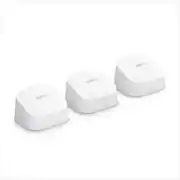
Experience fast, reliable Wi-Fi 6 for your connected home. eero 6 uses the power of Wi-Fi 6 to support faster speeds to every corner of your space, increase your internet’s efficiency, and reduce network congestion compared to prior Wi-Fi standards. eero makes it easy to expand your system as your needs change. With cross-compatible hardware, you can easily add eero products in minutes. Best of all, you can say goodbye to dead spots and buffering. eero’s mesh wifi technology optimizes for your space—so you can confidently stream 4K video, game, and video conference across your home.
A: The eero wifi system gives you speeds of up to 350Mbps and the new eero 6 gives you speeds of up to 500Mbps, both at up to 5,000 sq. ft.
Q: How does the eero router connect to a cable modem (non-router)?
A: As simply as with an ethernet cable. The Eero is a router. Hope this helps.
Q: Do you have to have a subscription to Eero or can you use the system without a subscription?
A: No subscription needed. Just boosts your currrent WiFi. Ours works great through steel & concrete walls!
Q: Does this work with a T-Mobile wifi system? Ease of install?
A: As a follow up to my initial question, I installed this with T-Mobile wifi and got little to no improved coverage. Once the new software update kicked in it has worked great. I now have full coverage throughout the house, backyard and garage with great signal. It must be set up as mentioned above and works great. Thanks.
A: Not sure what is going wrong but I would try to connect the extenders directly in front of the main router. If they show up then I would move them to a new location. I added an extender in that manner and it worked fine. If yours doesnt I would return them for new ones.
Q: How does this new system compare to the 2nd Gen. Eero system I recently installed?
A: It is faster.. I haven't done a head to head but knowing the the 2nd gen was marginally faster than the first gen, and knowing this is sometimes twice as fast as the first gen... yeah, it is faster on paper (and when measured). But put that in perspective, these are raw numbers we are talking about, but what do they really mean? if you are not having problems with your second gen (lagging or excessive buffering) that means its good enough, and for most applications you wouldn't notice faster.. You might notice faster if you are downloading huge video files before playing (like 5 gb). And I believe your 2nd gen is tri-band? This is only dual-band. That extra band is for node to node communication and no doubt makes things smoother. Should you upgrade? I would be tempted to go to the tri-band Eero Pro 6 if I had money to spare and lots of WIFI-6 devices, but not sure the speed increase on the dual-band Eero 6 is enough to get me to change. Bottom line is WIFI-6 is new, a lot of dust has to shake out so waiting for the next gen might be smart.
A: I used our at our lake in Michigan, previous we could not get access to the Wi-Fi near the water, but put in sunroom and currently getting wifi on the water! These are incredible. I would say as long as it’s not in the direct Sun light in the sunroom/garage it should be fine
Q: I have Spectrum/Time Warner cable and internet, does this work with that as a wifi extender?
A: Hello Carnivalmom! The eero will work for what you are wanting to do but not quite in the way you are asking. The eero will not wirelessly extend the Spectrum/Time Warner wifi network. How this works is you will have one eero hardwired (via an ethernet cable) to the Spectrum/Time Warner modem/router. Once setup this eero will create a separate wifi network for your devices. The other eero will connect (either wired or wirelessly) to that primary/gateway eero and will broadcast the same wifi network giving you much greater range. We would recommend once you have the eero setup to turn off the wifi on the Spectrum/Time Warner modem/router, having two networks being broadcast in close proximity will almost guarantee that they will interfere with each other. This way you can also use the same network name/password with the eero so you don't have to re-setup all your devices. I hope this information helps, have a great day!

Experience fast, reliable Wi-Fi 6 for your connected home. eero 6 uses the power of Wi-Fi 6 to support faster speeds to every corner of your space, increase your internet’s efficiency, and reduce network congestion compared to prior Wi-Fi standards. eero makes it easy to expand your system as your needs change. With cross-compatible hardware, you can easily add eero products in minutes. Best of all, you can say goodbye to dead spots and buffering. eero’s mesh wifi technology optimizes for your space—so you can confidently stream 4K video, game, and video conference across your home.

eero 6+ is our most affordable gigabit system ever. Access premium wifi performance and speeds up to a gigabit, without the premium price tag. eero 6+ gives you all the connectivity, with all the reliability. So you can work from home with confidence—and say goodbye to dropped video calls. Or keep your entire smart home running, even when you’re away.*

Experience fast, reliable Wi-Fi 6 for your connected home. eero 6 uses the power of Wi-Fi 6 to support faster speeds to every corner of your space, increase your internet’s efficiency, and reduce network congestion compared to prior Wi-Fi standards. eero makes it easy to expand your system as your needs change. With cross-compatible hardware, you can easily add eero products in minutes. Best of all, you can say goodbye to dead spots and buffering. eero’s mesh wifi technology optimizes for your space—so you can confidently stream 4K video, game, and video conference across your home.

With a weatherproof rating of IP66, coverage up to 15,000 sq. ft. outdoors, eero Outdoor 7 allow you to enjoy fast, reliable internet outside.
| Pros for eero - 6 Dual-band Mesh Wi-Fi 6 System (3-pack) - White | |||
|---|---|---|---|
| Cons for eero - 6 Dual-band Mesh Wi-Fi 6 System (3-pack) - White | |||
| There were no cons for this product— |
Customers are enthusiastic about the 6 AX1800 Dual-Band Mesh Wi-Fi 6 System (2-pack)'s ease of use, Wi-Fi coverage, and speed. Many reviewers highlight the system's performance, range, and simple setup process. Some customers reported experiencing buffering issues.
The vast majority of our reviews come from verified purchases. Reviews from customers may include My Best Buy members, employees, and Tech Insider Network members (as tagged). Select reviewers may receive discounted products, promotional considerations or entries into drawings for honest, helpful reviews.
Summary: Great router, easy to setup, blazing-fast speeds! This router is amazing. First, the setup was amazingly easy. All I had to do was download the app, plug the router in to the power and the modem, connect it with the app, and boom. Then I was able to give the network a name and password, and I was able to connect to it instantly. The access points were also very easy to setup: you just plug them into an outlet, connect it with the app, and the connection reaches much farther. And the connection speed is great. The connection has been 5 bars all the time and it's never dropped connection. Also, this works great for Virtual Desktop on my oculus quest.
Posted by garygary
I purchased my Eero 6 Wi-Fi Mesh System locally from Best Buy for same-day convenience, but it’s the exact same item you’ll find here on Amazon. I’m running it on Spectrum coaxial internet using the E31N2V1 modem and SAX1V1S Wi-Fi 6 router, with no issues at all. My speeds are 115 Mbps down and 24 Mbps up, and the Eero 6 delivers stable, fast performance throughout my home. Out of the box, I’m not subscribed to Eero+, but I can see the value in it—especially for VPN services and Dynamic DNS. Also worth noting: only the main unit has two Ethernet ports (one for WAN), and the extenders have none, so for wired connectivity I’d recommend the Pro model. Smart home users will appreciate full support for Apple HomeKit Secure Router and Amazon Alexa. The system also uses a USB-C 15W AC power adapter (model C120011) with 5V/3A output and 100–240V input, adding to its modern and compact setup. Eero, being an Amazon company, makes this a great buy directly through Amazon—especially with Prime delivery and reliable support. This system also works great with other ISPs, including AT&T Fiber. If you’re after a reliable, smart, and seamless Wi-Fi mesh system, the Eero 6 is an easy recommendation.
Posted by
I was hesitant in buying a mesh wifi system because I just couldn’t see how it would actually work. But since moving from an apartment to a house, we needed a solution to our spotty internet. AT&T’s wifi extender is garbage, so we decided to finally take the leap and buy this system. Once set up, I can’t believe the different! Between 200-300Mbps in my whole house! I would DEFINITELY recommend this setup! As long as you place each “pod” in an acceptable place, you’re golden! I’m so glad we did this!
Posted by Gary