Customer Ratings & Reviews
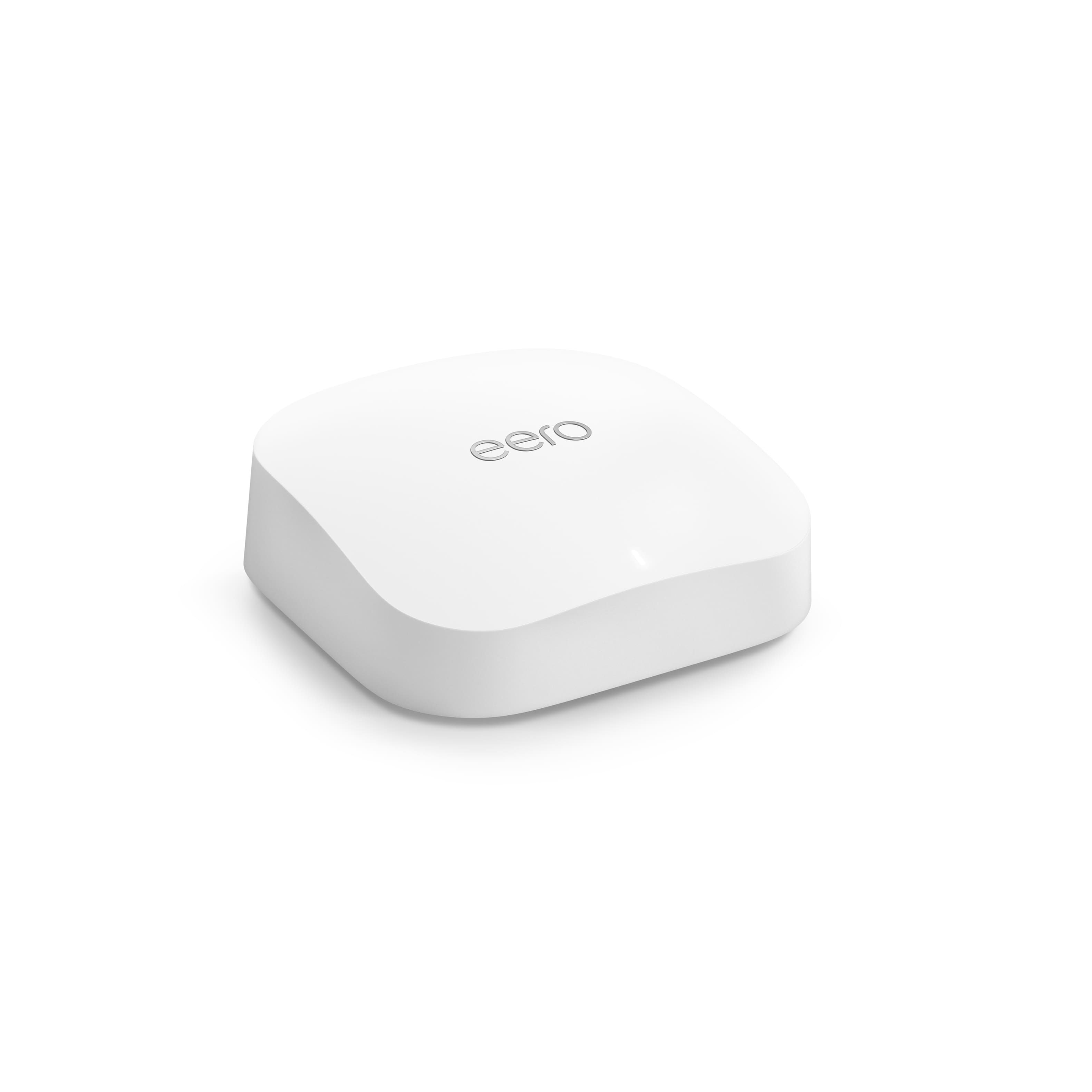

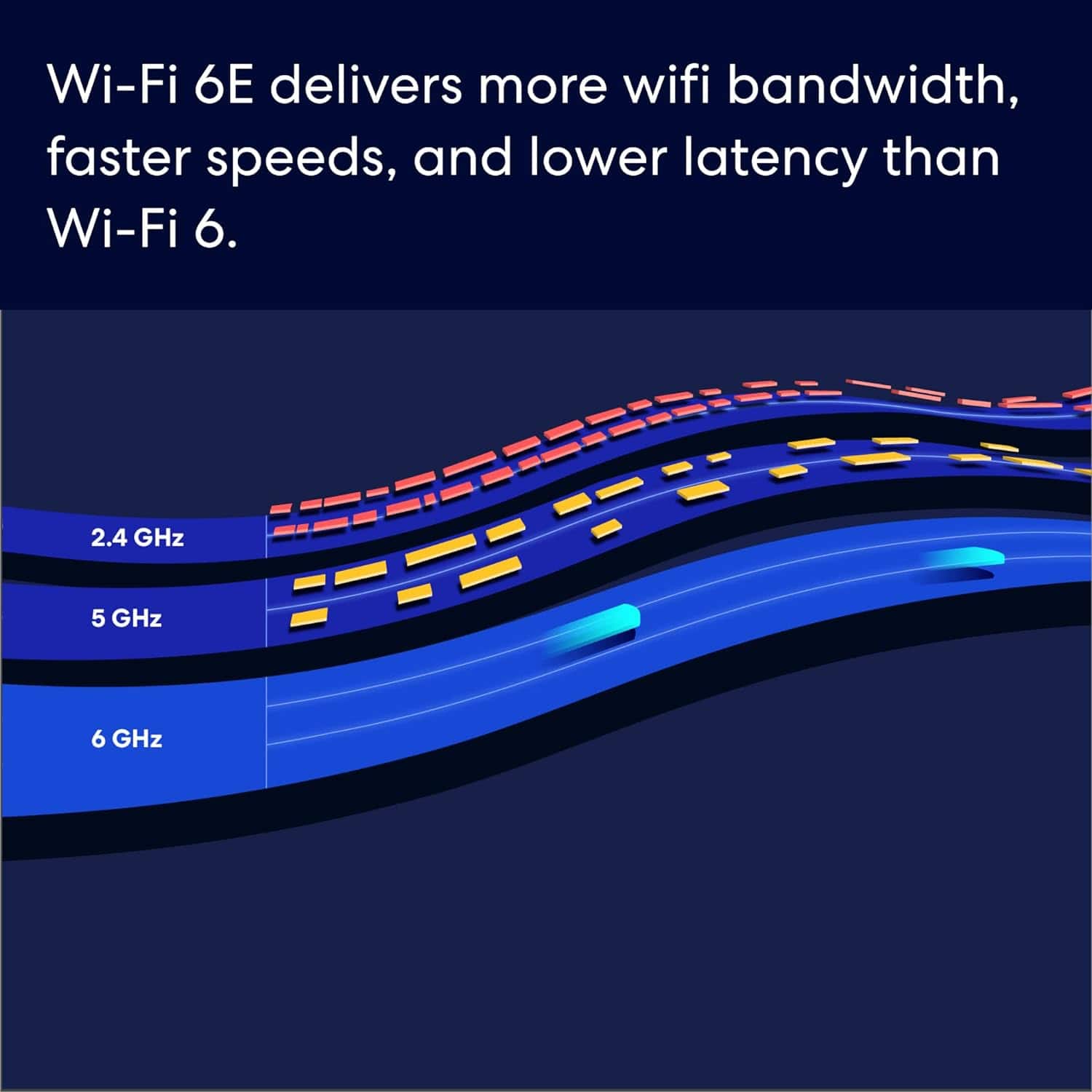
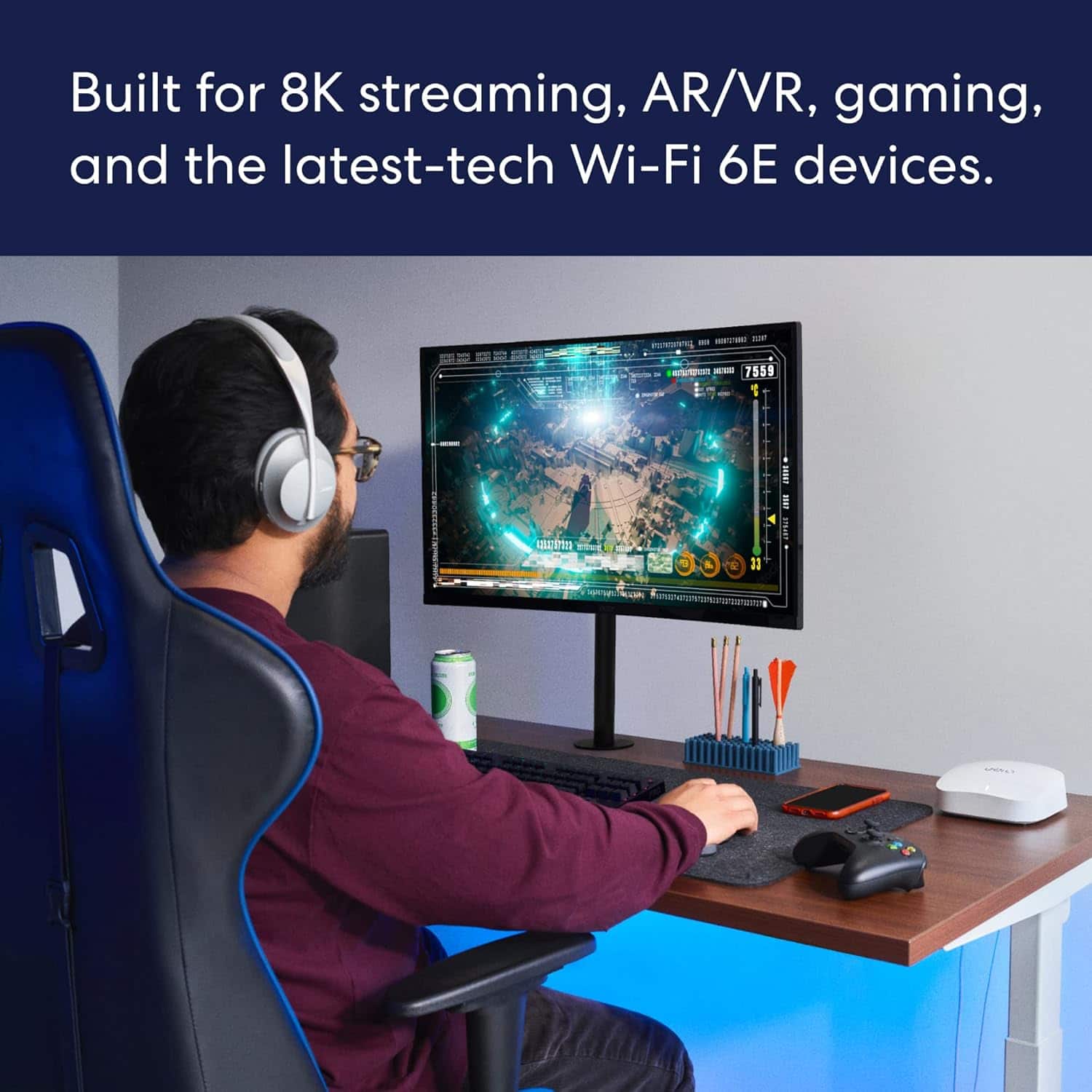

- Model:
- S010111
- SKU:
- 6495775
Rating by feature
- Setup
Rating 4.8 out of 5 stars
- Range
Rating 4.7 out of 5 stars
- Signal Strength
Rating 4.7 out of 5 stars
Customers are saying
Customers have good things to say about the Eero Pro 6, frequently highlighting its ease of use, impressive speed, and reliable overall performance. Users also appreciate the extensive coverage and range it provides, noting that the initial setup process is a breeze. While some individuals have encountered occasional connectivity issues and noted the higher price point, the general consensus remains very positive regarding the device's signal strength and effectiveness.
This summary was generated by AI based on customer reviews.
Amazing product
||Posted . Owned for 1 month when reviewed.This reviewer received promo considerations or sweepstakes entry for writing a review.This is definitely amazing i was struggling with my WiFi home internet, now i don’t have any wifi problems i have WiFi all over my house
I would recommend this to a friendGreat Product!!!
||Posted . Owned for 2 weeks when reviewed.This reviewer received promo considerations or sweepstakes entry for writing a review.Easy to setup, great app and small beautiful design.
I would recommend this to a friendOur eero
||Posted . Owned for 1 month when reviewed.This reviewer received promo considerations or sweepstakes entry for writing a review.The eero mesh system is awesome, so glad we did it, and wifi is great
I would recommend this to a friendAmazing router!
||Posted . Owned for 2 months when reviewed.This reviewer received promo considerations or sweepstakes entry for writing a review.Such an amazing router. I love the interface on the app!
I would recommend this to a friend- Pros mentioned:Coverage, Ease of useCons mentioned:Connectivity

Easy to set up, full coverage wifi mesh system!
|Posted .This reviewer received promo considerations or sweepstakes entry for writing a review.After some recent issues with my AT&T service, spotty coverage around my home and challenges with connectivity, I knew it was time to see about a mesh system to better cover the 4,000 sqft space. First off, I had AT&T come and replace everything from the street into my garage, replaced the modem in the garage and then replace the router in my office. That way I had a complete clean slate to check out the eero Pro 6e. Finally I was able to open the box, get it set up and check it out. Set up was incredibly easy, I have an Amazon Echo eco system in my home anyways, and the eero system talks to that seamlessly, and helps you connect it all. First step was to download the eero app and set up an account. I needed to set up the eero mesh system in 'bridge' mode, because the router provided by AT&T also controls our U-Verse box, so I couldn't do away with the AT&T router altogether. To do so, you plug in your first eero box (any of them can be used as a gateway). You can go into the settings and chose to switch it to Bridge mode with a check box. From there, the set up instructions are really simple, step by step in the eero app. Once the first eero box is set up (give it a name/location etc) you can either continue to connect devices to it, or you can go and set up your next box. Each box did need to have a software update, and unfortunately, when it's updating, the app almost looks like it's frozen, which concerned me. However after a few minutes, the images on the screen updated to show the new software version. With the 3 eero boxes, you can cover up to 6,000 sqft, which is plenty of coverage for my home. I have an AT&T GigaPower plan and the eero Pro 6e system is rated for network speeds up to 2.3 Gbps when using both wired (up to 1 Gbps) and wireless (up to 1.3 Gbps) client devices, so again, excuse the pun, there's plenty of 'bandwidth' with this system to be able to upgrade the data speeds in the future! Alternatively you can get speeds as has high as 2.5 Gbps when using a dedicated 2.5 Gbps Ethernet port. Once set up, the first thing I did was check the speed of the eero Pro 6e mesh system, I connected my phone to the system and also set up a guest network. I've included a screen shot from the eero app and it's showing 946 Mbps download and 317 Mbps upload speed. Prior to having the eero mesh system installed I was getting speeds that were about 1/3 of that - maybe 320 Mbps upload and 105 Mbps download, so already there has been a huge improvement in speed/connectivity. Content on my phone is loading instantly, I am a YouTuber and record and upload/download in 4K directly from my phone and the difference is fantastic! Setting up devices in the app is very easy, and you end up having a fully working ecosystem in just a few minutes. I have over 90 devices connected to my network at any time (this system supports 100+ according to the box), including lights, thermostats, computers, phones and other smart devices. And interestingly enough, newer Amazon Echo products also have the eero ability contained within them, which allows them to act like wifi range extenders themselves. We have Echo devices in almost every room, so we should have pretty much a seamless mesh now! Having the eero Pro 6e set up in 'bridge' mode does limit a few of the advanced features of the system, a little frustrating, but that was the only way I could set up and use eero and keep my U-Verse up and running (yeah, I know, I should really just ditch it!). You can pay a $99/yr subscription to a paid version of the eero app that includes ad blocking software, online security and advanced parental controls, but for what I need at this time, the basic version of the app is just fine. However, I did find that each time I was in the app, the prompt to upgrade to the $99/yr subscription was fairly constant, which was a little annoying. The eero Pro 6e is a Tri-Band system, meaning that it will take care of all of your older 2.4 GHz devices, work with your newer 5 Ghz devices and then seamlessly integrate with 6 GHz devices as more and more of them become available. Makes me feel like I don't have something that will become outdated really quickly like so many tech gadgets can these days. Due to the nature of some of my smart devices and their position in the home, I use a couple of additional ethernet switches. It's a shame that there are only two ports on the back of these eero boxes, one in and one out. More options for connectivity would be useful. Another thing I have noticed after a few days using the eero system is that each of the white eero boxes does get quite warm. And as you can see from my attached pictures, one in the dining room and one in a bedroom, it's not as if they don't have adequate space/ventilation around them. Not sure what keeps them so warm. Overall, I was really impressed with the speeds displayed on my network after installing the mesh system, my dining room was notoriously a bad area in the house, so setting up one box in there was a must. And the second box up in the furthest area away from my main router has really opened up that area of the house as well. The ease of set up is worth the price of entry alone, being as this is definitely not the cheapest system out there, it is a very robust and simple to use solution. I've looked into getting a mesh system for a few years now, and after my experience with the eero Pro 6e - I am both wishing I had of taken the plunge a lot sooner, but also glad I didn't, so I could experience everything that this eero Pro 6e system has to offer!
I would recommend this to a friend - Pros mentioned:Overall performance
Eero - Pro 6E AX5400
||Posted . Owned for 3 weeks when reviewed.This reviewer received promo considerations or sweepstakes entry for writing a review.keeping needing Wi-Fi extended perfectly! Love Eero worth the extra money, ok for reliability
I would recommend this to a friend - Pros mentioned:Coverage, Setup, Speed
Fast Stable System
|Posted .This reviewer received promo considerations or sweepstakes entry for writing a review.My internet provider recently upgraded my internet speed to a new 1 Gigabit service (actually 940/880 Mbps), and I also got this eero Pro 6E to upgrade the mesh system. Installation: Using the eero app, the installation was quick and easy. The app gives step-by-step instructions. Disconnect power to your service provider router, connect one eero mesh device (that will be the main one) to the router, connect power to the router, and then the main eero. After, place the other eero mesh and connect wirelessly using the app to the main eero. Each device has USB-C power and a power plug, which is excellent since USB-C is becoming standard. The product states that it covers up to 6,000 square feet. My house is 2,800 square feet, but I find the coverage amazing because I get the Wi-Fi signal a couple of yards outside my house. This signal must be good because I did not get enough signal in other systems since my outside walls are heavily insulated. Each eero has two Ethernet ports, one 2.5 G and one 1G bit speed. The speed was similar using a combination of different mobile phones, desktops, and tablets. The average download was 829 Mbps, and the upload was 726 Mbps. Currently, I don’t need it, but it is good to know that eero offers parental controls and online security with a subscription to “eero Plus,” which costs $99.99/ year. With this, you get parental controls (block ads, filter content, limit access to specific sites and applications), track data usage over time, and additional protections (1Password, Malwarebytes, and Encrypt.me). Overall, this is an excellent stable system.
I would recommend this to a friend NO DIFFERENCE
||Posted . Owned for 7 months when reviewed.This reviewer received promo considerations or sweepstakes entry for writing a review.THE REASON I DON’T GIVE IT A 5 STAR, IS BECAUSE I REALLY DON’T SEE ANY IMPROVEMENT IN OUR HOME INTERNET, I HAD TO GO BACK TO MY ORIGINAL ROUTERS WHEN POOR SIGNAL.
No, I would not recommend this to a friendGood enough
||Posted . Owned for 7 months when reviewed.This reviewer received promo considerations or sweepstakes entry for writing a review.I have ATT fiber optic 500 up and 500 down. With the att roughter I get 350 each I ran this to the other side of my house I am getting about 200 down and 120 upload.
I would recommend this to a friendSubscription are Needed
||Posted . Owned for less than 1 week when reviewed.This reviewer received promo considerations or sweepstakes entry for writing a review.To do basic address block you have to have a subscription. Most of the app function are locked behind the subscription service. Other than then most basic here you ip automatic connect info. All the subpage in the insterface was monthly/yearly subscription asking for credit card or cash card. (No joke) returning product to local best buy. Going back to my 8year router with better options without needing subscription.
No, I would not recommend this to a friendNo more weakspots at home
||Posted . Owned for 1 year when reviewed.This reviewer received promo considerations or sweepstakes entry for writing a review.Great product. If you have any weakspots, this is a must recommnened product. This is pricey, if you need alternate products for less thats also fine.
I would recommend this to a friendBrand response from Amazon Devices Customer Support
Posted .Hi Best Buy Fan!
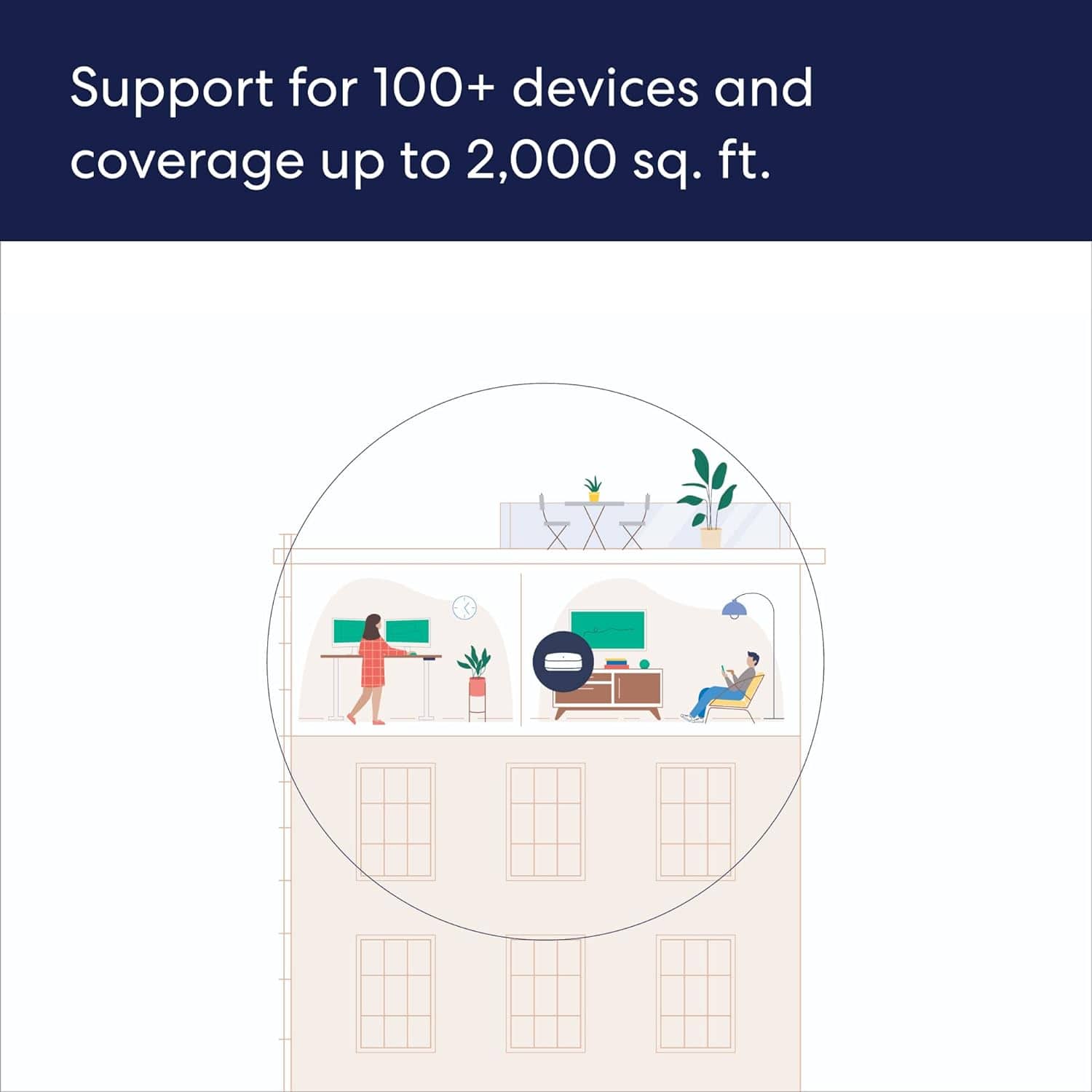
We are happy you are enjoying your Eero Pro 6E! You now have network coverage up to 6,000 sq. ft. and support for 100+ connected devices!
Eero’s patented TrueMesh technology intelligently routes traffic to reduce drop-offs and dead spots.
Enjoy!
I thought
||Posted . Owned for 3 weeks when reviewed.This reviewer received promo considerations or sweepstakes entry for writing a review.it’s ok. But I need more time to test to make sure it’s good.
I would recommend this to a friend- Pros mentioned:Coverage, Overall performance
eero's got it covered!!
|Posted .This reviewer received promo considerations or sweepstakes entry for writing a review.I have been reluctant to upgrade my home Wi-Fi network for years now. I shudder to think about every tv, robot vacuum, sound bar, doorbells, phone, watch, stove etc etc needing to reconnect and the passwords etc. So when we moved to our new house two years ago, I new that it was the perfect time to do it. We were on cable and moved to a house that had the ability for fiber though AT & T. I let AT&T provide everything why not… and at first I was pretty happy. It was much faster than my cable set up. But, the reliability was noticeably bad as far as their hardware. weak spots everywhere! We live in a 2600 Sq feet house and on the initial set up their app recommended more extenders to cover the weak spots… I added the extenders but noticed more problems. It was as if they were interfering with each other! I felt like I was restarting the network every other day!!! Plus all the dropped devices were driving me nuts. So I paired down the extenders and the reliability increased but was still far from hassle free. I was still restarting every couple of weeks not to mention TV’s falling off the network etc. For the love…I have fiber I want the fiber experience!!! The frustration came to a head and as much as I dreaded overhauling my wi-fi network…it was time. I have been window shopping MESH routers for a while And if your reading this review you have/are as well. I found out that eero was one of the first to deliver a mesh Wi-Fi system to regular consumers back in 2016 and really hit their stride with their second version in 2017 and then got promptly bought up by Amazon in 2019…Why….Because they are the BEST! I am excited to see how it all evolves together Everything is connected…and that connection is only as good as the infrastructure it’s on! The eero Pro 6E arrived and I opened it up like a kid at Christmas. It was simply packaged and elegant. The eero routers/nodes are athletically beautiful. I looked for a big long complicated instruction manual inside the box and did not find one…and later found out because I did not need one!!! Now I was using an all in one modem/router from att so I had to do some deeper investigating to make sure I set everything up just right. You can use your ATT modem (which I have to for the fiber) but it is recommended to turn off the router portion which required me to log into a IP address. I watched a YouTube video on how to do that. It was easy. Just follow along and turn off the router so that you are only relying on the eero for the network and to prevent any conflicts. I turned off the AT& T router after I set up the eero. I kept the same Wi-Fi network name and password which really helped the whole process..many of my devices were none the wiser that the routers changed. I had to re-log into Disney plus and restart a few devices but that was it!!!! I was so excited!!! So easy. I am getting a head of myself…. So I got the eero out. The three units are interchangeable so it does not matter which you use for the router…magic…they are all routers!!! I downloaded the app (iso iPhone 12promax) and plugged the eero in. Boom found connected to the net and was off and running. Grabbed the second one and took it to the home office and plugged it in. The app said it was a great placement and boom! Done…. Same with the 3rd eero. Great placement! And then I watched on the app as my devices came on board. Full bars! NOTE: there are two ways you can set up the eero…at least with att fiber…first way is pass through which means you are literally getting raw access to the web and then depend on eero for everything and you might want to consider 3rd party software for firewalls etc if you go that way. or a bridge which means you let att still feed the net to the eero router but they still have all the att protocols etc. I went with the bridge because it is very simple and more than adequate for my needs plus I don’t want to geek out on the deeper tech of it all. I am not an “IT person” but dabble enough to get what I want…FAST, RELIABLE network which eero delivers in spades! I mean just rock solid performance!! I got on my devices and ran the speed tests… it was remarkable!!!! Even my spouse who is not techy at all made a comment about just how fast the network was. But the peanut butter to that jelly is just how reliable and strong the signal is throughout my whole house…even in the garage!!! The specs say up to 6,000 sq ft so my 2600 is a breeze! When they talk about a blanket of internet over your whole house they mean it. I really get a sense of it when I take my iPad into the bedroom and then the garage and stream something or use facebook and it is as fast and reliable in the garage as it is next to the router! Amazing! I also really love the app!!! Super intuitive and you can see all your devices and it push notifies you when a new devices comes on line!!! My digital assistance are so much faster. Also …Even though eero is amazon…works just fine with google. We use both in our house. No problems! Haven’t had to restart the network once. I also like the Tri-band for future proofing! Incredible product!!! Does exactly what they say and delivers big time! LOVE IT!
I would recommend this to a friend - Pros mentioned:Coverage, Overall performance, Setup

Reliable Performance Trumps Google Nest Pro 6E
|Posted . Owned for 2 months when reviewed.This reviewer received promo considerations or sweepstakes entry for writing a review.[Employee of bestbuy] I recently upgraded my home Wi-Fi system to the Amazon eero Pro 6E, and I must say, it has been an absolute game-changer! The reliability and performance of this mesh router have exceeded my expectations and surpassed the Google Nest Pro 6E by a significant margin. The most impressive aspect of the eero Pro 6E is its consistent and robust signal coverage throughout my entire house. With its tri-band capabilities and support for Wi-Fi 6E, I've experienced faster and more stable connections, even in areas that were previously Wi-Fi dead zones. Streaming 4K content, online gaming, and video conferencing have become seamless experiences. Setting up the eero Pro 6E was a breeze, thanks to the intuitive mobile app that guided me through the process step-by-step. The app also allows for straightforward network management, with useful features like device prioritization and parental controls, giving me more control over my home network. In terms of design, the eero Pro 6E's compact and sleek appearance blends well with my home decor, and its low-profile antennas make it easy to place discreetly in any room. Comparing it to the Google Nest Pro 6E, the eero Pro 6E outperforms in both range and speed. While the Google Nest is a solid mesh router, the eero's Wi-Fi 6E support and intelligent routing have delivered a noticeable performance boost, making it the clear winner for me. In conclusion, the Amazon eero Pro 6E is a fantastic mesh router that has proven to be highly reliable and significantly better than the Google Nest Pro 6E. If you're looking for top-notch performance and seamless Wi-Fi coverage throughout your home, the eero Pro 6E should be at the top of your list. Highly recommended!
I would recommend this to a friend - Pros mentioned:Coverage, Overall performance, Speed
Excellent Mesh System – Perfect for Fiber Homes an
||Posted . Owned for 5 months when reviewed.This reviewer received promo considerations or sweepstakes entry for writing a review.Excellent Mesh System – Perfect for Fiber Homes and Multi‑Device Setups I was first introduced to eero devices when I switched from Cox to WeLink. When I moved again and WeLink wasn’t available, I was stuck with Cox’s Wi‑Fi extender—which is extremely slow and not designed to create a true high‑speed mesh network. That pushed me back toward eero. I initially purchased the eero Pro WiFi 7 system, but it didn’t make sense for my setup since I don’t have enough Wi‑Fi 7–capable devices to take advantage of it. I returned it and picked up the eero 6E system instead, which turned out to be the perfect choice. I have fiber in my home, but my ISP‑provided router sits downstairs in a coat closet, which kills the wireless signal. We have a hard‑wired Ethernet run to the master bedroom upstairs, but the other rooms don’t have network jacks. So I connected the upstairs Ethernet directly into the main eero 6E unit and started broadcasting Wi‑Fi from the second floor. In the master bedroom, I was getting 1Gb/s down and 1Gb/s up over Wi‑Fi, and coverage reached much farther than expected. I added another eero in my office and one in my niece’s room, and the mesh instantly created strong, stable coverage across the entire upstairs. Speed drops were minimal. Most rooms averaged 980 Mb/s down and 920–990 Mb/s up on Wi‑Fi. Each eero node has two Ethernet ports that provide a pseudo‑LAN connection, and those speeds were consistently 893–950 Mb/s down and 890–900 Mb/s up for wired devices. I eventually added a standalone fourth 6E unit in my bedroom, which pushed the speeds even higher. Now we have full gigabit speeds on both Wi‑Fi and wired connections throughout the house—exactly what I was trying to achieve. My goal was to improve upstairs Wi‑Fi and create hardwired spots using the eero nodes, and this setup accomplished both with no issues. Before installing these, the router in the coat closet was only delivering around 150 Mb/s down and 50 Mb/s up upstairs, which was completely unacceptable. The eero system fixed all of that and now provides stable, low‑latency coverage not just upstairs but downstairs and even in the front and back yard. After using various eero devices over the last four years, I can say I absolutely swear by them. These 6E units are fast, efficient, and extremely reliable. The app lets you enable automatic firmware updates and turn on advanced security features. There’s even a backup internet option that lets the system fail over to a mobile hotspot or Mi‑Fi device if your main ISP goes down. Just make sure you set that up in advance—if you lose service, you won’t be able to configure it on the fly. Overall, the eero 6E system delivered everything I needed: outstanding speed, reliable coverage, and a seamless mesh throughout the entire home. Highly recommended.
I would recommend this to a friend A breeze to set up and use
||Posted . Owned for 2 weeks when reviewed.This reviewer received promo considerations or sweepstakes entry for writing a review.Converted from Breezline Eeros to these hassle free. Only issue I have is that one of them seems to be a bit warm as if getting too hot. The others aren’t as warm.
I would recommend this to a friend- Pros mentioned:Coverage, Overall performance, Setup
Awesome Home Networking Solution!
|Posted .This reviewer received promo considerations or sweepstakes entry for writing a review.This is my first Eero device and what a great experience! I’ve used a whole range of different home networking devices and this might have been one of the easiest setups yet. The Wi-Fi 6E technology gives lots of room for future proofing, as not only does my household only have a few Wi-Fi 6 devices, I believe only a handful of Wi-Fi 6E devices are even on the market now. All 3 of the devices are the same and can serve as the primary router. Setup us easy using the Eero mobile app and it walks you through the process step by step. Google and Amazon have both taken to only allowing network management via a mobile app, as web-based interfaces seem to be disappearing. Overall, the mesh system is fantastic. Coverage and performance are absolutely incredible. The included 3 unites are stated to provide 6,000 Sqft of Wi-Fi coverage at up to 2.3Gbps on both the 5Ghz and 6Ghz bands. My only complaints are with regard to port forwarding and the subscription-based upgrades. If you need to port forward multiple, non-sequential ports on a single device, it doesn’t appear to be possible. Additionally, the network security scanning and parent control come at an additional fee unfortunately. It would have been nice to at least have better parental controls included. That aside what an incredible home networking experience!
I would recommend this to a friend - Pros mentioned:Coverage, Overall performance, Setup
Excelent Mesh!
||Posted . Owned for 2 weeks when reviewed.This reviewer received promo considerations or sweepstakes entry for writing a review.The Amazon Eero Pro 6e stands out as a top-tier mesh Wi-Fi system, boasting sleek design, robust build quality, and exceptional performance driven by Wi-Fi 6e technology. It excels in delivering blazing-fast speeds and low latency, making it ideal for bandwidth-intensive tasks such as 4K streaming and online gaming. Each unit covers up to 2,000 square feet, with seamless scalability for larger homes, ensuring strong and reliable connectivity throughout. Setting up the Eero Pro 6e is effortless with the intuitive Eero mobile app, which guides users through each step from initial setup to expanding coverage. Key features include comprehensive parental controls, a guest network option, and seamless integration with smart home devices via Amazon Alexa. Security is prioritized with WPA3 encryption, automatic firmware updates, and built-in ad-blocking, enhancing protection against potential threats. While priced at a premium, the Eero Pro 6e justifies its cost with its superior performance, extensive feature set, and reliable build, making it a compelling choice for those seeking a high-performance mesh Wi-Fi system.
I would recommend this to a friend - Pros mentioned:Setup, Speed
Sick of spotty WiFI? The Eero is your answer!
|Posted .This reviewer received promo considerations or sweepstakes entry for writing a review.Overkill for sure as there are only a few 6E compatible devices out in the market during the writing of this review but it’s always good to future proof. Pros: *Easy setup *App is fantastic *Fast and reliable *Can easily match décor Cons: *Can be pricey *Only 2 ethernet ports on each Eero Don’t let the small device fool you. These mesh routers are small in size but large on performance. The 3-pack is advertised to cover most homes up to 6k in sq ft and I believe it. I have a modest 3500 sq ft home and there are zero dead spots in my house with the 3 pack, one on each floor of my home. Setup is a piece of cake. The app is intuitive and I was able to setup all 3 Mesh wifi in 15 minutes. They suggest renaming your new Eero to the same name as your last WiFi router so you can save yourself the headache of setting up all your smart devices to your new network. The only thing I do wish for future versions is a smaller plug so it doesn’t take up 2 outlet spots on my power-strips. Once setup, the app prompted me to do a firmware update. The speeds are amazing. It’s advertised at speeds up to 2.5 Gbps hardwired and 1.3 Gbps wireless. In real world results, the best I got was 700 Gbps with WiFi to my iPhone 14 pro (sitting in the same room as the Mesh) and 950 Gbps hardwired with my 1.2 Gbps internet speeds from Xfinity. These are blazing speeds compared to my last Orbi Wifi that didn’t have Wifi 6 or even Wifi 6E capabilities. The app is fantastic and that’s a night and day difference between the Eero and anything made by netgear. Not only is the Eero app intuitive, I’m able to see in real time data usage by device, pause devices and even see which device is connected to which Eero. My phone seamlessly connects to the Eero that has the strongest signal. There is a paid version of Eero that would give you a VPN, pop up blocker and more detailed history of your internet usage but I find the free version of the Eero more than suffice. At the time of this review, the upgraded app software is $99 a year. I do recommend this Eero pro 6E to anyone looking to future proof their WiFi Mesh network. Even though 6 Ghz is not widely available, being able to future proof yourself is a good idea. This wifi system will support some of the fastest speeds and with a fantastic app. Bonus if you’re in the amazon eco system, although not required. Plenty of new Amazon devices comes with Eero compatibility to allow Echo Dots, etc to act like WiFi extenders.
I would recommend this to a friend - Pros mentioned:Overall performance, SpeedCons mentioned:Connectivity
Excellent Upgrade
||Posted . Owned for less than 1 week when reviewed.This reviewer received promo considerations or sweepstakes entry for writing a review.I’ve seen a lot of 4 star reviews that leave no cons. Don’t be fooled by the lack of 5 star reviews, this is a 5 star product. The units are very fast, and if you are within the 50 foot line of sight, you’ll be getting the rated multigigabit speeds “wired” but wireless through a node. I’ve been using 3 original Eero WiFi 5 units for the past few years and have had no complaints. The customer service is exceptional, and when I picked up a few extra Eero Pro 5 units, they didn’t come with power adapters (i got them pre-owned) and Eero replaced them free of charge. Unfortunately now, the standard Eero 6 does not have ethernet ports, only the Pro models do. These are fast, and it was easy to “replace” units one by one, including the gateway, slowly upgrading from WiFi 5 to WiFi 6. We’re now getting 400mbps downlink and when accessing local servers, full gigabit speeds over hardwired mesh. However, I don’t recommend this over the 6 Pro if you want the Tri band and you don’t have WiFi 6 devices. I purchased it for link aggregation but I’d have much preferred the tri band with 2 5GHz connections rather than this one in that regard. The 6E model has a 2.4/5/6GHz system. I have one device that support that extra 6GHz band and it’s a phone, so it’s not worth the extra for wireless connectivity. If you are invested in Zigbee and use Alexa, this system supports up to 150 Zigbee or Thread devices, 50 per node. All in all, excellent system. The 2 wireless nodes apart from the gateway both have 16 port switches and i have 0 drops. The performance difference between wired and wired mesh is negligible, and the convenience of not needing to run ethernet cables is excellent. Great product. Great customer service. TL;DR; but the Pro or 6 or 6+ if you don’t need 6GHz or certain niche features.
I would recommend this to a friend