Customer Ratings & Reviews
- Model:
- C11CL42201
- SKU:
- 6630480
Rating by feature
- Value
Rating 4.5 out of 5 stars
- Quality
Rating 4.6 out of 5 stars
- Ease of Use
Rating 4.5 out of 5 stars
Customers are saying
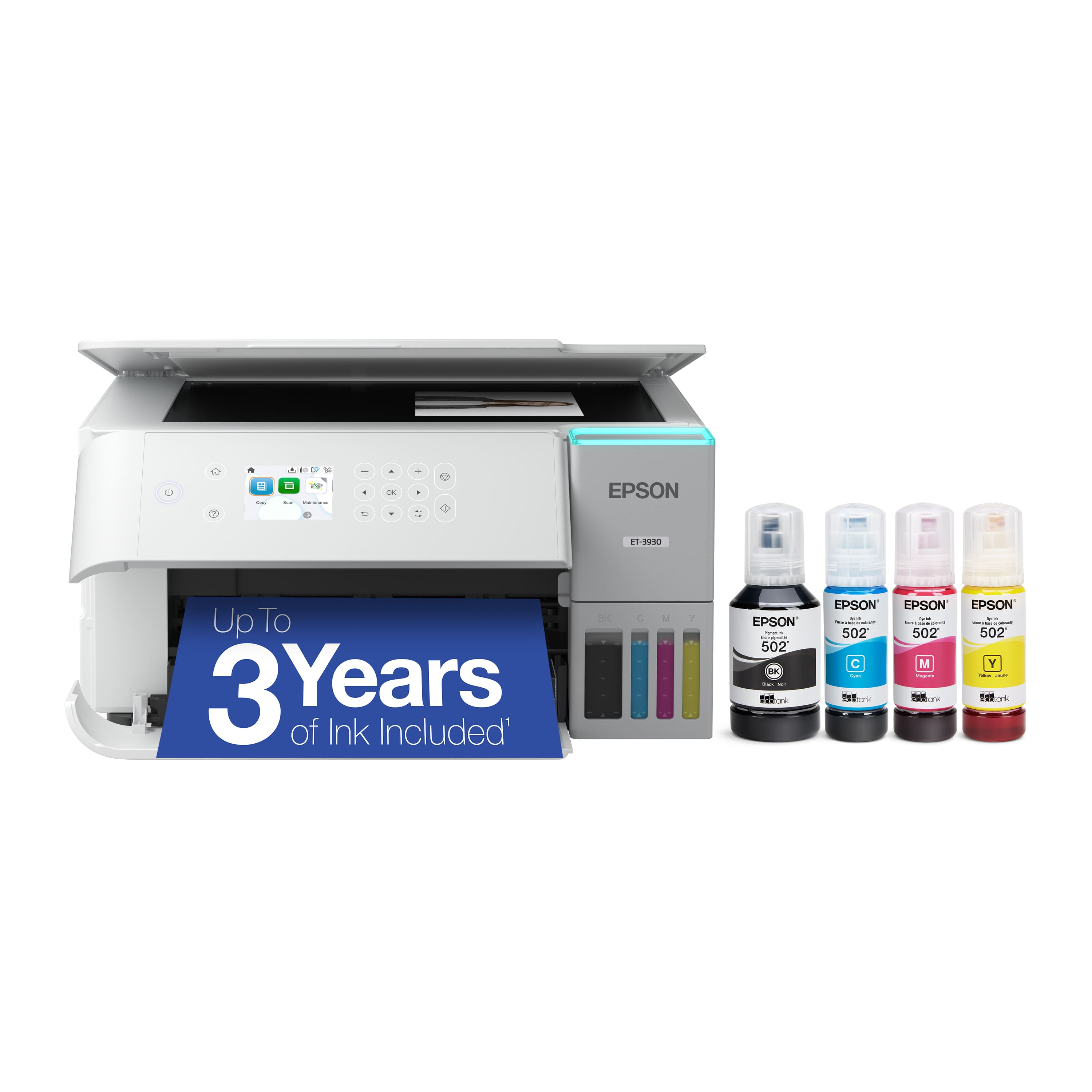
Customers commend the EcoTank ET-3930 for its excellent print quality and easy setup. Many appreciate its connectivity options, overall performance, compact size, and ease of use. The printer's quiet operation is also a plus for users, though some wish it included an automatic document feeder.
This summary was generated by AI based on customer reviews.
- Pros mentioned:Connectivity, Noise level, Print quality

A great A-I-O printer with a great ink RoI
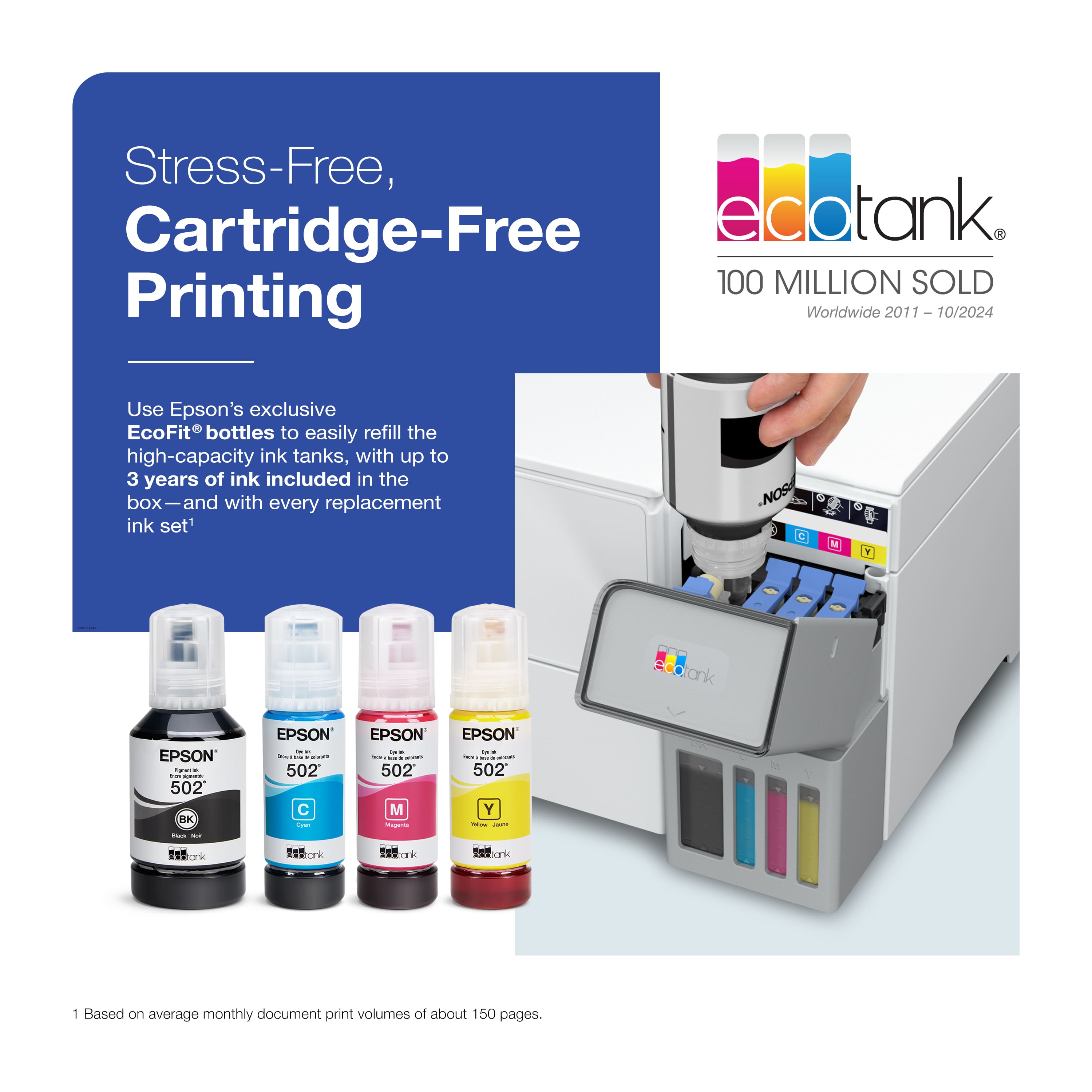
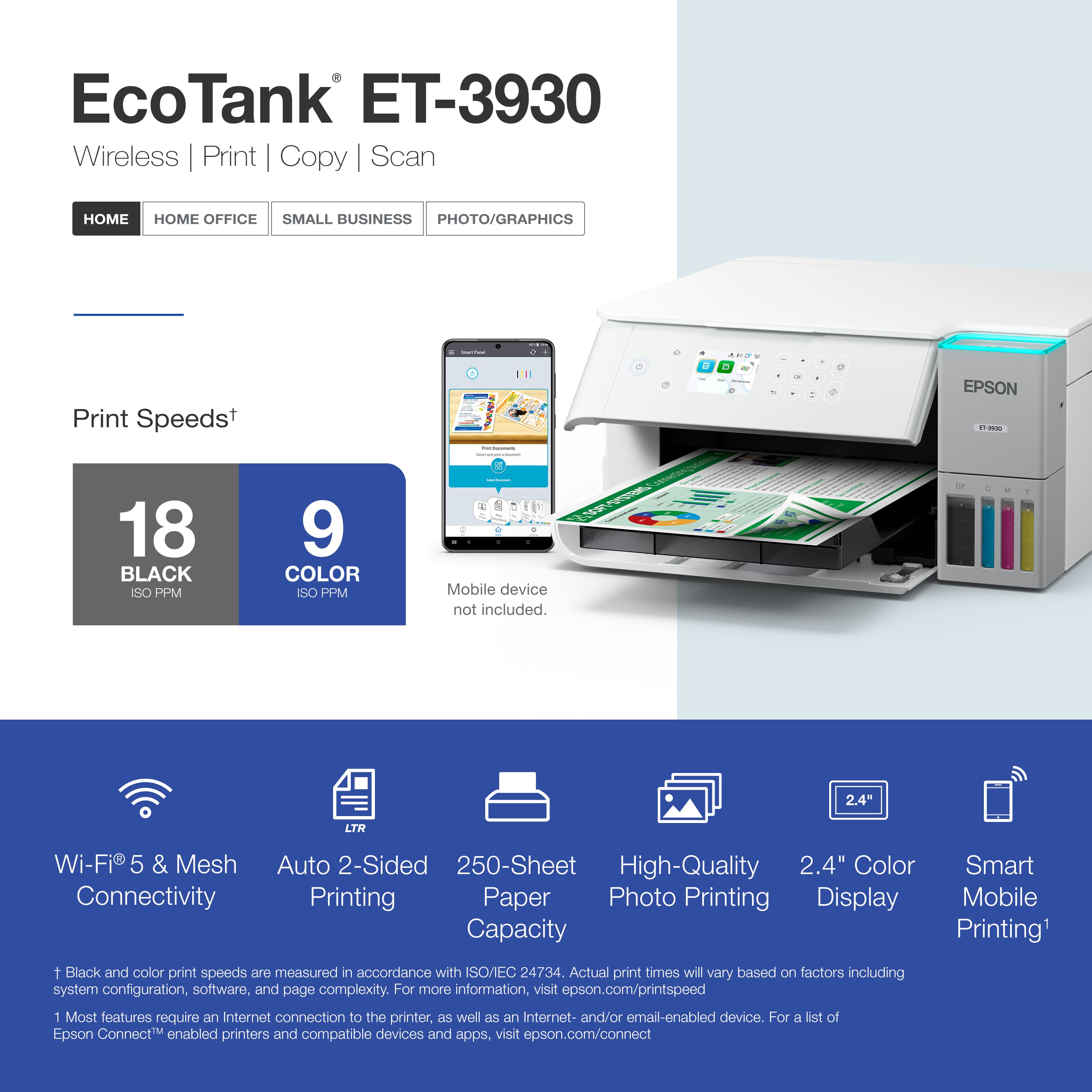
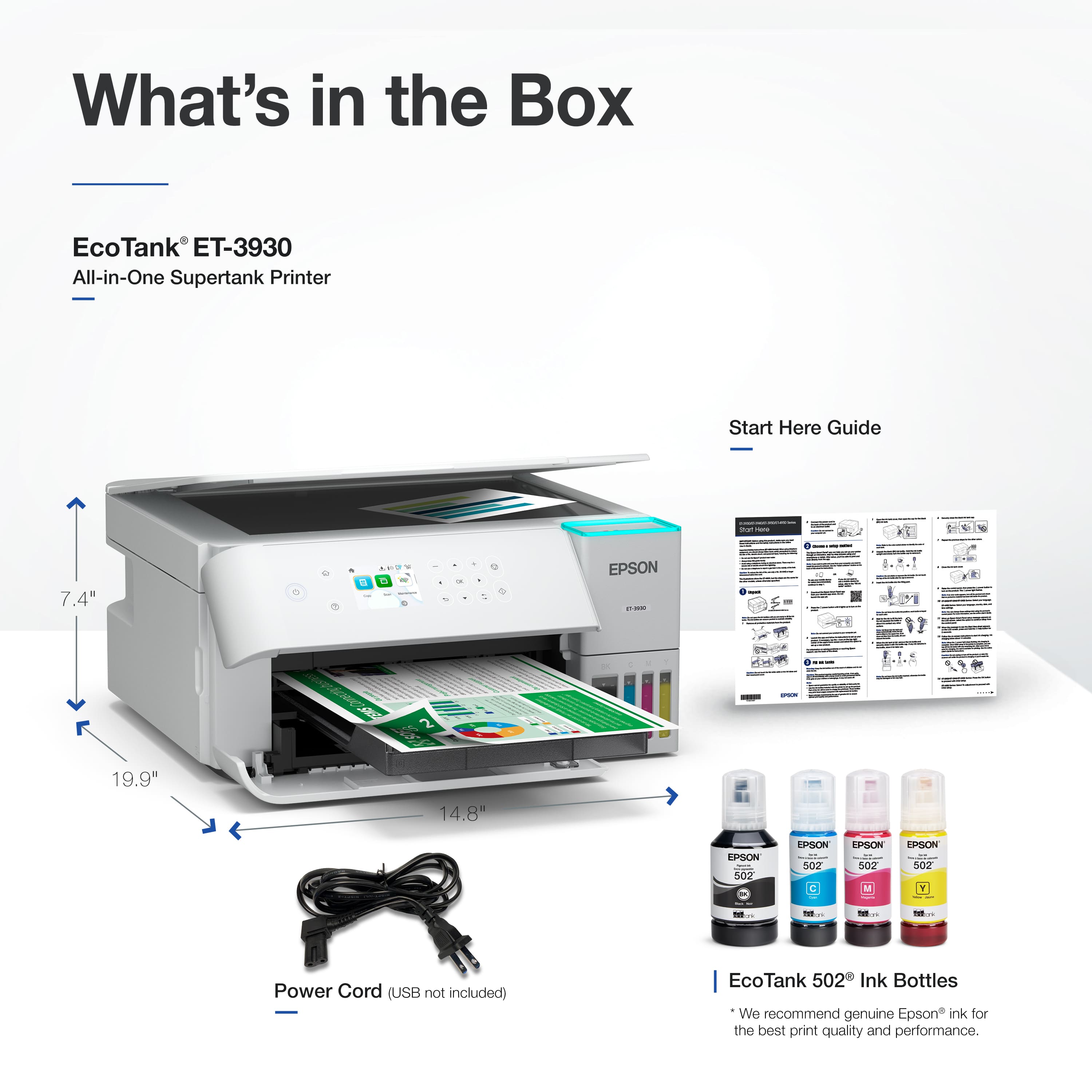
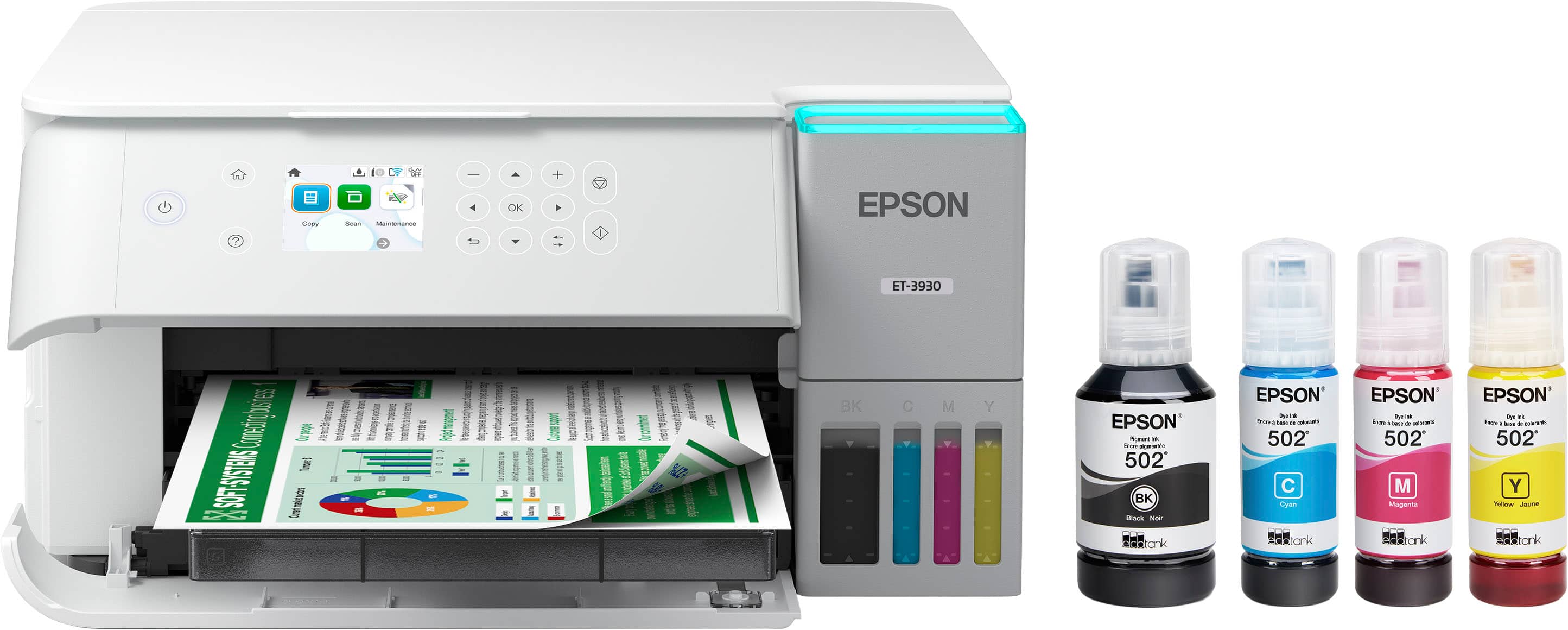
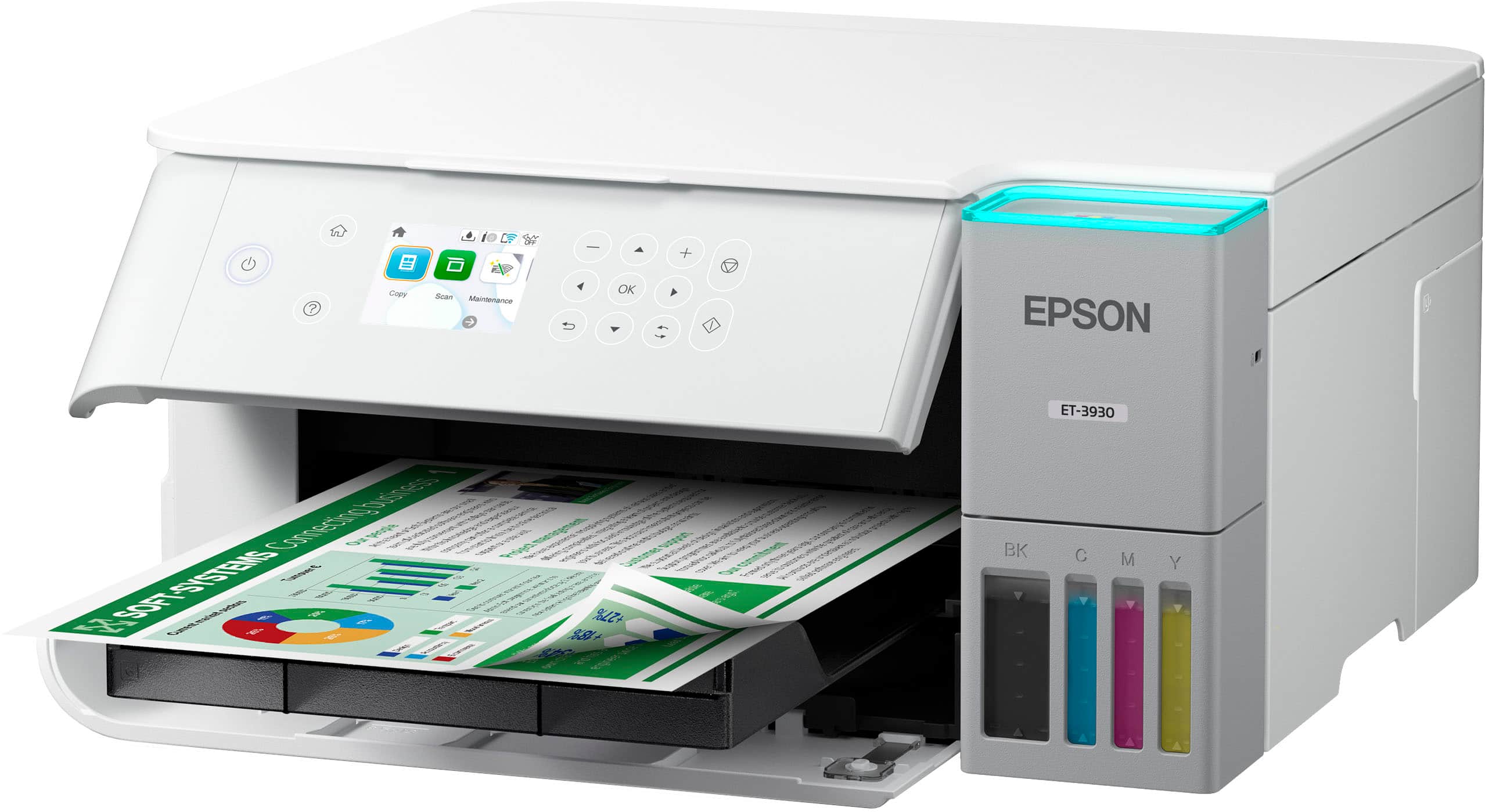
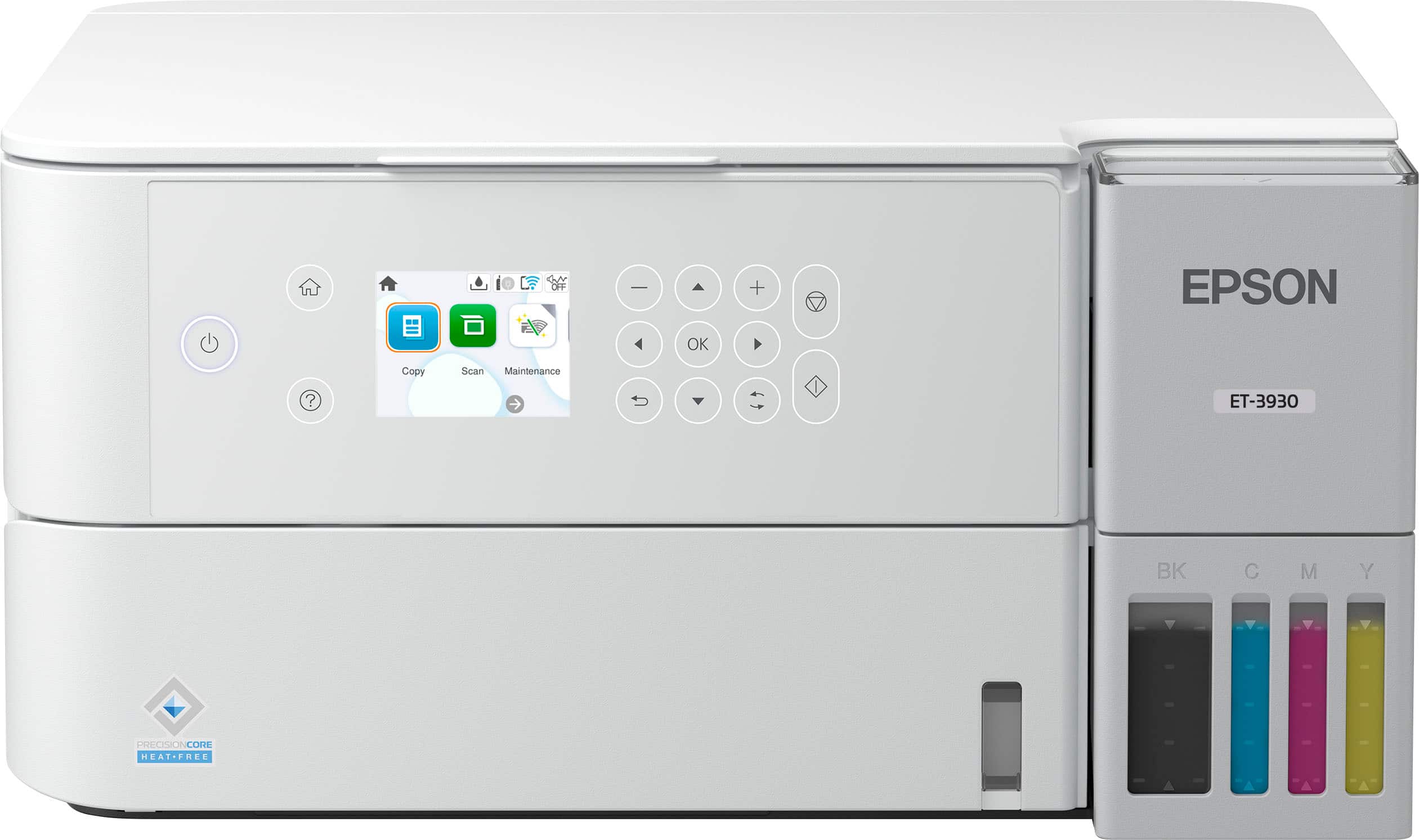
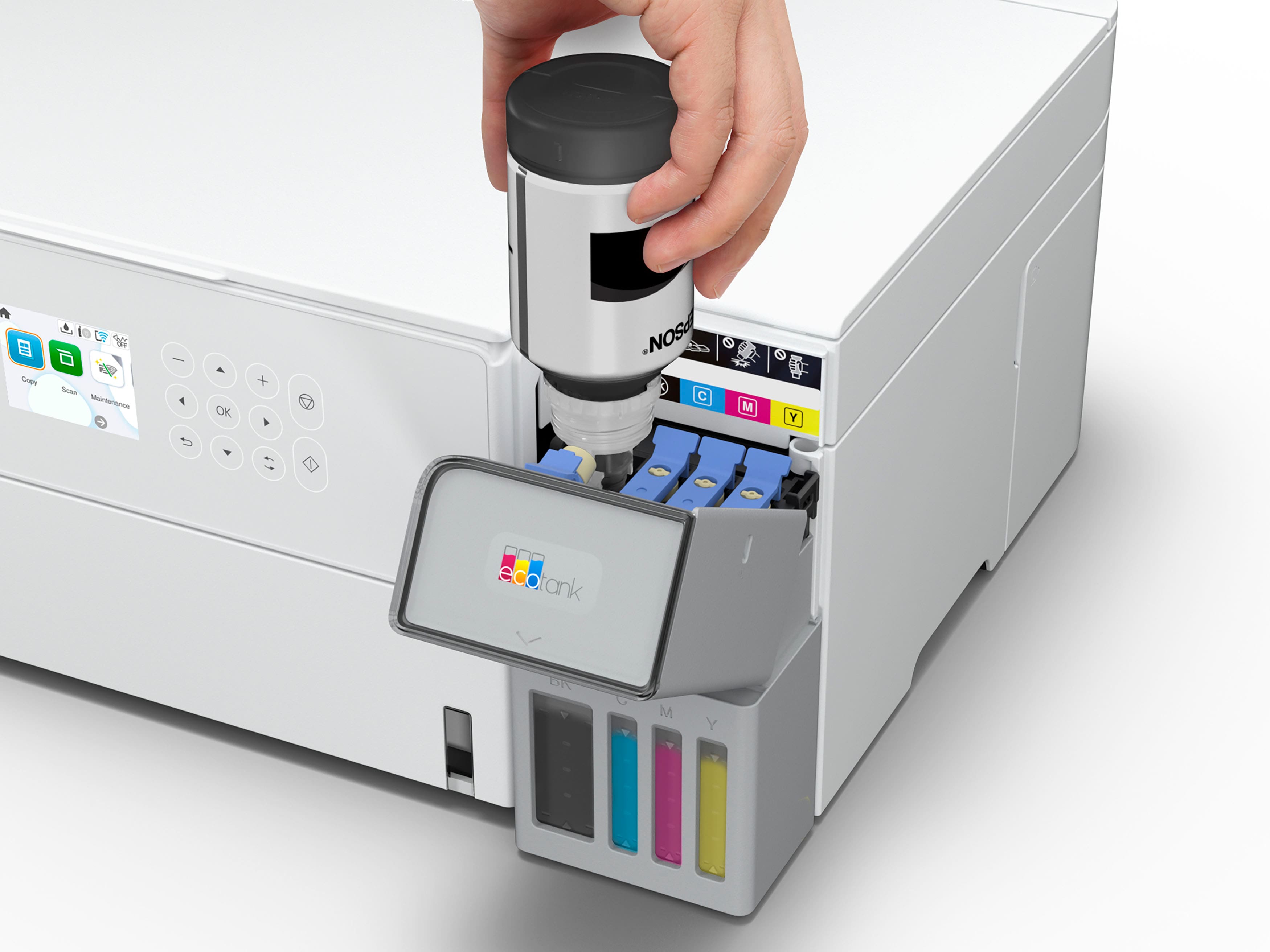
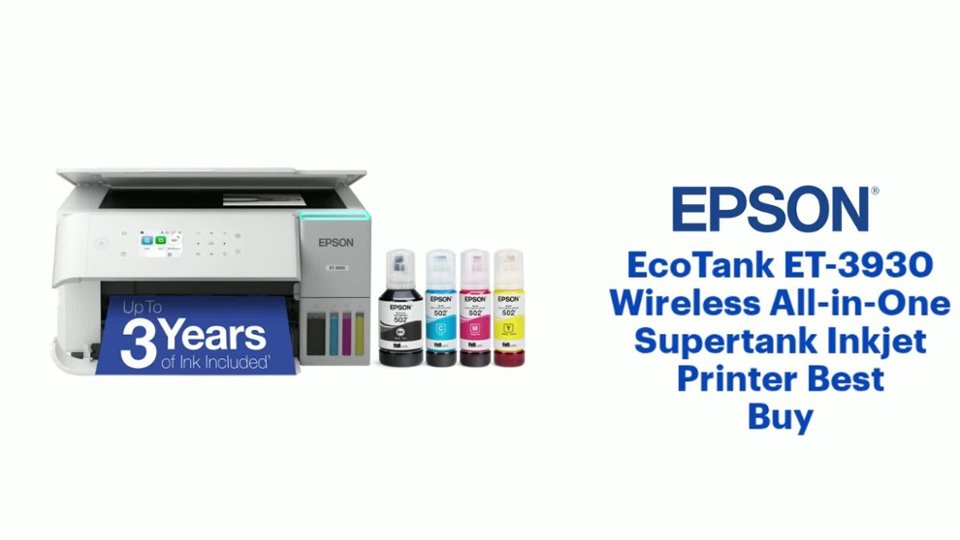
|Posted .This reviewer received promo considerations or sweepstakes entry for writing a review.First Impression: My first impression of the Epson - EcoTank ET-3930 Wireless All-in-One Color Supertank Inkjet Printer is that it is a very clean-looking, well-built printer. I was pleasantly surprised at how lightweight it was. The top cover opens smoothly but doesn’t stay up unless you open it all the way. The 2.4” color display is bright and easy to read. What’s in the Box: • EcoTank ET-3930 All-In-One • Manual • Power Cord • 1 bottle of 502™ Black (127 mL) • 1 bottle each of 502 Cyan, Magenta, Yellow (70 mL) Technical Specifications: Printing: • Printing Technology: 4-color (CMYK), drop-on-demand MicroPiezo® inkjet technology. • Max. Print Resolution: 4800 x 1200 dpi. • Print Speeds: Advertised speed is 18 black, 9 color ISO ppm. • Min. Ink Droplet Size: 3 ink droplet sizes, as small as 3.3 picoliters. • Included Ink: Up to 3 years of ink included. • Ink Yield: T502 Black: 7,500 pages, Color (Cyan, Magenta, Yellow): 6,000 pages. • EcoFit Ink Bottles: Designed for easy and mess-free filling. Copying & Scanning: • Scanner Type: Color flatbed (CIS line sensor). • Resolutions: Hardware Resolution of 1200 x 2400 dpi. • Resolutions: Max. Resolution of 9600 dpi interpolated. • Scan Bed Size: Max. 8.5" x 11.7". • Copy Features: 1-sided to 2-sided copying, reducing/enlarging, multi-page copying. Paper Handling: • Paper Input Tray: Holds 250 sheets of plain paper. • Automatic Two-Sided Printing: Yes. • Supported Paper Types: Handles plain paper, envelopes, photo paper in various sizes. • Maximum Paper Size: 8.5" x 47.2". Connectivity: • Standard Connectivity: Offers Wi-Fi®, AirPrint®, USB, and Ethernet connectivity. • Wireless & Mobile Printing: Apple® AirPrint® and the Epson Smart Panel® App. • Voice-activated Printing: Compatible with Alexa, Google Assistant, and Siri. General: • Color Display: Features a 2.4" color display for easy navigation. • Built-in Color Scanner & Copier: Yes. • Energy Star Qualified: Yes. • Warranty: Comes with a 1-Year Limited Warranty. • Dimensions: 14.8" W x 13.7" L x 7.4" H. • Weight: 12.6 lb. • Compatible OS: Supports Windows, macOS, and ChromeOS. Setup: When I first started setting this printer up, I ran into some install/config issues. I downloaded and installed the app, but it could not find my printer. I checked for compatibility, and the app itself told me the ET-3930 was not compatible, to use the Epson iPrint for mobile use. I contacted Epson support for help. They were very helpful and worked around my crazy work schedule. We finally connected and the printer was operating just as it should. I was able to connect to the printer, filled the tanks, launched the installer, and configured the printer, all in about minutes. After the setup, the printer went into the quality printing adjustment. It took a few minutes and set up the print quality. Finally, it went into a firmware update. I am assuming on the day I first tried setting it up, I was dealing with interference. I live in a town home and everyone in these town homes have Wi-Fi. I have added extra mesh APs to help with this. Performance: I tested this printer on my desktop, my laptop, and my Samsung S22 Ultra. The desktop was manually configured with a static address, same as the laptop. On my wife and I’s Samsung S22 Ultra cell phones, we used the Epson iPrint app. Loading the ink was very easy and very clean. I have used tank printers in the past, and there was a small amount of ink leakage during fill up. The Epson 3930 printer did not spill any ink. Once the ink nozzle was inserted, then the ink started to flow. And when removing the nozzle, there was no ink leaking. And a really nice feature is the ink level windows. One quick glance and you can see the ink levels. Never had that with cartridges. Printing on all devices works perfectly. While this shouldn’t be a surprise, I just got rid of 2 nice, expensive printers because they would randomly go offline when trying to print. The Epson has been hooked up for a week and hasn’t gone offline yet. The printer starts printing quickly and prints pages at a good speed. The printed colors are accurate and the lines in pictures are sharp. I’m not surprised as Epson is known to produce excellent color prints, especially photo prints. Another nice feature is the automatic slide out tray. When you need to print, the tray slides out before printing. Once you are done printing, you hit 1 button, and the tray automatically retracts back into the printer. That means when the printer is not in use, the footprint is limited to the size of the printer, which is really nice when used in smaller areas. The only thing this printer does not have that I wish it had is a document feeder. I scan many pages into single PDFs a lot. This printer will allow you to scan multiple pages into a single PDF, but it is all manual. But I knew that when getting this printer, it’s not a negative thing towards this printer, only a personal wish. But I am willing to give up a document feeder for a printer that is always available and has great prints at a very low cost with the ink tank system. Conclusion: The Epson - EcoTank ET-3930 Wireless All-in-One Color Supertank Inkjet Printer is a really nice printer. It has good print speeds, nice, clean, sharp printing, and the automatic slide out/retractable print tray that reduces the standing footprint. The printer is fairly quiet, the iPrint app works beautifully with our cell phones, and the ink tank system will now keep the cost of ink much less than the cost of the printer, something that was not true with my old cartridge printers. Add the exceptional support that Epson provides and you have a winner. If you want a good printer with a good footprint, great printing, excellent cell phone support, scanning and copying and a great app, then I highly recommend the Epson - EcoTank ET-3930 Wireless All-in-One Color Supertank Inkjet Printer.
I would recommend this to a friend home owner
||Posted . Owned for 3 weeks when reviewed.This reviewer received promo considerations or sweepstakes entry for writing a review.good quality work ablity and easy to use. easy usable features
I would recommend this to a friendGreat…but…
||Posted . Owned for 1 week when reviewed.This reviewer received promo considerations or sweepstakes entry for writing a review.Great printer. However, box says Ethernet, but I can’t find the outlet. :( Also, Scanner driver has a major bug that forced me to find a go-around to get the computer talking to the unit. :((
I would recommend this to a friendBrand response from Epson
Posted .Hi TK4231, we are sorry to hear you are having issues with your Epson printer. Your ET-3930 includes free technical telephone support for the life of your product. Our Epson Support Team would be happy to help you and can be reached at (562) 276-4382; Hours: Monday – Friday, 7 a.m. to 4 p.m. (PT). Sincerely, Joseph – The Epson Team.

Perhaps the worst product i've ever purchased
||Posted . Owned for 2 weeks when reviewed.This reviewer received promo considerations or sweepstakes entry for writing a review.Seriously, I can believe the folks at Epson manufactured this printer. The quality is pitiful, full of thin, cheap plastic. The touch screen is so flimsy I thought I was depressing a piece of stretched plastic. The icons are so tiny I could not hit the correct one. The display screen looks like a 1980 video game, and the connection process did not work (I'm not a tech genius, but I've used dozens of products like this successfully). The paper tray is motorized (why?) and will no doubt break within a year, and there is a front panel that lays open and looks ridiculous when the printer is in use. It looks like the whole front is open for repair. I immediately returned it and bought an HP ink-tankprinter, had it up and running in minutes, and the construction quality is so much better. Price not much different. Epson, what are you doing?
No, I would not recommend this to a friendBrand response from Epson
Posted .Hi timmydoughboy, thank you for sharing your experience. Epson takes into consideration all feedback to improve the performance and quality of our products. We will forward your feedback to the relevant Epson department, as we are always looking to make future Epson products better. Once again, thank you. Regards, Joseph – The Epson Team.
Can't Get It to Connect to Wireless Network
||Posted . Owned for 2 months when reviewed.This reviewer received promo considerations or sweepstakes entry for writing a review.I love the quality and features of the Epson EcoTank printers. I've had one for 9 years. However, neither I nor Geek Squad could get this one to reliably connect with my home wireless network. Geeks indicated that I'm not the first to have this problem. Please fix the problem, Epson. I'd love to have the 3930 in my home office. Until then, I can't recommend this to anyone.
No, I would not recommend this to a friendBrand response from Epson
Posted .Hi PeterL, we apologize about the disappointing experience you are having with your Epson printer's Wi-Fi connection. Your ET-3930 includes free technical support for the life of your product. Please call and let our Epson Support Team assist. Our support number is (562) 276-4382. Our support hours of operation are Monday – Friday, 7 a.m. to 4 p.m. (PT). We’re here to help. Sincerely, Joseph – The Epson Team.
This printer is a Piece of Junk
||Posted . Owned for 4 months when reviewed.This reviewer received promo considerations or sweepstakes entry for writing a review.I had an HP for over 20 years and printed from my iPad with zero problems. This printer will not connect to the internet and so it is of no use to me. I will never buy Epson again. Back to HP for me!
No, I would not recommend this to a friendBrand response from Epson
Posted .Hi pinkbunny, we apologize about the disappointing experience you are having with your Epson printer's Wi-Fi connection. Your ET-3930 includes free technical support for the life of your product. Please call and let our Epson Support Team assist. Our support number is (562) 276-4382. Our support hours of operation are Monday – Friday, 7 a.m. to 4 p.m. (PT). We’re here to help. Sincerely, Joseph – The Epson Team.
- Pros mentioned:Connectivity, Print quality, Setup ease
Very Economical
|Posted .This reviewer received promo considerations or sweepstakes entry for writing a review.I’ve been a big fan of Epson inkjet printers since they started making them. My last one was an RX-580 that has been a great printer for nearly 20 years now. That’s right – I bought it in 2006 and it’s now 2025. I really had no complaints about it except that the ink was very expensive. Over the years, I had tried some aftermarket ink, but it was never as good as original Epson ink, so I stuck with paying their prices, but it was worth it for the amazing quality. That printer also had an interesting feature which was a special tray that allowed printing directly on optical disc labels (CD/DVD). A few months back, I started having issues where it would not recognize the ink cartridges as being valid, even though I installed brand-new Epson branded ones. Also, when it would print, one of the colors was coming out with this odd rainbow effect, so it was time to replace my trust RX-580. I knew I wanted to stick with Epson, and I was very interested in their Eco-Tank system with less expensive ink that’s easy to refill. Features like scanning or even fast printing are not important – I have a business-class multifunction color laser printer for that. I came across this new ET-3930 printer and decided to give it a try. The price puts this on the upper end of most inkjets, but the lifetime saving on ink refills will definitely offset that. For perspective, replacing the ink in my old RX-580 cost nearly $80 and was rated for about 300 pages. The ink for the ET-3930 is about the same price, but rated page count is 20x more – that’s right, twenty times as many pages for the same money. Basically, the savings of just a few cartridge replacements will pay for this new ET-3930. Overall, I’d say the price of the printer is a good value. Setup was simple and using the phone app makes it easier. My old RX-580 was connected to my desktop computer via USB, but I decided to use a wired Ethernet connection for the ET-3930. That capability is one reason I chose this printer, because I prefer wired over Wi-Fi when possible. The printer came with a full-sized set of ink bottles – not “starter” ink. Filling the tank is simple and mess-free. Being able to see the actual ink levels via windows on the front of the printer is a great feature. I really like that the print head alignment uses the printer’s flatbed scanner to verify the patterns and automatically configures everything. Overall, it took about 15 minutes to unbox the printer and put it into operation. The ET-3930 is not a compact printer, so it will need some desk space. One reason for this is that the bottom-feed paper tray is totally enclosed, so the printer is about 14 inches deep, and 15 inches wide. It’s very similar in size to my old RX-580. The output tray does protrude another 6 inches from the printer, but it can be pushed back in and the door closed to hide it when not in use. A neat feature is that the output tray is motorized so if it is closed, it will automatically deploy when printing begins. The paper supply tray is not removeable. Standard paper can be loaded just by pushing it into the tray. If you need to adjust the guides for smaller sizes or envelopes, the tray does slide out about 9 inches for better access. The tray only has guides for width. It’s designed for paper up to 11 inches long, but it can also accept longer paper (i.e. legal) by letting it hang out of the tray. Loading smaller media is a hassle. The output tray has to be pushed back into the printer, then the source tray has to be pulled out to access the width guides. The guides adjust so that the media is centered in the tray. Since there is no guide for length, you just push the media all the way into the tray. If you have loaded a stack of media, it’s not an issue, but with a single sheet, pushing the tray back into the printer can let that paper slide back slightly and it won’t feed correctly. The tray really needs a length guide to hold the paper in place. There is no single page feeder – all media must go through the main paper tray. Placing a single sheet of photo paper in the tray on top of plain paper without pulling the tray out caused a jam about 1 out of 5 times. Because of that, It’s best to pull the tray out to load any paper. Paper feeding issues at this price point is a disappointment. Print speed is not bad at all. In fact, printing text or light graphic documents is impressively fast. I think it’s slightly slower than my RX-580 on photos, but the quality is good using premium glossy photo paper. In fact, I could not tell any difference in photos between this printer and my RX-580, so I am very happy with that. Another minor complaint is the paper path. All media is loaded face down and will feed through a complete U-turn for printing. There is no straight paper path, so thicker media can be an issue, thus printing on magnets or cardstock is not possible. The controls are fairly easy to use, but the display screen is small and is not touch-sensitive. Again, at this price point, I’d expect better. Using the scanner is simple. There’s no feeder, so it’s one page at a time. The Epson Scan utility makes saving documents on the computer simple. It’s really a one-button operation. Basic copies are simple, too, and fairly fast at standard quality. Copying a document with color graphics on plain paper actually looks better in standard quality than high. Copying a photo on premium glossy paper at the high-quality setting yields very good results. Darker colors are a bit murky, but there is a brightness adjustment that can fix that. I’d give this printer a 9 out of 10 for quality of copied photos, even though using the controls to select the proper paper sized and type is a bit tedious. Overall, I think this is a good printer, and it will meet my needs for photo printing. The savings on ink will pay for this printer in about a year based on my usage. Between the quirky paper feeder and the small control screen being a bit tedious, I dropped a star from my rating. I do recommend this printer. It’s good for simple jobs like photos or single-page copies and scans. If you need more than that, it would be better to consider a more sophisticated model.
I would recommend this to a friend - Pros mentioned:Connectivity, Print qualityCons mentioned:Automatic document feeder
Ink Tank Design is a Winner
|Posted .This reviewer received promo considerations or sweepstakes entry for writing a review.The Epson ET-3930 is a very well-designed printer. Its top quality of course is the high-capacity ink tank design. Epson was the first manufacturer of ink-tank technology, and has this technology very well refined. It was quite simple to load the 4 ink bottles into the tanks. There is some magic that occurs when the tanks reach a ‘full’ level that stops the input of the ink. Not even a drop of ink is spilled while you load the reservoirs – this process is very well designed. Note that if the ink bottles have some remaining ink, then put the cap back on, and when the ink level goes down, you can add this ink to the reservoirs. The print quality was excellent and the option of double-sided printing meant not only do you have about 2 years of ink supply, but you can also conserve paper. I was able to connect the printer to my computer without any troubles using either 2.5 GHz or 5 GHz access points. However, using the Epson Smart Panel app with an Android cell phone proved to be a challenge/problem. Although after several attempts I was able to make the WiFi connection and print a pdf from my cell phone, the connectivity was lost the very next time I tried to print from the cell phone. I tried a couple dozen times and had to conclude the Android cell phone functionality is broken. Epson has some work to do to ensure their phone app will work properly with this printer. It was basically trial and error to get their cell phone printing app to work correctly even briefly. The mechanics of the printer worked flawlessly. This included printing and making copies as well as a unique feature that extends the output tray automatically when printing is called for. There is a button you can hit to retract the tray if you wish. This is a useful feature that helps ensure your work area can be as compact as possible. It is not a touch screen, however the input process to select functions is accomplished in a manner that is sufficient. The printer has a scanner bed but not an automatic document feeder (ADF) for multiple page copies or scans. I do miss the ADF feature. Printing speed was just fair for color printing but was quite good for mono printing. Overall, I felt that although the Android cell phone use did not work, this printer has great value for attaching to a computer in terms of its functionality, especially the outstanding ink tank design. I would recommend this printer for computer use, unless you do need the automatic document feed for multiple page copies.
I would recommend this to a friend - Pros mentioned:Connectivity, Print quality, Setup ease
Great All In One printer for everyday
|Posted .This reviewer received promo considerations or sweepstakes entry for writing a review.Unboxing and set up was very easy - Epson provides video step by step guides but most of today’s electronics have standard set ups across the board so it was quick for me to connect wirelessly. Also, you can connect via USB or set it up for Apple AirPrint. About the printer it holds 250 sheets and has a 2.5 inch display which is great because if you print a lot this holds half a ream. One thing that sets epson apart from others is the EcoTank feature which is great because in the past I used to spend so much on ink cartridges that I decided to switch to laser printers because I get more printing out for regular documents. But you will not get good photos from laser printers so you need to get an ink printer. This printer is a good start if you want to print out the occasional photo and not to discerning with color. It prints great photos but not professional photos. Set up - filling up the color tanks was very easy and messy free. The settings were standard so I didn’t have to do anything different just make sure what I was printing was captured - like the borders or footnotes. Print speed was pretty standard for plain text but I must admit I am a little spoiled because I have a laser printer which has amazing print speeds. But this does print text fairly quick less than 5 seconds a page just for black and longer for color and depends on the detail. It’s double the time for color print. If printing photos much longer. I printed about 50 pages of color and black and white and had no issues with jamming or clarity. No smudging, everything was clear. Scanning was easy and the clarity of the print was also clear. Overall, if you a looking for an everyday printer for the family this is definitely a top contender. The wireless printing is reliable, set up and overall cost is cheap. The cost per page comes out to 21 cents for black and white, color is 83 cents. Not bad at all. One trick that I often do with my color tanks is to shake it to get the most out of it.
I would recommend this to a friend Inconsistent wifi connection
||Posted . Owned for 1 month when reviewed.This reviewer received promo considerations or sweepstakes entry for writing a review.Printer continuously loses connection with wifi and won't print from phone or computer on same network. Completed troubleshooting and still can't fix.
No, I would not recommend this to a friendBrand response from Epson
Posted .Hi BrianG, we apologize about the disappointing experience you are having with your Epson printer's Wi-Fi connection. Your ET-3930 includes free technical support for the life of your product. Please call and let our Epson Support Team assist. Our support number is (562) 276-4382. Our support hours of operation are Monday – Friday, 7 a.m. to 4 p.m. (PT). We’re here to help. Sincerely, Joseph – The Epson Team.
- Pros mentioned:Noise level, Print quality, Size
Great little printer, low ink costs!
|Posted .This reviewer received promo considerations or sweepstakes entry for writing a review.This is a very fine printer for my home office and personal use. I print 100-200 pages per month and was looking for options to save on ink costs. The Eco-tank on this printer should last me several years at least. A big advantage is that a full supply of ink is included with the purchase of the printer, and not just smaller sample bottles. I appreciate the compact size of this printer, its quiet operation, and excellent print quality both of black and white typed pages and color photos. A larger and more expensive printer might provide faster print times, but the documents will look the same. Set-up is straightforward, but I could imagine that someone with little or no technical experience could find the process a bit frustrating. The initializing process is well-documented in a handout that comes with the printer, but full documentation is only available online. Features missing on this printer include an automatic document feeder, and a touch screen control panel. I really do not need a document feeder, so that was not an issue. However, it would have been nice to get a more modern touch screen interface for adjusting the printer settings. Granted, these setting adjustments are done infrequently, and the analog control panel does work reasonably well once you get used to it. One caution to consider: one of my computers is powered with an ARM chip, and as of this writing there is no full featured printer/scanner software from Epson for Windows on ARM for this printer. Basic printing and scanning operations do function well with generic drivers, however. Information on the Epson website does state that they expect to have a full set of drivers for ARM computers later this year. All in all, I am very pleased with this printer. I am saving a ton of money on printer ink, and I am getting high-quality documents from a machine that takes up very little space. I would recommend it highly for someone with needs like mine.
I would recommend this to a friend Piece of Junk no support
||Posted . Owned for 1 week when reviewed.This reviewer received promo considerations or sweepstakes entry for writing a review.Doesn't work, won't setup with any of my devices. No one to call for help and I am to ill to return it.
No, I would not recommend this to a friendBrand response from Epson
Posted .Hi JamesG, we are sorry to hear you are having issues with your Epson printer. Your ET-3930 includes free technical telephone support for the life of your product. Our Epson Support Team would be happy to help you and can be reached at (562) 276-4382; Hours: Monday – Friday, 7 a.m. to 4 p.m. (PT). Sincerely, Joseph – The Epson Team.
Problem printer
||Posted . Owned for 1 week when reviewed.This reviewer received promo considerations or sweepstakes entry for writing a review.Having terrible issues with this printer. Cannot connect to Wi-Fi and can’t find anyone to solve this problem.
No, I would not recommend this to a friendBrand response from Epson
Posted .Hi StephenL, we apologize about the disappointing experience you are having with your Epson printer's Wi-Fi connection. Your ET-3930 includes free technical support for the life of your product. Please call and let our Epson Support Team assist. Our support number is (562) 276-4382. Our support hours of operation are Monday – Friday, 7 a.m. to 4 p.m. (PT). We’re here to help. Sincerely, Joseph – The Epson Team.
horrible customer service davie FL!
||Posted .This reviewer received promo considerations or sweepstakes entry for writing a review.The most horrible customer service at the davie fl store location I will never buy from this store ever again in my life
I would recommend this to a friendBrand response from Epson
Posted .Hi Ashleyb, we are sorry to hear about the disappointing experience you've encountered. Epson takes into consideration all feedback to improve the performance, quality, and support of our products. We will forward your feedback to the relevant department. If the issue still persists, you may reach out directly to our Advanced Epson Support Team at 1-800-241-5794. We appreciate your time and we look forward to your call. Kind Regards, Joseph – The Epson Team.
- Pros mentioned:Print quality, Setup ease
easy to set up large tank printer, but no ADF
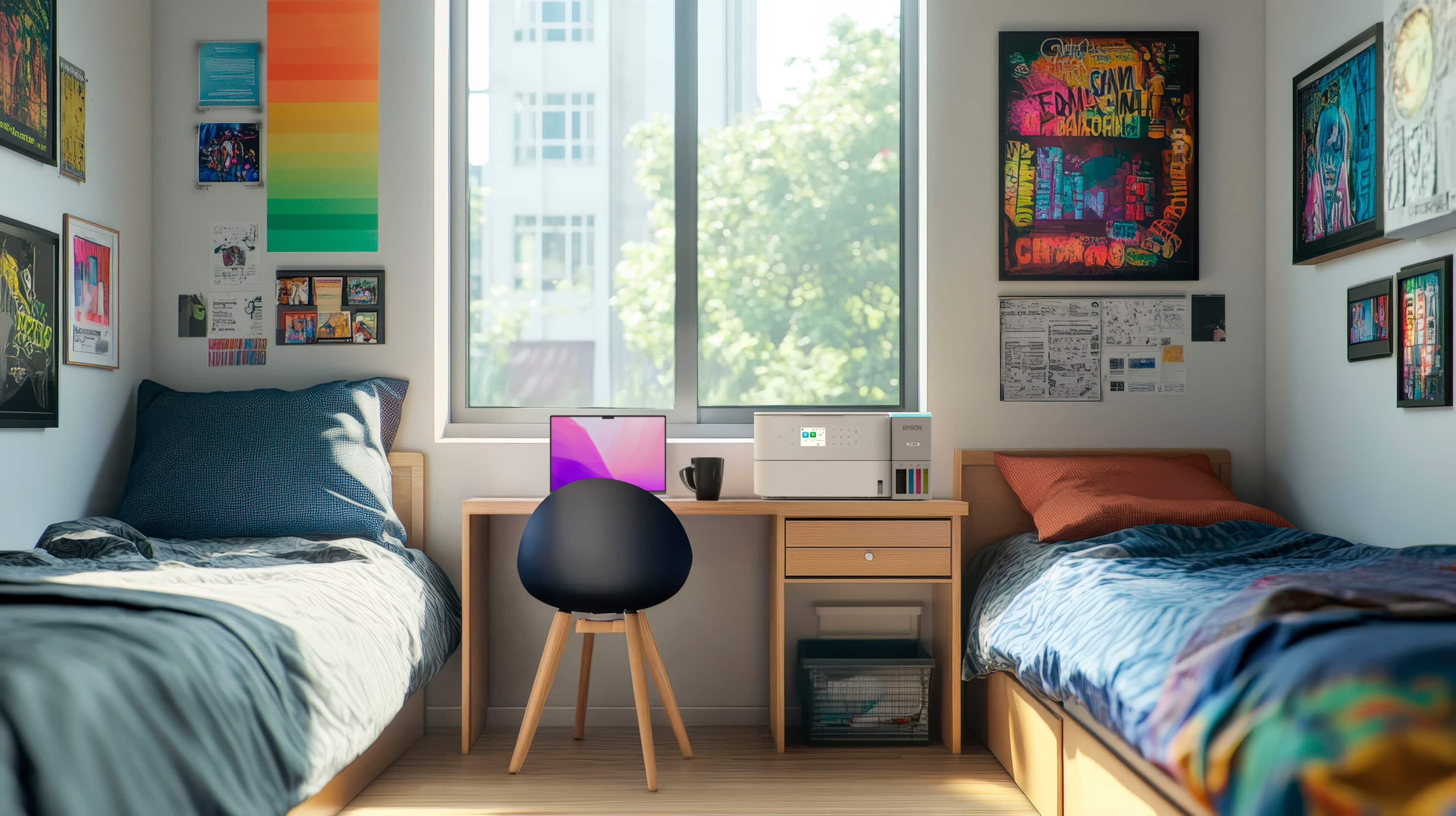
|Posted .This reviewer received promo considerations or sweepstakes entry for writing a review.Epson ET-3930-another large tank printer. You ask yourself – why this one as there are a few of them on the markets. This printer is not inexpensive compared to others for the does. By all means, the ink will certainly last you a long time if you use it daily but am not sure about three years if you share this printer for a home office (or a small office.) While it is not their top of the line because it doesn't have an automatic document feeder that you could copy/scan a stack of paper at a time, it works perfectly fine for occasional copying and scanning. While this is not the first printer that comes with a maintenance tray, I am thankful that it does and to replace one it is less then USD10. For those of you who are not familiar with a maintenance tray, when an inkjet needs the head cleaning because it could occasionally clog up, the cleaning cycle squirts the ink through the printheads and it has to go somewhere. The cheaper printers (or the older generation large tank printers) once the sponge pad where the ink is squirted onto is saturated, that was it. You have to ship the printer to the service center so they can open it and changed this little cotton pad. Basically it was the end of life for many people as they find it easier just to buy a new printer. The company wise up and realize it cost more to deal with this so the built in the replaceable maintenance tray that when it is full (the printer will tell you) you simply pull it out and replace it with a new one. It is not as simple as replacing the sponge inside because the printer will know from the IC chip that a new one is replaced and since it doesn't cause that much and it takes a very long time until it needs to be replaced, it is not a big deal but I know that I can run this printer to the ground and not having to discard it before it truly dies on me. This model is easier to set up than other Epson printers (or Canon or HP brands), as the printheads are already installed. If you look for them when you open the box they are in place already. All you need to do is remove all the blue ribbons that secured things in place and insert a few pieces of paper, filled the ink tanks (carefully although it is so unlikely you will put in the wrong color in the wrong tank because the tip of the bottles are made to fit only the correct tank.) And the printer will prime the tubes which takes about 10 minutes. Meanwhile you can download the program from the website to your preferred operating system and in turn, the set up program will also download other components. This particular part took me two weeks to complete – longer than other users I am afraid. What happened was my hard drive controller was going that and files that I download were corrupted. The error message was simply there was not enough hard drive space in the temporary folder (directory) and calling the Epson tech support I discovered that my motherboard was dying. It is being replace since I noticed that another Epson hardware was not being installed properly with the same error message (not enough hard drive space in the temporary folder) which was impossible as I have a two terabyte of space on that drive. Sorry for digressing – but if you run into this problem, you are having a hardware issue on your computer. I'm testing the printer on a laptop, and another spare computer and they were both installed quickly with no problem at all. You need not be a computer expert to install the driver, but some basic computer knowledge should be useful. I really love the Epson photo plus program which could log on a cloud account or a local hard drive and print a whole bunch of photos (in my case, I have a box of four by six Epson photo paper and this printer is basically a dedicated photo printer which I really enjoy using.) But using it to print regular document works perfectly fine. It works well for duplex printing, too. If this printer is shared more than a couple of people, it should work unless you print a lot of pages. (The tray holds 250 sheets which is one half of a ream of paper). There is a quiet mode to make it less noisy but it prints a little slower. During set up it prints a page that you immediately scan it back and it does some alignment and it was pretty easy. The brand name Epson inks for this model is not expensive but I have another Epson large tank printer that I used generic inks and they work perfectly fine without any problem. You do this at your own risks of course. If the output tray is closed, it pops it open but I have not and could not figured it out to have it move back and close it up by itself. Of course you press the button on the main you (sadly this is not a touchscreen LCD) and the tray retracts back into the printer. And with the tray inside, it really doesn't look like a printer. It is basically to squared but I would not choose this printer over another because of the way it looks. I recommend this printer but for the price it is being sold for it prints a little faster than other models but it does not have automatic document feeder and another brand and even Epson makes another brand which has ADF that costs less. You certainly will save a lot of money when it comes to ink but this type of printer is a large investment if you buy it for home use. Just use it often so the heads were not clog up on you – but if you do – you know that you can run the cleaning cycle and it should clear it up. This printer does not have a fax machine built-in – for those who needs a fax machine. Personally I use electronic fax but sometimes I have a few pages of documents that I need to scan so it could be inconvenient to have to do it manually. Otherwise it's a very capable printer and probably is perfect for a college student that he can share with his roommate. It might even work fine at a small office sharing it between two, to three person. But it is not for a place that is busier, or needs to scan more than a couple of pages at once.
I would recommend this to a friend - Pros mentioned:Print quality, Setup ease
Standout Printer from Epson!
|Posted .This reviewer received promo considerations or sweepstakes entry for writing a review.I love having a printer at home, but I am sometimes overwhelmed by the number of choices and devices that are offered to accomplish my relatively simple tasks. Thankfully, the Epson EcoTank ET-3930 printer combines ease of use with quality features, all in one well-built package. The Epson ET-3930 printer is easy to set up and use. Unpacking, removing tape from the printer, and adding ink and paper are all done in a matter of minutes. I was a bit worried about potentially spilling the ink, but the bottles are designed to only release the liquid when they are docked in the tank during fill-up. This is a great feature, and ensured that each ink tank was filled properly, with absolutely no mess or clean up needed. The machine itself is thoughtfully laid out, and seems well-made. I'm not extremely familiar with all of the features of home printers, but the Epson ET-3930 makes it pretty easy to understand the various tools that are present here. The recommended method of setup includes downloading the Epson Smart Panel app and following the steps on the app. At first, I wasn't happy about needing an app, but once I got the printer set up, I found that the app is great! The app allows you to do many things, but my favorite is being able to turn the printer on or off remotely—this is so convenient! I will frequently be downstairs on my computer and need to use the printer, which is upstairs- this way, I can make sure the printer is on before I send something to it to be printed. In addition to printing, this product also has a document scanner, and from the Epson Smart Panel app, you can choose "Copy" to copy something using the scanner. If you prefer to copy something without the scanner, just choose "Document Capture" to take a photo of a document and print it, or save it from the app. The copy and scanning features work well, and the quality looks identical to the source material. A fun feature of the Epson ET-3930 is the output tray, which opens automatically when printing. To close it, just press the two arrows on the control panel of the printer. This is just something I thought was cool, and it looks pretty neat when you’re using the printer! The instructions said to download software when printing from a computer, but on my iMac, all I had to do was add the printer, and it works! I truly appreciate that I don’t have to rely on apps or software to use this printer. So far, I’ve been able to wirelessly connect to both Macs and PCs in my house, and the printing is done perfectly. As for the print quality, it is truly vivid and crisp. Even plain black and white documents just look so sharp, with a dark contrast of the ink on the paper. So far, I've been extremely pleased with the Epson ET-3930's performance, and the large ink reservoirs ensure that I'll be able to keep printing for quite a long time until I need to purchase more ink. All in all, the Epson ET-3930 printer does a good job of printing nice, clear documents. It excels at reproducing all types of printed materials, from color to black and white. Additionally, the scanner offers more features and value, in what is already a great home printer package. If you are looking for a new printer that is great at doing exactly that, printing, look no further!
I would recommend this to a friend - Pros mentioned:Noise level, Print quality
Good replacement for costly cartridge printers
|Posted .This reviewer received promo considerations or sweepstakes entry for writing a review.With the cost of color inkjet printers being affordable UNTIL you end up having to buy replacement cartridges, EPSON has an answer: their ecotank printers which come with bottles of the black and three colors used in most printers to form pictures. If you have shopped other cartridge printers, there is a new game in town - the subscription model which may or may not be a winner depending upon your needs. INITIAL OBSERVATIONS The foot print for this printer on your desk or shelf is comparable to most small laser printers and many low cost all in one units. This unit does not have a multi-page scanner capability - it has a single page, lift up type scanner. Set up was pretty straight forward and my installation seemed to use all of the ink in the bottles supplied to fill in the somewhat clear holding tanks on the right front of the unit. I did have issues with the wifi setup that could do everything but complete the final handshake with the network. I thought I was entering password wrong but even being super careful, this thing would not connect to the network - and that is a first on this network. Never had that problem before. Ended up going hard wired connection and that worked as it should. PAPER TRAY ISSUES? The one constant issue with this printer is its detecting paper amount in the tray and constantly saying there is no paper. I never fill my paper more than half way as I tend to use different printing media and don't like having an accidental use of photo paper just to make a black and white text print. I thus keep about a third of the amount in the unit and this one was finicky with detecting paper. Also note with photo paper, make sure the good side is down in the paper tray or you'll print the image on the wrong side. OPERATIONAL OBSERVATIONS Very quiet machine. About as fast as most inkjet printers on text and photo printing speed is average as well. I had no problems with smeared ink on photos using glossy 200 GSM paper. Print quality and color replication were average. I'm not using my printer to sell prints so it is okay for having a hard copy of something; if you were doing something that needed a higher quality output, I'd pay to have additional color tanks that will do a better job of color replication. CONCLUSION Epson used to be my go to brand for printers - I had an 880 color printer that I wore out that just ran and ran. That was a high mark in inkjet printers and I wasn't happy with several other Epson branded units and went to a competitor with okay results. It is good to see Epson finally building a printer that upholds their brand's prior standard of excellence - unlike the others that I bought that felt low quality, this one seems robust and not flimsy. Replacement ink is not all that expensive and seems cheaper than buying the cartridges. And since this doesn't have the cartridges that seem to clog on modern inkjet printers, this has hope for resolving that.
I would recommend this to a friend - Pros mentioned:Print quality, Setup ease
Compact, quick, and a little retro
|Posted .This reviewer received promo considerations or sweepstakes entry for writing a review.I’ve been in need of a high quality inkjet for printing work things for a while now. Having owned a number of Epson products in the past with good success, I figured this would be a great solution for my needs. Right out of the box it’s extremely easy to set up, and uses a chatbot like interface to walk you through the setup process with ease. The ink reservoirs are huge and offer a lot better print per page than the cartridges I seem to always burn through. Filling up the tanks is super simple, and if you make a mess doing so I’d have to wonder how you did it. Completely fool proof! I like that the whole front closes up into a compact design when you’re not printing, and if you happen to print before you flip it down the printer will just do it for you. I’m able to put it somewhere I otherwise could not because of that little extra touch or functionality. The Episode app functionality what you would expect for a printer that has scan functionality, but feels a bit dated in terms of user design. I almost thought I downloaded the wrong one but sure enough it’s just a little retro. Print quality and speed are very good, and the responsiveness to a multi-page print request over WiFi beats my color laser by 30-45 seconds each time. All things considered, if you need a great printer for things at home or standard home office printer, you can’t go wrong with the value this Epson offers.
I would recommend this to a friend - Pros mentioned:Connectivity, Setup ease
A Standout All-In-One Color EcoTank Printer
|Posted .This reviewer received promo considerations or sweepstakes entry for writing a review.This is the second tank printer I have received to evaluate and review and can honestly tell you it is the best so far. After unboxing the Epson ET-3930 ECOTank Color All-In-One Printer, I removed all the packing material including the blue tape holding/protecting its parts from shipping damage, I placed it in a convenient accessible location to aid in the setup of the printer. Next I installed the printer ink into each color-coded slot as directed with no drips or misses then downloaded the Epson software required to run the ET-3930 printer. (A user manual is available from Epson.com/support.) Once the software has been downloaded and installed, I connected the printer to my local Wi-Fi network for wireless use throughout the house and via various computers and smartphones. A software download is available for both IOS and Android smart phones to print directly from your smartphone and to control the printer. I found the printer prints single or two-sided pages nicely and also can be used to scan, copy or fax documents as needed. It truly has an all-in-one capability. The printer prints in both color and black and white and I found the color to be very acceptable. Overall, I really like this new Epson ET-3930 All-In-One Color Printer and am sure it should serve well for a long time!
I would recommend this to a friend - Pros mentioned:Print quality
No account, 1st-party ink, or subscription require
|Posted .This reviewer received promo considerations or sweepstakes entry for writing a review.GOOD - Good print quality - Network sharing capabilities - Refillable ink tanks - Doesn't require a subscription service - No special software or driver required BAD - Expensive compared to many inkjet printers - Clunky paper output tray - No Touchscreen controls - Blinking status lights are annoying at night TLDR Epson's EcoTank printers are a great solution for those tired of being yanked around by expensive ink cartridges and printing functions being locked behind subscription paywalls. The Epson 3930 isn't the cheapest refillable tank printer, even in Epson's own line, but it has faster printing speed than many lower-costing printers and doesn't require any Epson account, subscription, or even special driver package installations to fully function. DETAILS Like many people, I've become increasingly frustrated with home printers. Replacement ink literally costs more than its weight in gold, ink cartridges are locked so you have to buy only one brand, and many printer functions and features get locked behind a subscription paywall as soon as your introductory trial is over. Inkjet printers can often be worse because if you only need to print something every once in a while, the print nozzles get gunked with dried ink and you waste a lot of your ink capacity on cleaning them just to print another few pages. So I figured I'd take a chance on this after my B&W laser printer "mysteriously" stopped working correctly after a firmware "update." So far it's been doing fairly well. It's nice again having the ability to print in color and quality has been very good. I printed off a few family photos on some leftover glossy paper I had and they turned out very nice. It also can connect over a network, both wired and wireless, so it's easy to share with every device on the house. It also has a USB connection, though it does not come with the required USB A-to-B cable in the box for using it that way. Perhaps best of all, none of this required any special software from Epson. Nothing requires you to create an account with Epson, sign up for a service trial, or download a monstrous driver suite with endless monitoring and maintenance software. Initial setup of the printer and filling the ink tanks can be done just using the included printed instructions. After the printer was setup, I simply added the printer through Windows settings alone. No forced downloads, no background daemons eating up system resources. I can open a browser to the printer's IP address on my network and do any configuration on it that I want. Scanning and copying functions are all available too. Of course, you can still use Epson's software if you want. There is a mobile application for your phone or tablet which will walk you step-by-step through the whole thing, again which doesn't require making an account or registering the printer. And there's the usual suite of drivers and utility software you can download from Epson. Have I mentioned you don't need to sign up for anything or create an account with Epson to use them? The printer isn't perfect. To start, it is quite a bit more expensive than other inkjet printers, even others in Epson's EcoTank line. However, the 3930 does print almost twice as fast as those baseline models. Hopefully this increased price is offset in years to come by not being gouged on replacement ink cartridges. As of this writing, replacement ink is about $25 for a big black bottle and $15 per smaller color ink bottles. Of course you can also buy off-brand ink for considerably less. The ink bottles that come with the printer are enough to fill it 100%. A little is leftover in the bottles after initial fill, but after the printer starts drawing the ink into the internal hoses and such, they're down to 75% so you can use the remainder in the bottle to top it back up. In terms of creature comforts, a few things could certainly be better. The output tray is quite clunky. You have to manually pull it out or push it in and it's quite stiff to do. This model also doesn't have a touchscreen ( the more expensive 3900 models do ), so navigating the small on-screen menu requires the buttons to the side of it. The power button light also blinks slowly when the printer goes to standby, so it's rather annoying at night unless you turn it on and off every day. In all, it seems like a good printer so far. I can't comment on ink efficiency as yet to say how long the tanks will last. And as this is an inkjet printer, I'm sure I'll have to clean the nozzles somewhat regularly if I'm not printing something at least every week. I'm sure that will waste some of the ink, but maybe with the refill bottles being less expensive, that won't be such an onerous thing.
I would recommend this to a friend