Customer Ratings & Reviews
- Model:
- C11CJ21201
- SKU:
- 10840044
Rating by feature
- Value
Rating 4.5 out of 5 stars
- Quality
Rating 4.6 out of 5 stars
- Ease of Use
Rating 4.5 out of 5 stars
Customers are saying
Customers enjoy the amazing print quality, excellent overall performance, and easy setup, especially with its Bluetooth connectivity. However, some customers have experienced issues with paper jams, find the price to be a drawback, and note that the printer can be quite noisy during operation.
This summary was generated by AI based on customer reviews.
Business owner and artist
||Posted . Owned for 3 weeks when reviewed.This reviewer received promo considerations or sweepstakes entry for writing a review.There are other Epson printers that can do better quality photos but if you’re starting out as a business owner, this is a great printer to use.
I would recommend this to a friend- Pros mentioned:Print quality
Paper feed issue
||Posted . Owned for 2 months when reviewed.This reviewer received promo considerations or sweepstakes entry for writing a review.I love the color and the picture quality. But I'm having trouble with this printer already. I've had it for 2 months!! The paper is not feeding. I had trouble with the paper feeding on my last Epson printer.
No, I would not recommend this to a friendBrand response from Epson
Posted .Hi Disappointed, we’re sorry to hear you’re having issues with your Epson ET-8550. Your product includes a 1-year limited warranty and free lifetime tech support. The Epson Advanced Support Team would be happy to help get your printer set up and resolve any issues. Please call us at 1-800-241-5794 between 7 a.m. – 4 p.m. (PT), Monday – Friday. Sincerely, Joseph – The Epson Team.

- Cons mentioned:Paper jam
Printer NEVER WORKED!
||Posted . Owned for 8 months when reviewed.This reviewer received promo considerations or sweepstakes entry for writing a review.I bought this printer and the only thing it allowed me to print was the initial test page. After that it kept giving me paper jam error messages even when there was no paper. Contacted Epson since it’s still under warranty and they are replacing with a refurbished printer, after I send this one back. So I paid almost $600 for a refurbished printer. I feel like the biggest SUCKER!!!
No, I would not recommend this to a friendBrand response from Epson
Posted .Hi Richie, Epson takes into consideration all feedback to improve the performance and quality of our products. We will forward your feedback to the relevant Epson department, as we are always looking to make future Epson products better. Regards, Dylan – The Epson Team.
et_8550 new user
||Posted . Owned for 1 month when reviewed.This reviewer received promo considerations or sweepstakes entry for writing a review.It has a lot of thinking for me as well as formatting. I need to get used to all that.
I would recommend this to a friendBest printer I ever own
||Posted . Owned for 2 weeks when reviewed.This reviewer received promo considerations or sweepstakes entry for writing a review.This printer is great! Absolutely in love, I can do so much with it. I converted it to a sublimation printer
I would recommend this to a friendEpson ET8550
||Posted . Owned for less than 1 week when reviewed.This reviewer received promo considerations or sweepstakes entry for writing a review.I love this product so much this is my second Epson ET8550 within the past 4 months.
I would recommend this to a friendEpson ET-8550
||Posted . Owned for 1 month when reviewed.This reviewer received promo considerations or sweepstakes entry for writing a review.Purchase item in store was shipped and arrived on time
I would recommend this to a friend- Pros mentioned:Print quality
Shaq made me buy it
||Posted . Owned for 2 weeks when reviewed.This reviewer received promo considerations or sweepstakes entry for writing a review.Great printer overall! I watched tons of YouTube videos to get the perfect print! Loving it !
I would recommend this to a friend Defective upon set-up
||Posted . Owned for 1 month when reviewed.This reviewer received promo considerations or sweepstakes entry for writing a review.It saddens me to write this review. Purchased this printer less than 30 days ago and finally set it up on Friday. Didn't realize Best Buy return policy is 15 days and you have to pay $199 for Total Tech to be able to return within 30 or 60. This printer can't even get past alignment issues, always under the two same colors like there is something wrong with the print heads. Nothing changes despite following all Epson's suggestions. Best Buy basically washes their hands of it and Epson will be my next contact. What a shame for an expensive printer.
No, I would not recommend this to a friendBrand response from Epson
Posted .Hi Coolatte, we’re sorry to hear you’re having issues with your Epson EcoTank Photo ET-8550. Your product includes a 1-year limited warranty and free lifetime tech support. The Epson Advanced Support Team would be happy to help get your printer set up and resolve any issues. Please call us at 1-800-241-5794 between 7 am - 4 pm (PT), Monday - Friday. Sincerely, Tony – The Epson Team.
Epson 8550 malfunctioning within less than a year
||Posted . Owned for 3 months when reviewed.This reviewer received promo considerations or sweepstakes entry for writing a review.The tray doesn’t want to manually open after pressing the output tray button. It struggles and then closes back. It makes a grinding and squeaky noise…
No, I would not recommend this to a friendBrand response from Epson
Posted .Hi BenjaminB, we are sorry to hear you are having issues with your Epson printer. Your EcoTank Photo ET-8550 includes a 1-year limited warranty plus free technical support for the life of your product. Our Epson Support Team would be happy to hear from you and can be reached at (562) 276-4382; Hours: Monday – Friday, 7 a.m. to 4 p.m. (PT). Sincerely, Dylan – The Epson Team.
Way overpriced and constantly messes up
||Posted . Owned for 5 months when reviewed.This reviewer received promo considerations or sweepstakes entry for writing a review.Way overpriced and constantly messes up, do yourself the favor and save yourself a headache and do not buy.save your money and get a way better printer for less money
No, I would not recommend this to a friend- Pros mentioned:Print quality
Grainy Images, poor machinery
||Posted . Owned for 7 months when reviewed.This reviewer received promo considerations or sweepstakes entry for writing a review.I was do looking forward to this printer. Unfortunately the quality of the images is horrible, grainy and dull. Premium Paper constantly gets stuck. Yes the ink lasts but that is the only positive.
No, I would not recommend this to a friend Beware you may receive a used printer
||Posted . Owned for 3 weeks when reviewed.This reviewer received promo considerations or sweepstakes entry for writing a review.I was suppose to receive a new printer but instead received a used one that already had ink and paper in it. I was out of town and did not get a chance to check it before their 15 day return window. Now I'm getting the run around. 1 person told me to use the 4yr extended warranty I purchased another told me to use the manufacturer's warranty.
No, I would not recommend this to a friendDevastated
||Posted . Owned for 2 weeks when reviewed.This reviewer received promo considerations or sweepstakes entry for writing a review.Purchased Feb 25. Set it Mar 8. Attempted to use it Mar 11, and it’s broken. Error 031006
No, I would not recommend this to a friendPoot
||Posted .This reviewer received promo considerations or sweepstakes entry for writing a review.Got my order an gone to open it an set up my item an the item looked used
I would recommend this to a friendBrand response from Epson
Posted .Hi Michael M, we are sorry to hear you are having issues with your Epson printer. Your ET-8550 includes a 1-year limited warranty plus free technical support for the life of your product. Our Epson Support Team would be happy to hear from you and can be reached at (562) 276-4382; Hours: Monday – Friday, 7 a.m. to 4 p.m. (PT). Sincerely, Joseph – The Epson Team.
- Pros mentioned:Print quality
It's expensive, but worth it in long run
Posted .This reviewer received promo considerations or sweepstakes entry for writing a review.Reviewing Prints: Please note when looking at pictures of monkey and elephant the larger print job is the Epson ET-8550. The smaller is my previous HP printer. Not the lack of details and how off colors are on the HP vs the Epson ET-8550 A very good photo lab quality printer. Go and get yourself some premium 13x19 matte paper and you'll have a printer that is really good at filling out a wall with your photos for a fraction of lab prints. I was worried about its ability to reproduce colors with only having one gray but it works really well. I put the print out against my color calibrated monitor and what was on screen was pretty close. What I noticed immediately over my old HP photo printer was that the grays looked gray and not blueish and my daughters red dress wasn't faded looking once printed but the same red pop in the photo. All in all I would say buy this if you are into printing photos. I'm getting prints that would have cost me $20-32 bucks out for $1.20-1.30ish at 13x19 and most of that was the expensive paper I bought that was $1.10ish a sheet. If you buy this printer make sure you download the drive from Epson. You don't need the extra tools unless you really want them but you want the full driver. The windows installed version is a light version and will be missing a ton of advanced features like the ability to print up to 13x19 and setting high quality print.
I would recommend this to a friend - Pros mentioned:Ease of use, Overall performance, Print quality
Awesome!
||Posted . Owned for 1 month when reviewed.This reviewer received promo considerations or sweepstakes entry for writing a review.Great product, it is a little pricey. Definitely worth every cent. Awesome for alot projects and ink is long lasting. Easy to install if steps are followed correctly. Easy to use.
I would recommend this to a friend - Pros mentioned:Print qualityCons mentioned:Paper jam
great printer. HORRIBLE, HORRIBLE software
||Posted . Owned for 1 month when reviewed.This reviewer received promo considerations or sweepstakes entry for writing a review.This printer is really nice. It prints fast, has lots of functions, and ink is cheap (for a printer). Ink loading is wonderfully easy. Paper loading is a breeze. Really happy with its print quality. Now the drivers/software for windows are a complete disaster. First off, they are hideously ugly UI from the 90s. Ok though, that isn't a big deal if they work. But they don't work well at all. Everything takes so much time to set, it doesn't remember it. If you print using the app print dialog, you will get different output that if you click the option to use the system dialog instead, which you have to in order to set various things like the paper input. It is such a constant hassle to try and get the right paper tray used. It is really a shame, because otherwise the printer would be a joy to use.
I would recommend this to a friend - Pros mentioned:Ease of use, Print quality
Epson – EcoTank Photo ET‑8550 All‑in‑One - GREAT!
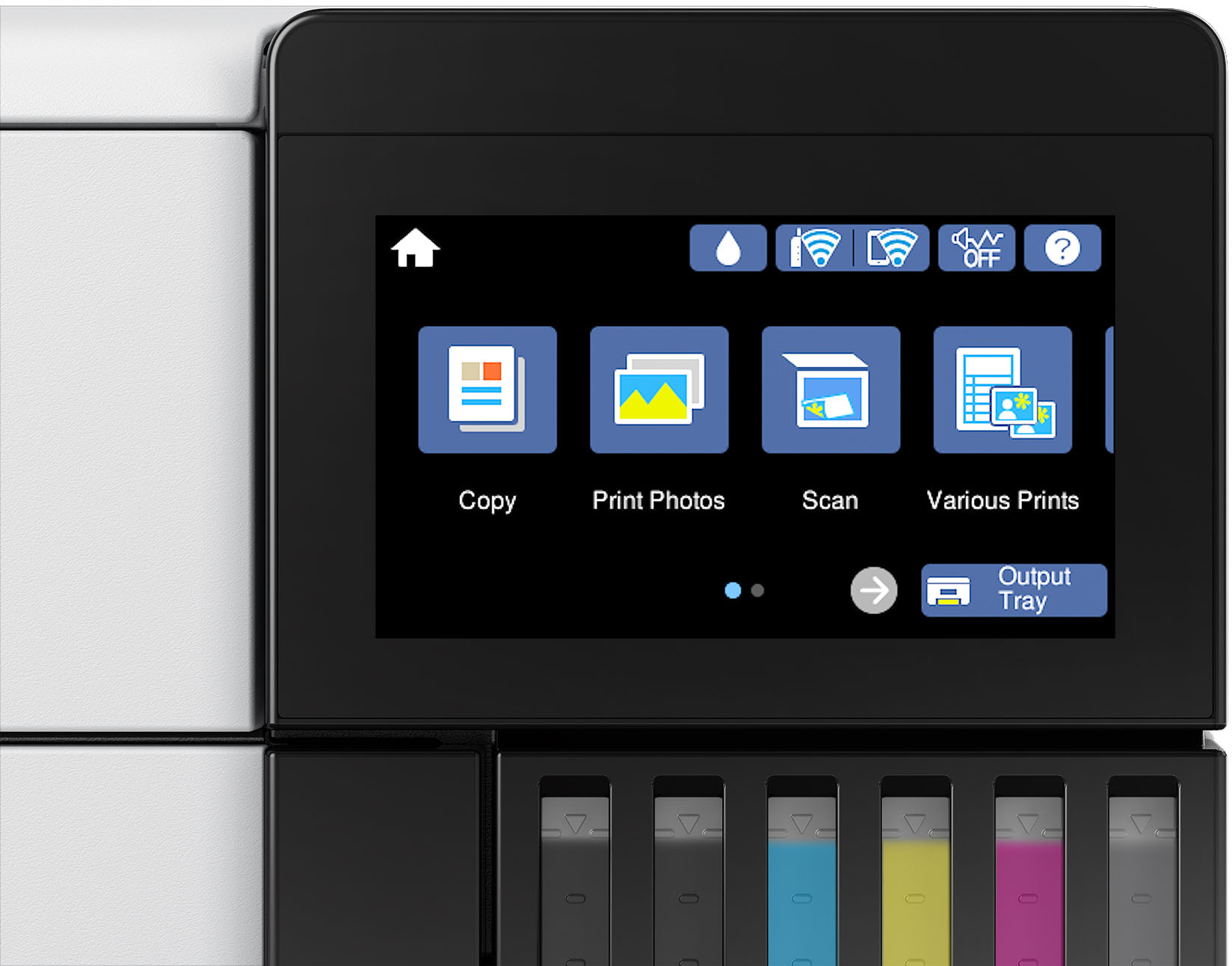
||Posted . Owned for 1 month when reviewed.This reviewer received promo considerations or sweepstakes entry for writing a review.Epson – EcoTank Photo ET‑8550 All‑in‑One Wide‑Format Supertank Printer – White After using the ET‑8550 for a while, I can honestly say it’s one of the most satisfying printers I’ve owned. The setup was straightforward, the touchscreen is large and intuitive, and the ink system is a game‑changer. I’ve printed dozens of photos and documents, and the ink levels barely moved — exactly what EcoTank is known for.
I would recommend this to a friend - Pros mentioned:Print quality
Everything I wanted and needed and more
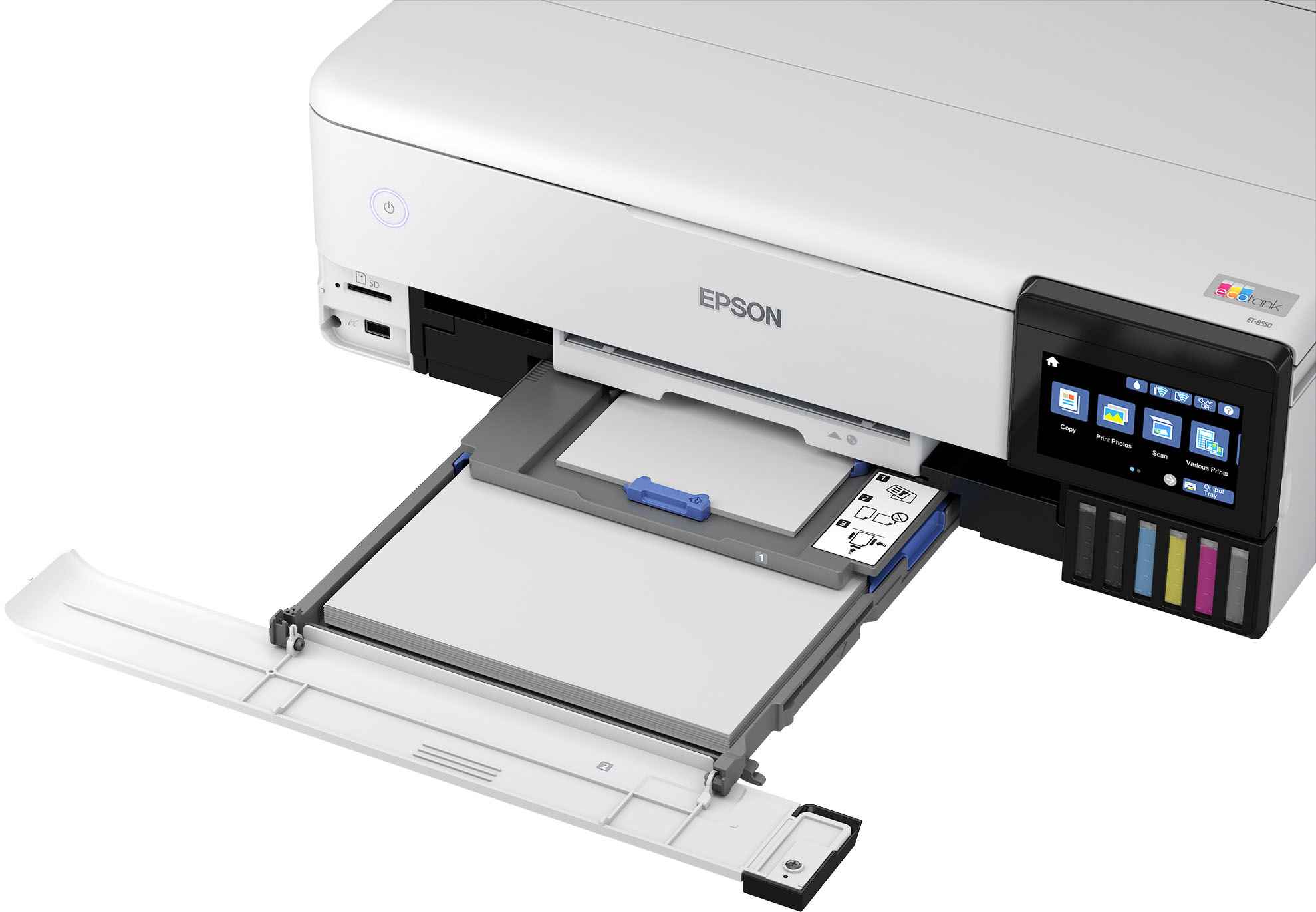
||Posted . Owned for 11 months when reviewed.This reviewer received promo considerations or sweepstakes entry for writing a review.I looked at a lot of printers but my check list was long. I needed a printer that could do larger format photo prints. The photo print quality needed to be of high enough to be displayed in my home. But, I also needed a printer that could, at times when needed, do two sided color printing as in a newsletter. It needed to be able to handle different types of paper too. That is a tall order.I looked long and hard at my options. This printer seemed to be the best choice. My results so far have only convinced me of one thing: I should have gotten it sooner! This machine seems to do it all. The photo quality is outstanding. It easily handles my wife's auto two sided color printing. Some details: I read a lot of reviews both good and bad. Here is what I learned first hand: I unboxed it and then carefully followed the steps to set it all up. The Epson program walked me though it all. I followed directions to the letter. I was rewarded for taking the time. While some have said it took pages and pages to get the ink flowing properly, my very first test print, number one, was perfect. There is procedure in the process for purging and filling the print head. Just follow the directions. Next it will ask you to take the time to do a head alignment. Do it! You will be rewarded with fantastic photo prints for your efforts. This is just a guess but maybe those who complained didn't bother to take the time to do a proper set up. It goes by quickly and rewards you for your effort. Also, don't let Windows set up this printer> Before you ever connect it to your computer get the Epson drivers and software on your computer/tablet. You will be justly rewarded for this. I am just so impressed with this machine. It even has a good scanner built in something else I had a need for. And to be clear on something: I have a lovely Canon office type multi-function laser printer that gets used daily. Its great for scanning a pile of pages into a single PDF quick and easily. This printer only scans one page at a time but you can link multiple pages into one document. I am OK with that as I have that function in the other printer. I have other photo printers. I just retired a Canon Pro-10 printer. It did a lovely job, when it was working. It used ten ink cartes that were $15 a pop and didn't last long. Its print head was stopping up all the time and it would eat up a ton of expensive ink cleaning itself. If you didn't use it at least once a week it stopped up. If you ran it once a week it cost you a lot of money in ink. I would guess it actually cost $25 to $40 or more for each large print due to the high maintenance cost. With the large ink tanks on this printer you are talking just pennies a print. For my use this printer is the perfect combination of high quality and low operating cost. I would buy another without hesitation.
I would recommend this to a friend