Customer Ratings & Reviews
- Model:
- XP-640 ALL-IN-ONE C11CF5020
- |
- SKU:
- 5451700
Customer reviews
Rating 4.3 out of 5 stars with 1836 reviews
(1,836 customer reviews)Rating by feature
- Value4.1
Rating 4.1 out of 5 stars
- Quality4.2
Rating 4.2 out of 5 stars
- Ease of Use4.1
Rating 4.1 out of 5 stars
Customers are saying
Customers often highlight the excellent print quality and ease of use of the Expression Premium XP-640 Small-in-One Wireless All-In-One Printer. Many appreciate its compact size and wireless capabilities, along with the generally positive setup experience and price point. However, some users mention challenges with the paper tray design and occasional concerns about the printer's reliability. A few also point out that the instructions could be improved for clarity.
This summary was generated by AI based on customer reviews.
- Pros mentioned:Print quality, Size
Rated 4 out of 5 stars
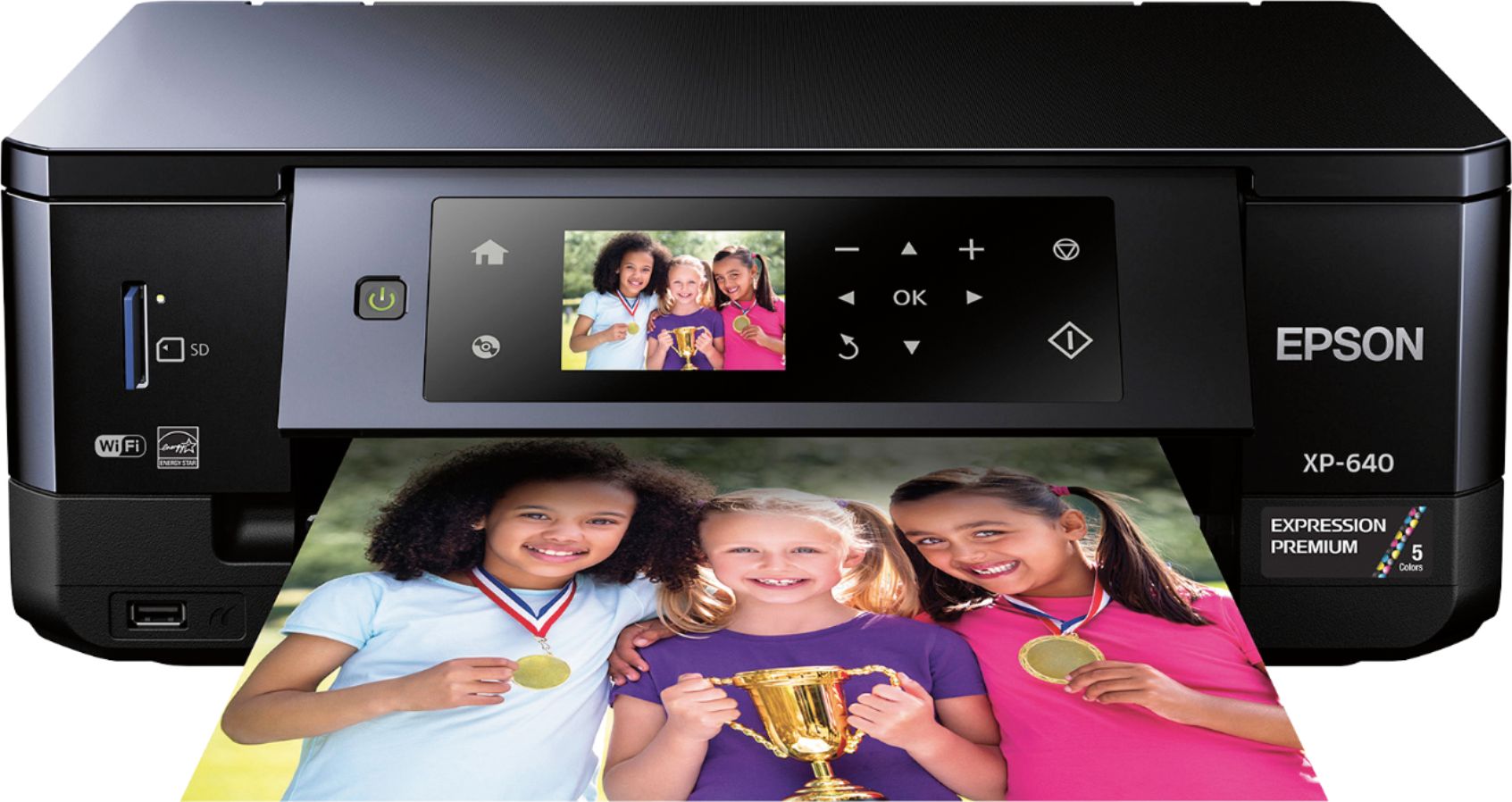
Epson Expression XP-640 - Good!
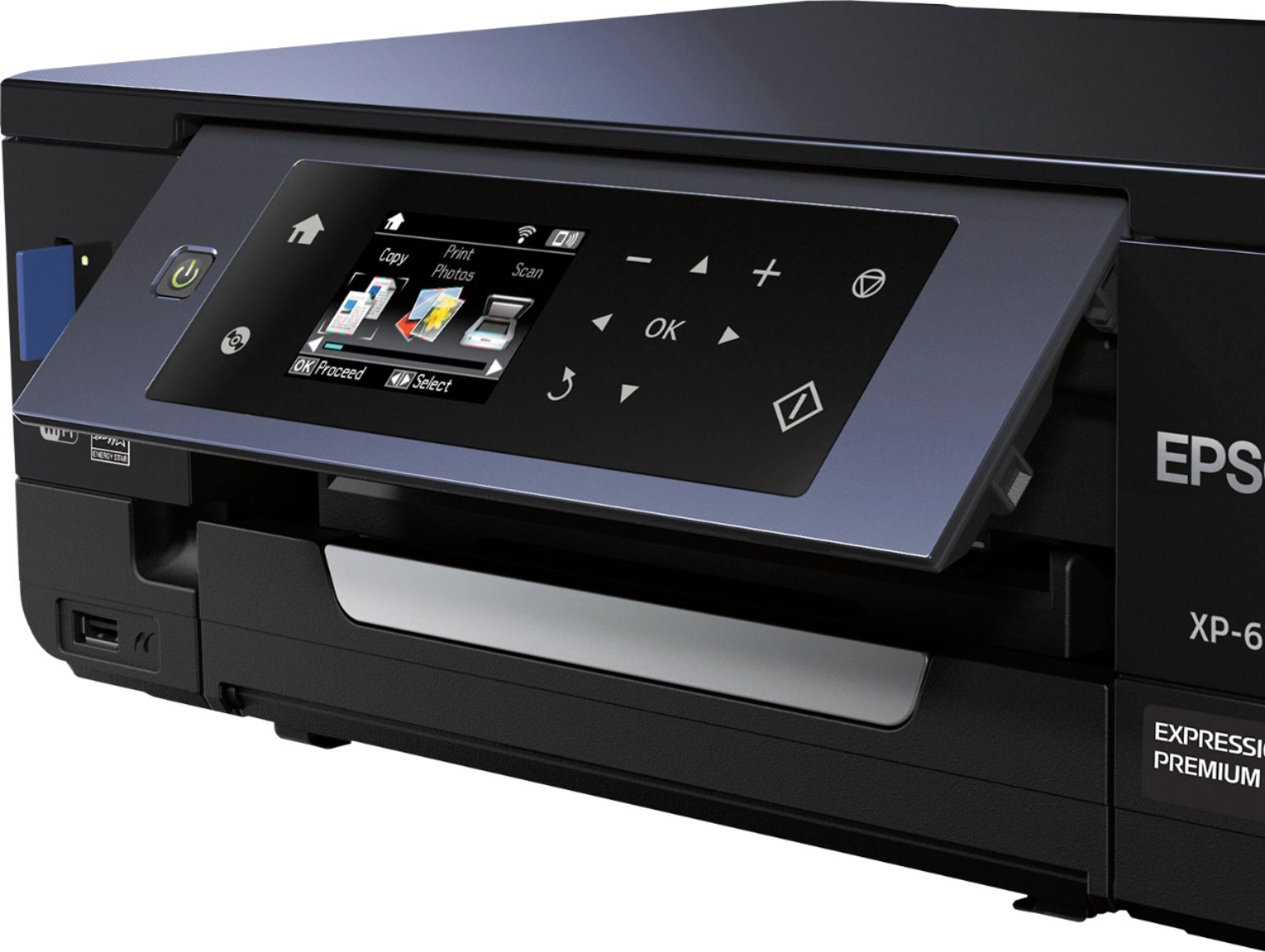
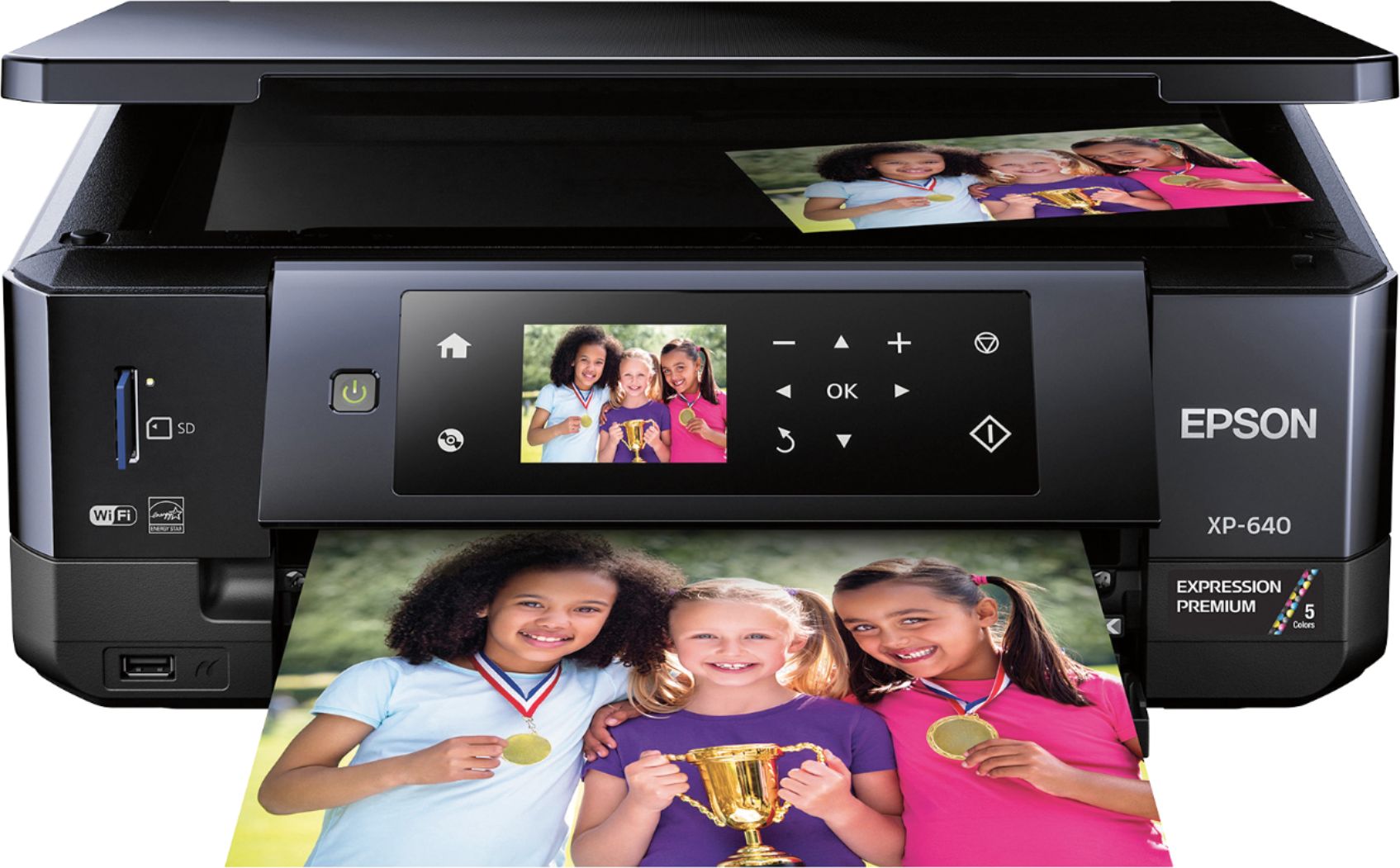
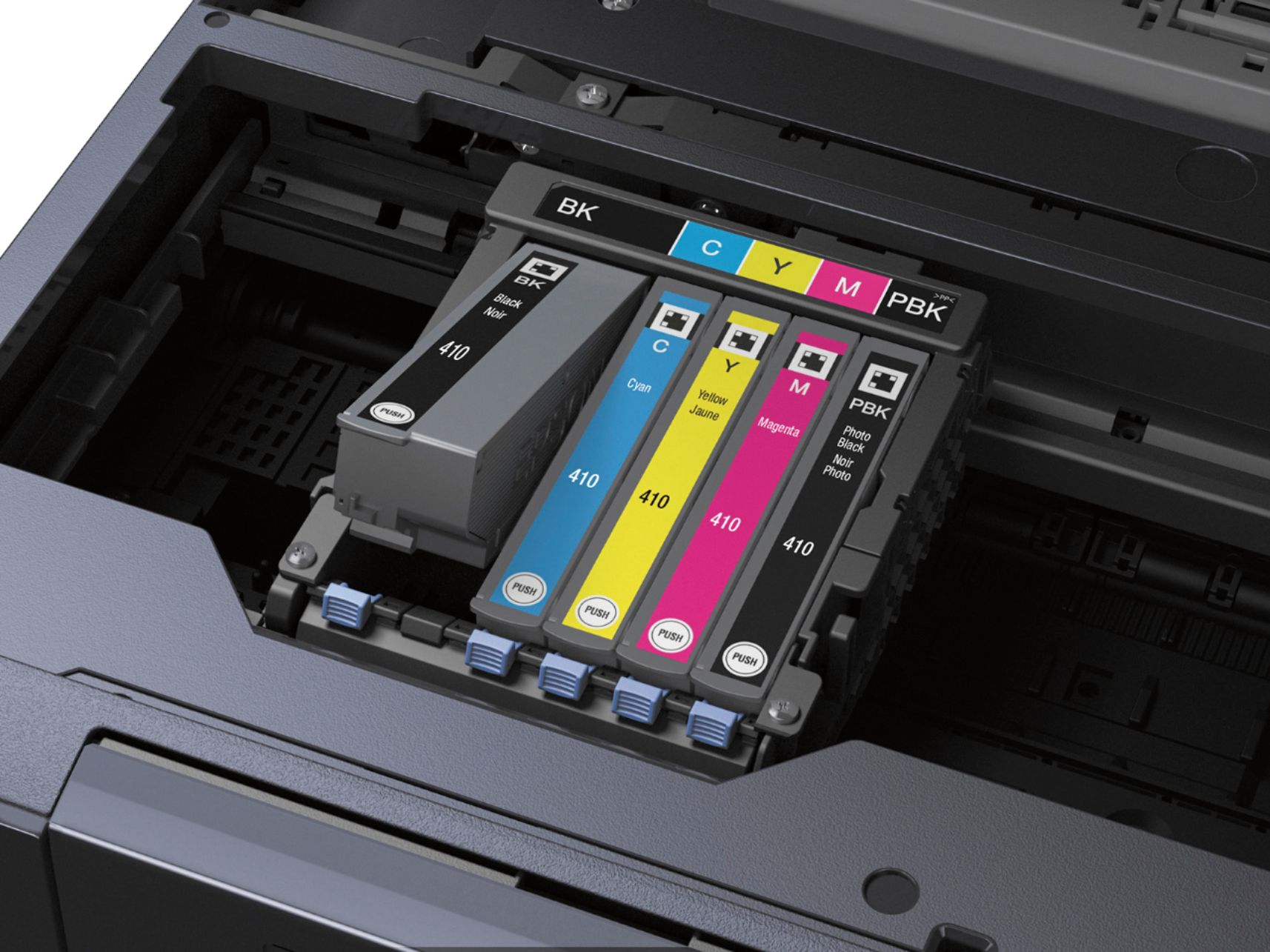
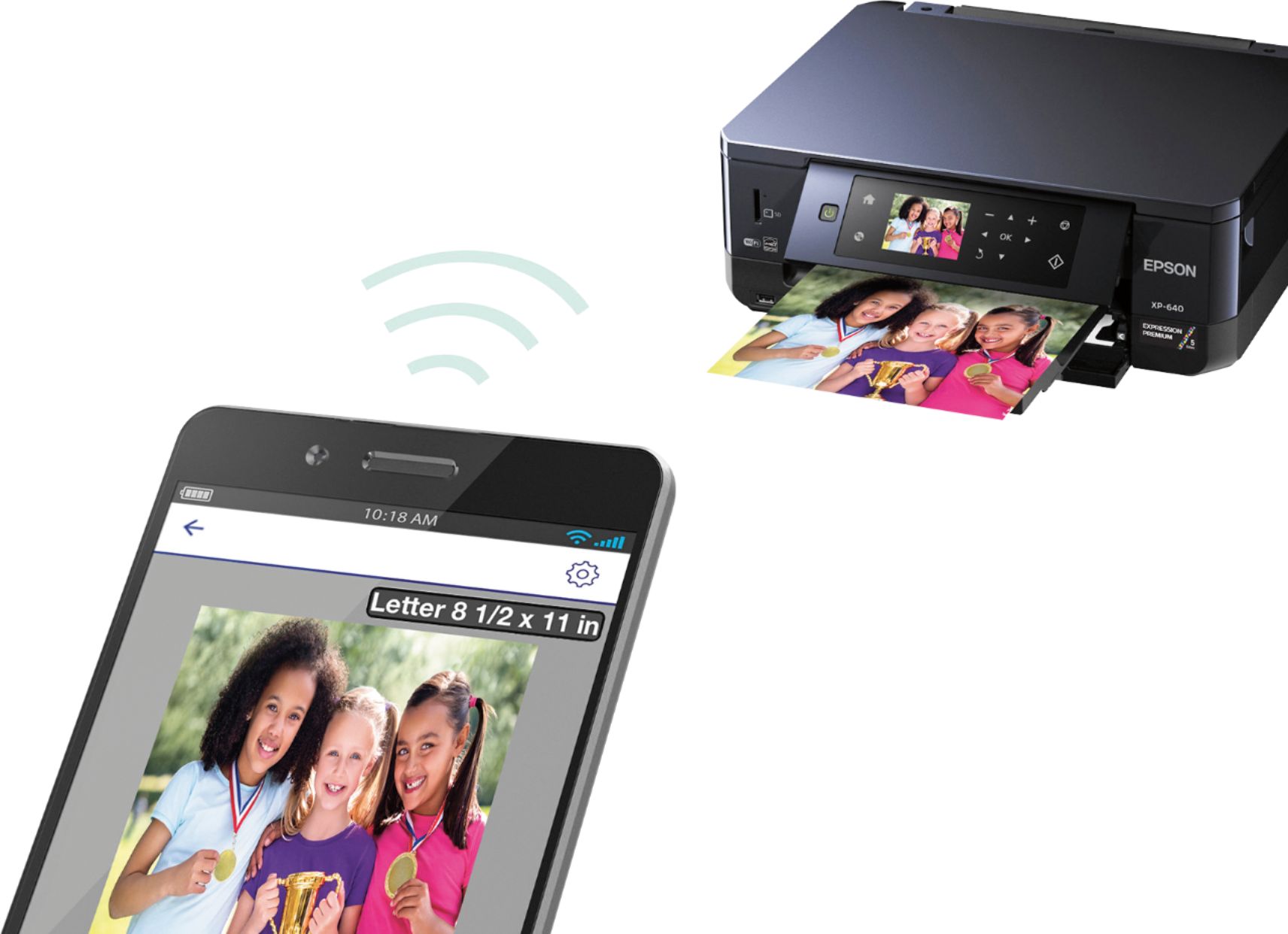
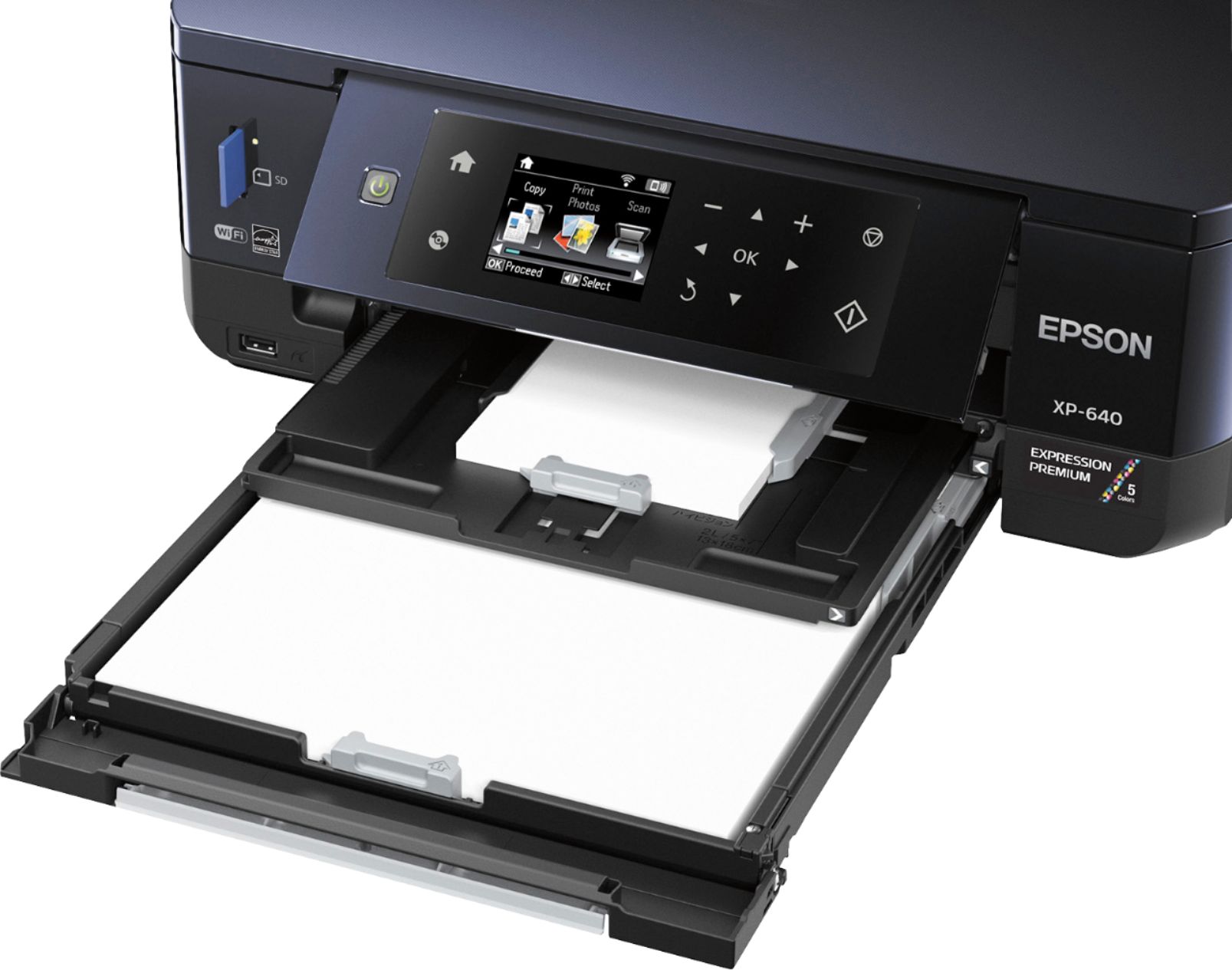
Posted .This reviewer received promo considerations or sweepstakes entry for writing a review.I love the size of this printer. It's small and easy to move. Lid of printer is neat. Instead of being shiny it has a textured lid. No fingerprints! Setting up this unit was interesting. There is a small piece of foam they ask you to keep in the event you move it. Then there are 5 tabs that are covers to each color of ink. Your provided a baggie to save the tabs in. Actual set up was for the most part super easy. I plugged it in, put in the ink which consist of 5 different ink tanks. I downloaded the app onto my computer, a cd is provided for this. It took a few minutes to make my account and get my printer email address but was easy enough. I loaded the trays with regular paper and 4x6 glossy photo paper. Printing was straight forward, it prints well on plain paper. I did have a small problem of the ink smearing on several of my copies. Still usable but you could clearly see the misplaced ink. Scanning was easy and straight forward. I wasn't able to print any pictures from my computer. No matter what I try I can't print from the photo tray. I'm not sure if something is wrong or its operator error. none the less I'v worked with enough printers in my time and it should easily print from both trays. The printer has a cool color screen that lays flat on the front of the printer. When you want to to use it you flip it up and its SO easy to see the screen and use the buttons. Once thing I would love to see is for that screen to be touch screen. The flip up screen, I will look for that in future printers. My experience was varied. The few negative I'm sure can be easily corrected. I'm presently waiting on a reply about my issues. With that aside I like the printer. and I forgot to mention the 2 sided feature works perfectly. There is no turning papers at all. It's really great. So yes, I like the printer, especially at this price it's an excellent printer. This is a review for the Epson Expression XP-640 that I received free of charge to do a beta test and review.
I would recommend this to a friend - Pros mentioned:Print quality, Size
Rated 4 out of 5 stars
All in one printer
Posted .This reviewer received promo considerations or sweepstakes entry for writing a review.I received this printer free of charge from a Beta test. As previous reviews, I have to agree. It is the smallest all in one printer I've ever seen. Set up was a breeze and I love the fact that I can so easily print directly from my phone with out any setup. The only problem I've had is the prints come out soaking wet and blurry when printing pictures. I'm not sure if it's specifically to mine but everything else was perfect.
I would recommend this to a friend - Pros mentioned:Print quality, Size
Rated 5 out of 5 stars
Excellent Quality, Small Package
Posted .This reviewer received promo considerations or sweepstakes entry for writing a review.This was packaged pretty well, so there was little concern for anything breaking during transit (this unit was shipped to me.) This was pretty effortless to install on my Windows 8 laptop. However, even when using the CD included, which I had assumed was made fairly recently, I needed to take time to update the software. You probably won't run into this problem when using it via smartphone or tablet, as their software is almost always up to date. I appreciated being able to set up everything via WiFi. However, when you get this, take a minute (probably won't take longer than that) to familiarize yourself with the trays, as there's more than one. Once it's all set up, there a lot of versatility in where you can print from – such as your device, off the internet, an SD card, from a scanned photograph, from a specific email, etc. This comes in handy when you take a great selfie and post it on social media, but also want a hardcopy of it. The pictures on glossy photo paper look fantastic, and I printed a few on regular, multi-purpose paper too, and those looked great as well. The screen was fairly large with large type, so there wasn't any confusion as to what you were looking at. The double sided printing feature is really great, but I personally wouldn't use it too much and plan to reserve this printer for only photo printing. But it is nice to have this for other purposes. I really liked how compact this is, so if you don't have a lot of space at home, this is ideal. This is a review for the Epson Expression XP-640 that I received free of charge to do a beta test and review.
I would recommend this to a friend - Pros mentioned:Print quality, Size
Rated 4 out of 5 stars
Great picture quality printer
Posted .This reviewer received promo considerations or sweepstakes entry for writing a review.I really like the fact that this printer is small and compact. It is teeny tiny compared to my large format all in one printer. This is a great printer for a room outside the office or if you are limited on space. Set up was a little confusing, at least it was for me. The trays pull all the way out, which I was not prepared for. The trays are also called cassettes, which confused me. I may be showing my age, but when I hear cassette - I think music. I fumbled a little with the ink cartridges, however most of the set up was fairly easy. I didn't have any problems installing the software, getting it on my wireless network or printing wirelessly. The print quality is much like professional quality. There was no discolored spots or print lines on the print. And, it does not take a long time to spit out a print. If you are looking for a professional quality printer, I highly recommend this one. This is a review for the Epson Expression xp - 640 that I received free of charge to do a beta test and review.
I would recommend this to a friend - Pros mentioned:Print quality
Rated 5 out of 5 stars
Overall Great Printer
Posted .This reviewer received promo considerations or sweepstakes entry for writing a review.Bottom line, this is a great printer with a caveat that one should order or purchase an extra black ink cartridge at the time of the purchase of the printer. I unreservedly recommend this printer as it does the job with crisp, sharp, and relatively rapid printing. I say relatively because inkjet printing is always slower than laser. The setup was a snap. With a Mac just plug in the printer, connect it to your network, and have your mac look for it. With a PC go to the Epson website and download the drivers (make sure you install the correct drivers (not the XP 640-U). All of the software works great and is extremely easy to understand. I have used HP, Brother, and Canon printers in the past and recommend this one over all the others especially considering it has the separate ink cartridges, which saves a lot of money in the long run. I gave this 5 stars though I do have a reservation or comment. Please pick up a Black Ink Cartridge when you get the printer as the one that comes with it will run out quickly. Perhaps if you are doing color photos it would also make sense to get all the cartridges since the ones that come with it are starters. I found the Black-XL and all the colors (including the Photo Black) in a combo at Amazon. I could not find a Black-XL alone though so I ordered the combo. Again to reiterate, it is a great printer that does the job well and installs extremely easily. I strongly recommend it for most inkjet applications.
I would recommend this to a friend - Pros mentioned:Print quality, Wireless
Rated 5 out of 5 stars
I Would Buy One!
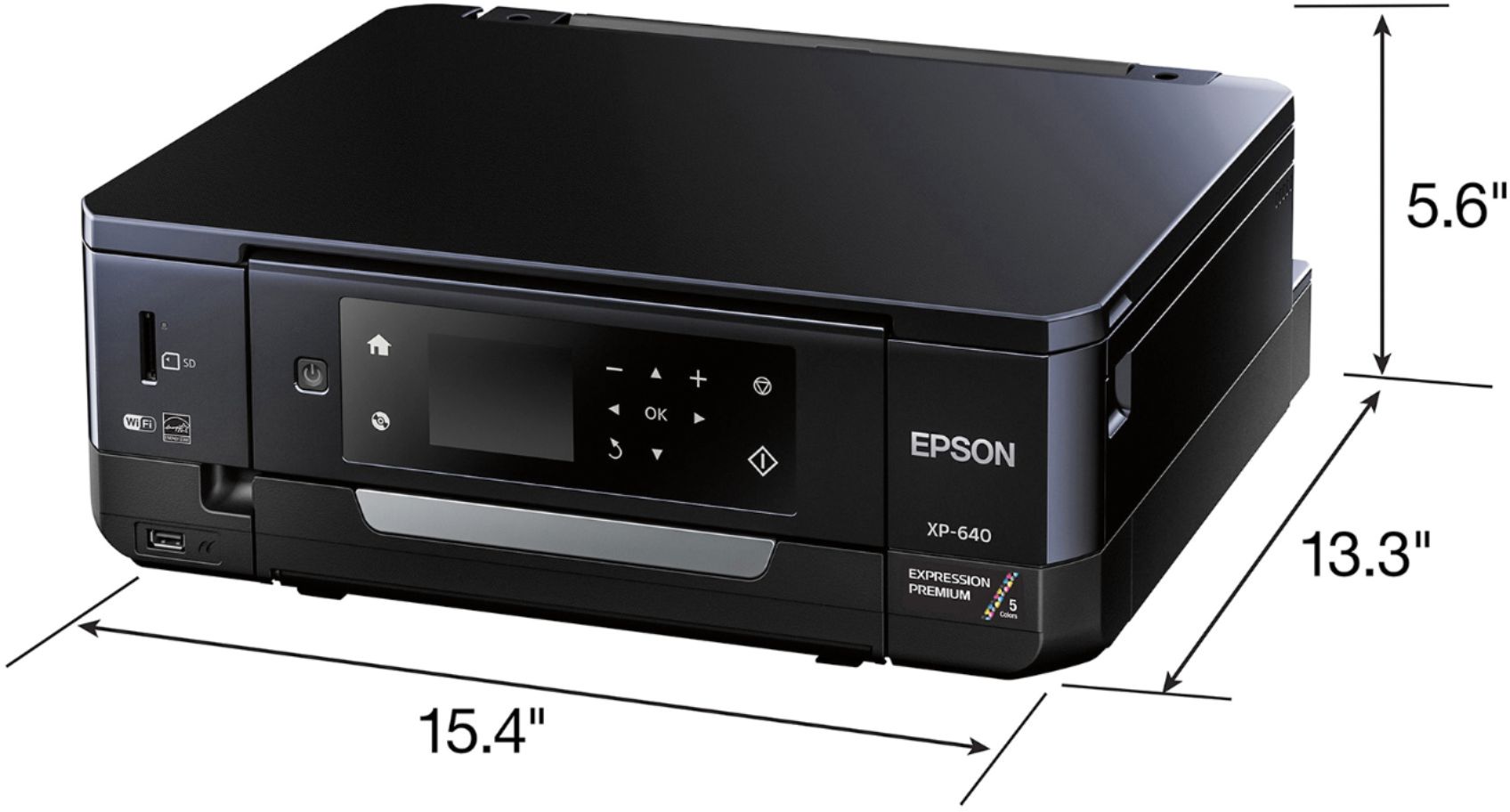
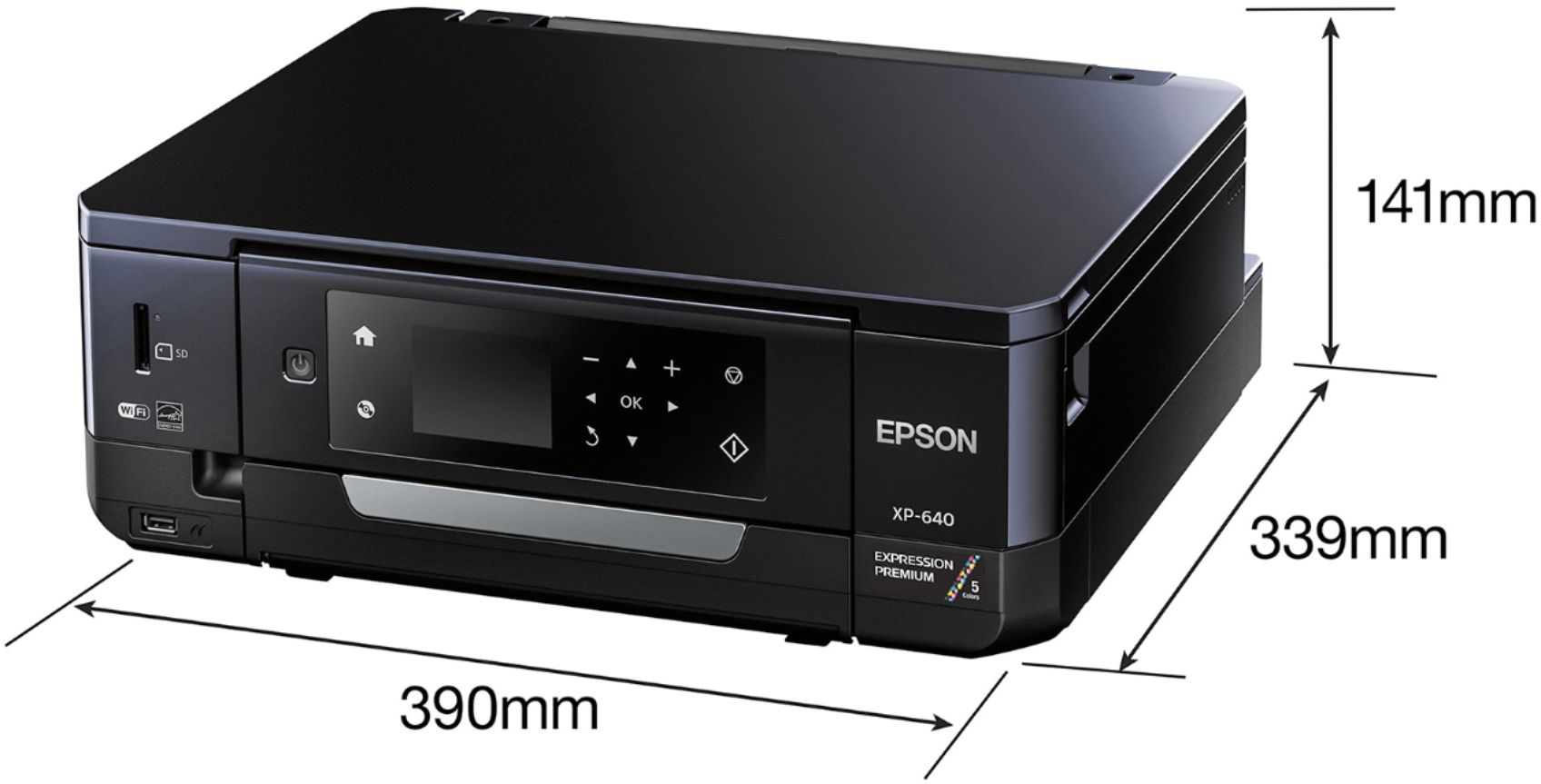
Posted .This reviewer received promo considerations or sweepstakes entry for writing a review.The Epson XP-640 is a great all in one print solution. It works great as home office printer. I think that it will replace my old printer and scanner in my home office. I love the wireless feature, this makes it so easy to set up. I also love the two sided auto print feature. This is great for do it yourself publishing or creating catalogs at home. It also has a good sized LCD screen wit very intuitive menu selections. This makes it easy to set-up without a computer. The other thing that is great about this all-in-one is the great quality picture printing. This printer has dual feed trays so you don't have to change paper in the middle of a project. Another great feature is photo quality prints in 20 seconds! That's right 20 seconds. For me it was a no brainier. One other thing I thought was a good idea was the dual black ink cartridges. It has one for regular printing and one for photo printing. In my opinion you can't go wrong with the XP-640. It has a lot of great features packed into a pretty small package,15 1/4”x 13 1/4”x 5 1/4”. But don't let the small size fool you, this is a full featured printer that would fit into any home or office environment very easily. You also do not have to have a computer science degree to set it up, and lets face it, we all like that. But the finale nail for was the price. Only $80 for all this printer has to offer is a great deal. This is a review for the Epson Expression XP-640 that I received free of charge to do a beta test and review.
I would recommend this to a friend - Pros mentioned:Ease of use, Print quality
Rated 5 out of 5 stars
Great Photo Quality Prints
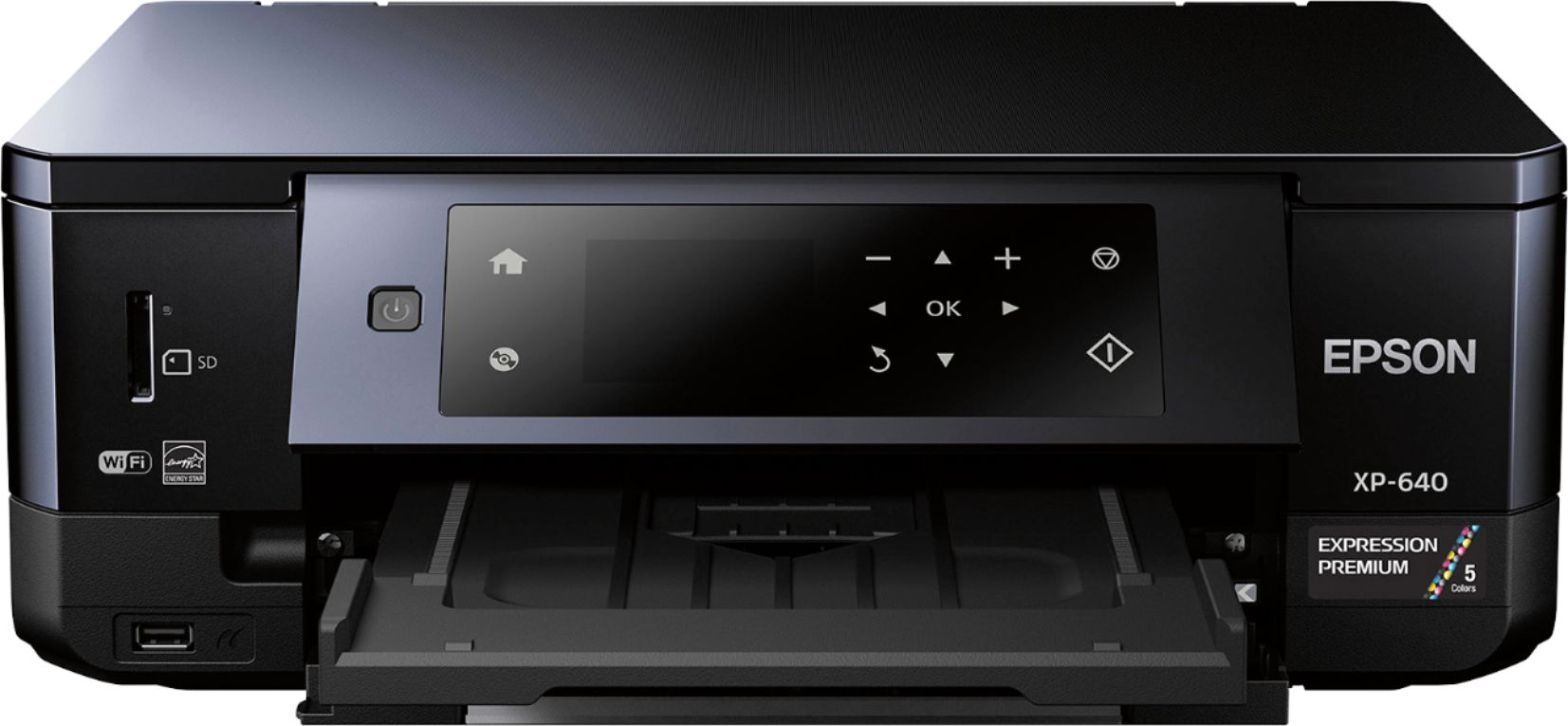
Posted .This reviewer received promo considerations or sweepstakes entry for writing a review.The photo quality that comes out of this printer is great! It is so easy to use, and the 4x6 prints are just as good quality as any purchased prints (assuming you have the photo quality paper). Set up was easy and straight forward. One of the best things about this printer – the pages do not get stuck. I had a pretty expensive HP printer before, and the pages would always get jammed. That does not seem to be an issue with this printer, and it prints well on double sided paper. Scanning works well, it recognized my computer to save a scan to, without any USB cord, so that made it simple. I am a big user of remote printing via email, and you have to remember to have the output tray extended in order to print. So it has taken some getting used to leaving the tray extended. Also, you have to pull the paper trays “cassettes” out all the way to put the paper in, but the trays slide back in easily. Pulling the trays out also takes some getting used to, but it prints very well on all sizes of paper, so it’s worth it. One more thing about this printer, I love the free Epson iPrint App for my phone. I can print pictures directly from my camera to the printer. The App instantly recognized my printer, and it is so easy to use (I just have to make sure I have the right size paper in the printer). I no longer have to make trips to Walgreens when I want just a few 4x6 prints. This is a review for the Epson Expression XP-640 that I received free of charge to do a beta test and review.
I would recommend this to a friend - Pros mentioned:Print quality, Size
Rated 4 out of 5 stars
Nice size, great prints
Posted .This reviewer received promo considerations or sweepstakes entry for writing a review.I was looking for a printer to use when producing prints of my photographs from my travels. As a chance I was offered the opportunioty to test the Expression Premium all in one printer for free in exchange for my review. I was excited to receive the printer. I have two other Epson printers,a nd both were very easyt o set up via my wifi connection. For some reson this printer will not connect to my wifi, though I am still playing around with it. I was able ot connect it throught e wired connection to my desktop and it has worked thus far for that. The prints couldn’t please me more. The quality is excellent, with the appropriate high and low lights and no blurring at the edges. Colors are crisp and my black and white prints have great depth. The size of the printer is convenient- it’s compact and fits in fine with my full size printer/scanner/copier. Other thant he wifi issue I have had no problems- other than I may end up using lots of ink printing my photos.
I would recommend this to a friend - Pros mentioned:Ease of use, Print quality
Rated 5 out of 5 stars
Great printer
Posted .This reviewer received promo considerations or sweepstakes entry for writing a review.This is a review for the Epson Expression XP-640 that I received free of charge to do a beta test and review. The instruction were clear and succinct. The only thing that confuses me was using the word cassettes instead of tray. Besides that, everything was easy to set up. Their app is also a quick breeze. The update on the printer takes about 7 minutes. The printer is a bit heavy for its size, but it is a quality printer that packs a punch. I love the wireless function, that makes it so much easier. I hate having a bunch of wires. The wifi setup was easy to use. The LCD displace is touch senor except for the power button. I also love it because if I put in my SD card, I can quickly browse through the picture. (I have not tried with DVD yet, thb I don't think I ever will) The printer prints high quality photo as if it came from a lab, quickly. Most printer, it's a choice between speed and quality. For this printer, it's both speed and quality. Once it's done printing, due to the quality ink, it dries super quickly too. The ink cartridges is separated, which I love, since I only have to buy which ever color runs out. The ink is a bit on the expensive side, but it's very good ink. I also love the 2 side printing. I don't have to switch the paper or turn it around or whatever. So far, I've had NO issues with this wonderful printer. I highly recommend it to anyone who prints photos at home!
I would recommend this to a friend Rated 4 out of 5 stars
A surprisingly POWERFUL little thing.
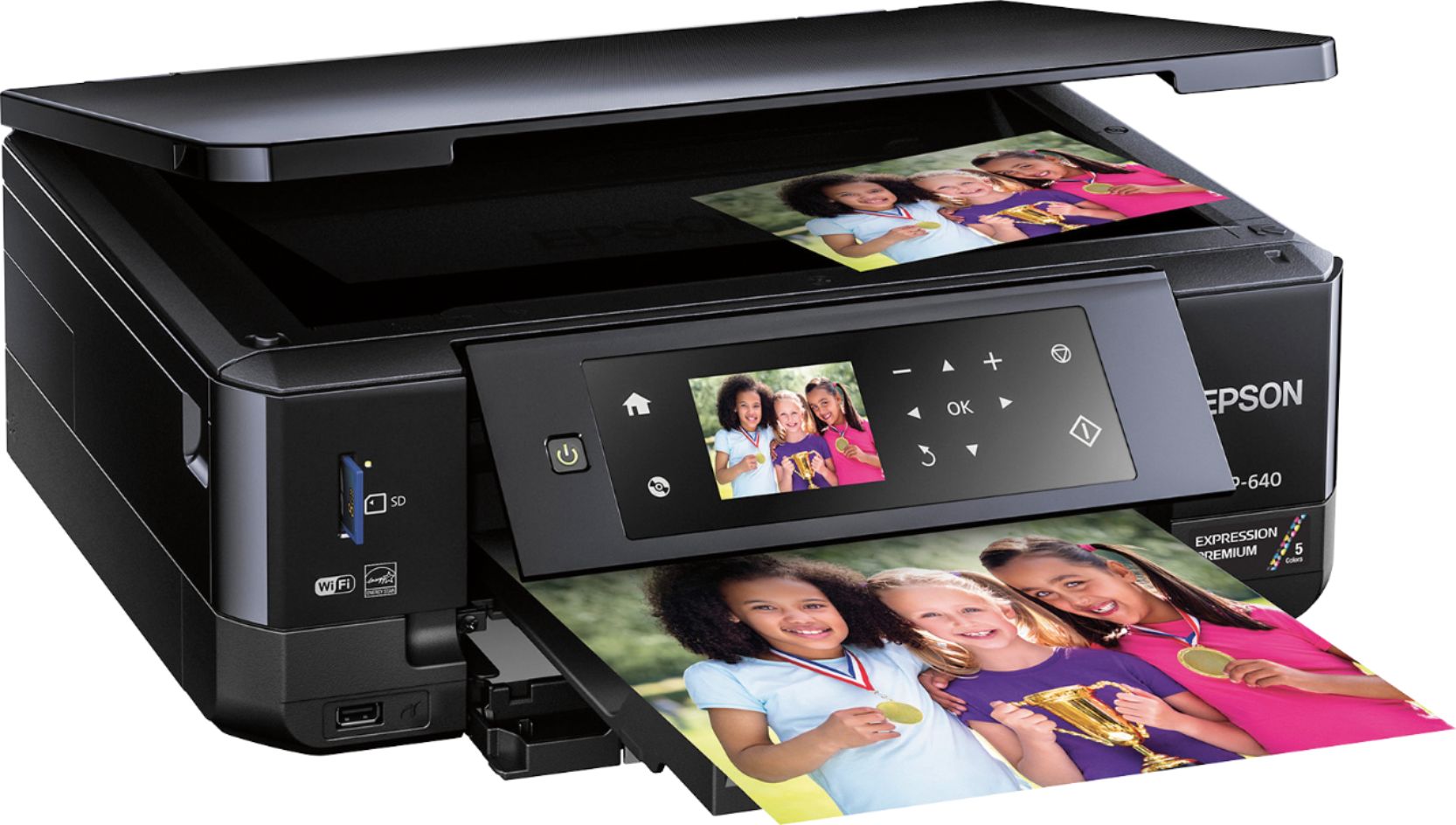
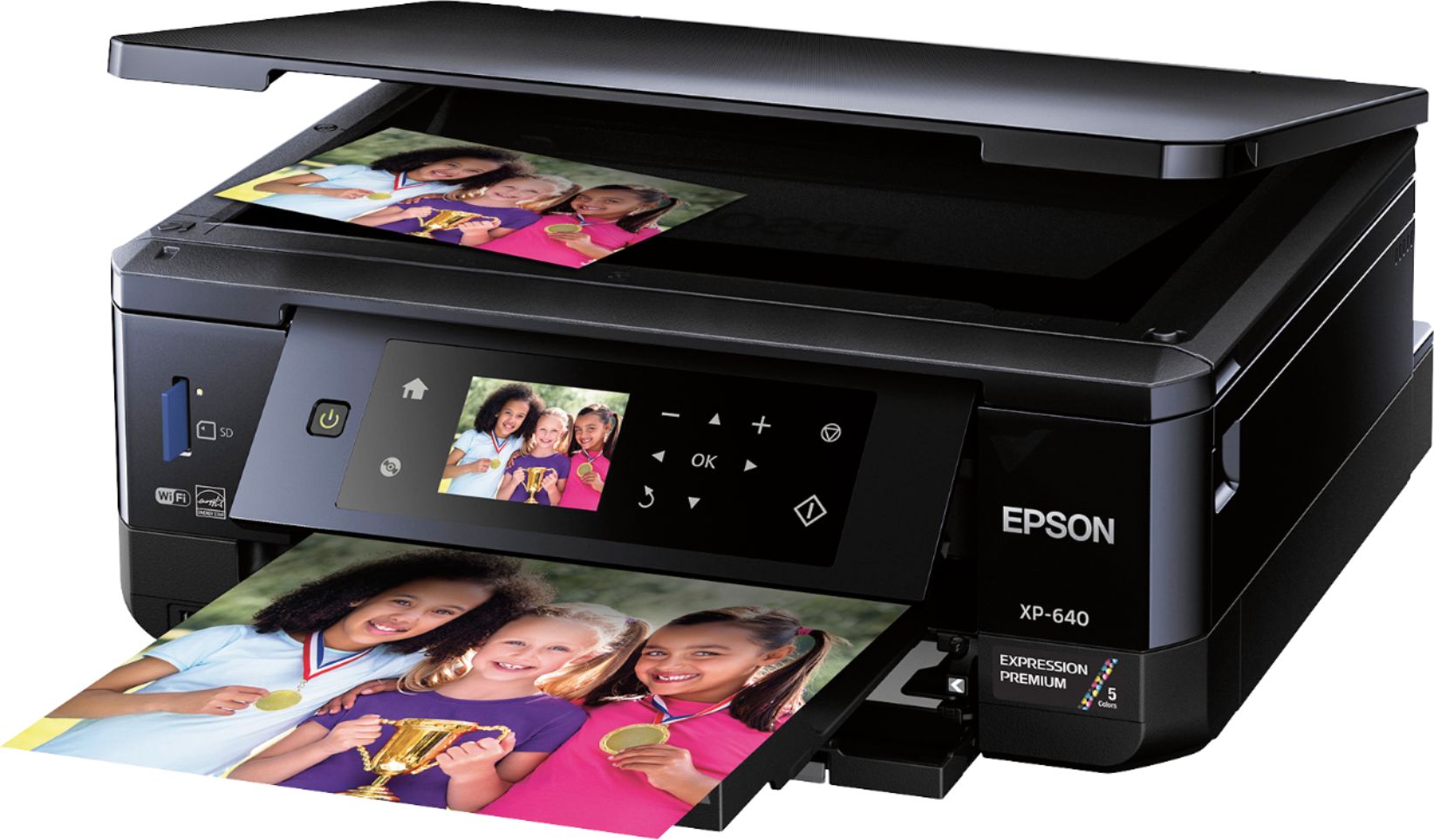
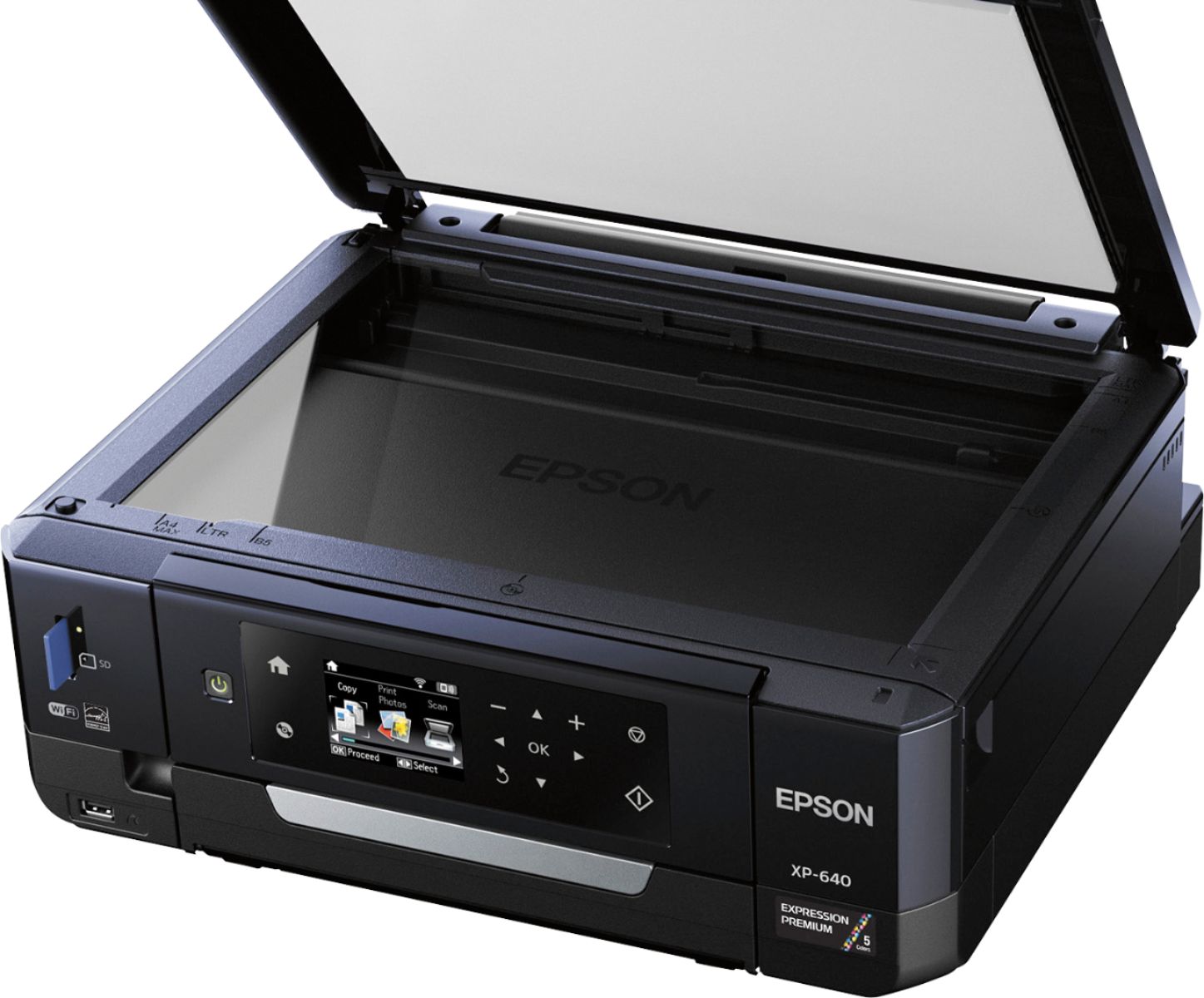
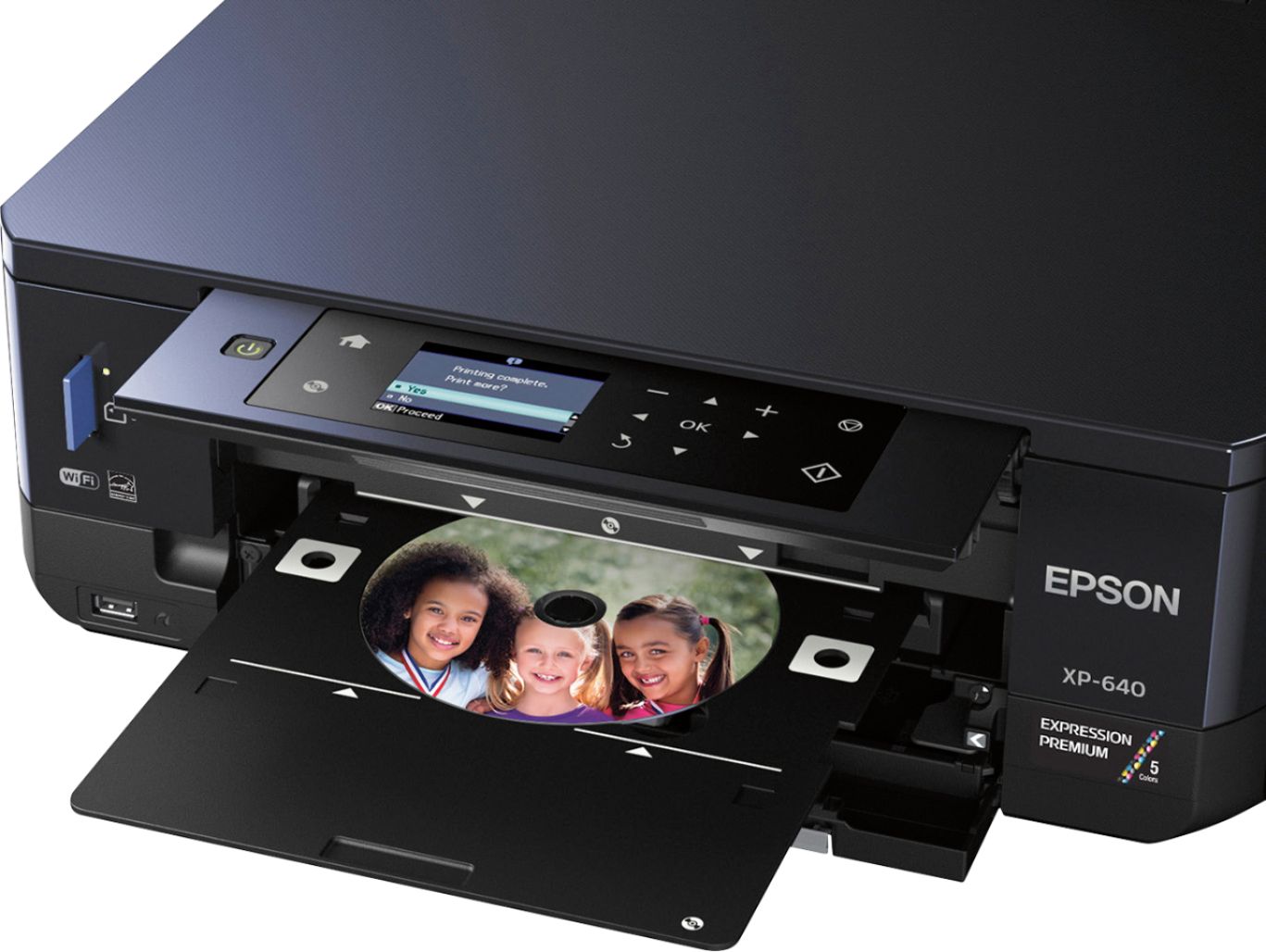
Posted .This reviewer received promo considerations or sweepstakes entry for writing a review.This is a review for the Epson Expression XP-640 that I received free of charge to do a beta test and review I received the printer by Fed-Ex and the box was in perfect condition. While easy to open, the printer came packaged with two pieces of Styrofoam, one on each side, so snug that I had to ask another person to hold on to the box while I was pulling the printer out. Meaning, the usual way of placing the box upside-down on a safe surface to allow the device slide down with the help of gravity, didn't work. Inside the box were: The printer, a power cable without a separated AC adapter (that hard to place black box) as it is built into the printer, a CD including drivers and software but unfortunately NOT the user manual, (which I had the option to download as a PDF file from the printer software). While it did not include an USB cable to connect to a computer, the printer came with Wi-Fi connectivity so the cable is unnecessary if you have Wi-Fi in your place. BUT if you don't, make sure you save your previous printer USB cable. It came with 5 sheets (letter size) of each of the following: Premium Glossy Photo Paper, Heavyweight Matte Paper, Premium Semigloss Photo Paper and Borderless Glossy Photo Paper (5x6 in). And, of course, it came with ink: 3 color cartridges (Cyan, Magenta and Yellow) a larger in size black one and, a pleasant surprise of another black cartridge labeled "Photo Black" that I believe it could be a gray color to do high quality Black & White prints. The ink compartment is very easy to access by just lifting the top portion of the device (scanning portion) and after it was in place and I turned it on for the first time, it took it seven minutes to be ready. To set up the Wi-Fi was a breeze, except when I had to enter the Wi-Fi password: since the LCD display is not touchable, I had to use the Up, Down, Left and Right" buttons on the panel to enter each character and oh boy did I suffer... BUT, the good news is that this suffering was unnecessarily inflicted since the XP-640 comes with the option of pressing the button in your router (WPS) to connect without the need of entering the password manually. Installing the software on my desktop computer (running Windows 7) was very easy too. It offered me to download a new installer and since I knew this would take extra time, I chose not to. This proved to be the wrong decision because a minute later, when I was trying to scan a page, the printer was having issues communicating with the computer and I think it was because I have another Epson scanner connected, that while on a different USB port, it was causing conflicts. So I ran the update on the software and it downloaded newer versions for most of the components including the scanning module and a new firmware for the device. This was pretty smooth too and it was very easy to do since it was telling me what to do for each step. This whole thing took about 5 minutes. After that, the scanning software asked me to choose from what device I wanted to scan from, which was not to easy to decide as, instead of a Model name, it was showing MAC addresses... not cool. I unplugged my other scanner and after refreshing the window still was showing me the same, so I picked the first one and it happened to be the right one. NOTE: this will ONLY happen to you if you have another Epson multi-function or scanner plugged into the SAME computer. Scanning a letter size page with text rendered a PDF with a missing inch at the bottom, since I placed the page aligned at the left side of the scanning bed instead of the right side... once fixed, it was OK. There is a mark on the scanning bed saying where to position the page and what's the maximum length (A4 in this case) but because they are made out of the same black plastic, they are hard to see. The same goes for many of the marks around the printer and inside the trays. I placed four pictures in the scanning glass and it was able to scan them to four different files. I chose 300 DPI and the quality was very good and it was quick too. I did notice a bit of cropping in some of the images and I will have to further look into it to determine if it is a fault or a miss-configuration. Trying to print a test page was pretty hard because I could not find the output tray!!! Turns out, this printer has several parts that look like trays: It has two real trays labeled "Cassette 1" and "Cassette 2", a bottom "tray-accessory" to print directly on printable CDs and a top tray hidden behind the liftable control panel housing the LCD screen, that is also used for printing the CDs by inserting the accessory from the bottom on it's top. This top tray happens to be the... OUTPUT TRAY! The printer WILL tell you to open the output tray when you are printing and will show you even how to do it, but still, I found it hard to understand because I did not expect it to be behind the control panel. NOTE: The Cassette 1 can be pushed accidentally all the way in, in a way to make it very hard to take back out. If this happens, all you have to do is to remove Cassette 2 and get your hand inside and grab that fleetly tray back outside. To print border-less pictures, I had to use Cassette 1 and it was very simple to do to and the quality is JUST PERFECT! I noticed a bit of a resizing on the end result that is barely noticeable and it might be part of the method to provide a border-less result. IMPRESSIVE: just like the quality I get at Costco or Fuji Labs. I was able to print on a printable DVD using the accessory tray that has to be inserted on top of the "closed" output tray and it took me a couple of attempts for the printer to be happy with my blank CD. I think that the holder for the CD could be a bit stronger as it was having problems staying in place. The good thing is that the printer knew at all times what was going on and led me each step in order to have it work. The result? A perfectly printed CD (I used Verbatim InkJet Printable) that while it was not border-less, the quality was par with professionally printed ones. I am very happy indeed. I have still to print some black and whites or sepia images from Photoshop and will update this review when done, as I am eager to see what else this little wizard is capable of doing. All and all, for a printer in the order of $100 or less, I am VERY pleased. :D
I would recommend this to a friend- Pros mentioned:Ease of use, Print quality
Rated 5 out of 5 stars
Pleasantly surprised with this Epson Printer
Posted .This reviewer received promo considerations or sweepstakes entry for writing a review.The Epson printer was the first one I have used from this company in a long time. I had previous negative experiences with past Epson printers, and didn't have high expectations. Having been using it for sometime, I am gladly impressed and surprised for the amount of effort the company has put into hardware development. This printer comes in a very compact, yet fully functional package. The two trays are very useful, as they can be customized based on the type of paper you have loaded when you open either tray. The included disc tray is useful for those that still burn discs. I found the print quality of photos to be superior to the HP printer I have used previously. The speed in which the 4 x 6 photos were printed were much faster than I was used to and the colour reproduction was very well done. The mobile app is very easy and user friendly. I found myself flipping thru pictures on a regular basis, just to have a photo to post at work. The app is very functional with the ability to print from social media networks, scan a document from the phone or even print documents from your phone to the printer. I am planning to replace my current printer with this one and will use it for the foreseeable future. This is a review for the Epson Expression XP-640 that I received free of charge to do a beta test and review.
I would recommend this to a friend - Pros mentioned:Ease of use, Print quality
Rated 5 out of 5 stars
Really love it!
Posted .This reviewer received promo considerations or sweepstakes entry for writing a review.This printer was very easy to install. Usually I get a little frustrated with putting the ink cartridges in my other (HP) printer but these went in so simple. They include a CD to download the software on to your computer, but my computer was able to print to the new printer without that step. just using the WiFi. The printer itself is a good convenient size, but feels like quality. Sleek and modern look and feel. Prints regular documents easily, and pictures beautifully. I actually printed out the same exact picture on this printer, and my HP, and I was surprised to see the Epson won hands down. Printing onto Cd's is a cool feature, and the one that I tried came out nicely though I've never done it before. The "cassettes" in my opinion, are actually very easy to use and I think they will make printing on certain things easier. All in all, I thought I was very happy with the HP printer that I have, but looks like the Epson is going to take it's place in printing all my kids pictures from now on. Only downfall for me is ink. I do like HP's instant ink subscription. This is a review for the Epson Expression XP-640 that I received free of charge to do a beta test and review.
I would recommend this to a friend - Pros mentioned:Print qualityCons mentioned:Paper tray
Rated 3 out of 5 stars
Small and Quirky, With Excellent Output
Posted .This reviewer received promo considerations or sweepstakes entry for writing a review.With all its paper trays and the control panel folded away, the XP-640 seems impossibly small for an all-in-one. Being able to complete the entire setup (including a firmware update) without plugging the printer into a computer was a breath of fresh air. Unfortunately, the compact design means it can be hard to tell the various paper trays apart at first, especially when the printer isn’t mounted at eye level. On the bright side, the printer works well, printing quickly and quietly. At least it does once you set the print quality to the best settings in your printer dialog. Especially for photo printing, results are extremely impressive for such an affordable printer. It’s worth mentioning that document print quality suffers at “normal” print quality settings too, with washed out colours and poor contrast. Bringing that up to “best” solves everything so I would just set it there and forget it. Ink cartridges won’t last you very long at these settings but the prints speak for themselves. There are three main issues with this printer. The first is the aforementioned fiddliness of the trays, which is exacerbated by the fact that the output tray does not slide out automatically…you have to pull it out yourself any time you want to print, which is a hassle. Second, the baseline print quality is lower than what I’m used to from other printers—it’s crucial that you adjust your print settings because “normal” on the XP-640 is equivalent to “draft” on my old printer. Lastly, there’s an optional alignment part of the setup process that involves a multi-part test that asks you to choose the best aligned test squares. It’s archaic and entirely breaks the otherwise painless, streamlined flow of using this printer. If you can get past the initial hurdles, you’ll find yourself with an extremely capable printer for home and small office printing duties. It excels at photo printing, but handles dual-sided document printing, precision scanning, and basic photocopying tasks with aplomb. Please note: this is a review for the Epson Expression XP-640 that I received free of charge to do a beta test and review.
I would recommend this to a friend - Pros mentioned:Print quality, Size
Rated 5 out of 5 stars
Best Photo Small-in-One
Posted .This reviewer received promo considerations or sweepstakes entry for writing a review.This is a review for the Epson Expression XP-640 that I received free of charge to do a beta test and review. This printer is perfect size to fit on a desk or in our case on a shelf under the desk. Setup was quick only required 5 minutes of time to initialize and setup wifi and all other information. Once all setup we printed 8x10's photo's (using photo paper)off our phones and laptop. The quality was quite impressive, we did have a few lines on the first 2 photo's, but they faded away after the ink set in. We then continued to print 4x6 photo's (using photo paper), now I must say those turned out amazing, the quality was that of professional prints in my opinion. We did print out some recipes and essay's for my daughters homework. Those (not photo's and with regular letter paper) were as expected perfect!! All you have to do is make sure you go into settings and mark that you are using plain or photo paper and what type, the prompt does come up when you go to load paper. It also has an SD slot so you can print of and SD card. This printer is perfect for anyone who is into photography or wants to print there own pictures.
I would recommend this to a friend - Pros mentioned:Ease of use, Print quality
Rated 5 out of 5 stars
Premium Xp-640
Posted .This reviewer received promo considerations or sweepstakes entry for writing a review.This smart printer is very easy to install and to connect with Wi-Fi network. It has all the features like copy and scan along with print. After connecting it to my home network, I send a test photo from my smart phone to make sure it works same as connected to my laptop and other computers, and it works awesome with all devices. It is very user friendly and has easy to understand operations. Small but Smart: I like it very much because it occupies less space and works better than any other printer. Individual ink cartridges: I like its separate cartridge system which means that I only have to replace the cartridges which is empty. It is best for home use with economical and outstanding photo prints. PC-free Printing: charming 2.7” LCD and touch panel, built-in USB and memory card slots increase its value and proficiency. I like the most its Border less printing. It is fast with superior quality. The amazing thing which I like most Wi-Fi direct for network free printing. I wrote this review for the Epson Expression XP-640 All-in-One printer that I received free of charge to do a beta test and review.
I would recommend this to a friend - Pros mentioned:Print quality, Size
Rated 4 out of 5 stars
Good quality printer
Posted .This reviewer received promo considerations or sweepstakes entry for writing a review.This is a review for the Epson Expression Premium Xp 640 , that i received free of charge to do a Beta Test. This time saving printer , makes multi tasking a breeze. This All In One printer makes printing photos, straight from Facebook a snap. The whole family can have fun with this printer. I had some difficulty , setting it up, but once i watched the provided cd, it was much easier to do so.I find this printer to be fast,efficient. I liked the professional look of the printer.The size was perfect for my home office.. Another aspect i liked ,was being able to print straight from my phone, because of Wifi Capability. Apple and Android friendly .USB and Card Slots built in. Great little multi tasker.
I would recommend this to a friend - Pros mentioned:Size
Rated 3 out of 5 stars
Average Printer
Posted .This reviewer received promo considerations or sweepstakes entry for writing a review.This is a review for the Epson Expression XP-640 that I received free of charge to do a beta test and review. The printer is compact and easy to move around. Once out of the box, the setup process was simple to follow; however, it did take a long time to go through and prepare the item for use. Printing documents worked without a glitch. Once I started printing photos, I had issues with every type of photo paper I had (glossy, semi-glossy and matte). The ink was smeared everywhere and the photos were not recognizable. Perhaps something went wrong with the calibration during the setup process. I would use the printer for everyday and business printing but would have photos printed elsewhere.
No, I would not recommend this to a friend - Pros mentioned:Print quality, Size
Rated 5 out of 5 stars
Excellent photo quality printer
Posted .This reviewer received promo considerations or sweepstakes entry for writing a review.I adore this printer for printing photos! The first time I set it up I printed so many photos, I expended all the ink and had to purchase more the next day. The picture quality is really nice and better than any other printer I've had. Set up was very smooth and the wireless connection worked very well. It connected it easily to my cell phone. I like the small, compact size and the two paper trays. One downside is the paper trays can push and slide all the way out the backside of the printer. You have to fill the tray and only push it until it clicks, it should be flush with the front of the printer. Another downside is that some of my pictures printed darker than on my phone. I think this can be attributed to being cell phone quality photos. I would highly recommend this printer for photos! *This is a review for the Epson Expression XP-640 that I received free of charge to do a beta test and review.ored this printer
I would recommend this to a friend - Pros mentioned:Print quality
Rated 4 out of 5 stars
Great basic printer
Posted .This reviewer received promo considerations or sweepstakes entry for writing a review.**I received the Epson XP-640 free in exchange for my unbiased, honest review** Our family was in desperate need of a printer because our previous printer's touch screen had died and so any time there was an issue printing, we would have to power down the printer manually and cross our fingers that it would resolve itself when it came back on. This printer arrived in the nick of time. When I unboxed the printer, I was delighted to see that it had a very small footprint. The compactness was welcome because the area we devote to our printing needs is relatively small. I took out the step-by-step instructions and began to set it up. The instructions were simple to understand and setup was fairly simple. Installing the ink cartridges seemed tedious, but I know I will appreciate it in the future because I will only have to replace the colors I use, and not 1 cartridge for all colors. Setting it up on my wireless network wasn't completely without problems, though. Because my house has two different networks, choosing the right one isn't guaranteed. Many other printers automatically pair you with the best signal strength, but Epson missed the boat on this. That being said, I did figure it out. After spending about 10 minutes aligning all of the print heads (which seemed very tedious), I was off and printing. My iPad and iPhone located the printer without any problems when I went to AirPrint. Printing was seamless and the quality was great. I was easily able to select the paper I was using and access to the trays for the media is simple. One caution, whenever you print, the tray that the paper comes out on has to be manually opened. I understand the reasoning (the compactness of the printer), but it is a hassle if you aren't right by the printer. My review may seem filled with complaints or negative, but that's not my intention. I just want any buyer to have a full picture of the printer and its capabilities and limitations before they open it. All in all, it's a great print. It's small and quick, and the menu functions on the touch screen are fairly intuitive. For a basic family printer, you're not going to find a better buy.
I would recommend this to a friend - Pros mentioned:Ease of use, Print quality
Rated 5 out of 5 stars
Excellent quality prints
Posted .This reviewer received promo considerations or sweepstakes entry for writing a review.I was pleasantly surprised at the high quality of the prints. Even the 8x10 prints came out with amazing colours and sharpness. I have owned other photo printers in the past but always found it not worth it to use for prints as the quality was lacking. This printer changed my mind about that. I was able to get prints indistinguishable from the prints I get from the lab. I did have a little trouble with the first sliding drawer to load paper. I found that you need to pay attention and load paper carefully. Other than that, this printer delivered. The wireless printing feature works very well. I was able to print from a computer or tablet with ease. This printer is very good value and will be my go-to for printing at home. This is a review for the Epson Expression XP-640 that I received free of charge to do a beta test and review.
I would recommend this to a friend