Customer Ratings & Reviews






- Model:
- ET 4750
- SKU:
- 6042207
Rating by feature
- Value
Rating 4.3 out of 5 stars
- Quality
Rating 4.4 out of 5 stars
- Ease of Use
Rating 4.5 out of 5 stars
Customers are saying
Customers value the excellent print quality and ease of use of the WorkForce EcoTank ET-4750 Wireless All-in-One Printer. Many appreciate its compact size and straightforward setup process. However, some users find the printer noisy and the price point to be a drawback. A few also reported issues with the document feeder and touch screen responsiveness.
This summary was generated by AI based on customer reviews.
- Cons mentioned:Noise level
Did not meet my standards
||Posted . Owned for 1.5 years when reviewed.This reviewer received promo considerations or sweepstakes entry for writing a review.Works well enough if your expectations are low. It was loud and sounded like an engine was taking off when printing. Touch screen was too small.
No, I would not recommend this to a friendBrand response from Epson
Posted .Hi NJAW, thank you for taking the time to write a review of your Epson printer. We value your feedback and will be sure to pass your feedback along to our product teams. Your WorkForce ET-4750 EcoTank includes free technical support for the life of your product, so if you ever need assistance, please contact us at (562) 276-4382; Hours: Monday – Friday, 6am – 8pm PT; Saturday, 7am – 4pm PT.
Kind Regards,
Bobby – The Epson Team
- Pros mentioned:Print quality, Size
Keep on Printing. Keep on Printing.
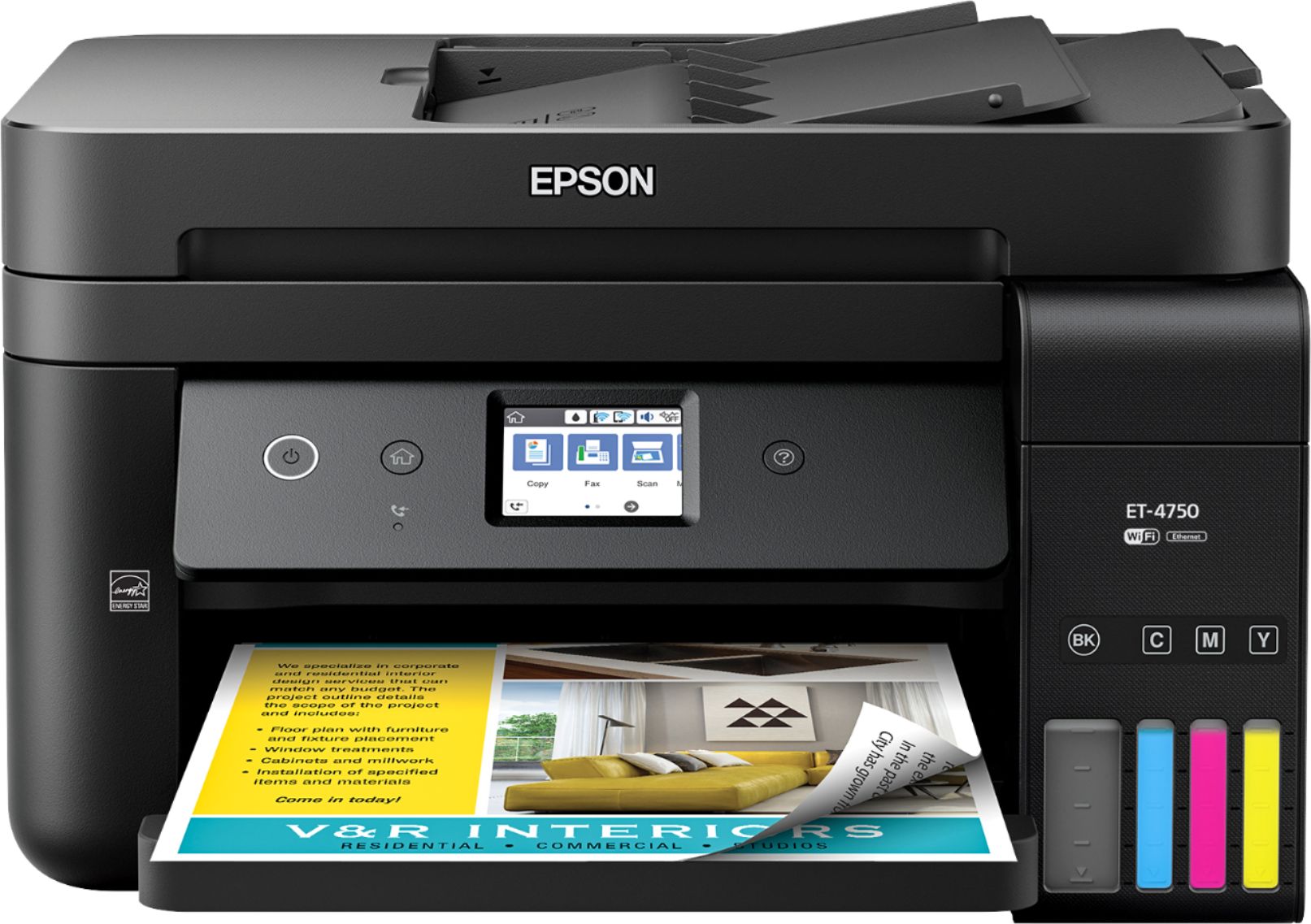
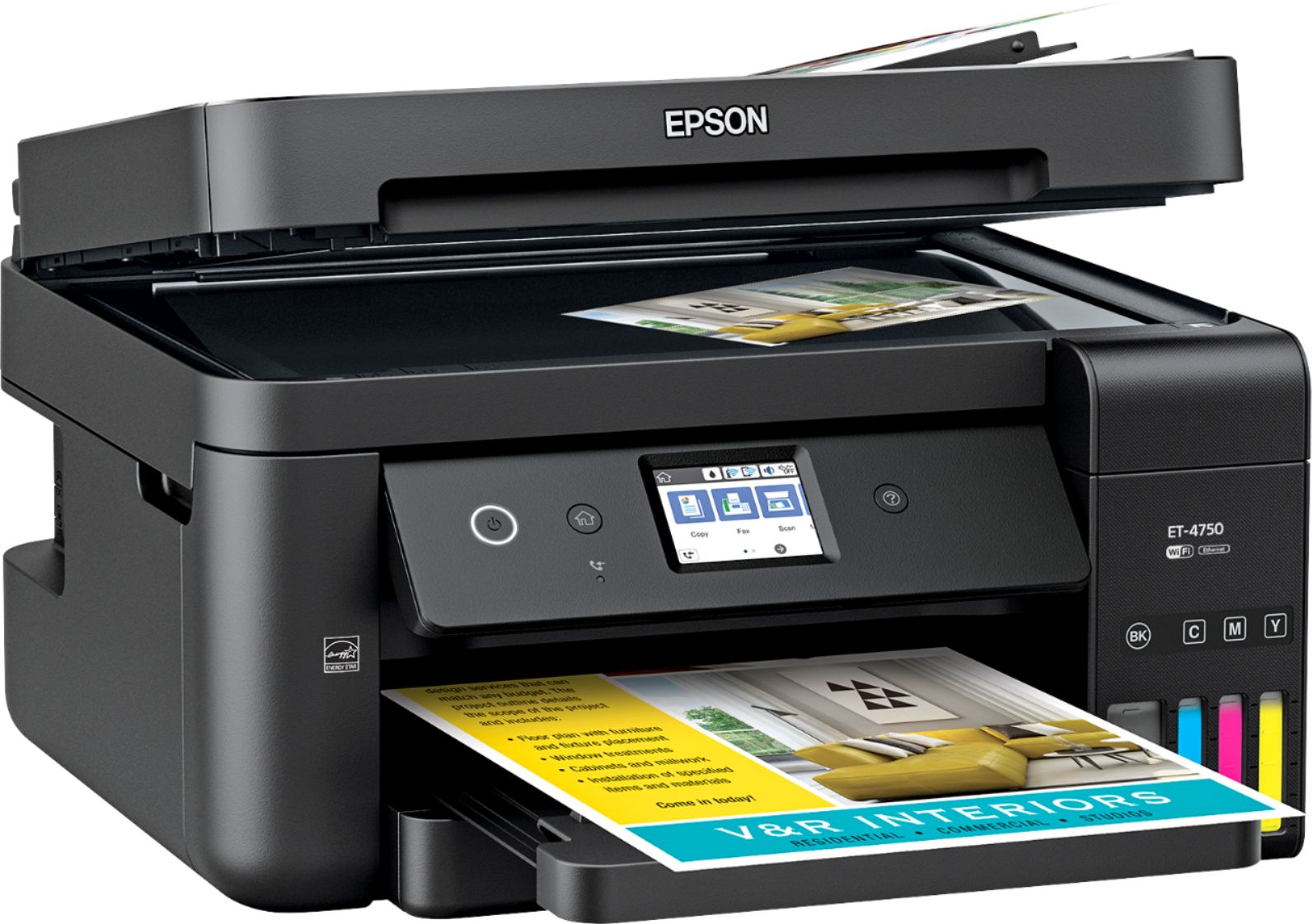
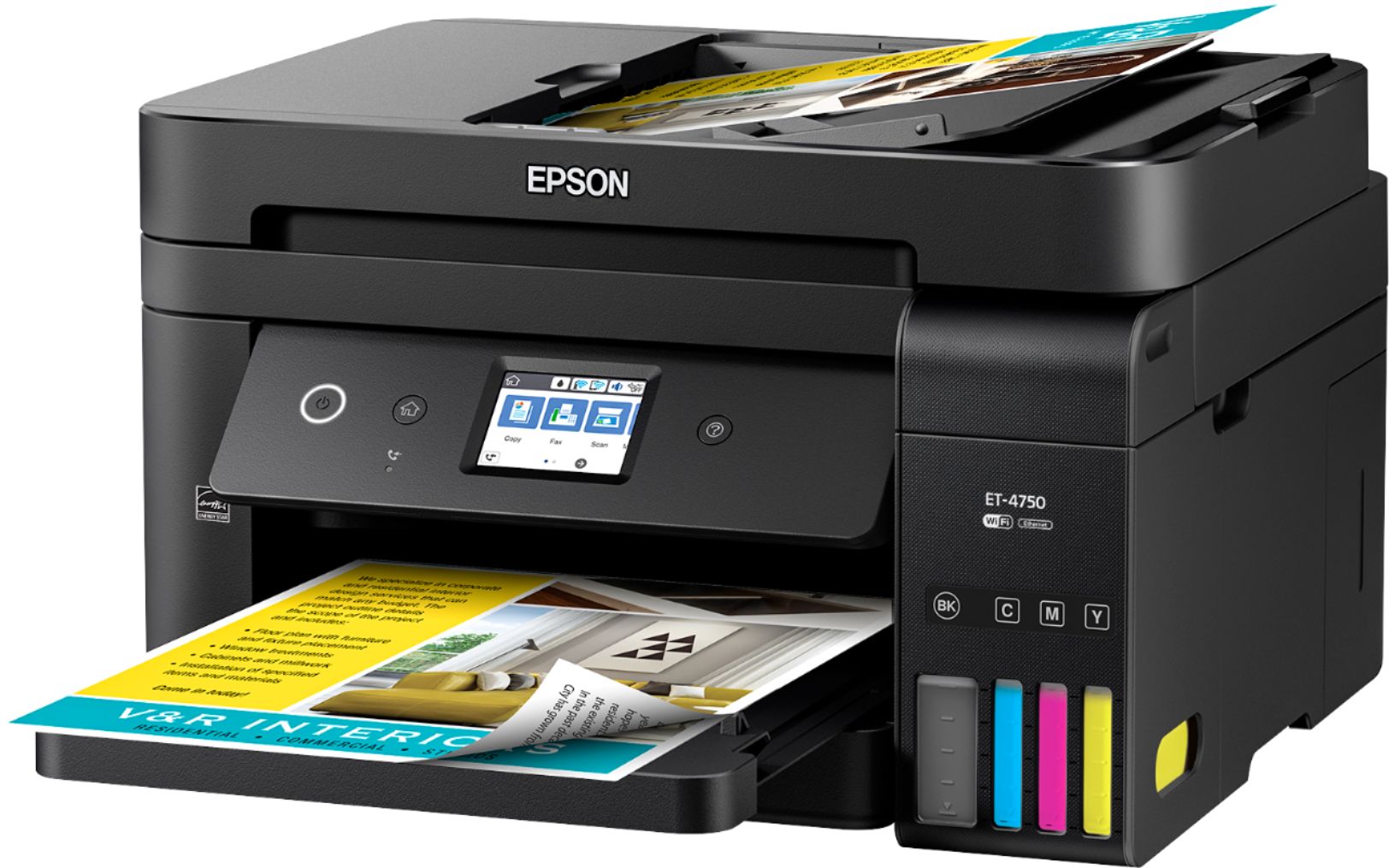
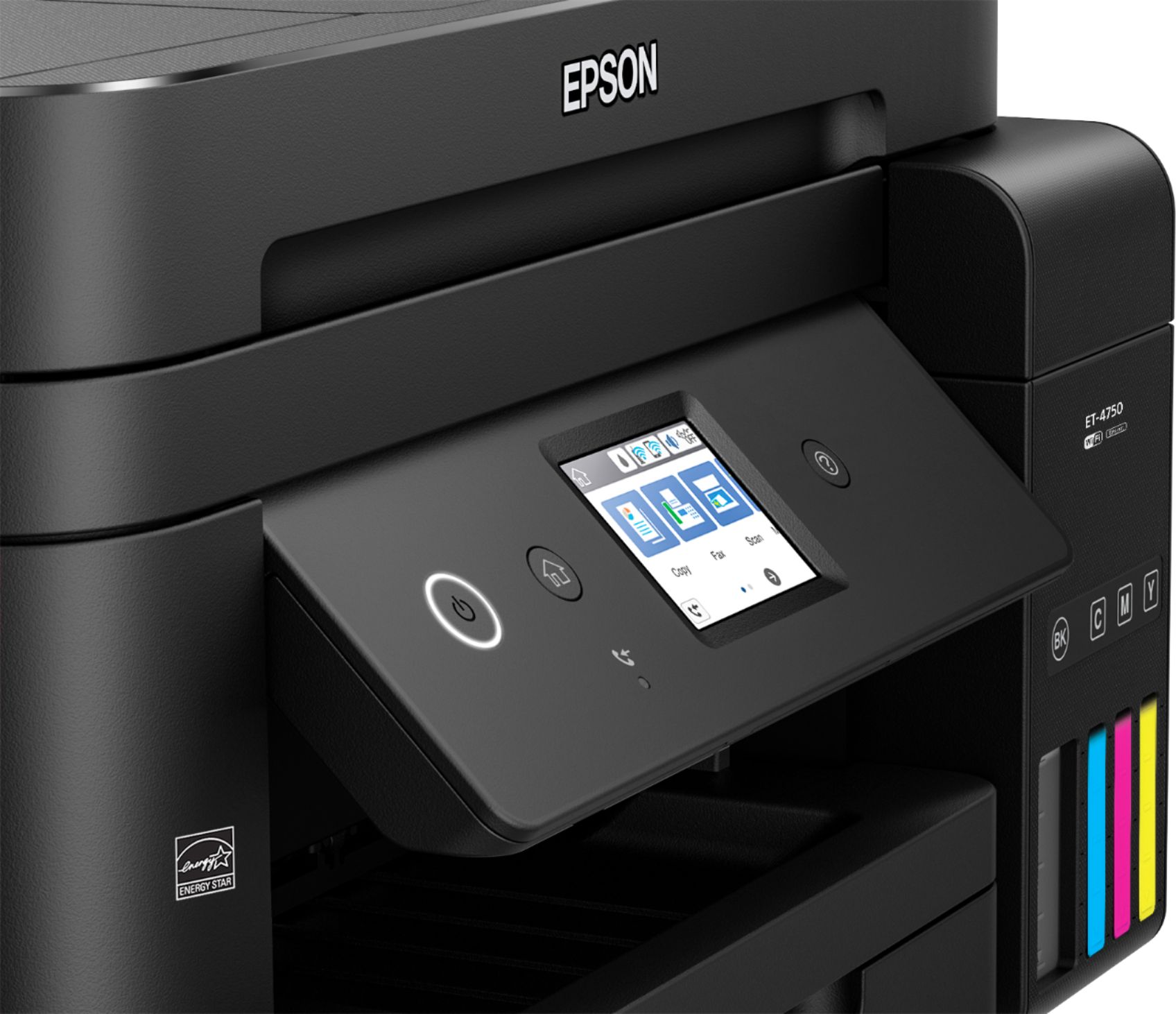
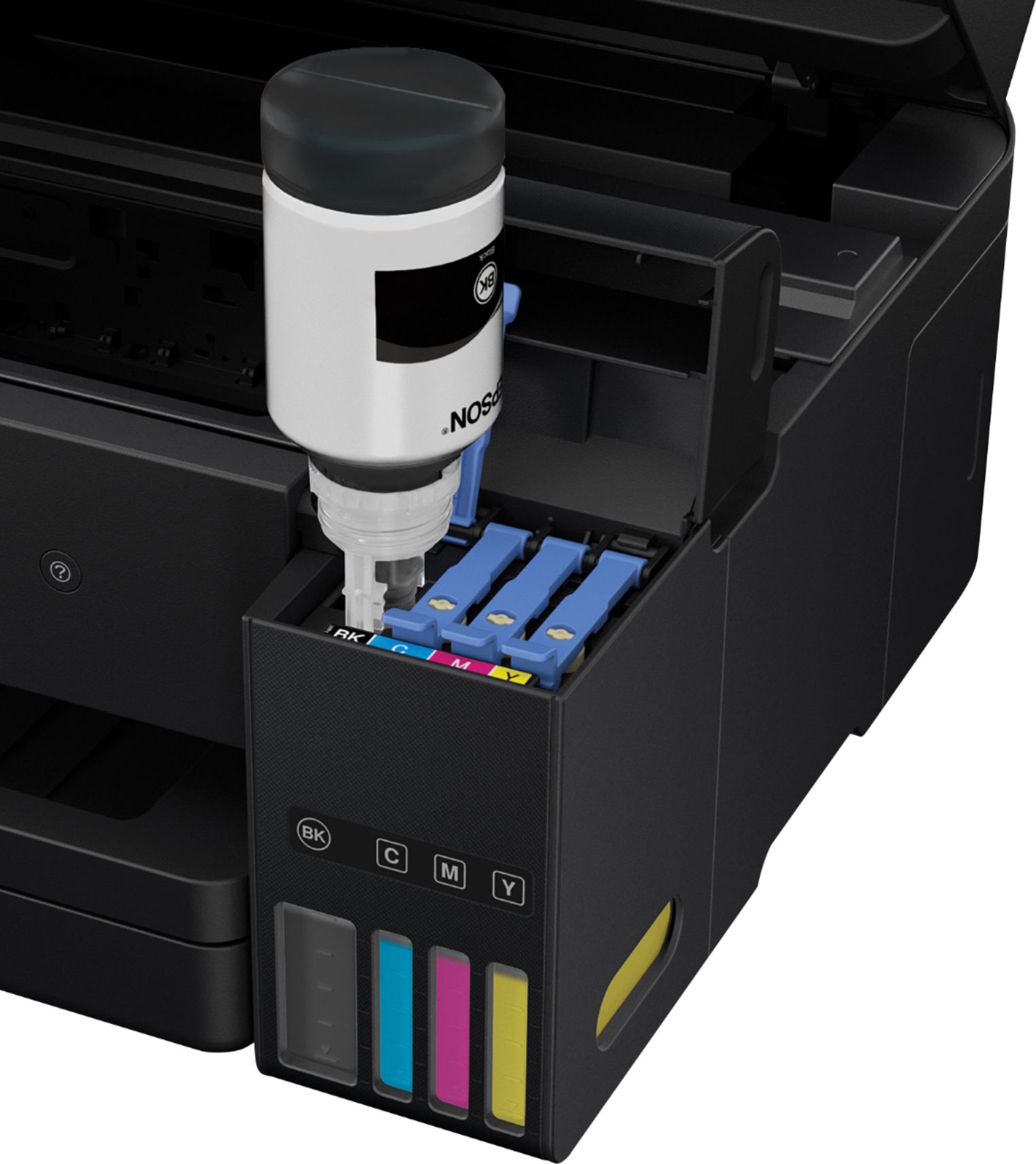
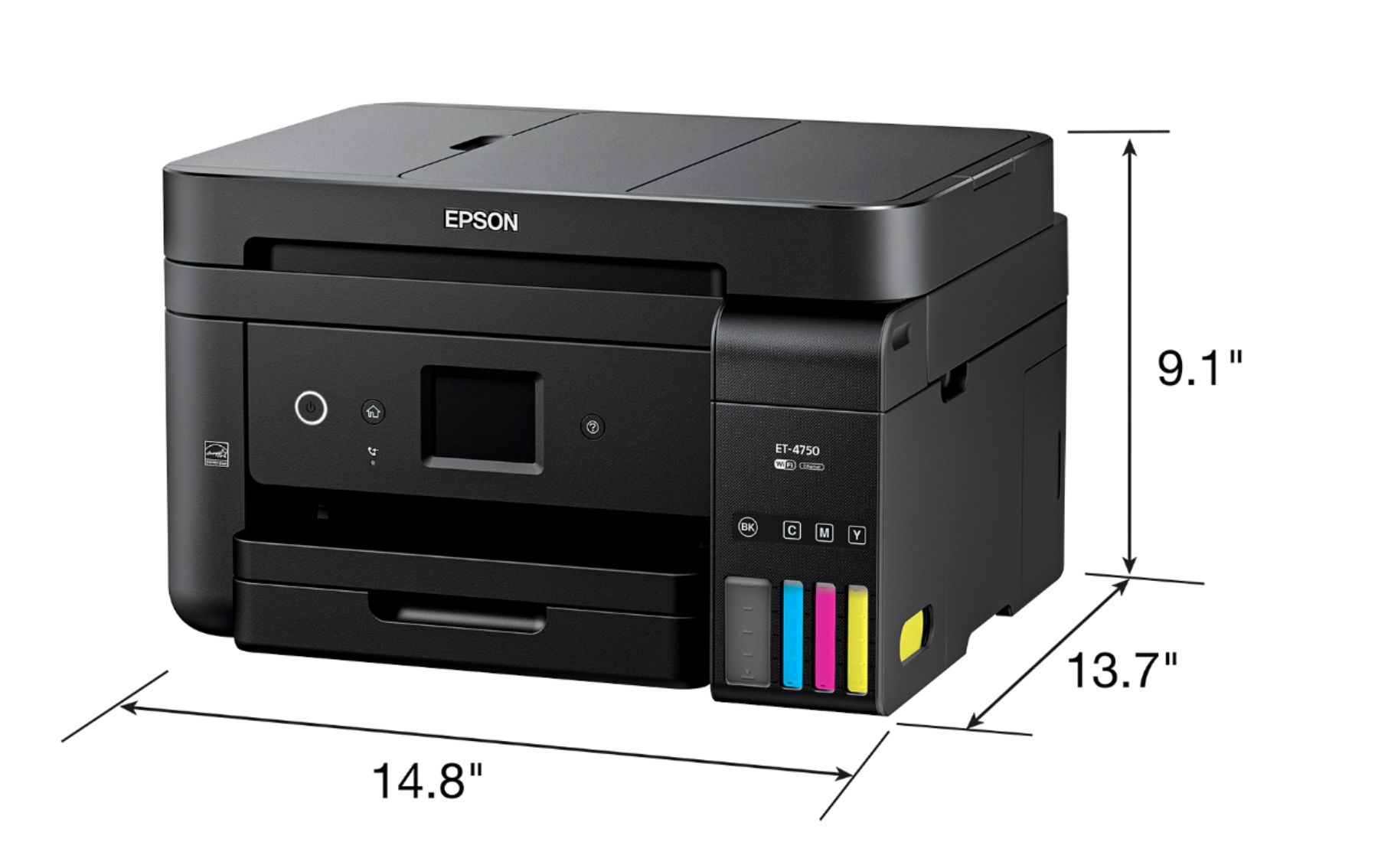
Posted .This reviewer received promo considerations or sweepstakes entry for writing a review.Let's just cut to the parts you want to hear... is the EcoTank 4750 worth it? Yes, if you do a solid amount of printing it's been a HUGE benefit to our family. The EcoTank printers aren't the cheap purchase, but if you print a decent amount they MORE than make up for their cost with ink utilization, capacity and refill costs. NOTE: We were already heavy users of our ET-3600 before using this unit so we have familiarity with earlier models. AESTHETICS: - Small and compact - Easy to see Ink levels (although, as you would guess, the ink isn't as clear as the pics but the levels are as easy to distinguish). - Solid Build - Easy to use UI on the small touch screen - Thankfully removed the keypad (3600 had a 10 key) for all inputs and fax. SETUP: So this was actually EASIER than the 3600. The whole unit only takes a few mins to get to the ink priming stage where its filling the internal non-user touched cartridges. They improved the ink bottle design as it used to just be a small opening that dripped some out, they now use a guided "key" type setup that releases once you fully set it down on the spot. This makes spills a thing of the past. Essentially remove the tape, plugin the unit, go through the On Screen Prompts, Fill the four ink tanks and let it prime for about 10mins as it gets ready. Then dump the remaining ink back in to replace what primed. Setup WiFi. Call it a day! Software was just as simple as you simply opened it, let it find your printer and go through your standard software installation. USE: So far we have printed a few hundred pages for Girl Scouts and my kids shool. Plus the one off coloring page for one of the younger kids. The thing is printing like a champ. It's clear, the ink isn't blowing through according to the software and visible actual ink tanks. The printer is fast to respond from sleep mode into actual printing. We have no regrets. I'd like to put this long "let me break it down", but ultimately you want it to do what you bought it for... printing! It does that, well and no signs of high ink use! So ultimately is it worth your purchase? If you BARELY print then you may want to look at some of Epson's more traditional printers. If you're printing fairly often, and in enough variety / use that you run the risk of a sudden cartridge depletion then THIS is that printer for you. I can't count how many times my old cartridge printers would suddenly break out the "you're out of X ink... replace to continue printing" just as I was printing holiday photo's, or important work documents. Now I don't worry because I know I've got a TON of ink, extra for refills and I can see when my reservoirs are getting low FAR before software would have told me last second! Also, comparing it to my 3600... the smaller form factor, sturdier design and front visible ink tanks are a perk for those who just have that "how's my ink!" need like me. This is a review for the Epson WorkForce ET-4750 EcoTank All-in-One Printer that I received free of charge to do a beta test and review.
I would recommend this to a friend A pain in the neck to to print an envelope.
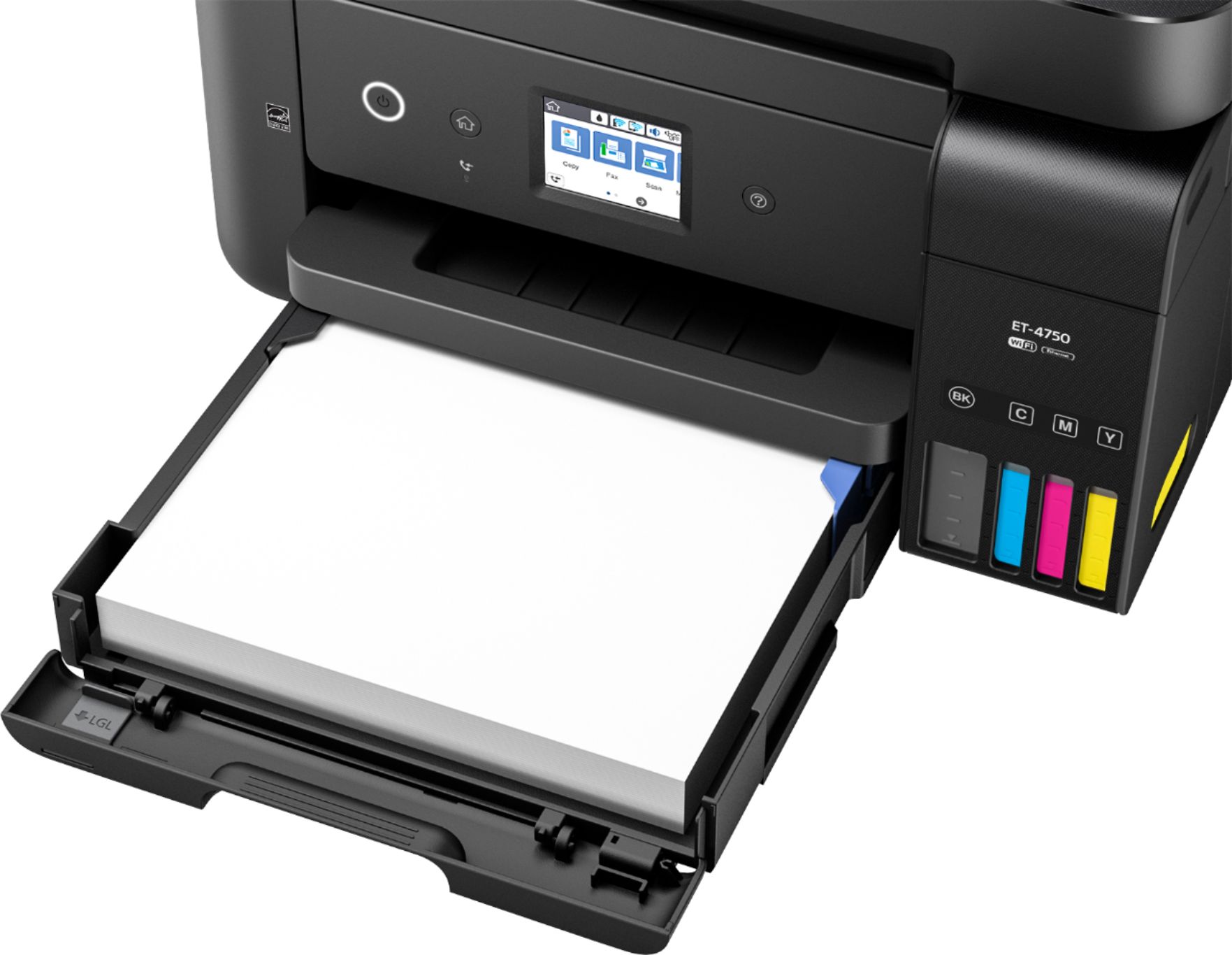
||Posted .This reviewer received promo considerations or sweepstakes entry for writing a review.Great printer but not for a one printer office. One must remove all paper from the tray in order to print an envelope?! And you have to adjust the tray each time. Doesn’t make much sense...
No, I would not recommend this to a friendIt's OK for a printer
||Posted . Owned for 10 months when reviewed.This reviewer received promo considerations or sweepstakes entry for writing a review.I like that the ink doesn't dry out. The wireless setup was a pain. I have to restart the printer for wireless printing as the printer disconnects if not printing daily.
I would recommend this to a friendBrand response from Epson
Posted .Hello Anurag, we appreciate your time in sharing your experience with your Epson ET-4750 printer. Epson provides useful information in the online product FAQs at https://epson.com/Support/Printers/All-In-Ones/ET-Series/Epson-ET-4750/s/SPT_C11CG19201#faq-8796127635532 that can help you troubleshoot the wireless issue you’re experiencing. If you continue to have wireless connectivity issues with your printer, please call our Epson Support at (562) 276-4382; Hours: Monday – Friday, 6am – 8pm PT; Saturday, 7am – 4pm PT. We’re here to help.
Sincerely,
Bobby – The Epson Team
ADF jams paper and impossible to scan documents
||Posted . Owned for 1 month when reviewed.This reviewer received promo considerations or sweepstakes entry for writing a review.I have one of the first Epson Eco printers and the early ones worked fine after Epson send me two replacements. It looks like they are having the same problem with these new Eco-tank Printers ET-4750. I purchased it thinking they had the problem solved, but it appears they have not. I will be returning this printer.
No, I would not recommend this to a friendBrand response from Epson
Posted .Hi Brian, we're sorry to hear you were not satisfied with your Epson ET-4750 printer. Epson takes into consideration all feedback to improve the performance and quality of our products. We appreciate your time in sharing your experience and hope you have a nice day. Kind Regards, Christopher – The Epson Team.
- Pros mentioned:Ease of use, Print quality
Small, efficient and quality printer
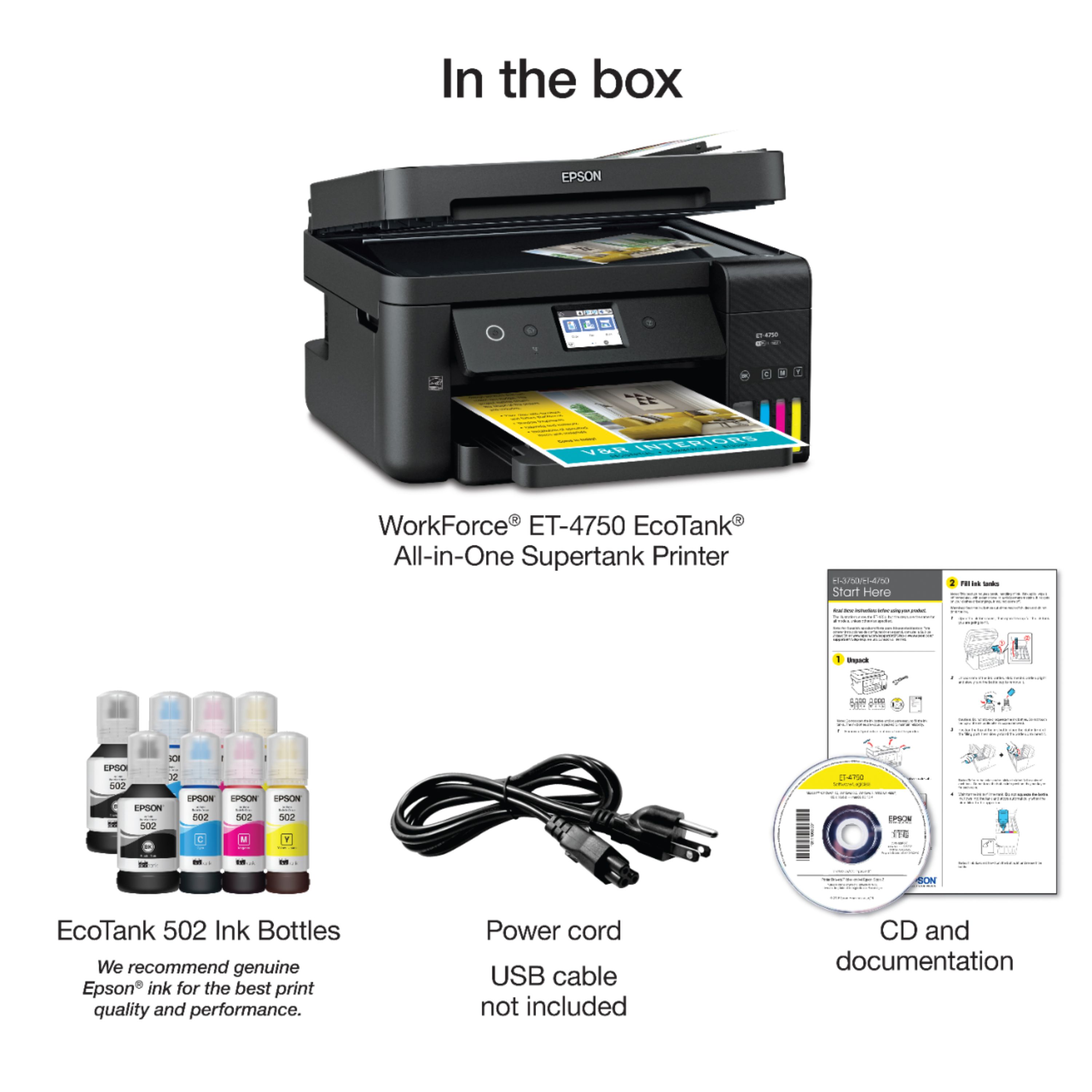
Posted .This reviewer received promo considerations or sweepstakes entry for writing a review.I have been using this printer for last few weeks now. The printer comes in a well packaged box with an installation guide and and Epson compact disc along with the ink that goes into the printer. My initial thought was that filling the ink would be a messy process but when I read through the guide, I realized it won't be all that difficult and when I actually did it, it was the most easiest thing to do and the ink filling process was done in a breeze with no issues at all. In fact I liked the whole process very much as Epson has made sure that you can't go wrong doing it. The ink charging process of 10 minutes was completed without any problems as well and I was ready to print the first sample test page. The print quality of this sample test page was excellent as you would expect from an Epson product. The compact disc that comes with the product takes you through the driver set up process in no time. Installing the Epson iPrint app on my iPad and iPhone was a breeze and you are ready to print from your mobile device thru wireless in no time after making Epson iPrint your default printer on the mobile device.The touch screen on the Epson ET4750 Eco Tank Printer is efficient. The print quality is excellent fro both color and b/w printouts, allows two sided printing and has minimal noise while printing pages. Except the fax feature, I have tested all of the other features such as scanning, copying, printing and they all work very well. I would recommend this product to anyone looking for a small efficient quality printer for home use. This is a review for the Epson WorkForce ET-4750 EcoTank All-in-One Printer that I received free of charge to do a beta test and review.
I would recommend this to a friend Printer eats paper and jams alot
||Posted .This reviewer received promo considerations or sweepstakes entry for writing a review.Printer eats edge of paper and the get paper jams and the display is too small to read
No, I would not recommend this to a friendBrand response from Epson
Posted .Hi kevon, we are sorry to hear that you are having issues with your Epson printer. Your ET-4750 includes free technical support for the life of your product. Our Epson Support Team would be happy to help and can be reached at (562) 276-4382; Hours: Monday – Friday, 6am – 8pm PT; Saturday, 7am – 4pm PT. Sincerely, Brandon – The Epson Team.
- Pros mentioned:Print quality, Setup
Great Printer for it's price.
Posted .This reviewer received promo considerations or sweepstakes entry for writing a review.This is my first experience with a ECO-TANK printer. Overall, I tend to lean towards Canon with my printers. This printer may have changed my mind in that category. First, setup up was extremely easy, and at first the bottle system seems like a daunting task, it's actually super easy. Lock it in, and let it do it's work. Setup using the installer was probably one of the easiest systems I have ever used. It didn't have unnecessary menus and screens. The touchscreen, surprisingly accurate. I have a little bit bigger fingers and even on my phone I tend to hit keys accidently, the printer not so much. It was very accurate with presses and the amount you had to press was minimal. KUDOS to the Wifi connection. I have a extremely reliable internet connection due to me dealing with networking, but most printers lose connectivity easily, this printer hasn't lost it once, even at the opposite side of the house! Now lets get to the printing and quality. I have done a lot of printing, from work, to school work for the family to photos (I have no tried photo paper yet) The printing is crisp clear and has the color. Photos on regular paper come out dull, so I would always suggest photo paper to solve this issue. The printing speed is quick, and compared to other printers is impressive. The tray and paper feed is better built and designed then some former printers. I have only used the scanner feature once as I don't scan much besides receipts and it works well with a clear scan. It has a fax feature but, as it's a very limited technology, I haven't used it. This is a review for the Epson WorkForce ET-4750 EcoTank All-in-One Printer that I received free of charge to do a beta test and review.
I would recommend this to a friend - Cons mentioned:Noise level
slow and really hard to use the buttons
||Posted .This reviewer received promo considerations or sweepstakes entry for writing a review.buy a Canon easier to use not as noisy cheaper called for help and got your helper from India $299 for their help will not refund try to call Epson no return calls BAD service from company do not buy
No, I would not recommend this to a friendBrand response from Epson
Posted .Hello Dave, we are sorry to hear that we were not yet able to resolve this issue. For further assistance, our Epson Advanced Support Team would be happy to help and can be reached at 1-800-241-5794; Hours: Monday – Friday, 6am – 8pm PT; Saturday, 7am – 4pm PT. We hope to hear from you soon. Regards, Marina – The Epson Team.
Great for regular printing not photos
||Posted .This reviewer received promo considerations or sweepstakes entry for writing a review.The printer is overall a decent buy it if you plan on using it for regular printing photo printing is not recommended to you to print quality
I would recommend this to a friendBrand response from Epson
Posted .Hi Lina, we are sorry to hear that you are experiencing issues with your printer. Your ET-4750 includes free technical support for the life of your product. Our Epson Support Team would be happy to help and can be reached at (562) 276-4382; Hours: Monday – Friday, 6am – 8pm PT.
Sincerely,
Stephan – The Epson Team
- Pros mentioned:Print qualityCons mentioned:Touch screen
No more ink cartridges to buy!
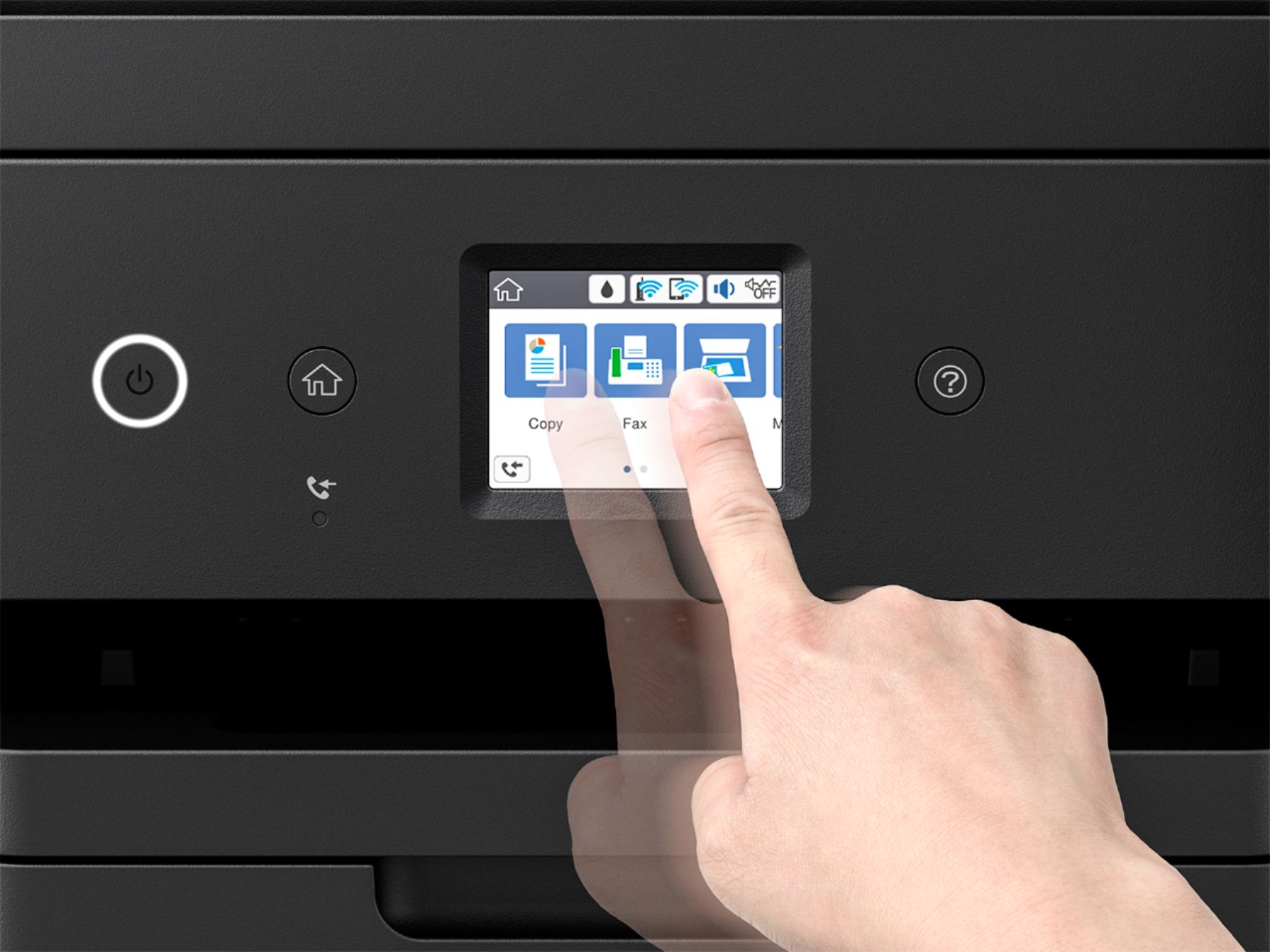
Posted .This reviewer received promo considerations or sweepstakes entry for writing a review.I have been using this printer for the past couple of weeks as a replacement of an old Epson all-in-one which was on its last leg due to a lot of small business use over the past 2 years. In many ways it is a welcome replacement but it is not without some minor flaws/issues. Build: The build quality is pretty nice and doesn’t feel like a cheap piece of junk like many low cost printers are today. Its footprint is smaller than my previous all-in-one but stands taller so it would fit better in most spaces. Not much more I can say about it…it is a printer so looks is not really a major selling point. The biggest flaw with the build is unfortunately the touch screen. In a day in which touch screens are everywhere and have become bigger, the decision to go with such a small screen was definitely a big miss. The size of the screen made certain things very difficult to do especially trying to type in information or dialing numbers when faxing. It made it near impossible if your fingers are bigger than that of a child. Features: The biggest and best feature in my opinion is the ink tank. I can’t believe it took this long to come up with printers that don’t use tiny cartridges which need to be replaced so often if you do more than a few pages of printing a day. I guess it is because companies would rather make that inflated money that cartridges bring in. I really enjoy that there is enough ink in my printer for almost a year with a backup of another year of ink to replace that instead of having to order more ink every month. The other nice feature is the auto 2 page printing ability. It is very frustrating having to turn over the page each time you want to print double sided with some printers. This printer does it as easily as printing a one sided page. Use: Print quality is pretty much in line with most new ink jets out there. I didn’t see any issues and the printing was very quick. Copying pages was a little on the slow side for some reason but the copies came out very nice. It also has a very large document feeder for scanning and copying and a nice large paper tray so you can print all day without needing to refill paper. Conclusion: Most people will see this printer as an expensive one but fail to realize that most of the inexpensive ones are just a vehicle for making money on ink cartridges. In most cases they provide a starter ink set which runs out in just a few weeks and then you are spending $50+ on new ink which if you are dealing with small business type printing, will start to rack up the cost within a few month. This printer comes with 2 years of ink and refills are a fraction of the cost. The printer itself is a very nice for small business or active family use and has delivered very satisfactory results. However there are a few issues which detract from rating this printer higher, such as the ridiculously small touchscreen and the show copy/scan speed. This is a review for the Epson WorkForce ET-4750 EcoTank All-in-One Printer that I received free of charge to do a beta test and review.
I would recommend this to a friend poor design
||Posted . Owned for 1.5 years when reviewed.This reviewer received promo considerations or sweepstakes entry for writing a review.I bought this printer with a two year warranty. It lasted two years and one month. Ink stared drying up in the trays no matter how many cleanings I performed. the print quality was never great. I would not buy this model again
No, I would not recommend this to a friend- Pros mentioned:Ease of use, Print quality
Great Capabilities
Posted .This reviewer received promo considerations or sweepstakes entry for writing a review.The Epson WorkForce ET-4750 is a great printer it offers quite a bit of functionality like dual side printing, Wi-Fi and Wi-Fi Direct plus Ethernet for connectivity options is very useful doing my experience i was able to connect my smartphone device within minutes with no problem securely. Overall the Printer is fairly easy to operate definitely with doing basic function. However it still important to follow the directions for example filling the liquid ink tank first fully before actually preforming the actual initial printer start-up process or you will have to into settings to repeatedly clean the printer head ( acts a a primer to allow the inks to flow through the system in my case. Secondly, this printer including several nifty features in the setting options to really customize your ideal printing style or needs; from altering the border dimensions and increase text and photo quality with the PrecisionCore printing technology. Which greatly enhances and make the visual print looks a lot more vivid and really pops! The printer is a get improvement over my previous printer which this ET-4750 printer allows me to print,copy, scan high quality documents quickly with an outstanding paper storage capacity of 250 pages. My only improvement suggestions would to reduce to noise of the machine. Even when using the "Quite Mode" setting on the printer the actual printing noise is still the same, the setting only reduces dial tones, key press, and notifications. Overall a very outstanding Printer and Fax system, Highly Recommend for majority printing needs for home and work! This is a review for the Epson WorkForce ET-4750 EcoTank All-in-One Printer that I received free of charge to do a beta test and review.
I would recommend this to a friend Disappointed
||Posted .This reviewer received promo considerations or sweepstakes entry for writing a review.For a top of the line printer, Epson's viewpoint not mine, this is a big disappointment. The most expensive machine with limited features. The scan feature does not work and to communicate with computer a special (expensive) cable is required. I use an HP to accomplish most tasks.
No, I would not recommend this to a friendBrand response from Epson
Posted .Hi Boppa, we are sorry to hear that you are experiencing issues with your Epson printer. Your ET-4750 includes free technical support for the life of your product. Our Epson Support Team would be happy to help and can be reached at (562) 276-4382; Hours: Monday – Friday, 6am – 8pm PT; Saturday, 7am – 4pm PT. Regards, Marina – The Epson Team.
scanner troubles
||Posted .This reviewer received promo considerations or sweepstakes entry for writing a review.I had purchased this printer to replace an HP all in one printer that I had for 6 years. The setup was easy and the print quality was ok. Scanning is another story. The scans are slow and multiple times i would scan and never get an image. When you scan the options to save your scan are only jpeg, tiff, png, pdf and searchable pdf. The printer does not support scanning to word document or excell. I contacted support and they said that this printer does not support that option and I would need to purchase a program to convert to a word document. I explained that this unit cost quite a bit of money and I believed that I should not have to buy a converter file. There is a converter file available called Document Capture Pro, however it is available for select models only and this model does not qualify. There is not resolution with Epson after speaking with them, so I may have to purchase an all in one unit that can scan to word, excell etc.
No, I would not recommend this to a friendBrand response from Epson
Posted .Hi Wolfe, we're sorry for the disappointing experience you've encountered with your Epson printer. Your ET-4750 includes free technical support for the life of your product. Please give us the opportunity to assist you by calling our Epson Advanced Support Team. We can be reached at 1-800-241-5794; Hours: Monday – Friday, 6am – 8pm PT; Saturday, 7am – 4pm PT. We're here to help. Sincerely, Patrick – The Epson Team.
Printer didn’t match their claim
||Posted .This reviewer received promo considerations or sweepstakes entry for writing a review.Owner of several printers I found this printer poor in these respects difficult to set up, print quality of colors not great, problem of bending corner of paper when printing. Very slow start up and printing time of two sided printing. Disappointed back to HP.
No, I would not recommend this to a friendBrand response from Epson
Posted .Hi BigD, we are sorry to hear that you are having issues with your Epson printer. The issue is most likely related to print settings. Epson provides useful information product in the User’s Guide at http://www.epson.com/support/et4750 on how to select the best settings for the type of printing you are doing. Your ET-4750 includes free technical support for the life of your product. Our Epson Support Team would be happy to help you optimize your print settings and can be reached at (562) 276-4382; Hours: Monday – Friday, 6am – 8pm PT; Saturday, 7am – 4pm PT. Sincerely, Patrick – The Epson Team.
Dupped
||Posted .This reviewer received promo considerations or sweepstakes entry for writing a review.Would have not made the expensive purchase had I known there are a couple of features, one would expect from a multifunction printer, that are needed. You must buy a special cable for USB function. It is extremely difficult to add new computers to the printer. The awkward delay in printing is a nuisance. Too expensive!
No, I would not recommend this to a friend- Pros mentioned:Print quality, Setup, Size
awesome printer
Posted .This reviewer received promo considerations or sweepstakes entry for writing a review.This printer is awesome! It's small and compact. Fit in any space, whether it's a home office or a business office. Set was a breeze. It's wireless, no wires to connect to your router & no wires to connect to your computer. The initial setup takes like about 10mins and it also comes with 2 sets of watch color inks. It prints fast and clear. This is a review for the Epson WorkForce ET-4750 EcoTank All-in-One Printer that I received free of charge to do a beta test and review.
I would recommend this to a friend No need to purchase cartridges. Good size.
||Posted .This reviewer received promo considerations or sweepstakes entry for writing a review.For the price, is too slow. And it took some time to print quality colors.
I would recommend this to a friendBrand response from Epson
Posted .Hi Tipi, thank you for your feedback. Your EcoTank printer includes free technical support for the life of your product. Our Epson Support Team may be able to help you customize your settings for a more efficient performance. Please contact us at (562) 276-4382; Hours: Monday – Friday, 6am – 8pm PT; Saturday, 7am – 4pm PT. Sincerely, Brandon – The Epson Team.
Not worth the money.
||Posted . Owned for 1 year when reviewed.This reviewer received promo considerations or sweepstakes entry for writing a review.I appreciate the usage through my phone but the printing quality isn't that great. And it gave me problems instantly not printing color and I was using it for probably the third time. I didn't print any big jobs and ink was still full. Had to do the ink head cleaner a bunch of times.
No, I would not recommend this to a friendBrand response from Epson
Posted .Hello TeeDee, we're sorry to hear that you had encountered issues with your Epson printer. We appreciate your business, and we're here to help. Epson provides information that can help your troubleshoot print quality problems in the User's Guide, starting on page 260, at https://files.support.epson.com/docid/cpd5/cpd53997.pdf. If you'd like to speak with someone, your ET-4750 includes free lifetime technical support. Our support team would be happy to assist and can be reached at (562)276-4382; Hours: Monday – Friday, 6 am – 8 pm PT; Saturday, 7 am – 4 pm PT. We value your business and look forward to your call.
Sincerely,
Bobby - The Epson Team