Customer Ratings & Reviews






- Model:
- ET 4750
- SKU:
- 6042207
Rating by feature
- Value
Rating 4.3 out of 5 stars
- Quality
Rating 4.4 out of 5 stars
- Ease of Use
Rating 4.5 out of 5 stars
Customers are saying
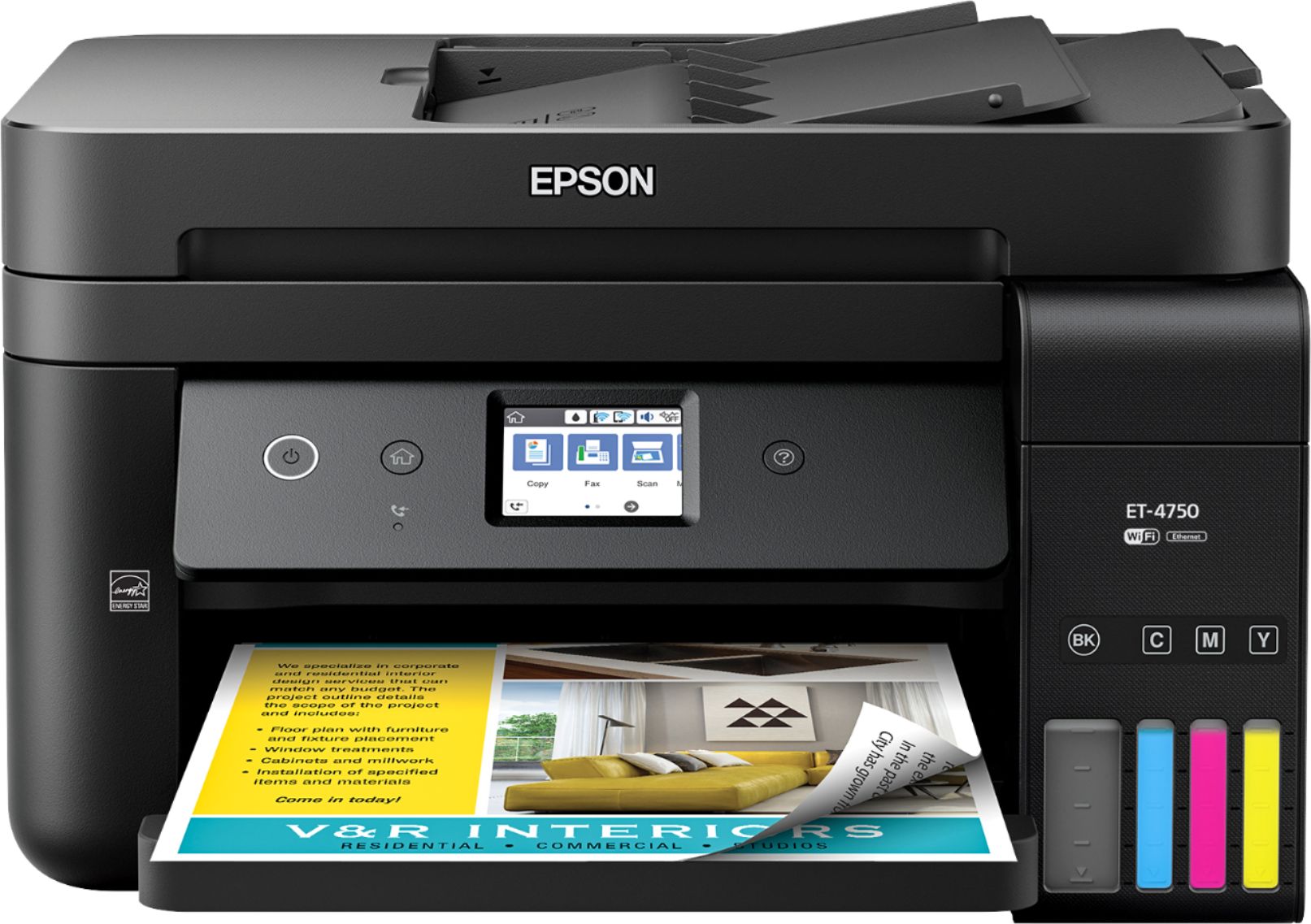
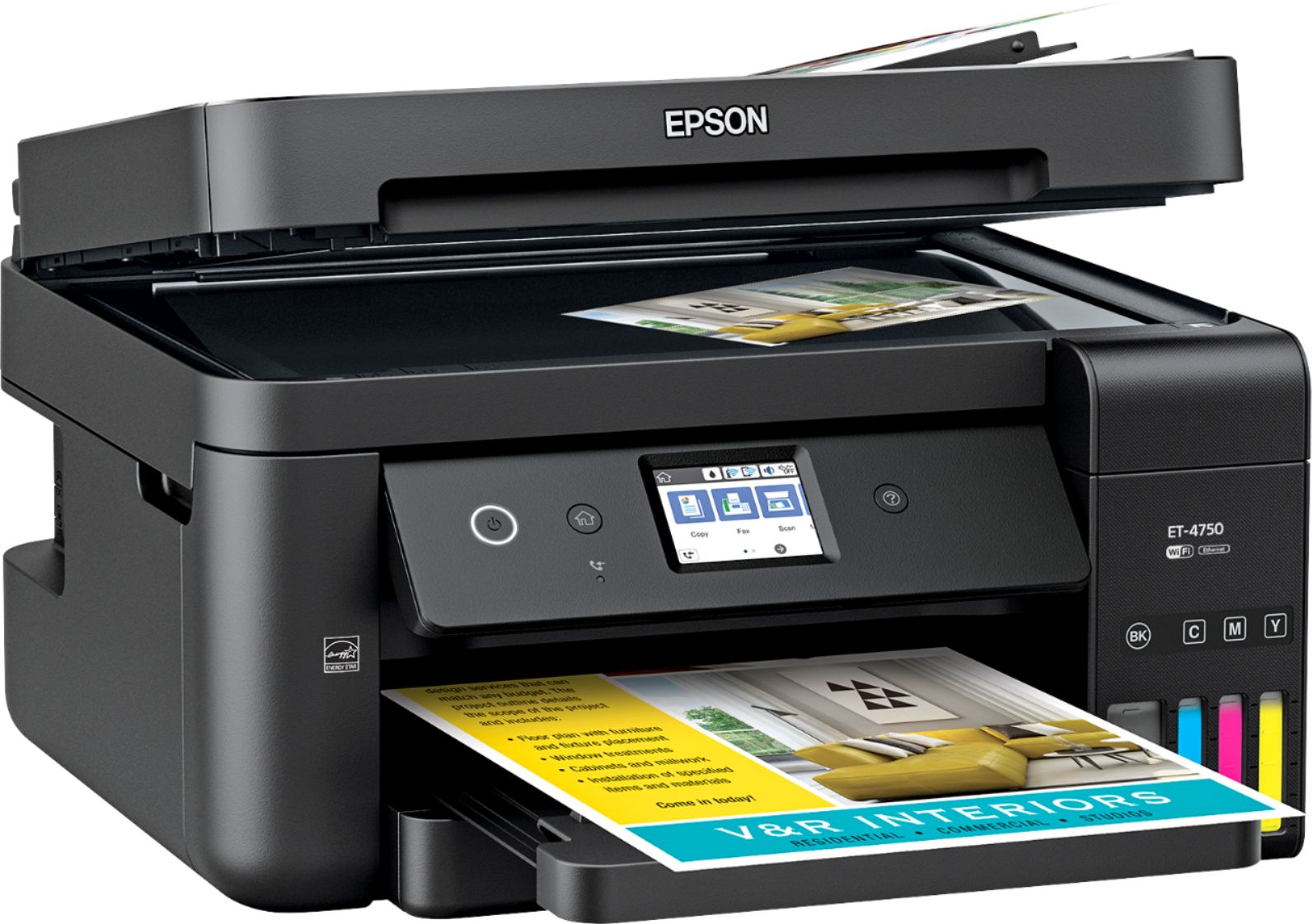
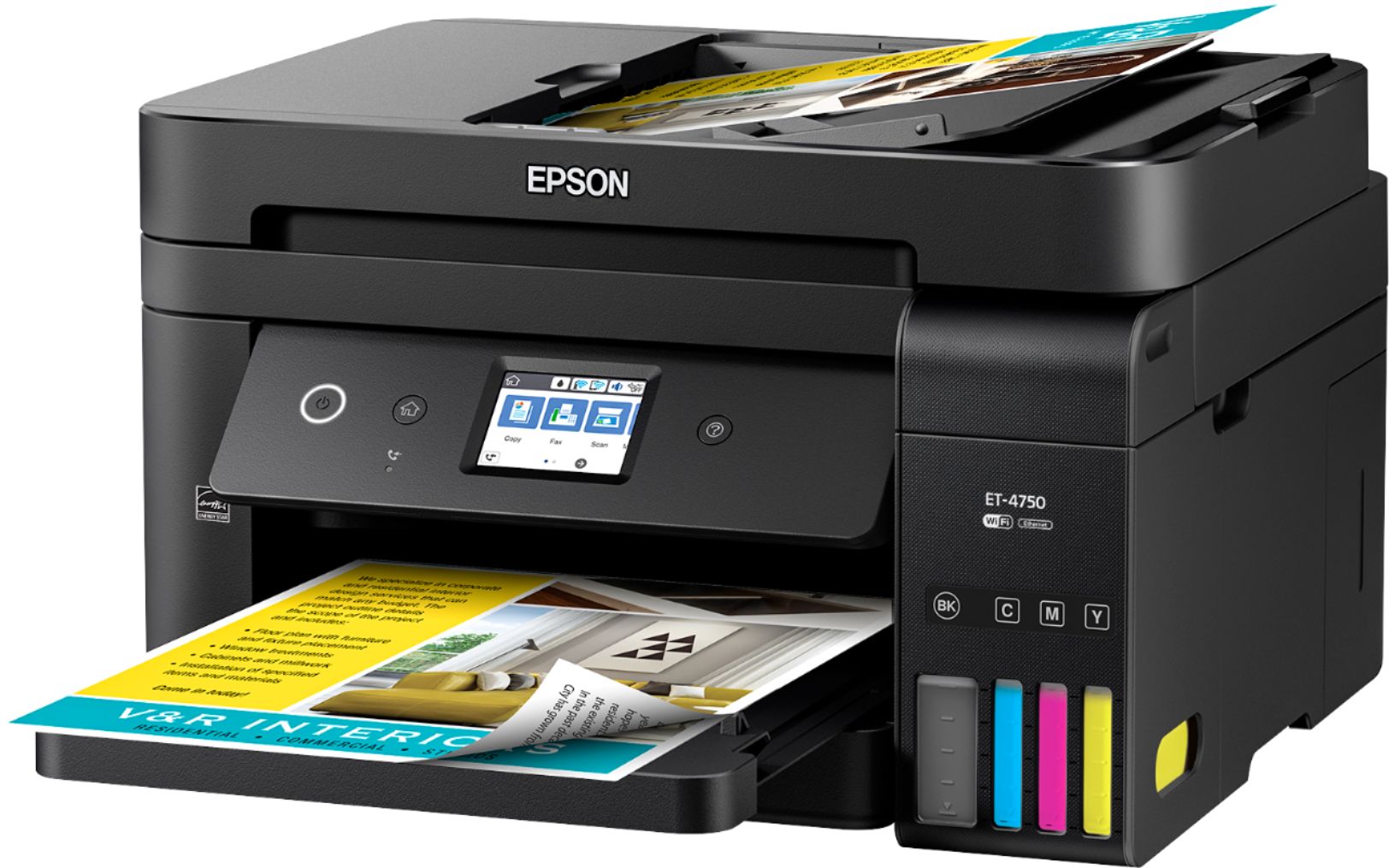
Customers value the excellent print quality and ease of use of the WorkForce EcoTank ET-4750 Wireless All-in-One Printer. Many appreciate its compact size and straightforward setup process. However, some users find the printer noisy and the price point to be a drawback. A few also reported issues with the document feeder and touch screen responsiveness.
This summary was generated by AI based on customer reviews.
Terrible printer
||Posted .This reviewer received promo considerations or sweepstakes entry for writing a review.Difficult to enable wireless feature. Printing envelopes is a pain—must remove paper from the tray in order to adjust the guides to the size of the envelope.
No, I would not recommend this to a friendBrand response from Epson
Posted .Hello Sally1, we apologize for the disappointing experience you’ve encountered with your Epson printer. Your ET-4750 includes free technical support for the life of your product. Please reach out to our Epson Support Team for assistance at (562) 276-4382; Hours: Monday – Friday, 6am – 8pm PT; Saturday, 7am – 4pm PT. We’re here to help. Sincerely, Marina – The Epson Team.

- Pros mentioned:Print quality
This printer is putting everyone on notice!
Posted .This reviewer received promo considerations or sweepstakes entry for writing a review.Is this the printer to end it for all other printers? Maybe. The Epson ET-4750 with EcoTank technology is nothing short of amazing, and that is easy to understand when you find out its greatest feature. Filling up the ET-4750 ink tanks to full is almost the equivalent of 30 regular ink tanks in your printer. Or to put that into another perspective that’s about 2 years of using your printer. Now I don't know if that matters to you, but it’s one of the most important conveniences they have created for me. I hate having to change the printer ink on my printer, and having to deal with purchasing new ink every few months, or running out of a particular color. Well Epson ET-4750 has all the excellent features, and not a lot of the issues that wears others down. The price of the printer may be a little more expensive, but think about how much you save in ink? Traditionally printer companies have made their money on a 'consumables' based model. Sell the printer for cheap, rack up the prices of the ink and make you waste it all the time. Well Epson has flipped this model on its head and it is great. I am very happy with this printer. PROS: Sleek design, doesn't take up a lot of space. Holds equivalent of 30 ink cartridges in 1 fill up! CONS: The printer material (case itself) seems a little bit flimsy/weak. It's not the best print quality I’ve ever seen from a printer. This is a review for the Epson WorkForce ET-4750 EcoTank All-in-One Printer that I received free of charge to do a beta test and review.
I would recommend this to a friend - Pros mentioned:Ease of use, Print quality
Awesome print quality for your monies!
Posted .This reviewer received promo considerations or sweepstakes entry for writing a review.Epson blew me away with this printer! I have had it for the last couple weeks & it works great! The set up was really straight forward especially the set up to print on mobile devices. All of the instruction manuals are really easy to read.You really get your monies worth because the print quality is AMAZING! It hardly makes any noise while printing. This is a review for the Epson WorkForce ET-4750 EcoTank All-in-One Printer that I received free of charge to do a beta test and review.
I would recommend this to a friend Horrible printer
||Posted .This reviewer received promo considerations or sweepstakes entry for writing a review.My husband convinced me to get this printer because the ink was supposed to last forever. I can’t get it to connect to my desktop or laptops and we ha s printed less than 10 times and the ink is going down quick!
No, I would not recommend this to a friendBrand response from Epson
Posted .Hi CJens, we appreciate your business and welcome the opportunity to assist you. Epson provides useful information at http://www.epson.com/support/et4750 that can help you troubleshoot the wireless issue you’re experiencing. Your Epson ET-4750 includes a 1-Year Limited Warranty, plus free technical support for the life of your product. Our Epson Support Team would be happy to help with your ink and wireless issues. They may be reached at (562) 276-4382; Hours: Monday – Friday, 6am – 8pm PT; Saturday, 7am – 4pm PT. Sincerely, Patrick – The Epson Team.
- Pros mentioned:Print quality
Easy setup, including firmware update and wireless
Posted .This reviewer received promo considerations or sweepstakes entry for writing a review.It only took a couple of hours to go from boxed to fully functional, including a firmware update. The only hitch came when I loaded the ink. It comes with two sets of four bottles of ink - black, magenta, cyan, and yellow. The instruction sheet says to pour the contents of the first set of bottles into the tank and let the unit charge the ink, after which you add the contents of the remaining four bottles. However, the on-screen instructions on the machine did not call for the second filling. Rather, they moved on to the next step in the setup. I completed the setup and firmware update, with various test printouts to assure that everything was in proper register. Then I called Epson support to find out if there was a recommended way to add the remaining ink. I was told to turn off the unit, disconnect the power cord from the back and from the power source, then open the lid and add the remaining ink. Then connect the power cord and start the unit. As it turned out, it didn't take all of the ink, leaving a fair amount in the bottles after it stopped filling, so I guess I'll keep the bottles handy and use them to top off the tank as the levels drop. Establishing a connection with my wiifi router was simple and quick, using the enclosed CD ROM. My wife was able to connect and print using just the applications on her Windows 10 computer. The print-outs are sharp, crisp and vivid and everything I have come to expect from Epson products. I'm looking forward to not buying ink for a long time. This is a review for the Epson WorkForce ET-4750 EcoTank All-in-One Printer that I received free of charge to do a beta test and review.
I would recommend this to a friend - Pros mentioned:Print quality
Excellent for Home Use
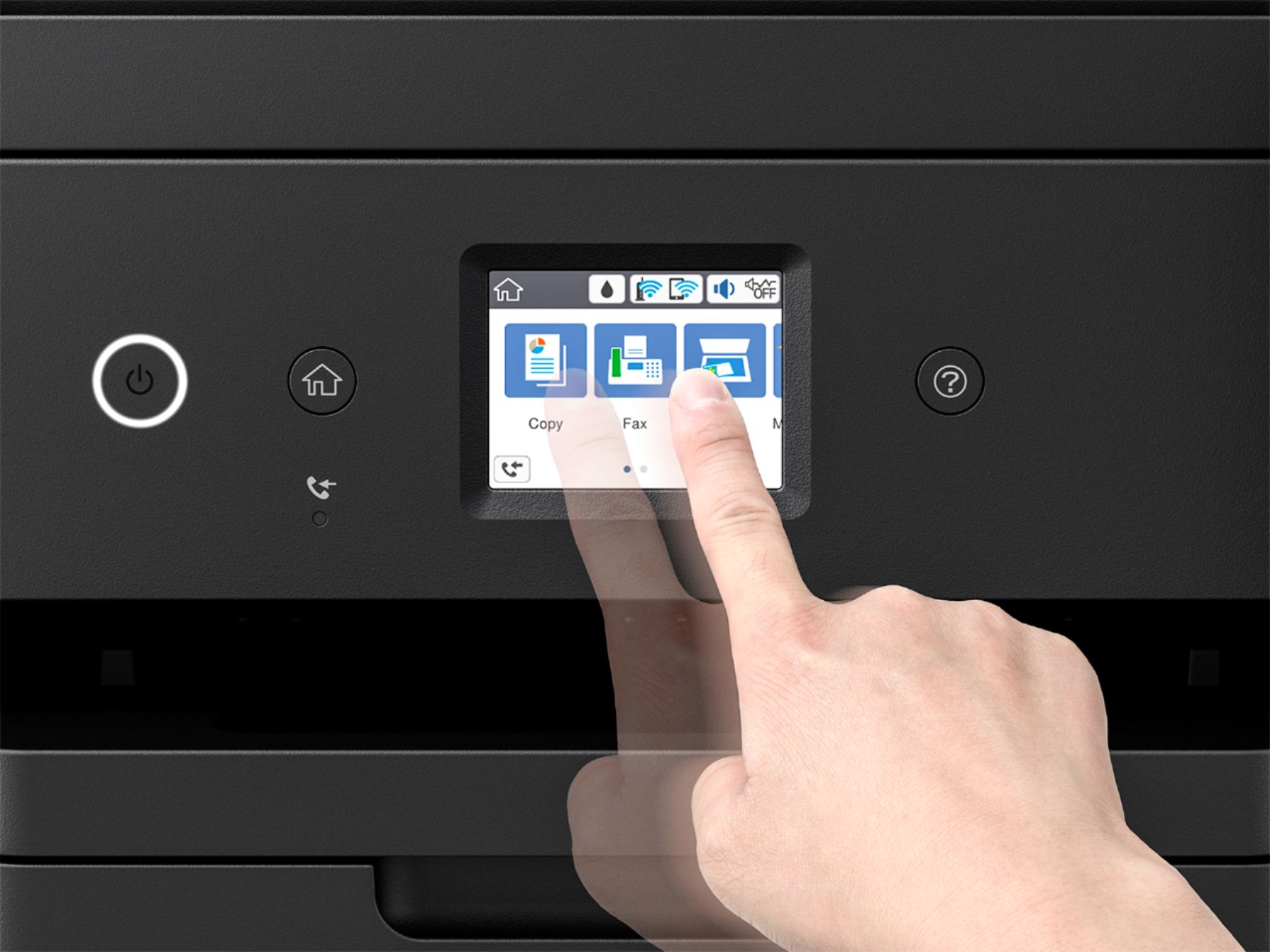
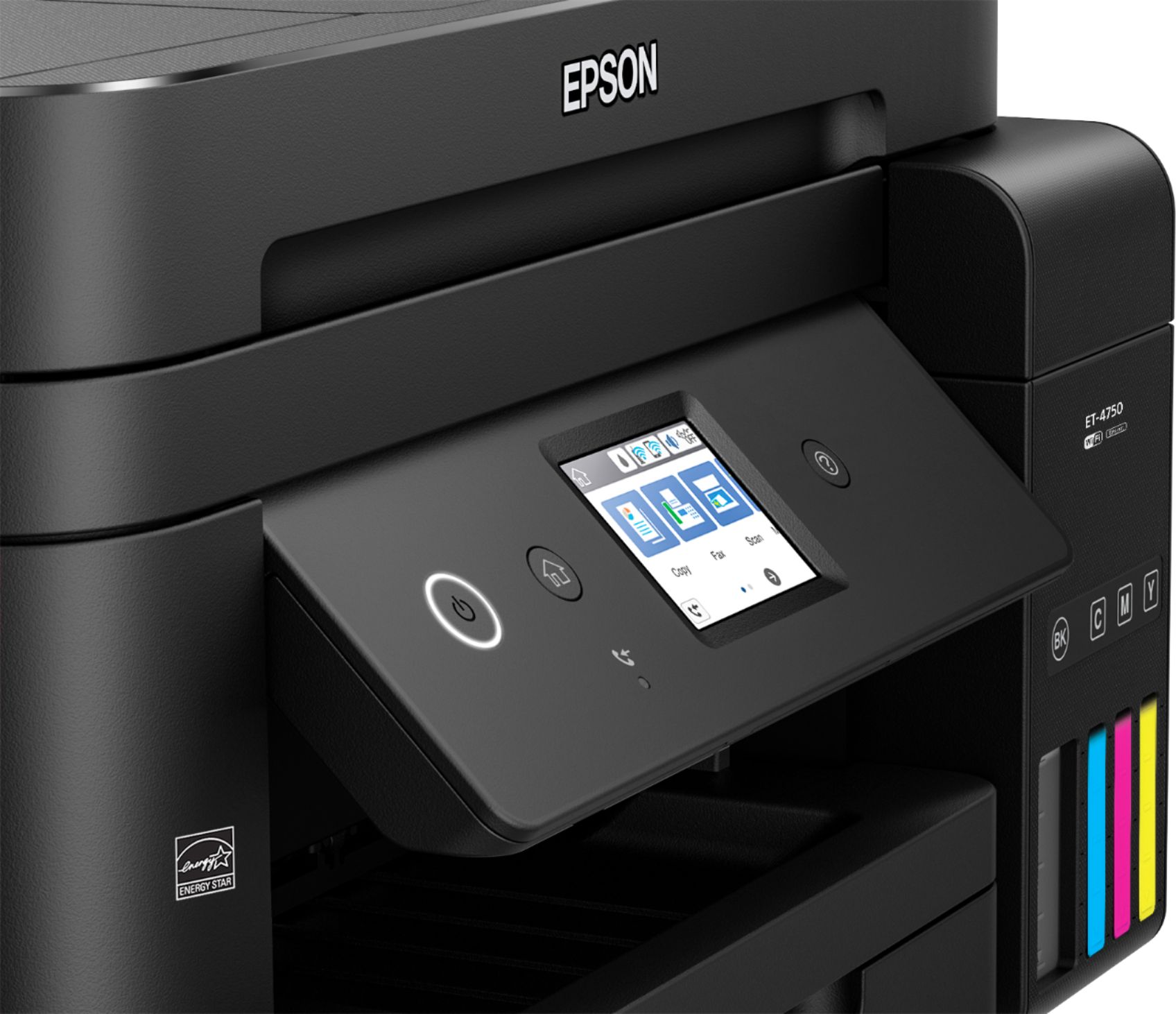
Posted .This reviewer received promo considerations or sweepstakes entry for writing a review.I set up this printer this past week. The packaging was excellent. All the small parts were secured with tape. Love the fact that it has only one wire, the power adapter. It has wifi connection, which helps and makes for a better network device. The start page is very informative to get things going. It comes with two sets of ink for the four different colors. I like that it's in a bottle and you just pour it in the tank. You have to insert the ink before powering on the printer. Once that's done, you power it on and it asks date, time, language. Then you let the printer charge the ink, which takes about 10 minutes. Nothing unexpected. Afterwards, you can setup wifi connection and print a test page. Everything went smoothly with the setup. I actually went to the link provided in the start here page since my laptop doesn't have CD drive. Installation of drivers were very fast and it recognized the printer rather quickly. The printer itself is compact so it won't take up a lot of space anywhere you decide to put it. It is stylish. The touchscreen LCD is bright enough and the touch is very responsive, which I was surprised by. Printing is rather fast. I sent few pages via Wifi and it was really fast to print. Overall, very impressed with this printer and will continue to use it whenever I need to print. Will see if the provided ink actually lasts two years. This is a review for the Epson WorkForce ET-4750 EcoTank All-in-One Printer that I received free of charge to do a beta test and review.
I would recommend this to a friend - Pros mentioned:Print quality
Best printer i have used
Posted .This reviewer received promo considerations or sweepstakes entry for writing a review.First off I would like to put this is my second Epson printer I have owned. This thing was easy to install on my computer just followed the cd instructions and it was ready in less than 20 mins. I have tried the wireless/wired connections and have had no issues with either of them. I have also tried the app on a couple phones and no one issue . I can say this thing has worked better than both the hp and brother printer I own. This thing prints very fast and is very clear with less noise than my last Epson printer. The things I have tried so far are printing document and a few coloring pages for my kids. I use this a lot for my wife for coupons and printing recipe's. I don't think I have anything bad to say about this printer I have not had one issue as of yet. The lcd screen is also a great feature and being able to edit before I print is such a time saver. For the ink this thing is great and easy to refill. Plus with the large paper tray you spend less time loading paper and more time printing. The last thing I want to say about this printer is it scans perfect ive done photos and a lot of school projects for my kids so I keep them forever and the quality is perfect for me. This is a review for the Epson WorkForce ET-4750 EcoTank All-in-One Printer that I received free of charge to do a beta test and review.
I would recommend this to a friend Not that easy to set up and takes a long time
||Posted .This reviewer received promo considerations or sweepstakes entry for writing a review.I am having difficulty setting up due having to know some code or numbers to set the thing up. I was told how easy it is. Not so! I have to have friend come over to help and set it up! Not good!
No, I would not recommend this to a friendBrand response from Epson
Posted .Hi Rick, we are sorry to hear that you are having issues with your Epson printer. Your ET-4750 includes free technical support for the life of your product. Our Epson Support Team would be happy to help with setting up or any other technical issues and may be reached at (562) 276-4382; Hours: Monday – Friday, 6am – 8pm PT; Saturday, 7am – 4pm PT. Sincerely, Patrick – The Epson Team.
- Pros mentioned:Print quality
Easy to Connect, Ton of Ink Saver & Quality Prints
Posted .This reviewer received promo considerations or sweepstakes entry for writing a review.I've been pleasantly surprised by this printer. I was very skeptical beta testing this in the first place because I'm an avid Canon Pixma G3200 user. Epson really got spot on on this printer. Its perfectly sized, ergonomic and easy to connect on Wifi. The total setup took about 15 mins to take out of the box and set up. Download and Installation of drivers took another 30 mins and configuration took another 5 mins. A beautiful color print within an hour is never heard of. I also tried the all the in one features particularly the scanner and copier. They all seem to be flawless. Less Noisy than my Cannon printer. I'v not tried the Fax feature but believe it will hold to its reputation. Considering that it brings in 2 years worth of ink with it, its a must buy for any college projects. I could even print a quality marketing collateral bright and beautiful. Overall the best part is the ink it comes with, sufficient for 11k monchrome or 8.5 color prints, print from mobile and the down side is touchscreen is a little smaller and sometimes not very responsive. I've recommended this printer to colleagues and friends and few have bought them and shared the same consistent feedback. This is a review for the Epson WorkForce ET-4750 EcoTank All-in-One Printer that I received free of charge to do a beta test and review.
I would recommend this to a friend - Pros mentioned:Print quality
Great new option for Ink
Posted .This reviewer received promo considerations or sweepstakes entry for writing a review.I’ve been using the WorkForce XT4750 for a few weeks now. I am impressed with the high-speed prints of 15 pages black per minute but have also used it to print a lot of photos, 3x5 up to 8x10 and the colors are vibrant and lovely. The printer came with everything you needed to set up including two sets of ink bottles. That should be enough to print up to 14,000 pages. Although a USB cable is not included, my laptop seemed to work flawlessly with the wireless connection. The easy to fill ink tanks are an improvement over the previous model where I was worried I was going to spill some. The fact that they uniquely keyed each ink tank makes is so easy that even my kids could fill it. The touchscreen is simple and easy to use and seems user friendly. I love that the included ink replaces about 30 ink cartridges which saves the landfills, saves me money and is energy-star qualified. This is a review for the Epson WorkForce ET-4750 EcoTank All-in-One Printer that I received free of charge to do a beta test and review.
I would recommend this to a friend - Pros mentioned:Print quality
awsome printer
Posted .This reviewer received promo considerations or sweepstakes entry for writing a review.Epson Workforce et-4750 is really awesome printer, and its got some real business and daily life features that all of ordinary people can benefit. Important conveniences they have created for me. I hate having to change the printer ink on my printer, and having to deal with purchasing new ink every few months, or running out of a particular color.l Epson ET-4750 has all the excellent features, and not a lot of the issues that wears others down. The price of the printer may be a little more expensive, but think about how much you save in ink. Set up was easy and fast, and when printing it comes out fast and sharp images. Photo printing and quality of photos is really good, same as when I pick mines from walgreens. Love it, and just in right time for holiday season. This is a review for the Epson WorkForce ET-4750 EcoTank All-in-One Printer that I received free of charge to do a beta test and review
I would recommend this to a friend MommaBear
||Posted . Owned for 1 year when reviewed.This reviewer received promo considerations or sweepstakes entry for writing a review.It broke down and we had to return it. Too expensive for the quality we received.
No, I would not recommend this to a friendPoor printing job
||Posted .This reviewer received promo considerations or sweepstakes entry for writing a review.Very slow printing colors are fuzzy but size are adorable but that does not make any difference for a printer feature job
No, I would not recommend this to a friendBrand response from Epson
Posted .Hi Lokmen, you can find product information, including FAQs and recommended settings on how to choose the best print settings and paper for your printing needs, in the product User’s Guide at http://www.epson.com/support/et4750. If you continue to have problems with your printer, our Epson Support Team would be happy to help you and can be reached at (562) 276-4382; Hours: Monday – Friday, 6am – 8pm PT; Saturday, 7am – 4pm PT. Sincerely, Patrick – The Epson Team.
auto scan
||Posted . Owned for 1 year when reviewed.This reviewer received promo considerations or sweepstakes entry for writing a review.poor quality, print fuzzy, lines in scans. small screen for setup ect...
No, I would not recommend this to a friendNot what I expected
||Posted .This reviewer received promo considerations or sweepstakes entry for writing a review.Not what I expected. I returned it and got a cannon which works great.
No, I would not recommend this to a friendBrand response from Epson
Posted .Hi NAJF, thank you for sharing your experience. Epson takes into consideration all feedback to improve the performance and quality of our products. We will forward your feedback to the relevant Epson department, as we are always looking to make future Epson products better. Once again, thank you. Regards, Patrick – The Epson Team.
Crash
||Posted . Owned for 9 months when reviewed.This reviewer received promo considerations or sweepstakes entry for writing a review.Crashed on hook up. Replaced by store with 4760. Bravo
No, I would not recommend this to a friendExcellent All in One Printer
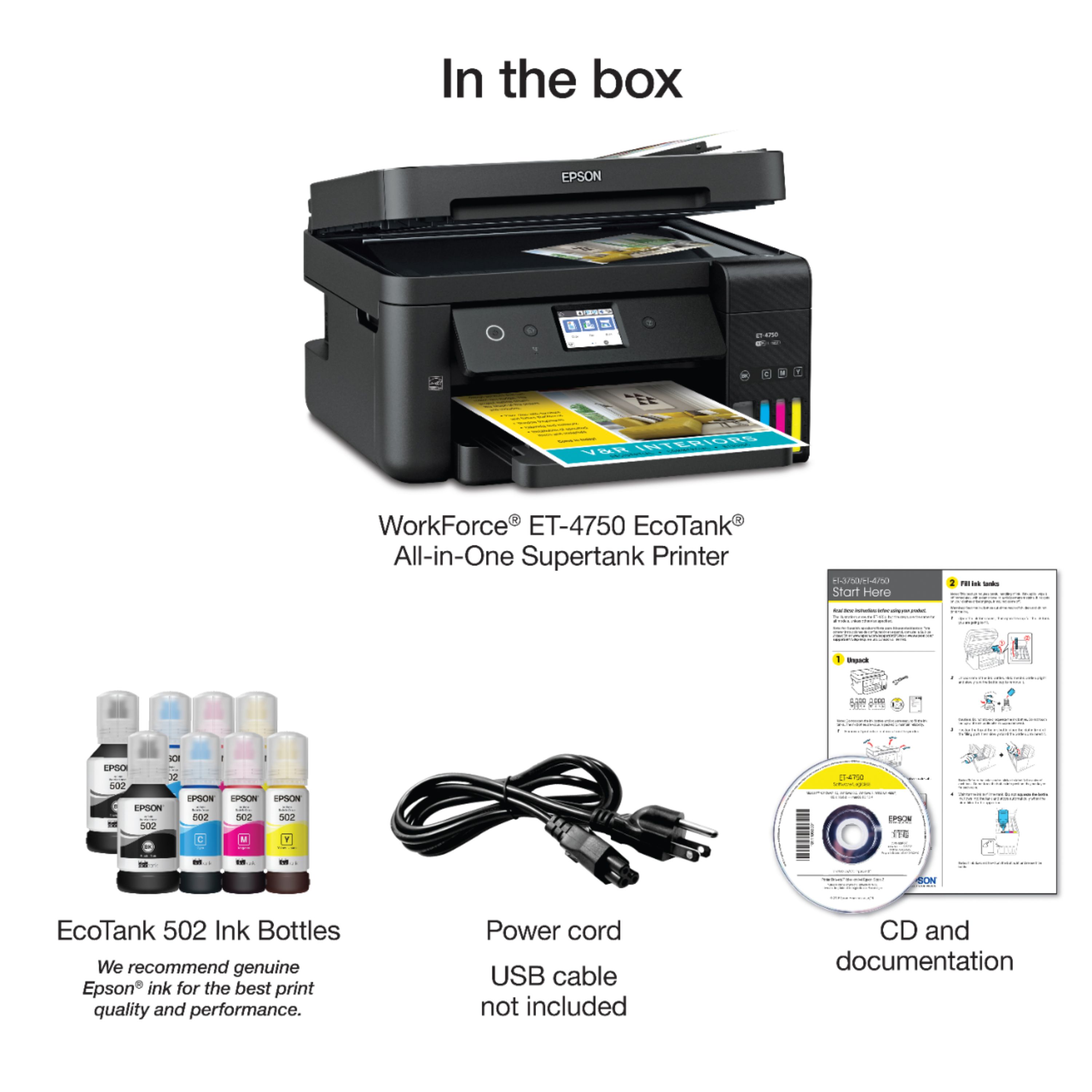
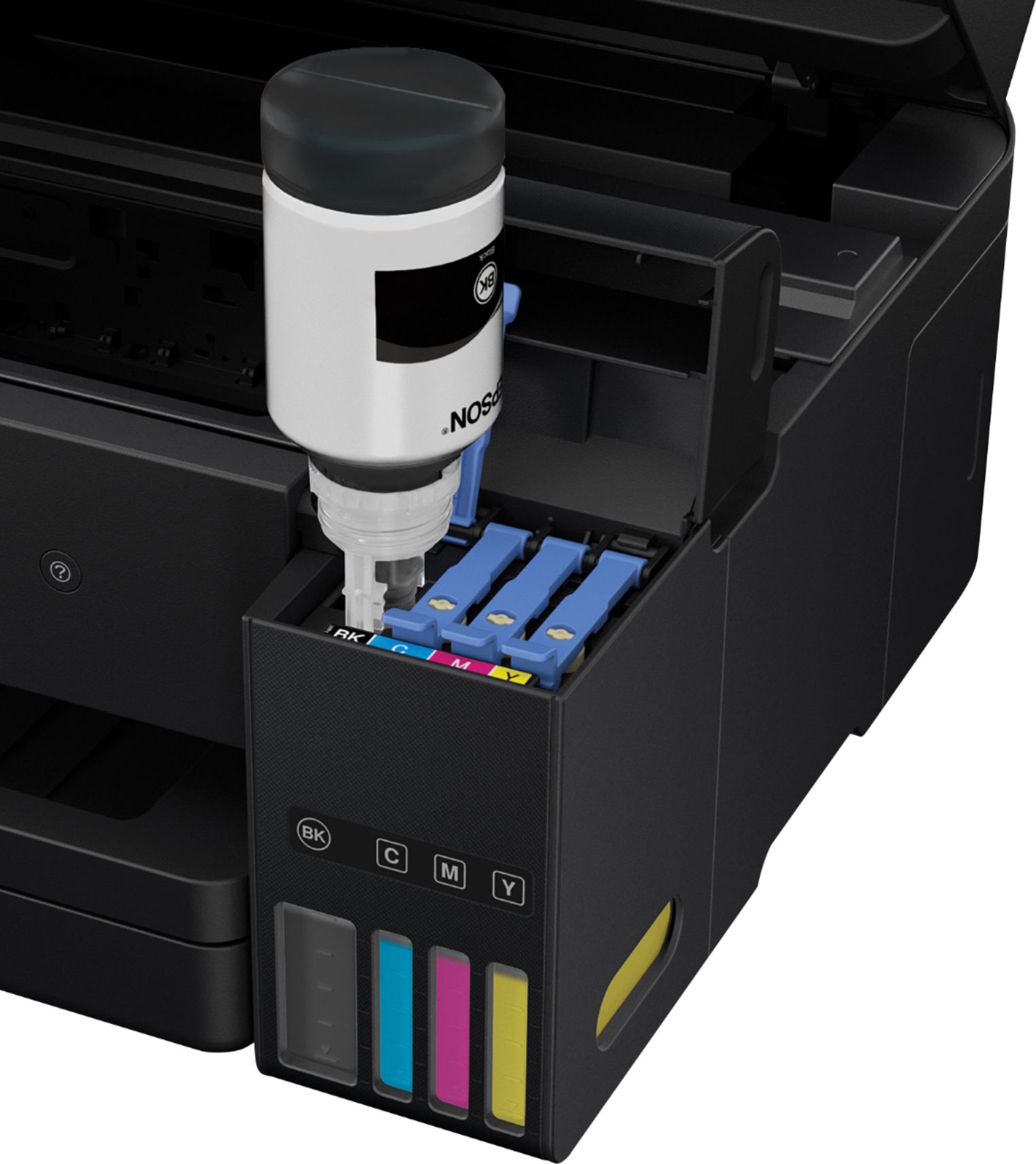
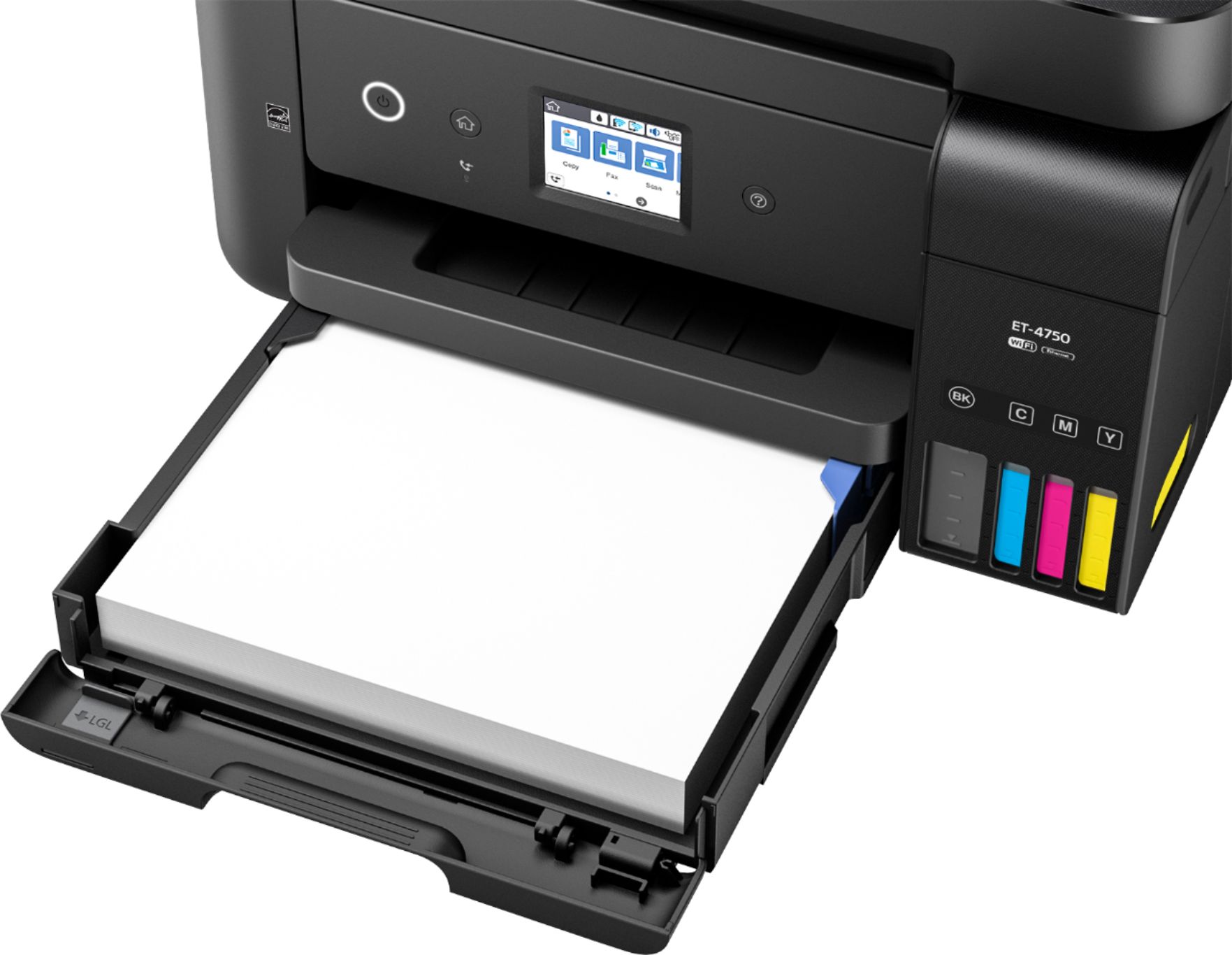
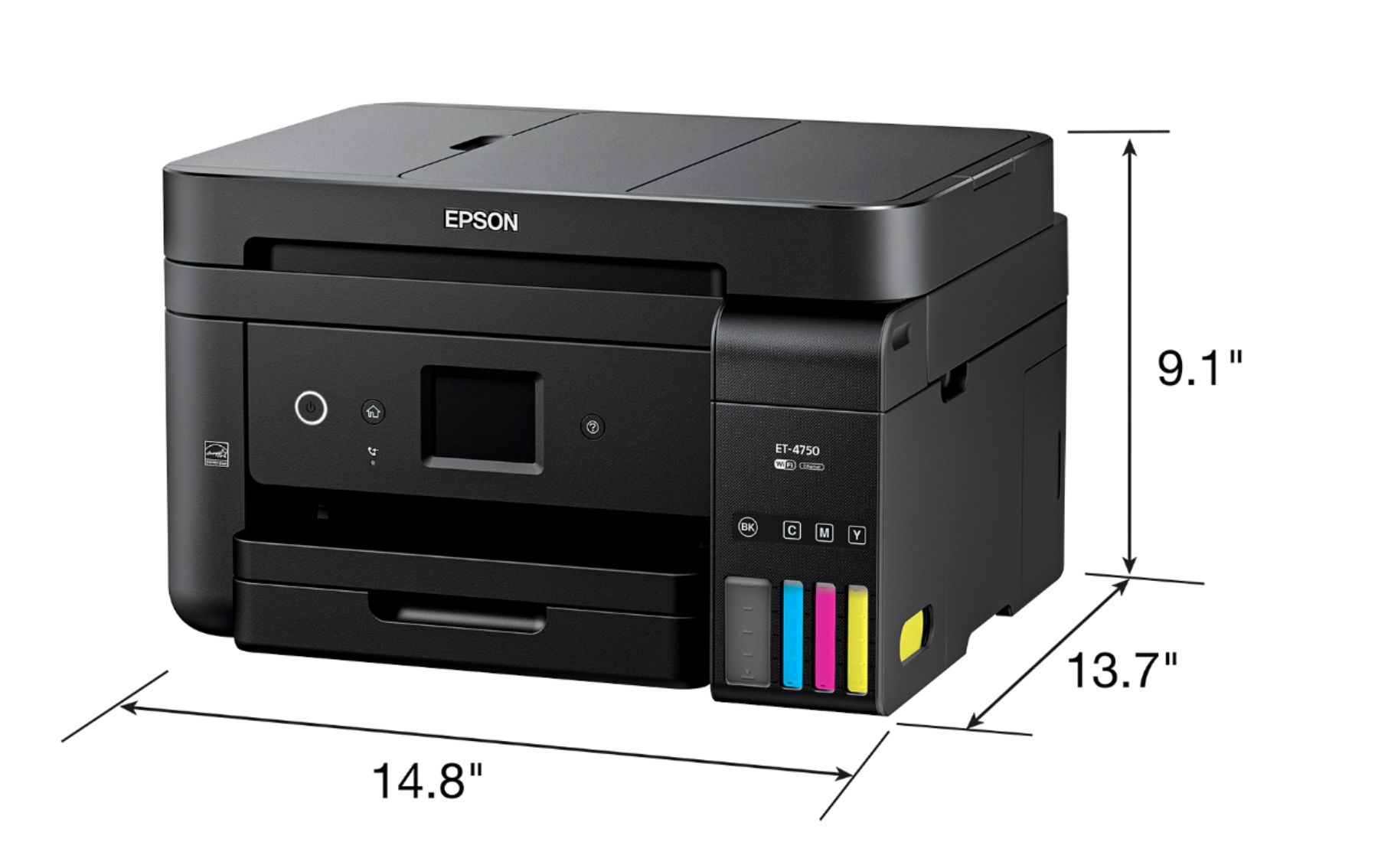
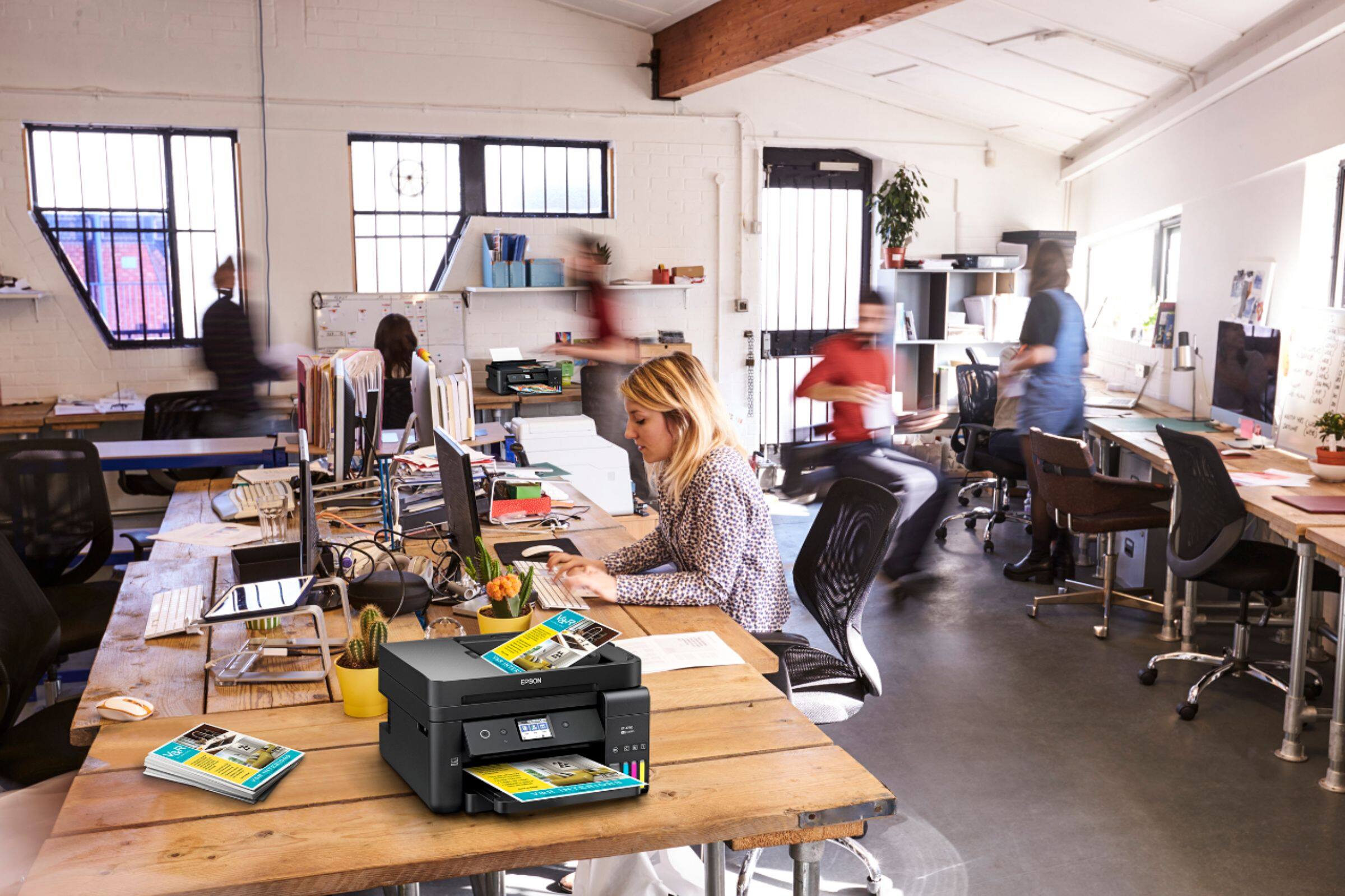
Posted .This reviewer received promo considerations or sweepstakes entry for writing a review.The Epson Workforce ET-4750 Eco Tank All in One Printer in the color option black is a great product that is easy to set up and use straight out of the box. It is easy to set up and use straight out of the box. It is easy to set up over your wireless network or you can use WIFI direct or an Ethernet cable to connect it to your computer. You can also connect the printer directly to your computer by using a USB cable (Not Included). It is not only a printer but also a scanner, copier and fax machine. It is also a wireless printer that you can set up y our smartphone and tablet with the app Epson Connect that will allow you to print your files and documents from your devices. This all in one is small and compact in size so it will not take up much space on your desk in your home or small office. You can print pages in black and white or color. It has a paper drawer that slides out and has the capacity to hold 250 sheets of letter or legal sized sheets. There is an auto document feeder on top that will allow you to do two-sided printed automatically. The ink tanks are easily filled with the bottles of ink by lining up the bottles and turning them upside down on the color of the tank that you are filling up. The bottle of ink continues to fill the tank and then stops automatically when the tank is full. The printer has a transparent gauge on the front right-hand side that you can look at to see how low your ink tanks are getting so you can order more. Once the printer software is set up and installed you will be given step by step instructions on how you need to set up your printer and align your colors of ink. When you run the software you will be given the option to join Epson Connect which will give you many options to print and scan. You will be given an email address for printing. When you use this printer you can customize the printer's properties including quality, color, and paper type. This printer comes with 8 bottles of ink in the colors black, blue, cyan and yellow which is enough ink to last you for two years. You will have the capacity to print 14,000 pages in black and white and 11,200 pages in color. The Epson WorkForce ET-4750 also has a 2.4" color touchscreen where you can set up your printers settings manually. This printer is productive, intuitive and efficient. It is a fax machine that has the capacity to send 30 pages all at once. I have had the opportunity to use the Epson WorkForce ET-4750 All in one printing, copying, scanning and faxing capabilities and I have gotten great results. It is a great product that I would definitely recommend. This is a review for the Epson WorkForce ET-4750 All in one printer that I received free of charge to do a beta test and review.
I would recommend this to a friendFantastic printer!
Posted .This reviewer received promo considerations or sweepstakes entry for writing a review.Setting up this printer is super easy. It comes with detailed, step-by-step instructions that make it simple for even the most novice computer/printer user. You unpack it (making sure to remove all the tape that provided support during transport & shipping), fill the ink slots with the included ink bottles, plug it in, and follow the on screen instructions to align things and finish setting it all up. It comes with a set-up disc as well as the link to download the software if you computer doesn't have a disc drive. I also set mine up to make use of the wireless printing from my phone, which was super easy as well. The apps that Epson has out to go with the wireless printing are a fantastic thing, too. Nice, easy, simple. Printing is easy, fast, and great quality. I printed many test documents, photos, etc. (wirelessly and through my phone for a good portion of them) and they all came out beautifully. There's almost no delay between sending the print command and actual printing. The one thing I will mention is that when I went to open the top up to put the ink into the printer, I thought I was going to break it. Also, when sliding the paper slide guards over, I thought I might break those. It's obvious after you move things around for the first time that it isn't going to break, they aren't flimsy by any means. It's just strong. Well made. It feels almost as if you are forcing something to move that you shouldn't. But, rest assured, it's not going to break as long as you follow the included set-up directions. My first thoughts when reading about the Epson WorkForce ET-4750 EcoTank All-in-One Printer were: (a) finally a printer that doesn't require a ton of waste from buying cartridges all the time, and (b) I wonder how messy filling the ink is going to be. The Epson WorkForce ET-4750 EcoTank All-in-One Printer comes with enough ink for "two years" and I don't doubt that statement for a minute. You'll use one set to set-up the printer and have another set for future use. I printed MANY things and barely touched the ink levels (which are very nicely displayed not only in the on screen display but also on the front of the printer itself. And it isn't messy at all! The bottles are very secure with a piece that fits onto the ink well before ink will flow and stops flowing when it is full. All-in-all, this is a fantastic all-in-one printer with a lot of added benefits that is well worth the cost. I highly recommend it. This is a review for the Epson WorkForce ET-4750 EcoTank All-in-One Printer that I received free of charge to do a beta test and review.
I would recommend this to a friendDoes what you need and more
Posted .This reviewer received promo considerations or sweepstakes entry for writing a review.This printer out of the box was very easy to unpack and setup. It came in a box with Styrofoam inserts and was taped to keep everything secure. Due to the good packaging, there were no physical issues with the unit upon arrival. At first, I was a little worried about how well getting the ink into the reservoir would go. I feared it would spill all over while trying to pour it in. However, this was not the case as you simply just screw the cap off and stick the bottle in the correct opening. At which point the ink goes into the reservoir and once full stops. There were no issues with drips or leaks. After that the printer takes around 10 minutes to calibrate and adjust. I’m not sure if this happens only on the first fill up or after every fill up but it wasn’t a big deal. The rest of the setup was straight forward for items such as language, time zone, etc. The wireless set up was simple too. The touchscreen panel is a nice touch and more convenient than having to use arrows to type everything. The setup instructions were simple and to the point and more than enough to successfully setup the printer. I print a lot of shipping labels so I was interested to see how this printer would handle that since I use thicker paper. The Epson print app found the printer right away and I could print without issue. Even with the thicker paper I didn’t have any issues with jamming or paper feeding improperly. Speaking of paper, the tray is quite deep and can hold quite a bit of paper. It holds more than any other printer I have had. I also frequently scan items that I will be selling online. The scan feature worked without issue through the Epson app. There is also a copy feature on this printer which I don’t use as much but wanted to see how that performed. This was also very simple to do. The only feature that I didn’t really test was the fax feature as I don’t have a landline to fax over nor do I ever fax anyone. In the short time I have had this printer I have yet to encounter really any issues at all. It performs as advertised and assuming the ink lasts as long as advertised there really isn’t much downside to it. The initial price could be a deterrent to some but overtime the money you save on ink should more than make up for it. This is a review for the Epson WorkForce ET-4750 EcoTank All-in-One Printer that I received free of charge to do a beta test and review.
I would recommend this to a friend- Pros mentioned:Print quality
Great printer
Posted .This reviewer received promo considerations or sweepstakes entry for writing a review.This all in one wireless printer (fax, &Copier) has a touch screen for easy set up and use. The Epson ET-4750 is extremely fast and easy to set up with step by step directions. Also comes with ink & refills!! Prints very nicely and so far no issues. You can also print from your tablet, phone, and computer/laptop. This is a review for the Epson WorkForce ET-4750 Eco Tank All IN One Printer that I received free of charge to do a beta test and review
I would recommend this to a friend